Teenage Mutant Ninja Turtles: Shredder’s Revengewas a surprise hit when it launched last summer, breathing new life into the old-school 2D beat-em-up formula. Now there’s some new paid DLC to entice players back into the sewers. The Dimension Shellshock update was released today and brings new characters and a new game mode.
The DLC was announced earlier this summer, but the reveal didn’t include a release date, so today’s launch is a nice surprise. Dimension Shellshock allows you to play the entire game as two new players. There’s the comic book samurai Miyamoto Usagi from Usagi Yojimbo, an occasional friend to the turtles, and former Foot Clan soldier Karai. Both characters boast unique move sets and power ups.
As for the turtles and their cohorts, the DLC introduces palette swaps to keep things fresh. You don’t even have to buy Dimension Shellshock for this feature as there’s a free update with just the new colors.
There’s also a brand-new survival mode. This isn’t just a rehash that locks your characters in an arena with waves of enemies. Rather, it includes a number of original levels, called dimensions. There’s a bit of a roguelite element here, as the more you play, the more crystals you collect. These crystals can be used to purchase power ups, extra hit points and more.
Dimension Shellshock costs $8 and requires a copy of the original game. It’s currently available for PC, Nintendo Switch, PlayStation and Xbox consoles.
This article originally appeared on Engadget at https://www.engadget.com/teenage-mutant-ninja-turtles-shredders-revenge-gets-dlc-today-161511983.html?src=rss
Patience. Starfield is a huge game set in a universe of newly inhabited planets, and it combines interstellar travel with furious gunplay, alien exploration, spaceship management, character customization and interpersonal strife, and it takes a moment for all of these layers to merge into a coherent experience. But, give Starfield time, approach its systems with grace, and you’ll be rewarded with a big, generic sci-fi RPG.
Starfield has moments of beauty, but it features just as many instances of drudgery and disconnection in its main quest line. Playing on pre-release code on Xbox Series S, these issues are only exacerbated by chugging framerates, low-resolution set pieces and roughly one hard crash every five hours. Starfield is big and largely bland, and while it gets some open-world gameplay aspects right, it doesn’t offer anything new for the sci-fi or RPG genres.
Bethesda
That said, there are plenty of classic cosmic environments to enjoy in Starfield, and chances are, every player will find a gameplay aspect that resonates with them. Bethesda claims it will take hundreds of hours to interact with everything in Starfield, and I can say that 40 hours and one New Game Plus later, this doesn’t feel like a lie. I've barely scratched the surface of some late-game systems, like outpost building and in-depth ship customization, but I got a sense of these mechanics while completing the main storyline and related side missions, which featured exploration, mining, social manipulation, resource management, crafting, cooking and combat — both on the ground and among the stars.
Combat is one of Starfield’s weak points, unfortunately. Gun battles are central to the game’s core loop, but they often feel unnecessary. Some encounters are straightforward, but some act as a literal roadblock, with too many enemies, robots and turrets to destroy, no opportunity for stealth, and random drop-ins from high-level bullet sponges. My advice is to pay attention to the level of each foe you’re shooting, and if you’re overwhelmed, run straight past the bemused enemies to unlock the next step in your mission. (This tactic works in a surprising number of encounters, and it never feels great).
My issues with Starfield’s combat largely stem from its homogenous weaponry. Maybe I’ve been spoiled by Borderlands, but the guns in Starfield all feel incredibly similar to each other, and they generally aren’t satisfying to shoot. This situation improves with time — players have the option to modify their arsenal and there are a few guns with elemental effects scattered around the galaxy — but overall, combat feels like something tacked on to appease FPS players, despite being central to progression.
Bethesda
There are no VATS here, just items to upgrade your stats and a secondary ability tree that eventually gets added to your loadout. The boost pack is a nice touch, allowing players to fly in short bursts without expending precious oxygen. These features help make fighting more dynamic, but even in the final battles of the main mission, gunplay doesn’t feel consistent or compelling. Starfield’s combat isn’t awful, but the experience maxes out at meh.
Being sneaky was never really an option for me — I placed a point in my Stealth skill, but even with a crouch meter, security guards and space pirates always spotted me instantly, and they all chose violence. Sure, I could’ve focused on upgrading my Stealth tree, but I was busy maxing out my Persuasion skills and adding tools like Thrusters to my ship (which I recommend doing early on).
It’s not just the weapons in Starfield that feel repetitive. Regardless of which planet they’re on, buildings come in three flavors: bright utopia, gritty cyberpunk, and industrial laboratory. Combat environments tend to blend together, with metallic platforms, staircases and vents in factory-like bases. Sometimes these are built into an extremely dark cave system, but they’re often filled with the same containers, doors and enemies. The cyberpunk city of Neon — I bet you can guess what it looks like — is essentially an expanded version of the underground marketplace at New Atlantis, your character’s headquarters. The main commercial districts are recognizable across planets, with clean white architecture.
Bethesda
Not only are these set pieces similar to each other, but they’re also stereotypical in sci-fi. Starfield offers nothing new from a visual standpoint. This isn’t too surprising, considering the game’s retrofuturistic angle, which limits its design to specific aesthetics that have been mined by Blade Runner, Star Trek, Star Wars and other incredibly popular franchises. On top of this, there are missed opportunities for unique worldbuilding — there is no intelligent alien life in the game, and even generations removed from Earth’s rigid borders, humans speak English with distinct regional accents. Across the solar systems, from ships to skyscrapers to clothing, Starfield is filled with drab.
Despite its familiarity, I had a good time hanging out in Neon specifically. When building my character, I chose to affiliate myself with the Street Rats of Neon, and this trait helped me feel at home under the prismatic lights of the city, providing valuable dialogue options and insights. When it came time to grind, I chose to spend my time on Neon, completing tasks for various citizens and shop owners, and eventually landing a job in corporate espionage at a massive technology company. Anyone who enjoys Bethesda’s dialogue trees and Persuasion mechanics will be happy here, but be aware that combat has been shoehorned into most of these missions, too.
When I needed a break from stealing trade secrets, I explored a handful of planets from the main missions, following distortions on my scanner, surveying the landscape and growing in strength along the way. These were some of the most peaceful and deeply enjoyable moments of Starfield, for me: wandering along the ruins of a lost settlement while a soundtrack of simple piano music echoed like interstellar radar, notes building slowly, teasing adventure beyond the next bend.
Engadget
This was the loop that I liked in Starfield. Other players will be drawn to quests outside of Neon; others will spend hours customizing their ships, gear and outposts; some will stick to interstellar combat and completing their Starmap. There’s enough variety in the planets to justify exploration, though there remains an abundance of gray and brown in the terrain overall. Ship combat is tricky at first, but it quickly becomes a delightful challenge of resource management and target prioritization, as long as you’re not suddenly bombarded by overpowered enemies.
There is a lot to do in Starfield, and a lot to enjoy. The Digipick lock-picking mechanic is so satisfying that I’d play it as a standalone game. The end of the main mission line introduces a compelling twist that messes with the player’s sense of reality in the middle of a frantic gun fight, and it was the most fun I had in combat. Though I would’ve loved to meet some extraterrestrials, it was fantastic to see so many women, LGBT folks and people of color in leadership positions throughout the game.
Starfield is a classic Bethesda RPG from toot to snoot, and this includes a litany of technical issues. I saw problems with facial and movement animations, I encountered dialogue and persuasion trees that barely made sense, and I had multiple conversations with characters who were rudely facing the wrong way.
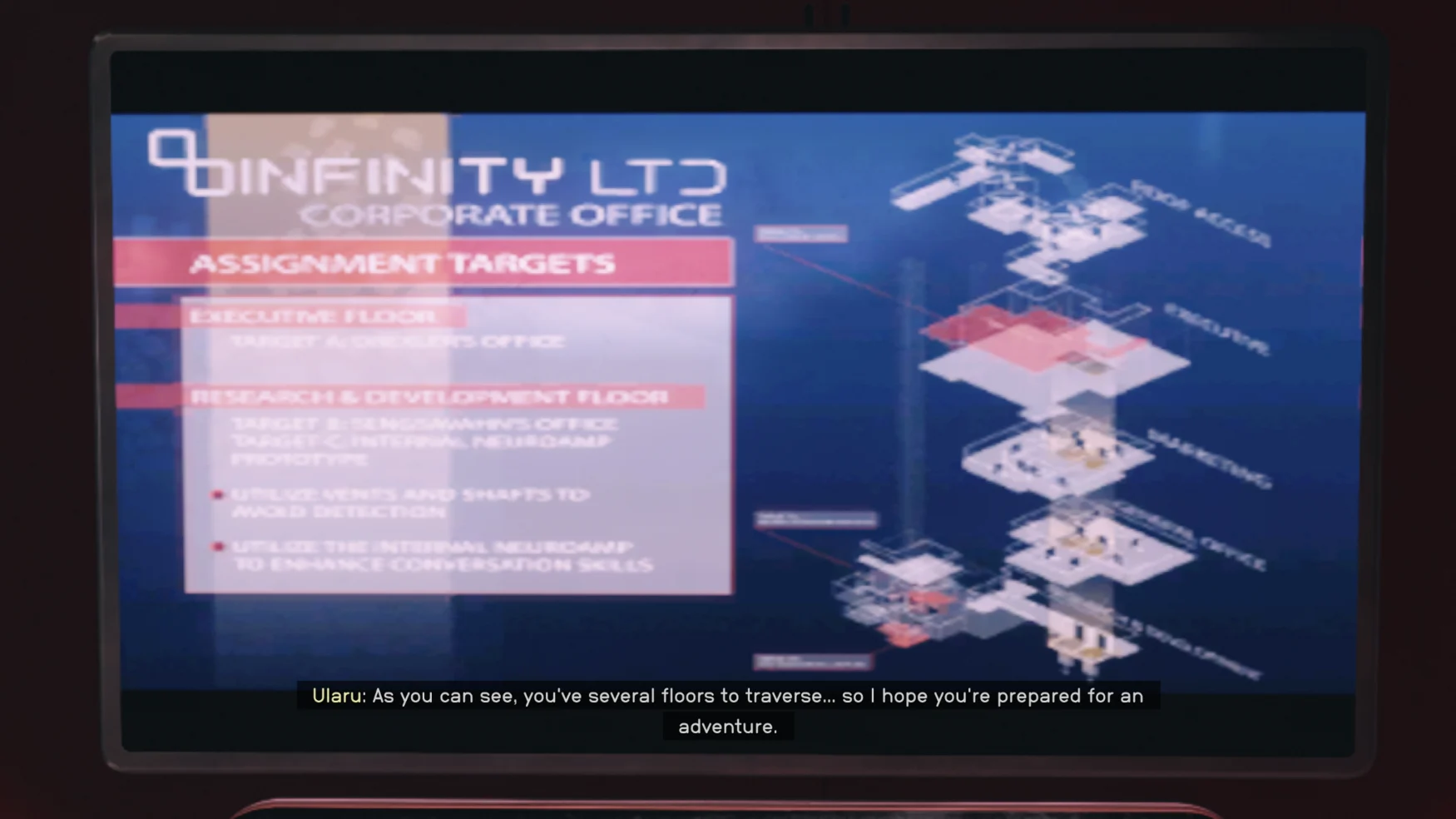
I played on Xbox Series S, and I attribute a handful of additional glitches to that hardware specifically, including the fact that my game crashed 10 times in 40 hours. There are generous auto saves, so I only lost significant progress twice, but that was more often than I’d like. The game also has lengthy, static loading screens, and consistent framerate issues. In one scene, a character was describing how I should sneak into a rival’s headquarters, and an image of the building’s layout filled the screen, pixelated beyond recognition.
“As you can see…,” the character said, driving home the visual insult.
The story that unravels in Starfield is mainstream sci-fi fare, and while it’s not revolutionary, it’s perfectly serviceable for an RPG. It establishes a universe of items to collect and knowledge to gain, with mysteries, danger and new characters emerging along the way. The game is at its best when the main narrative falls to the wayside, and players are free to mess around on new planets, play with their spaceships, find settlements or simply explore the galaxy.
Starfield is huge, and it contains a mission or mechanic that every player can enjoy — they just might have to get through 40 hours of a game they don’t really like before discovering that loop. Todd Howard, the head of Bethesda Game Studios, said in a letter to reviewers that there are 3 million words in the game; he noted the amount of text, but that figure says nothing about quality.
Overall, Starfield is fine. It’s a Frankenstein monster of other sci-fi games and references, and it doesn’t do any of these things better than the existing products. Combat? Cyberpunk 2077 is smoother. Mining and exploration? That’s all No Man’s Sky. Ship management? FTL still reigns. RPG storytelling? Look no further than Outer Worlds.
Digipicks, though? That one goes to Starfield.
This article originally appeared on Engadget at https://www.engadget.com/starfield-review-you-will-like-some-of-it-160046067.html?src=rss
Shure may not have changed much of the design of its Aonic 50 headphones for the second-generation version, but it did a lot of work on the inside to massively upgrade all-around performance. The company announced the new model today, a set of $349 premium noise-canceling wireless headphones that now offer spatial audio, improved active noise cancellation (ANC) and twice the battery life of the previous version.
In terms of sound quality, Shure says the new Aonic 50 has its spatial audio tech onboard that leverages an "acoustical modeling and critical listening" algorithm to offer immersion without compromising the original audio. There are three modes here — Music, Cinema and Podcast — which the company explains are tailored to each use case. Music mode offers the experience of listening with "high-end speakers" while Cinema mode adds more low-end tone to give the effect of being in a theater, maintains clarity and offers "natural sounding" dialog. Podcast mode positions the host's voice closer to the user's ears. This is all powered by 50mm dynamic drivers and Snapdragon Sound with aptX Adaptive, allowing you to stream music in AAC, SBC and LDAC codecs.
Rather than keep the ANC setup from the previous version, tech simply described as "adjustable," Shure opted for a new hybrid active noise cancellation system. Like hybrid ANC on other headphones, the company uses microphones on the inside and the outside of the ear cup to monitor environmental clamor. Shure also allows you to control the amount of noise blocking and ambient sound with four modes: Light, Moderate, Max and MaxAware. The last of which is a new option the company describes as "perfect balance between blocking unwanted noise and maintaining awareness of your surroundings." There's also an Enhanced Environment mode that allows you to adjust those levels with a slider rather than relying on presets.
Shure has more than doubled the battery life for the second-gen Aonic 50. It now offers up to 45 hours of listening time on a charge, up from the 20 hours on the previous version. There's also a quick-charge feature on the new model that gives you five hours of use in 15 minutes. The company is also touting "superior" call quality thanks to beamforming mics with automatic gain control. Shure says the six built-in microphones adjust automatically to combat ambient noise, which it claims provides "unmatched" clarity. Companies make lofty promises about voice performance all the time, and since mileage varies greatly on those, we'll have to reserve judgement here until we can complete our own testing.
This article originally appeared on Engadget at https://www.engadget.com/shures-new-aonic-50-headphones-have-spatial-audio-and-double-the-battery-life-160025565.html?src=rss
Just over a month after it declared bankruptcy, e-bike maker VanMoof has found a new home. Lavoie, the electric scooter division of McLaren Applied, has agreed to buy VanMoof and make investments in it to grow the business. According to a press release, Lavoie and its parent plan to "inject stability into the VanMoof operations" before bringing together their "capabilities to create a next-generation e-mobility business and establish a world-leading premium e-mobility offering."
Terms of the acquisition haven't been disclosed, but Lavoie and McLaren Applied appear to have a reasonable understanding of the challenge that lies ahead to get VanMoof back on track. McLaren Applied Chairman Nick Fry told Reutersthat VanMoof is "a company with a brilliant product" that offers his team an opportunity in a new market, "but this is not going to be a walk in the park. This also is a company that got itself into a difficult financial situation." Fry noted that McLaren Applied would need to invest "tens of millions" of pounds "in the short term" to stabilize VanMoof.
Lavoie CEO Eliott Wertheimer pointed out that VanMoof has more than 190,000 e-bike customers, some of whom have been struggling to obtain parts for repairs after production was suspended. Lavoie's goal is to "continue to keep those riders on the road whilst we stabilize and efficiently grow the VanMoof business and continue to develop its world-class products.” However, there will be layoffs as part of the acquisition. VanMoof will also shift away from an in-house retail store model to instead sell and service bikes via third-party partners. Peloton has made a similar shift in its business model over the last year or so.
This article originally appeared on Engadget at https://www.engadget.com/lavoie-buys-vanmoof-giving-the-e-bike-maker-a-bankruptcy-liferaft-151547609.html?src=rss
Finding the best computer monitor for your needs is already hard enough, but as soon as you decide to go for one that’s suited for gaming, there are a ton of additional factors and features to consider. What are refresh rates? What’s the difference between NVIDIA G-Sync and AMD FreeSync? Those are just some of the questions this guide aims to answer, and, in the process, help you find the best gaming monitor for your budget.
LCD vs OLED
When shopping for a new gaming monitor, you first need to decide if you want to go with a screen that has an LCD or OLED panel. For most people, that choice will come down to price; OLED gaming monitors are significantly more expensive than their LCD counterparts. But even if money isn’t a concern, the choice might not be as straightforward as you think.
LCD monitors come in three different varieties: twisted nematic (TN), vertical alignment (VA) or in-plane switching (IPS). Without getting too technical, each panel type has its own set of quirks. For the most part, you want to avoid TN monitors unless you’re strapped for cash or want a monitor with the fastest possible refresh rate. TN screens feature the worst viewing angles, contrast ratios and colors of the bunch. After using an IPS monitor for many years and testing an OLED monitor for this guide, I can’t go back to a TN panel.
The differences between VA and IPS panels are more subtle. Historically, VA gaming monitors have featured slower pixel response times than their TN and IPS counterparts, leading to unsightly image smearing. However, that’s improved in recent years. VA panels also frequently sport better contrast ratios than both TN and IPS screens. They’re not dramatically better than their IPS siblings on that front, but when contrast ratios aren’t an inherent strength of LCDs, every bit helps.
On the other hand, IPS panels excel at color accuracy and many offer refresh rates and response times that are as fast as the fastest TN panels. The majority of LCD gaming monitors on the market today feature IPS panels, though you will frequently find VA screens on ultrawide monitors.
In many ways, OLED is the superior display tech. There’s something transformational about the ability of organic light-emitting diodes to produce true blacks. Simply put, every game looks better when there’s no backlight to wash out shadow details. Moreover, if you buy an OLED monitor, you can experience something PC gamers have been missing out on for a while: proper HDR gaming.
Unfortunately, OLED screens also come with a few noteworthy drawbacks. One big one is text legibility. Almost all OLEDs feature sub-pixel layouts that produce noticeable text fringing in Windows. It’s not an issue you will see when gaming, but it does mean they aren’t the best for productivity.
Another issue — and everyone’s favorite topic of conversation whenever OLEDs come up — is burn-in. Organic light-emitting diodes can get “stuck” if they display the same image for long periods of time. Every OLED gaming monitor you can buy in 2023 comes with features designed to prevent burn-in and other image retention issues, but those displays haven’t been on the market long enough for us to know how they handle all the static elements that come with Windows. When you consider those drawbacks, OLEDs are great for gaming but they’re less ideal for everyday PC use.
Screen size, resolution and aspect ratio
Photo by Igor Bonifacic / Engadget
After deciding where you fall on the LCD vs OLED debate, you can start thinking about the size of your future gaming monitor. Personal preference and the limitations of your gaming space will play a big part here, but there are also a few technical considerations. I recommend you think about size in conjunction with resolution and aspect ratio.
A 1440p monitor has 78 percent more pixels than a 1080p screen, and a 4K display has more than twice as many pixels as a QHD panel. As the size of a monitor increases, pixel density decreases unless you also increase resolution. For that reason, there tend to be sweet spots between size and resolution. For instance, I wouldn’t recommend buying a FHD monitor that is larger than 24-inches or a QHD one bigger than 27 inches. Conversely, text and interface elements on a 4K monitor can look tiny without scaling on panels smaller than 32 inches.
You also need to consider the performance costs of running games at higher resolutions. The latest entry-level GPUs can comfortably run most modern games at 1080p and 60 frames per second. They can even render some competitive titles at 120 frames per second and higher — but push them to run those same games at 1440p and beyond, and you’re bound to run into problems. And as you’ll see in a moment, a consistently high frame rate is vital to getting the most out of the latest gaming monitors.
If your budget allows for it, 1440p offers the best balance between visual clarity and gaming performance. As for 1080p and 4K, I would only consider the former if you’re on a tight budget or you exclusively play competitive shooters like Valorant and Overwatch 2. For most people, the user experience and productivity benefits of QHD far outweigh the performance gains you get from going with a lower resolution screen.
Before the end of last year, I would have said 4K was not a viable resolution for PC gaming, but then NVIDIA came out with its 40 series GPUs. With those video cards offering the company’s DLSS 3 frame generation technology, there’s a case to be made that the technology is finally there to play 4K games at a reasonable frame rate, particularly if you exclusively play big, AAA single-player games like Control and Cyberpunk 2077 or enjoy strategy games like the Total War series. However, even with frame generation, you will need a GPU like the $1,099 RTX 4080 or $1,599 RTX 4090 to drive a 4K display. Plus, 4K gaming monitors tend to cost more than their 1440p counterparts.
If you want an OLED monitor, your choices are more limited. It was only at the end of last year that LG began producing 27-inch OLED panels. What’s more, the first batch of 32-inch 4K OLED gaming monitors won’t arrive until next year. A few companies have released ultrawide monitors with Samsung QD-OLED panels, but expect to pay a hefty premium for one of those.
Speaking of ultrawides, note that not every game supports the 21:9 aspect ratio and fewer still support 32:9. When shopping for a curved monitor, a lower Radius, or ‘R’ number, indicates a more aggressive curve. So, a 1000R monitor is more curved than an 1800R one.
Refresh rates and response times
And now finally for the fun stuff. The entire reason to buy a gaming monitor is for their ability to draw more images than a traditional PC display. As you shop for a new screen, you will see models advertising refresh rates like 120Hz, 240Hz and 360Hz. The higher the refresh rate of a monitor, the more times it can update the image it displays on screen every second, thereby producing a smoother moving image. When it comes to games like Overwatch, Valorant and League of Legends, a faster refresh rate can give you a competitive edge, but even immersive single-player games can benefit.
A monitor with a 360Hz refresh rate will look better in motion than one with a 240Hz or 120Hz refresh rate, but there are diminishing returns. At 60Hz, the image you see on your monitor is updated every 16.67ms. At 120Hz, 240Hz and 360Hz, the gap between new frames shortens to 8.33ms, 4.17ms and 2.78ms, respectively. Put another way, although a 360Hz monitor can display 50 percent more frames than a 240Hz screen in a given time period, you will only see a speedup of 1.14ms between frame intervals. And all that depends on your GPU’s ability to render a consistent 360 frames per second.
Ultimately, a fast monitor will do you no good if you don't have a graphics card that can keep up. For example, with a 1440p 360Hz monitor, you realistically need a GPU like the RTX 4070 or RTX 4080 to saturate that display while playing competitive games like Overwatch 2 and Valorant.
There’s also more to motion clarity than refresh rates alone. Just as important are response times, or the amount of time it takes for pixels to transition from one color to another and then back again. Monitors with slow response times tend to produce smearing that is distracting no matter what kind of game you’re playing. Unfortunately, response times are also one of the more opaque aspects of picking the best gaming monitor for your needs.
Many manufacturers claim their products feature 1ms gray-to-gray (GtG) response times, yet they don’t handle motion blur to the same standard. One of the reasons for that is that many companies tend to cherry pick GtG results that make their monitors look better on paper. The Video Electronics Standards Association (VESA) recently created a new certification program to address that problem, but the grading system is unwieldy and, as far as I can tell, hasn’t had a lot of pickup from manufacturers.
For now, your best bet is to turn to resources like Rtings and Monitors Unboxed when shopping for a new gaming monitor. Both outlets conduct extensive testing of every screen they review, and present their findings and recommendations in a way that’s easy to understand.
FreeSync vs G-Sync
Photo by Igor Bonifacic / Engadget
No matter how powerful your system, it will sometimes fail to maintain a consistent framerate. In fact, you should expect frame rate fluctuations when playing graphically-intensive games like Cyberpunk 2077 and Control. For those moments, you want a gaming display with adaptive sync. Otherwise, you can run into screen tearing.
Adaptive sync technologies come in a few flavors. The two you’re most likely to encounter are AMD FreeSync and NVIDIA G-Sync, and each has its own set of performance tiers. With G-Sync, for instance, they are – from lowest to highest – G-Sync Compatible, G-Sync and G-Sync Ultimate.
The good news is that you don’t need to think too much about which adaptive sync technology a display supports. In the early days of the tech, it was rare to see a gaming monitor that offered both FreeSync and G-Sync, since including the latter meant a manufacturer had to equip their display with a dedicated processor from NVIDIA. That changed in 2019 when the company introduced its G-Sync Compatible certification. In 2023, if a monitor supports FreeSync, it is almost certainly G-Sync Compatible too, meaning you can enjoy tear-free gaming whether you’re using an AMD or NVIDIA GPU.
In fact, I would go so far as to say you shouldn’t make your purchasing decision based on the level of adaptive sync performance a monitor offers. As of the writing of this guide, the list of G-Sync Ultimate-certified displays is less than two dozen models long, and some are a few years old now.
Inputs
Almost every gaming display on the market right now comes with at least one DisplayPort 1.4 connection, and that’s the port you will want to use to connect your new monitor to your graphics card. If you own a PS5 or Xbox Series X/S, it’s also worth looking out for monitors that come with HDMI 2.1 ports, as those will allow you to get the most out of your current generation console.
A word about HDR
As fast and responsive gaming monitors have become in recent years, there’s one area where progress has been frustratingly slow: HDR performance. The majority of gaming monitors currently on sale, including most high-end models, only meet VESA’s DisplayHDR 400 certification. As someone who owns one such monitor, let me tell you right now it’s not even worth turning on HDR on those screens. You will only be disappointed.
The good news is that things are getting better, albeit slowly. The release of Windows 11 did a lot to improve the state of HDR on PC, and more games are shipping with competent HDR modes, not just ones that increase the brightness of highlights. Unfortunately, if you want a proper HDR experience on PC, you will need to shell out for an OLED monitor.
Gaming monitor accessories
If you plan to spend a lot on a gaming monitor, I would recommend picking up an affordable colorimeter like the Spyder X Pro alongside your new purchase. A lot of gaming monitors come uncalibrated out of the box, so their colors won’t look quite right. It’s possible to get a decent image with the help of online recommendations and ICC profiles you can download from websites like Rtings, but every panel is different and needs its own set of adjustments to look its best.
I would also recommend a monitor arm if you want to improve the ergonomics of your setup. Many gaming monitors come with subpar stands that don’t offer the full range of adjustments people need to avoid bad posture. A monitor arm can help by offering a wider range of height, tilt and swivel options. Most 16:9 gaming monitors will work with VESA 100-compatible monitor arms. Vivo makes some great affordable options.
The best gaming monitor for most people: LG 27GP850-B
For most people, the LG 27GP850-B is all the gaming monitor they need. It features an excellent 27-inch, 1440p Nano IPS panel with a native 165Hz refresh rate, and the option to overclock to 180Hz. In addition to excellent pixel response times (1m GtG, according to LG), the 27GP850-B comes with a backlight strobing feature that can further improve motion clarity for GPUs that can maintain a frame rate above 120fps. It’s also FreeSync Premium and G-Sync Compatible certified.
If you can’t find the 27GP850-B at your local retailers, another good option is the LG 27GL83A-B. It’s a few years old now, but offers a 144Hz refresh rate, speedy response times and it’s at least $100 less than the 27GP850-B. I’ve been using the Dell version of this display since mid-2021 (sadly no longer available), and can’t imagine replacing it until OLED monitors become more affordable.
A compelling budget option: ViewSonic XG2431
For a more affordable option than either LG displays mentioned above, consider the ViewSonic XG2431. While its price has fluctuated in recent months, you can frequently find the XG2431 for less than $300. Coming in at 24-inches, it’s on the smaller side and only features a 1080p panel. However, it offers a 240Hz refresh rate. When you combine that with its lower resolution, the XG2431 is a great option for competitive gamers on a budget.
The best gaming monitor regardless of price: LG 27GR95QE-B
If money is no object and you enjoy a mix of immersive and competitive gaming, the LG 27GR95QE-B is the monitor to beat right now. It features a 27-inch 1440p OLED panel with a 240Hz refresh rate and sub-1ms pixel response times. In motion, the 27GR95QE-B performs a shade worse than the ASUS PG27AQM highlighted below, but, among dedicated gaming monitors, it is unmatched when it comes to HDR performance.
The 27GR95QE-B comes with all the usual issues associated with OLEDs, including the text legibility and burn-in concerns I mentioned above. It also doesn’t get very bright, maxing out at about 200 nits.
A few other companies produce 27-inch OLED monitors using the same panel as the 27GR95QE-B. Most notably, there’s ASUS with the PG27AQDM. It can get a fair bit brighter than the 27GR95QE-B, though it hasn’t been out long enough for people to carry out long-term testing to determine how that affects the longevity of the panel.
A high-end LCD option: ASUS PG27AQM
If the thought of spending $1,000 on an OLED monitor that could one day suffer from burn-in gives you pause, the ASUS PG27AQN is a safer high-end option. It’s one of the fastest gaming monitors on the market right now, offering an impressive 360Hz refresh rate, 1ms response times and a 27-inch QHD panel. It also comes with NVIDIA’s Reflex module, which you can use to see how your mouse, internal hardware and display contribute to your system's overall latency. However, it is expensive, coming in at $1,049, but for that price, you get one of the gaming monitors on the market right now.
A high-end ultrawide option: Alienware AW3423DWF
For those set on an ultrawide monitor, one of the best options available right now is the AW3423DWF. I haven’t had a chance to test it, but Engadget Senior Editor Devindra Hardawar gave Alienware’s QD-OLED display a score of 92 when he reviewed it last May. At $1,299, the AW3423DWF is easily the most expensive screen on this list, but for that price you get a 21:9 gaming monitor with an up-to 175Hz refresh rate, 0.1ms response rate and HDR True Black 400 performance. The only thing it’s missing is an HDMI 2.1 port.
This article originally appeared on Engadget at https://www.engadget.com/best-gaming-monitor-140008940.html?src=rss
A much-demanded feature is finally coming to Threads very soon, Meta CEO Mark Zuckerberg has confirmed. A keyword search function is on the way. Until now, the search box has only been useful for looking up user accounts.
In fact, the company is already testing the function in Australia and New Zealand. It plans to roll out keyword search more broadly to English-speaking territories in short order. “We are actively listening to the community’s feedback and working on more features to improve the search experience,” Meta told TechCrunch.
A full-text search feature is seen as critical for Threads to challenge (or perhaps even supplant) X/Twitter as the go-to platform for public conversations, particularly around events that are happening in real-time. Threads is missing some other functions that could help it get to that point, such as a TweetDeck (sorry, XPro) equivalent, but being able to search for posts is vital. It's a key feature that could help Threads bring back some of the users who have drifted away after an initial spike in popularity.
To its credit, Meta has been quickly adding other important features to Threads over the last several weeks, including a full web version and a chronological feed of posts. So, other functions that users have been asking for may not be far behind.
This article originally appeared on Engadget at https://www.engadget.com/keyword-search-is-finally-coming-to-threads-135516556.html?src=rss
The following article discusses the fourth season of Star Trek: Lower Decks.
There’s a risk, using a word like “should” that we’re a short hop away from a tantrum to police the borders of What Proper Star Trek(™) is. But after watching most of Star Trek: Lower Decks’ fourth season, it does feel as if the show’s outlook is the most Star Trek of the bunch. Part of this is because the show is mature enough to laugh at itself, and part of it is because it’s now letting its characters grow. This is a sitcom, so its first duty is to be funny rather than weighty, but it’s a welcome sight to see the quartet escape the bottom rung.
I don’t think that’s much of a spoiler, because it’s in the trailer, the press material and the cast’s promotional interviews with TrekMovie. At the start of season four, some of the quartet get their promotions to Lieutenant Junior Grade, and out of their shared bunk. Now they’re expected to lead away missions, take on real real responsibilities and actually lead other people. It affects them all differently, with Boimler struggling to grow into his role, and Mariner fighting every urge in her body not to self-sabotage, with varying degrees of success. And it’s here, I think, that we see the side of Star Trek that so often gets overlooked in its other properties.
After all, Starfleet is an organization of people coming together to do better for other people, but also to improve themselves. For every daring scientific experiment and skin-of-the-teeth rescue, we see more of the senior officers’ desire to actually nurture their charges. This, too, helps to broaden the series’ focus, to include T’Lyn, the fan-favorite who joined the Cerritos at the end of last season. The broader view also gives Captain Freeman more of a central role in several episodes, especially highlighting the times when her knowledge is ignored by her superiors. For all we’ve seen of the dung rolling downhill and landing in Beta Shift’s trench, it’s not as if those higher up the chain don’t get their fair share of excrement, too.
I wonder if its status as Star Trek’s officially-sanctioned Class Clown gives it room to be more subversive than anyone gives it credit for. Time and again, both in this series and before, we see totems of Star Trek’s past commoditized and packaged for sale. It’s an easy way to milk fans’ nostalgia glands, but it’s also potentially a subtle critique about the nature of nostalgia. As much as Lower Decks was created by a Next Generation fan who wants to recapture some of that magic, it’s also a commentary on that very same desire. And the show’s creative team is clear-eyed enough to notice that series’ blind spots and mine them for comedy.
But, for all of this high-falutin’ talk, this remains Lower Decks, a series that can have you in tears at the sight of a pair of dueling [SPOILERS] trying to out-compliment each other. And, if nothing else, it’s a pleasure to spend more time with Starfleet’s horniest and weirdest crew.
The first two episodes of Star Trek: Lower Decks will be available to watch on Paramount+ on Thursday, September 7. A new episode will arrive on subsequent Thursdays.
This article originally appeared on Engadget at https://www.engadget.com/lower-decks-taps-into-what-star-trek-really-is-130059999.html?src=rss
Jabra was one of the first companies to solve the puzzle of true wireless earbuds. From its first model in 2018, the Elite 65t, the company has consistently offered a great mix of sound and features across a range of prices. And on top of that, Jabra's earbuds have been some of the most reliable from the jump, consistently staying connected even in the early days of true wireless. Today, the company adds two more options to its lineup: the Elite 10 and the Elite 8 Active. While the first is Jabra's new full-featured premium model, the latter is a rugged workout companion that's been put through military-grade testing.
Jabra didn't change much in terms of design between its most recent earbuds and these two new models. On the Elite 10, the company says it combined the fit from the Elite 7 Pro with the "all-day" comfort from the Elite 85t. Jabra also developed what it calls ComfortFit for the Elite 10, a semi-open design with less occlusion and ear pressure. The earbuds are wrapped in soft silicon to further enhance the fit and slight tweaks to the shape should fit more ears than previous Jabra models.
The key addition on the Elite 10 is Dolby Atmos audio. This is the first Jabra model to feature Dolby's immersive sound and the earbuds also support the company's head tracking tech. The Elite 10 has 10mm drivers and "advanced" active noise cancellation (ANC) which Jabra says automatically adjusts to your surroundings using infrasonic waves to measure the ear canal. The system then leverages an algorithm to detect any leakage or change in wind conditions. The company also explains that this advanced ANC blocks twice as much noise as it's "standard" noise cancellation.
Jabra is hyping up the productivity aspect of the Elite 10 as well. It's promising "crystal-clear calls" thanks to six built-in microphones and voice clarity algorithms. Bluetooth Multipoint connectivity, HearThrough (transparency) mode with wind noise reduction, automatic pausing, hands-free voice assistants, fast pair, wireless charging and Bluetooth LE support round out the list of conveniences. The IP57-rated earbuds can withstand dust and full immersion so they'll also do well during workouts. In terms of battery life, Jabra says you can expect up to six hours with ANC on and the case provides another 21 hours of use.
The Elite 10 will be available in September for $250. They will come in cream, cocoa, titanium black, gloss black and matte black.
Jabra Elite 8 Active
Jabra
If you need a set of wireless earbuds that can withstand the rigors of a more adventurous lifestyle, the Elite 8 Active should fit the bill. While the company has built workout-friendly Active models before, this new option takes things up several notches. In fact, Jabra is calling the Elite 8 Active "the world's toughest earbuds." They've passed all the required testing for the US military's Standard for Ruggedized Electronics (810H), which includes humidity, high temperature, rain and altitude. The company says the Elite 8 Active are completely watertight, supported by an IP68 dust and waterproof rating (the case is IP54).
Jabra didn't stop the testing there. It also conducted High Accelerated Corrosion Testing (HACT). The trial includes 11 full cycles of two hours in 104 degree Fahrenheit temperatures with 93-percent humidity, a 15-minute splash test in saltwater and a 15-minute 104 degree Fahrenheit drying test. Jabra says the Elite 8 Active also stayed in place the entire time — in a mannequin we hope — thanks to the ShakeGrip coating that has covered previous Active models.
In terms of audio, the Elite 8 Active packs in 6mm drivers and support for Dolby Audio. It's not Atmos, but it's likely better than standard sound. There's also adaptive ANC that automatically adjusts to your environment, although it's not as powerful as the "advanced" noise canceling on the Elite 10. However, the less powerful ANC leads to better battery life. Jabra says you can expect up to 8 hours of listening time with ANC on and 32 hours total with the case factored in. HearThrough (transparency) mode is here once again, as is a six-microphone setup for calls that's equipped wind-blocking mesh. There's also smartwatch connectivity (HFP, A2DP and AVRCP Bluetooth profiles), Google Assistant, fast pair, Spotify Tap, Bluetooth LE and more.
The Elite 8 Active are available today for $200 in caramel, cocoa, navy, black and dark grey color options.
This article originally appeared on Engadget at https://www.engadget.com/jabras-elite-10-are-its-first-wireless-earbuds-to-feature-dolby-atmos-130012056.html?src=rss
How India Managed To Become One Of The Fast Growing EV Markets In The World, Highlights IEA
Around 90 percent of its 2.3 million electric vehicles are now cost-effective and the two and the three wheelers such as e-bikes, rickshaws, and scooters
Meta's Oversight Board has put a new case, which it believes is relevant to its strategic priorities, under the spotlight. In a post, the board has announced that over the next few weeks, it's reviewing and accepting public comments for a case appealing Meta's non-removal of content that denies the Holocaust on its platforms. Specifically, this case pertains to a post going around on Instagram that puts a speech bubble on an image with Squidward, a character from SpongeBob SquarePants, denying that the Holocaust had happened. Its caption and hashtags also targeted "specific geographical audiences."
The post was originally published by an account with 9,000 followers in September 2020, and it was viewed around 1,000 times. A few weeks after that, Meta revised its content policies to prohibit Holocaust denial. Despite the new rules and multiple users reporting it, the post wasn't quickly removed. Some of the reports were auto-closed due to the company's "COVID-19-related automation policies," which were put in place so that Meta's limited number of human reviewers can prioritize reports considered to be "high-risk." Other reporters were automatically told that the content does not violate Meta's policies.
One of the users who reported the post chose to appeal the case to the Board, which has determined that it falls in line with its efforts to prioritize "hate speech against marginalized groups." The Board is now seeking comments on several relevant issues, such as the use of automation to accurately take enforcement action against hate speech and the usefulness of Meta's transparency reporting.
In a post on Meta's transparency page, the company has admitted that it left the content up after initial review. However, it eventually determined that it was left up by mistake and that it did violate its hate speech policy. The company has since removed the content from its platforms, but it promised to implement the Board's decision. Meta's Oversight Board can issue policy recommendations based on its investigation, but they're not binding, and the company isn't compelled to follow them. Based on the questions the Board wants the public to answer, it could conjure recommendations that would change the way Meta uses automation to police Instagram and Facebook.
This article originally appeared on Engadget at https://www.engadget.com/metas-oversight-board-escalates-holocaust-denial-report-122625970.html?src=rss