Those who play Fortnite on console, for instance, don't need to create a full Epic account. Instead, they'll have a "nameless" Epic Games account that doesn't have its own display name or an email address attached to it. Fortnite had more than 350 million registered players as of May 2020, and those appear to make up a significant proportion of that 500 million figure.
The Epic Games Store hit more than 194 million users in 2021, an increase of 34 million from the previous year. The company said that "daily active users peaked at 31.1 million, and peak concurrent users reached 13.2 million," while there were 62 million monthly active users in December.
The publisher has invested heavily in its free PC games program, which will continue for at least the rest of this year. Documents that emerged from Epic's legal battle with Apple showed that it has spent hundreds of millions of dollars on the endeavor. Last year, Epic gave away 89 different titles and 765 million free games overall.
Offering Grand Theft Auto V at no cost brought in 7 million new Epic Games Store users in a single day, as The Vergenotes. Giveaways for the likes of Civilization VI, World War Z and Subnautica led to smaller, but still notable spikes in new user numbers. Rocket League switching to a free-to-play model boosted user numbers too.
Players spent around $840 million in the store in 2021, an increase of 20 percent from 2020. Just over a third of that was spent on third-party games. The biggest third-party titles on the store last year were Final Fantasy VII Remake Intergrade, Hitman 3, Far Cry 6, Genshin Impact, Darkest Dungeon, Kena: Bridge of Spirits, Chivalry 2 and GTA V.
Meanwhile, Epic says there have been more than 6 million downloads of The Matrix Awakens: An Unreal Engine 5 Experienceacross PlayStation 5 and Xbox Series X/S in two months. The tech demo, which is well worth checking out, shows off what UE5 can do. There was also a 40 percent increase in the number of Unreal Engine downloads last year, while Epic says 48 percent of announced current-gen games are being built on Unreal Engine.
Turmoil at CD Projekt Red appears to have an upside. Gamesindustry.biz and The Verge report former CDPR executive Konrad Tomaszkiewicz has formed a new studio, Rebel Wolves. The fledgling company has barely started work on its first title, but the company said it would be a dark fantasy role-playing game based on Unreal Engine 5. Tomaszkiewicz wants it to be the "holy grail" of digital RPGs, with the open-ended feel of a pen-and-paper game where decisions affect the world around you. The game is currently expected to launch in 2025 on PC, PS5 and Xbox Series X/S.
Rebel Wolves plans to expand its 12-person roster to more than 80 people in the years ahead, but the goal is to keep the team relatively small, flexible and focused. Tomaszkiewicz also saw this as a chance to break free from CDPR's focus on licensed material — he told GI.biz the new development house offered the freedom to create an original universe that suited his team's preferences.
Tomaszkiewicz played a crucial role at CDPR, having directed the critically acclaimed The Witcher 3 and served as secondary director for the ambitious but flawed Cyberpunk 2077. Co-founder Jakub Szamałek also hails from these teams, while other staffers have worked on games like Shadow Warrior 2 and Thronebreaker. However, Bloombergnotes Tomaszkiewicz left CDPR in May 2021 over allegations he bullied coworkers. A commission found him not guilty, but CDPR was also accused of requiring crunch time to finish Cyberpunk despite promises to the contrary.
The industry figure has vowed not to repeat those mistakes, however. Tomaszkiewicz told The Verge Rebel Wolves wanted a supportive environment with collaborative input and transparent decision-making. He also acknowledged the challenges of hiring a diverse workforce when the first employees are veterans, and told GI.biz he hoped the studio would provide "many different voices and perspectives" in time. As with some other new studios from industry legends, this is as much about correcting the industry's bad habits as it is obtaining creative independence.
The first major No Man's Sky patch of the year has arrived. Among other things, Hello Games says the Sentinel update improves the space exploration sim's AI and introduces a buildable AI mech. You can put an AI pilot in your Exomech and have it follow you and help out in battles. Players can build a drone companion too.
Hello Games
As the name suggests, the update brings in changes for the Sentinels, robots that will attack if you try to change an environment or they catch you on a planet that hosts rare items. There are new enemy types (including repair drones and a giant mech with a jetpack) and headquarters for the machines, which are able to deploy shields as part of a big overhaul of combat and weapon systems.
You'll have some fresh tricks up your sleeve as well. Along with active camouflage, there are more weapons for you to wield, including a flamethrower and stun grenades. You can expect to see new visual effects for weapons and multi-tools too.
Regardless of which graphics card they have, Hello Games says that all PC players can now take advantage of an AMD FidelityFX Super Resolution upscaling feature. Those with compatible RTX cards can switch on NVIDIA's AI-based DLAA anti-aliasing mode too. Also, No Man's Sky has been optimized for the upcoming Steam Deck, including the addition of touchscreen controls.
Hello Games has added more lore and missions as well as a new expedition, which offers those who complete it a fresh customization for their jetpack. What's more, players can now freely rotate build pieces in the build menu, opening up more ways to construct bases. Teleporting between bases and space stations in the same star system is faster too.
No Man's Sky is currently available on PC, Xbox and PlayStation. You should be able to access all of these features on Nintendo Switch (hopefully including touch controls) when the game lands on that console this summer.
Starting a podcast is easy. Making one that actually sounds good is another story entirely. We can't help much with the bigger problems facing would-be podcasters — finding a good topic and getting people to listen — but we can point you to the best gear to get started. With a few smart purchases, you too can sound like a podcast pro.
Get a decent microphone
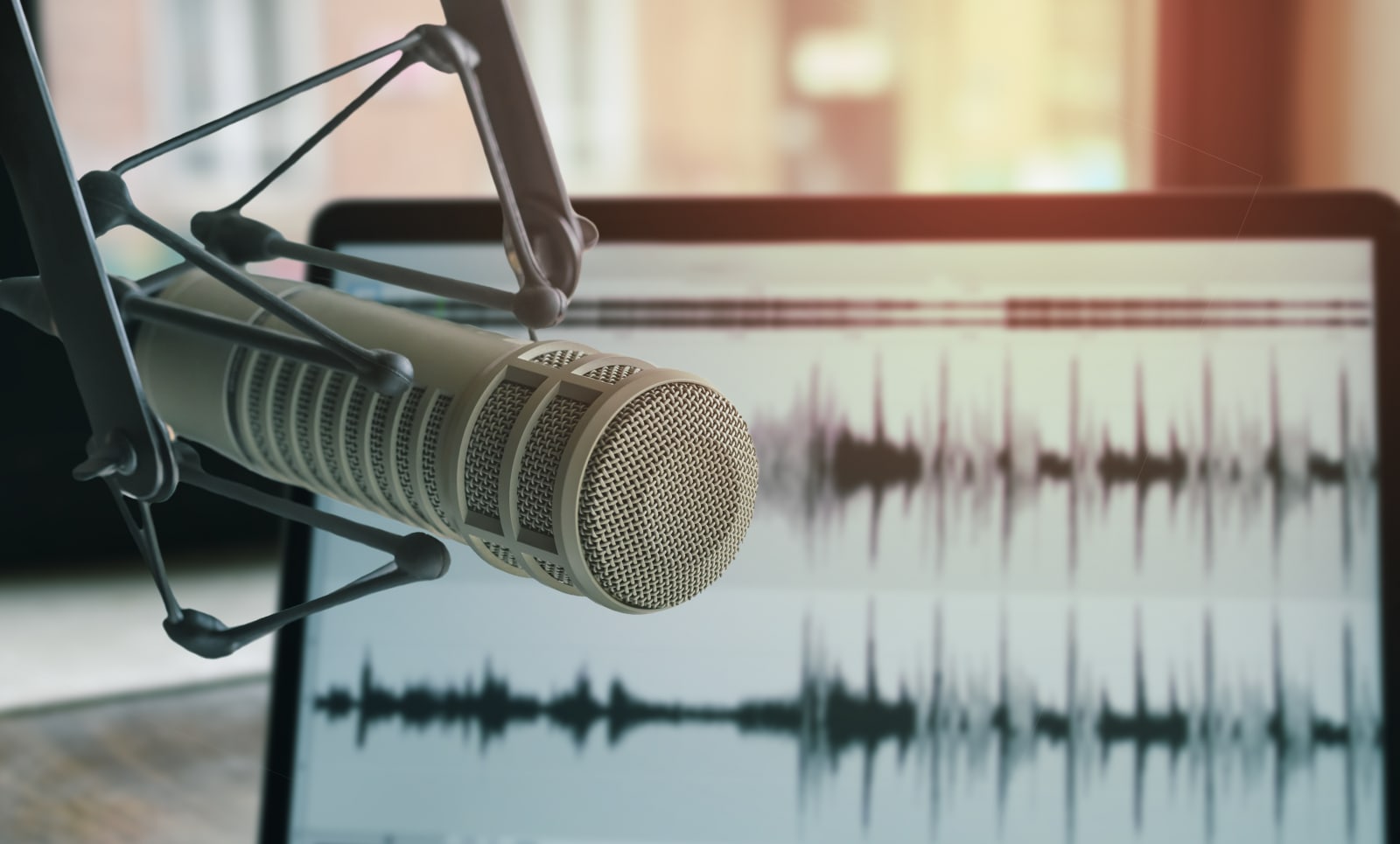
You need a good microphone. There's no arguing with this. It doesn't matter if you're starting your own show or planning to guest on someone else's podcast. A great microphone will elevate your voice to help you get the sort of depth and richness you hear on the radio and popular shows like Radiolab. While you could record with your phone or your PC's webcam mic in a pinch, nobody wants to hear that every week.
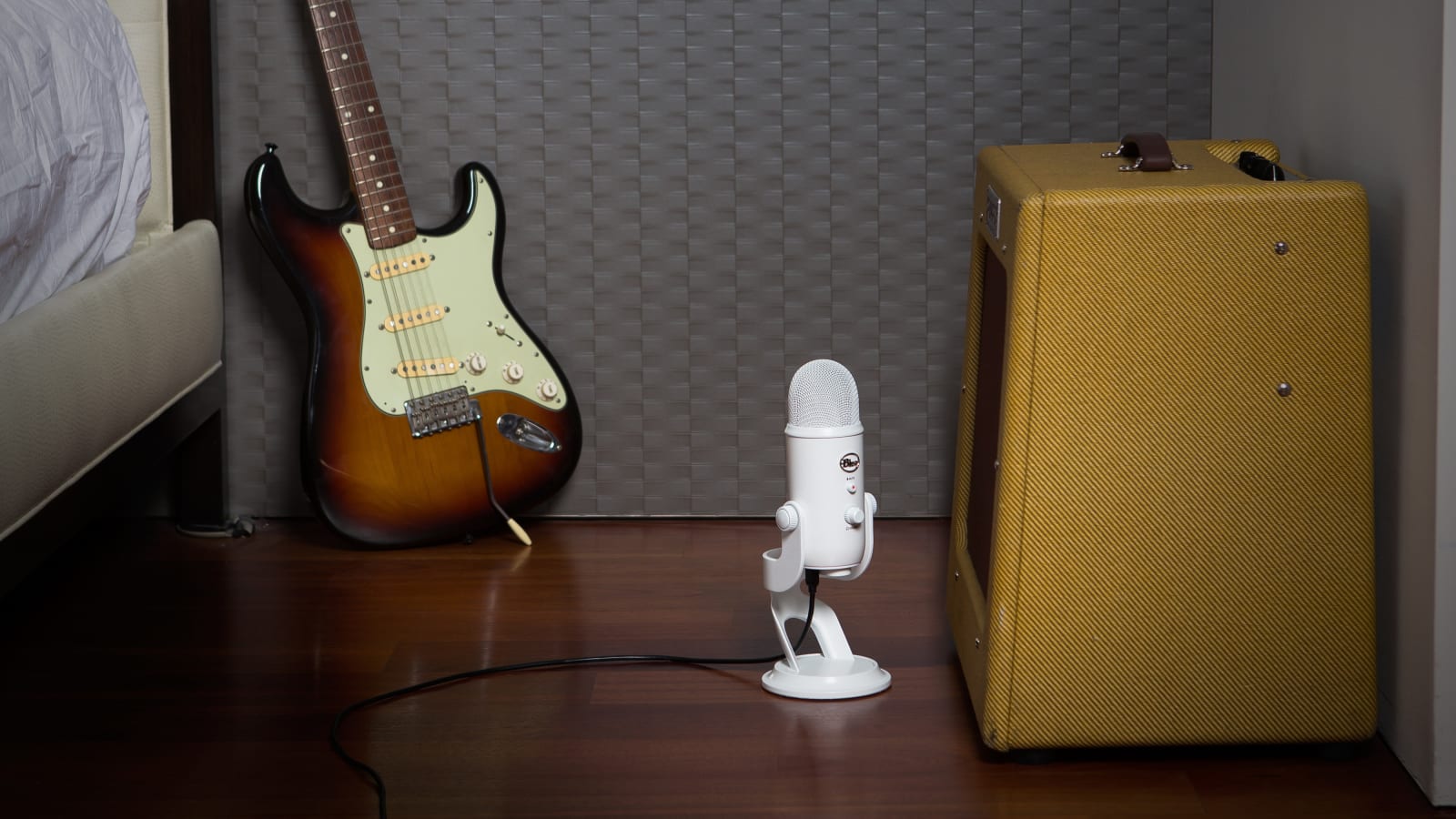
We strongly suggest starting with a solid USB microphone. They can connect easily to any computer (or even phones and tablets with a dongle), and they'll offer a huge leap in sound quality. Previously, we’ve recommended the Blue Yeti as the ideal beginner mic. It’s easy to use and sounds great for the price. But it’s also a condenser microphone, which means it’s not great for the noisy environments most newfound podcasters are recording in. So this year, we’re suggesting you jump straight to an inexpensive dynamic microphone like the Audio Technica ATR-2100X.
Dynamic microphones do a better job of isolating your voice and cutting out background noise — the only downside is that you need to speak close to it like a radio host. The ATR 2100X also has USB-C and XLR connections, which means you can easily bring it over to a more professional audio interface down the line, or drag it along to a friend’s studio.
There are cheaper USB microphones out there like Blue's Snowball ($80) and AmazonBasics' Mini Condenser ($45), but you’ll pay for going cheap with noisier recordings. If you're serious about podcasting, it's worth spending a bit more up front: There's a good chance you'll end up chucking a cheaper mic once you hear the difference.
You should actually read the instructions and make sure you know what every dial and button does. Most importantly, make sure you're speaking in the right direction! With most microphones, including the Blue Yeti, you want to aim at the side with the brand label. Some models, like the ATR2100X and other dynamic mics, need to be addressed from the top. Yes, I know this all sounds basic, but I've encountered dozens of people who end up aiming for the wrong part of their mics when they're getting started.
It's also worth picking up a few accessories to make your recordings sound great. Get a pop filter or foam cover to avoid plosives (that annoying titutal pop when you make "p" sounds). If you're going to be recording regularly, it's worth investing in a tabletop arm to hold your mic in an optimal position (and also avoid the extra noise you get from desktop stands).
You could, of course, start exploring more-expensive microphone options, but I'd suggest holding off on those until you're more committed to the podcasting life. The next big level up from USB options is the world of XLR microphones, the same interface used for professional audio gear. You'll also need a USB audio interface, like the Tascam US-2x2 or FocusRite Scarlett 2i2 ($170), to connect those mics to your computer. At that point, you can start looking at higher-end options like the Rode Procaster ($224). It sounds noticeably richer than the Yeti, and since it's a dynamic microphone, it's also better at cutting out unwanted noise.
Here's some advice: You can save quite a bit by buying all this equipment used or refurbished. I saved $100 on the excellent Shure PG42 USB microphone years ago by going through eBay.
Now that you have the hardware, you need some software to put your show together. There's no avoiding this part: You need to learn the basics of audio editing. Luckily, there's Audacity, a free, open-source audio editor that works across every computing platform. Its UI is ugly and a bit archaic, but it's also pretty powerful once you get a handle on it. I've edited all of my shows with Audacity, and aside from a few annoying crashes and quirks, it suits my needs well.
If you're looking for something more robust or you grow tired of Audacity, the free version of AVID's Pro Tools is worth a look, and there's Reaper by Winamp creator Justin Frankel. They're both full-fledged digital audio workstations (DAW), and Reaper also has the bonus of working with plenty of tools and plug-ins. At the high end of the spectrum, there's Adobe Audition, but at $21 per month, or $240 for the year, it's not worth considering until podcasting has become your life.
Get good headphones
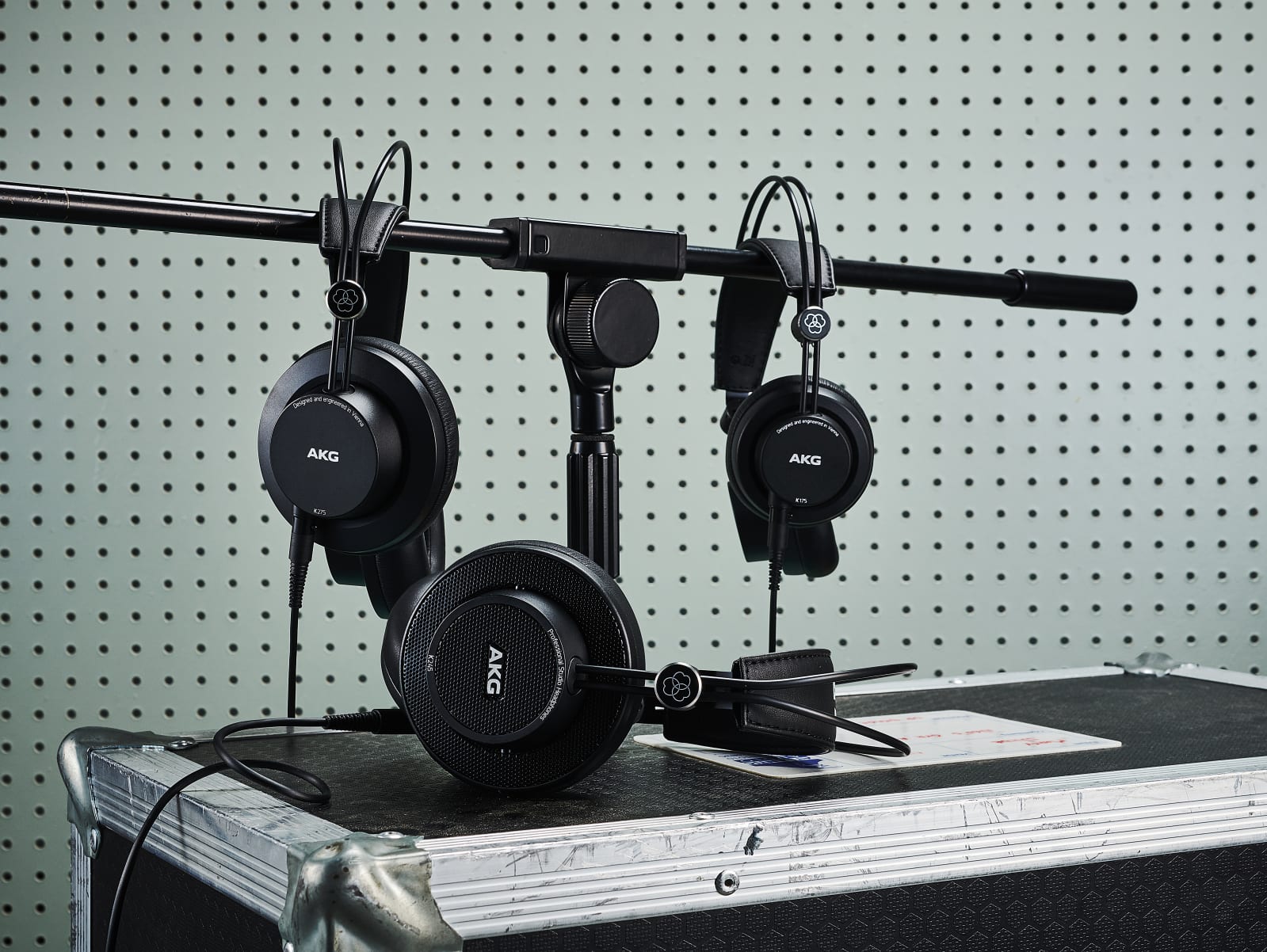
Headphones are the best way to monitor your recordings — that is, to hear yourself as you're recording — as well as to make sure they sound great once completed. You'll definitely want something better than the earbuds that came with your phones. We recommend starting with something like Sony's MDR-7506 ($98), a pair of over-the-ear headphones that have been studio mainstays for decades. They offer a neutral sound and a light fit, exactly what you'll need for hours of editing. If you've already picked up a pair of great headphones, those will work fine. (Be sure to turn off any noise-canceling features, though, as they can color what you're hearing while monitoring recordings.)
We're not going to go down the rabbit hole of recommending large speakers like you'd find in a real studio. They're not worth it for podcast editing, and most people will be listening to your show with headphones anyway. Of course, if you make something that sounds great on headphones, it'll probably be fine on speakers.
You can't just set up your fancy new microphone anywhere! You'll want to find a room that's as quiet as possible, or even a small closet. If both of those options are out, carve out some space in the corner or along a wall of a larger room. Wherever you set up, you'll need to treat your space a bit with some foam wedges or other sound-absorbing objects. You can always go the simple route: Drape a curtain or blanket over your desk to create an isolated sound-dampened spot.
Learn how to record with friends
So now you're all set to record a podcast on your own. But how do you bring in a co-host or guest? That's where things get a bit complicated. You could chat with a friend over Skype and record their audio using something like Total Recorder on Windows or Soundflower on Mac. You'll want to make sure the other person is also aiming for the best audio quality with a high-quality mic. In a pinch, you can have a guest record a voice memo on their phone (but be sure to follow NPR's phone-recording guidelines).
To simplify remote group recordings, you could consider web-based services like Zencastr and Cast, which automatically capture high-quality local audio. They’ll get you better quality than a Skype recording, since you’re not dealing with compressed audio from your guests. These services let you quickly edit and process recordings online as well. While they may sound like podcasting heaven, there are issues to watch out for. Network interruptions could easily render a session useless, and they’re demanding on systems with minimal RAM. If you go this route, be sure to have backup recordings.
For the most control, your co-host can record their side of the conversation on their end and send it to you afterward. This obviously introduces additional layers of complexity, like making sure your audio stays synchronized throughout the whole recording. It's also tougher to edit, since you're juggling multiple files on a timeline instead of one. But honestly, the quality bump is worth it. If you're looking to hone your audio-editing skills, there are online tutorials like this Udemy course or YouTube instructional videos.
Recording with another person physically near you is a bit tougher. Some mics like the Blue Yeti have modes for shared recording. Otherwise, you'll need to get a USB audio interface to plug multiple XLR mics into your computer. If you're going that route, you'll have to be extra careful about avoiding crossover recordings on those mics. If you're looking to record interviews on the go, nab a digital audio recorder like the Zoom H1n ($120) and a few mics like Rode's Lavalier Go ($79). Since it won't sound nearly as good as a home setup, I wouldn't recommend this as your main recording method (unless you invest in a powerful recorder with support for pro-grade XLR mics).
Once you've locked in an episode or two, it's time to start exploring podcast hosts. These will host your files, give you a feed you can subscribe to in any podcast app and usually help you list your show on iTunes, Spotify and other services. Most important, you can get some detailed analytics from hosts, and if you get popular enough, they can also help you nab some sponsorships. You can get started for free with Acast, $5 per month with Libsyn, or $10 per month with Audioboom.
If you're looking for a way to take your game streaming to the next level, Elgato's Stream Deck could do the trick. Amazon currently has the Stream Deck MK.2 for $10 off, bringing it down to a record low of $140. While not a huge discount, it's a good one for a device like this that rarely goes on sale. The last time it was this low was in December.
This latest version of the Stream Deck has 15 programmable keys that let you trigger actions more easily while you're streaming. You can do things like launch apps, mute your mic, turn on lights, post to social media and more with just a press of a button, making it a handy tool to have if you want to make your setup more professional. We included the Stream Deck Mini in a recent gift guide as a smaller, more affordable option, but the MK.2 gives you more flexibility — plus, you can inject more of your style into the MK.2 by customizing it with a faceplate.
While Twitch streamers and the like are the primary users of the Stream Deck, others can get use out of it, too. Think of the device's hotkeys almost like keyboard shortcuts, but more powerful — you can program them to launch your most-used apps, open folders, control audio and video feeds and more. If you spend a ton of time on your computer, the Stream Deck could become an indispensable tool that makes your workflow more efficient.
Follow @EngadgetDeals on Twitter for the latest tech deals and buying advice.
For years, Alienware eschewed thin-and-light gaming laptops, opting instead to make slightly bulkier systems with more affordable pricing. But all that changed last year with the introduction of its X-series notebooks. And now, Alienware is pushing its quest for sleekness even further with the new x14, the company's thinnest and lightest gaming laptop yet. To add even more rum to the punch, the x14 is also one of the first gaming laptops available featuring Intel's latest 12th-gen mobile CPUs. And while the x14 isn’t without its quirks, the result is a machine that makes me wish Alienware had gotten into portable gaming rigs years ago.
Design
Sporting Alienware's Legend 2.0 design language, the x14 is without a doubt a striking system, though ultimately you'll need to decide how much you fancy its sci-fi aesthetics. What's not in question is the laptop's thinness, which stands at just 0.57 inches thick while weighing barely more than four pounds. That’s even thinner and almost a pound lighter than the x15 (0.63 inches and 5 pounds), while making Alienware’s more mainstream M15 R7 seem almost bloated (0.8 inches and 5.3 pounds).
Sam Rutherford/Engadget
Now I'm not normally the type to lust after a few ounces or tenths of an inch getting shaved off a device, but on the x14, every little reduction matters. That's because while most gaming laptops don't even come close to fitting in my everyday messenger bag that’s not meant to stash anything larger than a 13-inch ultraportable, the x14 actually fits, if just barely.
That means I'm much more likely to bring this thing with me on trips, which is kind of the whole point of a thin-and-light gaming notebook. Don't get me wrong, I appreciate beastly 17-inch gaming rigs, but when my back starts to hurt at the mere thought of carrying one around, in practice those systems often function more like mobile desktops than any sort of travel-friendly gaming machine.
Sam rutherford/Engadget
The main innovation on the x14 is Alienware's new dual-torque which adds strength and stability to the laptop's display, while once again reducing weight and thickness compared to previous X-series machines. And, as you'd expect from Alienware, the x14 comes with customizable RGB lighting on its lid and keyboard. That said, compared to its larger siblings you do lose the extra RGB light ring that would normally outline the system's rear ports. (Fun fact: That pill-like shape is actually called a stadium.) Inside, there's a lovely soft-touch finish on x14's wrist rest, which may feel a bit cramped for people with larger hands.
Display and sound
On the x14 there's only one display option, and it's a good one. The 144Hz 1,920 x 1,080 screen is plenty sharp, while support for NVIDIA's G-Sync helps prevent screen tearing while gaming. But the thing that impressed me most is the way colors pop. At first, I almost mistook the x14's display for an OLED panel. And while its black levels aren't quite deep enough for that, thanks in part to support for Dolby Vision HDR, colors look rich and vibrant regardless of whether you're gaming or watching a movie. And with a tested brightness of just under 400 nits, the x14's screen looks good in both dim and sun-filled rooms (though trying to game outside in direct sunlight is still a challenge).
Sam Rutherford/Engadget
Dolby tech is also available on the x14's speakers thanks to support for Dolby Atmos, which adds an extra dimension to audio through the use of extra height channels. Unfortunately, I felt like the x14's audio sounded a bit distant, despite its upward-firing speakers being located right behind the laptop's keyboard. And even though the x14 had no issues turning up the volume, it's almost too much of a good thing, because in certain situations you can hear the x14's chassis rattle when the speakers are set above 80 percent.
Performance
While the x14 isn't quite as powerful as its larger siblings and doesn't have the space to accommodate beefier GPUs, Alienware's thinnest gaming laptop still punches well above its weight. I was able to easily hit 60 fps on high settings in a number of AAA games like Halo Infinite, and you can push things even higher if you don't mind fiddling with a game's graphics settings. And for people more focused on getting a competitive advantage, maxing out the x14's 144Hz display is a cinch in titles like CS:GO on lower settings (which is what you'd probably use anyway).
Sam Rutherford/Engadget
In Shadow of the Tomb Raider on the highest settings, the x14 averaged 102 frames per second, with similar results in Far Cry 5 of 96 fps on Ultra. And while the x14 posted a slightly lower average frame rate of 55 fps in Metro Exodus on ultra, lowering the game's texture settings a touch was more than enough to boost frame rates firmly back above 60 fps.
Remarkably, despite limited space inside for cooling, Alienware's proprietary Element 31 thermal paste and vapor chamber (which only come on systems with RTX 3060 graphics) did a good job of preventing throttling from becoming a major issue. The downside is that the x14's fans are quite aggressive, often spinning up the instant you launch a game, while producing a somewhat high-pitched whine that you can't really escape unless you put on some headphones. Thankfully, Alienware's Command Center app supports a number of thermal profiles including a Quiet setting to help reduce fan noise, though depending on the game, that might cause your frame rate to dip a bit.
Keyboard, touchpad and ports
Sam Rutherford/Engadget
Trying to cram a full-size keyboard with media controls on a 14-inch laptop is always a bit of a challenge, and while the x14 generally makes good use of space, it ain't perfect. The function keys are half-sized, and even the x14's keycaps are a touch smaller than what you'd get on Dell's non-gaming systems like an XPS 15.
It's a similar situation for things like the Windows key, the Function button, and the Shift key, all of which are smaller than normal. And for those who use the Delete key a lot, watch out, because it's a little too close to the laptop's power button for my liking. On the flip side, I do appreciate the extra row of media control keys on the right, which includes an always useful mic mute button. In short, I wouldn't go as far to say the x14's keyboard is a dealbreaker, it just requires more adjustment time than usual.
As for the touchpad, at 4.5 x 2.15 inches it's definitely on the small side. Though on gaming laptops, having a less roomy touchpad is a bit more forgivable as the vast majority of gamers typically prefer to use an external mouse, even when they're using the laptop's built-in keyboard.
Sam Rutherford/Engadget
Meanwhile, when it comes to connectivity, Alienware definitely didn't skimp on ports. The x14 features three USB-C connections (two of which support Thunderbolt 4), one USB 3.2 Type-A socket, HDMI 2.1, a combo audio jack, and even a microSD card slot. While I would have liked to see an Ethernet jack too, my only real gripe with the x14's ports is that they are located around back. Putting all the ports in the rear of the system helps cut down on clutter, but when you just want to quickly insert something like a thumb drive, spinning the laptop around to do so feels clunky (especially if you have any other peripherals plugged in).
Note: Just don't expect much from the x14's 720p webcam. It's fine in a pinch, but the fairly low resolution combined with mediocre image quality means you'll likely want to use an external camera if you plan to show your face while livestreaming.
Battery life and charging
Sam Rutherford/Engadget
The x14's battery life varies a ton depending on how you use it. If you're just browsing the web or streaming video, the x14's battery life won't quite last through a full workday, but it's more than serviceable. On our local video rundown test, the x14 lasted just short of eight hours. The bigger issue is that if you have any dreams of gaming without plugging in, you might want to squash those now. I found that while playing Teamfight Tactics (which isn't a demanding game), the x14 conked out after about an hour and 15 minutes.
Battery life
Alienware x14
7:57
Hp Spectre x360 16
10:55
Surface Laptop Studio (120Hz)
12:24
Asus ROG Strix G15
7:50
That said, I do want to credit Alienware for equipping the x14 with a 130-watt USB-C power cable instead of a proprietary charger like so many gaming laptops. Because the x14's power cable is USB-C, you can use it to charge other USB-C devices like a phone or tablet, potentially reducing the number of cords you need to carry around while traveling, Alternatively, you could use a universal USB-PD charger instead, though you'll want to make sure that charger has the required power output and an appropriate cable to properly juice up the x14, as many of Dell's systems can be picky about USB-C charging if you're using old or out of spec accessories.
Configurations
The x14 starts at $1,650 for an Intel Core i7-12700 CPU, 16GB of RAM, 512GB of NVMe storage and an NVIDIA RTX 3050 GPU, with fully loaded systems like our review unit topping out at around $2,300 with 32GB of RAM, 2TB of storage and an NVIDIA RTX 3060. In my opinion, the sweet spot is around $1,800, which gets you 16GB of RAM, 512GB of storage and an RTX 3060. Though I should mention that while you can upgrade storage post-purchase, you won't be able to upgrade your RAM as it's soldered onto the laptop's motherboard.
Wrap-up
Sam Rutherford/Engadget
The x14 might not be quite as powerful as its bigger siblings, but given its even more portable dimensions, there's a lot to like. When compared to a $1,800 x14 with 16GB of RAM, a 512GB SSD and an RTX 3060, a similarly equipped x15 costs just $50 less. The main trade-offs being a little less thermal headroom, a more cramped keyboard and a slightly slower 144Hz screen (instead of 165Hz on the x15). That's not a lot to sacrifice for an even more travel-friendly thin-and-light design.
However, if you don't need a new gaming laptop right now, the smart move would be to wait a month or two for some of Alienware's competitors to release updated systems for 2022. Both Razer and ASUS are coming out with refreshed versions of their 14-inch gaming laptops later this spring, and once those become available, we'll have a much better idea of how the x14 fares against its biggest rivals. But if you like the x14’s combination of style and sleekness, this is a slick gaming laptop that’s made to move.
Senators are still concerned social networks aren't doing enough to protect children. The Washington Postreports Senators Marsha Blackburn and Richard Blumenthal have introduced a bill, the Kids Online Safety Act (KOSA), that would give kids more control over their privacy and safety on social media while setting stricter guidelines for the companies in question.
Most notably, social media firms would have to give children under 16 tools to protect their data, turn off "addictive" features and bow out of algorithm-based recommendations. The "strongest settings" would have to be enabled by default, according to the bill. Parents would also get controls to help pinpoint harmful behavior, while both camps would receive a dedicated channel for reporting those harms affecting children.
Social networks, meanwhile, would have to "prevent and mitigate" exposure to inappropriate content, including self-harm, eating disorders, sexual exploitation and alcohol. They would also have to conduct yearly independent audits of their KOSA compliance and the risks to children. Similarly, the social sites would have to turn over "critical datasets" to academic and public interest researchers hoping to study child safety.
The bill is effectively a response to months of inquiries into tech giants' handling of child safety, with a particular focus on the testimony of Facebook (now Meta) whistleblower Frances Haugen. She called on the company to make multiple changes to protect children, including an end to algorithmic ranking, opening up its research and modifying the Communications Decency Act's Section 230 for more accountability. Senators also asked Instagram head Adam Mosseri to testify after concerns Meta might not have told the truth about hiding research into harmful effects on children.
We've asked Meta for comment. It has made changes in response to calls for greater child protections, including offers to share data and teen safety features like screen time tracking, break reminders and bulk content deletion.
There are no guarantees KOSA will pass the Senate, let alone become law. It would join existing legislation that includes COPPA, which protects internet privacy for children under 13. The bipartisan nature of the bill may help, though. Blumenthal is also tenacious in attempts to curb harmful online behavior. This is the second bill tackling Big Tech that Blumenthal has introduced in recent weeks, after reintroducing the controversial EARN IT Act.
A recent batch of SpaceX’s Starlink internet-beaming cubesats met with tragedy on February 3rd when a 49-member cohort of the newly-launched satellites encountered a strong geomagnetic storm in orbit.
“These storms cause the atmosphere to warm and atmospheric density at our low deployment altitudes to increase. In fact, onboard GPS suggests the escalation speed and severity of the storm caused atmospheric drag to increase up to 50 percent higher than during previous launches,” SpaceX wrote in a blog update last Wednesday. “The Starlink team commanded the satellites into a safe-mode where they would fly edge-on (like a sheet of paper) to minimize drag.” Unfortunately, 40 of the satellites never came out of safe mode and, as of Wednesday’s announcement, are expected to, if they haven’t already, fall to their doom in Earth’s atmosphere.
The NOAA defines geomagnetic storms as “a major disturbance of Earth's magnetosphere that occurs when there is a very efficient exchange of energy from the solar wind into the space environment surrounding Earth.” Solar winds, composed of plasma and high-energy particles, are ejected from the Sun’s outermost coronal layers and carry the same charge as the sun’s magnetic field, oriented either North or South.
When that charged solar wind hits Earth’s magnetosphere — moreso if it is especially energetic or carries a southern polarization — it can cause magnetic reconnection of the dayside magnetopause. This, in turn, accelerates plasma in that region down the atmosphere’s magnetic field lines towards the planet’s poles where the added energy excites nitrogen and oxygen atoms to generate the Northern Lights aurora effect. That extra energy also causes the magnetosphere itself to oscillate, creating electrical currents which further disrupt the region’s magnetic fields — all of which make up magnetic storms.
“Storms also result in intense currents in the magnetosphere, changes in the radiation belts, and changes in the ionosphere, including heating the ionosphere and upper atmosphere region called the thermosphere,” notes the NOAA. “In space, a ring of westward current around Earth produces magnetic disturbances on the ground.”
Basically, when the Sun belches out a massive blast of solar wind, it travels through space and smacks into the Earth’s magnetic shell where all that energy infuses into the planet’s magnetic field, causing electrical chaos while making a bunch of atoms in the upper reaches of the atmosphere jiggle in just the right way to create a light show. Behold, the majesty of our cosmos, the celestial equivalent of waving away a wet burp from the slob next to you at the bar.
Solar flares occur with varying frequency depending on where the Sun is in its 11-year solar cycle with fewer than one happening each week during solar minimums to multiple flares daily during the maximal period. Their intensities oscillate similarly, though if the electromagnetic storm of 1859 — the largest such event on record, dubbed the Carrington Event — were to occur today, its damage to Earth’s satellite and telecom systems is estimated to run in the trillions of US dollars, requiring months if not years of repairs to undo. The event pushed the Northern aurora borealis as far south as the Caribbean and energized telegraph lines to the point of combustion. A similar storm in March of 1989 was only as third as powerful as Carrington but it still managed to straight up melt an electrical transformer in New Jersey as well as knock out Quebec’s power grid in a matter of seconds, stranding 6 million customers in the dark for nine hours until the system’s equipment could be sequentially checked and reset.
"A worst-case solar storm could have an economic impact similar to a category 5 hurricane or a tsunami," Dr. Sten Odenwald of NASA's Goddard Space Flight Center, said in 2017. "There are more than 900 working satellites with an estimated replacement value of $170 billion to $230 billion, supporting a $90 billion-per-year industry. One scenario showed a 'superstorm' costing as much as $70 billion due to a combination of lost satellites, service loss, and profit loss."
Most importantly to SpaceX, solar storms can increase the amount of drag the upper edges of the atmosphere exert upon passing spacecraft. There isn’t much atmosphere in low Earth orbit where the ISS and a majority of satellites reside but there is enough to cause a noticeable amount of drag on passing objects. This drag increases during daylight hours as the Sun’s energy excites atoms in lower regions of the atmosphere pushing them higher into LEO and creating a higher-density layer that satellites have to push through. Geomagnetic storms can exacerbate this effect by producing large short-term increases in the upper atmosphere’s temperature and density.
NOAA
“There are only two natural disasters that could impact the entire US,” University of Michigan researcher, Gabor Toth, said in a press statement last August. “One is a pandemic. And the other is an extreme space weather event.”
"We have all these technological assets that are at risk," he continued. "If an extreme event like the one in 1859 happened again, it would completely destroy the power grid and satellite and communications systems — the stakes are much higher."
Austin Brenner, University of Michigan
In order to extend the time between a solar eruption and its resulting winds slamming into our magnetosphere, Toth and his team have worked to develop the Geospace Model version 2.0 (which is what the NOAA currently employs) using state-of-the-art computer learning systems and statistical analysis schemes. With it, astronomers and power grid operators are afforded a scant 30 minutes of advanced warning before solar winds reach the planet — just enough time to put vital electrical systems into standby mode or otherwise mitigate the storm’s impact.
Toth’s team relies on X-ray and UV data “from a satellite measuring plasma parameters one million miles away from the Earth,” he explained, in order to spot coronal mass ejections as they happen. “From that point, we can run a model and predict the arrival time and impact of magnetic events," Toth said.
NASA has developed and launched a number of missions in recent years to better predict the tumultuous behavior of our local star. In 2006, for example, the space agency launched the STEREO (Solar TErrestrial RElations Observatory) mission in which a pair of observatories measured the “flow of energy and matter” from the Sun to Earth. Currently, NASA is working on two more missions — Multi-slit Solar Explorer (MUSE) and HelioSwarm — to more fully understand the Sun-Earth connection.
“MUSE and HelioSwarm will provide new and deeper insight into the solar atmosphere and space weather,” Thomas Zurbuchen, associate administrator for science at NASA, said in a February news release. “These missions not only extend the science of our other heliophysics missions—they also provide a unique perspective and a novel approach to understanding the mysteries of our star.”
MUSE aims to study the forces that heat the corona and drive eruptions in that solar layer. “MUSE will help us fill crucial gaps in knowledge pertaining to the Sun-Earth connection,” Nicola Fox, director of NASA’s Heliophysics Division, added. “It will provide more insight into space weather and complements a host of other missions within the heliophysics mission fleet.”
The HelioSwarm, on the other hand, is actually a collection of nine spacecraft tasked with taking “first multiscale in-space measurements of fluctuations in the magnetic field and motions of the solar wind.”
"The technical innovation of HelioSwarm's small satellites operating together as a constellation provides the unique ability to investigate turbulence and its evolution in the solar wind," Peg Luce, deputy director of the Heliophysics Division, said.
These ongoing research efforts to better comprehend our place in the solar system and how to be neighborly with the massive nuclear fusion reactor down the celestial block are sure to prove vital as humanity’s telecommunications technologies continue to mature. Because, no matter how hardened our systems, we simply cannot afford a repeat of 1859.
The existing Privacy Sandbox is itself a set of proposals that would eventually grow into a set of open standards Google hopes the industry will adopt. Last year, one of the primary approaches Google was putting forward was FLoC (or Federated Learning of Cohorts) that would group people with thousands of other users with similar browsing histories. That was replaced last month by Topics API, which let Chrome use your browsing history to serve publishers a list of five subjects it determines you're interested in, again based on your browsing history.
What that demonstrates is the current fluidity of Privacy Sandbox, which is a collection of ideas at the moment. In today's announcement, vice president of product management for Android security and privacy Anthony Chavez wrote that "these solutions will limit sharing of user data with third parties and operate without cross-app identifiers." That would include advertising IDs. Chavez said "we're also exploring technologies that reduce the potential for covert data collection, including safer ways for apps to integrate with advertising SDKs."
Cherlynn Low / Engadget
But there are no real concrete methods actually being executed right now, and Google is in the design and testing stage. Starting today, the company said developers can "review our initial design proposals and share feedback on the Android developer site." It is planning to "release developer previews over the course of the year, with a beta release by the end of the year." Google also promised "regular updates on designs and timelines."
In the meantime, the company said it will continue to "support existing ads platform features for at least two years, and we intend to provide substantial notice ahead of any future changes."
Google also referenced Apple's approach on iOS today (without naming the iPhone maker), acknowledging that "other platforms have taken a different approach to ads privacy." But Chavez described that approach as "bluntly restricting existing technologies used by developers and advertisers." The company believes it still needs to provide a way for businesses to serve targeted ads to users and to make sure those ads are relevant.
Chavez added that "we know this initiative needs input from across the industry in order to succeed," and the company included statements from many partners in its news post today. These include Snap, Duolingo, Rovio, Activision Blizzard and seven other app makers, who each expressed similar sentiments about respecting the privacy needs of Android app users. Google's Privacy Sandbox has already faced regulatory scrutiny from the EU and the UK, with the latter's Competition and Markets Authority (CMA) having accepted Google's latest proposals last week.
Clearly, there is a lot of work to be done while the internet's giants and the ad industry figure out how best to balance personalized ads with user privacy, and Google's inclusion of Android in its considerations is happening not a moment too soon.
The explosion of true wireless earbuds has finally settled down in recent years. However, this has also meant they’re all starting to look and behave pretty similarly.
Sony’s latest experiment — its new Linkbuds — shakes that up with an open-ear design made for ambient sound. The company has attempted to nail open-design buds since 2017, and rival Samsung, to its credit, also tried something similar with its beanish Buds Live.
The LinkBuds, according to Engadget’s Billy Steele, almost nail the concept. There are a lot of cool features built into these tiny things. The Linkbuds will mute audio when they detect you’re talking, and motion sensors mean you don’t have to tap the device to manually pause or skip tracks, which is nice to see – I hate whacking something inside my ear to adjust other in-ear buds. “Wide-area tap” covers the area in front of your ear. Sadly, there’s no noise cancellation (and even if there was, this open design would inevitably let noises through), but Sony’s design seems built for background listening. Check out our full verdict here.
Netflix says it's teaming up with 2K and Take-Two Interactive for a film adaptation of the BioShock series. No other details are available as yet, but based on the image Netflix shared in its announcement, it wouldn't be a surprise to see it tackling the first game.
2007’s BioShock may translate well to the big screen. The original game has a striking Art Deco/underwater setting and an unforgettable story. No spoilers, promise.
A multi-camera miracle that falls short of greatness.
I’ve been playing with Logitech’s multi-camera Mevo Start pack. It consists of three wireless cameras you can network together to create a livestream studio. You can transition between cameras or get the companion app to do it for you. For streamers looking to elevate their broadcasts, there’s a lot of potential here. The learning curve is steep, however, and connectivity can be a little temperamental.
Last summer, Microsoft teased Clippy would return to Office and a handful of other apps as part of a broader update to more than 1,800 emoji. The new characters reflect the company’s Fluent design language, and you can now check them out in Microsoft Teams.
To enable the emoji, navigate to the app’s settings menu, then head over to the About section and click Public Preview. Microsoft’s goal, it said, was to design characters that better reflect how people work in the 21st century. That means dinosaur emoji.
It can output 4K 10-bit or external ProRes RAW video at up to 60 fps.
OM Digital Solutions has unveiled the Micro Four Thirds OM-1, its first mirrorless camera since purchasing Olympus. It packs a new sensor and technology that gives it a big leap in performance over the last flagship Olympus models. This could, however, be the last Olympus-branded model.
The vehicle body and battery platform are assembled as one.
The Polestar 5 will be cut from a different cloth than its predecessors when it launches at the end of 2024. Polestar announced on Tuesday its upcoming electric performance sedan will ride atop an entirely new, lightweight bonded aluminum platform. This time-saving design has already borne results, enabling the company to produce and deliver an early series of prototypes, just 18 months after the start of development.
White Castle has announced it’ll be bringing Flippy 2, a robot chef that can essentially perform the same tasks as a team of fry cooks, to 100 more locations this year. This amounts to roughly a third of White Castle restaurants nationwide. It’s unlikely the average White Castle patron will notice the new robots. Since Flippy 2 is designed to perform “back-of-the-house” kitchen functions, that’s where you’ll find it. This might just be the start: Miso Robotics has come out with a wing-making version of Flippy. Buffalo Wild Wings is currently testing it out.