The smart thermostat is a lower-cost alternative to models from other companies, such as Google's Nest lineup. It works with Alexa, of course, though there's no on-board microphone or speaker. You'll need to use a different Alexa-enabled device to control it with your voice. You can also adjust the settings remotely using the Alexa mobile app, which could be handy for heating up your house on a cold day right before you return home.
The device uses Honeywell Home Thermostat Technology. It's also Energy Star-certified, meaning it's required to save users around $50 worth of energy bills per year. As such, the cost of the device should be more or less covered within 12 months of use.
The features aren't quite as in-depth as what you'd find on a Nest thermostat, but for those on a stricter budget, it could do the trick. Before you buy it, Amazon recommends using its compatibility tool (which you'll find on the product page) to make sure the smart thermostat will work in your home and to find out whether you'll need a C-wire power adapter.
Google Maps can already help you avoid toll roads, but now it will let you know just how much you'll pay if you take those (supposedly) quicker routes. Android Policenotes that Google has enabled its previously promised toll pricing in Maps for Android and iOS. Check the route options before you navigate and you'll get an estimated cost based on when you're travelling.
You can also tell Maps to show prices with or without toll passes. The app will still let you avoid toll roads whenever possible.
The prices should be available for about 2,000 toll roads in the US, India, Indonesia and Japan. More countries are "coming soon," Google said. This won't be the most comprehensive feature at first, then, but it could prove valuable if it saves you money or time on a lengthy trip.
Just a few years ago, the case for smartwatches wasn’t clear. Today, the wearable world is filled with various high-quality options, and a few key players have muscled their way to the front of the pack. Chances are, if you’re reading this guide, you’ve probably already decided that it’s time to upgrade from a standard timepiece to a smartwatch. Maybe you want to reach for your phone less throughout the day, or maybe you want to stay connected in a more discrete way. The list of reasons why you may want a smartwatch is long, as is the list of factors you’ll want to consider before deciding which to buy.
What to look for in a smartwatch
Cherlynn Low
Compatibility
Apple Watches only work with iPhones, while Wear OS devices play nice with both iOS and Android. Smartwatches made by Samsung, Garmin, Fitbit and others are also compatible with Android and iOS, but you’ll need to install a companion app.
The smartwatch OS will also dictate the type and number of on-watch apps you’ll have access to. Many of these aren’t useful, though, making this factor a fairy minor one in the grand scheme of things.
Price
The best smartwatches generally cost between $300 and $400. Compared to budget smartwatches, which cost between $100 and $250, these pricier devices have advanced fitness, music and communications features. They also often include perks like onboard GPS, music storage and NFC, which budget devices generally don’t.
Some companies make specialized fitness watches: Those can easily run north of $500, and we’d only recommend them to serious athletes. Luxury smartwatches from brands like TAG Heuer and Hublot can also reach sky-high prices, but we wouldn’t endorse any of them. These devices can cost more than $1,000, and you’re usually paying for little more than a brand name and some needlessly exotic selection of build materials.
Battery life
Battery life remains one of our biggest complaints about smartwatches, but there’s hope as of late. You can expect two full days from Apple Watches and most Wear OS devices. Watches using the Snapdragon Wear 3100 processor support extended battery modes that promise up to five days on a charge — if you’re willing to shut off most features aside from, you know, displaying the time. Snapdragon’s next-gen Wear 4100 and 4100+ processors were announced in 2020, but only a handful of devices – some of which aren’t even available yet – are using them so far. Other models can last five to seven days, but they usually have fewer features and lower-quality displays. Meanwhile, some fitness watches can last weeks on a single charge.
A few smartwatches now support faster charging, too. For example, Apple promises the Series 7 can go from zero to 80 percent power in only 45 minutes, and get to full charge in 75 minutes. The OnePlus Watch is even speedier, powering up from zero to 43 percent in just 10 minutes. (Mind you that turned out to be one of the only good things about that device.)
Communication
Any smartwatch worth considering delivers call, text and app alerts to your wrist. Call and text alerts are self explanatory, but if those mean a lot to you, consider a watch with LTE. They’re more expensive than their WiFi-only counterparts, but data connectivity allows the smartwatch to take and receive calls, and do the same with text messages, without your phone nearby. As far as app alerts go, getting them delivered to your wrist will let you glance down and see if you absolutely need to check your phone right now.
Fitness tracking
Activity tracking is a big reason why people turn to smartwatches. An all-purpose timepiece should log your steps, calories and workouts, and most of today’s wearables have a heart rate monitor as well.
Many smartwatches also have onboard GPS, which is useful for tracking distance for runs and bike rides. Swimmers will want something water resistant, and thankfully most all-purpose devices now can withstand at least a dunk in the pool. Some smartwatches from companies like Garmin are more fitness focused than others and tend to offer more advanced features like heart-rate-variance tracking, recovery time estimation, onboard maps and more.
Health tracking on smartwatches has also seen advances over the years. Both Apple and Fitbit devices can estimate blood oxygen levels and measure ECGs. But the more affordable the smartwatch, the less likely it is that it has these kinds of health tracking features; if collecting that type of data is important to you, you’ll have to pay for the privilege.
Engadget
Music
Your watch can not only track your morning runs but also play music while you’re exercising. Many smartwatches let you save your music locally, so you can connect wireless earbuds and listen to tunes without bringing your phone. Those that don’t have onboard storage for music usually have on-watch music controls, so you can control playback without whipping out your phone. And if your watch has LTE, local saving isn’t required — you’ll be able to stream music directly from the watch to your paired earbuds.
Always-on displays
Most flagship smartwatches today have some sort of always-on display, be it a default feature or a setting you can enable. It allows you to glance down at your watch to check the time and any other information you’ve set it to show on its watchface without lifting your wrist. This will no doubt affect your device’s battery life, but thankfully most always-on modes dim the display’s brightness so it’s not running at its peak unnecessarily. Cheaper devices won’t have this feature; instead, their screens will automatically turn off to conserve battery and you’ll have to intentionally check your watch to turn on the display again.
NFC
Many smartwatches have NFC, letting you pay for things without your wallet. After saving your credit or debit card information, you can hold your smartwatch up to an NFC reader to pay for a cup of coffee on your way home from a run. Keep in mind that different watches use different payment systems: Apple Watches use Apple Pay, Wear OS devices use Google Pay, Samsung devices use Samsung Pay and so forth.
Apple Pay is one of the most popular NFC payment systems, with support for multiple banks and credit cards in 72 different countries, while Samsung and Google Pay work in fewer regions. It’s also important to note that both NFC payment support varies by device as well for both Samsung and Google’s systems.
Engadget Picks
Best overall: Apple Watch
Cherlynn Low / Engadget
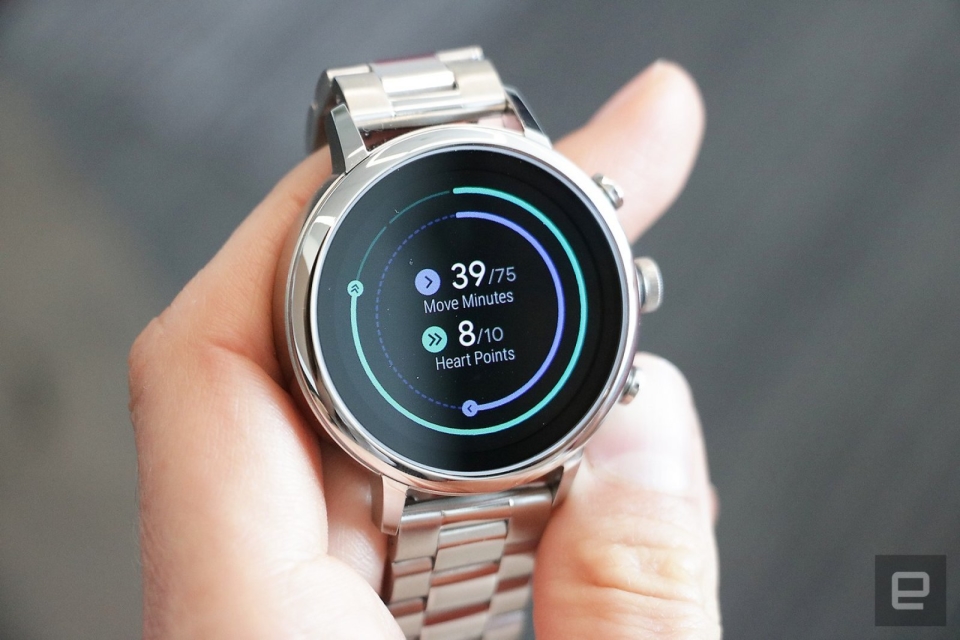
The Apple Watch has evolved into the most robust smartwatch since its debut in 2015. It’s the no-brainer pick for iPhone users, and we wouldn’t judge you for switching to an iPhone just to be able to use an Apple Watch. The latest model, the Apple Watch Series 7, has solid fitness-tracking features that will satisfy the needs of beginners and serious athletes alike. It also detects if you’ve fallen, can carry out ECG tests and measures blood oxygen levels. Plus, it offers NFC, onboard music storage and many useful apps as well as a variety of ways to respond to messages.
The main differences between the Series 7 and the Series 6 that preceded it are the 7’s larger display, its overnight respiratory tracking and faster charging. The slight increase in screen real estate allows you to see things even more clearly on the small device, and Apple managed to fit a full QWERTY keyboard on it to give users another way to respond to messages. The faster charging capabilities are also notable – we got 10 percent power in just 10 minutes of the Watch sitting on its charging disk, and it was fully recharged in less than one hour.
While the $399 Series 7 is the most feature-rich Apple Watch to date, it’s also the most expensive model in the Watch lineup, and for some shoppers there might not be clear benefits over older editions. Those who don’t need an always-on display, ECG or blood oxygen readings might instead consider the Apple Watch SE, which starts at $279.
We actually regard the Watch SE as the best option for first-time smartwatch buyers, or people on stricter budgets. You’ll get all the core Apple Watch features as well as things like fall detection, noise monitoring and emergency SOS, but you’ll have to do without more advanced hardware perks like a blood oxygen sensor and ECG monitor.
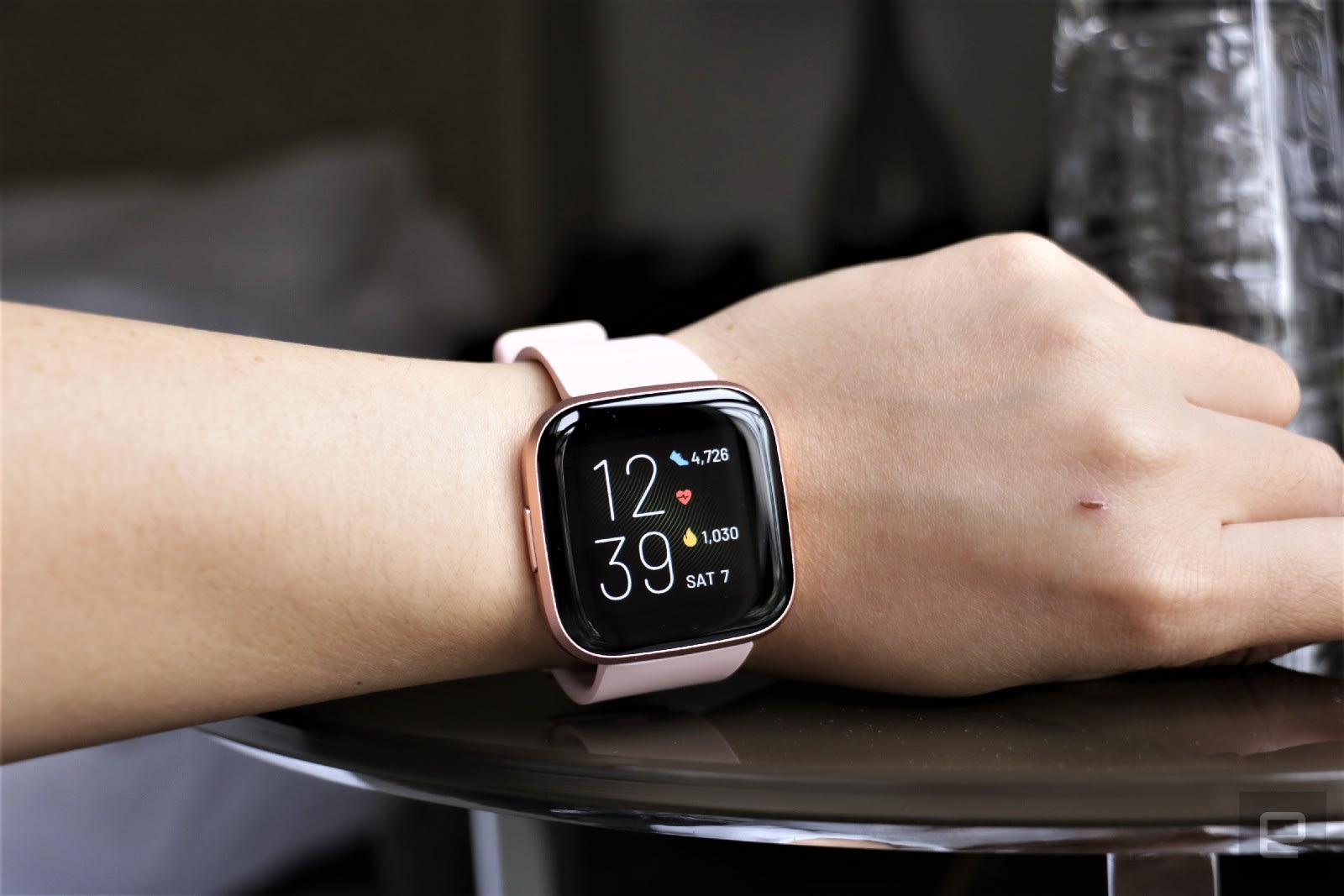
Dropping $400 on a smartwatch isn’t feasible for everyone, which is why we recommend the Fitbit Versa 2 as the best sub-$200 option. It’s our favorite budget watch because it offers a bunch of features at a great price. You get all of these essentials: Fitbit’s solid exercise-tracking abilities (including auto-workout detection), sleep tracking, water resistance, connected GPS, blood oxygen tracking and a six-day battery life. It also supports Fitbit Pay using NFC and it has built-in Amazon Alexa for voice commands. While the Versa 2 typically costs $150, we’ve seen it for as low as $100.
Samsung teamed up with Google recently to revamp its smartwatch OS, but that doesn’t mean Tizen fans should fret. The Galaxy Watch 4 is the latest flagship wearable from Samsung and it runs on WearOS with the new One UI, which will feel familiar if you’ve used Tizen before. Also, the watch now comes with improved third-party app support and access to the Google Play Store, so you can download apps directly from the watch.
We like the Galaxy Watch 4 for its premium design as well as its comprehensive feature set. It has a 3-in-1 biometric sensor that enables features like body mass scanning, bloody oxygen tracking and more, plus it has a plethora of trackable workout profiles. Both the Galaxy Watch 4 and the Watch 4 Classic run on new 5nm processors and have more storage than before, as well as sharper, brighter displays. They both run smoothly and rarely lag, but that performance boost does come with a small sacrifice to battery life: the Galaxy Watch 4 typically lasted about one day in our testing, which while not the best, may not be a dealbreaker for you if you plan on recharging it every night.
Yes, there are still companies out there trying to make “fashionable” smartwatches. Back when wearables were novel and generally ugly, brands like Fossil, Michael Kors and Skagen found their niche in stylish smartwatches that took cues from analog timepieces. You also have the option to pick up a “hybrid” smartwatch from companies like Withings and Garmin – these devices look like standard wrist watches but incorporate some limited functionality like activity tracking and heart rate monitoring. They remain good options if you prefer that look, but thankfully, wearables made by Apple, Samsung, Fitbit and others have gotten much more attractive over the past few years.
Ultimately, the only thing you can’t change after you buy a smartwatch is its case design. If you’re not into the Apple Watch’s squared-off corners, all of Samsung’s smartwatches have round cases that look a little more like a traditional watch. Most wearables are offered in a choice of colors and you can pay extra for premium materials like stainless steel. Once you decide on a case, your band options are endless – there are dozens of first- and third-party watch straps available for most major smartwatches, allowing you to change up your look whenever you please.
One of Amazon's latest daily deals knocks half off a powerful Shark robot vacuum. The Shark AV1010AE robot vacuum with clean base is down to $300 today only, which is 50 percent less than its usual rate and the best price we've seen it. It shares many features with the Shark machine that made it onto our list of best robot vacuums, including home mapping, Alexa and Google voice control and the convenience of a clean base.
We've been generally impressed with Shark's robot vacuums, with both high-end and affordable models earning spots in our guides. The AV1010AE is a mid-tier machine featuring improved carpet cleaning with multi-surface brush rolls, suction that's powerful enough to capture pet hair along with dirt and debris and row-by-row cleaning. It'll also map out your home as it cleans so you can then send the machine to specific rooms for more targeted cleaning.
Shark's robot vacuum connects to WiFi so you can control it via its companion mobile app. Not only can you start and stop cleaning jobs from there, but you can also set schedules so the machine cleans routinely on certain days and times. If the robo-vac starts to run out of juice before it's done cleaning, its Recharge and Resume feature will force the machine back to its base to power up, and once it has a sufficient amount of battery power, it'll automatically pick up where it left off.
And you won't have to tend to the vacuum every job thanks to the included clean base — it'll empty its dustbin into the clean base after its done cleaning, so you'll only have to empty the base once every 45 days or so. We also appreciate that Shark's base is bagless, so you're not forced to buy proprietary garbage bags for it. The clean base is a big perk of this sale as it's pretty rare to find a robot vacuum that comes with one for only $300.
As a mid-tier device, the AV1010AE doesn't have all of the features we tested out on the model that made it into our best robot vacuums guide (RV2502AE). The AV1010AE doesn't have AI laser vision, so it won't be as good at avoiding obstacles as other models, and lacks self-cleaning brush rolls as well as PowerFin Technology. The latter refers to flexible silicon fins found on some Shark machines that help get deeper into carpets and pick up more hair. If you're willing to skip those advanced features, you'll still get a solid robot vacuum in the Shark AV1010AE without spending too much money.
Follow @EngadgetDeals on Twitter for the latest tech deals and buying advice.
If the thought of losing your tremendous trove of WhatsApp chat histories, files and other data has been keeping you from making the jump to iOS, you'll no longer have to worry. Today, the app is adding a feature to help you move your content over, and it'll be part of Apple's existing "Move to iOS" tool. To be clear, WhatsApp's feature is available as a beta for now, so you may encounter bugs during the transfer process.
To port your files over, you'll want to pay attention to the Apps and Data transfer page while setting up your iPhone. After you select the "Move data from Android" option, your new iPhone will look for the Move to iOS app on your older device and create a peer-to-peer connection. Here, you can choose what apps, files, contacts and more to bring over to your iPhone, and starting today the option for WhatsApp will join that list.
When you select WhatsApp, it will open automatically and prompt you to give permission to move your data over. Depending on the amount of content you have, it'll take awhile to package everything up to transfer to your iPhone. Apple will also pre-load the WhatsApp icon on your home page so you can just tap it to finish installing it on your new iPhone, instead of having to go through the App Store.
You'll need to authenticate in WhatsApp when you first open it in iOS before the data is decrypted, but once that's done you should see all your chats safely transferred to their new home. Once the migration is completed, you can also choose to back your WhatsApp chats to iCloud Drive to make upgrading to new iPhones easier.
The Move to iOS process will also look at the apps on your Android phone and see if they exist on Apple's App Store. If they do, the icons will appear on your new iPhone's home screen and you can tap them to finish downloading . This feature works for those using Android 5 and later, as well as iOS 15.5 onwards.
Prior to this, WhatsApp users making the move from Android to iOS had to give up their chat histories (or find extremely convoluted ways to port their data over). Though this process still requires numerous steps, it at least offers those switching platforms a built-in method of transfer. Those who already made the move before today will unfortunately not be able to make use of this tool.
All Firefox users on desktop will now be protected by the browser's Total Cookie Protection feature by default. Mozilla calls it the browser's "strongest privacy protection to date," because it confines cookies to the site where they were created. That means it keeps cookies isolated, preventing tracking companies from being able to access them to monitor your activity without your consent. Without the feature, websites can "reach into the cookie jars that don't belong to them," as Mozilla puts it. That gives them more information about you in order to serve you specific ads based on your activity.
Mozilla launched the feature in 2021 and previously enabled it by default only when users switch on Firefox's privacy mode. Now, all Firefox users on desktop can enjoy the benefits it brings without having to toggle anything on. Earlier this year, Mozilla also brought Total Cookie Protection to the Firefox Focus browser for Android devices to combat web tracking on mobile.
To note, Microsoft's Edge also has tools to block tracking cookies, but users have to manually switch to "Strict" mode to be able to prevent most cookies from tracking them across websites. DuckDuckGo's browser has a focus on privacy, but its search agreement with Microsoft prevents it from blocking certain trackers. As for Google, the tech giant pushed back its plan to phase out third-party cookies in Chrome as part of its Privacy Sandbox initiative to mid-2023.
With it's latest Lightroom release, Adobe has finally added a much-requested feature: video support. You can use the same editing controls for video that you use for photos and even copy and paste settings between the two. That'll be a big boon for creators who do both video and photography but prefer Lightroom's image editing controls and speedy workflow.
You can also use any presets, including Premium Presets and Lightroom’s AI-powered Recommended Presets on video. It also now supports basic trimming from the beginning and ending of a clip. The new feature only applies to Lightroom, not Lightroom Classic. The latter has supported limited video editing and trimming in Library mode, but doesn't support advanced editing in the Develop module.
I tested out the new feature and founded it to be fairly responsive, and it exported adjusted video reasonably quickly. Most of the main adjustment features (exposure, contrast, highlights, shadows, etc.) worked normally, but several key functions like the point curve, clarity and sharpening were disabled — hopefully, Adobe will turn those on in a future update.
Adobe
Another very useful new feature for both Lightroom and Lightroom Classic is the Preset Amount Slider (above). That lets you dial up or down the amount of a preset, letting you blend it with any other editing you might have done. Adobe has also introduced Adaptive Presets that target a particularly part of the photo, specifically skies and subjects to start with.
Other new features include new Premium presets, AI-powered red eye removal, a compare view to help you pick the best photo, batch copy/paste of AI masks and more. The update is now rolling out to Lightroom and Lightroom Classic.
You might have found the right Father's Day gift if there's a literary dad in your life. Amazon is selling the basic Kindle e-reader with lock screen ads for $60, or a hefty 33 percent off. You can also buy the Kindle Kids variant for $65 (41 percent off) if the upgraded warranty, child-friendly cover and year of Kids+ service will provide some piece of mind. You can buy the regular version without ads for $75.
The standard Kindle has been around for quite some time, but for a good reason: it handles the essentials very well. The front light and contrast will help you read in bed, and the touchscreen design is both easy to use and easy to carry around. Simply speaking, you might not need much more than this to read a favorite novel.
There are limitations. The base Kindle isn't waterproof, so you won't want to bring it to the beach. And while the six-inch screen and 8GB of storage should be enough for typical reading, you might like the larger, better-lit screen of the Kindle Paperwhite or the 32GB capacity of the Paperwhite Signature Edition. If you're new to e-readers or just aren't fussy, though, Amazon's everyday model is more than enough.
Follow @EngadgetDeals on Twitter for the latest tech deals and buying advice.
Elon Musk will attend a virtual Twitter meeting this Thursday (June 16th) to field employee questions about his potential purchase of the social network, according to a letter to workers from Twitter CEO Parag Agrawal seen by Business Insider. It'll be the first time Musk as addressed workers since he made an offer to acquire it earlier this year for $43 billion.
Twitter employees will be able to submit questions starting tomorrow, and the company's chief marketing officer and head of people, Leslie Berland, will moderate the call. Since the acquisition was announced, employees have been concerned about things like layoffs, stock grants and whether Musk will rescind the bans of people like Donald Trump.
Those points and others will reportedly be addressed by Musk during the session, with Agrawal writing that "we'll cover topics and questions that have been raised over the past few weeks." Musk previously outlined changes he wanted to make, like getting rid of spam bots and authenticating users.
The status of the purchase is currently in limbo, as Musk claimed that Twitter committed a "material breach" of the deal's terms by refusing to disclose sufficient information about bot spam and fake account data. Last week, the company said it would comply with those requests by giving him access to its full "firehose" stream of data.
A Utah resident has filed a lawsuit against Binance US and its CEO, accusing them of falsely advertising TerraUSD as a safe asset backed by fiat currency. The plaintiff named Jeffrey Lockhart alleged that because Binance isn't registered as a securities exchange with the US government, it has limited obligation to disclose information about assets traded on its platform. "Crypto exchanges made massive profits by flouting securities laws and causing real harm to real people," the law firm representing Lockhart said, according to Reuters.
A Binance spokesperson told the news organization, however, that the exchange is registered with the US Treasury Department's Financial Crimes Enforcement Network and complies with all applicable regulations. "These assertions are without merit and we will defend ourselves vigorously," they said.
If you'll recall, TerraUSD's value collapsed in May, causing massive losses for investors who trusted its classification as a stablecoin that's supposed to maintain its value of $1 per coin. Unlike other stablecoins backed by real-world assets, though, TerraUSD is an "algorithmic" stablecoin that's not backed by fiat currency. Instead, it's backed by a cryptocurrency called Luna and has a mechanism in place to restore its value to $1 if it ever falls. Investors were enticed to invest their money into TerraUSD due to the opportunity to make money with the Anchor lending program, which promised annual yields of 20 percent for deposits of the coin. Terra's mechanism failed to protect its value, however, and it's currently being traded at less than one cent.
Lockhart is hoping for his lawsuit to be registered as a class action on behalf of all investors who purchased Terra from Binance. The world's largest cryptocurrency exchange also paused bitcoin withdrawals for a few hours yesterday due to a "stuck on-chain transaction." That came days after reports emerged, claiming that Binance had become a hub for fraudsters and drug traffickers and had helped launder $2.35 billion in illicit funds.