Sony is bringing eight Yakuza games to PlayStation Plus this year as it looks to build out the revamped service's library with notable third-party titles. Starting on August 2nd, subscribers on all three tiers will be able to snag Yakuza: Like a Dragon on PS4 and PS5. The other two games hitting the base Essential tier as part of August's solid lineup are Tony Hawk’s Pro Skater 1+2 (PS4 and PS5) and Little Nightmares (PS4).
At least for now, Yakuza: Like a Dragon will be the only Yakuza game that will hit the Essential tier. Yakuza 0, Yakuza Kiwami and Yakuza Kiwami 2will join the Extra and Premium versions of the service in mid-August. Later this year, Yakuza 3 Remastered, Yakuza 4 Remastered and Yakuza 5 Remastered will land on the Premium tier. Those are PS3 games, so they'll only be available to stream via the cloud. Yakuza 6: The Song of Lifewill hit Extra and Premium in the coming months as well.
Unlike Microsoft does with Game Pass, Sony isn't putting its own blockbuster games out on PlayStation Plus on the day they're released. It has to find other ways to make the service attractive to lure in new users and keep existing members on board. Yakuza is a popular series and those who want to revisit the earlier games (or check them out for the first time) might be tempted to sign up to PS Plus or keep their subscription going to play through them all.
President Biden's administration is backing up its funding for heat disaster prevention with a website to keep people informed. Fast Companynotes the White House has launched a Heat.gov website to help the public and authorities understand the dangers of extreme heat and reduce the health risks. The 11-agency collaboration offers maps for current and expected temperature spikes across the US, prevention guidance and data-driven tools.
Among the resources are a CDC-made Heat & Health Tracker that shows both historic and predicted trends. You'll see how much hotter your area has become over the decades, for instance. Other tools help you understand the effects of extreme heat on vulnerable groups, or aid communities seeking funds for city heat maps. The Biden administration has already been using the data to guide $50 billion in federal spending, White House climate advisor David Hayes said.
The Heat.gov debut comes just as the US (and many other parts of the world) grapples with particularly severe heat waves, and is part of a larger strategy to deal with the realities of climate change. Temperatures are expected to keep climbing, and this could help planners mitigate the dangers. In his most recent initiatives, President Biden sent $2.3 billion to FEMA for climate-related disaster "resilience," expanded low-income energy help to include efficient air conditioning and proposed wind farms in the Gulf of Mexico.
The website is also consolation of sorts. The Supreme Court recently curbed the Environmental Protection Agency's ability to enforce the Clean Air Act. West Virginia Senator Joe Manchin also thwarted efforts to include climate change measures in a federal spending bill. While Heat.gov won't compensate for those losses, it potentially draws more attention to climate issues.
With Lollapalooza returning to Chicago’s Grant Park this weekend, Hulu subscribers can watch the festival from the comfort of their homes. All you need is a standard or No Adds package – no Live TV plan required.
The livestream will begin at 3PM ET on Thursday, July 28th. Metallica, fresh from their recent Stranger Things bump, headline Thursday, with a set that starts at 11:15PM ET. Other highlights that day include Swedish singer-songwriter Tove Lo and the Wombats at 6:45PM ET and 6:15PM ET respectively.
Starting Friday, Hulu will begin streaming performances across two channels. On Channel 1, you can catch Tinashe at 4:45PM ET and Machine Gun Kelly at 9:30PM ET, while Channel 2 will feature a performance from Canadian electronic duo Bob Moses at 10PM ET. Note also that from Friday onwards the music starts at 2PM ET.
On Saturday, EDM fans are spoiled for choice, with Kygo and Kaskade separately headlining Channels 1 and 2 at 11:00PM ET. Dashboard Confessional is also playing a set at 5:45PM ET on Channel 1. On Sunday, Lollapalooza is doing things slightly differently. Saturday's headliners – Porno for Pyros, J. Hope and Greenday – won’t be the last musicians to play that day. They’ll go on stage earlier in the evening – at 7:45PM ET, 10PM ET and 9:15PM ET, respectively. Presumably, that's so that anyone watching at home can get to bed at a reasonable time before the start of the work week.
Later this year, Google Photos is going to get a significant update that has the distinction of first arriving on Chromebooks. According to a Google blog post, Google Photos will get a new movie editor and video editing features this fall as part of an update to Chrome OS. From the sound of things, it’ll let users make videos similar to the highlight clips the app already automatically makes. You’ll be able to select a theme as well as people or pets you want to feature in it; from there, Google Photos will pull together a movie using video clips and images from your library. It’ll be smart enough to scan longer videos and pull out specific clips to include in these new creations as well.
While it’s no surprise that Google is including an automated tool, the company is also including the ability to start from scratch, adding video clips and photos in any order you like. The app will let you adjust things like brightness and contrast, trim clips as you see fit, add title cards and music and apply Google’s Real Tone filters that work better with non-white hairstyles and darker skin.
Google isn’t saying yet if these video editing features will come to the mobile apps for iOS and Android, but Google Photos has usually had feature parity regardless of platform, so it wouldn’t be a surprise to see these tools expand past Chromebooks before long. In fact, the video editor will be built in to an optimized version of the Android Google Photos app specifically built for larger screens. The app will also seamlessly work with the Files and Gallery Chrome OS apps, so you can open a video in the Gallery app and immediately move it right over to Google Photos for editing or including in a new creation.
Google
There are numerous other handy updates planned for Chrome OS coming in the next few months. Another new Google Photos feature will allow Chromebooks to access your library and use those pictures for background wallpaper; like other Chrome OS wallpaper options, you can pick a specific album and set it to change daily. The aforementioned Gallery app is going to get PDF editing features, so you can fill out forms and sign them if you’re using a Chromebook with a stylus. That feature is coming next week. There’s also a new Cursive app for capturing and organizing hand-written notes; those can be copy and pasted into other apps or exported to PDFs for, depending on how you need to share them.
Chrome OS is also getting a new dark mode, something that’s been rumored for a long time now. As you can on most other devices, you’ll be able to pick one mode or have it automatically switch based on the time of day. Some new wallpapers will also come with light and dark versions that automatically switch depending on which theme you use, too.
Google
Finally, Google is making a few productivity improvements to Chrome OS. Clicking on the date in the Chromebook shelf will pop up a monthly calendar view; you can choose a date to see your Google Calendar events without having to open the app or website. And Chrome OS will let you save virtual desk setups, so if you have a specific set of tabs and apps you use frequently, you can call them up and dismiss them as needed.
Most of these updates should be coming in August, though Google specifically noted the virtual desk update won’t be available until late September. And the Google Photos video editing tools are set to arrive in the “fall” — hopefully sooner than later.
In 1917, Marcel Duchamp submitted a sculpture to the Society of Independent Artists under a false name. Fountain was a urinal, bought from a toilet supplier, with the signature R. Mutt on its side in black paint. Duchamp wanted to see if the society would abide by its promise to accept submissions without censorship or favor. (It did not.) But Duchamp was also looking to broaden the notion of what art is, saying a ready-made object in the right context would qualify. In 1962, Andy Warhol would twist convention with Campbell’s Soup Cans, 32 paintings of soup cans, each one a different flavor. Then, as before, the debate raged about if something mechanically produced – a urinal, or a soup can (albeit hand-painted by Warhol) – counted as art, and what that meant.
Now, the debate has been turned upon its head, as machines can mass-produce unique pieces of art on their own. Generative Artificial Intelligences (GAIs) are systems which create pieces of work that can equal the old masters in technique, if not in intent. But there is a problem, since these systems are trained on existing material, often using content pulled from the internet, from us. Is it right, then, that the AIs of the future are able to produce something magical on the backs of our labor, potentially without our consent or compensation?
The new frontier
The most famous GAI right now is DALL-E 2, Open AI’s system for creating “realistic images and art from a description in natural language.” A user could enter the phrase “teddy bears shopping for groceries in the style of Ukiyo-e,” and the model will produce pictures in that style. Similarly, ask for the bears to be shopping in Ancient Egypt and the images will look more like dioramas from a museum depicting life under the Pharaohs. To the untrained eye, some of these pictures look like they were drawn in 17th-century Japan, or shot at a museum in the 1980s. And these results are coming despite the technology still being at a relatively early stage.
Open AI recently announced that DALL-E 2 would be made available to up to one million users as part of a large-scale beta test. Each user will be able to make 50 generations for free during their first month of use, and then 15 for every subsequent month. (A generation is either the production of four images from a single prompt, or the creation of three more if you choose to edit or vary something that’s already been produced.) Additional 115-credit packages can be bought for $15, and the company says more detailed pricing is likely to come as the product evolves. Crucially, users are entitled to commercialize the images produced with DALL-E, letting them print, sell or otherwise license the pictures borne from their prompts.
Open AI
These systems did not, however, develop an eye for a good picture in a vacuum, and each GAI has to be trained. Artificial Intelligence is, after all, a fancy term for what is essentially a way of teaching software how to recognize patterns. “You allow an algorithm to develop that can be improved through experience,” said Ben Hagag, head of research at Darrow, an AI startup looking to improve access to justice. “And by experience I mean examining and finding patterns in data.” “We say to the [system] ‘take a look at this dataset and find patterns,” which then go on to form a coherent view of the data at hand. “The model learns as a baby learns,” he said, so if a baby looked at a 1,000 pictures of a landscape, it would soon understand that the sky – normally oriented across the top of the image – would be blue while land is green.
Hagag cited how Google built its language model by training a system on several gigabytes of text, from the dictionary to examples of the written word. “The model understood the patterns, how the language is built, the syntax and even the hidden structure that even linguists find hard to define,” Hagag said. Now that model is sophisticated enough that “once you give it a few words, it can predict the next few words you’re going to write.” In 2018, Google’s Ajit Varma told The Wall Street Journal that its smart reply feature had been trained on “billions of Gmail messages,” adding that initial tests saw options like ‘I Love You’ and ‘Sent from my iPhone’ offered up since they were so commonly seen in communications.
Developers who do not have the benefit of access to a data set as vast as Google’s need to find data via other means. “Every researcher developing a language model first downloads Wikipedia then adds more,” Hagag said. He added that they are likely to pull down any, and every, piece of available data that they can find. The sassy tweet you sent a few years ago, or that sincere Facebook post, may have been used to train someone’s language model, somewhere. Even Open AI uses social media posts with WebText, a dataset which pulls text from outbound Reddit links which received at least three karma, albeit with Wikipedia references removed.
Guan Wang, CTO of Huski, says that the pulling down of data is “very common.” “Open internet data is the go-to for the majority of AI model training nowadays,” he said. And that it’s the policy of most researchers to get as much data as they can. “When we look for speech data, we will get whatever speech we can get,” he added. This policy of more data-is-more is known to produce less than ideal results, and Ben Hagag cited Riley Newman, former head of data science at Airbnb, who said “better data beats more data,” but Hagag notes that often, “it’s easier to get more data than it is to clean it.”
Craiyon / Daniel Cooper
DALL-E may now be available to a million users, but it’s likely that people’s first experience of a GAI is with its less-fancy sibling. Craiyon, formerly DALL-E Mini, is the brainchild of French developer Boris Dayma, who started work on his model after reading Open AI’s original DALL-E paper. Not long after, Google and the AI development community HuggingFace ran a hackathon for people to build quick-and-dirty machine learning models. “I suggested, ‘Hey, let’s replicate DALL-E. I have no clue how to do that, but let’s do it,” said Dayma. The team would go on to win the competition, albeit with a rudimentary, rough-around-the-edges version of the system. “The image [it produced] was clear. It wasn’t great, but it wasn’t horrible,” he added. But unlike the full-fat DALLl-E, Dayma’s team was focused on slimming the model down so that it could work on comparatively low-powered hardware.
Dayma’s original model was fairly open about which image sets it would pull from, often with problematic consequences. “In early models, still in some models, you ask for a picture – for example mountains under the snow,” he said, “and then on top of it, the Shutterstock or Alamy watermark.” It’s something many AI researchers have found, with GAIs being trained on those image libraries public-facing image catalogs, which are covered in anti-piracy watermarks.
Dayma said that the model had erroneously learned that high-quality landscape images typically had a watermark from one of those public photo libraries, and removed them from his model. He added that some early results also output not-safe-for-work responses, forcing him to make further refinements to his initial training set. Dayma added that he had to do a lot of the sorting through the data himself, and said that “a lot of the images on the internet are bad.”
Got sent some moody Russian ruDall-E GAN images last week from my dev piotr, that had shutterstock logos generated in them, oh how we laughed....now looks like the real Dall-E is doing the same... pic.twitter.com/6A2yLFHelw
But it’s not just Dayma who has noticed the regular appearance of a Shutterstock watermark, or something a lot like it, popping up in AI-generated art. Which begs the question, are people just ripping off Shutterstock’s public-facing library to train their AI? It appears that one of the causes is Google, which has indexed a whole host of watermarked Shutterstock images as part of its Conceptual Captions framework. Delve into the data, and you’ll see a list of image URLs which can be used to train your own AI model, thousands of which are from Shutterstock. Shutterstock declined to comment on the practice for this article.
Several results from the bigger GAN models, like StyleGAN are even able to recreate the watermark on images from certain websites, namely @Shutterstock It looks like hardly anyone doing ML really cares about privacy or copyright at the moment pic.twitter.com/ADrKzzOzMH
A Google spokesperson said that they don’t “believe this is an issue for the datasets we’re involved with.” They also quoted from this Creative Commons report, saying that “the use of works to train AI should be considered non-infringing by default, assuming that access to the copyright works was lawful at the point of input.” That is despite the fact that Shutterstock itself expressly forbids visitors to its site from using “any data mining, robots or similar data and/or image gathering and extraction methods in connection with the site or Shutterstock content.”
You got to love how the GAN has the shutterstick watermark trained it and tries hard to put it into the image. Also apparently a certain subset of images of horses have all the shutterstock address placed in the same position on the bottom. pic.twitter.com/I7iW1kcuYz
— datenwolf – @datenwolf@chaos.social (@datenwolf) January 9, 2021
Alex Cardinelli, CEO at AI startup Article Forge, says that he sees no issue with models being trained on copyrighted texts, “so long as the material itself was lawfully acquired and the model does not plagiarize the material.” He compared the situation to a student reading the work of an established author, who may “learn the author’s styles or patterns, and later find applicable places to reuse those concepts.” He added that so long as a model isn’t “copying and pasting from their training data,” then it simply repeats a pattern that has appeared since the written word began.
Dayma says that, at present, hundreds of thousands, if not millions of people are playing with his system on a daily basis. That all incurs a cost, both for hosting and processing, which he couldn’t sustain from his own pocket for very long, especially since it remains a “hobby.” Consequently, the site runs ads at the top and bottom of its page, between which you’ll get a grid of nine surreal images. “For people who use the site commercially, we could always charge for it,” he suggested. But he admitted his knowledge of US copyright law wasn’t detailed enough to be able to discuss the impact of his own model, or others in the space. This is the situation that Open AI also perhaps finds itself dealing with given that it is now allowing users to sell pictures created by DALL-E.
The law of art
The legal situation is not a particularly clear one, especially not in the US, where there have been few cases covering Text and Data Mining, or TDM. This is the technical term for the training of an AI by plowing through a vast trove of source material looking for patterns. In the US, TDM is broadly covered by Fair Use, which permits various forms of copying and scanning for the purposes of allowing access. This isn’t, however, a settled subject, but there is one case that people believe sets enough of a precedent to enable the practice.
Authors Guild v. Google (2015) was brought by a body representing authors, which accused Google of digitizing printed works that were still held under copyright. The initial purpose of the work was, in partnership with several libraries, to catalog and database the texts to make research easier. Authors, however, were concerned that Google was violating copyright, and even if it wasn’t making the text of a still-copyrighted work available publicly, it was prohibited from scanning and storing it in the first place. Eventually, the Second Circuit ruled in favor of Google, saying that digitizing copyright-protected work did not constitute copyright infringement.
Rahul Telang is Professor of Information Systems at Carnegie Mellon University, and an expert in digitization and copyright. He says that the issue is “multi-dimensional,” and that the Google Books case offers a “sort of precedent” but not a solid one. “I wish I could tell you there was a clear answer,” he said, “but it’s a complicated issue,” especially around works that may or may not be transformative. And until there is a solid case, it’s likely that courts will apply the usual tests for copyright infringement, around if a work supplants the need for the original, and if it causes economic harm to the original rights holder. Telang believes that countries will look to loosen restrictions on TDM wherever possible in order to boost domestic AI research.
The US Copyright Office says that it will register an “original work of authorship, provided that the work was created by a human being.” This is due to the old precedent that the only thing worth copyrighting is “the fruits of intellectual labor,” produced by the “creative powers of the mind.” In 1991, this principle was affirmed by a case of purloined listings from one phone book company by another. The Supreme Court held that while effort may have gone into the compilation of a phone book, the information contained therein was not an original work, created by a human being, and so therefore couldn’t be copyrighted. It will be interesting to see if there are any challenges made to users trying to license or sell a DALL-E work for this very reason.
Rob Holmes, a private investigator who works on copyright and trademark infringement with many major tech companies and fashion brands, believes that there is a reticence across the industry to pursue a landmark case that would settle the issue around TDM and copyright. “Legal departments get very little money,” he said. “All these different brands, and everyone’s waiting for the other brand, or IP owner, to begin the lawsuit. And when they do, it’s because some senior VP or somebody at the top decided to spend the money, and once that happens, there’s a good year of planning the litigation.” That often gives smaller companies plenty of time to either get their house in order, get big enough to be worth a lawsuit or go out of business.
“Setting a precedent as a sole company costs a lot of money,” Holmes said, but brands will move fast if there’s an immediate risk to profitability. Designer brand Hermés, for instance, is suing an artist named Mason Rothschild, who is producing MetaBirkins NFTs. These are styled images on a design reminiscent of Hermés’ famous Birkin handbag, something the French fashion house says is nothing more than an old-fashioned rip-off. This, too, is likely to have ramifications for the industry as it wrestles with philosophical questions of what work is sufficiently transformational as to prevent an accusation of piracy.
Artists are also able to upload their own work to DALL-E and then generate recreations in their own style. I spoke to one artist, who asked not to be named or otherwise described for fear of being identified and suffering reprisals. They showed me examples of their work alongside recreations made by DALLl-E, which while crude, were still close enough to look like the real thing. They said that, on this evidence alone, their livelihood as a working artist is at risk, and that the creative industries writ large are “doomed.”
Article Forge CEO Alex Cardinelli says that this situation, again, has historical precedent with the industrial revolution. He says that, unlike then, society has a collective responsibility to “make sure that anyone who is displaced is adequately supported.” And that anyone in the AI space should be backing a “robust safety net,” including “universal basic income and free access to education,” which he says is the “bare minimum” a society in the midst of such a revolution should offer.
Trained on your data
AIs are already in use. Microsoft, for instance, partnered with OpenAI to harness GPT-3 as a way to build code. In 2021, the company announced that it would integrate the system into its low-code app-development platform to help people build apps and tools for Microsoft products. Duolingo uses the system to improve people’s French grammar, while apps like Flowrite employs it to help make writing blog posts and emails easier and faster. Midjourney, a DALL-E 2-esque GAI for art, which has recently opened up its beta, is capable of producing stunning illustrated art – with customers charged between $10-50 a month if they wish to produce more images or use those pictures commercially.
For now, that’s something Craiyon doesn't necessarily need to worry about, since the resolution is presently so low. “People ask me ‘why is the model bad on faces’, not realizing that the model is equally good – or bad – at everything,” Dayma said. “It’s just that, you know, when you draw a tree, if the leaves are messed up you don’t care, but when the faces or eyes are, we put more attention on it.” This will, however, take time both to improve the model, and to improve the accessibility of computing power capable of producing the work. Dayma believes that despite any notion of low quality, any GAI will need to be respectful of “the applicable laws,” and that it shouldn’t be used for “harmful purposes.”
And artificial intelligence isn’t simply a toy, or an interesting research project, but something that has already caused plenty of harm. Take Clearview AI, a company that scraped several billion images, including from social media platforms, to build what it claims is a comprehensive image recognition database. According to The New York Times, this technology was used by billionaire John Catsimatidis to identify his daughter’s boyfriend. BuzzFeed News reported that Clearview has offered access not just to law enforcement – its supposed corporate goal – but to a number of figures associated with the far right. The system has also proved less than reliable, with The Times reporting that it has led to a number of wrongful arrests.
Naturally, the ability to synthesize any image without the need for a lot of photoshopping should raise alarm. Deepfakes, a system that uses AI to replace someone’s face in a video has already been used to produce adult content featuring celebrities. As quickly as companies making AIs can put in guardrails to prevent adult-content prompts, it’s likely that loopholes will be found. And as open-source research and development becomes more prevalent, it’s likely that other platforms will be created with less scrupulous aims. Not to mention the risk of this technology being used for political ends, given the ease of creating fake imagery that could be used for propaganda purposes.
Of course, Duchamp and Warhol may have stretched the definitions of what art can be, but they did not destroy art in and of itself. It would be a mistake to suggest that automating image generation will inevitably lead to the collapse of civilization. But it’s worth being cautious about the effects on artists, who may find themselves without a living if it’s easier to commission a GAI to produce something for you. Not to mention the implication for what, and how, these systems are creating material for sale on the backs of our data. Perhaps it is time that we examined if it’s necessary to implement a way of protecting our material – something equivalent to Do Not Track – to prevent it being chewed up and crunched through the AI sausage machine.
A lawmaker wants to punish people for ghosting, or abruptly cutting off communications with someone without explaining why. Arnolfo Teves Jr., a member of the Philippine House of Representatives, claimed in a note accompanying his bill that ghosting "can be likened to a form of emotional cruelty and should be punished as an emotional offense."
Teves referred to studies that indicate social rejection activates the same neural pathways as physical pain. He argued that “ghosting is a form of spite that develops feelings of rejection and neglect” and claimed the emotional toll can impact productivity. The bill doesn't propose specific penalties, but Teves suggested in an interview that community service would be appropriate.
The proposed legislation doesn't make a whole lot of sense. It defines ghosting as something that happens when a person is "engaged in a dating relationship." The document goes on to define a dating relationship as one where the parties live together without being married or are "romantically involved over time and on a continuing basis." Teves claimed neither casual acquaintances nor "ordinary socialization" constitutes a dating relationship. If you're being ghosted by someone you're in more than a casual relationship with (especially a domestic partner!), then there are bigger problems to worry about.
Have you been "ghosted" by someone?
Negros Oriental 3rd District Rep. Arnolfo Teves, Jr. filed a bill declaring "ghosting” as an "emotional offense." He says "ghosting" is when someone cuts off communication with friends, partners, and alike without real closure. pic.twitter.com/Vv56IQJbMg
Importantly, the bill does not account for blocking someone without explanation if they're being creepy or threatening. As The Washington Post notes, the bill isn't likely to pass as it stands. The legislature likely has more pressing concerns anyway.
The bill suggests ghosting occurs "for no apparent justifiable reason but solely to cause emotional distress to the victim." That's not really the case. People are busy! They don't always have time to keep chatting to everyone who messages them on a dating app. Also, folks often feel they lack the communication skills to have open and honest conversations. Maybe the ghoster just thinks you're boring and wants to let you down relatively gently.
Being ghosted sucks. But expecting someone you don't really know to keep chatting with you isn't smart. Proposing to punish people for ghosting after you've been burned too many times instead of going to therapy probably isn't the answer either.
Grand Theft Auto VI might reflect evolving social attitudes as much as it does gameplay. Bloombergsources claim Rockstar's future open-world title will include the franchise's first playable female lead character. The Latina woman will reportedly be part of a Bonnie and Clyde-inspired duo at the heart of the story. Developers are also trying to shake a past reputation for transphobia and won't make jokes about marginalized groups, the tipsters said.
Rockstar's attempt to avoid crunch time is also affecting both the scope and release date for the game, according to the sources. GTA VI was supposedly meant to cover large portions of North and South America, but was whittled back to a fictional version of the Miami area (presumably Vice City). And while financial analysts are predicting a release sometime between April 2023 and March 2024, Bloomberg's contacts believe the game is "at least" two years away.
The company has apparently overhauled its design and management structures to reduce the need for excessive work hours. It reportedly added team members, created more opportunities for time off and fired leaders who were allegedly abusive or difficult. While the insiders described problems with bureaucratic overhead and some frustration over a lack of progress, many employees were said to be happy with the reduced pressure.
There's enough financial breathing room, at least. GTA V and GTA Online have enjoyed success for years. GTA V only left The NPD Group's top 20 yearly bestsellers in 2020, and that was because NPD stopped tracking digital sales from Rockstar parent company Take-Two. GTAO, meanwhile, has been popular enough that Rockstar launched a GTA+ subscription service this year to profit from the game's biggest fans. GTA VI may arrive more than a decade after its predecessor, but its creators won't suffer much from the long wait.
When Amazon first introduced Alexa and the Echo speaker years ago, the idea of talking to a digital assistant wasn't totally novel. Both the iPhone and Android phones had semi-intelligent voice controls — but with the Echo, Amazon took its first step toward making something like Alexa a constant presence in your home. Since then, Apple and Google have followed suit, and now there's a huge variety of smart speakers available at various price points.
As the market exploded, the downsides of having a device that's always listening for a wake word have become increasingly apparent. They can get activated unintentionally, sending private recordings back to monolithic companies to analyze. And even at the best of times, giving more personal information to Amazon, Apple and Google can be a questionable decision. That said, all these companies have made it easier to manage how your data is used — you can opt out of humans reviewing some of your voice queries, and it's also less complicated to manage and erase your history with various digital assistants, too.
The good news is that there's never been a better time to get a smart speaker, particularly if you're a music fan. For all their benefits, the original Amazon Echo and Google Home devices did not sound good. Sonos, on the other hand, made great sounding WiFi-connected speakers, but they lacked any voice-controlled smarts.
That's all changed now. Sonos is including both Alexa and Google Assistant support in its latest speakers. Google and Amazon, meanwhile, made massive improvements in sound quality with recent speakers. Even lower-end models like the Echo Dot and Nest Mini sound much better than earlier iterations. With the growing popularity of these speakers, there are now more options than ever. Let’s walk through the best choices at different price points and for different uses.
Picking an assistant
The first thing most people should do is decide what voice assistant they want to use. Google Assistant and Amazon's Alexa are both well-supported options that are continually evolving, with new features added at a steady clip. A few years ago, Alexa worked with more smart home devices, but at this point, basically any smart device worth buying works with both.
It's mostly a matter of personal preference. If you already use Google Assistant on your Android phone, it makes sense to stick with that. But while Alexa isn’t quite as good at answering general knowledge questions, it syncs just fine with things like calendars from your Google account. And it works with perhaps the widest variety of smart home devices, as well. If you’ve never used Alexa or Google Assistant, you can download their apps to your smart phone and spend some time testing them out before buying a speaker.
As for Apple, you won’t be surprised to learn its HomePod mini is the only Siri-compatible speaker on the market, now that Apple has discontinued the larger HomePod. Siri has a reputation for not being as smart as Alexa or Google Assistant, but it’s totally capable of handling common voice queries like answering questions, controlling smart home devices, sending messages, making calls and playing music. Technically, Siri and Apple’s HomeKit technology doesn’t work with as many smart home devices as the competition, but it’s not hard to find compatible gear. And since the HomePod mini arrived last fall, Apple has added some handy features like a new Intercom tool. Apple is also starting to support music services besides Apple Music. Currently, Pandora is the only other option, but Apple has confirmed that Amazon Music will eventually work natively on the HomePod mini as well.
Best smart speaker under $50: Amazon Echo Dot
Engadget
Most people's entry point into the smart speaker world will not be an expensive device. Amazon's fourth-generation Echo Dot and Google's Nest Mini are the most obvious places to start for two important reasons. One, they're cheap: Both the Nest Mini and Echo Dost cost $50. Two, they're capable. Despite the low price, these speakers can do virtually the same things as larger and more expensive devices.
The Nest Mini was released in late 2019, but Amazon just refreshed the Echo Dot in 2020. After testing both devices, I think the Echo Dot is the best small smart speaker for most people. Amazon keeps improving the audio quality across its Echo line, and the Echo Dot is no exception. It produces much louder and clearer audio than I’d expect from a $50 speaker. The Nest Mini doesn’t sound bad, and it’s perfectly fine for listening in the bedroom while getting ready for the day, but the Echo Dot is a better all-purpose music listening device.
From a design perspective, Amazon broke the mold with the latest Echo Dot. Instead of a small puck like the Nest Mini, the new Dot is shaped like a little globe. It’s much bigger than the Nest Mini, but that size gives it room for higher-end audio components. The Dot keeps the handy physical volume buttons and mute switch on top, along with a button to activate Alexa. While the Dot doesn’t look as sleek as the Nest Mini, having physical buttons makes it easier to adjust volume and mute the mic. I do wish the Dot had a way to physically pause music; on the Nest Mini, if you tap the middle of the device, the music stops.
Another benefit the Echo Dot has over the Nest Mini is its 3.5mm audio out jack, which means you can plug it into other speakers and instantly upgrade the audio quality. When you do that, you can ask Alexa to stream music, and it'll output to whatever speaker you have connected. That'll help you get more mileage out of the Dot in the long run. The Nest Mini answers with a handy wall mount, for people who want to keep their counter or shelf clear. The Echo Dot’s new bulbous form is definitely not suited to this, so if you want a speaker you can really hide, the Nest Mini is probably the better choice.
Overall, the Dot is the best choice for most people, but I wouldn't hesitate to recommend the Nest Mini, either. I generally prefer using Google Assistant over Alexa, and anyone who feels the same should go ahead and get the Nest Mini. The Dot does sound notably better, so if you plan to listen to audio on a regular basis, that’s probably the way to go. But if you only plan to use it for a quick song or podcast when you’re getting ready in the morning, just pick your favorite assistant and go from there.
Best smart speaker under $100: Amazon Echo
Amazon
Amazon, Apple and Google all have $100 smart speakers: the fourth-generation Echo, the HomePod mini and the Nest Audio, respectively. All three companies claim superior audio quality, so for lots of people these speakers will be the sweet spot between small speakers like the Echo Dot and Nest Mini and bigger, more expensive models like the Sonos One.
Once again, Amazon punches above its weight. Like the Dot, the new Echo is totally redesigned and the new internals were made with music in mind. It combines a three-inch woofer with two 0.8-inch tweeters — a more advanced setup than either the Nest Audio or HomePod mini. (The Nest Audio uses a three-inch woofer but only a single 0.75-inch tweeter, while the HomePod mini makes do with a single “full range” driver and two passive radiators.)
In practice, this means the Echo is noticeably louder than either the Nest Audio or HomePod mini and much better suited to filling a large room than the competition. It also delivers an impressive bass thump and powerful mid-range frequencies. In fact, my main complaint with the speaker is that highs aren’t quite crisp enough. Compare the Echo to a Sonos One and the One sounds much more lively, while the Echo comes off a bit muddy. Then again, the Sonos One costs twice as much as the Echo.
While the Echo may beat the Nest Audio and HomePod mini on volume and bass, Google and Apple’s speakers are not bad options. The HomePod mini is the quietest of the three speakers, but it still sounds balanced across the entire audio spectrum. The bass isn’t too assertive, but there’s more presence than I would have expected given its tiny size (it’s by far the smallest of these three speakers).
And it has a few nice perks if you’re using an iPhone 11 or newer. Thanks to the U1 “ultra-wideband” chip in recent iPhones, the HomePod mini can tell when there’s a phone near it, which makes handing off music from your phone to the speaker (or vice versa) quite simple. Playback controls for the HomePod mini will automatically pop up as well, and your phone’s lock screen will display music suggestions if the speaker isn’t currently playing. Setup is also dead-simple — just bring an iPhone or iPad near the speaker and it’ll automatically start the process.
Google’s Nest Audio is also quite pleasant to listen to. It’s a little louder than the HomePod mini, and has stronger bass, to boot. It doesn’t have the same overall power and presence that the Echo does, but for $100 it’s a well-balanced speaker that should serve most people’s needs.
All three of these speakers support stereo pairing as well, if you want more volume or crave a more immersive experience. For $200, two Echoes will fill a large room with high-quality sound and enough bass to power a party. A pair of HomePod mini or Nest Audio speakers aren’t quite as powerful, but it makes for a great upgrade if you’re a more avid listener. A pair of Nest Audio or HomePod mini speakers sounded great on my desk during the workday. I don’t need overwhelming volume but can appreciate the stereo separation. And two of those speakers together can easily power a larger living space, although the Echo is the better choice if volume is a priority.
Here too, I think that picking the assistant that works best in your house and with your other gadgets is probably the most important factor — but given Alexa’s ubiquity and the new Echo’s superior sound quality, I think it’s the best smart speaker at this price point.
Best midrange smart speakers: Sonos One, Amazon Echo Studio
If you have more than a passing interest in music, the Echo Dot and Nest Mini aren't really going to cut it. Spending more money to upgrade to a speaker designed with audio in mind is one of the best decisions I've made. For years, I didn't have a proper home music solution, but in the end the modest investment has made my life much more pleasant.
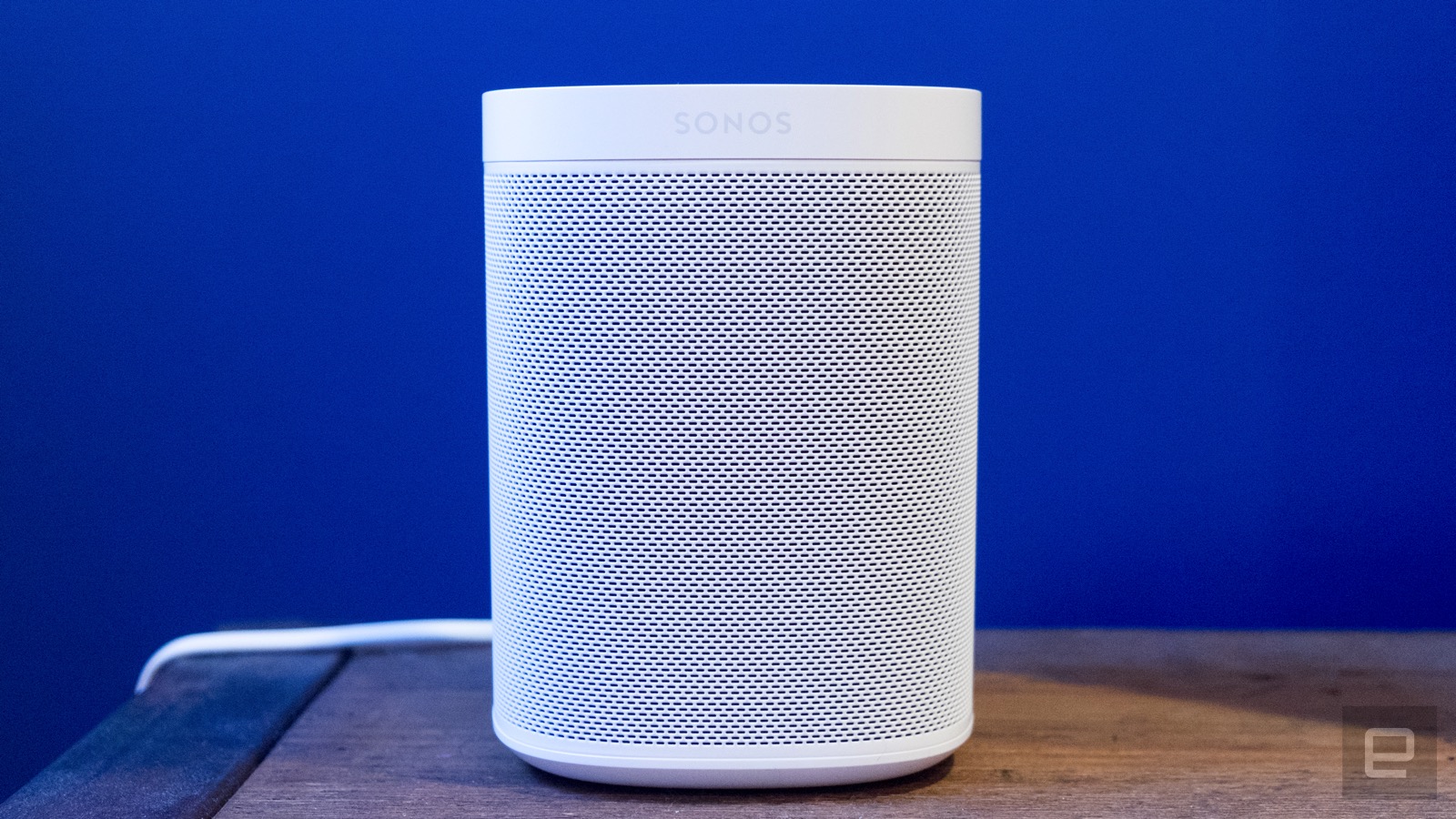
For a long time, my default recommendation was the $219 Sonos One. It hits a sweet spot of size and convenience, and it's a huge upgrade in sound quality over the Nest Mini or Echo Dot, not to mention the larger Echo and Nest Audio. You can use either Alexa or the Google Assistant with it, and Sonos supports a huge variety of music services. But most importantly, it simply sounds great, especially if you tune the speaker to your room using the Sonos iOS app. It takes just a few minutes and makes the One sound lively, with punchy bass and clear highs.
But Amazon flipped the script in 2019 with the Echo Studio, a $200 Alexa-powered smart speaker that can stand up against the Sonos One. Yes, it's larger than nearly every other speaker in this guide, but the bang-for-the-buck factor is extremely high with the Echo Studio. Naturally, it's a full-fledged member of the Alexa ecosystem, which means you can do multi-room playback with other Echo speakers or set up two Studios in a stereo pair. All of Alexa's features are on board here, and it has a built-in Zigbee smart home hub, if you happen to need that.
The Echo Studio has a few other unique features for music lovers. If you sign up for Amazon's hi-def music service, you can play a (very limited) selection of songs in Sony's 360 Reality Audio format; Amazon refers to this as "3D music." It may sound great, but the selection is so sparse that we can't recommend it as a reason to buy into the Echo Studio — but it will be nice as Amazon expands its catalog over time. That said, the Echo Studio’s five-speaker, 360-degree design naturally provides a more 3D effect than a speaker like the Sonos One, which has a more traditional forward-firing design.
The Studio also supports Dolby Atmos, making it a candidate for a home theater setup — but it only works with Amazon's own Fire TV devices. And using a single speaker for watching movies is odd; it may sound great, but it's not the immersive experience you'll get with a dedicated soundbar and surround speakers. A stereo pair plus Amazon's Echo Sub should sound notably better, but we haven't been able to get that setup yet.
Given the quality of the Studio, the speaker shines when used with a high-def streaming service, like Amazon Music HD or Tidal's HiFi tier. The downside is that you'll pay for those — but if you want to stick with standard Spotify or Apple Music, the Studio still sounds great.
While the Studio is comparable to the Sonos One in terms of pure audio quality, the Sonos ecosystem does have a few advantages over Amazon. Sonos speakers that support voice commands, like the One, work with either Alexa or Google Assistant. So if you prefer Google, Sonos is probably the way to go. And Sonos speakers work with a much broader set of music services. I’ve spent a lot of time recently comparing the One to the Echo Studio, and I go back and forth on which is superior in terms of music quality. They definitely have different profiles, and while I have come to prefer Sonos over Amazon, I know plenty of people (including my colleague Billy Steele) who find the opposite to be true.
If you have a smaller home and aren't concerned with multi-room playback, the Echo Studio should be your pick. But if you're interested in building out a multi-room setup over time, Sonos currently provides a greater variety of speakers for that mission. But either way, you'll end up with a setup that puts something like the Echo Dot or Nest Mini to shame.
Best smart speaker for music lovers: Sonos Five
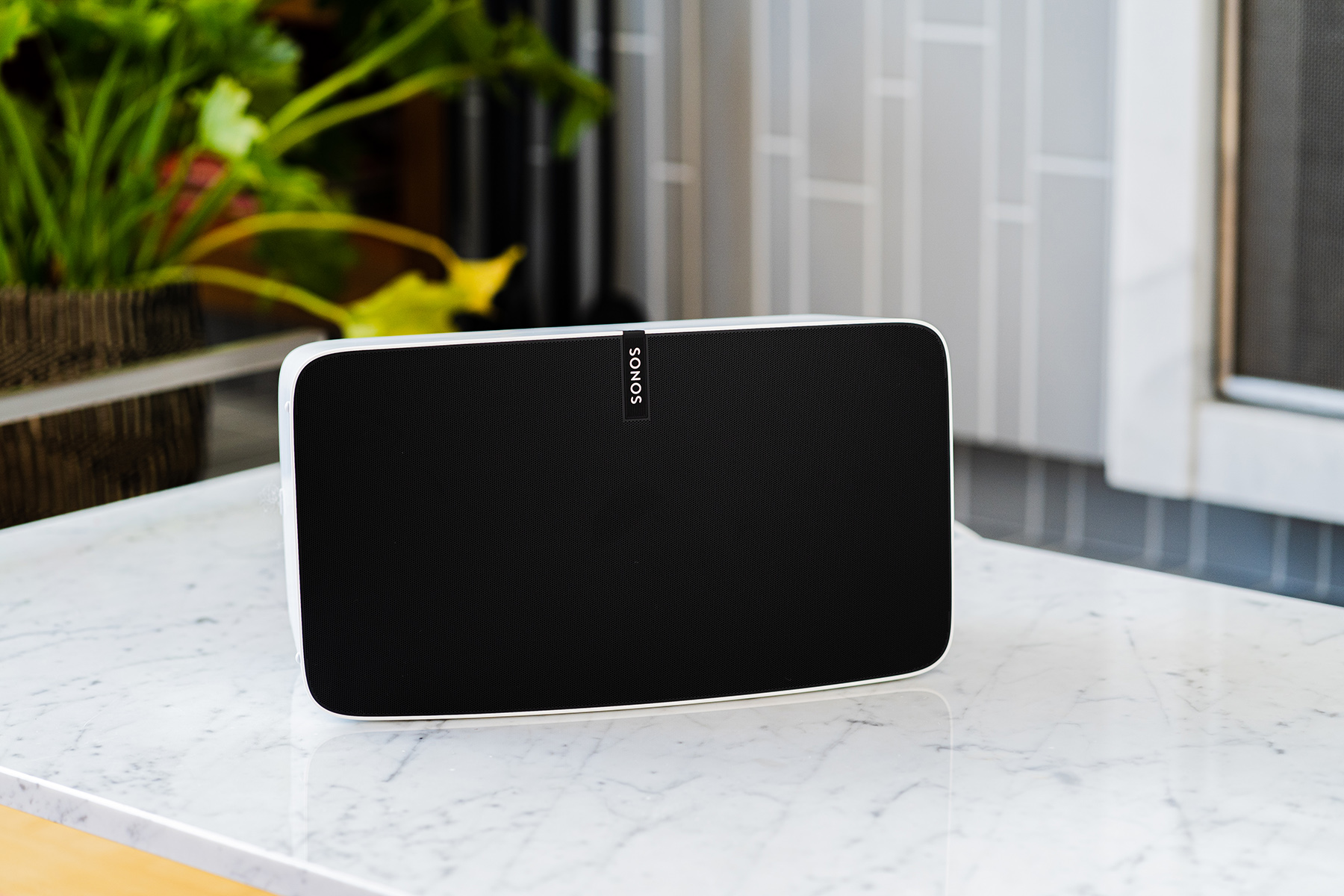
As nice as the Echo Studio and Sonos One are, there's only so much you can get out of them. If you crave more bass, clarity and stereo separation, the Sonos Five is one of our favorite pure music speakers. It has all the conveniences of the One (except for one, which we'll get to) and sounds significantly better than any other Sonos speaker. It also sounds much better than the Echo Studio and anything Google is currently selling.
That said, the Five stretches our definition of a smart speaker here because it doesn't have a built-in voice assistant. But it's so good at music playback that it's worth recommending you pick one up along with an Echo Dot or Nest Mini. Both of those speakers work with Sonos, so you can use voice commands to control the Five just as you would a dedicated Alexa or Google Assistant device. It’s also easier to recommend than it was a year ago, because Sonos refreshed the speaker last spring with a new wireless radio as well as more memory and a faster processor. This means it should stay current and work with future Sonos software updates for years to come.
Since we're talking "best" here, I'm going to go ahead and recommend that true music junkies splash out on two Five speakers and pair them in stereo. Put simply, it's the most enjoyable experience I've had listening to music in years; I found myself picking up new details while listening to albums I've heard over and over again. It's a wonderful experience and worth saving for if you're a music lover. Put simply, I didn't know what I was missing until I tried the Five.
Best portable smart speaker: Sonos Roam
Engadget
While many people will be happy with a few speakers strategically placed throughout their home, you might want something that works outside as well as inside. Fortunately, you can find speakers that pair voice controls and strong music playback performance with portable, weatherproof form factors. For my money, it's hard to beat the Sonos Roam for sheer versatility, not to mention audio quality.
When used inside the home, the Roam works like any other Sonos speaker. It fits in with an existing multi-room Sonos setup, or you can get a pair for stereo playback. Like most other Sonos speakers, it works with either the Google Assistant or Amazon Alexa, and it supports essentially every major music service available. It sounds very good given its tiny size; it’s quieter and not quite as clear as the Sonos One, but it still packs a surprising bass thump and distinct highs.
Since it was designed with on-the-go usage in mind, the Roam has a battery and Bluetooth so you can take it anywhere and use it far away from your WiFi network. And its diminutive size makes it easy to take it everywhere, both around the house and out and about. It’s also the first Sonos speaker that is fully waterproof, as well as dust- and drop-resistant, so you shouldn’t worry about taking it to the pool or beach.
The Roam gets about 10 hours of battery life, whether you're on WiFI or Bluetooth. There are other portable speakers that last longer, so if you’re really going to push the battery you might be better served by another option.
Sonos also has another portable option, the Move. Like the Roam, it’s a full-fledged Sonos speaker when on WiFi and works with Bluetooth when you’re away from home. But it’s $400 and much larger than the Roam, and even bigger than the Sonos One. This means it is very loud and has better audio quality than all the other speakers I’ve mentioned, but it’s not something you can toss in a bag and bring with you anywhere. When I reviewed it, I liked having a speaker I could tote around the house with me and out to my porch, but the Roam does that all just as well in a much smaller package. The Move is a good option if you want a high-quality speaker for a living room with the option to occasionally drag it to the backyard.
While this guide is all about smart speakers, we'd be remiss if we didn't mention all of the solid portable speakers out there that either have limited smart features or none at all. We have an entire guide to the best portable Bluetooth speakers, and some of our favorites that support smart voice commands come from Bose. The $149 SoundLink Flex supports Siri and Google Assistant commands, plus it has an IP67 design that's roughly the size of a small clutch bag. It pumps out bright, dynamic sound and can pair with other speakers for stereo sound, too.
On the higher end of the spectrum, the $399 Bose Portable Smart speaker supports Alexa and Google Assistant commands, and since it can connect to WiFi, you can ask your preferred assistant to play music from Spotify, Amazon Music and other services. On top of that, it produces well-rounded sound, sports an IPX4 design with a convenient carry handle and will last up to 12 hours on a single charge.
Spotify's less-than-stellar quarter can be partly blamed on a decision to exit the hardware business. As part of its earnings data, the streaming service revealed that it stopped manufacturing its Car Thing player. In a statement to Engadget, a company spokesperson pinned the decision on "several factors" that included customer demand and supply chain problems. The withdrawal hurt Spotify's gross profits.
Existing Car Thing units will still work as expected, Spotify said. The company said it still "unlocked helpful learnings" from the device despite its brief history, and that the car remained an "important place" for audio. You can still buy the Car Thing for $50 (down from the usual $90) as of this writing.
Spotify first shared word of Car Thing in 2019, but the finished product only reached the broader public early this year following several months of invitation-only sales. It was effectively a Spotify player for cars that didn't have streaming functionality, and served as an informative experiment for the company. Low demand wouldn't be surprising. Many cars can access Spotify through Android Auto, Apple CarPlay or built-in apps — Car Thing was mainly helpful for people with older vehicles who wanted a music streaming upgrade, but didn't want to mount their phone.
The cancellation comes despite otherwise positive signs. Spotify's free and paid listener bases are still growing (to 433 million and 188 million users respectively), and its shifts toward audiobooks and podcasts are paying dividends by lowering the relative cost of music label royalties. Car Thing's demise theoretically helps Spotify focus on those successes and brace itself for a widely expected global recession.
Projectors have come a long way from the clunky, dim models of the past. The latest models are brighter, sharper, more discreet and easier to install than ever. They also deliver a picture size you could never get on a TV without spending a fortune. With all that, they’re highly desirable for home theater buffs who want a true cinematic experience at home.
Over the last year, we’ve seen models bright enough to use in a normal room, short-throw models that take up very little space and have built-in sound bars, and better picture quality than ever with 4K and Dolby Vision features. Better still, you can now get 4K HDR models that can project up to a 150-inch image for as little as $1,000. That’s around the same price and over double the size of a decent 65-inch TV, giving you something close to true movie theater immersion.
There are a lot of different types of projectors, though, ranging from ultra short throw to portable to long throw. There are also a lot of terms to understand, like lens shift, LCD vs. DLP, laser vs. lamp illumination and more. This guide will help you understand all that so that you can make the best buying decision possible.
The technology
Here are the basics: Projectors generally use two types of technology, LCD and DLP. They’re fundamentally different systems, with their own advantages and drawbacks.
The rise of ultra-short-throw projectors and brighter long-throw models, meanwhile, has been powered by falling prices in laser illumination technology. Lasers are a far better solution than lamps, because they’re brighter and last far longer — up to 30,000 hours instead of 6,000. That’s essentially a lifetime of use (about 10 years).
Most projector manufacturers now use DLPs, or digital light processing units, manufactured nearly exclusively by Texas Instruments (TI). The heart of the tech is an optical semiconductor called a digital micromirror device (DMD) that contains millions of aluminum mirrors. Those tilt either toward the light source (on) or away from it (off) at up to 5,000 times per second.
Budget projectors like BenQ’s HT3550i use TI’s 0.47-inch DMD, while higher end models, like the Samsung Premium LSP9T use the 0.66-inch chip. Both use mirrors that tilt by +12 and -12 degrees for white and black, but TI recently unveiled a new 0.47-inch 4K-capable DMD with +/-17 degrees of tilt, which should enhance both brightness and contrast.
DLP projector makers include LG, Optoma, LG, BenQ and Panasonic. The benefits of the tech are portability, high contrast, less fringing and cheaper projectors, especially 4K and ultra-short-throw models. The biggest drawback is the rainbow effect, or bright red/blue/green artifacts that affect some viewers more than others.
LCD tech, meanwhile, uses a prism to split a light source into red, green and blue beams. Those then pass through LCD displays containing the image and converge via another prism before passing through the projector’s lens.
Epson is the primary user of LCD tech, along with Sony, Sanyo and others. LCD projectors tend to be sharper, more efficient and more color accurate, but have lower contrast ratios and can experience image degradation over time. In general, they’re also more expensive.
What to look for in a projector
Ultra-short-throw
Since the last time we updated our guide, ultra-short-throw projectors have become the hot new category, offering several benefits. You can mount them close to the wall like a TV, with no need to run wires through the walls and ceiling, but still get an immersive image as large as 120 inches — something that’s impossible with a TV unless you’re very rich. They use brighter lasers that never need to be replaced — and because laser light is collimated, focusing is eliminated.
They’re also physically less awkward to install than a ceiling-mounted projector, though that doesn’t mean installation is super easy. To get the perfect screen fit and alignment, you must place them an exact height and distance from your wall or screen. This can be quite a pain, as I’ve discovered.
You also need a perfectly flat wall or screen, because ultra-short-throw projectors beam up at an acute angle, so any imperfections will show as shadows. For that reason, you can’t use a roll-down screen because they have slight ripples.
For the best results, particularly with a lot of ambient light, you should use an ambient light-rejecting (ALR) screen. Those have small ridges that reflect light from below back to your eyes, but absorb any light (ie ambient light) that comes from above. For one of those, you’ll need to budget at least $450 and way up. Some projectors, including models from Epson and HiSense, come with ALR screens.
Elite Starling
Brightness and contrast
Home theater projectors generally range in brightness between 2,000 to 4,000 lumens, but you'll need to take those figures with a grain of salt. Some models might actually hit 3,000 lumens or more, but cranking the lamp to that level will hurt the image quality and lifespan of your bulb. Also, some manufacturers tend to exaggerate maximum brightness.
As a point of reference, many 4K flat panel TVs nowadays can hit 1,000 nits of brightness, but the brightest consumer projectors only display between 100 and 150 nits from the screen. That’s not as big a deal as it might seem, because projector images are much larger and meant to be used in dark rooms, where your eyes will automatically adjust to the light and “brighten” the image.
Contrast is also substantially different on projectors. Unlike OLED TVs, projectors don’t allow for zero black levels because of ambient light, reflections and other reasons. You also can’t have local dimming zones found on LED TVs for true blacks. Some projectors do have a dynamic iris to improve the contrast scene-by-scene, but those can often produce a “pumping” effect, with the image dimming or brightening in mid-scene.
Mounting and fan noise
A big advantage of regular long throw projectors is that you can mount the projector and screen on the ceiling, using zero space in your room. If you plan to do that, don’t forget to budget for a mounting bracket and any necessary long cables, including extra power for Google's finicky Chromecast. Also, keep in mind that it's easier to mount a lightweight projector, and DLP models are usually lighter than those with LCD tech.
Some projectors are noisier than others, and usually the more you spend, the less noise you get. Many of the new 4K DLP projectors, when operating in 4K mode, are particularly noisy. There's one other (cool) thing: if your projector is portable or relatively easy to take down and put up, you can take it outside for magical night screenings under the stars.
HDR and resolution
As related to projectors, these things could each take up an entire article. In fact, they have — for a deeper dive, take a look at Projector Central’s excellent takes on HDR and resolution.
On the resolution front, only expensive projectors have native 4K resolution; indeed, most movie theaters still use 2K projectors for various reasons. However, there are many relatively inexpensive DLP projectors that use pixel-shifting to attain 4K resolution. That system emits each pixel four times while moving it to the correct position for a 4K image, all in less than 1/60th of a second. As such, it puts as many pixels on the screen in the same amount of time as a 4K native projector — and visually, it performs nearly as well.
On the other hand, Epson's LCD “4K enhanced” projectors also have 1080p native resolution, but the image is just shifted twice, not four times. So, those projectors are not 4K natively or otherwise, but do produce double the pixel count of a 1080p projector. If you really want a 4K native projector, you’ll have to pay: two of the cheapest ones are Sony's VPL-VW295ES ($5,000) and JVC's DLA-NX5 ($5,000).
HDR is a very different animal on projectors compared to TVs. As mentioned, projectors can’t produce anywhere close to the amount of light required (1,000 nits) to qualify as true HDR. Rather, they use a technique called tone-mapping to fit the entire HDR gamut into a lower brightness range.
For that reason, among others, almost all projectors only support HDR10. Only one uses Dolby Vision (the Xiaomi Laser Cinema 2, only available officially in China), and just a couple of models work with Samsung’s HDR10+ — and those are Samsung’s own Premiere 4K models. However, most support a wider 10-bit color gamut that allows for superior color reproduction.
Samsung
Optics
If you're mounting a short- or long-throw projector between five and 25 feet, you might need to consider the zoom range and whether the projector has a lens shift option. A decent zoom range will make it easier to mount the projector where you want with the screen size that you want.
Lens shift, meanwhile, is used if the projector is mounted higher or lower relative to the screen than recommended by the manufacturer (or any horizontal distance off center). That creates a trapezoidal shaped image, but by dialing in some lens shift, you can optically square it up. Otherwise, you might have to use a "keystone correction," which digitally stretches or shrinks part of the image, resulting in noticeable distortion or pixel artifacts. Digital correction might not work in gaming modes either, for some projector models.
Gaming
If you’re interested in a projector for gaming, you’ll want to look up the refresh rate and input lag figures. Some new projectors from Viewsonic, Optoma and others offer up to 240 Hz 1080p refresh rates and input lag settings down to 4 or 5 milliseconds. However, some projectors designed more for home entertainment have very poor input lag and refresh rates at just 60 Hz.
Portable projectors
Finally, portable projectors have become popular enough to merit discussion this year. They’re relatively cheap, compact and portable and can run on batteries – making them ideal for entertainment outside or while camping. They’re not nearly as bright as other projectors, of course, but are more designed for a fun night of entertainment under the stars.
Engadget picks
As with previous updates, I’m dividing projectors into ultra-short-throw and long-throw categories. As mentioned, ultra-short-throw models have rapidly established themselves in the market due to the extra performance and convenience, and all manufacturers sell at least a couple of models. Within the ultra-short-throw category, We’ll compare two price categories: under $7,000 and $3,500, with three projectors each. In the long-throw category, we’re again looking at projectors under $1,000, $2,000 and $6,000, with three products in each range. Finally, we’ll take a look at the best portable projectors.
LG’s nice-looking HU715Q is the new king of ultra-short-throw (UST) projectors due to the picture quality, tech on offer and reasonable $3,000 price. With a 20,000-30,000 hour laser light source, it delivers 2,500 ANSI lumens, along with accurate colors across 86 percent of the DCI-P3 gamut – enough for most HDR content. And speaking of that, it supports both HDR10 and HLG, along with frame-by-frame tone-mapping.
Rival models offer similar specs, but the HU715Q trumps them in sound and technology. The 20-watt 2-way stereo speakers are great on their own, but you can supplement them with Bluetooth speakers from LG and nearly any other brand to create surround sound. The standout feature, though, is LG’s webOS smart TV capabilities that give you Netflix, Disney+, Amazon Prime and other apps, all with full 4K HDR support and surround sound, including eARC output for Dolby Atmos and lossless audio. It also supports HDMI 2.1 and better still, full 4K (4,096 x 2,160) rather than just UHD.
Optoma’s CinemaX P2 made our list last year, but it’s still a great choice because the price has dropped considerably. It delivers 3,000 lumen brightness, impressive contrast ratio and accurate colors with 80 percent DCI-P3 coverage. It’s not quite as sharp as the pricier projectors, as it uses TI’s 0.47-inch rather than 0.66-inch DLP tech, though you’ll still get a near-4K image.
The CinemaX P2 may also better match your decor, as it comes in white rather than dark grey like the P1. The 40-watt NuForce Dolby Digital 2.0 soundbar is one of the best on any ultra-short-throw projector, as well. On the downside, it does offer apps but they’re not as good as you’ll find on, say, Google’s Chromecast.
BenQ’s first UST laser projector is at the top end of the price scale at $3,500, but it offers some impressive capabilities. Light output is a bright 2,500 ANSI lumens and it delivers a full 98 percent DCI-P3 coverage for as good an HDR experience as you can get on a projector. You also get a Filmmaker Mode to see colors as the directors intended. It’s powered by Android TV so you get all the streaming services and apps you want, along with apps, games and more. The downside is the lack of decent speakers, as it only offers dual 5-watt speakers with clear sound but limited bass.
If you’re okay with 1080p projection, Epson’s EpiqVision Ultra LS300W is a very interesting option because of the design, excellent sound, built-in Android TV and extreme 3,600 ANSI lumen brightness. That allows for a wide color gamut with no rainbow effect, excellent connectivity and very good sound without the need to buy a soundbar or surround sound system. Best of all, it’s priced at just $2,000, making it one of the cheaper short-throw projectors out there.
Ultra-short-throw projectors are a hot enough entertainment category that Samsung decided to re-enter the market with two models as part of its Lifestyle TV series. The $5,500 LSP9T is the premium model and it certainly brings some premium specs. With separate red, green and blue lasers, it covers 106 percent of the full Rec.2020 color range (147 percent of DCI-P3) — something we’ve rarely, if ever seen on any TV or even pro monitor.
It delivers a very bright 2,800 lumens and a 1,500:1 ANSI contrast ratio. As it uses TI’s higher-resolution 0.66-inch DLP chip (with pixel shifting), you get as close as you can to true 4K without investing in a native 4K projector. Finally, the LSP9T is the first projector on the market rated for HDR10+ — Samsung’s answer to Dolby Vision. On top of all that, the LSP9T delivers 40 watts of audio using Samsung’s Acoustic Beam technology, while offering Samsung’s well-regarded Tizen-powered Smart TV platform.
If you need the brightest possible image, Epson’s LCD-powered EpiqVision Ultra LS500 ($3,899) delivers. It’s rated at up to 4,000 lumens, making it one of the brightest ultra-short-throw projectors in any price range. It also supports HDR modes in HDR10 and HLG and is sold with both 100-inch and 120-inch ALR screens, making the price effectively lower. The main drawback is that it only offers double the pixels of 1080p, rather than four times like competing DLP tech. It also offers a relatively weak 10-watt built-in speaker system.
This is HiSense’s new $4,300 flagship UST that uses a tricolor laser to achieve high brightness (3,000 ANSI lumens) and an incredible 107 percent BT.2020 HDR coverage, topping even Samsung’s formidable LSP9T. It has a powerful 40W Dolby Atmos sound system and built-in Android TV with Google Assistant and Alexa. Best of all, that price includes a 100-inch ALR Daylight screen, or for an extra $500, you can get it with a 120-inch ALR cinema screen.
There are very few 4K projectors available under $1,000, and Viewsonic’s $900 PX701-4K is one of the most recent. For the money, it offers impressive performance. You get 4K HDR with 3,200 lumens of brightness via TI’s .47-inch DLP chip. More importantly for gamers, you can get a 1080p signal at up to 240Hz with a 5-millisecond input lag time. The drawbacks are a limited 1.1x optical zoom, so you’ll need to make sure it fits in your space.
For around $700, the BenQ HT2050A is still one of the best budget 1080p projectors. It delivers where it counts with the best contrast (ANSI 1,574:1) and color accuracy in its class, and is reasonably bright as well, with 2,200 lumens in "vivid" mode. On top of that, it comes with a 1.3x zoom and vertical lens shift option for maximum installation flexibility. The drawbacks include slightly excessive fan noise, rainbow effect and red-tinted 3D.
If you’re looking to spend a little less, the Optoma HD146X is your best option. Using DLP tech, it delivers 1080p at up to 3,600 lumens with excellent brightness, color accuracy, contrast and black levels. You also get decent (16.4-millisecond) input lag for gaming. The drawbacks are a single HDMI port, 1.1x optical zoom and poor built-in audio.
BenQ’s $1,600 4K HT3550i is an update to last year’s HT3550, but with a huge addition: Android TV. With that, you get multi-platform wireless projection from Android and iOS devices via Chromecast or Airplay — a huge plus compared to rival projectors. As before, it offers reference-quality 4K color reproduction in both HDR and SDR that's a match for projectors costing triple the price. Contrast is excellent thanks to the dynamic iris, though brightness is limited to 2,000 lumens. It has a 1.3x zoom and vertical lens shift option, plus a surprisingly good built-in speaker. The fan noise is still present, but less than before.
If brightness is more important than picture quality, take a look at BenQ’s $1,500 TK850i instead. It also comes with Android TV, but delivers far more brightness (3,000 lumens) in exchange for less color-accurate picture quality.
For extra brightness and speed for gaming, the answer is Optoma’s all-new, $1,600 4K-capable UHD38. It cranks the lumens up to 4,000 and like the Viewsonic PX701-4K, offers 240Hz gaming at 1080p with one of the lowest latency figures we’ve seen yet in a projector at 4.2 milliseconds. Otherwise, you can do 4K 60 Hz gaming with 16.7 milliseconds of lag, which is very quick for 4K. It’s optimized more for gaming than entertainment unlike BenQ’s HT3550i, but it can still handle HDR10 and HLG. It supports both zoom (albeit just 1.1x), but also vertical and horizontal lens shift.
Epson’s $2,000 Home Cinema 4010 4K Pro is the Cadillac of under-$2K home projectors thanks to features like 2,400 lumen brightness, dynamic iris, and motorized zoom (2.1x), focus and lens shift. It delivers in picture quality too, covering 100 percent of the DCI-P3 color space in cinema mode with both HDR10 and HLG. It also offers near-4K quality using 1,920 x 1,080 LCD image chips with pixel shifting. The drawbacks are lack of support for 60Hz 4K due to the HDMI 1.4 ports.
If you need that, want to pay a bit less and don’t care about the motorized focus, Epson’s $1,700 Home Cinema 3080 4K Pro is the way to go. It offers similar features like HDR10 and HLG, but supports 4K 60p thanks to the HDMI 2.0b ports. There’s no motorization and the zoom drops to 1.6x, but it supports generous tilt, shift and zoom ranges.
Fans of Epson’s LCD projectors will be interested in this model, which received a big update in the form of a laser light source. That bumps the brightness to 2,500 ANSI lumens, and the three 1080p LCDs use a pixel shifter to quadruple the resolution to something close to true 4K. It offers very accurate colors with HDR10 and HLG capability, but is also great for gaming thanks to the 120 Hz refresh rate, 20-millisecond input lag and HDMI 2.1 support. You also get a 3-way motorized lens, scene adaptive correction and more for $4,000.
Optoma’s $6,000 UHZ65LV also uses a long-lasting laser light source to deliver a 5,000 lumen image, much brighter than any lamp-powered projector. It also delivers true 4K resolution up to 60p, thanks to the TI 0.66-inch DLP chip. The extra brightness and contrast make it ideal for HDR10 or HLG content. It also comes with desirable features for a long-throw projector, like a 1.6x zoom and vertical lens shift.
Speaking of long-throw laser projectors, LG’s $3,000 CineBeam HU810PW is another excellent pick at a much lower price point. There are some compromises, as the laser light pushes out a lower 2,700 lumens (that’s still a lot), and it has a smaller 0.47-inch DLP chip that delivers slightly lower perceived resolution. However, it has dual blue and green lasers which help it deliver accurate HDR colors with an excellent 97 percent DCI-P3 coverage. It also offers a 1.6x zoom with lens shift and an HDMI 2.1 port that allows for 4K at 60p with up to 12-bit color depth. It comes with LG’s webOS, so it supports Amazon Prime, Netflix, Hulu and other streaming services without the need for a dongle.
If you’re looking for a true, native 4K projector, Sony’s $4,500 VPL-VW295ES is the least costly option out there. It’s by far the sharpest 4K projector in this roundup, thanks to Sony’s proprietary 4K SXRD native DCI 4K (4,096 x 2,160) panels. It also delivers extremely accurate colors, with 100 percent DCI-P3 coverage and HDR10/HLG support. You also get niceties like a 2.06 zoom lens with powered zoom, lens shift and focus. The main drawback is a relatively dim 1,500 lumen brightness, but it’s a top pick if picture quality is paramount above all.
Xgimi is a relatively new brand, but has started to gain traction thanks to its lineup of portable projectors. The best of those is the MoGo Pro, which can be powered by a battery (with two hours of playtime) and is small enough to fit in a backpack. But it still delivers a detailed and reasonably accurate 1080p image, while offering automatic focus and vertical keystone adjustment. It even comes with Android TV, giving you all the streaming options you can need – all for $650.
This $470 model is designed specifically for outdoor entertainment, so it’s battery-powered and splash and shock resistant – making it a good choice for backyard movies or sports events, camping and more. It’s also one of the brightest portable projectors out there. It only delivers 720p resolution, but it does come with a streaming app in the form of Aptoide TV.
This 1080p projector has a pretty rich feature set considering the $600 price including a battery. It delivers 400 lumens for reasonably bright outdoor use, has a reasonably powerful 2x3W speaker system with Dolby Digital Plus, comes with Android TV and has a built-in stand for easy adjustment.