Amazon is partnering with Infinium to test the use of so-called electrofuels (e-fuels) in its middle-mile diesel fleet, it announced. The company invested in Infinium last year as part of its goal to reach net-zero carbon by 2040. "We’ve been developing this technology for the better part of a decade, and we expect our electrofuels to reduce greenhouse gas (GHG) emissions by approximately 95 percent over traditional fossil fuel," said Infinium CEO Robert Schuetzle in a statement.
As part of this, Infinium plans to build one of the first-ever electrofuel production facilities in Texas, using renewable-generated hydrogen and around 18,000 tons of recycled carbon waste per year.
A quarter of greenhouse gas emissions are created by the transportation industry, Amazon notes. Infinium's e-fuels supposedly help combat that by combining green hydrogen (from electrolysis) with captured CO2 that would otherwise be emitted by industrial plants. The CO2 and hydrogen are combined into "syngas," which is then converted to liquid fuels via catalysts. The resulting "drop-in" fuel can be used directly in existing, unmodified diesel vans.
Amazon
The vans still emit carbon emissions, but those would have been produced anyway by the industrial plants, so it's supposedly a net-zero operation. The electrofuels are about twice as expensive as traditional fuels, Infinium has explained.
There are clearly some issues that come to mind — the first being that the renewable power used to create hydrogen would be put to much better use in battery-electric vehicles. And neither Amazon nor Infinium explained where they got the 95 percent reduction figure, so I'd take that with a large grain of salt. Finally, despite the 2040 net-zero pledge, Amazon's emissions increased dramatically last year — and that's likely a drastic undercount.
Still, it could serve as an intermediate step. Infinium has previously noted that Amazon will "need liquid fuels for a long time" for ground, marine and air travel. Amazon is also taking other measures, like using green hydrogen (rather than grey hydrogen derived from fossil fuels or other fossil fuels) to power 30,000 forklifts and 800 heavy-duty trucks. It's also investing in companies that develop more efficient hydrogen electrolyzers and has ordered 100,000 electric delivery vehicles from Rivian.
Apple has another bug to quash in iOS 16. Senior manager Ron Huang told a MacRumors reader that the company will fix the frequent permissions prompts when you try to copy and paste content between apps. This is "absolutely not expected behavior," Huang said. While Apple didn't spot the problem internally, the manager acknowledged that others were dealing with the problem.
Huang didn't provide a timeline for a patch. Apple is already testing iOS 16.1 betas that could include a fix, but hasn't said when it expects to deliver the release.
The flaw is the latest in a handful of problems affecting iOS 16 since its debut earlier this month. iPhone 14 Pro owners have complained of camera rattling with some third-party apps, as well as unresponsiveness when transferring data from another iPhone. Apple even had to issue a day-one patch for iPhone 14 models that couldn't properly activate FaceTime or iMessage. Launch bugs certainly aren't unheard of for operating systems, but these have been more irksome than usual.
After several moves that indicated this day was coming, Spotify has officially added audiobooks as yet another listening option in its app. Starting today, users in the US will have a dedicated section for the format that allows standalone purchases via a web link. At launch, the company says its library will contain over 300,000 titles.
In addition to their own section alongside music and podcasts, audiobooks will show up in your recommendations on the main page. When you dive into the audiobooks tab, you'll see a collection of picks from Spotify at launch. Over time, this section will be tailored to your activity just like any other content that's recommended for you on the service. The service's library of titles will also show up in search results like artists, albums, songs and podcasts already do.
When you select an audiobook, you'll see a lock icon on the play button that indicates you haven't yet purchased the title. If you decide to do so, a link will boot you out to a browser to complete the transaction before beaming you back to Spotify to start listening. Any purchased titles will automatically appear in your library and will be available for offline listening. Just like podcasts, the service will offer speed controls so you can listen at your preferred pace.
Spotify
Spotify has been heading down this path for quite a while. The service offered an audio version of Harry Potter and the Philosopher's Stone read by various celebrities in the spring of 2020. In a test early last year, the company added a selection of public domain books in the spoken word format — again read by a roster of famous names. Spotify then announced that Storytel subscribers would be able to link their account to the streaming service as the audiobook platform was is one of the first major publishers to take advantage of Spotify's Open Access Platform (OAP). The tech allows publishers and creators to stream their content through Spotify while using their existing login system. In November, Spotify acquired Findaway, an audiobook platform with over 325,000 titles and tools for creators. That was seemingly the last piece of the puzzle.
Spotify is clear this is "the first iteration"of audiobooks on its platform. The company plans to take notes and see what needs to be changed before expanding to other markets. It also wants to "innovate the format" so that listeners, authors and publishers benefit more from what the format can offer.
Just in time for the arrival of the iPhone 14 line, iOS 16 is officially here, after spending several months in beta. I’ve spent the last week or so testing out the final version of the software, and there are plenty of new things to try, including customizable lock screens, improvements to the Messages app and some smarter AI tricks. Just as importantly, it’s not buggy. The latest edition of Apple’s mobile OS works with the iPhone 8 and newer models, although some features, demand the relatively recent A12 chip. (More on that later.)
This year’s version of iOS is an update you’ll notice – something that was hard to say about iOS 15, whose most notable features related to media sharing, Focus modes and SharePlay. iOS 14, now two years old, added widgets to the grid of icons and shook up your homepage experience for the first time since the iPhone launched. With iOS 16, Apple finally tackled the lock screen.
A personalized lock screen
The lock screen used to feature a clock and not much else. Things are a little different now, but let’s start with the clock. The font is thicker and you can even choose the color of the text and there’s now space for widgets. You might not like how the new default font looks (I don’t), but the good news is that it’s customizable, with several font styles and colors. You can of course choose photos for the lock screen, which isn’t anything new, and you can apply filter styles and even choose a shuffled selection of photos to cycle through. If the images were taken in Portrait mode, you can also enable a multilayered photo effect, with the photo's subject popping out in front of the time. If you do have an iPhone 14 Pro, check out our full review for our thoughts on the Always On Display and, naturally, Apple's new Dynamic Island.
There are two different widget areas you can customize. First up is a slim box above the clock that’s best suited to one-line text (think: the date, chances of rain, or your next calendar event.) Below that, there’s a box that can house up to four different widgets — a mix of 2x1 and 1x1 icons. From the lock screen, you can tap on these to launch into the appropriate itself, but don’t expect to glean any extra information by long-pressing on the icons, which seems like a very Apple way to expand the information offered by these widgets. Maybe in iOS 16.1, or iOS 17?
Mat Smith / Engadget
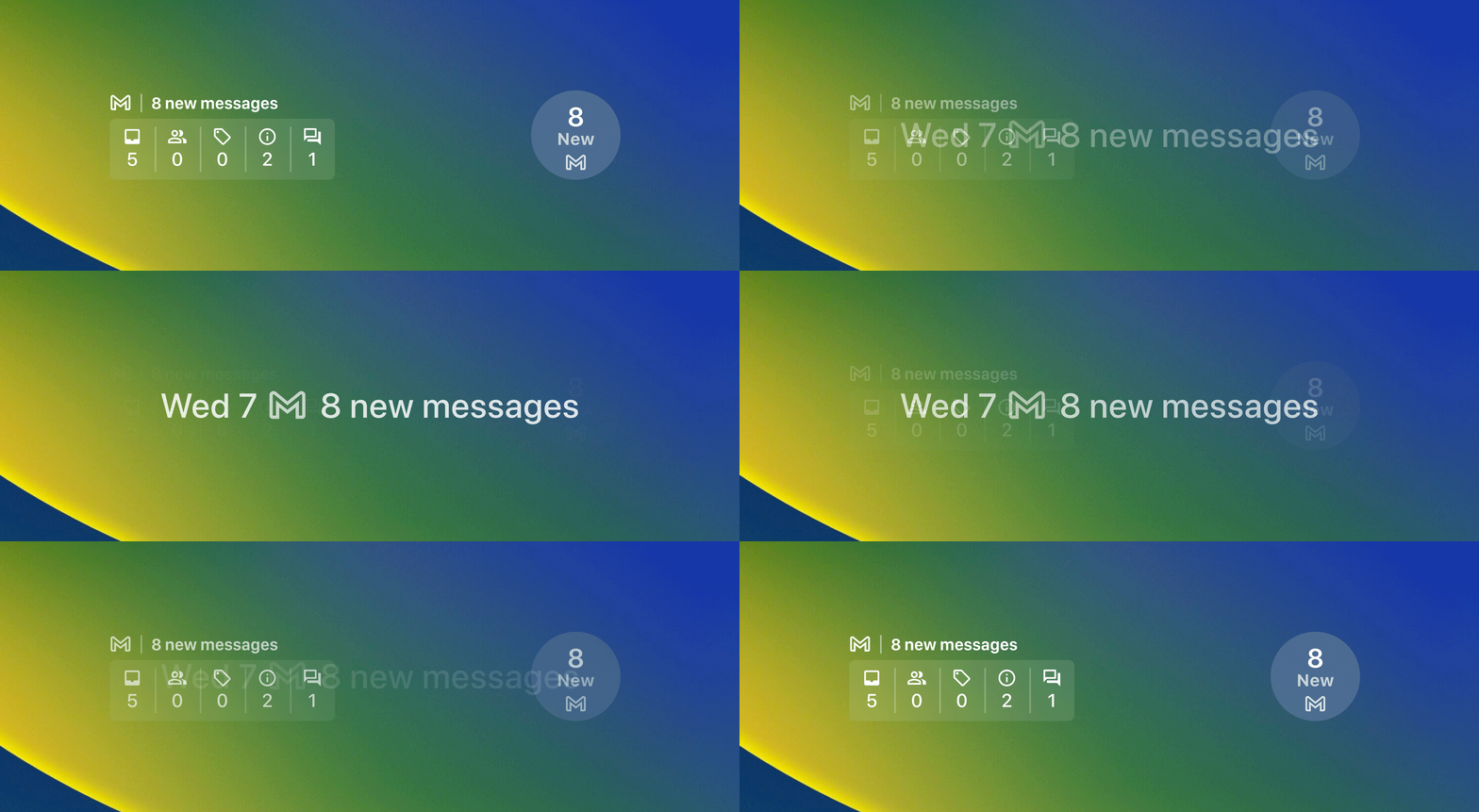
Similar to the debut of home screen widgets on iOS 14, it’ll take time for third-party app developers to get widgets into their updates and onto your phone, but I’m sure productivity, fitness tracking services and others will jump at the chance. Google in particular seems ready to get on board: Its forthcoming Gmail widget will absolutely be getting a place on my lock screen when it becomes available.
The new lock screen keeps some classic features, too. You’ll still see signal strength and battery icons (now with a percentage readout), and both the flashlight and camera shortcuts are still available to tap away at. Oddly, the battery indicator only visually replicates how charged it is when the battery is under 20 percent, which is counterintuitive when you’re at 50 percent, for example.
The lock screen refresh also functions as a renewed way of showcasing an iOS 15 feature that can be pretty laborious to set up: Focus modes. You can now assign a Focus mode to individual lock screens (one for personal, one for work, one for sleep), each with their own custom widget layouts and photos. If you rarely change your wallpaper during weekdays, you could set up, say, a fun weekend image of your family, and assign it to your personal focus mode.
Conversely, I have a pretentious motivational quote on a black background for when I’m crunching away on deadlines and have my phone set to Do Not Disturb. The ability to swipe between Focus modes makes them easier to use in everyday life. Sure, I could have done so in the past from the top-right drop-down menu, but I didn’t. With iOS 16, I’m already using Focus modes more often.
A better messaging experience
Mat Smith / Engadget
Apple’s native messaging app gets some unique tricks, including new Visual Lookup features. It now handles image copy-and-pasting, pulling subjects from photos, screenshots and more, turning them into easy-to-share stickers. Long-press on the object / animal / person and your iPhone (if it’s an XS or newer) will endeavor to clip it away from the background, ready to paste elsewhere.
It’s uncannily accurate for such a, well, lazy method. I love it. The Visual Lookup skills in iOS 16 are even more expansive, with the new ability to lift text from video. In addition to videos you take yourself, it should work with full-screen videos in web browsers.
Messages has also expanded its sharing capabilities beyond SharePlay and stickers. You can now send documents, spreadsheets and more, as long as they’re saved in one of Apple’s office software file types. Hopefully, third-party support for Microsoft and the Google Suite will soon follow.
Apple is making up for lost time elsewhere as well. Finally, you can edit and unsend messages on the Messages app – if you’re quick enough. You’ll have up to 15 minutes to edit after you first send the message, with the chance to change your message up to five times. You can see any edited messages from other folks also using iOS 16, which will be grayed (blued?) out underneath the corrected message. Unsend features are only for iPhone-to-iPhone messages.
Similarly, you can now undo send and schedule emails from the native Mail app. (Finally.) There are also further modern features you are probably already used to on Gmail, like suggestions when you might have forgotten an attachment or recipient. .
Apple has upgraded its voice dictation, too. Now when you’re talking into your iPhone, the keyboard will stay on screen, meaning you can type and correct while the dictation takes place – ideal for specific names and places. You can also tap on a word and dictate over them to correct any mistakes. Apple has also added more rigorous auto punctuation to dictation, which generally helped insert commas, periods and the rest without you having to say “question mark” at the end of your text-based requests to friends. It also gleans emoji as you say them, inserting them into your typing. (This feature requires the A12 Bionic chip found in the iPhone XR and newer devices.)
Health and Fitness
Apple’s Health and Fitness apps are relative newcomers to the native app family, and they continue to evolve. The Health app has a new Medications feature that helps log what you take and when. You can set up multiple meds for different time-of-day reminders and frequencies and your iPhone will ping you when it’s time. Another addition to the Health app is the ability to enable notifications if your logged menstrual cycles show a pattern of infrequent periods and other signs of possible abnormalities.
On a more light-hearted note, depending on how serious an athlete you are, Apple has also added a My Sports tab to its News app, dedicating a section to your favorite sports teams. This encompasses news, results, related stories and upcoming game reminders. A word of warning: Some of the stories may be locked behind Apple’s News+ paywall.
One of the best updates is one you might miss. I did too, until I perused Apple’s iOS 16 lengthy release notes: Haptic typing is here, on an iPhone, several years late. Until now, if you wanted typing vibrations on an iOS device you’d have to install Gboard – yes, Google’s third-party keyboard – to get this functionality. Now, mere days later it’s hard to imagine going back to typing on glass without it. Android users have had it good.
Everything else
iOS 16 introduces some potentially life-saving personal safety updates as well. Emergency SOS, which sounds an alarm on the phone before automatically calling emergency services, can now be activated by rapidly pressing the side button five times. Crash Detection, enabled in settings, will take data from the motion sensor, gyroscope, accelerometer, GPS, barometer and microphone, and combine it with algorithms to estimate if you’ve been in a car crash. When detected, a warning will flag up on both your iPhone and your Apple Watch. If you're still responsive, you can swipe the screen to call emergency services or close the alert, if it was a false alarm. Like the SOS call, the iPhone will automatically dial emergency services after 10 seconds have passed.
Mat Smith / Engadget
It wouldn’t be an Apple update with at least a few security updates. Perhaps the most noticeable addition is Safety Check, which can decouple your iPhone from specific contacts, gadgets and services. From here, you can uncheck permissions and even nix the connection completely with “Emergency Reset” or “Select All and Stop Sharing.” You will need to use your passcode or FaceID for these more extreme measures.
Apple is also touting what it calls Passkeys: digital keys that use your iPhone’s security features to securely log in to websites and devices like your smart TV. These aren’t an Apple invention, but with Passkeys on iOS devices this should lead to wider uptake and, well, a chance to use them. That said, I haven’t yet found any opportunities yet to test them out.
And there are even more notable features:
Apple Maps includes support for multi-stop routing, which can also be synced with your Mac. Travel fares are also displayed when you’re riding public transport.
Camera-wise, you can add foreground blur on Portrait mode photos, and Apple has improved cinematic mode video capture – at least on select devices. You’ll get cinematic mode on the iPhone 13 series and newer.
The Home app has been streamlined, with categories for lighting, speakers, TV and more. The tiles have been redesigned to make it easier to discriminate between all your connected gadgets. And, of course, there are now Home app lock screen widgets.
Apple has expanded the Fitness app to everyone; you no longer need an Apple Watch to use the activity tracking parts. Your iPhone’s motion sensors will estimate your steps, distance and workouts to offer up a rough calorie burn figure, too.
New accessibility features include Door Detection in the iPhone’s Magnifier mode – if you have a device with LIDAR, anyway. (That’s ‘Pro’ iPhone models starting with the iPhone 12 Pro.) A new detection mode offers more detailed descriptions in Magnifier, as well as people detection and image descriptions.
Apple finally lets you hang up on calls with Siri, hands-free. It sounds incredibly abrupt, sure, but hang-ups required a physical tap until now. You can also adjust Siri's wait time before it responds to your voice commands.
Wrap-up
iOS 16 marks another notable evolution for Apple’s often slow-to-change mobile OS, this time enriching your iPhone lock screen in several ways. I focused on the lock screen in this review because it’s an inescapable part of the iPhone experience. Changes elsewhere are small, but there are an awful lot of them, and they add up. (Apple has added seven more nose options for Memoji, FYI.)
There are some features that I haven’t been able to test, including accessibility upgrades for LIDAR-capable phones and Passkey support. As with many iOS updates, you might not notice all of the improvements. Many will find the medication reminder features useful and simple; others won’t even know it’s there. Sports fans might love the dedicated News app tab, but on the other hand, you also might not care about sportsball? You can test out the lock screen widgets, set up some Focus modes. Or not. But please turn on Haptic typing, and never let your iPhone make those typing sound effects ever again.
Slack has introduced a new feature called "canvas," which it describes as a "surface" where teams can "curate, organize and share mission-critical resources." When it launches next year, Canvas could replace external apps or programs teams use to collate and share information and ideas, such as Google Docs, company Wikis or Notion.
Users can create a new canvas by choosing the option in the drop-down menu beside their Slack team's name. They can embed files in it, along with links, channel lists, videos, workflows, tasks to complete and other resources — anything useful team members might need, so they don't have to waste precious time hunting for information.
The company envisions canvas as something teams could use to organize marketing campaigns, to share executive briefings with everyone and to onboard new hires. Users can create canvases without having to use code, and they can keep editing existing templates instead of creating new ones again and again. Here's an example of what a canvas could look like:
Slack
Slack has also started rolling out the new and updated huddles with features it promised back in June. Huddles provides an audio chat capability for teams within Slack, but this update gives users the option to switch on video, as well. Opting for a video huddle will open a separate window, and users will have the ability to blur their backgrounds like they can in other video conferencing apps such as Zoom. And yes, they can use emoji reactions in video huddles.
In addition, the revamped huddle allows more than one person to share their screen at the same time. In a session where multiple people are sharing screens, they can use live cursors and the ability to draw on the shared screens as a visual aid. Any information shared during a huddle, including links, files and notes, will automatically get saved in a thread in the channel or the DM where it was launched. These threads can be pinned for easy access and will even be searchable. If they're posted in channels instead of in DMs, even users who aren't part of the huddle will be able to see them. It could take a while for everyone to get access to these features, but Slack says they'll make their way to all users over the coming weeks.
Tile has just launched "Lost and Found" QR labels that are a essentially a low-tech way to get your stuff back. They're meant to be used on small or perhaps not particularly valuable items like "travel mugs, musical instruments, sports equipment and earbud cases," the company said. It's the company's first new product release since its acquisition by location sharing service Life360.
Unlike its Tile trackers that let you see where an object is physically located via Bluetooth, the new stickers are effectively a fancy version of an airport luggage tag. Anyone who finds it can scan the QR code to bring up your contact information, and then (if they're honest) contact you to return the item.
Tile
Without tracking or beeps to locate your object, privacy is less of an issue than it is with Tile's trackers or Apple AirTags. That said, you're still potentially putting your contact information out in public, so you should make sure the labels never appear in public social media posts, for instance. They're priced at $15 for three sheets of five labels, which is a lot cheaper than the $25 trackers — but $1 for a sticker still seems like a lot.
Voyager and Lockheed Martin plan to have their private space station, Starlab, up and running by 2027. The latest development is a partnership with Hilton, which will help design astronaut facilities, including the sleeping quarters and other parts of the station. NASA has contracted four private companies to build private space stations ahead of the agency's planned decommissioning of the International Space Station at the end of the decade.
Under the partnership, Hilton and Voyager will investigate marketing opportunities related to Starlab and trips to what could be one of the first space hotels.
ASUS’ latest hardcore gamer phone, carrying its gaming PC ROG branding, includes a flap that exposes the phone when you attach the bundled AeroActive Cooler 6 – yes a giant cooling peripheral. This blasts 1,000cc of air through the phone per second. The ROG Phone 6D Ultimate will be available across Europe soon, priced at €1,399 (around $1,400) or £1,199 in the UK. No word on US availability yet.
That purported Grand Theft Auto VI leak appears to be real. Rockstar Games has confirmed the leak's authenticity in a tweet, noting that a hacker stole confidential data including "early development footage" of the next Grand Theft Auto title. The firm didn't foresee any long-term damage to development or live services like GTA Online, but was "extremely disappointed" that details of the future game were revealed. It was a big leak, including 90 videos of a very early build of GTA VI. The clips appear to confirm rumors from July that a return to Vice City was on the cards, as well as a Bonnie and Clyde-like pair of male and female protagonists.
Manufacturers say supersonic travel is 'tangential' and are focusing on efficiency instead.
Boom recently lost its jet engine partner for the Overture supersonic jet, and other major engine manufacturers reportedly aren't interested in the project either, according to a report from Insider. After Boom signed an "engagement agreement" with Rolls-Royce for supersonic jet engines back in 2020, the latter announced last week that it had left the project. Another jet engine supplier, Pratt & Whitney, cited efficiency as an issue for supersonic jets, while other manufacturers say they're concentrating on reducing fuel-burn – the primary focus for the industry, given criticism of air travel's contribution to global warming.
iFixit has finished a teardown of this year's iPhone 14, and it's clear that the device was reworked from the ground up, with do-it-yourself fixes in mind. The back glass is easier and cheaper to fix, but the metal midframe keeps the front just as accessible. Apple still demands that customers and technicians activate parts after installation, so you can't just use an unofficial back instead of Self Service Repair components. Still, iFixit claims this is the most repairable Apple handset since 2016's iPhone 7. In Fact, the design is more repairable than many Android phones that are only easy to open from the back.
With nearly 80,000 concurrent Steam players at the moment, Cyberpunk 2077 is enjoying a resurgence in popularity. While it’s a far cry from the more than one million people that played the game on PC following its troubled launch, it’s still more interest than the game has seen in over a year. That’s likely thanks to the game’s anime spinoff, Cyberpunk: Edgerunners, which premiered on Netflix to critical acclaim.
Peloton is today announcing its long-awaited entry into the smart ergometer market with Peloton Row. Much like the firm’s other products, Row is a smart rowing machine with a 23-inch HD display onto which you can watch live classes. The company is making its usual noises about a premium piece of hardware that promises better customization than its competition.
Row is belt driven, much like its ostensible rival in this space, the Hydrow, which has a similar silhouette. That offers a fine-grain, electronically-controlled resistance — at odds with the broader resistance you’ll find on air rowers, of which Concept2 provides the gold standard. Peloton also says that Row can offer individually-calibrated on-screen feedback on your form as you row.
(This is something I’m particularly interested in exploring myself, given that my usual form issues are related to rounding over my back, rather than how I’m pulling the chain. Unless there’s some Peloton Guide-esque computer vision stuff that the company hasn’t mentioned in the Row's press release that might identify real-world issues. Speaking of which, Guide is also getting an update this week to include rep tracking.)
Peloton
You’ll also get personal pace targets to help you gauge what your instructors are bellowing at you to do through the screen. Not to mention a whole bunch of data that’ll be slapped onto you after each row, giving you performance metrics that should help you improve in future. (Rowers are, if nothing else, nerds for some good data.)
Of course, like most at-home fitness gear these days, Peloton is also making a big deal that you can stow this thing vertically. And that it’s brought on a raft of new instructors, with a series of pre-recorded classes available on-demand, while live classes will start in 2023. Plus, like other Peloton products, you can swivel the display to work out with free weights or any other class of your choice.
As for the price, Peloton is asking $3,195, plus the cost of the monthly $44 per month membership for all of the content. The company hasn’t yet mentioned if Row will join its rental program, although it’s likely that the initial wave of devices will be needed to service the demand of folks who’ve been waiting for Peloton to join the rowing world for some time now.
Apple has announced that it's raising the prices of both apps and in-app purchases, not including auto-renewable subscriptions, across several regions starting on October 5th. All territories using the Euro currency are affected, along with Chile, Egypt, Japan, Malaysia, Pakistan, Poland, South Korea, Sweden and Vietnam. Apple says the price increase in Vietman reflects new laws that require the company to collect value added tax (VAT) and corporate income tax.
The amount added to old prices vary, based on the list of updated pricing tier (PDF) the tech giant has published. Apps that currently cost 99 cents will set users back €1.19 in Euro territories, while those that cost €4.99 will cost a Euro more at €5.99. The additional charge gets bigger the higher one goes in the pricing tier — purchases that cost €14.99, for instance, will cost people €17.99 instead.
Apple didn't explain the reason behind the price hike for most territories aside from Vietnam. For Euro-using countries, it could be partly because of the fact that the Euro is weak against the dollar and even fell below parity for the first time in almost two decades. Perhaps this price hike shouldn't come as a surprise because of that, seeing as people are also expected to pay much, much more for the iPhone 14 in Europe than in the US. The iPhone 14 Pro, for instance, will set buyers back $999 in the US. Converted, that's only €997, but the model is priced at €1,299 in Germany, €1,319 in Spain and €1,339 in Italy.
Xbox's online DRM has been one of the biggest issues with Xbox Series X consoles, as outages and other issues have left players with no access to purchased games. Another big complaint is that cross-platform Xbox One disc games have been inaccessible offline, even with games that don't require a connection. Now, a new update means you won't be forced to do an internet check or download from an Xbox One disc anymore, engineering lead Eden Marie confirmed in a tweet.
Users started noticing the change recently, but it has been in place since the 2206 update earlier this summer, Marie said. "We examined data since Series X|S launch & determined the online compatibility check isn't needed in the vast majority of cases for Xbox One discs. Some games may still need to be updated online after install to ensure the best experience," she added.
Yes, this is true since the 2206 update. We examined data since Series X|S launch & determined the online compatibility check isn't needed in the vast majority of cases for Xbox One discs. Some games may still need to be updated online after install to ensure the best experience.
What was the problem before? The issue essentially revolved around Microsoft's Smart Delivery system. Previously, when you inserted various types of Xbox One/Xbox Series X game discs on a new-gen console, it wouldn't install the game straight from the disc — rather, it would install an updated version via the internet. This, despite the fact that Series X consoles are perfectly capable of playing most Xbox One games directly (the main exception being Kinect games).
What this means it that you can now play many games offline that are branded "Xbox One," "Xbox One/Xbox Series X," "Xbox Series X/Xbox One" and "Xbox Series X." However, you can't play original Xbox or Xbox 360 games without updates, as the data "can't be used directly," according to Eden. (Most of this doesn't apply to the Xbox Series S, of course, because it doesn't have a disc drive.)
There are a few other exceptions as well. For instance, some disc games known as "stubs," like Forza Horizon 5 or Halo Infinite, don't contain the full version of the game — so you'll need a connection for those. You'll also need the internet to download the latest versions of games, along with expansion packs, etc. And Series X consoles require an account, so you'll need to be online at least once to set that up. Still, the update is a good step and means you'll be able to play a lot more games in the not-so-rare event that Microsoft's servers go down.