Posts with «uno q» label

From open source to real world solutions: How Linux and Arduino bring big ideas to life
Linux mascot Tux the penguin was created by Larry Ewing using GIMP

The idea that changed how we build technology

Happy Linux Day, Arduino Fans!

Since 1991, Linux has helped popularize open-source software. And then Arduino, inspired by that, extended that open source concept to hardware with its own launch in 2005. The open-source movement did not stop at the screen; it also influenced the development of physical computing. As we celebrate Linux Day, we honor the collaborative ethos that helped shape the internet and the Arduino movement. Just as Linux democratized software by opening the kernel, Arduino liberated hardware from corporate labs, proving that when we freely share our blueprints from C++ to circuit schematics, we empower a global community to build the future together.

Linux meets the physical world

Imagine building an autonomous robot where the engineering challenge isn’t just running computer vision, but seamlessly bridging that user-space intelligence with bare-metal physical execution. The Arduino® UNO Q board solves this by unifying a Qualcomm Dragonwing QRB2210 microprocessor running a full Debian Linux environment with an STM32U585 microcontroller for real-time, deterministic hardware control. This dual architecture gives developers the established capabilities of Debian’s package ecosystem and networking stack for AI workloads, while the bare-metal microcontroller supports real-time control of motors, sensors, and actuators, including sub-millisecond operations where supported by the applicable configuration and workload.

This integrated architecture is designed to reduce the friction associated with bridging separate computing and control hardware.By unifying real-time control with Debian’s robust software ecosystem, the UNO Q can help developers focus on building applications across robotics, computer vision, and industrial automation.The platform illustrates how advanced computing and bare-metal execution can be combined in an open, collaborative development environment.

From ideas to real world builds

The real power of open source comes to life in what people can create with it. Across the Arduino community, makers and developers can explore a broad range of possibilities, from desktop companion robots to autonomous systems that tackle everyday problems, and beyond. Whether they’re experimenting with the UNO Q or Arduino® VENTUNO Q board, sharing their ingenuity through competitions and hackathons, or inspiring others with creative builds, these projects turn bold ideas into working solutions. Here are a few builds that caught our attention, built by community members using Arduino hardware and Linux-based capabilities.

Curie: An AI companion for ADHD and cognitive focus grounding
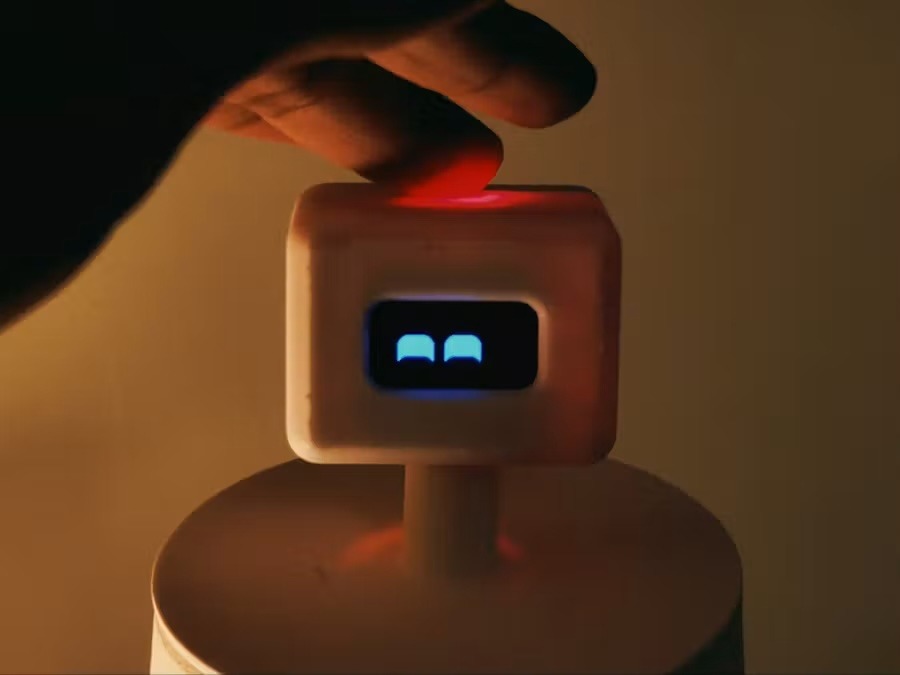
Curie is an open-source desk companion built on UNO Q, intended to interact through audio and vision features to help users begin tasks and maintain focus. Learn more.

Autonomous pantry assistant
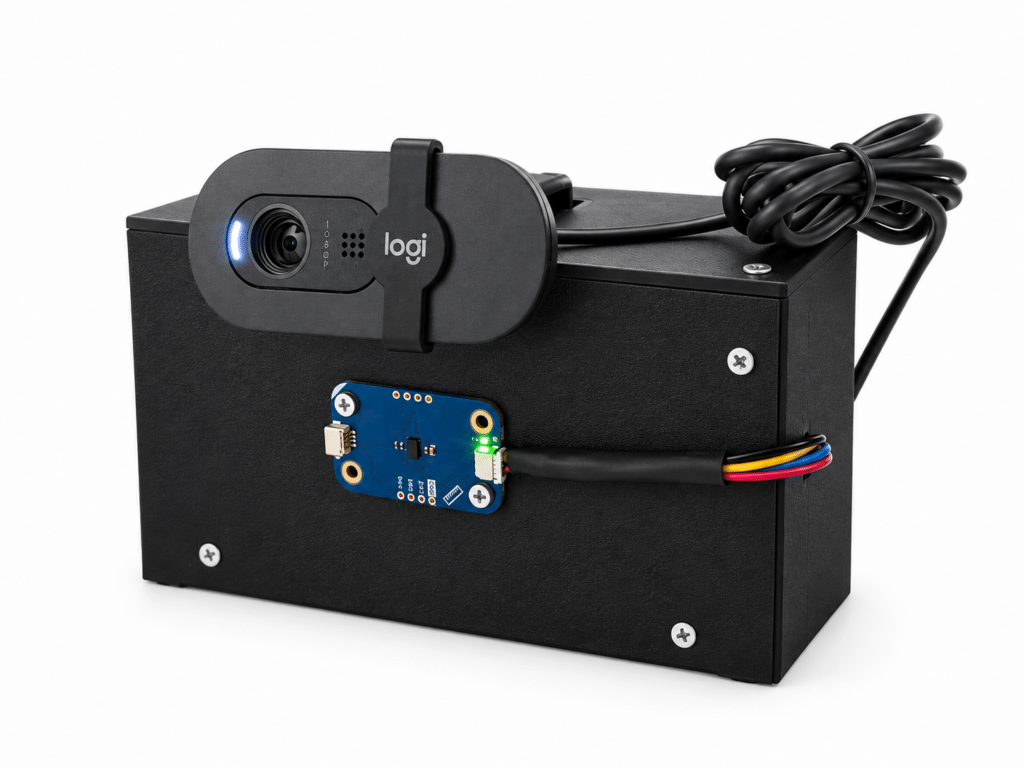
An autonomous edge AI assistant that identifies pantry products and reads their labels aloud for people with low vision. Learn more.

A robot arm that sees you
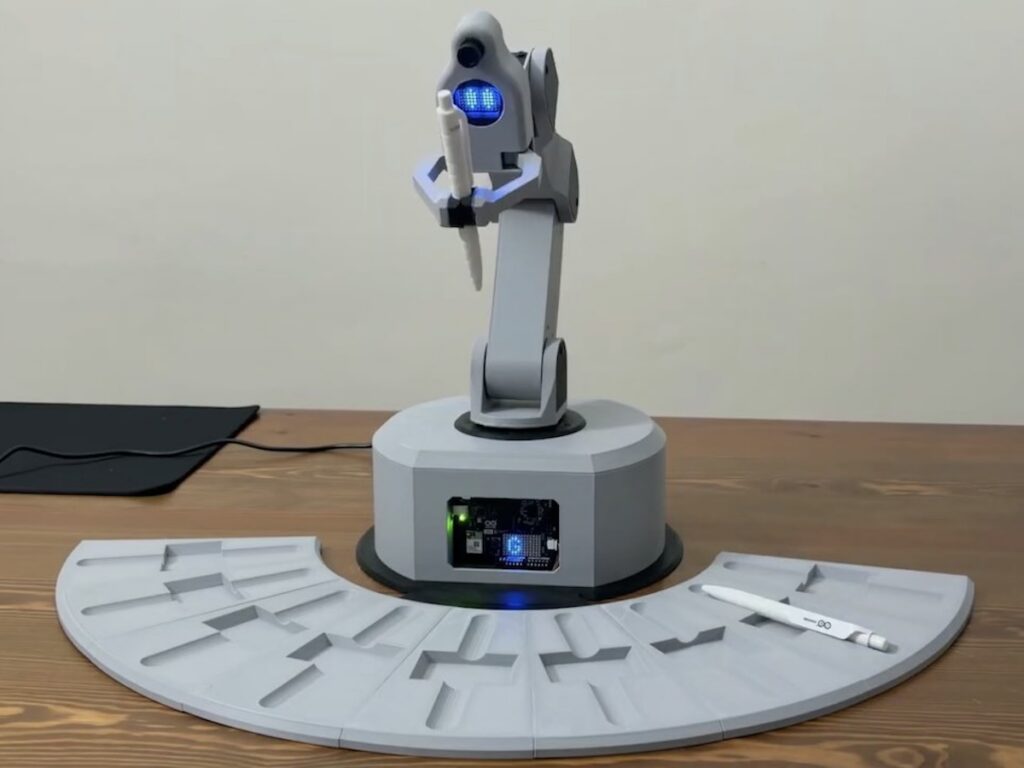
Imagine a robot arm designed to detect configured users and deliver selected objects. The arm runs on Feetech digital servo motors with a Waveshare control board, and a camera on the head handles the recognition. Learn more.

Depth multitool on the VENTUNO Q
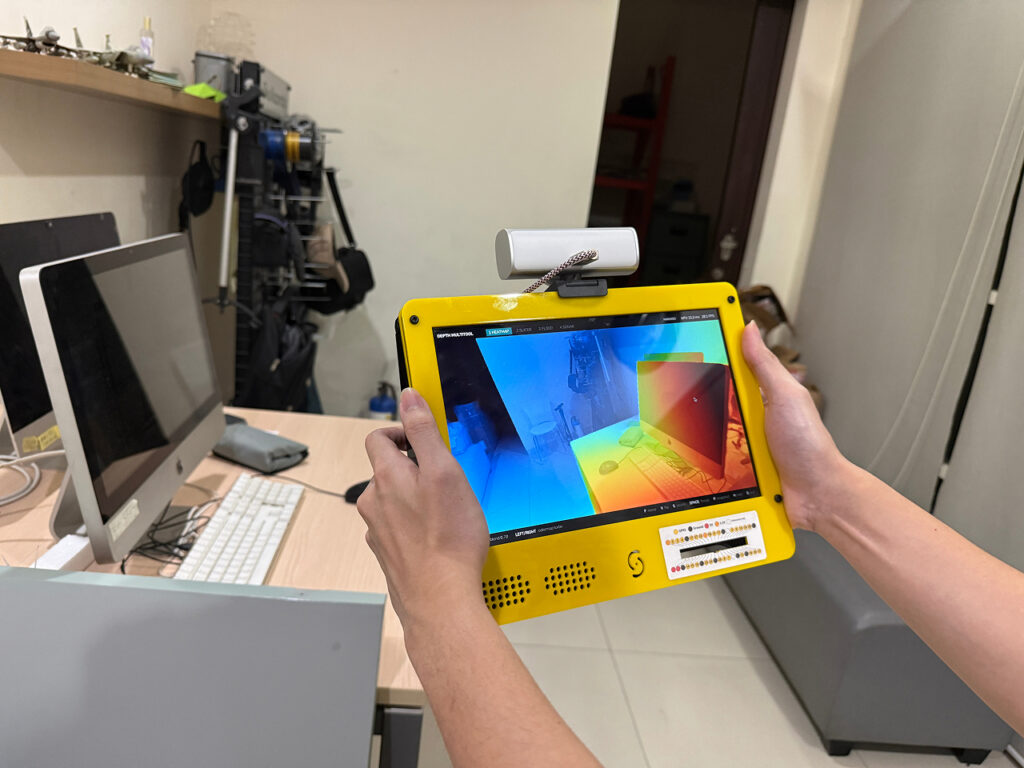
One ordinary webcam, a depth model on the VENTUNO Q NPU, and four visualization modes for estimating the distance of objects within the camera’s field of view. Learn more.

Building on open foundations

Many community projects build on open-source software and hardware. Arduino continues to strengthen that foundation with new hardware, software, and tools that give developers more ways to experiment, create, and solve difficult problems. The 2026 Arduino Open Source Report highlights this motion and key contributions from our vibrant, passionate community. Here are just a few of the highlights, reported by Arduino as part of its open-source ecosystem:

  • 6 new open source hardware boards
  • 11 new official libraries
  • Arduino® App Lab for UNO Q

The community led with:

  • 1,218 new libraries, bringing the total to 8,754
  • 6,602 new versions of libraries
  • 420 new open source projects

The next chapter

As AI descends from the cloud to power the next generation of autonomous robots and edge devices, open-source development continues to play an important role in this area. The convergence of Linux, Arduino, and edge intelligence is helping enable new physical-computing applications, and it is the global community that will define what is possible. That is the true spirit of Linux Day: a brilliant, decentralized future we are building together.


Qualcomm branded products are products of Qualcomm Technologies, Inc. and/or its subsidiaries. Arduino, UNO, and VENTUNO are trademarks or registered trademarks of Arduino S.r.l.

The post From open source to real world solutions: How Linux and Arduino bring big ideas to life appeared first on Arduino Blog.
Arduino Blog 23 Oct 20:12

Discover the Qualcomm Academy new AI Associate Certification: Model to App at Maker Faire Rome!

Want real-world experience developing AI models and deploying applications using cutting-edge technologies such as the Arduino® UNO Q board? Qualcomm Academy has a new second-level program for you! The AI Associate Certification: Model to App is a hands-on, online, and self-paced program designed to provide experience with the end-to-end ML workflow, including data preparation, model creation, optimization, deployment, and on-device inference. 

Through approximately five to six hours of build-along training, you’ll enjoy a combination of technical depth and practical application, helping you develop the confidence to create accurate, efficient, and production-ready AI solutions at the edge.

Three projects. One complete edge AI journey.

To achieve their certification, participants use a learning-focused development kit based on UNO Q to complete three real-world projects that span voice, vision, and sensor-based AI:

  • Wake Word Detection: Create and optimize a voice-enabled application that recognizes predefined wake words.
  • Person Recognition: Build a computer vision application that processes image data and performs real-time inference on an edge device.
  • Gesture Recognition: Train a model using IMU sensor data to detect and classify movements in real time.

Each project connects model architecture, training, validation, quantization, deployment, and application integration so learners can explore the ML lifecycle in practice.

Build skills for real-world edge AI development

By completing the certification, you will gain hands-on experience with developing ML models, preparing data, quantizing and optimizing models to explore tradeoffs among accuracy, latency, power consumption, and performance, and visualizing model graphs. You will also gain experience with AI development toolchains, explore MCU and MPU capabilities, develop real-time applications, and work with FastRPC communication for AI workloads.

The program is designed for developers and engineers, embedded systems professionals, IoT and robotics developers, students, and industry professionals interested in gaining practical experience with ML and edge AI. Learners should have basic Python skills, familiarity with an IDE, introductory knowledge of PyTorch and ML concepts, and prior hands-on experience equivalent to the Qualcomm Academy foundational AI certificate programs.

Flexible learning, practical results

The AI Associate Certification: Model to App is available online and can be completed at each learner’s own pace. You may purchase the program via Qualcomm Academy. After successfully completing the certification requirements, you will receive a Qualcomm Technologies certificate and badge that can be displayed on your CV and LinkedIn profile.

Start building – from model to app!

Take the next step in your AI development journey. Enroll in the AI Associate Certification: Model to App and gain hands-on experience applying ML concepts to applications running at the edge.

Enroll now!

Visiting Maker Faire Rome (October 23rd–25th)? Make sure to stop by the Arduino booth to talk to the team about how you can get your AI Associate Certification: Model to App. 

Qualcomm Academy is a program of Qualcomm Technologies, Inc. and/or its subsidiaries. Arduino and UNO are trademarks or registered trademarks of Arduino S.r.l.

The post Discover the Qualcomm Academy new AI Associate Certification: Model to App at Maker Faire Rome! appeared first on Arduino Blog.

Arduino Blog 21 Oct 17:15

Build your own physical interface with the new Arduino® UNO™ Q SBC Controller Bundle

When running UNO Q as a standalone single-board computer, navigating its Linux desktop environment doesn’t have to mean reaching for a standard mouse and keyboard. One of the most rewarding aspects of combining microcontrollers with a full operating system is the freedom to design custom physical interfaces – turning buttons, knobs, and joysticks into direct, tactile controls for your software.

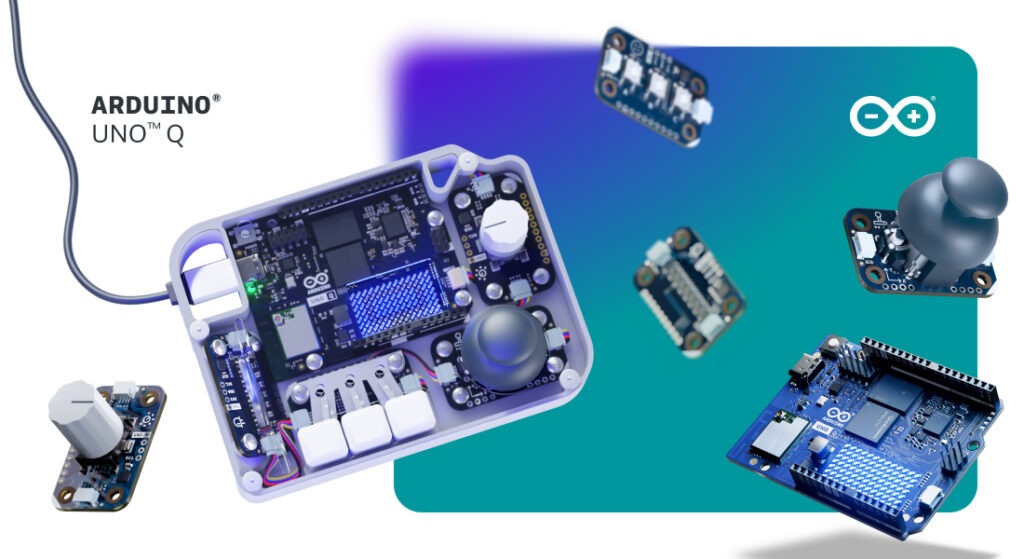
To support that experience, we’re introducing the UNO Q SBC Controller Bundle. Designed for makers, learners, and innovators, this kit brings together hardware, software, and step-by-step guides to help you build a customized control setup.

What’s included in the box?

At the heart of the bundle is the dual-brain UNO Q 4GB board. To create a physical input layout as an alternative to certain traditional input functions, the kit includes a curated set of Arduino® Modulino nodes: Buttons, Joystick, Knob, and Pixels for dynamic visual feedback.

The included components connect through the Arduino® App Lab development environment. To give your finished project a clean, product-like appearance, we also offer a downloadable, 3D-printable enclosure that you can print or modify for your design.

Bringing physical control to your Linux workflows

Running Linux directly on your development board supports a range of potential applications, as we recently explored in our overview of what Linux unlocks on the UNO Q board. Whether you’re managing local Home Assistant dashboards, launching retro games, or controlling edge AI routines, physical controls provide another way to interact with your system.

Building your own controller offers a hands-on way to explore human-machine interaction, helping you learn how physical inputs translate into operating system commands. Thanks to the modular nature of the Modulino ecosystem, the setup is designed to be flexible – you can reconfigure supported input mappings or swap in compatible components as your project evolves. Detailed walkthroughs are already available here on Arduino Project Hub with instructions for assembling the featured configuration.

Completing your desktop setup

If you’re turning your UNO Q into a complete desktop station, a few optional accessories can round out your build. The Arduino® USB-C Hub (8 in 1) adds HDMI output, Ethernet, and extra USB ports, while the official Arduino USB-C Power Supply (45W) and Arduino USB-C Cable (24 pin) are designed to provide compatible power delivery for the UNO Q setup.

Head over to the Arduino Store to explore the new UNO Q SBC Controller Bundle, download the 3D-printable files, and start crafting your own custom hardware interface today!

Arduino, UNO, and Modulino are trademarks or registered trademarks of Arduino S.r.l.

The post Build your own physical interface with the new Arduino® UNO™ Q SBC Controller Bundle appeared first on Arduino Blog.
Building a super-affordable automated PCB inspection system

There is a vast gulf between making a one-off prototype and mass-production at scale. Within that gulf, there are innumerable small teams and businesses churning out PCBs in relatively low quantities – say dozens or hundreds a month. Inspection needs in that market are under-served, but Mukesh Sankhla designed a solution: a very affordable automated PCB inspection system.

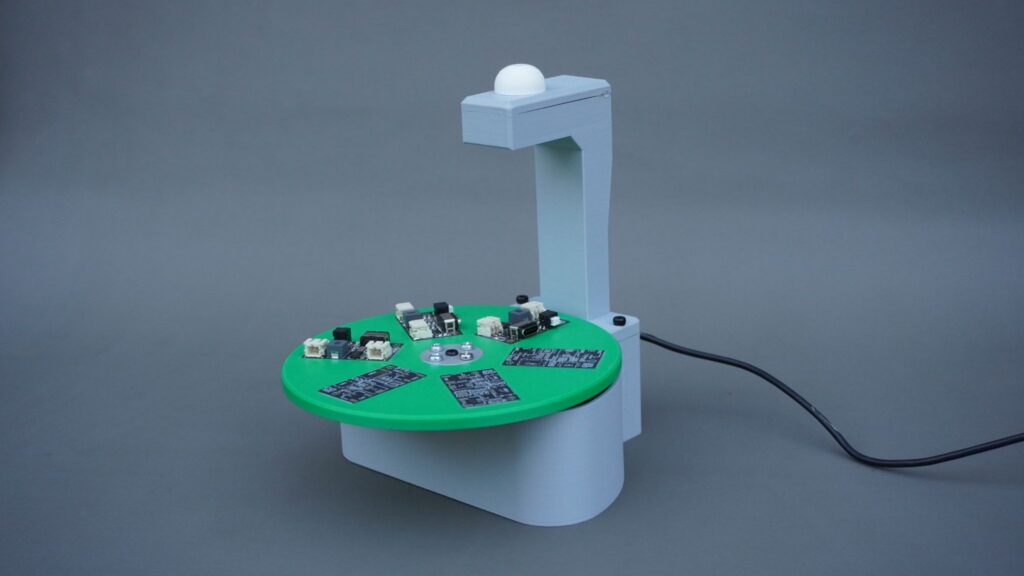
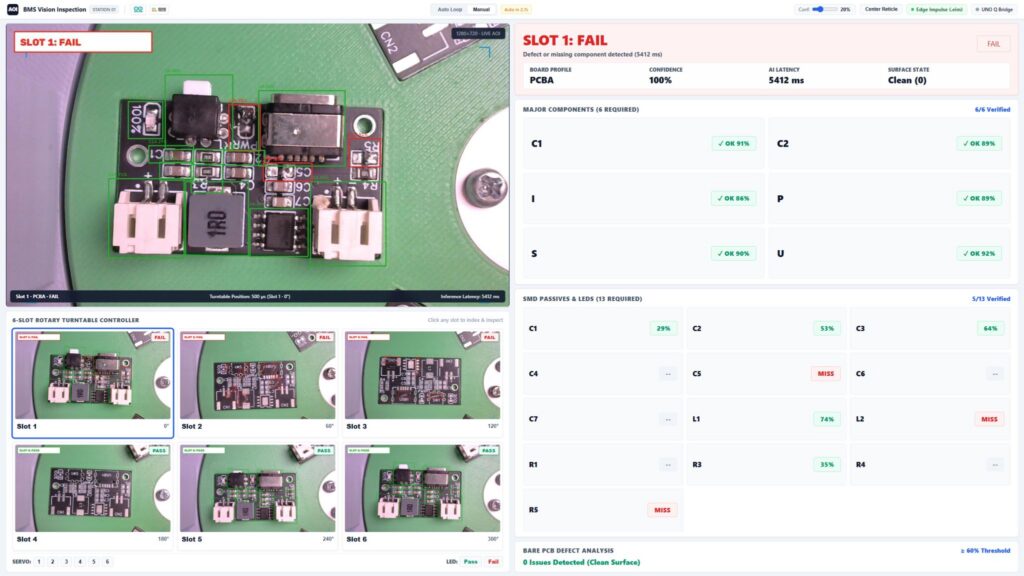
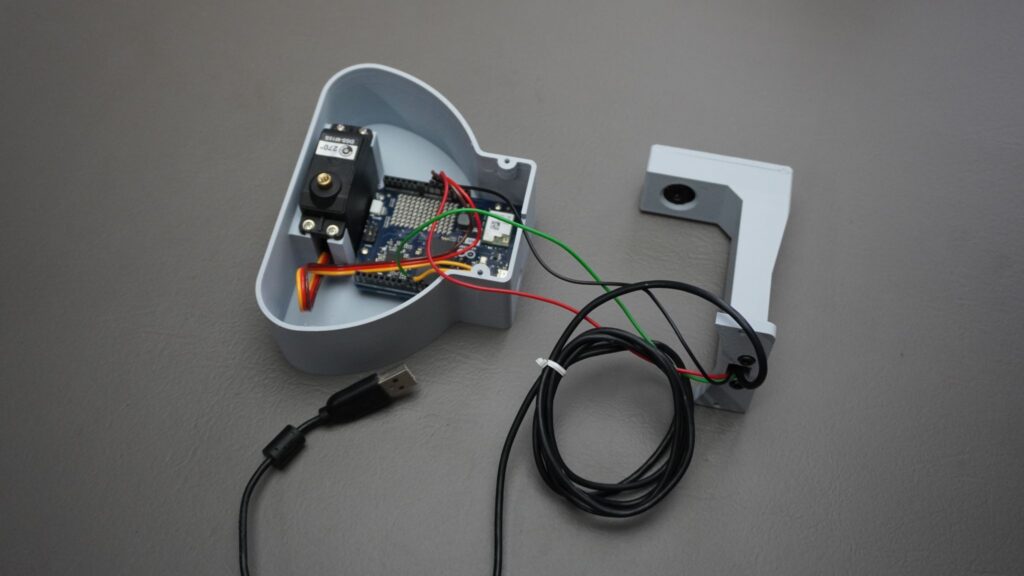
This is a small, desktop-friendly setup intended for vision-based PCB inspection. It has a turntable with six stations and can automatically rotate through those, analyzing the PCB in each slot. It can identify specific components and check for anything missing, as well as defects. It does so with a camera view and YOLO vision models, deployed using Edge Impulse.

That is especially impressive because the system is easy and affordable to build. All it requires is an Arduino® UNO Q board, a LED, a webcam, and a servo motor. The servo rotates the platform underneath the webcam, which resides in an overhead mount. The STM32 in the UNO Q is able to control the servo movement, while the Linux side can run the vision models.

The entire structure is 3D-printable and can be adapted to the user’s needs. The turntable, for example, is customizable to cradle the PCBs being inspected. It would also be simple to alter the size of the turntable and decrease or increase the number of stations. For instance, four stations would allow for a workflow that inspects both sides of unpopulated boards and both sides of populated boards.

Arduino, UNO, and the Arduino logo are trademarks or registered trademarks of Arduino S.r.l.

The post Building a super-affordable automated PCB inspection system appeared first on Arduino Blog.
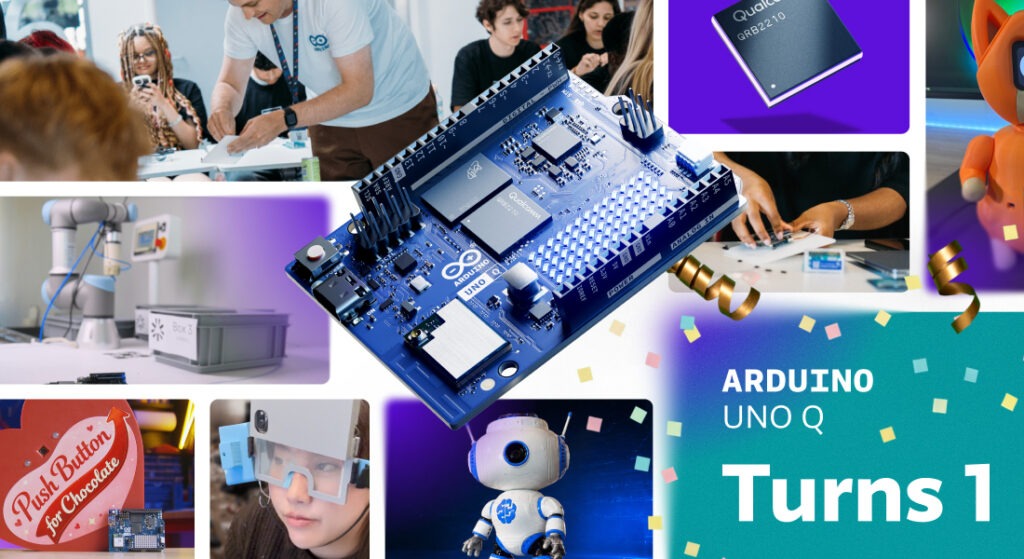
One year of UNO Q: built together, open by design

A year ago, we shared two pieces of news at once. Arduino was joining the Qualcomm Technologies family, and the Arduino® UNO Q board was on its way.

The promise was simple: bring real computing power and edge AI to makers, students, and professionals, without losing the openness and joy that make Arduino what it is.

Twelve months later, you have responded to our biggest announcement ever in ways we could not have scripted.

Thank you.

The year in numbers*

You didn’t just try UNO Q. You built an ecosystem around it.

  • 270,000+ UNO Q shipped worldwide
  • 400+ events across the ecosystem
  • 4,000+ contest participants, who delivered 250+ official builds
  • 850+ topics about UNO Q on the Arduino Forum

One year in, the Arduino community continues to grow and thrive. The number of projects shared on Project Hub has nearly doubled year on year, while Arduino library downloads grew roughly 50% year on year, reaching 244+ million downloads in the last 12 months, compared with 165+ million in the previous year. The Arduino IDE also reached 35+ million downloads

Behind those numbers is something more interesting: a year of people discovering what happens when Arduino meets serious computing and AI. 

*As of September 29, 2026

Where it started

UNO Q brought together two worlds that had rarely lived on the same Arduino board: a Qualcomm Dragonwing QRB2210 microprocessor, with AI acceleration, quad-core performance and graphics, coupled with a real-time STM32U585 microcontroller. 

That combination is what makes UNO Q different. One side can run Linux, AI models, and demanding applications. The other can handle deterministic, real-time control. Together, they let developers bring the two worlds together in a way that feels like Arduino.

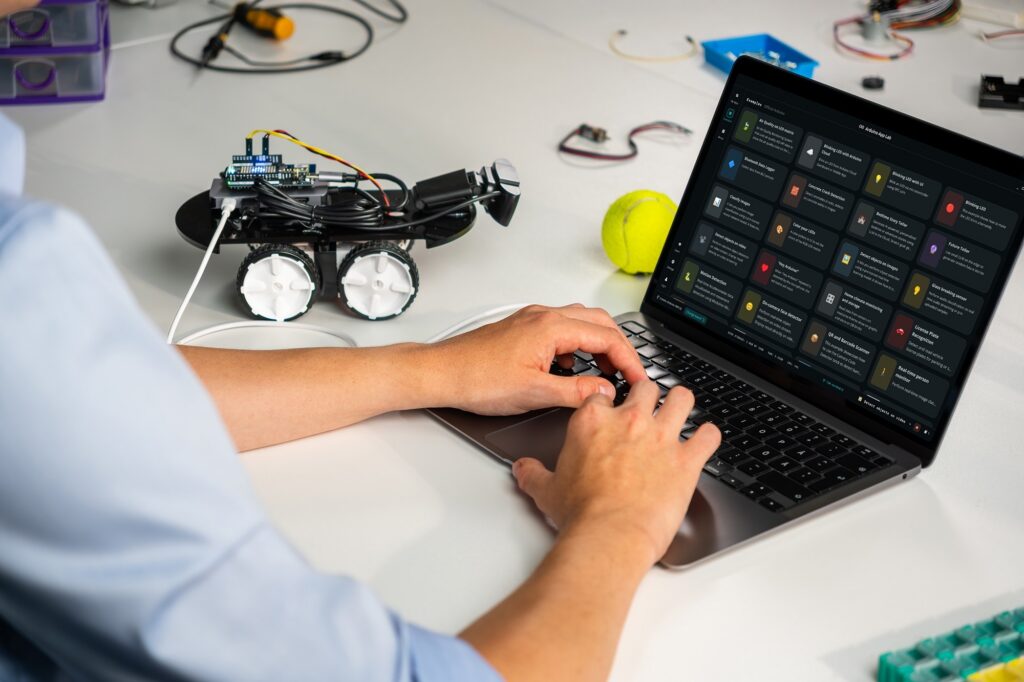
UNO Q launched alongside Arduino® App Lab, introducing a new way to build: an Arduino sketch on the MCU working together with a Python program on the MPU, packaged as one application. Suddenly, projects that once needed separate boards, computers or more complicated setups could start from a single Arduino.

Debian Linux for UNO Q brought a curated Linux environment to the board, making it easier to get started with the MPU side of the board. Arduino App Lab evolved throughout the year, adding new capabilities and workflows. We also brought Qualcomm Linux to UNO Q, giving developers another path into the Qualcomm ecosystem while keeping Arduino at the center of the experience. 

In August, Agentic Mode brought AI-assisted development to an Arduino desktop IDE for the first time. 

Your ideas, our proudest moments

From computer vision and local LLMs to music, healthcare, and smart everyday tools, we’ve seen an incredible range of ideas take shape.

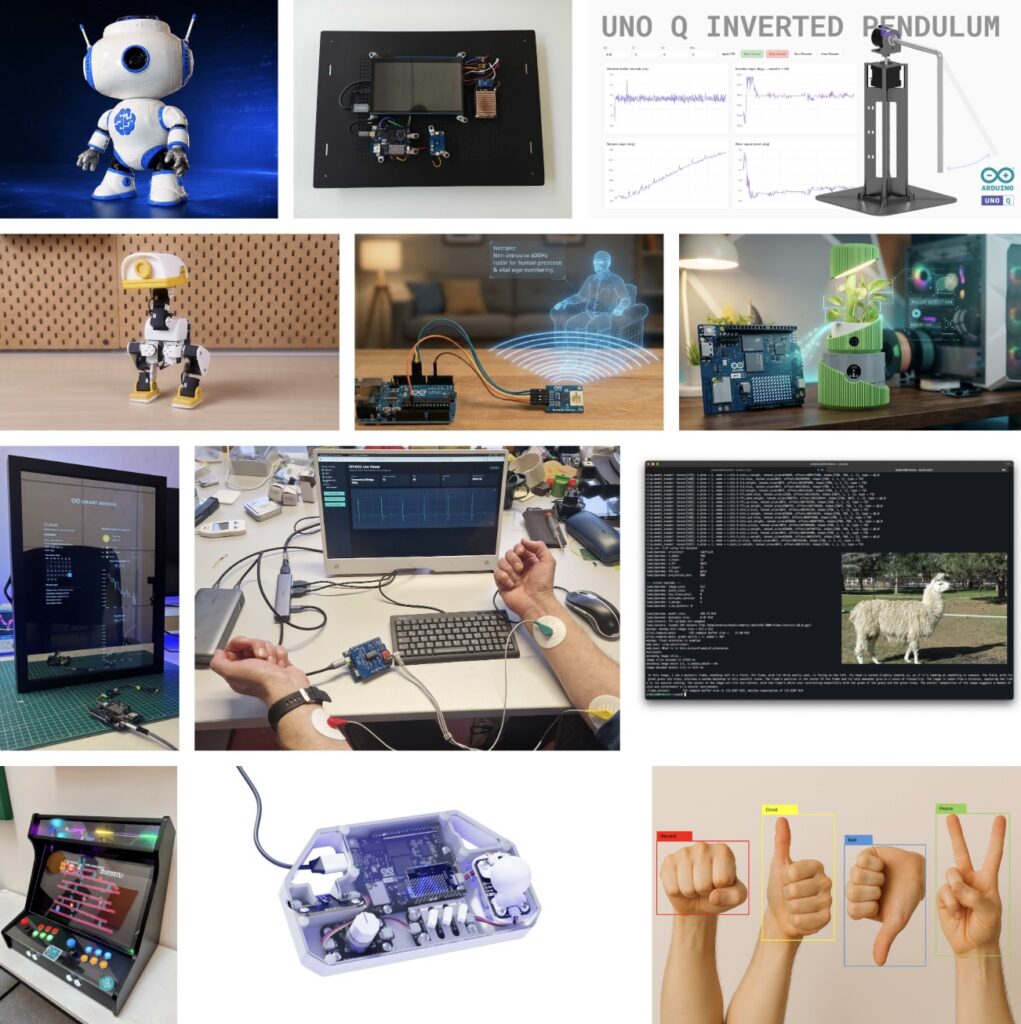
We selected 12 standout projects that capture just some of the creativity and ambition of the UNO Q community.

And the creativity is still unfolding. Our Invent the Future with Arduino UNO Q and App Lab contest with Hackster is wrapping up, with the winners set to be announced on October 9. See the contest on Hackster

Open by design: UNO and beyond

When Arduino joined Qualcomm, some wondered what it would mean for Arduino’s open approach. One year later, the answer is simple: openness remains at our core.

Arduino remains open source, with open hardware schematics and software under MPL, AGPL, and GPL. And this year, we continued to open up the tools behind UNO Q, including Arduino App Lab, available on GitHub for developers to explore, contribute to, and build on.

And the work this year has not been limited to UNO Q. Throughout this time period, we also unveiled several new products under the same ethos, ranging from the Arduino® Starter Kit R4 and Arduino® Nesso N1 to no less than eight (eight!) new Arduino® Modulino nodes. Motors, Joystick, Latch Relay, Light, LED Matrix, Vibro, Hub, and Extender may be tiny in size, but easily add so many different functionalities to your projects: you can check out the Arduino® UNO Q DIY synth bundle and Arduino® UNO Q Arcade bundle to get an idea of how well they work to bring ideas to life. Plus, Arduino Cloud got even better!

Meanwhile, Arduino Core on Zephyr reached version 1.0, moving beyond its beta phase and providing a solid RTOS foundation for Arduino boards with an MCU, including UNO Q as well as the new Arduino® VENTUNO Q board.

Stronger together

Qualcomm is deepening its own open source commitment as well. Its business success depends on open standards, upstream collaboration, and transparent participation in the ecosystem.

A couple of months ago, we introduced VENTUNO Q, bringing substantially more computing and AI capability to Arduino developers. It opens the door to more demanding applications while keeping the development experience familiar.

A year ago, UNO Q was a new board. Today, it’s a growing platform, a new way of developing with Arduino, and, most importantly, a community of people finding out what it can do. Arduino and Qualcomm are stronger together!

A prototype is only the beginning

You can start with a prototype on UNO Q or VENTUNO Q and, as your requirements evolve, move to more advanced platforms and commercial-ready solutions while keeping the tools, models, and applications you already built. 

Beyond it, the wider Qualcomm Dragonwing family supports industrial and production-scale deployments.

The software stack follows you, too: 

Finally, this year we also launched Works with Arduino, a program enabling partners to certify their System on Modules and developers to take apps built with UNO Q or VENTUNO Q to compatible hardware without changing a line of code. With App Lab, applications are packaged as a single App Release, making it possible to move from prototype to production in minutes, not weeks.

It is a direct bridge from prototype to commercial-ready hardware, and a path to the 33M+ Arduino developer community for partners.

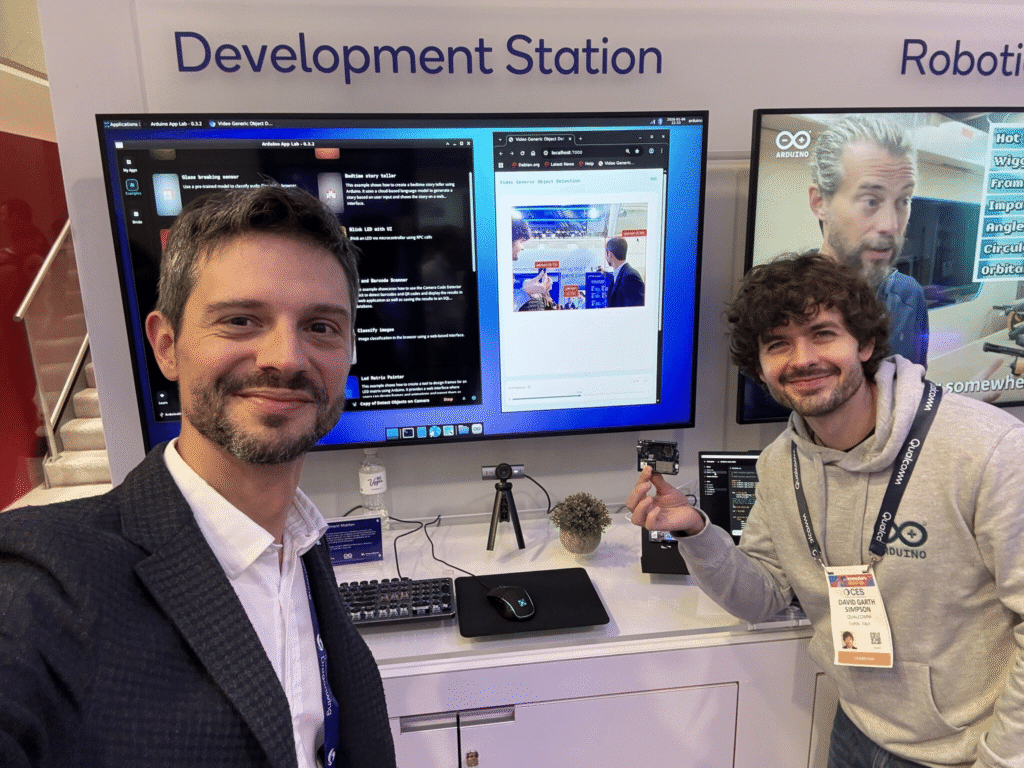
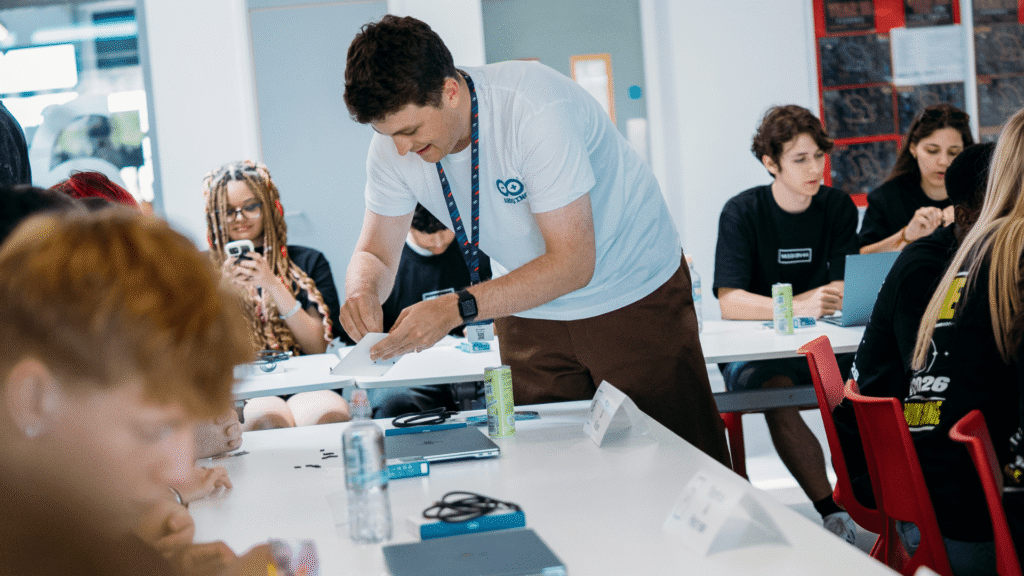
And the community came together beyond the projects too. Alongside Qualcomm, we brought UNO Q to CES, MWC, and the Mission44 Workshop, meeting developers, makers, students, and industry leaders, while showing what this new generation of Arduino-powered computing can do.

The Arduino team at the Qualcomm booth at CES (January 2026)!

Mission 44 students at Silverstone getting hands-on with UNO Q and AI-powered racing telemetry (June 2026).

It is just the beginning

Year one showed that powerful, open, and simple can go together. It showed us what happens when you put new tools in the hands of a curious community, and let them take it somewhere you didn’t expect.

Year two is about going further: more tools, more partners, and more ways to turn an idea into something real.

Happy first birthday, UNO Q! 

And to everyone who built, shared, taught, hacked, and dreamed with it this year: thank you. The best is still ahead.

Qualcomm branded products are products of Qualcomm Technologies, Inc. and/or its subsidiaries. 

Arduino, Modulino, Nesso, UNO, Starter Kit, and VENTUNO, and the Arduino logo are trademarks or registered trademarks of Arduino S.r.l.

The post One year of UNO Q: built together, open by design appeared first on Arduino Blog.
Arduino Blog 08 Oct 10:35

This #cottagecore cyberdeck is perfect for literal fieldwork

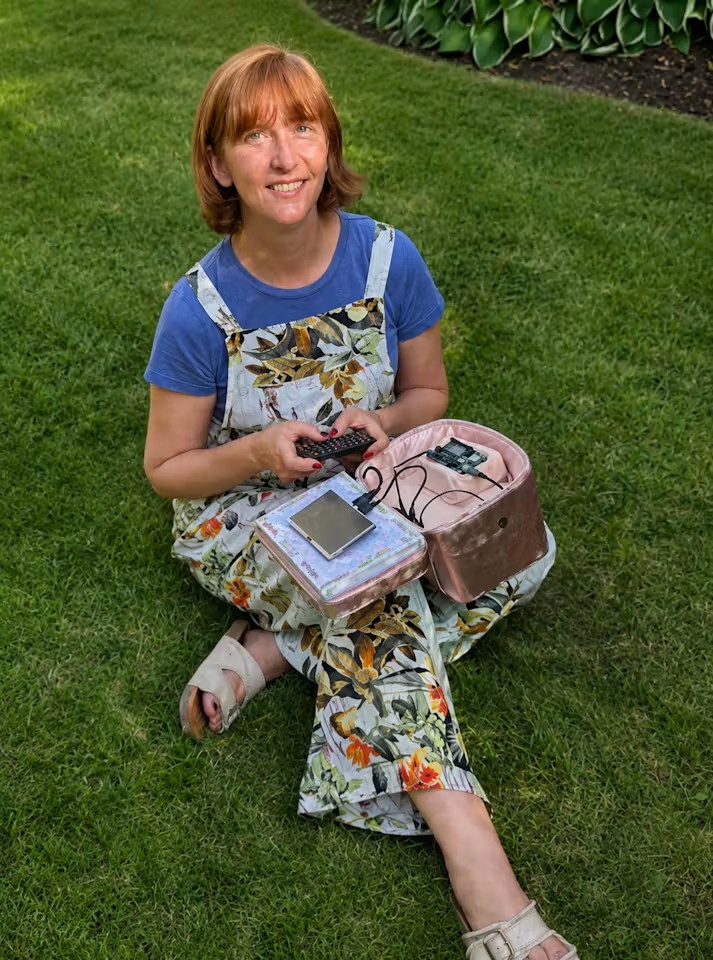
Cyberdecks don’t all have to be chunky slabs of aluminum and plastic chasing after an ‘80s cassette futurism aesthetic. Cyberdecks can be whatever their builders want them to be — that’s the whole appeal. Jen Looper is a creative technologist who loves nature, plants, and cozy gardens, so she built this #cottagecore cyberdeck to do literal fieldwork.

As an aesthetic, cottagecore is all about cozy, rustic vibes. As a subculture, it is about comfortable sustainability and “slow living.” B.L.O.O.M. (Bridging Local Observations, Openly Mapped) is a cyberdeck designed to encompass all of that. Looper built it for collecting field notes on regional plants and animals. It harkens back to the descriptive logging and taxonomic classification work of Victorian naturalists.

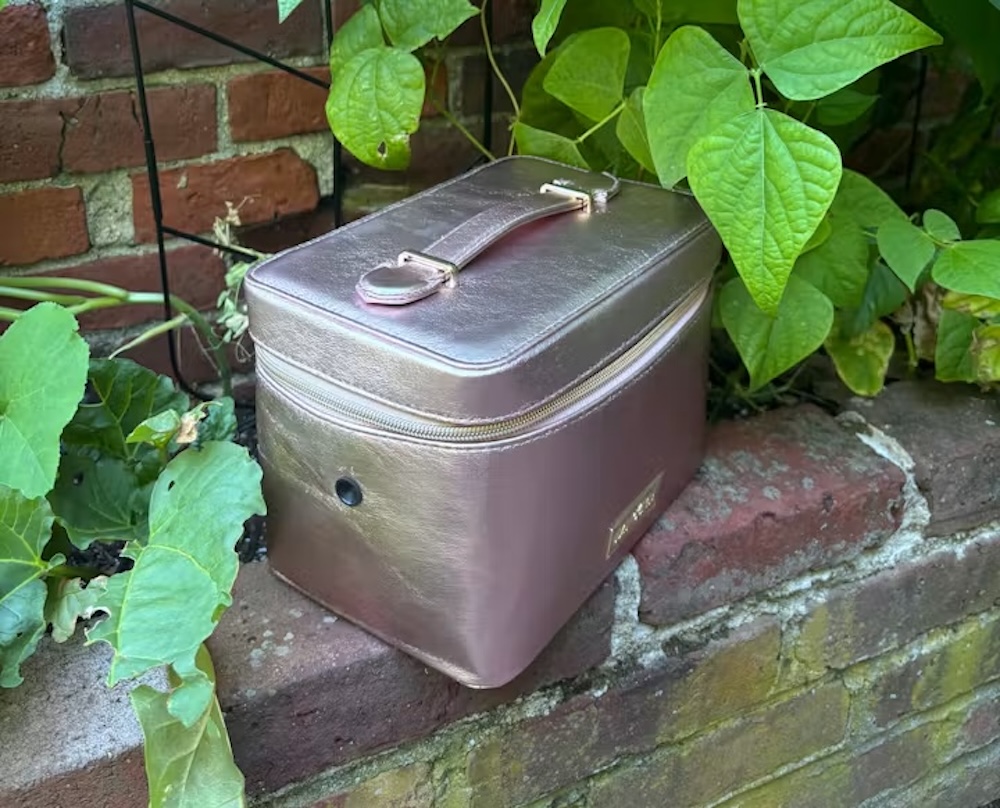
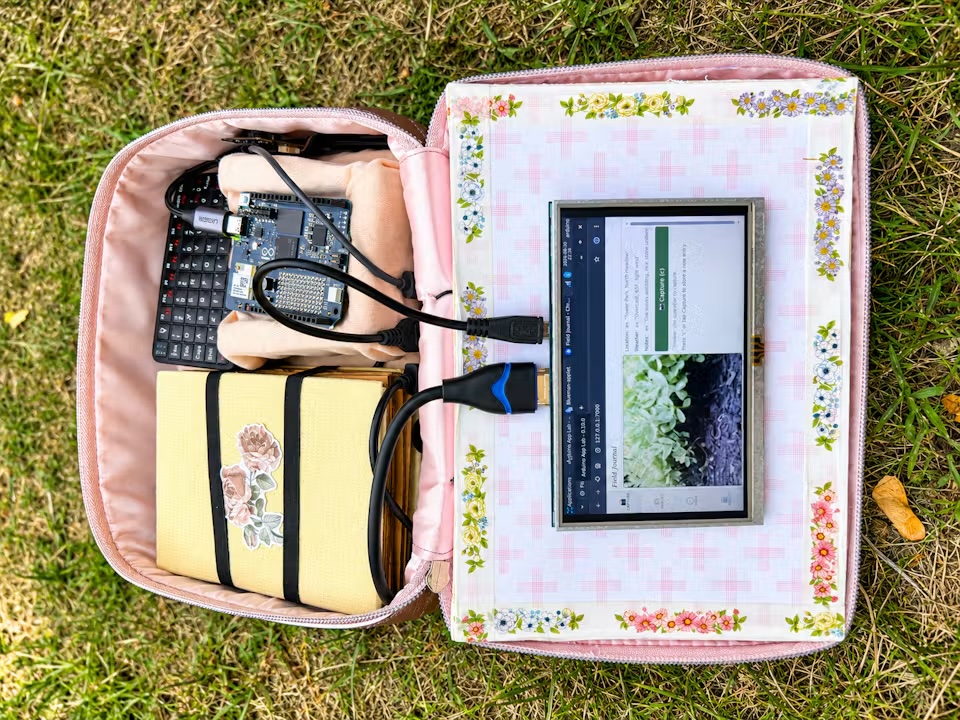
The physical construction is also the polar opposite of what we typically see from the cyberdeck community. The enclosure is a “train case,” which is a traditional piece of luggage used for carrying cosmetics and grooming supplies. All of the hardware components nestle inside, with plenty of room to spare for some paper notebooks.

The hardware consists of an Arduino® UNOQ (4GB), a 5” HDMI screen, a Bluetooth keyboard, a Bluetooth mouse, and a power bank to power it all. It also has a USB camera and a USB microphone, which can be used for data collection.

To that end, it connects with a companion app (Field Notes) to compile that data in the Grinnell format. It can also run local AI models directly on the UNO Q to help with that work. As an example, Looper employed the Edge Impulse integration in Arduino App Lab to create a custom model that can recognize avian species based on their birdsong.

This is the kind of functionality that Victorian naturalists wouldn’t have even been able to dream of, but Looper was able to achieve it on a modest budget. At the same time, she proved that cyberdecks can come in any form.

The post This #cottagecore cyberdeck is perfect for literal fieldwork appeared first on Arduino Blog.
What can you build, when AI can interact with the real world?

The single-board computing market is shifting rapidly, and we are moving into an era of unprecedented possibilities where edge AI, computer vision, real-time control, and rich sensor streams converge locally. Yes, it’s exciting – but even amidst this “explosion” of hardware, an age-old rule holds true: define what you want to build before picking your tool.

No single board can (nor should!) excel at everything. A low-power embedded sensor, an autonomous robot, and a high-throughput video server all demand different architectures. For example, if you are weighing hardware choices for a general-purpose Linux setup versus a hybrid microcontroller, read this in-depth review to evaluate how different design philosophies match your requirements.

In concrete terms, it’s great to get a sense of what each board can do – and even better if you can look at a variety of cool projects at the same time! So here is a selection of what we are seeing developers build across key domains with the Arduino® UNO Q board, leveraging its dual-brain to bridge high-level AI workloads with deterministic physical control. 

Dive into perception-driven robotics

Robotics excels on hybrid platforms because physical movement requires tight, real-time microcontroller timing while visual recognition requires heavy AI processing.

  •  A robot arm that sees you: Uses camera vision designed to recognize people and a robotic arm built to deliver items, with a Modulino LED Matrix providing visual feedback.
  • UNO Q Braccio: Integrates Edge Impulse AI and ROS 2 in a platform engineered to support robotic arm control, including simulation in Gazebo.
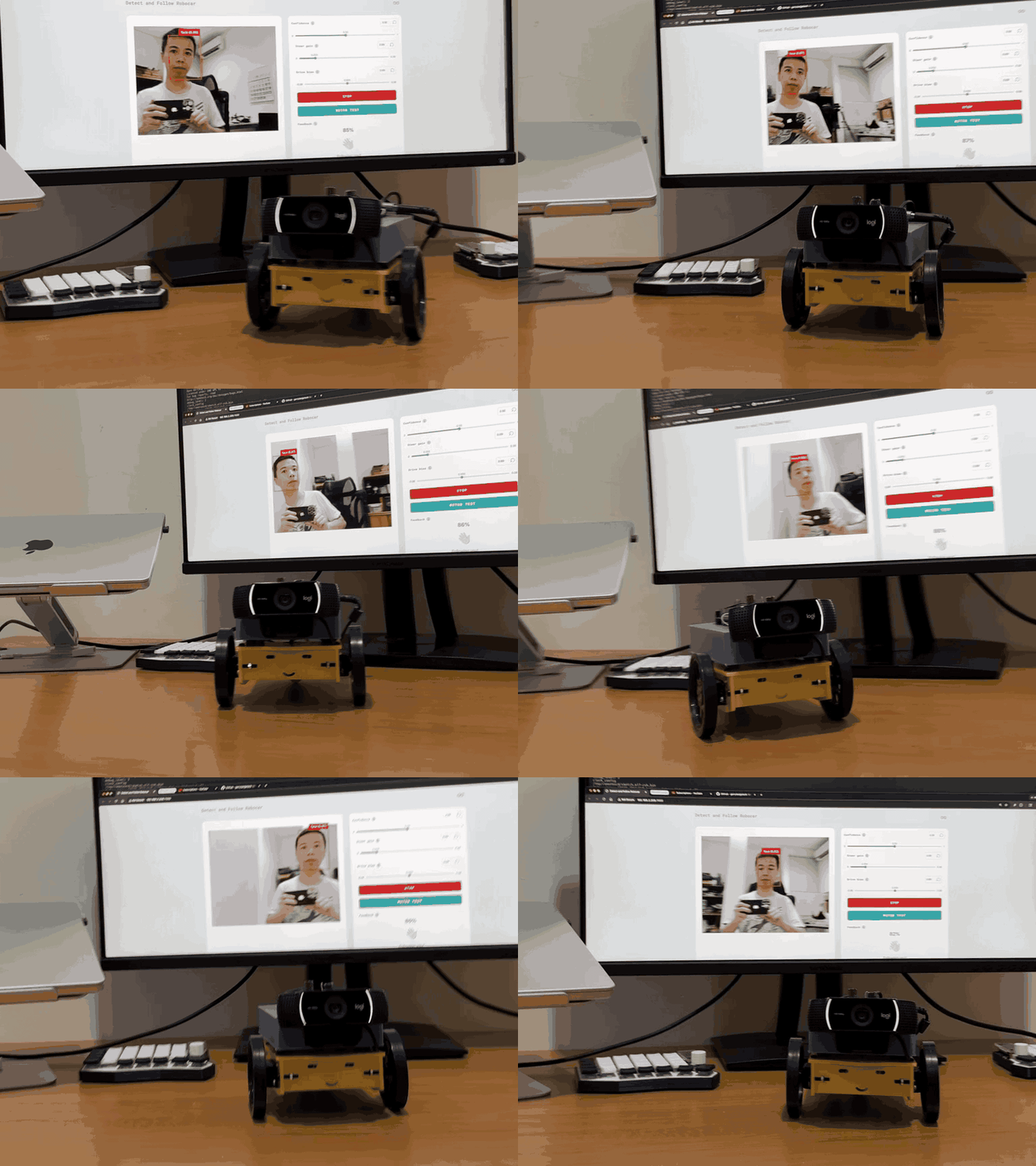
  • Face-following robot: Uses Edge Impulse computer vision designed to track faces and convert tracking data into physical servo movements.
  • AI agent robot: Uses a local AI agent built to support physical navigation and decision-making tasks in real-world environments.

Explore the world through computer vision and spatial sensing

Instead of just streaming video, local machine learning turns cameras and sensors into environmental perception engines.

  • Gesture-controlled input system: Uses a standard webcam and Edge Impulse in a workflow built to convert hand gestures into inputs for digital applications.
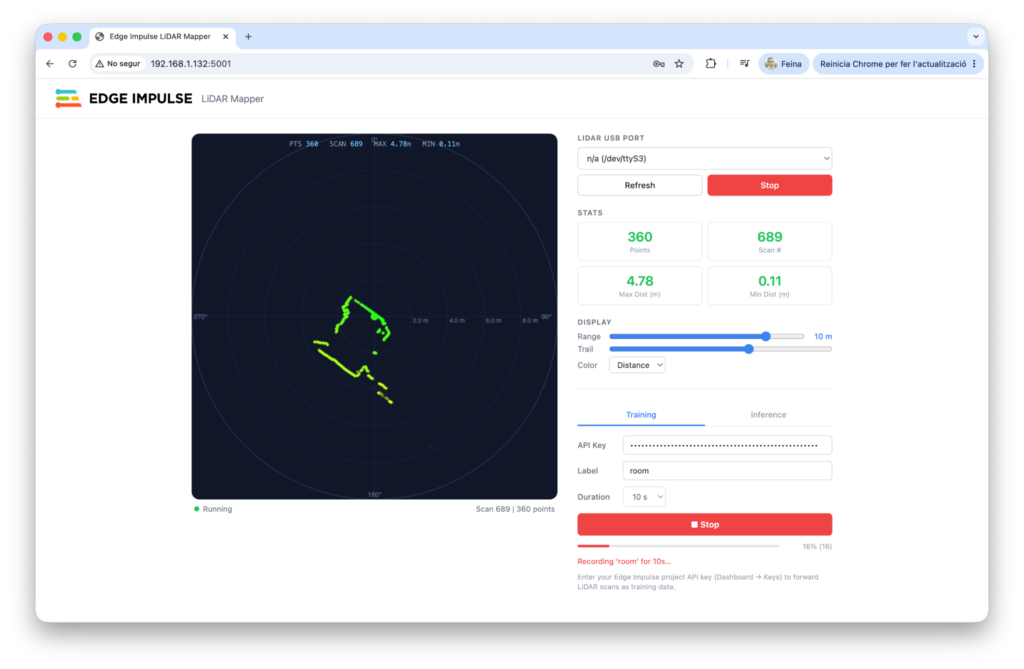
  • Real-time LiDAR room mapper: Pairs LiDAR sensors with Edge Impulse ML in a system engineered to help interpret spatial data and interpret room layouts locally.

Create smart environments with interactive AI

Local AI allows devices to run full “sense, interpret, decide, act” loops without relying on cloud latency or external servers.

  • Talk to your house: An all-in-one smart home hub engineered to support wake-word detection, voice commands, sensor management, and a web interface.
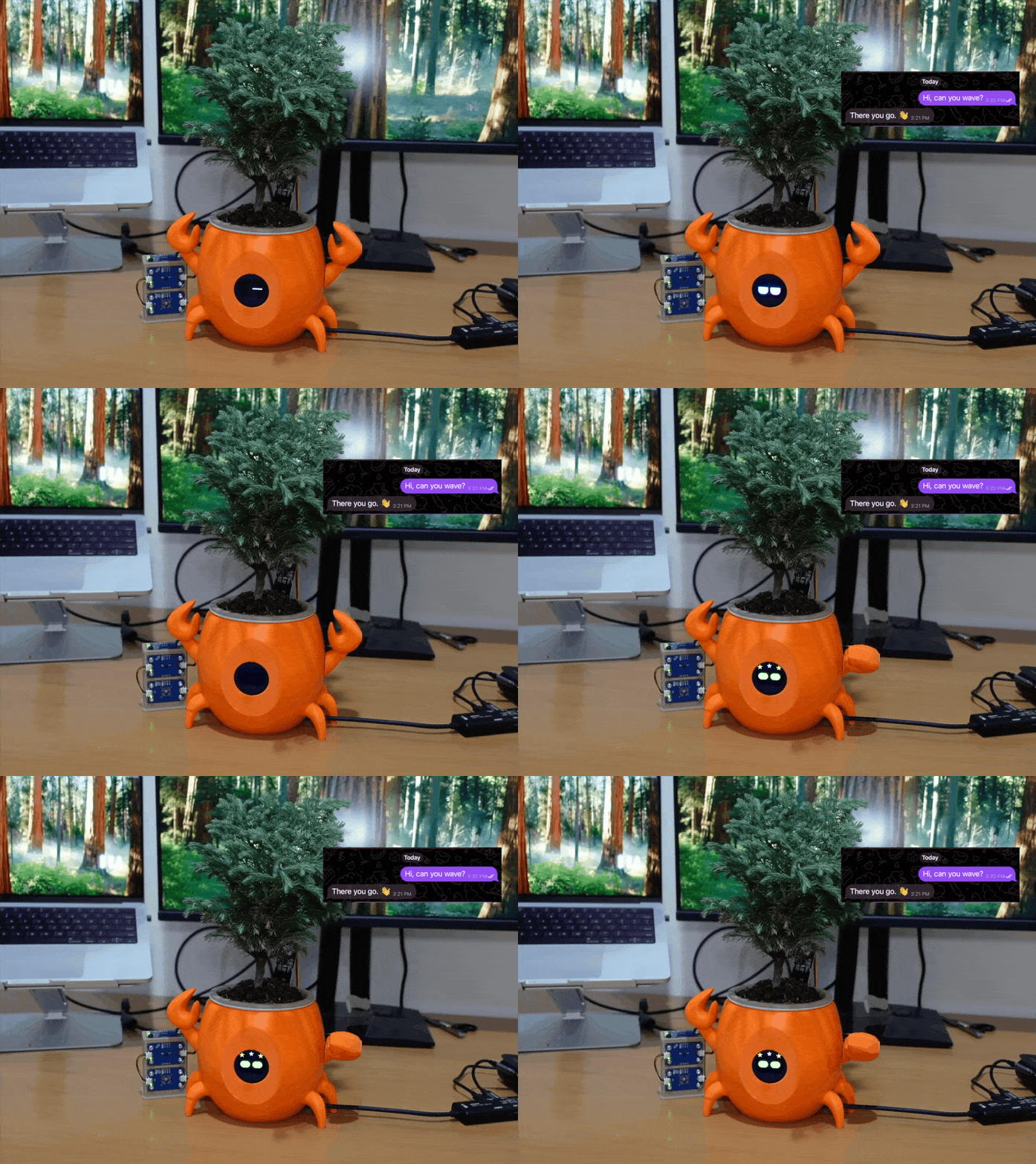
  • Clawrophyll: A smart houseplant system designed to run a local AI agent directly on the board.

We don’t need every platform to do the same thing

The technological landscape is expanding, giving us more tools to build with: the goal was never to find one ultimate board “to rule them all”, but to match your project’s unique demands to the right architecture. Whether you need a raw Linux computing hub or a dual-brain setup like UNO Q, starting with a clear target can help you build smarter, faster, and more effectively. Today, we have more options, more possibilities – and this may ultimately be the most exciting part in the current era of single-board computing.

UNO Q is available on the Arduino Store, and can be ordered from DigiKey, Farnell, Mouser, Newark, RS Components, Robu.in, and other authorized distributors and resellers worldwide.

Qualcomm branded products are products of Qualcomm Technologies, Inc. and/or its subsidiaries. Arduino, UNO, and the Arduino logo are trademarks or registered trademarks of Arduino S.r.l.

The post What can you build, when AI can interact with the real world? appeared first on Arduino Blog.
From Home Assistant to AI agents: what Linux unlocks on the Arduino® UNO™ Q board

UNO Q was designed around a dual-brain architecture that is built to bring high-performance computing and real-time hardware control together on a single board. The Linux environment on the MPU side is constructed to let developers install and run familiar open-source software – the same tools they’d reach for on a server or any popular SBC. Meanwhile, the STM32H5 microcontroller runs a dedicated Arduino Core on Zephyr RTOS, handling sensors, actuators, and time-critical I/O with deterministic precision. Together, they make the UNO Q something more than the sum of its parts.

What follows is a set of concrete examples: real software platforms you can install on UNO Q today, what each one enables, and why having the microcontroller in the same system changes what’s possible.

#1 Agentic AI development

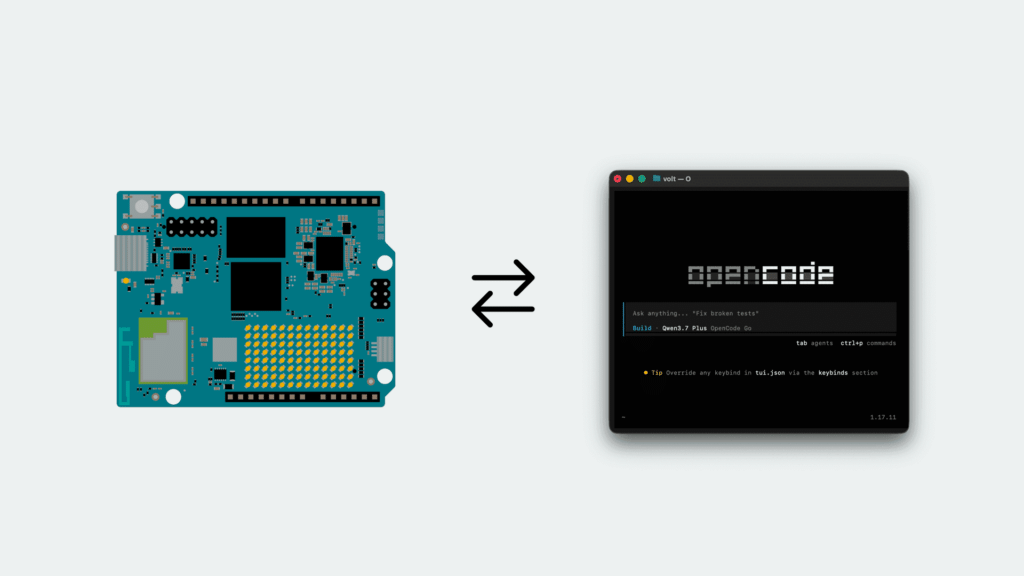
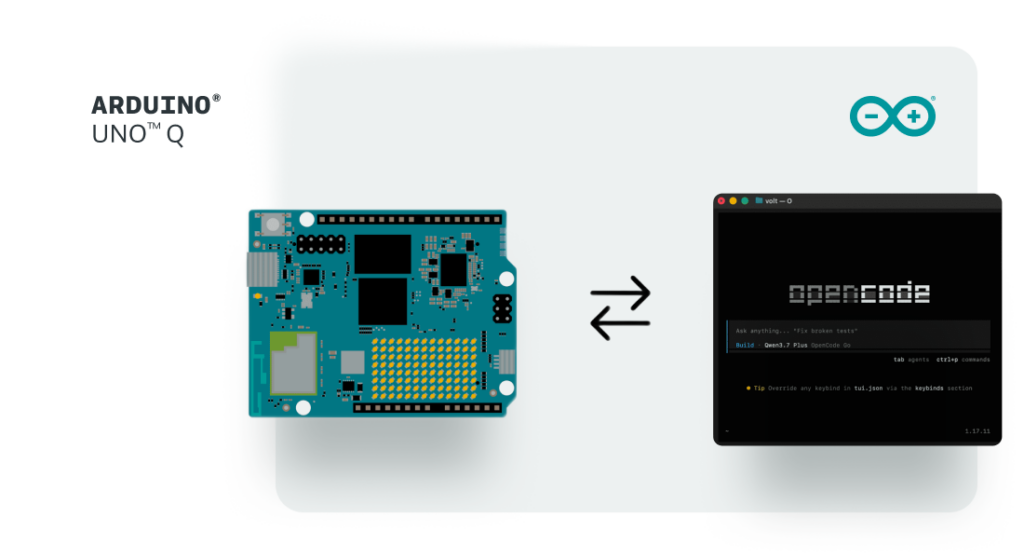
UNO Q is engineered to put an AI coding agent inside the hardware it is writing for. An agent running on the board can receive a goal, process context, call tools, interact with services, and – through the board’s hardware interfaces – turn decisions into real-world actions. The reasoning comes from a frontier model over the API, but the tool calls run on the device. That last part is what makes this different from running an agent on a laptop or a server: the machine executing the decisions is also wired into the physical world.

The practical starting point is installing an AI coding agent, such as OpenCode, directly on the board. With the right context added – for example, knowledge of the Arduino® App Lab CLI and the board’s specific capabilities – it can set up Linux services for you, answer questions about Debian on UNO Q, and build physically connected Arduino apps end to end: create the app, write the sketch, deploy it, read the output, iterate. Any agent can write a sketch; only one running on the board can deploy it and see what happened.

More broadly, this creates a meaningful bridge between generative AI and embedded systems. Only the reasoning leaves the board: the sensors, actuators, and data stay where they are.

Ready to try the full tutorial? Find out here how to install and use Open Code on UNO Q.

#2 Home Assistant

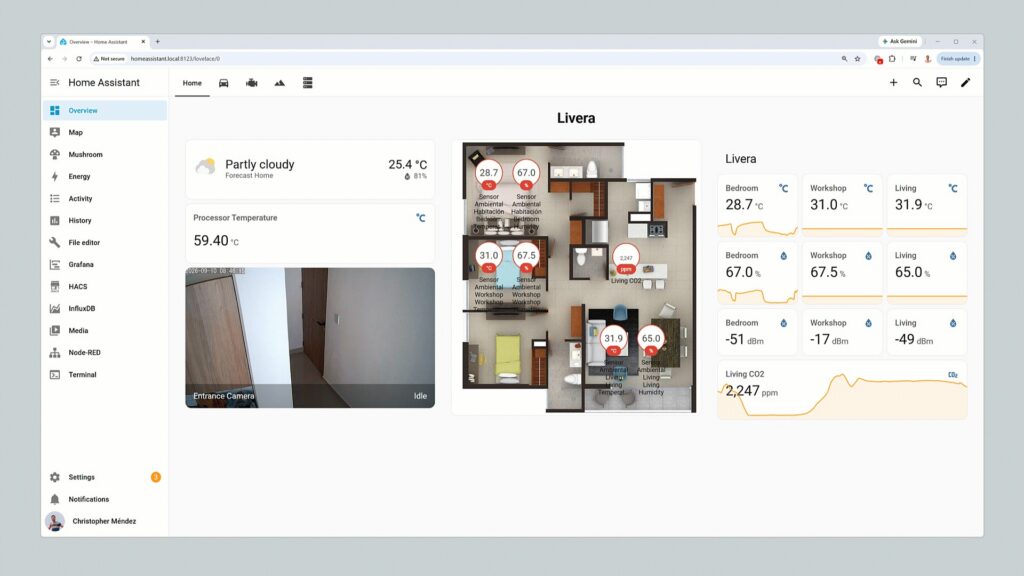
Home Assistant dashboards inspiration

Home Assistant aims to turn UNO Q into the center of a local smart home or building automation system, connecting lights, climate controls, energy meters, and other compatible devices through a single dashboard and automation engine. Running entirely on the Linux side, it is built to handle scheduling, historical data, dashboards, and integrations – with no cloud subscription required.

The real advantage emerges when custom hardware enters the picture. A Qwiic temperature and air-quality sensor connected to the board’s Qwiic port could feed live data into Home Assistant, while an Arduino sketch running on the STM32H5 microcontroller is constructed to drive a ventilation fan through a relay based on those readings. Home Assistant is designed to manage the logic and interface on Linux; the microcontroller is engineered to handle the physical layer. The two communicate via the onboard RPC bridge, with no external Arduino board required.

Need a little guidance in trying this yourself? Check out this GitHub tutorial. 

#3 n8n automation

n8n is a visual workflow automation platform that is built to connect services, APIs, databases, and devices – think of it as a self-hosted alternative to Zapier or Make, with full data sovereignty because everything runs locally.

Running n8n on UNO Q is designed to bring those workflows to the edge. A single workflow could receive sensor data from the microcontroller side, process and store it in a local database, update a dashboard, send a notification to an external service, and trigger a physical output – all in sequence, all on the same device.

The combination makes UNO Q a practically designed platform for rapid prototyping, industrial automation, smart building control, and local edge orchestration where cloud latency or dependency would be a problem.

#4 Pi-hole network shield

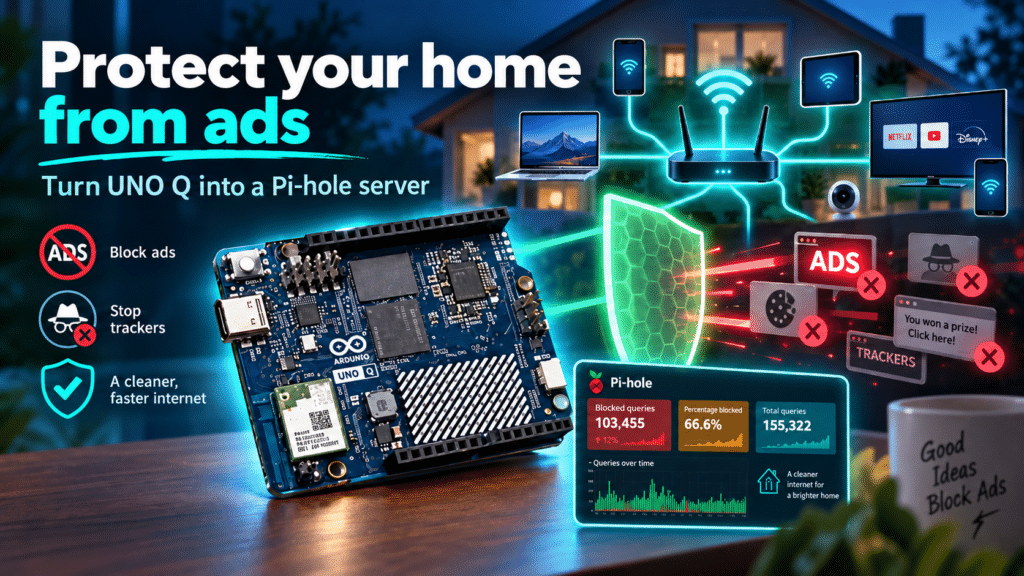
Pi-hole is a DNS-level filtering service that is structured to block advertising, tracking domains, and unwanted traffic for every device on the local network that uses it as a DNS server. On a standard single-board computer, that’s where the story ends.

UNO Q is different: the Linux side runs Pi-hole and its web dashboard, while the microcontroller can drive a dedicated status display, visualize blocked-request activity in real time, trigger an alert if the DNS service becomes unavailable, or provide a physical button to temporarily pause filtering – without opening a browser interface. 

It’s a small example of a broader pattern: UNO Q aims to turn passive software services into systems with physical feedback and control.

Want to protect your home from ads, using UNO Q and Pi-hole? Check out this Project Hub tutorial. 

#5 Frigate camera computer vision

Frigate is a network video recorder built around real-time object detection. It can process camera streams locally to identify people, vehicles, animals, or other defined events – and running it on UNO Q keeps that processing at the edge, where it belongs. 

UNO Q is a practical host for Frigate for a few reasons. Cameras can be connected directly via USB or accessed remotely over RTSP (Real Time Streaming Protocol) when Frigate detects a relevant event, the microcontroller side can respond immediately – triggering a light, an alarm, a relay, or a Modulino-based indicator – without any additional hardware.

Sensitive footage stays local. Response times improve. And the physical response doesn’t require a round trip to the cloud.

#6 Local NAS with SMB

UNO Q can be configured as a lightweight network-attached storage server using SMB, making shared folders accessible to other computers and devices on the local network – useful for camera recordings, machine-learning datasets, sensor logs, or shared project files.

Paired with a dongle that gives cabled Ethernet connectivity and an external USB Disk, this can be a quick and instant NAS, flexible enough for sharing office documents with your colleagues or family. 

A platform, not just a single application

Each of these applications is useful independently. The more interesting territory is what opens up when they run together.

Here’s one example of how that could look in practice: Frigate detects a person entering a monitored area and publishes the event via MQTT. Home Assistant picks up that event and switches on a light. n8n extends the response by calling an external API, logging the event to a database, and sending a notification. Meanwhile, the raw footage remains accessible over the local network through the Samba share. The microcontroller drives an indicator throughout. All of this runs on one board. 

UNO Q is designed to provide a common foundation where Linux applications, local AI workloads, network services, and real-time embedded hardware control can be part of the same coherent system – rather than spread across multiple devices with their own power supplies, enclosures, and points of failure.

UNO Q is available on the Arduino Store or can be ordered from DigiKey, Farnell, Mouser, Newark, RS Components, Robu.in, and many other authorized distributors and resellers.

Arduino, UNO, and the Arduino logo are trademarks or registered trademarks of Arduino S.r.l.

The post From Home Assistant to AI agents: what Linux unlocks on the Arduino® UNO™ Q board appeared first on Arduino Blog.
An Arduino® UNO™ Q lets this vintage terminal answer questions without internet access

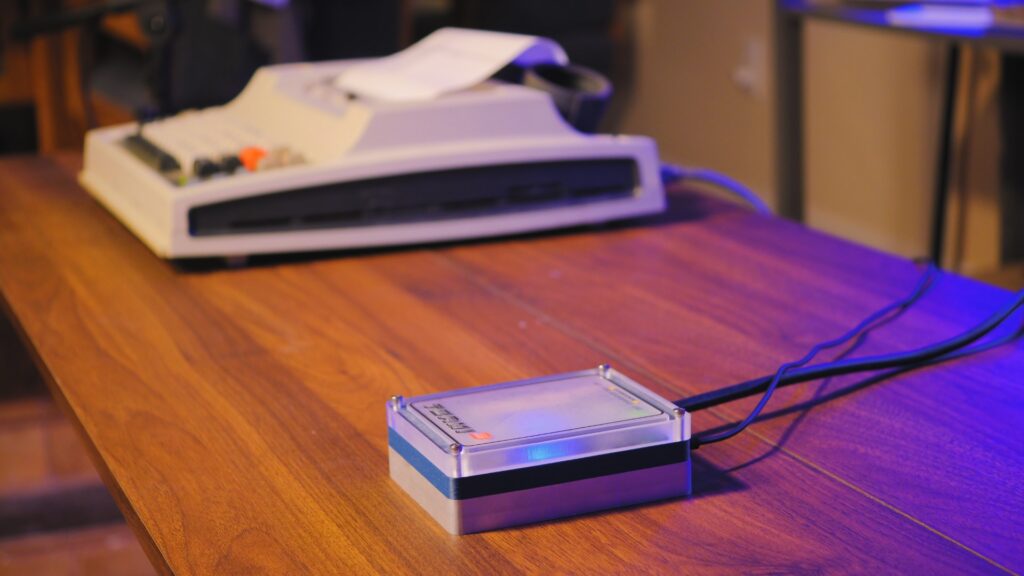
We’re living in 2026 and everyone knows that they can ask a large language model (LLM) a question and get an answer. But most people assume that requires an internet connection, because those LLMs live in massive data centers. The truth is that LLMs can run on local hardware, answering questions without any internet at all. Cameron Coward, of the Serial Hobbyism YouTube channel, took advantage of that fact, connecting an Arduino UNO Q to a vintage terminal.

That terminal is a Texas Instruments Silent 700 (Model 745), which is a paper terminal that was made in the 1970s. Back then, it would have been used as an input/output device for something like a minicomputer, connected through either an acoustic coupler (remote) or RS232 (local). Users would type commands on the keyboard and computer output would print on the thermal paper.

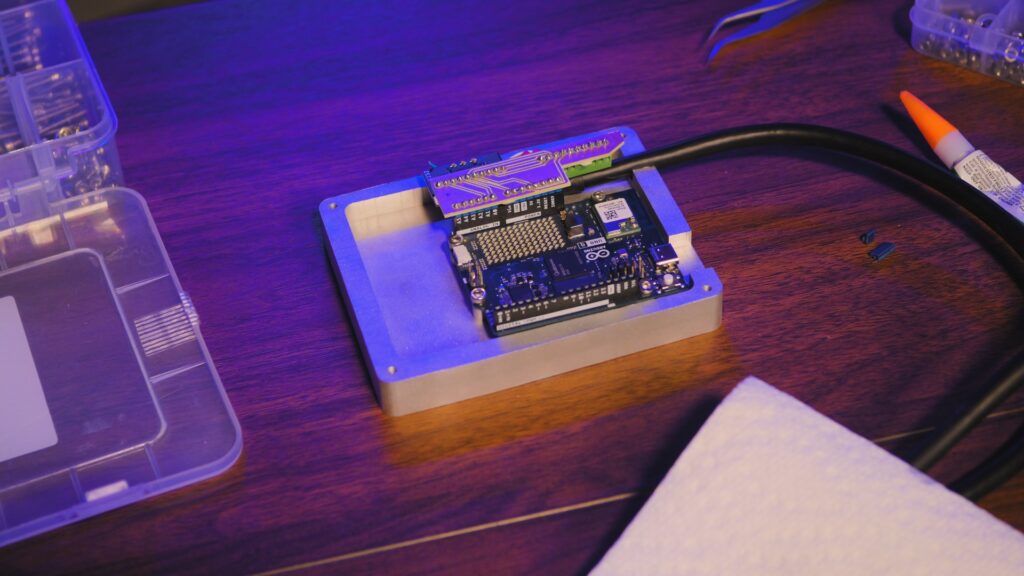
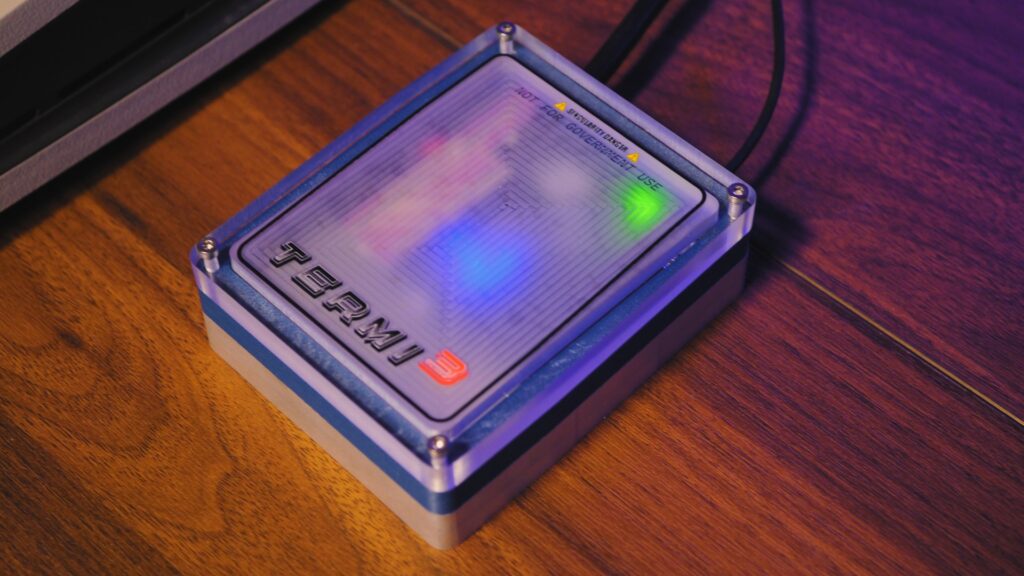
For this project, Coward connected the Silent 700 to his custom-built device, Termi3, to give it the ability to answer questions. The user types a question and a moment later, the terminal prints out the answer.

As the name suggests, Termi3 is the third version of the device. The first two required internet access, because they retrieved answers through the Wolfram Alpha API.

Termi3 doesn’t need any internet connection at all, because it generates an answer locally on an UNO Q (2GB). The Arduino runs a local LLM, Llama 3.2-1B, on the Linux side without ever touching a network. It interfaces with the terminal though bit-banging on the STM32 side, which goes through a MAX3232 transceiver (for level conversion) to the terminal’s RS232 port.

It is amazing that an LLM can run on the small and affordable UNO Q at all, especially with 2GB of RAM. So, the LLM isn’t particularly sophisticated and its answers aren’t always accurate — or even coherent. But they are often entertaining, which makes Termi3 a lot of fun to talk to. 

The post An Arduino® UNO™ Q lets this vintage terminal answer questions without internet access appeared first on Arduino Blog.
Arduino Blog 01 Oct 17:49

How little does an AI agent need, and how cheap can it get?

A recent article revealed that OpenAI is purchasing tens of thousands of Mac minis and Mac Studios to give AI agents dedicated environments to run, make mistakes, and learn. It’s a smart infrastructure decision for agents meant to operate inside a computer clicking, navigating, using software: they need a full computer to practice on. But it got us wondering: is that always the right environment for an agent?

Why agents need their own environment

An AI agent isn’t a chatbot. It perceives a situation, takes an action, observes the result, adjusts, and tries again – in a loop that requires a persistent local environment with compute, I/O, and feedback. You can’t outsource the whole thing to a cloud API, because the agent needs somewhere to live and something to interact with. In OpenAI’s situation, the answer is: give it a computer. That works well when the goal is teaching agents to use software. But software isn’t the whole world.

Physical AI needs something different (and surprisingly cheaper)

A Mac mini today starts at around $900. At the scale OpenAI is reportedly operating, the infrastructure bill is substantial. That cost is justified when you need a full computing environment. But what if the agent’s environment doesn’t need to be a general-purpose computer? What if it needs to be a temperature sensor, a camera feed, a production line?

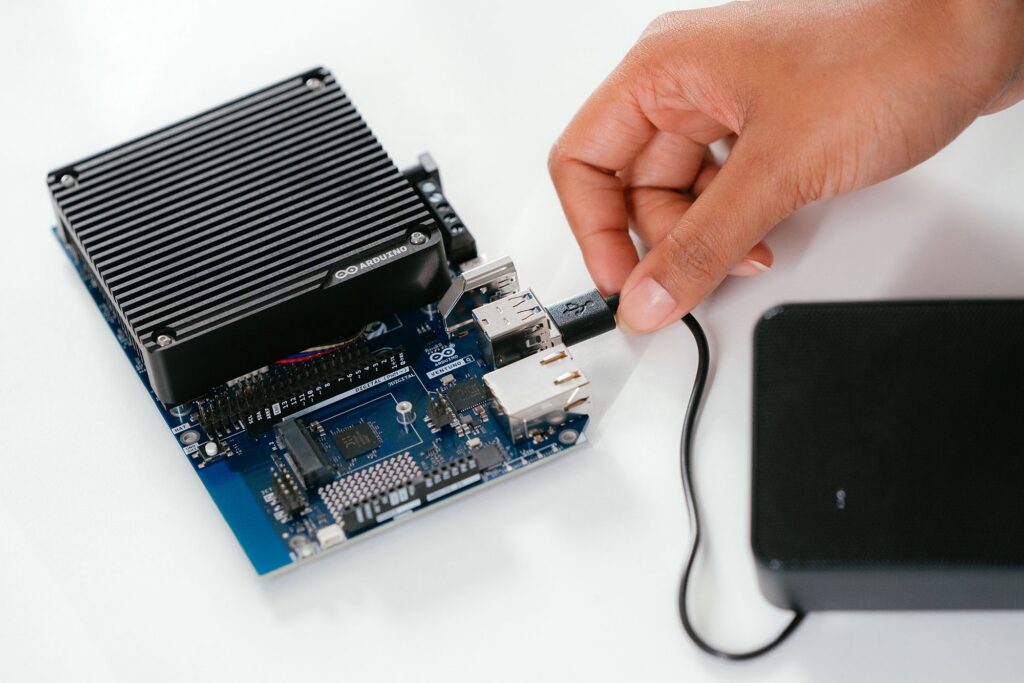
At a fraction of the cost, an Arduino® VENTUNO Q board can provide a persistent Linux environment for the agent runtime, local AI inference, and direct access to real-world I/O: cameras, sensors, actuators. The economics of deploying agent environments at scale look very different when each node costs significantly less, and can be embedded directly in the physical context it’s meant to ultimately operate in.

What an Arduino agentic environment actually looks like

VENTUNO Q is built to combine a Linux-capable MPU with NPU acceleration and a dedicated real-time MCU on a single board. The Linux side is engineered to run the agent – its reasoning, its model, its decision logic. The MCU side is designed to connect it to the world: motors, sensors, cameras, industrial interfaces. No cloud dependency. No separate controller. One self-contained unit that perceives, decides, and acts.

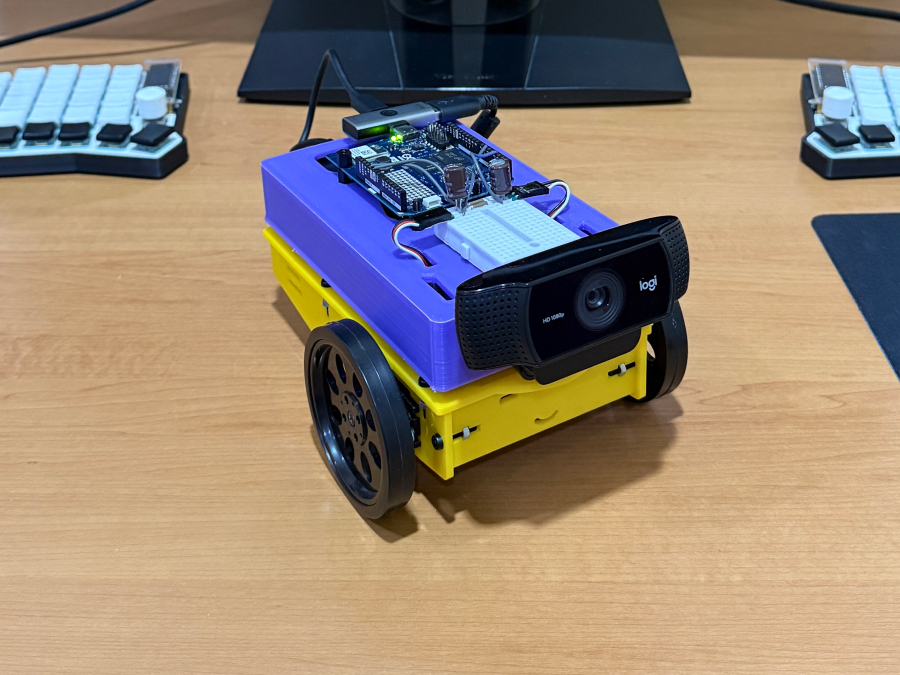
Arduino® UNO Q is structured to extend this further as a low-cost remote node. David Groom demonstrated this clearly leveraging OpenClaw, developing an agent framework on UNO Q designed to enable agents to interact with physical hardware. By connecting to Arduino shields and accessing additional hardware capabilities, the framework supports physical-world interactions while enabling deployment across multiple units simultaneously, each maintaining its own context and operational role.

Read about David Groom’s OpenClaw project here.

With these tools, it’s easy to envision a “swarm” model: VENTUNO Q built to serve as a local processing hub, with UNO Q units designed for distributed deployment as remote nodes, all supporting agent-based workflows that interact with physical environments rather than simulated ones.

More agents, more learning, lower cost

This is where the conversation becomes more interesting than individual compute specifications alone. Lower deployment costs can make broader deployment economically feasible, creating opportunities for more agent interactions, richer feedback loops, and exposure to a wider range of real-world operating conditions.

An agent that has operated across multiple physical environments, each with its own sensors, lighting conditions, and sources of noise, may be exposed to a broader set of inputs than an agent trained exclusively in software simulations.

Arduino can give agents something else to learn from: the physical world. By combining accessible hardware with scalable deployment models, Arduino platforms are designed to support the creation of large numbers of agent-enabled environments for experimentation, testing, and real-world interaction.

Ready to build your own agentic environment?

UNO Q is available on the Arduino Store, and can be ordered from DigiKey, Farnell, Mouser, Newark, RS Components, Robu.in, and other authorized distributors and resellers worldwide.

VENTUNO Q is also available on the Arduino Store or through our official distribution partners: DigiKey, Farnell, Kubii, Mouser, Robu.in, and RS, along with other authorized distributors and resellers.  

Arduino, UNO, and VENTUNO, and the Arduino logo are trademarks or registered trademarks of Arduino S.r.l.

The post How little does an AI agent need, and how cheap can it get? appeared first on Arduino Blog.