Posts with «ventuno q» label

Five million to one: two Arduino boards, 20 years apart

By Marcello Majonchi, Chief Product Officer at Arduino
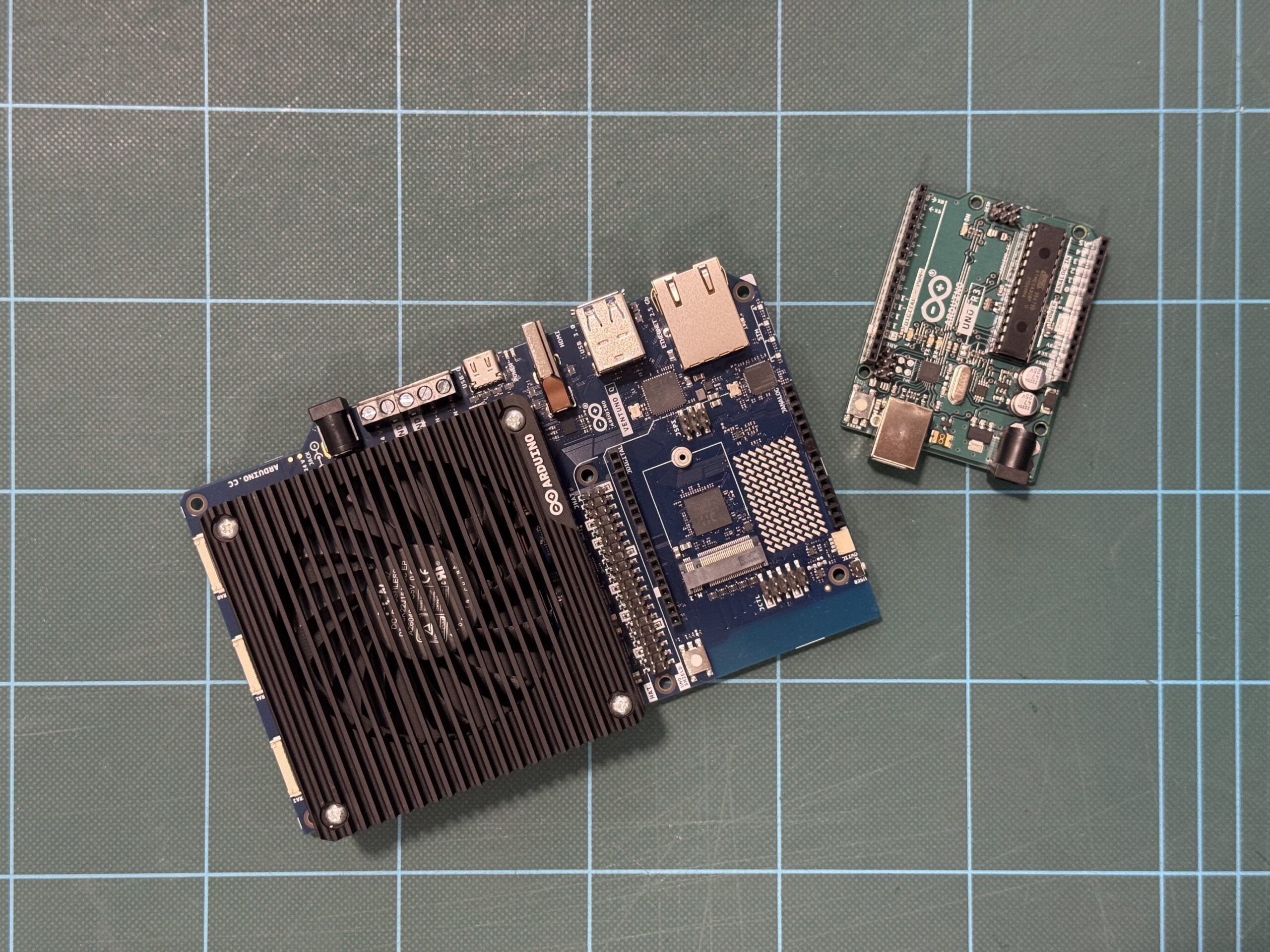
Sitting on my desk I have two boards. They carry the same logo, have a somewhat similar name. Their technology could not be more different, and yet the philosophy behind them is exactly the same.

On the left I have an early Arduino® UNO Rev3, featuring a Microchip ATmega328P, a fingernail-sized piece of silicon dating back the 2000s, that powered the original Arduino revolution. On the right sits the Arduino® VENTUNO Q, running a Qualcomm Dragonwing IQ-8 chipset with eight-core CPU and an NPU able to go up to 40 dense TOPS, making it the most capable AI-focused Arduino boards to date.

Both are Arduino. Both share the same pin headers. In just a few steps, you can blink an LED on one, or on the other deploy an 8-billion parameter LLM, then ask it how to program the original board to blink an LED.

Crazy how technology has evolved in the last 20 years, but naturally the obvious question is by how much exactly?

Well, you already know the answer from the headline, but getting to the real figure reveals a common pitfall in how performance specifications are presented and offers a better way to evaluate any performance claim.

The problem with specs

The Dragonwing chipset (IQ-8275) on VENTUNO Q carries a headline specification of 40 dense TOPS, representing forty trillion dense operations per second.

The 2009 ATmega328P is, on the other hand, the workhorse of the embedded electronics world: a single 8-bit AVR RISC core clocked at 20Mhz, known for its long-standing use in embedded applications, straightforward architecture, and broad accessibility.

The ATmega has no performance metric on its datasheet because nobody was tracking this type of stuff back then. But, if you estimate its compute ceiling manually, you land at roughly 8 million operations per second.

Divide 40 trillion by 8 million and you get 5 million. Case closed?

Not quite. That simple division hides a common trap in how performance numbers are interpreted: operations aren’t created equal.

Computers do math in different formats: think of them as different currencies. Small integer formats (often used for basic pixel brightness) require relatively few computational resources. High-precision floating-point decimals (often used for physics or navigation) typically require more computational resources. As a result, a chip optimized to blast through basic integers can look ordinary when forced to handle complex decimals.

Marketing materials for AI hardware usually quote the small-integer format, INT8 or INT16. Comparing those figures with an ATmega328P estimate derived from general-purpose clock cycles is similar to comparing different currencies without applying an exchange rate. The resulting number may appear dramatic, but it does not provide a meaningful like-for-like comparison.

So here’s Rule #1 of meaningful performance comparisons: both sides must be measured using the same “currency.”

Designing a fair race

To run a meaningful comparison, both chips should perform the same operation on the same data and produce equivalent results.

A representative workload for this operation is the mathematical backbone of modern machine learning: multiplying two numbers, adding the result to a running total. It’s called multiply-accumulate or, colloquially, MAC.

Repeat this loop millions (or trillions) of times, and you can get to things such as Image Classification (aka deciding whether a photo contains a dog, a car, or a birthday cake), Voice Recognition (aka continuously looking for a specific wake word while filtering out background noise) or even funkier stuff like Autonomous Navigation (aka evaluating sensor data in real time to distinguish a wall from a person).

These tasks are all the same underlying math, an aggregation of MAC operations, just at different scales, making them a useful ruler.

The actual benchmark

Let’s go for image classification to keep things simple.

We’ll need test images to be fed into both systems, originated as standard digital photos cropped and resized to a uniform resolution of 224 × 224 pixels across three RGB color channels. This preprocessing converts each photograph into an input data array (aka a tensor) containing 150,528 individual pixel values (224 times 224 times 3). The image data is formatted as 8-bit quantized integers (INT8), mapping every color value to a whole number between 0 and 255 to match the low-precision integer format required by modern hardware.

Evaluating one photo requires streaming this tensor through a vision model containing roughly 100 megabytes of stored parameters, generating a workload of 8 billion total operations (4 billion MAC steps). VENTUNO Q is designed to process roughly 5,000 photos every second; at that rate, the system could sort an entire photo archive (or just a fancy meal worth of pictures of a millennial) in a single heartbeat. Under the same benchmark assumptions, the original UNO Rev3 would take about 17 minutes to analyze the same photo, so think twice before taking a pic of that tiramisu.

To process the 5,000 photos that VENTUNO Q is built to handle in one second, UNO Rev3 would need approximately 58 days at the benchmarked throughput rate. If you started on January 1st, it wouldn’t finish until late February.

Within the context of this benchmark, the performance difference remains on the order of five million to one.

Why this is actually all meaningless

Here’s the catch: UNO Rev3 cannot practically execute this benchmark workload because the model exceeds the device’s available memory resources.

An AI vision model requires roughly 100 megabytes of memory to store its parameters. The ATmega328P has 32 kilobytes of flash memory and 2 kilobyte of RAM, which is insufficient to store the model.

The “58-day” metric just assumes the infinite external memory attached. It’s a mere thought exercise, but there is something even more relevant.

The gap between 2008 and today isn’t just that the old chip is slow. It’s that an entire category of work moved from impractical on earlier hardware to routinely achievable on modern AI platforms. No amount of patience can stretch 8 kilobytes of memory into 100 megabytes.

Real technological leaps rarely feel like “the same thing, faster.” They manifest as entirely new categories of capabilities opening up for the first time.

What does really matter

While this thought exercise suggests a five-million-fold difference in arithmetic capability, the significance of VENTUNO Q extends beyond raw compute performance.

One of the platform’s key contributions is helping make edge intelligence more accessible by lowering barriers to experimentation and development. The goal is to make it easier for developers to move from exploring AI software to building physical AI systems.

Whether toggling a GPIO pin on an 8-bit ATmega or deploying a computer vision model on a modern NPU, both boards are built around a similar development philosophy: connect the hardware, open an accessible development environment, and begin building.

That emphasis on developer accessibility is what matters most. Despite substantial differences in compute capability, both boards are designed to provide an approachable path into hardware development and experimentation.

Preserving accessibility while dramatically expanding compute capabilities represents a significant engineering achievement. For me, that is the real story. Making AI technologies more accessible helps more people move from using AI tools to building AI-enabled applications of their own.

Qualcomm branded products are products of Qualcomm Technologies, Inc. and/or its subsidiaries. Arduino, UNO, and VENTUNO, and the Arduino logo are trademarks or registered trademarks of Arduino S.r.l.

The post Five million to one: two Arduino boards, 20 years apart appeared first on Arduino Blog.
Arduino Blog 20 Oct 13:57

A letter to our community: VENTUNO Q reaches its official price

Dear Builders, Engineers, and Innovators,

At Arduino, we have always believed that the most powerful technology should be in the hands of the many, not the few. That belief is the very reason VENTUNO Q exists, to put real AI into the hands of more creators. This includes access to the product itself, and when we introduced VENTUNO Q back in March we made the promise of an introductory price of under $300. A promise we honored when we made the product available for order in August for $299.

The cost of the many key components that make a board like this possible, in particular memory modules, has risen sharply across our entire industry, and continues to climb. We absorbed those increases for as long as we possibly could, because a commitment is a commitment, and your response made every bit of that effort worthwhile. VENTUNO Q sold out (twice!) in no time at all, and the orders have not stopped since. To everyone who pre-ordered, built, and believed in this board from day one, thank you! You proved what we hoped: that there is a real, deep hunger for open, powerful, physical AI.

But, what moves me most is not the numbers, but what you are already doing with it. In these first weeks we have begun to see projects arrive from our online community, and in person at events: Agentic AI reasoning assistant, depth camera multitool, industrial production line vision inspection, humanoid service robot, JetArm face-tracking, voice control, etc. You even have Half Life 2 & Skyrim running on it. From personal robotics experiments to serious edge AI industrial applications, this range of ideas is exactly why the VENTUNO Q exists. Take a look at what the community is already making, it’s truly impressive!

So here is where we stand. From October 19, VENTUNO Q graduates from its special introductory price to its official retail price, at $399. This is not a number we chose lightly, it is the honest price of delivering this AI computer, and this much ambition, in today’s market. If you have already pre-ordered VENTUNO Q, nothing changes for you, the introductory price will be honored in full.

What I want you to know is this: at $399, VENTUNO Q still delivers unprecedented value. In a single open platform, it brings together an Qualcomm® Hexagon NPU rated at 40 dense TOPS for local LLMs and vision AI running on-device, a dedicated STM32H5 sub-millisecond brain to act on the physical world, 16 GB of RAM, and a genuine path from prototype to production through the Works with Arduino program powered by Qualcomm Dragonwing processors.

And we are only getting started. The board you hold is one half of the story; the software keeps evolving continuously and at no extra cost. Our next Arduino® App Lab release will bring new AI models, support for 3rd-party accessories like the Raspberry Pi HATs and MIPI CSI cameras, and many more new features. Qualcomm® Linux® software stack support for VENTUNO Q is already live in beta on GitHub for you to experiment with today. There is a lot more on the way in the coming weeks. So stay tuned.

Thank you, as always, for the trust you place in Arduino. I cannot wait to see what you build next.

Marcello Majonchi
Chief Product Officer, Arduino

Get VENTUNO Q from the Arduino Store. Also available from our official distribution partners: Conrad, DigiKey, Mouser, Farnell, RS, Robu.in, and many others worldwide.

Qualcomm branded products are products of Qualcomm Technologies, Inc. and/or its subsidiaries. Arduino, VENTUNO, and Works with Arduino are trademarks or registered trademarks of Arduino S.r.l. Linux® is the registered trademark of Linus Torvalds in the U.S. and other countries.

The post A letter to our community: VENTUNO Q reaches its official price appeared first on Arduino Blog.
How little does an AI agent need, and how cheap can it get?

A recent article revealed that OpenAI is purchasing tens of thousands of Mac minis and Mac Studios to give AI agents dedicated environments to run, make mistakes, and learn. It’s a smart infrastructure decision for agents meant to operate inside a computer clicking, navigating, using software: they need a full computer to practice on. But it got us wondering: is that always the right environment for an agent?

Why agents need their own environment

An AI agent isn’t a chatbot. It perceives a situation, takes an action, observes the result, adjusts, and tries again – in a loop that requires a persistent local environment with compute, I/O, and feedback. You can’t outsource the whole thing to a cloud API, because the agent needs somewhere to live and something to interact with. In OpenAI’s situation, the answer is: give it a computer. That works well when the goal is teaching agents to use software. But software isn’t the whole world.

Physical AI needs something different (and surprisingly cheaper)

A Mac mini today starts at around $900. At the scale OpenAI is reportedly operating, the infrastructure bill is substantial. That cost is justified when you need a full computing environment. But what if the agent’s environment doesn’t need to be a general-purpose computer? What if it needs to be a temperature sensor, a camera feed, a production line?

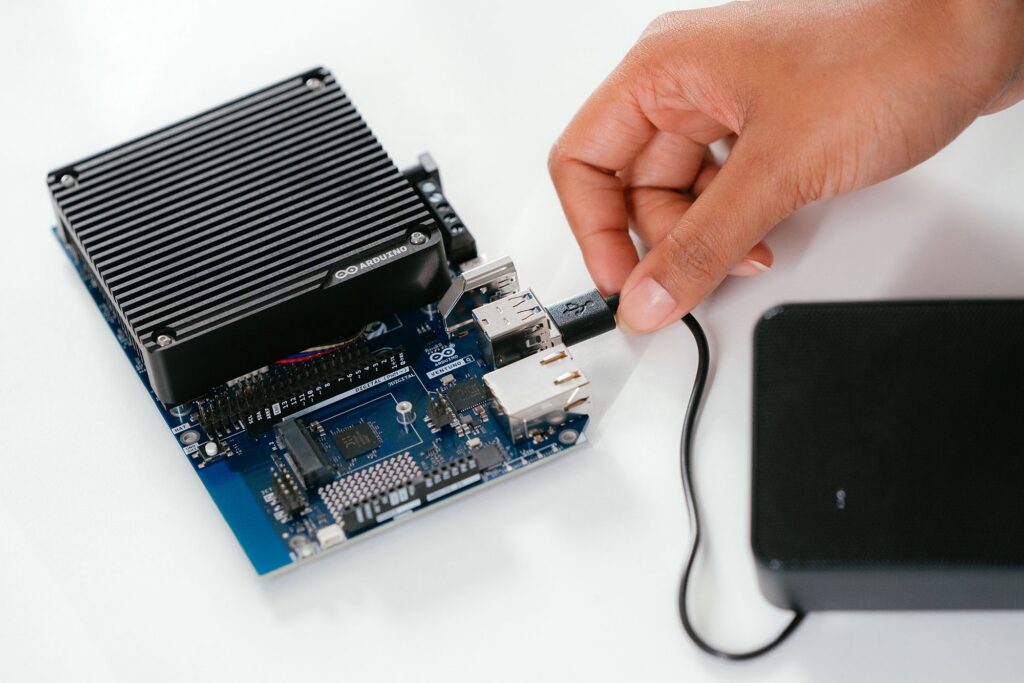
At a fraction of the cost, an Arduino® VENTUNO Q board can provide a persistent Linux environment for the agent runtime, local AI inference, and direct access to real-world I/O: cameras, sensors, actuators. The economics of deploying agent environments at scale look very different when each node costs significantly less, and can be embedded directly in the physical context it’s meant to ultimately operate in.

What an Arduino agentic environment actually looks like

VENTUNO Q is built to combine a Linux-capable MPU with NPU acceleration and a dedicated real-time MCU on a single board. The Linux side is engineered to run the agent – its reasoning, its model, its decision logic. The MCU side is designed to connect it to the world: motors, sensors, cameras, industrial interfaces. No cloud dependency. No separate controller. One self-contained unit that perceives, decides, and acts.

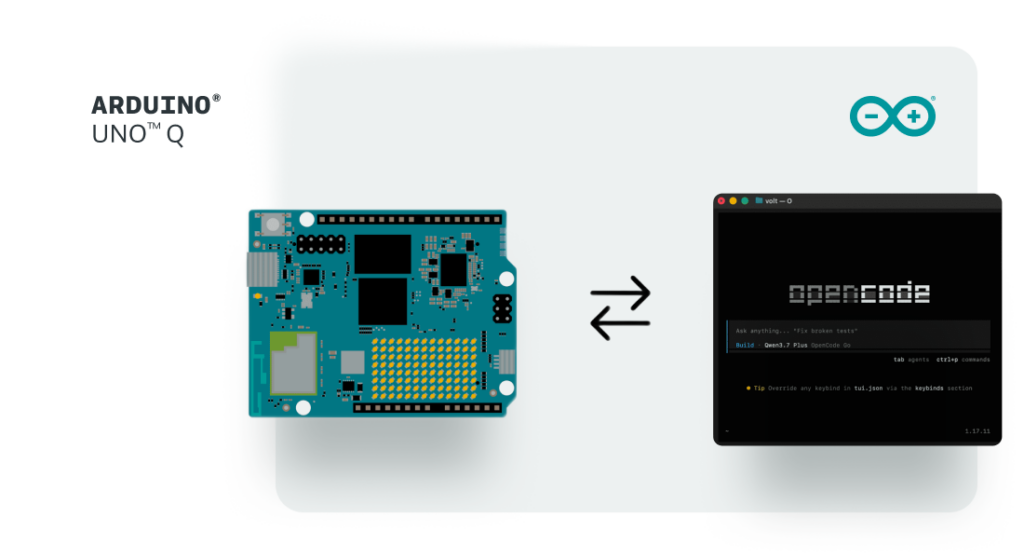
Arduino® UNO Q is structured to extend this further as a low-cost remote node. David Groom demonstrated this clearly leveraging OpenClaw, developing an agent framework on UNO Q designed to enable agents to interact with physical hardware. By connecting to Arduino shields and accessing additional hardware capabilities, the framework supports physical-world interactions while enabling deployment across multiple units simultaneously, each maintaining its own context and operational role.

Read about David Groom’s OpenClaw project here.

With these tools, it’s easy to envision a “swarm” model: VENTUNO Q built to serve as a local processing hub, with UNO Q units designed for distributed deployment as remote nodes, all supporting agent-based workflows that interact with physical environments rather than simulated ones.

More agents, more learning, lower cost

This is where the conversation becomes more interesting than individual compute specifications alone. Lower deployment costs can make broader deployment economically feasible, creating opportunities for more agent interactions, richer feedback loops, and exposure to a wider range of real-world operating conditions.

An agent that has operated across multiple physical environments, each with its own sensors, lighting conditions, and sources of noise, may be exposed to a broader set of inputs than an agent trained exclusively in software simulations.

Arduino can give agents something else to learn from: the physical world. By combining accessible hardware with scalable deployment models, Arduino platforms are designed to support the creation of large numbers of agent-enabled environments for experimentation, testing, and real-world interaction.

Ready to build your own agentic environment?

UNO Q is available on the Arduino Store, and can be ordered from DigiKey, Farnell, Mouser, Newark, RS Components, Robu.in, and other authorized distributors and resellers worldwide.

VENTUNO Q is also available on the Arduino Store or through our official distribution partners: DigiKey, Farnell, Kubii, Mouser, Robu.in, and RS, along with other authorized distributors and resellers.  

Arduino, UNO, and VENTUNO, and the Arduino logo are trademarks or registered trademarks of Arduino S.r.l.

The post How little does an AI agent need, and how cheap can it get? appeared first on Arduino Blog.
Making retail smarter: build context-aware experiences with the Arduino® VENTUNO™ Q board

You step into a fitting room carrying two jackets and a pair of trousers. You like each piece, but you are not sure they work together – and which jacket is better. Normally, you would take a photo, message a friend, or walk back outside to ask a store assistant. But imagine if you could simply look into the mirror and tap “Scan your look” instead.

A few seconds later, the mirror recognizes what you are wearing, identifies colors, and suggests how you might complete the outfit. Perhaps with a shirt or an accessory – available in the store – that will tie everything together.

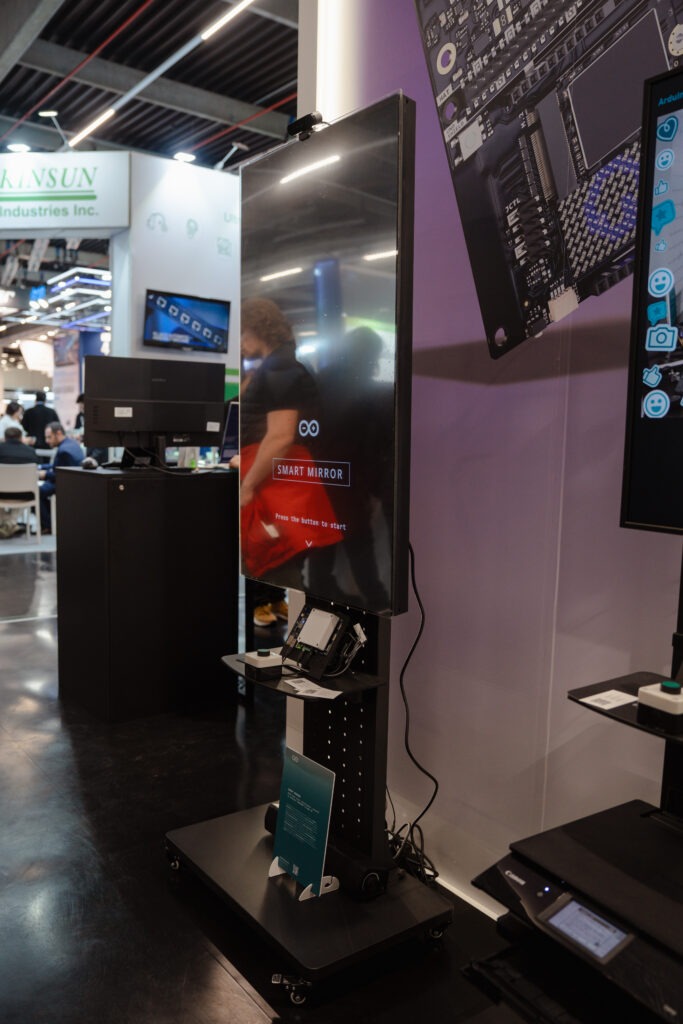
This is the experience behind the Smart Mirror example running on VENTUNO Q. It begins as a personalized style advisor, but it also points towards a new kind of retail experience: one in which physical spaces can understand what customers are doing and offer relevant guidance in real-time.

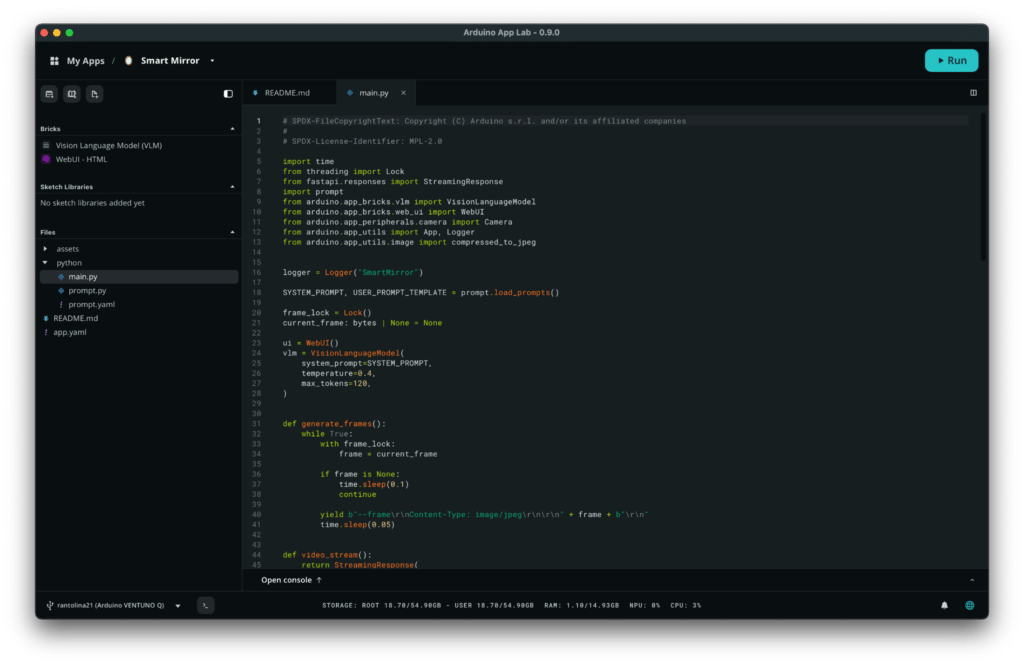
We recently published a full tutorial on Arduino Docs that you can follow to build your own Smart Mirror with the board. While straightforward to replicate, we think this use case is very interesting both from a technological and an experiential standpoint. Let’s dive in.

A mirror that understands what it sees

The Smart Mirror application uses a USB camera to provide a live video feed. When you tap “Scan your look”, the latest camera frame is analyzed locally on VENTUNO Q by the Qwen3-VL Model, accessed through the Arduino VLM Brick.

The model is built to analyze the image, identify the most prominent garment and its color, and return two short sentences: a description of the outfit and a related styling suggestion. The result is then displayed directly over the live camera view.

The experience is designed to be intentionally simple: just look in the mirror, start the scan, and receive an immediate recommendation.

Behind that simple interaction, however, several components are working together:

  • Continuous camera acquisition
  • Local visual AI inference
  • Prompt-controlled text generation
  • A browser-based user interface
  • Real-time communication between the frontend and the application

This combination is what makes the example useful as more than a technical demonstration. It shows how visual AI can become part of a complete user experience.

From demo to retail use case

With a Smart Mirror powered by VENTUNO Q, customers don’t need to go through racks or search through the store’s catalog. Once they find one piece they like, the mirror recognizes the garment and provides an immediate suggestion: “You’re wearing a navy jacket. Try pairing it with light-colored trousers for more contrast.” And that is only the beginning.

Connected to the retailer’s catalog and inventory system, the same application could recommend matching products that are currently available in the store. It could show alternative colors, suggest accessories, display available sizes, or generate a QR code that allows the customer to save the outfit on their phone.

In this scenario, the Smart Mirror is no longer just giving generic fashion advice. It becomes part of the retail experience and connects visual understanding with real business information – providing a concise and relevant response.

Why local AI matters: all privacy, no latency

One of the most important characteristics of the example is that the Vision Language Model is designed to run locally on the board. The camera image does not need to be sent to an external cloud service for inference: the image is processed on VENTUNO Q, and the generated answer is returned directly to the local browser interface.

This matters, especially in camera-based applications. By processing images locally, developers can design experiences in which visual data remains closer to where it is generated, potentially reducing the need to transmit image data to external services and helping protect user privacy. 

It also reduces dependency on network latency and external AI services. The application can remain responsive even when the internet connection is slow, unreliable, or unavailable.

Turning AI output into a product experience

In the Smart Mirror example, the prompt is designed to produce a very specific result. The model is asked to identify the main clothing item, detect its color, and provide a short styling suggestion. The application also randomizes the opening phrase and the start of the recommendation to provide variation across repeated scans. For this example, the prompt behavior can be customized through a single prompt.py configuration file.

This is a small detail, but it illustrates an important point. The model in this example is configured with a relatively low temperature and a short token limit, helping it produce concise and predictable responses. In a commercial retail application, the prompt could be expanded with product rules, brand guidelines, seasonal collections, availability data, or customer preferences.

How the application works

The technical architecture is designed to be streamlned. The camera continuously captures frames, and the latest frame is stored in a shared buffer. The browser displays the live feed through an MJPEG stream exposed by the backend.

The flow could look like this:

Camera image > garment recognition > product matching > personalized recommendation > customer action

The generated result is then sent back to the browser and displayed in the mirror overlay.

In the code, the application uses two App Lab Bricks: the Vision Language Model Brick and the Web Interface Brick.

The camera could be replaced with another image source. The prompt could be adapted to a completely different domain. The web interface could be redesigned for a kiosk, a touchscreen, or an embedded display.

Beyond fashion

The most valuable lesson from the Smart Mirror example is that the architecture is not limited to clothing: the same model can be applied in several domains.

  • Assisted dressing: The system could help users identify colors, distinguish garments, or check whether items match. For people with visual impairments, it could describe the clothing they are currently wearing. For the elderly or users who need cognitive support, it could provide simple guidance when choosing an outfit.
  • Beauty and personal care: A similar mirror could support makeup tutorials, eyewear selection, hair styling, or skincare routines. The camera would analyze the visible situation, while the prompt and application logic would determine what type of recommendation is appropriate.
  • Hospitality: A hotel-room mirror could provide recommendations based on guests’ clothing, the weather, the planned activity, or the dress code of a venue. For example, it could suggest bringing a jacket before an evening event or recommend more comfortable footwear for a walking tour.
  • Industrial operator assistance: The same architecture can also move from consumer applications to professional environments. Instead of recognizing a shirt or jacket, the model could identify tools, machine components, labels, or personal protective equipment. An operator could stand in front of a workstation and receive a short visual instruction: “You are not wearing safety goggles. Put them on to protect your eyes before starting the machine.”

Such systems would require careful validation and should not replace certified safety mechanisms. But the Smart Mirror example shows the underlying technical pattern clearly: a camera observes the situation, a model interprets it, and the application provides immediate guidance.

A reusable pattern for Physical AI

Advanced users like Kamitronix have already been experimenting with Smart Mirrors built with the Arduino® UNO Q board, providing real-time feedback and information as you check out your look before going out. But while these may appear to be mainly user-interface applications, they also point toward a broader Physical AI workflow. Instead of a text on a screen, the final response could activate a light, control a motor, change a machine setting, notify an operator, or trigger another application.

That is why examples like the Smart Mirror are useful. They make advanced AI capabilities approachable, but they also reveal a reusable architecture for building systems that interact with the real world.

We started with a simple question: What if a mirror could understand what you are wearing? Mapped to a real-world use case, it can become an AI-assisted fitting room that recommends matching products, connects customers with inventory, and improves the in-store journey. More broadly, the same architecture can support assistive technology, hospitality, personal care, and industrial operator guidance.

The most interesting part is the pattern it demonstrates: using local visual AI to transform a passive object into an interface that can understand its context, respond in real-time, and improve people’s experience.

Ready to kickstart your journey in scalable smart interfaces and Physical AI? Get your VENTUNO Q from the Arduino Store today. 

VENTUNO Q is also available through our official distribution partners: DigiKey, Farnell, Kubii, Mouser, Robu.in, and RS, along with our other authorized distributors and resellers.   

Arduino, UNO, VENTUNO, and the Arduino logo are trademarks or registered trademarks of Arduino S.r.l.

The post Making retail smarter: build context-aware experiences with the Arduino® VENTUNO™ Q board appeared first on Arduino Blog.

MYWAI™ VILMA™ is designed to bring human-like learning to robots via one-shot demonstration

Every day, hundreds of thousands of kits are prepared in warehouses before components ever reach an automotive production line. While robots have become commonplace in modern manufacturing, many upstream logistics activities still rely heavily on human operators performing repetitive pick-and-place and kitting tasks.

What if robots could learn these operations the same way humans do: by simply watching a demonstration?

That question was at the heart of I-GENIUS, a research project coordinated by MYWAI within the European ARISE initiative with Centro Ricerche FIAT (CRF) and the University of Genoa’s Department of Mechanical, Energy, Management and Transportation Engineering (DIME).

The project explored new approaches to Human-Robot Interaction, combining AI, computer vision, and robotics to enable machines to acquire manipulation skills from minimal human guidance.

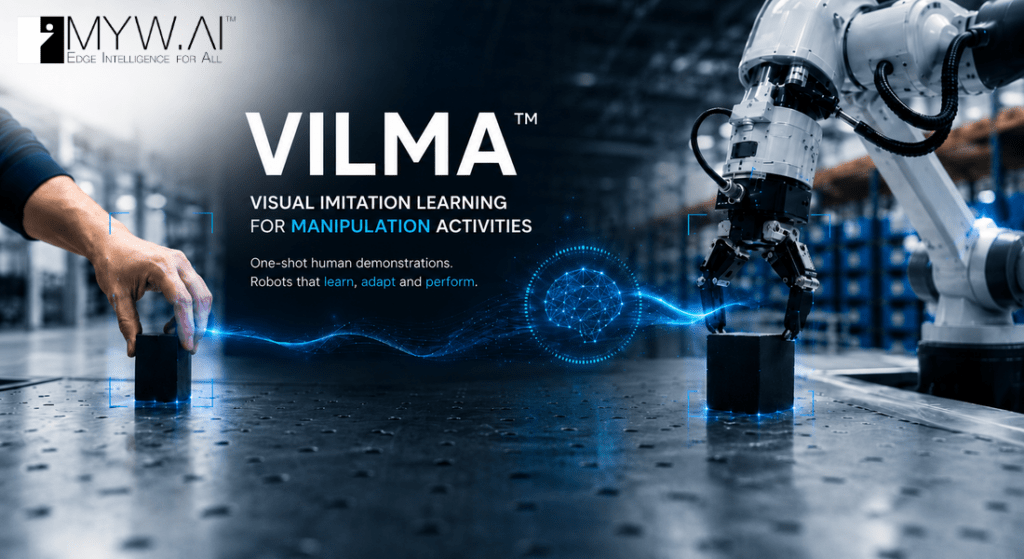
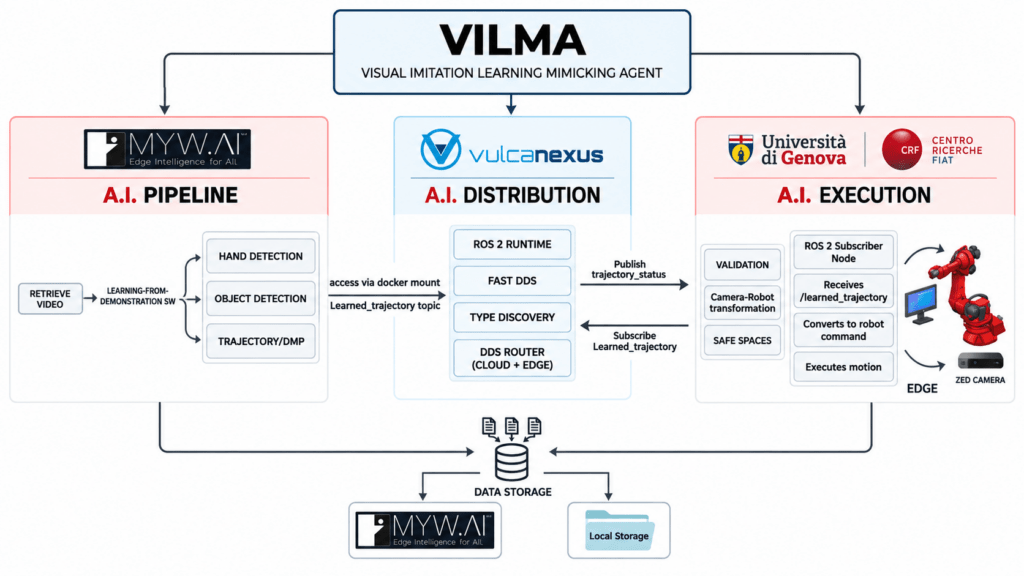
One of the project’s key outcomes was VILMA (Visual Imitation Learning for Manipulation Activities), an AI-powered toolkit integrated into MYWAI’s EDGE AI middleware platform. VILMA helps enable robots and humanoids to learn complex manipulation tasks from one-shot human demonstrations, aiming to significantly reduce programming effort while improving flexibility in dynamic industrial environments.

The technology was evaluated in a large-scale automotive warehouse use case developed together with CRF and reproduced within the robotics laboratories at DIME.

Today, MYWAI is bringing this technology to a broader community of developers, makers, and robotics innovators by porting the VILMA Toolkit to new Arduino products powered by Qualcomm Dragonwing processors, including both the Arduino® UNO Q and VENTUNO Q boards.

This demonstration showcases the potential for edge-native robotics applications that use imitation learning techniques on hardware platforms built to support compact form factors and efficient power consumption.

At the iGenius final presentation, the founder and CEO of MYWAI, Fabrizio Cardinali, stated: “The dual-brain architecture of the UNO Q and VENTUNO Q platforms is an ideal foundation for MYWAI’s next generation of Edge AI robotics. After validating distributed intelligence concepts within the ARISE I-GENIUS project, we are now leveraging these platforms to bring World Action Models closer to the edge through the latest release of the MYWAI EdgeAI Management Platform and its mobile tracker, HEDGELOG. By combining One-Shot Video Imitation Learning with edge-native AI execution, we aim to enable robots and intelligent industrial machines to acquire, distribute, adapt, and execute complex manipulation skills with unprecedented flexibility and scalability.”

Watch the full demonstration of the I-GENIUS project and see VILMA in action in this video.

The MYWAI VILMA agent

VILMA is a visual imitation learning toolkit that helps enable robots to learn manipulation tasks from human demonstrations. It is designed to process RGB-D recordings or MP4 videos to extract hand and object trajectories, generate reusable robot skills using Dynamic Movement Primitives (DMPs), and produce robot-ready trajectories for playback. It is constructed to serve as the demonstration learning module, supporting rapid robot programming, skill reuse, and deployment.


The AI pipeline

One-shot demonstration acquisition

The one-shot demonstration acquisition step is set to record a human performing the task or retrieve an existing demonstration from a selected MYWAI equipment event. It stages the video, RGB frames, depth data, and camera parameters, and allows the user to select the target object for tracking. This information provides the inputs required by the remaining pipeline stages. 

Hand detection

Using MediaPipe, this stage is structured to detect 21 hand landmarks in each RGB frame and combine their 2D positions with depth data to calculate 3D camera coordinates. For demonstrations loaded from MYWAI, the staged RGB and depth data are processed through the same pipeline. Kalman smoothing and previous-position retention improve tracking robustness, and the resulting trajectories can be saved back to the MYWAI event. 

Object detection

Using a YOLO model, this stage is designed to detect or track the object selected through the local or MYWAI interface. It combines the bounding-box centre with depth information to calculate the object’s 3D position, applies Kalman smoothing, and saves the trajectory and annotated frames. These results can then be included in the pipeline artifacts stored in MYWAI. 

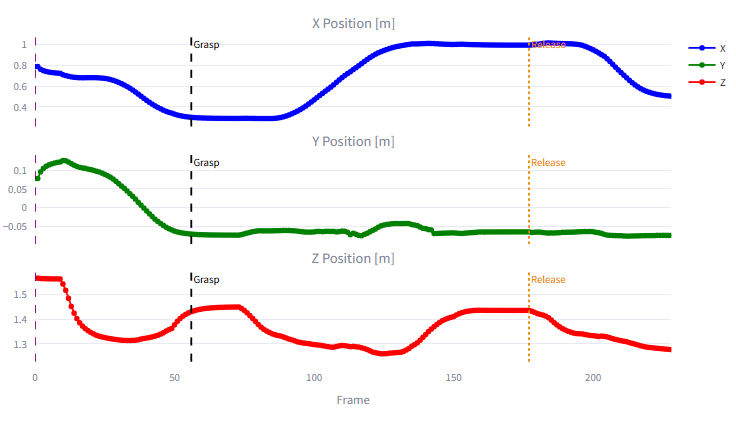
Trajectory and segmentation

This stage is constructed to load the smoothed hand and object trajectories, estimate the grasp point from the hand’s proximity to the object, and detect the release point from the object’s movement and stabilization. It uses the hand trajectory as the main motion path and divides it into reach, grasp, move, release, and post-release phases. The trajectories, event indices, and segmentation metadata can be packaged as MYWAI event data, a time and space data fusion format developed by MYWAI for its AI-IoT management platform particularly geared towards Multimodal AI and, next, towards World Action Models. 

DMP generation

The DMP-generation stage is designed to learn separate Dynamic Movement Primitive models for the reach and move phases. It evaluates different regularization values, selects the model that provides the best accuracy and smoothness, validates the reproduced motion, and saves the trained models and trajectories. These DMP artifacts can be uploaded to MYWAI with the other pipeline results for later retrieval and reuse. 

Demonstration

The demonstration stage is structured to convert the generated DMP trajectory into Cartesian robot positions using the configured scale, offset, and rotation, then apply inverse kinematics to calculate the joint trajectory. The robot model may be loaded from the selected MYWAI equipment, and the resulting motion is displayed through the MYWAI 3D Viewer, synchronized with the recorded video and its grasp and release events. 

DMP adaptation with new goal and new object

The adaptation stage is set to load the learned skill – either from the current pipeline or a restored MYWAI event – and detect a new target object using RGB and depth data. It calculates the 3D offset between the original and new objects, redirects the reach and move trajectories toward the new pick and release positions, and preserves the demonstrated motion characteristics. The adapted trajectory can then be visualized with the MYWAI 3D Viewer or sent to the robot. 

Live streaming adaptation and UNO Q and VENTUNO Q support

The Live stream phase represents the deployment and real-time inference stage of the VILMA Agent. While the initial learning phase is conducted on the MYWAI platform to generate Dynamic Movement Primitives (DMP), the Live stream phase focuses on shipping these DMPs along with a fine-tuned YOLOv8 model, supported today on UNO Q and VENTUNO Q.

Architecture and components

As illustrated in the system schematic below, the architecture is designed as a distributed setup divided into an Edge AI Layer for intelligence and a Communication Layer for hardware interfacing.

Let’s break down how the live stream pipeline is working considering the VENTUNO Q version.

1. Edge AI layer (VENTUNO Q)

Running on VENTUNO Q, this layer is structured to handle high-level decision-making.

  • VILMA Control Loop: The primary application logic responsible for the overall control loop. It It is designed to orchestrate object detection and performs DMP Adaptation to translate learned human motions into the current physical environment.
  • Video Object Detection Brick: This component runs on VENTUNO Q to manage the inference flow. It receives the incoming video feed and communicates with the inference service.
  • Docker: YOLOv8 Inference Service is formed as a containerized service that runs the quantized YOLOv8 model. This model is designed to be fine-tuned and deployed via the Edge Impulse platform using the “Bring Your Own Model” feature.

2. ROS 2 communication layer (Workstation)

A separate workstation connected directly to the devices manages the high-bandwidth data streams and robotic control via ROS 2.

  • ROS 2 Streaming Node: Interfaces with the ZED Camera/Depth Sensor to capture raw visual data, publishing it as a /camera_feed to VENTUNO Q.
  • ROS 2 Command Node: This node acts as a wrapper around the Fairino Python SDK. It is engineered to serve as the receiver for the /learned_trajectory sent from the edge device, utilizing the SDK to directly control the robot and help ensure it accurately follows the planned trajectory.

3. Physical hardware

External hardware is connected to complete the runtime VILMA ecosystem, namely:

  • ZED Camera: The stereo camera which is engineered to capture the image and depth data required for the vision system.
  • Fairino FR10 Robot: The robotic arm that is constructed to execute the pick-and-place tasks based on the trajectories computed by VILMA.

Component communication and data flow

The communication between these components is designed for low-latency execution as shown in the schema above:

  • Vision Input: The Workstation is engineered to stream the /camera_feed (image and depth) to VENTUNO Q.
  • Edge Inference: The VILMA Control Loop is designed to utilize a WebSocket stream to send frames to the Docker YOLOv8 Inference Service. The service returns the detected object bounding box to the control loop.
  • Motion Adaptation: The system is structured to take the detected object positions and adapts the human-learned DMP to calculate a precise pick-and-place trajectory.
  • Robotic Execution: The resulting /learned_trajectory is published back to the Workstation’s ROS 2 Command Node, which drives the Fairino FR10 robot to complete the task.

This modular approach is designed to allow the heavy vision processing and motion adaptation to happen on the edge (VENTUNO Q) while leveraging the robust ROS 2 ecosystem for robot communication and sensor streaming.

To learn more about the project and MYWAI’s EDGEAI Platform and Middleware, visit myw.ai.

Qualcomm branded products are products of Qualcomm Technologies, Inc. and/or its subsidiaries. 

Arduino, UNO, and VENTUNO are trademarks or registered trademarks of Arduino S.r.l.

The post MYWAI™ VILMA™ is designed to bring human-like learning to robots via one-shot demonstration appeared first on Arduino Blog.

Building smarter AMRs with the Arduino® VENTUNO™ Q board

Physical AI is based on the idea that intelligence shouldn’t stop at perception: instead, it should bring to life systems able to sense their environment, reason about it, and act on it – all in one continuous loop. It’s what makes the difference between a device that observes and one that acts.

Autonomous mobile robots are one of the clearest expressions of that idea in the real world. Imagine an autonomous delivery robot working around a warehouse, carrying items to the correct shelf or placing them on a conveyor belt for inspection or packaging. On its way, it may have to stop as someone steps into its path, or adjust its route if a cart has been moved. It must understand its surroundings, determine its position, calculate a path, and respond as the environment changes, until it reaches the right destination. 

It must control its wheels precisely, read sensors continuously, and react quickly to nearby obstacles – all at the same time.

In all autonomous mobile robots, or AMRs, these tasks require two different kinds of computing: navigation, computer vision, and AI benefit from the flexibility and performance of Linux; motor control and time-sensitive sensor management require the responsiveness of a microcontroller.

VENTUNO Q brings these two worlds together, combining a Linux-capable MPU with a real-time MCU on a single platform. To explore the potential of this architecture, let’s imagine how it could become the central computing platform for a food-delivery AMR, where perception, ROS 2, Edge AI and physical control could work together.

Two computing worlds, one robot

In a conventional AMR prototype, high-level computing and motor control are often distributed across separate boards. A Linux computer runs ROS 2 and processes data from cameras and LiDAR, while a microcontroller manages motors, encoders and local sensors. This approach works, but it also creates integration work. Developers must connect the boards, define their communication protocol, maintain multiple development environments and debug the interaction between systems designed independently from one another.

VENTUNO Q provides a more integrated starting point. Its MPU can host Linux, ROS 2, navigation software, computer vision and AI workloads. Its MCU can remain close to the physical robot, managing wheel control, encoder feedback, inertial measurements, short-range sensing and communication with motor drivers. The separation of responsibilities is clear: the MPU determines where the robot should go, while the MCU turns that decision into controlled physical movement. Together, the two sides allow the system to sense, decide, and act.

Sense: giving the robot an understanding of its environment

As the delivery robot travels through a warehouse, hotel, or even a restaurant or public space where it is at work to deliver orders, it must continuously build a picture of what is happening around it. No single sensor can provide all the information it needs, so the architecture combines several complementary sources.

A 2D LiDAR can provide the geometric foundation for navigation. Its laser scans describe walls, corridors, furniture and other structures around the robot. Combined with wheel odometry and inertial data, these scans can be used by SLAM software to build a map and later help the robot estimate its position within it. However, a LiDAR scanning on a single plane cannot describe every obstacle. A table surface, an open drawer or an object protruding into the robot’s path may sit above or below that plane.

A stereo-depth camera can add three-dimensional information, helping the robot perceive shapes and obstacles that may not appear clearly in a planar scan. A MIPI camera can provide visual input for more application-specific tasks, such as detecting people, recognizing a delivery station or checking whether a tray is present. 

Image shown for illustration purposes only

Closer to the robot, an Arduino® Modulino Distance node monitors blind spots or detects objects immediately in front of the chassis. A Modulino Movement provides acceleration and angular-rate data, contributing to motion estimation and helping identify unusual vibration, collisions or unexpected movement.

Wheel encoders complete this picture by measuring how the robot is actually moving. The MCU can use their feedback to regulate wheel speed, while the resulting odometry can be shared with the navigation software running on Linux. Rather than relying on a single “smart” sensor, the robot develops awareness by combining geometric, visual, inertial and mechanical information.

Decide: ROS 2 as the software backbone

On the MPU, ROS 2 provides a common software environment for connecting all these elements. The LiDAR publishes laser scans. The camera pipeline provides images or depth information. The robot publishes odometry and inertial measurements. Navigation components consume this data to estimate the robot’s position, plan a route and respond when the environment changes.

Image shown for illustration purposes only

During its first exploration of a space, a ROS 2 SLAM package can combine LiDAR data and odometry to create a map. Once that map is available, the robot can localize itself and use Nav2 to move between destinations.

If the application sends the robot from the warehouse to the packaging station, Nav2 calculates an appropriate route and continually updates it as new sensor information arrives. It then generates velocity commands describing how quickly the robot should move forward and rotate. Those commands express the intended movement, but they do not directly control the motors. That responsibility moves from the Linux domain to the MCU.

Act: from a ROS 2 command to wheel movement

When Nav2 publishes a velocity command, an MPU-to-MCU communication layer transfers the request to the real-time control application. The MCU translates the requested linear and angular movement into targets for the left and right wheels. It then communicates with the motor controllers – potentially over CAN – and uses encoder feedback to maintain the required wheel speed.

This control loop can run with predictable timing, independently of the larger ROS 2 software graph operating on Linux. Information also travels in the opposite direction. Encoder measurements, inertial data, short-range distance readings and drive-system diagnostics can move from the MCU to the MPU, where they become available to the ROS 2 application.

This connection between the two computing domains is one of the most important elements of the architecture. It allows high-level navigation software to interact with the physical robot without asking Linux to manage every time-sensitive electrical and mechanical detail.

It also creates space for local reactions. If a close-range sensor detects an object immediately in front of the robot, the MCU can place the drive system into a controlled stop state and report the event to the MPU. The navigation layer can then reassess the situation, update the route or notify the application. The result is a robot in which intelligence and responsiveness complement one another.

Adding context with edge AI

LiDAR, odometry and Nav2 can already allow the robot to navigate through a mapped environment. AI becomes valuable when the robot needs to understand the meaning of what it perceives. The navigation system may detect an obstacle, for example, but a vision model could determine whether that obstacle is a person, a chair or a delivery cart. This additional context enables more appropriate behavior.

When a person approaches, the robot could slow down, wait or announce that a delivery is arriving. At its destination, a visual model might recognize the delivery zone or check whether someone has removed the tray. The same platform could also inspect the route for objects left on the floor or use vibration data to identify abnormal mechanical behavior.

Edge Impulse offers one possible workflow for developing this kind of application-specific intelligence. Through its ROS 2 integration, an inference model can consume image data and make its results available to other parts of the robotic application. ROS 2 helps the robot decide how to navigate. Edge AI helps it interpret the context in which that navigation takes place. And with the integrated Edge Impulse platform, you can choose to deploy directly into Arduino® App Lab – it just takes one click.

Growing the prototype one capability at a time

Although the reference architecture includes navigation, depth sensing and AI, a developer would not need to introduce every capability at once. The first prototype could focus only on the mobile base, with the MCU controlling the motors and reading the wheel encoders. Once basic movement is reliable, the control layer could be connected to ROS 2 on the MPU so the robot can accept standard velocity commands and return odometry data.

Adding LiDAR would introduce mapping, localization and autonomous navigation. Depth sensing and short-range sensors could then improve obstacle awareness. Finally, visual AI could transform the generic mobile platform into a delivery robot capable of recognizing people, destinations and application-specific events. This progressive approach keeps each development step understandable while preserving a clear path toward a more capable system.

VENTUNO Q does not remove the engineering challenges involved in building an AMR. Mechanical design, power management, motor sizing, navigation tuning, sensor placement and safety still require careful work. Its value is in providing a more coherent place to begin.

From perception to motion

A food-delivery robot is only one expression of this architecture. The same computing model could support warehouse vehicles, inspection robots, hospital logistics systems, agricultural platforms, and other autonomous machines.

The sensors, drive systems and AI models may change, but the fundamental challenge remains the same: connecting high-level intelligence with responsive physical action. By combining a Linux-capable MPU and a real-time MCU, VENTUNO Q gives developers a platform for exploring that complete chain. ROS 2, navigation, perception and edge AI can operate on the MPU, while the MCU manages the sensors and actuators that connect software decisions to the real world.

From understanding the environment to controlling the wheels, VENTUNO Q offers a unified starting point for prototyping the next generation of intelligent mobile robots.

Ready to kickstart your journey in robotics? Get your VENTUNO Q from the Arduino Store today. 

VENTUNO Q is available through our official distribution partners: DigiKey, Farnell, Mouser, Robu.in, and RS, along with our other authorized distributors and resellers.

Arduino, Modulino, VENTUNO, and the Arduino logo are trademarks or registered trademarks of Arduino S.r.l.

The post Building smarter AMRs with the Arduino® VENTUNO™ Q board appeared first on Arduino Blog.