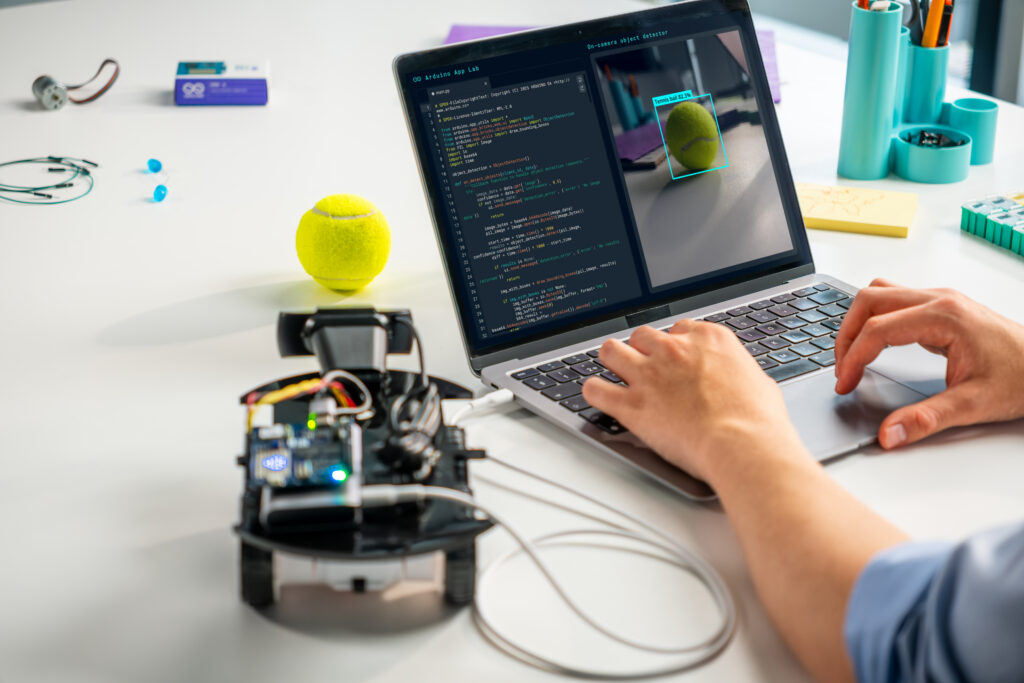
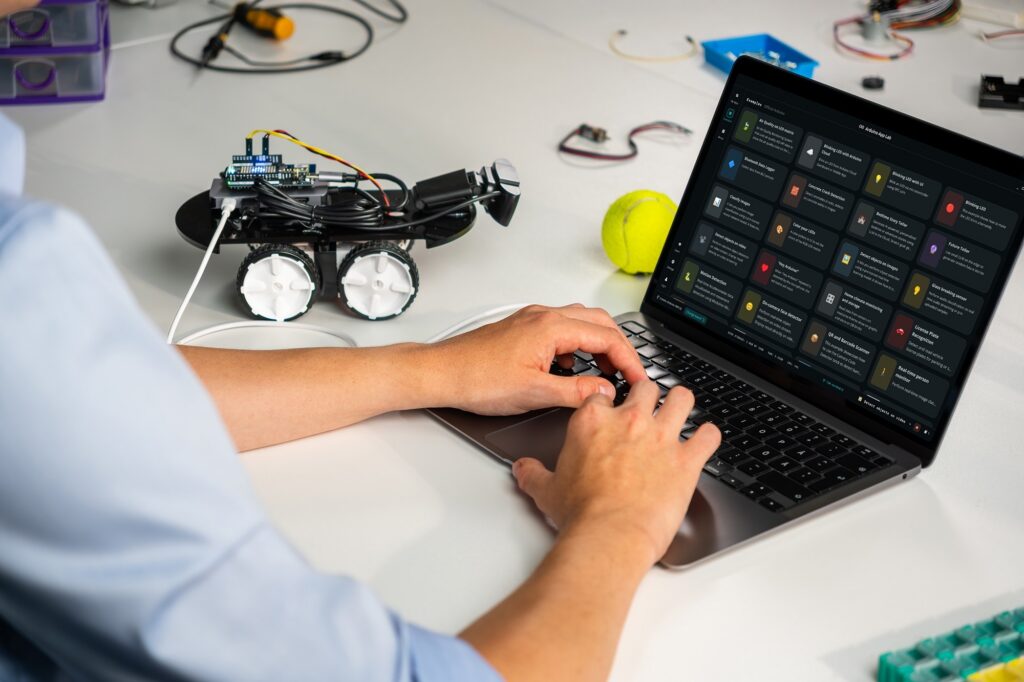
You build something great on your Arduino® UNO Q board. Now what? Arduino App Lab 0.11 is about taking your project further, whether that means shipping it to another board, getting help while you code, or teaching your device to recognize a tennis swing.
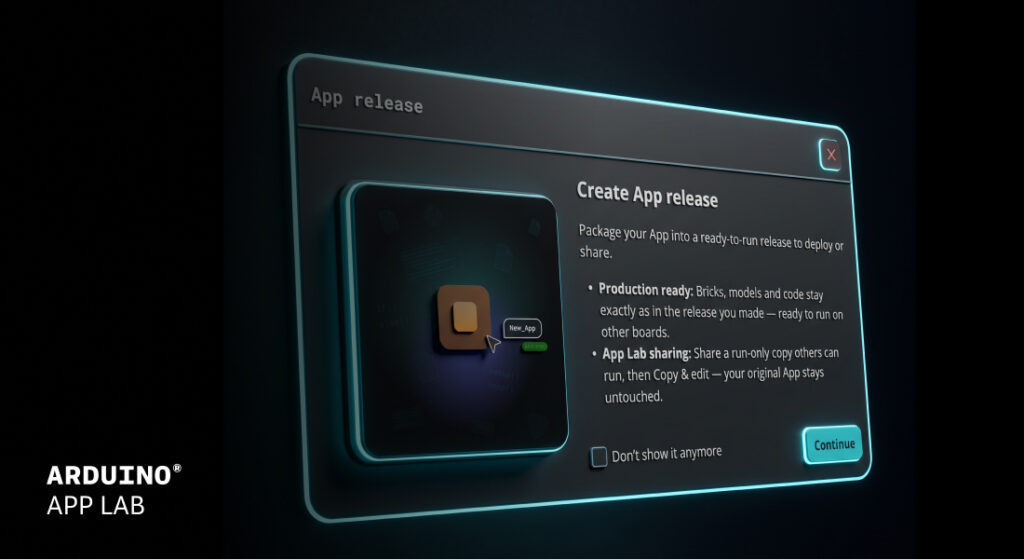
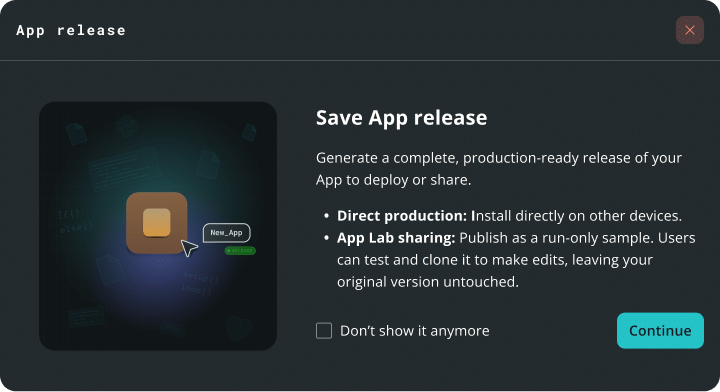
App Lab now supports exporting production grade “Apps Releases,” so your project built in App Lab can be packaged for deployment without leaving the tool.
How does it work?
1. Package an app into a ready-to-run file. 2. Install it on another board. 3. Run it on compatible third-party hardware included in the Works with Arduino program.
What’s the difference between this new App release and the export feature?
Export is great for sharing a project. An app release is designed to provide a consistent, ready-to-run package. An app release is a frozen, immutable package with locked dependencies to support consistent behavior across compatible devices. Sketches are pre-compiled, which can reduce startup times. Remote dependencies like AI models are downloaded at install time, which can streamline setup across multiple boards.
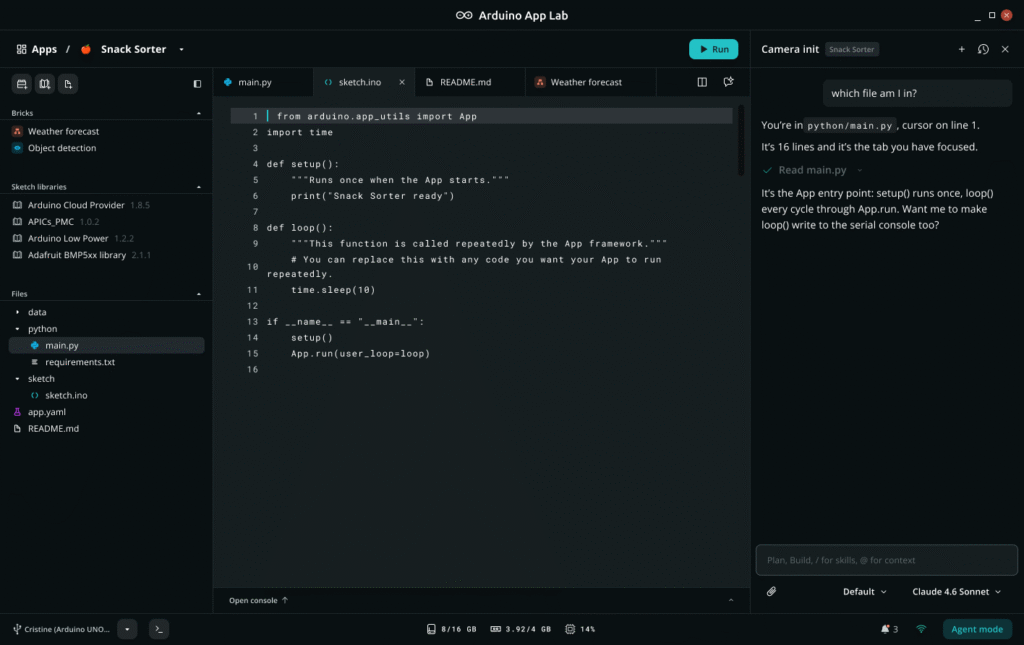
Chat with an Agent Panel next to your code to build, troubleshoot, and brainstorm ideas.
Agent Panel uses the app, files, and code open in your workspace as context, which can reduce the need to copy and paste or switch tabs. It will update files in your workspace as you chat with it in plain-language, and it keeps your chat history organized by app.
What’s the difference between the Agent Panel and Agent Mode?
Agent Mode, introduced in App Lab 0.10, is a full-window experience centered on the agent. You describe what you want and the agent creates and works on your app for you. The Agent Panel is a side chat that stays open while you work in your app. It uses the app and files you have open as context, updates them as you chat, and you run your app right there as usual.
New Pose Estimation Brick: teach your board the moves
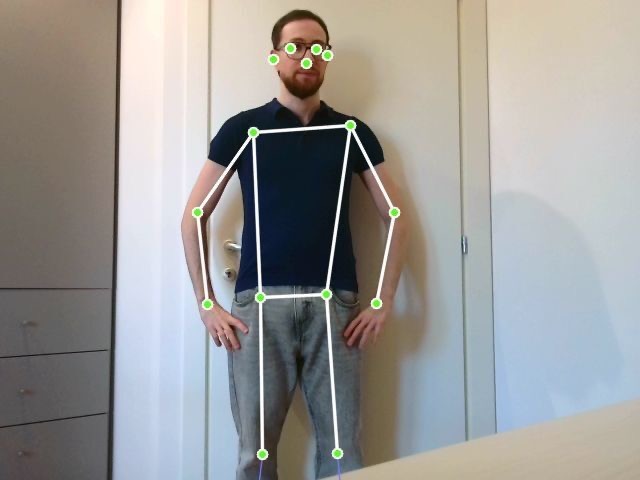
The new Pose Estimation Brick runs locally on your Arduino® VENTUNO Q and comes with two features: one with preconfigured capabilities and one that supports custom poses.
Preconfigured skeleton tracking and pose detection
The Brick tracks a 17-point body skeleton at up to 10 frames per second and draws a live overlay on your video stream. It also recognizes standard poses like standing, sitting, or arms up and down, without a separate model-training step. The demo app is just six lines of code.
Make it yours: teach it a custom pose
Need something more specific? Give the Brick a folder of photos of the pose you want, plus a folder of photos that are not that pose. No separate model-training step or additional tool is required. The photos are the whole input, and App Lab performs a recognition check before the app starts.
Want to recognize a tennis stroke? Provide representative photos to configure the custom pose.
Bring your own model
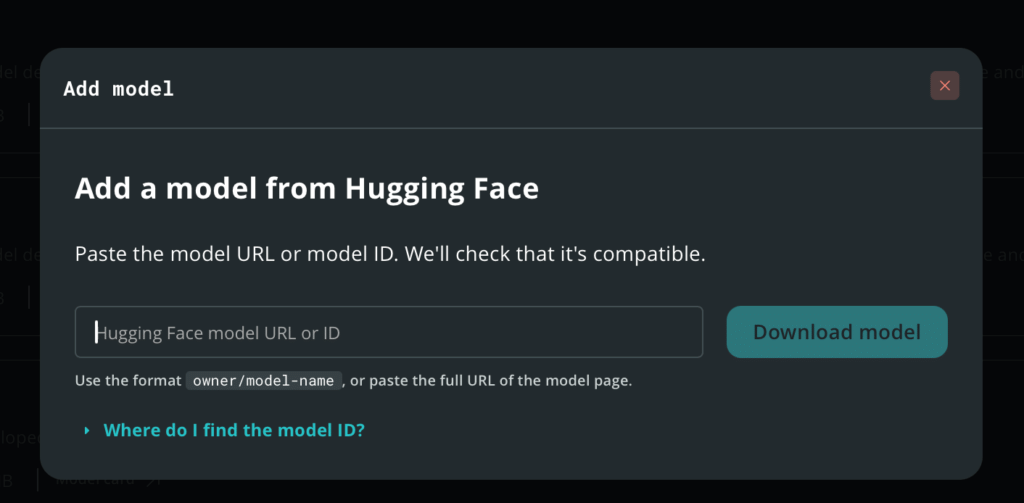
Add language models for the LLM Brick straight from Hugging Face, using a model ID or URL. App Lab checks that the model is compatible and selects a support quantization based on the model.
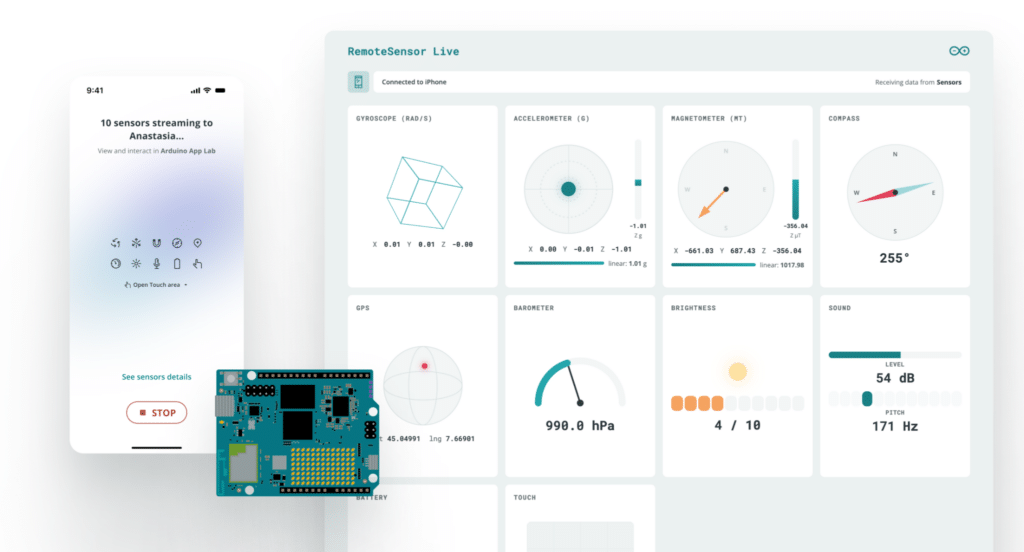
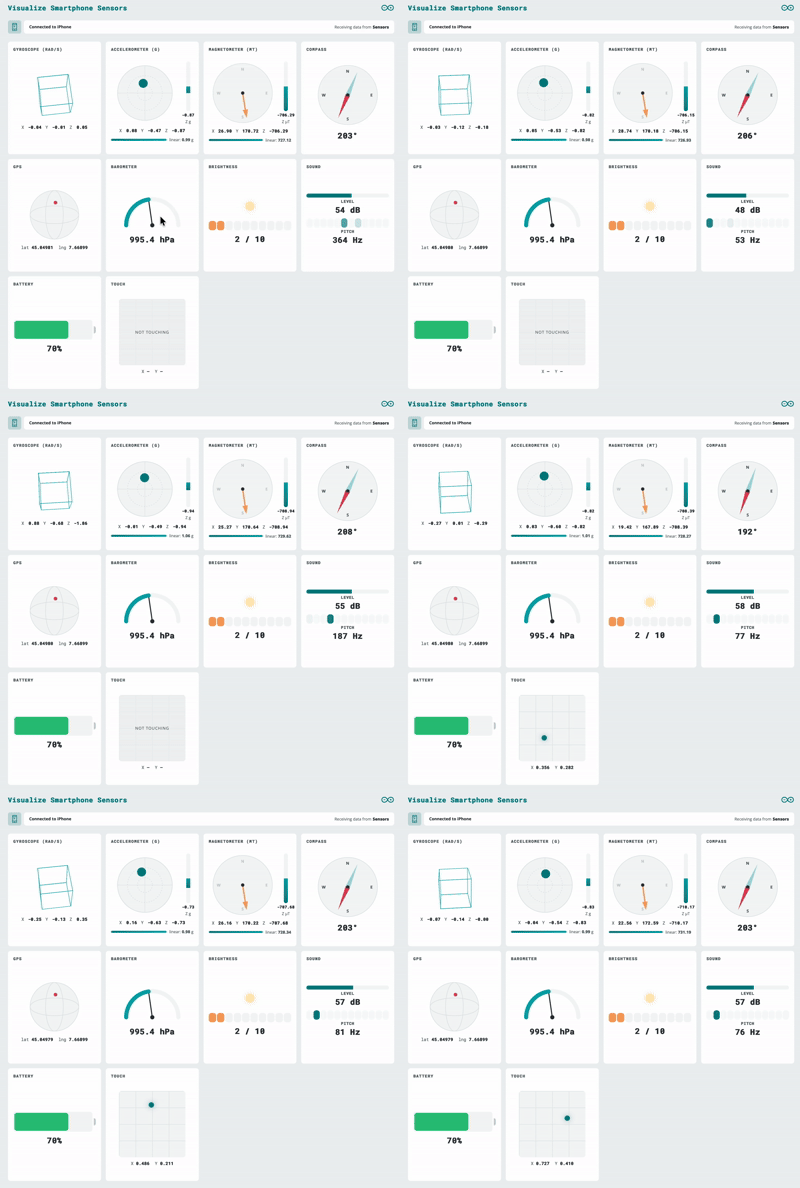
Microphone and IMU data now flow into App Lab through a new remote sensor peripheral, at high frequency over WebSocket, with password protection and encryption options. Data is sent as JSON, so you can define your own keys. Because it is built on WebSockets, compatible external devices can stream data to your board using the supported WebSocket interface, which can support remote-control and IoT use cases.
Know where you are, even when GPS struggles
In this short demo,AnthonyHebert andStefano Implicitoshow how easy it is to get started and put TPS to the test by findingAndyin the middle of a crowded show floor.
We showed the Qualcomm Terrestrial Positioning Service (TPS) running on UNO Q at The Things Conference 2026 on September 28th. It uses nearby Wi-Fi, cellular, and Bluetooth LE signals to support positioning while managing power consumption. A new TPS brick and example provide a way to evaluate the service.
Also in Arduino App Lab 0.1
VENTUNO Q flashing: flash your board from the built-in flasher in Settings.
Board extensions: select and configure the carriers and JHAT add-ons attached to your board from the Settings page.
Publish to Arduino Project Hub: upload your app as a project draft from the App menu.
Editor improvements: Find All References for Python and C++, YAML syntax checking, any file or folder name, and a separate console tab for each Brick container.
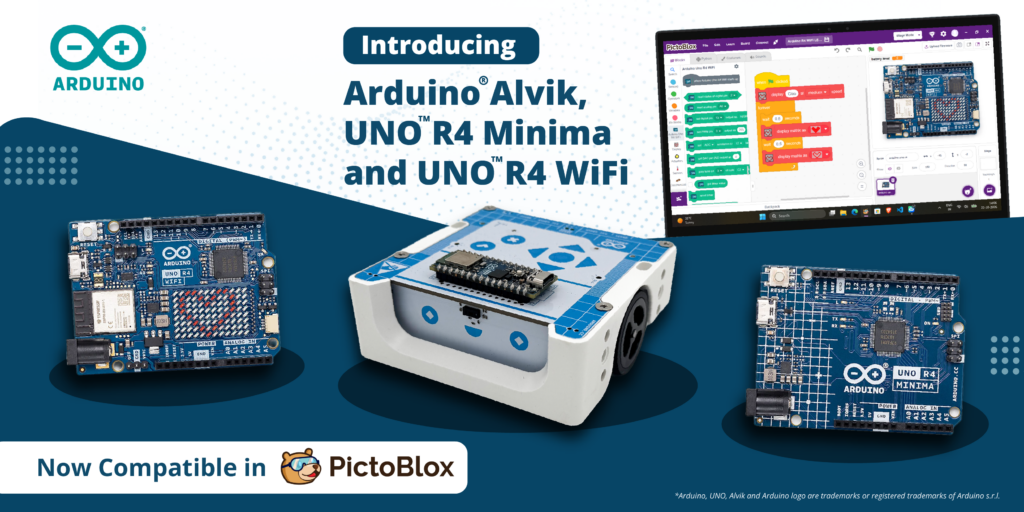
STEMpedia and Arduino bring block-based coding to the Arduino®UNO R4 WiFi and UNO R4 Minima boards as well as the Arduino® Alvik robot.
Every maker remembers the moment something they built first came to life: an LED blinking, a servo sweeping, a sensor reacting to a hand wave. Today, that moment gets a lot easier to reach thanks to a new collaboration between STEMpedia and Arduino!
We’re excited to reveal that PictoBlox 10.0, STEMpedia’s coding and technology creation platform, has expanded its Arduino compatibility to include the UNO R4 WiFi, UNO R4 Minima, and Alvik robot.
And what better place to celebrate this news than at Maker Faire Rome 2026? Join us from October 23rd–25th to explore the new integration and try PictoBlox for yourself!
From first-time coder to confident creator
Arduino has long been a starting point in electronics for makers, students and educators.PictoBlox brings a visual, drag-and-drop programming experience that helps users to focus on programming concepts without having to start with coding syntax. Together, they can help beginners go from “I’ve never coded” to “I built a working project” in a single session.
But PictoBlox isn’t just for beginners – or just for programming. Beyond block-based coding and Python, the platform is designed to let users explore AI and machine learning, experiment with tinyML and intelligent systems, program compatible robotics and electronic hardware, and develop IoT projects. It also supports game and animation development, opening up even more opportunities for hands-on creativity and experimentation.
Announcing the collaboration, Dhrupal Shah, CEO and Co-Founder of STEMpedia, said: “Great innovations begin with the freedom to experiment. By expanding Arduino board support in PictoBlox, we are making it easier for learners and makers around the world to turn their ideas into working projects.
“Students can create AI-powered projects and train their own Machine Learning models, making complex technologies more accessible. We’re excited to see how this collaboration inspires the global maker community to explore, build, and innovate.”
What you can do with PictoBlox and Arduino
Combining visual programming with Arduino hardware opens up all sorts of creative possibilities:
Program with blocks: snap together scripts instead of typing code, and see how your Arduino responds right away.
Work with sensors: read inputs such as an IR sensor and use them to trigger actions.
Control actuators: drive LEDs and servo motors from your scripts.
Go wireless: control your projects from a smartphone using Dabble, a project interaction and Bluetooth controller app.
By bringing together Arduino’s hardware ecosystem and PictoBlox’s versatile coding environment, the collaboration aims to make technology creation more approachable and open up new possibilities for the global maker community to learn, build, share, and innovate.
Built for classrooms, clubs and makerspaces
Whether you’re teaching in a classroom, running a coding club or experimenting in a makerspace, this expanded integration is all about trying to lower the learning barrier and open up new possibilities for creative exploration.
By helping reduce the need to manage syntax, block-based coding means learners can focus on developing essential skills like logical thinking, problem-solving and understanding how code works. And as their confidence grows, they can build on these foundations, explore text-based programming and take on increasingly ambitious projects within the Arduino ecosystem.
For educators, it’s a compelling combination: an approachable software environment and a familiar, well-supported hardware platform, with plenty of room for students to learn, experiment and grow – all in one workflow!
Get hands-on at Maker Faire Rome!
Heading to Maker Faire Rome this year? Be sure to stop by booth N.02, where you can see PictoBlox and Arduino in action, try out the new integration for yourself and chat with the team. We’d love to see you there!
Want real-world experience developing AI models and deploying applications using cutting-edge technologies such as the Arduino® UNO Q board? Qualcomm Academy has a new second-level program for you! The AI Associate Certification: Model to App is a hands-on, online, and self-paced program designed to provide experience with the end-to-end ML workflow, including data preparation, model creation, optimization, deployment, and on-device inference.
Through approximately five to six hours of build-along training, you’ll enjoy a combination of technical depth and practical application, helping you develop the confidence to create accurate, efficient, and production-ready AI solutions at the edge.
Three projects. One complete edge AI journey.
To achieve their certification, participants use a learning-focused development kit based on UNO Q to complete three real-world projects that span voice, vision, and sensor-based AI:
Wake Word Detection: Create and optimize a voice-enabled application that recognizes predefined wake words.
Person Recognition: Build a computer vision application that processes image data and performs real-time inference on an edge device.
Gesture Recognition: Train a model using IMU sensor data to detect and classify movements in real time.
Each project connects model architecture, training, validation, quantization, deployment, and application integration so learners can explore the ML lifecycle in practice.
Build skills for real-world edge AI development
By completing the certification, you will gain hands-on experience with developing ML models, preparing data, quantizing and optimizing models to explore tradeoffs among accuracy, latency, power consumption, and performance, and visualizing model graphs. You will also gain experience with AI development toolchains, explore MCU and MPU capabilities, develop real-time applications, and work with FastRPC communication for AI workloads.
The program is designed for developers and engineers, embedded systems professionals, IoT and robotics developers, students, and industry professionals interested in gaining practical experience with ML and edge AI. Learners should have basic Python skills, familiarity with an IDE, introductory knowledge of PyTorch and ML concepts, and prior hands-on experience equivalent to the Qualcomm Academy foundational AI certificate programs.
Flexible learning, practical results
The AI Associate Certification: Model to App is available online and can be completed at each learner’s own pace. You may purchase the program via Qualcomm Academy. After successfully completing the certification requirements, you will receive a Qualcomm Technologies certificate and badge that can be displayed on your CV and LinkedIn profile.
Start building – from model to app!
Take the next step in your AI development journey. Enroll in the AI Associate Certification: Model to App and gain hands-on experience applying ML concepts to applications running at the edge.
Visiting Maker Faire Rome (October 23rd–25th)? Make sure to stop by the Arduino booth to talk to the team about how you can get your AI Associate Certification: Model to App.
Qualcomm Academy is a program of Qualcomm Technologies, Inc. and/or its subsidiaries. Arduino and UNO are trademarks or registered trademarks of Arduino S.r.l.
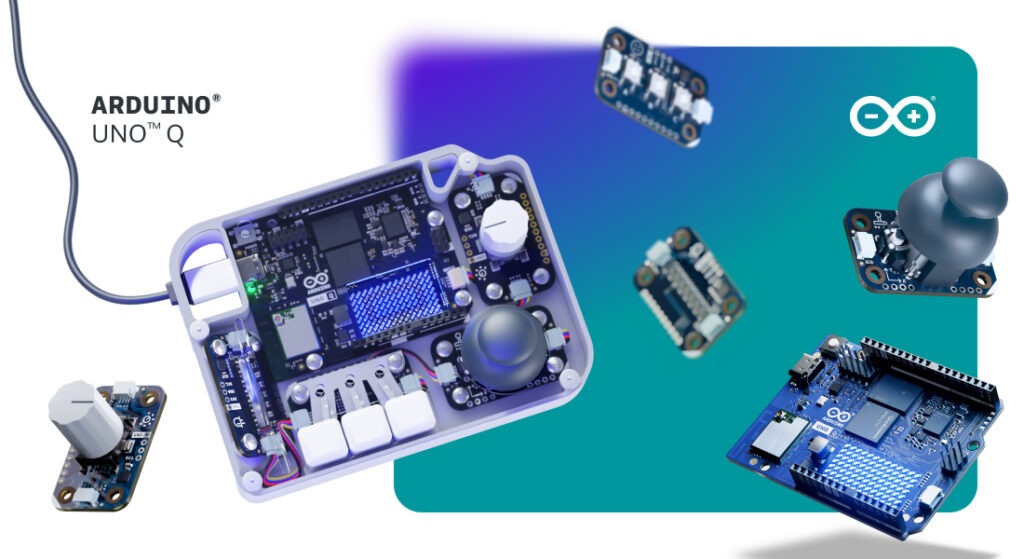
When running UNO Q as a standalone single-board computer, navigating its Linux desktop environment doesn’t have to mean reaching for a standard mouse and keyboard. One of the most rewarding aspects of combining microcontrollers with a full operating system is the freedom to design custom physical interfaces – turning buttons, knobs, and joysticks into direct, tactile controls for your software.
To support that experience, we’re introducing the UNO Q SBC Controller Bundle. Designed for makers, learners, and innovators, this kit brings together hardware, software, and step-by-step guides to help you build a customized control setup.
What’s included in the box?
At the heart of the bundle is the dual-brain UNO Q 4GB board. To create a physical input layout as an alternative to certain traditional input functions, the kit includes a curated set of Arduino® Modulino nodes: Buttons, Joystick, Knob, and Pixels for dynamic visual feedback.
The included components connect through the Arduino®App Lab development environment. To give your finished project a clean, product-like appearance, we also offer a downloadable, 3D-printable enclosure that you can print or modify for your design.
Bringing physical control to your Linux workflows
Running Linux directly on your development board supports a range of potential applications, as we recently explored in our overview of what Linux unlocks on the UNO Q board. Whether you’re managing local Home Assistant dashboards, launching retro games, or controlling edge AI routines, physical controls provide another way to interact with your system.
Building your own controller offers a hands-on way to explore human-machine interaction, helping you learn how physical inputs translate into operating system commands. Thanks to the modular nature of the Modulino ecosystem, the setup is designed to be flexible – you can reconfigure supported input mappings or swap in compatible components as your project evolves. Detailed walkthroughs are already available here on Arduino Project Hub with instructions for assembling the featured configuration.
Completing your desktop setup
If you’re turning your UNO Q into a complete desktop station, a few optional accessories can round out your build. The Arduino®USB-C Hub (8 in 1) adds HDMI output, Ethernet, and extra USB ports, while the official Arduino USB-C Power Supply (45W) and Arduino USB-C Cable (24 pin) are designed to provide compatible power delivery for the UNO Q setup.
Head over to the Arduino Store to explore the new UNO Q SBC Controller Bundle, download the 3D-printable files, and start crafting your own custom hardware interface today!
Arduino, UNO, and Modulino are trademarks or registered trademarks of Arduino S.r.l.
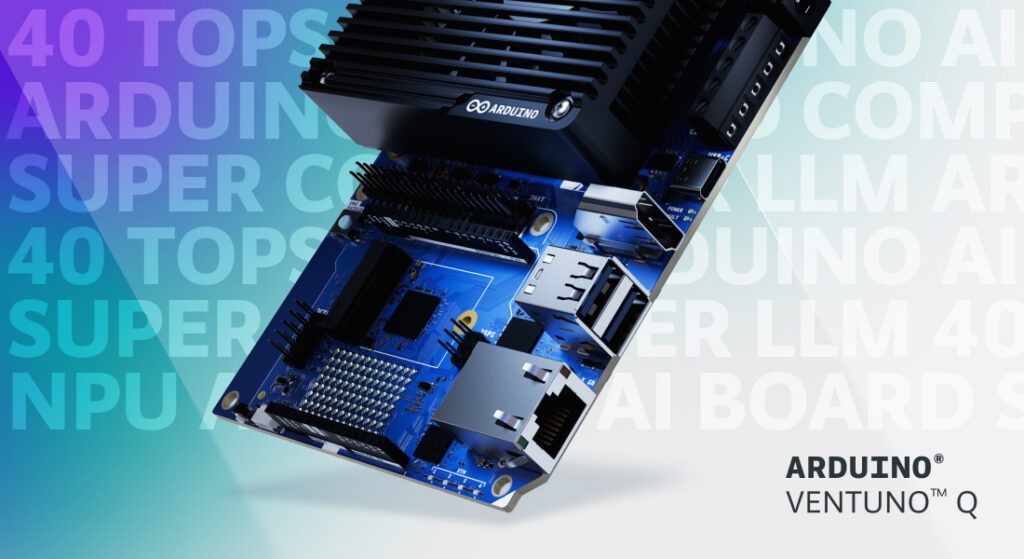
At Arduino, we have always believed that the most powerful technology should be in the hands of the many, not the few. That belief is the very reason VENTUNO Q exists, to put real AI into the hands of more creators. This includes access to the product itself, and when we introduced VENTUNO Q back in March we made the promise of an introductory price of under $300. A promise we honored when we made the product available for order in August for $299.
The cost of the many key components that make a board like this possible, in particular memory modules, has risen sharply across our entire industry, and continues to climb. We absorbed those increases for as long as we possibly could, because a commitment is a commitment, and your response made every bit of that effort worthwhile. VENTUNO Q sold out (twice!) in no time at all, and the orders have not stopped since. To everyone who pre-ordered, built, and believed in this board from day one, thank you! You proved what we hoped: that there is a real, deep hunger for open, powerful, physical AI.
But, what moves me most is not the numbers, but what you are already doing with it. In these first weeks we have begun to see projects arrive from our online community, and in person at events: Agentic AI reasoning assistant, depth camera multitool, industrial production line vision inspection, humanoid service robot, JetArm face-tracking, voice control, etc. You even have Half Life 2 & Skyrim running on it. From personal robotics experiments to serious edge AI industrial applications, this range of ideas is exactly why the VENTUNO Q exists. Take a look at what the community is already making, it’s truly impressive!
So here is where we stand. From October 19, VENTUNO Q graduates from its special introductory price to its official retail price, at $399. This is not a number we chose lightly, it is the honest price of delivering this AI computer, and this much ambition, in today’s market. If you have already pre-ordered VENTUNO Q, nothing changes for you, the introductory price will be honored in full.
What I want you to know is this: at $399, VENTUNO Q still delivers unprecedented value. In a single open platform, it brings together an Qualcomm® Hexagon NPU rated at 40 dense TOPS for local LLMs and vision AI running on-device, a dedicated STM32H5 sub-millisecond brain to act on the physical world, 16 GB of RAM, and a genuine path from prototype to production through the Works with Arduino program powered by Qualcomm Dragonwing processors.
And we are only getting started. The board you hold is one half of the story; the software keeps evolving continuously and at no extra cost. Our next Arduino® App Lab release will bring new AI models, support for 3rd-party accessories like the Raspberry Pi HATs and MIPI CSI cameras, and many more new features. Qualcomm® Linux® software stack support for VENTUNO Q is already live in beta on GitHub for you to experiment with today. There is a lot more on the way in the coming weeks. So stay tuned.
Thank you, as always, for the trust you place in Arduino. I cannot wait to see what you build next.
Qualcomm branded products are products of Qualcomm Technologies, Inc. and/or its subsidiaries. Arduino, VENTUNO, and Works with Arduino are trademarks or registered trademarks of Arduino S.r.l. Linux® is the registered trademark of Linus Torvalds in the U.S. and other countries.
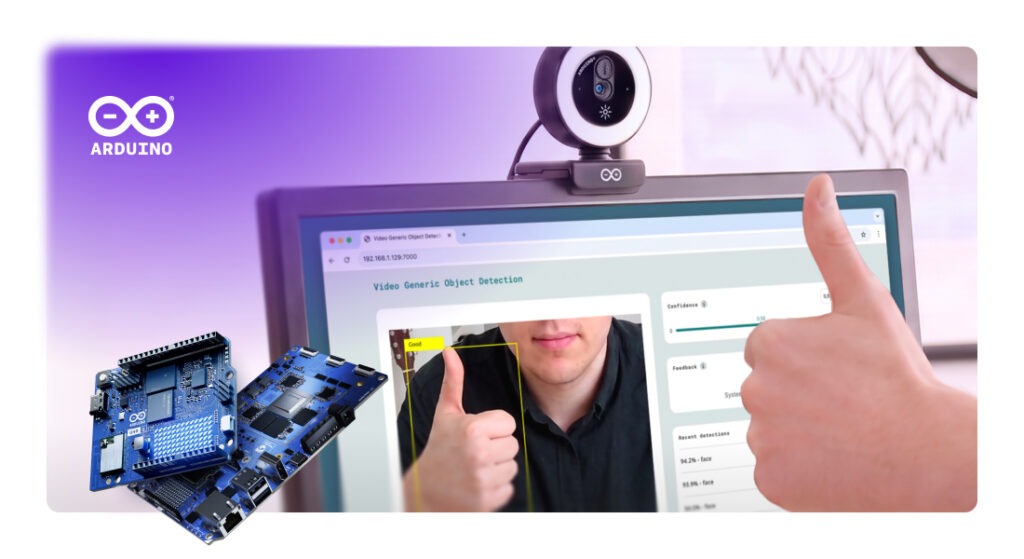
The Arduino ecosystem is expanding with a new USB-connected accessory designed to help simplify edge AI and computer vision: meet our first official, standalone Arduino USB Camera!
And if you are thinking “Well, it’s just a camera” – think again. When paired with single-board computers like the Arduino® UNO Q and Arduino® VENTUNO Q, it is built to unlock real-time visual perception and audio processing without requiring additional driver setups, custom kernel compiles, or complex hardware configurations. Instead of spending hours troubleshooting connections, you can plug it in and route high-fidelity video feeds and microphone audio directly into local AI models for real-time inference.
Ready for a hands-on experiment? In a recent online workshop, Andrea Richetta, Senior Product Evangelist at Arduino (Qualcomm Europe), built a face recognition system from scratch with UNO Q and Arduino® App Lab. Now imagine giving that project a pair of eyes made for the job: the brand-new Arduino USB Camera. Follow along, plug it in, and see your first face recognition system come to life.
The complete audio-visual hardware
Let’s dive deeper into what the Arduino USB Camera is and can do.
It’s a workspace-ready device that integrates HD imaging and audio into your next project:
Minimal-configuration setup: Plugs directly into the USB ports of UNO Q or VENTUNO Q, designed so you can begin running computer vision models quickly.
Integrated HD microphone: Captures audio alongside video, helping enable voice-and-vision multimodal applications without secondary audio hardware.
Adaptive ring lighting: Features a touch-dimmable LED ring with adjustable color temperature, created to help maintain image consistency in varying ambient light.
Flexible mounting: Includes a monitor clip, flat desk stand, and standard tripod thread.
Now for the fun part: the exciting feature is not what it can do but what you can do with it!
Because it’s designed for the AI models available in Arduino App Lab, the Arduino USB Camera connects directly into local, on-device workflows for a huge range of practical applications. Here are just a few examples we’ve brainstormed while developing the new accessory for you:
Object detection and classification: Run YOLO-X or MobileNet on UNO Q or VENTUNO Q to detect faces, count objects, and trigger low-latency physical responses through the onboard real-time MCU.
Touchless gesture control: Deploy MediaPipe gesture recognition to translate hand movements into control commands for robotics and user interfaces.
Scene understanding via VLMs: Feed real-time video into local vision-language models like Qwen VLM on VENTUNO Q to generate on-device natural language scene descriptions.
Multimodal assistants: Combine image feed and HD microphone audio with local ASR and LLM models to build interactive desktop companions and automated kiosks.
Ready to simplify your next AI vision project? Light up your AI vision projects with our new USB Camera. Check out the documentation.
Arduino, UNO, Modulino, and VENTUNO, and the Arduino logo are trademarks or registered trademarks of Arduino S.r.l.
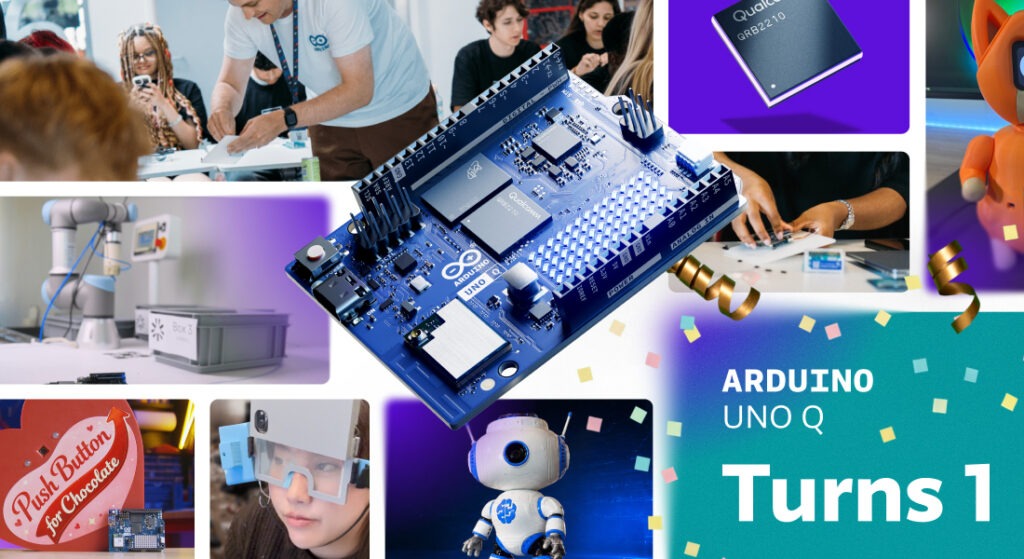
The promise was simple: bring real computing power and edge AI to makers, students, and professionals, without losing the openness and joy that make Arduino what it is.
Twelve months later, you have responded to our biggest announcement ever in ways we could not have scripted.
Thank you.
The year in numbers*
You didn’t just try UNO Q. You built an ecosystem around it.
270,000+ UNO Q shipped worldwide
400+ events across the ecosystem
4,000+ contest participants, who delivered 250+ official builds
850+ topics about UNO Q on the Arduino Forum
One year in, the Arduino community continues to grow and thrive. The number of projects shared on Project Hub has nearly doubled year on year, while Arduino library downloads grew roughly 50% year on year, reaching 244+ million downloads in the last 12 months, compared with 165+ million in the previous year. The Arduino IDE also reached 35+ million downloads
Behind those numbers is something more interesting: a year of people discovering what happens when Arduino meets serious computing and AI.
*As of September 29, 2026
Where it started
UNO Q brought together two worlds that had rarely lived on the same Arduino board: a Qualcomm Dragonwing QRB2210 microprocessor, with AI acceleration, quad-core performance and graphics, coupled with a real-time STM32U585 microcontroller.
That combination is what makes UNO Q different. One side can run Linux, AI models, and demanding applications. The other can handle deterministic, real-time control. Together, they let developers bring the two worlds together in a way that feels like Arduino.
UNO Q launched alongside Arduino® App Lab, introducing a new way to build: an Arduino sketch on the MCU working together with a Python program on the MPU, packaged as one application. Suddenly, projects that once needed separate boards, computers or more complicated setups could start from a single Arduino.
Debian Linux for UNO Q brought a curated Linux environment to the board, making it easier to get started with the MPU side of the board. Arduino App Lab evolved throughout the year, adding new capabilities and workflows. We also brought Qualcomm Linux to UNO Q, giving developers another path into the Qualcomm ecosystem while keeping Arduino at the center of the experience.
In August, Agentic Mode brought AI-assisted development to an Arduino desktop IDE for the first time.
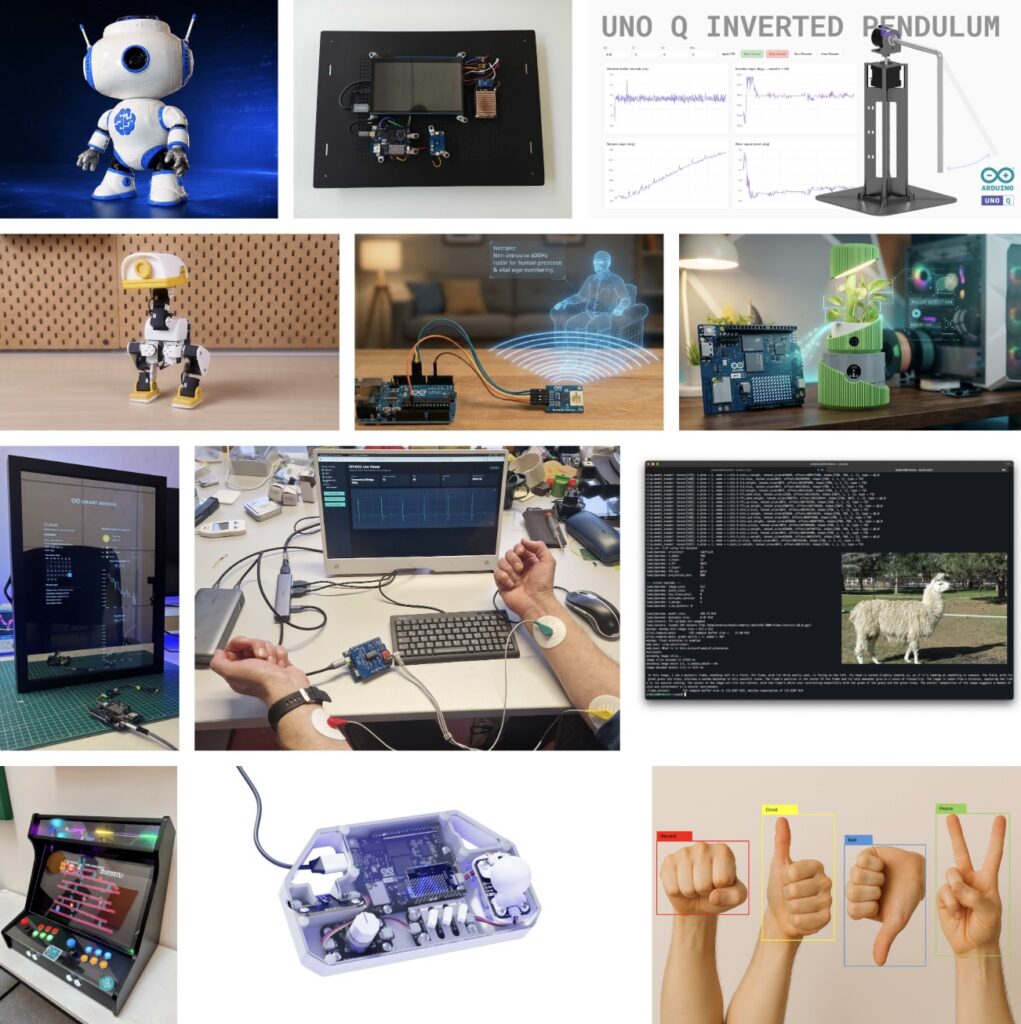
We selected 12 standout projects that capture just some of the creativity and ambition of the UNO Q community.
And the creativity is still unfolding. Our Invent the Future with Arduino UNO Q and App Lab contest with Hackster is wrapping up, with the winners set to be announced on October 9. See the contest on Hackster
When Arduino joined Qualcomm, some wondered what it would mean for Arduino’s open approach. One year later, the answer is simple: openness remains at our core.
Arduino remains open source, with open hardware schematics and software under MPL, AGPL, and GPL. And this year, we continued to open up the tools behind UNO Q, including Arduino App Lab, available on GitHub for developers to explore, contribute to, and build on.
And the work this year has not been limited to UNO Q. Throughout this time period, we also unveiled several new products under the same ethos, ranging from the Arduino® Starter Kit R4 and Arduino® Nesso N1 to no less than eight (eight!) new Arduino® Modulino nodes. Motors, Joystick, Latch Relay, Light, LED Matrix, Vibro, Hub, and Extender may be tiny in size, but easily add so many different functionalities to your projects: you can check out the Arduino® UNO Q DIY synth bundle and Arduino® UNO Q Arcade bundle to get an idea of how well they work to bring ideas to life. Plus, Arduino Cloud got even better!
Meanwhile, Arduino Core on Zephyr reached version 1.0, moving beyond its beta phase and providing a solid RTOS foundation for Arduino boards with an MCU, including UNO Q as well as the new Arduino® VENTUNO Q board.
Stronger together
Qualcomm is deepening its own open source commitment as well. Its business success depends on open standards, upstream collaboration, and transparent participation in the ecosystem.
A couple of months ago, we introduced VENTUNO Q, bringing substantially more computing and AI capability to Arduino developers. It opens the door to more demanding applications while keeping the development experience familiar.
A year ago, UNO Q was a new board. Today, it’s a growing platform, a new way of developing with Arduino, and, most importantly, a community of people finding out what it can do. Arduino and Qualcomm are stronger together!
A prototype is only the beginning
You can start with a prototype on UNO Q or VENTUNO Q and, as your requirements evolve, move to more advanced platforms and commercial-ready solutions while keeping the tools, models, and applications you already built.
Finally, this year we also launchedWorks with Arduino, a program enabling partners to certify their System on Modules and developers to take apps built with UNO Q or VENTUNO Q to compatible hardware without changing a line of code. With App Lab, applications are packaged as a single App Release, making it possible to move from prototype to production in minutes, not weeks.
It is a direct bridge from prototype to commercial-ready hardware, and a path to the 33M+ Arduino developer community for partners.
And the community came together beyond the projects too. Alongside Qualcomm, we brought UNO Q to CES, MWC, and the Mission44 Workshop, meeting developers, makers, students, and industry leaders, while showing what this new generation of Arduino-powered computing can do.
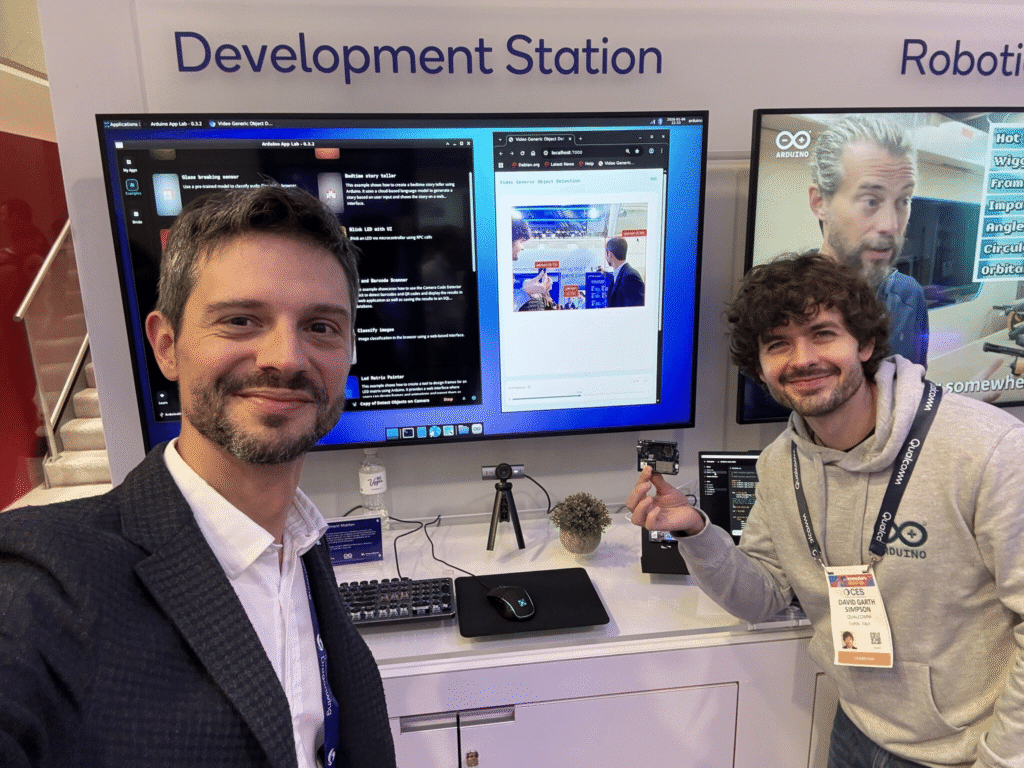
The Arduino team at the Qualcomm booth at CES (January 2026)!
Mission 44 students at Silverstone getting hands-on with UNO Q and AI-powered racing telemetry (June 2026).
It is just the beginning
Year one showed that powerful, open, and simple can go together. It showed us what happens when you put new tools in the hands of a curious community, and let them take it somewhere you didn’t expect.
Year two is about going further: more tools, more partners, and more ways to turn an idea into something real.
Happy first birthday, UNO Q!
And to everyone who built, shared, taught, hacked, and dreamed with it this year: thank you. The best is still ahead.
Qualcomm branded products are products of Qualcomm Technologies, Inc. and/or its subsidiaries.
Arduino, Modulino, Nesso, UNO, Starter Kit, and VENTUNO, and the Arduino logo are trademarks or registered trademarks of Arduino S.r.l.
A recent article revealed that OpenAI is purchasing tens of thousands of Mac minis and Mac Studios to give AI agents dedicated environments to run, make mistakes, and learn. It’s a smart infrastructure decision for agents meant to operate inside a computer clicking, navigating, using software: they need a full computer to practice on. But it got us wondering: is that always the right environment for an agent?
Why agents need their own environment
An AI agent isn’t a chatbot. It perceives a situation, takes an action, observes the result, adjusts, and tries again – in a loop that requires a persistent local environment with compute, I/O, and feedback. You can’t outsource the whole thing to a cloud API, because the agent needs somewhere to live and something to interact with. In OpenAI’s situation, the answer is: give it a computer. That works well when the goal is teaching agents to use software. But software isn’t the whole world.
Physical AI needs something different (and surprisingly cheaper)
A Mac mini today starts at around $900. At the scale OpenAI is reportedly operating, the infrastructure bill is substantial. That cost is justified when you need a full computing environment. But what if the agent’s environment doesn’t need to be a general-purpose computer? What if it needs to be a temperature sensor, a camera feed, a production line?
At a fraction of the cost, an Arduino® VENTUNO Q board can provide a persistent Linux environment for the agent runtime, local AI inference, and direct access to real-world I/O: cameras, sensors, actuators. The economics of deploying agent environments at scale look very different when each node costs significantly less, and can be embedded directly in the physical context it’s meant to ultimately operate in.
What an Arduino agentic environment actually looks like
VENTUNO Q is built to combine a Linux-capable MPU with NPU acceleration and a dedicated real-time MCU on a single board. The Linux side is engineered to run the agent – its reasoning, its model, its decision logic. The MCU side is designed to connect it to the world: motors, sensors, cameras, industrial interfaces. No cloud dependency. No separate controller. One self-contained unit that perceives, decides, and acts.
Arduino® UNO Q is structured to extend this further as a low-cost remote node. David Groom demonstrated this clearly leveraging OpenClaw, developing an agent framework on UNO Q designed to enable agents to interact with physical hardware. By connecting to Arduino shields and accessing additional hardware capabilities, the framework supports physical-world interactions while enabling deployment across multiple units simultaneously, each maintaining its own context and operational role.
With these tools, it’s easy to envision a “swarm” model: VENTUNO Q built to serve as a local processing hub, with UNO Q units designed for distributed deployment as remote nodes, all supporting agent-based workflows that interact with physical environments rather than simulated ones.
More agents, more learning, lower cost
This is where the conversation becomes more interesting than individual compute specifications alone. Lower deployment costs can make broader deployment economically feasible, creating opportunities for more agent interactions, richer feedback loops, and exposure to a wider range of real-world operating conditions.
An agent that has operated across multiple physical environments, each with its own sensors, lighting conditions, and sources of noise, may be exposed to a broader set of inputs than an agent trained exclusively in software simulations.
Arduino can give agents something else to learn from: the physical world. By combining accessible hardware with scalable deployment models, Arduino platforms are designed to support the creation of large numbers of agent-enabled environments for experimentation, testing, and real-world interaction.
VENTUNO Q is also available on the Arduino Store or through our official distribution partners: DigiKey, Farnell, Kubii, Mouser, Robu.in, and RS, along with other authorized distributors and resellers.
Arduino, UNO, and VENTUNO, and the Arduino logo are trademarks or registered trademarks of Arduino S.r.l.
Physical AI is based on the idea that intelligence shouldn’t stop at perception: instead, it should bring to life systems able to sense their environment, reason about it, and act on it – all in one continuous loop. It’s what makes the difference between a device that observes and one that acts.
Autonomous mobile robots are one of the clearest expressions of that idea in the real world. Imagine an autonomous delivery robot working around a warehouse, carrying items to the correct shelf or placing them on a conveyor belt for inspection or packaging. On its way, it may have to stop as someone steps into its path, or adjust its route if a cart has been moved. It must understand its surroundings, determine its position, calculate a path, and respond as the environment changes, until it reaches the right destination.
It must control its wheels precisely, read sensors continuously, and react quickly to nearby obstacles – all at the same time.
In all autonomous mobile robots, or AMRs, these tasks require two different kinds of computing: navigation, computer vision, and AI benefit from the flexibility and performance of Linux; motor control and time-sensitive sensor management require the responsiveness of a microcontroller.
VENTUNO Q brings these two worlds together, combining a Linux-capable MPU with a real-time MCU on a single platform. To explore the potential of this architecture, let’s imagine how it could become the central computing platform for a food-delivery AMR, where perception, ROS 2, Edge AI and physical control could work together.
Two computing worlds, one robot
In a conventional AMR prototype, high-level computing and motor control are often distributed across separate boards. A Linux computer runs ROS 2 and processes data from cameras and LiDAR, while a microcontroller manages motors, encoders and local sensors. This approach works, but it also creates integration work. Developers must connect the boards, define their communication protocol, maintain multiple development environments and debug the interaction between systems designed independently from one another.
VENTUNO Q provides a more integrated starting point. Its MPU can host Linux, ROS 2, navigation software, computer vision and AI workloads. Its MCU can remain close to the physical robot, managing wheel control, encoder feedback, inertial measurements, short-range sensing and communication with motor drivers. The separation of responsibilities is clear: the MPU determines where the robot should go, while the MCU turns that decision into controlled physical movement. Together, the two sides allow the system to sense, decide, and act.
Sense: giving the robot an understanding of its environment
As the delivery robot travels through a warehouse, hotel, or even a restaurant or public space where it is at work to deliver orders, it must continuously build a picture of what is happening around it. No single sensor can provide all the information it needs, so the architecture combines several complementary sources.
A 2D LiDAR can provide the geometric foundation for navigation. Its laser scans describe walls, corridors, furniture and other structures around the robot. Combined with wheel odometry and inertial data, these scans can be used by SLAM software to build a map and later help the robot estimate its position within it. However, a LiDAR scanning on a single plane cannot describe every obstacle. A table surface, an open drawer or an object protruding into the robot’s path may sit above or below that plane.
A stereo-depth camera can add three-dimensional information, helping the robot perceive shapes and obstacles that may not appear clearly in a planar scan. A MIPI camera can provide visual input for more application-specific tasks, such as detecting people, recognizing a delivery station or checking whether a tray is present.
Image shown for illustration purposes only
Closer to the robot, an Arduino® Modulino Distance node monitors blind spots or detects objects immediately in front of the chassis. A Modulino Movement provides acceleration and angular-rate data, contributing to motion estimation and helping identify unusual vibration, collisions or unexpected movement.
Wheel encoders complete this picture by measuring how the robot is actually moving. The MCU can use their feedback to regulate wheel speed, while the resulting odometry can be shared with the navigation software running on Linux. Rather than relying on a single “smart” sensor, the robot develops awareness by combining geometric, visual, inertial and mechanical information.
Decide: ROS 2 as the software backbone
On the MPU, ROS 2 provides a common software environment for connecting all these elements. The LiDAR publishes laser scans. The camera pipeline provides images or depth information. The robot publishes odometry and inertial measurements. Navigation components consume this data to estimate the robot’s position, plan a route and respond when the environment changes.
Image shown for illustration purposes only
During its first exploration of a space, a ROS 2 SLAM package can combine LiDAR data and odometry to create a map. Once that map is available, the robot can localize itself and use Nav2 to move between destinations.
If the application sends the robot from the warehouse to the packaging station, Nav2 calculates an appropriate route and continually updates it as new sensor information arrives. It then generates velocity commands describing how quickly the robot should move forward and rotate. Those commands express the intended movement, but they do not directly control the motors. That responsibility moves from the Linux domain to the MCU.
Act: from a ROS 2 command to wheel movement
When Nav2 publishes a velocity command, an MPU-to-MCU communication layer transfers the request to the real-time control application. The MCU translates the requested linear and angular movement into targets for the left and right wheels. It then communicates with the motor controllers – potentially over CAN – and uses encoder feedback to maintain the required wheel speed.
This control loop can run with predictable timing, independently of the larger ROS 2 software graph operating on Linux. Information also travels in the opposite direction. Encoder measurements, inertial data, short-range distance readings and drive-system diagnostics can move from the MCU to the MPU, where they become available to the ROS 2 application.
This connection between the two computing domains is one of the most important elements of the architecture. It allows high-level navigation software to interact with the physical robot without asking Linux to manage every time-sensitive electrical and mechanical detail.
It also creates space for local reactions. If a close-range sensor detects an object immediately in front of the robot, the MCU can place the drive system into a controlled stop state and report the event to the MPU. The navigation layer can then reassess the situation, update the route or notify the application. The result is a robot in which intelligence and responsiveness complement one another.
Adding context with edge AI
LiDAR, odometry and Nav2 can already allow the robot to navigate through a mapped environment. AI becomes valuable when the robot needs to understand the meaning of what it perceives. The navigation system may detect an obstacle, for example, but a vision model could determine whether that obstacle is a person, a chair or a delivery cart. This additional context enables more appropriate behavior.
When a person approaches, the robot could slow down, wait or announce that a delivery is arriving. At its destination, a visual model might recognize the delivery zone or check whether someone has removed the tray. The same platform could also inspect the route for objects left on the floor or use vibration data to identify abnormal mechanical behavior.
Edge Impulse offers one possible workflow for developing this kind of application-specific intelligence. Through its ROS 2 integration, an inference model can consume image data and make its results available to other parts of the robotic application. ROS 2 helps the robot decide how to navigate. Edge AI helps it interpret the context in which that navigation takes place. And with the integrated Edge Impulse platform, you can choose to deploy directly into Arduino® App Lab – it just takes one click.
Growing the prototype one capability at a time
Although the reference architecture includes navigation, depth sensing and AI, a developer would not need to introduce every capability at once. The first prototype could focus only on the mobile base, with the MCU controlling the motors and reading the wheel encoders. Once basic movement is reliable, the control layer could be connected to ROS 2 on the MPU so the robot can accept standard velocity commands and return odometry data.
Adding LiDAR would introduce mapping, localization and autonomous navigation. Depth sensing and short-range sensors could then improve obstacle awareness. Finally, visual AI could transform the generic mobile platform into a delivery robot capable of recognizing people, destinations and application-specific events. This progressive approach keeps each development step understandable while preserving a clear path toward a more capable system.
VENTUNO Q does not remove the engineering challenges involved in building an AMR. Mechanical design, power management, motor sizing, navigation tuning, sensor placement and safety still require careful work. Its value is in providing a more coherent place to begin.
From perception to motion
A food-delivery robot is only one expression of this architecture. The same computing model could support warehouse vehicles, inspection robots, hospital logistics systems, agricultural platforms, and other autonomous machines.
The sensors, drive systems and AI models may change, but the fundamental challenge remains the same: connecting high-level intelligence with responsive physical action. By combining a Linux-capable MPU and a real-time MCU, VENTUNO Q gives developers a platform for exploring that complete chain. ROS 2, navigation, perception and edge AI can operate on the MPU, while the MCU manages the sensors and actuators that connect software decisions to the real world.
From understanding the environment to controlling the wheels, VENTUNO Q offers a unified starting point for prototyping the next generation of intelligent mobile robots.
VENTUNO Q is available through our official distribution partners: DigiKey, Farnell, Mouser, Robu.in, and RS, along with our other authorized distributors and resellers.
Arduino, Modulino, VENTUNO, and the Arduino logo are trademarks or registered trademarks of Arduino S.r.l.
If you’re reading this, that means you’ve successfully made it through 2025! Allow us to be the first to congratulate you — that’s another twelve months of skills learned, projects started, and hacks….hacked. The average Hackaday reader has a thirst for knowledge and an insatiable appetite for new challenges, so we know you’re already eager to take on everything 2026 has to offer.
But before we step too far into the unknown, we’ve found that it helps to take a moment and reflect on where we’ve been. You know how the saying goes: those that don’t learn from history are doomed to repeat it. That whole impending doom bit obviously has a negative connotation, but we like to think the axiom applies for both the lows and highs in life. Sure you should avoid making the same mistake twice, but why not have another go at the stuff that worked? In fact, why not try to make it even better this time?
As such, it’s become a Hackaday tradition to rewind the clock and take a look at some of the most noteworthy stories and trends of the previous year, as seen from our rather unique viewpoint in the maker and hacker world. With a little luck, reviewing the lessons of 2025 can help us prosper in 2026 and beyond.
Love it or Hate it, AI is Here
While artificial intelligence software — or at least, what passes for it by current standards — has been part of the technical zeitgeist for a few years, 2026 was definitely the year that AI seemed to be everywhere. So much so that the folks at Merriam-Webster decided to make “slop”, as in computer-generated garbage content, their Word of the Year. They also gave honorable mention to “touch grass”, which they describe as a phrase that’s “often aimed at people who spend so much time online that they become disconnected from reality.” But we’re going to ignore that one for personal reasons.
At Hackaday, we’ve obviously got some strong feelings on AI. For those who earn a living by beating the written word into submission seven days a week, the rise of AI is nothing less than an existential crisis. The only thing we have going for us is the fact that the average Hackaday reader is sharp enough to recognize the danger posed by a future in which all of our media is produced by a Python script running on somebody’s graphics card and will continue to support us, warts and all.
Like all powerful tools, AI can get you into trouble if you aren’t careful.
But while most of us are on the same page about AI in regards to things like written articles or pieces of art, it’s not so clear cut when it comes to more utilitarian endeavours. There’s a not insignificant part of our community that’s very interested in having AI help out with tedious tasks such as writing code, or designing PCBs; and while the technology is still in its infancy, there’s no question the state of the art is evolving rapidly.
Make no mistake, an over-reliance on AI tools can be dangerous. In the best case, the user is deprived of the opportunity to actually learn the material at hand. In the worst case, you make an LLM-enhanced blunder that costs you time and money. But when used properly, the takeaway seems to be that a competent maker or hacker can leverage these new AI tools to help bring more of their projects across the finish line — and that’s something we’ve got a hard time being against.
Meshtastic Goes Mainstream
Another tech that gained steam this year is Meshtastic. This open source project aims to allow anyone to create an off-grid, decentralized, mesh network with low cost microcontrollers and radio modules. We fell in love with the idea as soon as we heard about it, as did many a hacker. But the project has reached a level of maturity that it’s starting to overflow into other communities, with the end result being a larger and more capable mesh that benefits everyone.
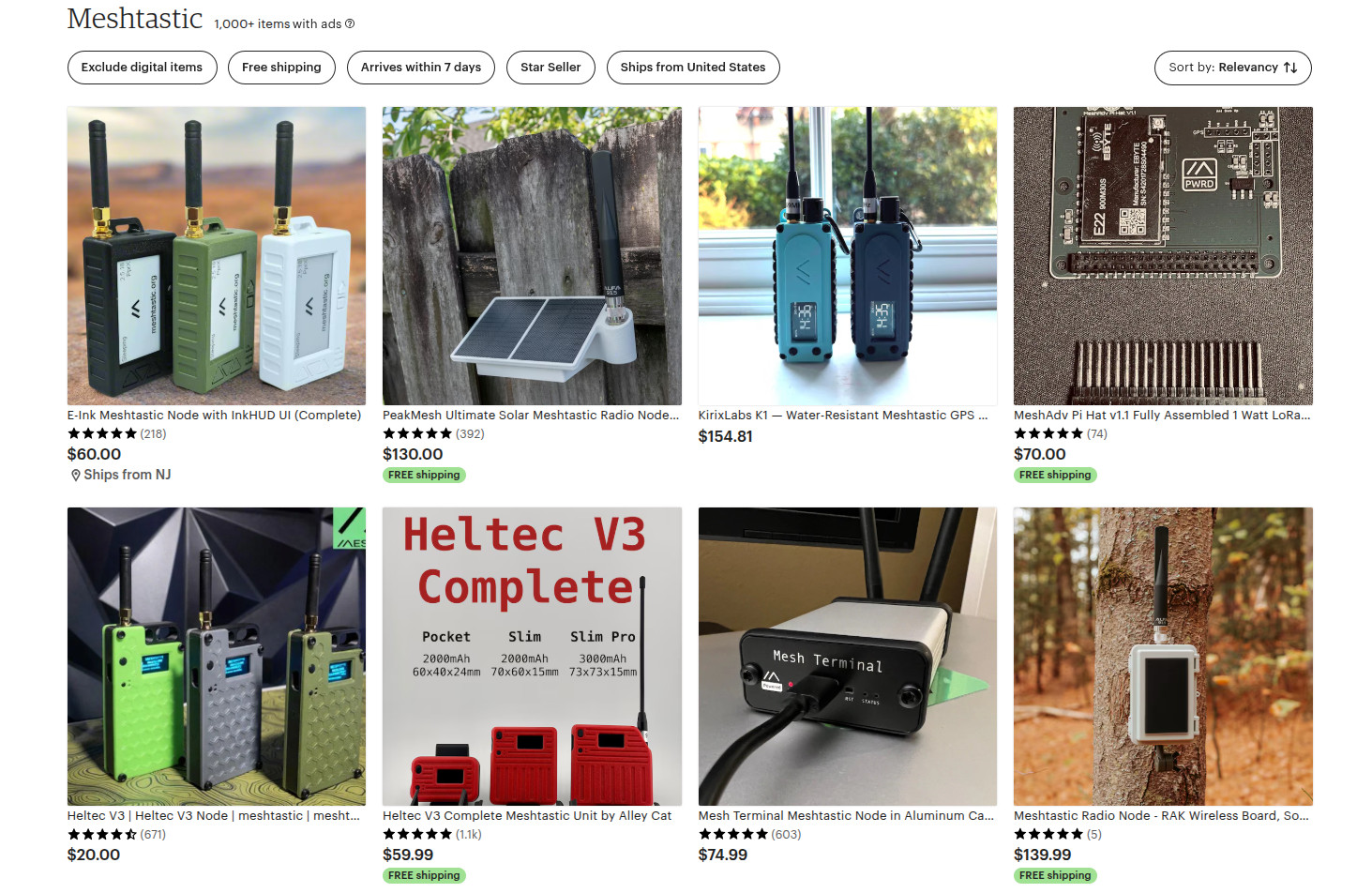
Part of the appeal is really how ridiculously cheap and easy it is to get started. If you’re starting from absolutely zero, connecting up to an existing mesh network — or creating your own — can cost you as little as $10 USD. But if you’re reading Hackaday, there’s a good chance you’ve already got a supported microcontroller (or 10) laying around, in which case you may just need to spring for the LoRa radio module and wire it up. Add a 3D printed case, and you’re meshin’ with the best of them.
There are turn-key Meshtastic options available for every budget, from beginner to enthusiast.
If you’re OK with trading some money for time, there’s a whole world of ready to go Meshtastic devices available online from places like Amazon, AliExpress, and even Etsy for that personal touch. Fans of the retro aesthetic would be hard pressed to find a more stylish way to get on the grid than the Hacker Pager, and if you joined us in Pasadena this year for Hackaday Supercon, you even got to take home a capable Meshtastic device in the form of the Communicator Badge.
Whether you’re looking for a backup communication network in the event of a natural disaster, want to chat with neighbors without a megacorp snooping on your discussion, or are simply curious about radio communications, Meshtastic is a fantastic project to get involved with. If you haven’t taken the plunge already, point your antenna to the sky and see who’s out there, you might be surprised at what you find.
Arduino’s New Overlord
In terms of headlines, the acquisition of Arduino by Qualcomm was a pretty big one for our community. Many a breathless article was written about what this meant for the future of the company. And things only got more frantic a month later, when the new Arduino lawyers updated the website’s Terms and Conditions.
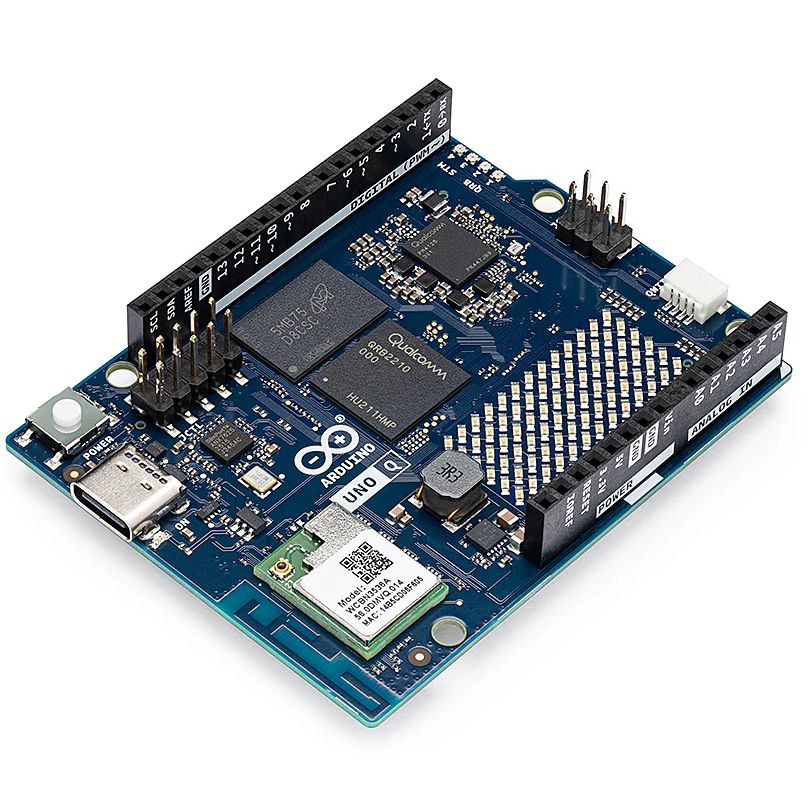
But you didn’t see any articles about that here on Hackaday. The most interesting part of the whole thing to us was the new Arduino Uno Q: an under $50 USD single-board computer that can run Linux while retaining the classic Uno layout. With the cost of Raspberry Pi hardware steadily increasing over the years, some competition on the lower end of the price spectrum is good for everyone.
The Arduino Uno Q packs enough punch to run Linux.
As for the Qualcomm situation — we’re hackers, not lawyers. Our immediate impression of the new ToS changes was that they only applied to the company’s web services — “The Platform” in the contract — and had no bearing on the core Arduino software and hardware offerings that we’re all familiar with. The company eventually released a blog post explaining more or less the same thing, explaining that evolving privacy requirements for online services meant they had to codify certain best practices, and that their commitment to open source is unwavering.
For now, that’s good enough for us. But the whole debacle does bring to mind a question: if future Arduino software development went closed-source tomorrow, how much of an impact would it really have on the community at this point? Today when somebody talks about doing something with Arduino they are more likely to be talking about the IDE and development environment than one of the company’s microcontroller boards — the licenses for which mean the versions we have now will remain open in perpetuity. The old AVR Arduino code is GPLed, after all, as are the newer cores for microcontrollers like the ESP32 and RP2040, which weren’t written by Arduino anyway. On the software side, we believe that we have nothing to lose.
But Arduino products have also always been open hardware, and we’ve all gained a lot from that. This is where Qualcomm could still upset the applecart, but we don’t see why they would, and they say they won’t. We’ll see in 2026.
The Year of Not-Windows on the Desktop?
The “Year of Linux on the Desktop” is a bit like fusion power, in that no matter how many technical hurdles are cleared, it seems to be perennially just over the horizon. At this point it’s become a meme, so we won’t do the cliché thing and claim that 2025 (or even 2026) is going to finally be the year when Linux breaks out of the server room and becomes a mainstream desktop operating system. But it does seem like something is starting to shift.
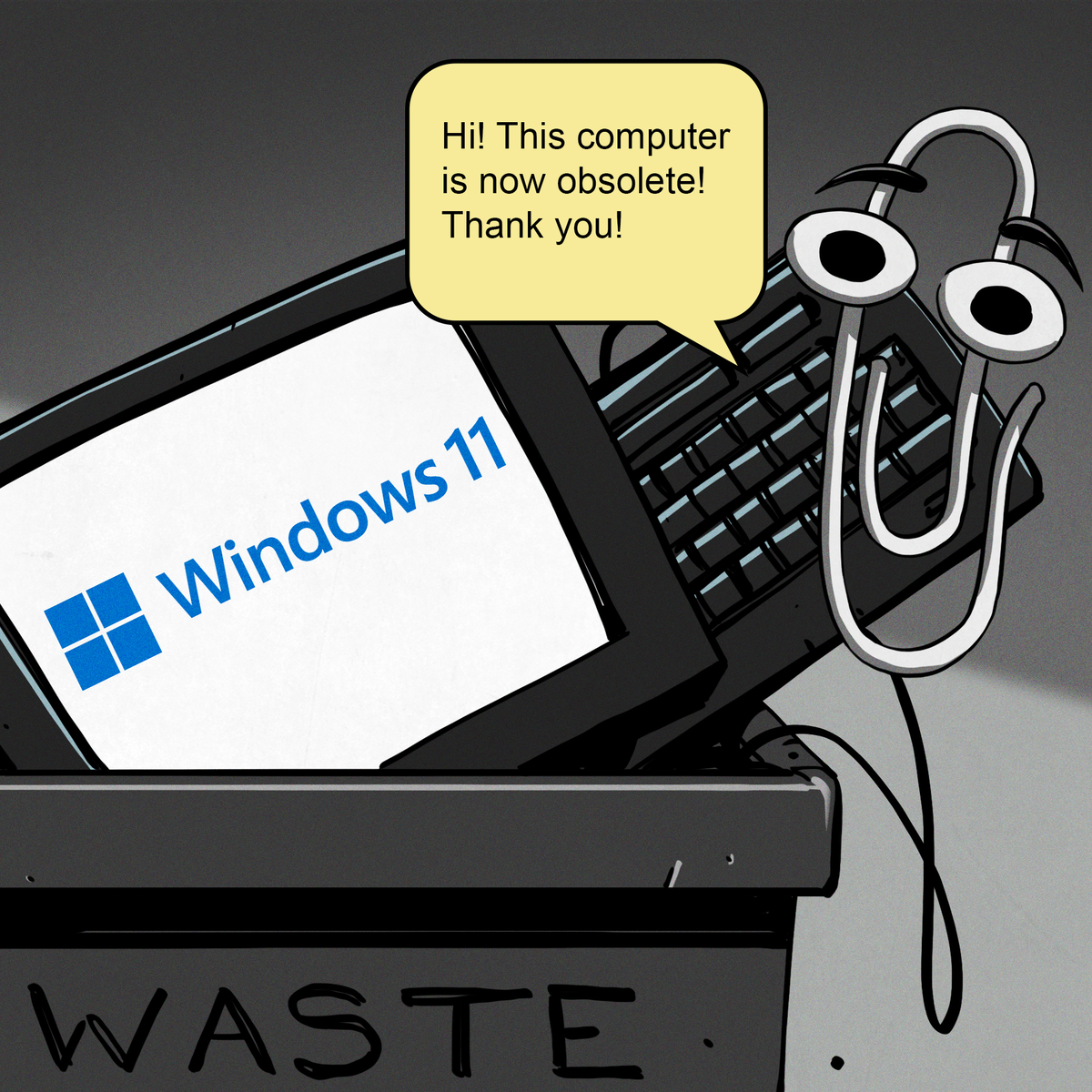
That’s due, at least in part, to Microsoft managing to bungle the job so badly with their Windows 11 strategy. In spite of considerable push-back in the tech community over various aspects of the operating system, the Redmond software giant seems hell-bent on getting users upgraded. At the same time, making it a hard requirement that all Windows 11 machines have a Trusted Platform Module means that millions of otherwise perfectly usable computers are left out in the cold.
What we’re left with is a whole lot of folks who either are unwilling, or unable, to run Microsoft’s latest operating system. At the same time desktop Linux has never been more accessible, and thanks in large part to the efforts of Valve, it can now run the majority of popular Windows games. That last bit might not seem terribly exciting to folks in our circles, but historically, the difficulty involved in playing AAA games on Linux has kept many a techie from making the switch.
Does that mean everyone is switching over to Linux? Well, no. Certainly Linux is seeing an influx of new users, but for the average person, it’s more likely they’d switch to Mac or pick up a cheap Chromebook if all they want to do is surf the web and use social media.
Of course, there’s an argument to be made that Chromebook users are technically Linux users, even if they don’t know it. But for that matter, you could say anyone running macOS is a BSD user. In that case, perhaps the “Year of *nix” might actually be nigh.
Grandma is 3D Printing in Color
There was a time when desktop 3D printers were made of laser-cut wood, used literal strings instead of belts, and more often then not, came as a kit you had to assemble with whatever assistance you could scrounge up from message boards and IRC channels — and we liked it that way. A few years later, printers were made out of metal and became more reliable, and within a decade or so you could get something like an Ender 3 for a couple hundred bucks on Amazon that more or less worked out of the box. We figured that was as mainstream as 3D printing was likely to get…but we were very wrong.
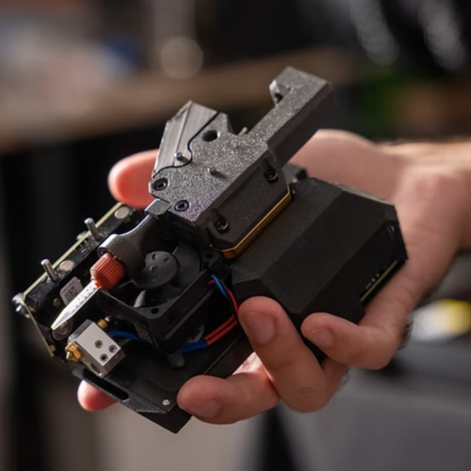
A Prusa hotend capable of printing a two-part liquid silicone.
Today 3D printing is approaching a point where the act of downloading a model, slicing it, and manifesting it into physical form has become, dare we say it, mundane. While we’re not always thrilled with the companies that make them and their approach to things that are important to us like repairability, open development, and privacy, we have to admit that the new breed of printers on the market today are damn good at what they do. Features like automatic calibration and filament run-out sensors, once the sort of capabilities you’d only see on eye-wateringly expensive prosumer machines, have became standard equipment.
Desktop 3D printing still hasn’t reached the sort of widespread adoption that all those early investors would have had us believe in the 2000s, where every home would one day have their own Star Trek style personal replicator. But they are arguably approaching the commonality of something like a table saw or drill press — specialized but affordable and reliable tools that act as a force multiplier rather than a tinkerer’s time sink.
Tariffs Take Their Toll
Finally, we couldn’t end an overview of 2025 without at least mentioning the ongoing tariff situation in the United States. While it hasn’t ground DIY electronics to a halt as some might have feared, it’s certainly had an impact.
A tax on imported components is nothing new. We first ran into that back in 2018, and though it was an annoyance, it didn’t have too much of an impact at the hobbyist scale. When an LED costs 20 cents, even a 100% tariff wouldn’t be much of a hit to the wallet at the scale most of us are operating at. Plus there are domestic, or at least non-Chinese, options for some jellybean components. The surplus market can also help here — you can often find great deals on things like partial reels of SMD capacitors and resistors on eBay if you keep an eye out for them.
We’ve heard more complaints about PCB production than anything. After years of being able to get boards made overseas for literal pennies, seeing a import tax that added at checkout can be quite a shock. But just like the added tax on components, while annoying, it’s not enough to actually keep folks from ordering. Even with the tariffs, the cost of getting a PCB made at OSH Park is going to be much higher than any Chinese board house.
Truth be told, if an import tax on Chinese-made PCBs and components resulted in a boom of affordable domestic alternatives, we’d be all over it. The idea that our little hobby boards needed to cross an ocean just to get to us always seemed unsustainable anyway. It wouldn’t even have to be domestic, there’s an opportunity for countries with a lower import tariff to step in. Instead of having our boards made in China, why not India or Mexico?
But unfortunately, the real-world is more complex than that. Building up those capabilities, either at home or abroad, takes time and money. So while we’d love to see this situation lead to greater competition, we’ve got a feeling that the end result is just more money out of our pockets.
Thanks for Another Year of Hacks
One thing that absolutely didn’t change in 2025 was you — thanks to everyone that makes Hackaday part of their daily routine, we’ve been able to keep the lights on for another year. Everyone here knows how incredibly fortunate we are to have this opportunity, and your ongoing support is never taken for granted.
We’d love to hear what you thought the biggest stories or trends of 2025 were, good and bad. Let us know what lessons you’ll be taking with you into 2026 down below in the comments.