Posts with «computer vision» label

What can you build, when AI can interact with the real world?
The single-board computing market is shifting rapidly, and we are moving into an era of unprecedented possibilities where edge AI, computer vision, real-time control, and rich sensor streams converge locally. Yes, it’s exciting – but even amidst this “explosion” of hardware, an age-old rule holds true: define what you want to build before picking your tool.

No single board can (nor should!) excel at everything. A low-power embedded sensor, an autonomous robot, and a high-throughput video server all demand different architectures. For example, if you are weighing hardware choices for a general-purpose Linux setup versus a hybrid microcontroller, read this in-depth review to evaluate how different design philosophies match your requirements.

In concrete terms, it’s great to get a sense of what each board can do – and even better if you can look at a variety of cool projects at the same time! So here is a selection of what we are seeing developers build across key domains with the Arduino® UNO Q board, leveraging its dual-brain to bridge high-level AI workloads with deterministic physical control. 

Dive into perception-driven robotics

Robotics excels on hybrid platforms because physical movement requires tight, real-time microcontroller timing while visual recognition requires heavy AI processing.

  •  A robot arm that sees you: Uses camera vision designed to recognize people and a robotic arm built to deliver items, with a Modulino LED Matrix providing visual feedback.
  • UNO Q Braccio: Integrates Edge Impulse AI and ROS 2 in a platform engineered to support robotic arm control, including simulation in Gazebo.
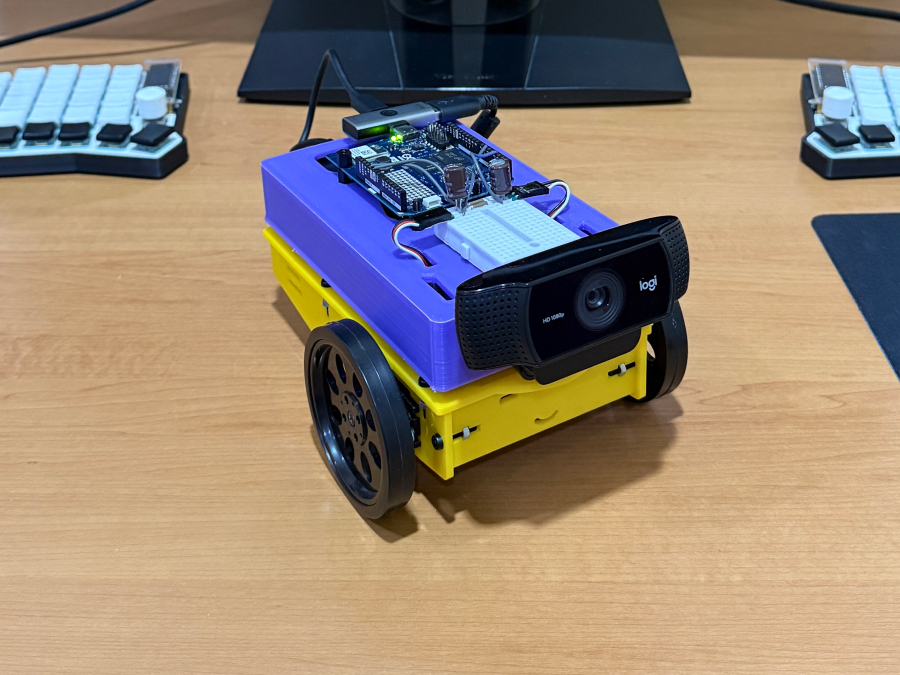
  • Face-following robot: Uses Edge Impulse computer vision designed to track faces and convert tracking data into physical servo movements.
  • AI agent robot: Uses a local AI agent built to support physical navigation and decision-making tasks in real-world environments.
Explore the world through computer vision and spatial sensing

Instead of just streaming video, local machine learning turns cameras and sensors into environmental perception engines.

  • Gesture-controlled input system: Uses a standard webcam and Edge Impulse in a workflow built to convert hand gestures into inputs for digital applications.
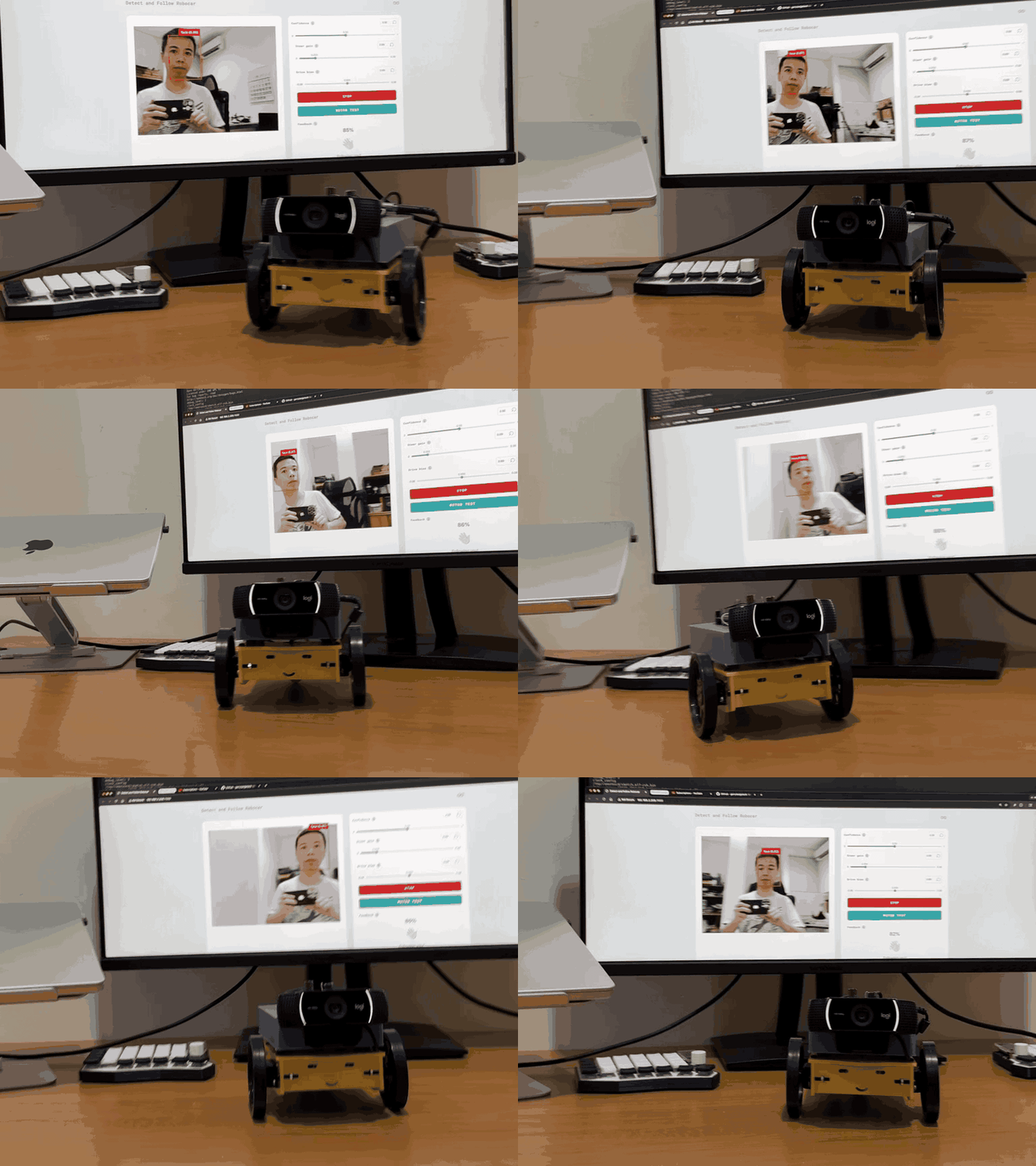
  • Real-time LiDAR room mapper: Pairs LiDAR sensors with Edge Impulse ML in a system engineered to help interpret spatial data and interpret room layouts locally.
Create smart environments with interactive AI

Local AI allows devices to run full “sense, interpret, decide, act” loops without relying on cloud latency or external servers.

  • Talk to your house: An all-in-one smart home hub engineered to support wake-word detection, voice commands, sensor management, and a web interface.
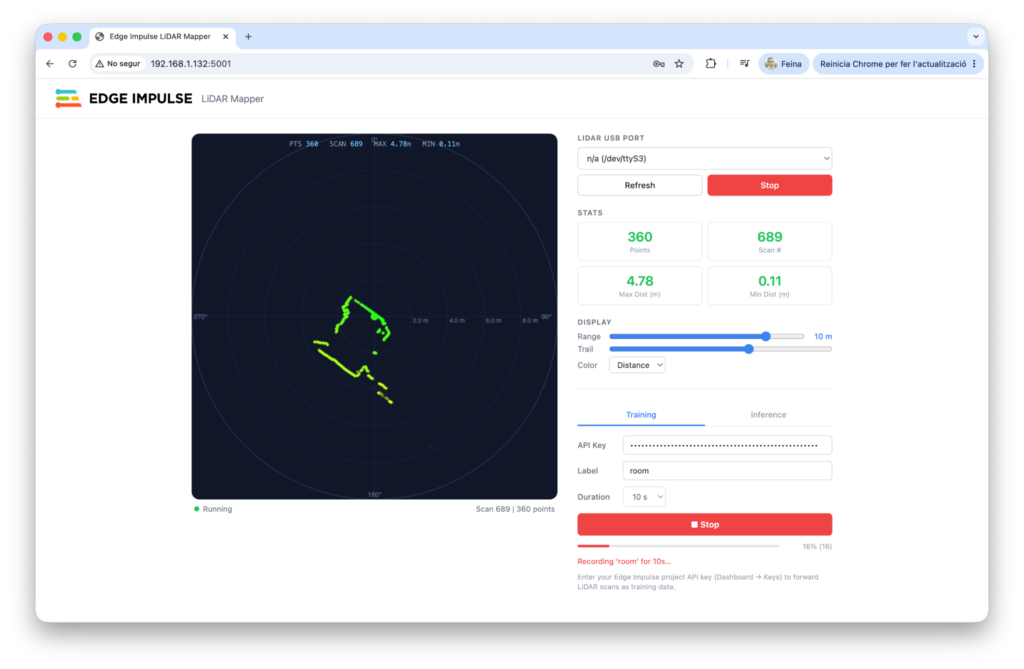
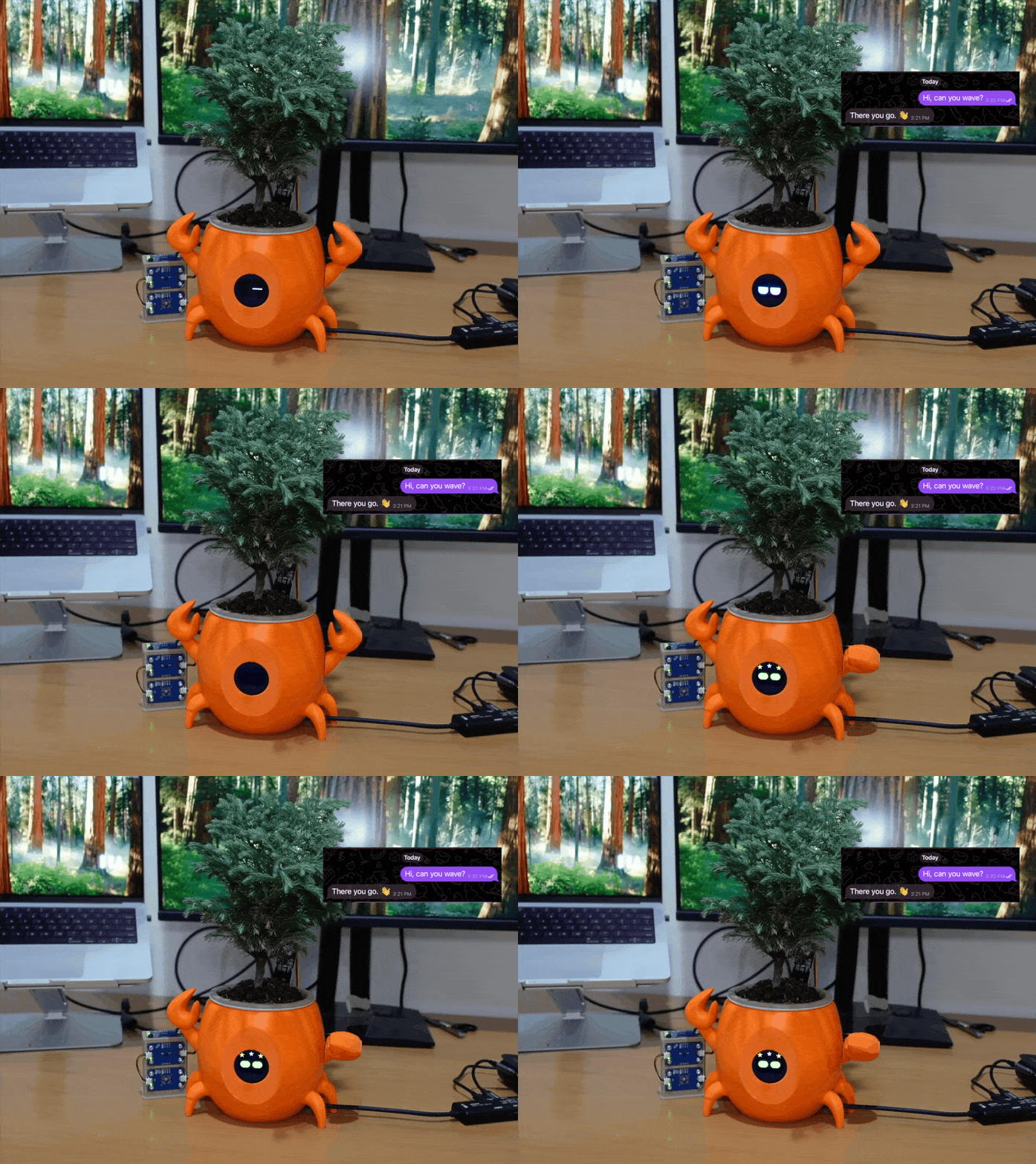
  • Clawrophyll: A smart houseplant system designed to run a local AI agent directly on the board.
We don’t need every platform to do the same thing

The technological landscape is expanding, giving us more tools to build with: the goal was never to find one ultimate board “to rule them all”, but to match your project’s unique demands to the right architecture. Whether you need a raw Linux computing hub or a dual-brain setup like UNO Q, starting with a clear target can help you build smarter, faster, and more effectively. Today, we have more options, more possibilities – and this may ultimately be the most exciting part in the current era of single-board computing.

UNO Q is available on the Arduino Store, and can be ordered from DigiKey, Farnell, Mouser, Newark, RS Components, Robu.in, and other authorized distributors and resellers worldwide.

Qualcomm branded products are products of Qualcomm Technologies, Inc. and/or its subsidiaries. Arduino, UNO, and the Arduino logo are trademarks or registered trademarks of Arduino S.r.l.

The post What can you build, when AI can interact with the real world? appeared first on Arduino Blog.
From Home Assistant to AI agents: what Linux unlocks on the Arduino® UNO™ Q board

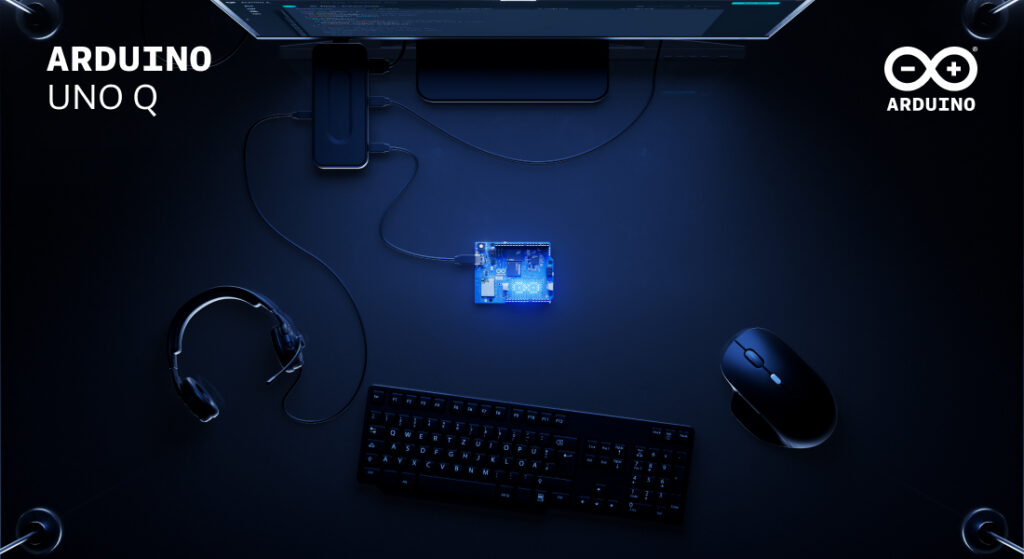
UNO Q was designed around a dual-brain architecture that is built to bring high-performance computing and real-time hardware control together on a single board. The Linux environment on the MPU side is constructed to let developers install and run familiar open-source software – the same tools they’d reach for on a server or any popular SBC. Meanwhile, the STM32H5 microcontroller runs a dedicated Arduino Core on Zephyr RTOS, handling sensors, actuators, and time-critical I/O with deterministic precision. Together, they make the UNO Q something more than the sum of its parts.

What follows is a set of concrete examples: real software platforms you can install on UNO Q today, what each one enables, and why having the microcontroller in the same system changes what’s possible.

#1 Agentic AI development

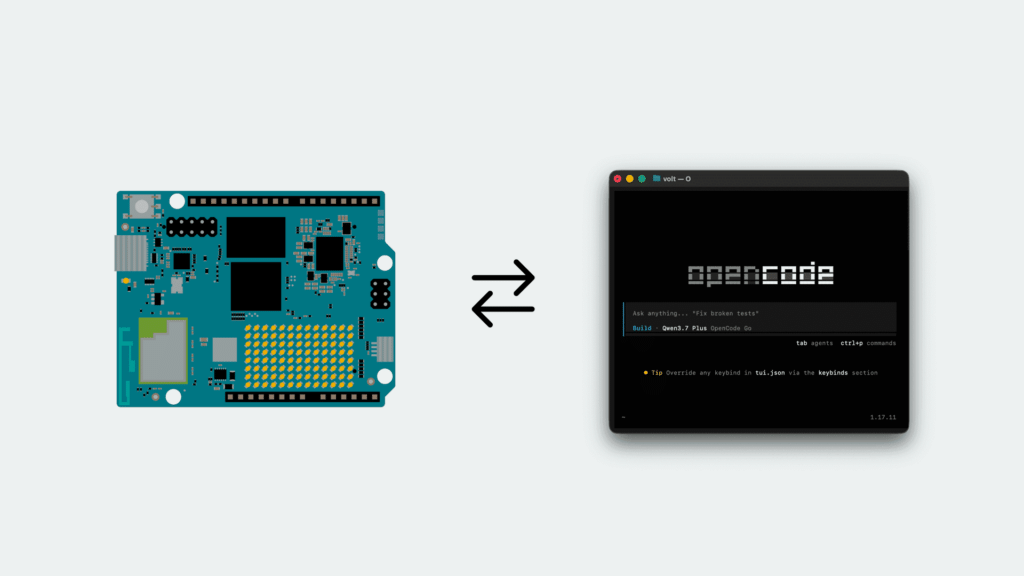
UNO Q is engineered to put an AI coding agent inside the hardware it is writing for. An agent running on the board can receive a goal, process context, call tools, interact with services, and – through the board’s hardware interfaces – turn decisions into real-world actions. The reasoning comes from a frontier model over the API, but the tool calls run on the device. That last part is what makes this different from running an agent on a laptop or a server: the machine executing the decisions is also wired into the physical world.

The practical starting point is installing an AI coding agent, such as OpenCode, directly on the board. With the right context added – for example, knowledge of the Arduino® App Lab CLI and the board’s specific capabilities – it can set up Linux services for you, answer questions about Debian on UNO Q, and build physically connected Arduino apps end to end: create the app, write the sketch, deploy it, read the output, iterate. Any agent can write a sketch; only one running on the board can deploy it and see what happened.

More broadly, this creates a meaningful bridge between generative AI and embedded systems. Only the reasoning leaves the board: the sensors, actuators, and data stay where they are.

Ready to try the full tutorial? Find out here how to install and use Open Code on UNO Q.

#2 Home Assistant

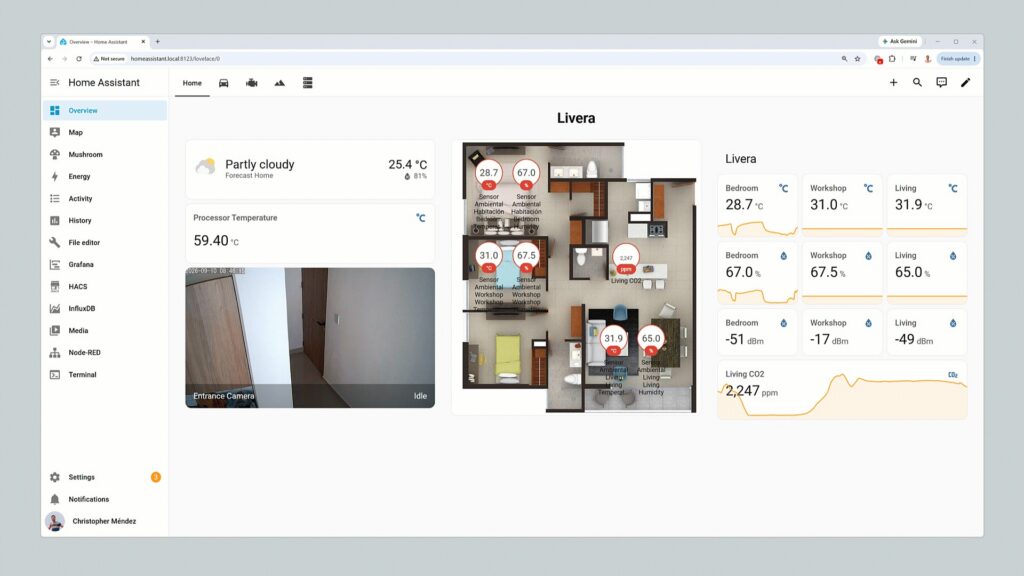
Home Assistant dashboards inspiration

Home Assistant aims to turn UNO Q into the center of a local smart home or building automation system, connecting lights, climate controls, energy meters, and other compatible devices through a single dashboard and automation engine. Running entirely on the Linux side, it is built to handle scheduling, historical data, dashboards, and integrations – with no cloud subscription required.

The real advantage emerges when custom hardware enters the picture. A Qwiic temperature and air-quality sensor connected to the board’s Qwiic port could feed live data into Home Assistant, while an Arduino sketch running on the STM32H5 microcontroller is constructed to drive a ventilation fan through a relay based on those readings. Home Assistant is designed to manage the logic and interface on Linux; the microcontroller is engineered to handle the physical layer. The two communicate via the onboard RPC bridge, with no external Arduino board required.

Need a little guidance in trying this yourself? Check out this GitHub tutorial. 

#3 n8n automation

n8n is a visual workflow automation platform that is built to connect services, APIs, databases, and devices – think of it as a self-hosted alternative to Zapier or Make, with full data sovereignty because everything runs locally.

Running n8n on UNO Q is designed to bring those workflows to the edge. A single workflow could receive sensor data from the microcontroller side, process and store it in a local database, update a dashboard, send a notification to an external service, and trigger a physical output – all in sequence, all on the same device.

The combination makes UNO Q a practically designed platform for rapid prototyping, industrial automation, smart building control, and local edge orchestration where cloud latency or dependency would be a problem.

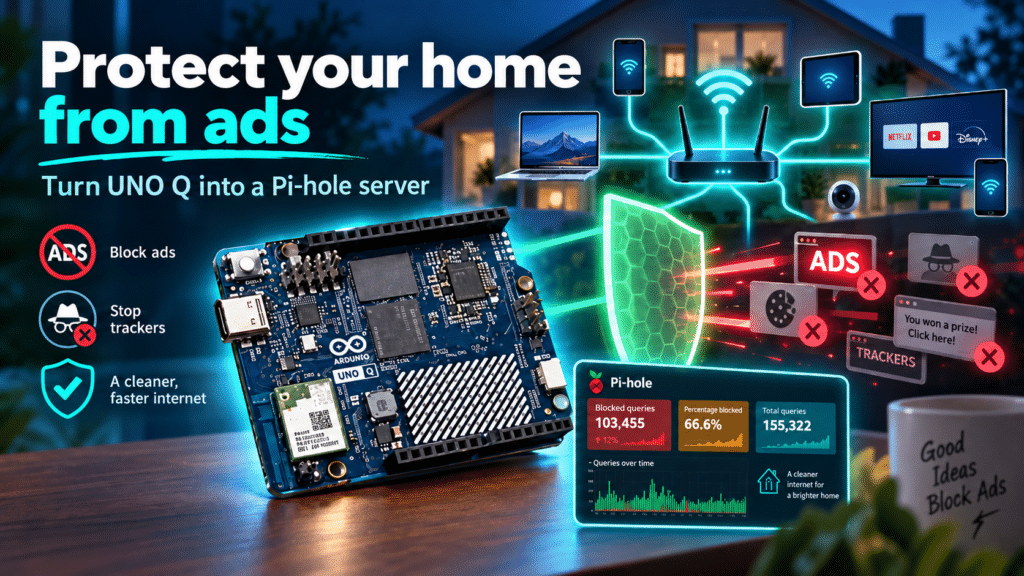
#4 Pi-hole network shield

Pi-hole is a DNS-level filtering service that is structured to block advertising, tracking domains, and unwanted traffic for every device on the local network that uses it as a DNS server. On a standard single-board computer, that’s where the story ends.

UNO Q is different: the Linux side runs Pi-hole and its web dashboard, while the microcontroller can drive a dedicated status display, visualize blocked-request activity in real time, trigger an alert if the DNS service becomes unavailable, or provide a physical button to temporarily pause filtering – without opening a browser interface. 

It’s a small example of a broader pattern: UNO Q aims to turn passive software services into systems with physical feedback and control.

Want to protect your home from ads, using UNO Q and Pi-hole? Check out this Project Hub tutorial. 

#5 Frigate camera computer vision

Frigate is a network video recorder built around real-time object detection. It can process camera streams locally to identify people, vehicles, animals, or other defined events – and running it on UNO Q keeps that processing at the edge, where it belongs. 

UNO Q is a practical host for Frigate for a few reasons. Cameras can be connected directly via USB or accessed remotely over RTSP (Real Time Streaming Protocol) when Frigate detects a relevant event, the microcontroller side can respond immediately – triggering a light, an alarm, a relay, or a Modulino-based indicator – without any additional hardware.

Sensitive footage stays local. Response times improve. And the physical response doesn’t require a round trip to the cloud.

#6 Local NAS with SMB

UNO Q can be configured as a lightweight network-attached storage server using SMB, making shared folders accessible to other computers and devices on the local network – useful for camera recordings, machine-learning datasets, sensor logs, or shared project files.

Paired with a dongle that gives cabled Ethernet connectivity and an external USB Disk, this can be a quick and instant NAS, flexible enough for sharing office documents with your colleagues or family. 

A platform, not just a single application

Each of these applications is useful independently. The more interesting territory is what opens up when they run together.

Here’s one example of how that could look in practice: Frigate detects a person entering a monitored area and publishes the event via MQTT. Home Assistant picks up that event and switches on a light. n8n extends the response by calling an external API, logging the event to a database, and sending a notification. Meanwhile, the raw footage remains accessible over the local network through the Samba share. The microcontroller drives an indicator throughout. All of this runs on one board. 

UNO Q is designed to provide a common foundation where Linux applications, local AI workloads, network services, and real-time embedded hardware control can be part of the same coherent system – rather than spread across multiple devices with their own power supplies, enclosures, and points of failure.

UNO Q is available on the Arduino Store or can be ordered from DigiKey, Farnell, Mouser, Newark, RS Components, Robu.in, and many other authorized distributors and resellers.

Arduino, UNO, and the Arduino logo are trademarks or registered trademarks of Arduino S.r.l.

The post From Home Assistant to AI agents: what Linux unlocks on the Arduino® UNO™ Q board appeared first on Arduino Blog.

Face-Following Robot Built on Arduino UNO Q and Edge Impulse

A new open-source project demonstrates how to combine computer vision and robotics on a single board. The robot, about the size of a desk, detects a human face through locally executed machine learning and turns toward it in real time, working at roughly 10–15 frames per second. Everything runs on the new Arduino UNO Q, without relying on the cloud.

Dual-processor architecture

The operation leverages the hybrid architecture of the UNO Q, which integrates two distinct units. The Qualcomm MPU microprocessor, running Linux, executes the AI model and the control logic written in Python. The STM32 MCU microcontroller, running Zephyr RTOS, drives the PWM signal of the servomotors with real-time precision.

The two processors communicate via Bridge RPC, a protocol based on MessagePack over an internal serial link, with a round-trip latency of about 8 milliseconds. This way, heavy inference stays separate from the real-time path, keeping motor control deterministic.

Vision, control, and web interface

The face-following robot built on the Arduino UNO Q.

A USB webcam captures video, while a lightweight face-detection model locates the face in the frame. A proportional controller then converts the horizontal position of the face into differential commands for the wheels. The project uses two ready-made App Lab “bricks”: one for camera-based object detection, the other for the web interface.

In particular, the browser-accessible dashboard lets you monitor detections and adjust steering parameters in real time, without recompiling the code. Every change to the sliders takes effect immediately via Socket.IO, making the tuning phase quick.

Technical details and motion safety

The robot uses differential drive with two continuous-rotation servos: a 1500-microsecond pulse corresponds to stop, while lower or higher values determine rotation in either direction. Additionally, the system limits Bridge calls to a maximum of 20 Hz, because sending commands too quickly would block the serial link.

The project therefore includes several protections: a “coasting” mechanism that maintains the last known position when the face disappears for a moment, a watchdog that stops the robot if detections are interrupted, and an emergency stop that ignores rate limiting to halt the motors immediately. Classified as an intermediate-level project, it is fully documented and released under an open-source license.

The post Face-Following Robot Built on Arduino UNO Q and Edge Impulse appeared first on Open Electronics.

Pinball Machine Needs No Wizard

Ever since he was a young boy, [Tyler] has played the silver ball. And like us, he’s had a lifelong fascination with the intricate electromechanical beasts that surround them. In his recently-completed senior year of college, [Tyler] assembled a mechatronics dream team of [Kevin, Cody, and Omar] to help turn those visions into self-playing pinball reality.

You can indeed play the machine manually, and the Arduino Mega will keep track of your score just like a regular cabinet. If you need to scratch an itch, ignore a phone call, or just plain want to watch a pinball machine play itself, it can switch back and forth on the fly. The USB camera mounted over the playfield tracks the ball as it speeds around. Whenever it enters the flipper vectors, the appropriate flipper will engage automatically to bat the ball away.

Our favorite part of this build (aside from the fact that it can play itself) is the pachinko multi-ball feature that manages to squeeze in a second game and a second level. This project is wide open, and even if you’re not interested in replicating it, [Tyler] sprinkled a ton of good info and links to more throughout the build logs. Take a tour after the break while we have it set on free play.

[Tyler]’s machine uses actual pinball machine parts, which could quickly ramp up the cost. If you roll your own targets and get creative with solenoid sourcing, building a pinball machine doesn’t have to be a drain on your wallet.

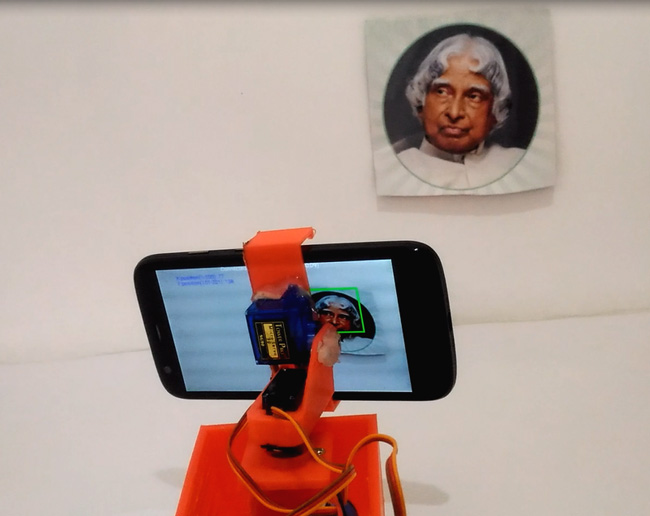
Face tracking with Arduino and Android

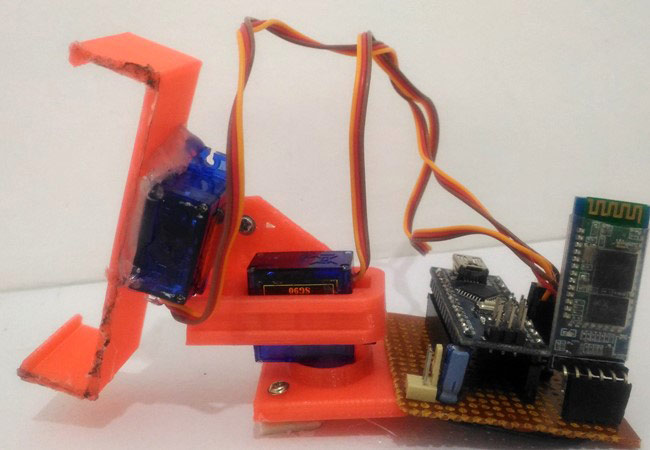
Computer vision has traditionally relied on an assortment of rather involved components. On the other hand, everything you need to do this complicated task is readily available on an Android phone. The clever setup seen in the video here uses a smartphone to capture and process images, then send out a signal over Bluetooth to tell which way the device needs to be adjusted in order to focus on a nearby face.

An HC-05 Bluetooth module receives this signal and passes it to two servo motors via an Arduino Nano, moving the phone left/right and up/down.

You can find the Arduino code for this project on CircuitDigest, and the Android Processing code can be downloaded there as a compressed folder.

Arduino Video isn’t Quite 4K

Video resolution is always on the rise. The days of 640×480 video have given way to 720, 1080, and even 4K resolutions. There’s no end in sight. However, you need a lot of horsepower to process that many pixels. What if you have a small robot powered by a microcontroller (perhaps an Arduino) and you want it to have vision? You can’t realistically process HD video, or even low-grade video with a small processor. CORTEX systems has an open source solution: a 7 pixel camera with an I2C interface.

The files for SNAIL Vision include a bill of materials and the PCB layout. There’s software for the Vishay sensors used and provisions for mounting a lens holder to the PCB using glue. The design is fairly simple. In addition to the array of sensors, there’s an I2C multiplexer which also acts as a level shifter and a handful of resistors and connectors.

Is seven pixels enough to be useful? We don’t know, but we’d love to see some examples of using the SNAIL Vision board, or other low-resolution optical sensors with low-end microcontrollers. This seems like a cheaper mechanism than Pixy. If seven pixels are too much, you could always try one.

Thanks [Paul] for the tip.


Filed under: Arduino Hacks, video hacks

Add Robotic Farming to Your Backyard with Farmbot Genesis

Growing your own food is a fun hobby and generally as rewarding as people say it is. However, it does have its quirks and it definitely equires quite the time input. That’s why it was so satisfying to watch Farmbot push a weed underground. Take that!

Farmbot is a project that has been going on for a few years now, it was a semifinalist in the Hackaday Prize 2014, and that development time shows in the project documented on their website. The robot can plant, water, analyze, and weed a garden filled with arbitrarily chosen plant life. It’s low power and low maintenance. On top of that, every single bit is documented on their website. It’s really well done and thorough. They are gearing up to sell kits, but if you want it now; just do it yourself.

The bot itself is exactly what you’d expect if you were to pick out the cheapest most accessible way to build a robot: aluminum extrusions, plate metal, and 3D printer parts make up the frame. The brain is a Raspberry Pi hooked to its regular companion, an Arduino. On top of all this is a fairly comprehensive software stack.

The user can lay out the garden graphically. They can get as macro or micro as they’d like about the routines the robot uses. The robot will happily come to life in intervals and manage a garden. They hope that by selling kits they’ll interest a whole slew of hackers who can contribute back to the problem of small scale robotic farming.


Filed under: cnc hacks, green hacks

How to Build a Ping Pong Robot (YouTube)

Hey,

The ModuPong YouTube channel is about a modular robotics system that tracks a ping pong ball in real-time. In addition, we cover in this channel how the system predicts and responds in less than 130ms.

Please tell me if you have any ideas on how we could make our system better. Cheaper and faster would be great!