Posts with «prototyping» label

3D-Printed Tactile Zoo: Young Makers Show Off Their Mistakes

A group of children aged 7 to 13 is building a tactile zoo with 3D-printed robotic animals. The creatures, more than 20 in total, are equipped with LEDs, motors, buttons, and gears. At Maker Faire Bay Area, the group will also display their printing errors and failed prototypes. The goal is to show the iteration process that leads from an idea to a working object.

The project turns 3D printing into an educational and interactive activity. Mistakes are not hidden but become an integral part of the exhibition. Visitors can thus understand that making errors is a normal step in the work, not a failure. The maker’s website details how the children faced technical difficulties and what solutions they found.

From choosing the animal to the first print

Each young maker chooses an animal, real, mythological, or completely invented. Then they decide what behavior the creature should have. Some design the animals from scratch, others start from existing 3D models and modify them, cutting or redesigning sections to make room for the electronics. Once the body is ready, they add a function such as an LED, a servo, a motor, a button, or a set of gears.

The group includes eight creatures, among them Em. To make Plate the Armadillo roll into a ball, 11 prints were needed. Each failed attempt taught something new: a joint too tight, a motor off-axis, a wall too thin. The children learned to observe the error and correct it in the next print.

An exhibition you can touch and open

The zoo is not a simple showcase. Visitors can press buttons, flip switches, and open the animals to see the wires, gears, and electronics inside. This choice makes the electronics transparent and understandable even to those who have never opened a device. Next to the finished animals, broken prints, melted parts, and earlier versions are displayed, so visitors can ask what went wrong and how it was fixed.

For those who want to recreate the project, the electronic part can be built with simple, modular components. For example, a servo motor with metal gears can move an animal’s legs, while a shield for controlling RC servos allows managing multiple movements with an Arduino board. For light effects, a WS2812 LED matrix offers endless color possibilities. Finally, a compact board like the Arduino Nano Matter can handle logic and connectivity in a small space.

Mistakes on display: the educational value of failure

The choice to display printing errors is the heart of the project. In a world that shows only perfect results, these children reveal the behind-the-scenes. The broken prints tell the real difficulties of 3D printing: material shrinkage, parts detaching from the bed, motors that don’t find space. Visitors to Maker Faire will be able to talk with the young makers and discover how each problem was tackled.

This approach also changes the way the children work. They learn that a failed prototype is not wasted time, but a step forward. Each error provides valuable information for the next version. The iteration process thus becomes a mental habit, useful not only in 3D printing but in every design activity.

Source: https://view.protectedpdf.com/portal/AMR/LogIn

Related products

The post 3D-Printed Tactile Zoo: Young Makers Show Off Their Mistakes appeared first on Open Electronics.
Proxino takes your virtual circuit into the real world

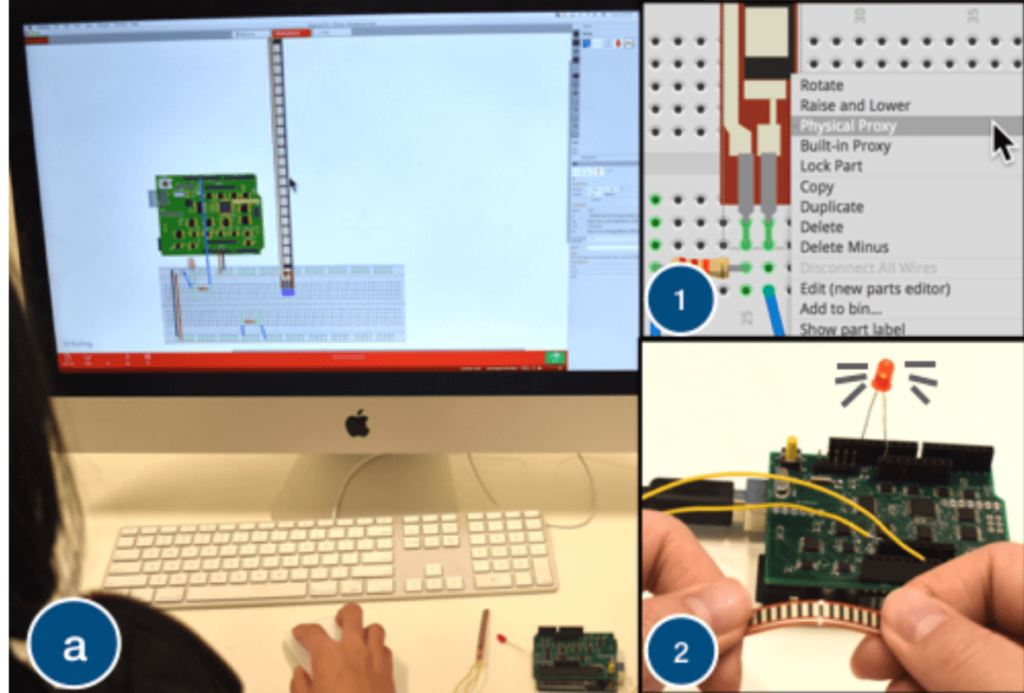
While circuit simulation tools become more accessible all the time, at some point it’s necessary to actual build your device and test it. Proxino, developed by researchers at Dartmouth College, takes a different approach, and enables you to virtually create a circuit, then test parts of it as needed with electronic components via physical proxies. 

To accomplish this, Proxino hardware sits on an Arduino Uno as a shield, and generates the virtual circuit’s responses to inputs. This setup allows for the implementation of physical elements like buzzers, lights, and sensors to complement the simulated environment, which can even be shared by remote collaborators in different locations. 

Proxino certainly looks like it could be an excellent instructional tool, or perhaps more!

Glorious Body of Tracked ‘Mad Mech’ Started as Cardboard

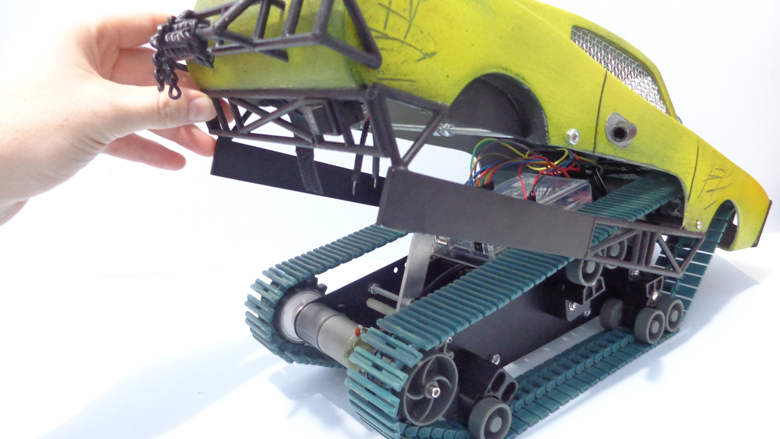
[Dickel] always liked tracked vehicles. Taking inspiration from the ‘Peacemaker’ tracked vehicle in Mad Max: Fury Road, he replicated it as the Mad Mech. The vehicle is remote-controlled and the tank treads are partly from a VEX robotics tank tread kit. Control is via a DIY wireless controller using an Arduino and NRF24L01 modules. The vehicle itself uses an Arduino UNO with an L298N motor driver. Power is from three Li-Po cells.

The real artistic work is in the body. [Dickel] used a papercraft tool called Pepakura (non-free software, but this Blender plugin is an alternative free approach) for the design to make the body out of thin cardboard. The cardboard design was then modified to make it match the body of the Peacemaker as much as possible. It was coated in fiberglass for strength, then the rest of the work was done with body filler and sanding for a smooth finish. After a few more details and a good paint job, it was ready to roll.

There’s a lot of great effort that went into this build, and [Dickel] shows his work and process on his project page and in the videos embedded below. The first video shows the finished Mad Mech being taken for some test drives. The second is a montage showing key parts of the build process.

Paper and cardboard are very versatile and accessible materials for making things. It’s what was used to do some target practice with this working paper and cardboard gun. With the right techniques foam core can be worked into an astonishing variety of shapes, and we also made a case for the value of a desktop vinyl cutter on any well-equipped hacker’s workbench.

Discover what sound is made of with Sound Blocks

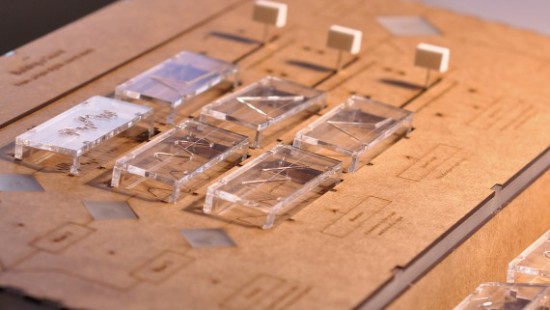
Sound Blocks is a tool to teach children and adults what sound is made of. The project was shortlisted in the Expression category of the IXDA Interaction Awards and it was developed by John Ferreira, Alejandra Molina, Andreas Refsgaard at the CIID using Arduino.

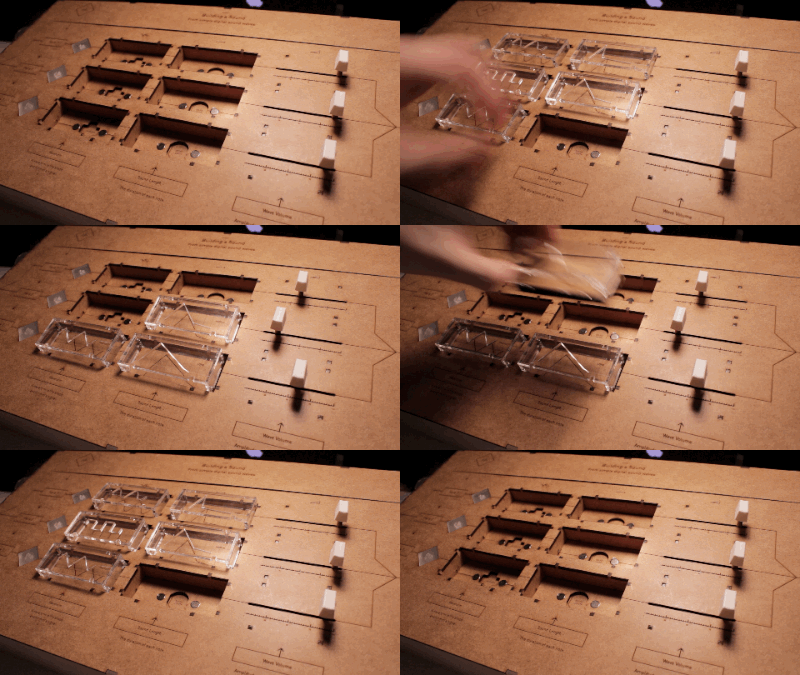
The device allows people to learn how, with a few parameters, it’s possible to create new sounds and, also, imitate real world sounds. Users can control waveform, sound decay or wave length and volume of three channels, all mixed together:

Sound blocks first and foremost was created as a tool to experiment with sound, it is playful and engaging.

Watch the video interview to discover more about the project and hear some noise:

Intel throws its tiny Curie module in an Arduino board

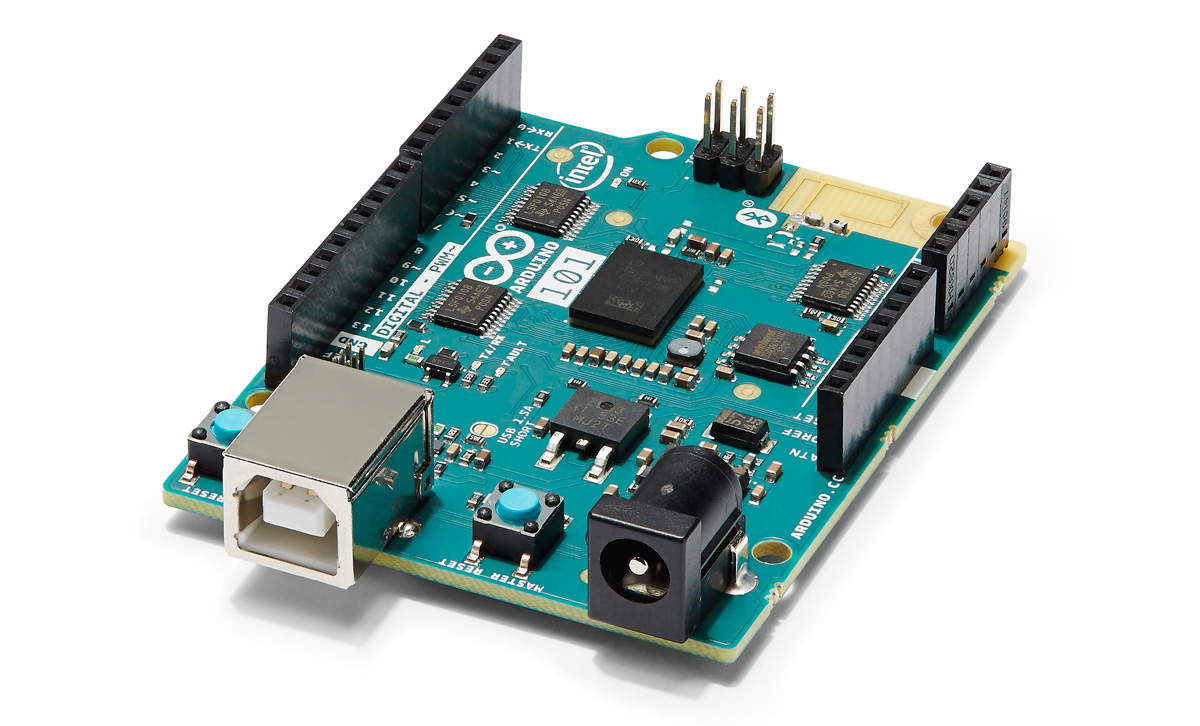
The low-power Curie from Intel helps developers quickly prototype a device with turn-key access to Bluetooth, a six-axis sensor with gyroscope and accelerometer and the 32-bit SOC Quark micro-controller. It's main focus has been the wearable market and since its introduction at CES 2015, it's has been used in sports bras, creepy robot spiders and to measure wicked-cool bike tricks. Now it's being included in a new Arduino board. The Arduino 101 (internationally it'll be called, Genuino 101) is the first widely available development board for the tiny chip. Priced at a reasonable $30 and using the same open-source platform as the rest of the Arduino line, the 101 is targeted at students and makers looking to add some connectivity to a project.

Engadget 16 Oct 11:15

Intel throws its tiny Curie module in an Arduino board

The low-power Curie from Intel helps developers quickly prototype a device with turn-key access to Bluetooth, a six-axis sensor with gyroscope and accelerometer and the 32-bit SOC Quark micro-controller. It's main focus has been the wearable market and since its introduction at CES 2015, it's has been used in sports bras, creepy robot spiders and to measure wicked-cool bike tricks. Now it's being included in a new Arduino board. The Arduino 101 (internationally it'll be called, Genuino 101) is the first widely available development board for the tiny chip. Priced at a reasonable $30 and using the same open-source platform as the rest of the Arduino line, the 101 is targeted at students and makers looking to add some connectivity to a project.

Source: Intel

Engadget 16 Oct 11:15

Intel throws its tiny Curie module in an Arduino board

The low-power Curie from Intel helps developers quickly prototype a device with turn-key access to Bluetooth, a six-axis sensor with gyroscope and accelerometer and the 32-bit SOC Quark micro-controller. It's main focus has been the wearable market and since its introduction at CES 2015, it's has been used in sports bras, creepy robot spiders and to measure wicked-cool bike tricks. Now it's being included in a new Arduino board. The Arduino 101 (internationally it'll be called, Genuino 101) is the first widely available development board for the tiny chip. Priced at a reasonable $30 and using the same open-source platform as the rest of the Arduino line, the 101 is targeted at students and makers looking to add some connectivity to a project.

Source: Intel

Engadget 16 Oct 11:15

5 Life-Changing Accessibility Inventions Made in 72 Hours

Makers hacked real problems faced by people with special needs to create tools that will help improve mobility, independence, and comfort.

Read more on MAKE

The post 5 Life-Changing Accessibility Inventions Made in 72 Hours appeared first on Make: DIY Projects, How-Tos, Electronics, Crafts and Ideas for Makers.

A DIY Seizure Alarm based on Arduino Micro

Chad Herbert’s son Daniel was diagnosed with Benign Rolandic Epilepsy in 2014. It’s a type of epilepsy the Epilepsy Foundation says accounts for about 15 percent of all Epilepsies in children and the good news is that most children grow out of it.

The bad news is that Daniel’s most affected by his condition at night or early morning while he sleeps. That’s why Chad invested in a sleep monitor/alarm for his bed that detects when he’s having a full tonic-clonic seizure.

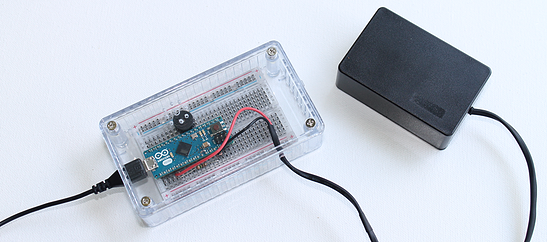
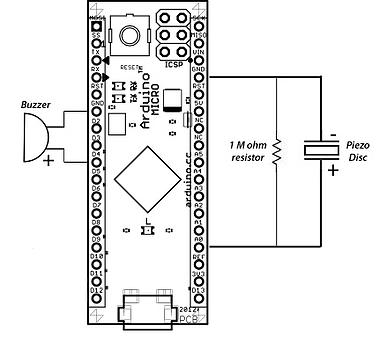
At the same time though, he decided to work on a DIY version of a seizure alarm  running on Arduino Micro. The starting point was Arduino’s “Knock” example project with the sketch code originally created in 2007 by David Cuartielles and modified by Tom Igoe in 2011:

While shopping around for the exact type of monitor/alarm my wife and I wanted, I found out a few things:

  • They are hard to find. I believe the one we ended up with was manufactured by a company in Great Britain.
  • They are expensive. The one we ended up getting cost in the $400-$500 range.
  • The one we have isn’t totally cumbersome, but it’s not easy to pack up and take with you somewhere.

Figuring these things out, I decided to search for a way to build a simple seizure alam that’s both relatively inexpensive and easy to transport. I’m sure there are people out there who have children that suffer from seizures that simply cannot afford equipment such as this even though they truly need it. Thanks to the folks in the Arduino community, I was able to accomplish both things I was setting out to do.

Discover how it was made on his blog.


Explaining the misterious technologies driving everyday objects

Every year the students of the Copenhagen Institute of Interaction Design (CIID) attend the Physical Computing class as part of their curriculum.

Having a small delegation of the Arduino team teaching this class has become quite a ritual. This past March Ubi De Feo, Alice Pintus, and Lorenzo Romagnoli runned the two-weeks-long intensive class.

Teaching at CIID is great experience, since you are surrounded by incredibly motivated and curious students, that are doing everything possible to design amazing projects and prototypes.

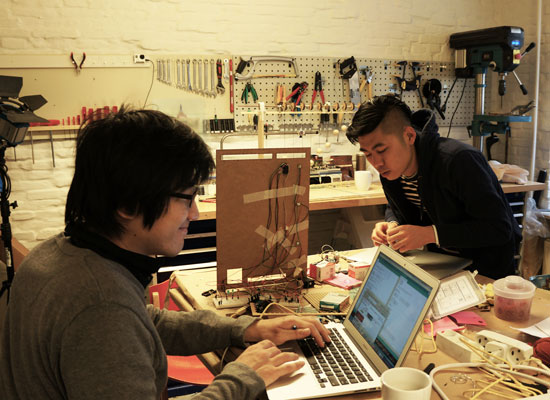
The topic of this year was prototyping interactive installations for a Science Center that would explain in a playful and engaging way how a technology works. For most of the students this was the first experience with physical computing, but even in such short time they were able to build eight different prototypes. The projects explain in an interactive way the science behind computer viruses, allergies, video compression, machine learning, laser printing, digital music synthesis, binary numbers and neuroprosthetic.

In Explaining laser printing Victoria Hammel, Chelsey Wickmark, Ciaràn Duffy, Feild Craddock demonstrate how the laser printer works. By using 16 servomotors connected to an Arduino UNO to move a matrix of magnets they were able to attract iron filings and draw letters on paper.

In Troyan 77 Karan Chaitanya Mudgal, Liliana Lambriev, Gunes Kantaroglu, Dhruv Saxena visualize the effects of a Trojan Virus harming your computer. Connecting Processing to Arduino they were able to create an overlay projection on top of the maze representative of the effect of the viruses on a computer.

Sound Blocks by John Ferreira, Alejandra Molina and Andreas Refsgaard is an musical instrument that explain how to compose sounds combining multiple soundwaves. The prototype was built using Arduino as a midi controller for Ableton.