Posts with «arduino uno q» label

One year of UNO Q: built together, open by design
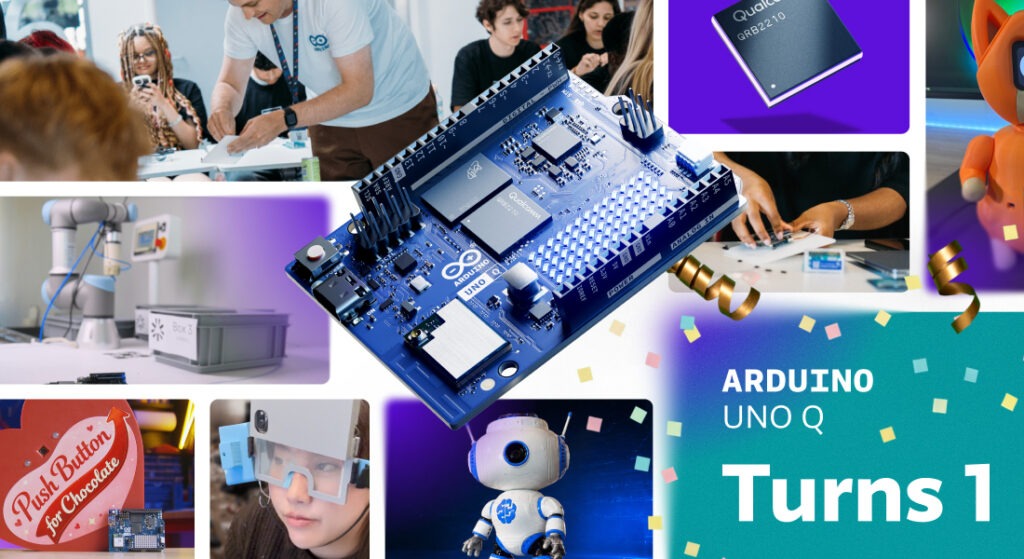
A year ago, we shared two pieces of news at once. Arduino was joining the Qualcomm Technologies family, and the Arduino® UNO Q board was on its way.

The promise was simple: bring real computing power and edge AI to makers, students, and professionals, without losing the openness and joy that make Arduino what it is.

Twelve months later, you have responded to our biggest announcement ever in ways we could not have scripted.

Thank you.

The year in numbers*

You didn’t just try UNO Q. You built an ecosystem around it.

  • 270,000+ UNO Q shipped worldwide
  • 400+ events across the ecosystem
  • 4,000+ contest participants, who delivered 250+ official builds
  • 850+ topics about UNO Q on the Arduino Forum

One year in, the Arduino community continues to grow and thrive. The number of projects shared on Project Hub has nearly doubled year on year, while Arduino library downloads grew roughly 50% year on year, reaching 244+ million downloads in the last 12 months, compared with 165+ million in the previous year. The Arduino IDE also reached 35+ million downloads

Behind those numbers is something more interesting: a year of people discovering what happens when Arduino meets serious computing and AI. 

*As of September 29, 2026

Where it started
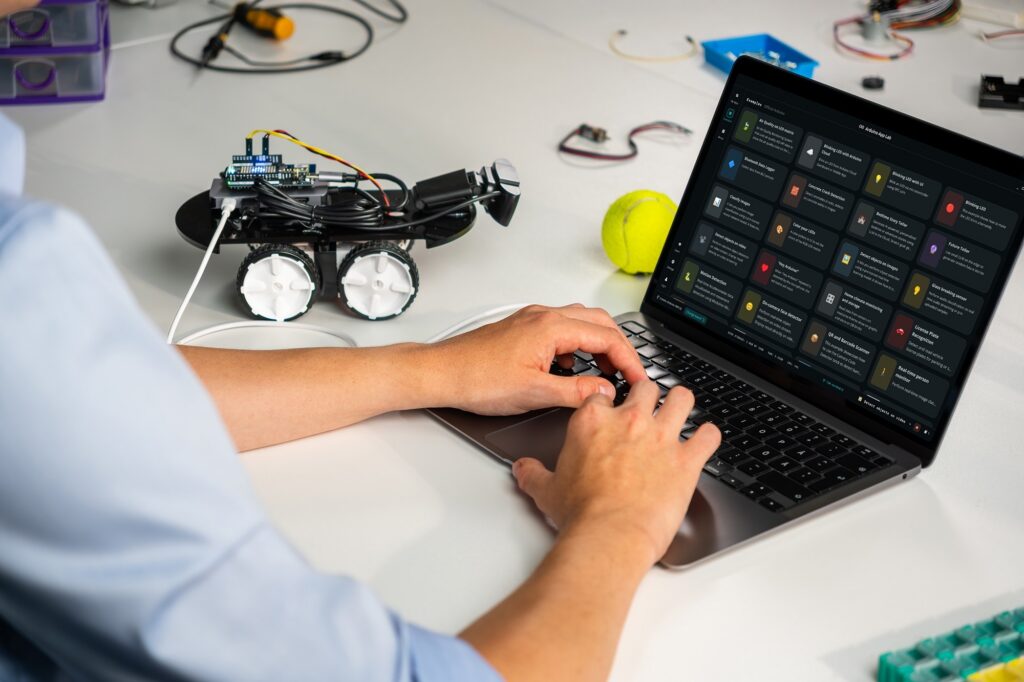
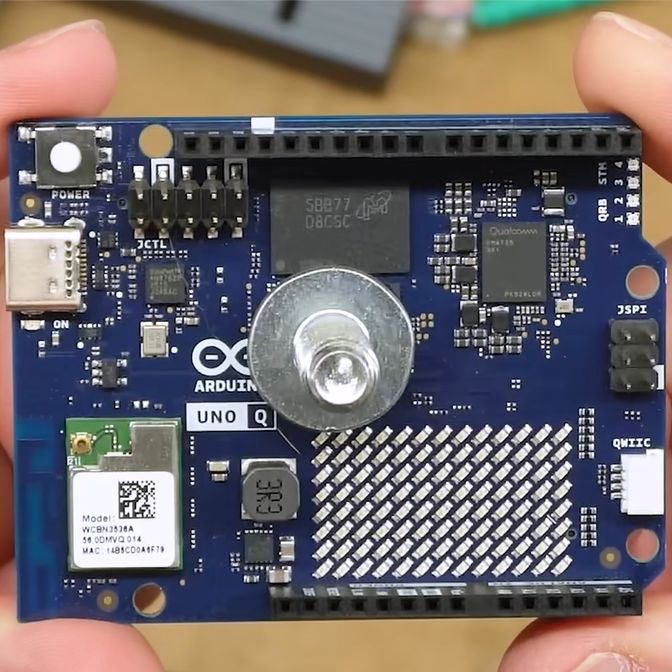
UNO Q brought together two worlds that had rarely lived on the same Arduino board: a Qualcomm Dragonwing QRB2210 microprocessor, with AI acceleration, quad-core performance and graphics, coupled with a real-time STM32U585 microcontroller. 

That combination is what makes UNO Q different. One side can run Linux, AI models, and demanding applications. The other can handle deterministic, real-time control. Together, they let developers bring the two worlds together in a way that feels like Arduino.

UNO Q launched alongside Arduino® App Lab, introducing a new way to build: an Arduino sketch on the MCU working together with a Python program on the MPU, packaged as one application. Suddenly, projects that once needed separate boards, computers or more complicated setups could start from a single Arduino.

Debian Linux for UNO Q brought a curated Linux environment to the board, making it easier to get started with the MPU side of the board. Arduino App Lab evolved throughout the year, adding new capabilities and workflows. We also brought Qualcomm Linux to UNO Q, giving developers another path into the Qualcomm ecosystem while keeping Arduino at the center of the experience. 

In August, Agentic Mode brought AI-assisted development to an Arduino desktop IDE for the first time. 

Your ideas, our proudest moments

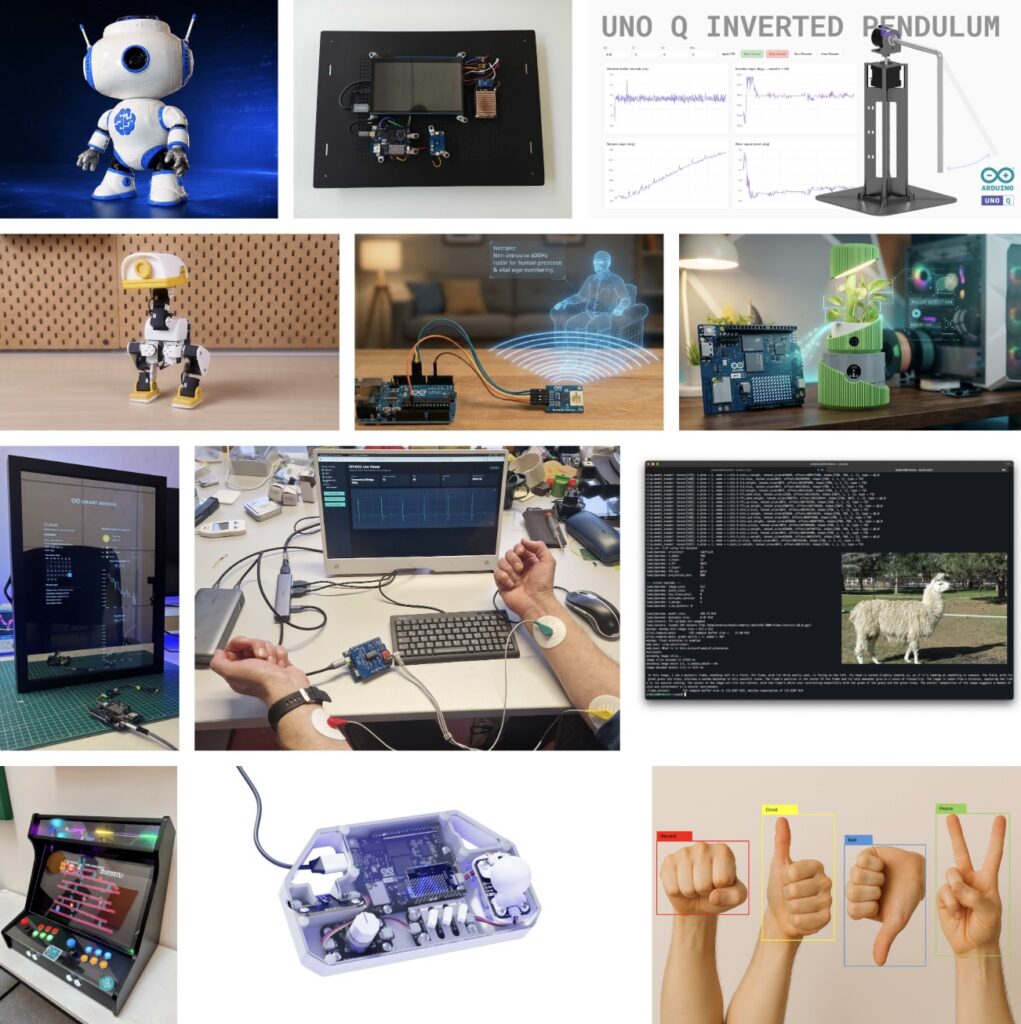
From computer vision and local LLMs to music, healthcare, and smart everyday tools, we’ve seen an incredible range of ideas take shape.

We selected 12 standout projects that capture just some of the creativity and ambition of the UNO Q community.

And the creativity is still unfolding. Our Invent the Future with Arduino UNO Q and App Lab contest with Hackster is wrapping up, with the winners set to be announced on October 9. See the contest on Hackster
Open by design: UNO and beyond

When Arduino joined Qualcomm, some wondered what it would mean for Arduino’s open approach. One year later, the answer is simple: openness remains at our core.

Arduino remains open source, with open hardware schematics and software under MPL, AGPL, and GPL. And this year, we continued to open up the tools behind UNO Q, including Arduino App Lab, available on GitHub for developers to explore, contribute to, and build on.

And the work this year has not been limited to UNO Q. Throughout this time period, we also unveiled several new products under the same ethos, ranging from the Arduino® Starter Kit R4 and Arduino® Nesso N1 to no less than eight (eight!) new Arduino® Modulino nodes. Motors, Joystick, Latch Relay, Light, LED Matrix, Vibro, Hub, and Extender may be tiny in size, but easily add so many different functionalities to your projects: you can check out the Arduino® UNO Q DIY synth bundle and Arduino® UNO Q Arcade bundle to get an idea of how well they work to bring ideas to life. Plus, Arduino Cloud got even better!

Meanwhile, Arduino Core on Zephyr reached version 1.0, moving beyond its beta phase and providing a solid RTOS foundation for Arduino boards with an MCU, including UNO Q as well as the new Arduino® VENTUNO Q board.

Stronger together

Qualcomm is deepening its own open source commitment as well. Its business success depends on open standards, upstream collaboration, and transparent participation in the ecosystem.

A couple of months ago, we introduced VENTUNO Q, bringing substantially more computing and AI capability to Arduino developers. It opens the door to more demanding applications while keeping the development experience familiar.

A year ago, UNO Q was a new board. Today, it’s a growing platform, a new way of developing with Arduino, and, most importantly, a community of people finding out what it can do. Arduino and Qualcomm are stronger together!

A prototype is only the beginning

You can start with a prototype on UNO Q or VENTUNO Q and, as your requirements evolve, move to more advanced platforms and commercial-ready solutions while keeping the tools, models, and applications you already built. 

Beyond it, the wider Qualcomm Dragonwing family supports industrial and production-scale deployments.

The software stack follows you, too: 

Finally, this year we also launched Works with Arduino, a program enabling partners to certify their System on Modules and developers to take apps built with UNO Q or VENTUNO Q to compatible hardware without changing a line of code. With App Lab, applications are packaged as a single App Release, making it possible to move from prototype to production in minutes, not weeks.

It is a direct bridge from prototype to commercial-ready hardware, and a path to the 33M+ Arduino developer community for partners.

And the community came together beyond the projects too. Alongside Qualcomm, we brought UNO Q to CES, MWC, and the Mission44 Workshop, meeting developers, makers, students, and industry leaders, while showing what this new generation of Arduino-powered computing can do.
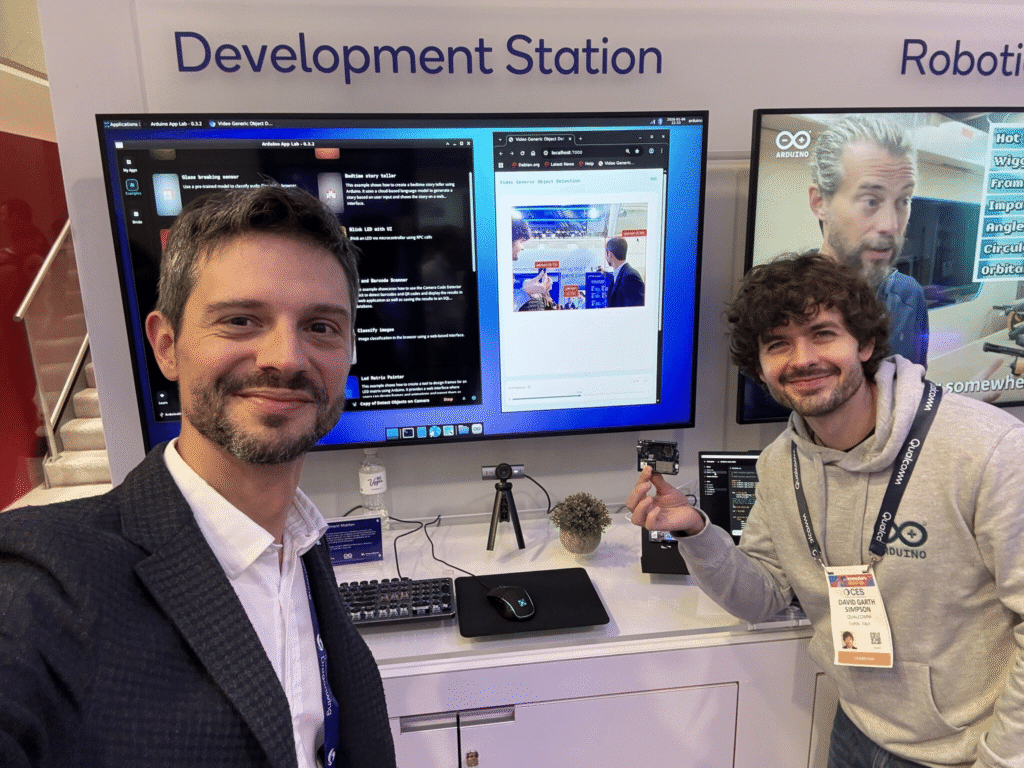
The Arduino team at the Qualcomm booth at CES (January 2026)!
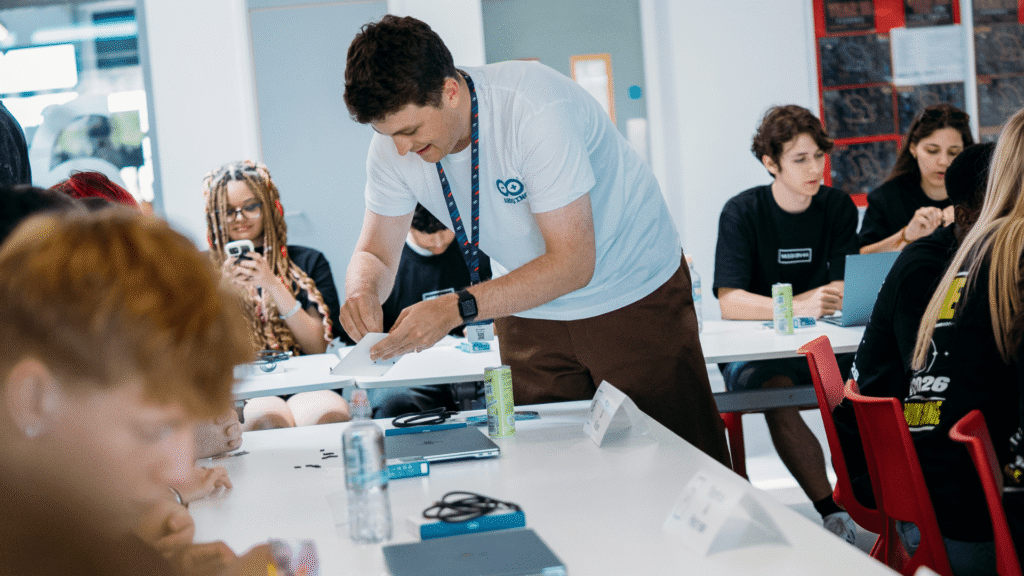
Mission 44 students at Silverstone getting hands-on with UNO Q and AI-powered racing telemetry (June 2026).

It is just the beginning

Year one showed that powerful, open, and simple can go together. It showed us what happens when you put new tools in the hands of a curious community, and let them take it somewhere you didn’t expect.

Year two is about going further: more tools, more partners, and more ways to turn an idea into something real.

Happy first birthday, UNO Q! 

And to everyone who built, shared, taught, hacked, and dreamed with it this year: thank you. The best is still ahead.

Qualcomm branded products are products of Qualcomm Technologies, Inc. and/or its subsidiaries. 

Arduino, Modulino, Nesso, UNO, Starter Kit, and VENTUNO, and the Arduino logo are trademarks or registered trademarks of Arduino S.r.l.

The post One year of UNO Q: built together, open by design appeared first on Arduino Blog.

Arduino Blog 08 Oct 10:35

This #cottagecore cyberdeck is perfect for literal fieldwork

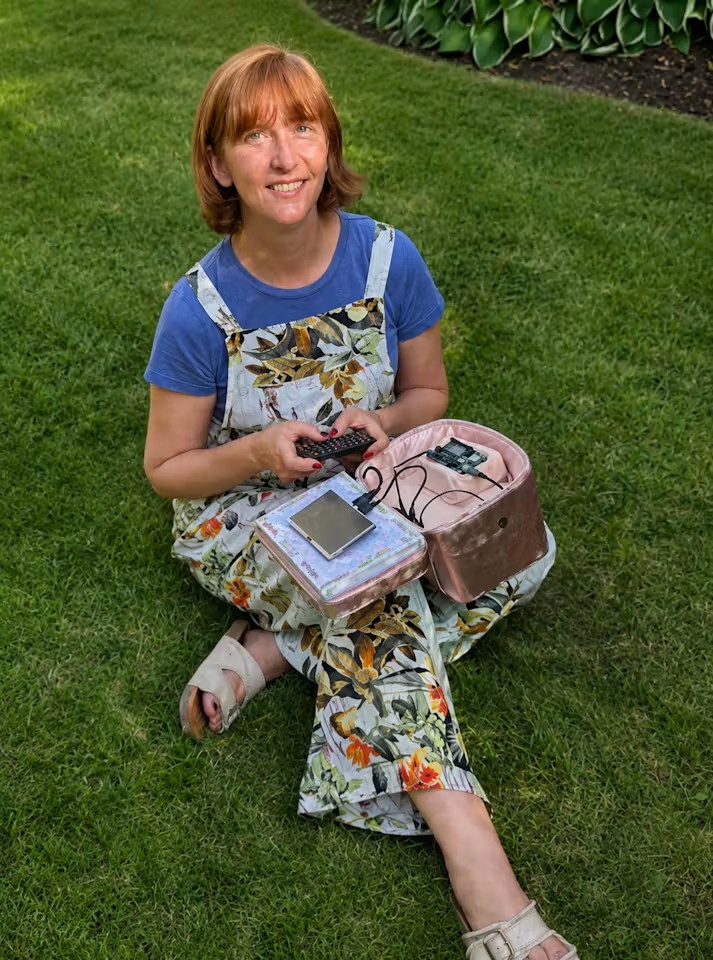
Cyberdecks don’t all have to be chunky slabs of aluminum and plastic chasing after an ‘80s cassette futurism aesthetic. Cyberdecks can be whatever their builders want them to be — that’s the whole appeal. Jen Looper is a creative technologist who loves nature, plants, and cozy gardens, so she built this #cottagecore cyberdeck to do literal fieldwork.

As an aesthetic, cottagecore is all about cozy, rustic vibes. As a subculture, it is about comfortable sustainability and “slow living.” B.L.O.O.M. (Bridging Local Observations, Openly Mapped) is a cyberdeck designed to encompass all of that. Looper built it for collecting field notes on regional plants and animals. It harkens back to the descriptive logging and taxonomic classification work of Victorian naturalists.

The physical construction is also the polar opposite of what we typically see from the cyberdeck community. The enclosure is a “train case,” which is a traditional piece of luggage used for carrying cosmetics and grooming supplies. All of the hardware components nestle inside, with plenty of room to spare for some paper notebooks.

The hardware consists of an Arduino® UNOQ (4GB), a 5” HDMI screen, a Bluetooth keyboard, a Bluetooth mouse, and a power bank to power it all. It also has a USB camera and a USB microphone, which can be used for data collection.

To that end, it connects with a companion app (Field Notes) to compile that data in the Grinnell format. It can also run local AI models directly on the UNO Q to help with that work. As an example, Looper employed the Edge Impulse integration in Arduino App Lab to create a custom model that can recognize avian species based on their birdsong.

This is the kind of functionality that Victorian naturalists wouldn’t have even been able to dream of, but Looper was able to achieve it on a modest budget. At the same time, she proved that cyberdecks can come in any form.

The post This #cottagecore cyberdeck is perfect for literal fieldwork appeared first on Arduino Blog.
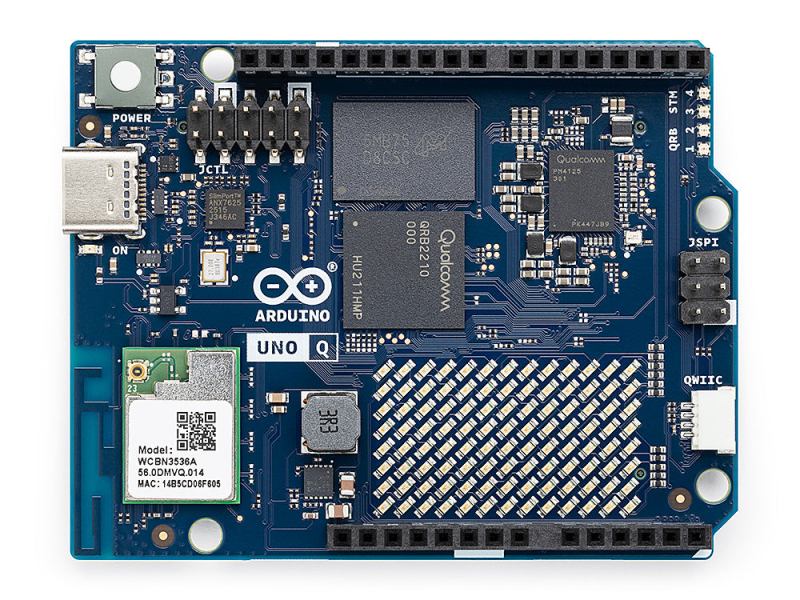
What can you build, when AI can interact with the real world?

The single-board computing market is shifting rapidly, and we are moving into an era of unprecedented possibilities where edge AI, computer vision, real-time control, and rich sensor streams converge locally. Yes, it’s exciting – but even amidst this “explosion” of hardware, an age-old rule holds true: define what you want to build before picking your tool.

No single board can (nor should!) excel at everything. A low-power embedded sensor, an autonomous robot, and a high-throughput video server all demand different architectures. For example, if you are weighing hardware choices for a general-purpose Linux setup versus a hybrid microcontroller, read this in-depth review to evaluate how different design philosophies match your requirements.

In concrete terms, it’s great to get a sense of what each board can do – and even better if you can look at a variety of cool projects at the same time! So here is a selection of what we are seeing developers build across key domains with the Arduino® UNO Q board, leveraging its dual-brain to bridge high-level AI workloads with deterministic physical control. 

Dive into perception-driven robotics

Robotics excels on hybrid platforms because physical movement requires tight, real-time microcontroller timing while visual recognition requires heavy AI processing.

  •  A robot arm that sees you: Uses camera vision designed to recognize people and a robotic arm built to deliver items, with a Modulino LED Matrix providing visual feedback.
  • UNO Q Braccio: Integrates Edge Impulse AI and ROS 2 in a platform engineered to support robotic arm control, including simulation in Gazebo.
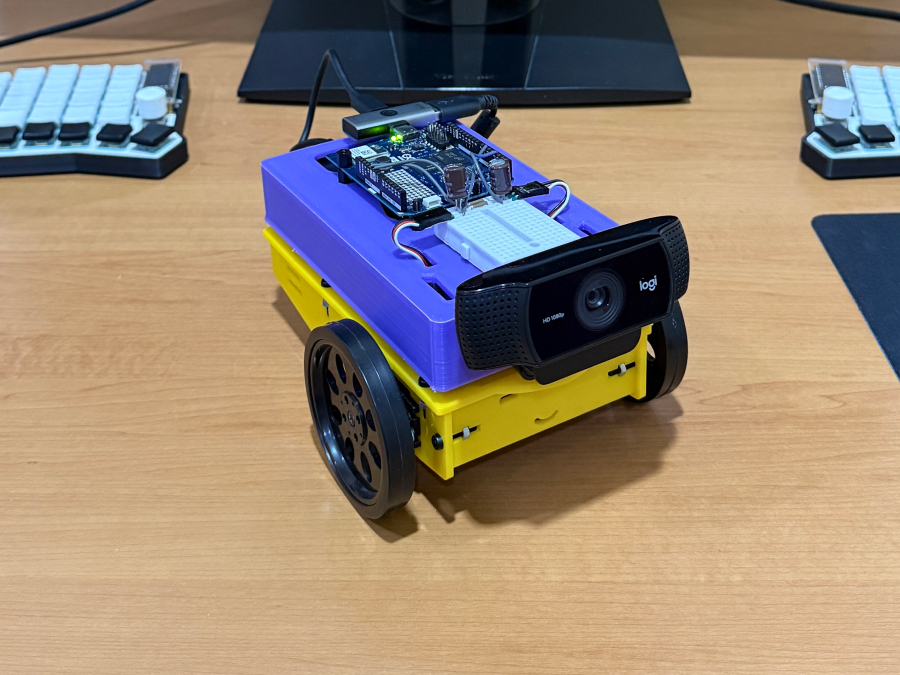
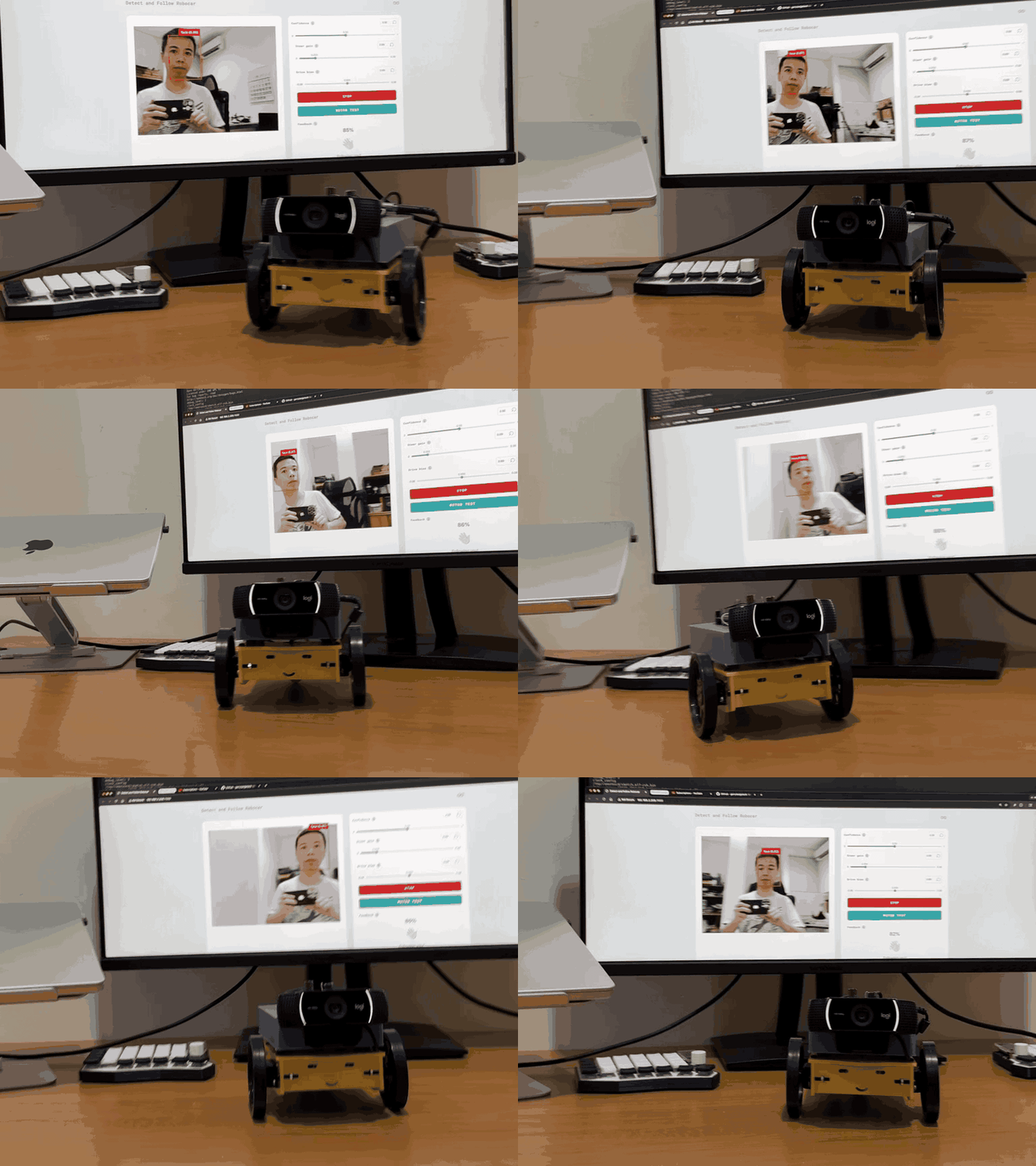
  • Face-following robot: Uses Edge Impulse computer vision designed to track faces and convert tracking data into physical servo movements.
  • AI agent robot: Uses a local AI agent built to support physical navigation and decision-making tasks in real-world environments.

Explore the world through computer vision and spatial sensing

Instead of just streaming video, local machine learning turns cameras and sensors into environmental perception engines.

  • Gesture-controlled input system: Uses a standard webcam and Edge Impulse in a workflow built to convert hand gestures into inputs for digital applications.
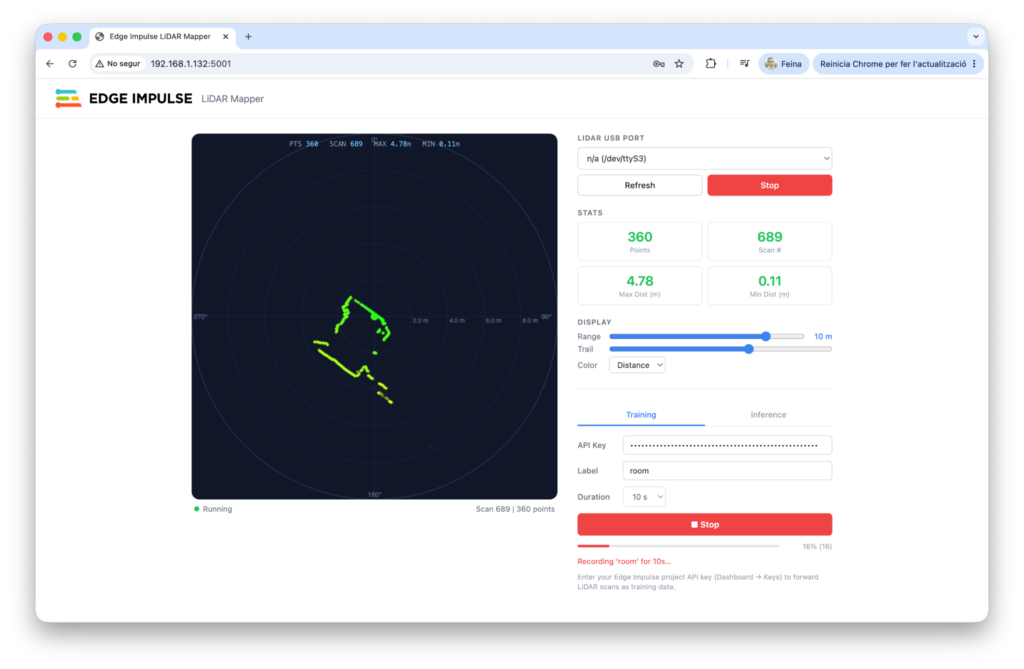
  • Real-time LiDAR room mapper: Pairs LiDAR sensors with Edge Impulse ML in a system engineered to help interpret spatial data and interpret room layouts locally.

Create smart environments with interactive AI

Local AI allows devices to run full “sense, interpret, decide, act” loops without relying on cloud latency or external servers.

  • Talk to your house: An all-in-one smart home hub engineered to support wake-word detection, voice commands, sensor management, and a web interface.
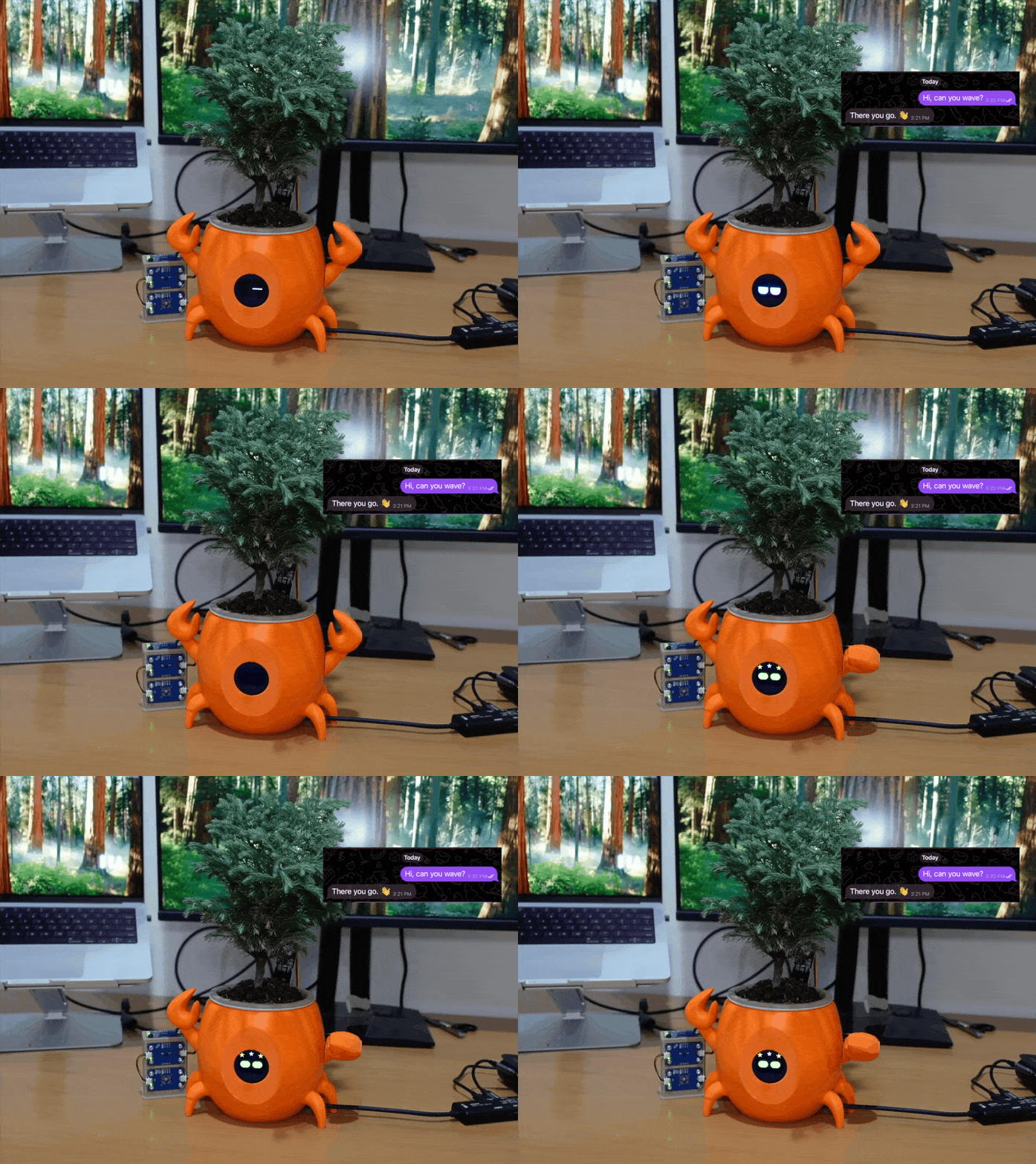
  • Clawrophyll: A smart houseplant system designed to run a local AI agent directly on the board.

We don’t need every platform to do the same thing

The technological landscape is expanding, giving us more tools to build with: the goal was never to find one ultimate board “to rule them all”, but to match your project’s unique demands to the right architecture. Whether you need a raw Linux computing hub or a dual-brain setup like UNO Q, starting with a clear target can help you build smarter, faster, and more effectively. Today, we have more options, more possibilities – and this may ultimately be the most exciting part in the current era of single-board computing.

UNO Q is available on the Arduino Store, and can be ordered from DigiKey, Farnell, Mouser, Newark, RS Components, Robu.in, and other authorized distributors and resellers worldwide.

Qualcomm branded products are products of Qualcomm Technologies, Inc. and/or its subsidiaries. Arduino, UNO, and the Arduino logo are trademarks or registered trademarks of Arduino S.r.l.

The post What can you build, when AI can interact with the real world? appeared first on Arduino Blog.
Python Comes to the Arduino Uno Q

MicroPython is a well-known and easy-to-use way to program microcontrollers in Python. If you’re using an Arduino Uno Q, though, you’re stuck without it. [Natasha] saves the day by bringing us a a subset reimplementation of machine for the Arduino Uno Q.

In the past, microcontrollers were primarily programmed in C, but since MicroPython’s popularity increased over the years, it has become more and more common for introductory microcontroller programming to be in Python. Python, of course, is generally considered more beginner-friendly than C. [Natasha] presumably wanted to teach this way using an Uno Q, but the usual MicroPython APIs weren’t available. And so, in true hacker fashion, they simply made their own library to implement the most important bits of the familiar API. It currently implements a subset of the machine module: Pin, PWM, ADC, I2C, SPI and UART. While not complete, this certainly has potential to make the Uno Q easier to use for those familir with MicroPython.

Gaming on an Arduino Uno Q in Linux

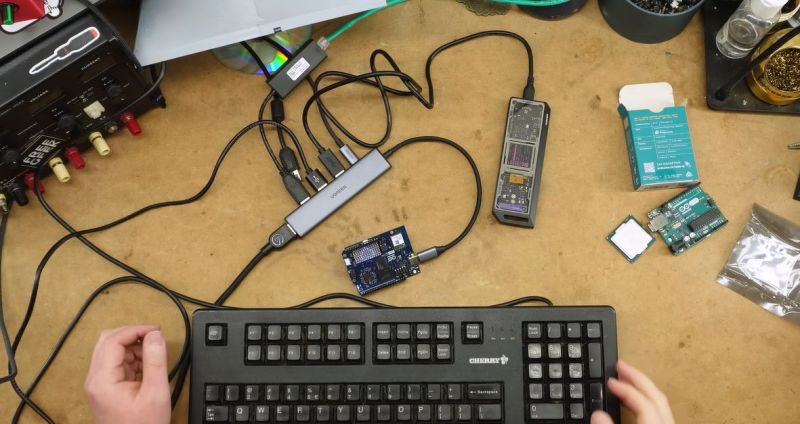
After Qualcomm’s purchase of Arduino it has left many wondering what market its new Uno Q board is trying to target. Taking the ongoing RAM-pocalypse as inspiration, [Bringus Studios] made a tongue-in-cheek video about using one of these SoC/MCU hybrid Arduino boards for running Linux and gaming on it. Naturally, with the lack of ARM-native Steam games, this meant using the FEX x86-to-ARM translator in addition to Steam’s Proton translation layer where no native Linux game exists, making for an excellent stress test of the SoC side of this board.

Technically, this is a heatsink. (Credit: Bringus Studios, YouTube)

We covered this new ‘Arduino’ board previously, which features both a quad-core Cortex-A53 SoC and a Cortex-M33 MCU. Since it uses the Uno form factor, all SoC I/O goes via the single USB-C connector, meaning that a USB-C docking station is pretty much required to use the SoC, though there’s at least 16 GB of eMMC to install the OS on. A Debian-based OS image even comes preinstalled, which is convenient.

With a mere 2 GB of LPDDR4 it’s not the ideal board to run desktop Linux on, but if you’re persistent and patient enough it will work, and you can even play 3D video games as though it’s Qualcomm’s take on Raspberry Pi SBCs. After some intense gaming the SoC package gets really quite toasty, so adding a heatsink is probably needed if you want to peg its cores and GPU to 100% for extended periods of time.

As for dodging the RAM-pocalypse with one of these $44 boards, it’s about the same price as the 1 GB Raspberry Pi 5, but the 2 GB RPi 5 – even with the recent second price bump – is probably a better deal for this purpose. Especially since you can skip the whole docking station, but losing the eMMC is a rawer deal, and the dedicated MCU could be arguably nice for more dedicated purposes. Still, desktop performance is a hard ‘meh’ on the Uno Q, even if you’re very generous.

Despite FEX being a pain to set up, it seems to work well, which is promising for Valve’s upcoming Steam Frame VR glasses, which are incidentally Qualcomm Snapdragon-based.