Posts with «weather station» label

Porting a weather station app from the Arduino® GIGA™ R1 to the Arduino® UNO™ R4 boards
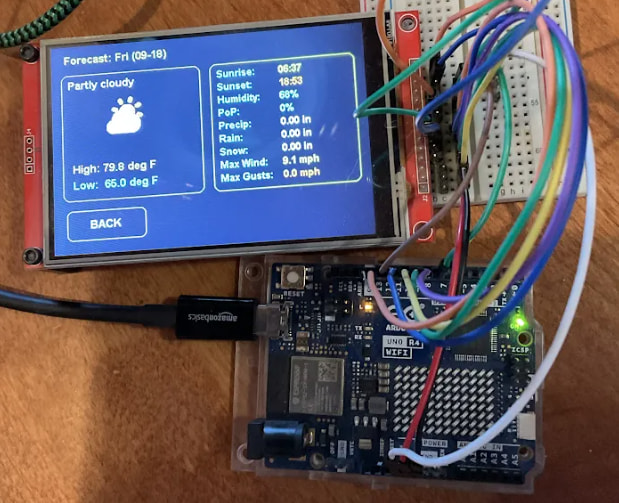
GIGA R1 WiFi is built as a powerful development board, thanks to its dual-core, 32-bit STM32H747XI microcontroller, designed to operate at clock speeds of up to 480 MHz and equipped with 1 MB of RAM. Arduino Forum users KurtE and Merlin513 developed a ZephyrOS-based weather station app for it, showcasing its capabilities. What’s more, they recently published a demonstration that it also works on the less powerful UNO R4 WiFi.

The original project with GIGA

ZephyrOS is an RTOS (Real-Time Operating System), which we chose as a replacement following the end of active Mbed development in 2024. With the Arduino Core on Zephyr 0.90.0 now officially stable, it provides a foundation for applications designed to support process management, task scheduling, and real-time operation.

KurtE and Merlin513 built their weather app for ZephyrOS on the GIGA R1 WiFi with a paired touchscreen (like the GIGA Display Shield). That app is engineered to show the local weather through a nice GUI, with touch-selectable detailed information on specific days.

The result was relatively resource-intensive for a microcontroller, but the GIGA R1 WiFi’s processing and memory resources were designed to support the application.

The new, limit-stretching version

The UNO R4 WiFi is a more resource-constrained board, featuring a single-core Renesas RA4M1 microcontroller operating at 48 MHz and 32 kB of RAM. It also includes 256 kB of flash storage, compared with the GIGA R1 WiFi’s 2 MB.

This translates into two challenges: shaving the package size down to fit in the available flash storage and reducing resource usage for the available RAM. Fortunately, solving the first challenge also eliminated the second. KurtE did that by switch display libraries and simplifying the GUI elements. Most of that came down to reducing the color palette and minimizing image sizes where possible.

With these optimizations in place, KurtE demonstrated that the weather application could run on the UNO R4 WiFi and described the result as operating “reasonably well.”

The great challenge of smaller platforms

Optimizing software for constrained hardware isn’t just an exercise in trimming code – it’s a mindset that encourages thoughtful engineering. While high-spec boards give you room to dream big, figuring out how to squeeze a full RTOS, graphical interface, and real-time data onto a board with 32 kB of RAM demonstrates how practical constraints can inspire creative solutions.

Porting projects like this weather station down to smaller platforms helps make complex applications more accessible, showing that with the right optimizations, you don’t always need massive compute power to build impressive, responsive systems.

Have a similar project to share? Add it to your next post on the Arduino Forum, or document it on Arduino Project Hub so the entire community can benefit from your experience and build on it!

Arduino, GIGA, and UNO are trademarks or registered trademarks of Arduino S.r.l.

The post Porting a weather station app from the Arduino® GIGA™ R1 to the Arduino® UNO™ R4 boards appeared first on Arduino Blog.
Supersized Weather Station Uses Antique Analog Meters

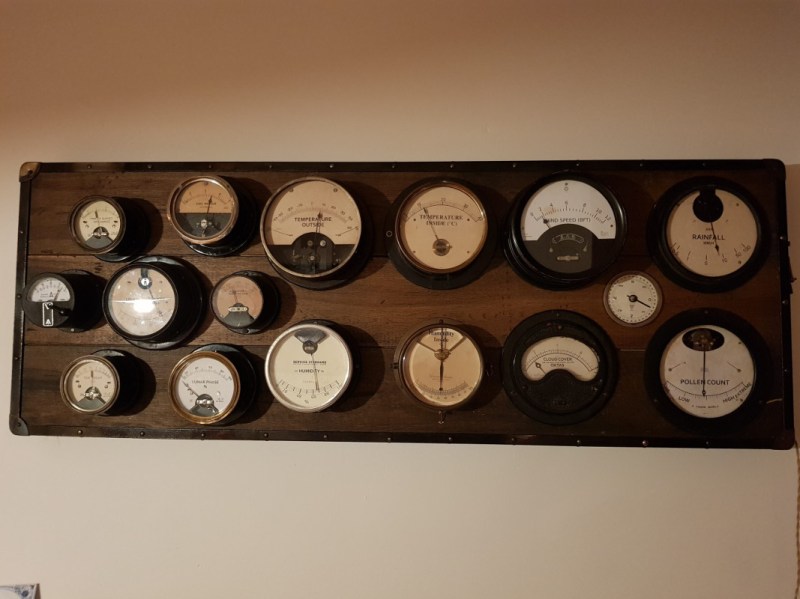
For most of us, getting weather information is as trivial as unlocking a smartphone or turning on a computer and pointing an app or browser at one’s weather site of choice. This is all well and good, but it lacks a certain panache that old weather stations had with their analog dials and stained wood cases. The weather station that [BuildComics] created marries both this antique aesthetic with modern weather data availability, and then dials it up a notch for this enormous analog weather station build.

The weather station uses 16 discrete dials, each modified with a different label for the specific type of data displayed. Some of them needed new glass, and others also needed coils to be modified to be driven with a lower current than they were designed as well, since each would be driven by one of two Arduinos in this project. Each are tied to a microcontroller output via a potentiometer which controls the needle’s position for the wildly different designs of meter. The microcontrollers themselves get weather information via the internet, which allows for about as up-to-date information about the weather as one could gather first-hand.

The amount of customization of these old meters is impressive, and what’s even more impressive is the project’s final weight. [BuildComics] reports that it took two people just to lift it onto the wall mount, which is not surprising given the amount of iron in some of these old analog meters. And, although not as common in the real world anymore, these old antique meters have plenty of repurposed uses beyond weather stations as well.

Weather Station Can Rock You Like A Hurricane

People love to talk about the weather. It’s the perfect small talk, whether you’re trying to start a conversation or keep one going by avoiding an awkward silence. In the same fashion, weather stations are an ideal starting point for any sort of sensor-related project ideas. You get to familiarizing yourself with communication buses, ADCs, general data acquisition, and you learn a lot in figuring out how to visualize it all.

What if your weather station didn’t visualize anything? [OttoNL] is answering that question with a MIDI-generating Weather Station that uses the mood of the music to convey the condition of the elements outside.

Using an ESP8266 programmed via the Arduino IDE, [OttoNL] hooked up a light dependent resistor, a rain sensor, and the all-round workhorse BME280 for temperature, barometric pressure, and humidity to it. Reading the sensors, the ESP will generate MIDI notes that are sent to a connected synthesizer, with each sensor influencing a different aspect of the generated MIDI signals. A sadder, slow tune will play during rain and a fast upbeat one during sunshine. While it doesn’t use the ESP’s WiFi functionality at all at this point, a future version could easily retrieve some weather forecast data from the internet and add it into the mix as well.

Connect this to your alarm clock, and you can start your day off in the appropriate mood. You can even customize your breakfast toast to really immerse your morning routine in abstract weather cues.

Custom weather station enhances and modifies electronic music

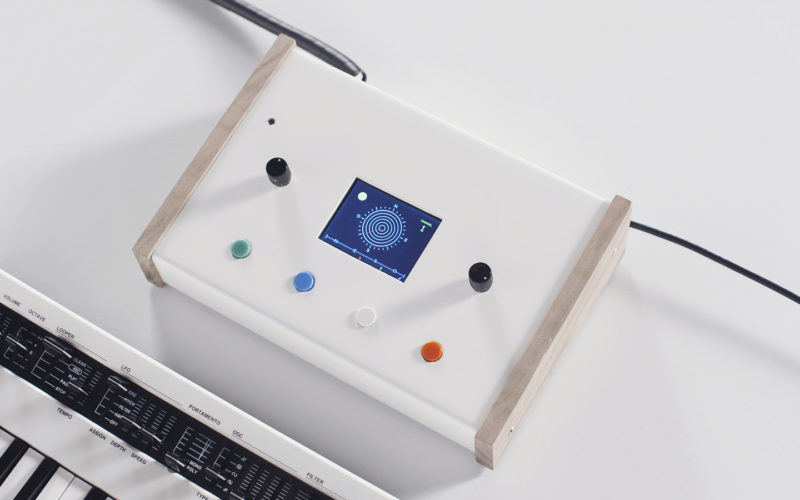
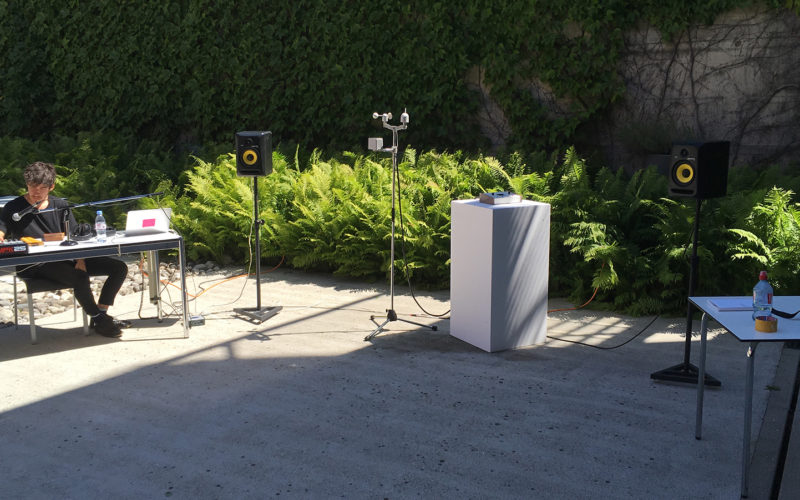
While the environment is important for any musical performance, generally it’s not an active part of the show. Adrien Kaeser, though, has come up with a device called the “Weather Thingy“ that integrates weather directly into electronic music performances. It’s able to sense wind direction and speed, light intensity, and rain, translating this data into MIDI inputs.

The system, which was created at ECAL, consists of two parts: a compact weather station on top of a portable stand, as well as a small console with buttons and knobs to select and modify environmental effects on the music. 

Hardware for the project includes an Arduino Mega and Leonardo, a small TFT screen to display the element under control and its characteristics, an ESP32 module, a SparkFun ESP32 Thing Environment Sensor Shield, a SparkFun MIDI Shield, high speed optocouplers, rotary encoder knobs, and some buttons.

Be sure to see the demo in the video below, preferably with the sound on!

Build Your Own Arduino Weather Station

An easy to set up and program digital weather station you can build for around $50

Read more on MAKE

The post Build Your Own Arduino Weather Station appeared first on Make: DIY Projects, How-Tos, Electronics, Crafts and Ideas for Makers.

RasPi and Arduino-Controlled Weather Station

José Amores, also known as UC4FUN, built this cool weather station that features sensors and a RTC module plugged into an Arduino, connected via XBee to a Raspberry Pi with an SD card storing data and a wifi connection to the Internet, allowing José to publish the data online. [via [...]

Read the full article on MAKE

Weather station graphs history on webpage

Kudos go out to [Jose] for his work getting so many different components to talk to each other in this Arduino weather station that using a Raspberry Pi to display the data online.

The components shown above make up the sensor package. There’s an Arduino with a custom shield that interfaces the barometric pressure sensor, real-time clock chip, a digital temperature sensor, and a humidity sensor. On top of that shield is an XBee shield that lets this push data back to the base station. [Jose] also rolled in an LCD character display and a few buttons so that the user may view weather data without heading to the web.

A Raspberry Pi board makes up the other half of the XBee pair. It harvests the incoming data from the radio module using a USB to Serial converter cable. You can see the data log on the webpage linked above. Just choose the “LIVE” menu option and click on “Daily” to get a better overview of humidity and pressure changes.


Filed under: home hacks