Posts with «language|en-us» label

Pixel 5a review: The 4a 5G wasn't broken, so Google didn't fix it

The Pixel 6 is just around the corner. But before Google brings it and its Tensor mobile chip to market, the company is updating its entry level offering with the $449 Pixel 5a. The whole point of the “a” family is to offer the basics at a reasonable price without sacrificing too much of the Pixel experience in the process. That means a relatively clean version of Android with a bunch of AI tricks and a heavy focus on photography.

But apparently Google feels like it more or less nailed that formula with the Pixel 4a 5G because the 5a is basically the same phone. (Note: The Pixel 5a is not a direct successor to the 4a, which was a much smaller device.) There are some differences — notably the addition of IP67 waterproofing — but most of the tweaks are extremely minor. Even the processor and RAM haven’t changed. So, if we said you could do better way back in October of 2020, what does that mean for the 5a in the fall of 2021?

Well, it makes the Pixel 5a about as unexciting as a phone can be, for one. But look, boring isn’t necessarily bad. Especially when you’re talking about the mid and lower tiers of the smartphone market. For one, keeping things staid allows Google to focus its efforts on battery life and performance optimization. And just like the last generation of Pixels, the 5a feels pretty responsive despite the aging Snapdragon 765G inside. That said, the 765G wasn’t exactly top of the line last year, and it’s starting to show its limits. While scrolling through the UI and doing simple things like reading email and sending text messages, the 5a is indistinguishable from any flagship device. It even handles most mobile games without a hiccup. I spent some time playing The Elder Scrolls: Blades and Wild Castle and the phone barely broke a sweat.

But, I did notice it stutter a few times while navigating YouTube, editing photos and jotting down my thoughts for this review in Evernote. The latter I could easily chalk up to Evernote’s questionable development over the last few years, but the pauses while switching to fullscreen in YouTube and swapping filters in Google Photos are a bit more concerning.

Terrence O'Brien / Engadget

The plus side of going with something a bit older and lower-powered (not to mention with an integrated 5G modem) is power efficiency. The 4a 5G was already something of a beast, lasting over 17 hours in our battery drain test before our reviews editor Cherlynn Low simply gave up and moved on with her life. That device had a 3,885mAh battery. The 5a has a 4,680mAh cell. It took 22 hours and 56 of playing a video on loop at 50-brightness before it finally powered down.

After 24 hour of heavy usage — playing games, repeatedly running 5G speed tests, installing apps, watching videos on YouTube and even letting it play sleep sounds overnight — the battery was still at 40 percent. It didn’t finally crap out until almost 2AM on day two. And if you turn on Extreme Battery Saver, things could get even more absurd. I’m fairly confident that under normal use you could get a full 48 hours out of the Pixel 5a before needing to find an outlet.

Battery life isn’t the only difference between the 5a and 4a 5G: The new phone is also IP67 rated for water and dust resistance. At a time when many smartphones have at least some form of water resistance the Pixel 4a 5G was sort of a disappointment. In fact, the lack of waterproofing was one of the big cons called out in our review. But the Pixel 5a should easily survive getting caught in the rain or if you drop it in a toilet. It can withstand being submerged in water up to one meter deep for 30 minutes, but I wouldn’t push this to its limits. Definitely don’t go swimming with it in your pocket.

Terrence O'Brien / Engadget

The last difference between the Pixel 5a and the 4a 5G is in the size and construction, but it’s subtle. The 5a has a metal unibody as opposed to a polycarbonate one. The texture is still matte and similar to the softtouch of the previous models, though, and the upgrade to Gorilla Glass 6 from Gorilla Glass 3 is notable, but you’ll never notice the difference in daily use. The 5a comes in one finish: Mostly Black. Some might find the look a little dull, and it’s certainly on the utilitarian side, but I quite liked the feel of the phone. The finish is a nice contrast to the seemingly endless sea of smooth glassy surfaces and the heft is just right, too.

The 5a is ever so slightly larger and heavier, but you’re talking about a few millimeters and grams. Even if you had a Pixel 4a 5G in one hand and a Pixel 5a in the other you’d be hard pressed to figure out which is which.

The change in size mostly comes down to the slightly larger screen. The OLED panel on the 5a is 6.34 inches, versus 6.2 inches on the 4a 5G. Otherwise, though, the screens are basically the same. The increased resolution of 2,400 x 1,080 makes up for the size difference so they both have a density of 413 ppi. Both also sport a contrast ratio of 100,000:1 and support HDR and are stuck at now outdated 60Hz. And both are just bright enough to use in direct sunlight, though high brightness mode is definitely a necessity if you’re watching a video outdoors.

Even the holepunch for the front-facing camera is in the same place. That said, I appreciated Google’s “for fun” wallpapers that camouflage the hole by incorporating it into the design. My favorite is the record player where the camera becomes the hole at the center of an LP.

That 8-megapixel front-facing camera, by the way, is one of the weak points of the 5a. It does the job in perfect lighting and for video calls. But details can be a bit soft, in low light it gets noisy and portrait mode is hit or miss. Overall, I found Google’s portrait feature to be a bit too aggressive even on the main camera. You can easily adjust the blur and depth after the fact, but the default settings could stand to be more subtle.

The selfie cam, though, is the same one found on the Pixel 4a 5G, so none of this is a surprise. In fact, all of the cameras are the same. The two sensors around the rear, however, are much better than the one on the front. There’s a 12.2-megapixel main shooter with optical image stabilization and a 16-megapixel ultra-wide-angle lens. They have a somewhat “moody” vibe when compared to shots from an iPhone or a Galaxy device, but they’re not obviously inferior. And even though images taken with the wide-angle lens can get a little fuzzy if you start zooming in on details, Google’s processing does an admirable job of minimizing barrel distortion. Google isn’t at the top of the smartphone camera heap anymore, but it’s not far off and photography is still an undeniable strong suit of the Pixel family.

Terrence O'Brien / Engadget

There’s nothing new to report, though. It’s the same set of excellent photography features that you got last year: Portrait lighting can help clean up and add some contrast to photos of people (but sadly not pets — the option only appears if a human face is detected). Night Sight turns on automatically in dim lighting and at times produces mind-blowing results. And the video stabilization modes are excellent. Cinematic Pan, which combines slow motion with super smooth movement, is especially fun.

Also, just like every other “a” model Pixel, this one has a headphone jack. All I can say is: That’s great, now please bring the headphone jack back to flagship phones. I know I’m not the only person clamoring for it. And it drives me nuts that the only way to get an old-school 3.5mm jack on my phone is to go down market.

Terrence O'Brien / Engadget

One last thing to mention: The actual full name of the phone is the Pixel 5a with 5G. So, guess what, it supports 5G connectivity. That’s not really surprising since the Snapdragon 765G has an integrated 5G modem. Unlike the Pixel 4a 5G, however, there is no mmWave variant of the 5a. And, although technically it’s capable of C-Band support, it’s currently not enabled and Google wouldn’t commit to adding support in the future. That’s not a huge deal at the moment since there are no active C-Band networks in the US yet. But it might irk some when AT&T and Verizon start flipping the switch, likely sometime later this year. That said, full C-Band rollout isn’t expected to happen until at least late 2023.

Those caveats out of the way, 5G still seems stuck in a state of arrested development. I tested the Pixel 5a using Google Fi, which essentially means I was on T-Mobile’s network and speeds were all over the place. In my home, it was often slower than Verizon’s LTE network, averaging around 35mbps down. (Note: Verizon is Engadget’s parent company… for now.) But two and half miles up the road at a local Subaru dealership I was routinely getting over 300mbps down, topping out at 370mbps.

Terrence O'Brien / Engadget

Of course, 5G and excellent cameras aren’t a rarity at this price any more. Mid-tier phones have come a long way over the last few years. The problem for Google is, it no longer clearly “owns the midrange.” Part of that is down to price. While the 5a is $50 cheaper than the 4a 5G, it’s not the obvious bargain that the 4a was at $350. If it was even just $50 cheaper still, the 5a would be a much easier sell at $399.

The Samsung A52 5G is slightly more expensive at $500 (though regularly on sale for less) and has a slower Snapdragon 750G SoC. But, its Super AMOLED screen clearly outclasses the Pixel’s and has a 120Hz refresh rate. Plus, its camera system is much sharper and feature-packed (but that doesn’t necessarily mean “better”). In addition to a primary camera and ultra-wide shooter, there’s a macro lens and a depth sensor that helps with portrait mode. While both the A52 and 5a ship with 128GB of storage, the Samsung has an advantage in that it has a microSD card slot.

Then there’s the OnePlus Nord N2 5G. It has a trio of cameras around the back, including a 50-megapixel primary sensor, an AMOLED screen with a 90Hz refresh rate, and up to 12GB of RAM. Then again, it has a MediaTek processor, which you rarely see in phones in the US and with good reason: They’re not exactly known for their high-end performance. But perhaps more importantly, you’re highly unlikely to be making a choice between the Nord N2 and the Pixel 5a since the former isn’t available in the US, and the later is only available in the US and Japan.

Of course, if you’re more of an iOS fan, the obvious comparison would seem to be the iPhone SE. It’s the same price as the Pixel 5a for a 128GB model, but it does feel quite a bit dated. It still uses the old iPhone 8 form factor with a Touch ID home button instead of Face ID, it's positively miniscule at 4.7 inches and doesn’t support 5G. Frankly, if you’re dead set on iOS, I might suggest saving your pennies and springing for the $699 iPhone 12 mini.

So, no, Google doesn’t “own the midrange” any more. The Pixel 5a is almost aggressively boring, but it’s not bad. If you want the Pixel experience and don’t want to break the bank, this is the way to go. But if you’re just looking for the best bang for your buck, the choice is far less clear.
The NVIDIA Shield TV drops back down to $130

Android TV fans looking for something a bit more powerful than a Chromecast should consider the NVIDIA Shield TV. But at its normal price of $150, it's significantly more expensive than Google's streaming dongle. However, now you can grab the NVIDIA Shield TV for $130, or $20 off its normal price. That's almost a record low — we saw it drop to $129 ahead of Black Friday last year — but this is the best price we've seen in 2021, and it's only come around a couple of times so far.

Buy NVIDIA Shield TV at Amazon - $130Buy NVIDIA Shield TV at Best Buy - $130Buy NVIDIA Shield TV at B&H Photo - $130

Despite being more expensive than streaming dongles of similar size, the NVIDIA Shield is worth the extra money thanks to its Tegra X1+ processor. It's powerful enough to run the Android TV platform with ease, and it supports Dolby Vision HDR, Dolby Atmos audio, Chromecast 4K and AI-powered HD-to-4K upscaling. It also works with the Google Assistant and Amazon's Alexa, so you can bark orders at it instead of using the triangular remote if you wish.

Don't let the tubular design alienate you either — NVIDIA claims the shape helps avoid wireless interference, and the company still managed to include an Ethernet port, an HDMI connector, a microSD card slot and a power port on the compact device. The microSD card slot lets you expand on the Shield's internal storage, bringing additional content with you for offline viewing, and if you like to hardwire your streaming devices, the Ethernet port makes that possible. Overall, it's a powerful streaming device that's easy to use and can handle most anything you'll throw at it.

Follow @EngadgetDeals on Twitter for the latest tech deals and buying advice.

'Star Wars: Visions' anime trailer is packed with gorgeous visuals

One of the more exciting Star Wars projects in the immediate pipeline is Star Wars: Visions, the anime anthology series that's coming to Disney+ on September 22nd. Disney previously offered a behind-the-scenes look at the show, and now it has revealed the first trailer. You can watch the clip below in either the original Japanese with subtitles or an English dub.

The trailer is stunning, no matter the language in which you opt to watch it. The two-minute video full of Star Wars staples like lightsabers, Star Destroyers, Stormtroopers and droids, albeit with completely distinct visuals from other animated series like The Bad Batch.

Each of the nine Star Wars: Visions episodes has a unique style and an original story. Seven studios crafted the installments: Kamikaze Douga, Geno Studio (Twin Engine), Studio Colorido (Twin Engine), Trigger, Kinema Citrus, Science Saru and Production I.G. Trigger and Science Saru each made two episodes.

“Their stories showcase the full spectrum of bold storytelling found across Japanese animation; each told with a freshness and voice that expands our understanding of what a Star Wars story can be, and celebrates a galaxy that has been such an inspiration to so many visionary storytellers," James Waugh, executive producer and Lucasfilm vice president of franchise content and strategy, said.

Disney also announced the main Japanese and English voice casts for the series. Along with returning actors such as Temuera Morrison (Boba Fett), there are a host of well-known performers involved in the English dubs, including Lucy Liu, Joseph Gordon-Levitt, Neil Patrick Harris, Alison Brie, Simu Liu (star of the upcoming Marvel blockbuster Shang-Chi and the Legend of the Ten Rings) and George Takei.

Given that George Lucas took inspiration from the films of Akira Kurosawa and Japanese culture when creating A New Hope, Visions will sort of take Star Wars back to its roots. In any case, the episodes should offer completely fresh perspectives on the Star Wars universe.

CES 2022 will require attendees to show proof of vaccination

The Consumer Technology Association is going to great lengths to keep CES 2022 as an in-person event. The organizers have announced that you'll need proof of COVID-19 vaccination to attend the technology expo when it kicks off January 5th. There's also a chance you can get in to CES with proof of a positive antibody test, although the CTA is still "assessing" that possibility.

CTA chief Gary Shapiro explained the decision as a reflection of "today's science" showing that vaccines are the "best hope" for curbing COVID-19. The SARS-CoV-2 virus' Delta variant is known to be highly transmissible and more likely to produce severe symptoms in younger unvaccinated people.

There was no mention of just which vaccines would be considered acceptable. We've asked the CTA for more details, although it did mention that it would follow "state and local guidelines" as well as CDC recommendations.

Attendance might be a problem if the CTA sticks to US-authorized vaccine regimens. If you've had mixed doses (such as in Canada) or a vaccine that hasn't been approved in the States (such as AstraZeneca or Sinopharm), you might be out of luck even if the shots are highly effective. A virtual CES show is still available for those who won't attend in person, but that may serve as a mere consolation prize if you were otherwise comfortable with going.

As it stands, it's not clear if this will reassure would-be guests and exhibitors. While the CTA is taking a number of precautions at CES 2022 beyond the vaccination requirement, such as mask requirements and extra spacing, this definitely isn't a throwback to CES 2020 and earlier events where crowds were (relatively) safe. And as other event organizers have learned, the pandemic can change quickly — what seems safe now could be risky a few months later.

YouTube will start showing video chapters in search results

YouTube has an impossibly large video library, and the company knows that navigating it is easier said than done. To that end, the company is introducing a few new features to improve the search experience. Probably the most significant new tool is chapter view right from the search results page. YouTube has offered the ability for users to break longer videos into separate chapters so that viewers can quickly find specific information, but they were only visible when you clicked through. 

Now, chapters will appear alongside the search results, with a time-stamped image thumbnail for each section. This should give viewers more insight into the content inside each video, and you'll be able to tap or click right into a specific chapter if you find exactly the info you're looking for. We're not yet sure if this feature is coming to mobile, desktop or both, but we asked YouTube and will update this if we find out more.

Another new feature we do know is coming to mobile are the little snippets of videos that automatically play when you mouse over them on the desktop. YouTube says it'll roll out "a version" of these previews on mobile, though it's not clear exactly what gesture will be used to get the snippet to play.

Finally, some of Google's auto-translate tools are coming to YouTube search results to make them useful to more people. Specifically, the company is starting to include automatically translated video titles, descriptions and captions to search. These results will show when there isn't enough related content in a user's local language to be useful. YouTube is first adding these translations to English-language videos, and right now it's only being tested on mobile devices in India and Indonesia; the company says it'll "consider" expanding to more locations based on user feedback. 

Discovery+ is turning hit podcast 'SmartLess' into a docuseries

Fresh off a blockbuster deal with Amazon, the celebrity hosts of the podcast SmartLess are taking their show to Discovery+. Actors Jason Bateman, Will Arnett and Sean Hayes are going on the road with their hit podcast. Two 75-minute specials featuring highlights of interviews with stars from their North American tour will hit Discovery+ next year.

Bateman, Arnett and Hayes are the creators and hosts of the show. During each episode, one of the trio brings on a mystery guest and their conversation flows from there. Guests so far include Vice President Kamala Harris, George Clooney, Jennifer Aniston, Paul McCartney, Awkwafina, W. Kamau Bell, Stacey Abrams, Billie Eilish and Megan Rapinoe.

Amazon picked up exclusive rights to SmartLess in June in a three-year deal worth a reported $80 million. As of the beginning of this month, new episodes premiere on Amazon Music and Wondery+, where they remain exclusive for a week before hitting other podcast platforms.

SmartLess is far fromthe first podcast to get adaptedfor TV. Still, the deal speaks to networks' and streaming services' push to tap into existingfan bases as they search for their next big hit.

Boston Dynamics' robots can parkour better than you

Don't expect an easy getaway if one of Boston Dynamics' Atlas robots ever chases you down. The Hyundai-owned firm has shared a video (below) of the humanoid bots successfully completing a parkour routine in an obstacle course for the first time. The pair of Atlas machines leapt gaps, vaulted beams and even coordinated a backflip, all without missing a beat — they might be more graceful than you are.

The routine took "months" of development, according to the company, and served as a useful test of the robots' ability to maintain their balance while switching behaviors and coordinating actions. This isn't just canned behavior, either. As with other recent tests, Atlas now uses visuals to adapt its movement to the course.

Don't worry that the robots will chase you down any time soon, though. The vault in particular has about a 50 percent failure rate, and there's still a slight chance of failure at each step. Even a fist pump at the end didn't go smoothly, Boston Dynamics said. The company still has to refine movements that are limited by the very nature of the robots themselves, such as the lack of a spine and the relatively weak arm joints.

As it stands, Atlas isn't a production robot like Spot. It's a research model meant to push the limits of robotics. Boston Dynamics does, however, envision this parkour practice leading to future helper robots that can handle a wide variety of tasks with human-like dexterity. Let's just hope they stay on our good side.

Scuf Gaming one-upped Microsoft with its new Xbox Series X/S controllers

“Luxury” isn’t really a word you associate with gaming controllers, but when you’re spending $200 on a gamepad, that’s essentially what you get. The fact is just masked by words like “Elite” and “Pro.” One of the companies making controllers at that level has been Scuf, a brand that even collaborated with Microsoft on an official high-end gamepad. Now the team at Scuf is taking its expertise to the Xbox Series X/S with the new $170 Instinct and $200 Instinct Pro, which bring back fan-favorite features like an interchangeable faceplate while also improving the buttons and switches.

I was sent the more expensive Instinct Pro, though rest assured that even the cheaper model is still high quality. They each come packaged in a patterned black box that feels more appropriate to jewelry than gamer gear. The standard consumer version will come with a black faceplate, but the one I received was printed with a map pattern in black, gold and blue. I really like it, even if I’m not a fan of the FPS games it's meant to invoke. The faceplate comes off with a firm pull, though five magnets underneath ensure it’ll stay put during your gaming sessions.

Kris Naudus / Engadget

The d-pad also comes off easily when pulled with two fingers, but my attempts to dislodge it with my left thumb while playing were thankfully ineffective. However, the package does not include a replacement. What is included besides the controller is one USB cable, two AA batteries and two convex thumbsticks, one short and one tall. To swap these in you need to pry the faceplate off then pull at the thumbsticks so forcefully it feels like you're doing something wrong. The replacements can then be snapped into place, though it might take a few tries to get the pegs to line up with the holes on the back of the joysticks.

Kris Naudus / Engadget

The front of the gamepad’s layout contains the standard array of buttons plus a mute switch for any headset that may be connected to the 3.5mm port on the bottom. The back, however, is a different story. Scuf has included four buttons just south of the battery cover, which can be mapped to duplicate any of the front buttons. However, unlike the long paddles found on the company’s other controllers, these instead consist of two flaps molded into the controller casing that jut out slightly, along with two buttons in between them. Your middle fingers should rest comfortably in the two concave nooks the buttons create, and flexing your fingers backward is enough to push those flaps, so you never have to shift where your fingers rest as you do with your thumbs on the front of the gamepad and forefingers on the shoulder buttons and triggers.

Kris Naudus / Engadget

The triggers on the more expensive Instinct Pro have also gotten a bit of a redesign. Previous Scuf products allowed players to adjust the sensitivity and install trigger stops that gave them a shorter pull, like a mouse button. Now the triggers can be adjusted on the fly thanks to a set of switches that can flip the buttons between the traditional long pull like you’d prefer in a driving game, to a shorter mouse click for weapons fire. Each trigger can be adjusted independently, too, which can make the feature useful for even more genres.

The last new feature on the back is a button that allows you to switch between three different configurations — the controller comes preprogrammed with settings for FPS/battle royale, sports and racing titles. The settings can be changed on the controller itself by holding down the profile button until it blinks and then holding down the paddle you want to change and the button you want it to emulate.

Kris Naudus / Engadget

Aside from all the bells and whistles, the Scuf Instinct Pro has a really nice, premium hand feel. It’s solid but not heavy, and the grips have a rubberized hexagonal pattern that allows airflow to prevent excessive palm sweating. I can’t tell you how it feels compared to other Scuf controllers, but matched up against the standard Xbox gamepad or recent releases like the Turtle Beach Recon Controller, it feels premium. Which it should, given that it’s so much more expensive. Like all Scuf products, the Instinct and Instinct Pro are for professionals and other people who take their games seriously enough to spend hundreds of dollars on gear.

The best Nintendo Switch accessories you can buy

It’s shaping up to be a good year for the Nintendo Switch, with games like New Pokémon Snap, The Great Ace Attorney Chronicles and Famicom Detective Club giving us plenty of reasons to keep playing the now four year old console. The new OLED version might add a bit of extra pep to your game graphics, but a better Switch experience doesn’t have to cost $350. You can upgrade your setup with the right accessories, and we’ve got a few recommendations for different uses.

For Switches that stay at home

Devindra Hardawar

The first thing you’ll want to pick up for your Switch or Switch Lite is a microSD card. After all, there are a lot of great games to download and your system has limited storage space. It’s also the only way you’ll get screen captures off your console if you haven’t connected it to Facebook or Twitter. Samsung's EVO Select line is recommended for its speed and reliability, but it’s the price that you’re likely to find most appealing, with a 256GB card running only $36 and the more spacious 512GB costing $70.

Buy Samsung Evo microSD card (256GB) at Amazon - $36Buy Samsung Evo microSD card (512GB) at Amazon - $70

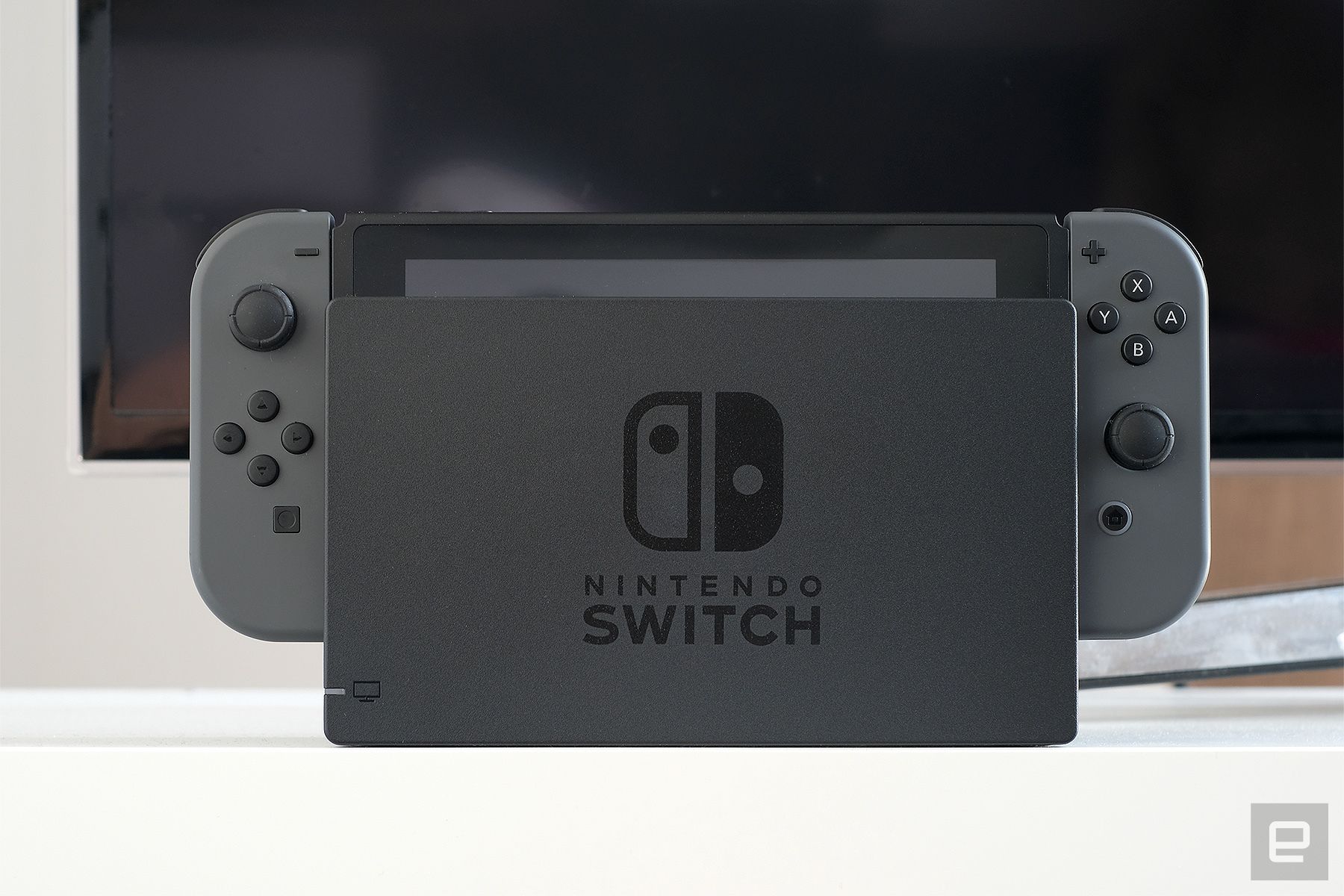
It might be tempting to pick up a third-party dock for your Switch. Don’t. There have been reports of Switches getting bricked by non-Nintendo docks, which means you’re stuck with the official $100 model. However, if all you’re looking for is a change in look, you can buy a skin for your dock (and the Joy-Cons too) that will liven things up. Dbrand offers a range of bold, vibrant colors, and the skins won’t damage your Switch if removed. If you’d prefer something with a design, Slickwraps offers marble and camo patterns as well some attractive Super Nintendo and Super Famicom-themed skins.

If your Switch gets a lot of use, chances are you may have picked up some extra Joy-Cons and a Pro Controller. It’s a real pain to have to charge multiple pairs of Joy-Cons on one Switch, however, so a charging dock can be a great buy. PowerA’s Pro Controller charging dock has room for one pair of Joy-Cons and a Pro Controller, keeping them tidy and powered up. If you don’t need a place to put your Pro Controller, the regular charging dock can accommodate two sets of Joy-Cons. You can also use them for other controllers that slide onto your Switch’s rails like the official NES-style controllers or Hori’s Split Pad Pro.

Buy Dbrand skins starting at $8Buy Slickwraps starting at $35Buy PowerA charging dock at Amazon - $36

Kris Naudus / Engadget

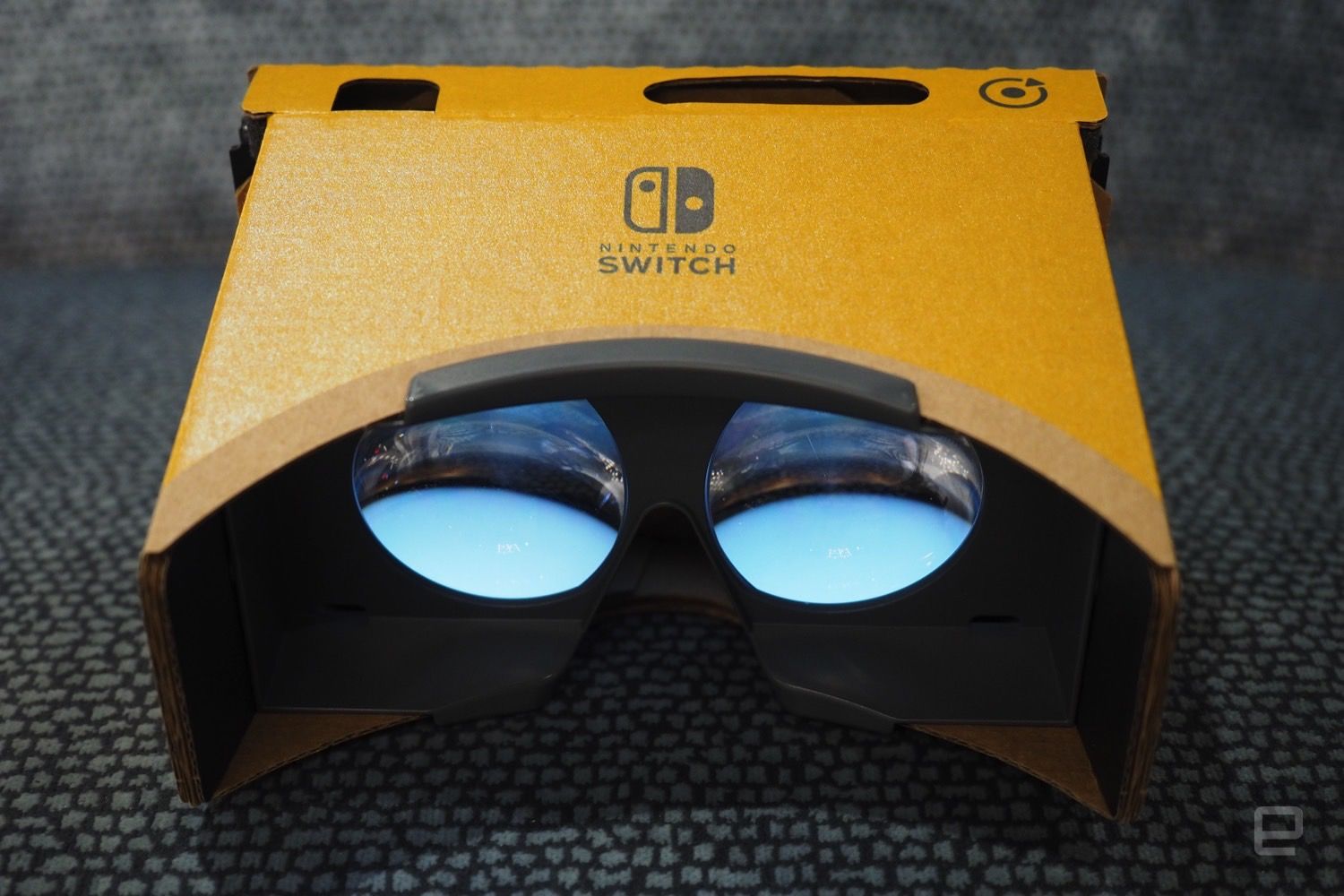
I wasn’t a huge fan of the Labo VR kit from 2019, mostly due to its price and a lack of game support. But if you’re interested in trying out the virtual reality modes in games like Super Mario Odyssey and Legend of Zelda: Twilight Princess, the VR starter kit is a good purchase. It comes with the basic headset and the blaster, which was easily the most fun of all the various Labo VR projects. It usually costs around $40, but Best Buy often puts it on sale for half that amount so be sure to keep an eye out.

Buy Labo VR starter kit at Amazon - $76

For Switches that travel often

Kris Naudus / Engadget

You’re going to need a case, that’s certain. It doesn’t need to be fancy, just enough to protect your Switch from getting bumped around in your bag. The AmazonBasics model is cheap, has 10 slots to hold additional Switch cards and a mesh pocket to store an extra charging cord or set of Joy-Cons. If you’re planning to take your entire setup, dock and all, Amazon also makes a larger storage case that can fit all the cords and controller accessories. If you need something smaller for your Switch Lite, the official case from Nintendo is incredibly slim and even comes with a screen protector. But it’s not made for carrying a lot of games. For that, we recommend TomToc’s line of Switch Lite cases, which are waterproof and come in a wide variety of colors to match your handheld for under $20.

Buy AmazonBasics case at Amazon - $10Buy AmazonBasics large case at Amazon - $27Buy TomToc case at Amazon - $18

Kris Naudus / Engadget

You probably already have a bag that you’re carrying around all your stuff in, but if you were looking for one specifically made for your Switch, how about this backpack from HORI? It’s specifically designed to hold a Nintendo Switch and all its accessories, and comes in Pokémon, Mario and Zelda designs. The company also makes less overtly nerdy bags, but where’s the fun in that?

If Animal Crossing is more your aesthetic, Target sells a charming collection of bags emblazoned with leaf or character patterns. The backpacks have a special pocket just for your Nintendo Switch, while the clutch purses are perfectly sized for the consoles while being super stylish to boot.

Buy HORI Backpack at Amazon - $45Buy Leaf Collection Mini Backpack at Target - $30Buy Animal Crossing messenger bag at Target - $50

Whether you hate the speakers on your Switch or just don’t want to bother those around you, you’re going to need a pair of headphones to listen to your games. Ideally you want something that doesn’t cost too much and can survive a beating in your bag, so if you don’t mind wires we’re still big fans of Turtle Beach’s Recon 70, which offers great sound in an affordable, lightweight form factor. However, if you just can’t stand cords and don’t mind dropping a bit of extra cash, check out the SteelSeries Arctis 1 or Razer’s Barracuda X headsets. They both come with a USB-C receiver you can plug directly into your console for a solid wireless connection, and the sound quality of either is among the best you’ll find in any gaming headset, especially for under $150.

If you already have a pair of wireless headphones you’re particularly attached to, you can use those with your Switch or Switch Lite by plugging HomeSpot’s 5.0 Audio Transmitter Adapter into the USB-C port. It’s rather diminutive and can slip into your case easily, and very affordable at only $30.

Buy Turtle Beach Recon 70 at Amazon - $40Buy SteelSeries Arctis 1 at Amazon - $100Buy Barracuda X at Razer - $100Buy HomeSpot’s 5.0 Audio Adapter at Amazon - $30

Kris Naudus / Engadget

One thing you definitely have to worry about if you game on the go often is battery life, and in those cases you’ll want to carry around an extra power bank. For your Switch there are two features you need to focus on, and that’s the ability to use a USB-C cord to connect, and a slim profile so it’ll fit inside your Switch case. The RavPower 26,800mAh power bank fits both those criteria perfectly, is rather affordable at $61, and can even charge your device as you play.

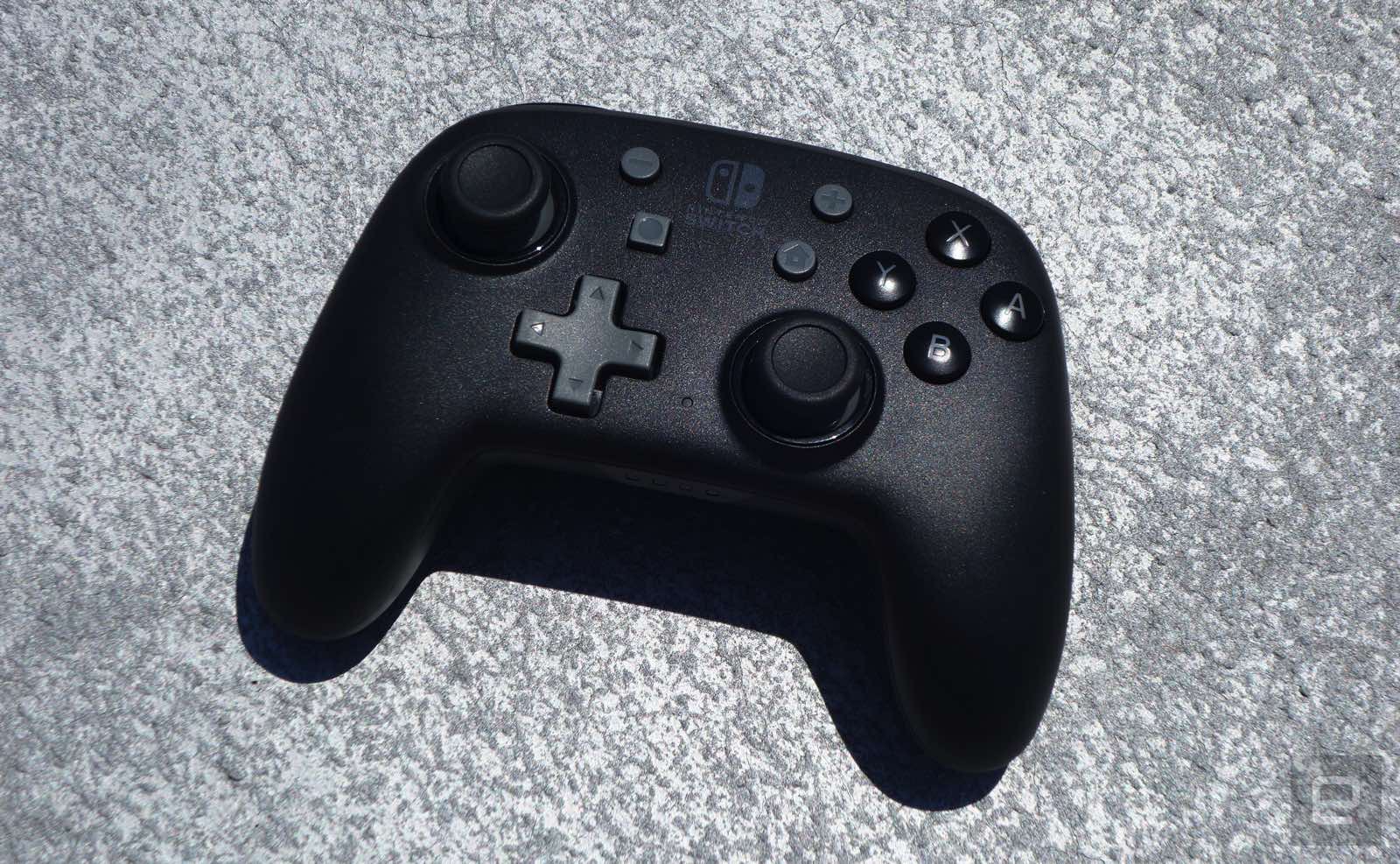
Occasionally you might want to make use of the Switch’s kickstand and play with a standard gamepad. The official Pro Controller is generally accepted to be the best available, but it’s also kind of cumbersome to lug around in your bag. If you’re trying to travel a little lighter and don’t mind a slightly smaller version, PowerA’s Enhanced Nano controller can do the job. In my testing I found it’s susceptible to electrical interference, but when you’re sitting right in front of the Switch on a table it should handle the task just fine. It even comes with a little cloth bag to protect the controller from dings and scratches.

Buy 26,800mAh power bank at RavPower - $48Buy PowerA Enhanced Nano controller at Amazon - $55

Nura's newest wireless earbuds are only available through a subscription

Do you churn through wireless earbuds quickly enough that you're eager for an upgrade every couple of years? Nura might have a solution. The Nuratrue maker has introduced Nurabuds that aren't quite as sophisticated as the earlier model (more on that in a moment), but are only available through a "Nuranow" subscription. Pay $5 per month (plus a $19 one-time fee) and you'll get a fresh set of earbuds every 24 months, much like your carrier's phone installment plan.

You'll also get "discounts, benefits and giveaways" as part of your monthly outlay, according to Nura.

The Nurabuds themselves are similar on the surface to the Nuratrue buds from before, complete with active noise cancellation and a world-amplifying social mode (ambient or transparency mode on rival devices). They're IPX4 water-resistant, too. Battery life is limited to four hours for the buds and 10 hours with the charging case, though. More importantly, you can't perform the Nuratrue's signature hearing test — you'll have to either import an existing profile or trust that Nura's "in-house" sound meets your needs.

This might be a viable option if you use your earbuds often enough to wear down the battery in two years, or if you just want to stay current. However, the subscription model might not make sense if you aren't a stickler for Nura's (admittedly quite good) audio quality. Amazon's second-gen Echo Buds, for example, offer ANC, water resistance and other helpful features for as little as $100 in a one-time payment that lets you upgrade on your own terms. Nura is clearly betting that its reputation and people's habits will work in its favor — possibly a wise bet, but a bet nonetheless.