Posts with «featured» label

Arduino-powered roller blinds
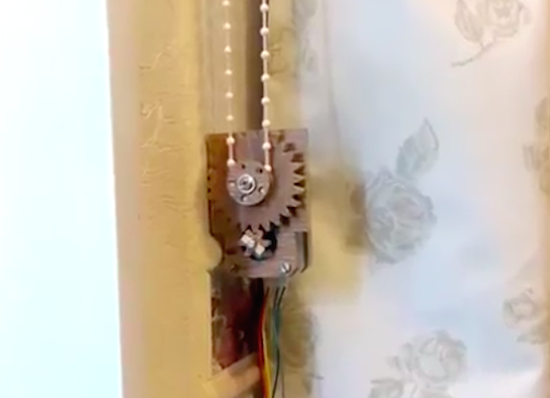
Tired of adjusting your blinds depending on outside lighting conditions? YouTuber “Dial” has the solution!

Perhaps you’ve seen hacks where people hook a servo up to blinds to flip them open and shut. If, however, you have the kind of blinds that need to be pulled all the way up to let light in, things become a little more tricky. Dial serves up an incredible solution in the video below, with a servo fixture that holds the balls on a blind’s roll up rope in a setup that could be described as the inverse of how a bicycle sprocket works.

This is interesting enough, but after finding that the rope needed 4x the force that the stepper was capable of, a gear train system was devised using Matthias Wandel’s gear generator. Making it even more impressive, only hand tools were used to complete this build, and it employs an Arduino Uno to automatically raise and lower the blinds depending on lighting conditions.

More info on the project’s parts as well as other useful websites are listed in the video description found here.

Arduino Wiring is the latest addition to Windows 10 IoT Core

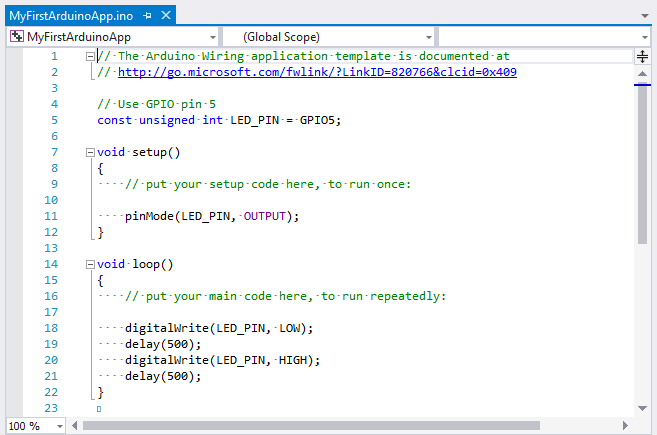
Last year, we announced on the blog how Windows became the first Arduino certified OS and introduced Windows Virtual Shields for Arduino and Windows Remote Arduino. Now, engineers at Windows have published a blog post showing how you can use Windows 10 IoT Core to create or port Arduino Wiring sketches that will run on supported IoT Core devices.

The setup and installation steps vary based on what hardware you have, but the resources below can assist with creating/porting Arduino Wiring apps running on Windows 10 IoT Core:

Want to learn more? Read all about it on the Windows blog!

An Arduino charging dock with Edison indicator lights

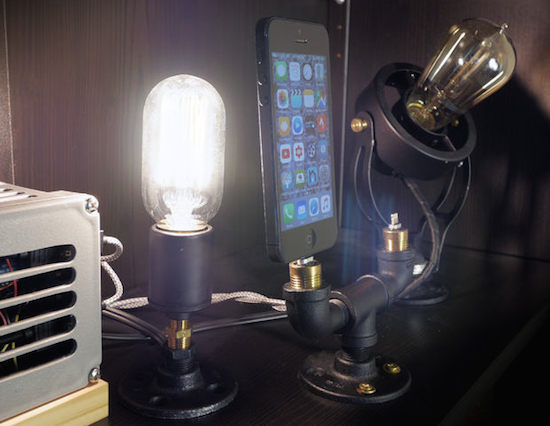
Bored with normal cell phone charging stations, “Makjosher” decided to make his own with pipe fittings and Edison bulbs.

Makjosher’s charging station resembles a retro-looking light fixture more than a cell phone charger, but it seems to perform both functions quite well. Using an Arduino Uno in conjunction with a current sensor, his charging station senses when a phone is getting “juice” and turns on an Edison bulb to, perhaps, celebrate the occasion. Though it’s shown here being used with an Apple device, there’s no reason a very slightly modified setup couldn’t be used to charge an Android phone, or really any other gadget as needed.

Makjosher gives a pretty good overview of his project in the video below, but if you want more specifics, you can check out his Instructables page here.

An interactive ball for your dog’s remote entertainment

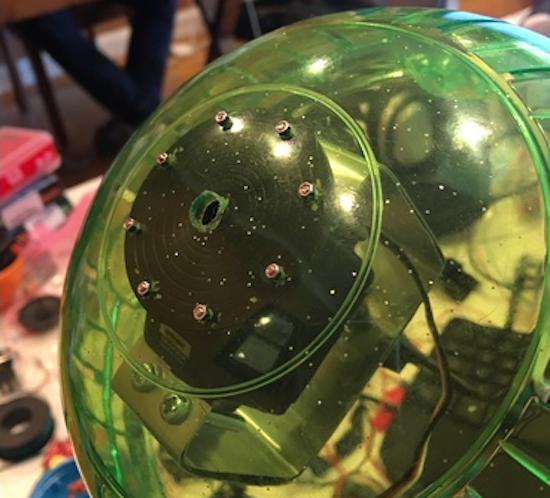
Recently presented at Disrupt SF Hackathon 2016, this modified hamster ball rolls and dispenses treats while you’re away!

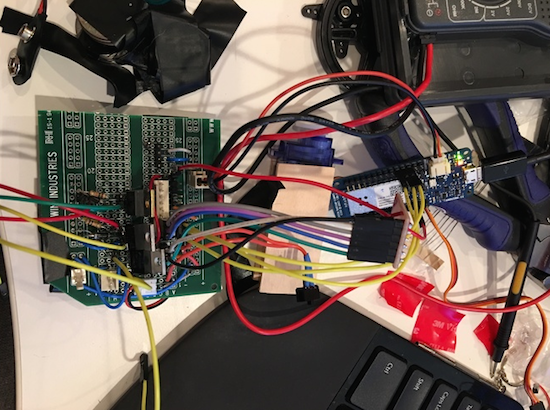
Creators Anthony Alayo, James Xu, and Lawrence Chang don’t like the idea of leaving doggies alone all day to fend for themselves. Although these companions will generally wait for their owners to get home, this surely gets boring. To help solve this problem, they created the DogeBall–a hamster ball equipped with advanced electronics including what looks to be an Arduino MKR1000. This allows it to roll around under remote control via an accompanying app, and can even give your pooch a treat, perhaps as a reward for not chewing up your shoes!

Say you’re at work and your dog has been alone for a while. If you have a nest cam or other home cameras setup, playing with him/her is easy. The app we created acts as a remote controller, connecting to the ball over the internet. Shoot your dog a treat, hit the speak button to talk with him, or control the ball as if you were right there beside him/her.

Sound like something you might want for your pup? You can check out the team’s Devpost article or TechCrunch’s writeup on this excellent project!

(Photos: Devpost)

A room light controller with its own light display

Hansi (aka “Natural Nerd”) wasn’t content simply controlling his room’s lighting, so he had his control box illuminate along with it!

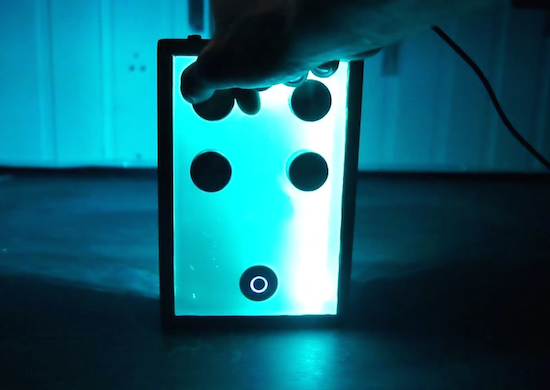
In order to control lighting intensity, you could hook up a potentiometer directly, but Hansi decided to instead connect four potentiometers to an Arduino Nano to control an external light source. These four inputs are attached to analog pins on the Arduino, which control a strip of RGB LEDs inside of a partially translucent box. When the knobs are turned, the number of LEDs on display increase or decrease, in different colors depending on which it turned. An external light can then be controlled along with the beautiful controller display.

This Instructable will show you how I made a control panel that has three 12 volt power output ports which can be controlled with knobs at the front. I will be connecting the lighting in my basement to the three outputs, so that it can be controlled through the panel.

The panel has a nice and ambient light pulsation when it’s passive, and when you turn the knobs, the internal light indicates how much the knob is turned, with a separate color for each knob.

Intrigued? You can check out the project’s page on Instructables, and find the Arduino code here.

LipSync is an Arduino-based assistive device for smartphone use

With a mouth-operated joystick and “sip and puff” controls, the LipSync aims to make smartphones more accessible for everyone.

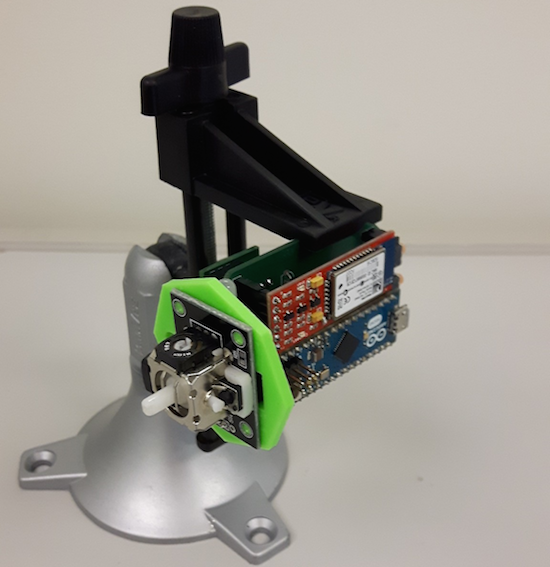
For the huge number of people that use them, smartphones have certainly made their lives easier. Unfortunately, these amazing gadgets are difficult to use for those with limited or nonexistent use of their arms and hands. The LipSync attempts to address this issue with a device that can be made in just over a weekend’s worth of work. It uses an Arduino Micro along with a Bluetooth module for communication, and allows someone to interface with the phone using its tiny joystick, as well as the user’s controlled breath.

Smartphones and other similar mobile devices have become a staple piece of technology in this day and age. For people in wheelchairs whom experience difficulties with gross or fine upper body motor control, the usage of mobile devices can be very challenging. The LipSync is an assistive technology device which is being developed to allow quadriplegics the ability to use touchscreen mobile devices by manipulation a mouth-operated joystick with integrated sip and puff controls.

You can find more information on this project, including the files needed to build one, on its Hackaday.io page.

Use an Arduino Uno to interface with your Apple II

Instead of a huge box of disks, David Schmenk decided to use an Arduino to add a massive amount of storage.

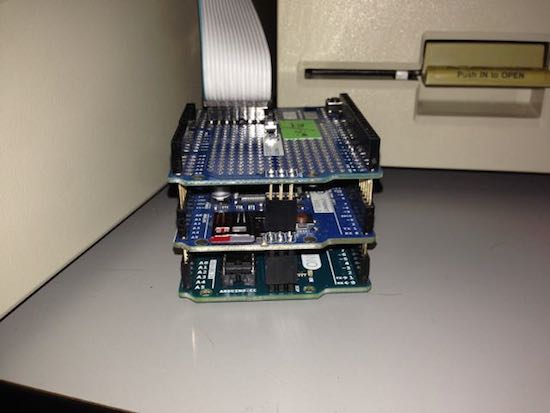
For Apple II enthusiasts, loading games or other programs via a normal disk drive works, but since storage capabilities have exploded since the 1980s, Schmenk’s setup uses an Arduino Uno to access an SD card via the gameport. As seen in the video below, Schmenk is able to read and write data, pulling up Lode Runner in 45 seconds. The Arduino shield’s real-time clock can also be accessed if needed.

There are already plenty of Ethernet products available for the Apple II, but few SD card options for transferring individual files… For my project I wanted something closer to a hardware version of CiderPress: the Apple disk image utility.

Be sure to check out the entire project on Schmenk’s writeup!


Arduino Blog 09 Sep 20:54
arduino  featured  uno  

Drive an RC car with first-person view

If you’ve ever dreamt of sitting in the driver’s seat of an RC car, you’ll love this recent project from Paul Yan. The designer has hacked together a first-person driving experience using a natural steering wheel that lets you feel like you’re playing a race kart game in real life.

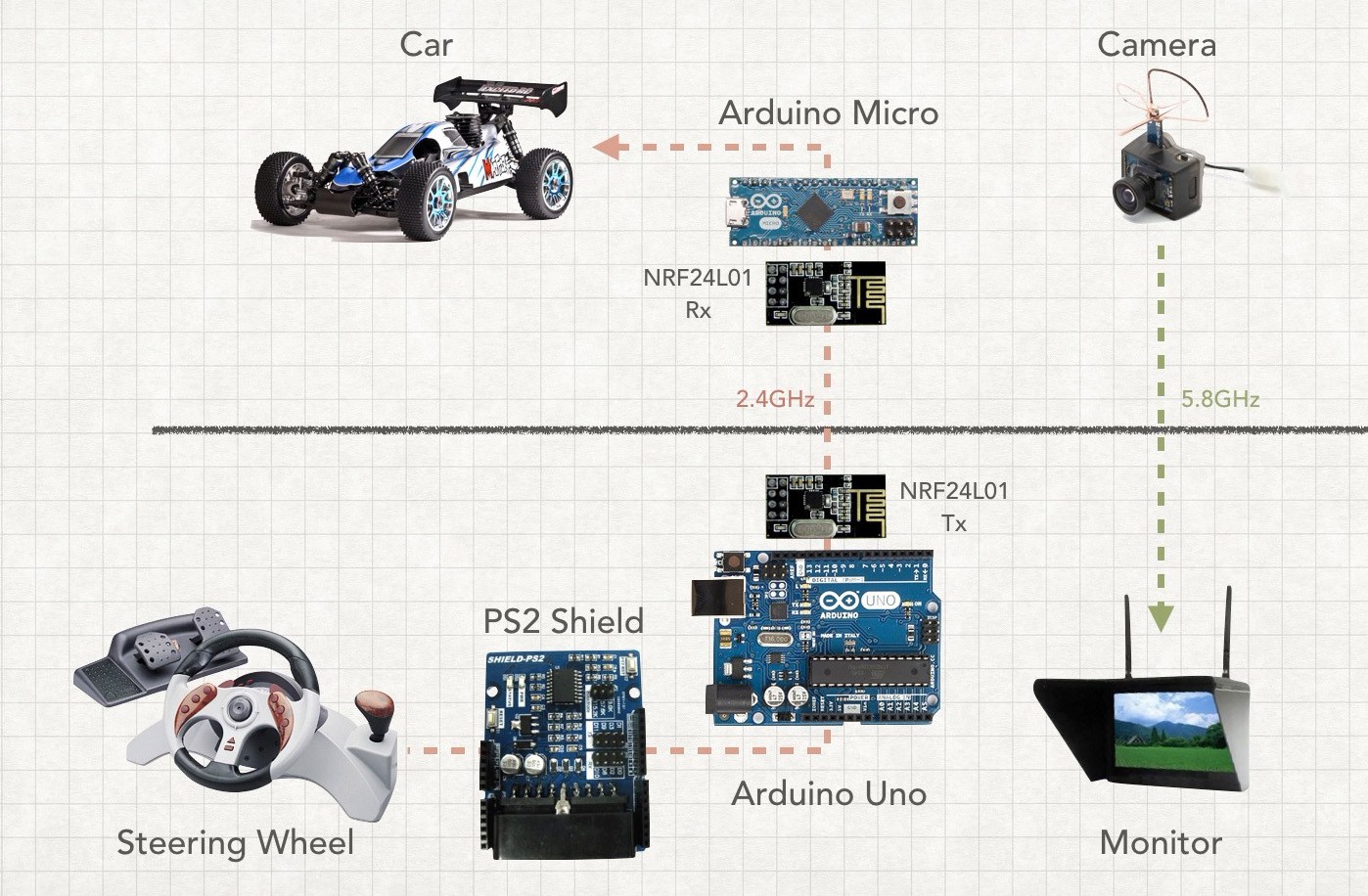
As he describes in the video below, Yan used an old PS2 wheel controller, two Arduinos, a mini FPV camera, and a headset to act as a standalone monitor. The RC car–which is equipped with a Micro–interfaces with the wheel using an Uno and a PS2 Shield. Both Arduinos communicate via a pair of NRF24L01 modules.

I got the idea for this project while watching my three-year-old son play with his radio controlled toy cars. These all use the conventional two joysticks. The left is isolated to vertical movement to control the motor and the right stick is isolated to horizontal movement to control the turning direction of the front wheels.

Upgrade your USB keyboard to Bluetooth with this Arduino device

If you have an old keyboard lying around and wish it were wireless, Maker DastardlyLabs has a solution.

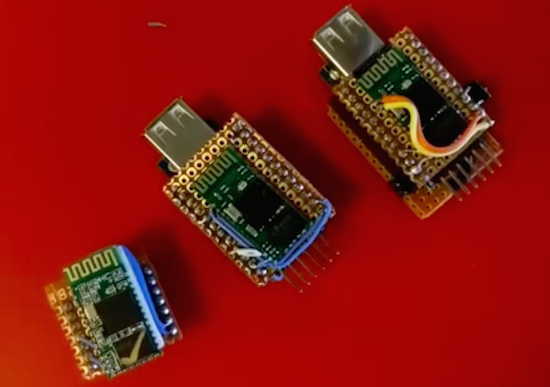
The “HID Relay” is a small adapter that uses an Arduino Pro Mini, a Bluetooth module, a USB host shield, and a few other components to upgrade any USB keyboard to Bluetooth. DastardlyLabs has made three videos to explain the entire “Bluetooth-ification” process–which can be found below.

So far, the method has worked with all of the keyboards that DastardlyLabs has tested it on, as well as most mice (except for one “gamingish” USB mouse). The Arduino source code and build notes are available on GitHub. The HID Relay was inspired by a recent Arduino hack by Evan Kale. 

Connected question mark hopes to spark 1 million conversations

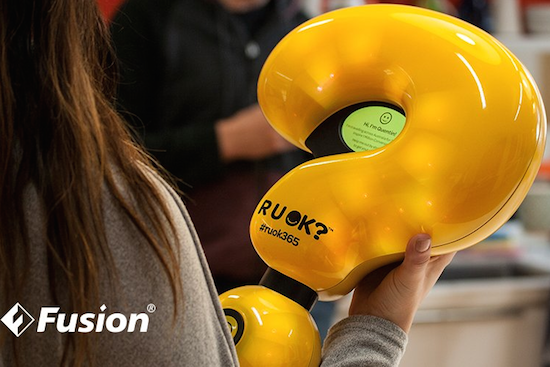
Suicide prevention charity R U OK? has partnered with digital innovation agency Fusion to create a fully-connected device in the form of a question mark with hopes of sparking a million conversations throughout Australia. Similar to the Olympic Torch, Quentin will be passed from person to person as it makes its way from town to town starting on Thursday, September 8th.

But unlike the Olympic Torch, the route is not planned. Instead, the journey is determined by the challenge it issues to each new keeper motivating them to reconnect face-to-face with people in their lives.

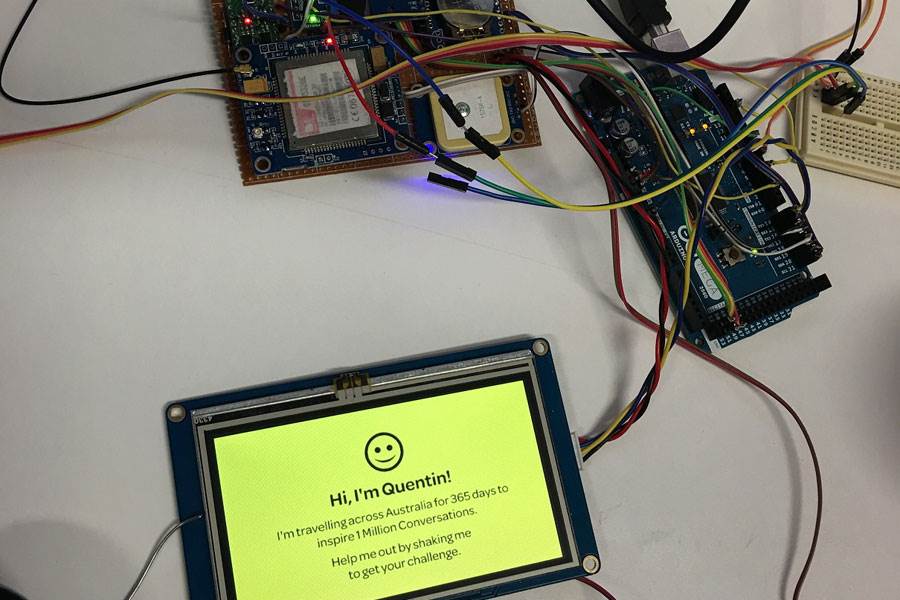
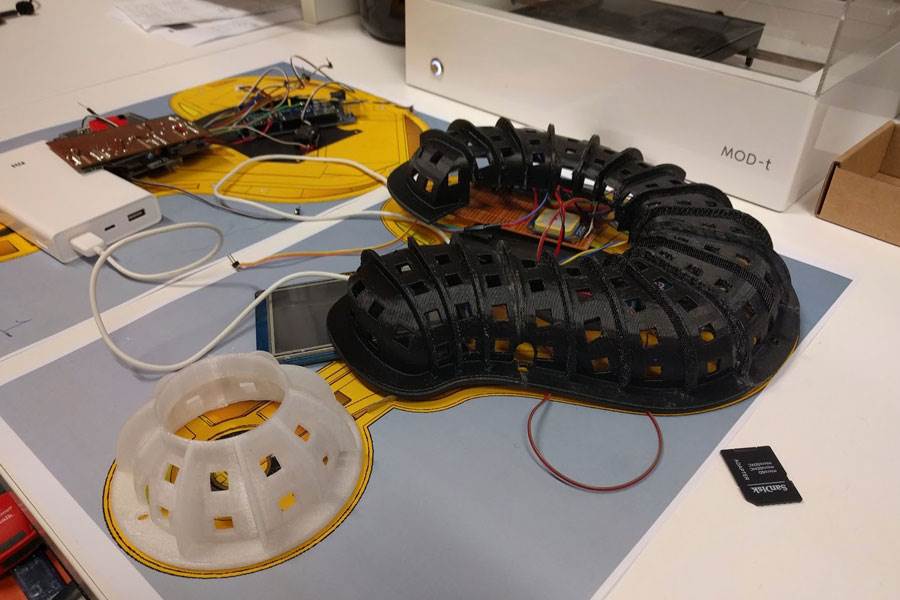
Quentin consists of a translucent 3D-printed shell, and is equipped with an Arduino/Genuino, some sensors, GPS, a display, and an array of LEDs that illuminate, animate and communicate. Users can interact with the device either by SMS or shaking it to receive their R U OK? challenge. Quentin also publishes its activity to the charity’s website, including distance travelled, challenges issued, and the number of keepers.

(Photos: Fusion / Campaign Asia)