Posts with «featured» label

PIXIE is an Arduino-based NeoPixel watch

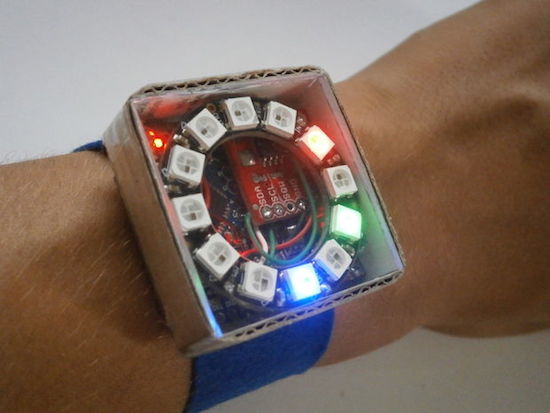
Not looking for a smartwatch? PIXIE is an Arduino-based NeoPixel wearable device that not only keeps time, but will also keep your geek cred intact.

You won’t find any numbers on this watch; instead, PIXIE uses LEDs to reveal the time–hours in blue, minutes in red, and seconds in green. Beyond that,  a capacitive touch switch on its strap will activate a flashlight mode.

In terms of electronics, PIXIE is equipped with an Arduino Pro Mini, an Adafruit NeoPixel Ring, a real-time clock module, and a few other components–all housed inside a simple cardboard box with a piece of transparent plexiglass.

Sound like you’d like around your wrist? Check out its Instructables page here.

Capture time-lapses with a steel and aluminum camera slider

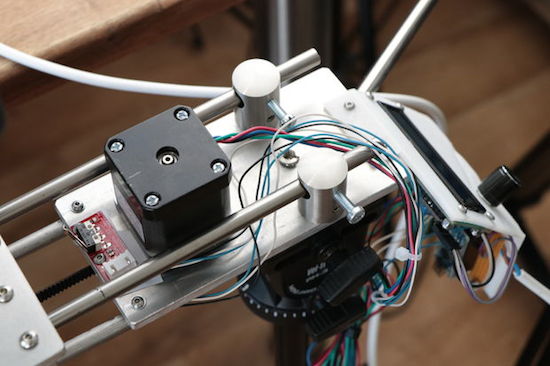
Using an Arduino, along with a stepper motor and ball bearings, YouTuber GreatScott! has created a very smooth camera slider.

Time-lapse sequences can be interesting on their own, but if you can add motion to the camera, this adds a really neat element. To give a little extra flair to his video production, GreatScott! built his own motorized slider using stainless steel and aluminum parts. Movement is accomplished via an Arduino Nano controlling a stepper motor, and ball bearings are used to keep the shots smooth. You can see the results and process in the two-part video sequence below.

In this project, I will show you how I repurposed two old camera tripods in order to create a motorized camera slider. The mechanical system consist mostly of aluminium and stainless steel which makes the slider sturdy and pretty decent looking. The electrical system consists of an Arduino Nano with LCD, rotary encoder, limit switches and stepper motor.

Besides the videos seen here, check out GreatScott!’s Instructables writeup as well.

The MR-808 is a robotic drum “synthesizer”

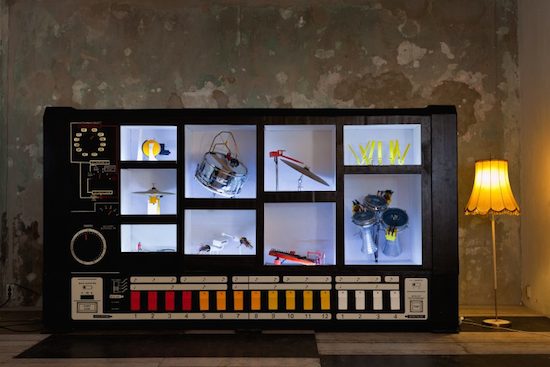
The MR-808 robotic drum machine looks like a gigantic Roland synthesizer, but plays with real instruments!

The Roland TR-808 was released in 1981 and was meant to replace a human drummer for practice purposes, but was instead used to produce music itself, helping to birth the electronic, techno, and hip hop genres. Moritz Simon Geist and the Sonic Robots collective, however, decided to turn this on its head, with a machine made to look like a gigantic ‘808, but containing real instruments.

With a variety of hardware, including an Arduino Uno and Mega, an audience can program the MR-808 using a tablet and get down to the grooves they create themselves!

In 2013 I [Geist] found Sonic Robots a loose group of friends, hackers, technicians and artists and we had the idea of reversing the concept of the ‘808 and putting the physical aspect back into this gorgeous drum machine. For the Installation MR-808 we began to replaced eleven sound with mechanical actuators like motors and solenoids, so that reals drums (snare, BD ..) could be played live.

You can read all about the device on the Sonic Robots page, as well as find more information on how it works here.

Meet Floris.cc: a new Genuino reseller in The Netherlands

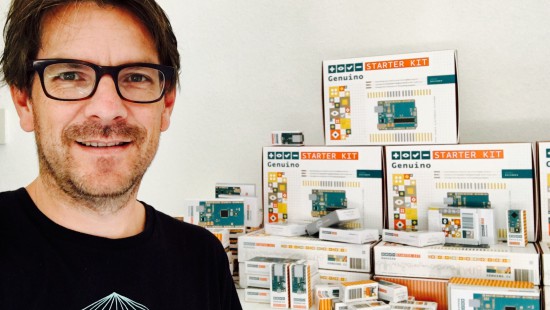
Joining a list of others from Germany, Spain, Italy and Portugal, Europe’s latest Genuino reseller hails from The Netherlands! Let’s give a warm welcome to Pieter Floris, who we recently had a chance to catch up with to learn a little more about the work he’s been doing with Floris.cc!
- Tell us a bit more about Floris.cc.

Early in 2009, I was searching for a good “learning kit for Arduino” for use in a physical computing course at Communication & Multimedia Design (CMD Avans University – Breda). I found the ARDX kit from Oomlout. I had some email contact with Aaron from Oomlout, got a list of components, started gathering parts, composing kits, and a few weeks later, Floris.cc was born. The ARDX kit was my first product (including the Arduino Duemilanove at that time). In the years following business was growing, I started reselling Adafruit, Sparkfun, Pololu, and I was even one of the first shops outside the U.S. reselling the Teensy boards. I still focus on education, making lots of kits for schools and universities.

- What’s your company’s super power?

From the start, I wanted a personal approach, the latest gadgets, and super fast delivery. It’s very satisfying to hear from happy customers! Big thanks to the Maker community–they give me super power!

- Do you have a favorite Arduino/Genuino project?

My favorite Arduino/Genuino project is “Blink,” the first blinking LED is magical.

Contacts

Floris.cc Store Website  – Facebook – Twitter

Analyze your world with the WiSci portable spectrometer

Spectroscopy is an incredible tool for chemical analysis–and now you can make your own Bluetooth-enabled device with an Arduino Pro Mini.

If you took advanced chemistry classes, you may have had the opportunity to work with a spectrometer. It probably seemed like a magical gadget, identifying the chemicals in a substance through its light characteristics unlike the experimental methods you previously had to use.

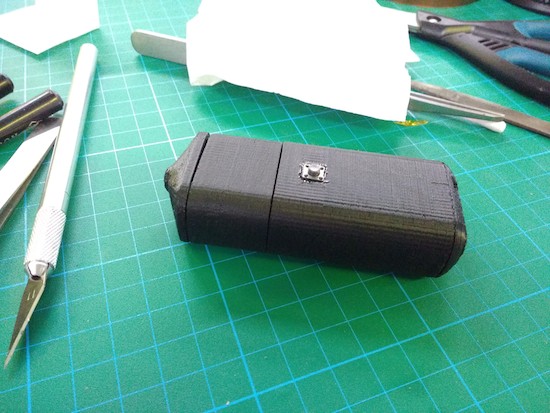
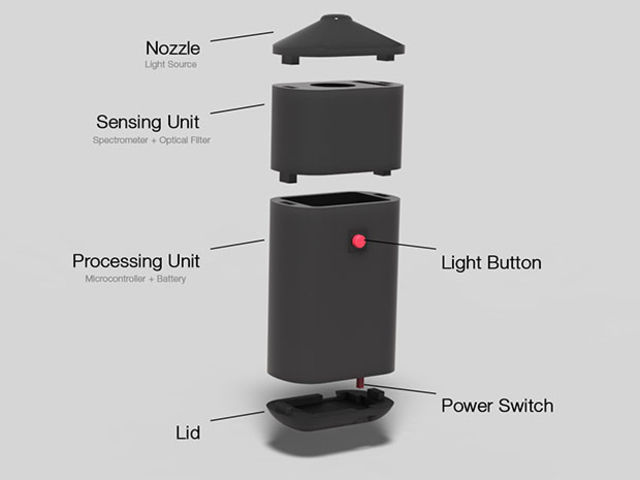
Using off-the-shelf components–including an Arduino, a Bluetooth module, an LED, optical filters, and a LiPo battery–housed inside a 3D-printed case, the WiSci aims to take this tool out of the lab, and into the “real world.” By following the instructions on its project page, you can build one for just under $250.

What’s really neat is that the portable spectrometer can even scan a fruit and then wirelessly send the data over to an accompanying Android app to tell you whether or not the fruit is ripe. (You can view its IEEE Spectrum article for a little more background on that!)

A spectrometer is a very powerful tool. By analysing intensity/wavelength pairs of the interacted EM radiation with the material under study, detailed information like its chemical composition, crystal structure and other elemental information can be extracted. It can also be used for food analysis. For example, it can reveal adulteration in milk or oil and analyse toxins to understand causes of food poisoning to name a few uses.

To create your own, check out its Hackaday.io page here.

A community-made, Arduino-powered interactive town map

A group of students from Farmington, Connecticut partnered with artist Balam Soto and master teachers Earl Procko and Jim Corrigan to create a community-based sculpture project that allows people to explore the sights, sounds and history of their town through new media.

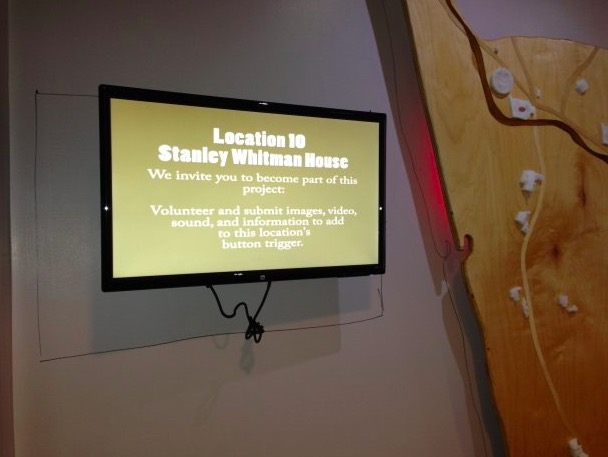
The installation runs on Arduino Uno and XBee, and is comprised of two panels which act as viewing screens for multiple visual projections. Visitors can interact with the display and manipulate the images using 24 buttons placed on the physical map. Plus, they are encouraged to record and add their own stories and memories of Farmington to the ever-growing multimedia library.

Permanently exhibited in Farmington’s public library, the Farmington Map Project was also the opportunity to introduce the students to physical computing, digital fabrication, woodworking, Arduino programming, and to the potential that Makerspaces have to offer for bringing ideas to life.

The project was created with the support of an Arts in Education Mini-Grant, funded by the Connecticut State Department of Education, the Department of Economic and Community Development, the Connecticut Office of the Arts, and the Connecticut Association of Schools, Farmington High School’s Fine and Applied Arts.

Interested? Check it out on Hackster.

PyroGraph is a plotter that burns images on paper

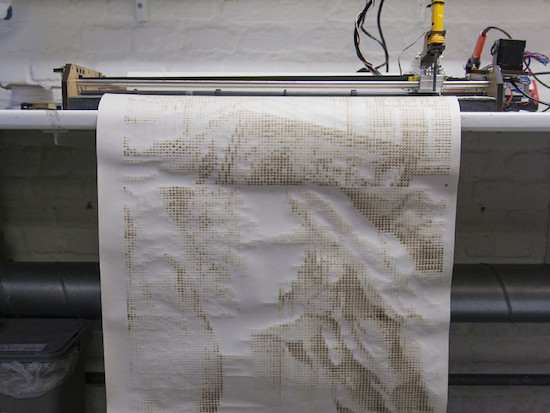
Inspired by the traditional thermal printers, the PyroGraph is an experimental plotter that uses a soldering iron to burn images onto paper.

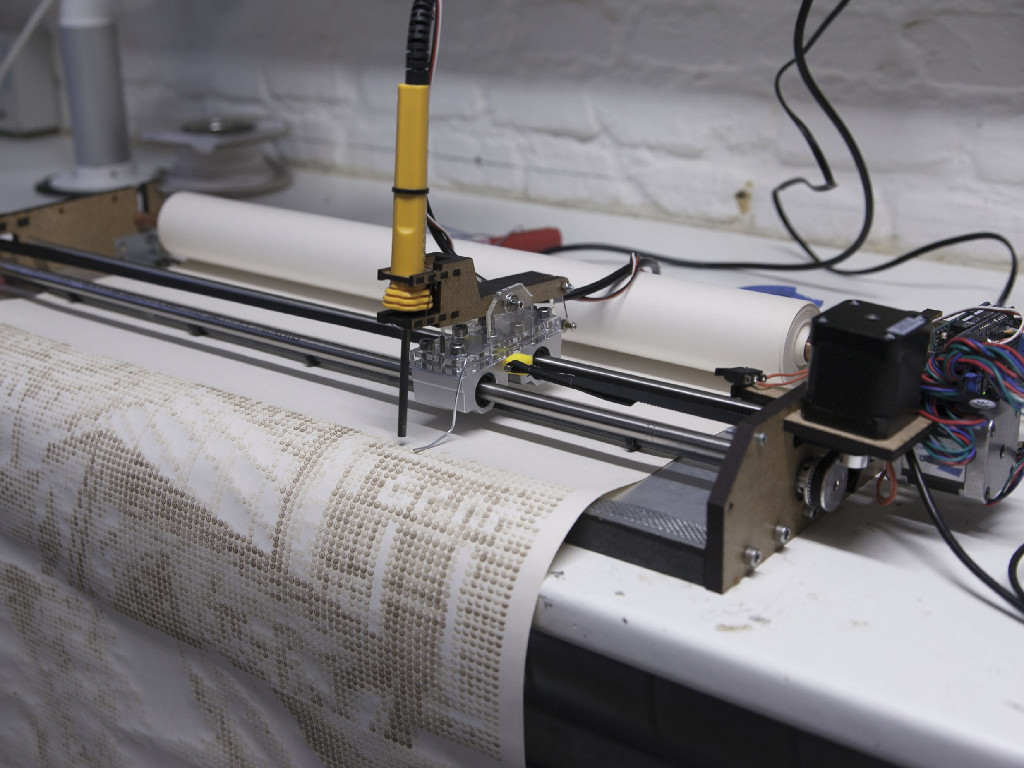
Created by the team of Bjørn Karmann, Lars Kaltenbach and Nicolas Armand, PyroGraph works by analyzing any picture and then converting it into dots that are scorched onto a piece of paper with a 450 °C tip. The time of contact between the iron and the paper determines the grayscale of the dot?—?the longer it presses against the paper, the darker the dots get.

The machine uses a paper roll (so the length of the printed piece can then be up to 100m) and a head moving on a fixed x-axis, controlled by servo motors and a custom software developed by the group of Copenhagen Institute of Interaction Design students.

But that’s not all. The PyroGraph will also listen to the ambient noise within its environment to make a connection between the space and the printer. The drawings will be distorted depending on the sound activity of the room in which it will be displayed.

You can read more about the project here, and see it in action below!

(Photos: CIID)

Arduino Blog 15 Sep 19:39

Build your own robotic arm out of cardboard

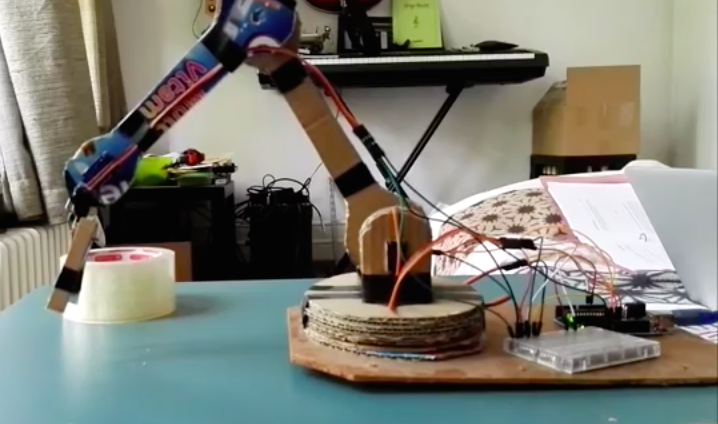
From our Chairigami Maker Faire booth furniture to Google VR headsets, we’ve seen various use cases for cardboard. Added to that list is a robotic arm, courtesy of Uladz Mikula.

According to the Maker, the design can be replicated in two hours using Arduino and four servo motors. Aside from the electronics, the project also calls for a piece of hardboard for the base and three clips.

The arm, which Mikula calls “CARDBIRD,” can be controlled in one of two ways: either from a PC using a Processing program or remotely via an IR pult/receiver. Ready to build your own? Check over to its Instructables page!

Arduino IDE among apps coming to Windows Store

Back at Build 2016, the Windows team announced the Desktop Bridge, allowing developers to bring their existing desktop apps and games over to the Universal Windows Platform (UWP) by converting their app or game with the Desktop App Converter and then enhancing and extending it with UWP functionality. This enables the path to gradually migrate the app or game to reach all Windows 10 devices over time, including phones, Xbox One and HoloLens.

Last month, along with the Windows 10 Anniversary Update SDK, the team also announced a process for you to start bringing these converted apps and games to the Windows Store for easier and safer distribution to customers.

Now, the first apps are available in the Windows Store for Windows 10 customers running the Anniversary Update, which includes the Arduino IDE, Evernote, Virtual Robotics Kit, and several others.

These are the same apps that customers know and love, but are now available for download in the trusted Windows Store. For your customers, the Windows Store is the safest and most secure place for them to find and manage content across a range of Windows devices, including PCs, phones, Xbox One and HoloLens. For developers, the Desktop Bridge enables you to make use of the new functionality available to UWP apps right out of the gate, including access to a host of new APIs like Live Tiles, Cortana and Action Center that provide best-in-class support for thousands of scenarios across all of Windows.

Want to learn more? You can read all about the apps and tooling updates for the Desktop Bridge here.

Play the guitar on a guitar bag

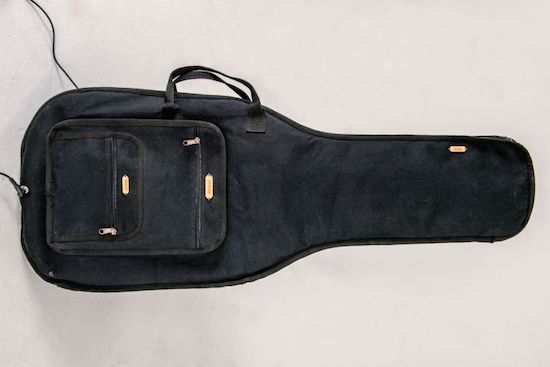
While exploring new tangible interfaces, designer Martin Hertig wanted to do something a bit different. He chose to transform the zippers on a guitar bag into a fully-functional instrument. Rather than strum the strings of the guitar, he simply pulls the bag’s zippers to jam: one zip for playing notes or chords, another for changing the bar, and a third for the vibrato.

As Hertig explains, the case was converted into a MIDI controller using an Arduino and conductive thread stitched along the zipper, while a Raspberry Pi synthesizer hidden inside produces the guitar sounds.

Intrigued? Head over to Zippy’s project page, and be sure to see it in action below!

Arduino Blog 14 Sep 16:34