Posts with «featured» label

A multimeter heads-up display with Arduino glasses

With Alain Mauer’s Arduino glasses and a Bluetooth multimeter, electrical data is always in view!

If you’re in a job where you have to take readings inside a live electrical panel, one thing that’s inconvenient, and even dangerous at times, is having to look away from your hands to read your multimeter. With hopes of “making an engineer’s life easier and safer,” Mauer solved this problem using an Arduino Pro Micro and a BLE module to show data from a Bluetooth-enabled multimeter. Now he can see data on a display that looks similar to a Google Glass device. Perhaps this method could be expanded to other devices in the future!

If you’d like to build your own glasses, a description and 3D printing files can be found on Hackaday.io.

Robotic fish swims under Arduino control

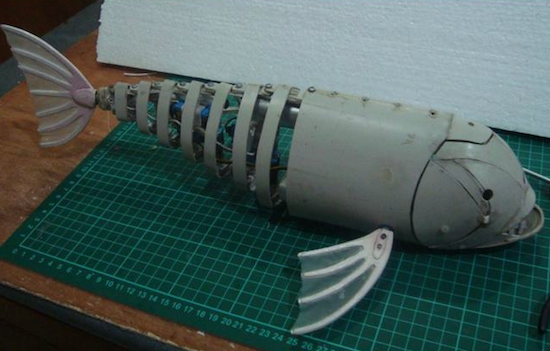
This robotic fish is made from bent PVC pipe and moves its tail for locomotion.

If you’re going to build an underwater vehicle, propeller control is the conventional solution. Eric Dirgahayu, however, created his underwater creature in the form of a fish, complete with a tail that powers it through the water, and pectoral fins that could, in theory, steer it in the correct direction. There is also a ballast tank to adjust its buoyancy. Interestingly, control of this “fish” is accomplished via a TV remote, so the surrounding water would need to be relatively clear.

Now we already have a complete fish robot body, we need to provide it with life! We will use the Arduino Pro Mini because the shape is small and can fit into safety box. In addition, you also need Pro Mini Arduino Motor Driver for control of ballast tanks, UBEX for power protection and two cell LiPo battery 1000mAh for power.

Here’s Dirgahayu’s general project description. If you’re interested in making a fish like this yourself, the physical build is seen here, and the electronics are found on this page.

ESLOV is the amazing new IoT invention kit from Arduino

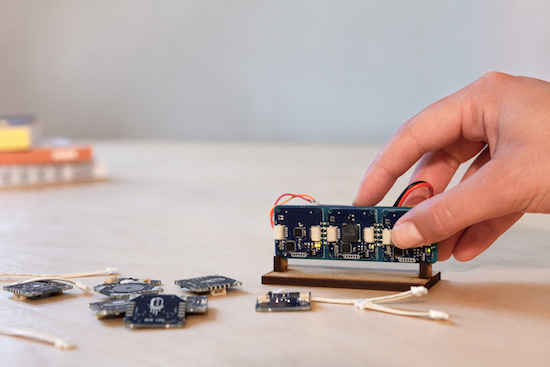
For years, the open-source philosophy of Arduino has been the inspiration to robots, drones, medical and space research, interactive art, musical instruments, 3D printers, and so much more. Now, Arduino is on a mission to radically simplify the way you build smart devices. Introducing ESLOV, a revolutionary plug-and-play IoT invention kit.

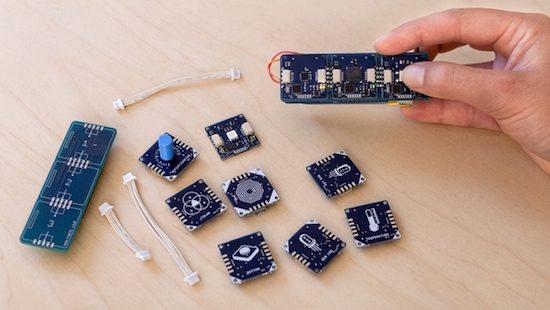
ESLOV consists of intelligent modules that join together to create projects in minutes with no prior hardware or programming knowledge necessary. Just connect the modules using cables or mounting them on the back of our WiFi and motion hub. When done, plug the hub into your PC.
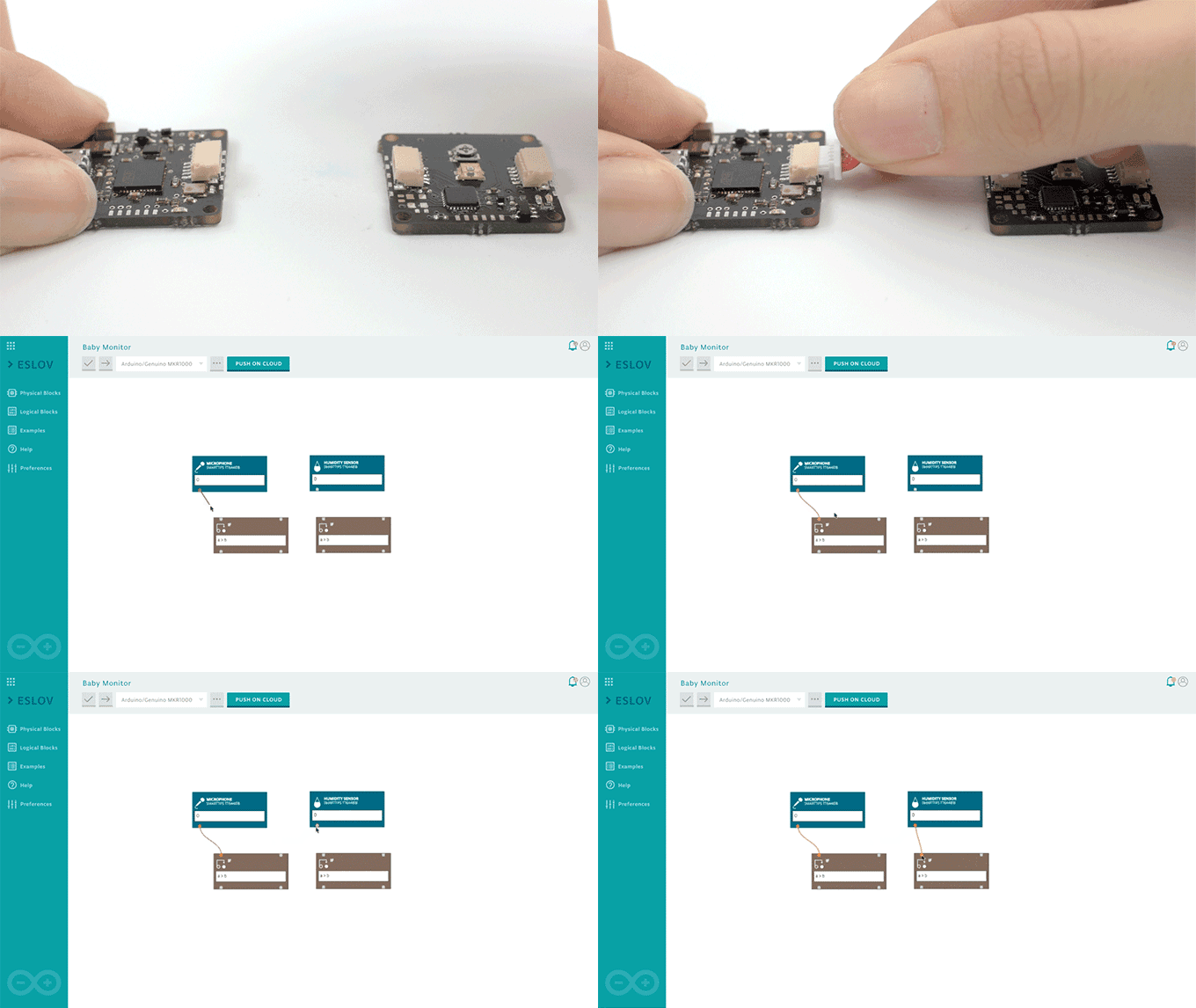
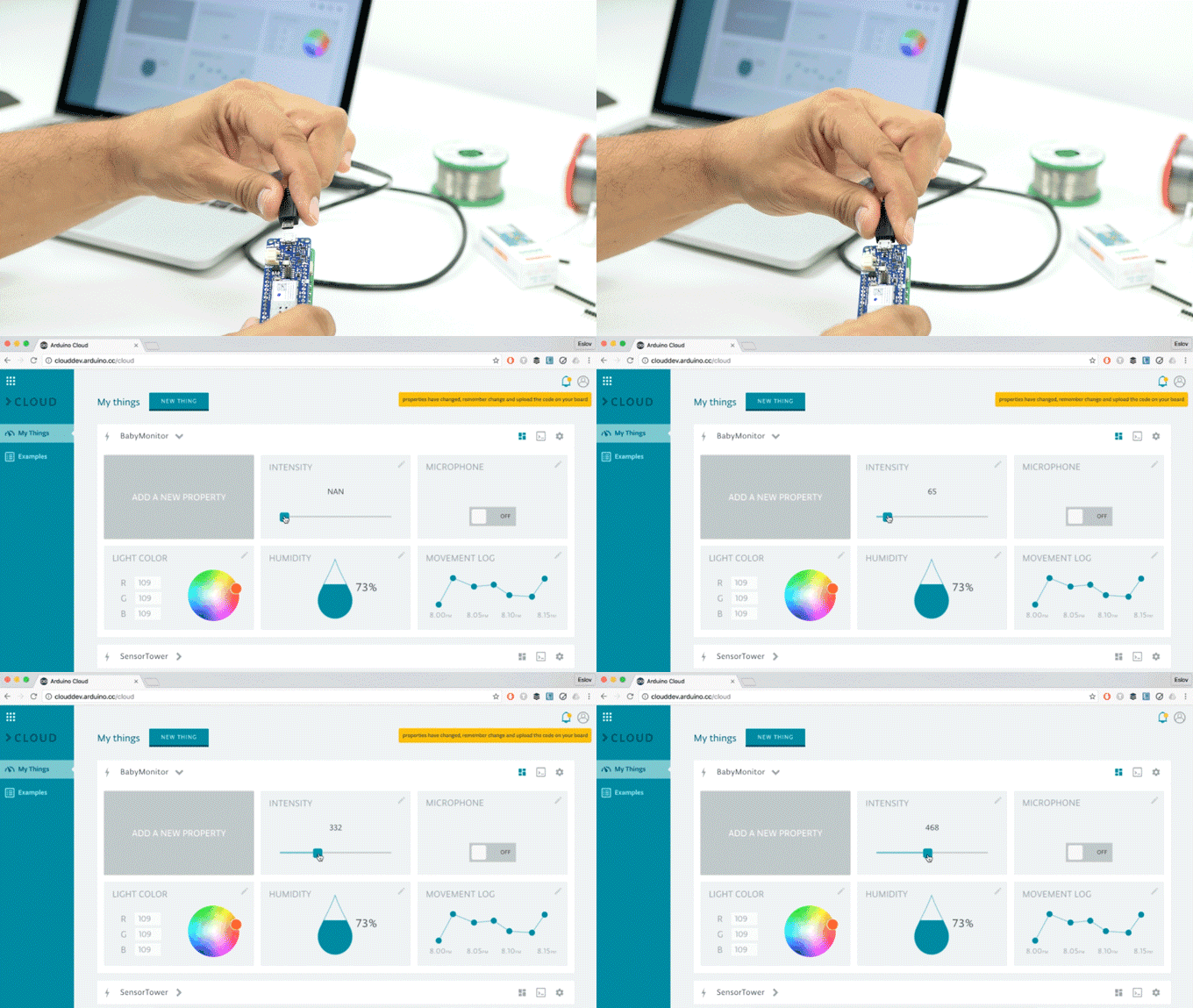
ESLOV’s visual code editor automatically recognizes each module, displaying them on your screen. Draw the connections between the modules on the editor, and watch your project come to life. From there, publish your device to the Arduino Cloud and interact with it remotely from anywhere (including your phone). The Arduino Cloud’s user-friendly interface simplifies complex interactions with sliders, buttons, value fields, and more.

The ESLOV modules and hub can also be programmed with the wildly popular Arduino Editor — you can use either the online editor or the desktop-based IDE. With the provided libraries, you can customize the behavior of the existing modules, enhance the hub’s functionalities, as well as modify the protocols of both the hub and the modules.
With a total of 25 modules — buttons, LEDs, air quality sensors, microphones, servos, and several others — the possibilities are endless. Sample applications include everything from a monitor that lets you know if your baby is safe, to a washing machine notifier that tells you when your laundry is finished, to a thermostat that you can adjust while out of the house.

In line with the core values of the Arduino community, ESLOV’s hardware and software are open-source, enabling you to produce your own modules. Additionally, Arduino will welcome third-party modules from partners and other certified programs.

To accelerate its development in the open-source spirit, ESLOV — which began as part of a three-year EU-funded PELARS project — is now live on Kickstarter and needs your support.
The toolkit is offered in a variety of sizes, depending on the number of modules. Prices range from ~$55 USD to ~$499 USD, with multipacks and other opportunities available as well. Delivery is expected to get underway in June 2017.

In terms of hardware, the main hub is currently equipped with a Microchip SAM D21 ARM Cortex-M0+ MCU at 48MHz and built-in WiFi (just like the MKR1000). Each of the modules are small (2.5 x 2.5cm), low-power (3.3V), single-purpose boards featuring the same processor found at the heart of the Arduino/Genuino UNO: Microchip’s ATmega328P.
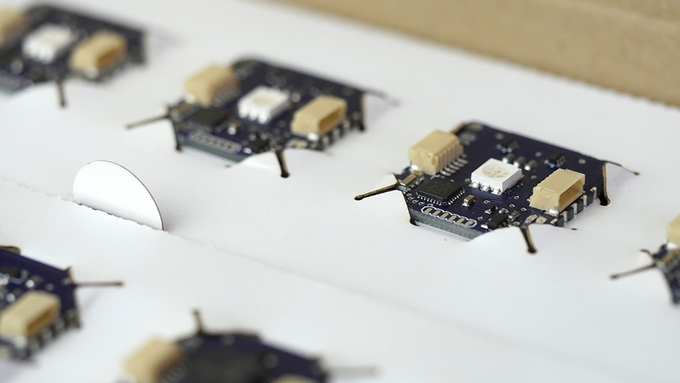
The modules can be reprogrammed via I2C bus or with an external programmer. ESLOV’s hardware includes firmware from our factory, dedicated to the specific function of each module.

The ESLOV connector has five pins (one more than standard I2C) for automatically configuring the module and handling the sleeping states to boost battery life. Tests can be performed on your computer via USB. The modules’ firmware and the hub’s software can be updated both using the USB cable and over-the-air (OTA).
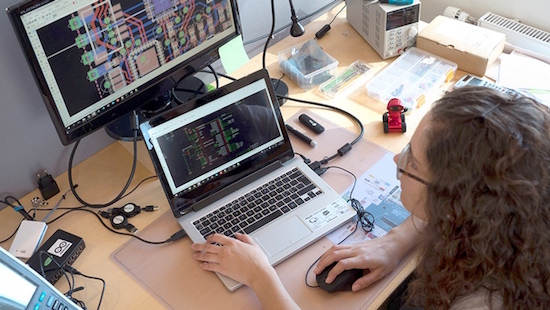
Those heading to World Maker Faire in New York on October 1st-2nd can learn more about the kit inside the Microchip booth in Zone 3, as well as during Massimo Banzi’s “State of Arduino” presentation on Saturday at 1:30pm in the New York Hall of Science Auditorium.

Want to learn more or back ESLOV for yourself? Check out its Kickstarter page!

Building a sweet plastic MIDI controller

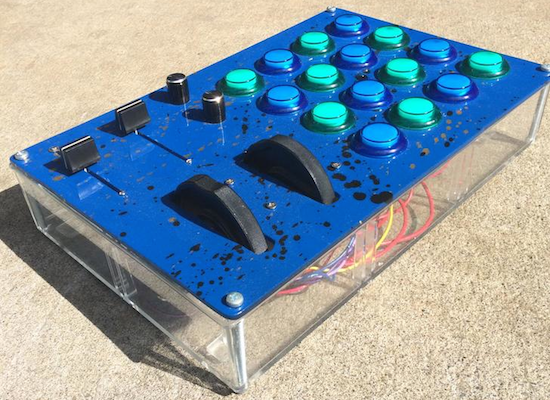
With parts from a bathroom organizer and arcade buttons, Alex “GlacialGeyser” made his own MIDI machine.

MIDI controllers can be great instruments to supplement your musical skills. As seen in the video below, Alex’s project is no exception, and he’s able to produce some really beautiful music using it and a keyboard. Physically, he created this out of plastic parts from a bathroom organizer and a cutting board that he cut using mostly handheld power tools. An Arduino Mega serves as the brains of the operation along with two 75mm 10k faders, two 10k knobs, pitch bend and modulation wheels, and a couple of LEDs.

The build is finished off with a splattered paint effect and nearly a whole can of clear coat. Programming the device was a challenge, but it seems Alex gained some useful knowledge for next time!

You can find more about GlacialGeyser’s MIDI controller on his Imgur writeup.

A DIY interactive book that uses digital gestures

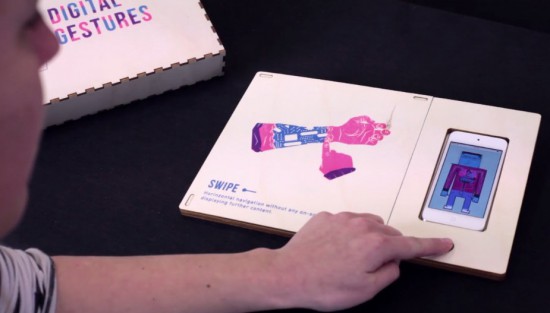
Digital and craft maker lab Tazas recently worked with a group of master students on an interactive book/prototype to reflect on how gestures like swiping have become as natural as shaking hands. Digital Gestures is a metaphor of the human body’s physiological senses, which identifies 10 actions inherent to our daily interactions with technology: drag and drop, spread and squeeze, swipe, double tap, scroll, zoom, rotate, draw, press, press and hold.

The project was brought to life using four basic electronic components and some digital fabrication: a web server (VPS), an AtHeart Blend Micro Bluetooth module linking objects to the elements contained on the server, an iPod Touch connected viewing medium and conductive ink. All the elements are arranged on a laser cut wooden base, while an iPod digitally decrypts the printed* pages filed on its left.

To play, the viewer places an illustrated page on the support and touches a specific key point beforehand determined as conductive. When touching, the viewer has the ability to interact on the screen in order to understand the illustrated use. This experimental reflection raises many questions about the conditioning that man receives from the machine by accepting these precepts without altering their function. What will become of our so-called ‘daily’ gestures? Will our close to real behavioral experiment be upset? Answers that require that ‘use must be done.’

You can see how it magically works below!


HAL 9000 reimagined as a useless machine

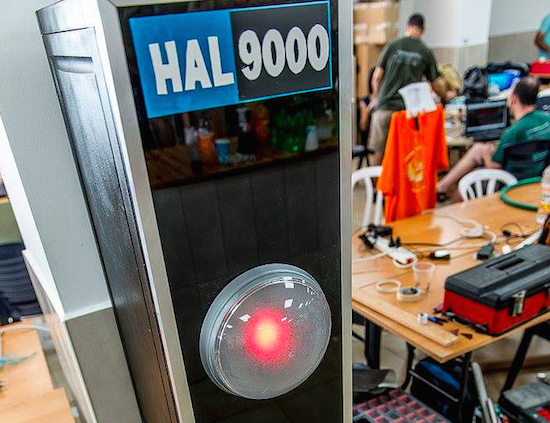
GeekCon participants add a switch and actuator to a HAL 9000 model for the world’s largest “leave-me-alone box.”

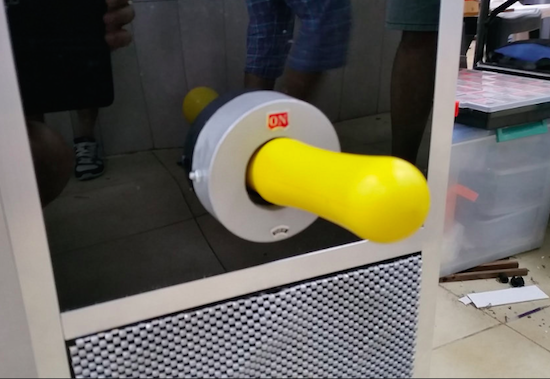
You’ve probably seen the silly boxes that when you flip a switch to turn it “on,” an arm comes out to turn itself “off” again. At this year’s GeekCon Makers conference, participants decided to make a useless machine, but in place of a simple box, they made a model of the HAL 9000 computer from 2001: A Space Odyssey.

Rather than the normal “useless” configuration, it turns itself “on” instead of “off” in an apparent nod to the fact that the computer didn’t want to be disconnected in the movie. One Arduino controls a projector for the “eye” assembly, while another takes care of the servos and audio. HAL’s sounds are stored on an SD card inside an Adafruit Music Shield.

Behind the eye, made out of round lamp and a red plastic diffuser, there is a projector. The projector is connected to Arduino TVout which only outputs a white filled circle that also changes its diameter based on microphone input. Having the circle moving according to the sounds gives HAL’s eye more realistic look.

The second Arduino was in charge of servos and audio. We divided the tasks to two Arduino Uno to avoid collisions in PINs requirements.

You can find more information on this project on its blog and in Hackaday’s recent writeup. If you just want to see the Arduino code, it’s available here.

(Photos: Rafael Mizrahi)

An Arduino VU meter for classrooms

With his beautifully-colored classroom “noise-o-meter,” Mr. Jones knows when things are getting out of hand.

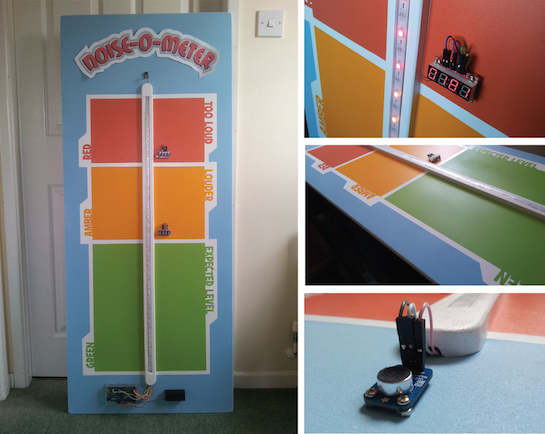
When you were in school (or if you are in school) the teacher likely told the class to be quiet, perhaps repeating him or herself over an over during the day. The teacher, however, likely never really defined what is good and bad. Mr. Jones has finally solved this issue by creating a classroom “noise-o-meter” using an Arduino, an electret microphone, and a programmable LED strip. In order (apparently) too keep the class in line, noise is simply marked as green for “expected,” amber for “louder,” and “red” for too loud which corresponds nicely with more “traditional” VU meters.

I built this a short while ago as an idea to use in a primary classroom setting. Poster displays are often used by primary teachers wanting to control the noise levels in their classrooms but I wanted to add technology to make it dynamic and responsive. The motivation for this came after seeing the Adafruit Digital NeoPixel LED Strip online and realizing its potential as part of a VU meter.

Are you a teacher and want to build one for yourself? You can check out Mr. Jones’ Instructables page or his own website in a different format.

Build your own robotic vacuum from scratch

This dust buster-based robotic vacuum may or may not work as well as a Roomba.

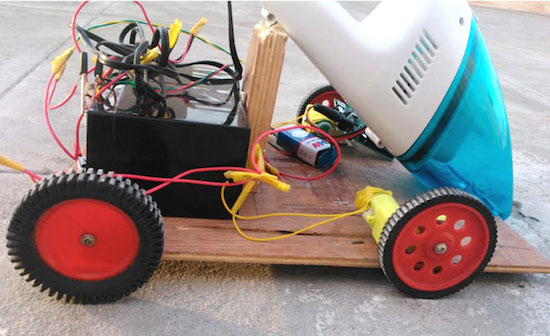
If you’re fascinated by the idea of a robotic vaccum cleaner to keep you from having to do certain chores, you could buy an iRobot, or you could make your own instead. This particular DIY model uses four motors for locomotion, an Arduino Uno, an IR and ultrasonic sensors to avoid obstacles, as well as a (formerly) handheld vacuum cleaner to suck up debris.

The assembly sits on a wooden chassis, and as author B. Aswinth Raj is quick to point out, many variations on this robot could be made. Code is included and fairly short, so whether you’d like to copy this design or improve upon it, the bot should certainly give you some build ideas!

In this project we will use the power of embedded systems and electronics to make our own robot which could help us in keeping our home or work place neat and tidy. This robot is simple four wheeled vacuum cleaner which could smartly avoid obstacles and vacuum the floor at the same time. The idea is inspired by the famous vacuum cleaner iRobot Roomba…

You can find more detailed instructions, along with its code and a circuit diagram, on this CircuitDigest page.

An animatronic talking takeout container

An Arduino plus fake food and audio capabilities equals something truly unique!

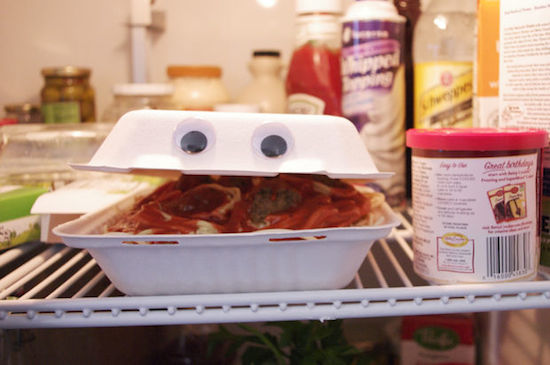
Randy “randofo” Sarafan had an idea when he was in college: a takeout container that talked. To the world’s great benefit, now that he knows about electronics, he finally made this dream a reality. Using an Arduino Mega with a Seed Studio Music Shield, he was able to coordinate the movements of a servo and thus the lid of a box with the audio coming out of a speaker. After attaching googly, or “googily” eyes, and modifying a fake serving of spaghetti, he had something that should be quite entertaining!

This idea came about after having taken a special effects film class when I was in college. While in the class, I made a short film of myself talking to a takout container with a face drawn on it. However, not having the know-how to do anything with electronics, the initial version was being controlled by a friend pulling upon and releasing a thin fishing line. While I do not doubt that my friend was skilled at controlling the lid in this manner, I couldn’t help but thinking that it would be great if I could automate the whole thing — at the very least — less embarrasing.

You can find more info on how to build this “foodie” contraption on the project’s Instructables page!

IDE 1.6.12 released with Sierra support and more

A new version of the Arduino IDE (1.6.12) supporting OSX Sierra is available for download! All OSX users updating to Sierra are invited to also update the IDE to avoid crashes when uploading sketches.

This update includes an experimental integration with Arduino Cloud API already used by Arduino Create. The Arduino Cloud is simple tool to connect your Arduinos to the Internet and to each other. From now on, when you insert for the first time an Arduino/Genuino or AtHeart board which needs an additional core, you will be prompted to automagically install its bundled software.

You’ll notice that the example menu has been reorganized, making it much more consistent and easier to navigate.

We’ve released version 1.0.7 of Curie core as well, which is a transitional release guiding us towards 2.0.0 with BLE central role and a lot of other goodies. You can read all the details on the forum.