Posts with «featured» label

Galaga revived as a 4/5 scale MAME machine
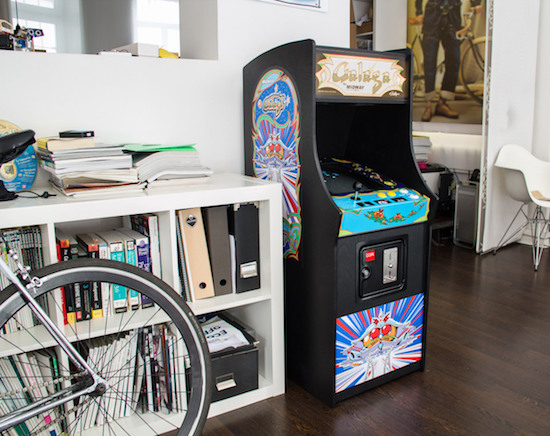
This arcade machine helps creator Alex Weber relive arcade memories, but is slightly easier to move than a full-sized “cab!”

Galaga is one of Weber’s–and many others’–top five arcade games. Easy to learn, but difficult to master, it was just asking to accept your money and time! Now though, using a Raspberry Pi and MAME software, you can have this and other old-school games at your disposal. Weber built a cabinet for this purpose around an old CRT television slightly smaller than original size.

In order to keep from having to fool with the TV every time it switched on, he made an automated remote control with an Arduino and IR LED that sends signals to turn it on and switches the TV to AV mode.

I have a soft spot for 8-bit arcades… I saw these for the first time. At least it felt like that. All machines where running. All coin doors were open! Somebody saw me standing in front of them with huge eyes and showed me how to trigger the switch to get credits for free. BAM! I was hooked.

You can see the full build on Weber’s tinkerlog site as well as Hackaday’s writeup here.
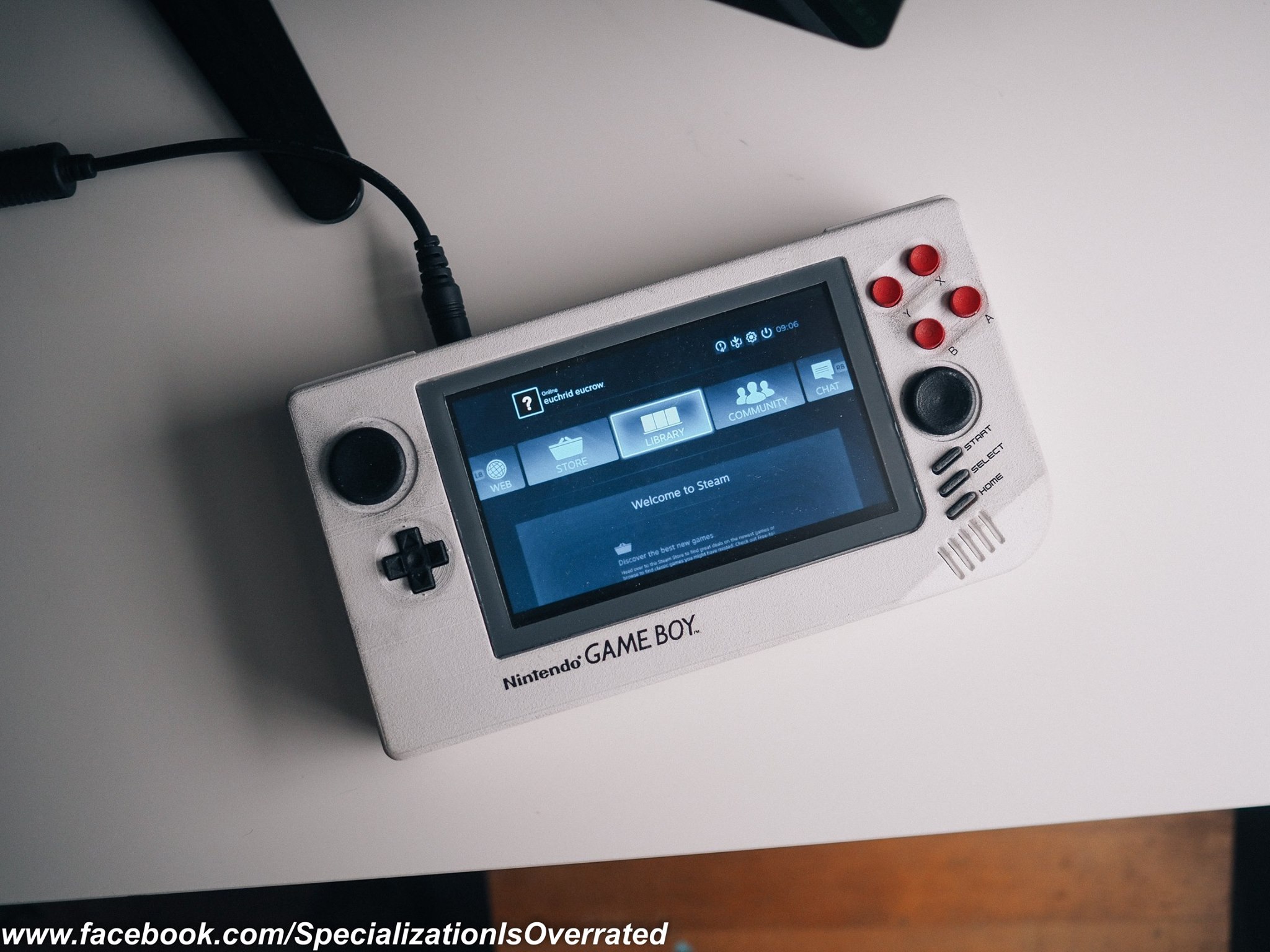
A 3D-printed reimagined Game Boy prototype

With a shape reminiscent of a Game Gear, revised controls and hardware, Anthony Campusano’s rig looks extremely fun!

As reported on 3DPrint.com, Campusano’s Game Boy-inspired prototype was quite the crowd-pleaser at World Maker Faire in New York. Although wider than it is tall (like most portables to follow), and with many more buttons, this handheld console still screams “original Game Boy.” Perhaps this is because of its color scheme, or even the angle of the buttons.

Hardware consists of several platforms, including an Arduino to handle tasks such as status lights and battery level. The idea was inspired by Florian Renner’s similar concept, though he replaces the ideal of separate game cartridges with an SD card for storage.

I’m a trained architect, though I have industrial designer envy. In terms of electronics, I’m self-taught. When it comes to machine specs, the handheld is based on an Intel Core M. Controls are Teensy-based, and the status lights and battery level, etc. are run from an Arduino. Estimated battery life is about 3hrs +/- depending on the game.

You can see more photos of Campusano’s project on his Facebook page, and read all about it on 3DPrint.com.

Keep your cat entertained with an automated laser tower

As any cat owner can tell you, our feline friends love chasing the uncatchable dot of a laser pointer. Unfortunately, though, there is only so much time in the day that you can spend playing with them and catering to their natural instincts… so why not automate the process?

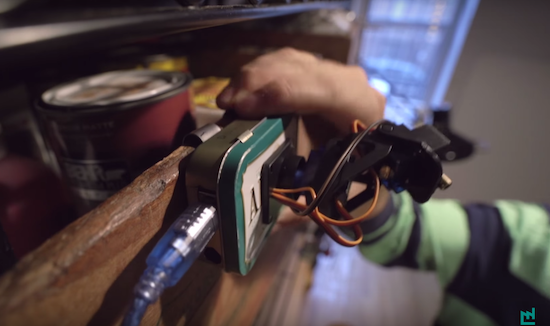
This is exactly what La Fabrique DIY decided to do using an Arduino Uno, two servos, a pan/tilt camera mount, and an Altoids tin to house the electronics. With some programming, the tower moves the laser “pseudo-randomly” to mimic the behavior of an insect.

So if you, like La Fabrique DIY, have a cat in a small apartment with not much room to hunt, head over to the project’s Imgur page to start building a distraction device for yourself!

A sheet metal Arduino MP3 alarm clock

Wake up to your favorite tunes using this beautiful sheet metal alarm clock!

If you need to get up for work, class, or simply to avoid wasting the day away, setting an alarm is the obvious solution. Sure, you could buy a clock or just use your phone, but if you build Dejan Nedelkovski’s Arduino-based device, you can be reminded of your awesome Maker skills every morning.

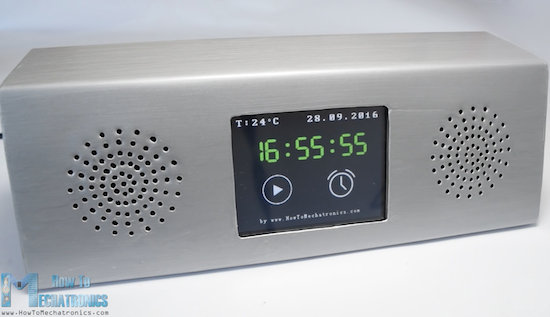
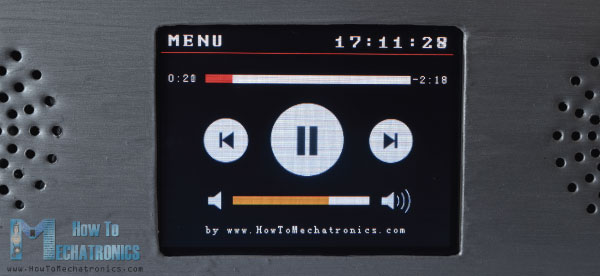
The clock is equipped with an Arduino Mega, an MP3, and an RTC module to play music and display the time and current song on a nice 3.2-inch touchscreen. The case, which was designed in SolidWorks, is made out of aluminum sheet metal. Considering that he used an improvised bender and hot glue to put it together, the results look fantastic!

In this project, I will show you how you can make an Arduino touchscreen MP3 music player and alarm clock. The home screen features a big clock, date and temperature information, as well as two buttons…

Want one of your own? Check out Nedelkovski’s “How to Mechatronics” website for code, schematics, and even a 3D model of the alarm itself.

Build your own electronic drum kit using an Arduino Mega

If you’d like to save some money on a drum kit, this one is made using an Arduino Mega, MDF, and even a left sandal!

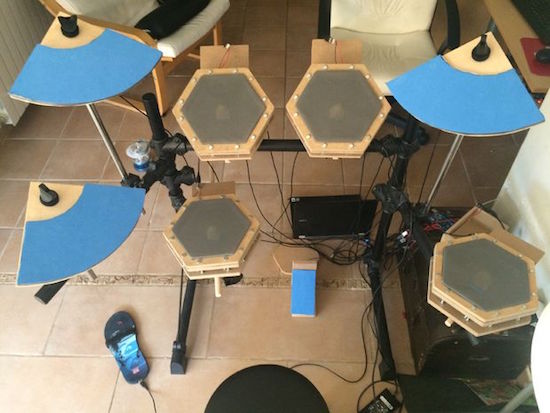
Drum kits can be quite expensive, Maker Victor Herrero has created his own nine-piece set with readily-accessible components. Arduino code was modified from another project by Evan Kale, and is available for download. Although electronics is discussed, the Instructables article focuses on how to physically make the set, mostly out of MDF.

The results are something that looks quite different than a “normal” drum set, with hexagonal drum pads and a flip-flop for hi-hat control! You can find the project on Instructables here, and the code that you’ll need on its GitHub page.

An electro-mechanical drawing machine driven by music

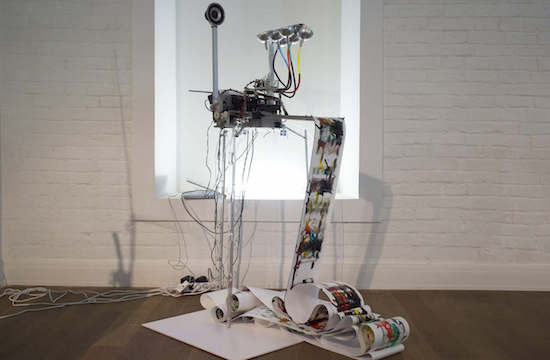
We’ve been waiting to see what ::vtol:: (a.k.a. Dmitry Morozov) would come up with the next! The Moscow-based hacker artist has now created an electro-mechanical drawing machine.

The Electropollock, which pays homage to influential American painter Jackson Pollock, is driven by the sound of music. A special algorithm analyzes the tunes and then controls the electric valves, servo motors with brushes, and the special fan intended for spray painting. The intensity of ink supply, the rate of the moving paper, and the activity of the brushes all depend on the frequency and amplitude of the peaks in the music.

The machine features an old printer mechanism, an Arduino Uno, and is programmed using Pure Data. You can see how it works in the video below!

Deltu is a gaming robot with a personality

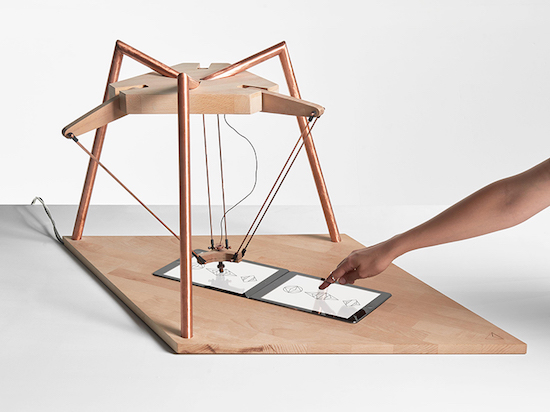
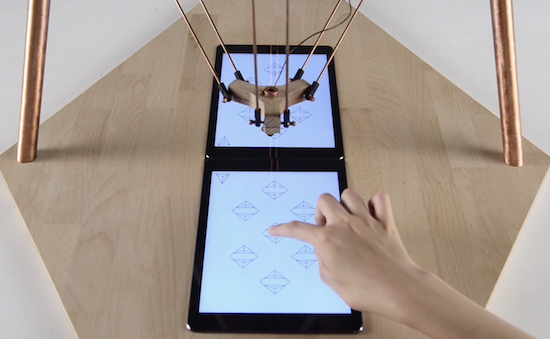
Interactive designer Alexia Léchot has built a delta robot with a ‘personality’ that interacts with humans through iPads. Deltu uses three moving arms, a couple Unity3d applications, and Arduino to play simple mimicking games.

According to Creative Applications:

The system uses two Unity3d applications where the application of the human sends HTTP request to the computer. There is also a Python server that sends the string through the serial to the Arduino which controls the robot.

The other player must precisely copy Deltu’s movements because it “is very demanding.” If not, it might change its mind and will shake its arms in a side-to-side motion that appears to simulate frustration. From there, Deltu leaves the game and opens the camera app instead, snapping selfies and posting them to Instagram.

As you can see in the video below, the robot even takes a few moments to browse the social network’s explore section and follow a new account, as well as choose some tunes on SoundCloud.

Depending on its mood, it plays with the user who is faced with an artificial intelligence simulation, who appreciates the small pleasures of life, sometimes too much. The relationship we have with robots/AI that have been created to enhance our performance, but have become a source of learning, is unique and exciting. The android’s place in ociety has not yet been defined and remains to be determined; for me it is the best source of inspiration.

Intrigued? You can see Deltu in action below, and read more about the project on the Daily Mail.

Arduino Blog 04 Oct 14:40

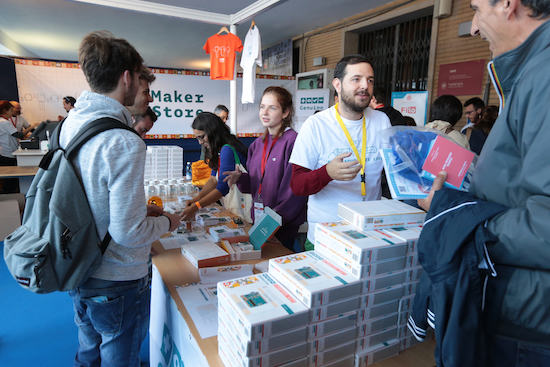
Maker Faire Rome: Call for volunteers

Planning on attending Maker Faire Rome this month? We’re currently looking for volunteers to join our team during the event—staffing tables and displays, helping lead one-on-one workshops and demos, and providing technical assistance when necessary.

If you volunteer with us for one shift, you won’t leave empty-handed! You’ll receive a day pass; two days, and you’ll have a ticket for the entire weekend to explore the show. Water and snacks will be provided, of course, along with t-shirt. We’ve also prepared a small gift to show our appreciation when your work is done!

Interested in volunteering at our booth? Please fill out this questionnaire, and we’ll get back to you soon!

  • When: October 14th-16th (Friday-Sunday)
  • Location: Fiera di Roma, Viale Alexandre Gustave Eiffel, 79, 00148 Ponte Galeria RM

Cercasi volontari/e Arduino per Maker Faire Rome

Entra a far parte del team di volontari/e all’Arduino booth presso la Maker Faire di Roma! Stiamo cercando persone appassionate di Arduino che ci aiutino durante l’evento, nello specifico fornendo informazioni ai visitatori, dando supporto e assistenza tecnica durante le demo.

Se farai il volontario o la volontaria per un turno, avrai a disposizione un pass per l’intera giornata, se invece farai turni per più di un giorno avrai il pass per l’interno evento. Sappiamo quanto sia importante il tuo tempo e quanto sia fondamentale il tuo aiuto al nostro booth, per questo motivo siamo felici di offrirti il pranzo, una maglietta e, come segno di riconoscimento, un piccolo regalo alla fine del tuo turno.

Ti interessa aiutarci al booth come volontario/a? Per favore completa questo form, ti faremo sapere prestissimo.

  • Quando: 14, 15 e 16 Ottobre 2016 (Venerdì, Sabato, Domenica)
  • Location: Fiera di Roma, Viale Alexandre Gustave Eiffel, 79, 00148 Ponte Galeria Roma

Two Arduinos Become One

Arduino, the world’s leading open-source ecosystem for Educators, Makers and IoT developers of all ages, today announced that Arduino LLC (aka Arduino.cc) and Arduino srl (aka Arduino.org) have settled their differences and signed a Settlement agreement.

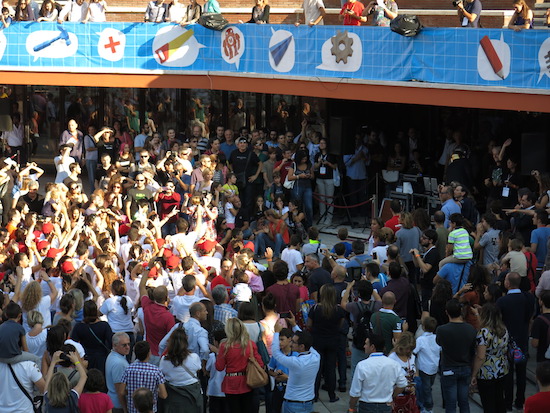
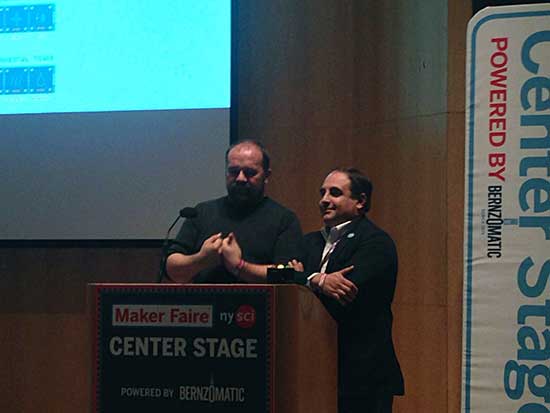
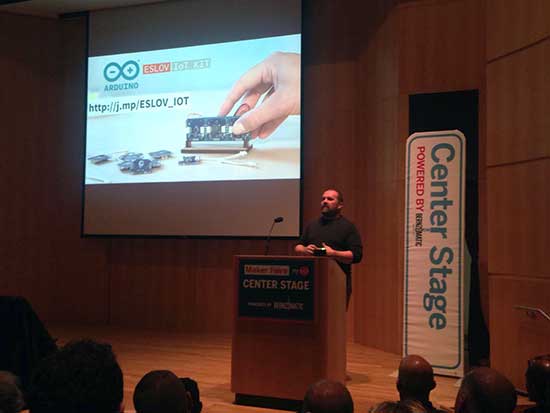
Massimo Banzi and Federico Musto took the stage today at the New York Maker Faire to announce the good news.

At the end of 2016, the newly created “Arduino Holding” will become the single point of contact for the wholesale distribution of all current and future products, and will continue to bring tremendous innovations to the market.

In addition, Arduino will form a not-for-profit “Arduino Foundation” responsible for maintaining the open source Arduino desktop IDE, and continuing to foster the open source movement by providing support for a variety of scholarships, community and developer initiatives.

Massimo Banzi, Co-Founder of Arduino LLC, commented, “Today is one of the best days in Arduino history. This allows us to start a new course for Arduino made of constructive dialogue and disruptive innovation in the Education, Makers and IoT fields. The Arduino Foundation will allow us to champion the core values of the Arduino Community within the open source ecosystem and to make our commitment to open source stronger than ever. This is really a new beginning for Arduino!”

“Of course, we are thrilled to resolve the issues that have taken place over the past couple of years, and the team is working together to continue to offer the best open hardware and software,” said Federico Musto, CEO & President of Arduino Srl. “We know how passionate our partners and developers are about Arduino, and the growth and loyalty has been astonishing. Arduino developers will continue to see amazing technical developments including NFC, BLE, voice controls, and more, to fuel the IoT growth and other innovations.”

Play beautiful music on an Arduino thumb piano

With an accelerometer and capacitive sensing, even a beginner can produce some great tunes with this DIY device.

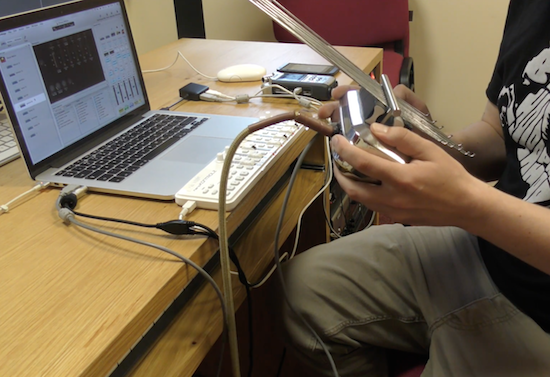
If you like making beautiful music, but would rather not actually practice this skill, perhaps this thumb piano and controller by producer/DJ Rob Blazey would be a good instrument to pick up. His project, called “Kalimbo,” employs an Arduino to translate manipulations of metal rods, along with movement of the piano itself, into Open Sound Control (OSC) messages. These are then be used to produce music.

You first hear its awesomeness around the 1:00 mark in the video seen below. Even just moving it around sounds good, but it becomes incredible when he really starts playing just before 2:00!

Inside the instrument there is an Arduino with an accelerometer and a capacitive sensing wire, which is connected to the insulated bridge at the back, so touching the edge of that bridge acts as a trigger or switch or can control things more precisely depending on how hard you press it.

Intrigued? You can find more background on this project in mrblazey’s video description.