Posts with «featured» label

Making beats on a tiny Arduino DJ controller

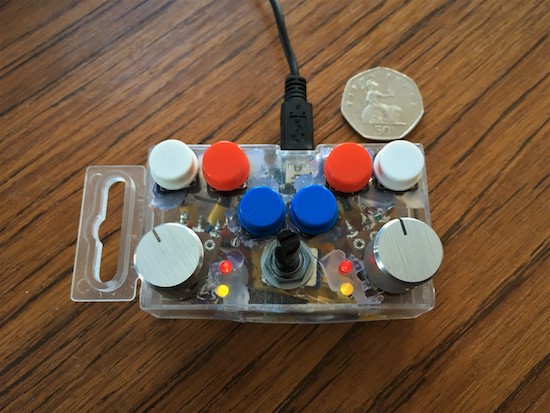
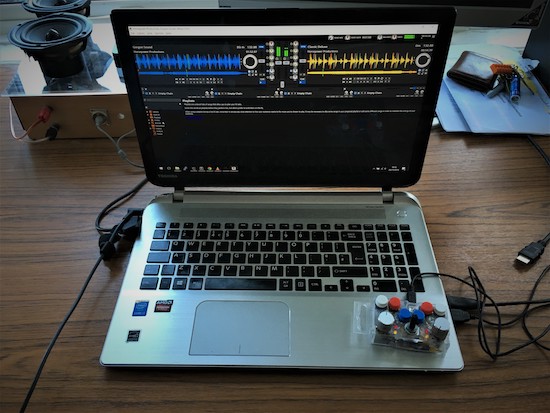
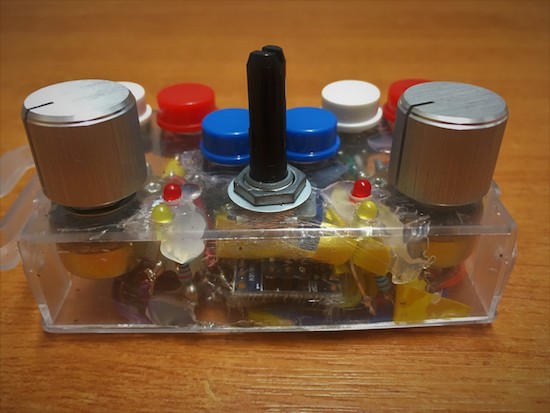
Electronic music seems to be ripe for hacking, as a new device can be fun as well as quite useful. Imgur user “fatcookies” decided to create a small DJ controller using an Arduino Nano, six push buttons, three potentiometers, and four configurable LEDs.

In this setup, each input is fed into the Arduino, then sent to a computer over USB to be used as a MIDI interface (with the help of a couple pieces of intermediate software). A neat build for sure, but what really sets this tiny beast apart is that it’s about the size of a notebook’s trackpad.

The electronics are all stored inside a transparent nuts and bolts storage box, while fatcookies rounded out the design with some arcade buttons and brushed aluminium knobs on two of the pots.

You can check out how to make one of these mini devices for yourself on the project’s Imgur page.

This Arduino machine will judge how sick your ollies are

In skateboarding, the ollie is a fundamental trick used to leap onto, over or off obstacles, or over gaps of unfriendly terrain such as grass or stairs. But how do you know just how sick your ollie actually was? Josh Sheldon has a solution.

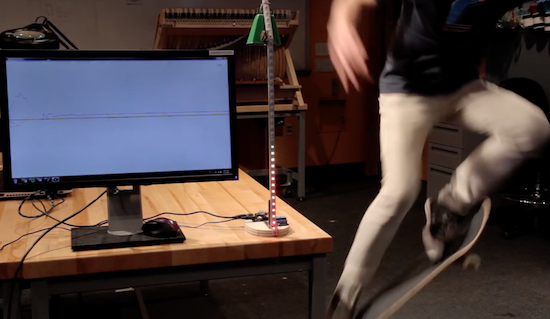
The Maker has built a device that judges the sickness of your ollie and visualizes your score, rewarding the best ones with the chiming of a cowbell. Sheldon describes the project as something “like one of those hammer games at carnivals, but instead of trying to hit that thing with a hammer as hard as you can, the goal is to land the sickest ollie.”

The aptly named Sick Ollie Machine consists of two parts: a stand with LEDs and the skateboard itself. Underneath the board is an Arduino Uno, a 9V battery, and an accelerometer. The stand is equipped with another Arduino, a relay, and an RGB LED strip that goes up mast, as well as a solenoid on top. When the relay closes, the solenoid hits the bell. Both units also contain a wireless transmitter, allowing them to communicate with one another.

Watch Sheldon discuss his project in more detail below!


Turn an old payphone into a boombox for ’90s hits

If you grew up in the ’90s and would love to play some of your favorite hit songs through something a bit more nostalgic than your smartphone, perhaps you can do what “digital alchemist” Fuzzy Wobble has done and transform an old-school payphone into a fully-functional boombox.

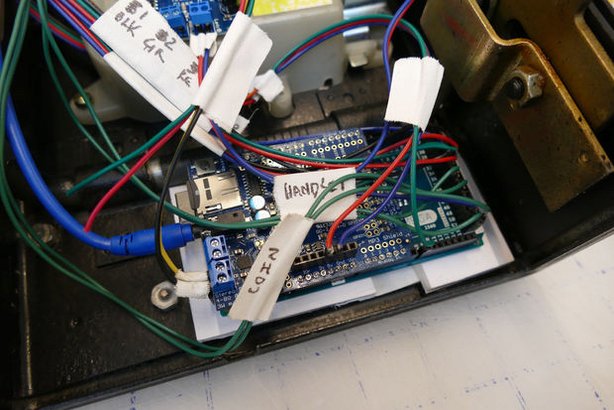
Fuzzy Wobble was able to get his hands on an inexpensive payphone and hacked it using an Arduino Mega, an Adafruit MP3 Maker Shield, a 20W amplifier, a 20W speaker, and some other components. The unique boombox is also equipped with a rangefinder that detects whenever someone walks by, triggering the phone to ring and enticing someone to answer the call.

The phone is programmed with a recorded menu along with instructions on how to select one of several pre-loaded song. Hitting the star key sends the device into broadcast mode.

What’s neat is that there’s a tiny booklet filled with images of ’90s tunes, from Coolio to Sugar Ray to Semisonic, each with a four-digit number on the back. Simply punch in the code and the payphone begins to play music.

Pretty awesome, right? You can build one yourself by following Fuzzy Wobble’s step-by-step Instructable here, and check out his demo video below.

QuadBot is a 3D-printable walking robot for everyone

If you think building a walking robot is impossible, perhaps this little guy will change your mind!

With platforms like the various flavors of Arduino, robotics has become accessible for many more people. Walking robots, however, can still be challenging. Especially when it comes to electronics and programming, one has some fairly complicated mechanisms to figure out. Perhaps none is more frustrating than four-legged walkers, as they seem very stable, but that all changes when one foot is removed from the ground.

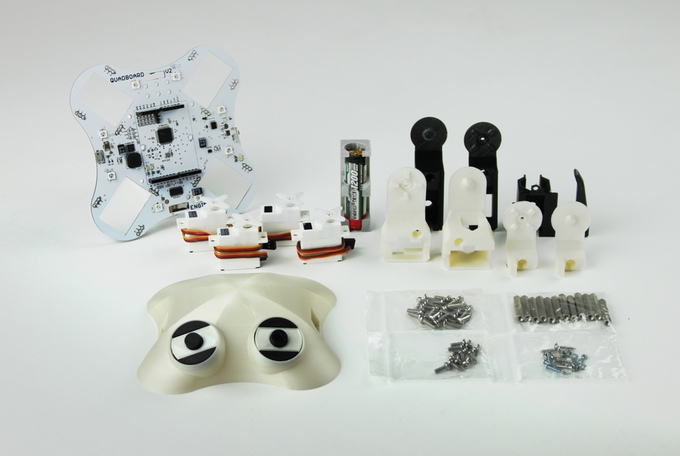
QuadBot aims to change this with an Arduino-compatible robot that, with clever cutouts for servo motors and plug-in headers on its main board, should be fairly easy to set up, yet capable of being expanded as needed.

The 3D-printable, open-source bot is designed for Makers of any skill level. It works right out of the box and can be programmed using graphical blocks, ideal for beginners. Every aspect of QuadBot can be customized and modified, though, from the 3D design down to a single line of C++ code, opening it up to more advanced users as well.

QuadBot was made for you to do real deal robotics. This means that you learn coding techniques that are scalable to bigger and better projects, rather than an oversimplified and limited alternative (such as Lego Mindstorms). A robotics platform that sets up young and experienced Makers like this has not existed until right now.

QuadBot doesn’t just walk either, it can dance, light up, and with sensors, can follow you, avoid obstacles, and even play songs. The project is the brainchild of Jack Scott-Reeve and Josh Elijah, who graduated with master’s degrees from the University of Manchester’s School of Electrical and Electronic Engineering.

Interested? Head over to Scott-Reeve, Elijah and the team’s Kickstarter page to learn more or back QuadBot for yourself!

An Arduino tachometer for your older vehicle

Unlike most cars today, deepsyx’s old Opel Astra did not have a tachometer. So what’s a Maker to do? Build your own, of course.

To accomplish this, deepsyx used an Arduino Uno along with a few LEDs. The first LED turns on at 4000 RPM, while the others light up with every 500 RPM increment. At 5800 RPM, however, all the LEDs flash as a warning. There’s even a serial output of the RPM value, so logging real-time data can be a possible enhancement down the road.

I started by cutting a 5cm x 1.5cm piece of an old credit cart, drilled 4 holes in it, painted it black and glued 4 LED diodes to it. Then I soldered 220ohm resistors to each positive LED pin and used a common ground. I connected them to an Arduino via 5 x 30cm jumpers and hid the Arduino in a hole under the wheel. I connected the Arduino data pin via voltage divider to the signal pin of the coil and used an old phone charger to power the Arduino. In order to work, I shared the phone charger and Arduino’s grounds.

Intrigued? You can read more about this project on deepsyx’sGitHub page and over on Hackaday.


Harry Potter fans create a fully-functioning smart wand

In the Harry Potter series, a Muggle is a person who lacks any sort of magical ability. Growing up reading these books, one can only imagine what it would be like to cast spells using a wand. Well, wonder no more as a group of NYC Muggles decided to build their own smart wand that can ‘magically’ control devices over Wi-Fi.

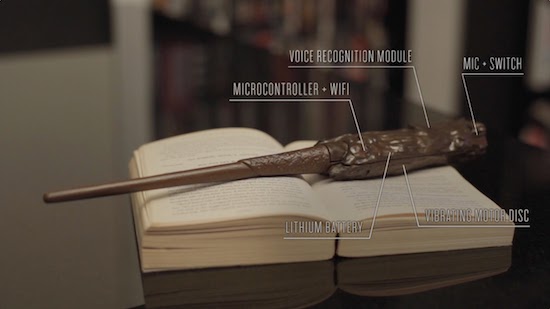
The 3D-printed wand is equipped with a voice recognition module that lets users cast spells of their own with a flick of the wrist, like ordering takeout from delivery.com, turning the lights on and off, as well as playing and silencing music.

Other components include (what appears to be) a MKR1000 board, a LiPo battery, a PowerBoost, a microphone, a switch, and a vibrating motor that indicates when a command is recognized.

Those wishing to buy one are out of luck, as the creators reveal this was merely a fan-made project to celebrate the Harry Potter prequel “Fantastic Beasts and Where to Find Them.”  You can read more about the Muggle Wand here! 

A 3D-printed lunar phase clock for your nightstand

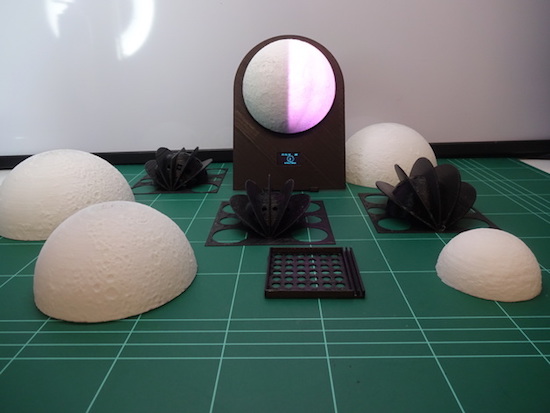
“Since there isn’t a supermoon everyday, make one for your bedside table!” This is exactly what G4lile0 set out to do using a 3D printer, an Arduino and some open-source tools.

The result was a moon phase clock consisting of a 3D-printed model and an LED strip to create the lunar phases. The lights are driven by an Arduino that precisely calculates which phase to show, as well as controls a 0.96″ OLED display revealing the date and time. Other electronics include an RTC module, a DTH11 sensor, a buzzer, and three push buttons.

The clock also features several modes, including an alarm, a wake-up light, a lamp, a thermometer, and a hygrometer. It can even help set the mood or start your next lunar rave with its relaxation and party-like special effects.

You can read all about this project on Thingiverse and find its code over on GitHub.

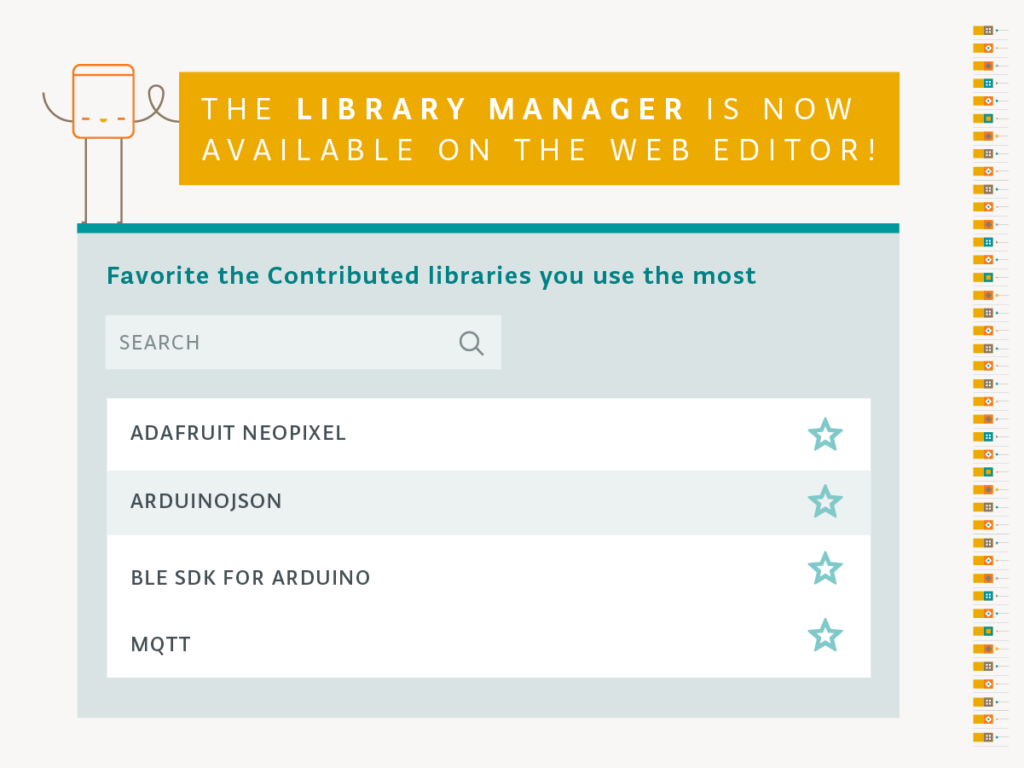
The Library Manager is now available on the Web Editor!

The Arduino Web Editor has got some exciting new features! 

First of all, you just need to have Arduino account to use it. We completely removed the invite system, making it accessible to everyone. (Don’t have an Arduino account? Sign up!) This Arduino profile can also be used to post on our official Forum, buy products on our online stores, add comments on our blog, as well as create tutorials on the Arduino Project Hub.

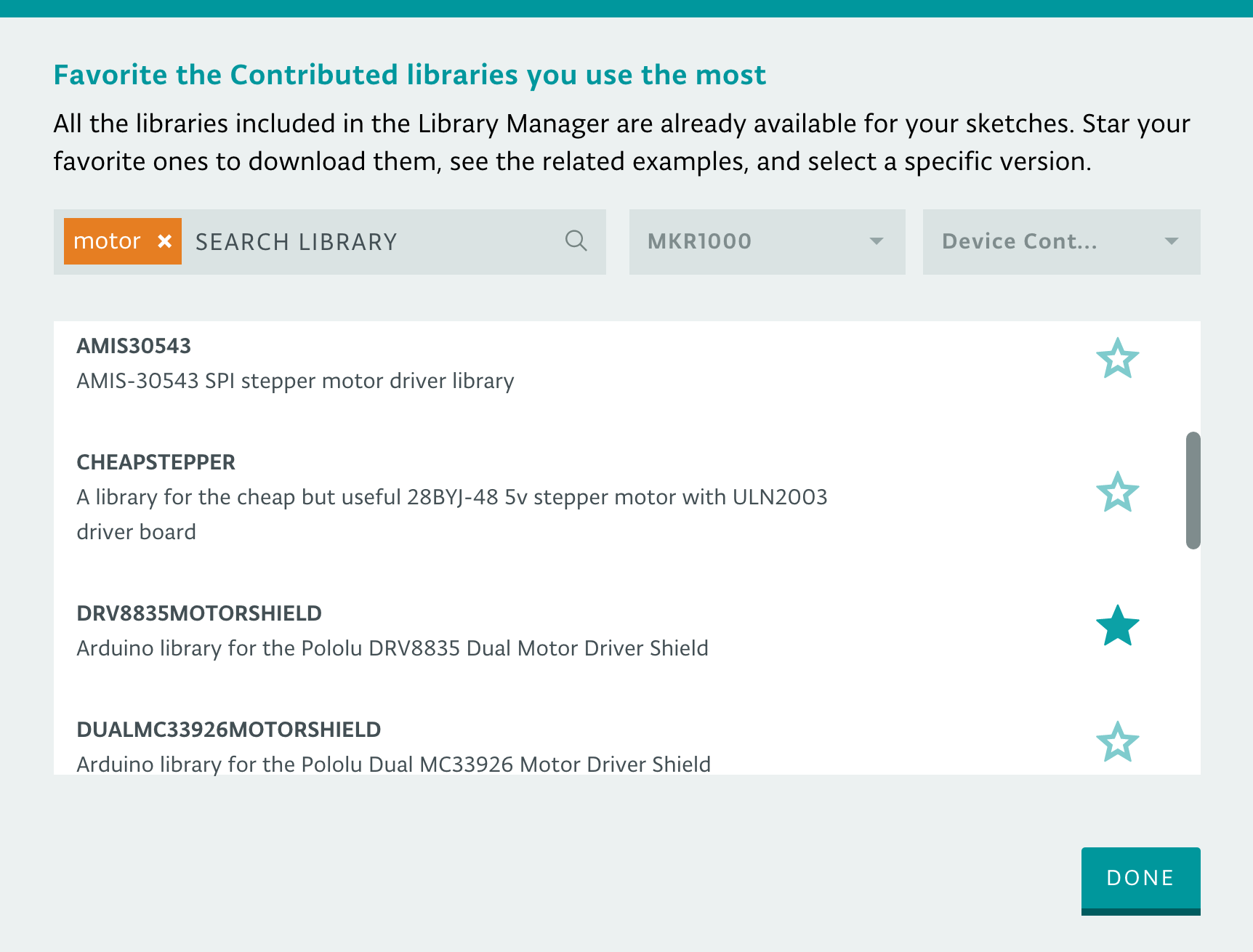
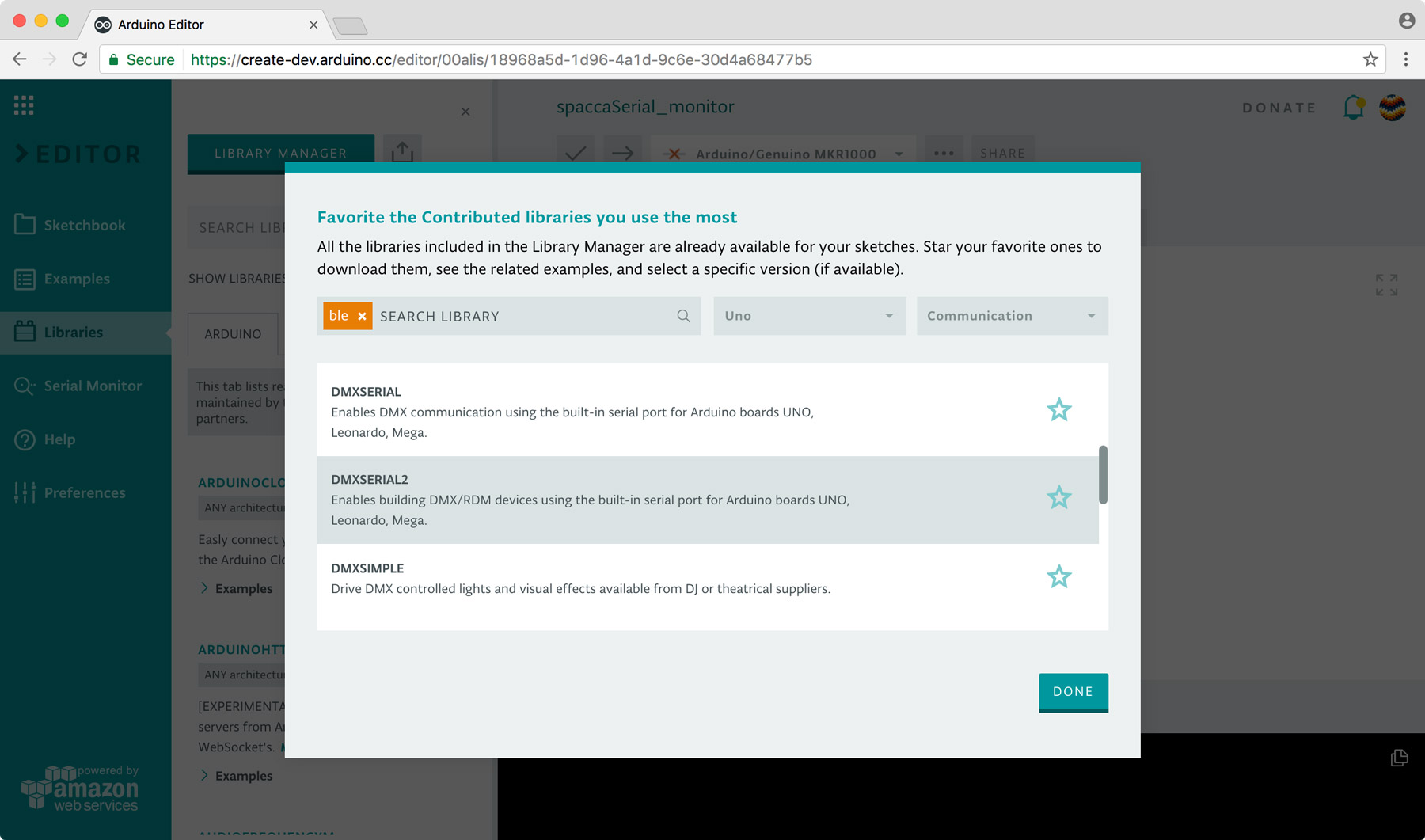
What’s more, we’ve added the Library Manager to the online IDE; meaning, all the community-generated libraries are now available for your sketches without having to install anything. The Arduino community has written over 700 libraries, which you can browse through in the Library Manager and favorite the ones you like the most. All the libraries available in the Library Manager are automatically detected, so you’ll never need to install them to get your code to compile.
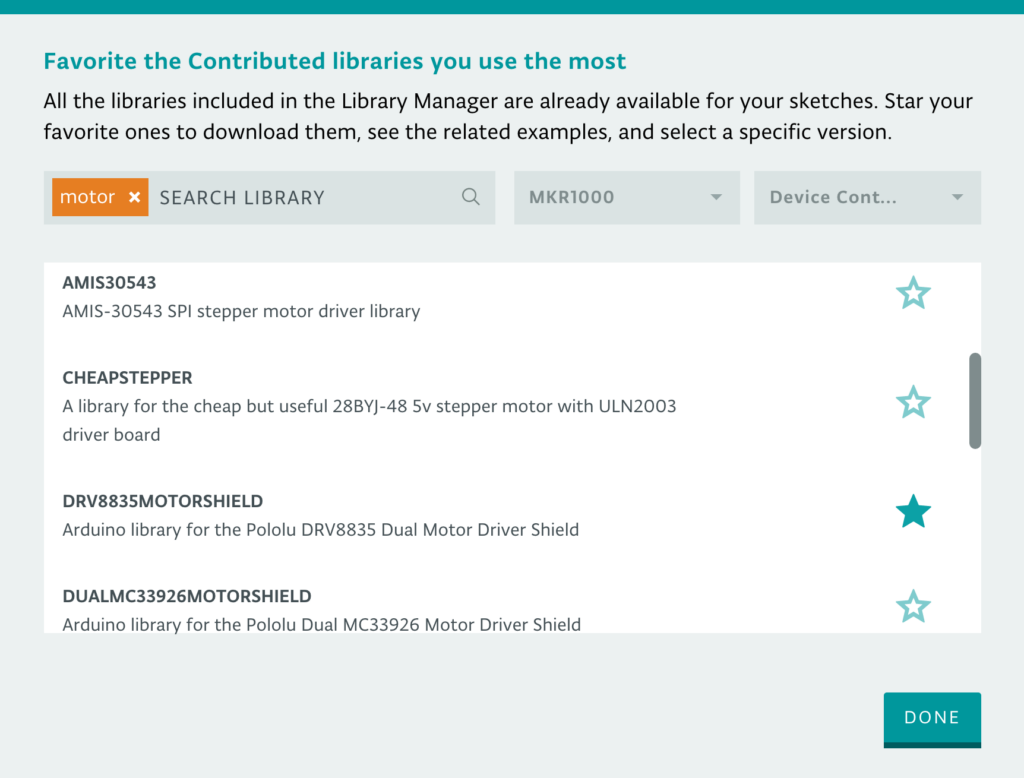
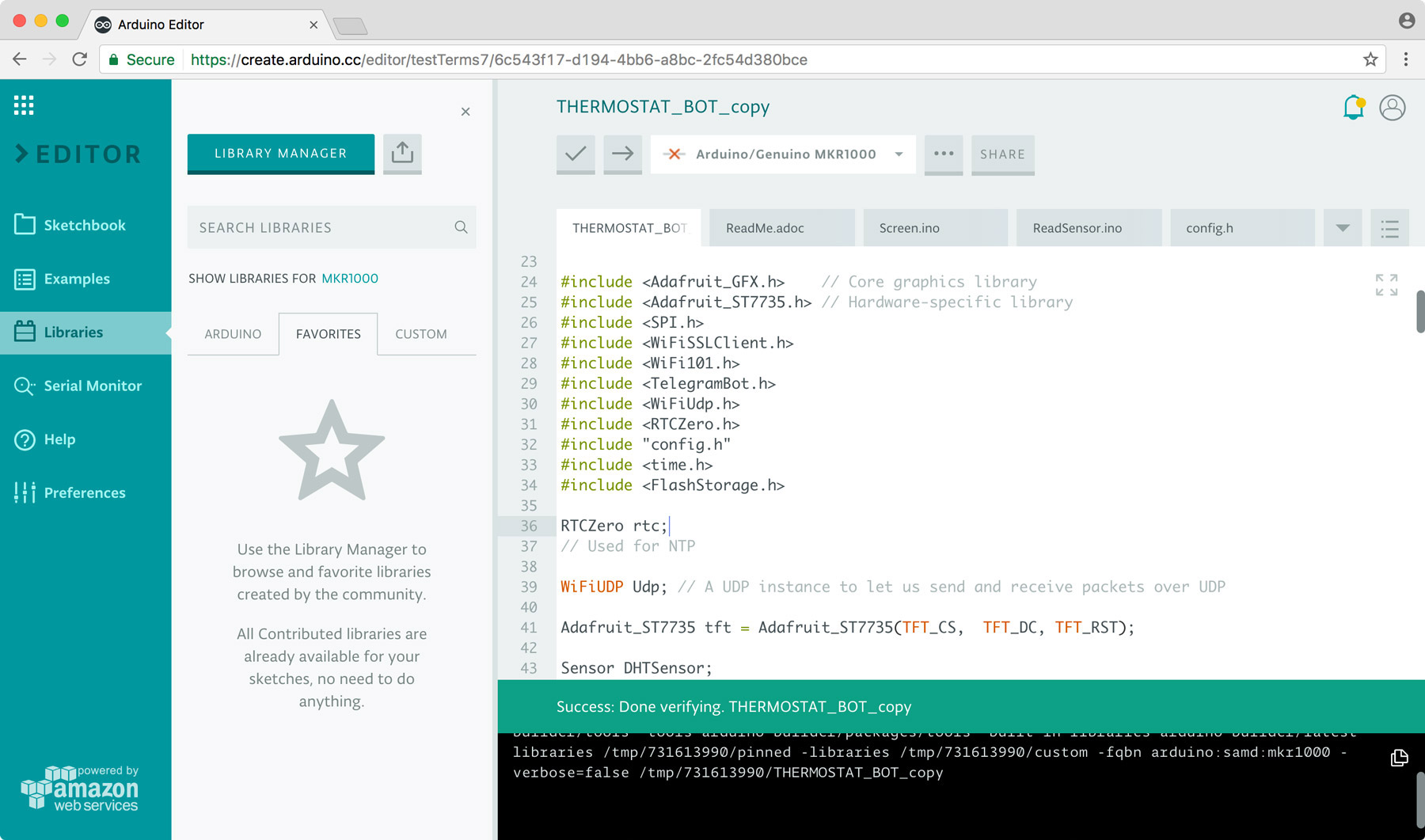
Since all the contributed libraries are up on our servers, if you use them and then you share your sketch with someone, they could simply add a copy of your code to their sketchbook and will be able to compile it without having to do anything else. We know that sharing a sketch and its related libraries can be cumbersome; fortunately, the Web Editor can really speed up this process. Take this Themostat Bot sketch, for instance, which uses a variety of contributed libraries.

 

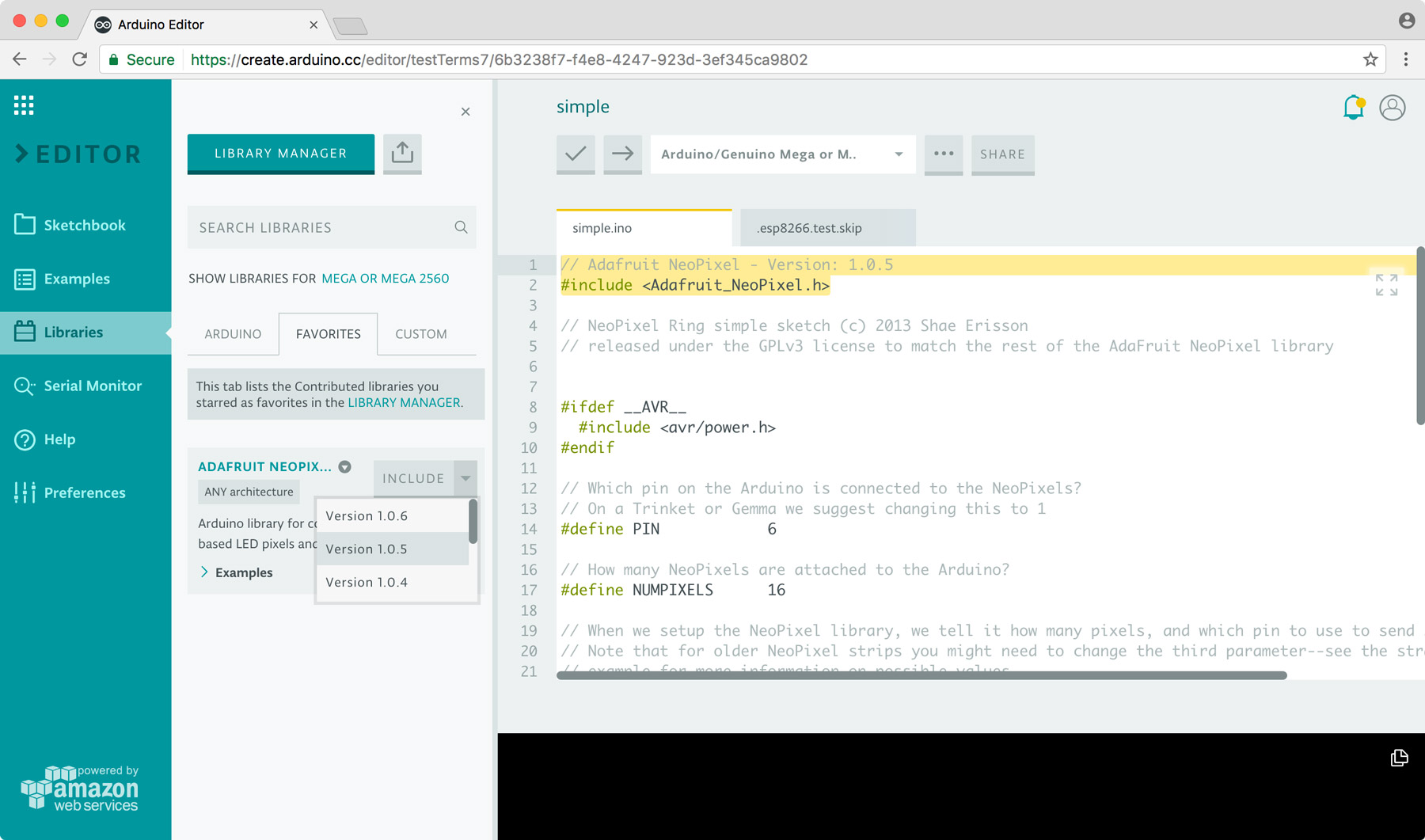
But what if you want to select a specific version of a library? Look for it on the Library Manager and star it. It will show up on the the “favorites” tab of the “libraries” panel. From there, you can choose a particular version and include it in your sketch. We are adding metadata to the sketch about the version number, so we can tell the Arduino Builder to pick the one you really want.

When building your sketch, we will always look at your custom libraries first, your favorites next, and then Arduino built-in libraries. If you favorite a library, you can see its related examples, get more information and a link to the GitHub repository, and download it.

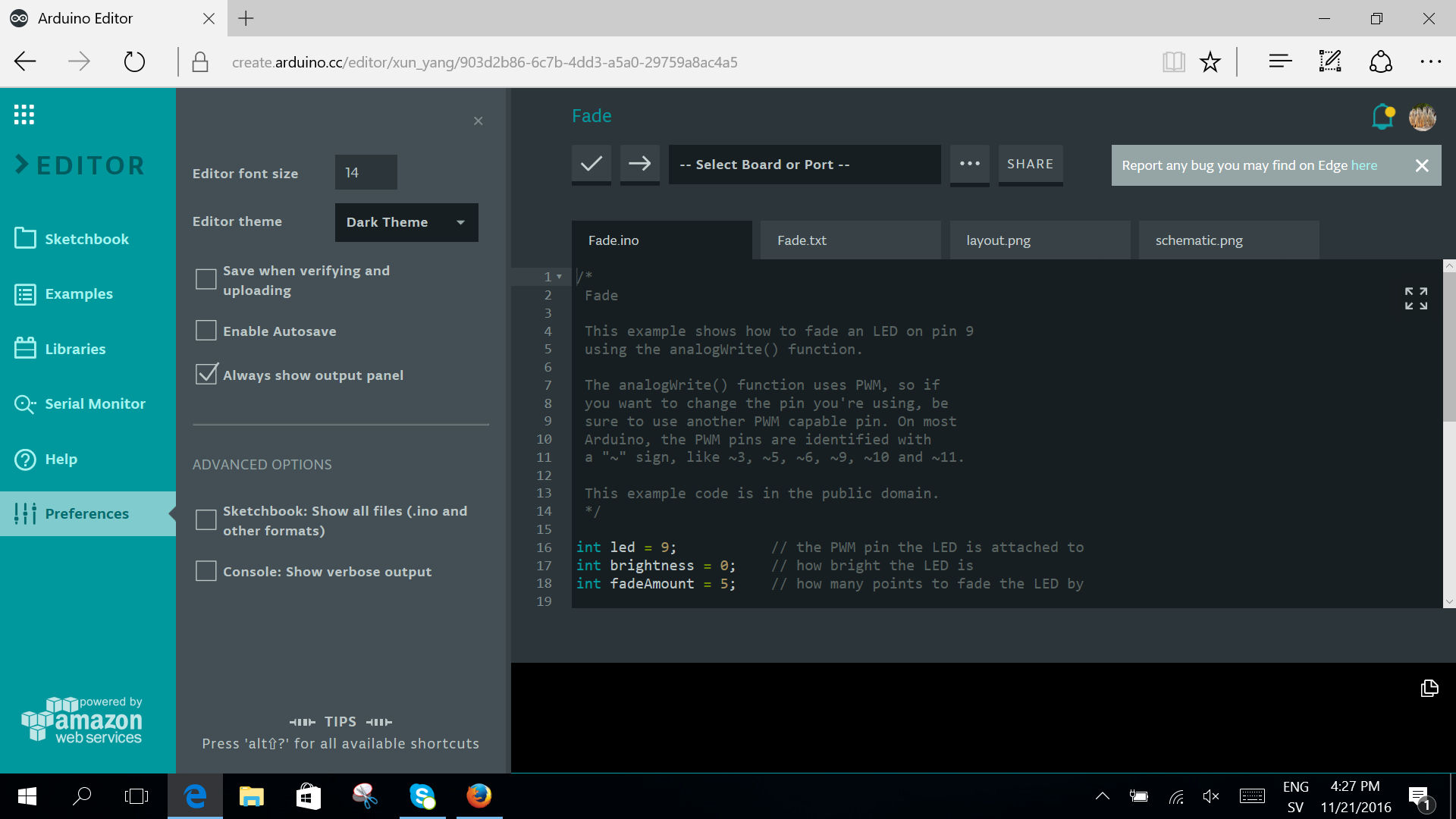
Last but not least, you now can use the Arduino Web Editor on Microsoft Edge.

What’s next?
We are adding a quick way to import your whole sketchbook in one click, so you can save all your sketches and libraries in the cloud, having them available on any device and backed up. In addition to that, we are working on a feature that will allow you to see a library source code and modify it, as well as a ‘secret tab’ where you will be able to store all your sensitive data and share them securely.

As aforementioned, all the sketches you create on the Arduino Web Editor are public–anyone with the link can access them. We are also developing a private sketch feature… more on that soon.

We would love to hear your feedback!
We are keeping a close eye on the Web Editor’s Forum page, and would love to hear from you if you encounter any bugs, have any input, or want to share a couple ideas with us. Interested in learning more? You can find a getting started guide on how to use the Web Editor here.

Tech notes
We are happy to announce we are completely decoupling frontend and the backend of the Arduino Web Editor, resulting in a faster loading time. In the future, the new architecture will let us distribute the application all over the world using a CDN. On the server side, we now have a set of full REST API for both compiling and obtaining user info like sketches and libraries. The full REST API will enable our Web Editor to speak with a new ecosystem of applications and third party integrations.


Arduino Blog 22 Nov 19:37
create  featured  

Create your own Red Dwarf Talkie Toaster replica

In the Red Dwarf TV series, Talkie Toaster is a monomaniacal talking toaster that tries to steer every conversation to the subject of toast. Now, YouTuber “slider2732″ has gone ahead and built a chatty appliance of his own.

To accomplish this, the Maker embedded a PIR sensor into the toaster’s lever that communicates with an Arduino Pro Mini whenever someone is nearby. The Arduino then reads sound files loaded onto an SD card and plays them through a 3W amplifier out to a speaker underneath. The replica is also complete with a circular panel on front, made out of “laptop screen material” with a sour cream tub’s lid, and equipped with a couple LEDs.

The Arduino code uses the TMRpcm library and is a simple case of responding to the PIR sensor going high or low. The samples are loaded from the SD card. The front grill area has the speaker underneath, with two white 5mm LEDs that are connected to the Pin 9 output from the Arduino. The former laptop screen material was cut out and then fitted. The main surround is from the lid of a sour cream tub, sprayed with a Krylon brown rattle can paint. The our legs are from a window blind, cut to the right sizes and similarly sprayed, then glued with Fix-All.

The samples were recorded in Audacity, normalized and saved out as 11025Hz, 8-bit WAVs due to buffer constraints of the Arduino Pro Mini.

slider2732 walks through the entire build and shows it off in the video below!

The Orbitalochka is a solar-powered satellite synth

This model satellite is both strange and mesmerizing with folding solar panels and a FM transmitter.

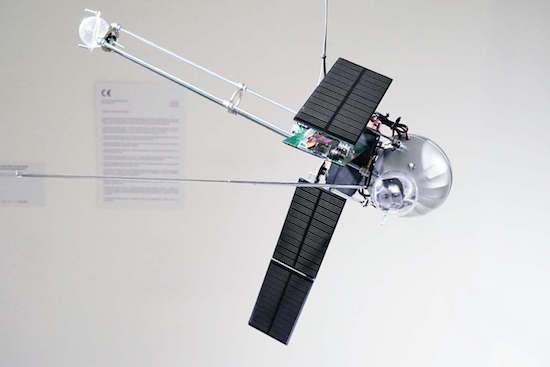
Media artist Dmitry Morozov, aka ::vtol::, is back with his latest kinetic sound object, this one resembling a satellite. The Orbitalochka hangs from the ceiling and broadcasts sound via an FM transmitter and a built-in speaker. These noises are based on the position of the satellite in space, and it can even transmit a pre-recorded lecture by Sergev Kasich, who appears to reside in the satellite’s clear bubble.

::vtol:: bases the sound signals on the generative sound processes created with Patchblocks, a modular mini-synth kit. The signals also react to a light intensity sensor, which responds to how the satellite’s position in space changes.

This happens due to mass redistribution as the solar cell changes location. The solar cells operate as sensors and produce CV (control voltage) to change sound program parameters.

Aside from its unusual sounds, what is really interesting about this synthesizer are the solar panels, which autonomously move around via four servo motors. The Orbitalochka is equipped with an Arduino Nano as well.

You can see the apparatus in action below, and read all about it on ::vtol::’s page here.

(Photos: ::vtol::)