Posts with «featured» label

An Arduino laser pinball machine

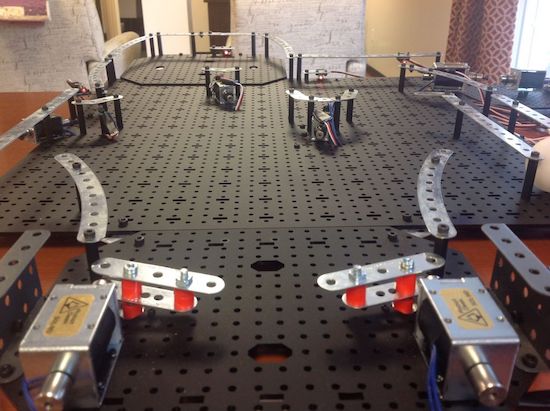
Pinball machines may seem like a good Maker project, but the mechanical components are quite involved. “Joesinstructables,” however, decided to take on this project on using an Erector Set, solenoids, and an Arduino board. In order to get around the challenge of using a heavy steel ball, he instead used a much lighter ping pong ball, sensed in the game by laser tripwires.

A number of solenoids propel the ball around and sound a service desk bell whenever a target is hit–one to three times depending on the difficulty level. Once the ball comes to rest in a target, a laser tripwire automatically triggers a solenoid to eject the ball, putting it back in play.

You can see more info on this build here, or even check out an earlier version for more inspiration!

A DIY Segway-style vehicle

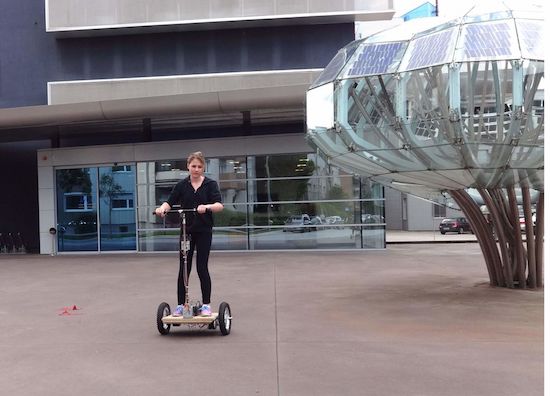
Instructables user “stoppi71” has been building a DIY Segway for a while now, and just posted a bunch of info on the project.

Balancing on two side-by-side wheels is rather difficult, though as the original Segway showed us, it’s quite possible with electronics to help. Naturally, hobbyists have tried to duplicate this effort, including stoppi71, who started his experiments several years ago. He uses both an accelerometer and gyroscope to determine the angle, along with PID control to apply the correct amount of power to each wheel. Buttons on either side handle steering.

Though not the easiest project featured here, if you’re thinking about doing something simlar, his writeup is worth a look! If you enjoy alternative modes of transportation, you may want to check out this electric unicycle as well!

Peeqo is a desktop bot that communicates through GIFs

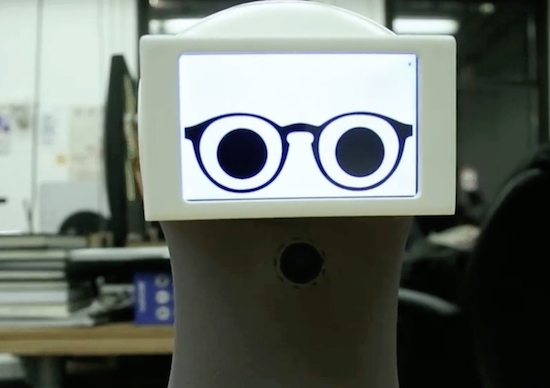
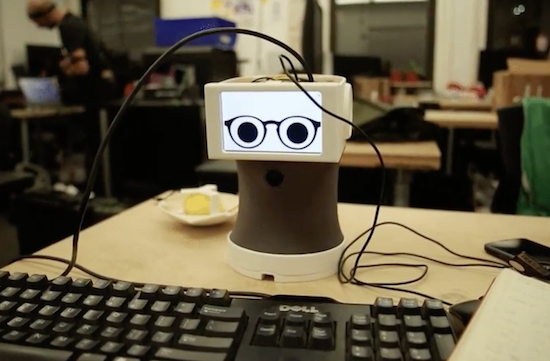
If you’ve been looking for a robotic assistant with the functionality of an Amazon Echo and the cuteness of a Disney character, you’re in luck. That’s because Abhishek Singh has created Peeqo, an open-source DIY device that responds to human speech through GIFs.

Peeqo has a Raspberry Pi 3 for his brain along with a pair of Arduino Mini boards for controlling movement and LED notifications. The 3D-printed bot is equipped with a half-dozen servos, four custom microphones, a NeoPixel ring on top of his head, a camera at his chest, a USB speaker, and an LCD display.

As for voice recognition, Peeqo uses the Google Speech API for detecting the wake word ‘Peeqo’ and API.AI for responding to the query. The desktop companion can also serve as a full-fledged entertainment system that plays your favorite Spotify tunes. Ask for a song and he’ll sway to the beat.

But that’s not all. Singh even developed a Chrome extension that uses Peeqo to boost his productivity and motivate him to avoid social media while working. Once he tells it to block a certain site, the robot lets his displeasure be known in the form of a GIF.

Intrigued? You can see how Singh brought Peeqo to life on Imgur.

An Arduino round word clock

After considering building a square word clock, Maker Roald Hendriks and his sister came up with something a bit more unique!

Clocks, being decorative, useful and easily hackable, have been targets for creative types, likely from when they were first invented. You’d think maybe all ideas for new clocks have been exhausted. Fortunately, human ingenuity never seems to run dry, and this latest device tells time using Arduino Uno-controlled LEDs.

Outer numbers on the modified IKEA PUGG wall clock illuminate to indicate the hour, while words on the inside represent the minutes. These minutes are literally spelled out in Dutch phrases reveal the particular time, but if you don’t speak the language, the position of the LEDs should give you some clue as to what is going on.

You can read more about the project on its website, and watch a demo below!

The Sandwich-o-Matic will make your lunch automatically

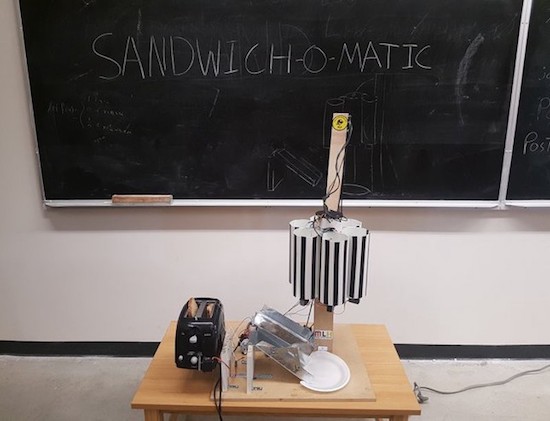
Love eating lunch, but hate making it? Good news, an automated machine may soon be able to take care of the task for you. Meet Sandwich-o-Matic, a voice-controlled, robotic sandwich-building station.

The project–which was created during a thirty-six hour hackathon by the team of Clive Chan, Colin Daly, Alex Foley and Wilson Wu–is based on an Arduino and a Photon. A rotating dispenser is driven by a series of servos, while a DC motor is responsible for a toaster-lifting mechanism. The backend is running Node.js, hosted on AWS, and the Google Cloud Platform handles the voice-to-text features.

The Sandwich-o-Matic accepts both voice and NFC requests. Simply place your order by saying the ingredients, or tapping their respective images on an accompanying menu. The device will then begin crafting your lunch from scratch.

The Makers hope to even develop a future version, which will include more topping and condiment options as well as a more streamlined voice-to-sandwich process. You can read more about the project on Devpost and its GitHub page.

An Arduino-controlled automated whiskey distillery

If you simply want to have a drink now and then, building your own automated distillery probably isn’t the easiest way to obtain alcohol. As shown in this Instructables post, however, it can be done. On the other hand, if you create your own “NanoStillery,” you’ll have to contend with possible legal and safety issues while running the process… and of course, the risks of actually using the product.

Though the writeup appears quite good, with three control panels, custom mechanical components and a nicely-welded frame, it’s likely not a good project to attempt without a bit of engineering experience!
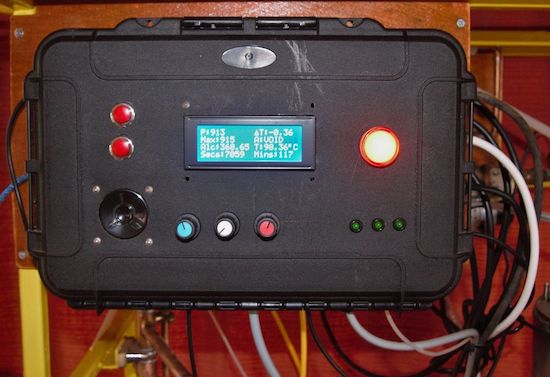
There are three panel boxes in the NanoStillery™, the main panel is driven by an Arduino Mega and the secondary one houses an Adafruit Feather GPRS board for transmitting data to the interweb. The third box has a large 12V power supply and a bank of relays in it.

The main control panel receives information from the various sensors in the system—temperatures, pressure and alcohol vapor levels and controls various valves, pump and the boiler heater via the relays. It then communicates with the Adafruit Feather via the I2C bus which then sends the data to a database where it is accessed from this webpage.

The GPRS module could very well have been bolted into the main control panel, but, for one, I had run out of room and secondly, I wanted the module to be removable so that it could be used for other projects in the future. Getting the two ‘machines’ to communicate with each other effectively was quite challenging. It was OK if the numbers were just simple small integers, but as soon as more complex ‘floats’ were involved, some serious number crunching code had to be developed.

Want to learn more? You can find all the necessary information on NanoStillery, including its code, over on Instructables.

The Rex800 looks like a dinosaur Terminator

The Rex800 looks like a dinosaur Terminator, a terrifying proposition, and perhaps a great merchandising opportunity!

YouTuber “RobitFactory” is in the process of creating a 1/10 replica of the “Sue” dinosaur skeleton, now featured at the Field Museum of Natural History in Chicago. What he has at the moment is a rough frame made out of tubing, as well as a metallic gray head with glowing red eyes.

The video takes us through the build process, along with some of RobitFactory’s future plans which include voice-activation. It’s an ambitious project, and in preparation for upgrades, he’s switched out the Arduino Uno used originally for a Mega board, and installed a Molex connector on the head so it can be easily disconnected. It will be exciting to see where this build goes!

Intrigued? Be sure to check out the RobitFactory’s YouTube page.

Arduino Blog 05 Dec 21:05

Wrist thrusters let you fly through the water effortlessly

These small arm-mounted propeller units can carry a skin diver through the water with minimal effort.

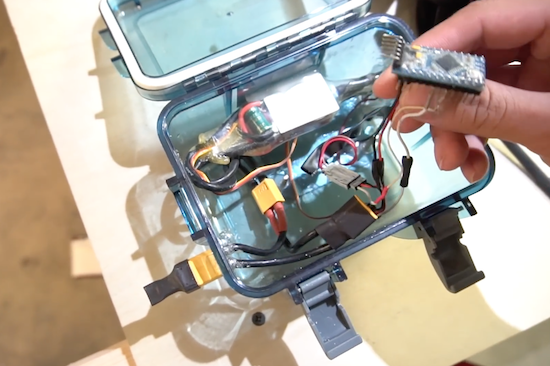
YouTuber “PeterSripol” had only a week to prepare for his trip to Hawaii. Rather than purchase a set of fins or a snorkel, he instead hooked up two T100 thrusters that he had lying around to wrist straps. In his setup, these thrusters are controlled by a button interfaced with an Arduino that allows the user to select one of three power levels.

The required battery, as well as other control components are housed inside a waterproof box, and quite a bit of effort was put into making good (and hopefully waterproof) connections!

Unfortunately, the fun was cut short by a cut wire, but it looked awesome nevertheless! You can see the project in action below!

This wireless game controller looks like a rug

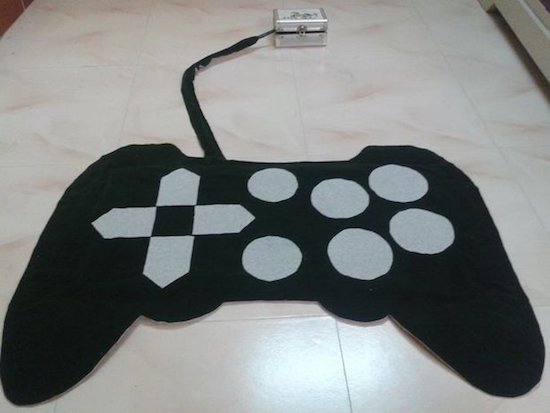
Cut in the shape of a gamepad, this controller sits on the floor for kids to enjoy!

Maker Jegatheesan Soundarapandian had gotten bored with computer games, and decided he, or rather his daughter, needed a new way to interact with the PC. What he came up with was a controller covered in cloth, with switches embedded between this covering and a wooden base.

Switches were made out of CDs and aluminum foil, which could be a good technique for others experimenting with unique interface devices. Control is accomplished with an Arduino Uno that communicates with a PC via a Bluetooth module.

Ready to play games and run apps by foot? Check out the project’s page on Instructables!

Give the gift of Arduino this Holiday season!


Need a gift idea for that special person in your life? A present that inspires his or her creative side is always a good option. With the holiday season officially underway, we’ve rounded up a few guides to help with your search, ranging from kits for young Makers to stocking stuffers for techies. Whatever you choose, be sure to spend over $150/€100 and take advantage of our FREE SHIPPING all December long!

UNDER THE TREE: BUNDLES & KITS
Who needs toys when you can build your own inventions?

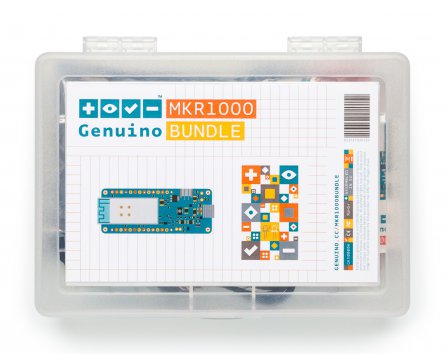
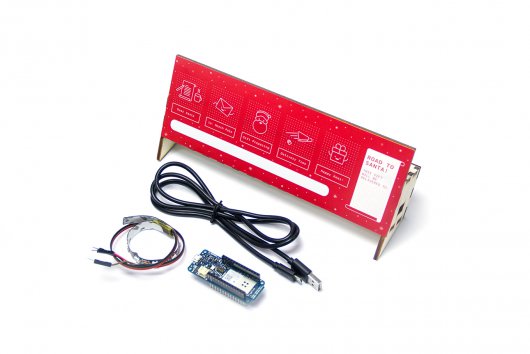
  • MKR1000 Bundle – Ready to spend your holiday break building your first Internet of Things device? The MKR1000 Bundle is based on our powerful Wi-Fi board and includes all the components needed to add connectivity to your design.

Explore more bundles and kits!


YOUNG MAKERS
Let kids unwrap their imagination

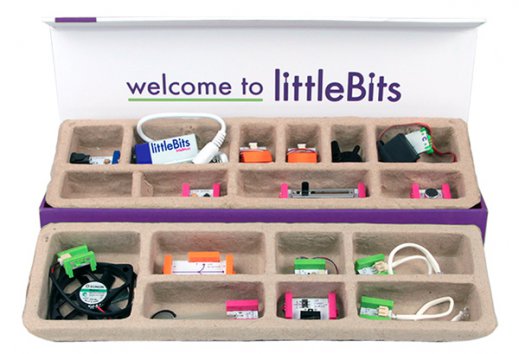
  • littleBits Premium Kit – Might as well call it a box o’ fun! With this set, kids can learn the basics of electronics, explore STEAM principles and form the foundations of critical thinking, all while creating whirring, buzzing gadgets. The littleBits Premium Kit consists of 14 color-coded modules that magnetically snap together to form larger circuits, guaranteed to keep curious minds engaged for hours. With over 600,000 possible combinations, you can let your imagination run wild!

  • Bare Conductive Celebration Circuit Set – Create three flashing greeting cards using Electric Paint. This interactive kit guides users through drawing a circuit, and attaching LEDs and batteries.

Browse more gifts perfect for Young Makers!


STOCKING STUFFERS
Boards, books, and other goodies!


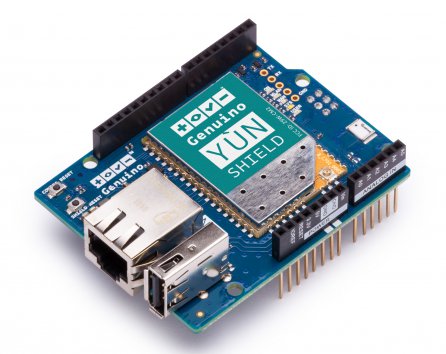
  • Yún Shield – A powerful IoT shield that brings Yún features to your Arduino or Genuino, enabling you to remotely upload sketches to your boards. Connecting to your WiFi network is simplified with the Yún Web Panel and dedicated ”YunFirstConfig” sketch.

Find more stocking stuffers!