Posts with «featured» label

8-bit Frogger game on a digital microfluidics device
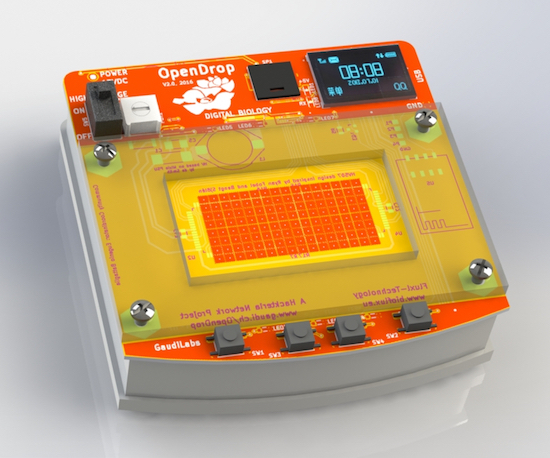
OpenDrop V2 is an updated design for an open-source digital microfludics platform, which was initiated by GaudiLabs in Luzern, Switzerland and developed by several communities including hackteria | open source biological art, BioFlux and digi.bio. The device is part of a much larger ecosystem focused around digital biology with hopes of making personal lab automation accessible to more people.

OpenDrop runs on a new technology called “electro-wetting” to control small droplets of liquids, which allows anyone to carry out digital biology experiments. Potential applications are not only limited to science, but the art, music, gaming and education fields as well.

One such example is OpenDropper, an 8-bit video game based on the OpenDrop. You can see it below!

Interested in learning more? Read all about the open-source microfluidics platform here.
 

An experimental game with a conductive rubber band controller

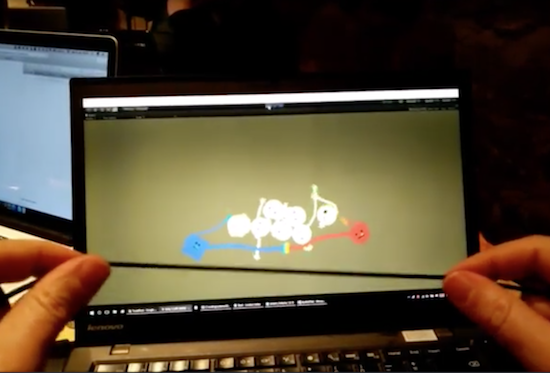
RubberArms is an experimental rubber band game, created by Robin Baumgarten at the Global Game Jam 2017 in Yverdon-les-Bains, Switzerland.

The controller uses a conductive rubber cord from Adafruit that changes resistance as it’s stretched. This resistance is measured by an Arduino Micro/Leonardo (or a Teensy 3.2), which acts as a USB joystick sending signals to Unity3D. (The game is coded in Unity3D using Spring Joints and Line Renderers.)

At this point, the game is a simple prototype where you control the distance of two characters whose arms stretch whenever you stretch the rubber band, throwing little ‘Bleps’ around. You can read more about RubberArms on Baumgarten’s page, as well as his earlier project “Line Wobbler” here.

The Soda Locker

With books being replaced by electronic alternatives and sugary drinks in short supply, this custom locker has come to the rescue.

After a conversation with a few friends about an idea he had for a vending machine that fit entirely inside of a locker, high school student Blake Hawkins decided to actually make it a reality. His setup crams dispensing hardware for two types of highly-caffeinated soda, including an Arduino-connected coin acceptor and a spring to keep the locker closed between sales. The C-shaped cylindrical device that physically doles out the cans is quite clever as well.

No word on how school staff have reacted to his new in-school business, but the students have naturally been quite entertained and pleased about the new locker hardware. Hawkins even got to ask his girlfriend to the prom using the contraption with a custom can for her!

You can check out more of this build on its page. You may also enjoy these two DIY vending machines as well, which can be found here and here.

Join Arduino Education at Bett 2017

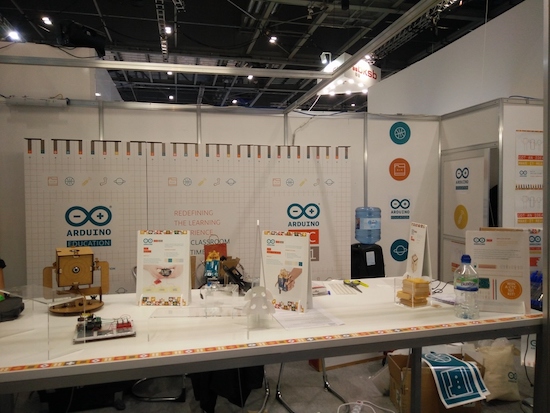
Arduino Education is a worldwide-leading school initiative bringing technology into the hands of teachers and students to create a more inventive learning environment. Arduino will be exhibiting Creative Technologies in the Classroom 101 (CTC 101), the latest addition to its one-of-a-kind STEAM program, at Bett 2017, held January 25-28 in London.

CTC 101 is a modular program consisting of 25 playful, well-documented projects and easy-to-assemble experiments designed to introduce students 13-17 years old to the foundations of programming, electronics, mechanics and robotics.

Throughout the four-day event, CTC 101 will be showcased at the Arduino booth (B235) and can be found on display inside the Intel stand (C210). Attendees will be able to get a firsthand look at the various CTC 101 modules, explore sample projects, and enter a contest to win a complete kit along with other giveaways.

“CTC helps build the school of the 21st century by bringing project based learning to your classroom,” says Arduino co-founder David Cuartielles. “The program is one of the best examples of educational curriculum for student motivation, and — most importantly — teacher  professional development.”

Want to get started with CTC? Don’t miss Cuartielles’ workshop, “A Hands-on Look at CTC 101,” on Friday, January 27th at 1:40pm in the STEAM Village!

uArm Swift is an open-source robotic assistant for your desktop

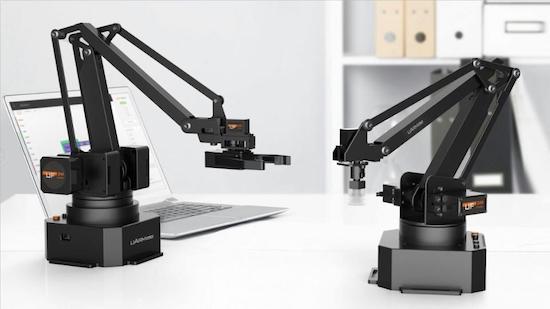
Need a hand? The UFACTORY team has got you covered with the uArm Swift, an open-source robotic assistant for your desktop.

The four-axis uArm Swift is a smaller and sleeker version of the company’s original device from 2014. Based on an Arduino Mega, the robot is capable of lifting 500 grams (1.1 pounds) with a working range of 5 to 32 centimeters (2 to 12.6 inches).

UFACTORY has launched two different models of the consumer-friendly arm on Indiegogo. Whereas the basic model is perfect for beginners and those looking to tinker around with robotics, the Swift Pro is designed for a more experienced Maker crowd with a stronger motor, more precision, and greater versatility. It also boasts position repeatability down to 0.2mm.

With a little programming, the Pro can perform a wide range of tasks from 3D printing to laser engraving to picking up and moving game pieces. You can even create your own actions through the team’s Blockly-based graphical software, uArm Studio, as well as control your Swift either directly from a keyboard-and-mouse setup, by making gestures, or over Bluetooth from the uArm Play mobile app.

The Swift is extendable with three different end-effectors (suction cup, metallic gripper, and universal holder) and a built-in socket for selected Seeed Grove modules. But that’s not all. Attach an OpenMV Cam and the robotic arm can detect faces, colors, and markers.

If you’re looking for an affordable and portable robotic arm, be sure to check out UFACTORY’s Indiegogo campaign.

Make your reflex punching bag interactive with Arduino

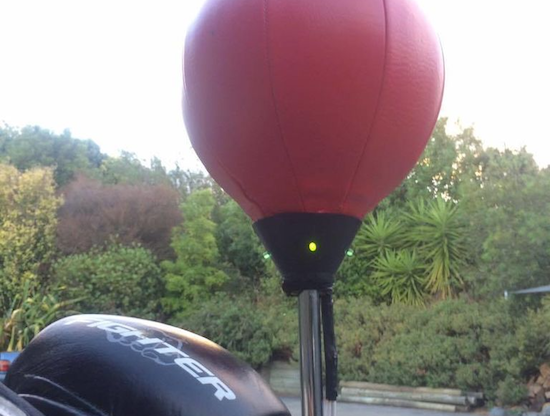
A traditional reflex bag is meant to help improve your punch accuracy and timing. However, Carl Gordon decided to make his a bit more interactive and gamified using an Arduino Uno.

As you can see in the video below, his setup adds four LEDs to the device to tell the user which side of the bag to punch, and an accelerometer to let the Arduino in the base of the stand know when it is actually hit. This means that the person using it has to further work on his or her movement skills, adding a whole new dimension to the workout.

Gordon claims that it’s “10x more fun to use and now feels like more of a game than an exercise!” You can find out how to build your own on the project’s Instructables page.

IR thermometer hacked into an IR camera

Using several clever hacking techniques, Niklas Roy can make thermal images using a “simple” thermometer.

True IR (infrared) cameras are still too expensive for many of us, but if you’d just like to know the temperature of something at a distance, IR thermometers aren’t that costly. In theory, if you were to take readings in a grid, color code them, and overlay these readings on an image, you would have a manual IR picture. If you can accomplish this manually, the obvious next step is, why can’t a computer?

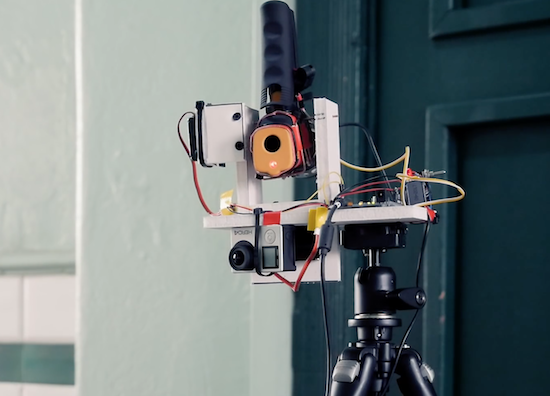
Per Roy’s clever hack, yes, this is absolutely possible. His device uses a computer along with an Arduino and two servos to trace a grid with a thermometer. It reads the display at these different points using a webcam, then resolves everything into a nice picture. When overlaid with an actual image, it becomes a low (70 x 44 pixel) resolution thermal image.

You can find out more about this project on Roy’s homepage!

Bookcase automatically opens to reveal secret lair

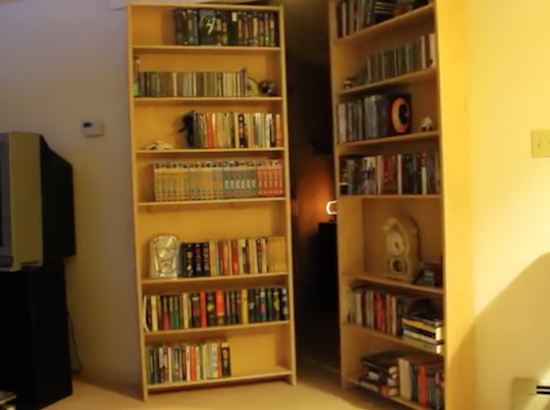
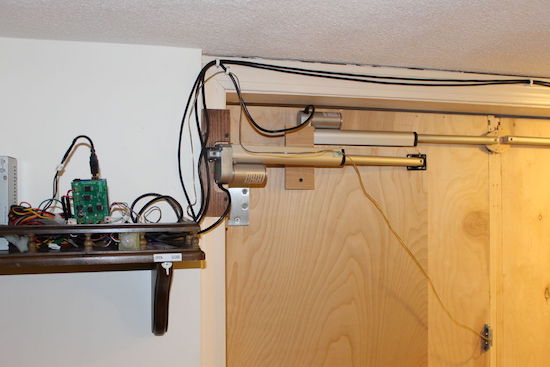
A secret lair isn’t much fun if it’s a pain to get into, so Instructables user SPECTREcat decided to automate his hidden doors using an Arduino Uno. This drives four linear actuators via a MultiMoto shield, which both pull and turn the bookshelf in such a way that the books stay in place.

When opening, the doors first pull apart with one set of actuators, then turn with the other two to allow enough space for a person to pass through. Instead of drilling a hole through the maple plywood shelves, SPECTREcat chose to use a reed switch that’s activated on the other side by a magnet taped inside a DVD cover.

Beyond that, there’ s a PIR sensor that automatically closes the doors if motion isn’t detected for two hours. There’s also an emergency ingress/egress feature in the event of a power failure.

Looking for a hidden bookcase of your own? You can find more on the project’s electronics here, and see how the doors were constructed mechanically in this separate write-up.

Dot² isn’t your typical coffee table

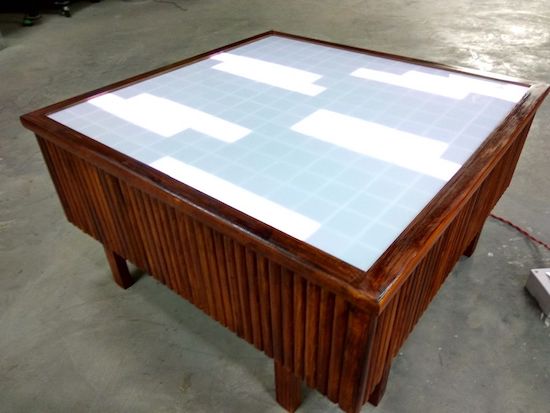
Coffee tables are useful for putting coffee, food, or perhaps way too much junk on, but it’s 2017—we can do better than that! Akshay Baweja certainly has at least with Dot², an interactive piece of furniture that can run animations, display lighting effects, and play old-school games.

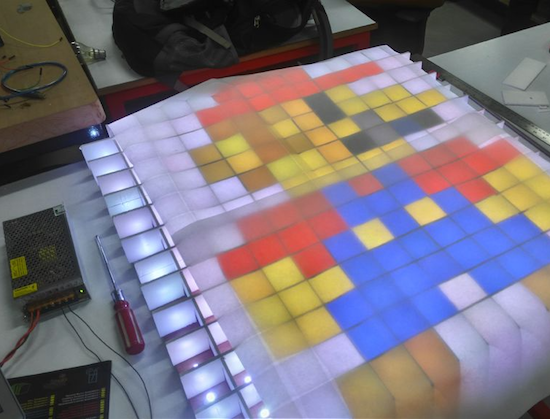
The Arduino Mega-based table features a matrix of 296 LEDs that shine up through sections of diffused acrylic, and uses a grid of foam board strips to keep each light in a square. Dot² can be controlled either by a PC running GLEDIATOR software, or via a smartphone using a Bluetooth connection and its own custom app.

The outside doesn’t look too shabby either. With an interesting wood pattern on the side, even when off it seems like there could be something more lurking just below the table’s glass!

Want to build one of your own? Head over to this incredible project’s Instructables page to get started. And, if you’d like to know more about how it’s controlled, check out Baweja’s app here or GLEDIATOR’s site for the computer software he used.

Interactive geodesic LED dome = extreme geometric fun!

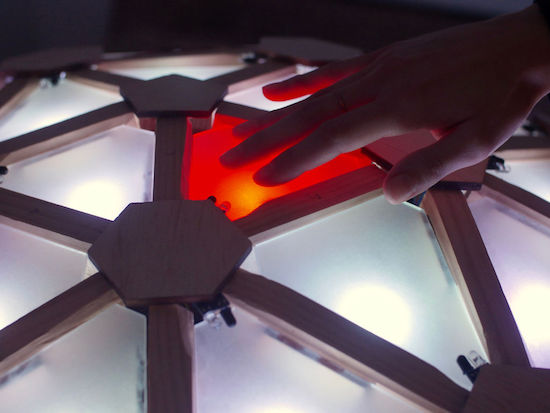
We’ve all seen geodesic domes in one form or another, whether as a modern experiment, as housing from a bygone era, or perhaps as a gigantic structure in Orlando (technically a geodesic sphere). Jon Bumstead apparently wasn’t satisfied with current dome options, and instead created his own, integrating elements from programmable LED tables to make it interactive.

The resulting build is quite spectacular. Each triangular section able to be lit up with an RGB LED, and further information is output to five MIDI signals in order to produce sound. This means that up to five people can play the dome as an instrument simultaneously. If that wasn’t enough, the Arduino Uno-based dome is programmed to play a version of Simon or Pong, and can be set up to display a light show!

I constructed a geodesic dome consisting of 120 triangles with an LED and sensor at each triangle. Each LED can be addressed individually and each sensor is tuned specifically for a single triangle. The dome is programmed with an Arduino to light up and produce a MIDI signal depending on which triangle you place your hand.

Pretty cool, right? Head over to the project’s Instructables page to see more, or if you’d like information on constructing the dome itself, check out Domerama.