Posts with «featured» label

Smell the rainbow with this olfactory device

Do you ever wonder what certain colors would smell like? Perhaps red would emit the fragrance of a rose, while blue may be reminiscent of the ocean.

During a recent workshop at ÉCAL in Lausanne, Switzerland, Niklas Roy challenged students to come up with new communication devices. In response, they devised an Arduino-based machine that senses a color and translates it into a certain smell.

The resulting mechanism, which they’ve dubbed “Bouquet,” comes in the form of a cone with an optical sensor on one end, and a stepper motor-controlled disc on the other that turns pads with according scents under the nose of the art connoisseur.

As seen here, they topped the project off with a series of colorful posters that could be experienced in a new way! You can find more of this project on Roy’s website, as well as in this Creative Applications article.
Arduino Blog 11 May 21:26

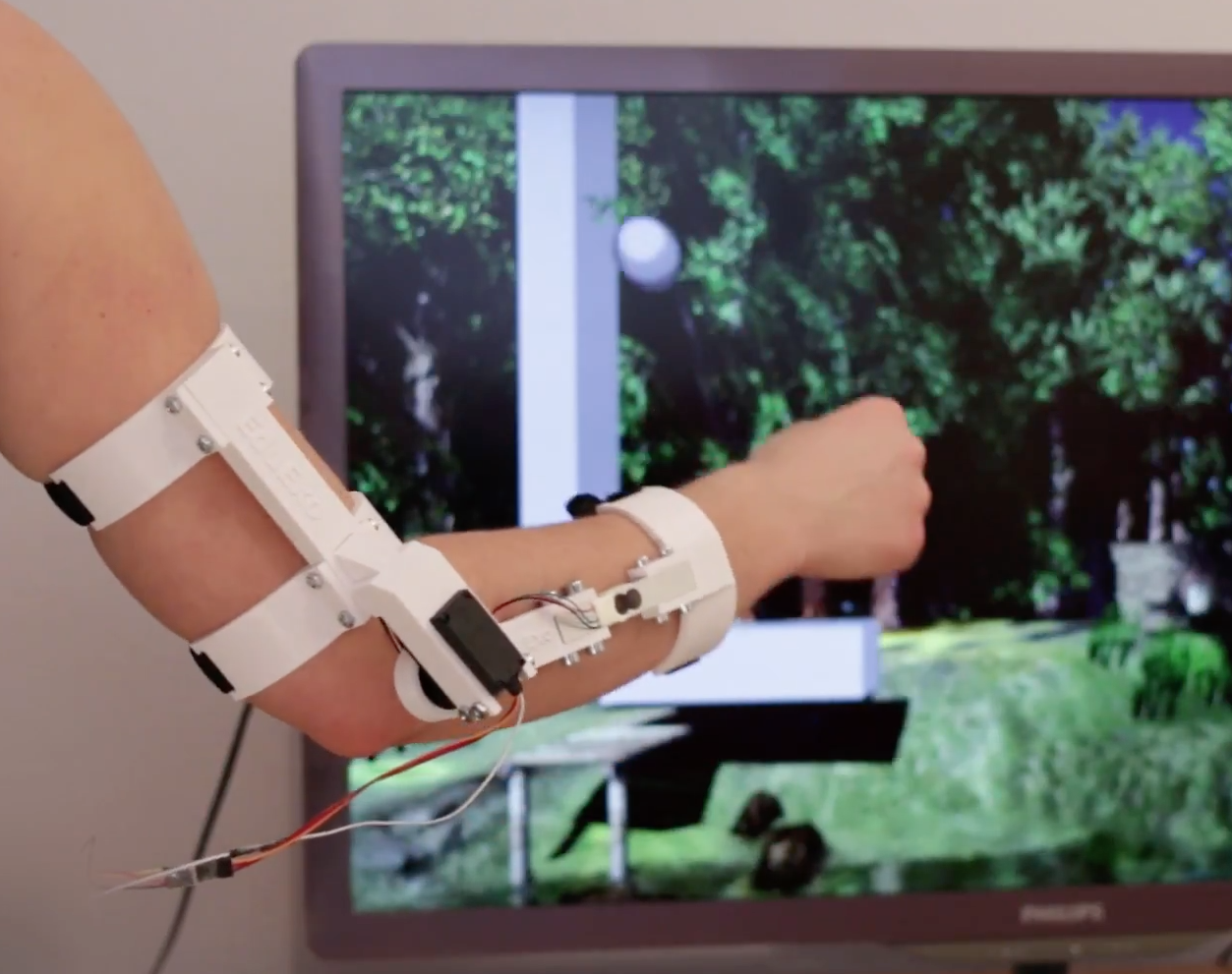
EduExo is a DIY exoskeleton kit

You’ve seen exoskeletons in movies such as Aliens and Iron Man, and perhaps even heard about current experiments with human use. Unfortunately though, if you want to learn about this technology, the barrier to entry is very high.

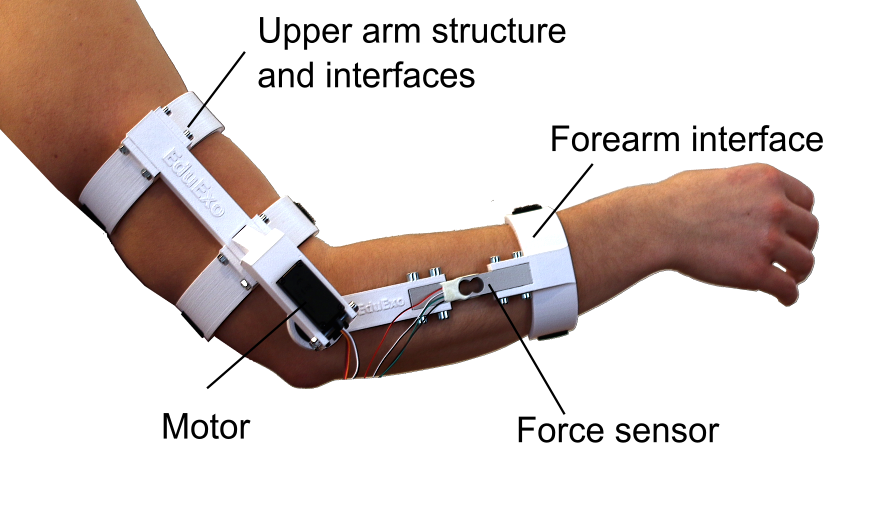
EduExo, now available on Kickstarter, is an attempt by robotics researcher Volker Bartenbach to bring this technology to the masses. Based on an Arduino Uno, the device takes the form of an upper and lower arm cuff, along with a motor and force sensor to allow it to be used for haptic control.

It’s available for you to 3D print and assemble yourself, or for a larger pledge, you can receive all the parts needed to build it. Interested? Check out Bartenbach’s campaign!

Smartwatch convenience ‘moves’ to the next level

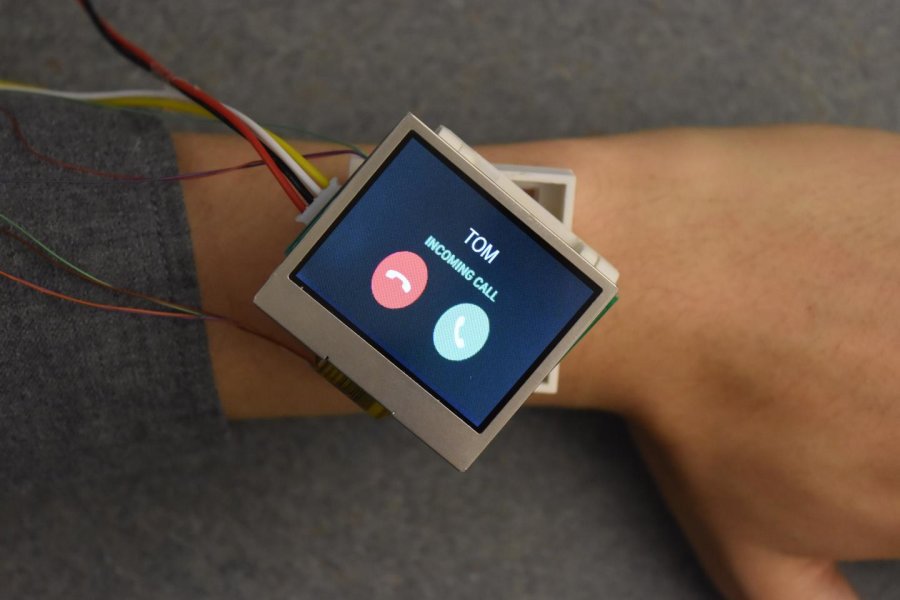
To address the limitations of today’s fixed-face watches, researchers have come up with an actuated smartphone concept that physically moves itself using an Arduino Due, Bluetooth and several motors.

Receiving Internet notifications has gone from using a computer, to checking them on your smartphone, to now simply seeing them come in on your wearable device. On the other hand, you still have to rotate your wrist into the right position to see the screen. Worse yet, if you want to show others what is on your wrist, you may even have to twist your arm awkwardly.

Fortunately, there is a possible solution to this scourge in the form of Cito, which bills itself as “An Actuated Smartwatch for Extended Interactions.” This design can move in five different directions–rotates, hinges, translates, orbits and rises–potentially making viewing more convenient, or even providing haptic feedback. Prototype electronics are housed inside a control box on the upper arm, but presumably would become much smaller in a production version.

You can see the team’s entire paper here, or read this write-up for a more involved summary.

Photo: Jun Gong

Building a pool-playing robot prototype with Arduino

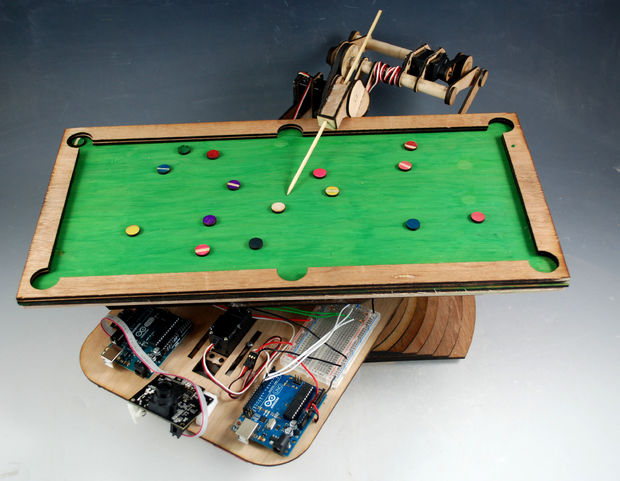
Building robots can be (relatively) easy if you’d like something to wander around your room and avoid obstacles, but for complicated control tasks, like shooting pool, things need more development. Engineer “Bvarv” has been working on just such a robot, which currently exists as a one-sixth scale model.

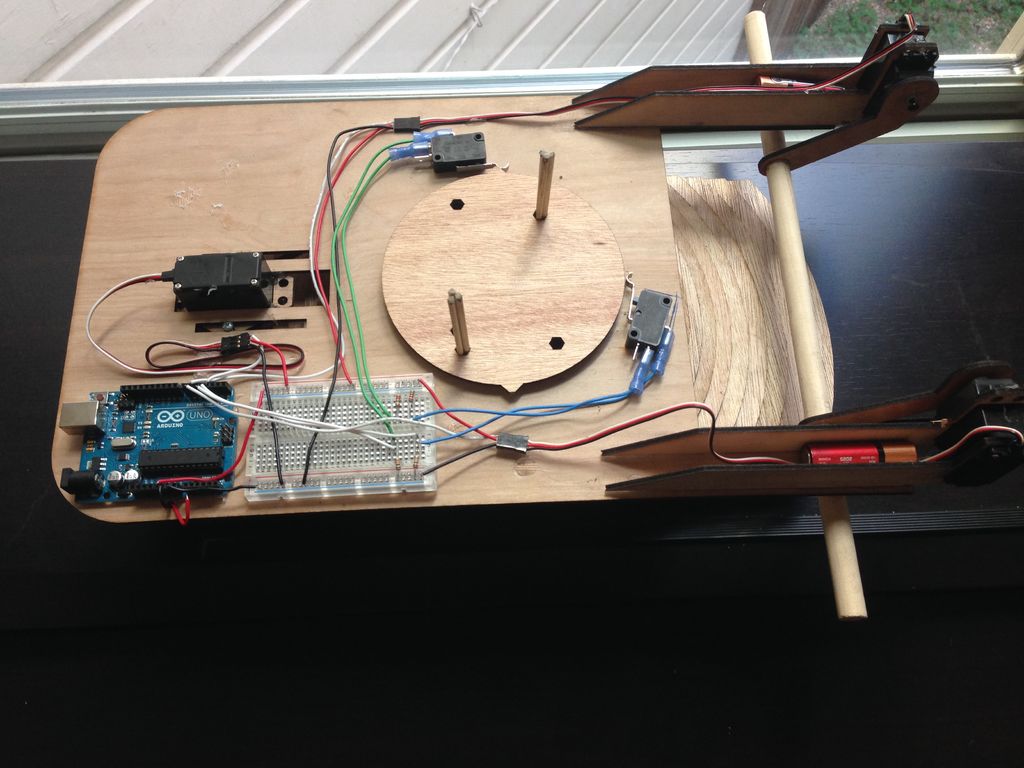
Though it’s not currently capable of playing the game, the device uses some interesting tricks, including a frame supported by a pattern of increasing-diameter pieces of wood, a custom bearing made out of slingshot ammunition, and limit switches to control the billiard bot’s orientation.

For this project, Bvarv employed a pair of Arduino Unos and a PixyCam vision system, along with some servos, belts, and gears. While we may still be a few years away from a full-scale robotic opponent, you can check out the entire build over on Instructables and follow along with his progress in the videos below.

Puzzle-locked geocache provides an extra challenge

Using an Arduino Uno and a servo motor, hacker “Cliptwings” came up with a surprise for treasure hunters!

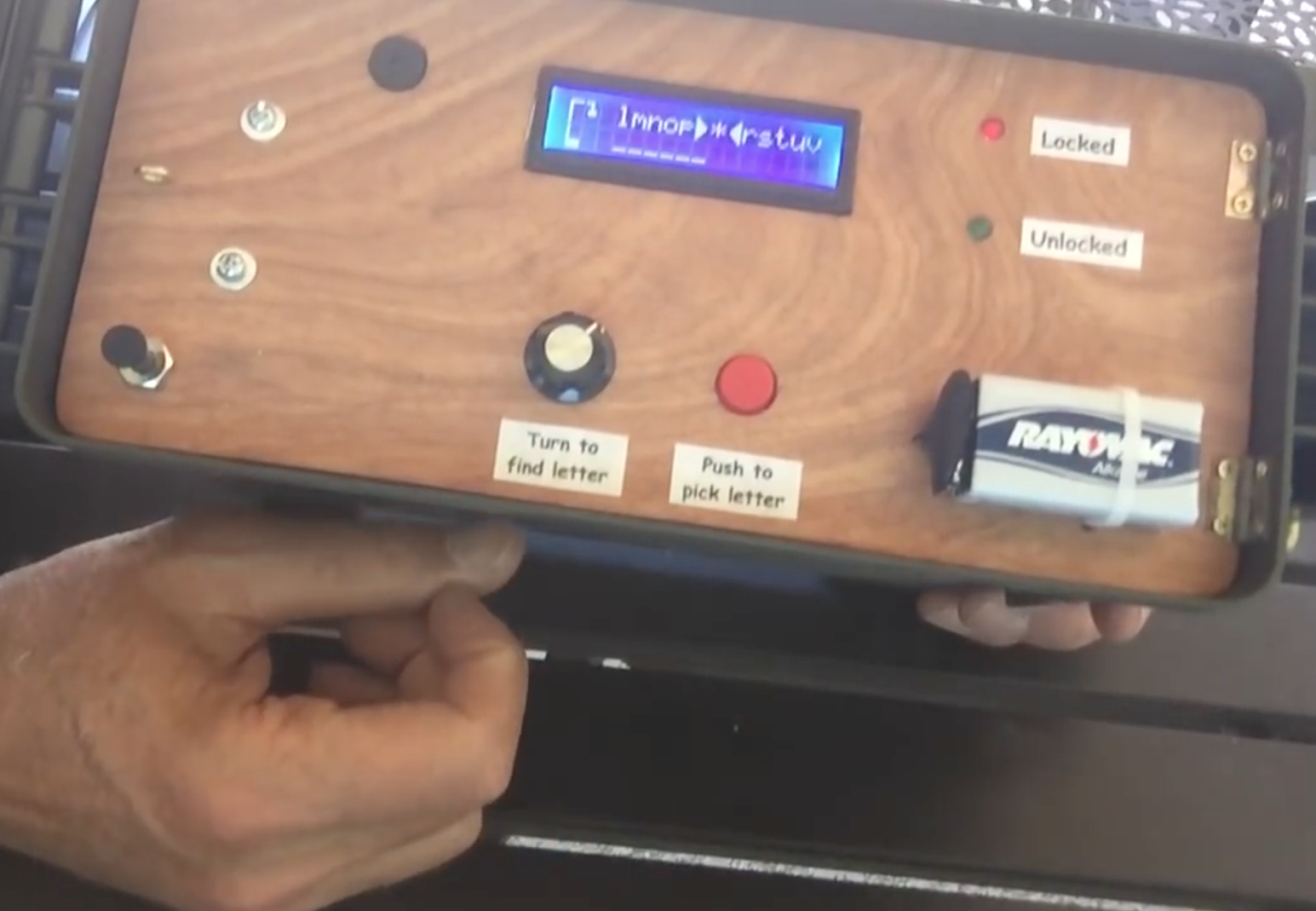
Geocaching is a game where amateur adventurers find caches in different locations using a GPS receiver. Though this can be a fun way to get outside, once you find the storage box, the challenge is pretty much over. Cliptwings decided to take things in a different direction, and made his cache—which importantly contains a battery on the outside—lock until the retrieving party solves a hangman game.

Once this Arduino-based puzzle is solved, the gadget unlocks with a small servo, revealing the contents inside, most likely a logbook!

The number of this geocache is GC72AFD. The object of the cache is to play and win a game of hangman in order to open the container. An Arduino is used to store five random words. The player uses a knob to turn to a letter, then presses a button to see if it is contained in the word. When the player gets all the words correct, the box opens. If too many wrong words are guessed, access is denied and the box remains locked.

You can find more info on this device in the video below, or check out Dan Wagoner’s hangmanduino code, a modified version of which powers this box!

A LoRa home environment monitoring gateway

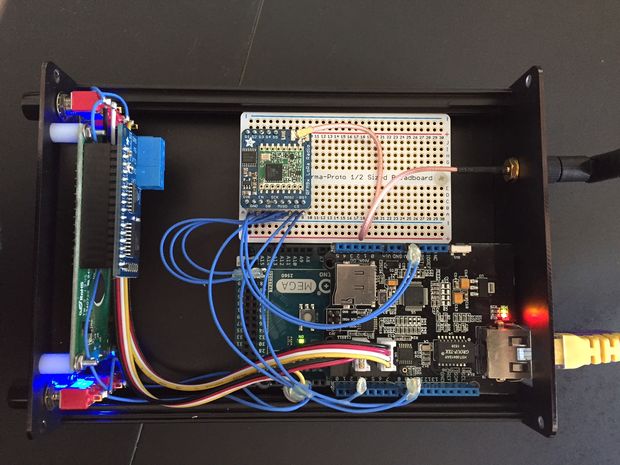
When you’re away from your home, perhaps you’d like to know what is going on there. A camera system is one solution, but is fairly data-intensive and might not be the right method if you’d like to monitor information like temperature and humidity in several zones. For this, Rod Gatehouse decided to build his own LoRa environment monitoring system using an Arduino Mega.

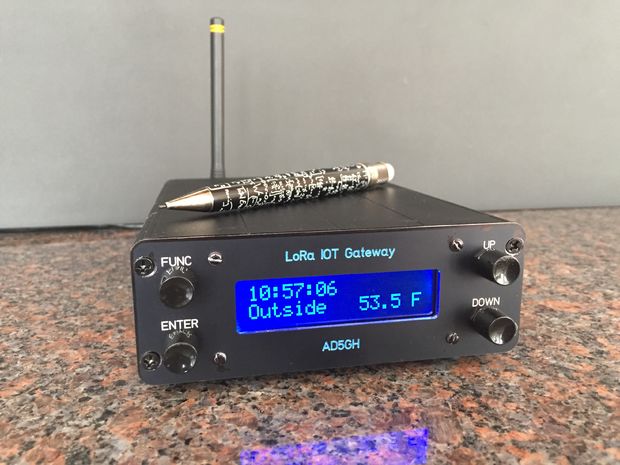
To keep an eye on things, Gatehouse (aka “RodNewHampshire” on Instructables) came up with an excellent LoRa IoT gateway that can be controlled via four push buttons and an LCD screen. This device can take input from remote stations wirelessly, and can put this data online or push it to a user as a text message.

The system enables a homeowner to monitor the home environment via an Internet accessible dashboard, receive periodic SMS environmental notifications, receive real-time SMS alerts when monitored environmental parameters exceed preset thresholds, and log environmental data to the cloud.

For more details on how Gatehouse set up this project and on his design choices, check out his Instructables page here.

Enhance your keyboard with the SlideBar

Using a keyboard and mouse usually gets the job done, but if you want to navigate around a website or video, the process could be a little more efficient. It may not be a big deal to reach over and use your mouse and scroll wheel, but if you had this control on your keyboard, that tiny bit of time savings could add up over the thousands of times you do this.

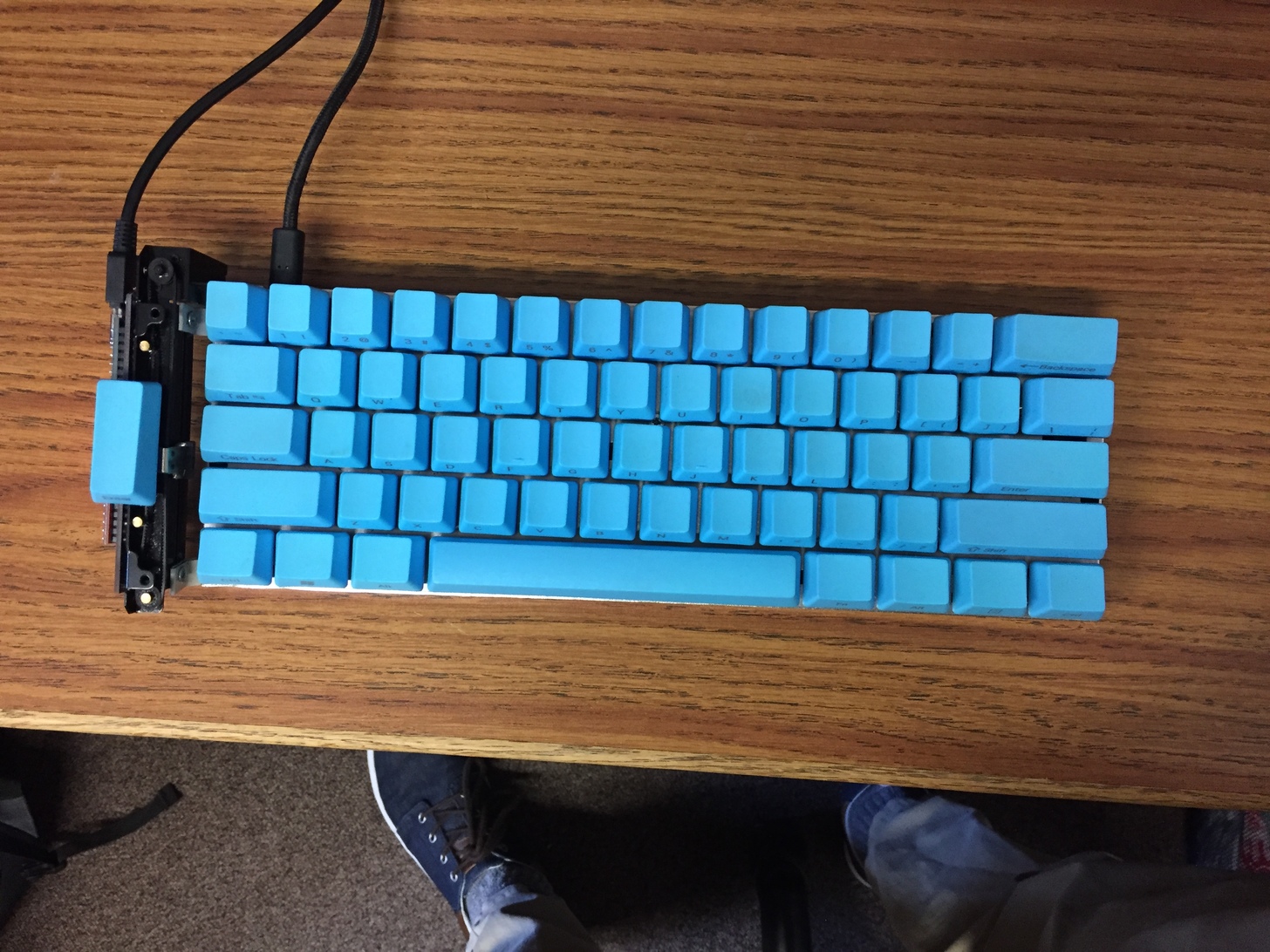
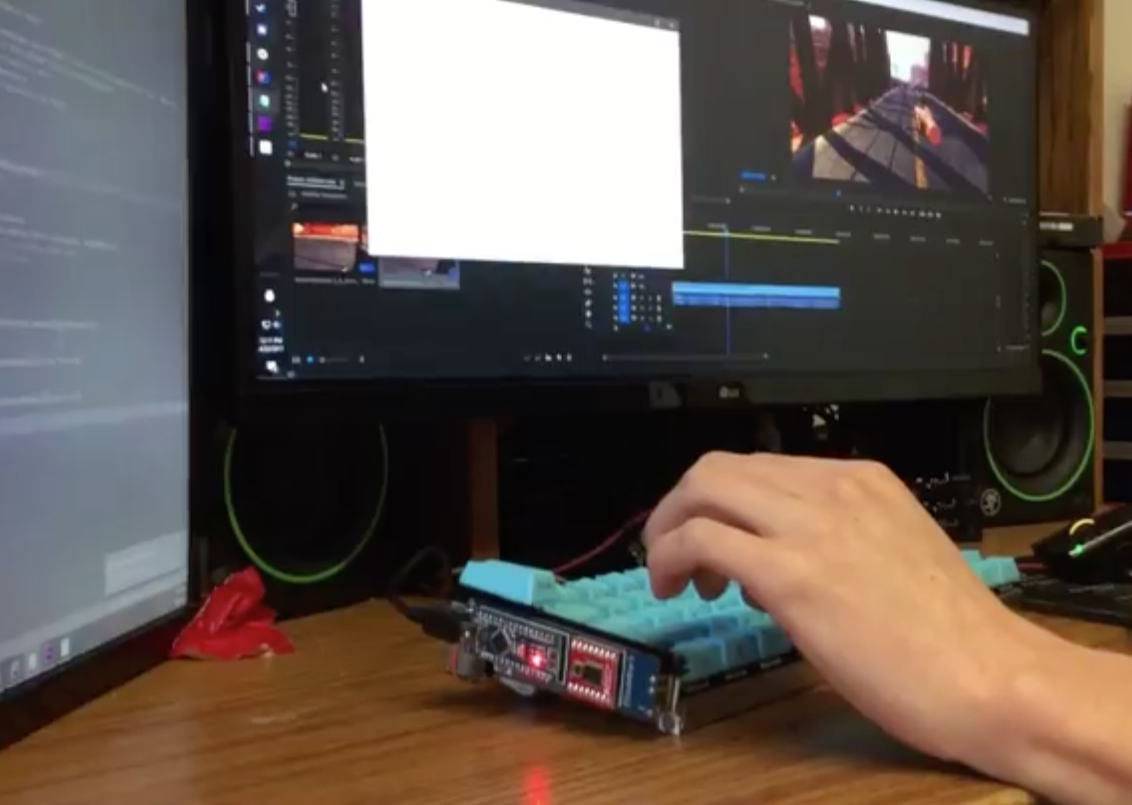
For this purpose, Imgur user “Electricrelay” added a motorized force feedback slider to his keyboard using an Arduino Nano for control. This easily customizable device can scroll through pages, or switch between open browser tabs or programs. It can also act as a mechanical display, shaking for notifications, or sliding with keystrokes like an old-school typewriter. The Maker even created a plugin for timeline scrubbing in Adobe Premiere.

Check out lots of example animations on the project’s Imgur page here and see it in action below!

Unlock your garage door with a fingerprint

Using an Arduino Micro for control, French teenager “Joebarteam” came up with a way to biometrically secure his garage.

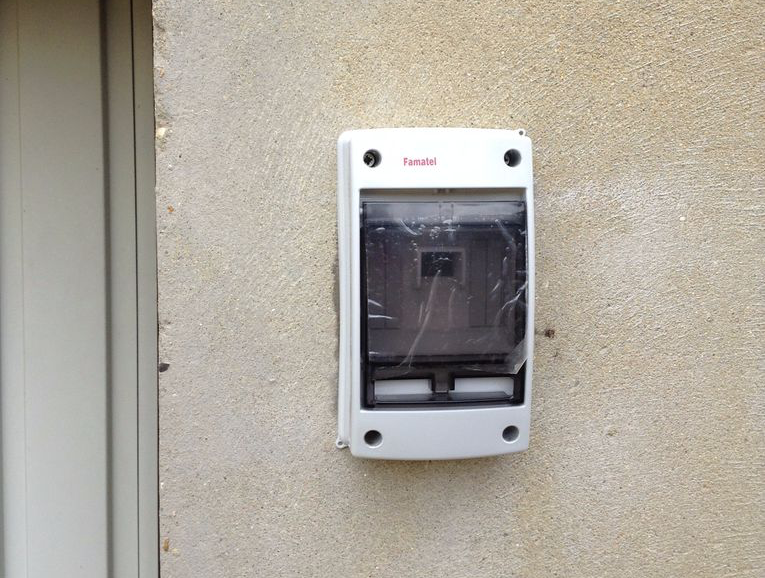
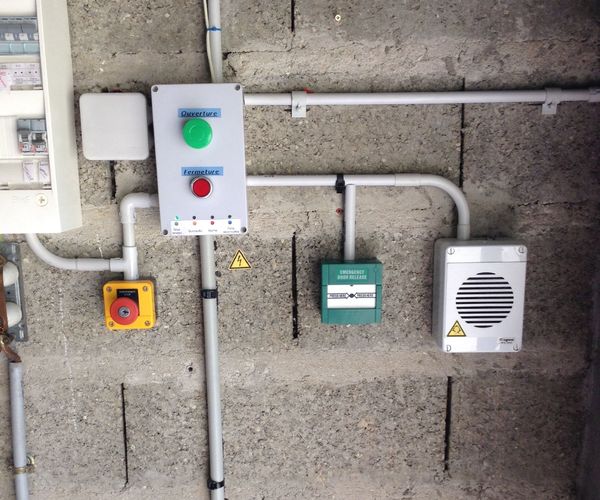
If you need to get into your locked garage, what could be better than using your fingerprint? To this end, Joe’ came up with a system that unlocks his door using a fingerprint scanner, and a bistable relay to disable communication between the scanner and the Arduino if there’s a problem.

It’s a really professional-looking build, and the locking mechanism is especially interesting. Two rack-and-pinion devices plunge shafts into the ground, making the door impossible to open (it has to pull out before going up). If there is an issue with the system, the pins can be physically unlocked and disabled as needed.

You can find more details on the project’s Instructables page here.

The Lake Erie Mamba is a 12-servo snake robot

If you want to build a robot that moves across the ground, the normal options are wheels or legs of some kind. Maker “joesinstructables,” however, decided to do something a bit different. He created a versatile, slithering system, which he calls the “Lake Erie Mamba.”

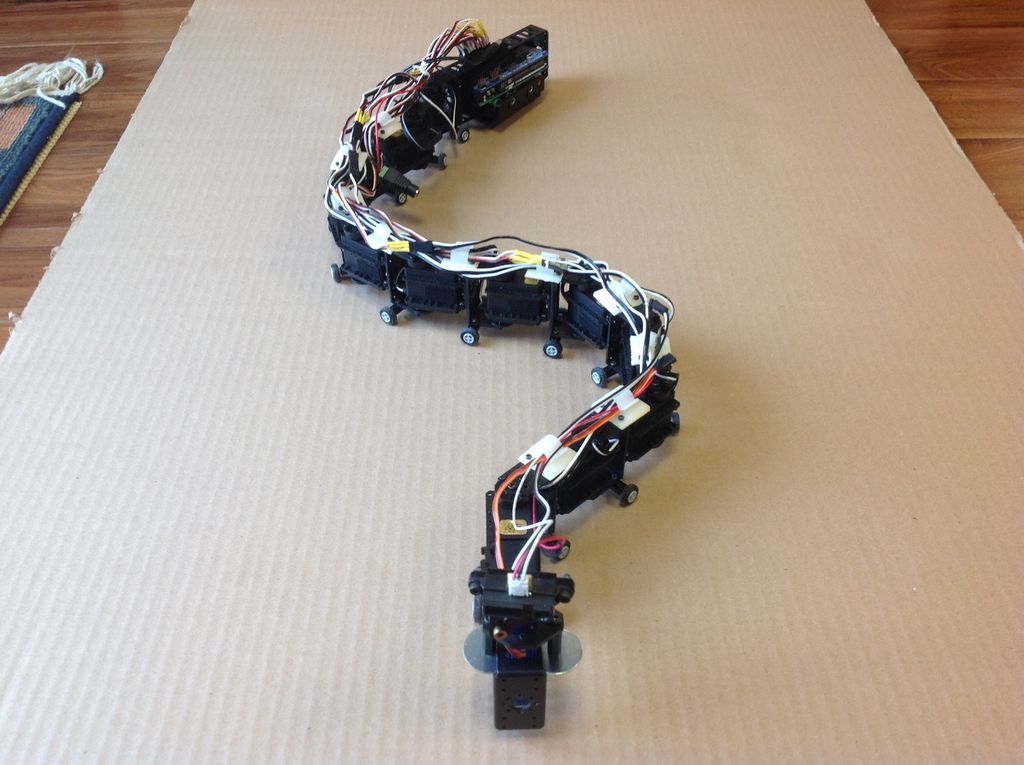
He put a dozen Arduino Mega-controlled servos together in a reptile configuration to allow the robot to move via serpentine motion (like a normal snake), rectilinear motion (like a worm), or sidewinding (which snakes use in shifting terrain). It can also twist itself into a wheel and roll in this rather unnatural, though quite interesting way.

The Lake Erie Mamba contains 12 segments, each consisting of a servo motor, a C-bracket, a side bracket, a wire clip, and a set of LEGO wheels. The reconfigurable robot is not only controlled using a four-button key fob remote, but can move about autonomously via an IR sensor as well.

You can see more of this build on its Instructables page here and in action below!

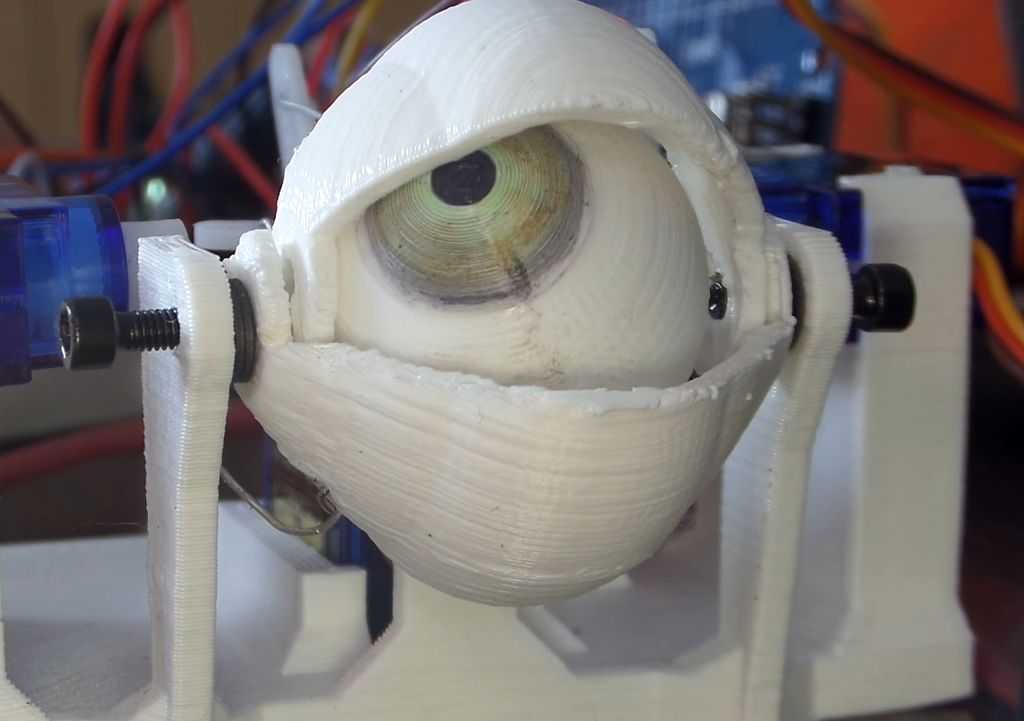
Scare your friends with a 3D-printed animatronic eyeball

With October still six months away, you may not be thinking about Halloween decorations just yet. However, this Arduino-based ocular assembly could make for a spooky yet simple prop!

There are few things more unnerving than an eyeball or three looking at you from some concealed position—such as under clothing as in the project’s video. If you’d like to scare friends, family, or random visitors, Maker Will Cogley has the perfect solution with his 3D-printed animatronic eye and eyelid mechanism.

A joystick moves the eyeball around, while a small push-to-make switch blinks the eye and another potentiometer adjusts how wide open the eyelids are by default. The device itself, which can be controlled with any Arduino board capable of supporting four servos, took him a day to design and build, and should take much less time using his instructions, code, and STL files.

Want to create your own? You can find more details over on Cogley’s Instructables page here.