Posts with «featured» label

Crawl through a 1D LED dungeon with TWANG!
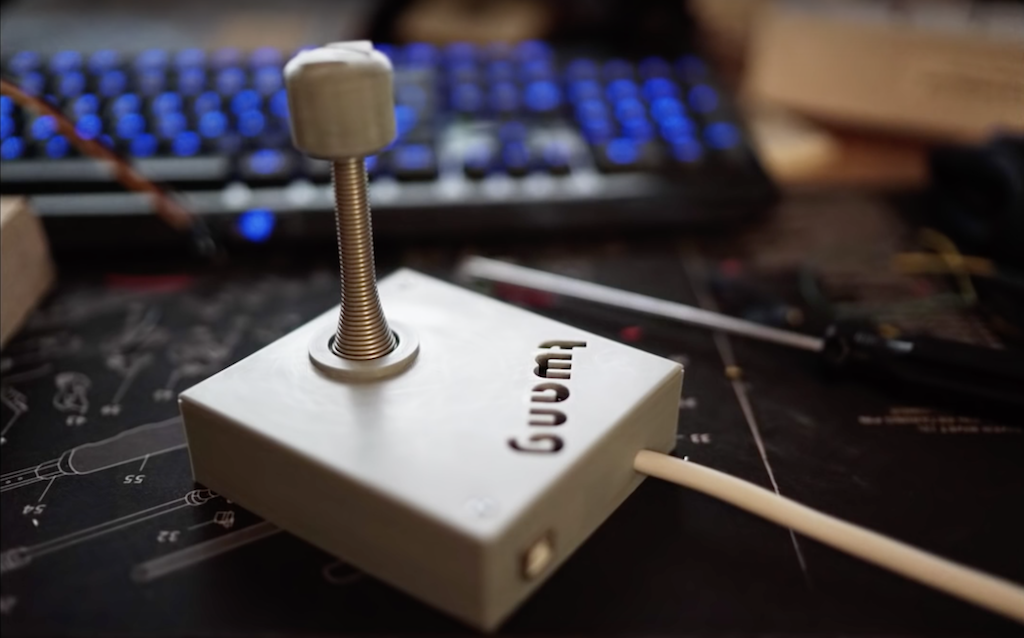
While video games have grown more and more complex over the last few decades, TWANG takes things in the opposite direction as an Arduino Mega-based 1D dungeon crawler consisting of an RGB LED strip.

The player—a dot—is controlled via an accelerometer mounted to a door spring used as a joystick. With it, the player can move forwards, backwards, and attack by “twanging” the spring to make it vibrate. The LEDs display a wide array of colors, including representations of glowing lava, water, and player disintegration when a mistake is made.
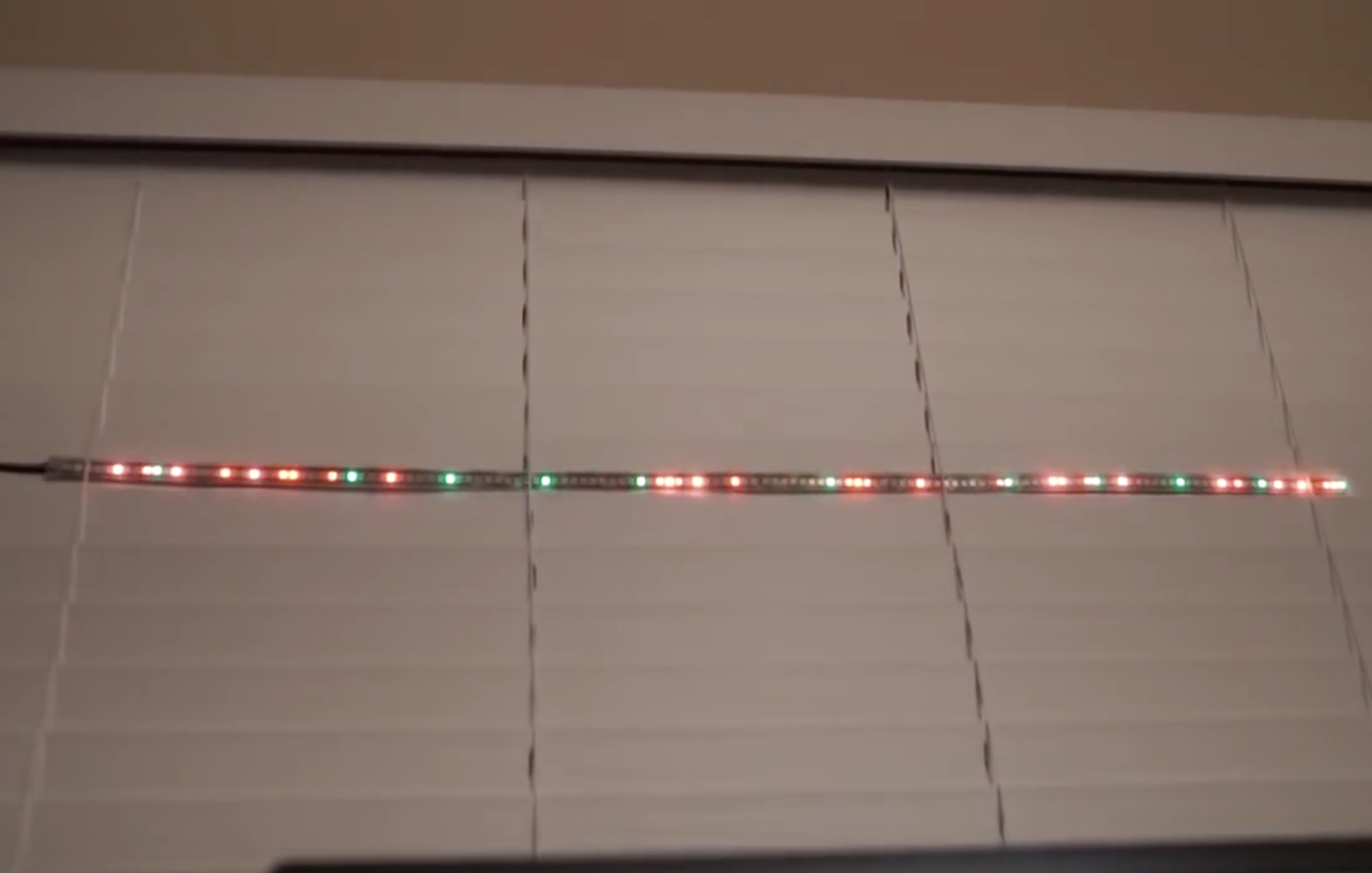
TWANG is inspired by the Line Wobbler game from Robin Baumgarten, and beautifully implemented as shown in the video below by Barton Dring. Code for the build can be found here, and 3D print files for the housing/joystick are also available.

Arduino Create plans for education now available!

Today, we’re excited to announce that Arduino Create is now available for schools with Chrome OS devices in their classrooms.

With Arduino Create, students and teachers will be able to tinker with Arduino hardware and programming in a collaborative, always up-to-date environment. You can learn how to subscribe using this tutorial.

Last June, we launched Arduino Create for Chrome OS; however due to limitations with Google Apps for Education (GAFE), educational institutions were unable to purchase subscriptions on the Chrome Web Store.

The new Arduino Create subscription site allows schools to purchase and manage subscription plans for their students, starting at $0.20/student per month. All you need is a credit card and the email addresses of the students you would like to enroll. We also have a solution for students under the age of 14 who might not have full access to emails.

The Google Admin console can be used by IT administrators to bulk install the app on a fleet of Chrome OS devices.

Arduino Create will continue to be available for regular Chrome OS users at $0.99 per month on the Chrome Web Store. Both versions support the following boards: Uno, 101, Mega, Mega ADK, Esplora, Nano (ATmega328), Micro, Zero, MKR1000, MKR Zero, MKR Fox 1200, MKR GSM 1400, MKR WAN 1300, Pro, and Pro Mini (ATmega328).

Visit the new Arduino Create subscription site to get started. If you have any questions or comments, write to us on this Forum page. We look forward to hearing your feedback!

This Arduino infinity mirror lights up to music

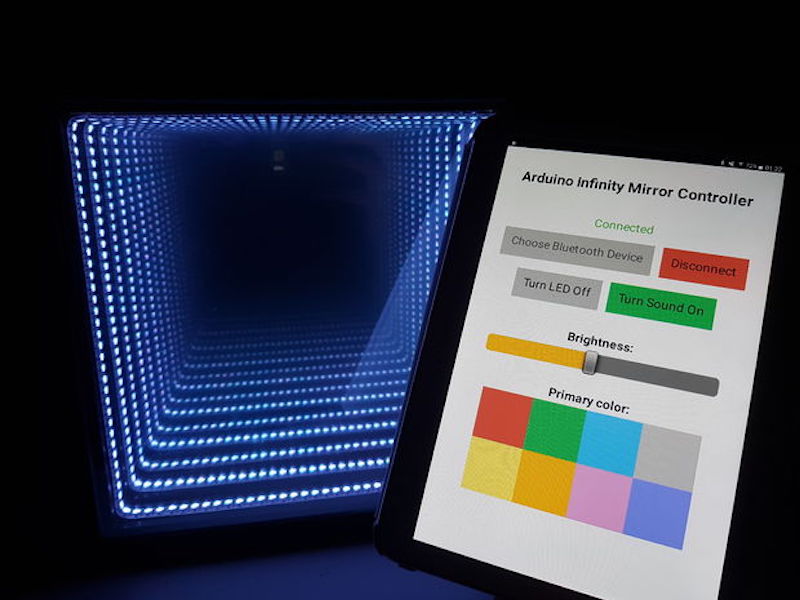
Infinity mirrors, which make light appear to stretch to infinity by bouncing light between two mirrors, are incredible to observe. Hacker “Evocate” decided to go the extra mile and not only illuminate the inside of his mirror arrangement, but used an Arduino Uno and a sound sensor to enable it to react to sound.

In addition to this sound sensitivity, a Bluetooth app controls color and brightness, allowing him to customize the device on the fly.

The mirror also has a built-in microphone which detects sound/music and reacts accordingly by generating eye-catching light strobes on the beat of the music! Simply start up the app, connect to Bluetooth and see the magic happen!

If you’d like to build your own, full instructions along with Arduino and app code are available here. Or you can simply check it out in action below!

Make an interactive coffee table with Arduino and LEDs

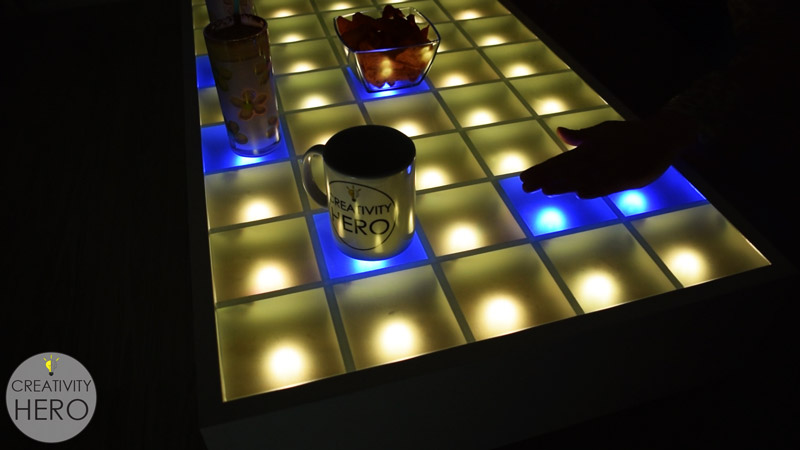
Rather than buying a coffee table, Marija from Creativity Hero decided to build her own, adding an array of 45 programmable LEDs on top of a pine base.

An Arduino Mega is used to take input from 45 sensors corresponding to each LED in a grid made with MDF baffles, and commands each light to change colors based on whether something is placed on that square section. The on/off colors used can be selected via a Bluetooth smartphone app, allowing you to customize the furniture to your liking.

This unique LED coffee table can create beautiful atmosphere and will be a real focal point in my living room. I wanted to make a simple design with some interesting features that will take my room to a whole new level. It is controlled via a custom-made Android application, so I can easily change the reactive color, or the background color, and I can even adjust the brightness.

You can find full details on the project here, as well as the tools and parts you’ll need.

Light up the elements with this periodic table display

If you took chemistry at any point in your life, you were exposed to the periodic table, which organizes different atomic structures by their atomic number. It’s an amazing chart, demonstrating just how much “stuff” our world is made up of!

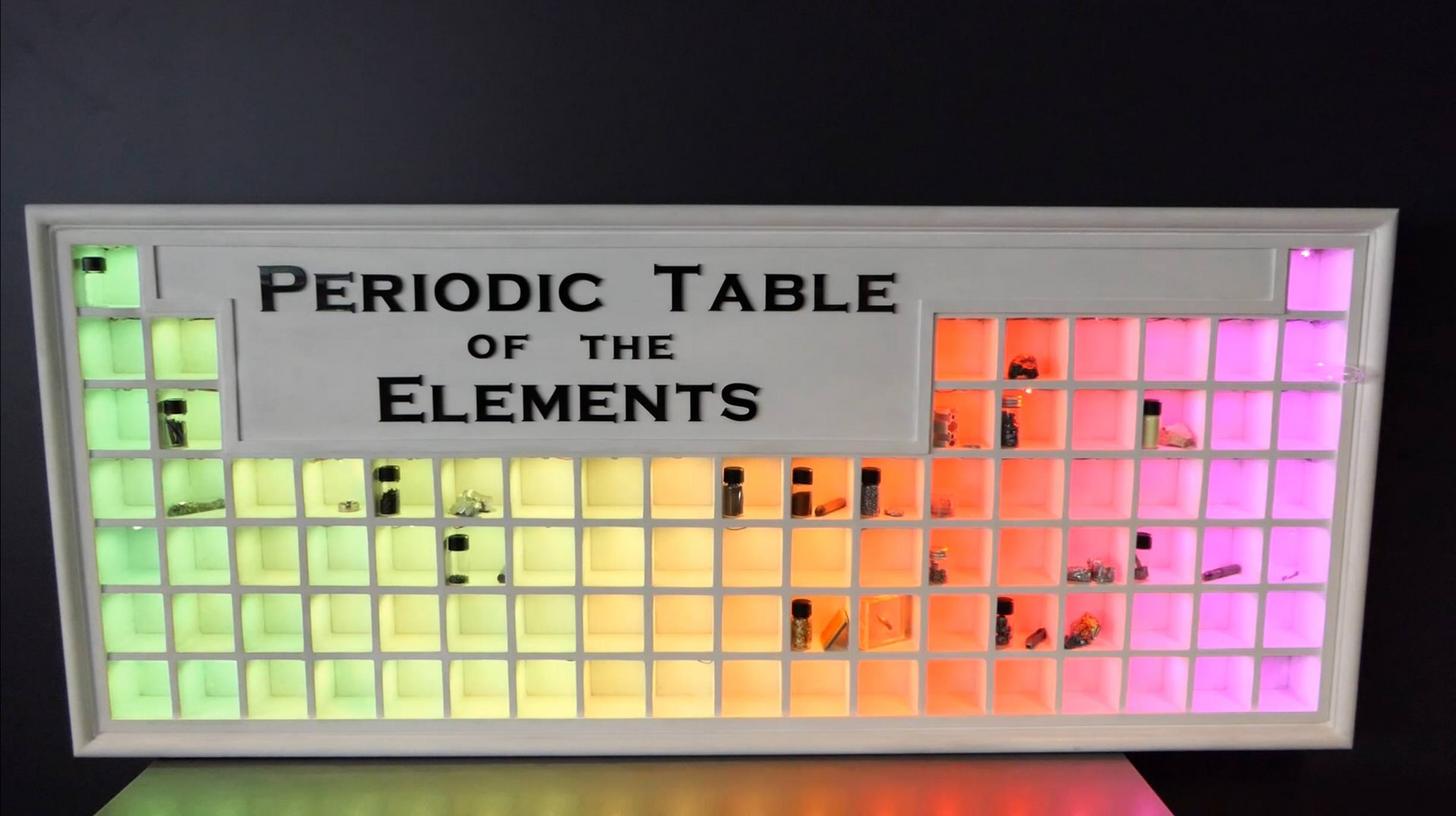
To show off the element collection he shares with his girlfriend, elemental hacker “Maclsk” built a light-up periodic table display with square cubes where each sample could be stored.

What makes this really amazing is that the display uses WS2812B LEDs to light each cube individually. This allows it to produce fun color effects and even categorize the collection by different aspects, like element group, discovery year, or their state at certain temperatures.

Modes are selected via a Bluetooth phone app. Be sure to see it in action in the video below!

RFID-controlled dry cleaner machine displays glowing leaves

While you may not give dry cleaning conveyors much thought, Andrew Quitmeyer and Madeline Schwartzman’s “Replantment” exhibition at the Pratt Manhattan Gallery uses them in an entirely new way, along with glowing silicone molds of leaves from all over the world.

The machine detects when an RFID tag attached to a laundry ticket is nearby, then moves over a lighting arrangement to display the multitude of glowing leaves.

An Arduino and a SparkFun Simultaneous RFID Reader are used for control, with relays taking the place of a foot switch to start and stop the conveyor motors.

You can check it out in action below, or if you are in the New York area, you can see the artwork in person until February 17th.

Robotic playing card dealer made with cardboard

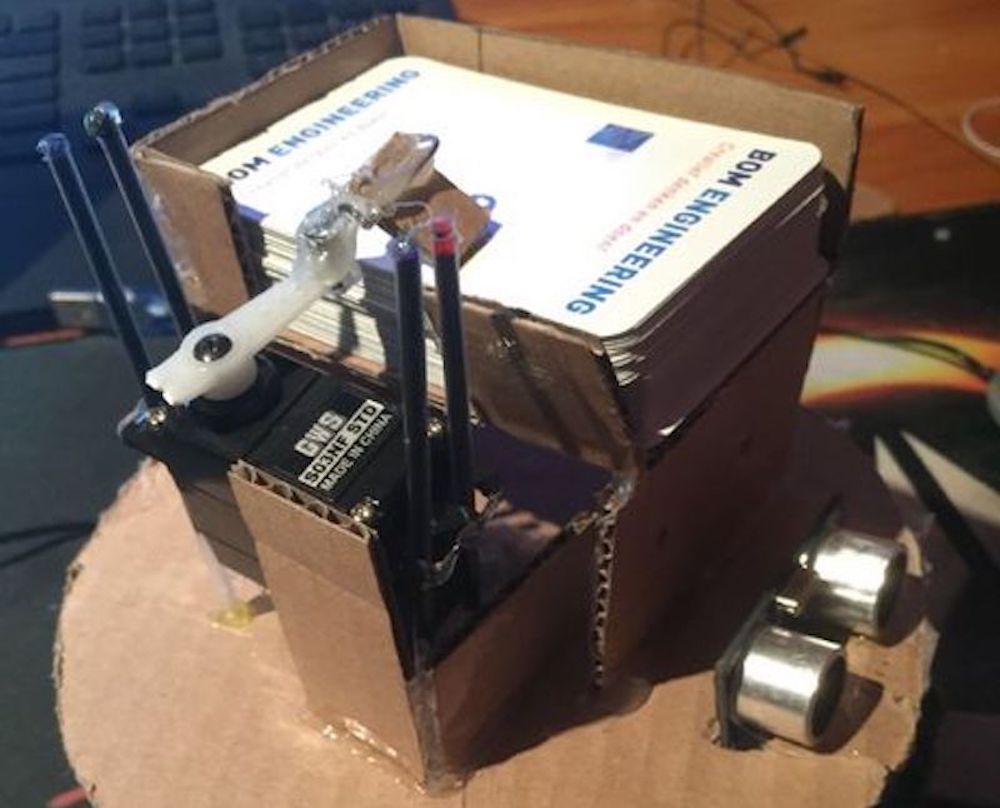
Ruben, aka “Ruubz0r,” a mechanical engineering student, was tasked with building a smart object. As he enjoys card games, he decided to make a playing card distributor.

The resulting device uses a single servo to slide cards off of a deck, along with a stepper motor and ultrasonic sensor to aim it at the human recipient. An Arduino Uno provides the brains of the operation.

The system is made out of wood and cardboard, and while it may not be ready for casino use, it’s a great example of what can be done with readily available materials. Check it out in action in the video seen here!

Automatically open doors with Arduino!

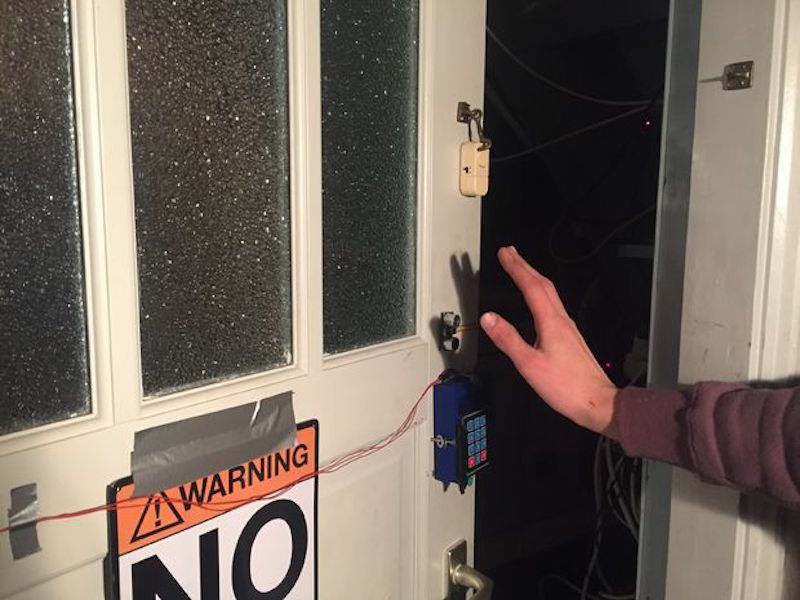
Tired of doing the mundane task of opening your door? This hack from Sieuwe Elferink takes care of that for you, using an Arduino Uno for control.

When someone comes within 50 cm of an ultrasonic sensor attached to the door, the Arduino uses an H-bridge relay to power a windshield wiper motor, which opens and closes it via a linkage setup. Another sensor is implemented on the opposite side of the door, allowing hands-free travel both ways!

Want to build your own? You can find instructions here, while code is available on GitHub.

Create an Arduino Mega-powered, cable-cutting machine

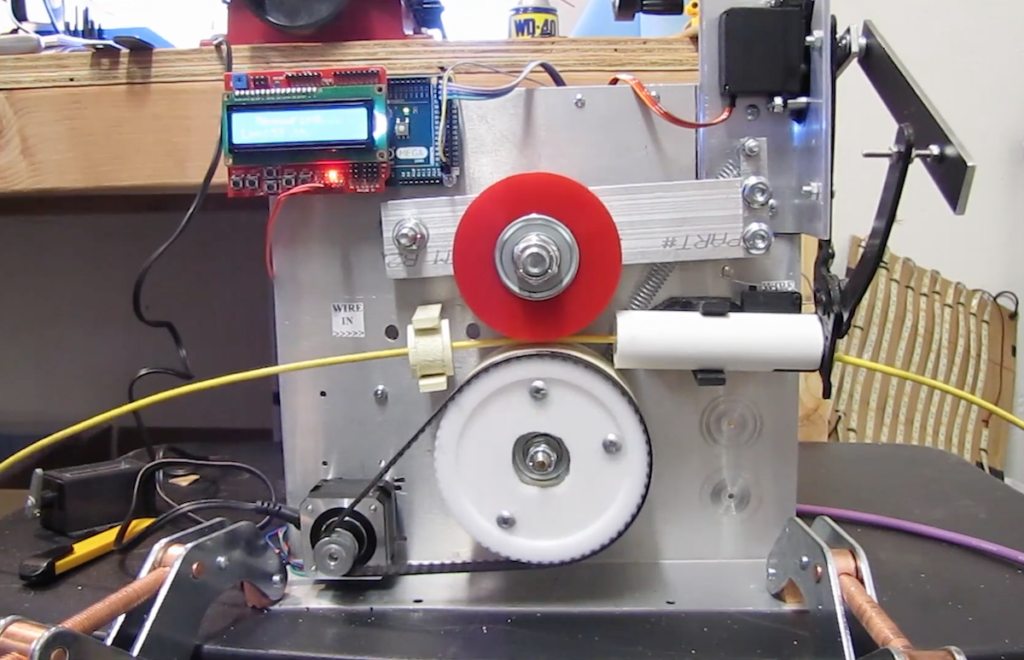
What do you do when faced with measuring and cutting a bunch of cables? If you’re Edward Carlson, you “simply” build a machine to do it for you!

While it may not save time on this run, at least on the next occasion that he needs a few cables cut, he can just program his device to snip everything to size!

His setup uses an Arduino Mega with an LCD/button shield to tell the machine how long to snip each wire, then employs a stepper motor to move the cable between two rollers to the correct length. When in position, a high-torque servo actuates a (normally) manual pair of clippers to cut it to size.

Be sure to check out the project explanation in the video seen here, or skip to around 5:30 to see it in action!

The Edgytokei is a nunchucks-inspired edge clock

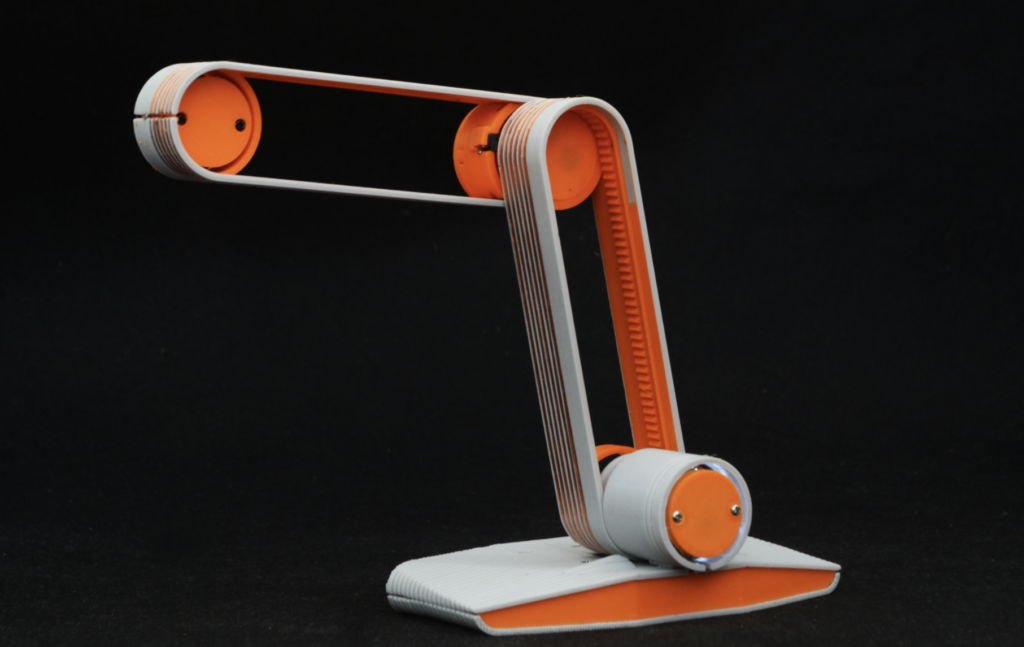
Just when you thought you’d seen every possible hacked clock design, creator Ekaggrat Singh Kalsi has come up with something new: a faceless clock that is able to tell time with two hands that never make a full rotation.

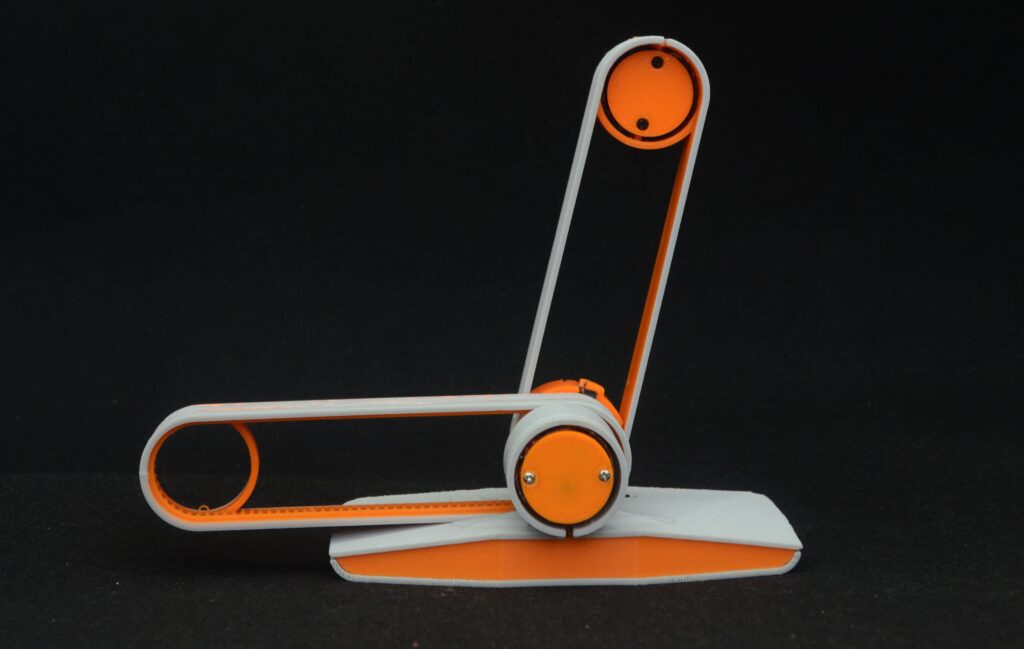
Instead, an Arduino Nano powers a novel mechanical gear assembly via two motors, which causes the two hands to physically switch positions between the second arm being mounted on the base and on the tip of the first arm. This strange representation of time changes form every fifteen minutes.

The Edgytokei which literally means edge clock is inspired from the Japanese nunchucks. Just like the nunchucks the clock is just a pair of two arms displaying time by balancing themselves on the edge. The clock consists of two arms and the base on which the arms are anchored. Both the arms are of equal length as the role of the arms changes with different hours of the day.

The fulcrum of the clock flips from the center to the left or right of the clock every quarter hour so that the clock can stand on the edge to represent the time between quarter past and quarter to hour. This flipping of the arms keeps the clock dancing on the edge throughout the day. The base which contains the electronics of the clock provides a anchor for the clock and prevents the arms from falling over.

If that sounds unique, then wait until you see it in action below. More details on the build can be found via this Hackaday write-up.

Arduino Blog 11 Jan 15:01