Posts with «featured» label

Experience a creative internship with a BLE board game

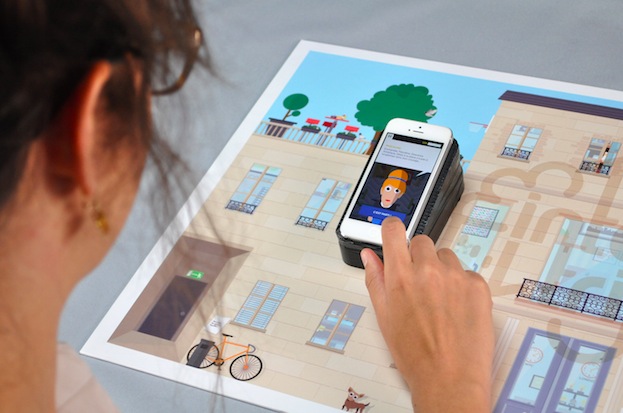
InternTrip is a board game prototyped by 2nd year Masters students at the École de Communication Visuelle Aquitaine (France) and running on Arduino at Heart Blend Micro.

Once again designers Guillaume Beinat and Alexandre Suné of Tazas Project directed a dozen students* into creating an  immersive game focusing on the experience of internship in a communication agency:

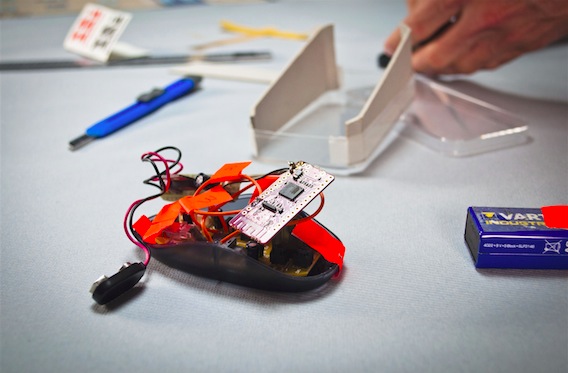
 The system they use relies on the use of an Arduino bluetooth card which calculates the player’s position on the board and simultaneously transmits this information to the smartphone. The coordinates received allow the player to discover the inside of the agency by moving their smartphone over the outer wall of the building, or in other words, the board. From table football to the terrasse, passing by the coffee machine or the photocopier, they invite us to visit the agency, to talk with the team and to compete with our colleagues in head to head questionnaires about the world of advertising. This is your time,  young,  exploited interns, to take your revenge and land that job!

* Manon Fauvel, Anna Borup, Benjamin Armel, Charlotte du Portal, Émilien Badoc, Guilhem Pacha, Isabelle Ducournau, Nicolas Pierre, Sandy Kauy, Sophie Cazes, Arnaud Bresson

Sneak peak on the new, web-based Arduino Create

We always stress the fact that Arduino is not only a matter of hardware. Arduino has two other important pieces, the software and the community. We recently wrote about an improved Arduino Software (IDE) and how we moved from nightly builds to hourly builds, thanks to the help of our programmers and contributors. Now we want to add more power to the community and its capacity to create amazing projects.

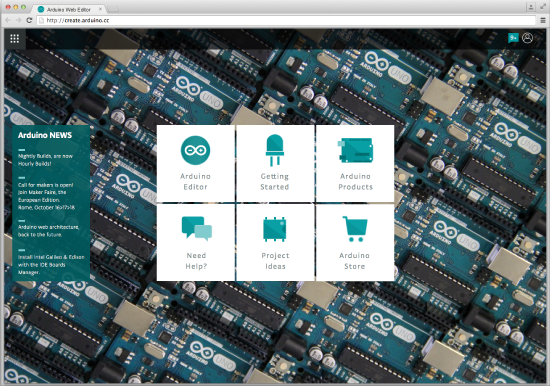
In the past year we have been incredibly busy designing a new Arduino web-based tool, Arduino Create. It’s an important step in the Arduino ecosystem that (we hope) is going to change the way you interact with your projects and the community.

Over the years we gathered a lot of feedback both when running workshops in schools and maker spaces, and when reading comments on the Forum and other social networks. We understood we needed to provide the Arduino community with a more modern and flexible tool to write code, a more integrated way of accessing content and learning while doing, an easier way to setup and configure tools and boards, and a better way to share Arduino projects.

More and more products traditionally delivered as desktop apps are being moved to online platforms, and we see an opportunity in this. Arduino Create is a set of online tools that will make working with Arduino even more seamless and smooth.

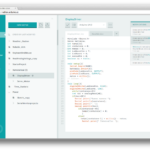
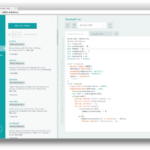
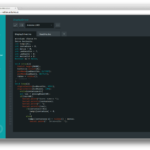
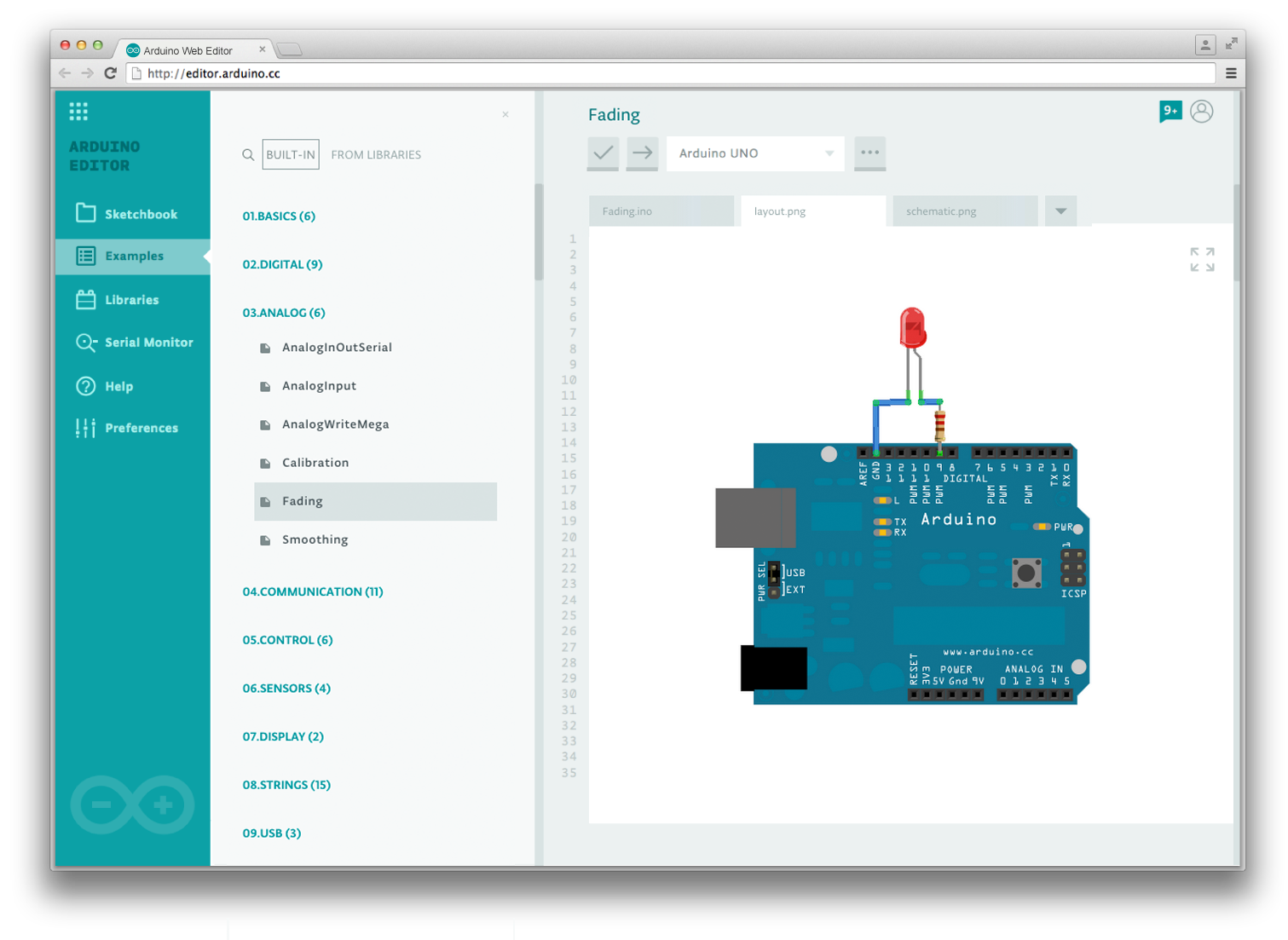
First of all you will be able to write code and upload sketches to any Arduino board directly from the browser with the Arduino Web Editor (IDE), without having to install anything. Your Sketchbook will be stored on the Arduino Cloud and will be accessible from any device. The Getting Started app will allow you to easily configure and setup tools and boards available around you. Services provided by partners such as Temboo will be just one click away and better integrated with your workflow.
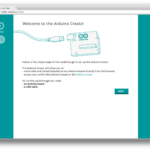
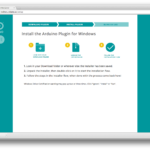
 

Arduino Create will simplify building a project as a whole, without having to switch between many different tools to manage the all the aspects of whatever you are making.
In this past year we focused our effort mainly in the Arduino Web Editor, but we really want to concentrate on content next, providing you with a curated set of projects and tutorials to get you inspired.

Our team, together with ToDo, developed a pilot version of Arduino Create for the Arduino TRE board.
We did a lot of research to design and develop this new web-platform right. We started with paper prototyping and co-creation sessions in the local Fablab, 6-months later we had around 150 Arduino TRE beta-testers giving us feedback on both the software, and the overall user experience of the product. 8 months into the project, in the Arduino Workshop area within Maker Faire Rome, we conducted about 25 user-testing sessions to refine some usability details. Talking with a great variety of people is always key in our design and development process, since Arduino has to fit the needs of users with a big skill-set range, from total beginners to experts.

We are now in the process of making Arduino Create reachable by anyone on a browser via www.arduino.cc. This post is a sneak peak on this effort.

Here some of the features of Arduino Create (some still in the works*):

  • Integration with the Arduino account, just sign in to access the web IDE
  • Your Sketchbook on the Arduino Cloud, available anytime from any device
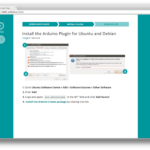
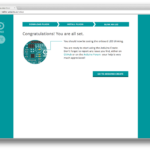
  • A guided walkthrough to setup and configure Arduino Create for the first time
  • Latest version of the Arduino Web Editor (based on ACE), the board cores, and the libraries, always available without having to install anything
  • Auto-discovery of boards and ports available around you, selectable in one single dropdown
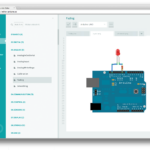
  • Examples presented with Schematics and Layout details
  • A Readme tab included in each sketch so that you can add some project’s details, if comments on your code gets too verbose
  • Ability to add custom Schematics and Layout PNGs to your sketch, so that you have in one place the all basic elements of your project
  • Better integration with Language Reference* and Glossary
  • Ability to share a sketch and embed it in your webpage or blog*
  • Notification area to be always up-to-date with the latest news (new library or core, new feature available, etc)*
  • Video tutorials and Help resources available directly within the Editor*

Of course we will continue to develop and improve the desktop Arduino IDE, this online version will give us an opportunity to test new features and provide users with a more cohesive experience when making projects with Arduino.

In mid June we plan to start a beta-testing program of Arduino Create, stay tuned for updates!


Arduino Blog 05 May 19:13

Knock knock! Who’s near your door? Learn how to sense it

Smart Doorbell is the name of the project for a new tutorial created for Intel Edison. It’s a motion detecting doorbell, that senses when someone is near the door(bell) and via a webcam sends a picture of the person approaching the door to a web address while playing a sound.

“Motion detecting video streaming doorbell“, a medium-advanced level tutorial, is intended to be a good starting point for building basic IoT devices. You’ll learn how to use a webcam to detect motion: when activated, the device will play a greeting, take a photo and email it to someone to let them know who is at the door.
Take a look at the video to see how it works and follow these steps to make yours:

Join Us at Maker Faire Paris on May 2nd and 3rd!


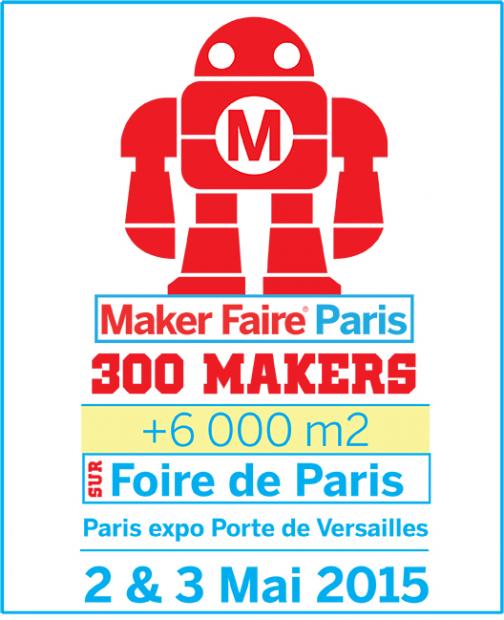
On Saturday and Sunday May 2nd and 3rd  we are travelling to France for Maker Faire Paris!  You can find us in the Intel booth with demos  around Arduino Uno, Zero, Yún and Casa Jasmina. We’ll also showcase some projects and tutorials made with Arduino Certified Intel Galileo Gen2 and Edison!

This edition will be held in Pavilion 6 of the exhibition center at Porte de Versailles. Come and  share your ideas and open source projects with us and discover how many cool things you can do with Arduino!

Arduino Blog 30 Apr 20:02

Microsoft and Arduino: new partnership announced today

It’s a special day for the Makers’ community. Massimo Banzi is in San Francisco attending Build Conference, the biggest developer event of the calendar year for Microsoft and today Microsoft is  announcing a strong partnership with Arduino: Windows 10 is in fact the world’s first Arduino certified operating system!

‘Arduino Certified’  Windows 10 enables makers to easily create smart objects combining hardware-driving capability of Arduino with the software capabilities of Windows.

For example, a security camera can be built by using Arduino to power the motors controls to tilt/turn the camera and using Universal Windows Platform (UWP) to create great UI, to connect the camera to the cloud, to process the image for motion detection and for adding facial/voice recognition.

The makers’ community can now also enjoy Windows Remote Arduino and Windows Virtual Shields for Arduino technologies – both released as open source libraries.

With Windows Remote Arduino developers can (wirelessly) access the capabilities of  Windows 10 devices as if they were physically attached to an Arduino Shield and leveraging Arduino functions directly from Universal Windows Application.

In this way Microsoft is enabling developers to extend their Universal Windows Platform Application with Arduino commands (that execute on a wirelessly connected Arduino device). Combining the power of Windows 10 devices including features such as Image processing, Speech recognition, Website parsing, Cameras and Advanced Audio pipelines with the power of physical world interactivity through Arduino enables incredible new scenarios to be created. Take a look at this Basic Windows Remote Arduino project to learn how to leverage this technology in any interactive project.

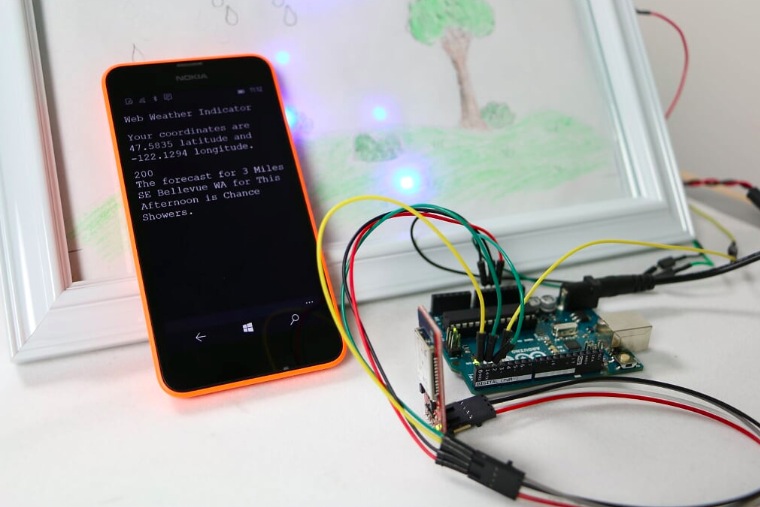
With Windows Virtual Shields for Arduino, users can tap into the incredible power of their Windows 10 devices through wireless protocols. For example Lumia 530 contains a lot of Arduino Shield capabilities and allows designers/makers to connect all those components seamlessly. Imagine being able to create an Arduino project that includes GPS, Web connectivity/parsing, touch display, speech technologies and more! Take a look at this Picture the Weather project created to bring children’s drawings to life!

Arduino is really happy that Microsoft got inspired by the enthusiasm and passion for technology represented by the Maker community and we look forward to see the amazing projects opening up from this unique offering.

What’s an Arduino? Jimmy Fallon knows it…

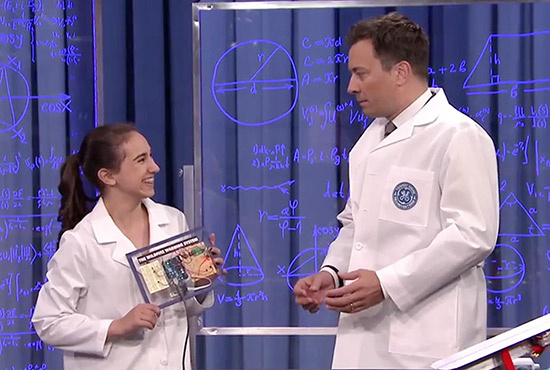
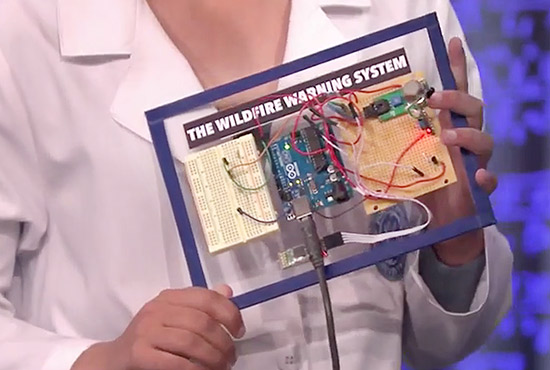
An Arduino Uno appeared at The Tonight Show thanks to a project called Wildfire Warning System created by a 14 years old girl from California. Take a look at the video to discover how  you can detect fires  using a gas sensor and a temperature sensor.

And guess what? Jimmy Fallon knows what an Arduino is! Watch the video:

Create the DIY version of Egg-bot running on Arduino

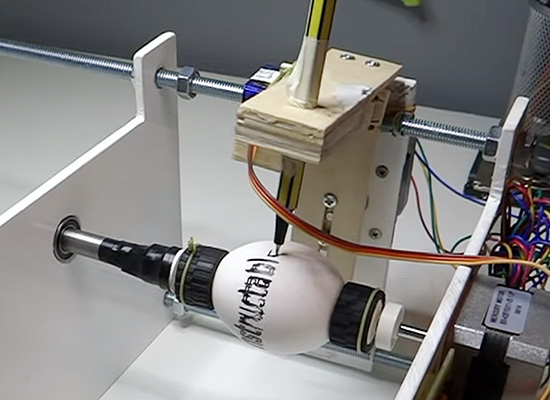
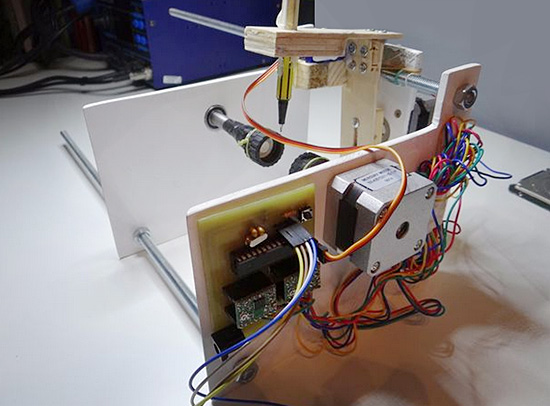
We featured Nikodem’s bike tachometer last September on this blog. He’s now sharing with us another DIY project called DIY Arduino controlled Egg-Bot. It’s a DIY version of the original Egg-bot created by Evil Mad Scientist Laboratories.

You can follow the step-by-step tutorial on Instructables and here’s a preview of the bill of materials you’ll need to make the project at home:

– Stepper motor with 200 steps per revolution (x2)  / I use 12V and 0,33A but you can use other.
– Stepper motor driver A4988 (x2)
– Arduino Uno
– Power supply for stepper
– Micro servo
– Plastic plate, wood
– 40cm screws x3 and 12 nuts for it’s
– Two Lego wheels
– Markers in different colors
– Drill, knife, saw, screwdriver, double sided tape, wood glue, wire, soldering iron, rubber bands
– Everything you need to make PCB


Arduino IDE: Nightly Builds are now Hourly Builds

The Arduino IDE is a collection of modules written in different programming languages and available for three operating systems: Windows, Mac OSX and GNU/Linux.

Every time you download the Arduino IDE, you are actually downloading the result of a careful packaging process, intended to make the download as small as possible and to give you the easiest possible out-of-the-box user experience.

The process is fully automated and it’s repeated every time we publish a new feature, or we fix a bug you helped us find, or we merge code you contributed.

The resulting IDEs are called Nightly Builds: they contain the latest and greatest (and, possibly, buggiest) from the Arduino IDE.

We started delivering Nightly Builds about two years ago as a way to ease your life in giving us feedback: you don’t need to be a developer to try a Nightly.
You may have read replies to github issues saying something like “Your issue has been fixed. It will be available with the next nightly build“.

But sometimes nightly is just not enough, because you can’t wait to try what we coded following your suggestions or to see your contribution becoming available to everyone.

So welcome Hourly Builds!

By the time we push new code for the Arduino IDE, it will take at most an hour for the build to be ready to be downloaded and tried. This will allow a much more fluent conversation and prompt feedback when solving issues and implementing new features.

Arduino Blog 23 Apr 16:51
arduino  builds  featured  ide  

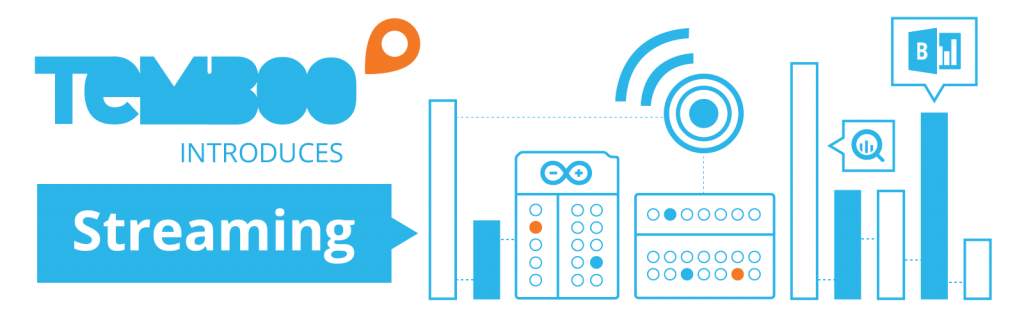
Wire Your Arduino Sensors to the Cloud with Temboo Streaming

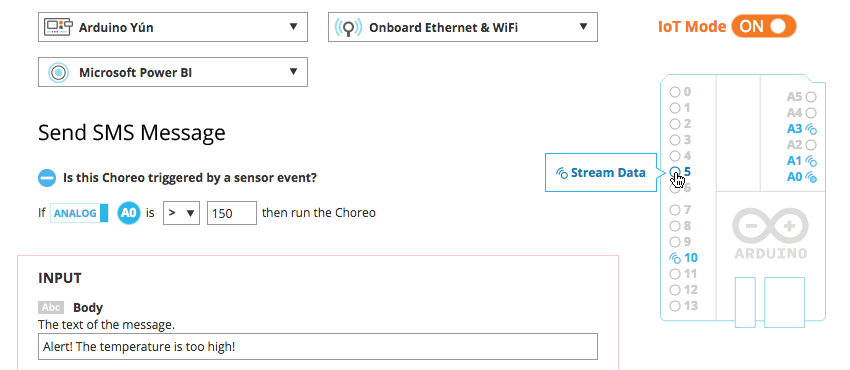
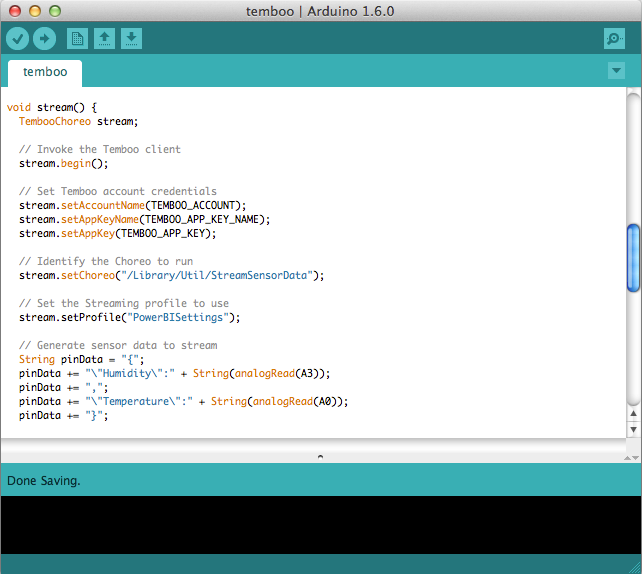
Our friends at Temboo just introduced a new way to log data from an Arduino Yún to the cloud. Called Streaming, it lets you visually select the sensors attached to your Arduino that you have gathering data, and then stream that data to the cloud IoT platform of your choice.

Streaming also makes it easy to switch where you’re sending your data once your application is running, without requiring any hardware or software updates. Right now, Streaming works with Microsoft’s Power BI and Google’s BigQuery, but Temboo will be continuing to add more platforms in the future. As with Temboo’s other Arduino programming tools, Streaming lets you generate all the code you need for your application right in your browser, and tailors that code to the parameters that you specify. It makes it much easier to store sensor data from your Arduino in the cloud, and to analyze the datasets that you build.

This video shows you how it works:

Arduino Blog 22 Apr 18:19

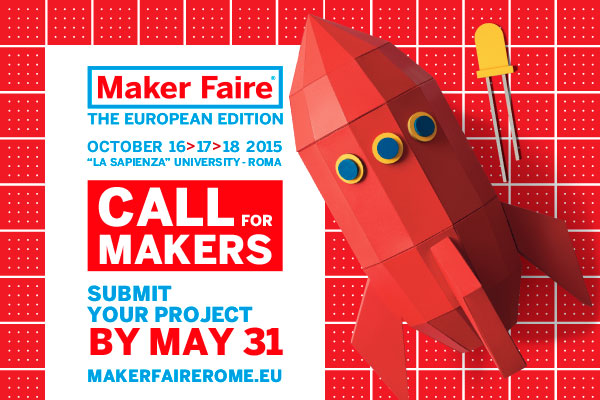
Call for Makers is open! Join Maker Faire Rome 2015

Last year Maker Faire Rome welcomed 600 projects, 200 performances, 90.000 visitors coming from all over the world.  Maker Faire Rome – The European Edition recently announced its third edition scheduled from the 16th to the 18th of October 2015 and will take place at  “La Sapienza” University in Rome, exceptionally “closed” for three days to host this international event.

The Curators of the Faire, Massimo Banzi, co-founder of Arduino and Riccardo Luna, italian Digital Champion, are inviting makers of all kinds and ages to showcase their amazing work and embrace the do-it-yourself (or do-it-together) spirit with a great and appreciative audience.

Are you a Maker, an Innovator, a digital Craftsman? The MakerFaireRome’s Call4Makers is out!

There are many ways to participate:

  • you can exhibit your project: we’ll give you a booth with table and chairs inside the halls, which will be filled with visitors who are curious and interested in meeting you
  • you can give a presentation in public: we’ll give you a room or a stage where you can talk about your project or tell your story or deal with the issues that you want to propose
  • you can hold a workshop: we’ll give you a workshop area where you can do interactive demonstrations and engage participants -adults and / or children- in practical activities
  • you can perform in public: we’ll give you a space or a stage for you to perform in your creative, technological, robotic, musical, pyrotechnic performance…

The proposals regarding the exposure of projects, if accepted, will lead to the allocation of a booth, free of charge. Presence is required at this booth while Maker Faire Rome 2015 is open to the public (three days). It will also be possible to sell products or gadgets.

Accepted projects will be valorized on the MakerFaire Rome website. Besides, Maker Faire Rome press & media team will diffuse info about participants to the newspapers, radio and television stations, which in the past years have devoted a lot of attention to the projects and performers.

We expect creative, innovative, fun, interactive projects, showing the process by which the achievements enrich visitors, communicating passion and ingenuity.

Are you thinking about participanting? In the meanwhile:

  • spread the word! #MFR15
  • help us to involve all the makers you know (and especially those who still do not know they are makers!)
  • subscribe to our newsletter to keep informed about news, events and discounts!

We are looking forward to seeing you all in Rome in October!