Posts with «featured» label

Want to help Arduino.CC? Take a pic of your Arduino packages!

We are posting below an interesting blogpost published on the Adafruit’s website on Sunday April 19th, and then mentioned by Hackaday.

Give it a read and use the #TeamArduinoCC tag when posting a pic of your packaging: that’s how you can show your support to Arduino.cc!

————————
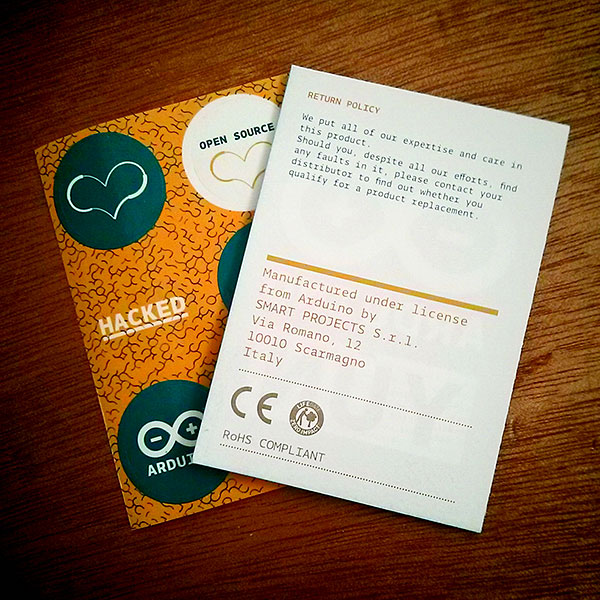
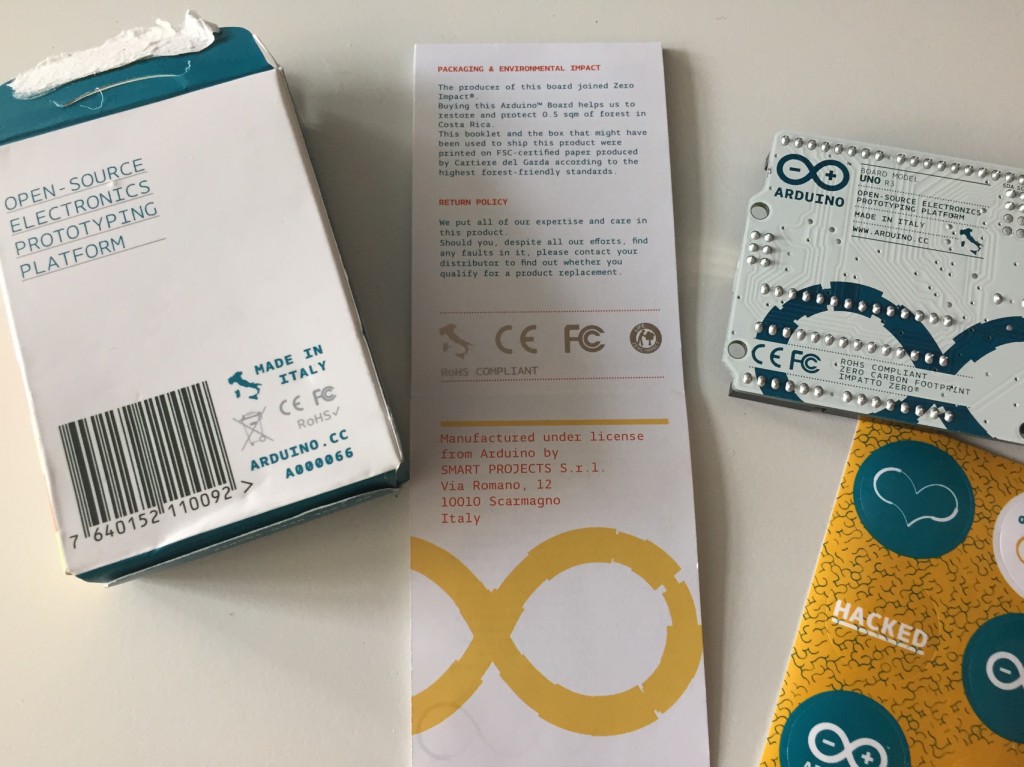
Please post old Arduino packaging that says “Manufactured under license from Arduino” #TeamArduinoCC
Hey folks, as a lot of you know there’s a huge Arduino vs Arduino dispute (Hackaday / MAKE coverage / Arduino.cc). We’re currently making an official Arduino with Arduino.cc so we’re not commenting at this time for all sorts of good reasons, however, we, as in the Arduino.cc community, could use your help. If you could dig up any old Arduino packaging that has “Manufactured under license from Arduino by SMART PROJECTS” and post the photos – that could be pretty helpful for “team Arduino.cc”.

PLEASE INDICATE what country where you purchased the products in and what year!

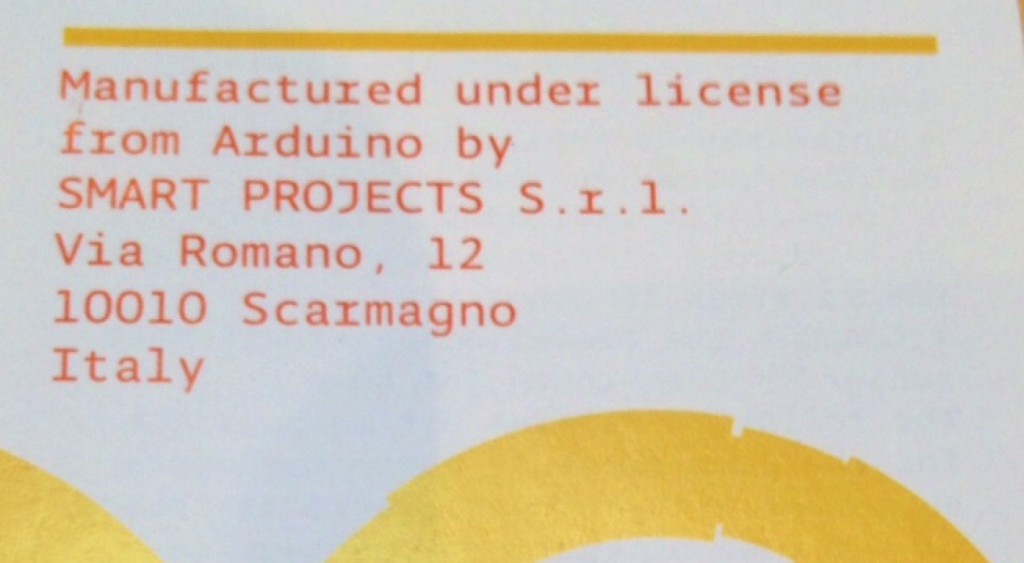
Pictured above, an Arduino UNO from September 2014 from Becky Stern’s desk. She had it unopened and we were able to see an important detail “Manufactured under license from Arduino by SMART PROJECTS S.r.l. Via Romano, 12 10010 Scarmagno Italy.

Please post any old packaging you have from older Arduino products that also have this on Flickr, G+, Instagram, Twitter, wherever you can, you can use the tag #TeamArduinoCC to help. You can also email it to teamarduinocc@adafruit.com


Here’s a video showing where’s the sentence mentioned by Adafruit and below the #TeamArduinoCC  hashtag timeline:


#TeamArduinoCC Tweets<>

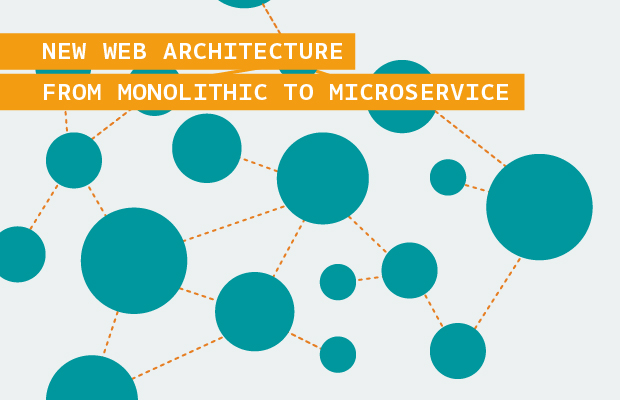
Arduino web architecture, back to the future

The last couple of months have been the most exciting of my entire career. Here at Arduino we are doing a big shift in terms of technology, user experience, and web improvements.

A new Arduino web ecosystem is arising, and the first hint of this new approach is visible in the Arduino Day website. This single-page website was the perfect fit to start experimenting with some new technologies we wanted to put in production. The Arduino Day website was a testbed for some new features of the new architecture we want to achieve.

Goals

  1. Website online and running 99.98% of the time
  2. Fast on every device
  3. Easy way to push updates online
  4. New theme with a single page app
  5. Clear division between presentation and functionalities (client/server architecture)
  6. Https whenever is possible
  7. Microservices

People

How did we achieve these results? It has been a challenge but, from November on, we started building a new Web team with a good mix of junior and more experienced developers. Putting together the team has been key, but we also needed to change some aspects of the way we work.

The team has been always under a tight schedule, at first we started fixing legacy bugs all around, many are still in progress, but we also started experimenting with new things. We started following the agile development methods, including a daily standup meeting to better coordinate our team of designers and developers, we create dedicated topic channel in our chat system to better tackle issues and follow the improvements roadmap, and we created clear todo lists organized by priority.

Technologies

  1. Go Language at the heart of our Web Applications
  2. Angular.js as the framework to create complex and nice websites
  3. PHP for widely used Application built by other communities (forum, blog, etc.)

We based most of our web applications on PHP for many reasons. It is widely used, there are many developers proficient in it, and many of the Arduino developers are familiar with it.

If you are a tech addicted like me you know there are many downsides of using PHP, or at least it was not a good fit for us for many different reasons.

We wanted to separate the frontend and the backend, we have frontend engineers and web designers that are very good at css/js, and backend engineers who knows how to design a REST API. The division of tasks allows developers to feel comfortable in their own expertise area.

We need frequent updates to our web applications and most of the apps are custom.

This ended up in having an easy way to update the system, with just a single binary and all dependencies in it. In addition we planned to have many microservices, each of them doing just one small thing, the Unix way. The language of our choice was Go.

Go is a relatively new language and allowed us to create REST API in few hours/days. It is impressively fast and soon we figured out that our bottleneck was not the language/framework neither the application, but our database (we are thinking about moving from MySQL to PostgreSQL, MongoDB or RethinkDB -very impressed by the last one-)

Having a single binary application made it extremely easy to setup a scalable architecture. Now adding a new server to our load balancer requires just a couple of minutes and it is almost completely automated.

 The frontend of Arduino Day Website is written using the Angular.js framework, allowing us to have a very interactive and responsive interface with an easy way to deploy. Everything is deployed to a nginx server (soon we will use something like Amazon S3), the files are minified and compressed so that the website is relatively fast.

I know this is not exactly cutting edge, but it is very hard to introduce something new in an environment developed for many years and used by so many users of our community. You cannot just introduce a new feature or start a project from scratch, you need to support your old code, keep it running, maintaining it and possibly avoid downtimes and maintenance windows.

Learning from mistakes

We are makers, we made mistakes. Every transition is risky and could end up is some issues. We took the risk when we migrated the forum to a new unstable version and we made a mistake, we learnt a lot from it and we are trying to similar issues as much as possible in the future.

Doing good things is hard, it requires time and the constant feedback from our amazing community. Many of you helped us already giving feedback on the arduino.cc website, the Arduino Day website, the forum and so on. We keep improving the whole web platform as fast as we can, and obviously we are always looking for the right new talent to join the Arduino team.


Arduino Blog 16 Apr 14:59

Casa Jasmina with Opendesk @ Milan Design Week

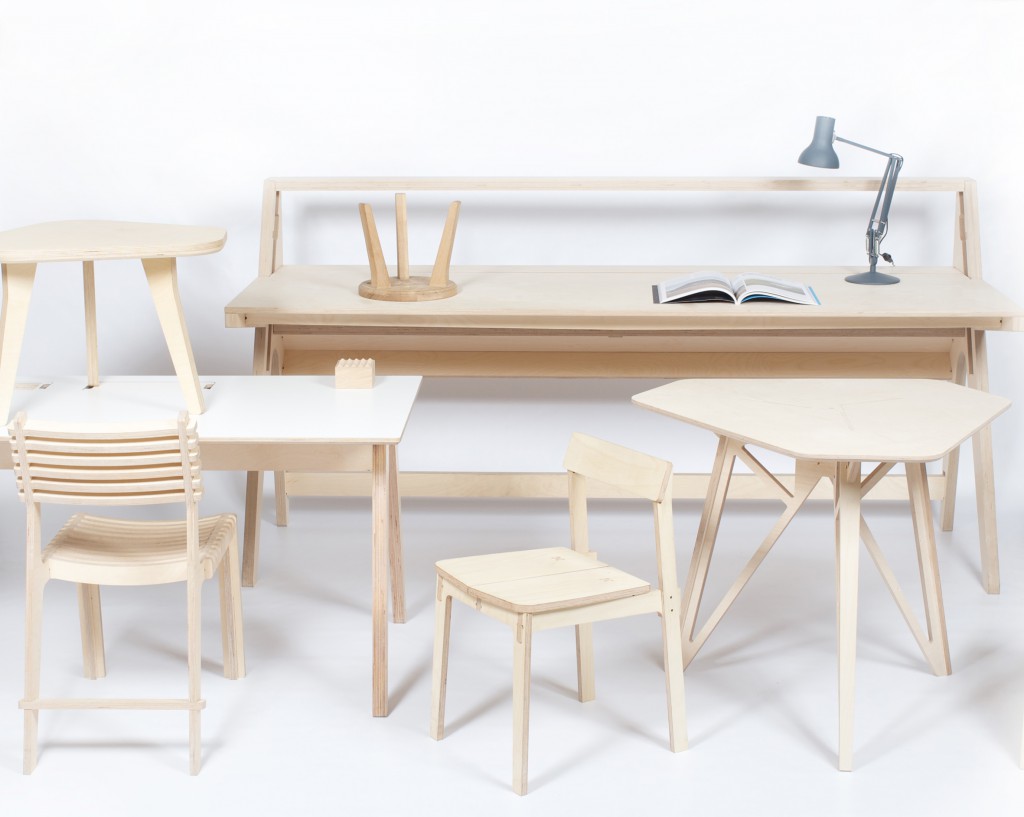
Casa Jasmina and Arduino are proud to announce a collaboration with Opendesk at Atelier Clerici during Fuorisalone 2015.

Atelier Clerici will host an independent project curated by Space Caviar and Z33, with a daily program of exhibitions and activities aimed at questioning the future of design in relation to architecture, technology and global context of living.

Opendesk, the online platform for open and smart design, will join Atelier Clerici with ‘Open Making Platform’ a series of events exploring issues related to open source design as a global and, at the same time, local practice. The program of  ‘Open Making Platform’ will include an exhibition of smart open designs made by local Italian makers and two workshops: ‘Design for Open Making’ (Wed April 15th, 11.30 am – 1.30 pm)and ‘Smart Furniture’ (Fri April 17th, 2 – 5.30 PM), in collaboration with Arduino.

Arduino and Casa Jasmina invite you to take part to the meetup and informal workshop focusing on the integration of open source connected technologies into everyday objects. Friday’s event will include a presentation by Bruce Sterling about the Casa Jasmina project.

Register for the event here.

Install Intel Galileo & Edison with the IDE Boards Manager

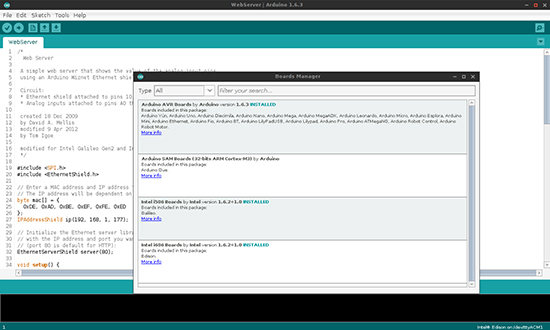
We are very pleased to announce the availability of Intel® Galileo and Edison boards support with the Arduino IDE Boards Manager.

If you’ve already installed the Arduino IDE 1.6.3 (or newer), you are already set!

Just click on menu Tools > Board > Boards Manager to find both Galileo and Edison listed and available for download. Click on one of the list, then click Install. Wait a couple of minutes for the IDE to download and unpack all the needed tools and voilà: Board menu will list the Intel board of your choice.


Thanks for Celebrating Arduino Day around the world!


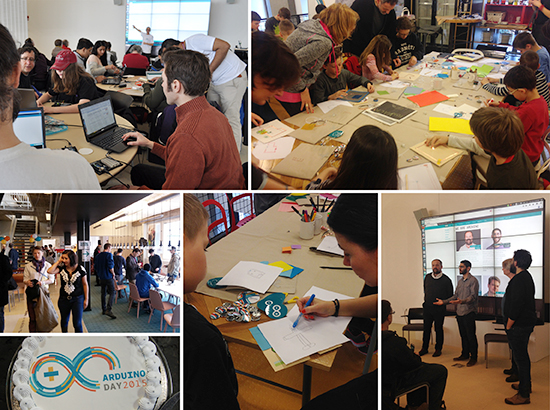
At the end of March Arduino Day was celebrated around the world in more than 260 official and community events. In the video below Massimo Banzi, David Cuartielles, Tom Igoe and David Mellis sent a message to the whole community from the celebration taking place at MIT in Boston:

Take a look at some pictures from official Arduino Day which happened in Boston, Torino, Malmo, Budapest and Bangalore and some birthday cakes popping up on Twitter:

Hoy es Arduino Day #ArduinoD15: ¡¡¡Feliz cumpleaños Arduino!!! Para los que no conocen Arduino; es una platafo… http://t.co/DKCp58gNQp

— StreaMexico (@Stream_Mexico) April 1, 2015

I found #awesomesauce! ???? ?? #ArduinoD15 #arduino #arduinoday #hack #logo #community… … http://t.co/YmZbEF82Ej pic.twitter.com/jE2vglF65e

— Clarke Hosp (@hospdesign) April 2, 2015

#ArduinoD15 and then they brought cake! Awesome thanks @Creating_STEAM pic.twitter.com/GTC6QJGasN — Caren Watkins (@ThisIsCaren) March 28, 2015

It’s Arduino Day! One of our founders @timredfern made a cake version of an @arduino board to celebrate. #ArduinoD15 pic.twitter.com/yN7GVzcPiX

— Drop (@dropkitchen) March 28, 2015

We also wanted to share  links some  organizers sent us to explore pictures/videos of local communities’ gatherings:

Do you have pictures and videos to share of your Arduino Day? Post the link in the comments!

Creative Technologies in the Classroom goes to Ecuador

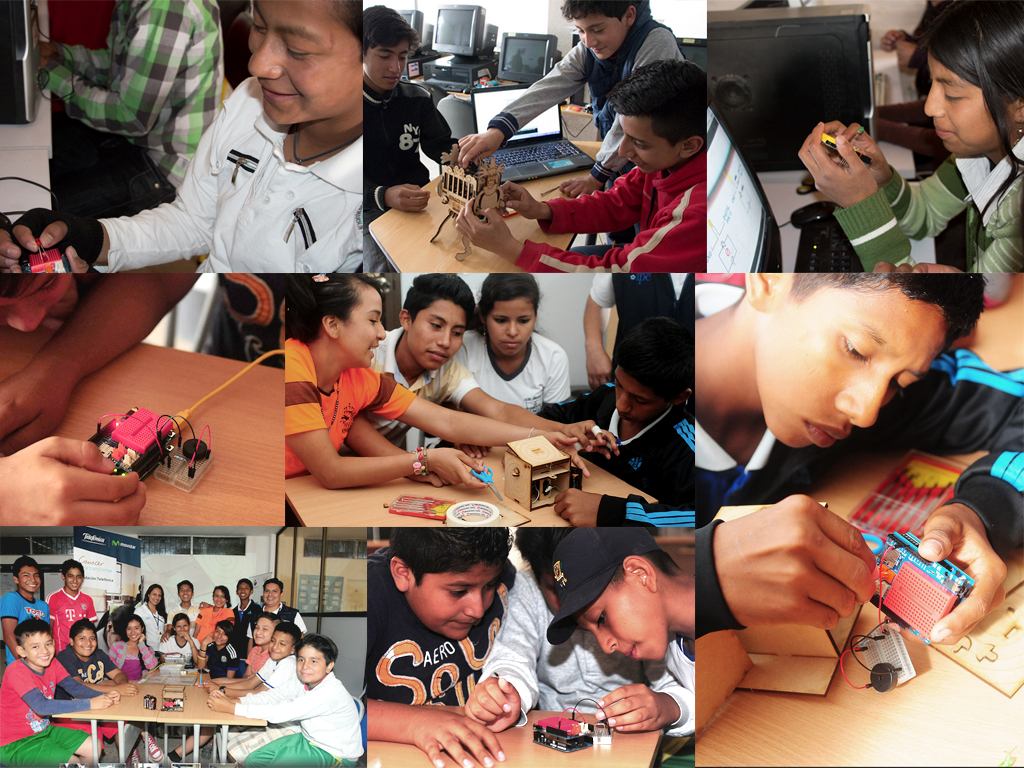
We are happy to announce that Creative Technologies in the Classroom has been successfully implemented in Ecuador since the fall of 2014 in 40 different places along the country, to more than 600 participants and thanks to the Telefonica Foundation Ecuador.

Creative Technologies in the Classroom (CTC) is a collection of experiments aimed at transforming the way technology is taught in schools around the world for participants going from 10 to 18 years old. These experiments introduce basic concepts in programming, electronics, and mechanics and consists of four phases:

  • Teacher Training (1 week)
  • Themed Modules (4 modules)
  • Student Projects (9 weeks)
  • Technology Fair

CTC Ecuador has also been implemented within the Pro Niño Project that helps employed children to attend to educational activities and learn about technology. This aims to open an opportunity for them to study at the technical universities in the area (many of them also support the project). The teachers for CTC/Pro Niño are social workers instead of regular school teachers. Here are some pictures of the program in El Oro and the South of Quito.

Some CTC Ecuador projects were also presented at an exhibition in Cuenca about society, art and technology hosted by Telefonica Movistar Ecuador.

(The news was originally posted on Arduino Verkstad blog)

Arduino Blog 07 Apr 20:38

Making Space Accessible to Students with U of M Satellite

The U of M Satellite project started in 2010 as a student group at the University of Manitoba with the goal of building a nano satellite (10 x 10 x 34 cm) and make space accessible to the public. We got in touch with Ahmed Byagowi, co-founder of the project, who teaches robotics in the same university. Ahmed told us that U of M Satellite became soon very popular, in fact  more than 300 students joined the group. In the first iteration the satellite’s goal was studying a micro animal (about 1 mm) called tardigrades and see its behaviour in space. The second iteration started in 2012, the same year of the launch of the Arduino Due and that’s why they designed everything based on it.

We had a nice talk with Ahmed and asked a bit more about the project.

Why is space so important for research, and why it would be cool if more people could have access to it?

Space research is important because it challenges us to solve problems and find solutions which can translate to everyday life here on Earth. The products of space research and space technology are all around us today. From the ballpoint pen, all the way to GPS, special composite materials, special surgical equipment and satellite communication.

For a while, only government and military had access to space. However, over the past decade there has been a rapid increase in commercial and public access to space. Private companies can take risks that the government and military can not, which leads to even bolder and newer technologies being developed.

For the general public, there are many creative and dynamic thinkers in the world who may not be able to share their ideas through a government agency or company. Public access to space allows more people to innovate on their own terms, and with 7 billion people on this planet, surely there are a great deal of innovation to be found.

With more people involved in researching space technologies, even more ideas can reach fruition, which can hopefully lead to technologies that will benefit life here on Earth even more.

There are other open source projects going to space (i.e. Ardusat), how’s U of M Student Satellite different or similar to others?

Ardusat is using Arduino as its payload (in fact, 16 of them) to run certain experiments in space and its main controller system is based on other processors and software. On the other hand, UMSATS’ satellite is going to be based on the Arduino Due architecture (the main controller) aided by the Arduino Zero and Arduino Uno’s design for payload and other controllers such as attitude determination and control system (ADCS) and power management as well as onboard image processing.

In which way open source is making exploration of space possible?

Open source makes things more accessible and helps a community work together to solve problems. If more open source platforms become available that can aid in space exploration, people can focus their efforts more on the next big problem using tools already developed, instead of resolving the same problems over and over again (reinventing the wheel). Plus, learning from watching other people’s work is a great way to learn things and apparently for some people like me or Massimo, this is best way to learn programming (based on Massimo’s TED talk).

Could you give us a bit more details on how you are using Arduino DUE ?

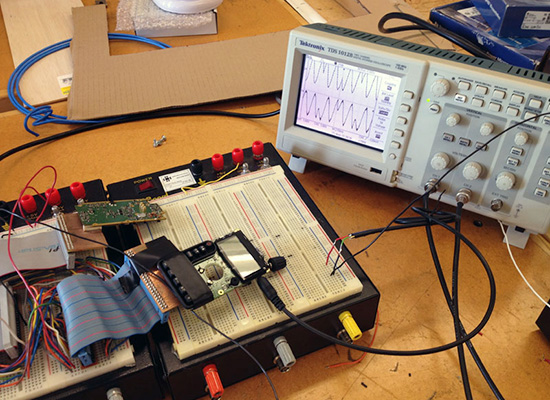
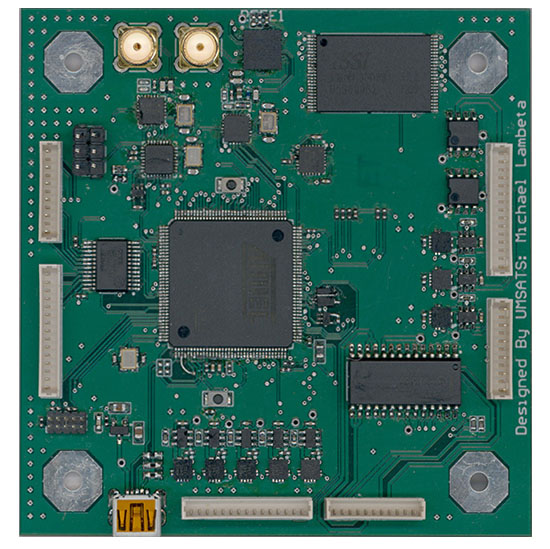
Our main Command and Data Handling (CDH) controller is based on the SAM3X8E and we are using Arduino Due’s bootloader and IDE for the software development. We added some more software layers as well as a scheduler and we aim to open source the entire software and hardware as soon as possible. In the picture of our motherboard below, you can clearly see the SAM3X8E and on the top right, there is a SMD version of the ATMEGA328P running and Arduino Uno core and acts as the beacon transmitter. This board encompasses the CDH, ADCS, Power and Communication of 2 meter and 70 cm bands (144.390MHz and 435MHz ham radio bands).

A famous quote of Massimo’s Banzi says: “You don’t need anyone’s permission to make something great” and in your TED talk you start saying “You can make big things using small tools”, what’s the relations between the two?

There is no formula for greatness. We live in a time where anything is truly possible, and the way to achieve your goals is numerous. Nobody said we couldn’t do something big with our small satellite, and we didn’t ask if we could either. Instead, we try to do big things with small tools that are accessible to us.

Arduino Blog 03 Apr 18:22

Arduino IDE 1.6.3 released and available for download

A new version of the Arduino IDE (1.6.3) is available at the download page!
The Arduino IDE 1.6.3 is a bug fix release: after having released 1.6.2 with new libraries and cores managers, we received lots of useful feedback and fixed a handful of bugs.

In particular:

  • Fixed some impolite crashes on some Linux distributions
  • Bundled AVR core files are back into hardware folder
  • Fixed “https” links not working on Windows and Mac
  • Added new Arduino Language color highlight
  • Introduced a way to help old cores to work with newer IDEs without having to upgrade their code
  • Advise of duplicate libraries after compiling. Thanks @PaulStoffregen

As usual, the complete list of fixes and credits is available here.

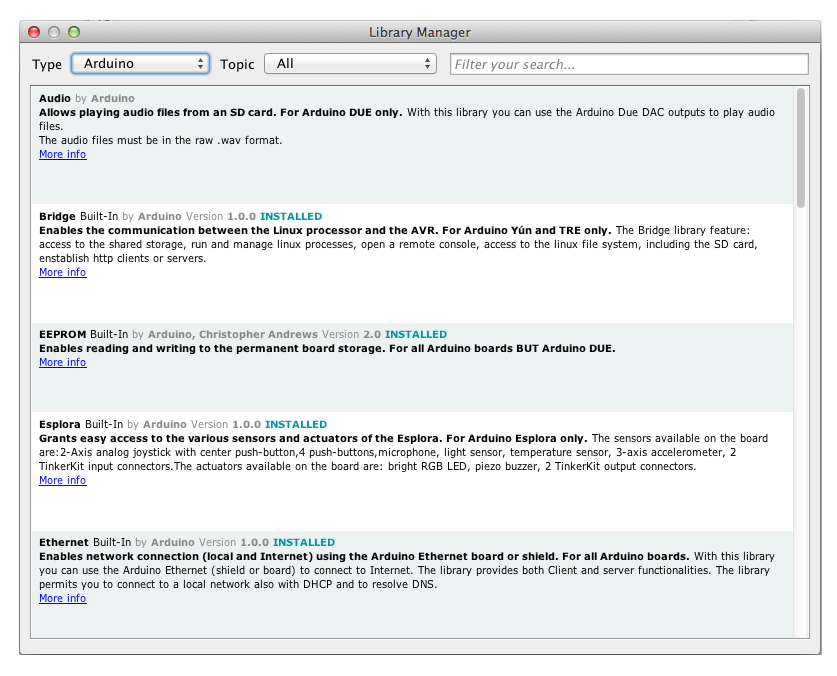
Don’t forget to check out the Library Manager: at the time of writing, 144 libraries are listed, thanks to the contributions of Paul Stoffregen and Adafruit.

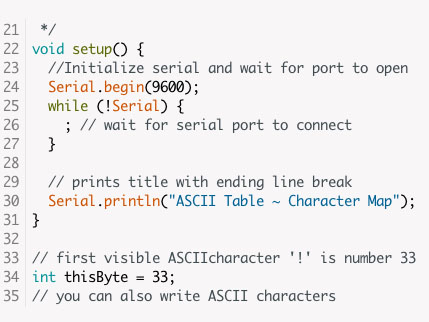
Just a quick note on the Arduino Language color coding, we assigned different colors to the three Language categories listed in the Arduino Reference. Structure keywords are green, variables are teal, while functions stays orange. We did a lot of user testing on these new color highlights, and it is helpful for beginners to have a bit more of a visual cue when starting to write code.

Don’t forget to report any issue you find, either on Github or on the Arduino forum: your help is very much appreciated. It doesn’t matter if you are not a tech specialist: every feedback adds value.

Happy hacking!

Arduino Blog 02 Apr 13:57

Using Arduino Esplora with graphical programming languages

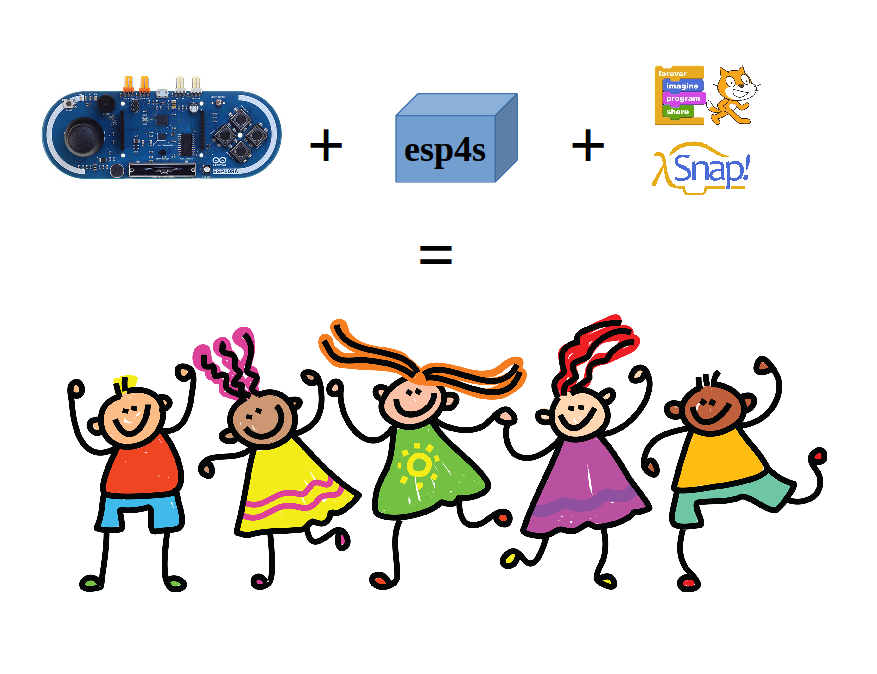
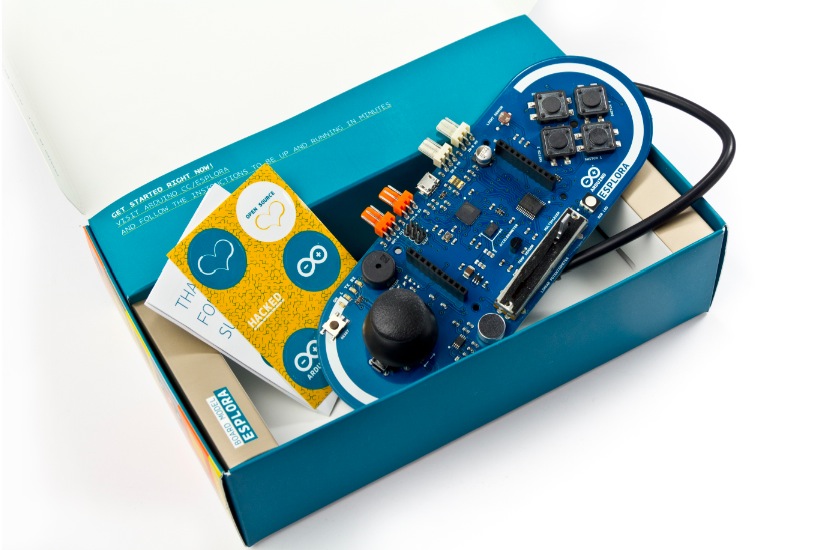
Alan Yorinks shared on Arduino Community on Gplus a physical computing environment he created to make it easier for 10 and 11 year old’s to start playing. He picked up an Arduino Esplora, and wrote some software so that it could be controlled from the Scratch and Snap! graphical programming languages. According to Alan, the Arduino Esplora has on-board integrated sensors, actuators and make it a perfect match for the graphical programming languages that the kids love to use.

By combining an Arduino Esplora microcontroller with the esp4s library and either the Scratch or Snap! programming languages, that first line of code can be written in minutes!

Take a look at his documentation on Github.

Arduino Blog 31 Mar 18:50
arduino  esplora  featured  kids  scratch  snap  

A new Arduino Store for the US Market

As part of the many news we are going to release in the next few months, we are glad to announce today a new Arduino Store completely based in the USA. Check it out at store-usa.arduino.cc, and discover some interesting features:

  • New Arduino products soon available for the US market only
  • Shipping within North America is cheaper and faster, since we send items directly from the US via FedEx and USPS
  • New design, completely responsive, purchase items from mobiles and tablets too
  • Very fast!
  • Checkout is 100% security compliant with PCI DSS
  • Easy way to find and share your favourite products via social networks

It is a pleasure to announce it right after the success of Arduino Day Events all over the world!