Posts with «featured» label

Mini Tetris cabinet commands waitstaff to fetch more water and coffee
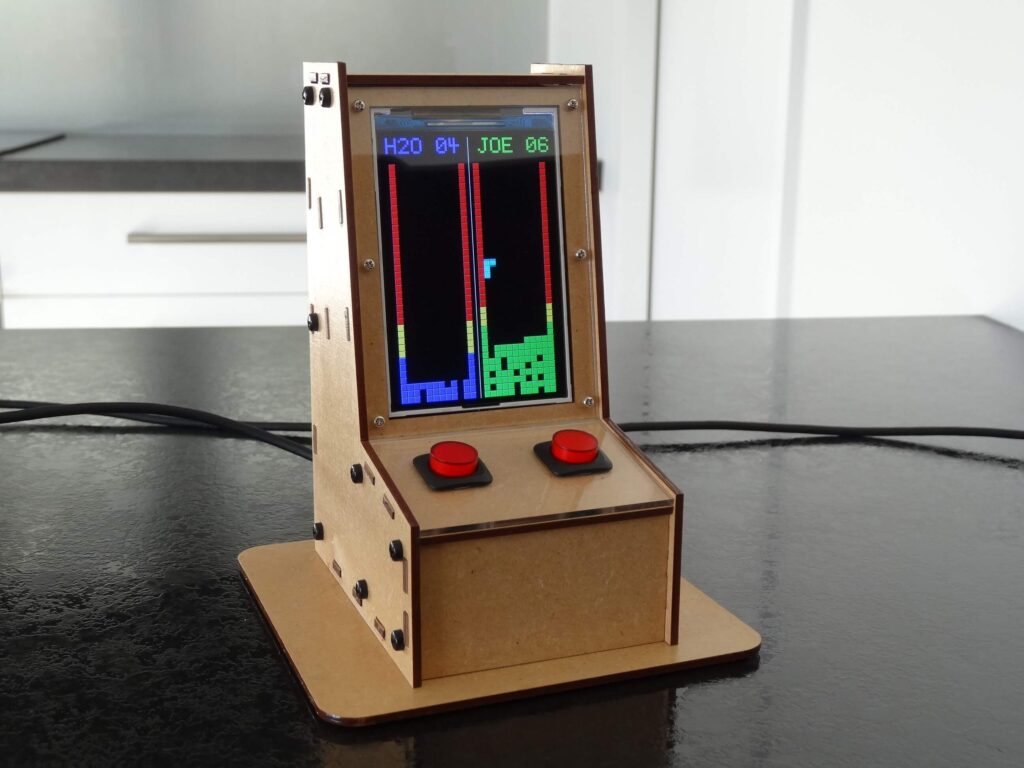
Remembering to refill water and coffee cups at regular intervals certainly has to be a challenge for restaurant waitstaff, but not for servers at one diner thanks to Mark Wilson’s, “TetrisWaterRun” project.
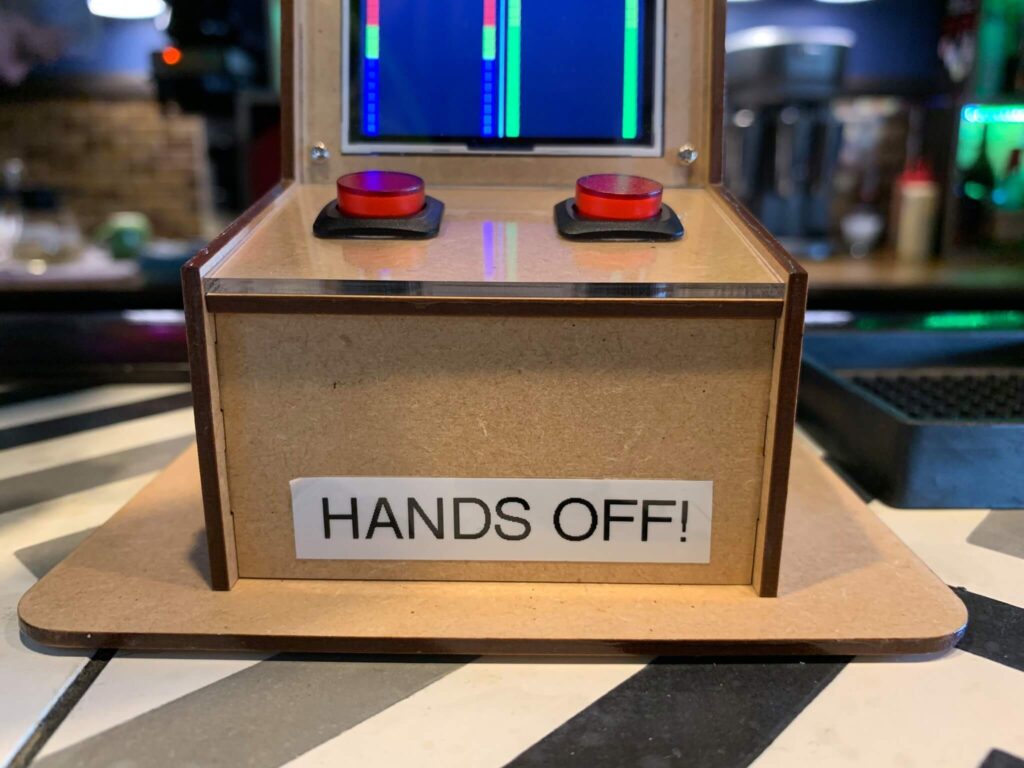
Wilson’s device takes the form of a miniature arcade cabinet, with two “players” named H2O and JOE controlling Tetris playfields.
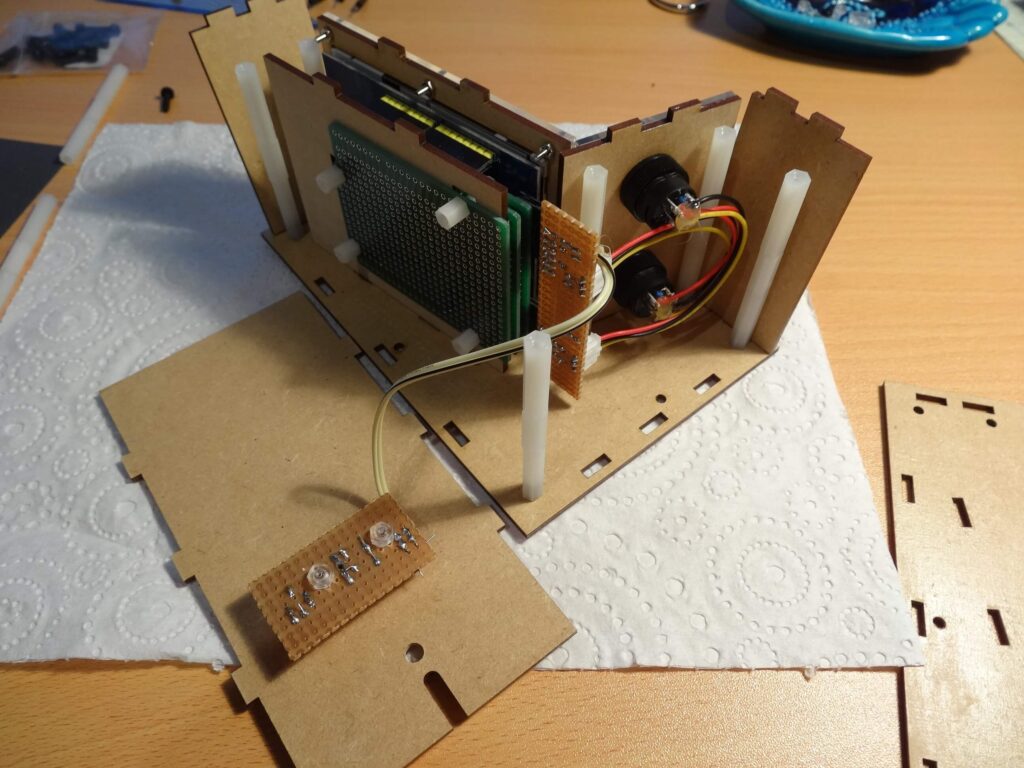
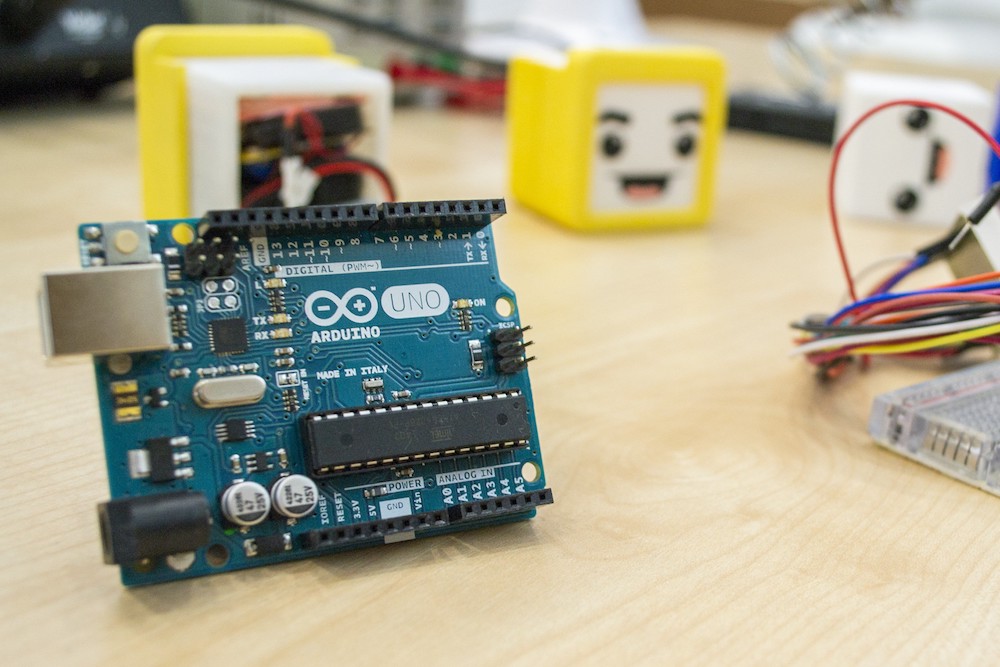
As each block drops, some complete a line, while others leave spaces, eventually stacking up to a yellow warning level, along with a red section for overdue. Each game/playfield is started with its interface button, which also lights up intermittently to indicate drink warnings. A buzzer is included, so that there’s even less of an excuse for unfilled drinks. The build was prototyped on an Arduino Uno and now runs on a Nano for space savings, with a 320×480 LCD screen displaying the game.


Arduino 1.8.10 has been released with improved accessibility

Hey Arduiners,

Today we are releasing IDE 1.8.10 and you should try it because it’s awesome! With the support of our incredible community, we’ve been improving a lot of (small and not so small) things.

Besides taking a look at the complete changelog, we’d like to point out one outstanding contribution that we received during this dev cycle.

Our friend Joe Wegner from APH reached out to us with a very clear plan on how to improve the IDE’s accessibility with some very convenient patches. With the help of co-founder Tom Igoe and ITP alumnus and research resident Jim Schmitz, we’ve started targeting some of the most problematic components that used to interact badly with screen readers (popups, links, lists not entirely navigable by keyboard) while also adding a plethora of accessibility descriptions to components that were basically hidden for blind and visually impaired users.

To keep things clean, Wegner added a checkbox under Preference panel to enable some particular optimizations for screen readers (like transforming links into buttons so they can be reached using the TAB key).

We hope it is the start of a lasting collaboration to make Arduino truly available for everyone willing to learn and hack with us.

Merge Week: 1 week, 4 developers, resolved issues for all!

The holidays are over and we’re back at work, so it’s time to clean up the house. To get ready for autumn, our amazing dev team has decided to devote an entire week to resolve as many of the open issues on the Arduino IDE repository and related projects (cores, libraries, etc.) as possible.

Starting this Monday, the dev team will be going through the open issue log — analyzing requests, fixing them where immediately possible, and in some cases, reaching out to the original submitter to establish if they are still seeing an issue or if it can be closed out. If you do receive such a notification in your GitHub account (with a subject starting with [arduino/Arduino] …), please help us help you by responding accordingly.

Big thanks to all of you who’ve contributed in the past and continue to submit the issues you find within the Arduino IDE for resolution. We appreciate your support and acknowledge your patience while waiting for them to be fixed.

Let’s watch that open issue counter fall by the day!

Robo-snake slithers across the ground under Arduino control

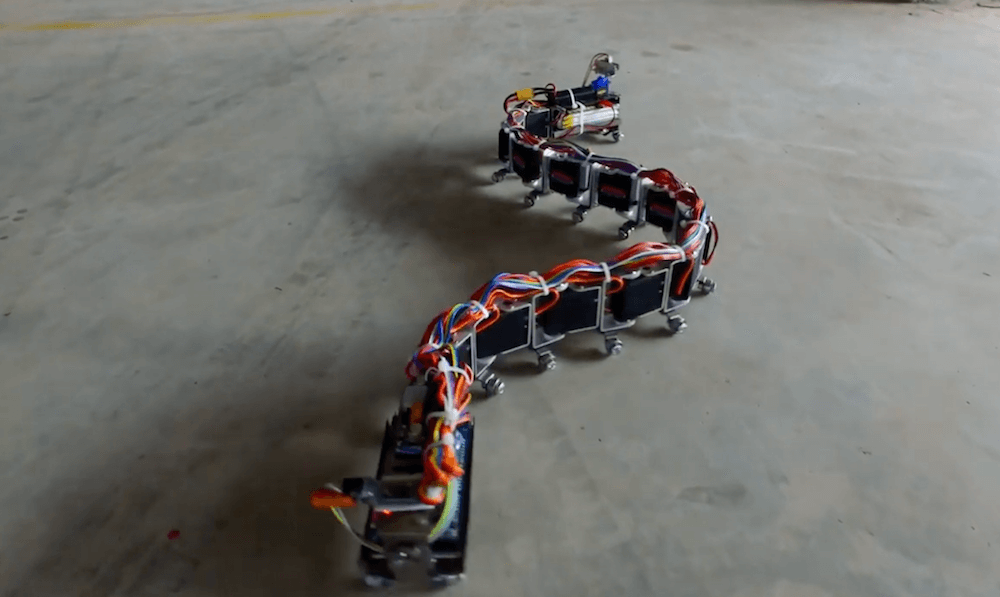
What has a dozen servos, a camera, and an Arduino Mega for a brain? Nevon Projects’ snake-bot, of course! 

This impressive robot uses a total of 12 servos for locomotion and can travel across a variety of surfaces under the control of Android app, or autonomously via a sensor mounted to a smaller servo on the head.

The snake’s electronics are split up between a head section that houses batteries and the sensor, and a tail bearing electronics including the Arduino. 

The project is available as a kit, or could certainly provide inspiration for your own project if you want to start from scratch. Check it out oscillating across the ground on tiny rollers in the video below, along with a surprising transformation into a square shape at just before the 1:45 mark.

Arduino Blog 13 Sep 21:10

A low-cost, 3D-printed transhumeral prosthesis

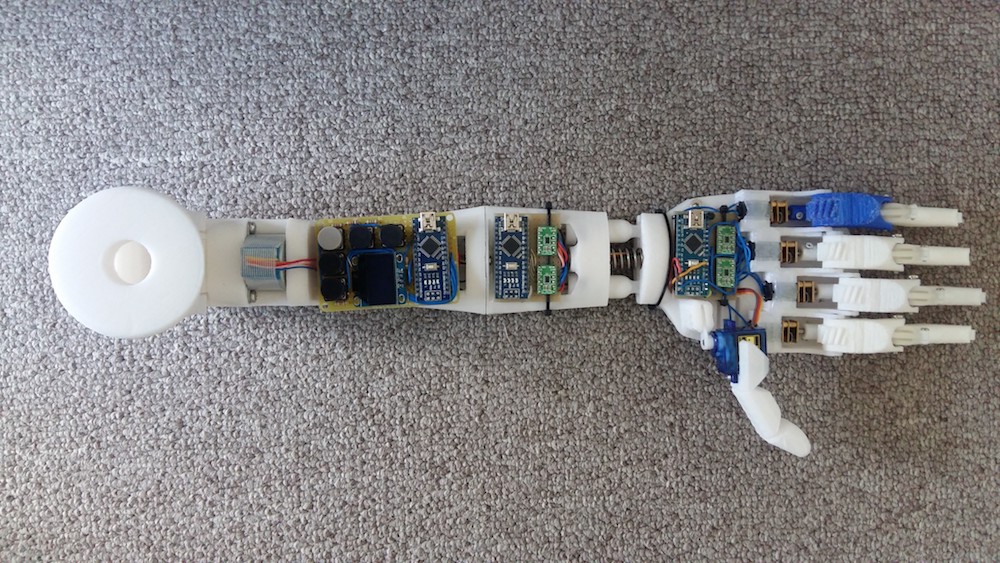
To help a patient in his country with a congenital limb deficiency, Buzi Nguyen has designed a 3D-printed transhumeral—above the elbow—prosthesis prototype. The device features 10 degrees of freedom, including independent control of four fingers and a thumb, along with movement capabilities for the wrist and forearm.

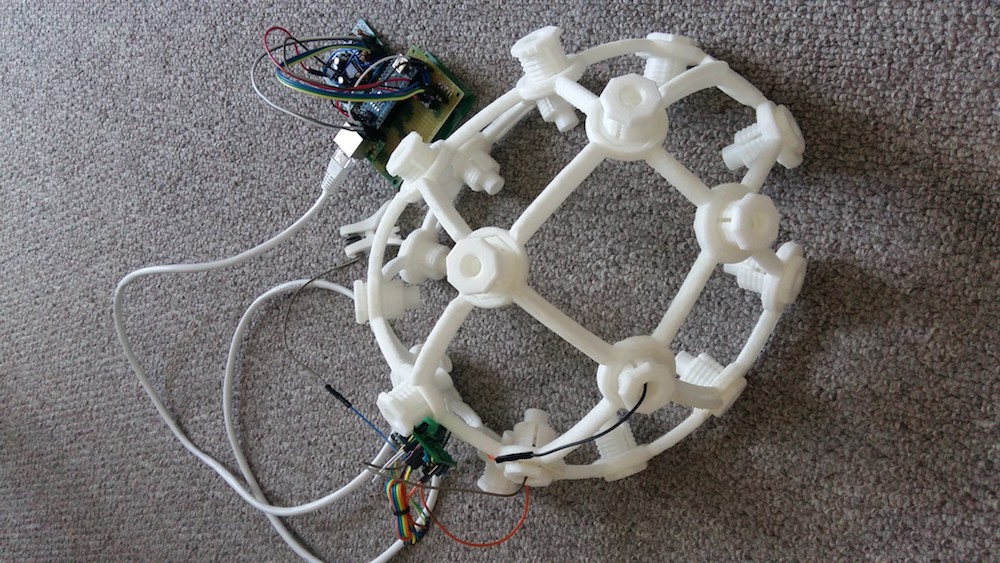
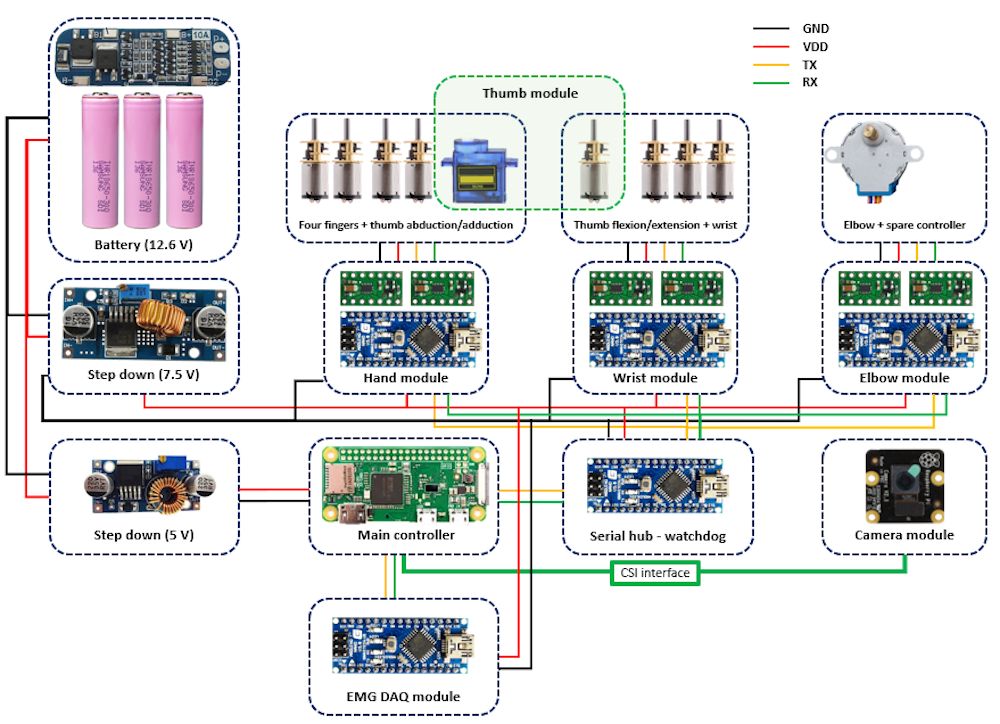
The prosthesis is powered by a number of Arduino boards and a Raspberry Pi, and equipped with computer vision to track and choose grip patterns for object handling. It can also potentially be operated via brain-computer interface and electromyography.

A demonstrate of all the currently supported features can be seen in the video below.

Exploring a classic physics problem with Arduino

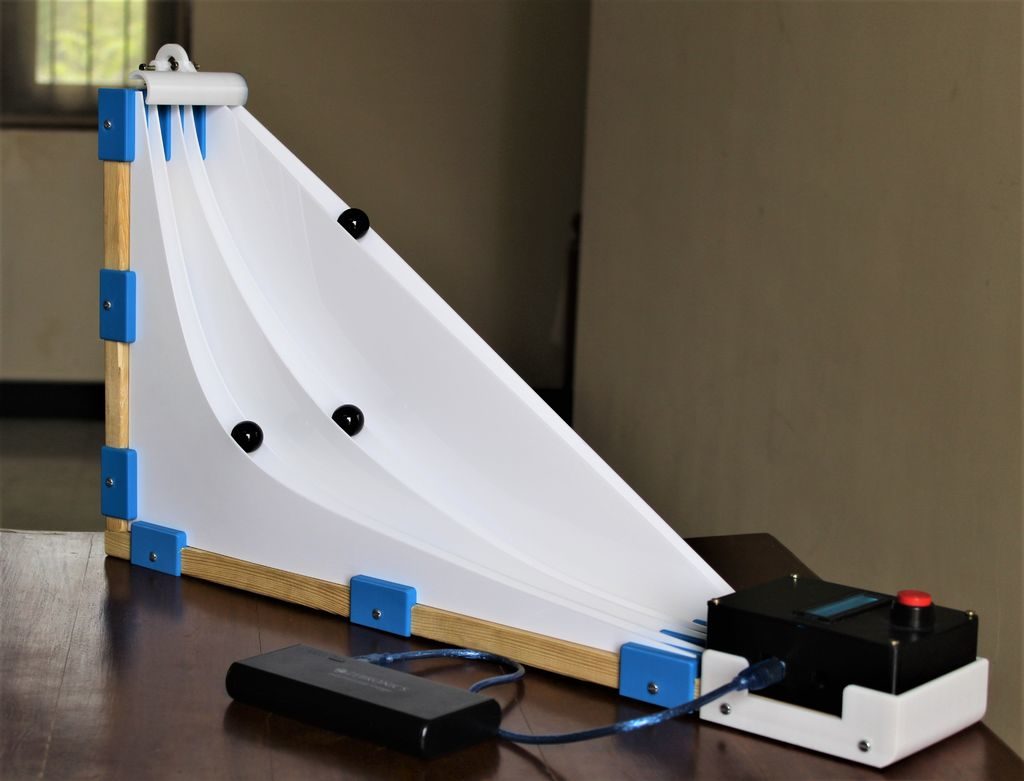
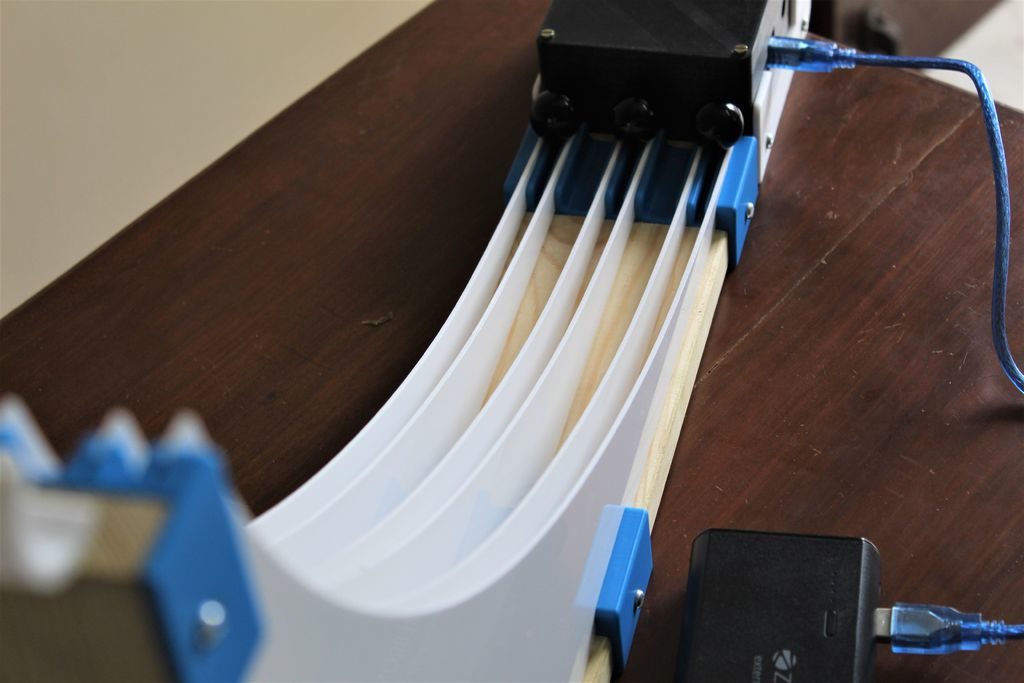
As described in this project’s write-up, “The brachistochrone curve is a classic physics problem, that derives the fastest path between two points A and B which are at different elevations.” In other words, if you have a ramp leading down to another point, what’s the quickest route?

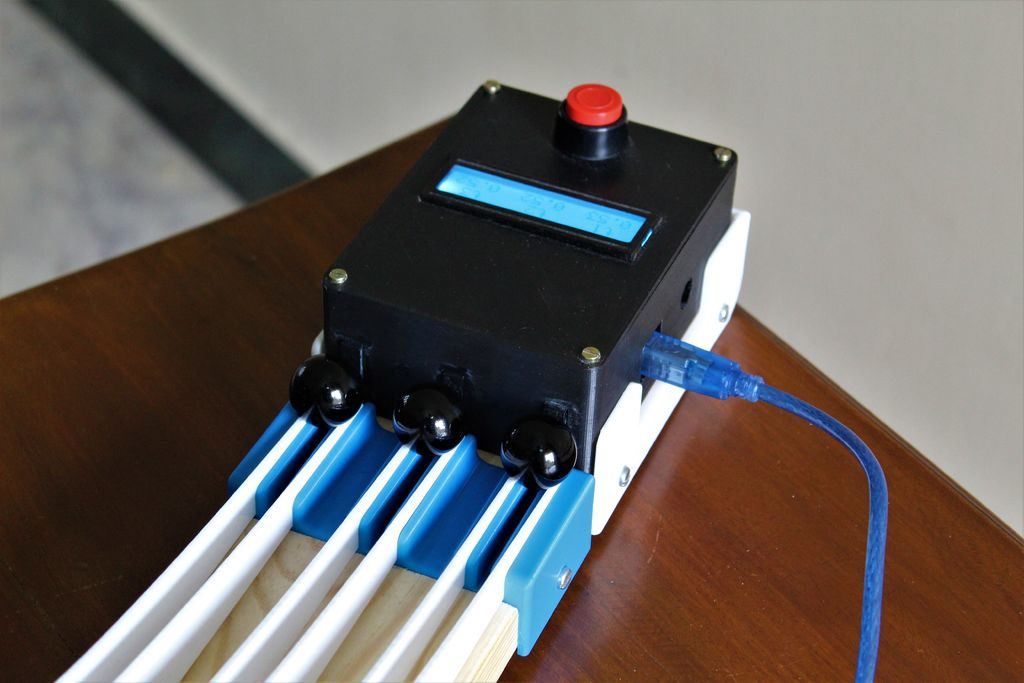
Intuitively—and incorrectly—you might think this is a straight line, and while you could work out the solution mathematically, this rig releases three marbles at a time, letting them cruise down to the Arduino Uno-based timing mechanism to see which path is fastest. 

The ramps are made out of laser-cut acrylic, and the marbles each strike a microswitch to indicate they’ve finished the race. The build looks like a great way to cement a classic physics problem in students’ minds, and learn even more while constructing the contraption!

The Ifs: Coding for kids, reading skills not required

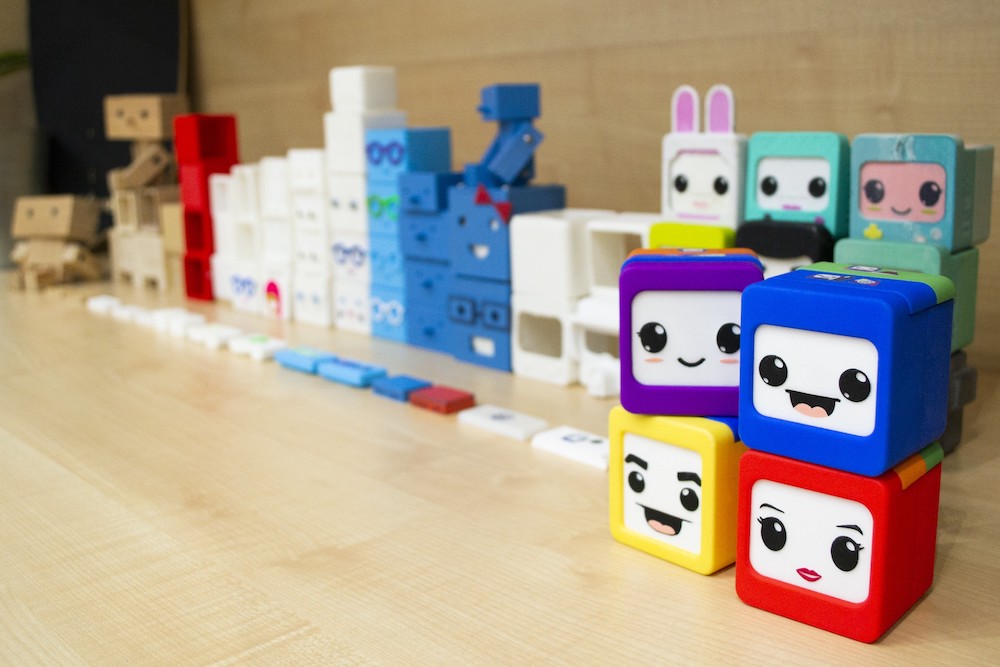
Learning about how computers work and coding skills will be important for future generations, and if you’d like to get your kids started on this task—potentially before they can even read—the Ifs present an exciting new option. 

The Ifs are a series of four character blocks each with their own abilities, such as reproducing sound, movement, or sensitivity to light and darkness.

Children can program the blocks to accomplish tasks based on instructions that snap onto the top of each using magnets, and the whole “family” can communicate and work together to accomplish more advanced actions as a team. 

As outlined in more detail on this project page, the devices were developed using Arduino technology, and you can sign up here to be notified when they’re ready for crowdfunding.

The Ifs are full of sensors and actuators but they need some instructions in order to function. 

Programming is as simple as placing physical blocks in their heads with the help of magnets. No screens are involved. Each block has a different image serving as an intuitive symbol to represent an instruction. This makes the game suitable for children from the age of three, even before learning to read or write.

We only need different color pieces that are placed on their heads. The different color pieces are instructions that are combined as if it were a code, from being able to light them when it’s dark to making them communicate with each other. This allows kids to play with loops, statements, algorithms while also inventing their own stories. Their imagination is the only limit.

Three dozen servos create animated artwork

Servo motors form the basis of many Arduino projects, but few use them in as interesting a manner as Doug Domke’s piece of electronic art.

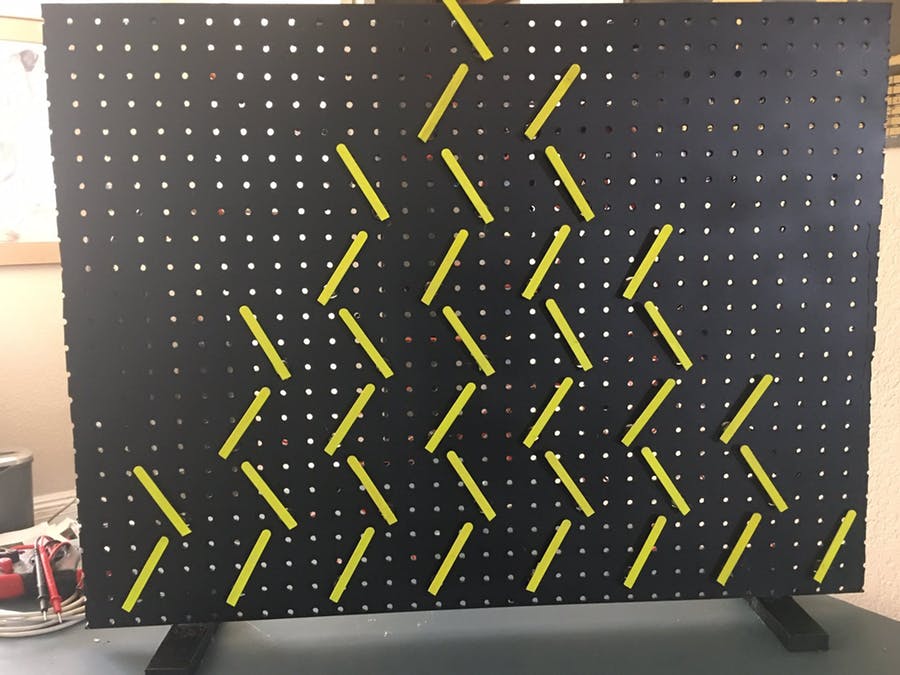
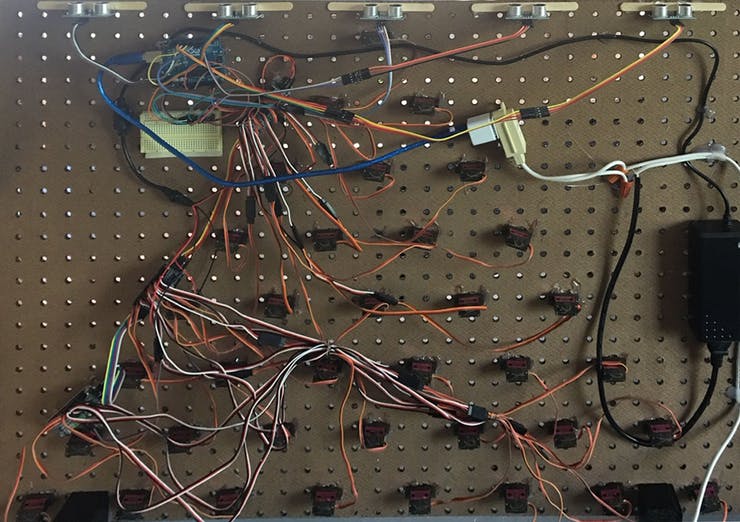
The device features 36 servo motors arranged on a pegboard to produce various patterns, and can even be used in an interactive mode where it follows a person’s hand around with the help of ultrasonic sensors. 

Everything is driven by an Arduino Uno along with three 16-channel PWM control modules, and popsicle sticks show the servo movement to onlookers. 

Details, including Arduino code, can be found in the Domke’s write-up. To really appreciate this project’s visuals, be sure to take in the coordinated movements in the video below! 

Automate your hydroponic garden with HydroBot

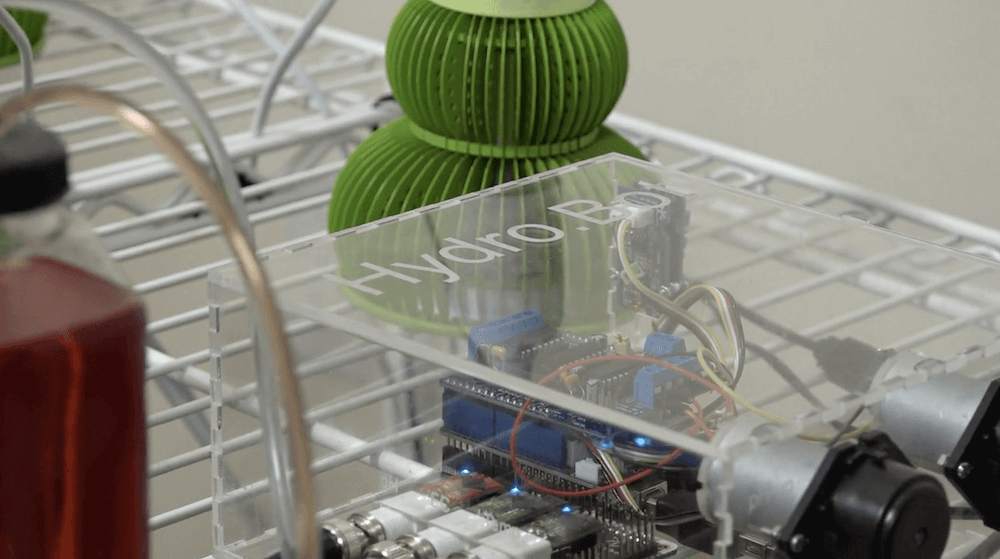
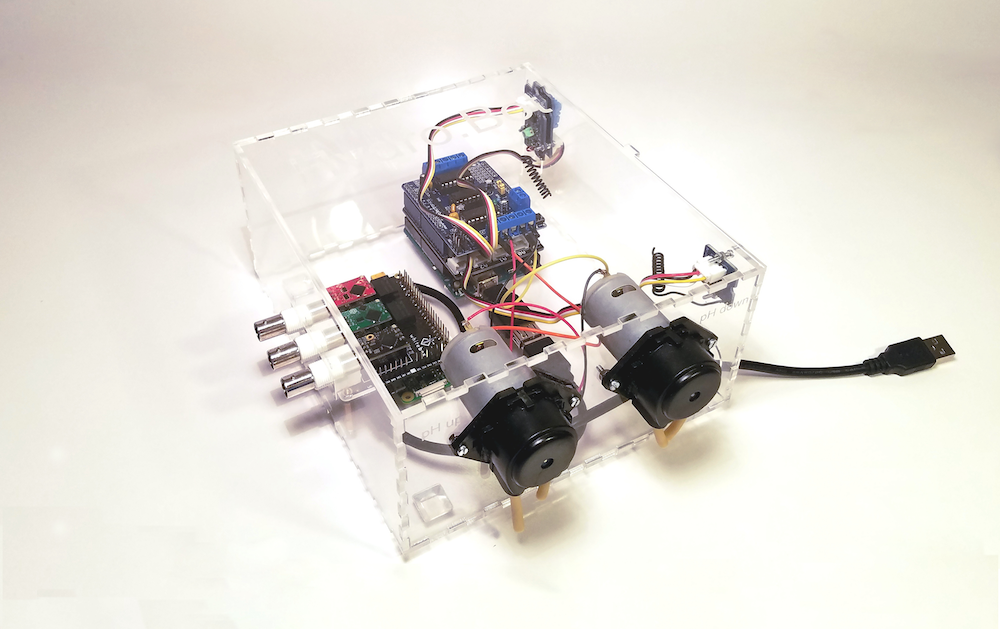
Hydroponics seems like a great way to get fresh vegetables at a cheap price, but as Scott Paterson and Max Knight found out, doing this type of gardening well can take a lot of work. To help take the guesswork and hassle out of the process, the duo has created HydroBot — an automated garden minder that uses an Arduino Leonardo along with a Raspberry Pi Zero for control.

HydroBot allows you to remotely monitor your setup, and automate tasks using wireless switching for lights and fans, as well as two pumps built into the apparatus’ housing to add nutrients to your grow-water. 

The device is currently available on Kickstarter, and is also open source project, so you’ll be able to fix any bugs or even modify its behavior as needed!

Designing a modular and ambidextrous four-fingered robot hand

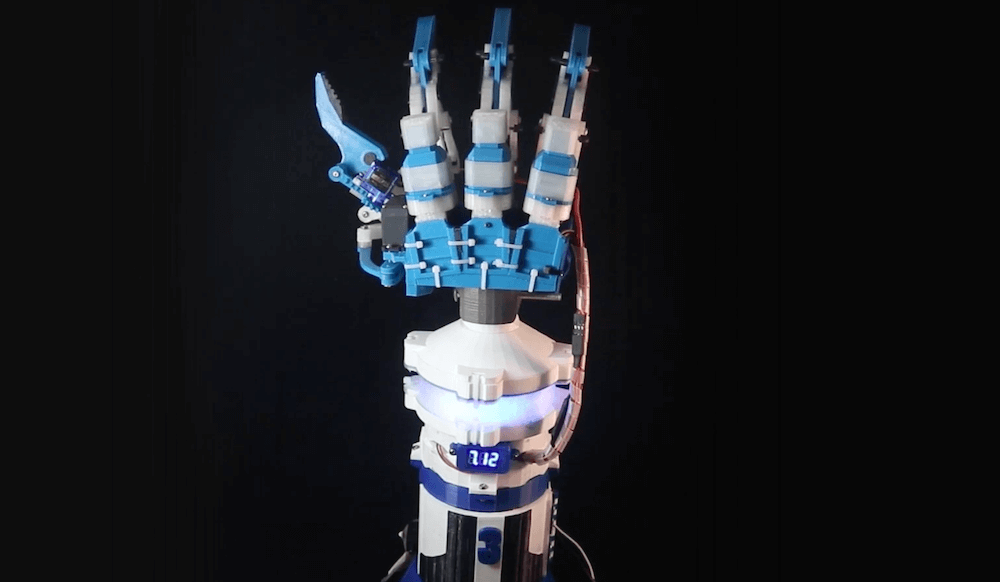
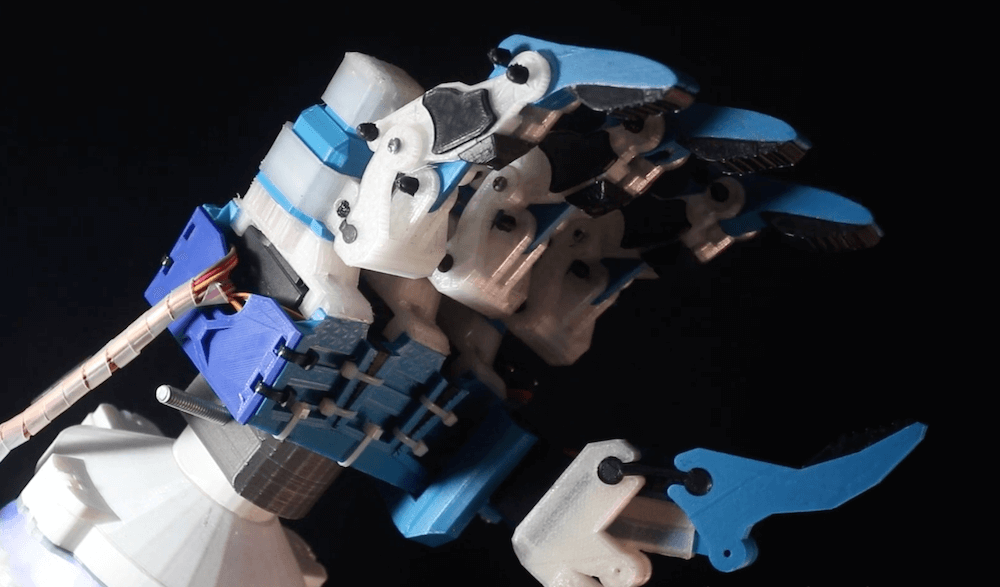
Gray Eldritch (AKA The Technomanc3r) has been working on a robotic hand for some time now, and has settled (so far) on a design with three independent servo-actuated fingers and a thumb. He’s also implemented a wrist assembly to rotate it back and forth, with an Arduino Uno hidden inside for an entirely self-contained gripper unit.

Each of the three fingers is controlled by a single MG996R servo, as is the wrist, while the thumb adds a second SG90 servo to allow it to move on two axes. The fingers are modular, so they can be swapped out as needed, and you even change the thumb position for ambidextrous operation. 

It remains to be seen what Eldritch plans to do with the gripper, but it looks brilliant by itself in the video below.

Arduino Blog 04 Sep 15:42