Posts with «featured» label

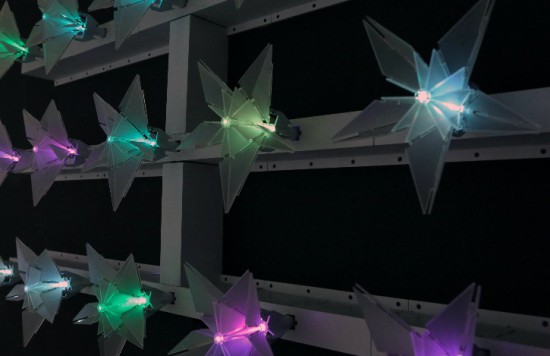
Visualizing air quality with interactive origami flowers

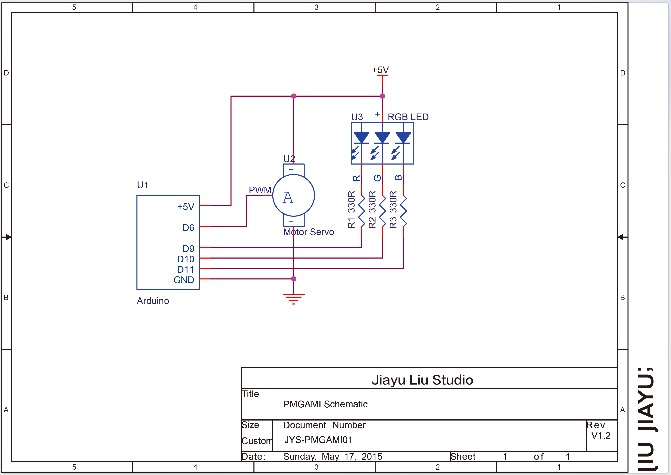
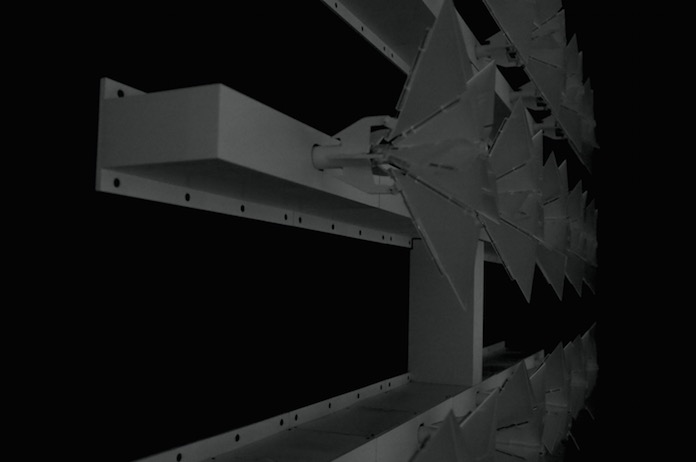
“Under the Dome – PMgami” is an installation created by designer Jiayu  Lui using Arduino Nano. Inspired by paper origami techniques, the digitally fabricated flowers move and change color according to the quality of air measured locally. The main aim of the installation is to obtain a more intuitive way to communicate pollution data and  the relationship between technology and nature.

In the gallery you can explore some other pictures and the schematic. Check the video below to see the installation in action!


Yet another cool Pong with Arduino Uno

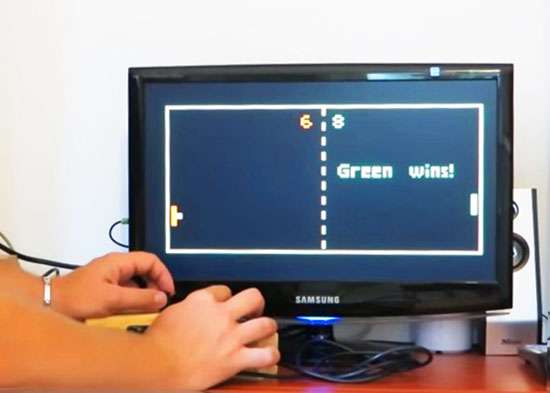
Everyone knows Pong, the first commercially successful arcade video game machine  originally release by Atari in 1972. In those years the game helped to establish the video game industry and nowadays is often used by makers to experiment with creating game consoles with Arduino.

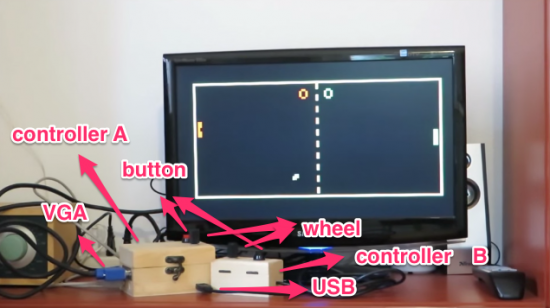
Roberto Melzi recently shared on the Arduino forum a new version of Pong made with Arduino Uno:

Thanks to the VGAx library done by Smaffer, based on the previous work done by Nick Gammon, I have done a little color game for an Arduino Uno working for a VGA monitor. See for details here:

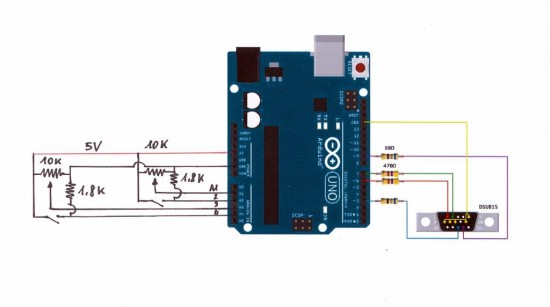
The target was to use an Arduino Uno board without special shields and supporting IC.
the fundamental components are a button, a potentiometer, few resistors and DSUB15 connector.

Tale a look at the video to see it in action:

Follow the step-by-step guide on Instructables to build one yourself.

Arduino Blog 24 Sep 21:11
arduino  featured  forum  library  pong  tutorial  uno  vga  video game  

Meet us at Makercon and World Maker Faire 2015!

This week New York City is the city of Makers, with Makercon conference and World Maker Faire coming up on our agenda!

You can begin on September 24th, with Massimo Banzi taking part to the session TECH: Cheaper, Faster, Better of Makercon (at 3.30pm local time) to discuss the future of maker development platforms – particularly microcontroller boards – and they paths toward being more powerful, less expensive, and more accessible to a broader range of Makers than ever before.

In the meanwhile, watch the video from 2014 edition:

On the weekend, September 26th and 27th, we’ll be joining Atmel booth in Zone 3 for the 6th annual World Maker Faire. We’ll be exhibiting some of our latest products and cool projects made with Arduino.

Here’s a memo of presentations made by Arduino team:

Saturday h.1.00 PM to 1.30 PM Center Stage – NYSCI Auditorium
State of Arduino by Massimo Banzi

Saturday 3:15 PM —3:30 PM Center Stage – NYSCI Auditorium
Who Are You Making For?  by Tom Igoe
Tom will share a few stories of makers whose work has inspired him in and out of the classroom, and discuss how their stories and motivations led to the things they’ve made.

Saturday 11:30 AM — 11:45 AM  Zone 3 – Make: DIY
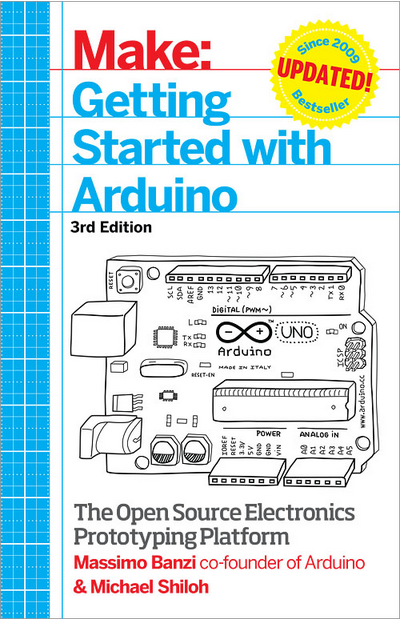
Getting Started with Arduino (3rd edition) by Michael Shiloh
Co-author with Massimo Banzi of ‘Getting Started with Arduino’, Michael takes you through the microcontroller’s latest iterations.

Sunday 11:15AM – 11:30 AM Zone 3 – Make: DIY
Getting Started with Arduino (3d edition) by Michael Shiloh
Co-author with Massimo Banzi of ‘Getting Started with Arduino’, Michael takes you through the microcontroller’s latest iterations.


Industruino makes industrial automation easy, now AtHeart

Industruino’s mission is to offer industrial automation components that have the simplicity of Arduino at its core. It’s created by Loic & Ainura, two product designers originally from Belgium and now based in Shenzhen, with a mission to help people make their own products, by creating an accessible platform.

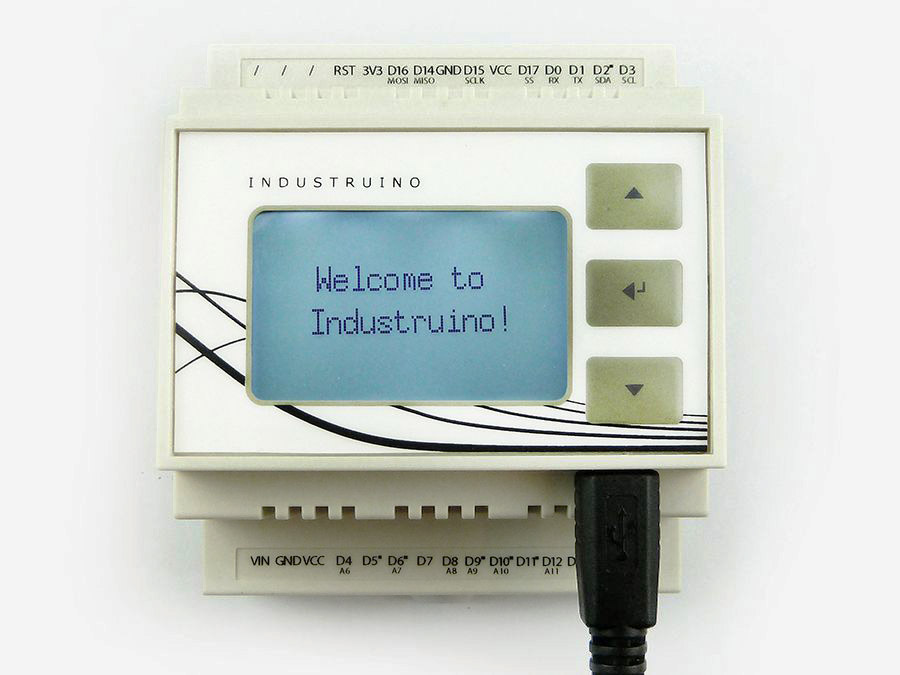
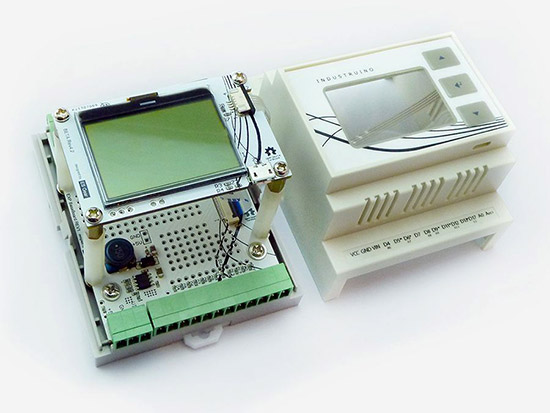
Today they are officially joining the Arduino AtHeart program with Industruino Proto, a Leonardo compatible industrial controller housed in a DIN-rail enclosure, with screw connector terminals to robustly connect to sensors and actuators.

Industruino allows makers and professionals to take a breadboarded solution and make it into an enclosed finished looking product, ready for permanent installation. Watch Loics’ introduction:

With Industruino everyone can combine the strengths of Arduino with the specific requirements of industry:

We are now at the dawn of a new industrial revolution, one in which the key elements will be automation, robotics and interconnected devices. In this revolution the Arduino platform is growing to be a real contender.

We are very excited to become part of the At Heart family! It is our way to show that we are very much interlinked with the Arduino community. We are looking forward to further develop the use of Arduino in industrial applications whilst contributing back to the Arduino platform.

When you open the enclosure you will find a prototyping area to add your own components, and re-routable jumper connections, letting you connect any point to either the microcontroller’s pins or the external screw connectors. The onboard graphic LCD and membrane button panel facilitate quick UI development to visualise and input your application’s data.

Explore other tech info on Industruino website and make it yours on their store!


Automating a bubble blaster with Arduino Micro


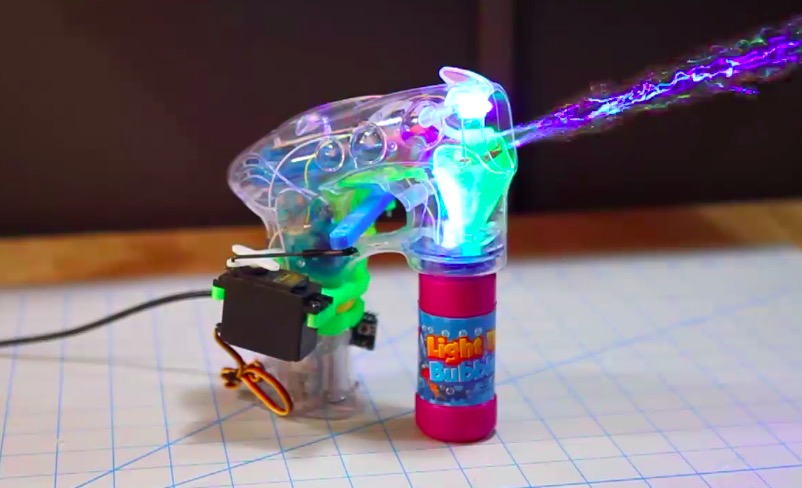
Thomas Renck is a coder and a maker. He went to Disneyland, saw a bunch of little kids having fun with bubble guns and realized that a bubble blaster is a sure way to measurably improve joy and happiness in life.

Back home, it took only two hours to create and add-on to automate the bubble blaster using a 3d printer, Arduino Micro and a servo:

On his blog you can find the tutorial, the sketch and the 3d files to make one yourself and bring more happiness in your life too!

A DIY Jukebox made with Arduino and NFC Shield

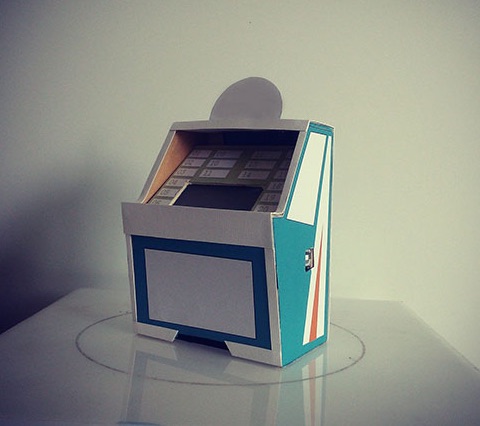
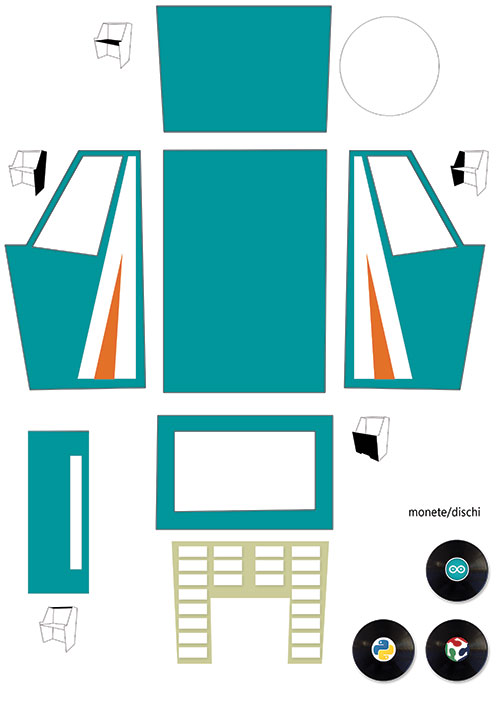
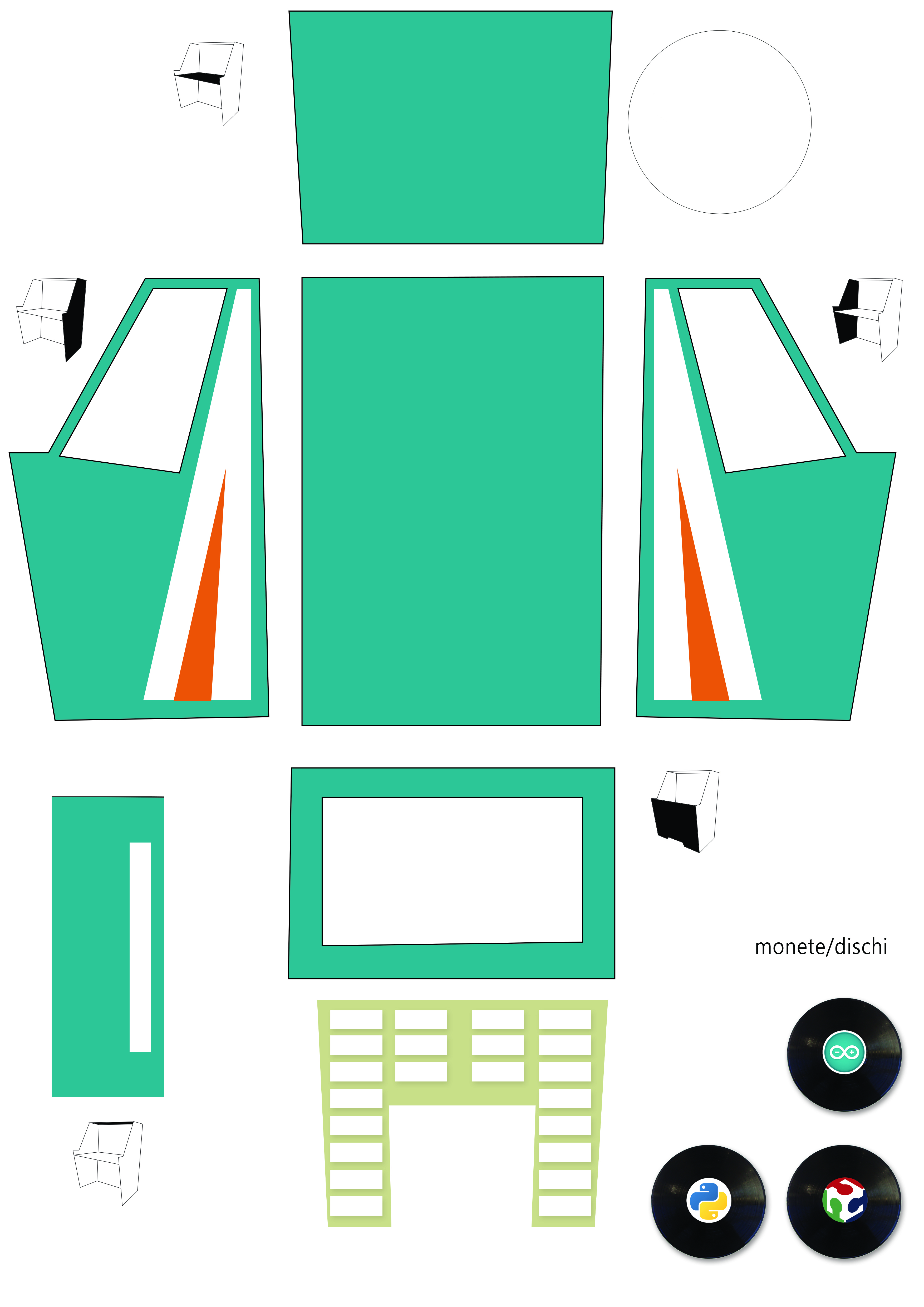
DIY Jukebox is a project made by Mario Pucci to show how Arduino Uno, NFC Shield and Python can be used to build a real jukebox. NFC means Near Field Communication and the NFC shield can perceive objects attached to little chips called NFC tags containing specific messages. In this project, Marco programmed each chip to play a different music genre when the tag is inserted in the cardboard jukebox:

You can download the file of the cardboard Jukebox at this link and the sketches here.

The steps of the tutorial are in italian but you can use google translate if needed! Enjoy the sound of music

Arduino Blog 16 Sep 14:32
arduino  featured  jukebox  music  nfc  shield  tutorial  uno  

Ars Electronica: we’re back with Eslov!

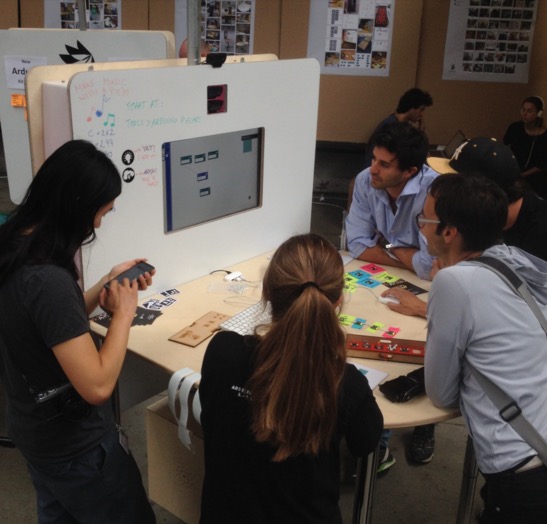
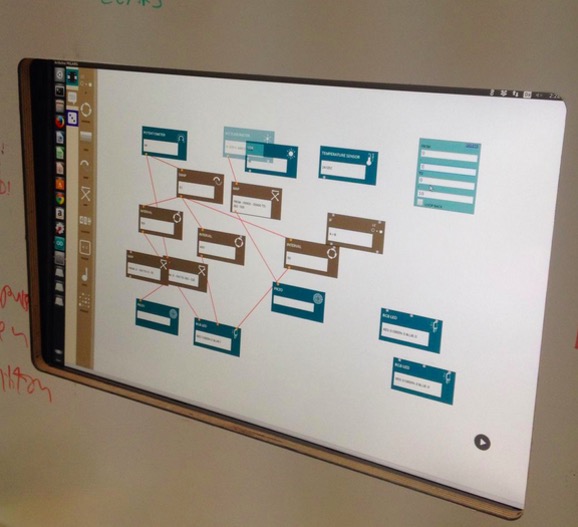
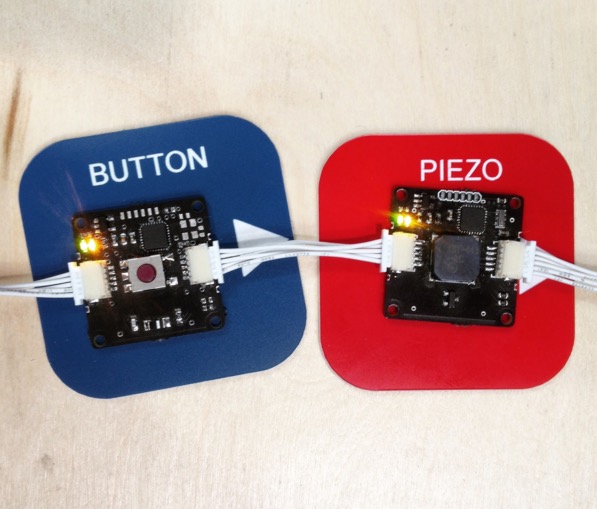
After nine years, Arduino participated to Ars Electronica 2015 to present an intelligent module system developed at the Malmö office: the system is called Eslov and is meant to make creation and coding very easy. This system allows you to explore the concepts of physical computing by plugging modules that can be programmed using a visual interface.

Our partners at the PELARS* project and some of our team members went to Linz to build the PELARS “Learning + Making” Zone for the U19 / Create Your World area, a part of the festival dedicated to teenagers. A pop-up experimental learning environment was built and it aimed to support learners understand what’s going on when they do hands-on science, technology & math in the classroom. Students and visitors tried Eslov and made some game dynamics to experience how the modules work. The feedback from the participants was encouraging with many students staying for a couple of hours and even returning back for multiple sessions.

Eslov will be also presented on our booth at World Maker Faire New York on September 26th to 27th, and Maker Faire Rome on October 16th to 18th.

*Pelars stands for Practice-based Experiential Learning Analytics Research And Support. Pelars is a project meant for improving how teachers, learners and technologies can support one another in hands-on learning of science, technology and math (STEM). Pelars will develop technologies (kits, sensing and electronic systems for classrooms) that will help teachers and learners understand what happens when people do science and math in the classroom.

PELARS project has received funding from the European’s Seventh Framework Programme for research technological development and demonstrations under grant agreement 619738.

If you want to follow up the development of the project in depth, visit the PELARS main page at: http://learningmaking.eu

(The news was originally posted on Arduino Verkstad blog by Laura Balboa)

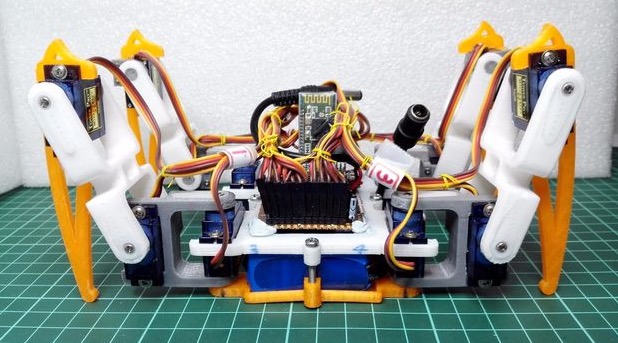
A spider quadrobot built with Prusa and Arduino Pro Mini

It takes 14 steps, a Prusa i3 3D printer and a lot of soldering to build Spider Robot v3.0, a quad robot running on Arduino Pro Mini.  That’s what told us  RegisHsu, a maker who shared his project’s tutorial on Instructables and the 3d printable files on Thingiverse.

It took 12 months of work to build the robot and it reached the fourth generation of  design, that you can explore on his blog  if you are interested in its history:

This is my first project for the 4 legs robot and it took me about 1 year development.
It is a robot that relies on calculations to position servos and pre-programmed sequences of legs. I’m doing this is because of it could be fun and educational for 3D design/printing and robot control.

The robot allows cool customizations like adding IR detection:

Keeping the Arduino website in motion

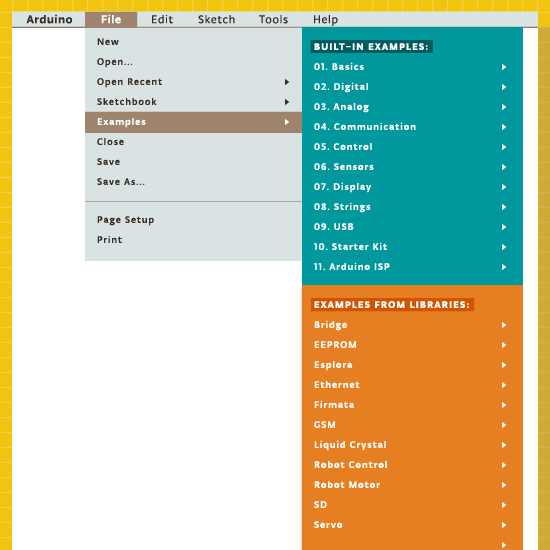
We never rest, even during summer, to serve our community and we announce today that we’ve refreshed over 150 example pages and redesigned the Examples area, offering an updated support to the current Arduino Software (IDE) Built-in and Libraries examples

Our website is a living entity that everyday hosts a huge number of visitors. They are looking for software, information, guidelines, ideas and also the right tutorial to start tinkering with their new board on a specific issue or project.

The Reference is the place where everything is documented and explained, with dry and essential information that is also included locally with every Arduino Software (IDE) installation.

Our software also includes a number of built-in sketches that help our users to quickly understand how the various functions and libraries may be used and applied to specific projects and tasks. We all started with the famous Blink and at the end of this tutorial we all felt the power and the excitement of having tamed our board with the upload of our first sketch. Keeping all these examples in good shape and updated is essential to keep you users safe from troubles or difficulties.

These examples evolve, as the libraries also evolve, therefore the sketches may be updated, amended or added. Each of these examples is commented and has an introductory part that gives a description of the purpose of the sketch and – if necessary – the instructions to put together the circuit. We know that the information provided inside the IDE and the sketches is not enough and therefore we made an area of our website where each sketch is explained and documented.

Year after year, board after board and library after library, many “hands” contributed to this area, filling gaps and amending things to reflect the Arduino Software (IDE) status. It has been an ongoing process that inevitably brought the Tutorials area in a state where many styles and ways of explaining things merged. We have big plans for our www.arduino.cc website and it is important to clean and fix the existing areas before we add new contents. This is why my first task – as editorial manager – has been the refresh and overall alignment of our Examples and Examples from Libraries pages.

We have roughly 150 pages documenting our Examples for the current products and libraries and going through them all wasn’t exactly a piece of cake: many things were checked for each example and sometimes things were outdated or missing. We also have our sister brand Genuino that got its space in all the relevant example pages. Now contents, style, look and feel and links in this area are ready for new and fresh developments.

I would like to end this post adding that this task was also a very good opportunity to refresh my knowledge about the powerful capabilities of Arduino programming language and its libraries. I had a few doubts on how to do a few things in my own sketches and going through all the examples gave me the hints I was missing.

The plain list of examples available in the Arduino Software (IDE) is just made of the sketch names, conversely in our pages you find a brief description of each of them. I suggest that you wander through these descriptions: let them excite your curiosity and inspire you!

Arduino Blog 11 Sep 10:00

Want a low-cost ARM platform? Grab a Prepaid Android Phone!

What would you pay for a 1.2Ghz dual-core ARM computer with 1GB RAM, 4GB onboard flash, 800×600 display, and 5 megapixel camera? Did we mention it also has WiFi, Bluetooth, and is a low power design, including a lithium battery which will run it for hours? Does $15 sound low enough? That’s what you can pay these days for an Android cell phone. The relentless march of economies of scale has finally given us cheap phones with great specs. These are prepaid “burner” phones, sold by carriers as a loss leader. Costs are recouped in the cellular plan, but that only happens if the buyer activates said plan. Unlike regular cell phones, you aren’t bound by a contract to activate the phone. That means you get all those features for $15-$20, depending on where you buy it.

The specs I’m quoting come from the LG Optimus Exceed 2, which is currently available from Amazon in the USA for $20. The same package has been available for as little as $10 from retail stores in recent weeks. The Exceed 2 is just one of several low-cost Android prepaid phones on the market now, and undoubtedly the list will change. How to keep up with the current deals? We found an unlikely place. Perk farmers. Perk is one of those “We pay you to watch advertisements” companies. We’re sure some people actually watch the ads, but most set up “farms” of drone phones which churn through the videos. The drones earn the farmer points which can be converted to cash. How does this all help us? In order to handle streaming video, Perk farmers want the most powerful phones they can get for the lowest investment. Subreddits like /r/perktv have weekly “best deals” posts covering prepaid phones. There are also tutorials on rooting and debloating current popular phones like the Whirl 2 and the Exceed 2.

Once you have your phone, the first order of business is to boot it up. Many prepaid phones try to force the user to go through an activation process. There is always a back door for installers to exit the process though. In the case of the Exceed 2, simply pressing volume up, volume down, back, and home quits out of the activation process.

Got root?

Some applications require root permissions. To achieve this, your best bet is to do a bit of Googling for your particular phone model. The XDA developers forums are a great resource for this. While prepaid phones don’t usually have communities behind them like flagship phones, you can often find at least some information on what it takes to root your particular device. The most well-known “root every device” application to date is towelroot, created by GeoHot. You might remember [George Hotz] aka GeoHot as the first person to jailbreak an iPhone. He also made the news by getting into a bit of hot water with Sony over some PlayStation 3 security holes. Towelroot uses a Linux kernel exploit (futex) to gain root permissions. Released in June of 2014, the futex exploit has been patched on most new phones. However, it hasn’t been patched on phones that receive relatively few updates – like prepaid phones. On the Exceed 2, Towelroot works perfectly, giving the user root without even requiring a reboot. Once the phone is rooted, a root privilege manager like SuperSU is needed to keep track of which applications should have root permissions. Once that is done, anything goes! We’ve found packages like BusyBox to be huge helps – especially when working at the console through Android Debug Bridge (ADB).

What do you want to hack today?

Between these low-cost phones and the used phones every family seems to have floating around now, there are a heck of a lot of devices out there waiting to be used. What can you do with a spare Android phone? Quite a lot. There has never been a better time to learn to code for the Android Platform. Android Studio is the current official development environment. If you know a bit of Java, it’s easy to jump in and start making apps. If you’re not a Java head but want to learn, there are tutorials all over the web to help get into the swing of things.

Not a coder? The swiss army knife of automating android devices has long been Tasker. Tasker allows you to set off simple scripts (called tasks) with triggers which can be anything from plugging in headphones to connecting to a particular WiFi access point, to pressing a button on the screen. Want your smart phone to announce your arrival home with your own theme music? Just set up a Tasker profile to play a song when it connects to your home WiFi router. Tasker supports plenty of actions natively, and can be extended with plugins. Scripting Layer For Android SL4A) even allows it to extended with Python scripts.
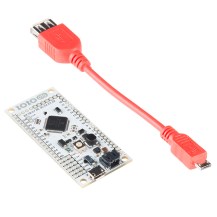
Moving into the hardware world, there are plenty of ways to get GPIOs from an Android phone. The Android Accessory Development Kit (ADK) is getting a bit long in the tooth, but it’s still a great way to interface an Arduino board like the Arduino Mega ADK with your device. Another option for getting into the hardware realm is the IOIO OTG board. As the name implies, this new version of the IOIO board supports the USB OTG standard. This allows it to connect a phone either as a host or as an accessory.  Need a simple wireless terminal for your project? Grab a terminal app and a Serial Port Profile (SPP) compatible Bluetooth module, and Bob’s your uncle. Interested in hacking with the ESP8266? There is an entire page of apps on the Google Play store dedicated to interfacing with everyone’s favorite low-cost WiFi module.

We’ve just covered the tip of the iceberg here. What kind of hacking would you do with a spare Android phone, or one of these low-cost prepaid devices. Let us know in the comments!


Filed under: Android Hacks, Featured
Hack a Day 10 Sep 18:01