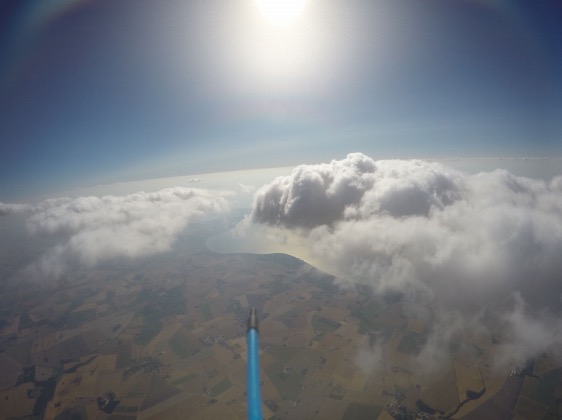
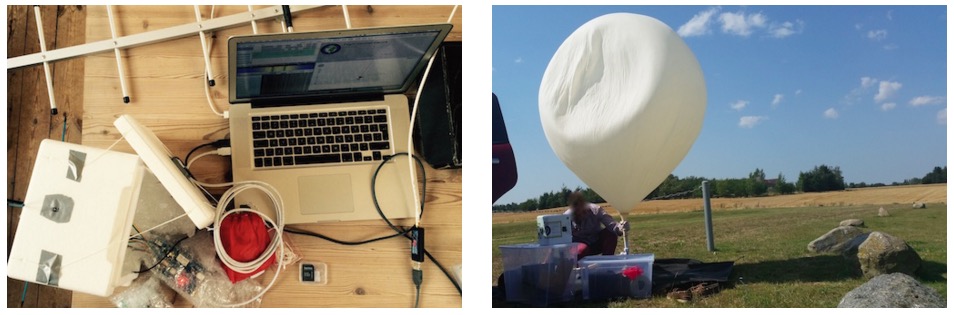
The project Emanuel Bombasaro submitted to the Arduino blog is about a high altitude balloon he launched on August 21st over Denmark. The balloon, called Titan 1, is made of a helium-filled latex balloon, a payload box holding the flight computer, sensors and a parachute (36” diameter). A GoPRO camcorder mounted inside the payload box and capturing an image every second.
The flight computer is an Arduino Mega which logs position (GPS), pressure, temperature, humidity, luminosity, earth magnetic field, acceleration and spin, measured by a variety of sensors:
At 1:10 we jump from cloud level (~3200m) towards reaching the peak altitude of 35393m. Immediately the moon appears on the right and is visibile again and again. 2:05 the fragments of the bursted balloon can be seen and up it goes back to earth. 3:00 we drop down to cloud level (~3200m) and soon after hit the ground.
This is the list of modules and sensors connected to the Arduino Mega:
MTX2 Radiometrix
MTX2 434 MHz Radio Module.
HX1 VHF Narrow Band FM 300 mW Transmitter, 144.800 MHz, used for APRS.
MAX-M8 GPS module used for position (longitude, latitude and altitude) and time acquisition.
DS18B20 Temperature sensor on HABuino showing the temperature of the flight computer compartment. This temperature should remain most near to 20 ” C. Any temperature variation will e?ect the transmission frequency of the radio module.
MCP9808 Maximum accuracy digital temperature sensor measuring air temperature.
HTU21DF Temperature and humidity sensor measuring air temperature and relative humidity of the air.
MPL3115A2 Precision altimeter mainly used for measuring atmospheric pressure, but also temperature and altitude is detected.
TSL2561 Light to digital converter BST-BMP180 Pressure sensor mainly used for measuring atmospheric pressure, but also temperature and altitude is detected.
L3GD20 3D gyroscope
LSM303DLHC 3D accelerometer and 3D magnetometer module
LSH20 Saft LSH 20 battery used as power supply with 3.6 V and 13.0 A h. The power feeds into the low input voltage synchronous boost converter TPS61201 on the HABuino shield.
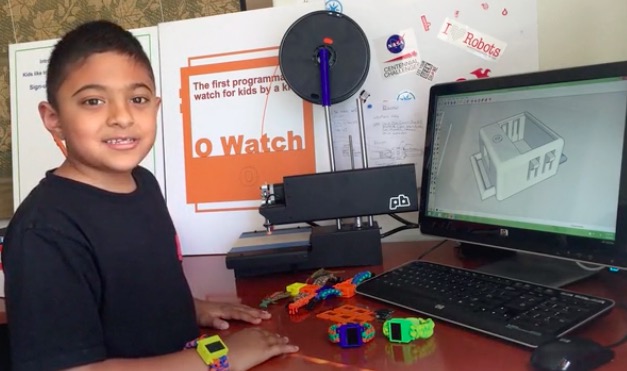
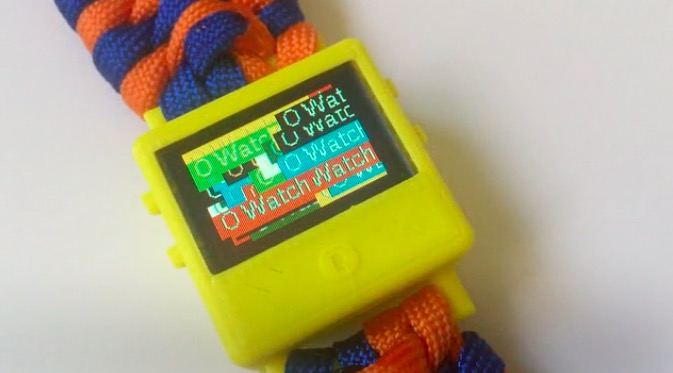
Omkar is a special 8 years old who created a wearable device called O Watch: an Arduino Zero-based smartwatch kit for kids. The project, recently kickstarted, allows young people to learn programming, 3D printing and a bit of craft while making their own smartwatch and customizing it. The kit will be released with a series learning tools including a kid-friendly website with easy tutorials, examples and a community to share creations.
He’s not new to DIY tech and learning as he’s been doing a few workshops to teach Arduino to other kids and likes it when they get excited about making Arduino projects. Omkar told us:
I was first interested in robots. But my dad got me started with projects that light up LEDs that were easier to learn and code myself. (ps: my dad did not let me get a robot kit at first :).
I decided to do a wearable project because there were many of them I saw in the news and I thought they were cool. I wanted to make a smartwatch so that I could wear it myself and share my project with my friends in school.
If you are a kid and are new to making, O Watch could be a great starting point as you’ll learn about coding, 3d printing, craft and also sharing. The Arduino IDE will be your primary programming tool for the watch, the case can be 3D printed in a color of your choice and you’ll experiment on how to knot yourself a cool band to wear it.
What are you waiting for? You have just a few days to back the project on Kickstarter and have an O Watch delivered to your home!
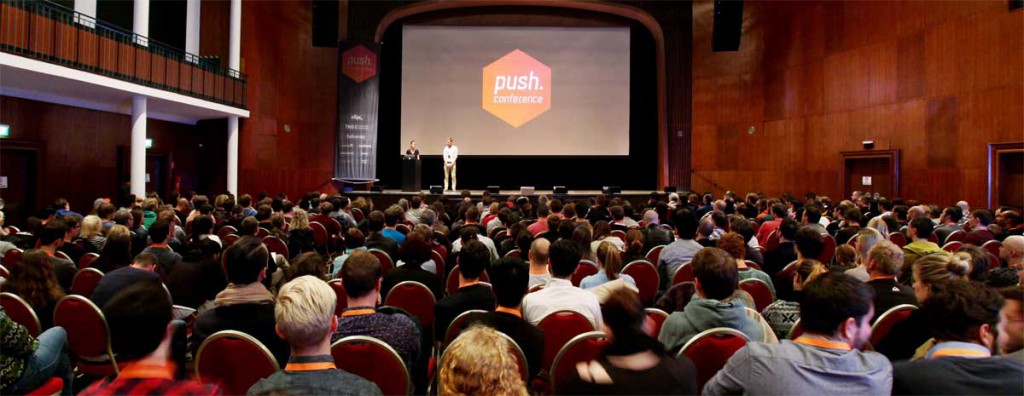
Next October 23rd and 24th in Munich (Germany) push.conference will bring together digital professionals merging the established UX/ UI scene with the potential and skill-set of a new generation of creative coders and technologists.
Organised by a group of designers, the conference is run driven by a passion for having an active role in the creative community. Since four years they’ve been carefully curating the most relevant topics and speakers to share practical experiences and inspire with visions and examples of what’s next in the interactive field.
The conference is limited to 450 guests, and tickets sell fast. Our readers can have a 15% discount on the regular ticket using the following code: PushArduino15 (it lasts till 21st of September).
Confirmed Speakers for 2015 are:
Josh Clark / UX Strategy Designer and author @ Big Medium
Simone Rebaudengo / Speculative Interaction Designer @ Frog
Dustin Senos / former Head of Design @ Medium
Pamela Pavliscak / UX Researcher @ Change Sciences
Anders Toxboe / Founder @ UI-Patterns.com
Benjamin Wiederkehr / Director @ Interactive Things
Heather Daggett / Senior Experience Design Prototyper @ Intuit
Pasquale d’Silva / Founder, Creative Director @ Keezy
Paul Skinner / Creative Director @ Tellart
Audree Lapierre / Information Visualisation Expert @ FFunction
Felix van de Sand / Director Design Strategy @ COBE
Sandra Heinzen / Art Director Online @ Plan.net
Nicole Weber / UX-Designer @ Ableton
Caroline Goulard / Generative Designer @ Dataveyes
Get inspired by a sneak peek of the topics:
Truly multi-platform
Great user experiences don’t only happen on the web or in apps. Users live in a world that gets richer day by day where they face different devices, operating systems, wearables, online services, interactive terminals and media installations. They don’t look at your product in an isolated way—and you shouldn’t either when designing it. At push.conference you will meet designers and developers of outstanding digital products on all platforms.
The Internet of Things is finally happening
While we amuse ourselves laughing about the connected fridge, IoT has arrived everywhere around us. The idea of omnipresent connected devices is stronger than ever before and hitting the product lines of startups like Nest as well as those of established players like Apple, Bosch and Siemens. Simone Rebaudengo, speculative interaction designer at frog, and mobile platform expert and author Josh Clark, share with you where this is heading and how we must prepare our products to be ready to succeed in the global networked ecosystem of tomorrow.
Psychology enables even more personal interactions
User research is a great basis to define requirements and directions for services and interfaces. Turning insights into the actual features in an interface is however not always so simple. That’s when understanding how emotions and psychology influence our users comes into play. Experience researcher Pamela Pavliscak and founder of UI-patterns.com Anders Toxboe will share their strategies when it comes to harnessing the power of happiness and persuasive UI patterns to create emotional reponses, help make decisions and guide our users.
Process shapes product
With iterative design and lean mindsets, prototyping has become an essential skill in our design process. Heather Daggett, Sr. experience design prototyper at Intuit, will cover when and with which fidelity prototypes inspire or help make decisions, and give advice to designers that face the decision how much of their energy to invest into technology skills.
Rich experiences
As important as a good concept is, it is the actual pixels on a screen that users will see and interact with. Making complex information accessible with interactive visualisations is the expertise of Audrée Lapierre of Montreal based studio FFunction. Dustin Senos, former Head of Design at Medium.com will explain how delightful details and a contextual interface make for a great experience beyond reading content on the web. Finally, we live and design in an age where dynamic use of space inspires interaction design from Google’s Material Design to the first ripples of virtual reality. Preparing for this, motion designer Pasquale d’Silva will propose to us a new approach for structuring multidimensional interfaces.
We discovered that Between IoT developers there is a big chunk of open source enthusiast. 1/5 value the importance of using open source tools and platforms.
Developer that define themselves explorers cover a crucial role in the field. It is from them that all the truly new, out-of-the-box ideas come from.
Only by exploring seemingly crazy ideas can the Internet of Things reach its full potential. The open source ecosystem is often the area where these ideas bloom.
While open source is so valued between developers, there is still a lot of work to be done. 60% of the opensource enthusiast in fact, think that open standards are missing in IoT.
We are really happy that the connected Home is the most interesting vertical market for developers, and we can’t wait to see what this big group of explorers will develop in the next future. Hopefully the next big invention will be open source.
The most important role of Internet of Things developers is to explore new possibilities. The technology is widely available; in no small part because of open source software and hardware projects. Now we need to learn where we can take it. We can build it, but should we?
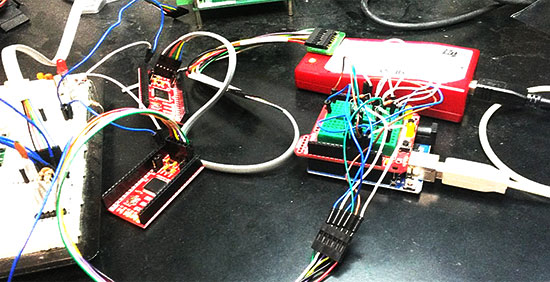
Marcelo Jimenez developed a library to use an Arduino as a JTAG programmer. Basically a Python script uploads a XSVF file to an Arduino which interprets it and performs the necessary JTAG manipulation in order to do the programming.
The project is pretty simple because it just uses a few resistors and some wires and the library is included in the Arduino library manager or you can check it on Github.
He also wrote an article to explain some JTAG, SVF and XSVF basics:
I have recently felt the need to incorporate a JTAG port in a project to program a hardware that contained a CPLD. The idea was to both program it and perform some integrity tests on the board. I imagined something using pogo pins, to make it easier and quicker to test everything. I would also write the necessary test routines and generate some kind of report.
With this objective in mind, I have decided to design an Arduino shield to do the job. The testing routines were not really a big deal. And I was sure I would find some JTAG library for Arduino ready to be used. That was not the case.
There were some projects using Arduino to control a JTAG TAP (Test Access Port), but they were all incomplete. And I had no idea what was really JTAG. So I had to study a little bit to make things work for me.
In the end, the challenge proved enlightening. There were some caveats, both from hardware and from software. I’ll try to address them in this article.
Microcontrollers existed before the Arduino, and a device that anyone could program and blink an LED existed before the first Maker Faire. This might come as a surprise to some, but for others PICs and 68HC11s will remain as the first popular microcontrollers, found in everything from toys to microwave ovens.
Arduino can’t even claim its prominence as the first user-friendly microcontroller development board. This title goes to the humble Basic Stamp, a four-component board that was introduced in the early 1990s. I recently managed to get my hands on an original Basic Stamp kit. This is the teardown and introduction to the first user friendly microcontroller development boards. Consider it a walk down memory lane, showing us how far the hobbyist electronics market has come in the past twenty year, and also an insight in how far we have left to go.
The Basic Stamp 1. A Simple circuit with just a microcontroller, an EEPROM, crystal, and brownout circuit.
Teardown
The Basic Stamp kit on my workbench was made in 1993, and sold for a suggested retail price of $139 USD. Adjusted for inflation, this is nearly $230 in 2015 dollars. What do you get in the Basic Stamp starter kit? A single stamp, a programmer cable, and a surprising amount of documentation.
The Basic Stamp is an extremely minimalist board that does just enough to blink an LED, read a button, or drive an LCD. In the official documentation, there are only a handful of parts: a microcontroller, an EEPROM with a few bytes of memory, a crystal, and a voltage regulator.
The PIC16C56XL is the brains of the outfit, featuring 1.5kilobits of Flash memory and 25 bytes of RAM. By modern standards, it’s tiny; the closest modern analog would be the ATtiny10, itself not a very recent chip. Microchip’s smallest and newest chip is the PIC12LF1522, featuring twice as much Flash and ten times the amount of RAM. We’re dealing with an old microcontroller when using the Basic Stamp
Like the Arduino, it was encouraged to use the Basic Stamp in product design.
Other components include a 93LC56 serial EEPROM. beside that is a 4MHz regulator, a 5V linear regulator, and a transistor and a few resistors for the ‘brown out’ circuit. Power is provided by a 9V battery connector soldered onto the board.
The electronic design of the Basic Stamp is simple, yes, but there’s a method to the madness. The code you write for the Basic Stamp is stored in 256 bytes of the EEPROM. This code is read by a PBASIC interpreter on the PIC, dutifully following commands to blink a LED or display a character on an LCD. No user code is actually stored on the microcontroller.
Programming
How about the programming environment? That’s a single executable running in a DOS shell. The system requirements are only, an IBM PC or compatible, DOS 2.0+, 128k of RAM, and a disk drive. Meager requirements, but this is not something that will run on your modern Windows workstation; it requires a proper parallel port.
For an IDE, the Basic Stamp editor is comparable to earlier Arduino IDEs; Alt+R runs the program on the Stamp connected to the computer, Alt+L loads a program, Alt+S saves a program, and Alt+Q quits the editor.
The BASIC language implemented on the PIC is minimal, but it does everything you would expect; individual pins can be set as input and output, buttons are debounced, and PWM functions are baked into the language.
An ad for the Basic Stamp. From High Tech Entrepreneur, October/November 1993. Ads had text in the past.
Context
The Basic Stamp is now regarded as a slow, inconvenient artifact from the past. No one uses it, and the only place you’ll find one is in the back cabinet in a physics or EE classroom. This is an incredible disservice to a still-impressive piece of technology, and looking back at the Basic Stamp with our modern expectations is an incredible bias.
There were microcontroller development platforms before the Basic Stamp, but these were engineering tools, and expensive compared to the Stamp. Development platforms for the electrical hobbyist were around after the stamp, too: the Micromint Domino packed an entire development platform into a rectangular brick of plastic. None of these designs could match the popularity of the Basic Stamp despite the platform’s shortcomings.
The Arduino receives a lot of hate. Detractors say it’s too high-level for proper embedded programming, not high-level enough for a modern workflow, is based on old, obsolete chips, doesn’t have the features of modern ARM microcontrollers, and the IDE is a mess. Despite an even less capable IDE, meager memory, and a slow processor, the Basic Stamp proved incredibly popular. The fact that you could pick up a Basic Stamp development kit at any Radio Shack probably didn’t hurt it’s popularity, either.
Now, with our fancy IDEs, mbed microcontrollers, powerful ARMs, and huge libraries, the ease of use of the Basic Stamp has still not been equaled. It may be slow, outdated, but all of us owe a great debt to the Basic Stamp for introducing an entire generation to the world of embedded programming, microcontrollers, and electronics tinkering.
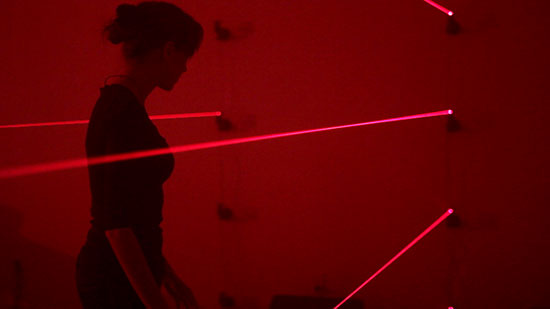
Toronto-based collaborative duo Hopkins Duffield created a gaming environment running on Arduino Mega in which the player battles a laser wielding A.I. security system gone awry. It’s like being in an action movie, walking in a pitch black room filled with the hollow sound of a machine breathing and a series of red laser fences slicing through the fog-filled air!
explores the personality of a snarky and mysterious game sentience who has infected a room with technological systems that challenge players and collect data. With a limited amount of time, the player must pass through a complicated series of changing and alternating laser patterns without tripping any of the lasers in order to deactivate the system and win the game. If the player trips a laser or if the timer runs out, it’s game over.
The gaming installation uses Max 6, Max For Live, an Arduino Mega 2560 R3 and custom electronic circuits. They also used a special modification of Lasse Vestergaard’s and Rasmus Lunding’s ArduinoInOutForDummies designed to allow communication between Arduino 2560 and Max 7. In Max, laser patterns are written using MIDI.
Take a look at the video to discover how they made it:
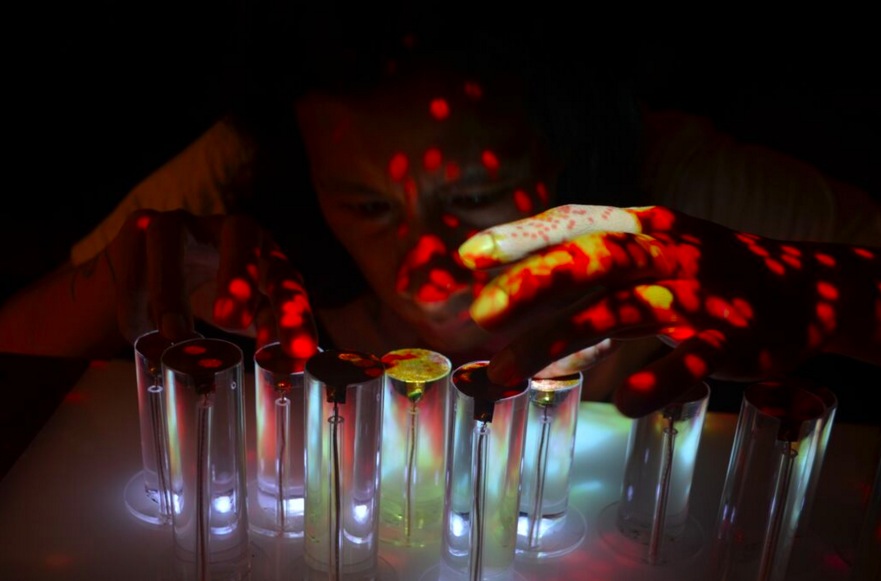
Originally from Guatemala, Balam Soto is an artist and maker of software and hardware creating interactive art installations and public artworks that fuse low tech with high tech. He recently shared with us a project called Exp.Inst.Rain and running on Arduino Uno:
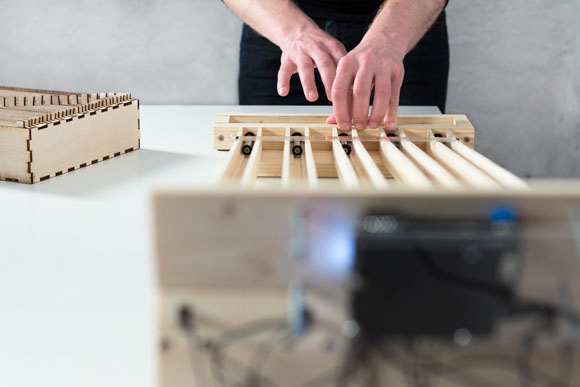
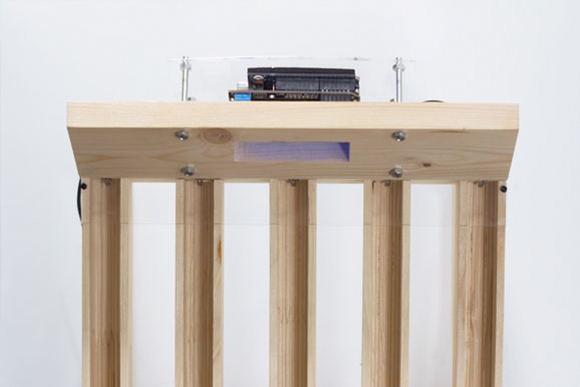
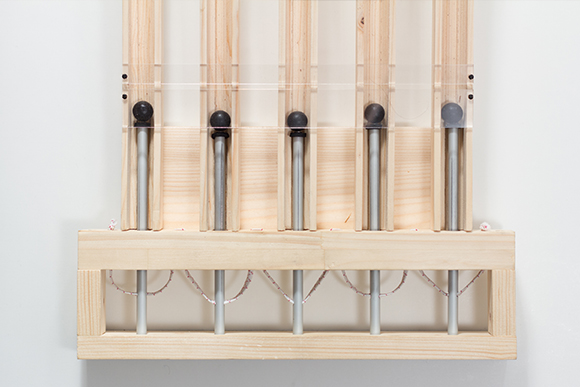
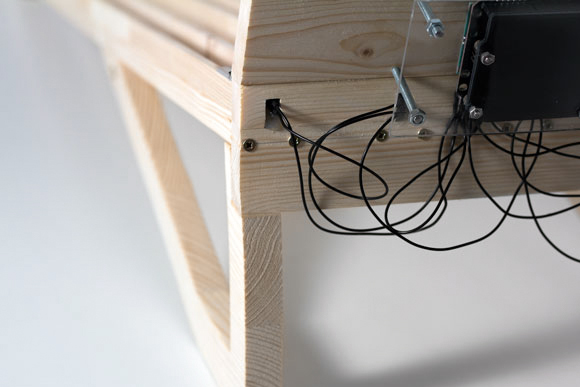
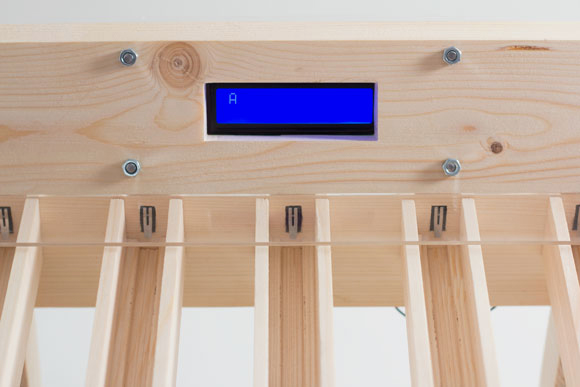
” Exp.Inst.Rain” is an interactive installation and experimental instrument that incorporates projection and sound generated by a wireless box made of wood, plexiglas, Arduino, electronic components and custom touch sensors. By touching the box at various points, participants create different sounds; these sounds then generate changes in the projection.
It is an analysis of the social and cultural adoption of tangible user interface. Globally, touch devices are increasingly common; people understand how to use them. “Exp.Inst.Rain” analyses this new technology and makes use of this new common understanding to fuse sound and visuals into realtime interactivity.
This artworks it’s power by Arduino and wireless vibes , using Capacitive Touch Sensor and home made aluminum electrode to pick up touch. Custom software acts as a Bridge between the Exp.inst.X and Midi software.
Julian Hespenheide is an interaction designer based in Germany who submitted to Arduino blogpost a writing machine called émile. It’s an interactive installation created in collaboration with Irena Kukric, David Beermann, Jasna Dimitrovskais and using Baudot code - a binary 5-bit code, predecessor of ASCII and EBCDID – intended for telecommunication and electronic devices, representing the entire alphabet.
It runs on Arduino Uno and translates the bauds (/?b??d/, unit symbol Bd) into moving objects that are being sent over physical tracks in order to illustrate a simple computational process of 5-bit binary information transmission:
The machine was built in six days with four people. In our group we came to the conclusion, that not every process in a computer is really transparent and it already starts when you type a simple letter on a keyboard. To unwrap this “black box” of data transmission, we set our goal to build a small writing machine where you can literally see bits rolling around. After some research we got back to the beginnings of Telefax machines and data transmission using Baudot-code. We then quickly designed punchcards and mapped them to a slightly altered baudot code table and cut them with a laser cutter from 5mm plywood.
Whenever a marble hits a switch, a short timer goes off and waits for input on the other switches. If no other marbles are hitting those switches, we finally translate the switches that have been hit into the corresponding letter.
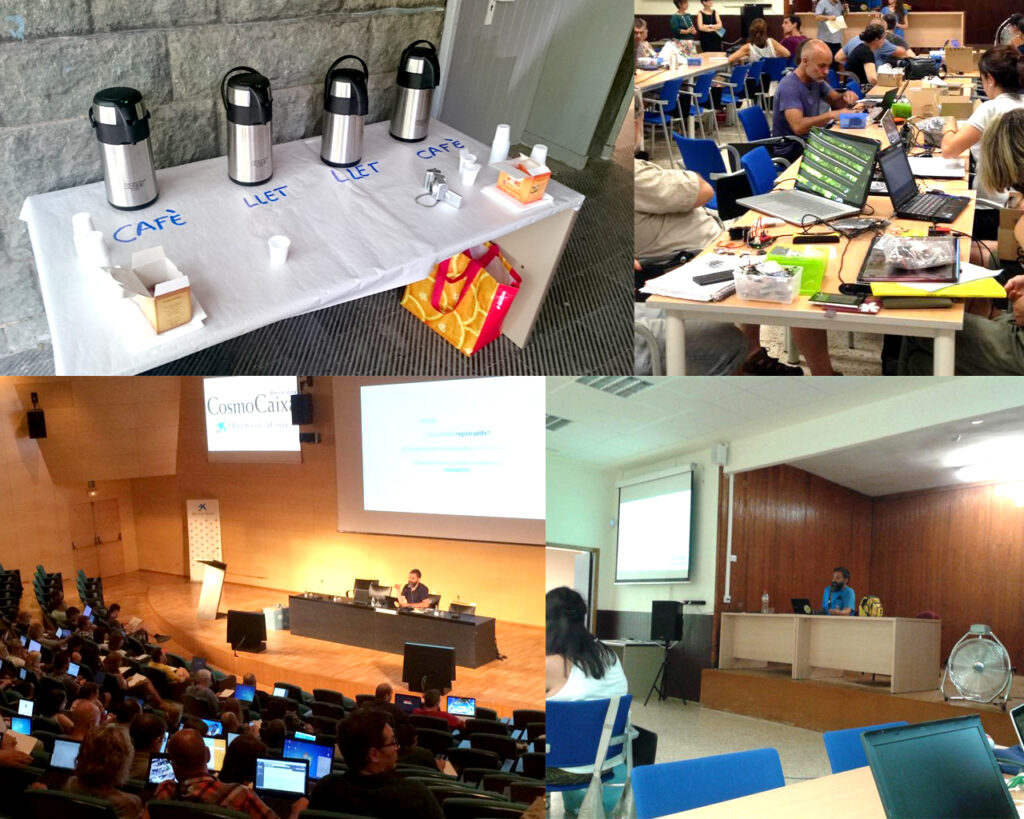
Arduino Verkstad has just started CTC* Catalunya 2015 in Barcelona with David Cuartielles preparing a group of 200 teachers that will be teaching CTC to students in Cataluña next September. A technology fair will be hosted at the end of the program and we are expecting more than 2500 people to attend.
Creative Technologies in the Classroom (CTC) is a collaborative learning curriculum designed for schools that wish to incorporate emerging technologies into their existing technology classes. It’s also a collection of experiments aimed at transforming the way technology is taught in schools around the world. These experiments introduce basic concepts in programming, electronics, and mechanics.These experiments introduce basic concepts in programming, electronics, and mechanics.
Last year’s show included over 240 projects, which means we’ll probably have twice as many for this year’s show. This is the second edition of the program and it will reach 103 schools; we expect about 2.500 students to be involved in the project and the final fair will be at CosmoCaixa Museum in Barcelona on February 6th, 2016. Since the numbers promise a lot and the amount of people participating might be big, we will need the whole temporary exhibition space at the museum to be booked for the fair!