Posts with «featured» label

Arduino IDE 1.6.6 released and available for download
Today we are very proud to release Arduino IDE 1.6.6 and updated cores for all supported platforms (AVR 1.6.9, SAM 1.6.5, SAMD 1.6.2)

This update brings an impressive 723 closed issues and 147 pull requests merged.

Most intriguing features are:

  • Long-awaited new arduino-builder: this is a pure command-line tool which takes care of mangling the code, resolving library dependencies and setting up the compilation units. It can also be used as a standalone program in a continuous-integration environment
  • Pluggable USB core: your Arduino can finally act as a lot of different USB devices without any need to change the core, thanks to the new modular architecture. Libraries based on the new subsystem are already being developed!
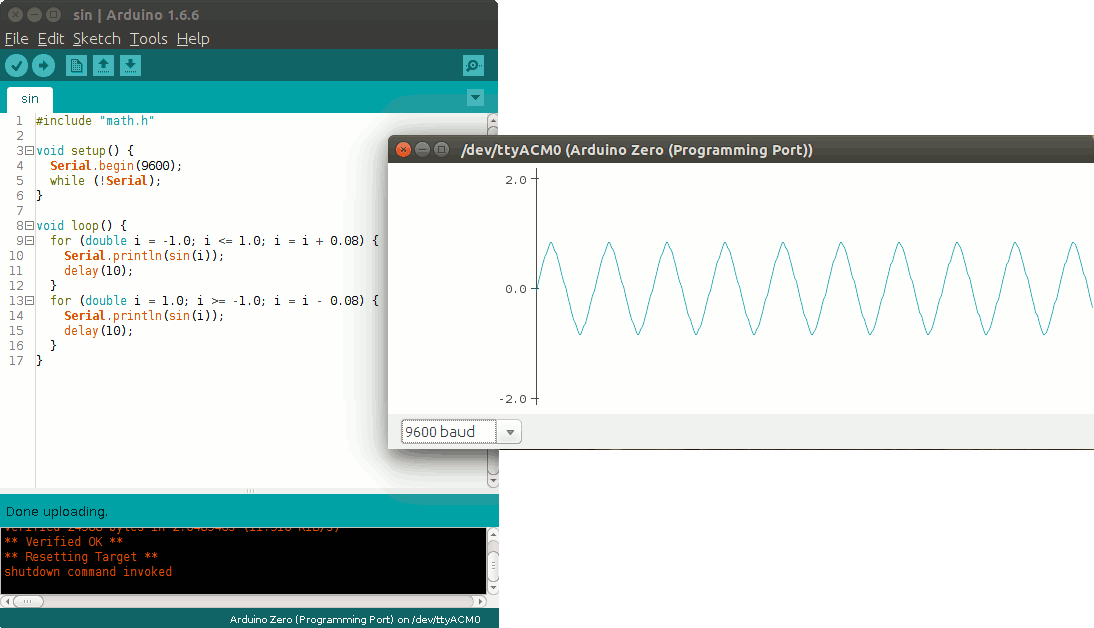
  • Serial plotter: you can now plot your data in realtime, as easy as writing Serial.println(analogRead(A0)) inside your loop
 

  • New goodies for library developers, like unlocked examples while developing and optional linkage into an archive
  • ArduinoISP example has been improved a lot and now you can flash your AVR chip using ANY other board (including third-party ones )
  • Both Libraries and Boards managers notify if a library/core can be updated with a simple popup – no more outdated code floating around!
  • A LOT of bug fixes, adjustments, documentation refinement thanks to our tireless users and contributors. The complete list of fixes and credits is available here.

Don’t forget to report any issue you find, either on Github or on the Arduino forum: your help is very much appreciated. It doesn’t matter if you are not a tech specialist: every feedback adds value.

Happy coding!

 

Better you team up if you want to win the game!

Team Game is an interactive installation to reflect about video games and controllers made by Caroline Buttet. It runs on an Arduino Uno or Genuino Uno controlling a flex sensor, a custom made potentiometer, and a light sensor with the help of Unity software and Uniduino plugin:

It’s a simple game in which you need to roll a ball from one side to another of the screen. The trick is, you need some custom controllers to play. And you also need 2 partners that will play with you so that you can progress through the 3 levels. Rather than playing against the others, you will have to team up in order to win!

See the game in action described by Caroline:

Learn more about Uniduino plugin and how to use it with Arduino:

Now it’s time for Genuino Zero and Micro, get them now!

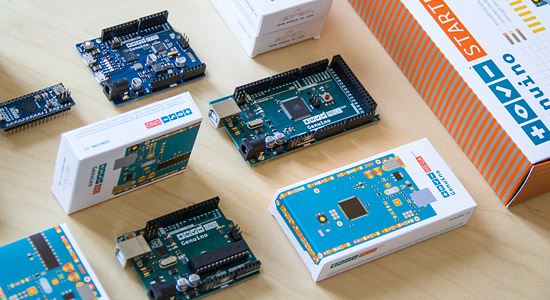
As we promised last week, you can find on the Arduino Store a variety of Genuino products available for purchase. After Genuino Uno, Genuino Starter Kit (in Italian and English) and Genuino Mega, today we have 2 new entries: Genuino Micro (18.00€ + tax) and Genuino Zero (42.90€ + tax).

Genuino is Arduino.cc’s sister-brand created by Arduino co-founders Massimo Banzi, David Cuartielles, Tom Igoe, and David Mellis, the Arduino.cc team and community. While Arduino branded product are sold in the US only for now, Genuino brand is used for boards and products sold everywhere else in the world. Genuino and Arduino boards share the same components, characteristics and quality of manufacturing. They are actually the same boards under a different name, and you can purchase them depending on the area of the world where you live in.

Arduino ZERO (USA only) & Genuino ZERO (outside USA) are a simple and powerful 32-bit extension of the platform established by the UNO. They provide a platform for innovative projects in smart IoT devices, wearable technology, high-tech automation, crazy robotics, and much more.

Arduino Micro (coming next in the USA) & Genuino Micro (already available outside USA) are the smallest of the family, easy to integrate in everyday objects to make them interactive. The Micro is based on the ATmega32U4 microcontroller featuring a built-in USB which makes the Micro recognisable as a mouse or keyboard. Looking for ideas on your next project with the Micro? Get inspired looking at these projects on the blog.

Play with sensors on your Windows 10 devices from an Arduino

At build 2015 Microsoft announced an important collaboration with Arduino. Windows became the first Arduino certified OS and introduced Windows Virtual Shields for Arduino and Windows Remote Arduino able to bridge technologies designed to connect the physical world of Arduino with the Windows ecosystem and computing power. Today on the Windows blog, an update on the topic:

Now you can get the Windows Insider Preview of Windows 10 IoT Core with the next four technology investment.

1)Windows 10 IoT Core Universal Windows Platform (UWP) support for Arduino Wiring

2)>Windows 10 IoT Core Universal Windows Platform support for direct memory mapped UWP Providers

3)Windows Store availability of the Windows Virtual Shields Application

4)Windows Store availability of the Windows Remote Arduino Experience Application

Arduino Wiring
We want to make it easy for you to use existing Arduino Wiring Sketches, libraries, and hardware with Windows 10 IoT Core Universal Windows Apps (UWA) on a Raspberry Pi 2 or other supported board. By creating a new Visual Studio template, supporting NuGet Packages, and platform improvements we’re making it easier than ever to build on Windows 10 IoT Core.Simply drag-and-drop (or cut-and-paste) your favorite and readily-available Arduino Wiring INO and library files into Visual Studio, connect your hardware over GPIO, SPI, I2C, ADC or PWM to your Raspberry Pi 2 or other supported Windows 10 IoT Core device, and run your code. Visual Studio and Windows will do all the heavy lifting to create a UWA and deploy it on your behalf, and you can also leverage the power of Visual Studio with Windows to debug your Arduino Wiring code.
With Arduino Wiring being supported as an extension to the Universal Windows Platform, you can even create a UWA that combines Arduino Wiring, C# and XAML. This enables you to build great projects with mixed mode programming like the plotter near the end of this video. Try out Arduino Wiring here.

Windows Virtual Shields for Arduino Application
This technology lets you leverage sensors and actuators on your Windows 10 device from an Arduino over USB, WiFi, and Bluetooth. For example, you can access your Windows 10 Phone accelerometer or your Windows 10 Desktop Screen from an Arduino over WiFi.
The Windows Virtual Shields for Arduino application is now in the Windows Store, and has improved the workflow to get started. The app is all you need on the Windows 10 device. Try it out here.

Windows Remote Arduino Experience
This technology lets you develop on your Windows 10 device and access the physical world via an Arduino over USB, WiFi, and Bluetooth. For example, you can program in C# on your Windows 10 Phone and drive a servo connected on your Arduino over Bluetooth.
We also created a Windows app that enables you to explore GPIO, ADC, and PWM functionality without writing any code on your Windows 10 device. The Windows Remote Arduino Experience app is now available in the Windows Store. Give it a try!

Keep reading on their blog.

Ready to go Mega? Arduino and Genuino Mega are in the store!

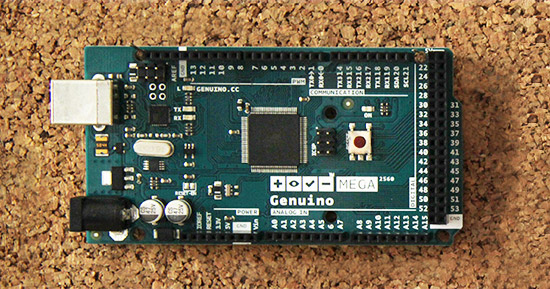
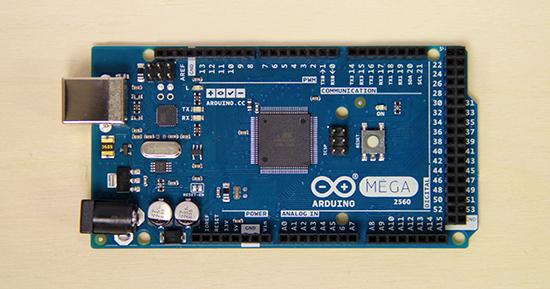
Starting today you can purchase Genuino Mega on the Arduino Store (35€ + tax) anywhere outside the USA,  and also Arduino Mega on the US Store (45.95$ + tax) USA only.


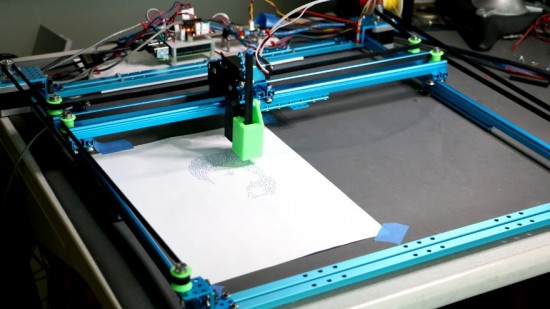
The Genuino MEGA 2560, like Arduino Mega 2560, is designed for more complex projects as it provides 54 digital I/O pins, 16 analog inputs and a larger space for your sketch. It’s the recommended board for 3D printers and robotics projects because it gives you plenty of room and opportunities and it’s compatible with most shields designed for the Uno and the older Diecimila or Duemilanove Arduino boards.

Genuino Mega and Arduino Mega share the same components, characteristics and quality of manufacturing. They are actually the same board under a different brand. Depending on the area of the world where you live you’ll be able to purchase an Arduino Mega or a Genuino Mega.

Explore inspiring projects made with the Mega.

Arduino Blog 27 Oct 17:25

Installing Libraries and how to write a Library for Arduino

Libraries are files written in C or C++ which provide sketches with extra functionality, for example the ability to control an LED matrix, read an encoder, connect to a sensor, display, or module, etc. They are very useful to lower the barriers for creating amazing interactive projects and use a wide range of components.  Libraries can be created by everyone and shared with the open source community!

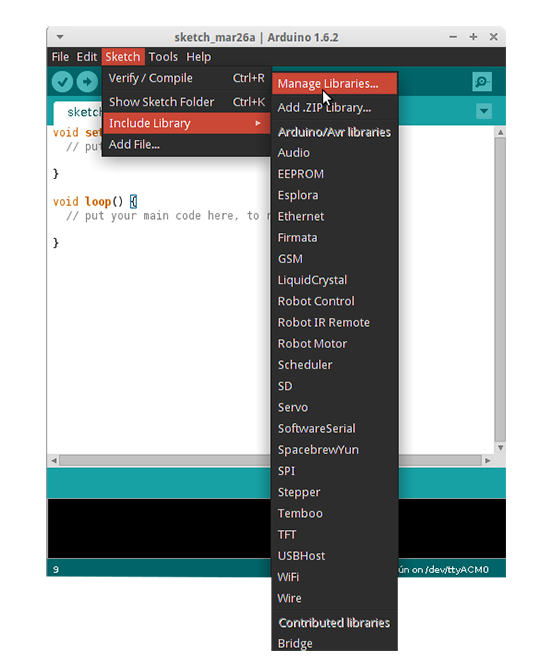
To use an existing library in a sketch you can use the Library Manager (available from IDE version 1.6.2), open the IDE and click to the “Sketch” menu and then Include Library > Manage Libraries and follow the Guide on this page.


If you want contribute with a new library for an Arduino or a Genuino board, you are welcome to do so. The best way to start is to learn how to turn a sketch into a library and when you are good at it, learn how to code with basic Arduino principles in mind in order to allow beginners to get started with Arduino easily. Follow the Guidelines at this page, here’s a preview of what you’ve find:

Be kind to the end user. Assume you are writing an API for an intelligent person who has not programmed before. Come up with a clear mental model of the concept you’re working with, and the terms and functions you will use.

Use full, everyday words. Don’t be terse with your function names or variables. Use everyday terms instead of technical ones. Pick terms that correspond to popular perception of the concept at hand. Don’t assume specialized knowledge. For example, this is why we used analogWrite() rather than pwm(). Abbreviations are acceptable, though, if they’re in common use or are the primary name for something.For example, “HTML” is relatively common and “SPI” is effectively the name of that protocol (“serial-peripheral interface” is probably too long). (“Wire” was probably a mistake, as the protocol it uses is typically called “TWI” or “I2C”.)

Avoid words that have different meanings to the general public. For example, to programmers, an error is a notification that something happened. To the general public, errors are bad things.

When you are ready, you can share your new library and documentation on this dedicated area of the Forum.

Arduino Blog 26 Oct 20:29
arduino  featured  forum  genuino  ide  libraries  

Genuino Uno now available for online purchase!

We are happy to announce that Genuino Uno is now available for purchase on the Arduino Store (20 euro + tax).

In the last months we’ve been re-organizing manufacturing and starting today we are ready to provide the community with a series of Genuino boards.

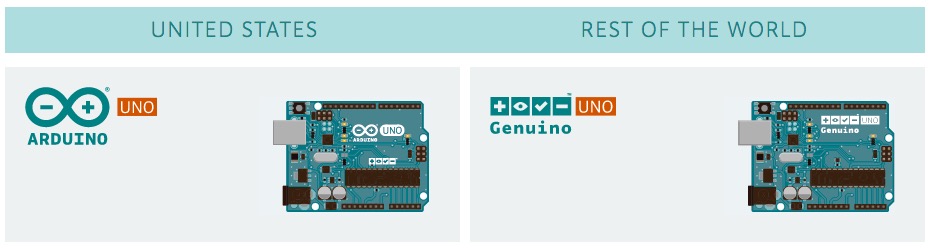
Genuino and Arduino boards share the same components, characteristics and quality of manufacturing. They are actually the same boards under a different brand:

Thanks for your patience and stay tuned because in the next days we are going to release more Genuino boards!

Arduino Blog 22 Oct 17:15

Thanks to all 100k participants: Maker Faire Rome 2015 was great

Last weekend we were in Rome to take part to the third edition of Maker Faire Rome. With more than 100.000 participants, the event confirmed itself as the biggest Maker Faire outside of US. We thank you all for visiting our booth and express your support to Arduino.cc community.

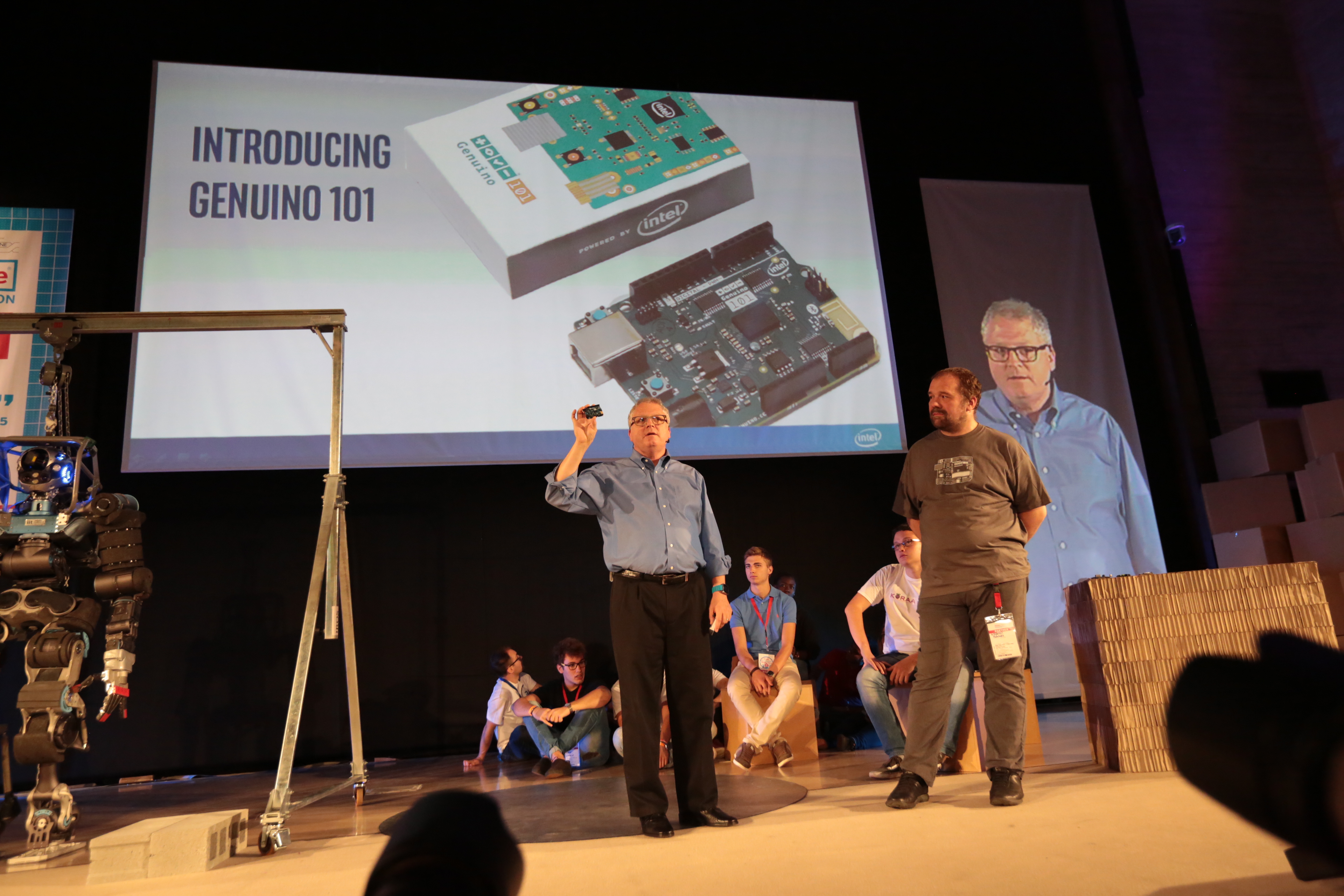
On Saturday we had a special announcement to make, Intel and Massimo Banzi were on the main stage presenting the collaboration on the Arduino 101 and Genuino 101:

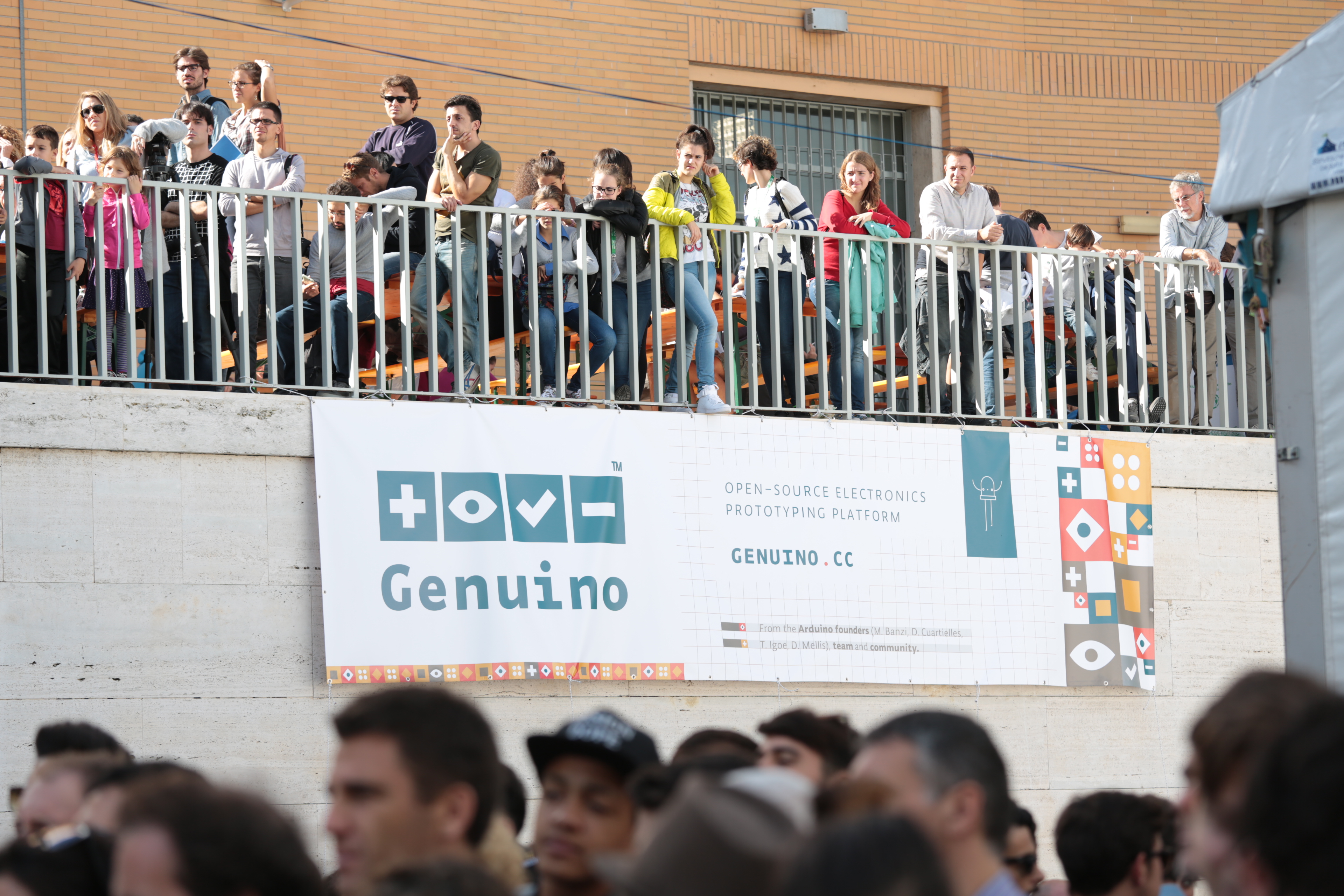
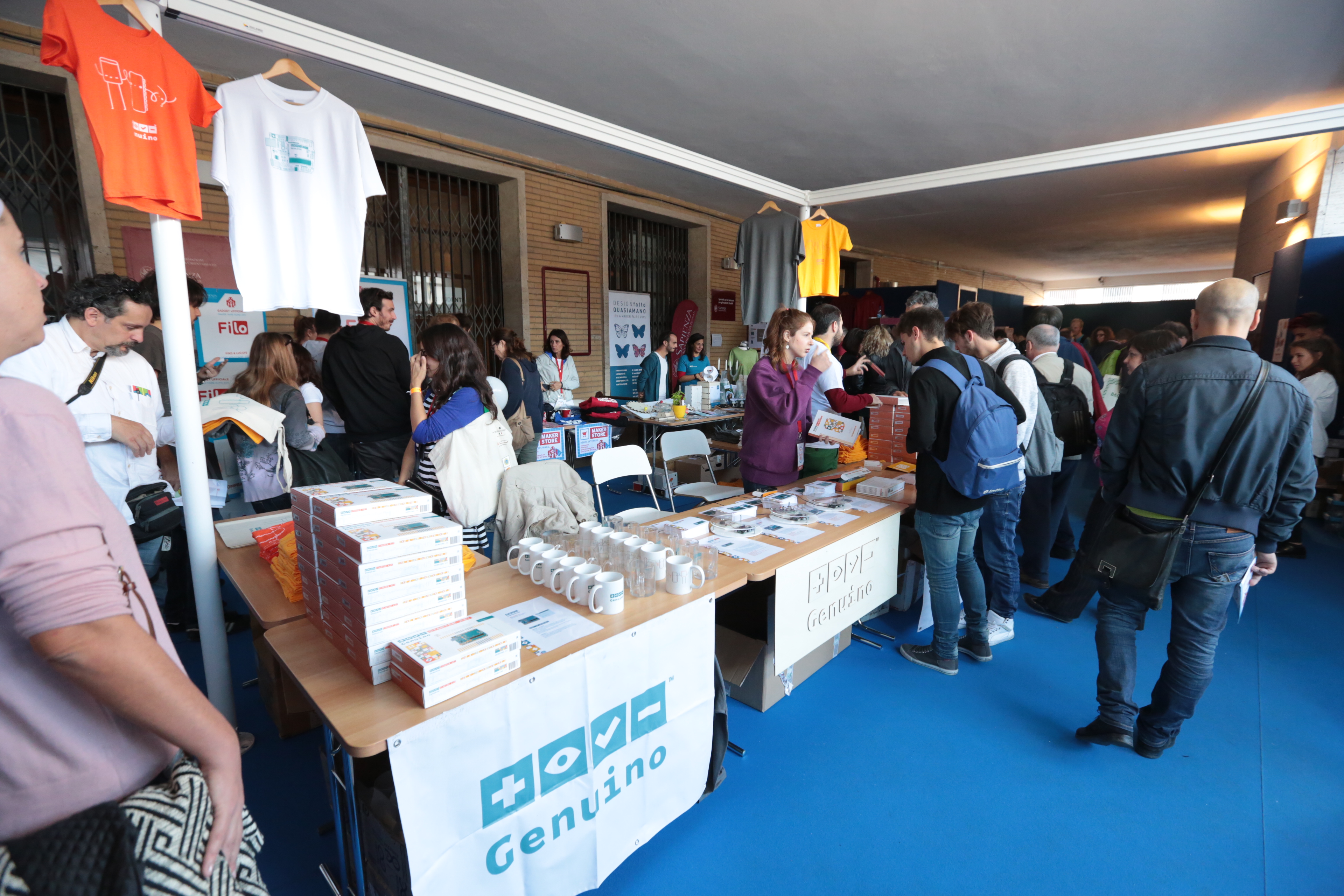
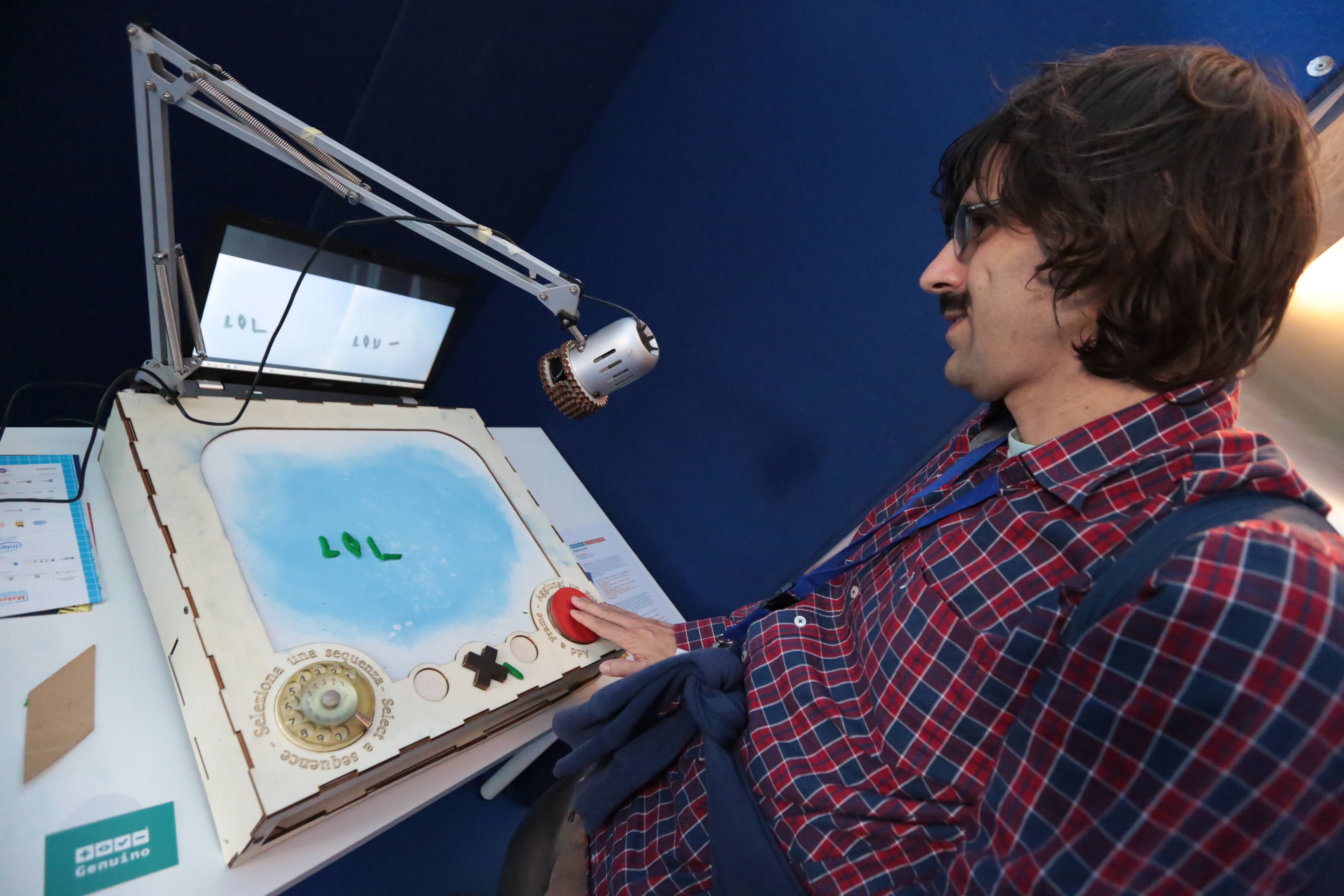
During the three days makers, designers, kids and parents, and many more visited the Genuino Booth and the Maker Store to see the new Arduino’s sister brand Genuino boards, explore the interactive installations and chat with the Arduino team:

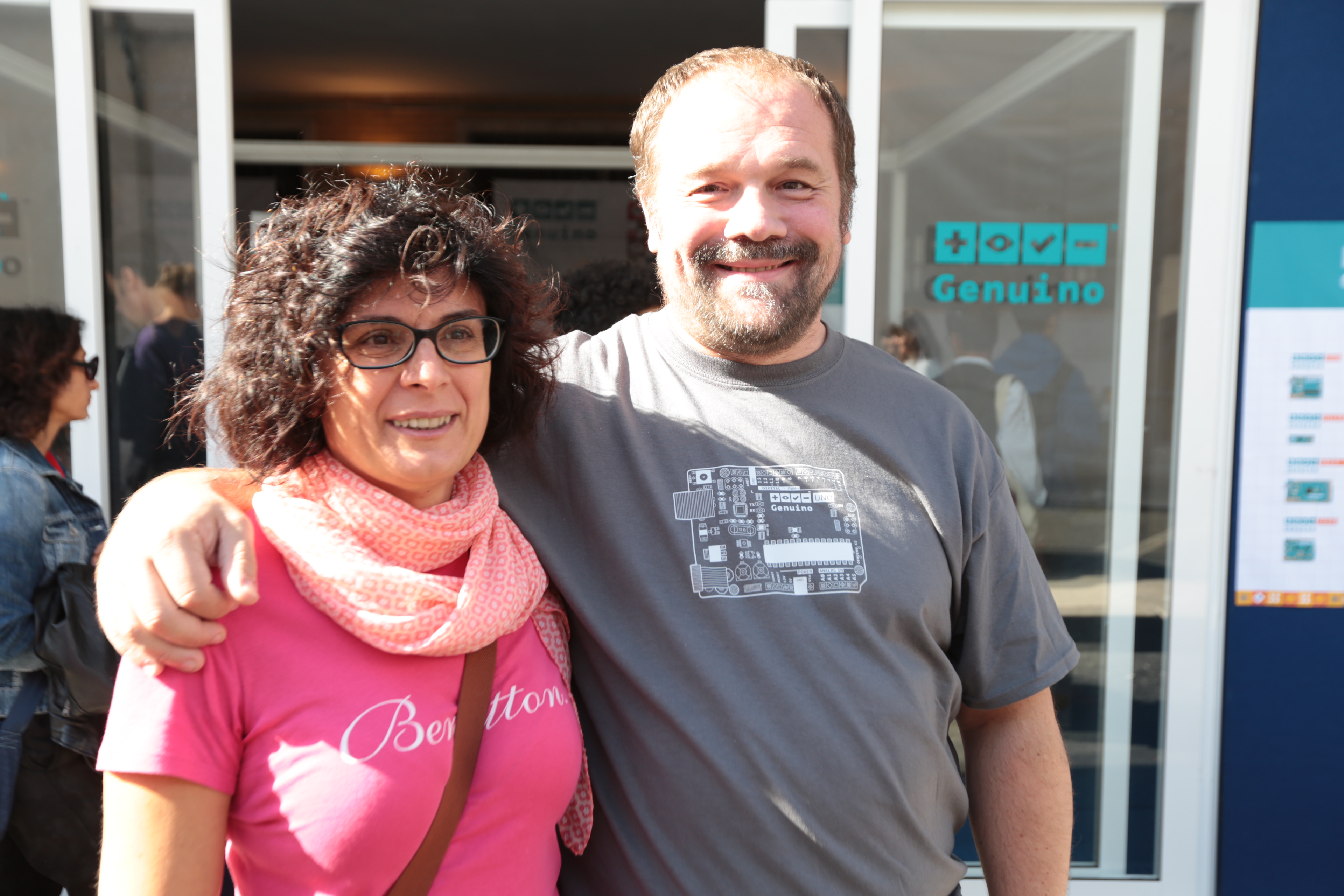
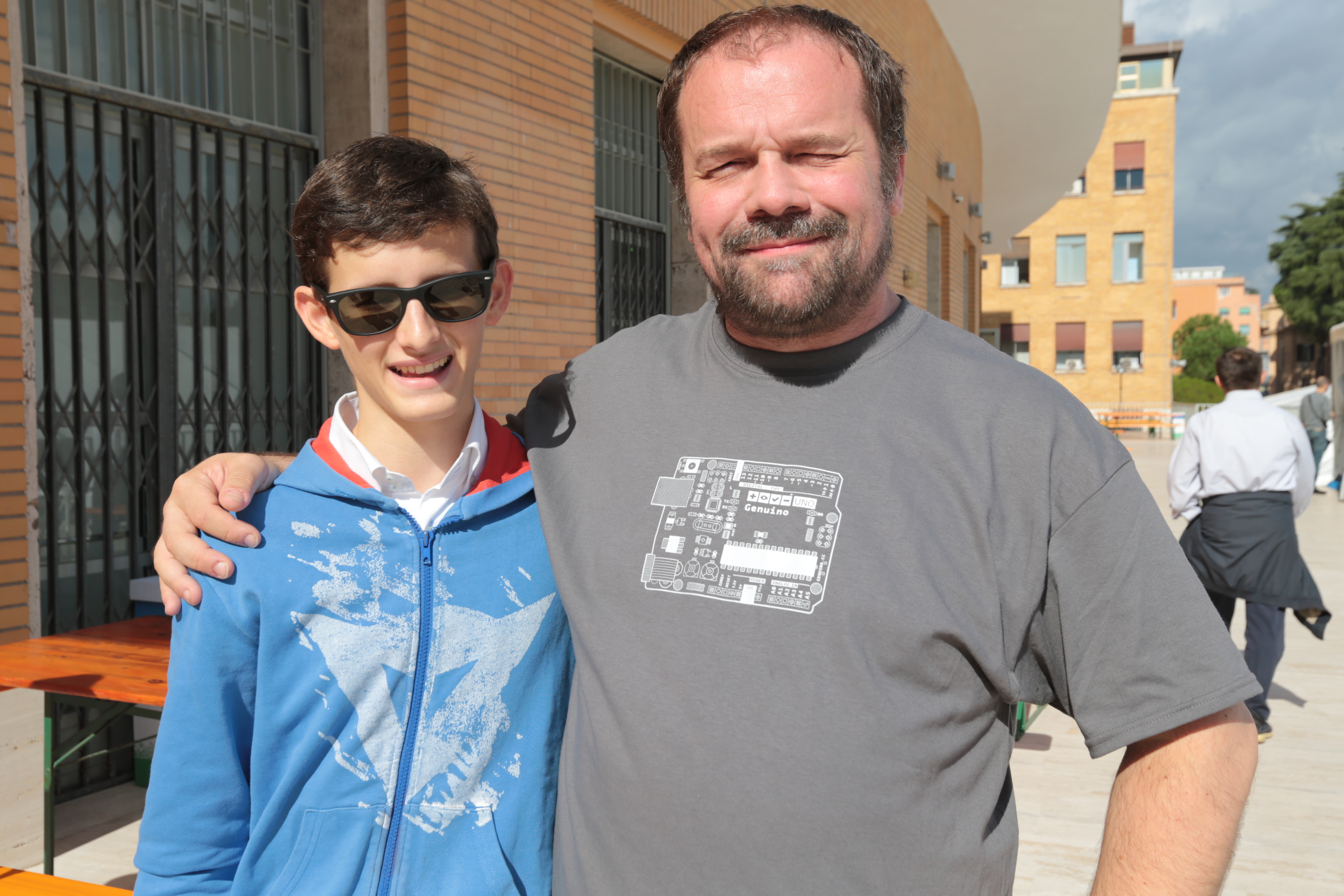
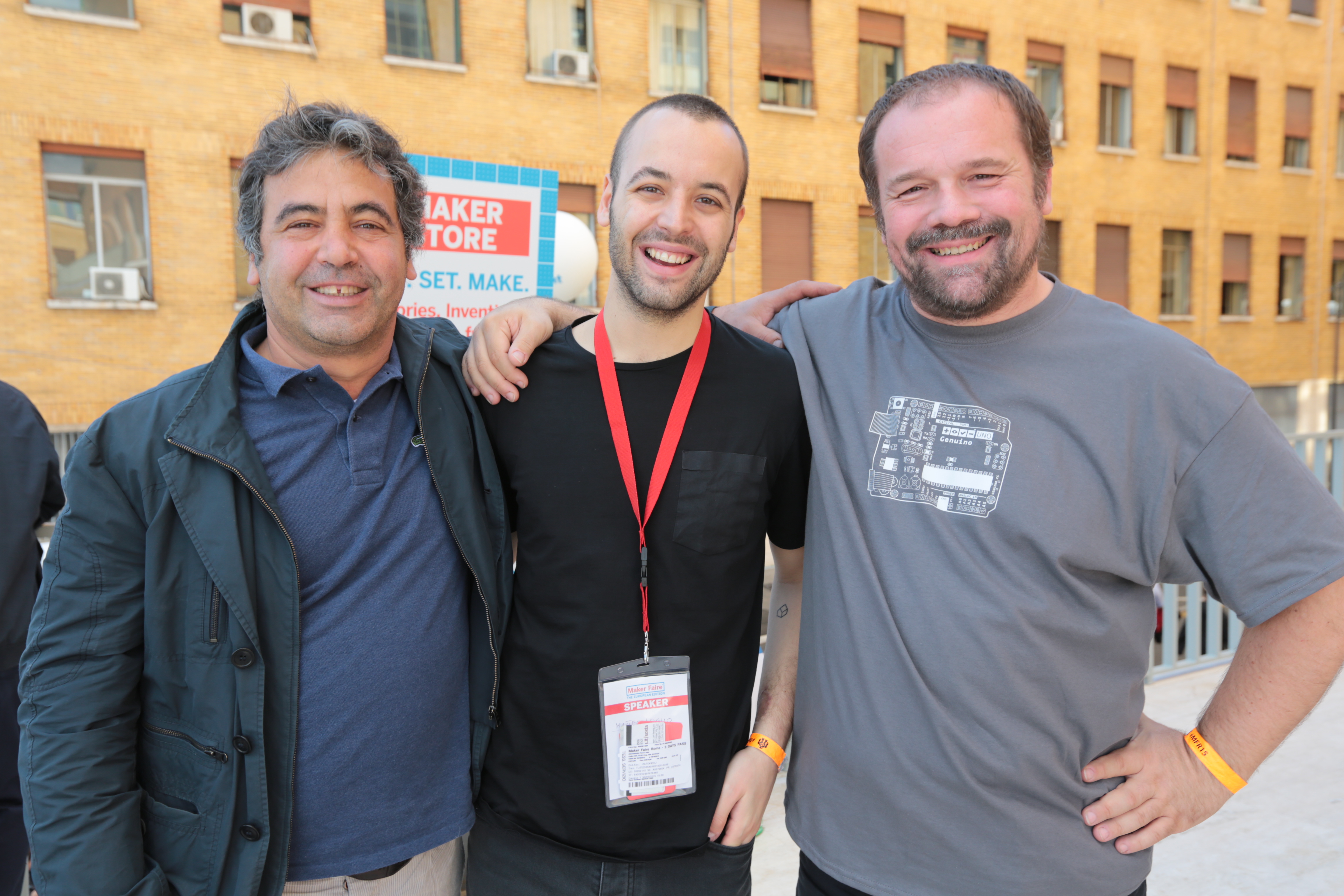
Massimo Banzi met  many fans and took part to a lot of selfies :

Explore the gallery of all pictures on Arduino account on Flickr. And see you at Maker Faire Rome 2016!

Increasing citizen’s responses to the haze with Arduino Uno

Once in a while, South East Asia countries such as Singapore and Malaysia suffers from the haze, a fire-related large-scale air pollution problem that occurs regularly. Especially during dry season there are some persisting forest fires in Indonesia that spread to other countries nearby.

In 2015 the haze hit Singapore quite badly, causing schools to close down for one day. That’s why during Hyper Haze Hackathon taking place in Singapore, Tian Lye Teo and Ethan Lee Yong Sheng worked on and presented a low-cost solution based on Arduino Uno to tackle difficulty to communicate haze rising to illiterate elderly in the nation and won second prize !

Here’s how the two creators described the project:

The main problem we are trying to address is to help the elderly who are living alone in Singapore during the haze period. There are several factors that make this a suitable source of information for them. While the PSI* reading are widespread, they might not be accessible to these elders (no cellphone, TV, radio) or they do not understand the mainstream languages used by our medium (Chinese, English etc).

Furthermore, the PSI reading comes with 2 sets of readings (3hr and 24 hrs) and it is confusing to them what need to be done when PSI reached a certain number (“200 already? so what? aiyo… looks clear lei”).

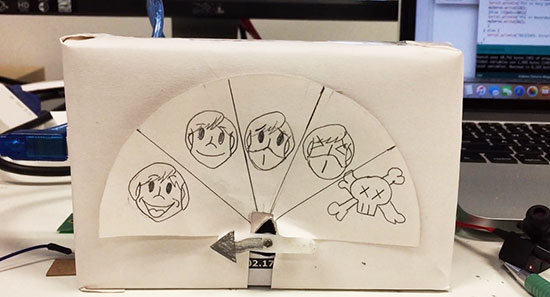
The solution we came up with is this inexpensive Arduino device that fetch current PSI reading from a server. With the reading, the device will point at one of the five indicators that ranges from don’t need to “wear mask” to “die die cannot go out’.

The device actually cost about 20 dollars to build and implementation is ideally done at home. However, we understand that elders would not pay for this (“20 dollars?! I can eat 5 days meals with this”). We are hoping we can get in touch with some organisation(perhaps the govt) to install this at either the lift lobby at every floor or at the ground floor. We believe that even at its current stage, it is still very useful for the elders.

The ideal grand plan we had for this is to be able to link this to the pioneer generation card and from there, dispense a mask for the elder so that they can travel safe (something we felt the govt might help)

Please help spread this by sharing it and hopefully someone can help us achieve this little wish of two guys trying to give back to the pioneer generation who helped built the nation


*PSI (Pollutant Standards Index) is an index to provide  understandable information about daily levels of air quality and it’s the indicator used in Singapore to show how bad the haze is. The monitoring stations measure concentration levels of particulate matter (PM10), fine particulate matter (PM2.5), sulphur dioxide (SO2), nitrogen dioxide (NO2), ozone (O3), and carbon monoxide (CO). All of them determine the level of PSI.

Arduino Blog 20 Oct 22:30

Intel and Banzi just presented Arduino 101 and Genuino 101

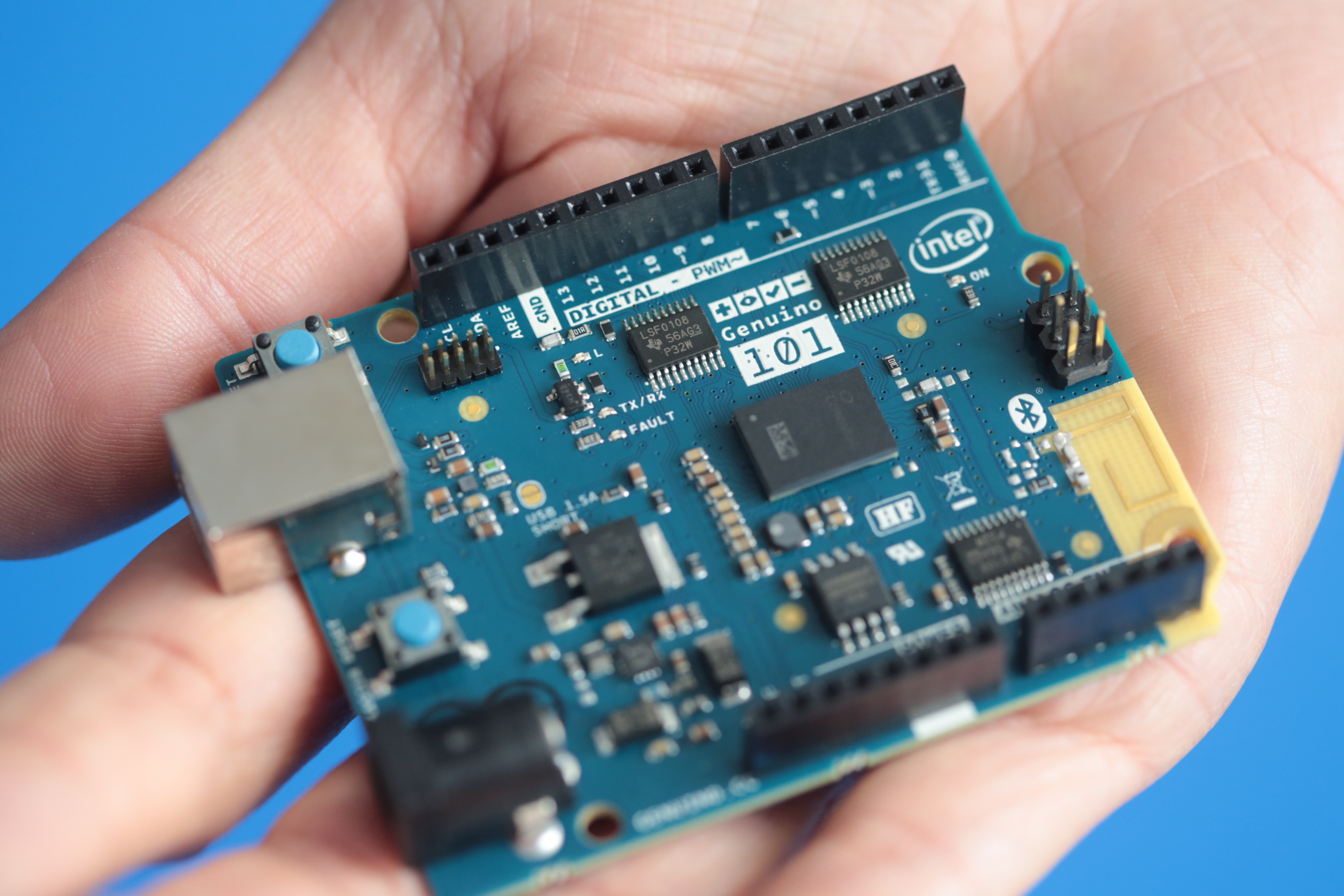
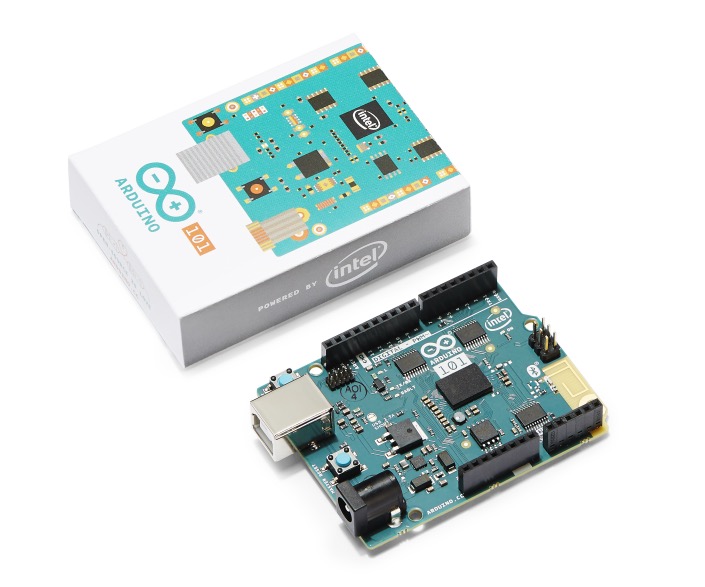
Today during Opening Conference at Maker Faire Rome, Josh Walden Senior Vice President of Intel Corporation and Massimo Banzi, co-founder of Arduino, announced the upcoming release of Arduino 101 (U.S.) and Genuino 101 (outside the U.S.). The board features a 32-bit Intel® Quark™ microcontroller for minimal power consumption, 384 kB of flash memory, 80 kB of SRAM (24kB available for sketches), an integrated DSP sensor hub, Bluetooth* Low Energy radio, and 6-axis combo sensor with accelerometer and gyroscope.

We collaborated with Intel to provide the maker community an affordable learning and development board ideal for entry-level makers and education environments and also the first widely available development board based on the tiny, low-power Intel Curie  module.

Josh Walden explained the new partnership with Arduino:

“Empowering budding entrepreneurs and young students has always been a priority for Intel, and by partnering with Arduino, we are bringing the power of Intel to a new generation of makers. With the advanced features of the Intel Curie module embodied in the Arduino 101 board, young learners as well as developers can now bring to life truly unique, smart and connected creations.”

Massimo Banzi added:

“We worked closely with Intel on the development of this board and are expanding our educational courseware to incorporate the connectivity and advanced features expected by today’s student developers. Through our work with Intel, we’re able to reach a global community of entry-level makers and students with a comprehensive introduction to physical computing and now with a more advanced, powerful technology solution that will help them bring their creative visions to reality.”

Arduino 101 will be available in the first quarter of 2016 for a suggested retail price of US$30 (approximately 27 euros). The Intel-manufactured board will be sold under the Arduino 101 brand in the United States and under the Genuino 101 brand outside the United States. It will be also available through catalog distributors and retailers selling other Intel maker and innovator products such as Amazon, Conrad Electronic, Farnell Element 14, Microcenter, Mouser, Radio Shack, RS Components and SparkFun.

In the meanwhile Arduino 101 will be incorporated into the Creative Technologies in the Classroom (CTC) physical computing curriculum developed and tested by our team and currently deployed in over 300 schools. CTC is the world’s first formal physical computing curriculum for elementary and secondary school classrooms and provides educators with the tools, support and confidence needed to introduce their students to the foundations of programming, electronics and mechanics.

Intel will work closely with us to bring the CTC program to schools across the globe in coming years. As it is introduced to classrooms, Arduino 101 will nurture the next generation of technology industry professionals, entrepreneurs and inventors!