Posts with «featured» label

Arduino Pinout ASCII art ready to go

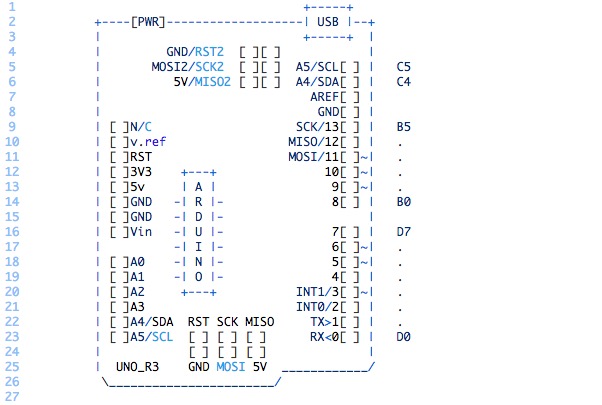
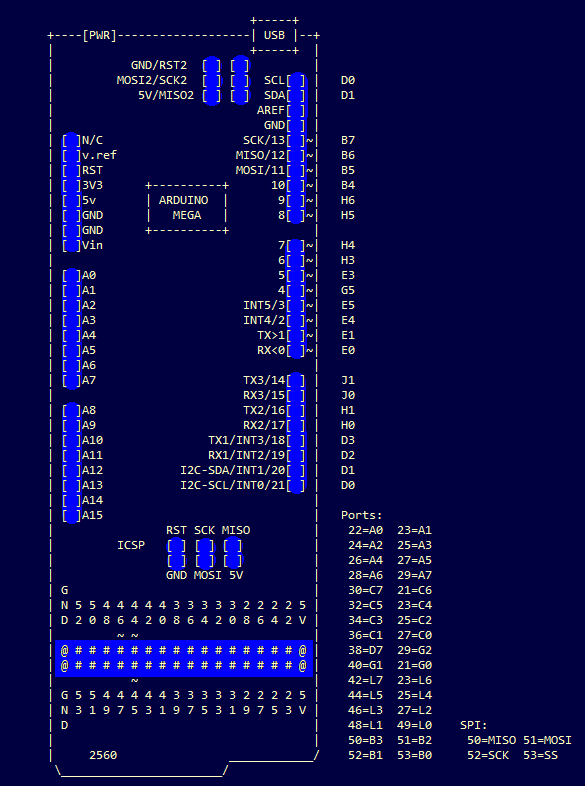
To enable easy documentation of pin assignments, BusyDuckMan created a couple of ASCII art of Arduino Uno and Mega boards marking ports, PWM and coms. You can now then simply copy and paste as a comment into your code and document in an easy way how the arduino is connected to other devices:

They can be pasted into code comments, (use /* and */ in the arduino IDE to create a block comment). They can also be useful in forums, when you need a quick arduino diagram, but don’t want to fire up an image editor.


Testing a Heart Pulse Alarm based on Arduino Uno

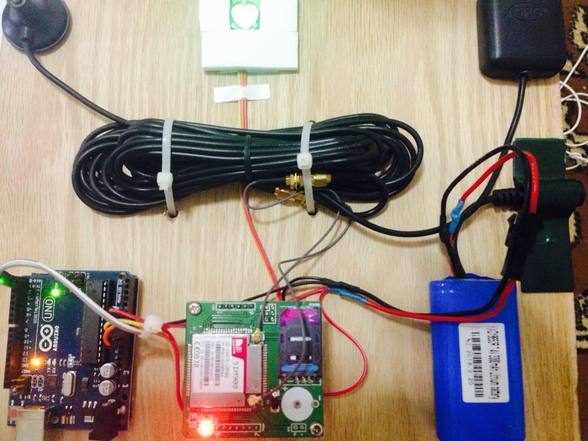
Murad is a student of Mechatronics and Engineering at Tafila Technical University in the town of Tafila, in Jordan. He made a submission to our blog presenting his DIY project of a Heart Pulse Alarm based on Arduino Uno.

The HPA (Heart Pulse Alarm) is a portable device prototyped to measure the pulse rate and the body temperature of who’s wearing it. If the device receives an unusual heart pulse, it will send a sms message to paramedics to act quickly. He designed the device to help people who have cardiac problems and they lack  the resources for personal and professional assistants in his country.

Check the bill of materials and code on his blog.


Arduino Blog 18 Nov 16:59
arduino  arduino uno  diy  featured  gps  heart-beat  sms  uno  

DIY Garage Door KeyPad Project

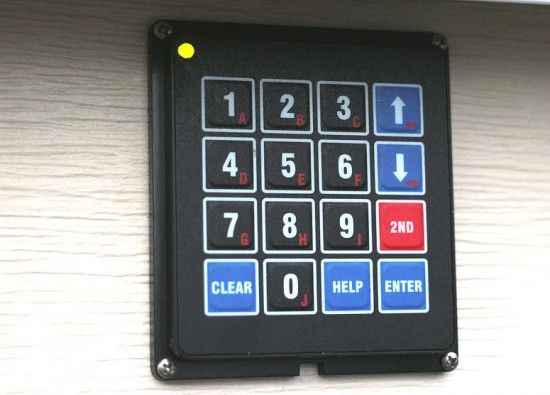
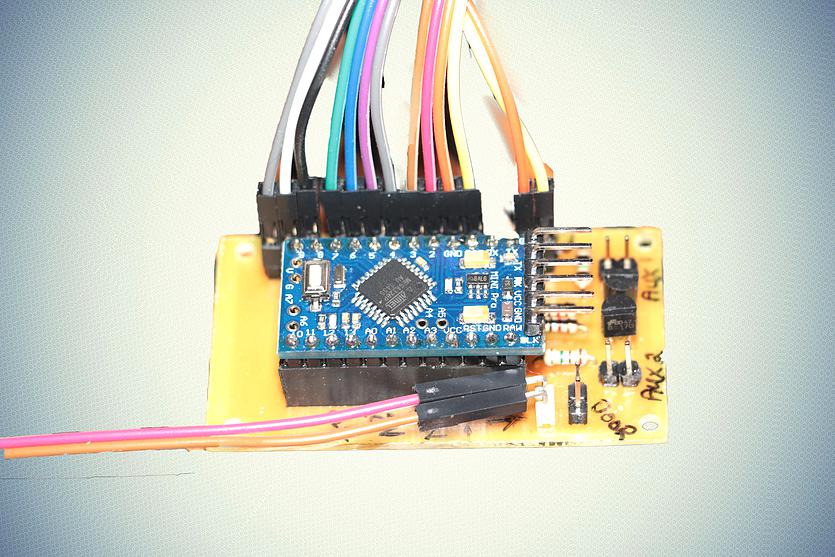
Arduino user SamJBoz needed a way to quickly gain access to his garage when he did not have the remote. He designed a simple entry system with 4 digit access codes to allow himself, family and friends to gain quick access to the garage when a remote is not at hand, running on a 5V Arduino Pro Mini. The keypad allows for up to 10 4-digit pin numbers, has a user set master pin number to create and delete user pin numbers and flashes 2 color error codes if something goes wrong.

The hardware BoM consists of a 4×4 keypad, an Arduino Pro Mini, a small custom PCB and a few external electronic parts to complete the design.

He’s been using it flawlessly for a year and you could try to build one too: all the documentation is on github comprehensive of Eagle PCB files for the main board, the Arduino code, BoM, a user manual and some useful construction tips.

A low-cost approach to Intrinsic optical signal

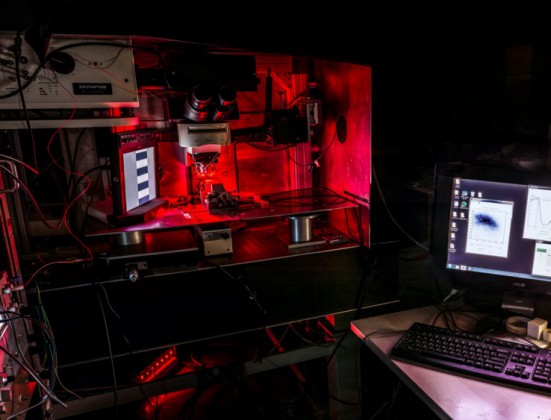
Leonardo Lupori and Raffaele Mazziotti are active in the field of neuroscience at Tommaso Pizzorusso’s lab at Neuroscience Institute CNR of Pisa respectively as molecular biologist and experimental psychologist. They created an Arduino-based and MATLAB-controlled tool called IOSIC (Intrinsic Optical Signal Imaging Chamber), powered by an Arduino Micro and focused on intrinsic optical signal (IOS) imaging apparatus to run experiments on the plasticity of the brain.

Intrinsic optical signal (IOS) imaging is a functional imaging technique that has revolutionized our understanding of cortical functional organization and plasticity since it was first implemented, around 30 years ago. IOS is produced by the brain when processing information and is similar to the information recorded with the plethysmograph (the instrument to measure heart rate from a finger) and it is useful to investigate how the brain works. The researchers are especially interested to investigate how the brain is able to adapt to the environment to store information but also acquire new skills and these studies are really useful to understand what happens to the brain when is in good health or during a disease.

Even if their lab has a long-standing expertise in electrophysiological studies, they decided to  developed a fully functional apparatus for IOS with tools already available and low-cost:

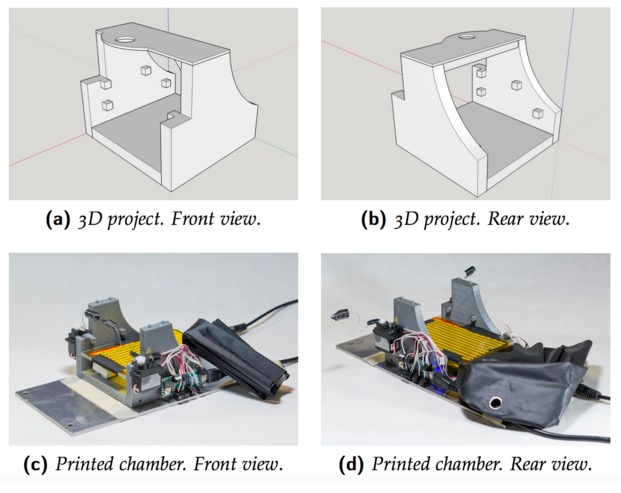
To set up the entire system we used a mix of components commercially available and custom-made. The most expensive tool we used is an imaging camera from Hamamatsu (it is necessary because we need to analyze data quantitatively), but you can also use a cheaper camera (at least with a CCD chip 12-bit depth is recommended). The rest is stuff collected from old tools of the lab. For example, the microscope, that in our case is an old Olympus confocal microscope, but any transmitted light microscope or macroscope should be ok, was already in the lab and is currently used also for other purposes. For light illumination, we used a custom made crown-shaped LED holder that can be attached to the objective and provide a really stable light source. Afterwards, we wrote a MATLAB script to control the camera and then we built an imaging chamber to analyze the animal preparation. The imaging chamber is essential to keep the animal stable during the imaging session (about 7 minutes) and also to maintain its physiological temperature during the time course of anesthesia. An additional feature added to the chamber is the possibility to change the animal’s visual field automatically allowing us to measure rapidly, efficiently and repeatedly a very important parameter of plasticity called ocular dominance. The chamber is composed by a 3D printed structure on which an Arduino MICRO, two servo motors, a heating pad, an IR thermometer and a magnetic ring have been installed. Currently we are using this system with success and we hope to discover something really relevant.

You can download IOSIC code for the Arduino MICRO here. The code uses third-party libraries : TMP006 and Servo. MATLAB code to control shutters is available here.

Discover the role of colors in nature

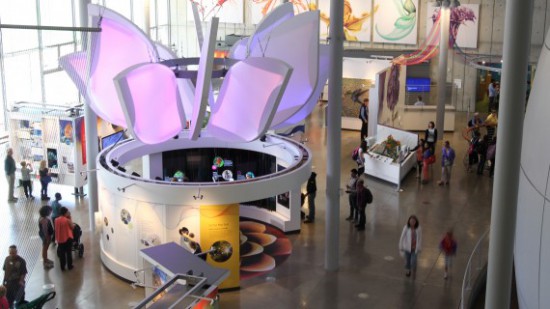
“The color Visualizer” is an immersive installation to understand how color is used in nature to communicate between living organisms and to explore biodiversity through the lens of color:

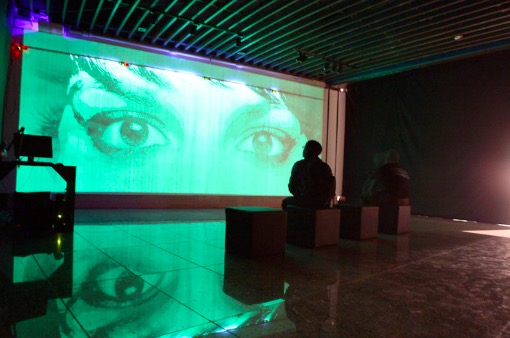
By plucking an array of multi-colored strings, which are layered over the large array of high resolution screens, visitors can explore over 100 unique color stories as vibrant images and short videos appear before them. Strum a red cord, for example, and learn how a male cardinal bird colors his vibrant red feathers with pigments from food; strum a yellow cord and see how a yellow leopard’s spotted coat allows this predator to blend in with shadow and light while moving through tall grass.

The eye-catching cylindrical installation is part of the permanent exhibition “The color of Life” that opened in June 2015 and was created by Tellart in collaboration with the California Academy of Sciences. It was prototyped using Arduino Uno and it’s currently shortlisted for the Interaction Awards, representing excellence in interaction design.

In the video below the team working at the project explain the main features of the educational installation and show a bit of the making of:

“Meet your Maker” featuring on Al Jazeera english

Rebel Geeks is a seven-part series on Al Jazeera English channel, featuring profiles of people around the world challenging power structures and offering a different vision of our technological future.

During Makers Faire in Shenzhen, in southeastern China, the authors of the series met Massimo Banzi and produced‘ Meet Your Maker’, a video interview about Arduino and how thousands of people are adopting it to build everything from 3D printers to drones, smart home devices to robotics.

‘Meet Your Maker’ can be seen on Al Jazeera English from November 16 at 22.30GMT. 

Watch the trailer and read the article now.

Make your DIY smart glasses running on Arduino

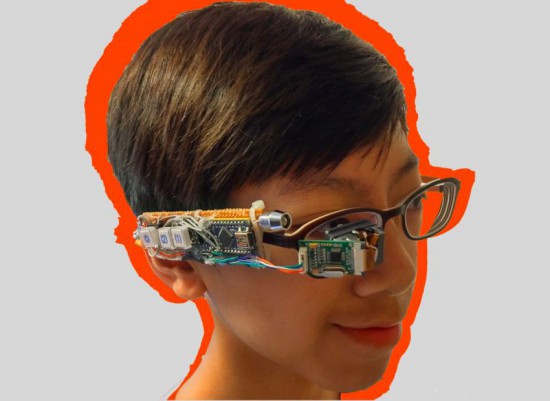
Jordan Fung is a 13-year-old maker and programmer based in Hong Kong. He recently developed Arduino-based smart glasses called Pedosa Glass, which are able to activate, in this first release, a flashlight and a timer:

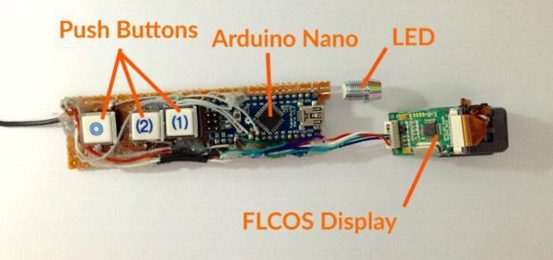
The Pedosa Glass is powered by a single Arduino Nano running an “operating system” developed by me.
There is a tiny FLCOS display in the front. The AV signal from the Arduino will be displayed on it. It is equipped with 3 push buttons, in which 2 of them are control buttons and one of them be the home button, also equipped with a super-bright white LED for use as a flashlight.

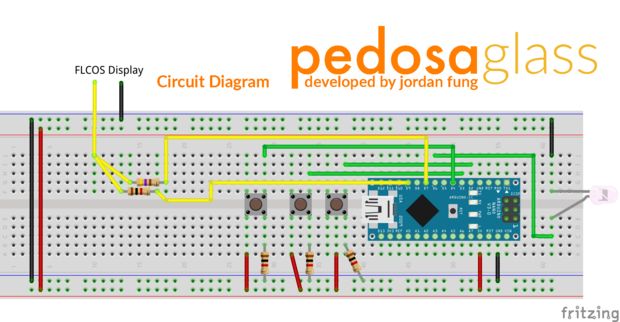
In the picture below you can explore the electronic scheme:


Jordan is working hard to add new applications and features to the project but in the meanwhile he shared his work on a great tutorial on Instructables.

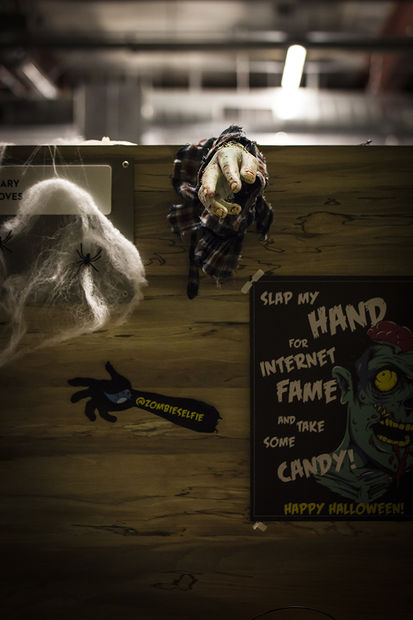
Slap my zombie hand for internet fame!

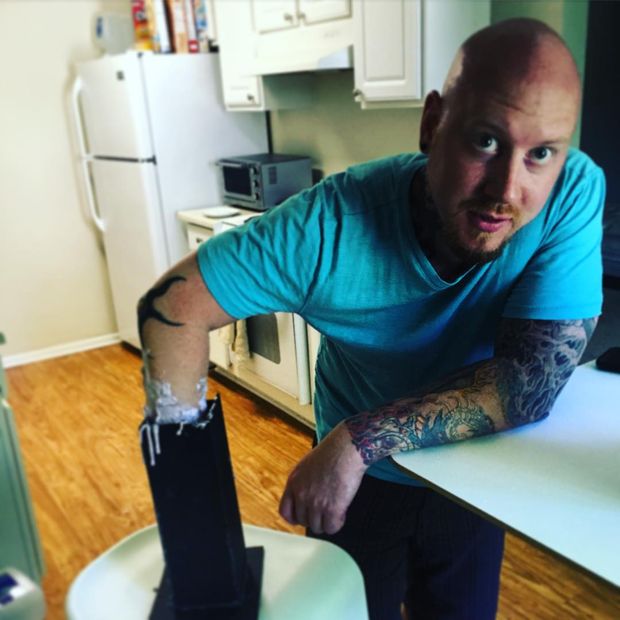
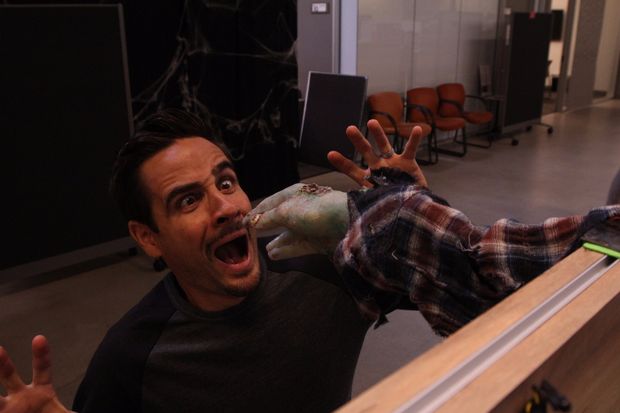
Halloween time is a great moment to explore nice interactive projects and get inspired for installations for other selfie occasions. To spice up the office Donnie Plumly, a creative technologist, decided to make and share with us a molded zombie arm that takes pictures and post them to Twitter.

He used a silicone arm (molded on his own hand ), a custom steel mount to clip to an office partition, and a vibration sensor hooked up to an Arduino Uno. Once the arm is slapped a photo will be taken using an IR Led and passed to the Eye-Fi card in the camera.

The photo is then saved into a Dropbox folder and, using If This Then That (IFTTT), posted to Twitter on the account @ZombieSelfie.

Donnie created also a very useful tutorial  on Instructable to make it yourself!

Give me your number and get a unique micro-noise piece

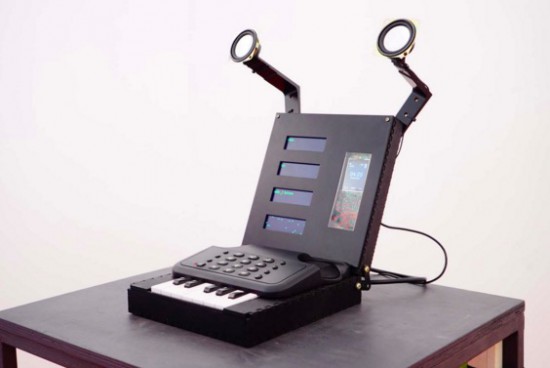
Prankophone  is the new interactive installation by Dmitry Morozov (his amazing projects have been featured on this blog ).  This time he created  a sound object, a hybrid of synthesizer, telephone and logic module:

The main principle of the object’s functioning is as follows: depending on the current mode, the apparatus calls to random or pre-defined recipients and plays them algorithmic melodies created from their phone numbers. The speakers transmit both the synthesized sounds and the sound from answering person. The common sound layer is involving a random recipient who doesn’t suspect anything. The person who answers the phone can’t hear any other sounds except for the synthesized ones.

You can play with it in 4 different modes:

– Autonomous mode –  it generates the numbers by itself and tries to reach them, and play them the sounds.
– Manual mode – when you dial any number by pressing standard phone keys it gets automatically transformed into sounds.
– Keyboard mode – mode of dialing the number on the one-octave keyboard where 10 keys correspond to 10 digits.
– Live mode – the number is defined by any of the previous methods, but the sounds are reproduced not automatically but from the keyboard, thus the user may “communicate” through sound with the person who answered.
It runs on Arduino Mega and you can listen to its sounds on the following video:

Making beyond the Wall: get to know chinese makers

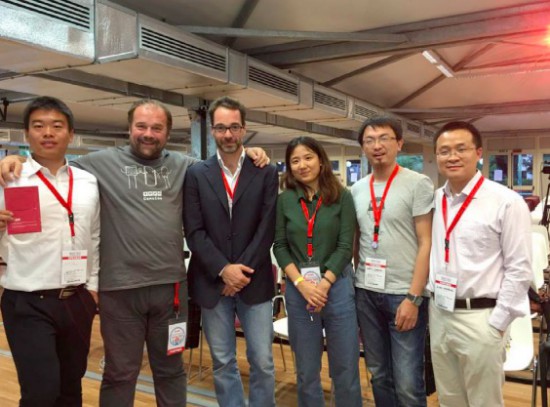
Last June Arduino partnered with Seeedstudio to manufacture Genuino boards for the chinese market and during Maker Faire Rome Massimo Banzi took part to an interesting panel to promote  4 chinese delegates from business, education, design and research domains presenting their work and discussing what does it mean to be a maker in China. (in the pic from left to right, Lin, Massimo, Alessio, Jin, Chenille & Flamingo).

The panel titled Making beyond the Wall and moderated by Alessio Jacona tried to address the growing maker movement in China which is not so visible to the European community while the hype of manufacture in Shenzhen, the Chinese Silicon Valley, is gaining more and more international media attention.
Flamingo was the first presenter of the session. Indeed he was also the first person to use Arduino boards in China back in 2007. As an evangelist, he taught physical interactions in China Central Academy of Fine Arts and even started the digital firm K1ND Beijing with Ogilvy China, which focus on interactive design with open source technologies for business projects.

He introduced LightBot (watch video on youku) made in collaboration with Jun Huang, an architect based in China. It’s an installation using LEDs as a brush to draw on light-sensitive canvas. The material on the wall glows after being exposed to light, particularly ultraviolet light, and fades away after some time. Lightbox is powered by an Arduino controlling 1024 LED lights installed on the pallet and stepper motors to control the movement.

Then it was the turn for  Jin  introducing Minibuilder and Candy Project (we featured her work in our blog earlier) created during her fellowship at Iaac. With her international background, Jin explained how she realized how the culture of making in China is focusing more on hardware startups with strong potential to accelerate thanks to great manufacturing opportunities. Whereas in the West, people see it more as a hobby or prefer to explore the conceptual development in a lab environment.  Nowadays she is implementing a new VR projects in China.

Later Lin explained his work as a tutor at the University of Science and Technology in Beijing and also his commitment as a community manager of mechanics and robotics in arduino.cn forum, the community of Arduino fans who also participated to Arduino Day. He worked on various projects and applied Arduino in hemiplegia rehabilitation equipment through sensor feedback and in a gearbox to detect malfunctions through vibration, temperature and stress.

Last but not least, Chenille talked about how he wrote the first book about Arduino in China and more recently, translated the third edition of Getting started with Arduino book into Chinese. He’s now working on a brainwave-controlled music player.

The panel was a good chance to present to an european crowd real experiences from the voice of chinese makers and sharing good practices for future collaborations.

Are you based in China and  want to share a project made with an Arduino or Genuino board? Submit it to the blog, we’d like to feature it and tell your story!