Posts with «featured» label

Meet the new MKR1000 and win it in an amazing contest!
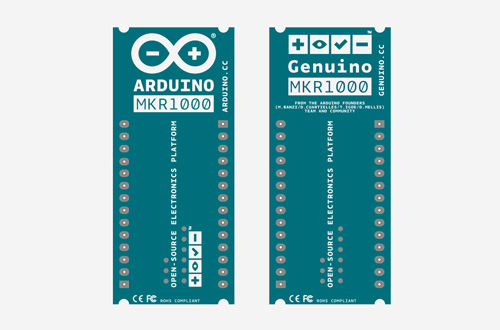
It’s a great pleasure to introduce the new member of the Arduino and Genuino family: MKR1000 is a powerful board that combines the functionality of the Zero and the connectivity of the Wi-Fi Shield.

It’s based on the Atmel ATSAMW25 that is part of the SmartConnect family of Atmel Wireless devices, specifically designed for IoT. It offers the ideal solution for makers seeking to add Wi-Fi connectivity with minimal previous experience in networking.

The new board will be available for purchase from February 2016 but starting today #1000 MKR1000 can be won in the World’s Largest Arduino Maker Challenge in collaboration with Hackster.IO and Microsoft.

We want to celebrate the maker community so we thought there’s no better way to do that than encourage inventors, artists, makers, hobbyists or professionals and developers to create on Arduino. The contest is very flexible – choose anything you want to build from environmental sensors to gaming, augmented reality, robotics or UAVs using the power of Arduino.cc boards and Windows 10.

The 1,000 makers who submit the best project ideas will receive the newly released Arduino MKR1000 (US only) and Genuino MKR1000 (Outside US) boards. Then three finalists submitting the best completed projects will be awarded with a fully-funded trip to Maker Faire Shenzhen, New York or Rome; a chance to present their creation at the Microsoft and the Arduino and Genuino booths; a professional video production of the project; and a whopping $500 gift certificate to Adafruit.

Contest starts today,  December 9th 2015, when participants can sign up or log into Hackster and enter to win the new MKR1000 board by pitching the idea. Idea submissions close on January 15, 2016 at 11:59 PM (PT).

Save the date and participate now!
 

Meet the new MKR1000 and win it in an amazing contest!

It’s a great pleasure to introduce the new member of the Arduino and Genuino family: MKR1000 is a powerful board that combines the functionality of the Zero and the connectivity of the Wi-Fi Shield.

It’s based on the Atmel ATSAMW25 that is part of the SmartConnect family of Atmel Wireless devices, specifically designed for IoT. It offers the ideal solution for makers seeking to add Wi-Fi connectivity with minimal previous experience in networking.

The new board will be available for purchase from February 2016 but starting today #1000 MKR1000 can be won in the World’s Largest Arduino Maker Challenge in collaboration with Hackster.IO and Microsoft.

We want to celebrate the maker community so we thought there’s no better way to do that than encourage inventors, artists, makers, hobbyists or professionals and developers to create on Arduino. The contest is very flexible – choose anything you want to build from environmental sensors to gaming, augmented reality, robotics or UAVs using the power of Arduino.cc boards and Windows 10.

The 1,000 makers who submit the best project ideas will receive the newly released Arduino MKR1000 (US only) and Genuino MKR1000 (Outside US) boards. Then three finalists submitting the best completed projects will be awarded with a fully-funded trip to Maker Faire Shenzhen, New York or Rome; a chance to present their creation at the Microsoft and the Arduino and Genuino booths; a professional video production of the project; and a whopping $500 gift certificate to Adafruit.

Contest starts today,  December 9th 2015, when participants can sign up or log into Hackster and enter to win the new MKR1000 board by pitching the idea. Idea submissions close on January 15, 2016 at 11:59 PM (PT).

Save the date and participate now!
 

The next steps of the Arduino Create Betatesting

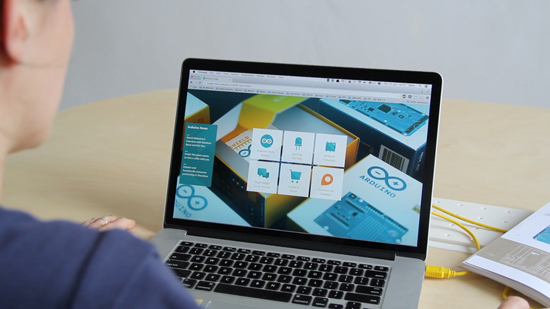
A few months have passed from the launch of the internal betatesting of Arduino Create. We are finally ready to open up the number of people who can use and experiment with this online platform. Today each betatester currently in the program has received 5 invites to get other Arduino tinkerers on board, we have also added about 100 people who tried the platform during Maker Faires and other events, or expressed interest online.

Most importantly we have a public waiting list for anyone who wants to try Arduino Create before hand and give us feedback.
You can SIGN UP here, the first 100 people will receive an invite right away, we will add the other subscribers as the betatesting unfolds.

What’s new?

The Arduino Create Editor has most of the Arduino Desktop IDE features, it is a fully functional Editor, and you can start developing your projects on it right away. We are really close on having everything delivered in HTTPS, we are working hard to add the Library Manager and support for all the Certified and AtHeart boards. Next in our roadmap is including a Sharing feature and a Chrome OS plugin.
As already said in the past, we are always going to provide our community with a offline solution, so don’t worry

When you use Arduino Create for the first time you will be prompted to install a plugin (agent). While your Sketchbook and the apps are hosted in the Cloud, the plugin will locally check the USB ports on your computer. The plugin detects if any board has been connected, if you are uploading a sketch, or you are using the Serial Monitor. The Arduino Create agent is open-source, and available for Mac, Windows and Linux! If you find it interesting you can contribute to it or fork it to use it in your projects.

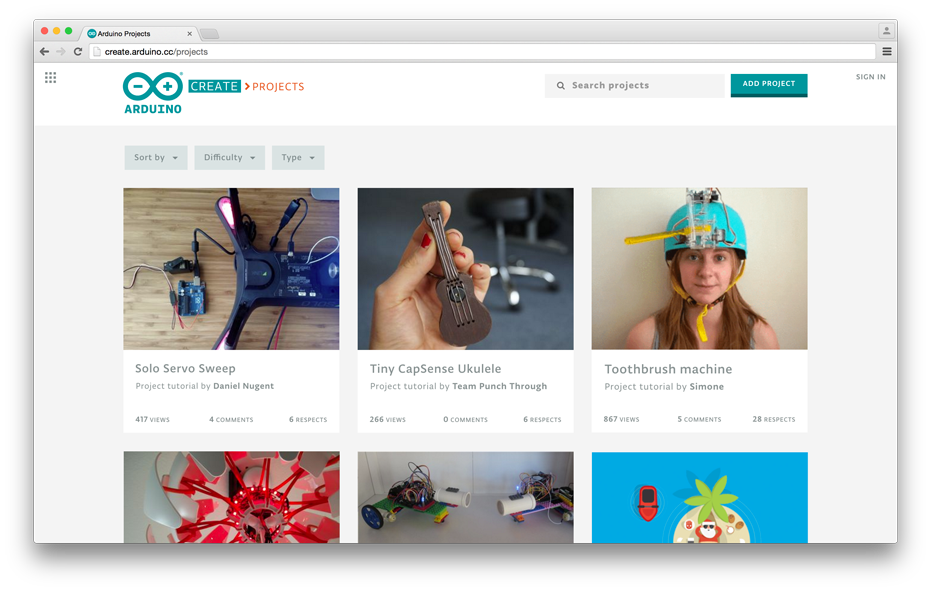
We are currently working on a brand-new tutorial platform, Arduino Create Projects, in collaboration with Hackster.io. We are planning to release it at the beginning of 2016. Arduino users will finally have a place where they can share their own projects and include step by step guides, schematics and layout references, pictures, videos, the code they wrote, and useful links and comments. We can’t wait to share it with you all so stay tuned!


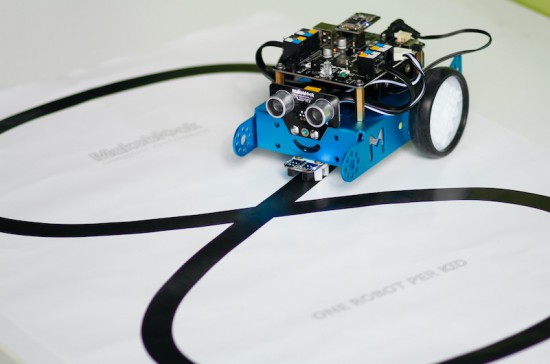
the easiest educational robot for kids, Mbot, goes AtHeart

It’s cute, it’s fun and easy to assemble, it’s mBot by Makebloc, the new educational robot joining Arduino AtHeart program!

mBot it’s an all-in-one solution for kids and beginners to enjoy the hands-on experience about robotics, programming, and electronics.

You can program it with drag-and-drop graphical programming software based on Scratch 2.0 and the magic happens: the robots can follow lines, kick balls and push objects, avoid walls and more. You can also switch from graphical to text-based programming in Arduino mode as it can be coded with Arduino IDE environment.

Watch the video of their successful Kickstarter campaign:

mBot supports wireless communication, standard Arduino boards like Arduino Uno, Leonardo boards, Arduino Nano, Arduino Mega 2560, Makeblock mCore (based on Arduino Uno).

The main control board’s design, mCore of mBot, is based on Arduino UNO: with intuitional color labels and easy-to-use RJ25 connectors, the board can get wired easily so students can then get more time to focus on creating all kinds of interactive stories and projects.

To help teachers, parents, and kids get started easier and faster the robot kit has two free tutorial e-books and online manuals are provided and increasing continually.

Take a look at mBot on Makeblock website and discover how to use 2.4GHz wireless module and Bluetooth module with mBot:

Arduino Blog 30 Nov 15:15

Tinkering, Kids and Iot: gift guides for your xmas

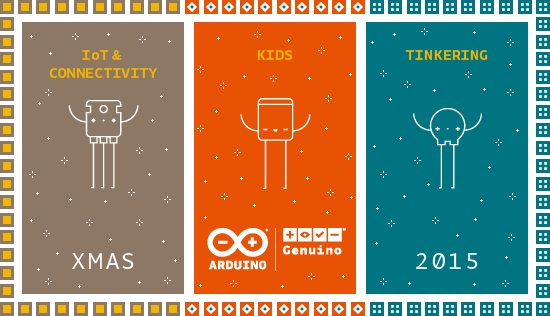
Finding the perfect gift for everyone on your list it’s fun and inspiring. Let us help you choose the perfect gift: next to our classic Arduino, Genuino boards and goodies, we created 3 thematic guides to highlight the products in our stores that deserve a spot on your gift list. And to make it even more special, we added a FREE SHIPPING* feature for orders over 150$/100€.


TINKERING
Experience the magic of playing with technology. Your creative confidence is going to boost!

Click and explore all the products of the gift guide dedicated to Tinkering

  • If you are looking for interacting with your surroundings in experimental ways, Arduino AtHeart Bare Conductive Touch Board and Touch Board Kit can turn almost any material or surface into a sensor. Connect objects to its 12 electrodes, using conductive paint or any conductive material and create amazing musical instruments.

KIDS
Get inspired and make this holiday special for your kids! Get them to experiment with science and technology and the wonderful world of STEAM.

Click and explore all the products of the gift guide dedicated to kids

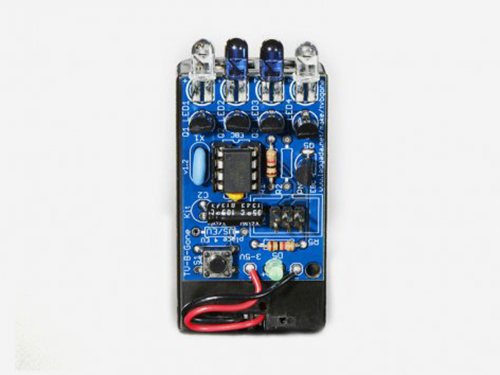
  • You can share your excitement with electronics playing with kids and teenagers on the TV-B-Gone Kit, a universal remote designed to shut off any TV. It’s fun making it and using it.

  • Get started with paper circuits and stickers with Chibit Circuit Sticker Start Kit an imaginative and easy way to make fun electronics projects without coding, soldering, or hands-on experience.

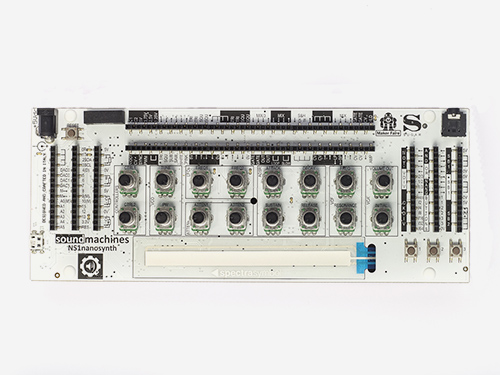
  • Play with the most hackable tiny synth ever! NS1nanosynth synthesizer is an handeld 220x85mm analog modular synthesizer coupled with an Arduino Leonardo platform. it’s a tool to explore the potential contamination between analog and digital music creation!


IOT & CONNECTIVITY
Create connected devices and master your IoT skills. It’s easier than you think.

Click and explore the product of the gift guide dedicated to IoT

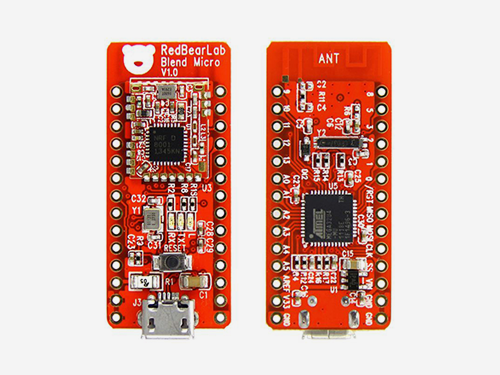
  •  Blend Micro is a RedBearLab Arduino AtHeart integrated development board. They “blend”ed Arduino with Bluetooth 4.0 Low Energy (aka BLE or Bluetooth Smart) into a small single board. You can quickly and easily develop low power IoT projects.

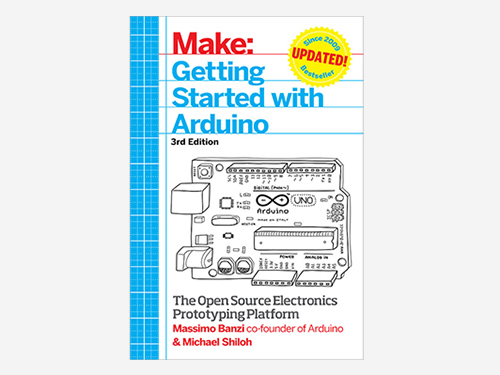
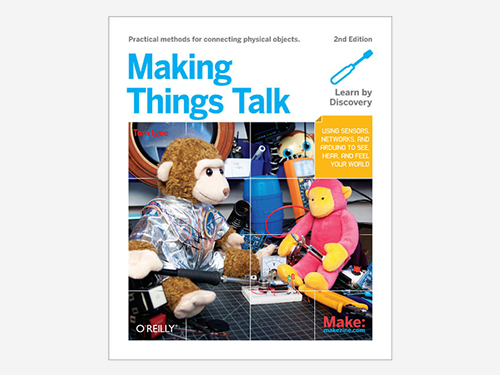
  • Making things Talk 2nd edition by Arduino co-founder Tom Igoe, shows you how to get your gadgets to communicate with you and your environment. It’s perfect for people with little technical training but a lot of interest.In this expanded edition, you’ll learn how to form networks of smart devices that share data and respond to commands

On our stores we are offering FREE SHIPPING for all orders over 150$ (below 3 Lb) in USA via USPS Priority Mail, and for all orders over 100€ (below 3 Kg) via GLS in Europe.

Delivery will take 4-5 working days to reach you. In December, this may take longer due to end-of-the-year seasonality. Should you need delivery by December 24th, we strongly advise you to place the order before December 18th.

Free Shipping is available from November 27th 2015 until January 6th 2016.


Tinkering, Kids and Iot: gift guides for your xmas

Finding the perfect gift for everyone on your list it’s fun and inspiring. Let us help you choose the perfect gift: next to our classic Arduino, Genuino boards and goodies, we created 3 thematic guides to highlight the products in our stores that deserve a spot on your gift list. And to make it even more special, we added a FREE SHIPPING* feature for orders over 150$/100€.


TINKERING
Experience the magic of playing with technology. Your creative confidence is going to boost!

Click and explore all the products of the gift guide dedicated to Tinkering

  • If you are looking for interacting with your surroundings in experimental ways, Arduino AtHeart Bare Conductive Touch Board and Touch Board Kit can turn almost any material or surface into a sensor. Connect objects to its 12 electrodes, using conductive paint or any conductive material and create amazing musical instruments.

KIDS
Get inspired and make this holiday special for your kids! Get them to experiment with science and technology and the wonderful world of STEAM.

Click and explore all the products of the gift guide dedicated to kids

  • You can share your excitement with electronics playing with kids and teenagers on the TV-B-Gone Kit, a universal remote designed to shut off any TV. It’s fun making it and using it.

  • Get started with paper circuits and stickers with Chibit Circuit Sticker Start Kit an imaginative and easy way to make fun electronics projects without coding, soldering, or hands-on experience.

  • Play with the most hackable tiny synth ever! NS1nanosynth synthesizer is an handeld 220x85mm analog modular synthesizer coupled with an Arduino Leonardo platform. it’s a tool to explore the potential contamination between analog and digital music creation!


IOT & CONNECTIVITY
Create connected devices and master your IoT skills. It’s easier than you think.

Click and explore the product of the gift guide dedicated to IoT

  •  Blend Micro is a RedBearLab Arduino AtHeart integrated development board. They “blend”ed Arduino with Bluetooth 4.0 Low Energy (aka BLE or Bluetooth Smart) into a small single board. You can quickly and easily develop low power IoT projects.

  • Making things Talk 2nd edition by Arduino co-founder Tom Igoe, shows you how to get your gadgets to communicate with you and your environment. It’s perfect for people with little technical training but a lot of interest.In this expanded edition, you’ll learn how to form networks of smart devices that share data and respond to commands

On our stores we are offering FREE SHIPPING for all orders over 150$ (below 3 Lb) in USA via USPS Priority Mail, and for all orders over 100€ (below 3 Kg) via GLS in Europe.

Delivery will take 4-5 working days to reach you. In December, this may take longer due to end-of-the-year seasonality. Should you need delivery by December 24th, we strongly advise you to place the order before December 18th.

Free Shipping is available from November 27th 2015 until January 6th 2016.


Just imagine your ears were like wings

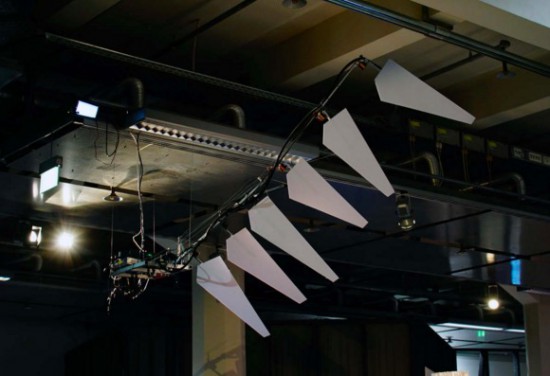
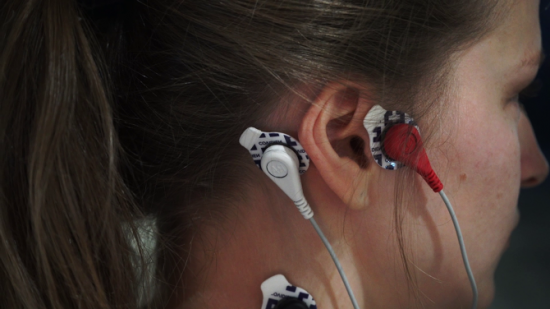
Wing is an interactive installation created by Dmitry Morozov  and commissioned by the Center for Art and Media (ZKM) in Karlsruhe, special for GLOBALE: Exo-Evolution exhibition, 2015. It’s a 2,5-meter wing that can be flapped by visitors thanks to compact dermal myLeaographic sensors (sensors measuring the electrical potential of muscles) installed  behind their ears and connected to an Arduino Uno:

The main idea of the project is an ironical and at the same time serious research on the topic of development of new instruments and prostheses as “extensions” of human body and accordingly its possibilities and potentials, which are being revealed by new technologies. At the same time, it’s an attempt to stimulate people to perceive and train the body in a different way, expanding the limits of self-control and self-organisation in order to adapt to the new conditions. At the same time, just like many spiritual practices aiming at the elevation of human soul through deep relaxation and control over seemingly uncontrollable muscles, this project uses the metaphor of flying as a reward for the ability to direct your mind to solving of non-standard tasks.

Watch a fin-propelled underwater robot prototype

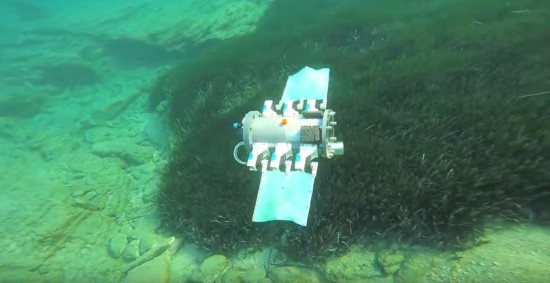
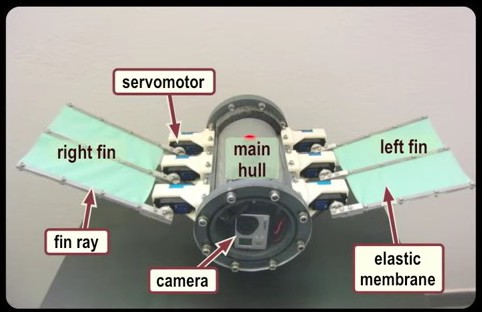
The robotic prototype swimming under water propelled by fins, it was developed at the Control Systems and Robotics Laboratory of the Technological Educational Institute of Crete, in Heraklion (Greece) and it’s controlled by an Arduino Mega:

Each fin is comprised of three individually actuated fin rays, which are interconnected by an elastic membrane. An on-board microcontroller generates the rays’ motion pattern that result in the fins’ undulations, through which propulsion is obtained. The prototype, which is fully untethered and energetically autonomous, also integrates an IMU/AHRS unit for navigation purposes, a wireless communication module, and an on-board video camera. The video contains footage from experiments conducted in a laboratory test tank to investigate closed loop motion control strategies, as well as footage from sea trials.

the Arduino runs a custom-developed real time firmware that implements two Central Pattern Generator (CPG) networks to generate the undulatory motion profile for the robot’s fins. The robot  contains a  7.4V lipo battery powering also a Bluetooth module for wireless communication and a video camera to record footage of the missions.


Explore tangible interfaces with a wooden sequencer

During the Physical Computing and Creative Coding course at School of Form a team composed by Ernest Warzocha, Jakub Wilczewski, Maciej Zelaznowski worked on a project starting from the keyword “the aesthetics of interaction”. With the help of their lecturers – Wies?aw Bartkowski and Krzysztof Golinski – they decided to rethink about typical button-like interface of audio sequencer and design a unique tangible interface for it.

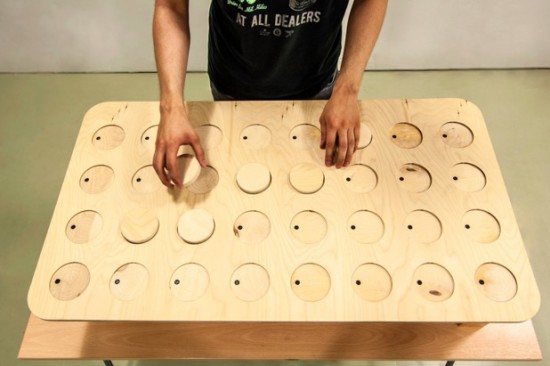
The Wooden Sequencer runs on Arduino Uno and works by using familiarity of real objects and manipulating them similarly to the idea of Durell Bishop’s Marble Answering Machine:

Instead of regular buttons we created wooden discs (4×8 circles) that placed in holes generate audio sequence. Each line corresponds to different instrument and columns are responsible for time when sample is played. To know in which point at timeline our sequence plays there is hidden LED on top of each column that blink through wood and informs user which one is currently played.

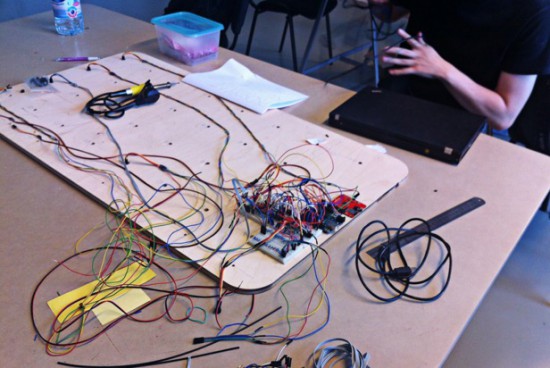
To create good-looking round shapes of table we used CNC router at our university. After the milling process we connected all electronics with table and sensors for each hole. The core of our project is Arduino UNO with multiplexers and MP3 module. With rendered samples and build-in speakers our project doesn’t require computer plugged in.

Important and somehow unique in our sequencer is usage of IR reflective sensors to change played instrument sample. To decide which sample we want to play sensor recognizes different grayscale color and intensity of the reflected light at bottom of our discs – actually everything placed on table can generate sound. Creating grayscale-based controller is experimental way to interact with device. Furthermore, using grayscale palette might be great idea for MIDI instrument. For this project we used two colors to show the concept. It’s possible to add more but it’s more sensitive to non-constant background light.

Take a look at the video below and explore more pictures on Behance:

Arduino Pinout ASCII art ready to go

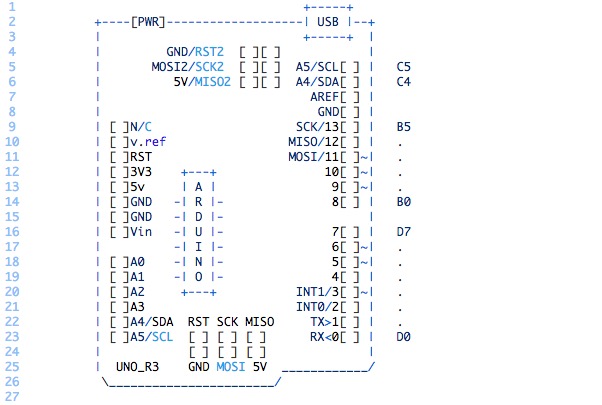
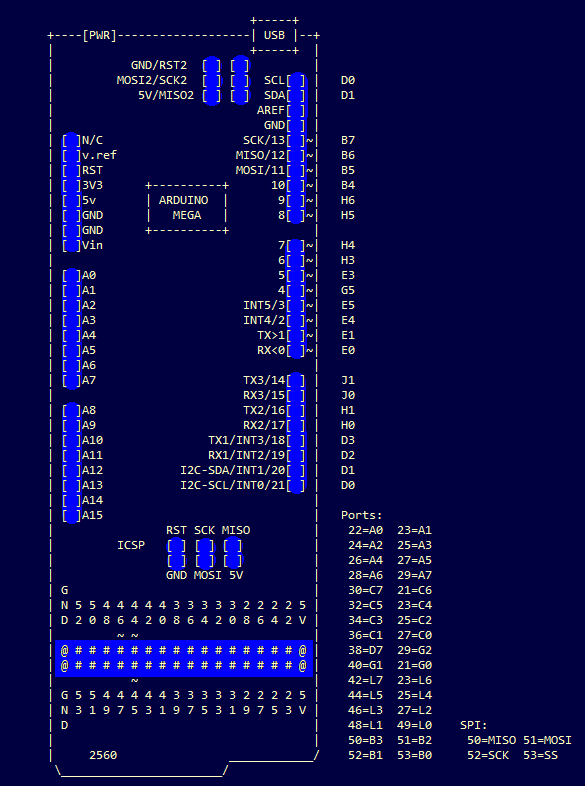
To enable easy documentation of pin assignments, BusyDuckMan created a couple of ASCII art of Arduino Uno and Mega boards marking ports, PWM and coms. You can now then simply copy and paste as a comment into your code and document in an easy way how the arduino is connected to other devices:

They can be pasted into code comments, (use /* and */ in the arduino IDE to create a block comment). They can also be useful in forums, when you need a quick arduino diagram, but don’t want to fire up an image editor.