Posts with «featured» label

The real open source Theremin on Arduino
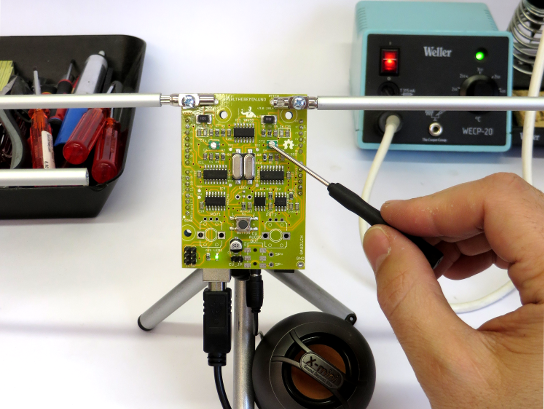
Open.Theremin is an open source hardware and software project by Urs Gaudenz of  Gaudi Lab with the aim of building the next digital generation of the legendary music instrument developed in the ’20s by the Russian inventor professor Leon Theremin. The project is documented under a open license and uses Open.Theremin.UNO, an Arduino  or Genuino Uno shield featuring a digital mixer, combined 12 bit audio and CV out, audio jack on the bottom for more compact design, two completely separate antenna circuits:

The theremin is played with two antennas, one to control the pitch and one for volume. The electronic shield with two ports to connect those antennas comprises two heterodyne oscillators to measure the distance of the hand to the antenna when playing the instrument. The resulting signal is fed into the arduino. After linearization and filtering the arduino generates the instruments sound that is then played through a high quality digital analog audio converter on the board. The characteristics of the sound can be determined by a wave table on the arduino.

Most theremins on the market are either expensive or then not really playable. That’s how I decided to design a playable, open and affordable theremin. The first version was modular and difficult to program. Then I decided to redesign it as a shield to fit on the Arduino.UNO. This was a big success and many people could start using it, change the sounds and adapt it to their own application. The whole design is open source and documented on the website. I produced a small batch of the shield that can be bought through the small batch store on the website.

Watch the video below with Coralie Ehinger, a Swiss theremin player and organizer of the first Swiss theremin festival N / O / D / E, playing the instrument:


Arduino Blog 11 Jan 18:43

Into the void with lights and shadows

Rodrigo Carvalho is a designer and interactive new media artist from Porto (Portugal) researching on real-time relations between sound, image and movement in audiovisual interactive spaces. He submitted to Arduino blog his latest project “Into the void” running on Arduino Mega:

First version of “Into the Void”, a series of audiovisual installations exploring physical structures creating light and shadows with immersive audiovisual spaces.
A array of triangles is placed on the floor, each one has a LED strip on the back which are connected to an Arduino. On MAX, series of random numbers generators and different probabilities trigger a signal to each triangle, making it turn on or off.
At the same time that a triangle is triggered a MIDI message is sent to Ableton Live and plays notes on a MIDI Instrument and an OSC message is sent to Processing for the Visual output.


The installation was created in collaboration with Ana Duarte, André Sousa and Daniel Correia and you can find more info at this link.

Arduino Blog 07 Jan 19:23

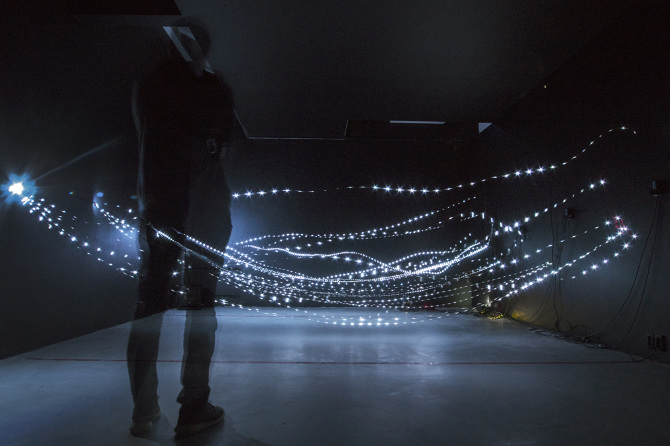
LED strips installation beyond Xmas

The installation of Dmitry Morozov (:: vtol: :)”Wave is my nature” exhibited at the Mars center in Moscow is focused on the concept of Wave as the basis of all audiovisual art:

The project draws from the theory of Wave–particle duality which considers the light to be a particle and a wave at the same time. In this case, the notion of the “wave” is uniform for the sound wave, light wave and a “tangible” kinetic wave with wide amplitude, physically presented in the space as stretched cables moved by a system of motors. The piece also refers to the topic of physical modeling of the wave processes which take place in various media and materials: “string”, “data flow”, “visualisation of sound”, “sonification of light” etc. In general, the installation can be viewed as a kinetic spacial light installation which reacts to the presence of audience and creates an autonomous sound and light composition.

The artist used led strips, servo motors, 2-channel sound system, ir motion sensors running on Arduino Mega and Arduino Uno:

A rec&play loop station for little musicians

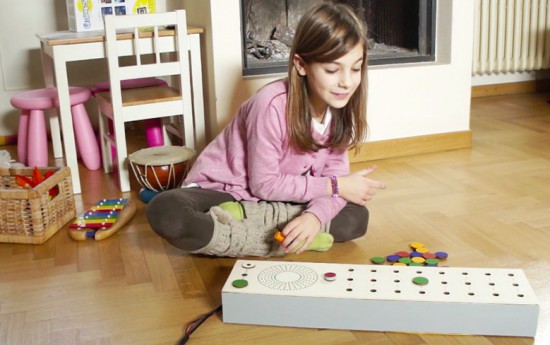
The Interaction Awards  published the shortlisted projects for 2016 and up to five finalists in each category will be announced during the event on Friday evening, March 4, 2016. In the Expressing category, showcasing projects enabling self expression and/or creativity there is a project called Step representing an innovative and engaging way of approaching music production for children between 6 and 100 years old.

Step runs on an Arduino and has been created by Federico Lameri, Sandro Pianetti at the Master of Advanced Studies in Interaction Design in Lugano under the supervision of Massimo Banzi and Giorgio Olivero of Todo.

To prototype the user experience we’ve used an Arduino Leonardo connected to a processing sketch that handle the recording and playback features. Using a Mux Shield 2 we managed connecting 25 IR sensors, 16 LEDs, 1 knob and a button to a single Arduino board. We needed a quick and effective way to test the experience and by using Arduino we managed to design and build the whole product in three weeks.

Most of the music toys on the market are trying to fake the sounds and the experience of real instruments. Step has a different approach as it’s designed to give children the opportunity to create real loops and beats using whatever sounds they like from objects of everyday life.

Players can record any sounds and match them with  coloured tags, and then  create melodies, loops and and beats by placing tags on the track and by adjusting the tempo!

Check the video below to see it in action:

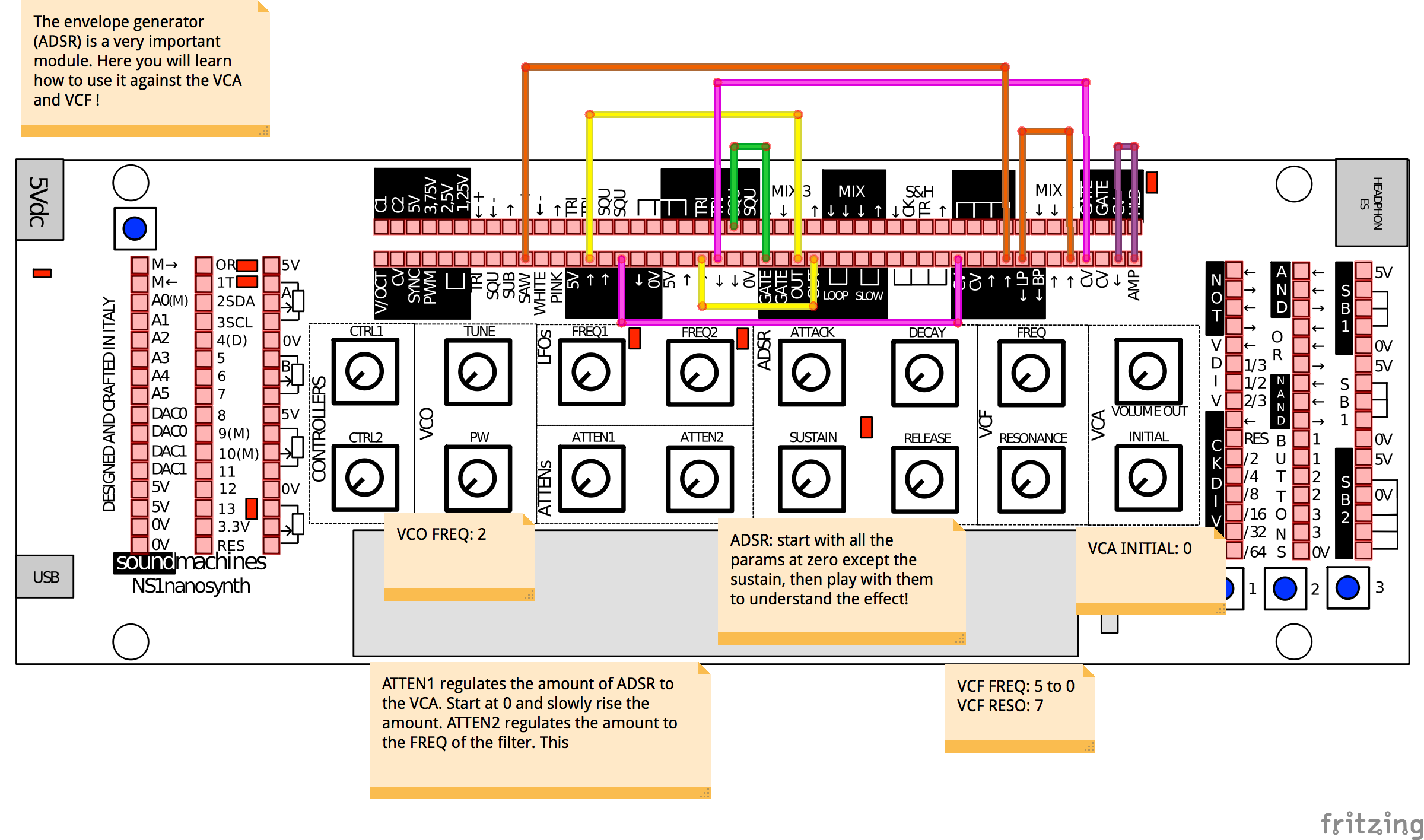
NS1 Nanosynth the hackable analog synthesizer is back!

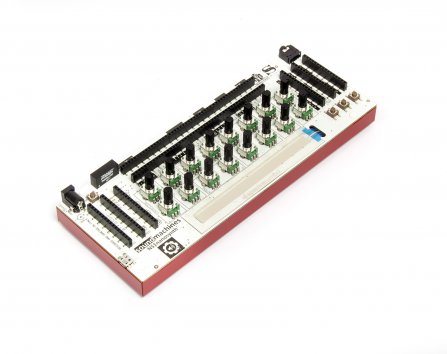
We’ve been playing with NS1 Nanosynth in the last few weeks, when it first appeared under our radars on the Christmas’ Gift Guides (while going sold out in few days, after Synthopia blessed it with this interesting review).  It’s a hackable and customizable analog synthesizer coupled with an Arduino Micro platform.

Personally, it was one of my first steps into modular synthesizers. Nice sounds, easy approach. Peter Kirn is perfectly picturing this amazing compromise here!

Synths: they’re fun to tweak and play. Modulars: they’re fun to patch. Arduinos: they’re fun to hack. Small things: they’re fun to carry around.

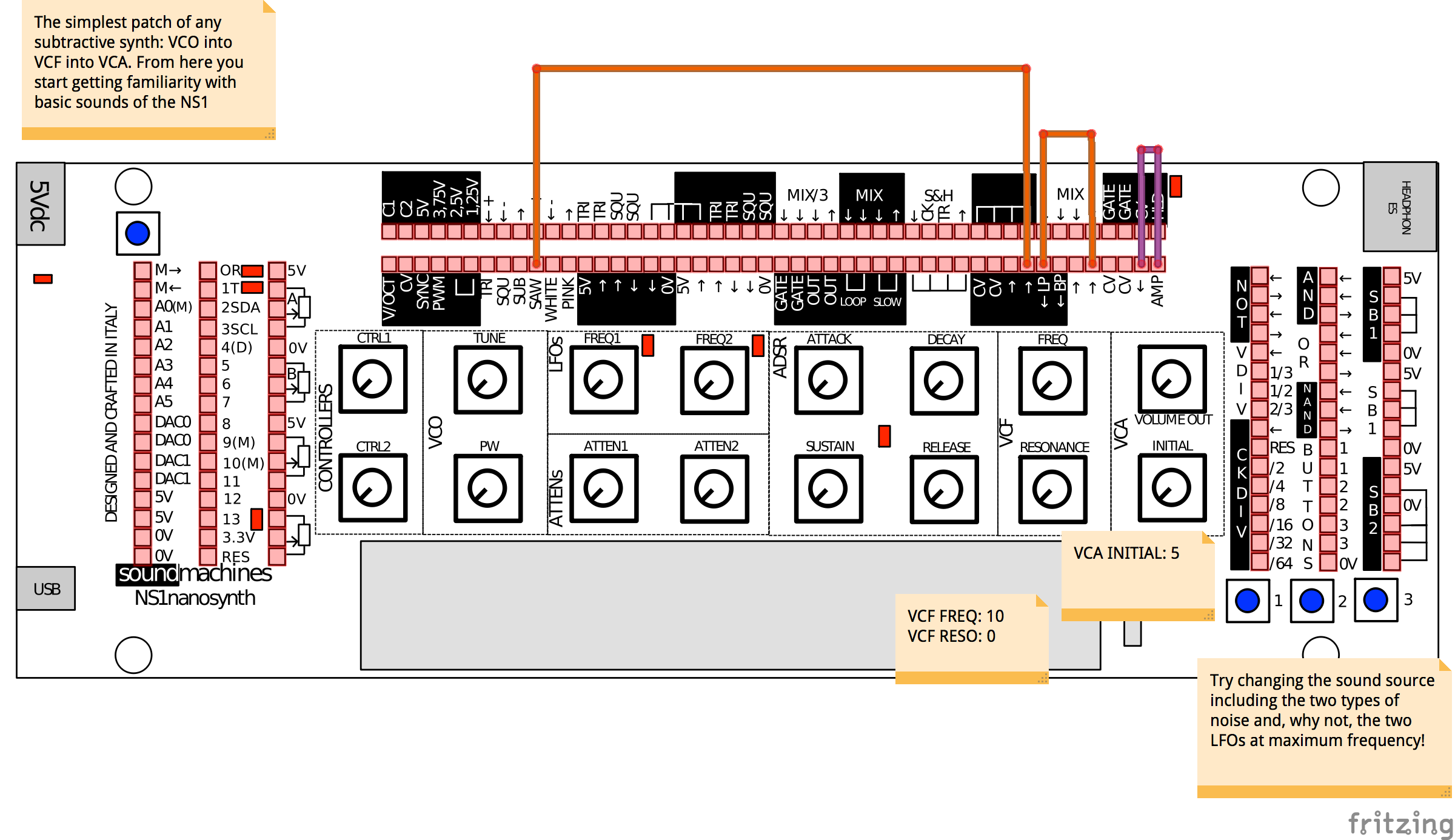
But how to track patches? How to share sounds with friends? I was playing mainly with my son, and managed to print out a paper sketch depicting all the different pinout of the synth. I wasn’t satisfied with that, I needed more!

I started writing Sound Machines, about new patches, more sounds. It turned out I made a Fritzing part out of the Nanonsynth, and we started sharing each other patches. This repository holds them, and this is a short review of the best. Enjoy!


Here you can listen to the envelope Generator (ADSR) in action:


Want to add your very own sounds? You can either add it to their repository or comment here!

Arduino and Genuino 101 Available in the Arduino Stores

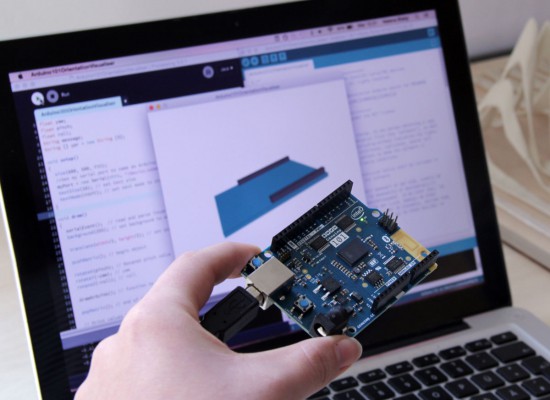
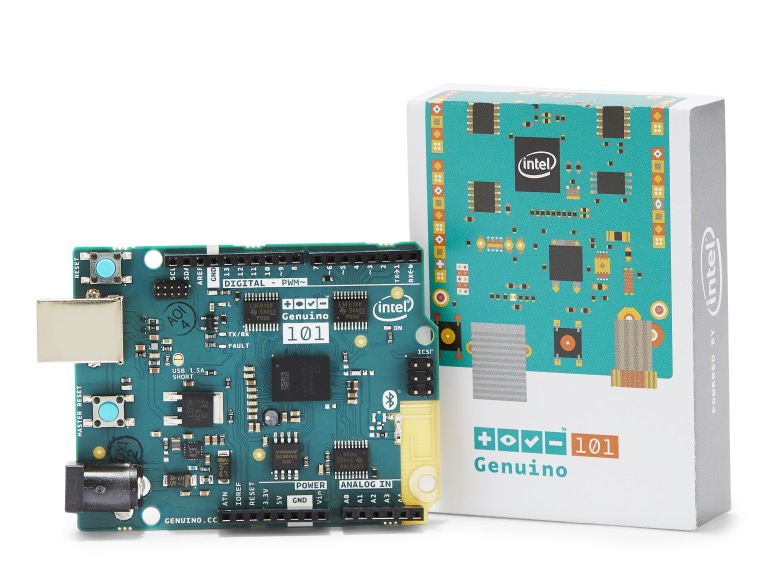
We’re very excited to announce that starting today Arduino 101* (USA only) and Genuino 101 (Outside USA) made in collaboration with Intel, are available for purchase exclusively on the Arduino Stores at the price of $30/€28,65 (+ tax).

Arduino 101 and Genuino 101 are the ideal successor of the Uno featuring a 32-bit Intel® Quark™ microcontroller for minimal power consumption, 384 kB of flash memory, 80 kB of SRAM (24 kB available for sketches), an integrated DSP sensor hub, Bluetooth Low Energy radio, and 6-axis combo sensor with accelerometer and gyroscope. You’ll be able to create projects with great features like recognising gestures and controlling your phone over Bluetooth connectivity — all without needing additional hardware.

We presented it and gave a preview during Maker Faire Rome 2015: watch Massimo Banzi and Josh Walden Senior Vice President of Intel Corporation introducing the board at the Faire in the video below.

We prepared some documentation so you can learn all the details about the new board:

And  3 tutorials focused on the new features of Arduino and Genuino 101:

Like all our boards, Arduino 101 & Genuino 101 are supported by Arduino IDE starting with version 1.6.7, that we have just released. Check out the download page. IDE version 1.6.7 contains a revamped, faster and more compliant version of Arduino-builder (all the fixes are reported here), a lot of fixes to Board Manager and the serial plotter is now able to plot multiple signals at once.

*Please note: Arduino 101 boards sold in USA are in pre-selling, we will be able to ship them  from December 28th onword.

Farmbot and why documentation’s vital to open source projects

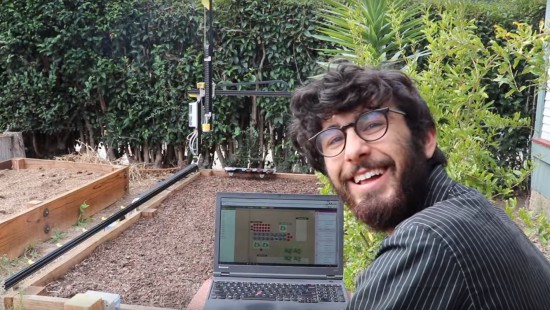
Farmbot is the first open source cnc farming machine with the aim to create an open and accessible technology aiding everyone to grow food and to grow food for everyone. It runs on open source hardware like Arduino Mega 2560 and  involves a community of contributors on the wiki and forum where you can find documentation, schematics, assembly guides, troubleshooting tips and many more on all currently supported and old FarmBots.

Documentation has been a key element of the project since the beginning and Farmbot founder, Rory Aronson at the 2015 Hackaday SuperConference, gave a talk about why great documentation is the key to building a community of hackers who continue to build upon open source technologies:


Arduino Blog 16 Dec 21:32

You Can Build Arduino multi-device Networks with Temboo

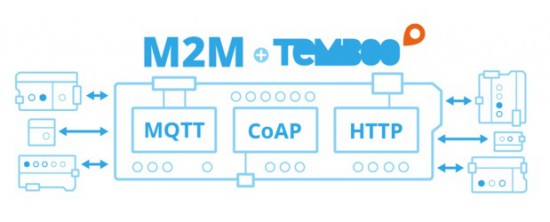
Is there a cool Internet of Things idea that you’ve wanted to try out with your Arduino, but just haven’t had time for?  Building a network that integrates multiple sensors and boards into one cohesive application can be time-consuming and difficult.  To make it a bit easier, Temboo just introduced new Machine-to-Machine programming that lets you connect Arduino and Genuino boards running locally in a multi-device network to the Internet.  Now, you can bring all the power and flexibility of Internet connectivity to Arduino applications without giving up the benefits of using low power, local devices.

Our friends at Temboo now support three M2M communication protocols for Arduino boards: MQTT, CoAP, and HTTP. You can choose which to use based on the needs of your application and, once you’ve made your choice, automatically generate all the code you need to connect your Arduinos to any web service. You can also save the network configurations that you specify, making it easy to add and subtract devices or update their behavior remotely.

With Temboo M2M, you can program flexible distributed device applications in minutes. From monitoring air quality and noise levels in cities to controlling water usage in agricultural settings, networked sensors and devices enable all sorts of powerful IoT applications. You can see it all in action in the video below, which shows how they built an M2M network that monitors and controls different machines working together on a production line.

Arduino Blog 15 Dec 17:02

Enter the World’s Largest Arduino Maker Challenge

Massimo Banzi, CEO of Arduino.cc created a video to to invite you to the World’s Largest Arduino Maker Challenge in collaboration with  Microsoft and Hackster.io. Participate with your IoT idea and take the chance to win twice! We are giving away 1000 new Arduino MKR1000 (US only) and Genuino MKR1000 (Outside US) boards , for the first time ever, and other amazing prizes like Maker Faire trips, Adafruit gift certificates and a video production about you and your work.

Watch the video and register as a participant!

Arduino Blog 14 Dec 14:57
arduino  featured  genuino  iot  mkr1000  

Making a Vintage Star Wars AT-AT toy walk with an Arduino

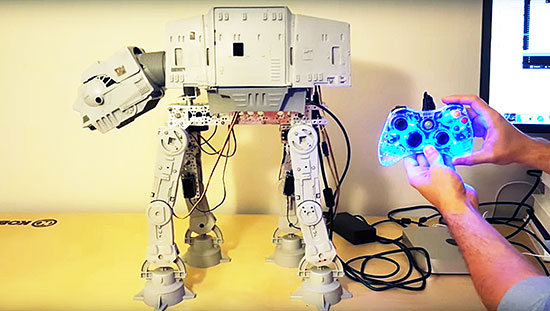
Dave Stein is a software engineer during the day and a tinkerer on Arduino projects in his free time after work. He submitted on the blog his first Arduino project with the goal of powering his old AT-AT Walker toy (mid 1980s) with Arduino Uno and make it walk and perform some of the functions we see in the Star Wars movies.

AT-AT (All Terrain Armored Transport) are four-legged combat walkers 22.5mt (73.8ft) tall of the Galactic Empire, one of its most famous military symbols introduced  in “Star Wars V: The Empire strikes back”, and we may see them again in the next weeks on “Star Wars: The Force Awakens” the upcoming episode of the saga opening December 18th.

The AT-AT walker toy updated by Dave is controlled by a wired Xbox 360 controller that interfaces with a computer and transports a signal to the Arduino Uno for walker movement:

The left and right triggers move the walker forward and backward while the right stick moves the head horizontally. If you have ever played with this toy you may remember it was clumsy and difficult to move. In my project I wanted to learn about and conquer the difficulties of quadrupedal movement. The realization process for my project involved a massive amount of trial and error, research, and failures. I have to say that I failed many more times than I succeeded with configuring the servos with the Arduino. I went down many long roads to learn about prototyping with the breadboard, soldering, and redesigns of the final product. The most difficult part of the project aside from adjusting the gait of the walker for balance and movement was providing enough power to the servos without frying the microcontroller or any of the components. I was finally able to overcome these difficulties by implementing the Adafruit servo shield.

Check AtAt Project website for all info, parts list and upcoming tutorial!