Conducting an APK teardown of the latest version of the Peloton Android app, 9to5Google found evidence the company is preparing the software to support a rowing machine in the near future. The outlet found various code snippets that mentioned a device codenamed "Caesar" and "Mazu." The latter is a reference to a Chinese sea goddess. Like the company's stationary bike, it appears the rowing machine will include a "scenic rides" feature that will showcase waterways from around the globe. And if you want to just row, that will be an option too.
Another set of snippets reference the four positions of a proper rowing technique. "This is the drive position of your stroke," the app explains. "Sit tall on the rower with your arms straight and your back upright. Your knees should be just above the ankles." Digging deeper into the updated software, 9to5 also found code suggesting the app will track metrics like your average and max stroke rates.
A rowing machine is something Peloton has been rumored to be working for a while now, with a recent job listing mentioning the device. We've reached out to Pelton for confirmation, but we'll note here what we say with all APK teardowns: the fact there's code pointing to a new hardware release doesn't mean a company will follow through on that work or that a launch is imminent.
Since Apple announced it was working on a technology for detecting child sexual abuse material (CSAM), the system has been a lightning rod for controversy. Now, two Princeton University academics say they know the tool Apple built is open to abuse because they spent years developing almost precisely the same system. “We wrote the only peer-reviewed publication on how to build a system like Apple’s — and we concluded the technology was dangerous,” assistant professor Jonathan Mayer and graduate researcher Anunay Kulshrestha wrote in an op-ed The Washington Post published this week.
The two worked together on a system for identifying CSAM in end-to-end encrypted online services. Like Apple, they wanted to find a way to limit the proliferation of CSAM while maintaining user privacy. Part of their motivation was to encourage more online services to adopt end-to-end encryption. “We worry online services are reluctant to use encryption without additional tools to combat CSAM,” the researchers said.
The two spent years working on the idea, eventually creating a working prototype. However, they quickly determined there was a “glaring problem” with their tech. “Our system could be easily repurposed for surveillance and censorship,” Mayer and Kulshrestha wrote. “The design wasn’t restricted to a specific category of content; a service could simply swap in any content-matching database, and the person using that service would be none the wiser.”
That’s not a hypothetical worry either, they warn. The two researchers point to examples like WeChat, which the University of Toronto’s Citizen Lab found uses content-matching algorithms to detect dissident material. “China is Apple’s second-largest market, with probably hundreds of millions of devices. What stops the Chinese government from demanding Apple scan those devices for pro-democracy materials?” Mayer and Kulshrestha ask, pointing to several instances where Apple acquiesced to demands from the Chinese government. For example, there’s the time the company gave local control of customer data over to the country.
“We spotted other shortcomings,” Mayer and Kulshrestha continue. “The content-matching process could have false positives, and malicious users could game the system to subject innocent users to scrutiny.” Those are concerns privacy advocates have also raised about Apple’s system.
For the most part, Apple has attempted to downplay many of the concerns Mayer and Kulshrestha iterate in their opinion piece. Senior vice president of software engineering Craig Federighi recently attributed the controversy to poor messaging. He rejected the idea the system could be used for scanning for other material, noting the database of images comes from various child safety groups. And on the subject of false positives, he said the system only triggers a manual review after someone uploads 30 images to iCloud. We've reached out to Apple for comment on the op-ed.
Despite those statements, Mayer and Kulshrestha note their reservations don’t come from a lack of understanding. They said they had planned to discuss the pitfalls of their system at an academic conference but never got a chance because Apple announced its tech a week before the presentation. “Apple’s motivation, like ours, was to protect children. And its system was technically more efficient and capable than ours,” they said. “But we were baffled to see that Apple had few answers for the hard questions we’d surfaced.”
T-Mobile says millions more people have been impacted by its recent data breach than initially believed. In a Securities and Exchange Commission filing, the company said an additional 6 million or so accounts were affected, taking the total to more than 54 million.
On Wednesday, T-Mobile disclosed that data from around 40 million former or potential customers had been compromised in a cyberattack. The data included names, birth dates, social security numbers, driver’s licenses and information from other types of identification. The company now says another 667,000 accounts of former customers were accessed, with attackers obtaining some personal data from those, but no SSNs or ID details.
In the previous disclosure, T-Mobile said approximately 7.8 million current holders of T-Mobile postpaid accounts were impacted, with attackers gaining at least some customers' personal data. The company now says phone numbers and IMEI and IMSI details (identifiers for mobile devices and SIM cards respectively) were compromised as well.
On top of that, T-Mobile has identified another 5.3 million affected postpaid accounts. No SSNs or driver’s license/identification details were compromised from those, the company said, but the attackers accessed other identifiable information.
Around 850,000 active T-Mobile prepaid customers have been impacted as well. The attackers may have garnered up to 52,000 names connected to current Metro by T-Mobile accounts too. Accounts of former Sprint prepaid and Boost Mobile customers are unaffected.
Other data was stolen in the cyberattack, including additional phone numbers and IMEI and IMSI numbers, but the company claims there was no personally identifiable information in those files. Meanwhile, T-Mobile still has "no indication" that customer financial details, such as credit card data, were affected.
A member of an underground forum claimed over the weekend to have data for more than 100 million T-Mobile customers. They reportedly attempted to sell information of around 30 million of those for about $270,000 worth of Bitcoin.
T-Mobile's investigation into the breach is ongoing and it will provide more details if it finds more affected accounts. The company says it's "confident that we have closed off the access and egress points the bad actor used in the attack" and that it has taken steps to mitigate the impact on customers. For instance, it has offered two years of identity protection service to anyone who thinks they might have been affected.
The internet was awash with tech deals this week, with some of the best coming from Apple and Amazon. Apple's AirPods Pro dropped to $180 while the MacBook Pro M1 received at $200 discount. Amazon kicked off its "off to college" sale by reducing the prices of its Echo speakers, including the Echo Dot, Kindle e-readers and a handful of Fire tablets. And those looking for a new streaming gadget can get the Roku Streambar or the NVIDIA Shield TV for less. Here are the best tech deals we found this week that you can still get today.
AirPods Pro
Billy Steele / Engadget
Apple's AirPods Pro are down to $180 right now, or $70 off their normal price. These are the best sounding earbuds you can get from Apple, and we gave them a score of 87 for their better, more secure fit, IPX4 water resistance and solid audio quality.
The MacBook Pro M1 is $200 off at Amazon thanks to a sale price and an automatically applied coupon on top of that. That means you can get the model with 256GB of storage for $1,099 and the 512GB version for $1,299. We gave the Pro M1 a score of 84 for its powerful performance, solid keyboard and trackpad and healthy battery life.
Those looking to invest in an iPad Pro as a laptop alternative need look no further than Amazon's most recent sales on the 1TB models. The WiFi version of the latest 11-inch iPad Pro is down to $1,399 while the WiFi + Cellular version is down to $1,599. These iPad Pros run on Apple's M1 chipset, so you're getting the latest processor technology and formidable performance in these slabs.
The Echo Dot has been discounted to $35 while the regular Echo smart speaker is down to $80 as part of Amazon's "off to college" sale. While not all-time lows, these sale prices are great for those that want to save a bit and add an Echo device to their home, or college students who want a convenience speaker for their new dorm room.
Both Amazon's Kindle Paperwhite and regular Kindle are on sale right now for $80 and $65, respectively. These are some of the best prices we've seen on both e-readers since Prime Day back in June. We recommend the Paperwhite to those that can afford it, but the standard Kindle is an even better buy now than it was a couple of years ago thanks to its new front light and higher-contrast display.
A number of Amazon Fire tablets are on sale this week, including the new Fire HD 10, which is down to a record low of $100. The Fire HD 8 has been discounted to $60, which is a great price for a basic tablet that we praised for its long battery life, USB-C charging and hands-free Alexa capabilities. And if you've been eyeing a Fire tablet for your child, the Fire 7 Kids Pro and the Fire 8 Kids Pro are both on sale for $60 and $90, respectively.
Amazon knocked $20 off its Fire TV Cube, bringing it down to $100. It's been around for a while, but the Fire TV Cube remains the most powerful streaming device in Amazon's lineup. It has solid performance and supports 4K HDR output as well as voice commands via Alexa for both your TV and other smart home devices.
The NVIDIA Shield TV is $20 off right now, bringing it down to $130. We like it for its Tegra X1+ processor and its support for Dolby Vision HDR, Dolby Atmos audio, Chromecast 4K and AI-powered HD-to-4K upscaling.
The Roku Streambar is down to $99 right now, or $30 off its normal price. It's a relatively affordable device to get to upgrade an old TV in your home, or up the audio chops on your main set. We gave it a score of 86 for its compact size, good sound quality and 4K HDR streaming chops.
Samsung's premium Galaxy Buds Pro are on sale for $127 at B&H Photo right now. That's 37 percent off their normal price and close to a record low. We gave them a score of 85 for their comfy fit, good sound quality and wireless charging case.
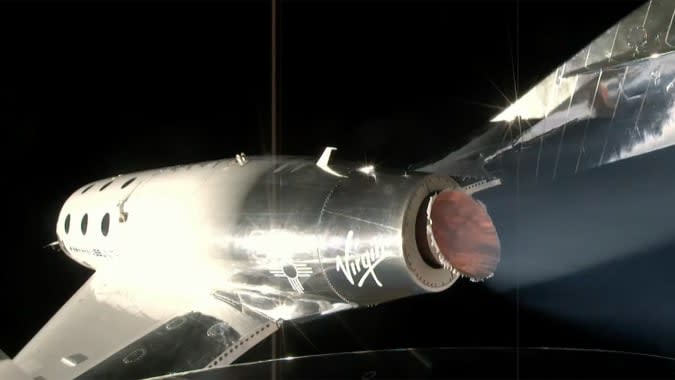
In this Omaze giveaway you can win two seats on one of the first Virgin Galactic flights to space. In addition, you'll go on a tour of Spaceport America in New Mexico with Richard Branson. You don't have to pay to enter, but funds from all paid entries will support Space for Humanity, an organization that hopes to make space more accessible for all. The sweepstakes is open through September 1, so you still have time to enter.
Through September 18, Omaze is giving away another $20,000 to build your ultimate gaming PC. This sweepstakes is free to enter, but funds donated with purchased entries will benefit Schools on Wheels, an organization that provides free tutoring and mentoring services to children experiencing homelessness across Southern California.
Through December 8, you can enter to win four-day passes to San Diego Comic-Con 2022. Along with the passes, you'll get access to a special preview night, reserved seating in Hall H, a personal concierge, a private tour of the Comic-Con Museum, dinner in Balboa Park and tickets to the "Night at the Comic-Con Museum" event. It's free to enter, but funds from this sweepstakes will go to the San Diego Comic Convention.
Logitech's C922x Pro webcam is on sale for $75, or $25 off its normal price. While not a record low, it's a good sale price on a solid webcam that you'll actually be able to get relatively soon — Amazon estimates orders will ship in the first few weeks of September. This version of the C922 webcam is optimized for streaming, so it could be your Zoom-meeting webcam as well as your main game streaming camera.
One of our recommended VPNs is running a decent sale on a two-year subscription. You can sign up for NordVPN for $99 for the first two years, which comes out to $49.50 per year, and get three additional months of access for free. We like NordVPN for its speed, its no-logs policy, the thousands of servers it has to choose from and that one account supports up to six connected devices.
Sony, arguably nine months too late, is finally unlocking the 10 million PlayStation 5s around the world to accept expandable SSD storage. At launch, the next-gen console offered only 667GB of space for storing your PS5 games, with no way to expand that. While that’s been fine for some (like me), others (like my son) have been performing a near-daily juggling act, having to frequently delete and re-download games due to the restrictive storage size and the apparent need to have constant access to every Call of Duty game.
With the upcoming system software update — currently in beta testing — you’ll be able to increase your storage by slotting in a standard PCIe Gen4 x4 M.2 NVMe SSD. If that mess of acronyms has you recoiling, don’t worry, you’ll see that it’s not all that complicated, and if you want to know which drives we recommend, you can skip to the end.
How much storage do I need?
Aaron Souppouris / Engadget
The PS5 will accept drives between 250GB and 4TB in capacity. If you already have a PlayStation 5, chances are you have a reasonable idea of how much storage you want. If you’re buying an SSD with a new PS5, or buying for someone else, though, it’s difficult to tell.
PS5 games are a little smaller on average than their PS4 equivalents, typically ranging between 30GB and 100GB, with some notable (and very popular) exceptions. If you’re a fan of the Call of Duty series, just having Cold War multiplayer and Modern Warfare/Warzone installed will require 307GB of space. A full Warzone-Modern Warfare-Cold War install will take up almost two thirds of the PS5’s internal storage. If you’re not a CoD fan, though, chances are you’ll be good to store between six to 10 games on your PS5 internally before running into problems.
One additional thing to consider is your internet speed. If you live in an area with slow broadband, the “you can just download it again” rationale doesn’t really work out. A 100GB download takes me around eight hours, during which time it's difficult to simultaneously watch Twitch or, say, publish articles about upgrading PS5 SSDs. Keeping games around on the off-chance you’ll want to play them at some point make sense, at least for my household.
Off the bat, there's basically no point in going for a 250GB drive. Economically, 250GB drives aren’t that much cheaper than 500GB, and practically, that really isn’t a lot of space for modern games to live on. 500GB drives, coming in at around $90 to $150, are a decent bet, but the sweet spot for most is to opt for a 1TB drive, which should run you between $160 and $250. That will more than double the space you have available for games without breaking the bank. (Seagate’s official 1TB Xbox Series expansion card, for comparison, sells for $220.)
If you have the money, 2TB drives sometimes offer marginal savings per gigabyte, and can often be found when other models are out of stock. Unless you’re rolling in cash and want to flex, 4TB models should mostly be avoided, as you’ll end up paying more per gigabyte than you would with a 1TB or 2TB drive.
One final note: While the 825GB PS5 only provides 667GB of storage, that’s largely due to storage being reserved for the operating system and caching. If you install a 1TB SSD, you'll have, within margin of error, 1TB of storage available for games.
What about external SSDs?
Samsung
These are dramatically cheaper than the high-end internal SSDs, but there are restrictions on what you can do with them. An external SSD connects to your PS5 via USB, and is only suitable for playing PS4 games, or storing PS5 titles. This is useful if you have anything but the best internet — it’s faster to move a PS5 game out of “cold storage” on an external drive than it is to re-download it — or just want a large number of PS4 games to hand.
Due to the limitations here, you don’t need the highest performing model, although you should opt for SSDs over HDDs for improved transfer speeds. Any basic portable drive from a reputable brand will do, with the Crucial X6 and Samsung T5 being options we’ve tried and can recommend.
What SSDs are compatible with PS5?
The official answer to this question is an “M.2 Socket 3 (Key M) Gen4 x4 NVME SSD.” But even within that seemingly specific description, there are still more things to consider. The main requirements Sony has laid out for compatibility come down to speed, cooling and physical dimensions.
For speed, Sony says drives should be able to handle sequential reads at 5,500MB/s. Early testing has shown that drives as slow as 4,800MB/s are accepted by the PS5, and using them to play a game that taps into the SSD regularly — such as Ratchet & Clank: Rift Apart — causes no issues. Pretty much the only thing the PS5 will outright reject is one that doesn't match the Gen4 x4 spec.
In our opinion, though, using a drive slower than the specification is a risk that, if you don’t already have that drive lying around, is not worth taking. Just because we haven’t found issues now, that doesn’t mean there won’t be games that will be problematic down the line. The price difference between these marginally slower Gen4 drives and the ones that meet Sony’s spec is not huge, and you may as well cover all your bases.
Slightly more complicated than speed is cooling and size. Most bare SSDs are going to be just fine; the PS5 can fit 22mm-wide SSDs of virtually any length (30mm, 42mm, 60mm, 80mm or 110mm, to be precise). The vast majority of drives you find will be 22mm wide and 80mm long, so no problem there.
It should be noted that the system can fit a 25mm-wide drive, but that width must include the cooling solution. Speaking of, Sony says SSDs require “effective heat dissipation with a cooling structure, such as a heatsink,” which is where most of the complications arise.
The maximum height supported by Sony’s slot is 11.25mm, of which only 2.45mm can be “below” the drive. This is intensely specific, and rules out some popular heatsinked Gen4 SSDs such as Corsair’s MP600 Pro and Sabrent’s Rocket 4 Plus. With time, it’s likely that manufacturers will want in on this new avenue for high-end SSD sales, and these heatsink size limits are going to become the de facto standard for the industry. In the meantime, however, only a couple of heatsinked drives fit out of the box.
If you’re looking to save some money, bare drives are often much cheaper and prevalent than their heatsinked alternatives, and it’s trivial to find a cooling solution that will work for the PS5.
The only component in an NVMe SSD that really requires cooling is the controller, which without a heatsink will happily sear a (very small) steak. Most SSDs have chips on only one side, but even on double-sided SSDs, the controller is likely to be on top, as manufacturers know it needs to be positioned there to better dissipate heat. So, head to your PC component seller of choice, and pick up basically anything that meets the recommended dimensions. A good search term is “laptop NVME heatsink,” as these will be designed to fit in the confines of gaming laptops, which are even more restrictive than a PS5. They’re also typically cheaper than the ones popping up now that are labelled as “PS5 heatsinks.”
One recommendation is this $7 copper heatsink, which attaches to the SSD with sticky thermal interface material. It works just fine, and really, performing stress tests on a PC, we couldn’t find anything metal that didn’t keep temperatures under control. When you’re searching, just make sure the solution you go for measures no more than 25mm wide or 8mm tall including the thermal interface material and has a simple method of installation that’s not going to cause any headaches.
Now, if all of that was very boring, here are some ready-to-go recommendations:
Best PS5 SSD: Patriot Viper VP4300
Patriot
Patriot may not be the biggest name in components, but it has a long history in the PC market, and the Viper VP4300 is a solid drive for the PS5. With a sequential read rating of 7,400MB/s and a slim heatsink preinstalled, it meets all the necessary requirements for a simple upgrade. The reason it tops our list is the cost. It comes in 1TB and 2TB varieties, both of which are competitively priced. Expect to pay around $210 for the 1TB version or $430 for the 2TB.
If you’re not a PC user, PNY is another company you probably haven’t heard of. Again, though, it has a good track record, operating for three decades out of the US. The XLR8 CS3040 is a fantastic value option, though it will require you to add your own cooling solution, as the one PNY sells won’t fit in the PS5.
While that may sound like a hassle, maybe the pricing will convince you: The $90 500GB option is great, but the $160 1TB drive is a steal, and the $307 2TB model is also outrageously cheap. As mentioned, we don’t really recommend 4TB drives but, among the typically four-figure options on the market, PNY’s $700 CS3040 is the only one that makes any sense.
The SN850 is a plug-and-play option for the PS5, with a sequential read rating well above the necessary numbers and a 6.5mm-high heatsink preinstalled. It comes in 500GB, 1TB and 2TB varieties, all of which are priced fairly competitively, though the price-per-GB of the 1TB and 2TB is significantly lower than the 500GB.
Expect to pay around $140 for the 500GB drive, $250 for the 1TB version or $430 for the 2TB. If you’re willing to go it alone on the heatsink, those prices drop to around $120, $200 and $400, respectively.
We haven’t been able to test this one ourselves, as it starts shipping “this summer,” but given Seagate is a trusted brand and has outright said its heatsinked drive supports PS5, we’re happy to include it on this list. Unfortunately, the list pricing on the 530s is high, at $160 for 500GB, $260 for 1TB, $540 for 2TB and $1,000 for 4TB. The non-heatsink version will retail at $140, $240 and $490, for the 500GB, 1TB and 2TB versions. These aren't a million miles away from the RRP on other drives on this list that have a lower real-world price now, so we’d expect that you’ll be able to find some deals at similar rates down the line.
Samsung does not sell a 980 Pro with a heatsink attached, but it does have a fantastic reputation for reliability, and prices that are competitive with WD, Seagate and others on this list. Expect to pay around $130 for 500GB, $190 for 1TB, or $370 for 2TB.
Crucial’s P5 Plus is another budget model, which missed out on the “best cheap SSD” spot thanks to PNY’s marginally lower prices. Again, this one has no heatsink, so you’ll need to supply your own. The 1TB drive is the sweet-spot option, coming in at $180, while the 500GB and 2TB drives will set you back $108 and $368, respectively.
Sabrent sells a bunch of Rocket drives, but only the Plus model actually meets Sony’s requirements, so be sure you’re looking at the correct model before you buy. The Rocket 4 Plus’ heatsink is too chunky to fit in the PS5, so you’ll again have to fit your own cooling solution. Sabrent typically has aggressive pricing, but as of writing the Plus hasn’t seen any major discounts. The 1TB model can be found at around $180, the 2TB $360 and the 4TB for $900.
As of writing, the first thing you’ll need to install an SSD is access to the semi-closed system software beta. From an admittedly small sample, I’ve yet to hear of people being denied access to this; everyone I know who's applied was accepted within a week. You can enroll here if you’re in the US, or you can google “PlayStation 5 System Software Beta Program sign-up” to find your local sign-up link.
Once you have the beta on your PS5, installation of a PS5 SSD is fairly straightforward. Sony recommends a #1 Phillips or crosshead screwdriver, but this isn't rocket science. Any crossed screwdriver of similar size will do fine.
Begin by powering down your PS5, unplugging everything, removing the stand and flipping it over to its underside. If you have the regular PS5, that’s the side with the disc drive, if you have the Digital Edition, it’s the side without the PlayStation logo cutout.
Sony has a video guide to popping off the outside cover here, but the gist is you gently lift up the opposing corners and slide the panel towards the flat end of the console. There’s a knack to this, and it requires very little effort or strength. If you’re not getting it, rather than force it just readjust your grip and try again. A member of our video team managed to break one of the tabs on our review unit doing this last November so… yeah, don’t force it.
Engadget
Once you’ve got everything open, you’ll see a rectangular piece of metal with a screw holding it in place. Remove that screw, and you’ll be able to access the drive bay.
You’ll see five holes inside, each numbered corresponding to the standard SSD drive lengths I mentioned earlier. The one numbered 110 will have a metal insert and screw inside. You need to unscrew the screw with a screwdriver, and then unscrew the insert with your fingers and move it to the relevant hole. Your eyes should tell you which is the right one for your drive, but it’s most likely going to be 80.
Aaron Souppouris/Engadget
Then take your SSD — mine is a 980 Pro I bought on Prime Day with a $2 piece of aluminum attached to the top — and slot it in. The slot is at the edge closest to the number “30,” and SSDs are keyed to only fit in one way, so again, no force is required. If it’s not sliding in, don’t force it. You’ll notice the SSD doesn’t sit flat — that’s fine, and is as intended.
Engadget
Once the SSD is seated, take the screw you removed from the insert, line it up with the little notch at the end of your SSD, and push down so it meets the insert. Give the screw it a few turns — it doesn’t need to be very tight — and you’re done.
Engadget
Replace the metal cover and screw it down, and then slide the plastic outer shell back on. When you first turn on the PS5, it’ll prompt you to format the drive. Do that! You have now successfully expanded your console’s storage, and can set about downloading and moving games to it. Personally, I moved all of the PS4 games I had to the new drive, along with all of my clips and screenshots. The PS5’s built-in SSD is always going to be the most compliant, so I’m keeping my important stuff there.
We'll be updating this guide as more SSDs come to market and onto our test bench, so feel free to bookmark it for when you need it.
While Apple may have released Siri before Google Assistant and Amazon Alexa, in many ways its voice-activated assistant is the least advanced of the three. A lot of that has to do with the amount of data and training digital assistants need to understand different languages, dialects and speech patterns. In an effort to improve its digital assistant, Apple recently launched a study to collect speech data and feedback with the help of an app called Siri Speech Study.
“The Siri Speech Study app allows participants to send certain data to Apple for product improvement, as detailed in the informed consent form,” the company says in a listing spotted by TechCrunch. The software is available in the US, Canada, Germany, France, Hong Kong, India, Ireland, Italy, Japan, Mexico, New Zealand and Taiwan. According to data from analytics firm Sensor Tower, Apple uploaded Siri Speech Study to the App Store on August 9th, and recently updated the software on August 18th.
Apple isn’t being exactly secretive about the app, but nor is it advertising its existence either. You can’t find the software by searching for it, nor is it listed as one of the apps published by Apple. Similarly, you can’t join the study simply by installing the software on your phone; you need an invite from Apple to participate. We've reached out to Apple for more information on the app.
Notably, the app allows those involved to choose what Siri requests they send to the company. That's an important point. In 2019, The Guardian published a report that detailed an Apple program where third-party contractors listened to anonymized Siri recordings to analyze the assistant’s responses. A whistleblower told the outlet there had been “countless instances” where graders listened to private conversations, including some that involved criminal dealings and sexual encounters. Apple subsequently moved the program in-house, and switched to opt-in transcripts.
While Samsung redesigned the latest Galaxy Buds 2 with the budget-conscious in mind, the Galaxy Buds Pro are its complete-package wireless earbuds. They debuted in January and we found them to be Samsung's best wireless earbuds to date — but they're also the company's most expensive at $200. But B&H Photo has a limited-time sale going on right now that knocks 37 percent off the buds, bringing them down to $127. That's close to an all-time low and a great price on the most premium Samsung earbuds.
Samsung had many iterations of its earbuds before the Galaxy Buds Pro came along, and it took all previous criticism to hear when designing the Pros. They have a compact, comfortable design with an IPX7 waterproof rating, so you could use them while working out. Active noise-cancellation is solid, blocking out sounds from things like running dishwashers well, and Android users can download the companion mobile app to change noise-cancellation settings.
The mobile app also lets you do things like enable hands-free Bixby and disable voice detection, which will automatically lower the volume and switch to ambient sound mode when you're speaking. We were also impressed by the buds' sound quality — the 11mm woofer handles the low-end well and highs are crisp and punchy. The Galaxy Buds Pro also support 360 Audio, which is Samsung's equivalent to Apple's Spatial Audio on AirPods Pro.
As far as battery life goes, it's decent but nothing to write home about. You'll get roughly 18 hours of listening time out of the buds, and that includes the extra charges carried by its case. We do like that the case supports wireless charging, though, so you can sit them on any Qi pad in your home to get extra juice. These remains the most premium earbuds you can get from Samsung, and considering B&H's sale makes them more affordable than even the new Galaxy Buds 2, it's a solid buy if you want the best Samsung has to offer.
Follow @EngadgetDeals on Twitter for the latest tech deals and buying advice.
Last year, Motorola returned to the high-end phone market with the Edge Plus, a device that was a mostly middling affair. It later followed it up with the more affordable and compelling Edge. The company's newest phone, announced today, falls somewhere in between those two devices. It’s not quite a flagship, but nor is it entirely a mid-range device either. Internally, the 2021 Edge features up to 8GB of RAM, up to 256GB of internal storage and a Snapdragon 778G processor.
That’s a step down from the Snapdragon 865 Motorola included with the Edge Plus, but what the 2021 Edge has going for it over its predecessors is a 6.8-inch display with a 144Hz refresh rate panel. Both the 2020 Edge and Edge Plus were limited to 90Hz, which should make the new model feel more responsive even with its mid-range processor.
Motorola
Motorola also reworked the camera module on the 2021 Edge. The phone now features a primary 108-megapixel sensor that uses pixel-binning technology to improve performance in low-light situations. Supporting the main camera is an 8-megapixel wide-angle camera with a lens that features a 119-degree field of view. Rounding out the camera array is a 2-megapixel depth sensor. For selfies, there’s a 32-megapixel shooter that can also take advantage of pixel binning.
The 2021 Edge comes with support for a variety of global LTE and sub-6GHz bands. It also comes with WiFi 6E, Bluetooth 5.2 and NFC connectivity, as well as C-band support, which will come in handy as Verizon (Engadget’s parent company) and AT&T use the spectrum in their ongoing 5G build-outs. Speaking of Verizon, the carrier plans to offer a mmWave model later in the year.
Powering everything is a 5,000mAh battery Motorola says should provide up to two days of uptime. On the software front, the phone will ship with Android 11 and the company’s My UX skin. Motorola plans to support the phone with two major platform updates and two years of bi-monthly security patches.
What you won’t find on the 2021 Edge is support for wireless charging or robust waterproofing. It’s only IP52-certified. Most high-end phones these days feature either IP67 or IP68 water resistance.
Like it did with the Edge, the company plans to sell the 2021 model at a $200 discount for a “limited time.” Motorola hasn’t said how long the phone would cost $500. Pre-orders for the unlocked model open on August 23rd, with general availability to follow on September 2nd. Verizon and Spectrum Wireless will start selling the phone at a later date.
In many ways, the Galaxy Z Flip 3should be the first foldable for a mainstream audience. It's basically a regular smartphone you can fold in half and it could appeal to the swaths of people who miss the satisfying snap of a flip phone. Plus, with a price drop, the new Flip now costs about the same as an iPhone or Galaxy S flagship. Samsung’s latest foldable also features a larger external display than its predecessor, making it more useful when closed, and has water resistance for some peace of mind. It’s even got a faster screen than Apple and Google offer and nifty software that makes better use of the screen when you prop it up on a surface. But the question remains, even at a more reasonable $1,000, is the Flip 3 good enough to usher foldables into the mainstream or are they still a gimmick?
Design and durability
One of the most important factors in determining if the Flip 3 is ready for daily use is durability. Samsung used stronger aluminum for the Flip 3’s frame, refined its hinge and made the screen tougher with a new flexible PET protector. I can’t tell exactly how much more durable the Flip 3 is compared to its predecessor, but I have been taking more risks with it. In fact, I consider my placing the Flip 3 (and the Fold 3, for that matter) into my bag along with my keys, laptop and DSLR the bravest thing I’ve ever done during a review.
I’m mostly worried because of a bad experience when I took the original Z Flip out for a day. It vibrated off a table and cracked its corner. I’ve been fairly careful with the Flip 3, but I’ve avoided babying it, and so far it’s survived being tossed into a bag with various sharp objects. While it’s still prone to sliding around due to its glossy glass exterior, it’s yet to fall off anything. I’ve placed it on treadmills, ellipticals, window ledges and restaurant tables and I don’t want to jinx it but: so far my Flip 3 is scratch-free.
Does that mean it’ll remain pristine a week, a month or even a year from now? Probably not. But as someone who’s cracked her fair share of phone screens, I feel like the Flip 3 is about as sturdy as most glass-covered flagships.
David Imel for Engadget
That is, with one exception: Its flexible internal screen is still more likely to break than others, if for no reason other than you’ll invariably end up pushing into some part of it to close the device. I’ve yet to damage the Flip 3’s screen, and I’ve been careful not to push my thumb into the middle of the panel to close the phone, but I’ve been shutting it with some force. Whether the durability is indeed improved is something that’s hard to tell without months of testing or deliberately trying to damage the device, so I might have to revisit this after some time.
Speaking of closing the phone: Like its predecessor, the Flip 3 isn’t easy to shut with one hand. It can be done, but the hinge is stiff and provides enough resistance to let it stay open at various angles. Unless you have Dwayne Johnson’s hands, you’ll probably need some leverage to open or close the Flip 3.
Oh and thanks to the IPX8 water resistance, I was a lot less worried about leaving the Flip next to my sink when I washed my face and dripped all over it while reaching for the soap.
Besides improved durability and a larger external screen, not much has changed between the new Flip and the last generation. They weigh the same 183 grams (6.45 ounces) and the Flip 3 is a hair thicker. Samsung’s also offering a few new color options, including my two favorites: green and lavender. My review unit is a boring cream/off-white, though.
Phones in the same size and price range like the iPhone 12 Pro Max and Galaxy S21+ are slightly heavier and thicker, but not by much. Of course, these devices are dust-resistant and sport triple cameras, while the Flip has just two. The conventional flagships are also not as narrow. But aside from the aspect ratio, the Flip 3 feels very much like a regular smartphone when unfolded. Bonus: It’s more compact when folded in half, which helps it fit into most of my pockets without peeking out. It actually almost reminds me of a pager when closed. Remember those?
A bigger, more useful Cover Display
The greatest difference between the Flip 3 and a typical smartphone is that you can close it, which is not only a satisfying means of putting your phone away, but also introduces a new way to interact with the device. The 1.9-inch external screen is four times larger than the previous model, and can show up to four lines of notifications at once. There are currently six widgets available for this window, which Samsung calls the Cover Display. To interact with this panel, you’ll have to first double tap on it, then swipe vertically or horizontally to see your notifications or widgets respectively.
This was a little confusing initially, as I didn’t know I needed to tap the screen before swiping. But after figuring it out, I’ve come to appreciate it because it prevents accidentally dismissing notifications and skipping songs on Spotify. That’s pretty helpful since I often unintentionally touch the Cover Display when closing the phone or picking it up.
Most of the time, I leave the Flip 3 closed until I need to reply to a message or when I start browsing my feeds. It’s certainly a lot less distracting to be able to put my phone aside and not have a long list of notifications that I can see from a distance. I initially set all six widgets to appear on my Cover Display, so scrolling sideways would bring up the weather, media controls, Samsung Pay, Health, Calendar and so on.
While I appreciated having all those options, after a while it became clear three widgets is plenty — the endless swiping got tiring eventually. The software is also a little buggy at the moment. The alarms widget, for example, will randomly abandon its countdown if you pause and resume it.
David Imel for Engadget
Another feature that sounds great in theory is using your Cover Display as a viewfinder. With the larger panel, you’ll have more room to frame up your selfies on the Flip 3 with the screen closed. I used it to snap a picture with three staff members of my building and while we were able to squeeze everyone in, the novelty wore off quickly.
The only time I can see preferring the outside screen as a viewfinder is if you need the sharper or wider rear cameras or when you’re really in a hurry and can’t spare the one or two seconds it takes to open the phone. I like that Samsung gives us this option, but even a selfie-obsessed person like me was never in that much of a rush to snap a portrait. Plus, the photos taken this way end up in a strange squarish crop, while those snapped using the main screen as a viewfinder are taller or wider.
Internal screen and Flex mode
When you’re back on the main screen, aspect ratio is still somewhat of an issue. The Flip 3’s 6.7-inch display runs at 2,640 x 1,080, which comes up to an uncommon 22:9 format. This didn’t cause too many problems — most apps fit nicely on the screen — but every now and then something will overflow. The pop-up dialogs in Settlers of Catan, for example, disappear into the edges of the display and I can barely tap the buttons I need to move on.
David Imel for Engadget
Fortunately, I didn’t encounter this on most of my frequently used apps, but for now Samsung doesn’t have a workaround to help ensure you can see everything on the Flex.
That’s my main issue with the Flip 3’s internal screen, which is otherwise a lovely canvas for browsing Instagram and YouTube thanks to its flexible AMOLED panel and 120Hz refresh rate. Images were vibrant with deep blacks and high contrast, and the display never stuttered when I scrolled my feeds in a frenzy. Oh I also didn’t mind the crease in the middle — yes it’s noticeable and does cause some distortion, but it doesn’t get in the way of readability. I also like how it felt beneath my thumb as I scrolled past it. It’s like stroking a soft, naked tendon, which is a lot better than it sounds.
Another update that makes the Flip 3 a better multimedia device than before are its stereo speakers. Now, when you hold it up to watch a video, you’ll hear its audio from both ends. It’s a little too easy to cover the bottom speaker with your hand when holding the phone horizontally, though.
David Imel for Engadget
Something else the Flip offers that regular smartphones don’t is a Flex mode that kicks in when you half-fold the device. This only works on some apps, like Gallery, Camera and YouTube, where the screen is split in half to show your photo, viewfinder or video on top and navigation, controls or more info at the bottom. When you set the Flip 3 up on a table in Flex mode, you can watch your show as if it were full screen on the top half, while scrolling comments or suggested videos below.
I thought I’d only find Flex mode useful with the Flip 3 sitting on a table (propped up like it has its own kickstand), but it actually was more helpful in enabling one-handed use. Because the screen is so tall, some elements are out of my thumb’s reach. Flex mode makes scrolling pictures in my gallery or snapping a picture much easier with one hand. So far, though, only a handful of apps support this, so Samsung will need to work harder to make more of them compatible.
Cameras
The Flip 3’s dual 12-megapixel cameras hold their own against the likes of the Pixel 5 and iPhone 12 Pro. While Samsung, Apple and Google all have minor differences in the color temperature of their photos, they deliver similar quality and clarity in most situations. The Flip 3’s picture of a yummy bowl of noodles was just as bright and vibrant as those taken with the Pixel and iPhone, though it’s a little soft and failed to capture some detail on the ceramic surface.
David Imel for Engadget
Photos the Flip 3 shot at night are also similar to those from the competition — you’d need to really scrutinize minor exposure and noise differences to tell them apart. The pictures I snapped of a dog park and the city skyline at night all came out bright and colorful, though Google delivered a better closeup of the New York City nightscape thanks to its superior processing software.
The selfies captured by the Flip 3’s 10-megapixel camera were also bright and sharp. And, based on an informal poll on my Instagram, the majority of my followers preferred a portrait shot by the Flip 3 to the Pixel 5.
Living the foldable life: In use and battery
With a Snapdragon 888 processor and 8GB of RAM, the Flip 3 performed smoothly during my testing. I haven’t encountered many delays when using the main screen to message my friends, post to Twitter and browse websites. It didn’t let up even as I recorded the screen while using the camera to capture footage of my friends trying to perform TikTok dances, either.
Occasionally, I felt like websites were scrolling more slowly than I was used to, and there are still some small software bugs (like the Cover Display’s alarm widget) that make the Flip 3 feel like it needs a bit more polish. But aside from these minor gripes and the fact that you can fold it, this phone feels very similar to its Samsung siblings.
That is, until we consider battery life. The Flip 3 never made it through a full day before needing a charge, and that runtime dropped when I enabled the Always On Display for the outer screen. Despite offering a larger Cover Display and a higher refresh rate on its main panel, the Flip 3’s 3,300mAh battery is the same size as its predecessor, which might explain its disappointing endurance. Meanwhile, the S21’s 4,000mAh cell typically stuck around for a day and a half, while the latest Pixels and iPhones easily outlast the Flip 3.
David Imel for Engadget
Wrap-up
After spending some time with the Flip 3 in the real world, I’ve come to realize a few things: I like being able to fold a phone, put it away and focus on work or living in the moment. But I can also turn a regular phone face down to do that. I enjoy the nostalgia and novelty of closing the Flip 3 when I’m mad at a caller or an app, too.
In general, the satisfaction and space savings from being able to fold a phone in half are not worth paying a premium for. The good news is that with the Flip 3, Samsung isn’t charging a hefty premium or making many compromises. Battery life is an unfortunate victim of the Flip 3’s larger external screen, but it’s at least not so short that you’ll need to charge it twice a day.
Ultimately, the Flip 3 is proof that Samsung can deliver a good phone with a foldable display at a relatively reasonable price. It’s also a satisfying upgrade from its predecessor, thanks to its water resistance and bigger outside screen. The most important question now is: Who should buy this? If you pride yourself on being an early adopter and want to get on the foldables bandwagon before they become more common, that might be you. The Flip 3 is a device capable of being a daily driver for those nostalgic or curious enough to buy one. But for a more mainstream audience, there simply aren’t enough benefits yet.
The Z Flip 3 is a satisfying upgrade from the original, thanks to water resistance and a larger, more useful Cover Display. Its $1,000 starting price puts it in the same class as flagships from Apple, Google and Samsung itself, too. While it mostly behaves like a regular modern smartphone that you can fold in half, the Flip 3 is held back by battery life and potential durability issues.
Main display: 6.7-inch 120Hz AMOLED Infinity Flex Display
Main display resolution: 2,640 x 1,080 (22:9)
External display: 1.9-inch Super AMOLED
External display resolution: 260 x 512
Rear (or external) cameras: 12MP f/1.8 wide-angle camera with OIS and 78-degree FOV, 12MP f/2.2 ultra-wide camera (123-degree FOV)
Front (or inside) camera: 10MP f/2.4 camera (80-degree FOV)
Operating system: Android 11 with One UI
Battery: 3,300mAh
Charging: USB-C with fast wired charging at 15W (QC2.0 and AFC) and fast wireless charging at 10W (WPC and PMA). Reverse wireless charging at 4.5W (WPC Qi).
Dimensions: 72.2 x 166.0 x 6.9mm (unfolded); 72.2 x 86.4 x 17.1mm (Hinge) - 15.9mm (Sagging) (folded)
Photographers, videographers, gamers and the like know the sinking feeling of finding out that the SD card or SSD you've been using is all filled up. Having an extra storage device ready to go when this happens can save you a lot of stress, but they can be expensive — especially those with large capacities. That's why we recommend waiting, if you're able, for a sale like the one Amazon has today only on Lexar storage gear to stock up on extra cards and drives.
Of note in the sale is the Lexar Professional 2000x SDXC card in 128GB, which is down to $116 — not a record low, but not far off either. It's a high-speed SD card that supports read transfer speeds up to 300MB/s and can capture high-res images and 4K video. It's also pretty durable with an IPX7 waterproof rating as well as a temperature-, shock- and vibration-proof design.
Those that want to beef up their Nintendo Switch with extra space should check out the Lexar Play microSD cards on sale: you can get 256GB for $25, 512GB for $55 or a whopping 1TB card for $128. The latter is 49 percent off and a record-low, making it a good option for Switch diehards anticipating all of the new games coming out over the next few months.
A couple of internal SSDs are included in this sale, too. Lexar's 1TB NM620 drive is down to an all-time low of $96, while the Lexar NQ100 SSD in 240GB is on sale for $27. The former is a PCIe Gen3x4 drive best suited for power-users and gamers thanks to its read speeds up to 3,300MB/s and write speeds up to 3,000MB/s. The latter is a decent drive to get if you're simply looking to add more space to your desktop or laptop on the cheap — it's a 2.5-inch SATA III SSD with read speeds up to 550MB/s and a shock-resistant design.
Follow @EngadgetDeals on Twitter for the latest tech deals and buying advice.