Telegram has launched its paid $5 per month Premium subscription tier first revealed last month, it announced in a detailed blog post. Some of the notable features include a larger maximum file upload size, faster downloads, more channels and unique new stickers.
The current limit on file size uploads is 2GB, but Premium users can send files up to 4GB in size, handy for folks who send a lot of video or large ZIP files (all users can download those extra-large documents). Paid users will also be able to download media and files at their full network speeds, rather than seeing restricted speeds.
The Premium plan also doubles limits, letting you follow up to 1,000 channels, create up to 20 chat folders with 200 chats each, add a fourth account to any Telegram app, pin 10 chats and save up to 10 favorite stickers. And users will get unique stickers with full-screen animations visible to all users, along with unique reactions.
Other features include voice-to-text transcriptions, chat management, longer bios, animated profile pictures, more characters for media captions, 400 favorite GIFs, up to 20 public t.me links, premium badges and app icons and an ad-free experience.
Telegram also announced that it became one of the top give downloaded apps worldwide in 2022 and now has 700 million monthly active users. It also unveiled several new features for all users, including verification badges for public figures and organizations, join request for public groups, improved bots, improved chat previews on Android, improved external sharing on iOS and more. The update is rolling out gradually, so if you don't see it now, "the new version will become available soon," Telegram wrote.
WhatsApp has added a handful of features to make group calls more manageable. As of this week, you can both mute and message specific people in your group calls, the company announced in a tweet spotted by Android Central (via The Verge). The former should be particularly helpful in situations where someone might not be aware that everyone else can hear what’s going on in the background of their home or office. The company has also added a banner that will notify you when someone joins a group call.
Some new features for group calls on @WhatsApp: You can now mute or message specific people on a call (great if someone forgets to mute themselves!), and we've added a helpful indicator so you can more easily see when more people join large calls. pic.twitter.com/fxAUCAzrsy
WhatsApp has introduced a number of new features as of late. Alongside the group calling functionality, this week saw the addition of new privacy toggles that give people more granular controls over their profile photos and Last Seen status. The company also finally made it easier for Android users to migrate their chat histories to a new iPhone.
Nearly four months after integrating Comixology into its other services, Amazon acknowledged the platform has been left worse off. “We understand that the current experience needs improvements, and want you to know that we’re working hard to get those out the door as quickly as possible,” the company said in an 11-part Twitter thread spotted by Gizmodo.
1./ We’ve been combing through your feedback, and continue to be grateful for all the comics lovers out there. We understand that the current experience needs improvements, and want you to know that we’re working hard to get those out the door as quickly as possible.
In the coming weeks, Amazon promised to address some of the more prominent issues that have plagued the digital comics service since its integration with the Kindle app. For instance, an upcoming beta version of Comixology’s web-reading client will bring back support for double-page spreads. Additionally, Amazon said it was working to fix a problem with its store algorithm that causes the software to show results for novels and non-fiction books when customers search for comics, manga and graphic novels.
Amazon noted that some of the enhancements would arrive soon, but others do not yet have a release date. “We’ll let you know when this launches,” the company said of a feature that will allow people to filter for their comics within the Kindle app. “We know there’s a lot more that needs to be done to improve the Comixology experience, and we have many more initiatives we’ll share soon,” the company said.
For fans, Amazon’s handling of Comixology is particularly frustrating given that the previous version of the app was serviceable and included many of the features the company is now working on adding. Unfortunately, they can’t use that software anymore since it was shut down by Amazon shortly after it completed the Kindle integration. To make matters worse, Comixology is the only digital service you can currently use to purchase comics piecemeal from a variety of publishers.
As distressing a prospect it may sound, our world did exist before social media. Those were some interesting times with nary a poorly lit portion of Cheesecake Factory fare to critique, exactly zero epic fails to laugh at and not one adorable paw bean available for ogling. There weren't even daily main characters! We lived as low-bandwidth savages, huddled around the soft glow of CRT monitors and our cackling, crackling signal modulators, blissfully unaware of the societal upheaval this newfangled internet would bring about.
In his new book, The Modem World: A Prehistory of Social Media, author and Assistant Professor in the Department of Media Studies at the University of Virginia, Kevin Driscoll examines the halcyon days of the early internet — before even AOL Online — when BBS was king, WiFi wasn't even yet a notion, and the speed of electronic thought topped out at 300 baud.
Early on, the heartbeat of the modem world pulsed at a steady 300 bits per second. Streams of binary digits flowed through the telephone network in 7- and 8-bit chunks, or “bytes,” and each byte corresponded to a single character of text. The typical home computer, hooked up to a fuzzy CRT monitor, could display only about a thousand characters at once, organized into forty columns and twenty-four rows. At 300 bits per second, or 300 “baud,” filling the entire screen took approximately thirty seconds. The text appeared faster than if someone were typing in real time, but it was hardly instantaneous.
In the late 1970s, the speed at which data moved through dial-up networks followed a specification published by Ma Bell nearly two decades before. Created in the early 1960s, the AT&T Data-Phone system introduced a reliable technique for two-way, machine-to-machine communication over consumer-grade telephone lines. Although Data-Phone was initially sold to large firms to facilitate communication between various offices and a single data-processing center, it soon became a de facto standard for commercial time-sharing services, online databases, and amateur telecom projects. In 1976, Lee Felsenstein of the People’s Computer Company designed a DIY modem kit offering compatibility with the AT&T system for under $100. And as newer tech firms like Hayes Microcomputer Products in Atlanta and US Robotics in Chicago began to sell modems for the home computer market, they assured consumers of their compatibility with the “Bell 103” standard. Rather than compete on speed, these companies sold hobbyist consumers on “smart” features like auto-answer, auto-dial, and programmable “remote control” modes. A 1980 ad for the US Robotics Phone Link Acoustic Modem emphasized its warranty, diagnostic features, and high-end aesthetics: “Sleek... Quiet... Reliable.”
To survive, early PC modem makers had to sell more than modems.
They had to sell the value of getting online at all. Today, networking is central to the experience of personal computing — can you imagine a laptop without WiFi? — but in the late 1970s, computer owners did not yet see their machines as communication devices. Against this conventional view, upstart modem makers pitched their products as gateways to a fundamentally different form of computing. Like the home computer itself, modems were sold as transformative technologies, consumer electronics with the potential to change your life. Novation, the first mover in this rhetorical game, promised that its iconic black modem, the Cat, would “tie you into the world.” Hayes soon adopted similar language, describing the Micromodem II as a boundary-breaking technology that would “open your Apple II to the outside world.” Never mind that these “worlds” did not yet exist in 1979. Modem marketing conjured a desirable vision of the near future, specially crafted for computer enthusiasts. Instead of driving to an office park or riding the train, modem owners would be the first truly autonomous information workers: telecommuting to meetings, dialing into remote databases, and swapping files with other “computer people” around the globe. According to Novation, the potential uses for a modem like the Cat were “endless.”
In practice, 300 bits per second did not seem slow. In fact, the range of online services available to microcomputer owners in 1980 was rather astonishing, given their tiny numbers. A Bell-compatible modem like the Pennywhistle or Novation Cat offered access to searchable databases such as Dialog and Dow Jones, as well as communication services like CompuServe and The Source. Despite the hype, microcomputers alone could sometimes seem underwhelming to a public primed by visions of all-powerful, superhuman “world brains.” Yet, as one Byte contributor recounted, the experience of using an online “information retrieval” service felt like consulting an electronic oracle. The oracle accepted queries on virtually any topic — “from aardvarks to zymurgy” — and the answers seemed instantaneous. “What’s your time worth?” asked another Byte writer, comparing the breadth and speed of an online database to a “well- stocked public library.” Furthermore, exploring electronic databases was fun. A representative for Dialog likened searching its system to going on an “adventure” and joked that it was “much less frustrating” than the computer game of the same name. Indeed, many early modem owners came to believe that online information retrieval would be the killer app propelling computer ownership into the mainstream.
Yet it was not access to other machines but access to other people that ultimately drove the adoption of telephone modems among micro- computer owners. Just as email sustained a feeling of community among ARPANET researchers and time-sharing brought thousands of Minnesota teachers and students into collaboration, dial-up modems helped to catalyze a growing network of microcomputer enthusiasts. Whereas users of time-sharing networks tended to access a central computer through a “dumb” terminal, users of microcomputer networks were of- ten themselves typing on a microcomputer. In other words, there was a symmetry between the users and hosts of microcomputer networks. The same apparatus — a microcomputer and modem — used to dial into a BBS could be repurposed to host one. Microcomputers were more expensive than simple terminals, but they were much cheaper than the minicomputers deployed in contemporary time-sharing environments.
Like many fans and enthusiasts, computer hobbyists were eager to connect with others who shared their passion for hands-on technology. News and information about telephone networking spread through the preexisting network of regional computer clubs, fairs, newsletters, and magazines. At the outset of 1979, a first wave of modem owners was meeting on bulletin board systems like CBBS in Chicago and ABBS in San Diego to talk about their hobby. In a 1981 article for InfoWorld, Craig Vaughan, creator of ABBS, characterized these early years as an awakening: “Suddenly, everyone was talking about modems, what they had read on such and such a bulletin board, or which of the alternatives to Ma Bell... was most reliable for long-distance data communication.” By 1982, hundreds of BBSs were operating throughout North America, and the topics of discussion were growing beyond the computing hobby itself. Comparing the participatory culture of BBSs to amateur radio, Vaughan argued that modems transformed the computer from a business tool to a medium for personal expression. Sluggish connection speeds did not slow the spread of the modem world.
True to the original metaphor of the “computerized bulletin board,” all early BBSs provided two core functions: read old messages or post a new message. At this protean stage, the distinction between “files” and “messages” could be rather fuzzy. In a 1983 how-to book for BBS software developers, Lary Myers described three types of files accessible to users: messages, bulletins, and downloads. While all three were stored and transmitted as sequences of ASCII characters, Myers distinguished “the message file” as the defining feature of the BBS. Available day and night, the message file provided an “electronic corkboard” to the community of callers: a place to post announcements, queries, or comments “for the good of all.” Myers’s example routine, written in BASIC, identified each message by a unique number and stored all of the messages on the system in a single random-access file. A comment in Myers’s code suggested that eighty messages would be a reasonable maximum for systems running on a TRS-80. A caller to such a system requested messages by typing numbers on their keyboard, and the system retrieved the corresponding sequence of characters from the message file. New messages were appended to the end of the message file, and when the maximum number of messages was reached, the system simply wrote over the old ones. Like flyers on a corkboard, messages on a BBS were not expected to stay up forever.
When Microsoft effectively discontinued support for Internet Explorer earlier this week, one person decided to mark the occasion with a bit of humor. Per Reuters, software Jung Ki-young spent 430,000 won (about $330) to design and order a headstone for the web browser ahead of its official end-of-support date. The memorial, located on the roof of his brother’s cafe in the South Korean city of Gyeongju, features IE’s iconic logo followed by an English epitaph that reads, “He was a good tool to download other browsers.”
Jung told Reuters he commissioned the memorial to commemorate a program that had defined his career. Even as apps like Chrome and Firefox went on to replace Internet Explorer in both prominence and popularity, many of Jung’s customers kept asking him to ensure their websites looked good in Microsoft’s aging web browser. "It was a pain in the ass, but I would call it a love-hate relationship because Explorer itself once dominated an era,” he said.
As funny as the tombstone is, it may be premature. Microsoft still plans to support Internet Explorer in some contexts. For instance, Edge’s IE Mode will continue to work through 2029 or later. Moreover, parts of the world, including countries like Japan, continue to use the web browser for business and government administration.
A Seattle jury has found Paige Thompson, a former Amazon software engineer accused of stealing data from Capital One in 2019, guilty of wire fraud and five counts of unauthorized access to a protected computer. The Capital One hack was one of the biggest security breaches in the US and compromised the data of 100 million people in the country, along with 6 million people in Canada. Thompson was arrested in July that year after a GitHub user saw her post on the website sharing information about stealing data from servers storing Capital One information.
According to the Department of Justice, Thompson used a tool she built herself to scan Amazon Web Services for misconfigured accounts. She then allegedly used those accounts to infiltrate Capital One's servers and download over 100 million people's data. The jury has decided that Thompson violated the Computer Fraud and Abuse Act by doing so, but her lawyers argued that she used the same tools and method also used by ethical hackers.
The Justice Department recently amended the Computer Fraud and Abuse Act to protect ethical or white hat hackers. As long as researchers are investigating or fixing vulnerabilities in "good faith" and aren't using the security holes they discover for extortion or other malicious purposes, they can no longer be charged under the law.
US authorities, however, disagreed with the assertion that she was only trying to expose Capital One's vulnerabilities. The Justice Department said she planted cryptocurrency mining software onto the bank's servers and sent the earnings straight to her digital wallet. She also allegedly bragged about the hack on online forums.
"Far from being an ethical hacker trying to help companies with their computer security, she exploited mistakes to steal valuable data and sought to enrich herself," US Attorney Nick Brown said. Thompson could be sentenced with up to 20 years of prison time for wire fraud and up to five years for each charge of illegally accessing a protected computer. Her sentencing hearing is scheduled for September 15th.
TikTok says it’s achieved a “significant milestone” toward its promises to beef up the security of its US users’ data. In a new update, the company says it has “changed the default storage location of US user data.”
As the company notes, it had already stored much of its user data in the United States, at a Virginia-based data center. But under a new partnership with Oracle, the company has migrated US user traffic to a new Oracle Cloud Infrastructure.
“Today, 100% of US user traffic is being routed to Oracle Cloud Infrastructure,” the company wrote in a blog post. “We still use our US and Singapore data centers for backup, but as we continue our work we expect to delete US users' private data from our own data centers and fully pivot to Oracle cloud servers located in the US.” Additionally, TikTok says it has made “operational changes,” including a new department “with US-based leadership, to solely manage US user data for TikTok.”
The moves are part of a longstanding effort by TikTok to address US officials’ concerns over how user data is handled by TikTok and parent company ByteDance. The company has been working to separate US user data so that it’s not accessible to China-based ByteDance as US lawmakers eye legislation to curb the influence of Chinese tech companies.
Still, the new safeguards are unlikely to fully sway critics of TikTok, who say the company still hasn’t addressed all potential concerns about how US user data is handled. In fact, just after TikTok published its blog post, BuzzFeed Newspublished a report that raises new questions about how the company handles the data of its US users.
The report, which was based on hours of internal meetings leaked to BuzzFeed, says that “China-based employees of ByteDance have repeatedly accessed nonpublic data about US TikTok users.” The recordings, which cover a time period between last September and January 2022, offer new details about the complex effort to cut off Bytedance's access to US user data.
The report quotes an outside consultant hired by TikTok to oversee some of the work saying that they believed there was “backdoor to access user data in almost all” of the company’s internal tools. It also quotes statements from several employees who say “that engineers in China had access to US data between September 2021 and January 2022, at the very least.”
It also notes that while data deemed “sensitive,” like users’ birth dates and phone numbers, will be stored in the Oracle servers, other information about US-based users could remain accessible to ByteDance. “ByteDance’s China-based employees could continue to have access to insights about what American TikTok users are interested in, from cat videos to political beliefs,” the report says.
That may not seem as serious as more personal information like birthdays and phone numbers, but it’s exactly the kind of details that some lawmakers in the US have raised concerns about. US officials have questioned whether the app’s “For You” algorithm could be used as a means of foreign influence.
“We know we're among the most scrutinized platforms from a security standpoint, and we aim to remove any doubt about the security of US user data,” TikTok said in a statement to BuzzFeed News.
A great smartphone doesn’t have to cost a fortune. Years of commoditization have brought features once exclusive to high-end devices – including big batteries, multi-camera arrays and high refresh rate displays – down to their more affordable siblings. As one of Engadget’s resident mobile geeks, I’ve reviewed dozens of midrange devices. So I’m here to help you figure out what features to prioritize when trying to find a phone for less than $600.
What is a midrange phone, anyway?
While the term shows up frequently in articles and videos, there isn’t an agreed-upon definition for “midrange” beyond a phone that isn’t a flagship or an entry-level option. For this guide, our recommendations cost between $400 and $600. Any less and you should expect significant compromises. If your budget is higher, though, you should consider flagships like the iPhone 13 and Galaxy S22.
What factors should you consider when buying a midrange smartphone?
Buying a new device can be intimidating, but a few questions can help guide you through the process. First: what platform do you want to use? If the answer is iOS, that narrows your options down to exactly one phone. (Thankfully, it’s great.) And if you’re an Android fan, there’s no shortage of compelling options. Both platforms have their strengths, so you shouldn’t rule either out.
Obviously, also consider how much you’re comfortable spending. Even spending $100 more can get you a dramatically better product. And manufacturers tend to support their more expensive devices for longer. It’s definitely worth buying something toward the top limit of what you can afford.
Having an idea of your priorities will help inform your budget. Do you want a long-lasting battery? Do you value speedy performance above all else? Or would you like the best possible cameras? While they continue to improve every year, midrange phones still involve some compromises, and knowing what’s important to you will make choosing one easier.
Lastly, pay attention to wireless bands and network compatibility. If you don’t want to worry about that, your best bet is to buy directly from your carrier. To make things easier, all the phones we recommend are compatible with every major US wireless provider and can be purchased unlocked.
What won’t you get from a midrange smartphone?
Every year, the line between midrange and flagship phones gets blurrier as more upmarket features trickle down. When we first published this guide in 2020, it was difficult to find $500 devices with waterproofing or 5G. Now, the biggest thing you might miss out on is wireless charging. Just remember to budget for a power adapter too – many companies have stopped including them. Performance has improved in recent years, but can still be hit or miss as most midrange phones use slower processors that can struggle with multitasking. Thankfully, their cameras have improved dramatically, and you can typically expect at least a dual-lens system on most handsets below $600.
Engadget picks
The best midrange Android phone: Pixel 5a with 5G
Terrence O'Brien / Engadget
It may look dull, but there’s a lot to like about Google’s $450 Pixel 5a. For one, it features the best cameras at this price. It may not have as many lenses as some of the other options on this list, but thanks to Google’s expertise in computational photography, the 5a delivers pictures that are on par with phones that cost hundreds more.
The Pixel 5a has a few other things going for it. Thanks to its large 4,680mAh battery and efficient chipset, you won’t have to worry about running out of juice. In fact, Engadget managing editor Terrence O’Brien found he could easily get a full day of use. The 5a also supports 5G and is certified IP67 for water and dust-proofing. Plus, as a Pixel phone, the 5a will receive the latest updates and security fixes from Google weeks and months before other Android phones.
Of course, no $450 phone is perfect. The Pixel 5a has an aging Snapdragon 765G chipset, and you can find plenty of midrange phones with more responsive displays.
One thing to note: The Pixel 6a is right around the corner and will go on sale on July 28th for $449. I suggest waiting until Engadget gets a review unit so you have details on things like battery life and performance before you make a decision.
If you can get past its dated design and small 5.4-inch display, the iPhone SE is the fastest phone you can buy for less than $600. No other device on this list has a processor that comes close to the SE’s A15 Bionic. What’s more, you can expect Apple to support the 2022 model for years to come. The company is only just ending support for the first-generation SE after six years. The company hasn’t said how long it intends to furnish the latest SE with new software, but it’s likely to support the device for a similar length of time.
For all its strengths, the iPhone SE is held back by a dated display. Not only is the SE’s screen small and slow, but it also uses an IPS panel instead of an OLED, meaning it can’t deliver deep blacks. Additionally, that screen is surrounded by some of the largest bezels you’ll find on a modern phone. That’s not surprising. The SE uses the design of the iPhone 6, which will be a decade old in two years. And if the SE looks dated now, it will only feel more tired in a few years.
The midrange phone with the best screen: Samsung Galaxy A53 5G
Igor Bonifacic / Engadget
For the best possible display at this price, look no further than Samsung’s $450 Galaxy A53 5G. It features a 6.5-inch Super AMOLED display that is ideal for watching TV shows and movies. Plus the 120Hz panel is the fastest on this list. Other standout features include a 5,000mAh battery and versatile camera system. The A53’s three cameras may not deliver photos with the same detail and natural colors as the Pixel 5a, but it can capture bigger scenes with its two wide-angle lenses.
Like the other Android phones on this list, the A53 isn’t the fastest performer. At best, Samsung’s Exynos 1280 is a lateral move from the Snapdragon 750G found in the Galaxy A52 5G. And though the A53 is $50 cheaper than its predecessor, it no longer comes with a power adapter and headphone jack, so the difference may not end up being much.
If you only have around $200 to spend on your next phone, you could do a lot worse than the OnePlus Nord N200 To start, it features a big 5,000mAh battery that will easily last you a full day. The N200 also has a 90Hz display and 5G connectivity, which are tricky to find at this price. Best of all, it doesn’t look like a budget product.
But the N200 is also a good illustration of why you should spend more if you can. I the slowest device on this list, due to its Snapdragon 480 chipset and paltry 4GB of RAM. Its triple main camera system is serviceable during the day but struggles in low light and doesn’t offer much versatility beyond a disappointing macro lens. OnePlus also doesn’t plan to update the phone beyond the soon-to-be-outdated Android 12. In short, the N200 is unlikely to last you as long as any of the other recommendations on this list.
If you're still hunting for the perfect gift for dad ahead of Father's Day this weekend, a bunch of our favorite gadgets are on sale right now. The Apple TV 4K remains discounted to $130, its cheapest price yet, and a couple of colors of the AirPods Max are $120 off. Amazon's Fire tablets and basic Kindle are on sale, too, plus you can pick up three video games for the price of two in the online retailer's latest 3-for-2 sale. Here are the best tech deals from this week that you can still get today.
Apple TV 4K
Devindra Hardawar/Engadget
The latest Apple TV 4K is down to a new record low of $130. That's nearly $50 off its normal price and a great deal on what we consider to be the best high-end streaming device. We gave it a score of 90 for its speedy performance, support for Dolby Vision and Atmos, plus its much improved Siri remote.
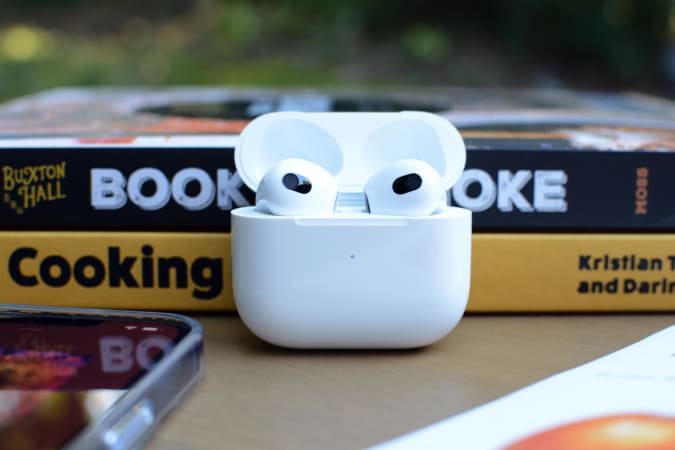
The latest AirPods are $30 off and down to $150, which is only $10 more than their all-time-low price. We gave the buds a score of 88 for their improved audio quality, more comfortable design and longer battery life.
Apple's AirPods Max are $120 off and down to $430. We gave these headphones a score of 84 for their excellent, balanced sound, solid ANC, comfortable design and good battery life.
Amazon's latest 3-for-2 sale includes a bunch of popular video games, including Elden Ring, Star Wars: The Skywalker Saga, Kirby and the Forgotten Land and more. While most titles are full price, you will find a few that have been discounted as well. So not only can you pick up three games for the price of two, but the base price for some of them is lower than usual, too.
The new Smart Monitor M8 is $100 cheaper than usual at Amazon and Samsung right now. This 32-inch display has a 3,840 x 2,160 pixel resolution and works as both a monitor and a smart TV, giving you access to streaming devices like Netflix, Disney+ and others. It also has a built-in SmartThings home hub inside, so you can use it to control compatible IoT devices in your home.
A number of Amazon's Fire tablets are on sale, with some up to 45 percent off. The most affordable of the bunch is the Fire HD 8, which is down to $50, while the steepest discount is on the Fire HD 8 Plus, which you can grab for only $60.
Amazon's standard Kindle is 33 percent off and down to $60. We gave the e-reader a score of 91 when it first came out for its smaller, sleeker design and improved display with higher contrast and a new front light system.
Amazon's smart thermostat is back on sale for $48, or 20 percent off its normal price. This is a more affordable alternative to higher-end thermostats and it lets you control your home's environment from anywhere, plus use Alexa commands to do so while you're in the house.
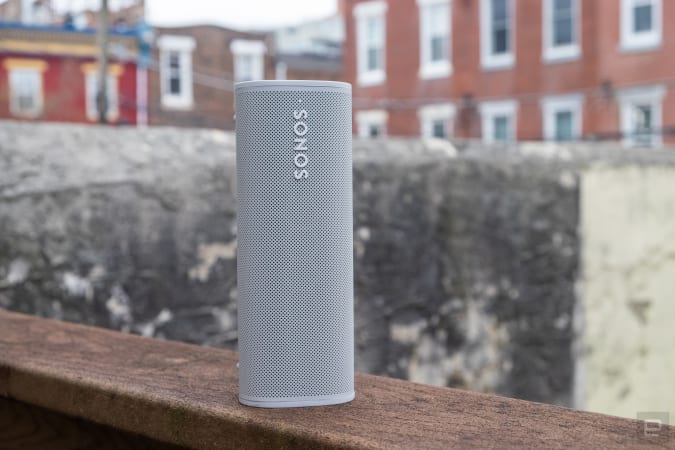
Sonos' portable Roam speaker remains 20 percent off and down to just over $143. We gave it a score of 87 for its great audio quality, compact and durable design and ability to play stereo audio when two are paired together.
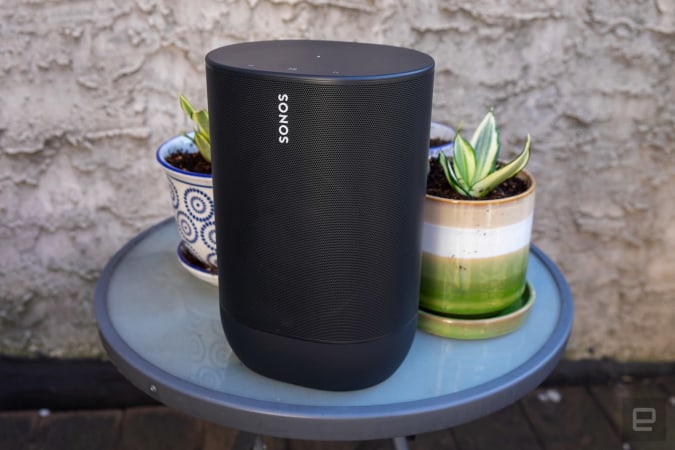
The outdoor-friendly Sonos Move is also 20 percent off and down to just under $320. It earned a score of 80 from us for its excellent sound quality, Bluetooth connectivity, weather-resistant design and great battery life.
Sonos has discounted a bunch of refurbished speakers and soundbars. Sonos' refurbished program tests all devices to make sure they're as good as new and these devices come with the same one-year warranty as new products do.
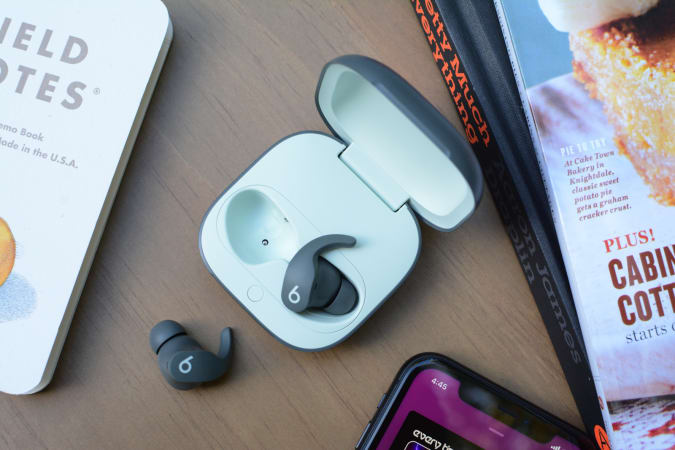
The Beats Fit Pro earbuds are back on sale for $180, or $20 off their usual price. We gave them a score of 87 for their good sound quality, strong ANC and handy features provided by Apple's H1 chipset.
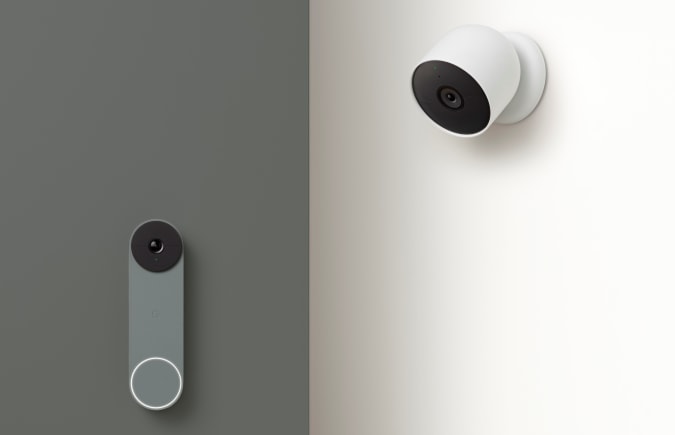
The battery-powered Nest Doorbell is on sale for $130 at Amazon right now, or nearly 30 percent off its normal price. This IoT device is easy to install since you don't have to hardwire it, and it'll send you alerts when someone shows up at your doorstep. You can also pick up the Nest Cam Outdoor for $129 or the Nest Cam Indoor for $80.
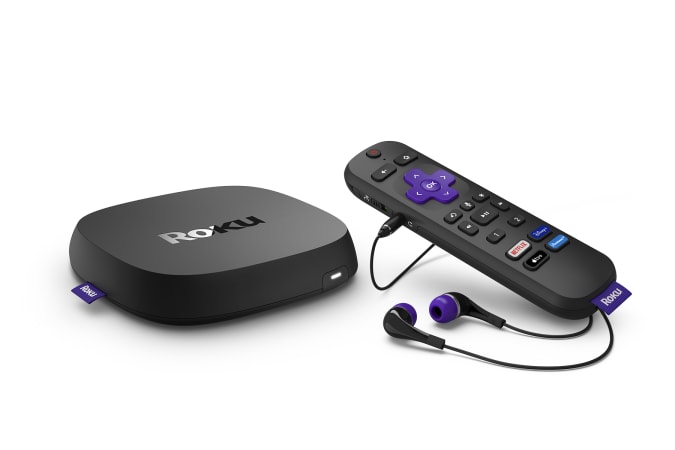
The 2022 Roku Ultra is 20 percent off and down to a new low of $80. The updated set-top box just came out last month and it includes the new Voice Remote Pro with a rechargeable battery and a remote-finder feature, plus support for 4K, HDR10+ streaming. It's also worth noting that the Roku Streambar remains on sale for $99.
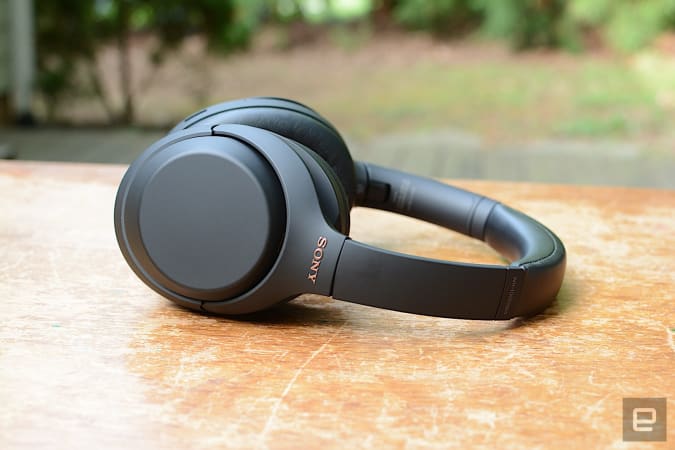
Sony's WH-1000XM4 headphones are down to $278, which is 21 percent off its normal price. While Sony just came out with the XM5 headphones, these cans remain a good option for those that want excellent sound quality and ANC to match. Plus, you'll save more than $100 compared to the XM5 if you pick up the XM4 while they're on sale.
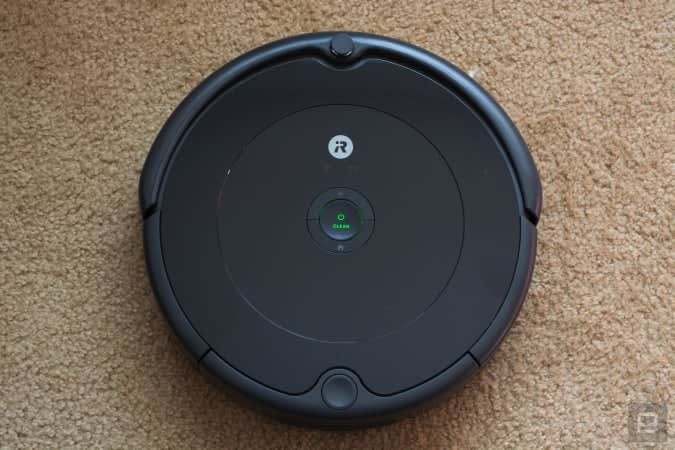
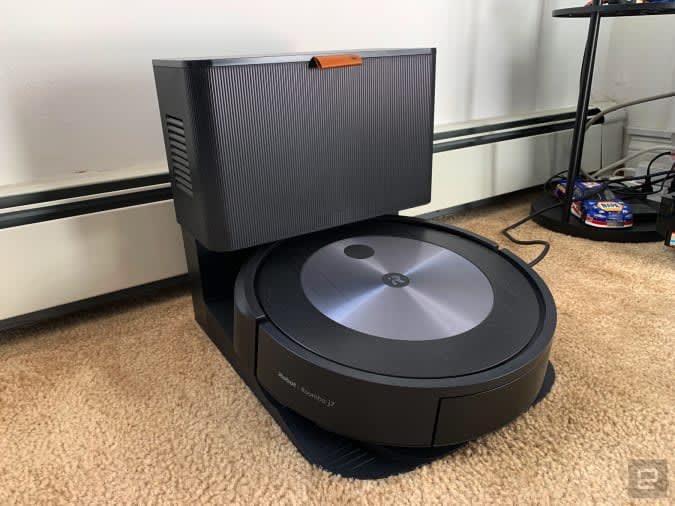
iRobot's Roomba j7+ is down to $599 at Amazon, or $200 off its normal price. We included the Roomba j7 in our best robot vaccums guide because it did a good job cleaning both carpeted and hard floors, plus it has good obstacle avoidance and an easy to use companion app. The j7+ adds a clean base into the mix, so the robot will automatically empty its bin into the clean base after every job.
Target has the Nest Thermostat for $100, plus you can get a Nest Hub for only $50 or a Nest Hub Max for $180 when you pick up either with the thermostat. That's a good deal if you're looking to expand your smart home ecosystem, plus it could make a good gift for dad for Father's Day.
The European Union might not be the only government body setting a common standard for device chargers. The Vergenotes US senators Ed Markey, Elizabeth Warren and Bernie Sanders have sent a letter to Commerce Secretary Gina Raimondo calling on her department to develop a "comprehensive strategy" that would lead to a common charging standard. The EU acted in the "public interest" by settling on one port, the senators said, and the US ought to follow suit to reduce the environmental impact of chargers while improving convenience for users.
The politicians' arguments largely mirrored the EU's stance. A charger standard would theoretically reduce e-waste by letting people reuse existing cables and adapters for new devices. It could also help consumers money by sparing them from buying additional chargers, not to mention adding "sanity and certainty" to electronics shopping. This would prevent companies from locking you into proprietary cables that become obsolete, according to the group.
Raimondo hadn't responded to the letter as of this writing. The senators didn't specify USB-C as the standard, although that's likely to be the frontrunner. The EU will require USB-C starting in 2024, and the technology can accommodate everything from smartphones and earbuds through to high-end laptops. It also provides more consistent approaches to fast charging and accessory support.
Critics and some companies have long pushed back on charger standards. Apple most notably claimed a universal charger would hurt innovation by limiting the potential for technical advances, and would allegedly negate e-waste reduction by forcing legions of the company's users to replace their Lightning cables. Brands like Apple might not have much choice but to switch given the EU's move, however, and a US standard would only cement that decision.
As it is, there are rumors Apple will move to USB-C for both its 2023 iPhone lineup and this year's base iPad (all other iPads already use the format). A US charging standard might prevent companies like Apple from reverting to proprietary connectors later on, but the possible new regulation might do little more than enforce the status quo by the time it takes effect.