Four days into the Tokyo Paralympic Games, Toyota removed its self-driving e-Palette vehicles from the event following a collision with a pedestrian. The automaker made the decision Friday, according to Reuters, a day after one of the pods hit a visually impaired athlete who was walking nearby.
According to a video statement from Toyota CEO Akio Toyoda, reported in English by Reuters, the vehicle had stopped at a junction and was about to turn under manual control from an onboard operator when it hit the pedestrian at one or two kilometers-per-hour. The identity of the athlete has not been released to the public.
Toyota first announced its plans to deploy e-Palettes at the games in October 2019, before the coronavirus pandemic forced the organizers of the Olympics to delay the 2020 games by a year. The plan was to issue a fleet of 20 vehicles, each of which could run at up to 12 miles an hour on a designated loop. Notably, the plan also called for a human safety attendant on board in case something went wrong.
Toyota also said at the time that the vehicles were adapted for the Paralympic Games, with an electric ramp on each vehicle and room for up to four wheelchairs. Additionally, Toyota adjusted some of the e-Palette's interior elements to accommodate color-blind passengers.
The injured person appears to not have been seriously hurt. After receiving medical attention, they reportedly walked back to their lodgings. The athlete is now expected to compete Saturday at 10:30am local time.
How do you market an affordable and capable, but somewhat boring phone? That’s the question Google had to ask itself before releasing the Pixel 5a in the US and Japan on Thursday. The answer the company settled on was to hire a soft-spoken actor to do their best Jony Ive impersonation and wax poetic about the humble headphone jack.
It’s a usual approach, but one that highlights a feature that’s missing in most modern phones, and in a way that’s funny and memorable. “The circle: perfect, simple. Some might say simply perfect,” the actor declares in the opening moments of the clip, reciting a script that perfectly apes the overwrought writing that Ive’s videos at Apple became known for in his later years at the company. When the ad shortly thereafter turns to materials, you know exactly where it's going.
“Forged and machined from the finest premium-grade copper and iron. Housed in a unibody of diecast aluminium,” the actor says of the component, a voice in the background softly whispering, “fancy pronunciation.” Make sure to stay for the end of the clip to hear a fun bonus on that front.
But my favorite part of the clip involves how the Pixel 5a’s headphone jack is “designed to welcome both three-pole TRS and TRRS connections.” Translation: you can plug a headset with an in-line microphone into the phone and it will work without issue. It all culminates with the actor stating, “Yes, it’s a headphone jack. With the Google Pixel 5a with 5G, the circle has finally come full circle.” While the ad is mostly in good fun, it's worth pointing out Google's high-end phones haven't had headphone jacks in years, nor will the Pixel 6 include one when it comes out later this year.
If you’ve been following the rise of foldable smartphones, the Galaxy Fold probably holds a special place in your heart. It was the first of its kind to make it to market, and despite a troubled debut and wobbly sophomore launch, the series is now on its third generation. The Galaxy Z Fold 3 is all grown up and stronger than ever. It’s had time to learn from the mistakes of its youth, and Samsung has devoted a ton of research into fortifying the foldable’s screen, hinge and overall build. This year, it’s added support for the S Pen, as well as water resistance and more optimized software. The phone is also $200 cheaper, now starting at $1,800. But despite all its growth, the Fold 3 is still undergoing an identity crisis.
Design
Just by looking at it, you wouldn’t be able to see a difference between the Fold 3 and its predecessor. The two have basically the same dimensions, with this year’s model coming in a little thicker. But despite gaining 0.4mm when unfolded, the Fold 3 is actually 0.8mm thinner than the Fold 2 when closed. It appears Samsung might have been able to reduce the gap between the two halves of the screen when it refined its hinge mechanism.
That said, without a side-by-side comparison, you probably won’t notice this. You also might not realize that the Fold 3 is 10 grams (or 0.35 ounces) lighter than its older sibling, either. But it’s certainly heavier than most other smartphones. It’s about 45 grams (or 1.58 ounces) heavier than the iPhone 12 Pro Max and the S21 Ultra, and after prolonged use my arm started to feel the strain. Still, it’s basically two phones in one, which means the only device that might be fair to compare it to is the Surface Duo. Microsoft’s dual-screen phone is noticeably thinner and lighter than the Fold 3.
David Imel For Engadget
Because it didn’t have a flexible display, though, the Surface Duo presented less of an engineering challenge. Durability is a greater concern with foldables like the Fold and Flip 3. Samsung said it used stronger aluminum in the Fold’s frame, streamlined its hinge and redesigned the screen’s layers to make the device sturdier. It also applied a new stretchable PET protector on the panel. Altogether the company said the Fold 3’s screen is 80 percent more durable than its predecessor.
That’s not something I can gauge without intentionally trying to damage the Fold 3. But its screen does feel more glass-like than the original, and the protector completely covers the display so you won’t see its edges that tempt you to peel it off. Some reviewers noted bubbles appearing on their Fold 2 after a few months, and since it hasn’t been that long, I can’t say for sure if the new model will do the same.
For now, though, the Fold 3 has withstood being tossed around in a purse full of sharp and heavy objects and still looks pristine. It also survived some droplets of water after I set it down near the sink when I was washing my hands, thanks to its new IPX8 water-resistance.
David Imel for Engadget
When open, the Fold 3 is easy enough to hold with one hand, though I generally held it with both for easier typing. While I appreciate that the hinge is sturdy enough that you can leave the phone open at any angle, it makes unfolding the device kind of hard. The magnets that keep the device shut are very strong, so you’ll have to first pry them apart and then push deliberately to extend it all the way. In fact, I had a few close calls where I almost dropped the Fold 3 when struggling to open it.
Thankfully, I didn’t, because any scratches would be quite obvious on my all-black review unit. The Fold 3 also comes in silver, green and a Thom Browne version with red, white and blue stripes. You’ll have to spend $3,450 to get the latter in a limited-edition bundle, though.
A tale of two displays
Outside, the Fold 3 has a 6.2-inch 2,268 x 832 display, which now refreshes at 120Hz. It also uses a Dynamic AMOLED panel, which supports HDR10+ as opposed to last generation’s Super AMOLED. The faster screen makes scrolling my neverending inbox super smooth, and pictures on my Instagram feed look vibrant. Aside from these upgrades, the Fold 3’s external display is basically the same as its predecessor’s, which means it has a similarly narrow aspect ratio.
David Imel for Engadget
While that makes the closed device easier to navigate with one hand, it also means most content feels cramped. Buttons on the keyboard, for example, are smaller and harder to aim for, while lengthy messages and tweets take up more lines so you’ll see fewer on the page at once.
Thankfully, when you need more room, you can open up the Fold to use the 7.6-inch Dynamic AMOLED panel inside. Like the outside display, this has a 120Hz refresh rate, and it runs at 2,208 x 1,768. To give you a more immersive full-screen experience, Samsung used an under-display camera (UDC) here that can camouflage beneath pixels so you won’t have to see the little hole that most modern phones have for their selfie sensors.
I don’t know about you, but I never found those tiny circles to be very obstructive or much of an eyesore. Still, if you really hate seeing it, the good news is the UDC does disappear into the screen with the right background or app. The bad news is that you’ll still see it on darker wallpapers, and even when the screen above the camera is displaying something, it creates a noticeable ring of pixelation.
David Imel for Engadget
This didn’t bother me much, and after some time I even forgot the camera was there. Most people likely won’t mind the little distortion the UDC causes. Regardless, the rest of the screen is bright, colorful and crisp, making it a pleasant canvas for my videos and casual games.
S Pen and multitasking software
The Fold 3’s internal display isn’t just great for Netflixing. With S Pen support this year, the foldable screen is more useful for those who want to write notes or sketch diagrams on that expansive surface. You’ll have to pay an extra $50 for the S Pen Fold edition or $100 for the Pro model, which comes with a case. The Fold version doesn’t require charging and is pretty basic, while the Pro needs power for features like switching between other Samsung phones and Bluetooth controls. Either way, there isn’t a slot on the phone for the stylus, so you’ll have to put up with carrying around a loose accessory.
If you’re willing to splurge, the S Pen is a generally helpful tool on the Fold 3. I mostly used it as a cursor to make navigating the larger screen easier, but it’s also fluid and responsive when doodling on Samsung Notes. The company also offers an “S Pen to text” setting that lets you more easily edit text by marking dittos, arrows or strokes directly on words. Drawing a line through letters, for example, will erase them.
David Imel for Engadget
I’m not a fan of having to bring around any extra items to use a phone, but the S Pen did make it easier for me to write this review on the Fold 3 from the back of a cab. Trying to type on its larger screen with my fingers is a huge pain, and the stylus came in handy, making swipe typing more accurate. I also loved scribbling into search bars and messaging apps — Samsung’s system is surprisingly adept at recognizing my awful handwriting.
While I’m not sure it’s worth the extra $50, I can appreciate the work Samsung had to do to make S Pen support a reality. As I dragged the nib around the screen during a bumpy ride, I managed not to damage the flexible display with any accidental pokes and stabs.
Even without the S Pen, the larger internal panel still offers a variety of useful multitasking features. Like its predecessors, the Fold 3 lets you place two apps side by side so you can keep an eye on Slack while writing a review or monitor Twitter for PlayStation 5 release news as you read articles on Chrome.
David Imel for Engadget
This year, Samsung made it so you can pin the Edge panel to the screen so it acts like a desktop-style taskbar for easy access to your open and favorite apps. It’s a simple but tremendously useful update. Now, instead of having to swipe in to pull up the Edge panel and then drag an app out to open it in split-screen, the icons are already there. It does take up a column of space, though, which makes running two apps at once feel cramped. Thankfully, it's easy enough to hide with a tap.
It feels as if the floating panel has finally found its home on the Fold 3 since Samsung first launched it on the Galaxy Note Edge in 2014. What used to be a somewhat awkward, only slightly convenient feature is now an actually useful tool that makes the Fold 3 feel like a more capable multitasking device.
Another thing Samsung did to improve the Fold’s big-screen experience is add the option to make all apps expand to fullscreen. Through its experimental Labs settings, the company lets you choose whether individual apps launch in 16:9, 4:3 or fullscreen. In the past, for example, Instagram would refuse to expand completely, resulting in an unsightly setup with the phone-sized app in the middle and blank space on either side. Now, you get to decide how much of the display they should take up.
David Imel for Engadget
This only works partially, though. Yes, my feed does take up the whole screen, but watching and posting Stories still reverts to the phone-sized orientation. Also, a lot of pictures on Instagram look splotchy when the app is blown up. Samsung still has a ways to go, but I applaud the effort.
The company offers more features in Labs to improve the full-screen experience, including enabling Multi Window and Flex Mode panels for all apps. Like the aspect ratio tweak, these can be hit or miss. Flex Mode panel adds a mini dashboard to the bottom part of the screen when you half-open and set the Fold 3 up like a laptop. Some apps are optimized for this to offer useful, well-spaced controls in this space. But for the ones that aren’t, like Chrome, Samsung’s software slaps a tiny, inch-tall row of four buttons at the bottom for keyboard, screenshot, brightness and volume.
I could go on about the rest of Samsung’s software, like how the App Continuity feature doesn’t always keep content in the same place when you open the Fold up to see something on the bigger screen. But that would take forever. In general, it feels like Samsung is putting more and more effort into band-aid solutions when Google should really be working on optimizing Android for tablets.
A plethora of cameras (including one under a display)
Like a person trying to be too many things, the Fold 3 is an overachiever. And the fact that it has five cameras onboard almost feels excessive. There’s a 10-megapixel selfie camera, the UDC, which is just 4-megapixels sharp and a trio of 12-megapixel sensors on the rear, including regular, ultra wide and telephoto lenses.
Most of these cameras perform just as well as iPhone and Pixel flagships, delivering bright, colorful pictures in most situations. It did justice to rows of mouthwatering sushi, clearly rendering scallions and individual grains of rice.
My nighttime shots of the USS Intrepid on the Hudson River also came out sharp and bright, though Google still has the edge in low light. Pictures of trees and buildings taken with the Pixel 5’s Night Sight mode were clear enough that leaves were distinct, while the Fold 3’s photo of the same was muddy.
That’s a small gripe, though. The Fold 3’s rear cameras are otherwise comparable to their conventionally shaped counterparts. The selfie sensor also delivered pleasantly crisp, vibrant photos.
My main complaint about photo or video quality would be with the UDC — and it’s a small one. You can clearly tell when using this to take selfies or chat with friends that it’s a lower-quality option. Details are less sharp and colors aren’t as saturated. Still, I don’t expect much from a 4-megapixel camera, especially not one that’s under a screen. This feels more like a last resort if you really must take a call with the Fold open and is just serviceable.
Performance and battery life
Whether I was using the outside screen or the internal panel, the Fold 3 was mostly snappy. Its Snapdragon 888 processor with 12GB of RAM delivered smooth performance as I marked dozens of emails as read, wrote a review while watching a video and Slacking my colleagues. I occasionally had to wait for an app to re-open when I switched between the two displays, but for the most part everything flew.
I also never found myself worrying about the Fold 3 running out of juice. It generally stuck around for at least a day and a half, sometimes only conking out after two days. I ran our video rundown test on the Fold 3’s larger screen and it clocked 14 hours and 3 minutes. The Surface Duo only lasted 10 hours and 32 minutes in a similar setup.
David Imel for Engadget
Wrap-up
With the Fold 3, it feels like Samsung has tried extremely hard to make a foldable smartphone-tablet hybrid work. But while I found myself eagerly reaching for the Flip 3 when I was reviewing it, I struggled to find reasons to use the Fold 3. When it’s closed, it’s heavier and narrower than a regular phone. I only want to open it up for gaming and getting work done on my commute. For the times when I’m leaning back on my couch and want to idle away on Reddit or Twitter, the Fold 3 doesn’t satisfy. Maybe that’s a good thing, but I’m not here to debate the philosophical benefits of foldables.
I had a similar issue with the Surface Duo, which tried to be a tablet and a phone and failed at both. Though the Fold 3 is in most ways superior, it still won’t replace a regular smartphone. It’s a well-made, impressive piece of tech that has benefited from years of R&D, but it suffers from an identity crisis by attempting to be two things at once. Does that mean the world should give up on foldable phones altogether? Absolutely not. As components get smaller, the Fold could one day be thin and light enough with much improved software that might make it useful in all its modes. But for now, despite all the progress Samsung has made, the Fold 3 is still not ready for the mainstream.
Main display: 7.6-inch 120Hz Dynamic AMOLED Infinity Flex Display
Main display resolution: 2,208 x 1,768 (22.5:18)
External display: 6.2-inch 120Hz Dynamic AMOLED
External display resolution: 2,268 x 832 (24.5:9)
Rear triple cameras: 12MP f/1.8 wide-angle camera with OIS and 83-degree FOV, 12MP f/2.2 ultra-wide camera (123-degree FOV), 12MP f/2.4 telephoto camera with OIS and 45-degree FOV
Front camera: 10MP f/2.2 camera (80-degree FOV)
Inside (under-display) camera: 4MP f/1.8 camera (80-degree FOV)
Operating system: Android 11 with One UI
Battery: 4,400mAh
Charging: USB-C with fast wired charging at 25W (QC2.0 and AFC) and fast wireless charging at 10W (WPC and PMA). Reverse wireless charging at 4.5W (WPC Qi).
Dimensions: 128.1 x 158.2 x 6.4mm (unfolded); 67.1 x 158.2 x 16.0mm (Hinge) - 14.4mm (Sagging) (folded)
Way back in 2012, Google "released" an 8-bit version of Google Maps as one of the company's then-annual April Fool's Day jokes. There was a low-res 8-bit style of Google Maps to play with, but the company didn't deliver on its promise of a cartridge you could pop in your old Nintendo Entertainment System. Gizmodo noticed that, nine years later, someone has figured out how to pull this off, with the help of a heavily-modified NES system and the previous work of other hackers before him.
Specifically, YouTuber ciciplusplus used a method to build his maps inspired by someone who figured out how to translate Bing Maps aerial imagery into 8-bit tiles that make up scenery in the original The Legend of Zelda NES game. Ciciplusplus used a similar method to convert Google Maps images into what appears to be tiles from the NES game Dragon Warrior (yes, Dragon Quest for those who didn't grow up playing it in the US).
As for the elaborate mods he made to a standard NES, those were inspired by YouTuber TheRasteri, who figured out how to get Doomplaying on his NES (of course). You can see a full video of how he pulled it off below:
As for the final Google Maps on NES product, well, you can vaguely make out the shapes of continents, and areas by the coast are recognizable, but once you zoom in, there isn't a whole lot of detail to distinguish what you're looking at. Still, it's an impressive and fun hack that we're guessing Google didn't think anyone would ever pull off.
T-Mobile says it’s “truly sorry” about the data breach that exposed the personal information of more than 54 million customers. “The last two weeks have been humbling for all of us at T-Mobile as we have worked tirelessly to navigate a malicious cyberattack on our systems,” the carrier said in an update on the situation attributed to CEO Mike Sievert.
“To say we are disappointed and frustrated that this happened is an understatement,” Sievert wrote in the post. “Keeping our customers’ data safe is a responsibility we take incredibly seriously and preventing this type of event from happening has always been a top priority of ours. Unfortunately, this time we were not successful.”
In T-Mobile’s account of what happened, the individual who hacked the company’s IT systems used “specialized” tools and knowledge of its infrastructure to gain access to its testing environments. "In short, this individual’s intent was to break in and steal data, and they succeeded," said Sievert.
The executive says the company is “fully committed” to improving its security practices as it works to regain the trust of its customers, many of whom had personal information like names, birth dates and social security numbers compromised in the incident. As a first step, T-Mobile has contacted “just about every” current customer or primary account holder who had data such as their name, SSN or address accessed. He also reiterated the company will offer two free years of access to McAfee’s ID Theft Protection Service to all of those affected by the incident.
Looking to the future, the carrier has signed multi-year partnerships with KPMG and cybersecurity firm Mandiant. According to Sievert, the two will help T-Mobile audit its current security practices and implement systems and policies that will help it prevent future cybersecurity incidents.
“Mandiant and KPMG will work side-by-side with our teams to map out definitive actions that will be designed to protect our customers and others from malicious activity now and into the future,” Sievert wrote. “I am confident in these partnerships and optimistic about the opportunity they present to help us come out of this terrible event in a much stronger place with improved security measures.”
And T-Mobile may need all the help it can get. John Binns, the hacker who claimed earlier in the week they were responsible for the data breach, said the company’s security was “awful.”
AI and Machine Learning systems have proven a boon to scientific research in a variety of academic fields in recent years. They’ve assisted scientists in identifying genomic markers ripe for cutting-edge treatments, accelerating the discovery of potent new drugs and therapeutics, and even publishing their own research. Throughout this period, however, AI/ML systems have often been relegated to simply processing large data sets and performing brute force computations, not leading the research themselves.
“The distinct characteristic of this challenge is to field the system into an open-ended domain to explore significant discoveries rather than rediscovering what we already know or trying to mimic speculated human thought processes,” Kitano wrote in June. “The vision is to reformulate scientific discovery itself and to create an alternative form of scientific discovery.”
“The value lies in the development of machines that can make discoveries continuously and autonomously,” he added, “AI Scientist will generate-and-verify as many hypotheses as possible, expecting some of them may lead to major discoveries by themselves or be a basis of major discoveries. A capability to generate hypotheses exhaustively and efficiently verify them is the core of the system.”
Today’s AIs are themselves the result of decades of scientific research and experimentation, starting back in 1950 when Alan Turing published his seminal treatsie, Computing Machinery and Intelligence. Over the years, these systems have grown from laboratory curios to vital data processing and analytical tools — but Kitano wants to take them a step further, effectively creating “a constellation of software and hardware modules dynamically interacting to accomplish tasks,” what he calls an “AI Scientist.”
“Initially, it will be a set of useful tools that automate a part of the research process in both experiments and data analysis,” he told Engadget. “For example, laboratory automation at the level of a closed-loop system rather than isolated automation is one of the first steps. A great example of this is Robot Scientist Adam-Eve developed by Prof. Ross King that automatically generates hypotheses on budding yeast genetics, plan experiments to support or refute, and execute experiments.”
“Gradually, the level of autonomy may increase to generate a broader range of hypotheses and verification,” he continued. “Nevertheless, it will continue to be a tool or a companion for human scientists at least within the foreseeable future.”
By having an AI Scientist handle the heavy intellectual lifting involved in generating hypotheses to explore, their human counterparts would have more free time to focus on research strategies and decide which hypotheses to actually look into, Kitano explained.
As always, avoiding the Black Box Effect and implicit bias (both in the software’s design and the data sets it is trained on) will be of paramount importance to establishing and maintaining trust in the system — the residents of Dr. Moreau’s island wouldn’t have been any less miserable had he been a mad AI instead of a mad geneticist.
“For scientific discoveries to be accepted in the scientific community, they must be accompanied with convincing evidence and reasoning behind them,” Kitano said. “AI Scientists will have components that can explain the mechanisms behind their discoveries. AI Scientists that do not have such explanation capabilities will be less preferred than ones [that do].”
Some of history's greatest scientific discoveries — from radiation and the microwave to Teflon and the pacemaker — have all come from experimental screwups. But when hyper-intelligent AIs start devising their own inscrutable spoken language, researchers rush to pull the plug. So what happens if and when an AI Scientist makes a discovery or devises an experiment that humans cannot immediately understand, even with an explanation?
“When AI Scientists get sophisticated enough to handle complex phenomena, there are chances to discover things that are not immediately understood by human scientists,” Kitano admitted. “Theoretically, there is a possibility that someone can run highly autonomous AI Scientists without restrictions and [not caring] if their discovery is understandable. However, this may come with a large price tag and one has to justify it. When such an AI Scientist is recognized to make important scientific discoveries already, I am certain there will be guidelines for operation to ensure safety and to prevent misuse.”
The advent of an AI Scientist able to work alongside human researchers could also lead to some sticky questions as to who should be credited with the discoveries made — is it the AI that generated the hypothesis and ran the experiment, the human that oversaw the effort, or the academic institution/corporate entity that owns the operation? Kitano points to a recent decision by an Australian court that recognized the DABUS “artificial neural system” as an inventor for patent applications as one example.
Conversely, Kitano notes the case of Satoshi Nakamoto and his inventions of blockchain and bitcoin. “There is a case where a decisive contribution was simply published as a blogpost and taken seriously,” he argues, “yet no one ever met him and his identity (at the time of writing) is a complete mystery.”
“If a developer of an AI Scientist was determined to create a virtual persona of a scientist with an ORCID iD, for demonstration of technological achievement, product promotion, or for another motivation,” he continued, “iit would be almost impossible to distinguish between the AI and human scientist.” But if a truly groundbreaking medical advancement comes from this challenge — say, a cure for cancer or nanobot surgeons — does it really matter if it was a human or a machine running the experiment?
When Microsoft released the Windows 11 Insider preview earlier this summer, it did so with some confusion around minimum system requirements. It quickly reversed course, saying that more people could install the software update than its requirements originally stated so the company could gather more performance on how the OS performed. After a few months of users testing and providing feedback, Microsoft says that, for the most part, its system requirements from June will stand — but there are a few notable changes.
This means that you'll need a compatible 64-bit processor, 4GB of memory and 64GB of storage, as well as "UEFI secure boot, graphics requirements and TPM 2.0." For the most part, Microsoft is still requiring an 8th-generation or newer Intel processor, but the company is adding a few 7th-generation Intel options to the supported list, including Intel Core X-series, Xeon W-series and the Intel Core 7820HQ. For the latter, Microsoft will only support "select devices that shipped with modern drivers based on Declarative, Componentized, Hardware Support Apps (DCH) design principles, including Surface Studio 2."
After working with AMD, Microsoft has declined to include the first generation of AMD Zen processors in its officially supported list. The full list of supported processors can be found here.
There is some good news for people running older hardware, though. According to The Verge, Microsoft won't prohibit computers running processors on its "supported" list from installing Windows 11 — they just won't be able to do so through the official Windows update software. You'll instead have to download a Windows 11 ISO file and install it yourself. The Verge says this method will primarily be for businesses to try Windows 11 and it won't be publicizing this method to standard users.
If you're still wondering whether or not your computer will be able to officially run Windows 11, Microsoft has released an update for its PC Health Check, which was originally giving users some rather vague and unhelpful messages regarding compatibility. The new version should make it much clearer whether your computer is supported and, if not, what it needs to meet the Windows 11 system requirements.
After sending out a call to action on Monday, #AppleToo, a group made up of current and former Apple workers looking to shine a light on the company’s workplace culture, says it has collected nearly 500 stories of incidents involving discrimination, harassment and retaliation “that happened at the hands of a colleague off of campus.” According to the Apple Workers Twitter account, the majority of those who got in touch asked for information on how to file a complaint with an external authority like the California Department of Fair Employment and Housing (DFEH).
So far, we've received nearly 500 responses, and hundreds of stories of racism, sexism, discrimination, retaliation, bullying, sexual and other forms of harassment, and sexual assault that happened at the hands of a colleague off of campus.
What’s more, the group says more than half of the individuals it spoke with asked for information and guidance on how to contact the media about their stories. “Almost everyone consented to having their stories shared respectfully and anonymously,” it said. Apple Workers plans to start sharing those stories publicly next week, but it offered a preview on Friday, noting the throughline in many of the incidents was that workers felt they were ignored by Apple’s HR department.
Apple already faces questions over its handling of sexism in the workplace. In August, the company put Ashley Gjøvik, a senior engineering program manager, on paid administrative leave. In a series of tweets, Gjøvik shared interactions she had with the company's employee relations team. In one episode, a manager referenced her "tone" in presentations and said, "I didn't hear you going up an octave at the end of your statements." Gjøvik said she only resorted to sharing her story publicly because “everything I tried internally has failed."
Labor Day sales are starting to pop up across the internet as the holiday weekend gets nearer. Apple's MacBook Pro M1 remains $200 off at Amazon while a few models of the Apple Watch SE with GPS + Cellular are on sale as well. You can still grab the August WiFi smart lock for $179, a record low, at Wellbots with Engadget's exclusive discount code, and ThermoWorks' latest open-box sale brings the Thermapen Mk4 down to only $60. Here are the best tech deals from this week that you can still get today.
Apple Watch SE
The 44mm, GPS + Cellular model of the Apple Watch SE is $59 off right now, bringing it down to $300. This is the smartwatch to get if you're new to the wearable space and have an iPhone. We gave the Watch SE a score of 88 for its solid performance, comfortable design and comprehensive feature set for the price.
Apple's MacBook Air M1 has fallen back down to its lowest price ever — only $850, or $150 off. Only the gold model is available right now, so if that color works for you, you can save a bunch on what we think is the best MacBook for most people right now. We gave the Air M1 a score of 94 for its excellent performance, fanless design and good battery life.
The MacBook Pro M1 is $200 off at Amazon thanks to a sale price and an automatically applied coupon on top of that. That means you can get the model with 256GB of storage for $1,099. We gave the Pro M1 a score of 84 for its powerful performance, solid keyboard and trackpad and healthy battery life.
A slew of Razer laptops and gaming gear is on sale at Amazon for today only. Of note is the Raze Blade 15 Advanced gaming laptop, which has a 10th-gen Core i7 processor, NVIDIA GeForce RTX 2070 Super Max-Q graphics, 16GB of RAM and 512GB of storage and is down to a record-low of $1,700. Razer keyboards, headsets, mice and more have been discounted as well, so you can pick up a whole new machine or just a few peripherals for less.
August's 4th-generation WiFi smart lock is down to $179 at Wellbots when you use the code ENGADGET20 at checkout. This is the best price we've seen on the smart home gadget that impressed us with its simple setup, attractive design and good security measures. You can use it to remotely lock or unlock your door and, whenever you want to open it up the old-fashioned way, your normal key works with it.
ThermWorks' latest open-box sale is still live, so you can get things like the Thermapen Mk4, the 4-channel BBQ thermometer and the ThermoWorks Dot for much less. The Mk4, one of our favorite instant-read thermometers for cooking, is down to $60 while the Dot probe-style thermometer is on sale for $32. Just remember that these open-box items are a mix of cosmetic seconds, customer returns, sale demo items and more.
GOG.com is running a sale through September 9 on Myst Complete Collection, dropping it down to just under $60. If you were to pay for all of the games separately, it would set you back around $110.
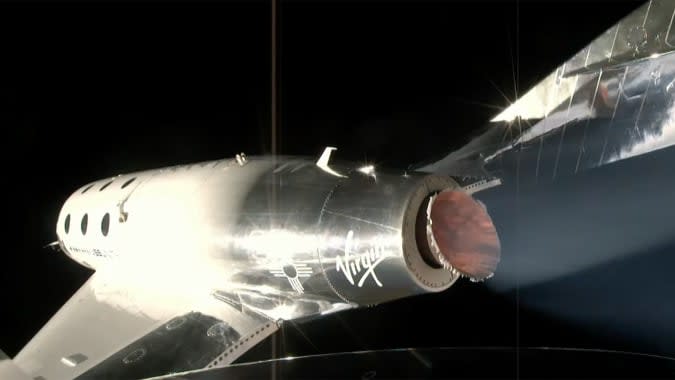
In this Omaze giveaway you can win two seats on one of the first Virgin Galactic flights to space. In addition, you'll go on a tour of Spaceport America in New Mexico with Richard Branson. You don't have to pay to enter, but funds from all paid entries will support Space for Humanity, an organization that hopes to make space more accessible for all. The sweepstakes is open through September 1, so you still have some more time to enter.
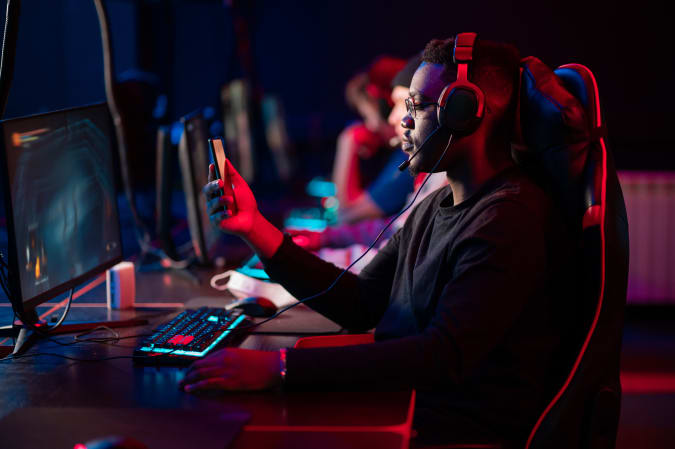
Through September 18, Omaze is giving away another $20,000 to build your ultimate gaming PC. This sweepstakes is free to enter, but funds donated with purchased entries will benefit Schools on Wheels, an organization that provides free tutoring and mentoring services to children experiencing homelessness across Southern California.
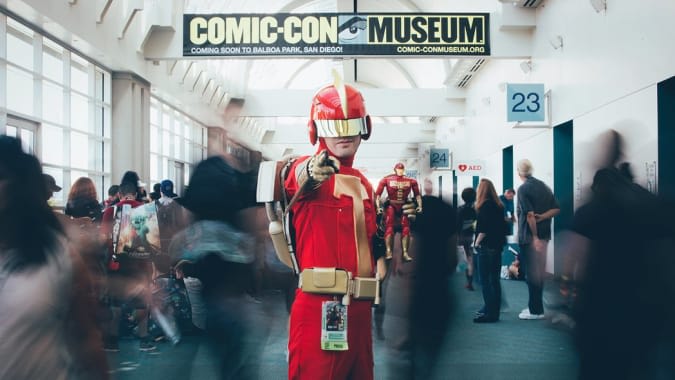
Through December 8, you can enter to win four-day passes to San Diego Comic-Con 2022. Along with the passes, you'll get access to a special preview night, reserved seating in Hall H, a personal concierge, a private tour of the Comic-Con Museum, dinner in Balboa Park and tickets to the "Night at the Comic-Con Museum" event. It's free to enter, but funds from this sweepstakes will go to the San Diego Comic Convention.
The Jaybird Vista 2 earbuds are $20 off right now, bringing them down to $180. These true wireless earbuds are more durable than most with an IP68 water-, dust- and sweatproof design, plus they have active noise-cancellation and a 24-hour battery life when you include the extra juice provided by their charging case.
BioLite's Labor Day sale has begun and it knocks 20 percent off everything on the company's website. BioLite's gadgets, like the Headlamp 200, has made it into many of our guides in the past, and it's a good place to go when you need new gear for your backyard or for your next camping trip.
One of our recommended VPNs is running a decent sale on a two-year subscription. You can sign up for NordVPN for $99 for the first two years, which comes out to $49.50 per year, and get three additional months of access for free. We like NordVPN for its speed, its no-logs policy, the thousands of servers it has to choose from and that one account supports up to six connected devices.
Let’s face it, Apple’s AirPods Pro may be small and pocketable, but they’re also easy to lose. If you’re the type of person who’s prone to misplacing their belongings, accessory maker Spigen might have something that could help. As spotted by Gizmodo, the company has released the Tag Armor Duo, a $34.99 case that protects your AirPods Pro case while including a slot for an AirTag.
Spigen isn’t the first accessory maker to make something like this, but the company’s solution has a certain elegance to it. Not only is there a built-in slot for Apple’s lost item tracker, but it also comes with a handy carabiner on the side and a cutout on the bottom to leave the Lightning port unobstructed. You also don’t have to take the case off to charge your AirPods Pro wirelessly.
At $64 for both the case and a single AirTag, Spigen’s Tag Armor Duo isn’t exactly a cheap option. It’s also worth pointing out iOS 15 will include a feature that will allow the AirPods Pro to connect to Apple’s Find My network over Bluetooth. Still, if you want the most peace of mind possible, you could do worse than the Tag Armor Duo. With an AirTag attached to your AirPods Pro case, you can use the U1 chip on a recent iPhone to find the case using an ultra-wideband connection. That allows you to take advantage of Apple’s Precision Finding feature to make locating it easier. The tag also includes a speaker so it can ring to let you know where it is.
You can buy the Tag Armor Duo from Spigen's website and Amazon.