Disney is jacking up the prices of two Hulu plans. As of October 8th, the standard plan is increasing from $6 to $7 per month, and the ad-free option is also jumping up by a dollar a month to $13. As Deadlinenotes, the Hulu + Live TV and Disney Bundle prices are staying the same.
The cost of Disney+, ESPN+ and Disney Bundle plans have increased in recent months, so it's not exactly shocking that Hulu has followed suit. It's the first change to on-demand Hulu plans since the basic option actually dropped by $2/month in February 2019. Disney bumped up the live TV subscription price by $10/month last December.
After dipping its toes in the world of Bluetooth earbuds last year, Technics is back to releasing new turntables and audiophile equipment. The company announced a raft of new products on Monday. The SB-G90M2 leads the company's fall lineup. Like the SB-G90, the M2 is a three-way bass reflex speaker pair. It features a two-way coaxial driver that combines a 25mm dome with a 160mm aluminum midrange cone and two 160mm subwoofers. The SB-GM90M2 will go on sale in October, with each one costing $2,699.
For those who don’t have nearly $3,000 to spend on a single speaker, Technics also announced its new SB-C600 bookshelf speakers. You’ll pay $999 for a pair of them. They went through much of the same design process as the SB-GM90M2 to reduce distortion and vibrations. Each one features a 15cm woofer paired with a 25mm aluminum dome tweeter. You can buy them starting in November.
Technics / Panasonic
Alongside the two speakers systems, Technics announced an updated version of its SU-G700 amplifier. The mark two model borrows features from the company’s reference-level SU-R100 amp. Among other features, it includes its JENO anti-jitter and distortion technology. In designing the SU-G700M2, Technics sourced new semiconductor parts, including some made from gallium nitride, to improve power delivery. The company says the new model is more efficient and reactive than its predecessor and better at driving a variety of speakers. There’s also a Phono Input Phase selector to improve playback when you listen to older vinyl albums that were recorded with the inverted phase. The SU-G700M2 goes on sale in October for $2,699. It will be available in both black and silver versions, with the former including an extra “-K” in its model designation.
Lastly, Technics announced a new version of its direct-drive SL-1200 turntable. If the SL-1210G looks familiar, it’s because the company released a limited edition black model of the SL-1200G, known as the SL-1210GAE, back in June 2020. A spokesperson for Technics told What Hi-Fi the SL-1210GAE sold out almost immediately. The SL-1210G then gives those who missed the GAE another chance to get the company’s historic turntable in black. The GAE will cost $3,999 when it goes on sale next month.
Facebook recently added a new report to its transparency center. The "widely viewed content" report was ostensibly meant to shed light on what’s been a long-running debate: What is the most popular content on Facebook?
The 20-page report raised more questions than answers. For example, it showed that the most viewed URL was a seemingly obscure website associated with former Green Bay Packers players. It boasted nearly 90 million views even though its official Facebook page has just a few thousand followers. The report also included URLs for e-commerce sites that seemed at least somewhat spammy, like online stores for CBD products and Bible-themed t-shirts. There was also a low-res cat GIF and several bland memes that asked people to respond with foods they like or don’t like or items they had recently purchased.
Notably absent from the report were the right-wing figures who regularly dominate the unofficial “Facebook Top 10” Twitter account, which ranks content by engagement. In fact, there wasn’t very much political content at all, a point Facebook has long been eager to prove. For Facebook, its latest attempt at “transparency” was evidence that most users’ feeds aren’t polarizing, disinformation-laced swamps but something much more mundane.
Days later, The New York Times reported that the company had prepped an earlier version of the report, but opted not to publish it. The top URL from thatreport was a story from the Chicago Sun Timesthat suggested the death of a doctor may have been linked to the COVID-19 vaccine. Though the story was from a credible news source, it’s also the kind of story that’s often used to fuel anti-vaccine narratives.
Almost as soon as the initial report was published, researchers raised other issues. Ethan Zuckerman, an associate professor of public policy and communication at University of Massachusetts at Amherst, called it “transparency theatre.” It was, he said, “a chance for FB to tell critics that they’re moving in the direction of transparency without releasing any of the data a researcher would need to answer a question like ‘Is extreme right-wing content disproportionately popular on Facebook?’”
The promise of ‘transparency’
For researchers studying how information travels on Facebook, it’s a familiar tactic: provide enough data to claim “transparency,” but not enough to actually be useful. “The findings of the report are debatable,” says Alice Marwick, principal researcher at the Center for Information Technology and Public Life at University of North Carolina. “The results just didn't hold up, they don't hold up to scrutiny. They don't map to any of the ways that people actually share information.”
Marwick and other researchers have suggested that this may be because Facebook opted to slice its data in an unusual way. They have suggested that Facebook only looked for URLs that were actually in the body of a post, rather than the link previews typically shared. Or perhaps Facebook just has a really bad spam problem. Or maybe it’s a combination of the two. “There's no way for us to independently verify them … because we have no access to data compared to what Facebook has,” Marwick told Engadget.
Those concerns were echoed by Laura Edelson, a researcher at New York University. “No one else can replicate or verify the findings in this report,” she wrote in a tweet. “We just have to trust Facebook.” Notably, Edelson has her own experience running into the limits of Facebook’s push for “transparency.”
The company recently shut down her personal Facebook account, as well as those of several NYU colleagues, in response to their research on political ad targeting on the platform. Since Facebook doesn’t make targeting data available in its ad library, the researchers recruited volunteers to install a browser extension that could scoop up advertising info based on their feeds.
Facebook called it “unauthorized scraping,” saying it ran afoul of their privacy policies. In doing so, it cited its obligation to the FTC, which the agency later said was “misleading.” Outside groups had vetted the project and confirmed it was only gathering data about advertisers, not users’ personal data. Guy Rosen, the company’s VP of Integrity, later said that even though the research was “well-intentioned” it posed too great a privacy risk. Edelson and others said Facebook was trying to silence research that could make the company look bad.“If this episode demonstrates anything it is that Facebook should not have veto power over who is allowed to study them,” she wrote in a statement.
Rosen and other Facebook execs have said that Facebook does want to make more data available to researchers, but that they need to go through the company’s official channels to ensure the data is made available in a “privacy protected” way. The company has a platform called FORT (Facebook Open Research and Transparency), which allows academics to request access to some types of Facebook data, including election ads from 2020. Earlier this year, the company said it would expand the program to make more info available to researchers studying “fringe” groups on the platform.
But while Facebook has billed FORT as yet another step in its efforts to provide “transparency,” those who have used FORT have cited shortcomings. A group of researchers at Princeton hoping to study election ads ultimately pulled the project, citing Facebook’s restrictive terms. They said Facebook pushed a “strictly non-negotiable” agreement that required them to submit their research to Facebook for review prior to publishing. Even more straightforward questions about how they were permitted to analyze the data were left unanswered.
“Our experience dealing with Facebook highlights their long running pattern of misdirection and doublespeak to dodge meaningful scrutiny of their actions,” they wrote in a statement describing their experience.
A Facebook spokesperson said the company only checks for personally identifiable information, and that it’s never rejected a research paper.
“We support hundreds of academic researchers at more than 100 institutions through the Facebook Open Research and Transparency project,” Facebook’s Chaya Nayak, who heads up FORT at Facebook, said in a statement. “Through this effort, we make massive amounts of privacy-protected data available to academics so they can study Facebook’s impact on the world. We also pro-actively seek feedback from the research community about what steps will help them advance research most effectively going forward.”
Data access affects researchers’ ability to study Facebook’s biggest problems. And the pandemic has further highlighted just how significant that work can be. Facebook’s unwillingness to share more data about vaccine misinformation has been repeatedly called out by researchers and public health officials. It’s all the more vexing because Facebook employs a small army of its own researchers and data scientists. Yet much of their work is never made public. “They have a really solid research team, but virtually everything that research team does is kept only within Facebook, and we never see any of it,” says Marwick, the UNC professor.
But much of Facebook’s internal research could help those outside the platform who are trying to understand the same questions, she says. “I want more of the analysis and research that's going on within Facebook to be communicated to the larger scholarly community, especially stuff around polarization [and] news sharing. I have a fairly strong sense that there's research questions that are actively being debated in my research community that Facebook knows the answer to, but they can't communicate it to us.”
The rise of ‘data donation’
To get around this lack of access, researchers are increasingly looking to “data donation” programs. Like the browser extension used by the NYU researchers, these projects recruit volunteers to “donate” some of their own data for research.
NYU’s Ad Observer, for example, collected data about ads on Facebook and YouTube, with the goal of helping them understand the platform’s ad targeting at amore granular level. Similarly, Mozilla, maker of the Firefox browser, has a browser add-on called Rally that helps researchers study a range of issues from COVID-19 misinformation to local news. The Markup, a nonprofit news organization, has also created Citizen Browser, a customized browser that aids journalists’ investigations into Facebook and YouTube. (Unlike Mozilla and NYU’s browser-based projects, The Markup pays users who participate in Citizen Browser.)
“The biggest single problem in our research community is the lack of access to private proprietary data,” says Marwick. “Data donation programs are one of the tactics that people in my community are using to try to get access to data, given that we know the platform's aren't going to give it to us.”
Crucially, it’s also data that’s collected independently, and that may be the best way to ensure true transparency, says Rebecca Weiss, who leads Mozilla’s Rally project. “We keep getting these good faith transparency efforts from these companies but it's clear that transparency also means some form of independence,” Weiss tells Engadget.
For participants, these programs offer social media users a way to make sure some of their data, which is constantly being scooped up by mega-platforms like Facebook, can also be used in a way that is within their control: to aid in research. Weiss says that, ultimately, it’s not that different from market research or other public science projects. “This idea of donating your time to a good faith effort — these are familiar concepts.”
Researchers also point out that there are significant benefits to gaining a better understanding of how the most influential and powerful platforms operate. The study of election ads, for example, can expose bad actors trying to manipulate elections. Knowing more about how health misinformation spreads can help public health officials understand how to combat vaccine hesitancy. Weiss notes that having a better understanding of why we see the ads we do — political or otherwise — can go a long way toward demystifying how social media platforms operate.
“This affects our lives on a daily basis and there's not a lot of ways that we as consumers can prepare ourselves for the world that exists with these increasingly more powerful ad networks that have no transparency.”
Microsoft is rolling out a revamped personalized news service called Start. The feed will be baked into the Windows 10 taskbar and the Windows 11 widgets section. You can also access it via the web, iOS and Android apps and the new tab page in Microsoft Edge.
Start draws from Microsoft's artificial intelligence and machine learning expertise (as well as human curation) to create a news feed featuring up-to-date info tailored to your interests. It curates news from more than 1,000 publishers around the world.
The more you use Start and indicate what you're interested in, the closer the feed will hew to the things you prefer to read about. You can tell the app when you see a publisher or story you're not keen on, or hit the Personalize button to refine the feed whenever you like. Your preferences are linked to your Microsoft account, so the service should offer the same experience on all platforms where you're logged in.
Microsoft
Start includes information cards for certain key topics, such as weather, traffic, sports and finance. You can decide which cards you want to pop up for at-a-glance information.
Although MSN isn't going anywhere, Start is replacing Microsoft News. The icon and name for that app will change to Start branding the next time users update it. Those who visit the Microsoft News website will be redirected to the Start home page as well.
The name of the feed might cause a little confusion for Windows users, given the prominence of the Start button in the operating system over the last couple of decades (that menu is getting an overhaul in Windows 11). Still, Microsoft Start looks like a polished experience, and it could be a solid way to keep tabs on the news in which you're interested.
El Salvador is officially the first country in the world to accept Bitcoin as legal currency. CNBCreports the Central American nation's Bitcoin law took effect on September 7th, letting Salvadorans use the cryptocurrency in physical and online shops. Accordingly, locals can use a Chivo wallet app on their phones to make purchases and manage their funds.
The government has been eager to give itself a good start. President Nayib Bukele revealed El Salvador had bought 550 Bitcoin as of this writing (about $26 million), and the country's Congress passed a law last week establishing a $150 million fund to aid conversions from Bitcoin to US dollars (also accepted in El Salvador).
Bukele previously claimed the move would not only foster investment, tourism and overall economic development, but would make El Salvador's financial system more inclusive by courting the 70 percent of residents who don't have bank accounts. It's also an acknowledgment of the financial reality of the country. Its economy relies in part on remittances from migrants, and Bitcoin theoretically streamlines those transfers.
Not everyone is thrilled with the decision, though. Cointelegraphnoted that some Salvadorans have protested the adoption of Bitcoin, arguing that politicians didn't consult with the public. They're also worried cryptocurrency's volatility could pose a serious risk next to the relative stability of the US dollar. Reutersaddedthat police briefly held an outspoken critic of the Bitcoin law, Mario Gomez. Officials said it was related to a financial fraud investigation, but supporters were concerned this was an act of intimidation meant to silence political opposition.
We wouldn't count on other countries rushing to join El Salvador. Countries like the US are exploring central bank cryptocurrencies, potentially more stable and easily regulated than Bitcoin. Other countries are hostile. China banned many companies and institutions from handling cryptocurrency, and India has looked into banning private currencies. There's also the simple matter of varying economic conditions. Successful Bitcoin adoption in El Salvador wouldn't guarantee success elsewhere — other countries might gain little if anything from embracing digital money.
It appears the discount is ending 🥲
Thanks for the dip @IMFNews. We saved a million in printed paper.
You won't have to wait long to learn more about the iPhone 13 — and more. Apple has announced a "California Streaming" event on September 14th at 1PM Eastern. The invitation doesn't offer many clues, but there are plenty of rumors as to what you can expect for the new iPhone and other devices that might make an appearance during the presentation.
The iPhone 13 (or whatever it might be called) is poised to be a subtle evolution of the iPhone 12. It will reportedly include a smaller notch and an always-on display that can ramp up to a smooth 120Hz. You might also see improved cameras across the line, with improved ultra-wide sensors and more stabilization. It would include the seemingly obligatory chip upgrade (A15?) and a slightly larger battery, although the rumored satellite call support might be limited to emergency use in certain areas.
As for the rest? An Apple Watch Series 7 might debut alongside the new iPhone, sporting redesigned cases and larger screens as well as improved performance and wireless tech. You might also see updated iPads, including a possible iPad mini redesign. Don't count on seeing new Macs, though — while new MacBook Pro and Mac mini models might be in the pipeline this fall, they might not appear until a later event.
Bose has announced a new soundbar that replaces the Smart Soundbar 700 at the higher end of its lineup. Unlike the previous model, the Smart Soundbar 900 has Dolby Atmos support.
The company claims the Soundbar 900 goes beyond the overhead spatial audio offered by most Atmos soundbars. It says Bose PhaseGuide tech can create horizontal audio effects as well. The Soundbar 900 blends Bose's spatial audio knowhow with custom arrays, dipole transducers and low-profile transducers to create "a layer of realism," according to the company. Even if the show or movie you're watching doesn't support Dolby Atmos, Bose says its tech can still create effective spatial audio effects by remixing signals.
Bose is promising strong bass performance with almost no distortion with the help of its QuietPort tech. The Adaptiq feature, meanwhile, calibrates audio for your space.
The speaker includes decent connectivity, including HDMI eARC for hooking it up to your TV, as well as WiFi, Bluetooth, Google Assistant, Amazon Alexa, Spotify Connect and AirPlay 2 support. You can link the device to other Bose smart speakers, including as part of a multi-room system, and expand your home theater setup with a subwoofer or rear satellite speakers. The Soundbar 900 is also compatible with the company's new QuietComfort 45 headphones.
The device has rounded corners and it's 2.3 inches tall, a little over four inches deep and 41 inches long (a couple of inches longer than the Soundbar 700). It's designed primarily for 50-inch and larger TVs; it might look out of place below a smaller screen.
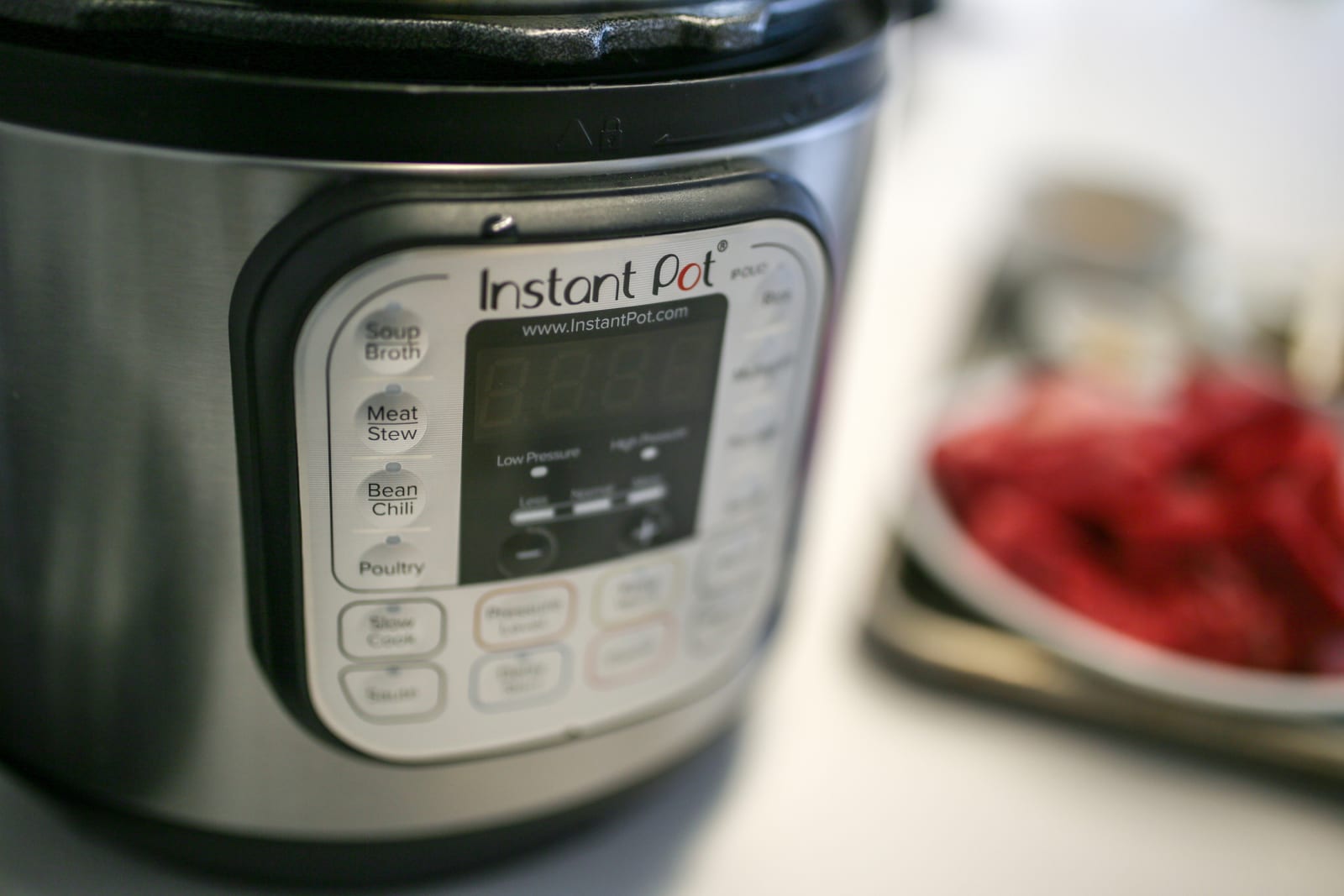
Few kitchen appliances have reached the same cult status as the Instant Pot. With 1.9 million members on the official Instant Pot Facebook group, more than 100 fan-created online groups, around 30,000 reviews on Amazon and accolades from the likes of TheNew York Times, it's no question that this kitchen marvel is a hit.
But what do you do when you get one? With so many recipes on the internet and so many different things you can do with it, where do you even start? In this guide, I'll attempt to give you a primer on the first steps you should take when you get one, some tips and tricks on how to use it and a few favorite recipes and source links. A lot of this comes from personal experience; I've been an Instant Pot owner for a few years. I'll also note that the listed recipes lean toward my own taste, but hopefully this guide will provide a good start for your own culinary adventures.
How Instant Pots work
If you're reading this, you probably already know what an Instant Pot is, but just in case you don't, here's a brief introduction. The Instant Pot is an "all-in-one" kitchen gadget that promises to replace a rice cooker, a yogurt maker and a slow cooker; it also lets you sauté and steam foods. But the real reason the Instant Pot has risen to fame is that it's also a very good electric pressure cooker. This lets you cook food at an accelerated rate; imagine pulled pork in an hour instead of five or a chicken curry done in 10 minutes. And because it's electric, you just press a few buttons and walk away. Unlike a stovetop pressure cooker, there's no need to keep a constant eye on it.
There are a bunch of Instant Pot models to choose from. Some of the lower-end ones lack the yogurt-maker, and a couple of the higher-end models have extra features like sous-vide cooking and canning, but all have the electric pressure cooker function, so much of this guide will focus on that. The Instant Pot comes in 3-, 6- and 8-quart sizes. Unless you're only cooking for yourself or you have a large family, I think the 6-quart model should work for most people.
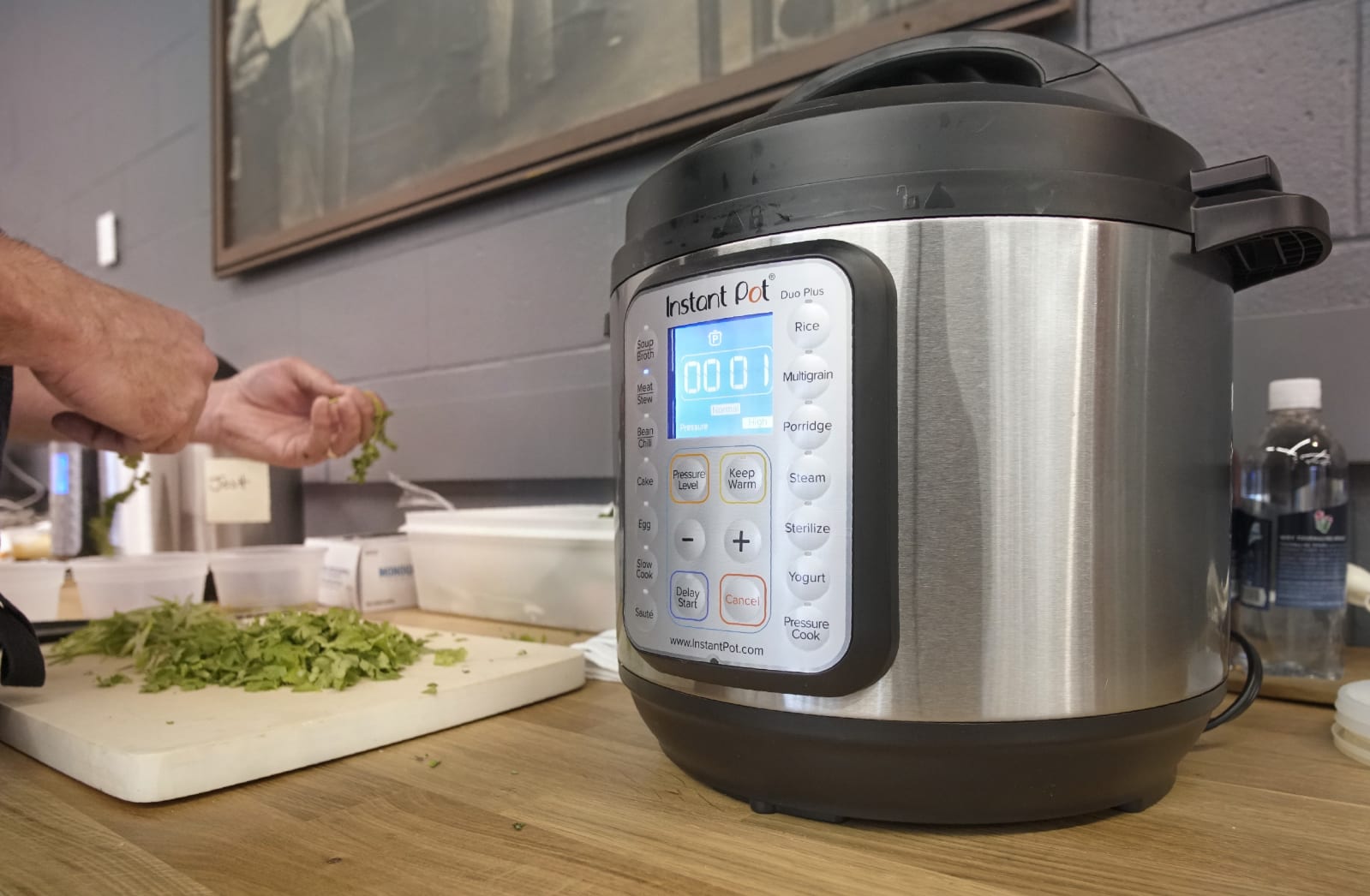
The Duo Plus (starting at $100) is an upgraded version of the Duo Series. It has two additional functions: sous vide (for temperature-controlled cooking) and sterilizer (a steam shortcut for sterilizing items like baby bottles). There’s also a cooking progress status bar plus an anti-spin design that keeps the inner pot in place when you’re sauteing.
The Pro (starting at $115) is designed for the serious cooking enthusiast, with plenty of upgrades over existing Instant Pots. The inner pot has an extra thick bottom that can go on the stove, plus it has handles so it’s easier to lift. It comes with 28 customizable programs for different foods, and there are five favorites buttons that you can assign to frequently cooked meals. The steam release switch has been upgraded to reduce noise and splatter, and there are even steam release reminder alerts with 5- and 10-minute pre-sets. The Pro is also one of a few Instant Pots compatible with an optional QuickCool lid that helps you release pressure faster.
The Duo Crisp + Air Fryer ($180) is basically an Instant Pot that comes with an additional Air Fryer Lid, which adds dry-heat cooking methods like baking, broiling, dehydrating and of course air-frying. There’s also a Pro version of this Instant Pot ($200) that pairs the air fryer lid with the Pro model mentioned above.
The Star Wars Instant Pots ($100) are a great choice for the Star Wars enthusiast or just anyone who wants a fun and unique kitchen appliance. They’re really just rebranded versions of the Duo, with the same exact functionalities and features. They come in five iterations: Little Bounty, Darth Vader, Stormtrooper, BB-8, and R2-D2.
Which Instant Pot model is right for you?
The 6-quart Instant Pot is ideal for most people, but if you’re a singleton or a student, then the 3-quart model is best. For large families, or simply those who like to make a lot of food, then the 8-quart model is a good choice.
If you’re interested in diving into sous vide but don’t want to make an investment in a separate machine just for that, then the Instant Pot Smart WiFi, Ultra, Duo Crisp or the Duo Plus are good choices.
If you’re really into pressure-canning and preserving foods, then the Instant Pot Max is the one for you. It’s the only one that’s capable of reaching 15 PSI, which is needed for pressure-canning.
Making yogurt with the Instant Pot is really easy because it can maintain the same temperature for hours. Models that have this feature include the Duo, Duo Nova, Smart WiFi, Ultra and Duo Plus.
Getting started
With any appliance, I would suggest reading the instructions to get a full idea of how to use it, but here's a brief primer.
The Instant Pot has three parts: the housing with the cooking element at the bottom; the stainless steel inner pot; and the lid, which comes with a sealing ring plus a steam-release valve. Setup is as easy as putting the inner pot inside the housing and plugging it in. You'll also want to attach a tiny condensation collector on the back if the instructions call for it.
The first thing to do is a "water test," which not only helps familiarize you with the basic pressure-cooker features but will confirm your appliance is in proper working order.
To do a water test, put three cups of water in the pot, twist the lid on — it'll make a sound when it's locked in place — and set the pressure cooker on high for two minutes. The way to do this varies from model to model; on the Duo machines, you'll have to press Manual, select High, then dial down the time to two minutes. On something like the Ultra, you just need to go to the Pressure Cooker menu, dial it to two minutes and select High.
Then make sure your valve is set to "Sealing" so that the Instant Pot can build pressure. On the Duo machines, this means rotating it so the arrow points up, while on the Ultra, the valve will automatically be set to Sealing.
Then press "Start." From there, the Instant Pot will build up that pressure to High, maintain it for the set two minutes, and then stop. In some cases, you'll hear hissing and see steam coming out of the Instant Pot. This is totally normal. You'll know the Instant Pot is under pressure when the float valve pops up and the hissing quiets down.
The lid cannot be opened when the Instant Pot is under pressure. You must depressurize it first. Once the cooking is done, you can let the pot naturally depressurize (also known as "Natural Release"), which simply means leaving it alone for 20 or so minutes until the float valve comes down.
Or you can do a manual release (also known as "Quick Release") by switching that aforementioned valve to "Venting." To do that on the Duo models, you rotate the valve, while on the Ultra, you'll press a steam release button on the top. This method will release a lot of steam, so I suggest doing this under a range hood if you have one. Again, once the float valve comes back down, you'll know the Instant Pot has been depressurized.
Doing the water test teaches you the basics of sealing the Instant Pot, setting it and depressurizing it. Plus, if anything goes wrong along the way — especially if it doesn't seal the pressure — you can call the retailer or manufacturer to troubleshoot or ask about a return or exchange. It's a step that many people skip, but I recommend it, especially if you're a beginner.
Instant Pot accessories
The Instant Pot is ready to use right out of the box, but if you want to get even more functionality out of it, then you might want to consider some accessories. The following are just a few suggestions that we think will elevate your Instant Pot experience.
Tempered glass lid
The main reason to get an Instant Pot is to use it as a pressure cooker, but it has other functions too. If you want to use it as a slow cooker or you simply want to keep your food warm, then you’ll want to invest in a tempered glass lid. This lid will also keep your food covered if you want to transfer the inner pot to the table or the fridge.
Steaming food in the Instant Pot is quick and easy, but you’ll want specific equipment to get the job done right. Instant Pot makes two styles of silicone steamers; one is a stacking model that you can use for dumplings or fish, and another is a collapsible one that is ideal for batch-cooking vegetables. If you need even more capacity, we recommend this Hatrigo mesh steamer basket.
Along your Instant Pot discovery journey, you might come across a phrase called “PIP cooking.” This stands for Pot-in-Pot and involves putting another vessel inside the Instant Pot. This method is great if you’re cooking foods that don’t contain liquid (such as cheesecake) or you simply want to cook in smaller quantities. One of our favorite accessories for this is the Aozita Stackable Steamer, which not only acts as a steamer, but also contains tiered containers so that you could cook multiple foods at once.
If you use your Instant Pot for both savory and sweet applications, then we suggest getting extra sealing rings so that the odor of one doesn’t affect the other. You don’t really want your cheesecake to smell like pulled pork or vice versa.
Yet, after using it for a few months, I don’t quite recommend it if you plan on cooking a lot of meals this way. The non-stick coating on the fry basket can flake off if placed in the dishwasher, and as I’ve discovered, it accumulates a sticky film that is almost impossible to wash off. Plus, as I said in an earlier hands-on, the Lid really only works for small batches as well as smaller pieces of food. Even a hot dog is too large to fit inside the air fryer basket.
If you’re going to use the air-fryer lid to add roasting and broiling capabilities to the Instant Pot — so you can brown a roast chicken or melt the cheese on a lasagna, for example — then it’s not a bad option. But as far as air-frying goes, I’d probably save up and invest in an actual convection toaster oven rather than settle for the lid.
Tips and tricks
Let's go over a few tips and tricks on how to best use the Instant Pot. This is not an exhaustive list, as different people might have different takeaways from their usage of the Instant Pot, but these insights are what I found works best for me.
Don't worry about all the buttons
When you first get the Instant Pot, you might be overwhelmed by all of the different buttons on the front of it. There are ones that say "Meat/Stew," "Chili/Beans," "Multigrain," "Egg" and even "Cake." With the exception of a few, most of these are simply shortcuts that Instant Pot programmed ahead of time. You might never need to use them.
The most important buttons to know are "Sauté," which (as you might expect) lets you sauté things in the pot, and the aforementioned "Manual" or "Pressure Cooker" function. The rest are pretty superfluous, with the exception of "Keep Warm," "Cancel" and non-pressure cooker functions like the "Slow Cooker" or "Yogurt" (which helps maintain the cultured milk at a specific temperature).
Add at least half a cup of liquid, and don't go over the maximum
One of the things you'll learn about pressure cooking is that you don't need to add as much liquid like you would in regular recipes. But you'll still need to add some liquid because the pressure cooker requires some moisture to build that pressure. Otherwise, the Instant Pot could overheat and show an "OvHT" error on the display. On the other hand, you shouldn't fill it up beyond two-thirds capacity, which is handily marked on the inside of the inner pot. The Instant Pot probably won't explode on you — it has a lot of safety features to prevent that — but you probably shouldn't test its boundaries.
Cooking times aren't always accurate
Setting the pressure cooker timer for two minutes doesn't mean the entire cooking time is two minutes. You have to take into account the amount of time the Instant Pot needs to come to pressure and the time it'll need to depressurize. The more stuff you have in the pot (and the colder it is), the longer it'll take. Because of that, a "five-minute" chicken curry could really be more like 10 or 15 minutes from start to finish.
Clean it carefully and frequently
The inner pot is dishwasher safe, which is great, but the rest has to be cleaned by hand. Also, don't make the same mistake I did and accidentally spill something hot directly on the cooking element. The outer shell is hard to clean because you can't put it in the sink — electricity and water don't mix, after all — and you risk damaging the appliance. As for the lid, hand wash it after every use. You'll also notice after a while that the sealing ring — the rubber/silicone gasket on the inside of the lid — might develop an odd smell as it absorbs the scent of the food you're cooking. I recommend soaking it in a vinegar solution, or you could also put it on the top rack of your dishwasher for a couple of cycles.
Consider a separate sealing ring
If you find yourself cooking desserts in addition to savory meals — it's great for making cheesecakes and puddings — I recommend a separate sealing ring just for that. You probably don't want your cheesecake to smell like pulled pork, unless you're into that sort of thing.
You can't cook everything with it
Sure, you can cook everything from dog food to jam in the Instant Pot, but it's not a miracle worker. You can't deep fry in it. You can't bake a pie in it. Don't be ridiculous.
Recipes and guides
Now you're all ready to cook, and you're probably dying to know what to make in your newfangled machine. Due to the popularity of the Instant Pot, you'll find no shortage of cookbooks and recipe tutorials online. That aforementioned Facebook group is a good place to start, and there are numerous YouTube videos that are helpful as well. Here are just a few of my favorites:
Amy and Jacky are part of the OG Instant Pot community, and their site is great for beginners. Not only will you get the low-down on the aforementioned water test, but you'll also get great recipes for bone broth, "fail-proof" rice, yogurt, cheesecake and more.
Whether or not you're into the "paleo" lifestyle, you'll like Michelle Tam's list of Instant Pot recipes. Pressure cookers are great for shortening the amount of time for cooking braised meats, and she has a lot of recipes that cater to your inner carnivore. Her Instant Pot pulled pork recipe is still my go-to, and the short ribs are great as well.
My personal favorite site for pressure-cooker recipes is probably Serious Eats. All of these recipes are fantastic. I've tried the chicken stock, the mushroom risotto, the chicken pho, the chicken and chickpea masala, and they've all been outstanding.
Another personal favorite is The New York Times cooking section, which has a list of wonderful pressure-cooker-friendly recipes. My favorites are from Melissa Clark, who has written two Instant Pot cookbooks: Dinner In an Instant and Comfort in an Instant. There's a recipe in Comfort in an Instant for spaghetti and meatballs that I was hugely skeptical of but turned out to be one of the most amazing things I've ever made. I also love the recipes for chicken korma and shrimp biryani.
If you’re at a complete loss with what to do with your Instant Pot, then we recommend trying out products from Tiller & Hatch, a company that specializes in pressure cooker-ready frozen meals. Simply unload the contents of a bag into your Instant Pot, follow the instructions and you’ll have dinner in minutes. Some of the meals are better than others — I prefer the minestrone soup over the gnocchi — but on the whole I think they’re a pretty good value. Each bag costs around $16 and has four servings each. You can sign up for a subscription plan on the website, or pick up individual meals from select Wal-Mart and Target locations.
Other sources
Here are a few other guides that I found very useful in my own Instant Pot journey, and they contain links to many more recipes and sites than I have space for here:
With all of this information in your arsenal, you should have no fear in picking up an Instant Pot. Thankfully, not only is the base model pretty affordable at less than $100, Amazon frequently puts it on sale either on Prime Day or on Black Friday. So if you haven't bought one just yet, it's not a bad idea to wait until one of those times of year to get one at a deep discount. And when you do, come on back here, read through the guide once more and venture off on your own pressure-filled culinary adventures.
Images: Detroit Free Press via Getty Images (First Instapot); Portland Press Herald via Getty Images (Instapot / chopping board); Boogich via Getty Images (cooking)
While Apple's entry-level iPad is ideal for those with strict budgets, we consider the iPad Air to be the best tablet in the company's lineup for most people. Those on the fence about shelling out $800 or more for an iPad Pro may find all their needs met by the $599 iPad Air. And now, thanks to a sale on Amazon, the tablet is cheaper than ever before. All five color options of the iPad Air are down to $500, or $100 off their normal price. We've seen this discount before a couple of times, but it's rare to see all colors on sale at once. While some like the rose gold model have the $100 discount outright, others like the silver and blue models are priced at $539, but an automatically applied coupon will bring the final price down to $500.
The iPad Air earned a score of 90 from us when it came out in October last year. Apple revamped the design to make it look more like the iPad Pros, featuring flat edges, a 10.9-inch Liquid Retina Display, a USB-C port for charging and a side button with TouchID technology built in. Inside is Apple's A14 Bionic chipset, which includes a six-core CPU and a four-core GPU, as well as WiFi 6 technology. Both of these things help the iPad Air feel much zippier than previous models, and you'll be able to reap the benefits for a long time each day as the Air's battery lasted between 10 and 12 hours in our testing.
Like the iPad Pro, the Air is compatible with the second-generation Apple Pencil and the Magic Keyboard. While those accessories drive the price of your whole system up, it also means that you could use the Air as a laptop replacement if you wish. However, there are some notable differences between the Air and the latest iPad Pros, namely the M1 chipset found in the latter. If you're going to push your machine to its limits on a regular basis, or just want a device that's slightly more future-proof, one of the new iPad Pros may be the way to go (the base 12.9-inch model is $100 off right now, too). But most people will find that the iPad Air hits a sweet spot — it's speedy, lightweight and versatile, with just the right number of pro-level features for the price.
Follow @EngadgetDeals on Twitter for the latest tech deals and buying advice.
The future's looking rosy for Remedy Entertainment after the success of the excellent Control. Not only are more games in that series on the way, the studio is reviving one of its other beloved titles: Alan Wake. A 4K remaster of the atmospheric thriller will arrive this fall.
Alan Wake Remastered includes the base game and the two expansions: The Signal and The Writer. There will be commentary from creative director Sam Lake too.
Remedy regained the publishing rights to Alan Wake from Microsoft in 2019, but it's Epic Games Publishing that will bring the remaster to various platforms. The new version is coming to the Epic Games Store, Xbox Series X/S and Xbox One. Alan Wake will also be available on PlayStation consoles for the first time — it's bound for both PS4 and PS5.
The episodic saga debuted on Xbox 360 in 2010 before hitting PCs two years later. Alan Wake vanished from the Steam and Xbox stores in 2017 due to expired music licenses, but it later returned to the storefronts after Microsoft resolved the issue.
Remedy has kept the legacy of Alan Wake alive over the past decade. Along with several nods toward the game in Control, the latter had a full-on crossover with Alan Wake in its AWE expansion. An Alan Wake sequel is reportedly in the works as well.