Apple may be sharpening the focus of its long-in-development electric car. Bloombergsources claim Apple is now shifting its attention to a fully self-driving car, not just a more conventional vehicle with semi-autonomous features. New project leader Kevin Lynch wants the very first model to drive itself, the insiders said.
The company is reportedly speeding up its plans to match. Where Apple had recently targeted a launch in five to seven years, the sources said it was now aiming for 2025, or just four years. The plan is believed to be "fluid," however, and revolves around Apple completing its full autonomous system on time.
Apple declined to comment. The new priority could help a project that has seen its share of setbacks, including departing executives and skittish partners. The company could match or beat incumbent car manufacturers planning to offer full or near-full autonomy around the same time, such as VW. However, full self-driving has many challenges, including difficult-to-predict traffic and weather problems like snow. It wouldn't be surprising if Apple had to delay the car, or at least ask drivers to take over in certain conditions.
Chatting with Alexa could soon feel even more natural as Amazon starts rolling out the voice assistant's Conversation Mode. The feature, which the company revealed at its fall 2020 hardware event, allows a group of people to have back-and-forth communication with Alexa without having to say the wake word multiple times.
Conversation Mode is debuting on the third-gen Echo Show 10, and Amazon is rolling it out over the next few weeks. It's an opt-in feature, and you can switch it on by saying "Alexa, join this conversation." Anyone in the room will be able to speak with the voice assistant, as long as they're looking at the screen and the smart display's camera can see them.
Saying "leave this conversation," or turning off the mic or camera will end Conversation Mode. Alexa will also switch it off if there's no interaction for a certain length of time.
Amazon
There are visual indicators to show when Conversation Mode is active. You'll see a blue border around the screen and a light blue bar at the bottom when Echo Show 10 is sending your requests to the cloud. No videos or images are uploaded, and you'll be able to review and delete voice recordings through the Alexa app.
Amazon says that Conversation Mode's AI uses visual and acoustic cues to determine when someone is saying something to Echo Show 10. Alexa then formulates a response based on the context. The company is planning to improve the mode over time and add features such as the ability to interrupt a list of options by saying something like “That one!”
The feature builds on features Amazon added to make Alexa sound more like a real person, including taking breaths, changing the tone of voice and stressing certain words. In Conversation Mode, Alexa will pause when it's interrupted.
Google Assistant has had a similar feature, Continued Conversation, since 2018. Apple has reportedly been working on a way to allow people to have back-and-forth conversations with Siri for several years.
I was definitely a little out of my element when I took on this review. I’m not really an arts and crafts kind of guy. Sure, I’ll do the occasional project with my four-year-old. I also like to make things (beer, music, small electronics) and generally have a pretty strong DIY streak. But I don’t really traffic in the same mediums as the traditional Cricut crowd: cardstock, fabric, vinyl, et cetera.
This sort of stuff is more my wife’s territory. She made the decorations, bouquets and the invitations for our wedding. She crochets video-gamethemedblankets. And she made a robot costume out of cardboard and aluminum foil for our kid. So honestly, I was kind of hoping she’d come to the table with a bunch of project ideas to put the $300 Cricut Explore 3 through its paces. Suffice to say, she let me down. (I still love her, though.) So I was largely on my own as I tried to figure out what exactly an Engadget review of a Cricut machine should look like.
I guess to start, we should establish what exactly a Cricut is. It’s basically a desktop CNC machine that’s designed to cut things like fabric, paper and vinyl, as opposed to wood or metal. The whole idea is to let your average DIYer quickly and easily cut intricate shapes and patterns with extreme precision.
The first thing I did: I made a delicate vinyl decal of a mixtape to stick on my laptop. Then I made one to stick on one of my guitar pedals. And a floppy disk decal that I put on top of a canvas board I painted. You get the picture. Basically, I just cut out a bunch of decals.
Terrence O'Brien / Engadget
The process for doing these things is almost idiot proof. The Design Space app (available for macOS, Windows, Android and iOS) where you layout your creations is incredibly simple to use and offers access to over 1,000 free images and over 250 projects, ranging from simple stickers to 3D cardboard masks. And if that isn’t enough, you can pay for a Cricut Access membership (starting at $9.99 a month) that opens up over 200,000 images and “thousands” of projects. Or you can pay individually for licensed content from the likes of Disney, Marvel, Warner Bros. and Sesame Street. Or you can upload your own images.
The latter is pretty simple so long as you stick to line drawings, but it does require occasional cleanup work. For instance, I downloaded a Superman silhouette for my son to color in (he wanted to make his own superhero stickers). But before I could cut it out using the Cricut I had to select and remove the background, otherwise it’d have just cut out a square.
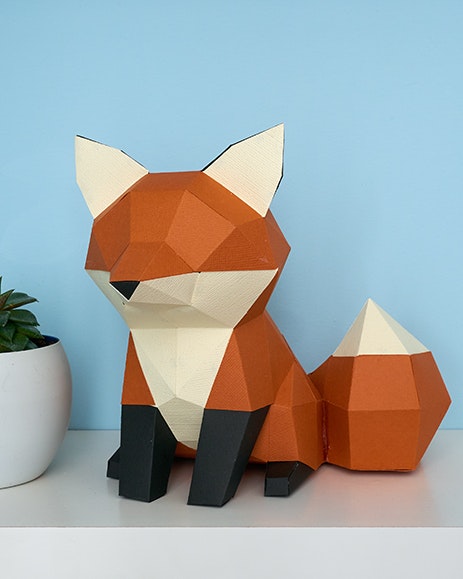
The instructions in the app for predesigned projects are thorough and clear. And that’s even true for relatively complex ones that require multiple cutting tools, markers and several different materials. It walks you through each step as you load a pen to draw on white cardstock, then cut the shape out, before having you swap in a different color card stock and the scoring tool. And for really involved designs, like the 3D cardboard masks, you’ll find a PDF with assembly instructions. (Well, most of the time at least. I only discovered after I cut the pieces for the cardstock fox I tried to build that it had "tips for assembly" as opposed to detailed instructions.)
The more intense projects that call for multiple materials and multiple cuts to be assembled after the fact can feel a little daunting at first. But as long as you don’t try to rush through without reading directions it’s relatively easy to figure out.
The bigger issue is, you end up needing a lot of stuff. The Cricut Explore 3 comes with a fine point blade, other tools such as the scoring stylus and foil transfer tool are sold separately, or as part of a bundle with the Cricut starting at $350 (which, if you’re in the market for one as a newcomer I’d highly recommend). But even if you get a bundle, you’ll still probably need to snag some extra stuff if you want to venture beyond stickers, decals and iron-ons.
See, part of the pitch for the latest Cricut machines is their compatibility with “Smart Materials,” which you’re able to load without using the special mat normally required to hold things in place for cutting. This is, to be clear, a huge advantage. One, it just means there’s fewer variables and less than can go wrong. But it also allows the latest Cricut machines to cut up to 12 feet of material in a single shot, whereas previous versions topped out at 24-inches with a mat. That’s great if you want to create room-covering decals.
The one shortcoming is that all the Smart Materials are adhesive in some form. There’s paper and cardstock sticker options, permanent or temporary vinyl decals, and iron-on. If you want to cut regular cardstock, paper or fabric you’ll still need to get mats, which come in four different levels of grippiness. They’re not prohibitively expensive; most people should be able to get by with the 12x12 variety pack, which includes light, standard and strong grip mats that cost $41. But it’s something to be aware of if you want to make greeting cards, paper banners or some of these undeniably awesome 3D cardboard figures.
If you do get those mats you’ll be greatly expanding the cutting capabilities of your Cricut, too. The Explore 3 can cut over 100 different materials from felt, to foil, to leather and light chipboard. If you spring for the $400 Cricut Maker 3 instead, that number jumps to over 300 materials, including acetate, various types of wood sheets and a host of additional fabrics.
Terrence O'Brien / Engadget
Creating your own designs or projects from scratch is a little more complicated. It’s simple enough to slap a few shapes and some text down on the virtual canvas. But If you want to make your own 3D figures, multilayered greeting cards, or print then cut custom stickers, things get a little more difficult. Frankly, it’s something that’s beyond my skill set.
There are templates in Design Space to help get you started laying out projects. But I found them only minimally useful. They’re basically just generic sketches of objects like bowls, mugs and guitars to give you a rough idea of what your decal or whatever will look like. But they’re not customizable enough to really be relied on for building out a complex design. I used the hoodie template to create an iron-on Spiderman emblem for my son’s Halloween costume. (It was chilly and I knew he wouldn’t want to cover his Spiderman costume with a jacket.) But I was still mostly left guessing when trying to figure out what the final product would look like.
Terrence O'Brien / Engadget
At the end of the day, the most important thing to know about Cricut machines is that they demand patience. Patience to figure out how to use it. Patience to navigate some of the complex projects. And patience to actually put those projects together. (Let me tell you, peeling thin cardstock off one of the mats without tearing it is no easy task.) But, it also feels like magic at times. Watching it as it writes impossibly small and delicate numbers on pieces of cardboard or cuts out intricate designs in vinyl is impressive. Obviously, more complex patterns require more time to cut out, but the Explore 3 is still impressively fast.
Can I say that a Cricut is absolutely worth the investment? No. It really is going to depend on your particular crafting needs and style. I’m not going to use the Cricut every day, or even every week. But I could see once a month dusting it off to customize something for my kid or to put a personal touch on a small project I’ve been working on.
Google's second-generation Pixel Stand wasn't even an option by the time the Pixel 6 shipped, but it's here now... well, almost. The company has begun taking pre-orders for the new wireless charging dock for $79. It won't ship until mid-December, so you might want to order quickly if it's a gift for the Android enthusiast in your life.
The new Pixel Stand is more monolithic than its predecessor, but also more powerful. It can charge the Pixel 6 Pro at up to 23W (21W for the regular Pixel 6) and has a fan to keep everything cool. And while it will charge many Qi-compatible devices at up to 15W, Google phone owners receive some extra perks. You can use the Pixel 3 and newer models as makeshift Google Assistant smart speakers, display personal data like calendars while unlocked or simply turn your phone into a photo frame.
The catch, as you might gather, is that you don't strictly need the Pixel Stand if you want an upright wireless charging dock. Alternatives from Anker, Belkin and others often provide a still-speedy 15W charge for significantly less, albeit without the Pixel-specific features. Google's charger is mainly best if you either want those extras or insist on the fastest charging possible.
Police in Canada say they recently arrested a teen who allegedly stole $46 million CAD (approximately $36.5 million) worth of cryptocurrency from a single individual in the US. According to authorities in Hamilton, Ontario, a city about one hour west of Toronto, the incident is the largest-ever cryptocurrency theft involving one person.
The owner of the currency was the victim of a SIM swap attack. Their cellphone number was hijacked and used to intercept two-factor authentication requests, thereby allowing access to their protected accounts. Some of the stolen money was used to purchase a “rare” online gaming username, which eventually allowed the Hamilton Police Service, as well as FBI and US Secret Service Electronic Crimes Task Force, to identify the account holder. Police seized approximately $7 million CAD ($5.5 million) in stolen cryptocurrency when they arrested the teen.
2021 has been a banner year for crypto thefts. In June, investors in South Africa lost nearly $3.6 billion in Bitcoin when the founders of one of the country’s largest cryptocurrency exchanges disappeared. That same month, police in the UK seized approximately $158 million in various digital currencies. At the time, it was the largest seizure of its kind in the country’s history.
Microsoft's latest Edge update might make all the difference if you routinely struggle with laptop battery life. The company has introduced a desktop version of Edge with an efficiency mode that "significantly" lowers CPU and memory use, potentially extending your battery life at the expense of raw performance. The feature should kick in when your battery is lo, although there's also a settings toggle when you'd like to take control.
You should also have an easier time updating your passwords, whether in response to a breach or just for caution's sake. The passwords section in Edge's settings now lets you easily update passwords for sites with a "change" button. The convenience only works for some sites right now, but Microsoft promised compatibility with more sites in the "coming months."
Edge will also add a few shopping features that might help you make smarter choices. An upcoming price alert will let you know if a must-have item is more affordable, while price comparison and history tools are coming to Android users later in November. UK shoppers using Bing can also tap Good On You's rating system to buy fashion based on social responsibility and sustainability scores.
Battery-saving features aren't new. Google gave Chrome some longevity-focused improvements last year, for instance. Efficiency mode might give Microsoft a way to stand out, though, and it might be vital if you'd rather not switch browsers (or limit the sites you visit) just to keep using your system for a little while longer.
Earlier this year, Snapchat announced Map Layers, features for the Snap Map built around local content. The first two Layers, Memories and Explore, are now available to everyone.
Memories will display old snaps that you captured in certain places, with the idea that it'll help you relive your favorite moments. Users will only be able to see their own memories in this Layer, which sort of builds on the My Places feature Snapchat added this summer. As for Explore, that's a reimagined version of the heat map. You'll be able to check out places though photos and videos that other users have shared publicly. You can access the Map Layers through a menu at the top right of the Snap Map.
Snap is also opening up Layers to third parties. A Ticketmaster layer showing nearby concerts (and providing a way to buy tickets) is coming soon, as is one from The Infatuation that highlights the best restaurants on the map. More Layers are in the pipeline too.
Ford thinks it has a solution to ongoing car chip shortages: make a deal with one of the world's largest chipmakers. CNBCreports the badge has unveiled a "strategic collaboration" with GlobalFoundries that will boost chip manufacturing and development in the US to improve supply for Ford and other domestic car producers. The non-binding arrangement will have GlobalFoundries look into solutions for components ranging from advanced driver assistance through to EV battery management.
The exact terms aren't clear. However, Ford stressed the team-up "does not involve" any joint ownership stakes.
Any results might not come for a while. It takes time just to repurpose factories and ramp up production, let alone to build any new facilities. Regardless, both sides have a strong incentive to work together. Ford has already slashed production and delayed car orders to accommodate chip shortages, for instance. IWhatever costs it pays could be worthwhile if they help the company meet demand.
GlobalFoundries, meanwhile, could use this to land more business from automakers and ride a surge in car demand. It could also help the semiconductor firm diversify its production away from chips for more traditional computing hardware. This deal might last a while, then, if just because it's mutually beneficial.
Apple announced a 16-inch MacBook Pro with the M1 Pro chip a month ago, and some solid deals are already starting to pop up. A model with a 10‑core CPU and 16‑core GPU, 16GB of RAM and a 512GB SSD is on sale on Amazon for $2,399, which is $100 off the regular price.
Granted, that's not a massive discount, but it's bigger than a previous drop of $50. Given how new the device is, it's a decent offer, so if you've been waiting for a price drop, this might be enough to sway you.
We reviewed the 16-inch MBP last month and gave it a score of 92. The performance is nothing to sniff at, with the M1 Pro proving more adept at creative tasks like video editing and 3D rendering than last year's M1 chip. As for battery life, the laptop ran for over 16 and a half hours in our testing.
Apple made sure there were plenty of ports on the latest model, after going several years with minimal connectivity on MacBook Pros. There are three Thunderbolt 4 ports, a MagSafe power port, HDMI connectivity, a 3.5mm headphone jack and an SD card reader, but unfortunately no USB-A port. To accommodate all of those, the laptop is a little bulker than its predecessors. That said, the trade off is likely worth it for most people, given that you might not feel the need to carry around a connector hub to connect all your peripherals anymore.
The MBP has a Liquid Retina XDR display with Mini-LED backlighting that's capable of outputting 1,600 nits of brightness and support for a 120Hz refresh rate. Apple has at last upgraded the webcam to one with a resolution of 1080p too, which is a significant step up from the 720p version.
All products recommended by Engadget are selected by our editorial team, independent of our parent company. Some of our stories include affiliate links. If you buy something through one of these links, we may earn an affiliate commission.
SpaceX's hopes for a timely Starship orbital flight haven't gone according to plan, to put it mildly, but there might be hope on the horizon. According to TechCrunch, Elon Musk told a joint meeting of space research boards that his company is aiming for the first Starship orbital flight in January 2022. The chief executive was quick to admit there was a "lot of risk" and that SpaceX might not succeed, but he figured the team would at least make "a lot of progress."
There could be around a dozen further launches in 2022, Musk added. The timing also hinges on an FAA environmental impact review of SpaceX's Boca Chica launch facility. The agency intends to finish its review before the end of 2021, but a delay might push back upcoming Starship launches.
Whenever Starship reaches orbit, the vehicle might become economical relatively soon afterward. Musk reckoned SpaceX could start selling Starship launches for less than Falcon 9 in roughly two years. That, in turn, could win valuable business and help SpaceX build more Starships for space tourism and journeys to Mars. Musk told meeting members Earth might need about 1,000 launch systems for truly interplanetary life, and he intended to produce Starships relatively quickly.