Barnes & Noble hasn't done as much lately to push e-readers forward as some of its rivals, but it's starting to catch up. TechCrunchnotes the bookseller has launched the Nook GlowLight 4, its first entry in the mid-tier e-reader line since 2017's GlowLight 3. A lot has changed in four years, if not as much as you might think — this is as much about dragging the device into the modern era as anything.
The Nook GlowLight 4 is billed as "sleeker" than the GlowLight 3, with a smaller overall profile, better page-turning buttons and a more comfortable hand feel. It's the first Nook e-reader with USB-C, and storage has quadrupled to 32GB. However, you'll still see a 6-inch, 300DPI e-paper display and a claimed one-month battery life. This is more for Nook newcomers, or those upgrading from particularly old devices.
The GlowLight 4 ships December 8th for $150. That could make it a tough sell against the 6.8-inch Kindle Paperwhite, the water-friendly Kobo Libra 2 and other mid-tier e-readers. It's a viable alternative if you don't want to attach yourself to the Amazon or Kobo ecosystems, though. Also, this is as much a declaration of intent as a new product. Barnes & Noble chief James Daunt said the company planned to "reinvigorate" the Nook line in the months and years ahead — this may just be one of the opening salvos.
Following a trial in 2020 involving 1,700 locations across the US, CVS is expanding the availability of its Spoken Rx audio prescription labels to all 10,000 of its pharmacies nationwide. The accessibility feature is available through the CVS Pharmacy app. It uses your phone to scan Rx bottles equipped with special RFID labels that then allow the device to read the label, including any instructions related to dosage amounts, aloud in English or Spanish.
You’ll need to enroll in the service if you want CVS to put Spoken Rx labels on your prescriptions. You can do so either over the phone or in-person at one of its locations. In the latter case, the company says its pharmacists can help patients with ensuring their CVS app is set up for the service. For those who don’t have a smartphone, CVS will offer a free standalone speaker device. Patients can also ask for prescription bottles fitted with Braille or large-print labels.
"This is a positive step that offers same-day access for prescriptions filled in CVS stores,” said Eric Bridges, the executive director of the American Council of the Blind, which helped CVS develop the feature. “Spoken Rx allows for a greater level of privacy, safety, and independence for blind and visually impaired customers."
Unfortunately, if you get your prescriptions from more than one pharmacy chain, the CVS app won’t work with those. Matt Blanchette, a communications manager with the company, told The Verge Spoken Rx can only read audio prescription labels from CVS Pharmacy. The company currently does not have any plans to make the proprietary feature work with labels from other brands.
Microsoft has unveiled Teams Essentials, a version of Teams aimed at small businesses. It's a standalone product that nestles between the free Teams plan and the features that come with a Microsoft 365 subscription.
Teams Essentials costs $4 per user per month. It includes unlimited group meetings for up to 30 hours and as many as 300 participants, compared with a 60-minute time limit and a maximum of 100 participants on the free plan. Users also get 10GB of cloud storage — twice as much as those on the free tier — and integration with Outlook and (soon) Google calendars.
Other features from the free tier are included, such as access to Office web apps, chats with colleagues and customers, file sharing, polls and group projects. Meetings, chats, calls and files are all encrypted. Users can send meeting invites to someone who doesn't have a Teams account — they just need that person's email address. Virtual backgrounds for calls, Together mode (which displays attendees in the same virtual space) and live closed captions are also available.
It's a little less expensive than Microsoft 365 Business Basic, which costs $5/month per user (increasing to $6 in March), but the savings can add up. That plan's features include meeting transcripts, real-time translations, mobile versions of Office apps and 1TB of cloud storage per person.
Tinder's founders just won a partial victory in their lawsuit against Match Group over alleged financial trickery. Match has agreed to settle the case by paying $441 million from its cash reserves. In return, the Tinder co-creators will dismiss the claims from both the lawsuit and linked arbitration.
The court battle began in 2018, when the plaintiffs accused Tinder's parent organizations Match and IAC of manipulating financial data (including a secret merger with Match) to artificially lower Tinder's valuation and illegally deny stock options to workers. The plaintiffs also alleged that interim Tinder chief Greg Blatt sexually harassed marketing VP and co-founder Rosette Pambakian in 2016. Tinder fired the employees in response to their lawsuit, and Pambakian separately sued Tinder over the assault claims.
We've asked Match for comment. Tinder said it couldn't comment beyond a joint statement in an SEC filing where both companies said they were "pleased" to have settled the case.
This isn't quite the decisive blow Tinder wanted. The company originally demanded "billions of dollars" in damages (around $2 billion, to be more exact) for the claimed Match and IAC manipulation — it's getting a fraction of that payout after three years. While Match is still on the hook, it's not taking long-lasting damage as a result.
Over the last month, Google Pixel and Samsung Galaxy S21 have noticed the Amazon Appstore doesn't work with Android 12. And we say it doesn't work, we mean it's almost entirely broken. Most people report they can't run any of the software they've downloaded from Amazon. Yet others say they don't see any apps when they visit the marketplace. An Amazon forum post spotted by The Vergesuccinctly captures the situation many Appstore users find themselves in after installing Android 12.
"My rain radar app from the Amazon Appstore is still happily running and giving me alerts via notifications, but I can't actually see them because it is being prevented from running full screen by the Amazon Appstore's failure to run properly," said forum user Lovingboth.
Amazon has yet to say when it plans to fix the problem. The company only added a notice to the top of the Appstore about the Android 12 issues earlier this week. "We're excited about Android 12 too," the notification says. "Unfortunately we're working through some issues. Thank you for your patience as we get your Appstore back."
As Liliputing points out, the Appstore's problems with Android 12 likely stem from incompatibility between Amazon's built-in DRM and Google's new operating system. "We are aware and working to resolve an issue impacting app performance and launches for the small number of Amazon Appstore users that have upgraded to Android 12 on their mobile devices," an Amazon spokesperson told The Verge. "This issue does not impact Amazon Fire Tablets or Fire TV devices."
With Android 12 only available on a handful of devices and most using the Play Store to download their apps, it's not a problem that affects many people. Still, it's one that's poised to become more widespread as the update rolls out to more devices, particularly if Amazon doesn't work quickly to resolve it.
A few months later than originally planned, Sony has opened pre-orders for its first drone for professionals. The company says the Airpeak S1 is the smallest drone that supports a full-size, mirrorless Alpha camera.
The debut model in the Airpeak line works with several Sony cameras, including the Alpha 1, Alpha 7S series, Alpha 7R series and Alpha 9 series. The company says the S1 has proprietary technology that supports smooth movement at high speed and provides stable wind resistance in service of helping cinematographers and photographers to capture high-quality footage and photos from the sky.
Sony claims the S1 can fly for up to 22 minutes au naturale, and up to 12 minutes with a heavy payload, such as the Alpha 7S III with a FE 24mm F1.4 GM lens. The drone has a top speed of just under 56mph.
The Airpeak Flight app for iOS provides real-time status info and updates on the hardware. With the Airpeak Base web app, users can create advanced, repeatable flight plans, manage the drone and camera and troubleshoot issues. There's also a dual operation mode, which allows one person to control the drone and another to operate the camera and gimbal. Both users can see what the camera is capturing.
The Airpeak S1 comes with two sets of propellers, two rechargeable batteries and a controller. Sony has shaved $1,000 off the previously announced price — the drone now costs a still-eye-watering $9,000. The S1 should ship on December 24th, so it might arrive a little too late to be an extremely generous holiday gift.
There's an optional cloud service called Airpeak Plus that offers extra storage, enhanced geofencing tools and flight log importing and exporting. It costs around $300 for 12 months.
Google has revealed a slew of features and updates for Android 12. Starting today, the digital car key function that was announced at Google I/O in May is available on Pixel 6, Pixel 6 Pro and Samsung Galaxy S21 for compatible BMW vehicles in select countries. You can use your phone to lock and unlock the doors, and start the engine. The feature is likely coming to other vehicles later — Google has been working with other, unnamed automakers on support for digital car keys.
There's now an option to open Android Auto automatically when you connect your device to a compatible car. In addition, the home screen will have an always-on play button, so you can fire up your favorite music with a single tap.
Smart reply options (which will arrive in the coming months) will offer more ways to respond to text messages while you're driving. You can tap to reply or create a custom message with the help of Google Assistant. Also coming soon, there'll be a faster way to search for music in your media apps. Just tap the search button and say the name of your favorite artist or song.
Other media-centric options are coming to the home screen of Android 12 proper. A YouTube Music widget, for instance, includes playback controls and recently played songs. Two other widgets are rolling out next week. One for Google Play Books offers access to your library of books and could help you keep track of where you are in audiobooks.
A Google Photos People & Pets widget, meanwhile, provides an easy way to bring your loved ones to the home screen. Select a few faces and a frame, and your family, friends and pets can take pride of place on the home screen.
Elsewhere in Google Photos, you'll start to see Memories in the photo grid. It's a curated selection of photos and videos from holidays and events like birthdays and graduations, which are displayed in a stories format. Along with renaming, personalizing and correcting them, you'll have the option to remove Memories from the grid.
Google is bringing Family Bell from smart home products to mobile devices. You can set up the feature to alert you and your family with bells and notifications when it's time to do certain things, such as picking up kids from school or getting to bed at a decent hour. Family members can set or customize as many bells as they like on their own devices to keep stay on schedule. Google will offer suggested bells too, including holiday-themed ones like volunteering for a local cause or watering the tree.
In Gboard's Emoji Kitchen, you'll see thousands more emoji mashups. They'll be available for Gboard Beta users starting today and for everyone in the coming weeks.
Last, but not least, Google announced another Android security measure. To help protect your privacy, your device will automatically turn off runtime permissions (which allow apps to access data or carry out actions for you) in apps you haven't used in a while. You can turn these permissions back on in the app or the device settings. The feature will be available on Android 12 at first. Starting next month, Google plans to roll it out to devices with Google Play services running Android 6.0 or later.
Verizon (Engadget's former parent company) isn't just relying on no-frills media players to push its Stream TV platform. The carrier has unveiled the Stream TV Soundbar (shown below) and Stream TV Soundbar Pro (at top), both of which mate Android TV with Bang & Olufsen's audio know-how and some high-end features to match. All of them include Dolby Atmos surround sound and content-sensitive sound field selection — it's just a question of how much B&O influence you want.
The base Stream TV Soundbar costs $400 with five speakers "tuned" by B&O as well as two HDMI ports. Step up to the $1,000 Soundbar Pro and you'll get nine B&O speakers, a third HDMI port and a B&O-designed profile. Both run the same Stream TV interface with similar software features (including Chromecast streaming and the Google Play Store), so it really comes down to your budget and desire for Danish audio.
Both soundbars are available solely through Verizon as of today (December 1st). They face stiff competition. On top of direct rivals like JBL's Link Bar, you can find plenty of not-quite-so-connected soundbars like the Sonos Arc and Beam or Sony's HT-A5000. Verizon's bars make the most sense if you're already shopping the company's store, unimpressed with your immediately available alternatives or just want a (relatively) inexpensive way to get B&O sound into your living room.
Reddit is introducing a handful of new features designed to make its social network feel more interactive. Starting today, you’ll notice the vote and comment counts on posts and feeds will increase (as well as decrease) in real-time. Additionally, you’ll see new typing indicators that will tell you when two or more people are replying to a comment. Similarly, another set of real-time indicators will share when five or more people are reading the same post.
Reddit
In both instances, you won’t know exactly who is reading a post or readying a reply, but it will give you a broader sense of how much attention it’s drawing. Lastly, Reddit has reworked the comment pill to display new comments as you’re scrolling through a post.
Reddit
In practice, the new features will make Reddit feel more like a chat app. The company says they were designed to increase user engagement. It contends they will create a better experience for users. Whether that actually turns out to be the case, we’ll see later today when Reddit starts rolling out the features to its web client, as well as Android and iOS apps.
The perfect hybrid machine that’s just as good a tablet as it is a laptop still doesn’t exist. But, in 2021, companies like Microsoft, Apple and Google continued to improve their operating systems for machines that do double duty. Windows 11 has features that make it friendlier for multi-screen devices, while Android 12L is on the horizon and promises an optimized experience for larger displays. Plus, with the rise of ARM-based chips for laptops, especially Apple’s impressive M1 series, prospects for a powerful 2-in-1 with a vast touch-friendly app ecosystem is at an all-time high.
These machines still have their limits, of course. Since they’re smaller than proper laptops, they tend to have less-powerful processors. Keyboards also tend to be less sturdy, with condensed layouts and shallower key travel. Plus, they’re almost always tablets first, leaving you to buy a keyboard case separately. (And those ain’t cheap.) So, you can’t always assume the advertised price is what you’ll actually spend on the 2-in-1 you want.
Sometimes, getting a third-party keyboard might be just as good, and they’re often cheaper than first-party offerings. If you’re looking to save some money, Logitech’s Slim Folio is a cheaper option, and if you don’t need your keyboard to attach to your tablet, Logitech’s K780 Multi-Device wireless keyboard is also a good pick.
While we’ve typically made sure to include a budget 2-in-1 in previous years, this time there isn’t a great choice. We would usually go with a Surface Go, but the 2021 model is too expensive. Other alternatives, like cheaper Android tablets, are underpowered and don’t offer a great multitasking interface. If you want something around $500 that’s thin, lightweight and long-lasting, you’re better off this year looking at a conventional laptop (like those on our best budget PCs list).
Chris Velazco / Engadget
When you’re shopping for a 2-in-1, there are some basic criteria to keep in mind. First, look at the spec sheet to see how heavy the tablet is (alone, and with the keyboard). Most modern hybrids weigh less than 2 pounds, with the 1.96-pound Surface Pro 8 being one of the heaviest around. The iPad Pro 12.9 (2021) and Samsung’s Galaxy Tab S7+ are both slightly lighter. If the overall weight of the tablet and its keyboard come close to 3 pounds, you’ll be better off just getting an ultraportable laptop.
You’ll also want to opt for an 11-inch or 12-inch screen instead of a smaller 10-inch model. The bigger displays will make multitasking easier, plus their companion keyboards will be much better spaced. Also, try to get 6GB of RAM if you can for better performance — you’ll find this in the base model of the Galaxy Tab S7+, while this year’s iPad Pro and the Surface Pro 8 start with 8GB of RAM.
Finally, while some 2-in-1s offer built-in LTE or 5G connectivity, not everyone will want to pay the premium for it. An integrated cellular radio makes checking emails or replying to messages on the go far more convenient. But it also often costs more, and that’s not counting what you’ll pay for data. And, as for 5G — you can hold off on it unless you live within range of a mmWave beacon. Coverage is still spotty and existing nationwide networks use the slower sub-6 technology that’s barely faster than LTE.
Engadget Picks
Best overall: Surface Pro 8
Dana Wollman/Engadget
There’s no beating the Surface series when it comes to 2-in-1s. They’re powerful, sleek tablets running an OS that’s actually designed for productivity. The Surface Pro 8 is Microsoft’s latest and it addresses most of the issues we had with its predecessor. It’s thinner and looks more modern, borrowing the design of last year’s Pro X. Plus, it has a 120Hz display that makes scrolling endless spreadsheets or emails feel much faster. Just remember to drop the refresh rate to 60Hz if you want to get respectable battery life out of this thing. Windows 11 also offers a better split-screen experience for on-the-go multitasking.
Like most of the other 2-in-1s on this list, the Pro 8 doesn’t come with a keyboard cover — you’ll have to pay extra for that. That’s a shame, considering it starts at $1,099. Microsoft offers a variety of Type Covers for its Surface Pros ranging from $100 to $180, depending on whether you want a slot for a stylus on it. But at least they’re comfortable and well-spaced. You can also get the Surface Slim Pen 2 ($130) for sketching out your diagrams or artwork, and it also features haptic feedback for a more responsive experience.
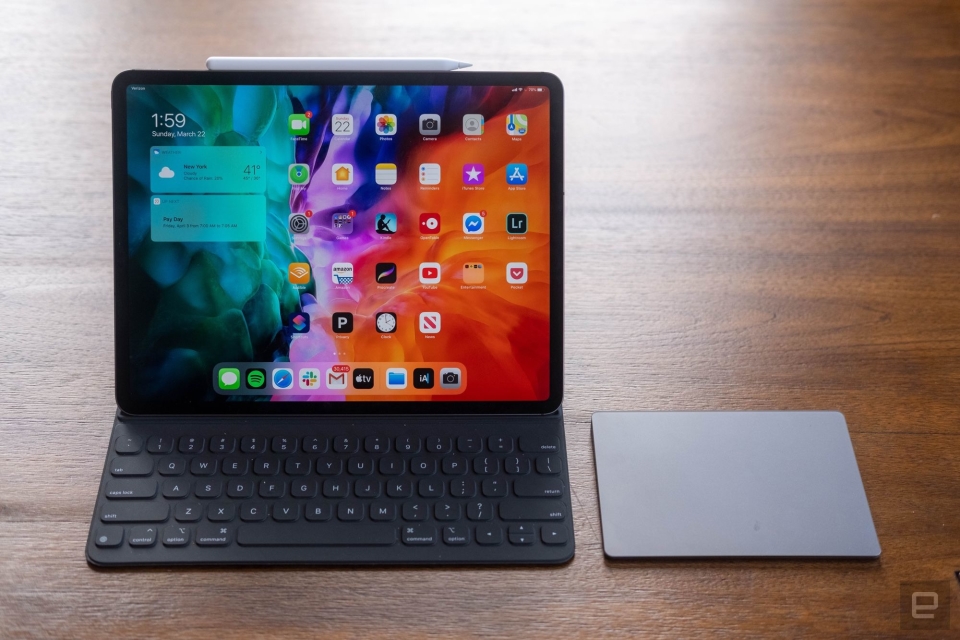
If you’re already in the Apple ecosystem, the best option for you is obviously an iPad. The 12-inch Pro is our pick. Like older models, this iPad Pro has a stunning 12.9-inch screen with a speedy 120Hz refresh rate, but this year it uses mini-LED backlighting to deliver greater dynamic range. Apple’s M1 chipset is impressively fast too, and more than good enough for most tasks. Plus, the latest iPadOS is superior to older versions thanks to widgets and quick notes support.
Apple’s new Magic Keyboard provides a satisfying typing experience, and its trackpad means you won’t have to reach for the screen to launch apps. But it’ll also cost you an extra $300, making it the most expensive case on this list by a lot. The iPad also lacks a headphone jack and its webcam is awkwardly positioned along the left bezel when you prop it up horizontally, so be aware that it’s still far from a perfect laptop replacement. Still, with its sleek design and respectable battery life, the iPad Pro 12.9 is a good 2-in-1 for Apple users.
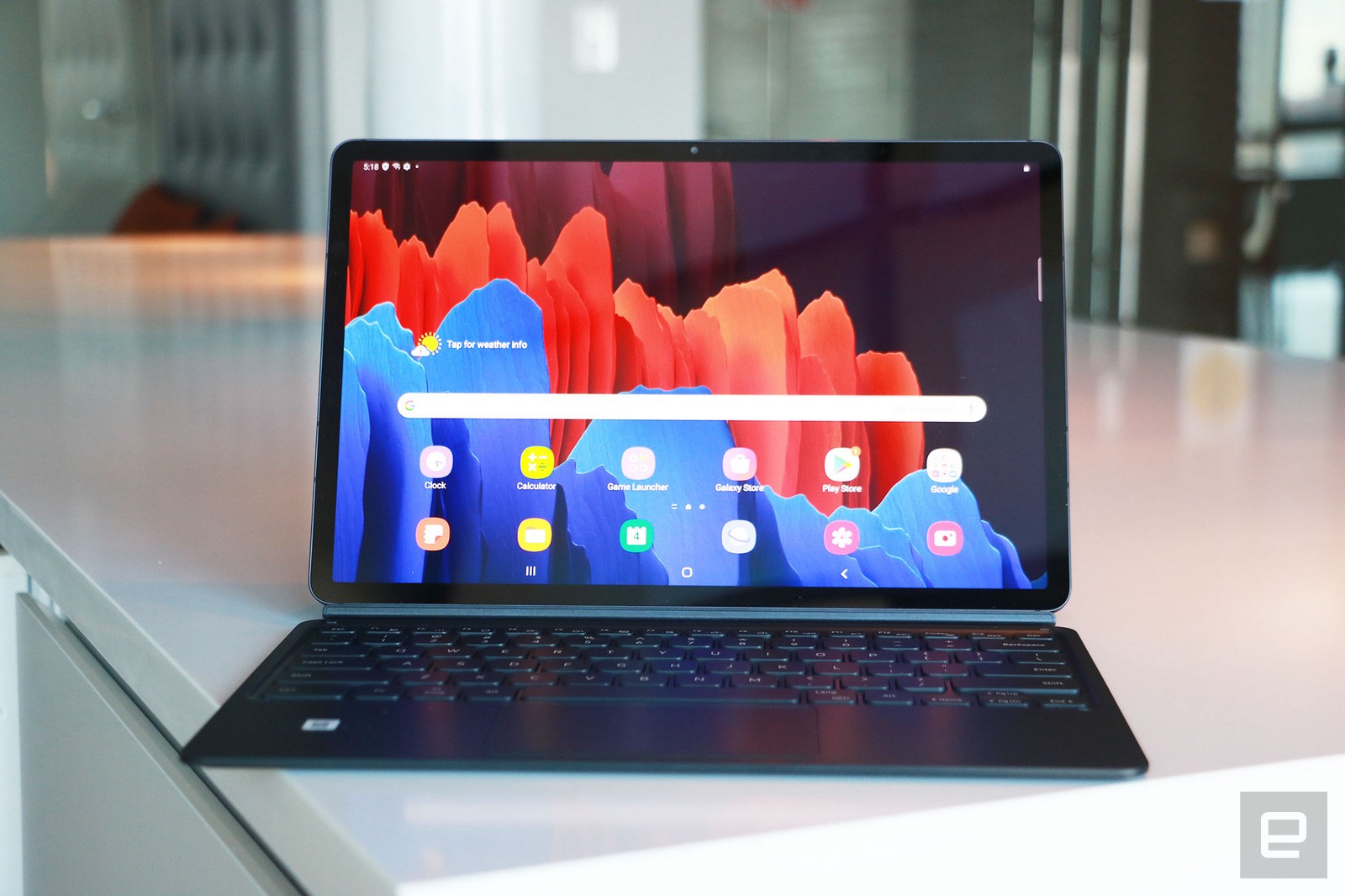
While Windows is better than iPadOS and Android for productivity, it lags the other two when it comes to apps specifically designed for touchscreens. If you want a tablet that has all the apps you want, and only need it to occasionally double as a laptop, the Galaxy Tab S7+ is a solid option. Though it was released last year, it’s still the best Android-powered 2-in-1 around. You’ll enjoy watching movies and playing games on its gorgeous 12.4-inch 120Hz AMOLED screen, and Samsung includes the S Pen, which is great for sketching and taking notes. The Snapdragon 865+ processor and 6GB of RAM keep things running smoothly, too.
Thankfully the company significantly improved its keyboard case over previous models, with more comfortable and responsive keys. You could type for hours on this thing and not hate yourself (or Samsung). The battery life is also excellent, so you won’t need to worry about staying close to an outlet. The main caveat is that Android isn’t great as a desktop OS and, while Samsung’s DeX mode offers a somewhat workable solution, it has plenty of quirks. Still, with Android 12L on the horizon, a simple software update could ease some pain.
Android might suck as a desktop operating system, but Chrome OS doesn’t. If most of your tasks take place inside a browser, the HP Chromebook x2 will serve you well. It has great battery life, an excellent 11-inch screen and looks nice, to boot. HP even includes the keyboard and stylus with the tablet, which almost none of the competition does.
Chrome still isn’t a great OS in tablet mode, and the Chromebook x2’s Snapdragon 7c processor sometimes struggles if you rack up too many tabs. It’s also a little pricey at $600, but you can often find it for $400 when it goes on sale at sites like Best Buy. That makes it a solid choice considering everything HP includes for the money.