After the debut of Friday Night Baseball, Apple is pushing further into live sports streaming. Starting in 2023, Apple TV will be the only place to watch every Major League Soccer game for the next decade. Soccer fans around the world will be able to stream all of the league's matches through the Apple TV app. Notably, there won't be any restrictions or regional blackouts.
The 10-year deal also covers Leagues Cup games (though viewers in Mexico will have to watch those and Campeones Cup matches elsewhere), along with select MLS NEXT Pro and MLS NEXT games. ESPN, Fox Sports and Univision currently hold the rights to MLS games, though their deals will expire after the current season.
Fans will need to subscribe to a new MLS streaming service, which will only be available through the Apple TV app, to watch every game. Access will be included as part of MLS full-season ticket packages. Apple also says TV+ subscribers will have access to a "broad selection" of MLS and Leagues Cup matches at no extra cost. Some games will be available for free.
Along with live games, the MLS streaming service will feature replays, highlights, analysis and a weekly whip-around show that will include goals and other key moments. There will be original programming as well. All MLS and Leagues Cup matches will have English and Spanish announcers, and games with Canadian teams will have French announcers too.
Fans will be able to follow news about MLS and their favorite teams in Apple News, and highlights will be featured there too. Along with the Apple TV app, which is available on a variety of platforms and devices, you'll be able watch games on the streaming service's website. More details, including pricing, will be revealed in the coming months.
“For the first time in the history of sports, fans will be able to access everything from a major professional sports league in one place,” Eddy Cue, Apple’s senior vice president of services, said in a statement. “It’s a dream come true for MLS fans, soccer fans, and anyone who loves sports. No fragmentation, no frustration — just the flexibility to sign up for one convenient service that gives you everything MLS, anywhere and anytime you want to watch.”
The company will reportedly pay MLS at least $250 million per year under the pact. After the minimum guarantee is met through subscriptions, MLS will receive extra revenue. Some games may air on linear TV networks as well, according to Sports Business Journal, though those matches will still be available on the Apple/MLS service.
Apple's push into sports may not end with baseball and soccer. The company has also long been rumored as a potential partner for the NFL.
Internet Explorer is bowing out just short of its 27th birthday. As revealed last May, Microsoft will no longer support the Internet Explorer 11 desktop app for Windows 10's usual Semi Annual Channel as of June 15th. You'll still receive IE11 support if you're using Windows Server 2022 or an earlier OS release with a long-term service extension, but this marks the effective end of software updates for most people. Windows 11 doesn't include an IE desktop app.
The Edge browser's IE Mode will still receive support through 2029 or later, so you won't be stuck if you just need compatibility with the older web engine. Microsoft won't be subtle in pushing you toward its newer browser, however. The company will "progressively" redirect users from IE to Edge in the next few months, and will permanently disable the old software through a Windows update.
The deadline marks the end to a bittersweet chapter in Microsoft's history. Internet Explorer launched alongside Windows 95, and offered a first taste of the web to many people who hadn't already used early browsers like Netscape Navigator. It played a key role in popularizing the internet, and for some became synonymous with going online — it had 95 percent of usage share by 2003, and wasn't eclipsed by Edge until 2019.
However, Internet Explorer was also closely linked to some of Microsoft's worst practices. While bundling IE with Windows helped web newcomers, it also stifled competition. The US' 2001 antitrust case against Microsoft revolved around accusations that the company abused IE restrictions to maintain Windows' market dominance. The browser also developed reputations for poor security (particularly through ActiveX controls) and non-standard rendering that frequently forced website creators to optimize for IE. Microsoft eventually addressed some of IE's most glaring flaws, but the slow pace of that turnaround helped browsers like Google Chrome and Mozilla Firefox rise to prominence — there's a reason why the current Edge browser is based on Chromium rather than in-house tech.
You probably won't miss IE much as a result. It's still hard to ignore the program's impact, though, and its flaws ultimately led to more browser choices as well as a shift toward true web standards. IE's legacy may persist for years to come.
The price of entry for a real-deal analog Moog synth isn’t particularly low. Other than the limited-run Werkstatt-01, the most affordable is the Minitaur, which will set you back $600. Now, that’s not unreasonably expensive but for those looking to dip their toes into the synth waters, it might be a big ask. Especially when a Volca Keys can give you three-note paraphonic analog sounds for just $170. That’s where Mavis comes in, it’s a pseudo-DIY monophonic semi-modular synth that delivers classic Moog sounds for just $350.
I say “pseudo-DIY” because all of the core components are already put together for you. There’s no soldering involved here. You’re simply putting the circuit board in a case and attaching it with some screws and nuts. It’s not particularly difficult, but the tiny nuts can be frustrating to get on the patch bay, and there are 24 of them to fight with. Not great if you’re as shaky as I am.
Once assembled, though, you have a legit Moog with all the basic features you’d expect, plus a few extras. There’s a single oscillator that can morph between saw and square wave, an LFO, an envelope generator and, of course, Moog’s iconic 4-pole low pass filter. There’s also a sample and hold circuit, a utilities section with mults, a mixer and an attenuator. Lastly, in a first for a Moog synth, there’s a wave folder, something you’d be more likely to find on West Coast-style synths, like those from Buchla. All of these parts can be mixed and matched, or combined with external gear, using the 24-point patch bay.
Mavis even has a built-in one-octave keyboard so you can start tapping out basslines immediately. But I highly recommend you get an external keyboard or sequencer with CV controls, like one of Arturia’s KeyStep or BeatStep series. The keys on Mavis are tiny and rubbery and require a good amount of force to play. And the lack of a sequencer or arpeggiator means you’d have to play it live. It gets the job done for noodling around and auditioning patches, but I wouldn’t want to use it for an actual performance.
It’s also slightly odd that Moog went with an ⅛-inch audio out jack, instead of a ¼-inch one. Yes, it’s designed in part with Eurorack in mind, and it’s not a big deal to slap an adapter on the cable, but it still seems somewhat out of place considering that every other member of the Moog semi-modular family has ¼-inch outs.
One last thing worth mentioning is that, while you can stick Mavis in a Eurorack case, it has a case of its own and even a plastic dust cover to make sure your precious Moog stays pristine. Honestly, it’s the sort of accessory that should come with most synths and not a $50 (or more) add on.
Sound
Terrence O'Brien / Engadget
The core oscillator sounds great. Its Moog DNA is glaringly obvious in the buzzing saw wave and booming square. This is a synth built with bass in its bones. Even if you never touched the patchbay. If you just stuck with sounds the Mavis made out of the box, you’d probably be happy. It’s not the most versatile or unique synth, but it does what it does very well and it’s just oozing character.
Mavis is a little rough around the edges in a good way. You can get everything from 8-bit video game beeps, to towering bass stabs and even koto-esque plucks. The only thing it can’t really handle is drums. You can get a decent kick out of it, and maybe some pitched tom sounds. But that’s about it. Without a noise source snares, hats and claps are out of the question. It’s also tough to get convincing pad sounds with just a single oscillator, but with some effects it’ll do in a pinch.
That single oscillator is solid, though. And there are a host of tools at your disposal on the front panel to fatten up the sound further. For one, the LFO can reach audio rates, so you can patch it up and treat it as a second playable oscillator. You can even control both independently (to a degree) to get counter melodies and dueling arpeggios. Plus you can feed one or both of those sources into the wave folder to add even more harmonic content.
What makes this special is that normally, East Coast or subtractive synthesis (as exemplified by Moog) are about starting with a harmonically rich sound source and then shaving away the bits you don’t want. Here you’re able to add more harmonic content and get tones that you simply can’t on almost any other Moog device. It’s inching into West Coast territory.
Terrence O'Brien / Engadget
If I have one complaint about the oscillator, and by extension the LFO as a sound source, it’s that they can be difficult to tune. The natural analog drift here definitely lends to the charm, but I did find myself having to retune both every so often. And the tiny knobs don’t make finding the sweet spots easy. In fact, simply letting go of the LFO rate knob was often enough to knock it out of tune and I’d have to back and dial it in again. And I found tuning didn’t stay consistent across multiple octaves.
Mavis comes with a tool for fine tuning (the small hole next to the pitch knob). Do not lose it. You will definitely need it. You’ll also need it for tweaking the keyboard scale to try and make sure one octave does indeed equal one octave. Out of the box it wasn’t far off, but if you’re an impatient person, dialing this in may make you want to pull out your hair. Especially since the two things interact with each other and by changing the keyboard scale you can knock the synth out of tune.
The filter is basically what you expect from a Moog. It’s warm, resonant and delivers everything from subdued bass to squelchy leads. The Moog filter has a tendency to cut out a lot of the lower frequencies as you turn up the resonance. And, It might be all in my head, but it seems especially dramatic on Mavis. Just a touch of resonance is enough to completely cut out the bottom end.
Patchbay
It’s getting easier to find affordablesemi-modular and modular synths. But they’re still not particularly common. What’s surprising here, though, is just how much versatility is packed into this 24-point bay. There’s a host of utility functions here that really explode the Mavis’ power. The attenuator, mixer and mult in particular offer more flexibility than you’d find on even some of Moog’s more expensive semi-modular synths. These allow you to blend signals, split them to control multiple parameters and dial in just how much of an impact you want that control voltage to have. These are the sorts of tasks left to dedicated “utility” modules in a Eurorack set up.
Because of the extensive patchbay options, the Mavis actually feels like it can play with the big boys in Moog’s lineup. It’s a natural and affordable way to expand on the capabilities of something like the Mother 32, Subharmonicon or DFAM. It’s also an excellent entry point for anyone who wants to learn about synthesis, and in particular modular synthesis. Other affordable modular options aren’t nearly as musical as Mavis.
Wrap-up
It seems as if Moog took what it learned from the Werkstatt-01 and applied it to a more polished and serious feeling instrument. The basic format and concept are the same. But Mavis feels less like an educational toy, and more like something that could actually find a permanent home in someone’s studio setup. It has a rough and warm charm about it, plus it’s packed with surprisingly useful features you might not expect in an entry level synth.
At $350 the Mavis isn’t just a good option for your first Moog – it’s a great choice for your first synth, period. But experienced synth users shouldn’t overlook it either.
Coinbase is still struggling with a worsening cryptocurrency market. The exchange has announced that it's laying off 18 percent of its workforce, or about 1,100 jobs, to help weather difficult economic conditions. There's a "crypto winter," according to company chief Brian Armstrong, and the move is purportedly necessary to keep costs down during this dark period.
Armstrong also saw this as a response to excessive optimism about crypto's future. Coinbase felt it had to grow rapidly in 2021 to compete across numerous sectors and take advantage of crypto's value surge, but it's now apparent the company "over-hired" while the market was strong. The exchange started 2021 with 1,250 employees, and will still have roughly 5,000 people employed by the end of the current quarter.
The layoffs have been abrupt. Coinbase cut affected employees' system access at the same time as the announcement to prevent "rash decision[s]" by outgoing staff. The firm is promising at least 14 weeks of severance pay, four months of US health insurance and help finding new work, but the decision comes after multiple attempts to avoid cutting jobs. Coinbase first paused hiring, and later rescinded accepted job offers as economic conditions soured.
Coinbase isn't alone in dealing with the effects of crypto's collapse. Binance is facing a lawsuit over the failed TerraUSD stablecoin, while major lender Celsius has frozen withdrawals to help stabilize assets and honor obligations. The plunge in Bitcoin prices following Celsius' move led Binance to halt its own withdrawals for several hours. Crypto is very fragile at the moment, and it doesn't take much for the technology's largest supporters to suffer.
You won't have to wait too long to buy a Mac with an M2 chip inside. Apple has announced that it will start taking orders for the 13-inch MacBook Pro M2 on June 17th, with customers getting their orders on June 24th. The system starts at $1,299 ($1,199 for education) with 8GB of RAM and a 256GB SSD.
The new 13-inch MacBook Pro offers a simple performance boost over the M1 model, for better or for worse. You'll still get the familiar design, the Touch Bar and two Thunderbolt/USB 4 ports. It's still a capable machine with 20 hours of battery life, but this isn't a major overhaul.
In a sense, its greatest rival will come from Apple: the still-to-be-released MacBook Air M2. You won't get a cooling fan or the longest possible runtime, but you will get a larger screen, a MagSafe power connection, more free ports and a slimmer, lighter chassis. The 13-inch Pro is best for those who need sustained computing power for long periods, but can't rationalize the cost of the 14-inch system.
The smart thermostat is a lower-cost alternative to models from other companies, such as Google's Nest lineup. It works with Alexa, of course, though there's no on-board microphone or speaker. You'll need to use a different Alexa-enabled device to control it with your voice. You can also adjust the settings remotely using the Alexa mobile app, which could be handy for heating up your house on a cold day right before you return home.
The device uses Honeywell Home Thermostat Technology. It's also Energy Star-certified, meaning it's required to save users around $50 worth of energy bills per year. As such, the cost of the device should be more or less covered within 12 months of use.
The features aren't quite as in-depth as what you'd find on a Nest thermostat, but for those on a stricter budget, it could do the trick. Before you buy it, Amazon recommends using its compatibility tool (which you'll find on the product page) to make sure the smart thermostat will work in your home and to find out whether you'll need a C-wire power adapter.
Google Maps can already help you avoid toll roads, but now it will let you know just how much you'll pay if you take those (supposedly) quicker routes. Android Policenotes that Google has enabled its previously promised toll pricing in Maps for Android and iOS. Check the route options before you navigate and you'll get an estimated cost based on when you're travelling.
You can also tell Maps to show prices with or without toll passes. The app will still let you avoid toll roads whenever possible.
The prices should be available for about 2,000 toll roads in the US, India, Indonesia and Japan. More countries are "coming soon," Google said. This won't be the most comprehensive feature at first, then, but it could prove valuable if it saves you money or time on a lengthy trip.
Just a few years ago, the case for smartwatches wasn’t clear. Today, the wearable world is filled with various high-quality options, and a few key players have muscled their way to the front of the pack. Chances are, if you’re reading this guide, you’ve probably already decided that it’s time to upgrade from a standard timepiece to a smartwatch. Maybe you want to reach for your phone less throughout the day, or maybe you want to stay connected in a more discrete way. The list of reasons why you may want a smartwatch is long, as is the list of factors you’ll want to consider before deciding which to buy.
What to look for in a smartwatch
Cherlynn Low
Compatibility
Apple Watches only work with iPhones, while Wear OS devices play nice with both iOS and Android. Smartwatches made by Samsung, Garmin, Fitbit and others are also compatible with Android and iOS, but you’ll need to install a companion app.
The smartwatch OS will also dictate the type and number of on-watch apps you’ll have access to. Many of these aren’t useful, though, making this factor a fairy minor one in the grand scheme of things.
Price
The best smartwatches generally cost between $300 and $400. Compared to budget smartwatches, which cost between $100 and $250, these pricier devices have advanced fitness, music and communications features. They also often include perks like onboard GPS, music storage and NFC, which budget devices generally don’t.
Some companies make specialized fitness watches: Those can easily run north of $500, and we’d only recommend them to serious athletes. Luxury smartwatches from brands like TAG Heuer and Hublot can also reach sky-high prices, but we wouldn’t endorse any of them. These devices can cost more than $1,000, and you’re usually paying for little more than a brand name and some needlessly exotic selection of build materials.
Battery life
Battery life remains one of our biggest complaints about smartwatches, but there’s hope as of late. You can expect two full days from Apple Watches and most Wear OS devices. Watches using the Snapdragon Wear 3100 processor support extended battery modes that promise up to five days on a charge — if you’re willing to shut off most features aside from, you know, displaying the time. Snapdragon’s next-gen Wear 4100 and 4100+ processors were announced in 2020, but only a handful of devices – some of which aren’t even available yet – are using them so far. Other models can last five to seven days, but they usually have fewer features and lower-quality displays. Meanwhile, some fitness watches can last weeks on a single charge.
A few smartwatches now support faster charging, too. For example, Apple promises the Series 7 can go from zero to 80 percent power in only 45 minutes, and get to full charge in 75 minutes. The OnePlus Watch is even speedier, powering up from zero to 43 percent in just 10 minutes. (Mind you that turned out to be one of the only good things about that device.)
Communication
Any smartwatch worth considering delivers call, text and app alerts to your wrist. Call and text alerts are self explanatory, but if those mean a lot to you, consider a watch with LTE. They’re more expensive than their WiFi-only counterparts, but data connectivity allows the smartwatch to take and receive calls, and do the same with text messages, without your phone nearby. As far as app alerts go, getting them delivered to your wrist will let you glance down and see if you absolutely need to check your phone right now.
Fitness tracking
Activity tracking is a big reason why people turn to smartwatches. An all-purpose timepiece should log your steps, calories and workouts, and most of today’s wearables have a heart rate monitor as well.
Many smartwatches also have onboard GPS, which is useful for tracking distance for runs and bike rides. Swimmers will want something water resistant, and thankfully most all-purpose devices now can withstand at least a dunk in the pool. Some smartwatches from companies like Garmin are more fitness focused than others and tend to offer more advanced features like heart-rate-variance tracking, recovery time estimation, onboard maps and more.
Health tracking on smartwatches has also seen advances over the years. Both Apple and Fitbit devices can estimate blood oxygen levels and measure ECGs. But the more affordable the smartwatch, the less likely it is that it has these kinds of health tracking features; if collecting that type of data is important to you, you’ll have to pay for the privilege.
Engadget
Music
Your watch can not only track your morning runs but also play music while you’re exercising. Many smartwatches let you save your music locally, so you can connect wireless earbuds and listen to tunes without bringing your phone. Those that don’t have onboard storage for music usually have on-watch music controls, so you can control playback without whipping out your phone. And if your watch has LTE, local saving isn’t required — you’ll be able to stream music directly from the watch to your paired earbuds.
Always-on displays
Most flagship smartwatches today have some sort of always-on display, be it a default feature or a setting you can enable. It allows you to glance down at your watch to check the time and any other information you’ve set it to show on its watchface without lifting your wrist. This will no doubt affect your device’s battery life, but thankfully most always-on modes dim the display’s brightness so it’s not running at its peak unnecessarily. Cheaper devices won’t have this feature; instead, their screens will automatically turn off to conserve battery and you’ll have to intentionally check your watch to turn on the display again.
NFC
Many smartwatches have NFC, letting you pay for things without your wallet. After saving your credit or debit card information, you can hold your smartwatch up to an NFC reader to pay for a cup of coffee on your way home from a run. Keep in mind that different watches use different payment systems: Apple Watches use Apple Pay, Wear OS devices use Google Pay, Samsung devices use Samsung Pay and so forth.
Apple Pay is one of the most popular NFC payment systems, with support for multiple banks and credit cards in 72 different countries, while Samsung and Google Pay work in fewer regions. It’s also important to note that both NFC payment support varies by device as well for both Samsung and Google’s systems.
Engadget Picks
Best overall: Apple Watch
Cherlynn Low / Engadget
The Apple Watch has evolved into the most robust smartwatch since its debut in 2015. It’s the no-brainer pick for iPhone users, and we wouldn’t judge you for switching to an iPhone just to be able to use an Apple Watch. The latest model, the Apple Watch Series 7, has solid fitness-tracking features that will satisfy the needs of beginners and serious athletes alike. It also detects if you’ve fallen, can carry out ECG tests and measures blood oxygen levels. Plus, it offers NFC, onboard music storage and many useful apps as well as a variety of ways to respond to messages.
The main differences between the Series 7 and the Series 6 that preceded it are the 7’s larger display, its overnight respiratory tracking and faster charging. The slight increase in screen real estate allows you to see things even more clearly on the small device, and Apple managed to fit a full QWERTY keyboard on it to give users another way to respond to messages. The faster charging capabilities are also notable – we got 10 percent power in just 10 minutes of the Watch sitting on its charging disk, and it was fully recharged in less than one hour.
While the $399 Series 7 is the most feature-rich Apple Watch to date, it’s also the most expensive model in the Watch lineup, and for some shoppers there might not be clear benefits over older editions. Those who don’t need an always-on display, ECG or blood oxygen readings might instead consider the Apple Watch SE, which starts at $279.
We actually regard the Watch SE as the best option for first-time smartwatch buyers, or people on stricter budgets. You’ll get all the core Apple Watch features as well as things like fall detection, noise monitoring and emergency SOS, but you’ll have to do without more advanced hardware perks like a blood oxygen sensor and ECG monitor.
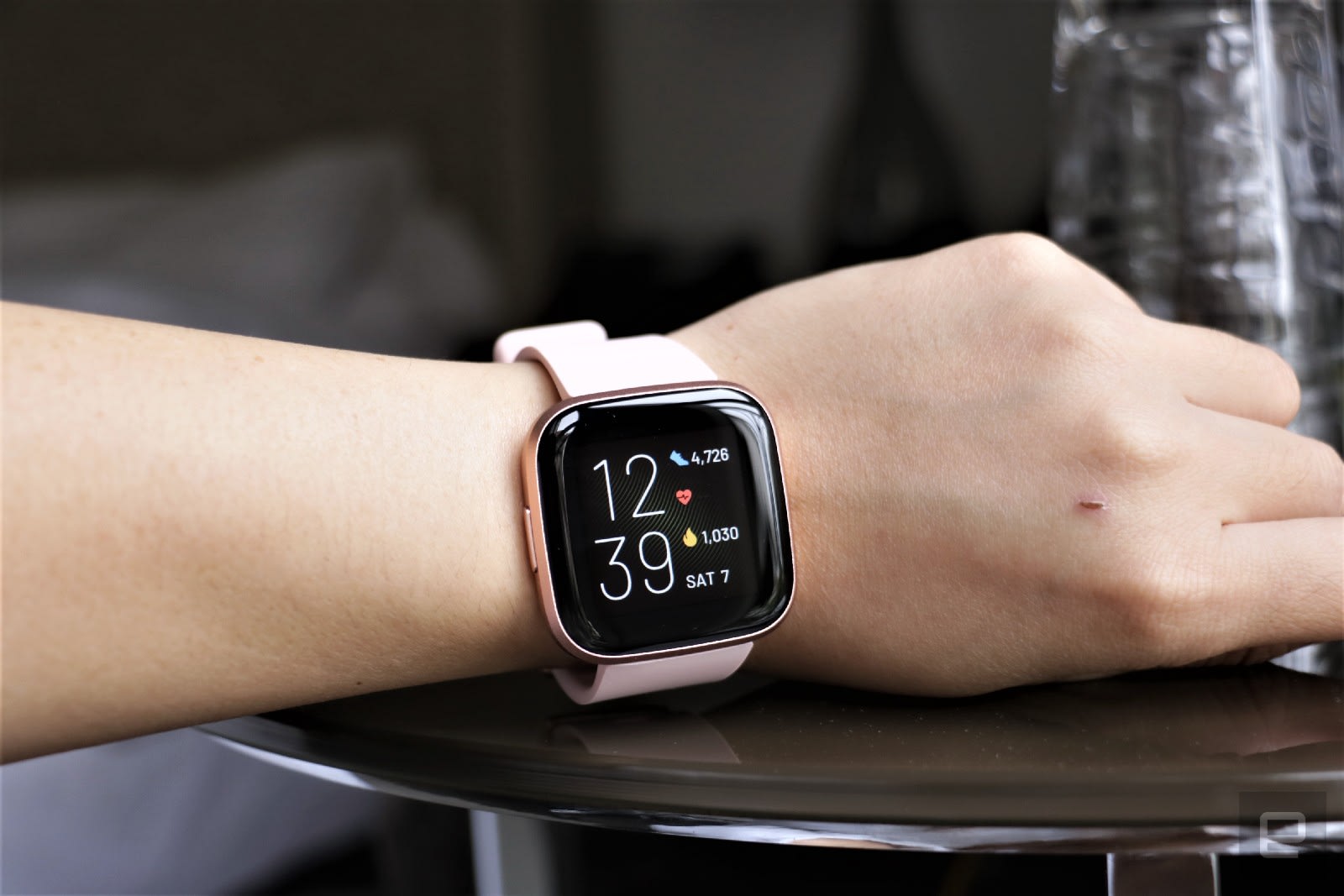
Dropping $400 on a smartwatch isn’t feasible for everyone, which is why we recommend the Fitbit Versa 2 as the best sub-$200 option. It’s our favorite budget watch because it offers a bunch of features at a great price. You get all of these essentials: Fitbit’s solid exercise-tracking abilities (including auto-workout detection), sleep tracking, water resistance, connected GPS, blood oxygen tracking and a six-day battery life. It also supports Fitbit Pay using NFC and it has built-in Amazon Alexa for voice commands. While the Versa 2 typically costs $150, we’ve seen it for as low as $100.
Samsung teamed up with Google recently to revamp its smartwatch OS, but that doesn’t mean Tizen fans should fret. The Galaxy Watch 4 is the latest flagship wearable from Samsung and it runs on WearOS with the new One UI, which will feel familiar if you’ve used Tizen before. Also, the watch now comes with improved third-party app support and access to the Google Play Store, so you can download apps directly from the watch.
We like the Galaxy Watch 4 for its premium design as well as its comprehensive feature set. It has a 3-in-1 biometric sensor that enables features like body mass scanning, bloody oxygen tracking and more, plus it has a plethora of trackable workout profiles. Both the Galaxy Watch 4 and the Watch 4 Classic run on new 5nm processors and have more storage than before, as well as sharper, brighter displays. They both run smoothly and rarely lag, but that performance boost does come with a small sacrifice to battery life: the Galaxy Watch 4 typically lasted about one day in our testing, which while not the best, may not be a dealbreaker for you if you plan on recharging it every night.
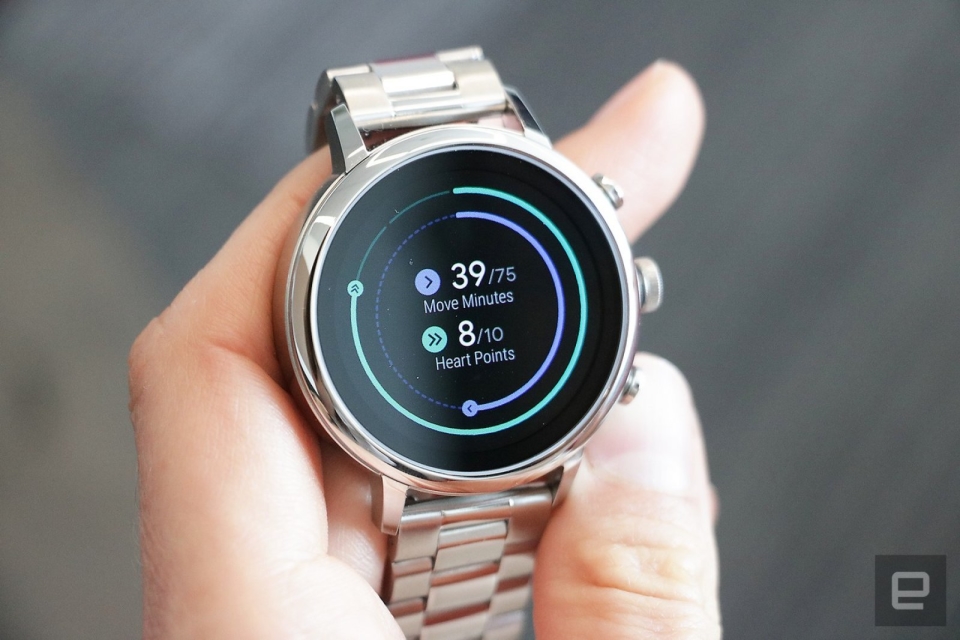
Yes, there are still companies out there trying to make “fashionable” smartwatches. Back when wearables were novel and generally ugly, brands like Fossil, Michael Kors and Skagen found their niche in stylish smartwatches that took cues from analog timepieces. You also have the option to pick up a “hybrid” smartwatch from companies like Withings and Garmin – these devices look like standard wrist watches but incorporate some limited functionality like activity tracking and heart rate monitoring. They remain good options if you prefer that look, but thankfully, wearables made by Apple, Samsung, Fitbit and others have gotten much more attractive over the past few years.
Ultimately, the only thing you can’t change after you buy a smartwatch is its case design. If you’re not into the Apple Watch’s squared-off corners, all of Samsung’s smartwatches have round cases that look a little more like a traditional watch. Most wearables are offered in a choice of colors and you can pay extra for premium materials like stainless steel. Once you decide on a case, your band options are endless – there are dozens of first- and third-party watch straps available for most major smartwatches, allowing you to change up your look whenever you please.
One of Amazon's latest daily deals knocks half off a powerful Shark robot vacuum. The Shark AV1010AE robot vacuum with clean base is down to $300 today only, which is 50 percent less than its usual rate and the best price we've seen it. It shares many features with the Shark machine that made it onto our list of best robot vacuums, including home mapping, Alexa and Google voice control and the convenience of a clean base.
We've been generally impressed with Shark's robot vacuums, with both high-end and affordable models earning spots in our guides. The AV1010AE is a mid-tier machine featuring improved carpet cleaning with multi-surface brush rolls, suction that's powerful enough to capture pet hair along with dirt and debris and row-by-row cleaning. It'll also map out your home as it cleans so you can then send the machine to specific rooms for more targeted cleaning.
Shark's robot vacuum connects to WiFi so you can control it via its companion mobile app. Not only can you start and stop cleaning jobs from there, but you can also set schedules so the machine cleans routinely on certain days and times. If the robo-vac starts to run out of juice before it's done cleaning, its Recharge and Resume feature will force the machine back to its base to power up, and once it has a sufficient amount of battery power, it'll automatically pick up where it left off.
And you won't have to tend to the vacuum every job thanks to the included clean base — it'll empty its dustbin into the clean base after its done cleaning, so you'll only have to empty the base once every 45 days or so. We also appreciate that Shark's base is bagless, so you're not forced to buy proprietary garbage bags for it. The clean base is a big perk of this sale as it's pretty rare to find a robot vacuum that comes with one for only $300.
As a mid-tier device, the AV1010AE doesn't have all of the features we tested out on the model that made it into our best robot vacuums guide (RV2502AE). The AV1010AE doesn't have AI laser vision, so it won't be as good at avoiding obstacles as other models, and lacks self-cleaning brush rolls as well as PowerFin Technology. The latter refers to flexible silicon fins found on some Shark machines that help get deeper into carpets and pick up more hair. If you're willing to skip those advanced features, you'll still get a solid robot vacuum in the Shark AV1010AE without spending too much money.
Follow @EngadgetDeals on Twitter for the latest tech deals and buying advice.
If the thought of losing your tremendous trove of WhatsApp chat histories, files and other data has been keeping you from making the jump to iOS, you'll no longer have to worry. Today, the app is adding a feature to help you move your content over, and it'll be part of Apple's existing "Move to iOS" tool. To be clear, WhatsApp's feature is available as a beta for now, so you may encounter bugs during the transfer process.
To port your files over, you'll want to pay attention to the Apps and Data transfer page while setting up your iPhone. After you select the "Move data from Android" option, your new iPhone will look for the Move to iOS app on your older device and create a peer-to-peer connection. Here, you can choose what apps, files, contacts and more to bring over to your iPhone, and starting today the option for WhatsApp will join that list.
When you select WhatsApp, it will open automatically and prompt you to give permission to move your data over. Depending on the amount of content you have, it'll take awhile to package everything up to transfer to your iPhone. Apple will also pre-load the WhatsApp icon on your home page so you can just tap it to finish installing it on your new iPhone, instead of having to go through the App Store.
You'll need to authenticate in WhatsApp when you first open it in iOS before the data is decrypted, but once that's done you should see all your chats safely transferred to their new home. Once the migration is completed, you can also choose to back your WhatsApp chats to iCloud Drive to make upgrading to new iPhones easier.
The Move to iOS process will also look at the apps on your Android phone and see if they exist on Apple's App Store. If they do, the icons will appear on your new iPhone's home screen and you can tap them to finish downloading . This feature works for those using Android 5 and later, as well as iOS 15.5 onwards.
Prior to this, WhatsApp users making the move from Android to iOS had to give up their chat histories (or find extremely convoluted ways to port their data over). Though this process still requires numerous steps, it at least offers those switching platforms a built-in method of transfer. Those who already made the move before today will unfortunately not be able to make use of this tool.