Posts with «featured» label

Robot lets your dog walk itself using Arduino and sausage

After recently meeting each another in Cologne, Simone Giertz and Laura Kampf decided to put their creative minds together to build a cartoon-inspired robot for Kampf’s dog, Smudo. The idea is fairly straightforward: a device that “makes a dog walk itself” by dangling a piece of sausage in front of their head.

The contraption consists of a lightweight, ergonomic aluminum harness that bends over Smudo, along with an Arduino Uno and a servo motor tasked with wiggling the hot dog around.

You can see how it works and hear more from the creators themselves the video below!

Take a break from coding and take VisionMobile’s developer survey

Our friends at VisionMobile have just launched their 12th developer survey, focusing on a 360-view of developer tools, skills and salaries.

The State of the Developer Nation Survey features questions on topics like programming languages, platforms, app categories, new technologies, revenue models, IoT verticals, and more. Not to mention, this 15-minute survey is actually fun! Based on your responses, you’ll get a personalized profile showing what type of developer you are, and what kind of character you’d be in a fantasy world. A mage? A fighter? A dragon slayer?

After completing the survey, you’ll get the chance to see how your answers compare to other developers in your country. Participants can even win one of several prizes, which include a MeccaNoid G15 KS, an Apple Watch Series 2, an Oculus Rift headset, a Pixel Phone, and Udemy courses, among many other awesome things.

Ready to get started? Take the survey here! You’ll also be the first to receive the State of the Developer Nation report (due out March 2017).

Keep smoke out of your apartment with an automated fan array

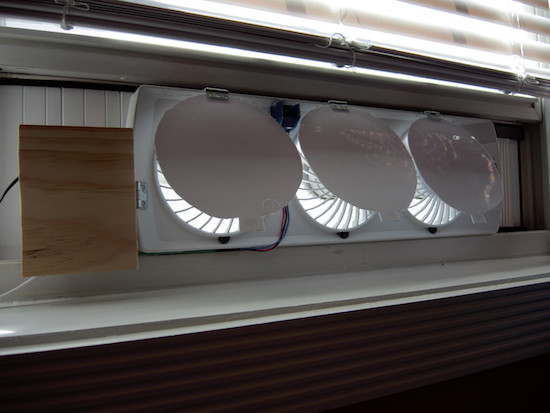
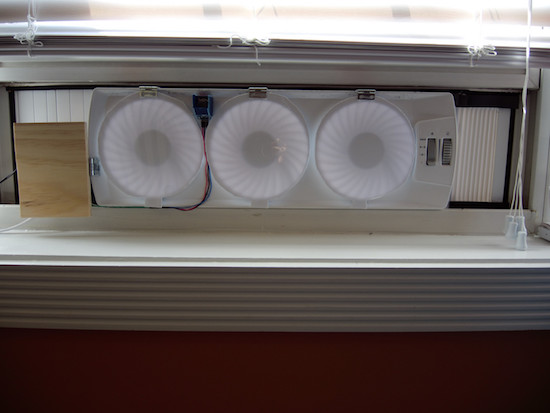
Imgur user “Bodaciousbus” set up his apartment window fans to only circulate air when not filled with smoke.

Living in a communal area like an apartment or condo has its benefits, but there are several hassles to deal with as well. One in particular are neighbors who smoke right outside. If you’d like to leave a window open for ventilation, perhaps in combination with a fan, this can be quite annoying.

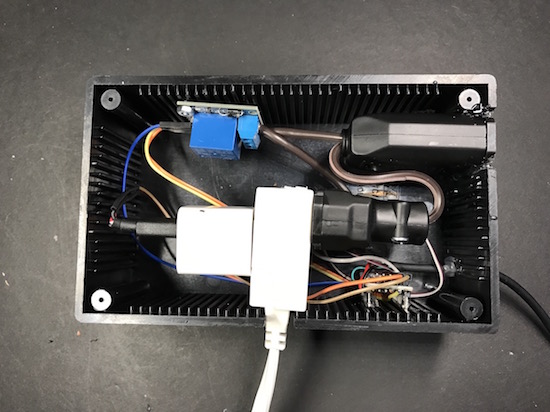
Bodaciousbom solved this issue with a series of fans connected to a smoke detector sensor and an Arduino. If the air is OK, the fans are allowed to blow, pushing homemade flaps out of the way and ventilating the apartment. There is also a series of LEDs to show the current status of the outside air.

I’m still a rookie with Arduino, but an experienced tinkerer. This project took me a couple of hours to complete, but overall was not too bad. I can relax now, knowing that my window fan will only run when the air outside is free of cigarette smoke (among other things).

Are you faced with a similar problem? Be sure to check out the project in more detail here.

Arduino Blog 11 Nov 20:29

Make a WiFi-controlled mini robot using the new MKR2UNO

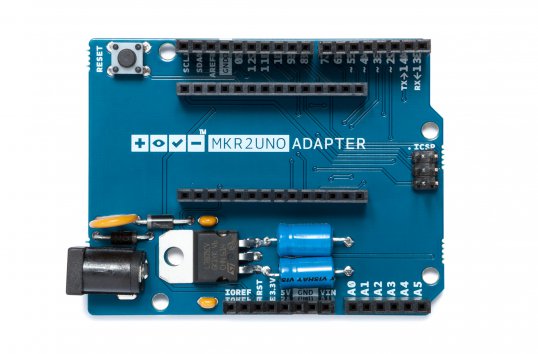
A few days ago, we launched the MKR2UNO Adapter, which enables you to easily turn an Arduino Uno form factor project into a MKR1000-based one. Simply mount your IoT board to the adapter, plug in any Uno shield and have a wireless device in no time.

Our newly-published tutorial provides a step-by-step overview of how to build a WiFi-controllable robot using the MKR2UNO Adapter with a MKR1000 and an Arduino Motor Shield.

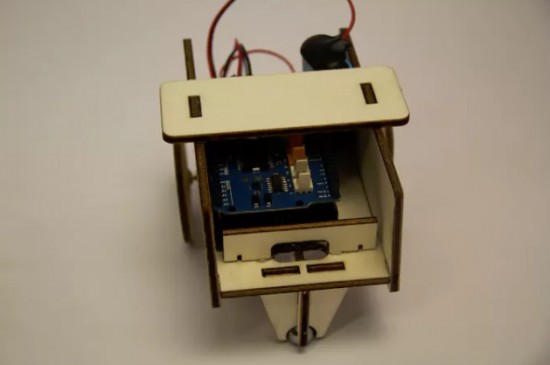
This project combines the Arduino MKR1000’s web server and Arduino Motor Shield’s capabilities to drive a pair of different DC motors. A basic interface is hosted and hard-coded in the MKR1000, allowing the user to maneuver the robot up, down, left or right.

Check out all of the schematics and code here!

Arduino Blog 11 Nov 15:08

Control a lamp with an NES Zapper and Arduino

If you grew up in ’80s or early ’90s and owned a Nintendo system, chances are you’ve played Duck Hunt. In the classic light gun shooter video game, players would aim their NES Zappers at duck targets as they appeared on the TV screen. So what do you do when you still own the once-popular accessory? If you’re Warner Skoch, you turn it into a controller for your lamp and small devices.

The setup consists of a couple Arduino Pro Minis. Skoch embedded one board in the Zapper with an IR emitter and another in a box with an IR receiver, which also has an outlet for him to plug in his lamp or other gadget.

The receiver watches for a signal from the Zapper, which then triggers the relay inside the box on and off. The actual IR receiver part is separate, however, mounted behind a Duck Hunt duck made from Perler beads.

Spark up some NES nostalgia and watch Skoch’s project in action below!

Burn EPROMs with an Arduino Mega

If you’ve got a cartridge-based gaming system, this EPROM burner will let you load whatever game you want!

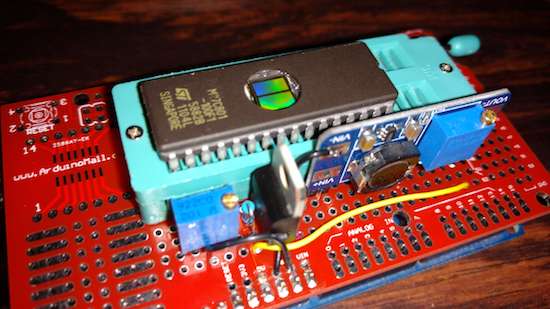
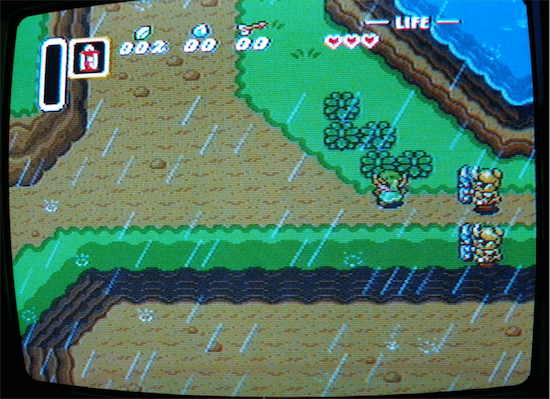
Robson Couto recently acquired an old SNES. A great console for its time, but it only came with one cartridge, a bootleg copy of Mortal Kombat. Legalities aside, he decided that he would experiment with his own bootleg cartridge creator via an EPROM burner made as an Arduino Mega shield.

His process involves finding an unwanted game cartridge (he prefers sports, though your results may vary), burn the ROM, then exchange the cartridge ROM for the newly-burned ROM.

According to Couto, EPROM is “easier to program than flash.” and you can see how he did it on his blog post here. Code for the project is also available on GitHub.

The Synth Bike is a mobile music machine

With a speaker on the back and a drum machine on the front, what can possibly go wrong?

After riding his bike home after a synthesizer get together, Sam Battle decided to actually combine these two pursuits, transforming an iconic 1973 Raleigh Chopper into a mobile synthesizer. Though his first try was rather crude, using an Oyster card stuck between spokes to trigger a switch, his aptly named “Synth Bike 2.0” looks pretty awesome.

Featuring eight–yes eight–Arduino Nano boards, the music’s tempo can be controlled by how fast you pedal, or set up to use a built-in clock. Other electronics include a Sparkfun WAV Trigger, some analog synth circuitry, a sampler, a digital oscillator, and a Music From Outer Space Echo module.

Plenty of switches, dials, pads and knobs can be found on a control box mounted to the handlebars, while more pads are located on the bike’s top tube.

As awesome as it looks, all of this electronic gear seems to suck a lot of power, and it can only play for around 10 minutes at a stretch. A battery upgrade, however, is reportedly imminent!

Arduino Blog 09 Nov 15:24

oCat is a real-time tracker for popular cat videos

Over the last couple of years, cat videos have become the undisputed champions of the web. Whether it’s kittens playing with their shadows to failed jump attempts to giving each another massages, we’re all guilty of watching a few of these clips from time to time (yes, even at work). Built with this in mind, oCat is a real-time tracker for feline-related activity on the Internet.

oCat consists of two parts: the oCat News Distractor and the Kitty o’Cat Twitter bot. Using Google’s YouTube API, the system works by continuously monitoring for new uploads, the number of new views each day, or a specific video that has received a remarkable amount of attention. It then tweets these stats and prints them out on thermal paper, stamping a paw print on the timeline for every 1,000 views.

Created by Annika Engelhardt, a digital media design master’s student at the University of the Arts in Bremen, oCat uses an Arduino along with an ESP Wi-Fi module, a servo, and an LCD screen. The aim of the project is to increase and reveal the amount of hours people spend watching cat videos online.

The cat is an altered Maneki-neko, holding a stamp using welding wire and hot glue. Even though I filled the stamp with extra ink, it did not work properly and I had to cut out the paw-shape from a sponge and glue it onto the original stamp.

The thermal printer used in the device needs a USB connection, so I used a Raspberry Pi to control it. I wrote a Python script that checks four different RSS news feeds for new posts every 15 minutes and prints one headline with a timestamp every minute.

The Twitter bot was programmed using Python and a library called tweepy. Most of the script is reading JSON files, juggling and comparing data and text files and in the end mixing up parts of a sentence to form a tweet. The bot will be enhanced in the future

Engelhardt exhibited the project at Galerie Flut in Bremen back in October. You can find more pictures and information on the project here.

Arduino Blog 09 Nov 05:49
api  arduino  cat  esp8266  featured  genuino  lcd  servo  wifi  youtube  

RC vehicles modified for sip-and-puff control

These toy cars are modified for sip-and-puff controls, where one lightly sucks or blows air as an interface.

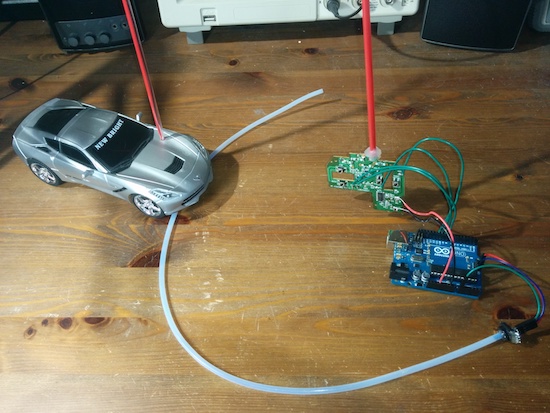
If you have certain disabilities, use of your hands can be difficult if not impossible. An alternative is an interface known as sip-and-puff, which allows for control of electronics by producing a small air flow with your breath. In the build shown in the videos below, Bob Paradiso integrated this type of command into two types of RC vehicles.

To operate the first vehicle, one simply uses puffs to go forward, while sips make the car go backwards. The second is much more advanced, with a double-puff making the car go forward, a double-sip for backwards, and single puffs and sips to turn left or right.

There are many sip-and-puff controls on the market for various things, but they can be expensive or difficult to customize. What I’m showing here is an extremely affordable, simple to build, and fully customizable sip-and-puff setup used to control two different remote control toys that have very different controls.

You can see Paradiso’s writeup here and check out the code on the project’s GitHub page.

Arduino Blog 08 Nov 14:16

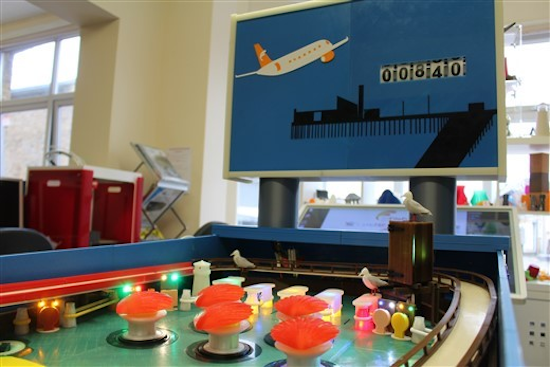
Become a pinball wizard on this 3D-printed machine

“Tony the Pinball Wizard” has successfully 3D-printed a fully-functional pinball machine.

The retired software engineer provides a detailed writeup, beginning with pinball’s roots in the 1700s to its eventual fall from popularity in the 1990s and 2000s. If you find this interesting, you could likely pick one up on Craigslist, but Tony instead decided to build his own.

This process isn’t for the feint of heart though, as it took him over 200 hours to design the game, and another 1,200 or more hours to 3D print everything. Materials included 8.5 kilometers of filament, of which 85 types were used. The whole thing is powered by a pair of Arduino Mega boards, needed to accommodate the massive number of inputs and outputs required.

The machine was brought to life and displayed inside 3D FilaPrint’s stand at recent industry trade show. You can see Tony’s excellent project in action below and read all about it here.