Posts with «featured» label

An Arduino-based RFID tag system perfect for escape rooms

As seen here, “Annaane!” has come up with what could form the guts of a very interesting escape room puzzle. 

Her build features four RFID card readers, which cause an Arduino Uno to release a door lock or other device via a 5V relay, only when the corresponding tags are arranged correctly.

From the looks of the video below, the design is very much a prototype, but could easily be morphed into an arrangement to frustrate and entertain participants. As noted, the project uses all but the TX and RX pins on the Uno, but this could be expanded by using a Mega or an I2C port expander. 

Code for the system can be found on GitHub.

See you at Maker Faire Bay Area!

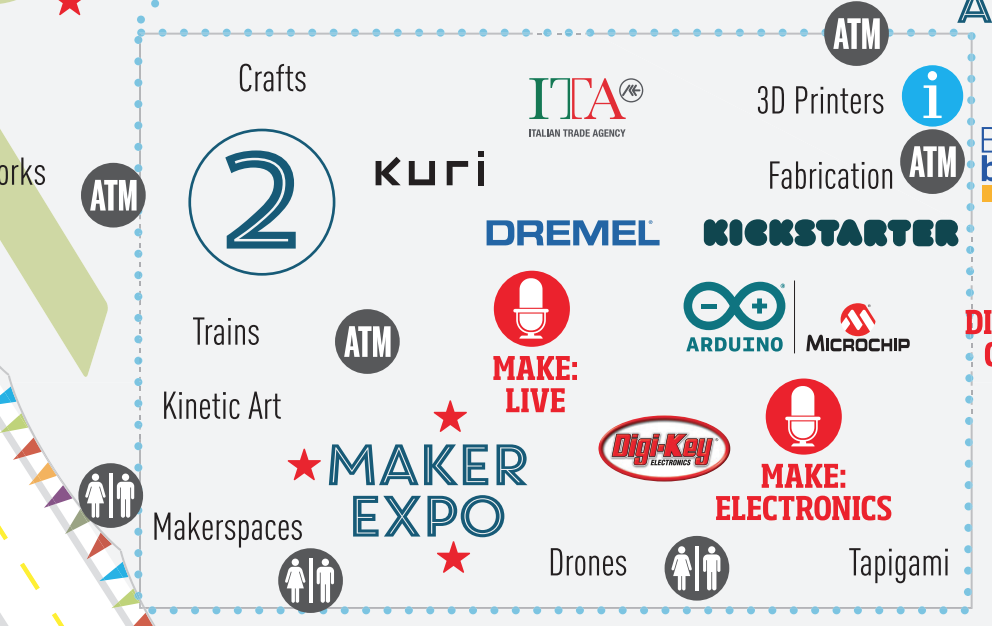
In just a few days, the Arduino team will once again be attending Maker Faire Bay Area! Those heading to San Mateo on May 18-20th will want to swing by our booth, where we are partnering with Microchip, inside the Electronics Pavilion (Zone 2). 

We have also been preparing a series of demos that showcase the latest Arduino products announced during Arduino Day, including the new MKR WiFi1010, MKR NB 1500, and Arduino Engineering Kit.

As is tradition, Massimo Banzi will take Center Stage on Saturday at 12:30pm PT for The State of Arduino. 

We look forward to seeing you this weekend in Zone 2! For more information on the program and venue, be sure to check out the Maker Faire website. 

The MKR family gets bigger with two new IoT boards!

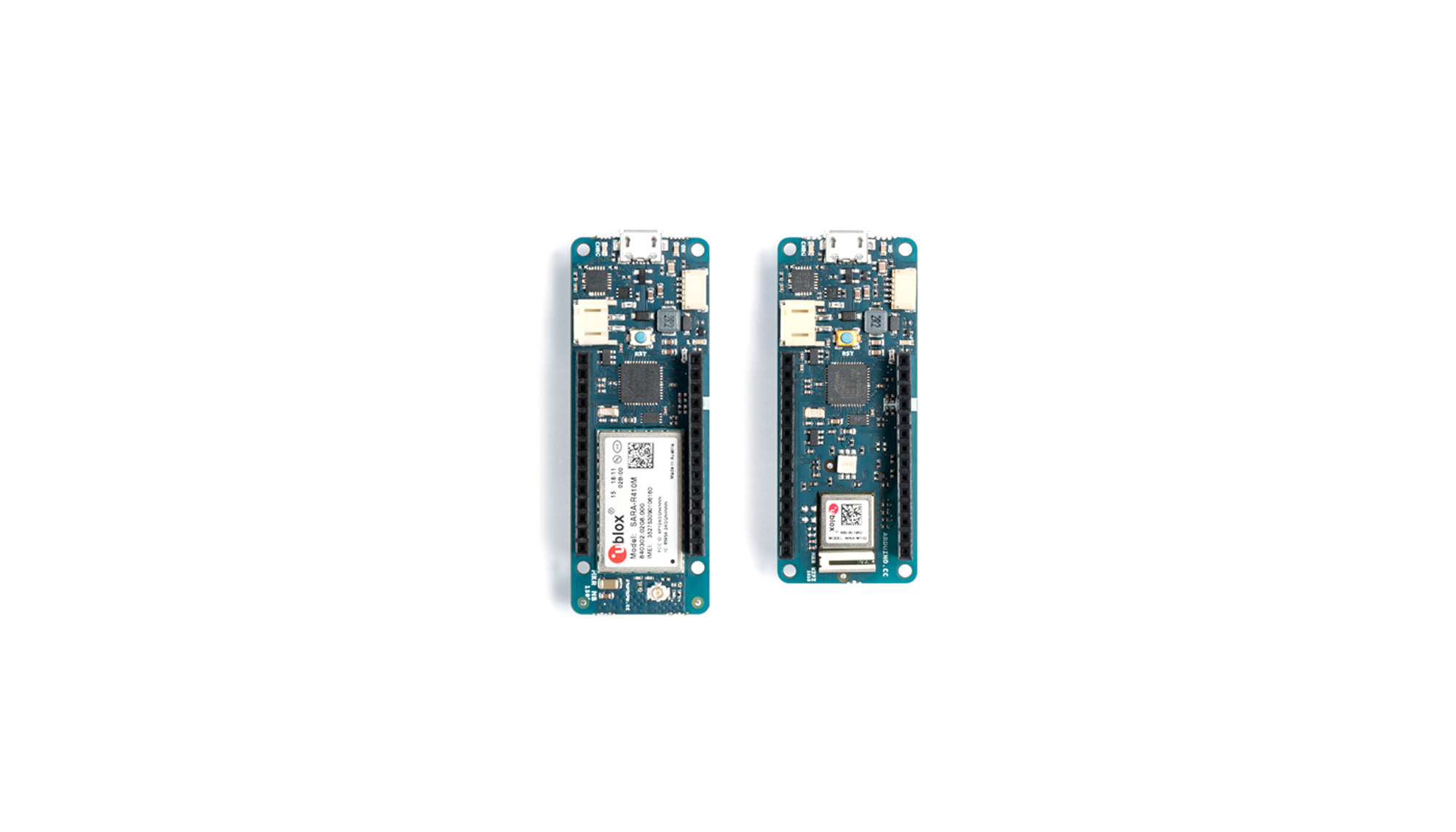
We’re excited to announce two new wireless connectivity boards to help streamline Internet of Things development, the MKR WiFi 1010 and MKR NB 1500.

The first of the boards is the MKR WiFi 1010, which offers low power consumption and has been designed not only to speed up and simplify the prototyping of WiFi-based IoT applications, but also to be embedded in production IoT applications that require WiFi connectivity. The board is an evolution of the existing Arduino MKR1000, but now comes equipped with an ESP32-based module manufactured by U-blox. This key element delivers 2.4GHz WiFi and Bluetooth communications capability, along with leading RF and power performance: the ESP32 is a highly flexible device that provides adjustable power output, enabling optimal trade-offs between communication range, data rate, and power consumption.
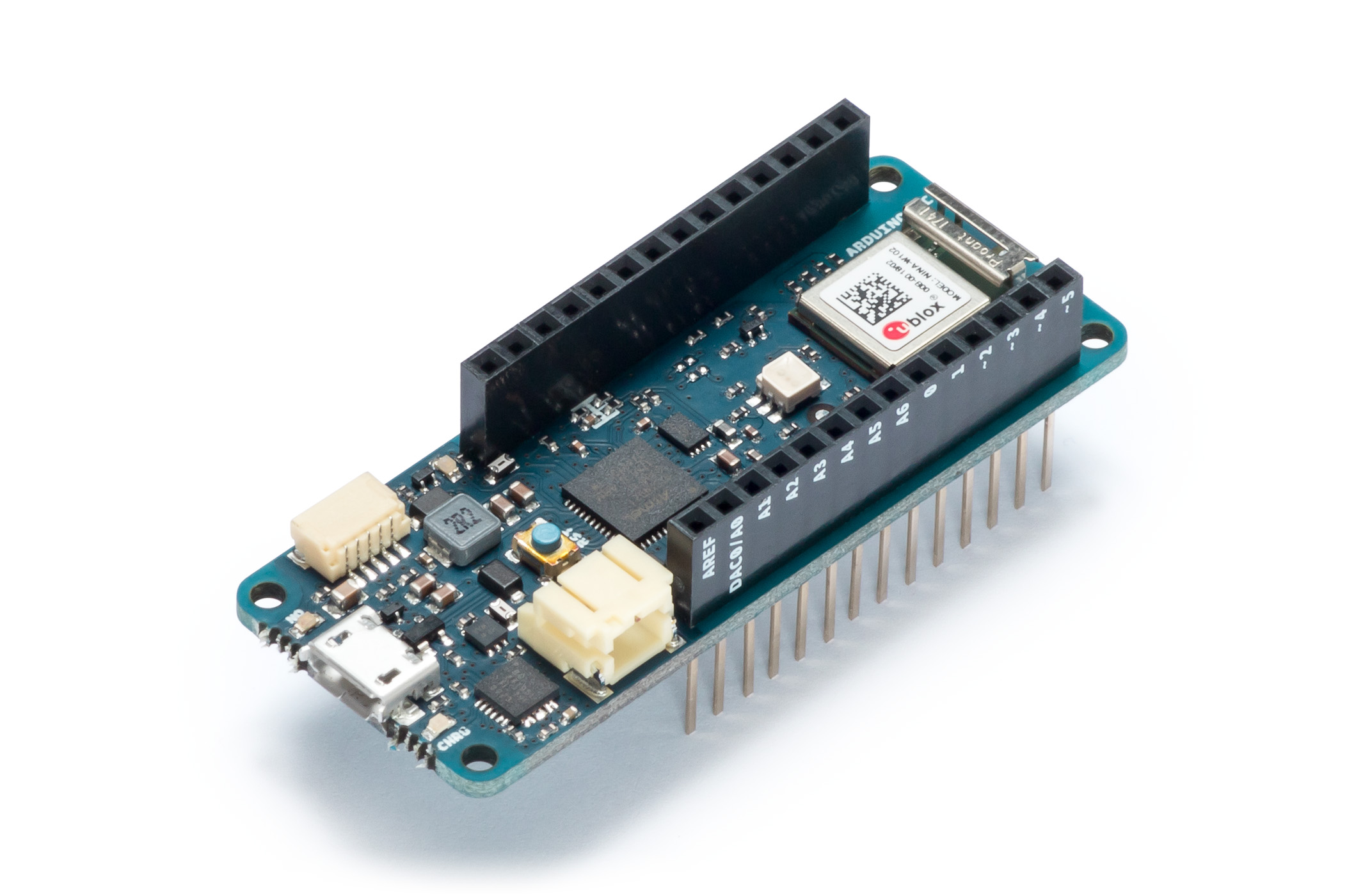
Fully compatible with the Arduino IT cloud, the MKR1010 also offers simple migration from other Arduino boards, and uses open-source WiFi firmware, which makes it easy to reprogram for upgrading or to repair any security flaws. A significant feature is the MKR1010’s two standalone programmable processors – the first based on ARM processor core technology, the second based on a dual-core Espressif IC – making the board a high-performance solution that can distribute its workload across its dual-processor system. Another major feature is the integration of a secure authentication module – Microchip’s ECC508 – which uses crypto authentication to secure TLS network communications and connections.
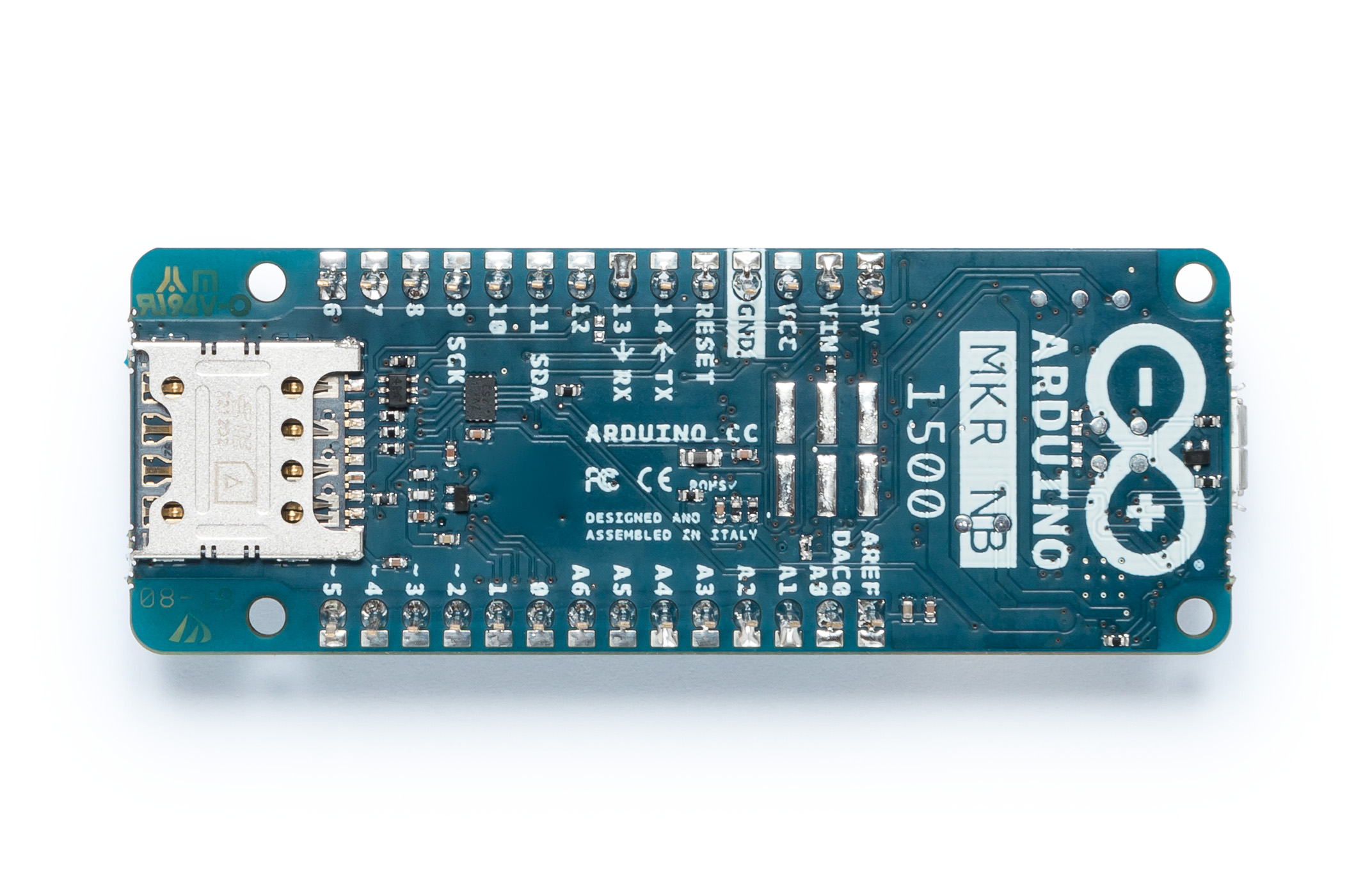
The second board to be introduced is the MKR NB 1500, which employs the new low-power NB-IoT (narrowband IoT) standard, designed to work over cellular/LTE networks. When combined with the ease of use of the Arduino ecosystem, the MKR1500 becomes an excellent choice for applications in remote areas such as on-field monitoring systems and remote-controlled LTE-enabled modules.
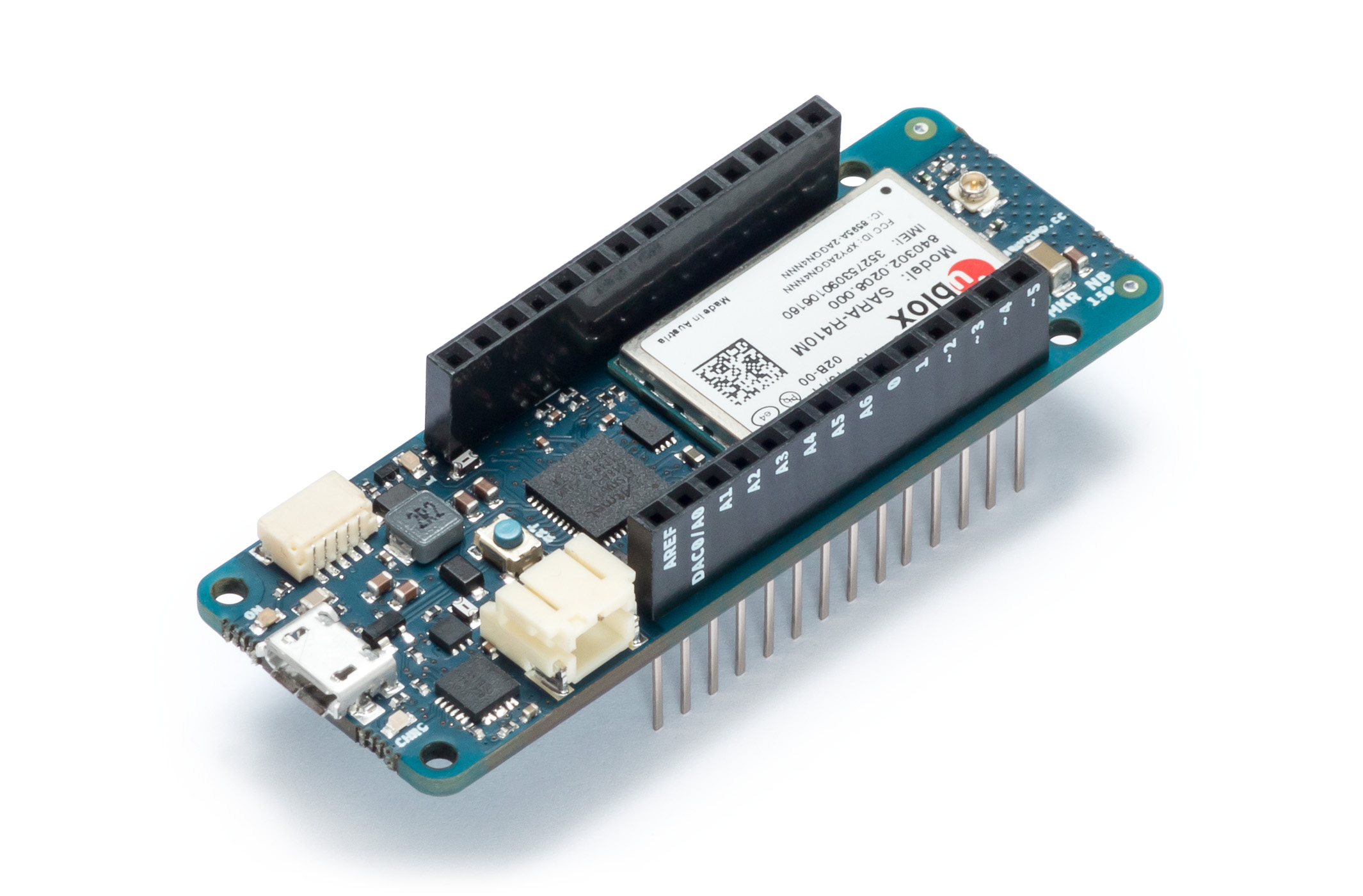
Designed for global deployment, it supports transmissions via AT&T, T-Mobile USA, Telstra, Verizon over the Cat M1/NB1 deployed bands 2, 3, 4, 5, 8, 12, 13, 20 and 28. The NB-IoT communications technology makes use of existing LTE cellular networks and delivers significantly faster communications than alternative IoT networks such as LoRa and Sigfox, while also having a low impact on battery consumption. In addition, when compared to typical GSM or 3G cellular connectivity, wake up times and connections are much faster, which enables significant power saving. Importantly, both of the new boards are fully compatible with the Arduino Uno, Mega and existing MKR hardware. Also common to both boards is their MKR footprint, as well as the same wide range of available interfaces, including I2S, I2C, UART and SPI. Both boards also operate at 3.3V and offer input/output options including 22 digital I/Os – 12 with PWM outputs – and seven analog inputs.
“The new boards bring new communication options to satisfy the needs of the most demanding use cases, giving the users one of the widest range of options on the market of certified products,” said Arduino co-founder and CTO Massimo Banzi.

“NB-IoT and CAT M1 are gradually becoming a reality in many countries in the world. With MKR NB 1500 we wanted to create a versatile and standard technology to democratize the access to the new networks, enabling our customers  to take advantage of this big opportunity early on,” said Fabio Violante, CEO of Arduino. “We strongly believe the MKR NB 1500 has all the ingredients to become the go to product for many professional use cases”.

“As far as the MKR 1010 is concerned, we had the opportunity to learn a lot from all the WiFi products that we had on the market for several years. Based on customers’ feedback we thought it was now time to release a new ultra reliable board that was suitable for a variety of use cases that were difficult to support with other products,” added Fabio Violante. “The other aspect that we love about the products is that the firmware of the WiFi part is developed by us and open-source, opening new opportunity for continuous improvements and contributions from the community.”

Both the MKR WiFi 1010 and the MKR NB 1500 will be available on the Arduino online store starting in June 2018.

Arduino goes to college with the new Arduino Engineering Kit!

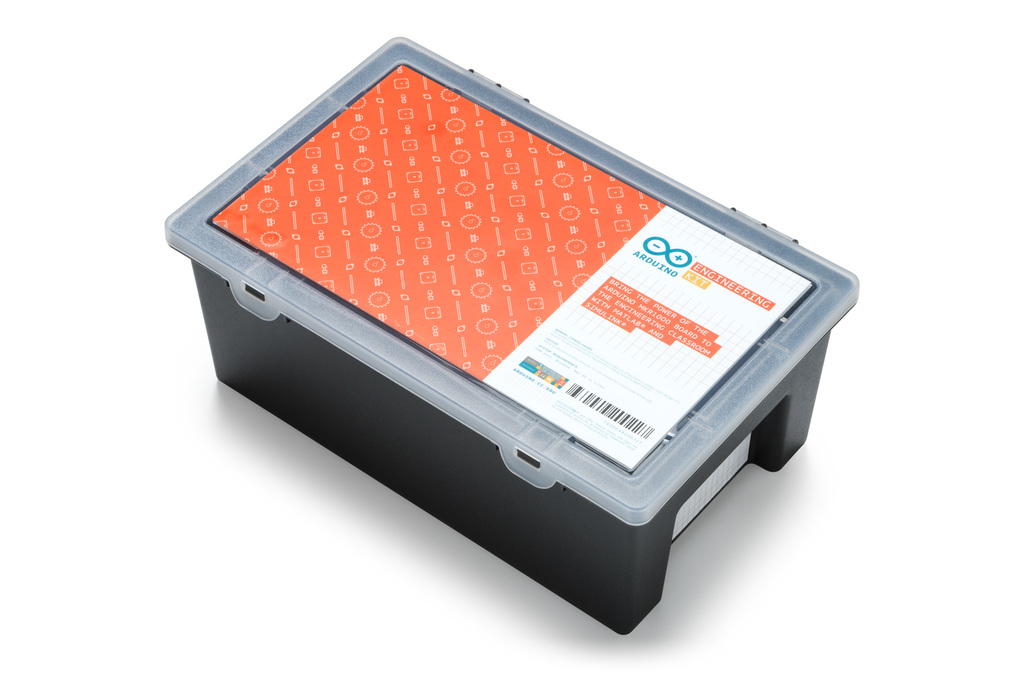
We’re excited to announce the Arduino Engineering Kit, the first product released as a result of our new partnership with MathWorks, to reinforce the importance of Arduino at the university level in the fields of engineering, Internet of Things, and robotics.

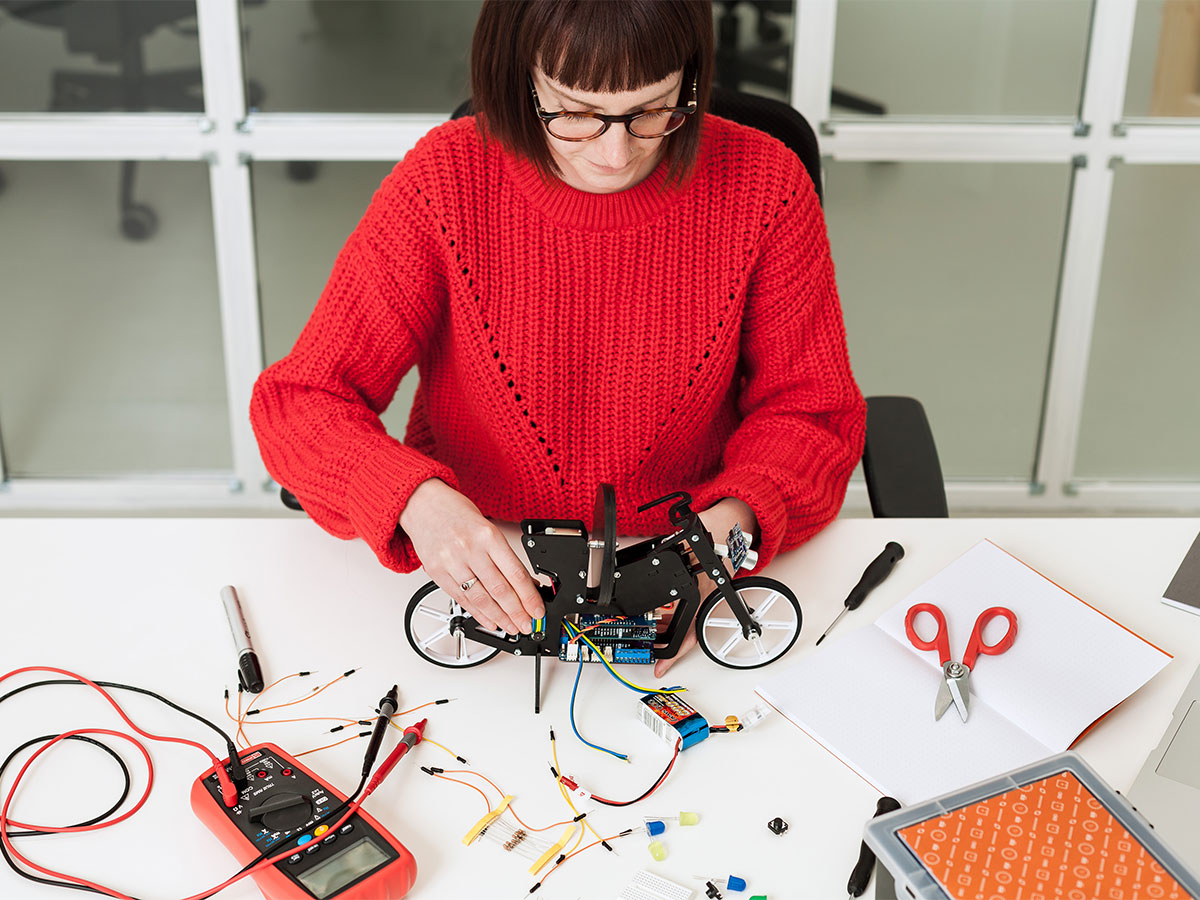
The Arduino Engineering Kit, which will be available for purchase starting today on the Arduino online store, consists of three cutting-edge, Arduino-based projects and will teach students how to build modern electronic devices – challenging them intellectually and helping them develop physical engineering skills that will better prepare them to enter the commercial market following graduation. In addition to the hardware, after registering online, students and educators will have access to a dedicated e-learning platform and other learning materials. The kit also includes a one-year individual license for MATLAB and Simulink, providing the user with hands-on experience in system modeling and embedded algorithm development.

Following the global success of Arduino CTC 101, a program tailored for upper secondary schools, the Arduino Engineering Kit enables college students and educators to incorporate core engineering concepts like control systems, inertial sensing, signal and imaging processing, and robotics with the support of MATLAB and Simulink programming. These software packages are the base of industry-standard tools for algorithm development, system modeling, and simulation, all of which will be required in their future careers.

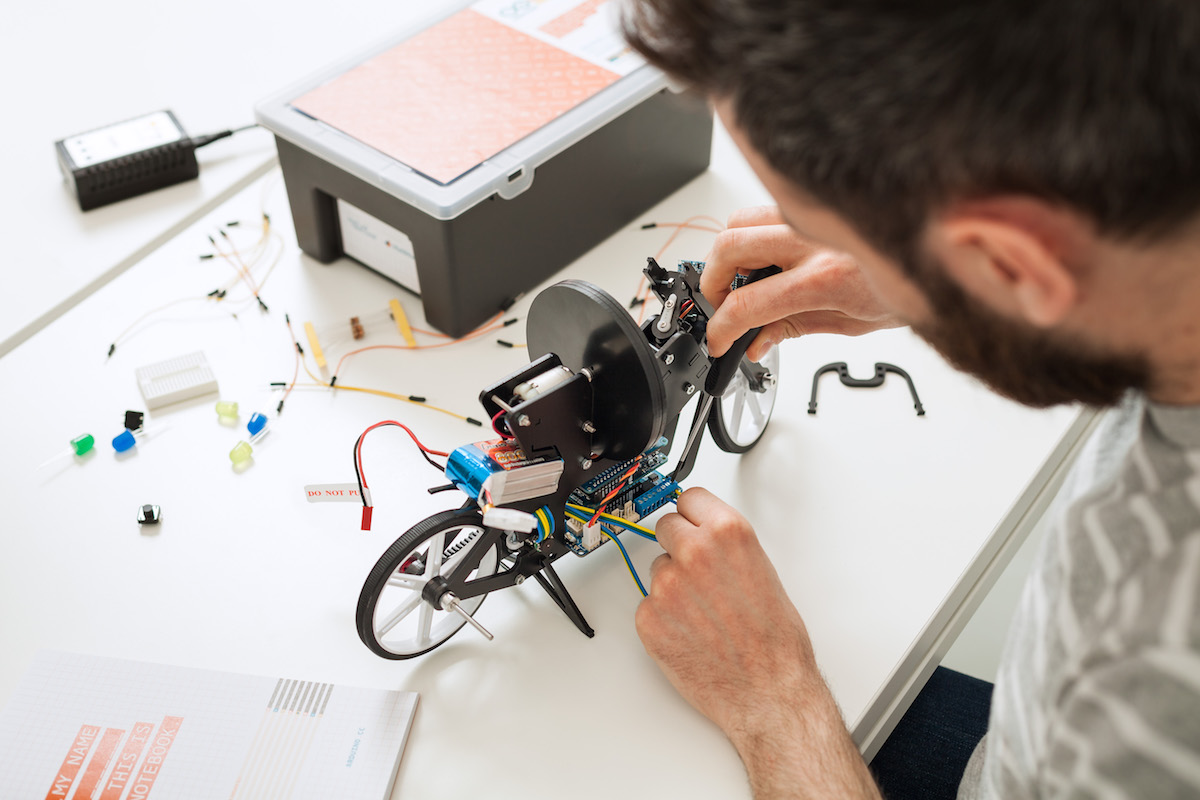
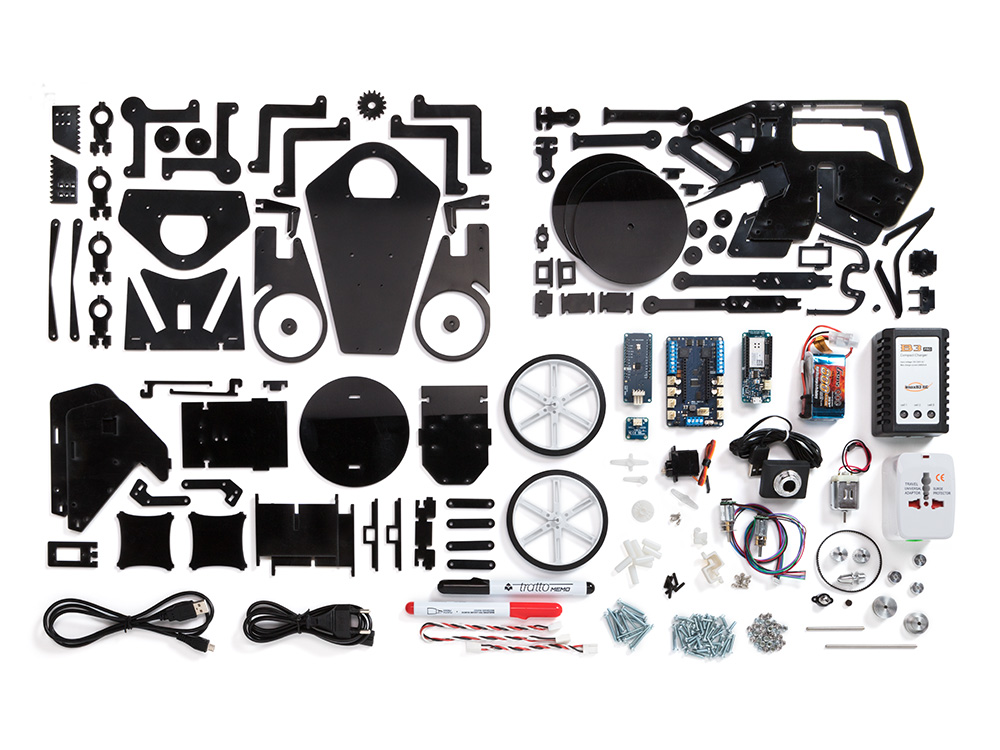
Each Arduino Engineering Kit comes with a durable and stackable plastic toolbox for easy storage and years of reuse. Inside the box is an Arduino MKR1000 board, several customized parts, and a complete set of electrical and mechanical components needed to assemble all three projects:

  • Self-Balancing Motorcycle: This motorcycle will maneuver on its own on various terrains and remain upright using a flywheel for balance.
  • Mobile Rover: This vehicle can navigate between given reference points, move objects with a forklift, and much more.
  • Whiteboard Drawing Robot: This amazing robot can take a drawing it’s given and replicate it on a whiteboard.

“We designed the Arduino Engineering Kit the way we would have liked to have learned mechatronics, control algorithms, state machines, and complex sensing when we were in our first years of engineering school: in a fun and challenging way,” said David Cuartielles, Arduino co-founder and Arduino Education CTO. “It’s all about hands-on activities built on top of well-grounded theoretical concepts. But more importantly, after finishing the basic materials, there’s plenty of flexibility to experiment, for the students to deviate and test their engineering creativity.”

https://youtu.be/pymRl7FCV0A

Arduino Mega + former nuclear indicator = coolest Nixie clock ever?

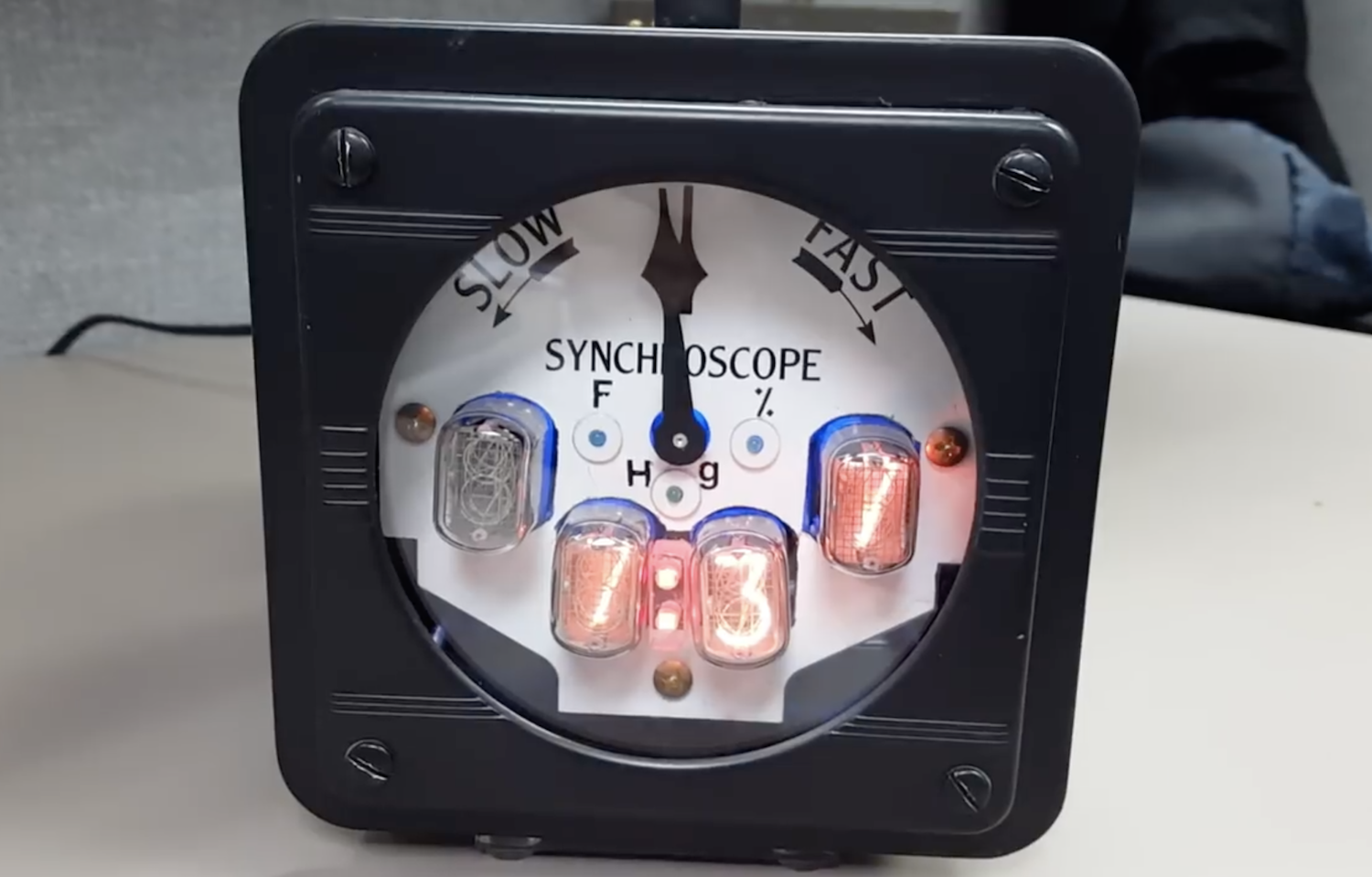
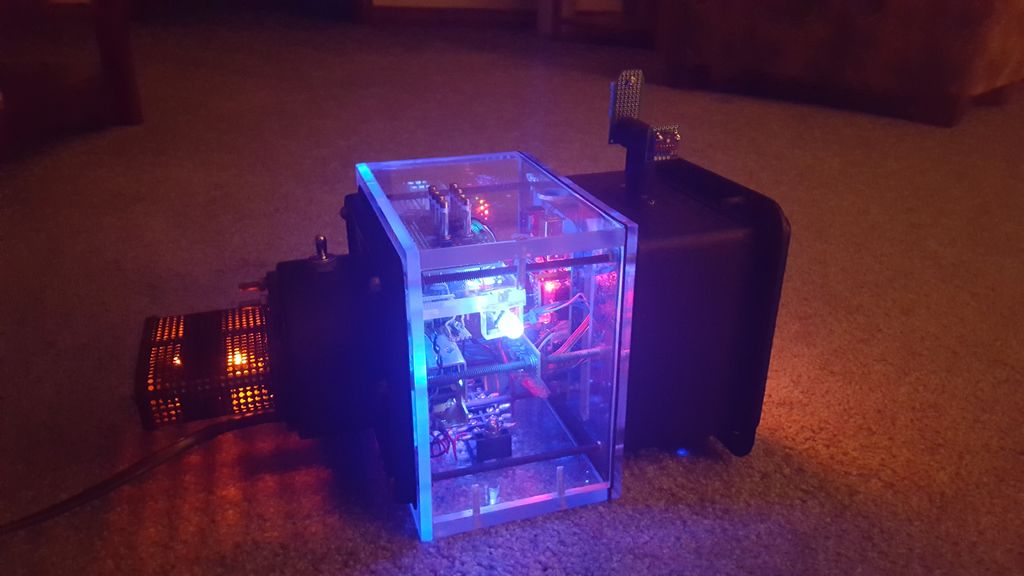
There have been countless clocks made using Arduino boards, but you’ve likely never seen anything quite like this display. It features four Nixie tubes that alternate between the time, temperature, pressure, and relative humidity, in addition to a clock-like hand as a secondary indication of atmospheric pressure. That is interesting in itself, but to top it off, the synchroscope display housing used is actually recycled from a nuclear power plant!

An Arduino Mega coordinates data from the sensors and an RTC module to control the Nixie tubes via driver ICs, along with a micro servo to move the pressure indicator. Power for the electronics is provided by three separate transformers in order to accommodate the tubes. 

The clock displays the time from the top of the minute to 15 sec in, and then displays the temperature (F), then back to time until the bottom of the minute (30 sec.), then it displays atmospheric pressure (mm Hg), then back to time until 45 sec into the minute and displays relative humidity. Upon reaching 60 sec. it increments the time and repeats the cycle. The BMP280 has a very poor temperature sensing capability and is not nearly as accurate as a DS18B20 waterproof temperature sensor that I used in another project of mine. I may just swap this out. Also I had a nice mesh cage around the sensors to protect them from damage and this too led to inaccurate results so I modified that as well. The indicator arrow is scaled for the low and highest pressures found in my state. the indicator arrow does a good job of showing changes in the pressure when a storm or clear skies are developing.

A full write-up on the build can be found here and the Arduino code in this repository.

Get a feel for your computing energy usage with this setup

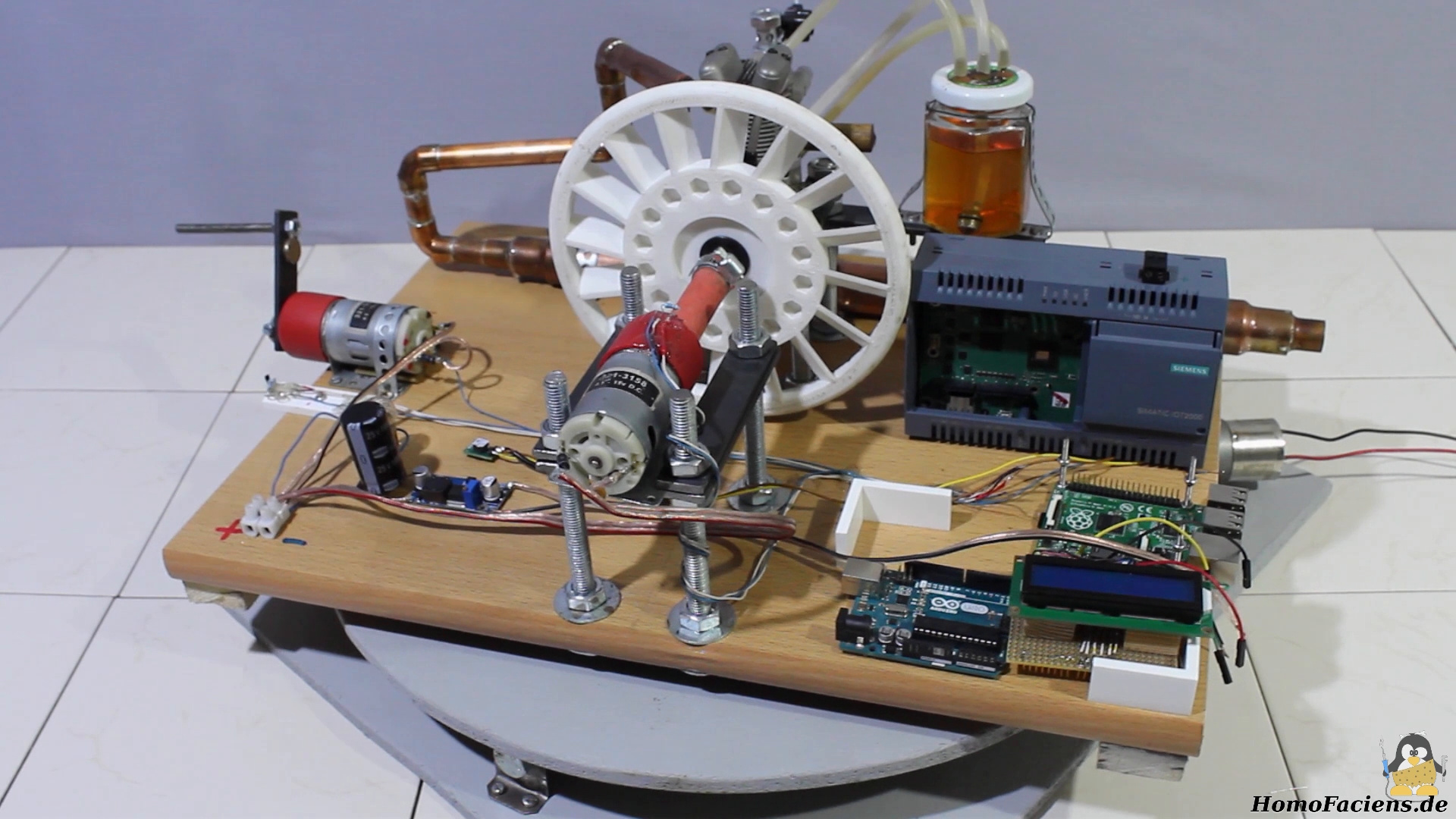
Norbert Heinz, aka “HomoFaciens,” is no stranger to making versions of modern-day equipment in unusual ways, but what about the way that this equipment is actually powered? It’s not something that we normally consider if an AC adapter is nearby; you simply plug it into the wall and “free” power flows to your device.

Heinz’s project, however, runs processing systems including an Arduino Uno, a Raspberry Pi, and a SIMATIC IOT2020 using not wall power or even a battery, but via chemical energy converted by himself through a hand crank, along with a model airplane engine. The setup uses geared DC motors acting as generators, while the eye-opening results are displayed on a 16×2 LCD screen.

Check out the video below and the project’s write-up to see how its done. And by all means, make sure you do your experiments in a well-ventilated area if you’re going to use a combustion engine!

Arduino Blog 10 May 16:28
arduino  featured  uno  

This Arduino-controlled machine draws on textile with wax

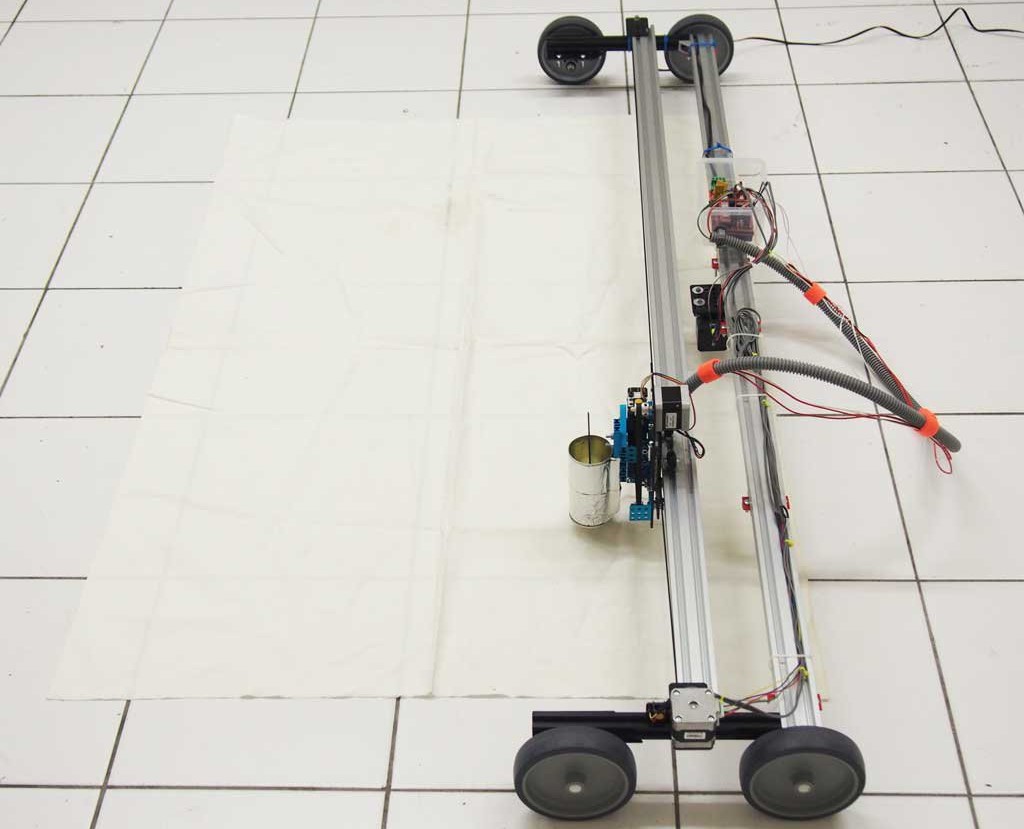
Batik is a fabric decoration technique where wax is applied by hand to cloth that is then died, leaving behind beautiful patterns. While interesting, doing this manually is time-consuming and requires quite a bit of skill to properly execute. In a new take on this traditional technique, makers Olivia De Gouveia and Eugenia Morpurgo decided to make a machine to create wax patterns automatically.

What they came up with is a gantry-style robot that moves molten wax over a surface using a tempeature-controlled pen, with the help of an Arduino Mega with a RAMPS 1.4 shield. In theory, the device allows for an infinite printing area, and can be used to draw decorative patterns or even cutting paths for clothing. 

More information is available on GitHub and on the Digital Wax Print website!

Find astronomical objects in the night sky with this Arduino telescope assistant

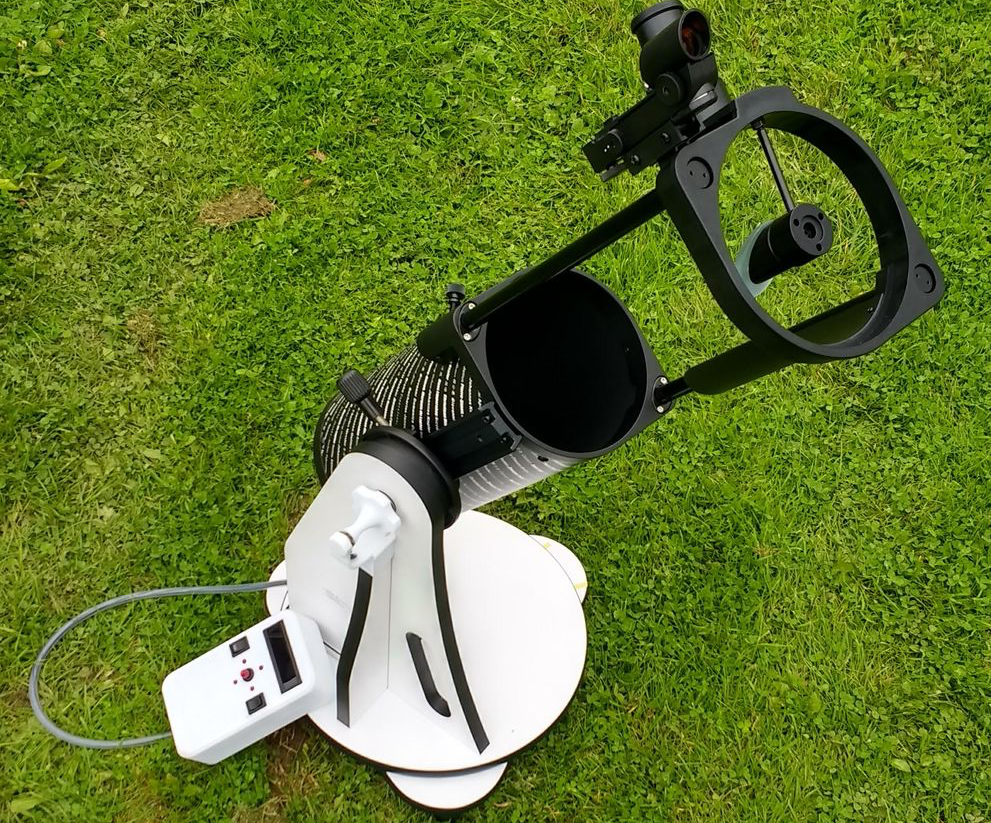
No matter how good your telescope is, if you don’t know where to point it, it’s little more than a curiosity. Motorized GoTo telescopes are available at a very high price, but maker “DentDentArthurDent” has come up with an automated star-finder, showing you where your telescope needs to be aimed.

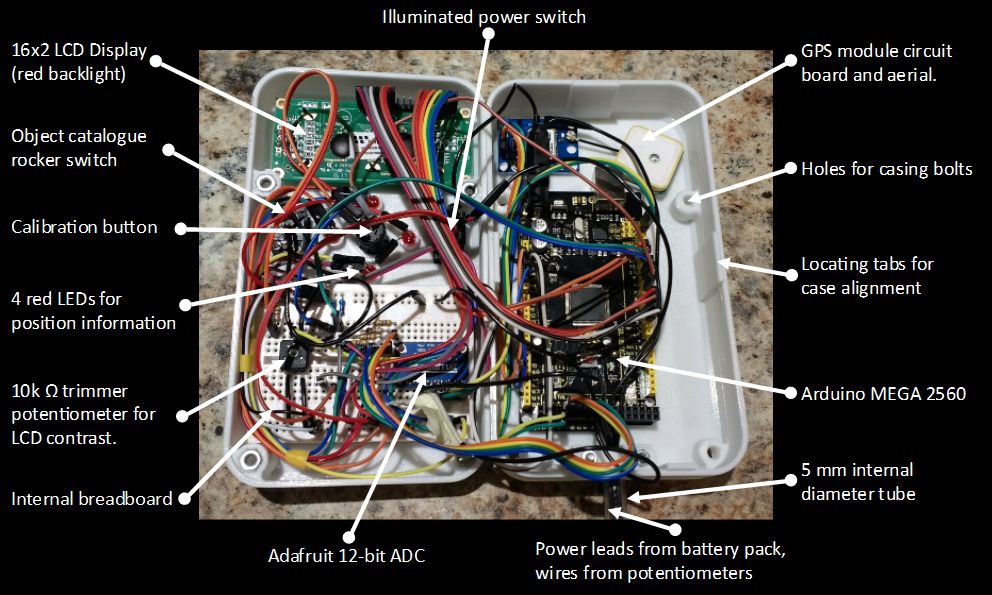
The system takes the form of a 3D-printed telescope pendant, allowing you choose from a database of objects displayed on a red LCD screen. A GPS module enables the device to know where it is, and potentiometers, initially calibrated using the North Star, tell where the telescope is pointed. Four LEDs then guide your telescope to the proper heading and elevation, so you can observe your selected object in no time!

Ready to explore galaxies, nebulae, and clusters? Check out the project’s write-up here!

Hot Ninja messages other devices using WiFi SSIDs

When you need to access the Internet via WiFi, it’s not too hard to find a hotspot if you’re in the right location, and the SSID usually gives you some clue as to who is providing it. What if you instead generated network names in order to communicate with people attempting to log on?

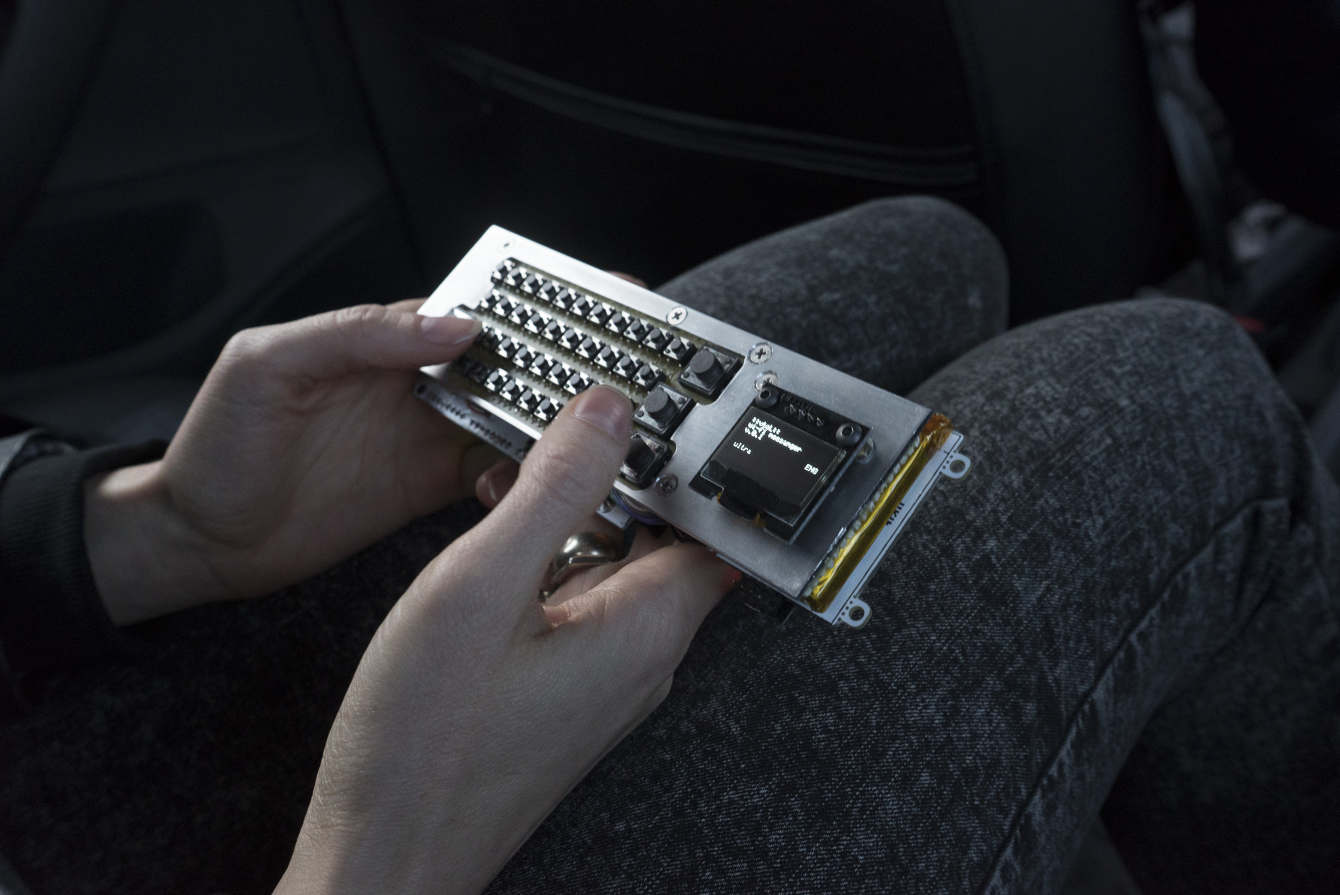
That’s the idea behind Hot Ninja, made by Moscow-based artist Dmitry Morozov, better known as “::vtol::.” His device uses a trio of ESP8266 modules to form and name three different networks, giving him 96 characters with which to message the surrounding area. If other gadgets do log on, Hot Ninja can also create a registration page with more information and even the ability to message back and forth. An Arduino Mega serves as the brains of this portable device, and a keyboard and OLED screen form its user interface–shown in the video below. 

Multifunctional network device for autonomous activity in the city environment. Its main function is communication and propaganda through the WiFi wireless standard. This is the hacktivism DIY response to attempts by the authorities in different countries to control the Internet. The project serves as an example of the possible opposition and decentralisation of networks to ensure communications and provide notifications irrespective of whether there is access to the global internet or certain restrictions are applied.

Expanding Death Star lamp with MKR1000

What could be better than a lamp that expands with the pull of a control cord? How about one that looks like the Death Star and is controlled with your voice? 

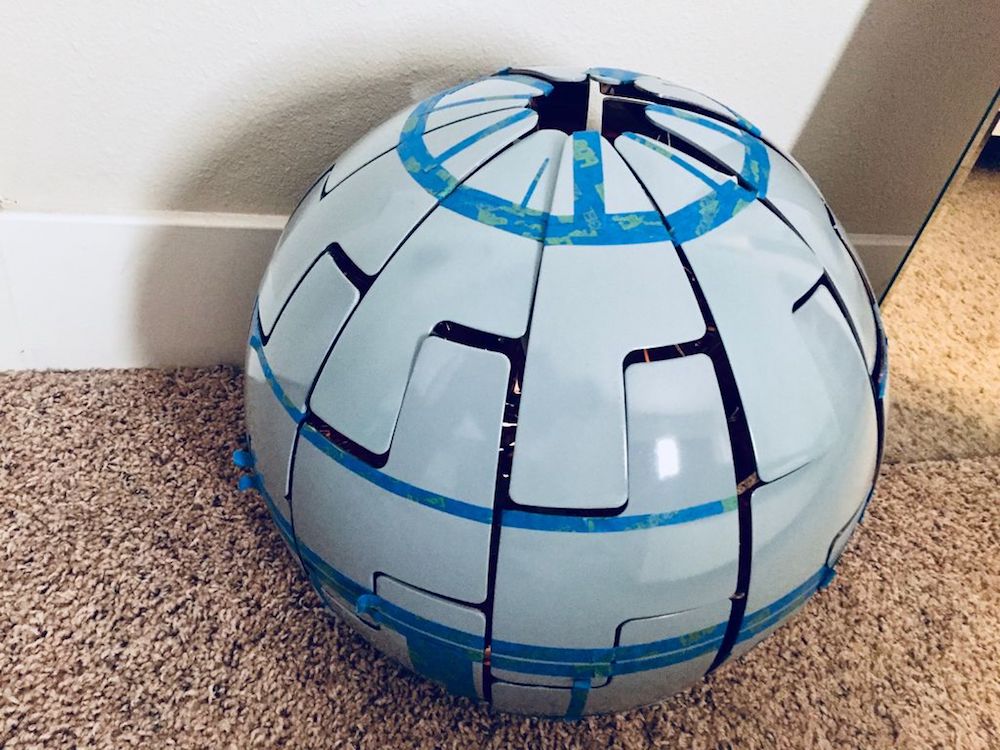
That’s exactly what maker Adi Singh created using a popular IKEA lamp and embedding it with an Arduino MKR1000 to take voice commands via Alexa. A stepper motor is tasked with opening and closing the exterior segments, and a solid-state relay turns the light on and off. It also features a spectacular custom paint job, making this lamp/superweapon stand out even more.

You can see the results in the video below as it changes shape and blinks to the soothing sounds of the Imperial March!