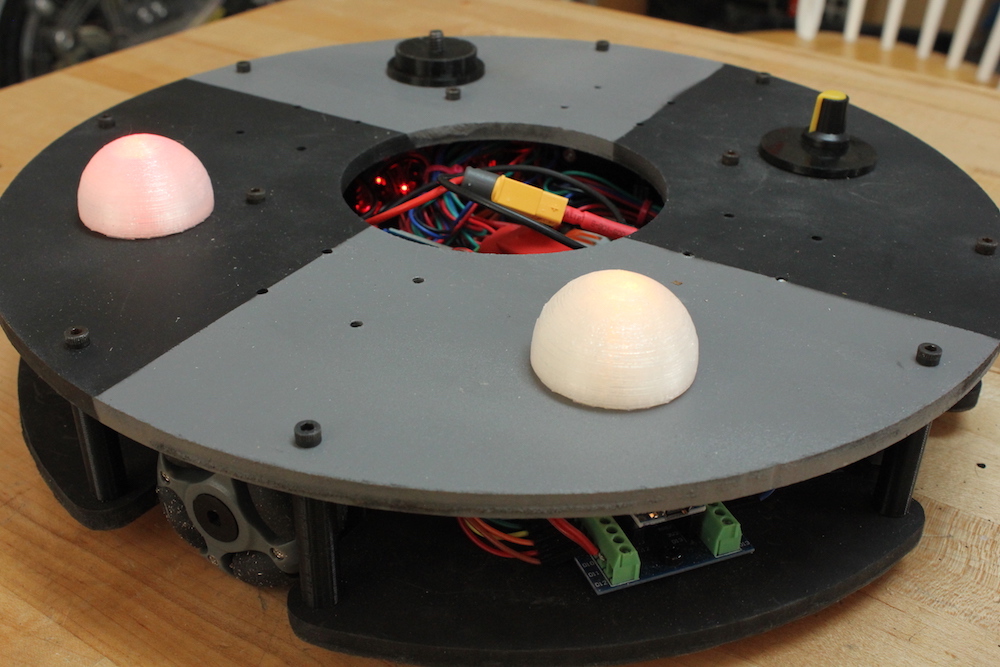
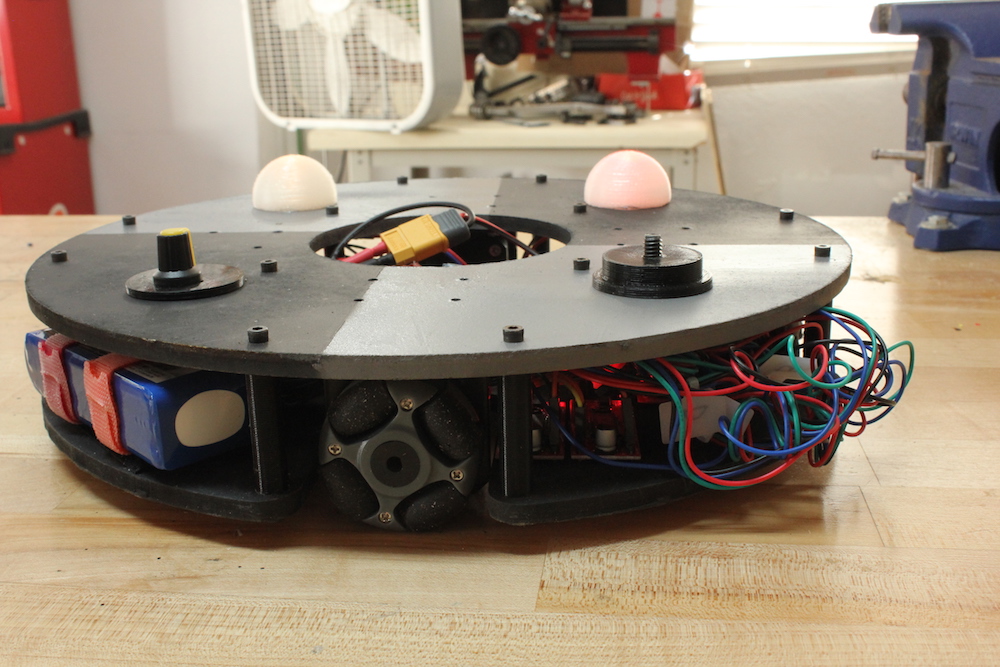
When we last saw this omni robot by Jeremy S. Cook, it was lurching around under Arduino Nano and Bluetooth command. After much work, he finally has it to a state where it rolls nicely on a flat surface—even carrying a little strandbeest at just after 8:30 in the demo video.
The biggest revision for the robot was new “grippier” wheels, but electronics were also enhanced, including a LiPo battery (with a voltage divider monitoring circuit), potentiometer for speed control, and LED eyes.
Changes were facilitated by a screw terminal board attached to the Nano, which minimized solder work, while keeping the robot’s wiring secure. More details and code are available here, while the upgrade/troubleshooting process can be seen in the video below.
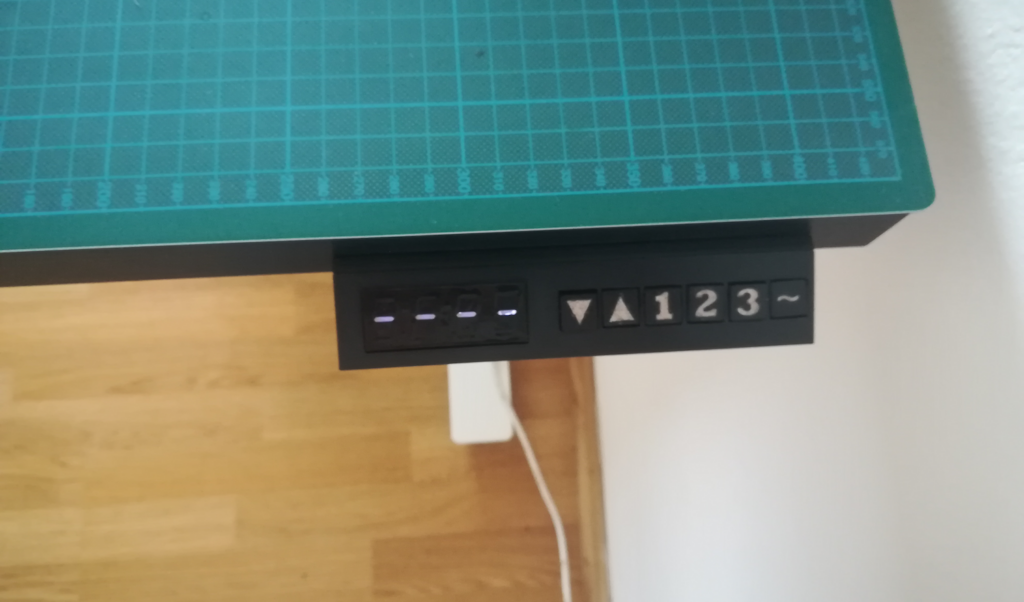
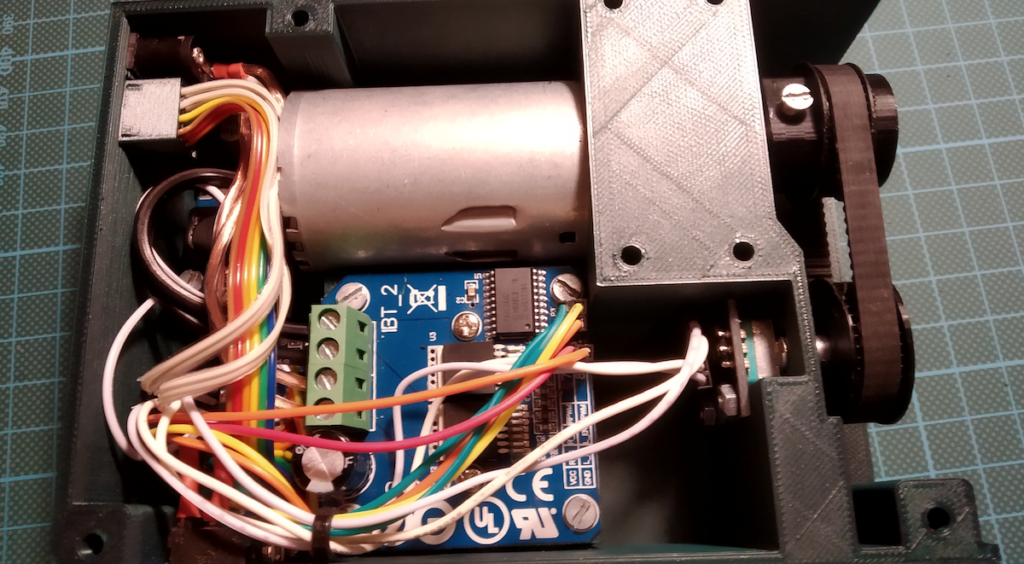
Martin Mihálek took the leap into standing desks, and purchased a SKARSTA table from IKEA. Although being able to adjust things by hand is useful, who wants to do that nowadays? Instead of manually cranking it every time, he—with help from iLLiac4—decided to augment it with a motor in order to lower and raise things as needed.
Initial experiments used a FIXA electric screwdriver (also from IKEA) to power the SKARSTA, but he eventually settled on a DC gearmotor, attached to the desk via a 3D-printed assembly.
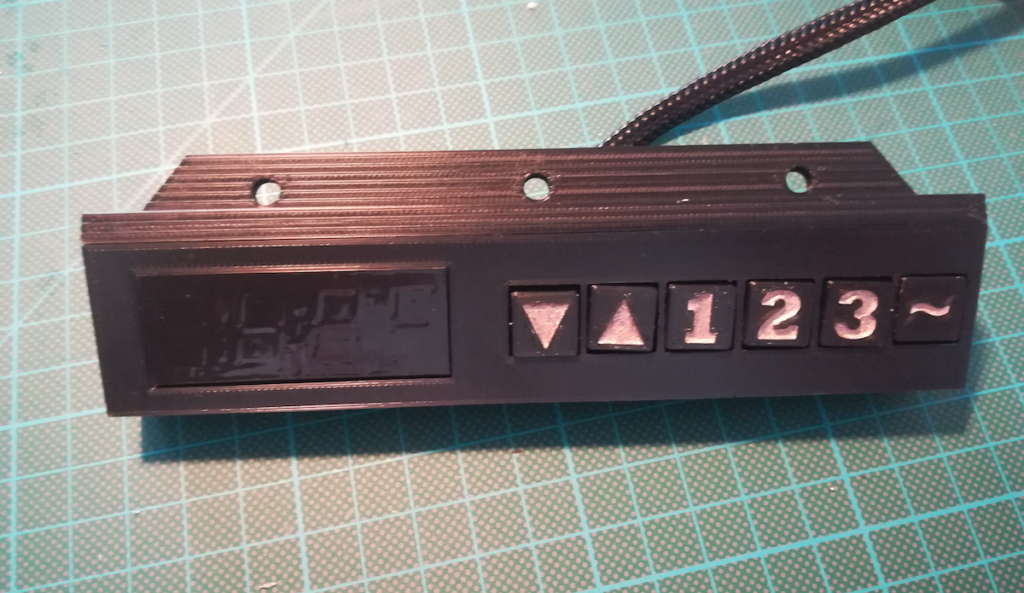
Two versions are described in the project’s GitHub write-up; one employs an H-bridge board for control, the other uses relays. Both are controlled by an Arduino Nano. A keypad allows for calibration and three stored heights, while current position and feedback are shown on a TM1637 4-digit 7-segment display.
For the sixth year, we are inviting the open source community to join us for Arduino Day 2019 on Saturday, March 16th!
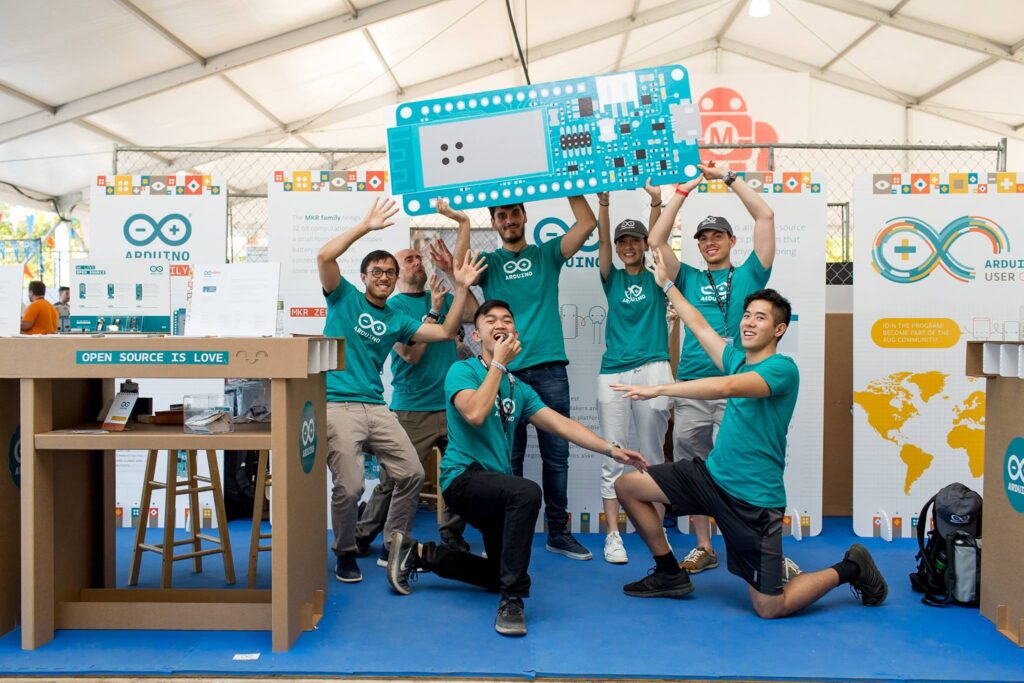
Arduino Day is a worldwide celebration of Arduino’s birthday. It’s a 24-hour-long event—organized by both the community and our team—where those interested in Arduino get together, share their experiences, and learn more about the platform. Participation is open to anyone, either as a organizer or participant, from makers and students to professional developers and educators.
In 2018, there were 529 events spanning across the globe full of activities, workshops, talks, and project exhibitions for a wide range of audiences and skill sets. This year, we are hoping to make Arduino Day even bigger! If you want to organize an event, please fill out this online form and submit your proposal by March 3rd.
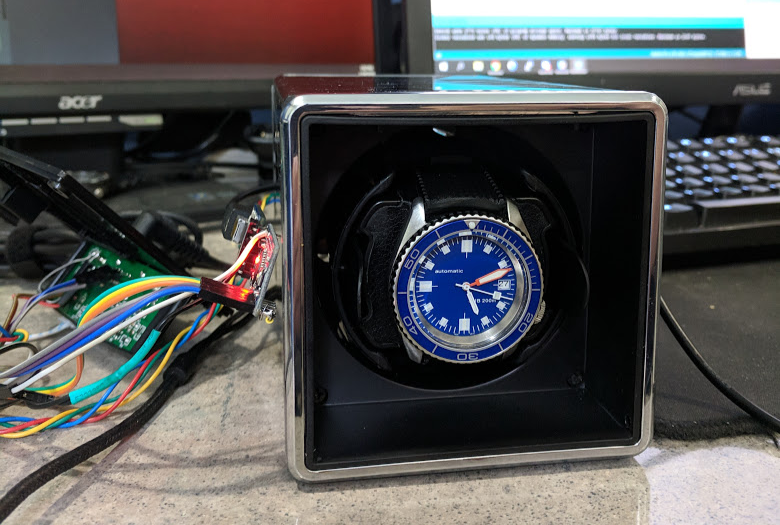
If you wear a self-winding watch—which uses your natural motions for power—you might notice that it stops working if it’s left off your wrist for too long. To avoid these situations, watch winders are available to turn them automatically, but tend to either be very expensive, or cheap and noisy.
With a bit of hacking, however, Kristopher Marciniak was able to get the best of both worlds. He replaced the stock motor of an inexpensive winder with a stepper, and used an Arduino along with a Trinamic SilentStepStick driver for silent and well-controlled movement.
The result is a device that rotates quietly as programmed, then stops in exactly the desired position.
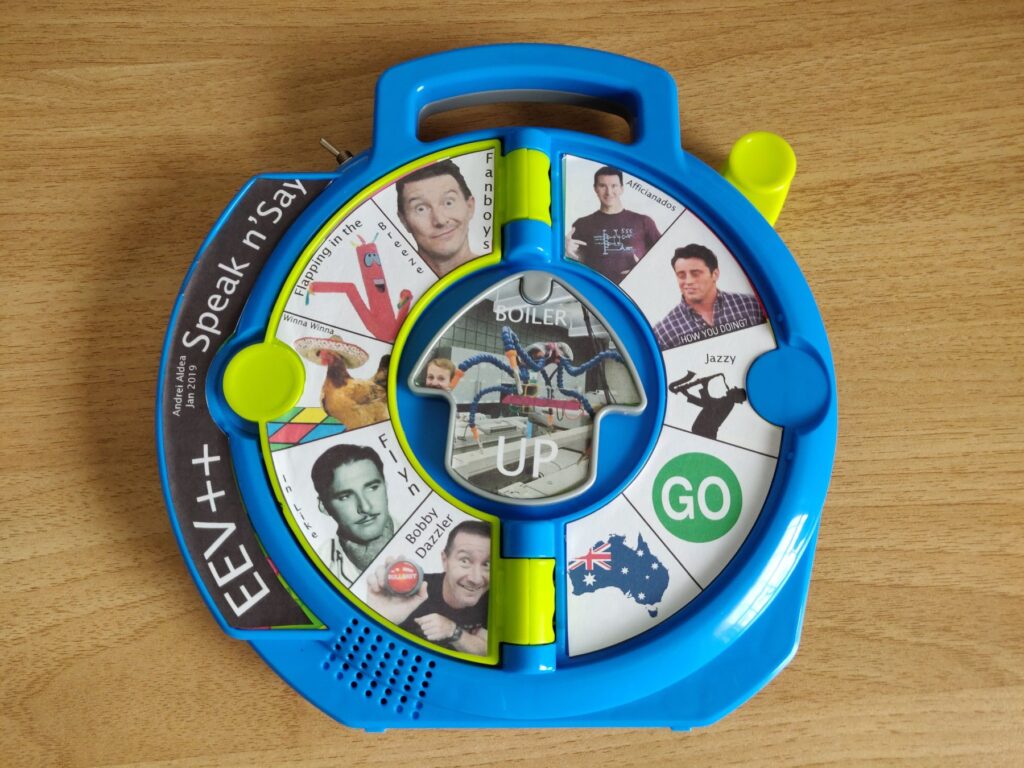
The See ‘n Say is an educational toy that originated in the 1960s, speaking out whatever the child pointed to on a dial. The device has evolved over the years from a mechanical sound mechanism to one that uses electronics in its design, which inspired Andrei Aldea to convert one of them into an EEV Blog catchphrase machine!
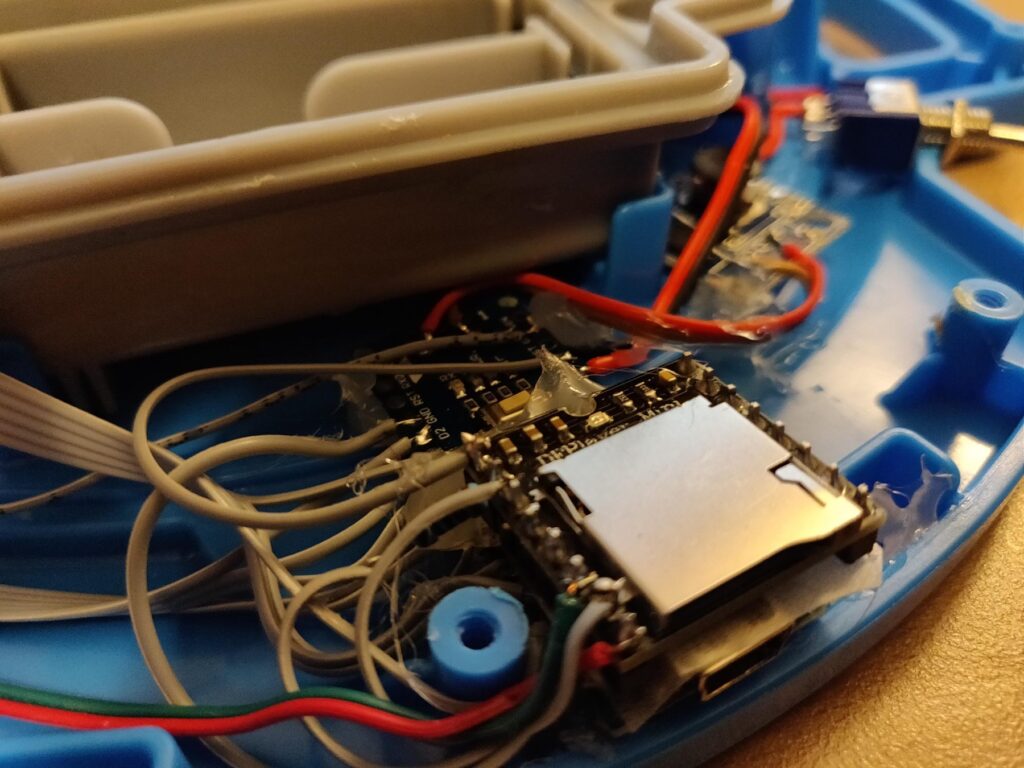
Aldea replaced most of the electronics with an Arduino Nano, plus an MP3 module to power the speaker. Internal buttons that normally trigger sounds based on the dial rotation, along with a “page” switch, are wired into the Arduino. The hacked toy can now select from a library of over 300 audio clips of host Dave Jones and other “bonus” material for hours of entertainment!
While binging some The Ben Heck Show videos I ran across and old episode titled Speak & Dave Jones in which Ben hacks a Fisher Price See N’Say toy to play a sound for each of Dave Jones’ catchphrases.
The video itself (and especially the idea) is quite fun, but he used a custom PCB for the button matrix and a Propeller(? I think it was) micro, which make the whole project a lot more tedious than it needed to be, not to mention he never posted any of the code/graphics/design files he used.
Since this seemed like an easy enough project to tackle in an afternoon, and I had all the parts (minus the toy itself) lying around, I decided to give it a go while adding some of my own features.
If you wear a self-winding watch—which uses your natural motions for power—you might notice that it stops working if it’s left off your wrist for too long. To avoid these situations, watch winders are available to turn them automatically, but tend to either be very expensive, or cheap and noisy.
With a bit of hacking, however, Kristopher Marciniak was able to get the best of both worlds. He replaced the stock motor of an inexpensive winder with a stepper, and used an Arduino along with a Trinamic SilentStepStick driver for silent and well-controlled movement.
The result is a device that rotates quietly as programmed, then stops in exactly the desired position.
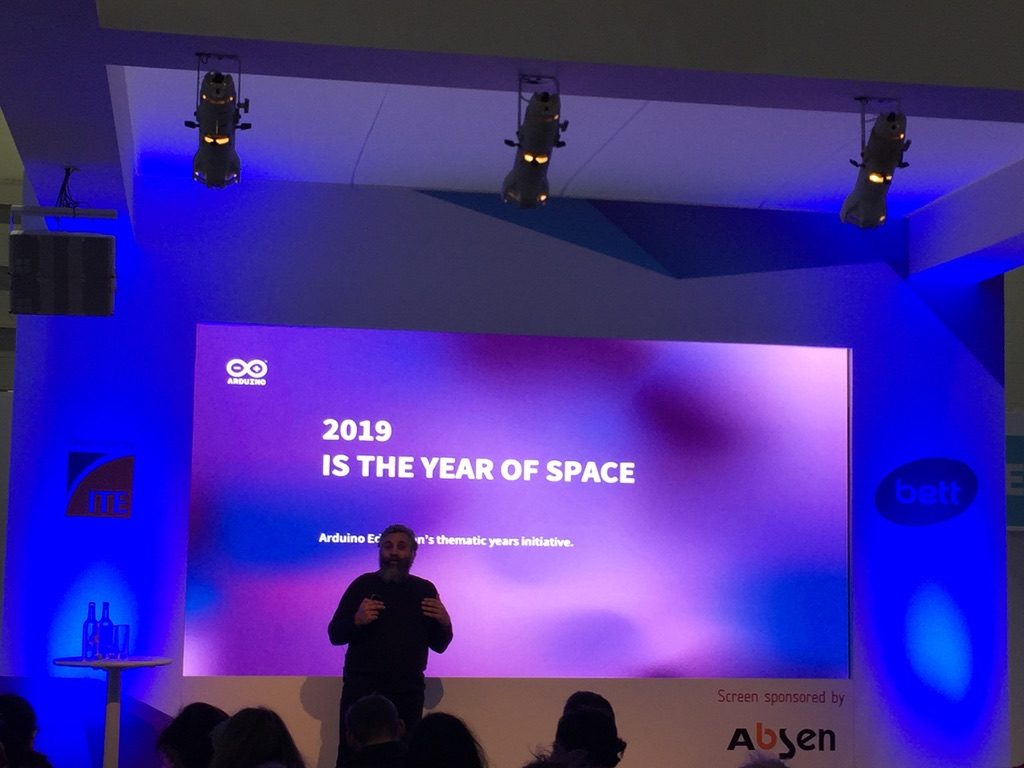
Aside from all the product announcements at Bett, we’re excited to unveil a new annual initiative from the Arduino Education team to keep the community up-to-date on contests and exhibitions, suggest experiments, and highlight educational products and events of relevance within a selected topic.
The Arduino Education thematic years calendar is a unique way to involve our passionate educators and students, and work together to achieve something on a much larger scale.
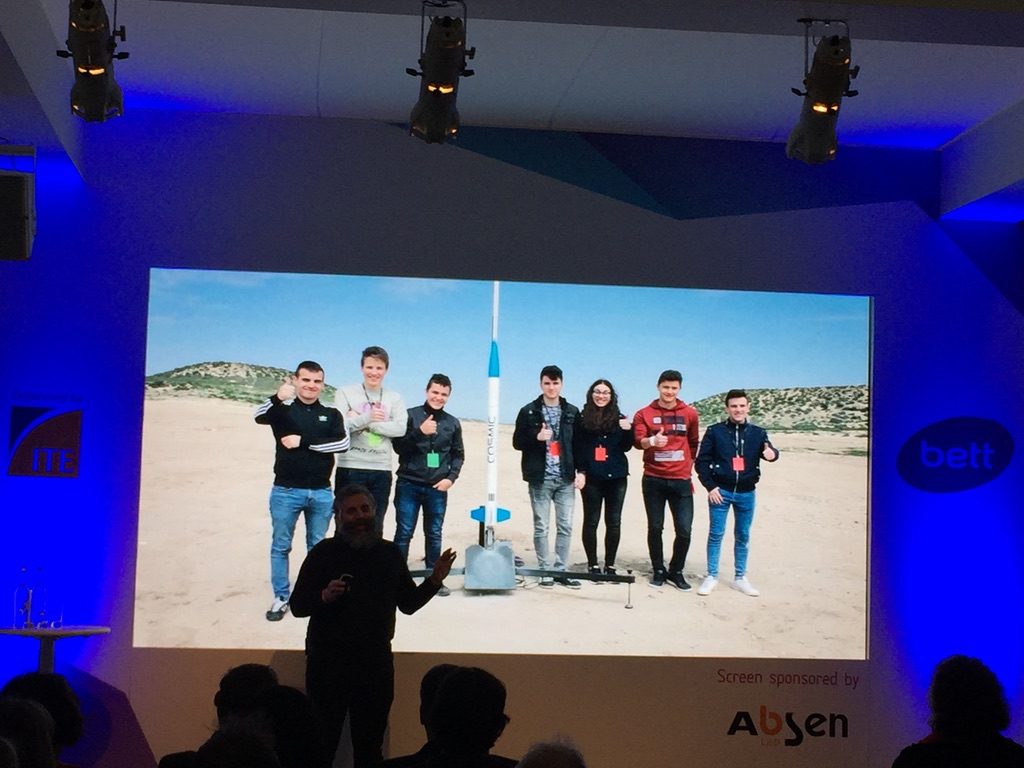
For 2019, we have decided to take our efforts from the classroom to outer space.
2019 Is the Year of Space
Educators from all over the world have been using space as a context to build inspirational education resources. Different space agencies, through dissemination activities, have reached out to schools and universities trying to inspire students to become the next generation of scientists and engineers. Robots, satellites the size of a soda can, radio communication systems, weather monitoring devices, maps, amongst others, are examples of projects from those who want to bring the topic of space closer to the classroom. Arduino plays a major role in this, and therefore we want to contribute to the development and dissemination of future space scientists.
A Calendar of Activities
The Arduino Education thematic year calendar is not written in stone. We, in collaboration with a series of stakeholders, suggest a point of departure, but we will welcome your contributions. Please send us your event proposals via email to space.year@arduino.cc and we will share them. If you would like to make an announcement for an upcoming workshop, event, course, or if you are looking for partners to do so in your region, we will use the Arduino forum as a public way to discuss the possibilities.
Each thematic year will see the direct involvement of the community, both in proposing/running events related to the chosen topic and to select the theme for the following year. For starters, here is a brief snapshot of planned activities in the months to come:
January
Official announcement at BETT London
Balloon launching in Malmö, Sweden
February
Balloon launching in Soria, Spain with Fundación Trilema
Arduino instrumentation course for space experiments at Luleå University of Technology (LTU), Sweden
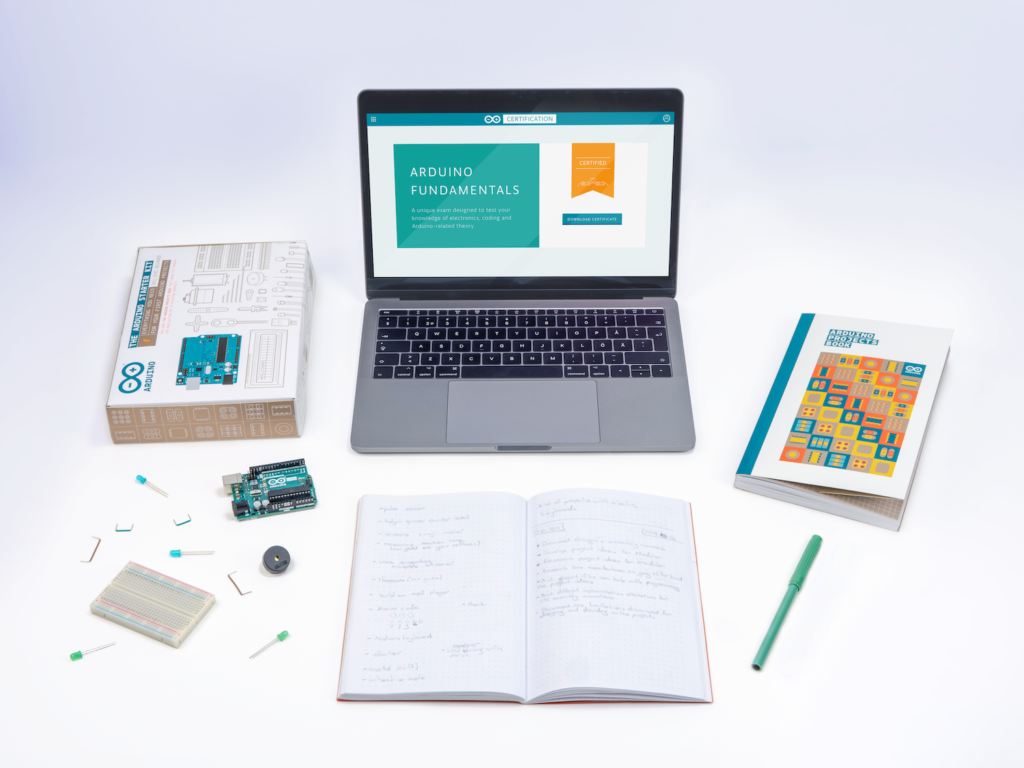
The Arduino Certification Program (ACP) is an Arduino initiative to officially certify Arduino users at different levels and evaluate their expertise in key Arduino knowledge areas. Certifications are offered at three tiers — enthusiasts, educators and professionals — which have been identified as the largest Arduino user groups through extensive feedback from the community.
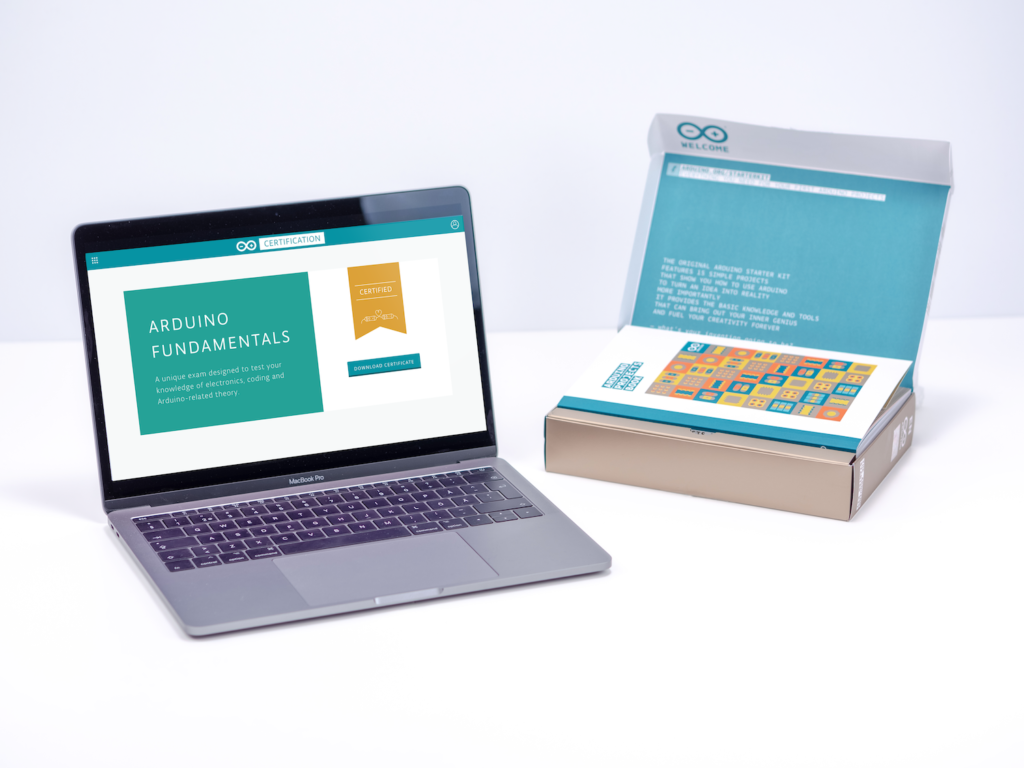
The first step, the Arduino Certification: Fundamentals Exam, is a structured way to enhance and validate your Arduino skills, and receive official recognition as you progress. Anyone interested in engaging with Arduino through a process that involves study, practice, and project building is encouraged to pursue this official certificate.
Developed in consultation with leading technology curriculum, interaction design, and electronic engineering professionals, the Arduino Certification: Fundamentals Exam assesses skills based on exercises consisting of practical tasks from the Arduino Starter Kit.
The official assessment covers three main key areas: theory and introduction to Arduino, electronics, and coding.
During the exam, you will be asked to answer 36 questions of varied format and difficulty, which should take approximately 75 minutes to complete.
Questions will test your knowledge on, but will not be limited to, the following topics:
Introduction to Arduino: Physical computing and Arduino, Arduino Uno, Arduino IDE and uploading, programming basics, electronics concepts, blink!, and the breadboard.
Sensors and Actuator: Sensors, actuators, as well as digital and analog input/output.
Input and Output Types: Using serial monitor, LEDs, motors, piezo as input/output, switches, variable resistors, IR, and PIR.
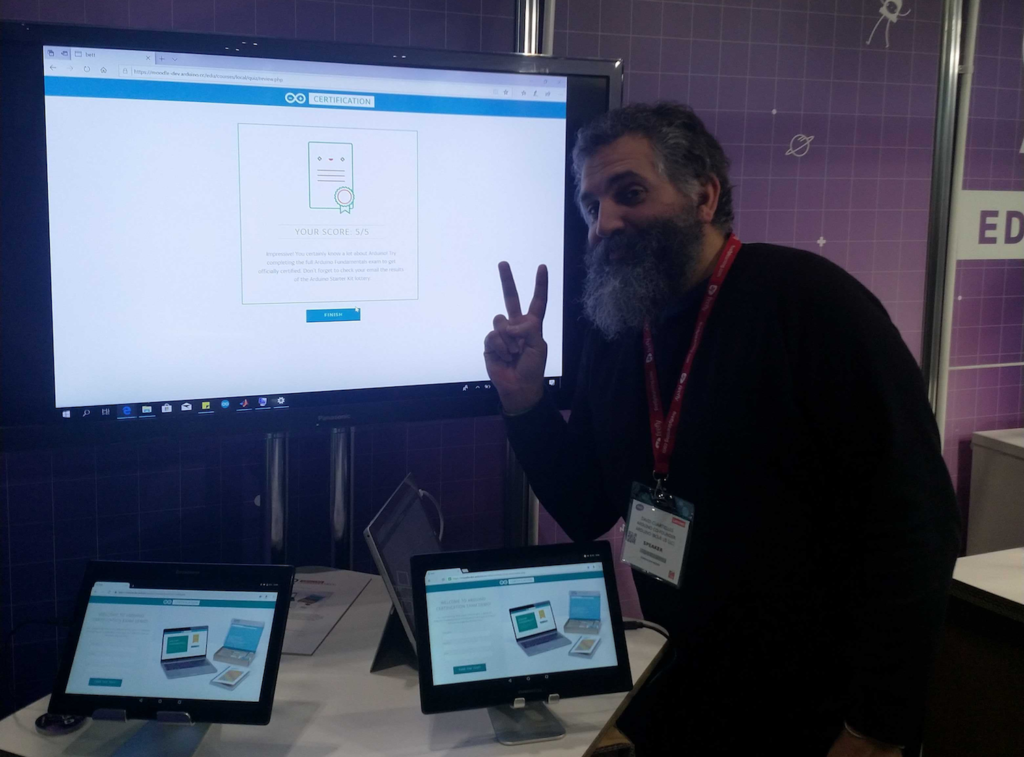
The Arduino Certification: Fundamentals Exam is currently on display at Bett 2019. Stop by stand C375 to see a demo for yourself and learn more about the program!
Back in December, we received an email from a university student named Lucrezia Alfonsi regarding her dissertation research. Lucrezia’s goal is to to understand what motivates our community to use Arduino, share knowledge, and produce open source innovations. Not only would we love to help Lucrezia, we always like hearing about our users’ involvement with open hardware and software.
The survey, which can be found here, will be up until February 20th and the results will be posted later on our blog. By answering Lucrezia’s report, we hope to provide our community with rich insights into the experiences and inspirations of our users.
Hi, I’m Lucrezia Alfonsi, a Bocconi University MSc student. Right now, I’m writing my MSc thesis and I would like to ask your help completing the survey I have prepared for last research steps – it takes only 10 minutes, the data are anonymously tracked and the results will be elaborated only for academic purposes.
“I strongly believe in ‘doing well, by doing good’ and I immediately associate this with the motivation that moves Arduino Community members to improve and innovate everyday”; this is what I think, how I started my email to Arduino, and why I decided to focus my thesis on individual attitudes and motivational factors that lead open-source software and hardware communities, like Arduino Community. This is my genuine interest in the new and the right moment to challenge it.
Here, you can find the direct link to the questionnaire I built appropriately; I think this research can give something interesting back. Feel free to take a look and decide if you would like to bring your precious contribution.
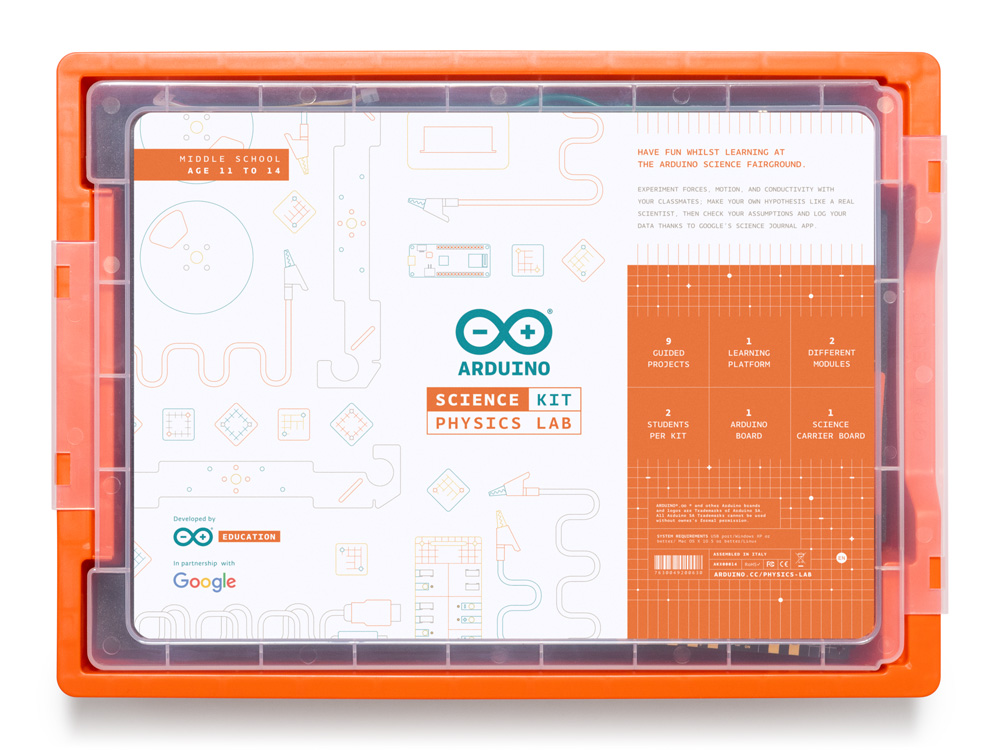
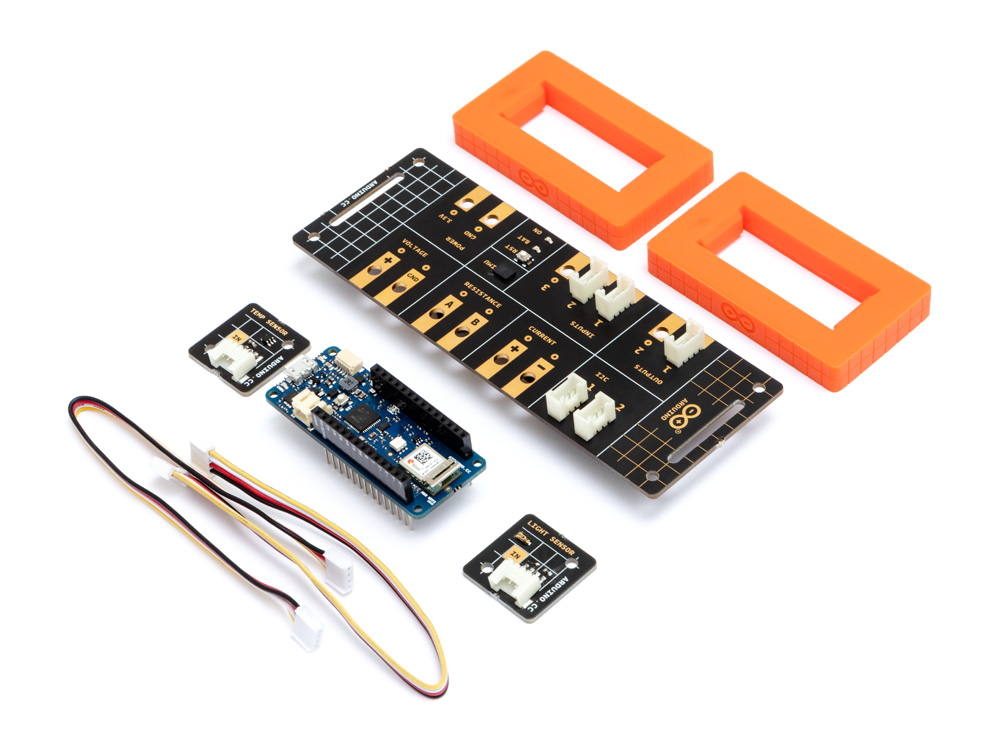
The Arduino Science Kit Physics Lab, developed in collaboration with Google, is the first official Arduino kit designed for middle school curriculum.
The Arduino Education Science Kit Physics Lab provides middle schoolers (ages 11 to 14) with a hands-on experience, enabling them to explore forces, motion, and conductivity with their classmates. Students can make their own hypothesis like a real scientist, then check their assumptions, and log data thanks to Google’s Science Journal app — a digital notebook for conducting and documenting science experiments using the unique capabilities of their own devices.
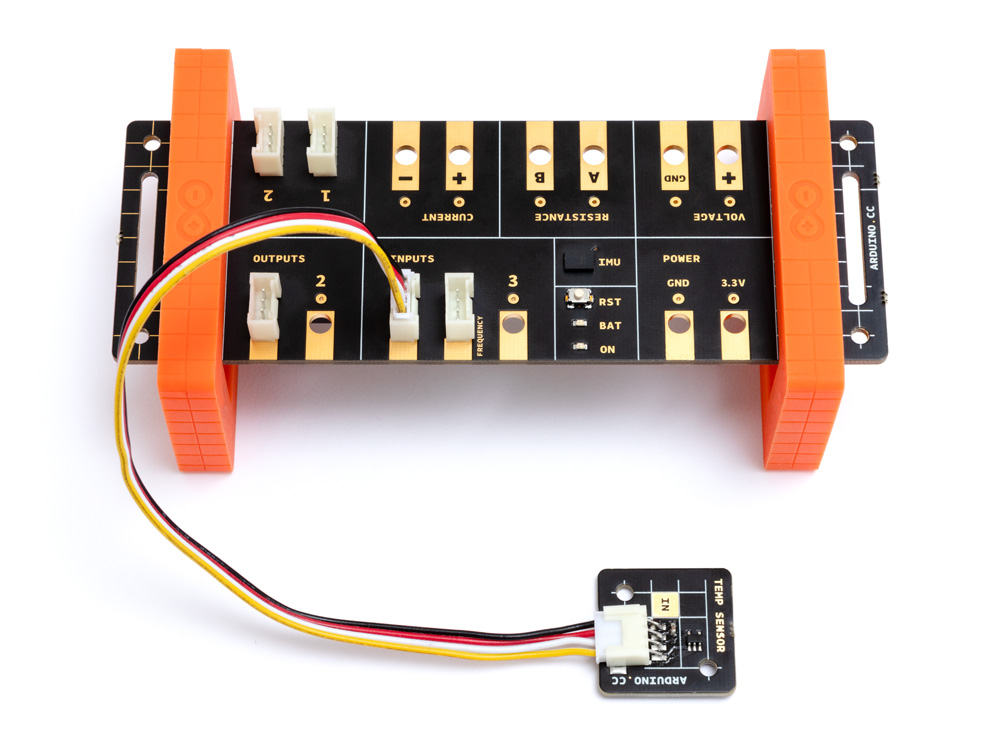
The kit, based on the MKR WiFi 1010, includes a range of sensors to measure light, temperature, motion, and magnetic fields, as well as a set of props and full access to online course content for teachers and students to conduct nine exciting science projects inspired by popular fairground rides like the Gravitron and Pirate Ship.
“The Arduino Science Kit is perfect for developing transferable skills such as critical thinking and problem solving through an inquiry-based learning approach. The projects featured in the kit have been aligned with several National curricula including the Next Generation Science Standard (NGSS) for K-12, and the National UK Curriculum, so teachers can be assured that the Physics Lab is not only easy to set up and fun to use, but also contains all the necessary lesson plans and physical experiments for students to actively engage with their learning.” – David Cuartielles
With the Physics Lab, no prior electronics knowledge is required. Students simply upload their sketch onto an Arduino board using Arduino Create for Chromebook, connect their Android mobile device to the board, build their project, and then use the onboard sensor and plug-and-play modules to simulate the rides’ dynamics. Data is transmitted from the experiment to the student’s mobile device via Bluetooth, where they can analyse and record their results in Google’s Science Journal App or worksheets.
The Arduino Education Science Kit Physics Lab isn’t confined to the classroom. In fact, students can use the kit outdoors to turn the playground into their very own fairground by applying the concepts they’ve learned to design and test their own rides.
The Arduino Education Science Kit Physics Lab comes in a handy storage box for later use, along with the MKR WiFi 1010 and all the parts needed to assemble and carry out the experiments. It will be coming soon to the Arduino Store and available globally starting in March 2019.