Posts with «featured» label

SMOMID is a Mega-powered MIDI guitar

Nick Demopoulos is a guitarist, sound designer and musician. He is also a Maker and the creator of the “SMOMID” — an Arduino Mega-based MIDI instrument that resembles a touch-sensitive guitar with several joysticks and other sensors. Not only does it just look cool, it can even flash LEDs in sync with the music being played for some wild effects and visual feedback for the performer.

This instrument was created out of necessity because despite the fact that the guitar is the most popular instrument in the world, there are almost no guitar-like midi controllers commercially available. The SMOMID is not a guitar, nor is it a substitute for a guitar, but rather it is a new and unique interface. Like all musical instruments, it has its strengths and weaknesses, and requires patience and practice to master.

Its software allows the performer to control numerous aspects of a performance, including the playing of melodies and harmonies, the direction and pattern of a melody, controlling beats, controlling bass lines, triggering samples, manipulating audio files, and more. All aspects of a performance can be controlled from the grid on the fret board and the buttons on the instrument body. Additionally several custom made synths can be chosen as sounds and several tunings are available. The instrument can be played like a fretted guitar, like a fretless guitar, with twelve notes to the octave, or other variations like twenty four or forty three notes to the octave. In addition to emitting sound, the SMOMID also emits light that is rhythmically in sync with the music the instrument is then creating. The lights also provide visual feedback for a performer that can indicate if an effect is engaged, the rhythm of a delay or the section of a composition among other facets of a performance. The SMOMID connects to any device or software that can receive MIDI information via a USB cable and is bus-powered.

You can read all about the project here, and check out some SMOMID performances below!
Massimo Banzi explores the meaning of the IoT

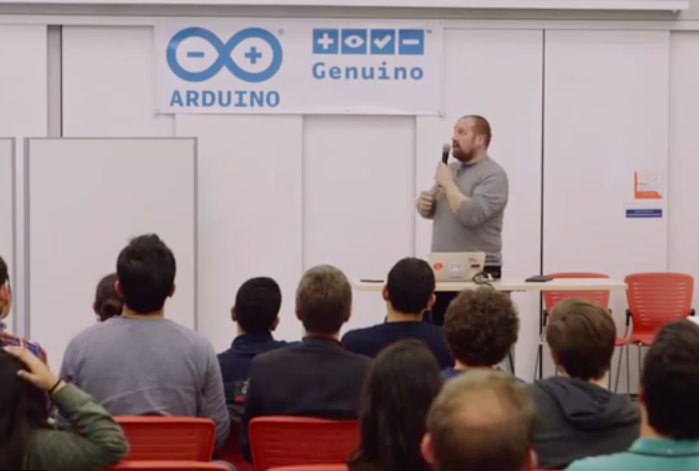
Back at Arduino Day 2016, Massimo Banzi explored the true meaning of the Internet of Things in a more philosophical, approachable way. During his presentation, the Arduino co-founder touched upon the current state of the industry, some guiding principles, as well as what the future may entail.

“A lot of people are trying to build products that are connected, but not a lot of stuff makes a lot of sense right now. There’s a lot of strange stuff happening. It’s the beginning of an industry,” Banzi explained. “There’s a couple of misconceptions. A lot of people tend to equate the Internet of Things with smart thermostats for your home, and it’s much more than that. The part of the IoT that right now is impacting and can impact your life the most is the least sexy one.”

You can watch the entire talk below:

Turn your SNES gamepad into a USB controller

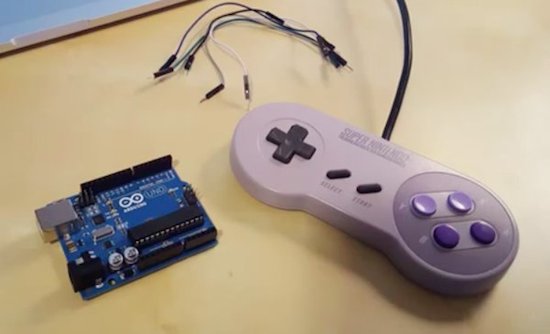
If you grew up in the ‘90s, chances are you have an old SNES controller lying around somewhere. Well, thanks to a recent project from CompSci Studio, it may be time to blow off the dust and transform it into a modern-day USB gamepad using Arduino.

By following the instructions detailed in the video below, you’ll be able to use the retro controller to play arcade games like Super Meat Boy and Fez on either your Mac or PC. To get started, you’ll need an Uno, five jumper cables, and a simple Arduino sketch that creates an HID compliant joystick out of the SNES device.

Build an IoT Rover with Arduino Mega and FONA

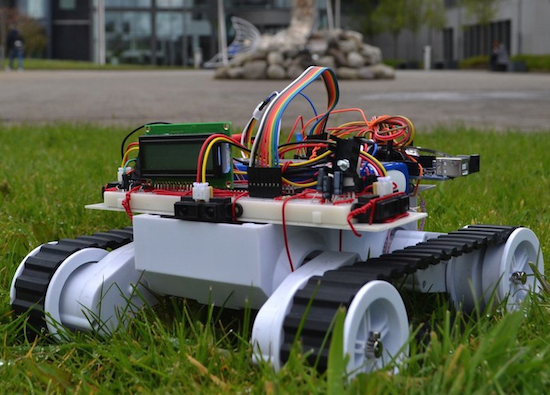
For his end of the year project at the University of Valencia, Maker Jorge Crespo built an Internet-connected, GPS-enabled rover using an Arduino Mega, an Adafruit FONA 808 module, and a PIC18F45K20 microcontroller.

Other hardware includes IR sensors for obstacle avoidance, a dual H-bridge motor controller, an LCD screen, DC/DC converters, and an 11.1V, 5Ah LiPo battery. The bot is managed through a web-based interface, allowing its user to select between auto or manual commands, as well as track its location on a map.

The project can be found on GitHub.

Two college students build a hilarious animatronic face

Let’s start off by saying that, if you’re a senior engineering student just weeks away from graduation, it takes some serious guts to create an animatronic face of your school’s president. We should also add that it’s pretty hilarious.

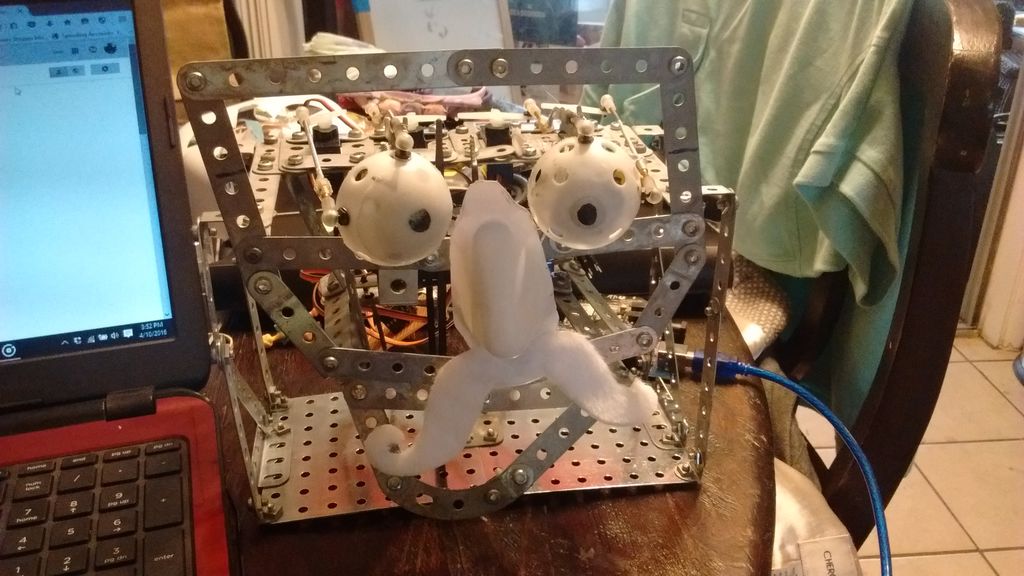
Geoffrey Toombs and James Schopfer are the two University of Texas at San Antonio undergrads behind the Disney Audio-Animatronics-inspired project, which uses a plastic mask, an Erector set, an Arduino Mega with an MP3 shield, and some computer speakers. The face — consisting of eyes, a nose, a mouth and a formidable mustache — is driven by a set of servos. An even cooler feature of the robot is that the mouth is synchronized to an audio clip.

The audio was a sample taken from a YouTube video using various softwares to turn the video file into an audio file and then cutting to the proper length. The original YouTube address of the video I wanted was copied and pasted on the Zamzar.com website so the video could be downloaded and manipulated. The program, Audacity, was used to turn the video file into an audio file and it allowed the audio to be clipped and saved an an MP3. This MP3 audio file was then saved to a microSD card. The card was then placed into the MP3 shield, and the shield is then carefully attached to the Arduino Mega, being careful to not bend the pins.

Code was written for the eye movements. It was decided that he would roll his eyes and wiggle his nose after the mouth movement. This wasn’t really necessary but it let me use the eyes that I spent so much time making and gave a little humor to the project.

While this particular project mimicked the university’s president, the Makers note that any face or picture could be used. A friend? A colleague? A principal? The possibilities are endless. Future upgrades may include a smaller speaker hidden inside the head, a web camera built into an eye, steppers for more precise and fluid movement, IR sensors and more motors for tracking, blinking eyelids, and potentially Skype integration.

And this week’s Instagram giveaway winner is…

Jerome Calvo, who took this sweet pic during Arduino Day in Berkeley, is this week’s winner of our Instagram giveaway. He’ll be taking home an Arduino MKR1000 and an Arduino t-shirt!

Starting at a young age with @arduino.cc #arduinod16 #genuinod16

A photo posted by Jerome Calvo (@caljer) on

There’s still a few weeks left to share your pics for a chance to win. Here’s how:

– Follow our official Arduino.cc account on Instagram

– Share your images on your account on Instagram using hashtag #ArduinoD16 and #GenuinoD16 and mention us with the tag @Arduino.cc

– Every Thursday, from April 7th to May 26th, we are going to choose one of your pics (posted starting April 2nd) and announce the winner of an Arduino or a Genuino MKR1000 and one of our t-shirt or mug  on the blog. That’s a total of of eight lucky people! Easy enough, right?

Arduino is headed to Maker Faire Bay Area!

Maker Faire is a three-day, family-friendly event that has been celebrating the DIY Movement for the last 10 years. The ‘Greatest Show & Tell on Earth’ is designed for creative, innovative people of all ages and backgrounds, who like to tinker and love to make things.

In just a few days, the Arduino team will be in attendance for the 11th annual Maker Faire Bay Area as a Goldsmith Sponsor. Those heading to the San Mateo on May 20th-22nd will want to swing by our booth (#2321) and join us for some inspiring talks, especially the highly-anticipated State of Arduino by Massimo Banzi on Saturday at 12:30pm.

We’ve been preparing a series of demos to showcase the family of Arduino tools for the Internet of Things through our Arduino Create platform. Those who come by our booth will have the chance to experience the following firsthand:

  • Cloud Sensor Station | “Make Sense of Your Data”
    The Cloud Sensor Station is equipped with four different sensors: gas detection, light intensity, motion detection (infrared) and temperature/humidity. These four sensors send values to the Arduino Cloud so that you can see real-time results of the collected data from everywhere.
  • Yún Camera | “Lights! Camera! Facebook!”
    The Yún Camera captures photos at the press of a button and then automatically uploads them onto Facebook. (We’re sensing plenty of selfies in our near future!)
  • Yún Message | “Leave a Message and I’ll Show It Back”
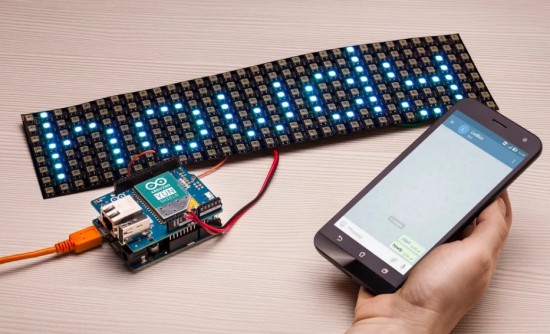
    The Yún Message is a smart desk, developed in collaboration with Opendesk, that displays custom messages on an LED matrix. This piece of smart furniture lets users share a reminder or note through a webpage. Come and leave a note or… do it online!
  • Twitter Printer | “The IoTweet!”
    This connected thermal printer running on MKR1000 will automatically print tweets from all over the world with the #PrintArduino hashtag. (Look forward to seeing what you come up with!)

Additionally, we’ll be showcasing our Creative Technologies in the Classroom (CTC) program, which is a collaborative learning curriculum designed for schools that wish to incorporate emerging technologies into their existing technology classes.

Whether you’re a teacher or student, come and discover how to explore electronics through a series of hands-on coding projects that’ll provide you with the foundations of programming, electronics and mechanics.

Aside from some of our latest products and projects, we’ll also play host to several members of our growing open-source ecosystem and partners like Intel, ARM and Atmel, to name just a few.

Have a question about Arduino? Looking to get started but don’t know how? Beginners, or even experienced users, will have the chance to get their questions answered inside our booth. We’ve set aside an area where you can speak to our team of experts, from your recent invention to one of our boards. What’s more, you’ll even be able to take home an assortment of Arduino SWAG: stickers, pins and other cool giveaways!

Can’t wait to see everyone soon! In the meantime, stay tuned as we’ll be posting a confirmed agenda of scheduled talks in the next few days. For everything else, check out Maker Faire’s official site!

Draw images and words in falling water

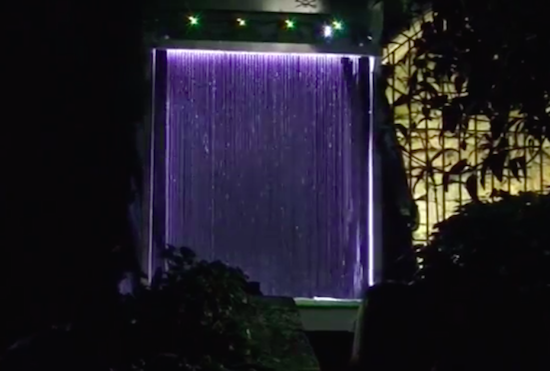
The Base42 team, which is part of the hacking community Tecnoateneu Vilablareix, has created a stunning water curtain with the help of 3D printing and Arduino. The installation, currently on display at the Temps de Flors flower show in Girona, uses 128 3D-printed nozzles and 64 3D-printed valves to dispense water in floral patterns.

The water curtain employs four Arduino Nanos to control the valves, which work in pairs to draw the flowers, words or other images. Meanwhile, an Arduino Mega provides a Wi-Fi connection to issue commands.

In terms of its mechanics, a tank at the base holds 500 liters of water, while a pump pushes that water to the top of the system at a rate of 80 liters per minute. From there, the water passes down through the 3D-printed nozzles, forming what appears as a 3m x 2m fluid screen. To create different patterns in the curtain, the nozzles can quickly adjust the direction of the water to one of two nozzles in a pair.

Shape-shifting interface can mimic rubber, water and sand

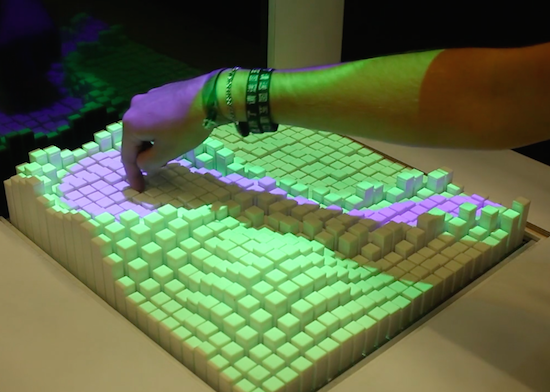
A few years ago, MIT’s Tangible Media Group developed “inFORM” — a dynamic display that used a series of motor-controlled pins to render digital content physically. In their latest project, the researchers have added some features to the existing platform to create what they’re calling “Materiable,” an interface that not only changes shape but also simulates a variety of materials such as rubber, water and sand.

Materiable’s tiny pins can be programmed with different properties simultaneously, as well as respond to touch and give haptic feedback in return. Each individual pixel has the ability to detect the pressure of user input and react with simulated physics via computer algorithms. This enables the interface to be used for everything from mocking up concepts, to prototyping landscape designs, to testing complex scenarios like earthquakes and tsunamis.

Shape changing interfaces give physical shapes to digital data so that users can feel and manipulate data with their hands and bodies. However, physical objects in our daily life not only have shape but also various material properties. In this project, we propose “Materiable,” an interaction technique to represent material properties using shape changing interfaces. Specifically, by integrating the multi-modal sensation techniques of haptics, our approach builds a perceptive model for the properties of deformable materials in response to direct manipulation without precise force feedback.

As a proof-of-concept prototype, we developed preliminary physics algorithms running on pin-based shape displays. The system can create computationally variable properties of deformable materials that are visually and physically perceivable. In our experiments, users identify three deformable material properties (flexibility, elasticity and viscosity) through direct touch interaction with the shape display and its dynamic movements.

Our research shows that shape changing interfaces can go beyond simply displaying shape allowing for rich embodied interaction and perceptions of rendered materials with the hands and body.

You can read more about the project on the Tangible Media Group’s page.

Bring IoT features to Arduino boards with the Yún Shield!

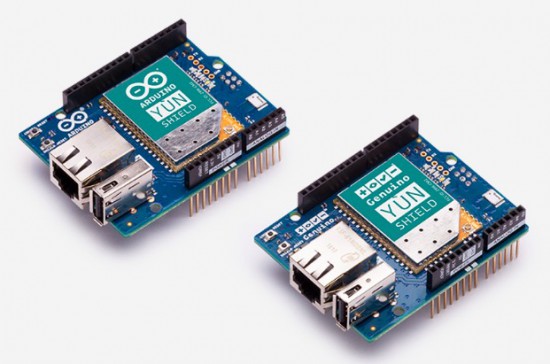
Great news for Makers working on IoT projects! The Arduino and Genuino Yún Shield — now available on our online store for $49.90/€43.90 — is a device that enables you to easily bring Yún features to Arduino and Genuino boards supporting shields.

It’s the perfect shield to start connecting your projects to the Internet thanks to the Yún Web Panel and the dedicated ”YunFirstConfig” sketch. This new feature, implemented in the new Arduino Software (IDE) 1.6.9, allows you to manage your shield preferences and upload your sketch on the attached Arduino or Genuino. Like the previous Yún board, the Yún Shield uses the Bridge library and extends your board capabilities using the Linux processor.

The new Yún family runs the latest version of OpenWRT (15.05 Chaos Calmer), which offers an additional layer of security and a large amount of bug fixes over previous Yún distribution. The precompiled package list is huge (we have more than 4,000 packages ready to be installed), and if you still can’t find what you are looking for, you can use the community provided repositories since the new release is fully modular (not a fork).

Want to learn more? Explore all there is to know about the Yún Shield, including its documentation via the links below:

Go hands-on with these dedicated tutorials:

Got any question? Join the forum!

Arduino Blog 10 May 11:51