Posts with «featured» label

Teach your drone what is up and down with an Arduino

Gyroscopes and accelerometers are the primary sensors at the heart of an IMU, also known as an internal measurement unit — an electronic sensor device that measures the orientation, gravitational forces and velocity of a multicopter, and help you keep it in the air using Arduino.

Two videos made by Joop Brokking, a Maker with passion for RC model ‘copters, clearly explain how to program your own IMU so that it can be used for self-balancing your drone without Kalman filters,  libraries, or complex calculations.

Auto leveling a multicopter is pretty challenging. It means that when you release the pitch and roll controls on your transmitter the multicopter levels itself. To get this to work the flight controller of the multicopter needs to know exactly which way is down. Like a spirit level that is on top of the multicopter for the pitch and roll axis.

Very often people ask me how to make an auto level feature for their multicopter. The answer to a question like this is pretty involved and cannot be explained in one email. And that is why I made this video series.
You can find the bill of materials and code here.

Kniterate is a 3D printer for clothes

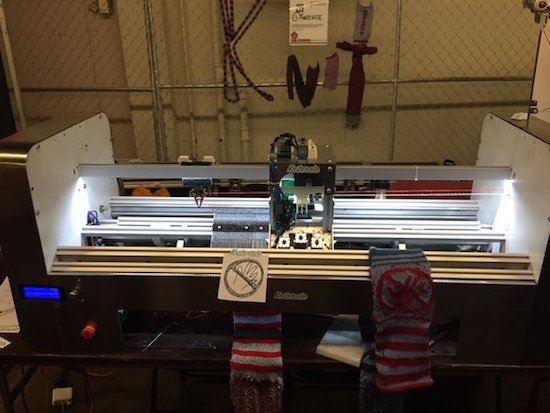
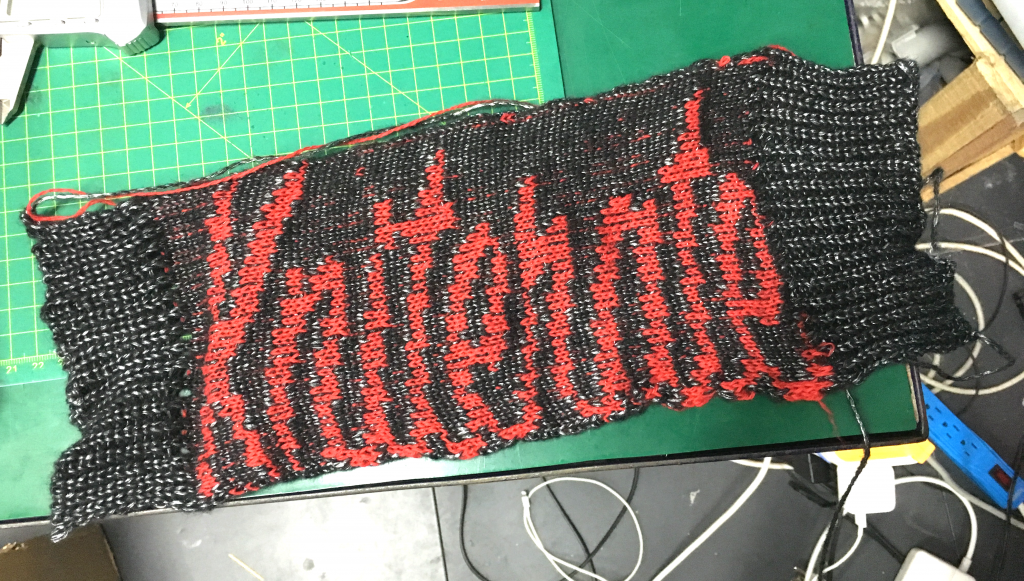
Why head to the store when you could simply create your outfits right at home with the touch of a button? That’s the idea behind London-based startup Kniterate, who has developed what they’re calling “the 3D printer for knitwear.”

The system features Photoshop-like software that enables Makers to easily design patterns using various templates, which are then imported over to the Arduino Mega-driven machine to knit socks, scarves, sweaters, ties, beanies, and other garments. According to the team, they are in the process of developing an online platform that’ll allow you to sketch and share your wardrobe with an entire community.

Kniterate, which was recently introduced at HAX’s demo day, is an evolution of founder Gerard Rubio’s Arduino-controlled OpenKnit project. His vision is to one day democratize textile manufacturing, and will take the next step in that journey when he launches the new age machine on Kickstarter in September. Until then, head over to its website here or watch Tested’s Maker Faire video below!


FarmBot is an open-source CNC farming machine

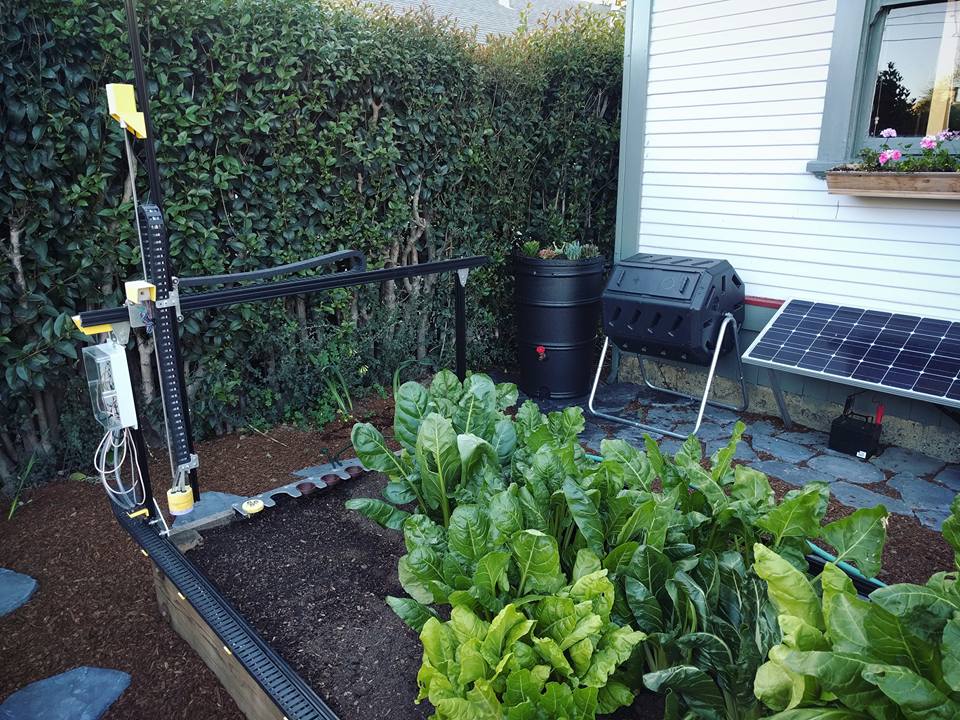
With hopes of reinventing the way food is grown, Rory Aronson has developed humanity’s first open-source CNC farming machine. The FarmBot Genesis — which will begin taking pre-orders in July — is capable of planting seeds and then watering them precisely.

Designed with the Maker community in mind, FarmBot is driven by an Arduino Mega 2560, a RAMPS 1.4 shield, NEMA 17 stepper motors, and a Raspberry Pi 3. What’s more, all of its plastic components can easily be 3D printed, while its flat connecting plates can be made with either a waterjet, plasma or laser cutter, a CNC mill, or even a hacksaw and drill press.

The three-axis machine employs linear guides in the X, Y, and Z directions, which allows for tooling such as seed injectors, watering nozzles, sensors, and weed removal equipment to be accurately positioned. Impressively, FarmBot can cultivate a variety of crops in the same area simulatenously. 

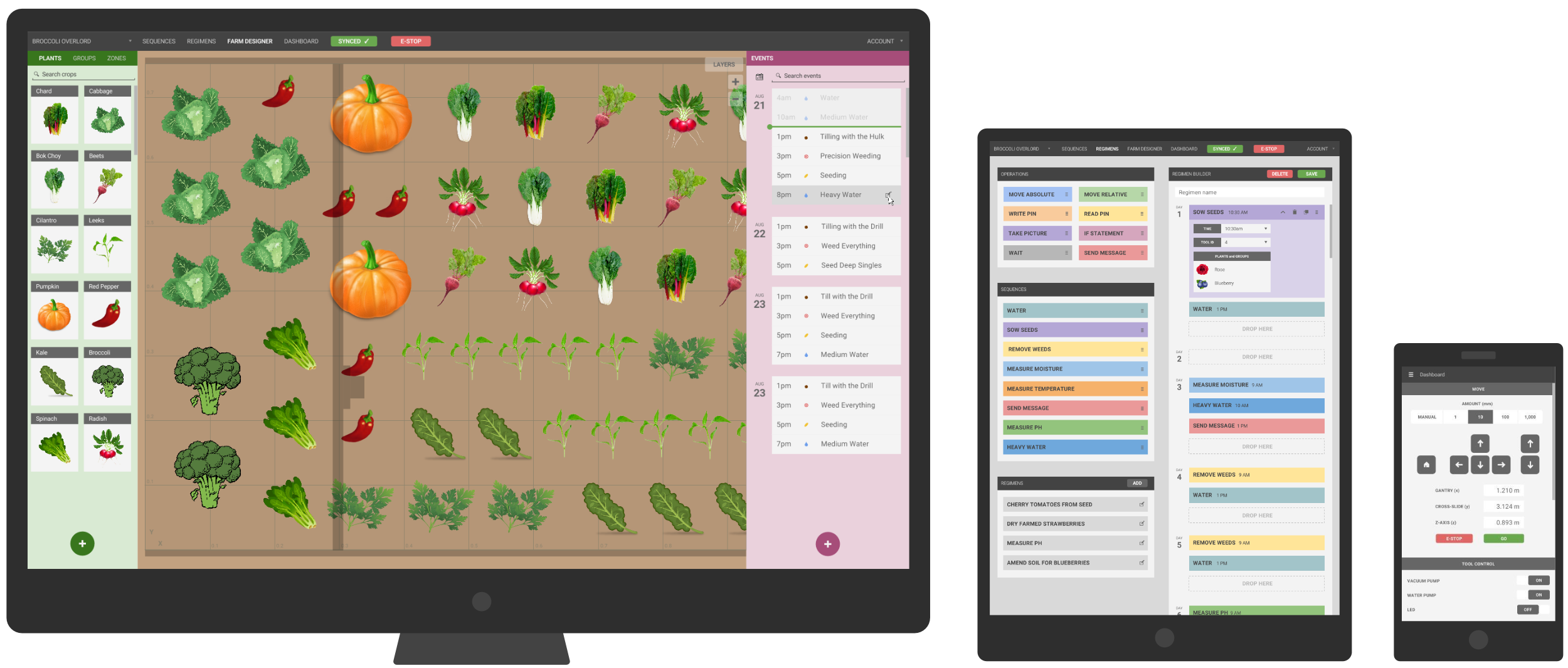
FarmBot is controlled via mobile device or laptop, while its web-based interface makes customizing your garden as simple as playing FarmVille. You can also build and schedule sequences by dragging and dropping basic operations, adjust the parameters to your liking, and save. Meanwhile, a decision support system adjusts water, fertilizer and pesticide regimens, seed spacing, timing, and other factors based on soil and weather conditions, sensor readings, location, and time of year. And of course, FarmBot can be manually operated in real-time as well.

Aronson’s vision is to make precision agriculture open and accessible to everyone. Each FarmBot Genesis can be modified and augmented to suit anyone’s unique growing style and needs. For instance, you can power your machine with renewable energy from a small off-the-grid solar panel, or install a barrel to store and use rainwater.

Add IoT capabilities to an IKEA night light with MKR1000

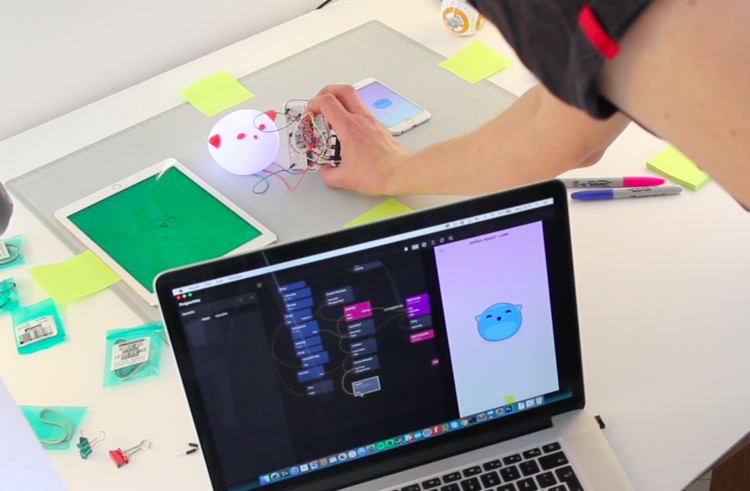
During a recent workshop, Swedish innovation studio Topp set out to create a platform for rapid prototyping with design and data. The team decided to take an existing product and retrofit it with IoT capabilities. For this, they selected an IKEA Spöka night light and hacked it with an Arduino MKR1000. The connected lamp is capable of reacting to its surrounding environment through sound, motion, and light, while an accompanying app is used to monitor and control intensity.

Traditionally data and physical interactions have been difficult to work with, often requiring the availability of early hardware or by constructing mockup data. However, to achieve quick iterations and a higher fidelity experiences for projects involving data, sensors, cloud, and other things typically unavailable to designers early on in projects, we’ve developed a tool called Noodl to help support a better way of working. We’re using Noodl as a foundational tool when we hack our night light.

A key function for this hack is to have the lamp and the phone connected to an IoT cloud broker. Bluetooth or other non-routable communications would not work with remote presence, so by using Wi-Fi and a public broker we could build a prototype that also works with multiple clients in a true IoT fashion.

The end result was a platform that makes use of cloud and data, which could be employed for a wide range of intelligent home devices ranging from a baby monitor to a morning alarm to a smart dimmer. You can read all about the project — along with instructions, code and components — on Topp’s page here.


Yet another Engima machine by a young Maker!

Enigma machines are fascinating devices, especially for young Makers looking to explore the world of electronics. Awhile back we featured a similar project from Italy, and we’re once again amazed by the work of 14-year-old Andy Eggebraaten, who built a retro-modern gadget of his own. The project, which was for his high school’s science fair, took nine months to complete.

These electro-mechanical rotor cipher machines were developed  in the early 20th century to protect commercial, diplomatic and military communication, used especially by German military intelligence during World War II.

In the video below, Andy opens the machine to show its inner workings: the unit runs on Arduino Mega along with 1,800 other parts and 500 color-coded wires. We can see that he evolved the rotors into electronic modules that plug into D-Sub sockets, and the interface is made using a 16-segment display showing the rotor position as well as an LCD screen to read the plain- and the encoded text.

Making the threat of radiation visible with lightmapping

Even three decades after the Chernobyl disaster and five years after the incident at the Fukushima Daiichi power plant, each of the surrounding communities are still impacted by dangerous radiation levels. However, since the source of the problem is invisible, the relative risks remain difficult to communicate. As a result, the motivation and urgency to help those affected continue to diminish.

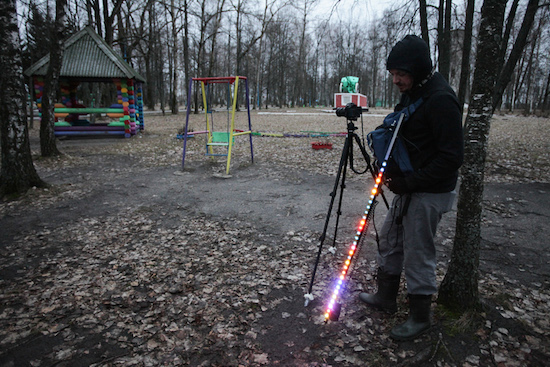
In order to visualize the threat, photographer Greg McNevin has mapped real-time measurements using long-exposure photographs of areas in Fukushima and Russia’s Bryansk region. To do this, McNevin and his team combined a custom Geiger counter with an LED stick and an Arduino-based controller. The detection device picks up radiation levels as it is moved around and outputs this data as an analog signal, which is then converted into white, orange or red lights — based on the severity of the reading.

Walking through a photo with shutter open anywhere from 20 seconds to five minutes allows us to create dynamic walls of undulating light, highlighting contamination in the environments it exists.

White shows levels under 0.23uSv per hour (1mSv per year), which is the Japanese government’s guideline for decontamination (which assumes people spend 8 hours a day outside and 16 hours inside). Russia’s official “norm” level is roughly the same, 0.20uSv/h.

Orange shows contamination levels elevated above this, up to 1.0uSv per hour (roughly 5mSv per year) – a range where protective measures to minimise radiation exposure should be considered. Protective measures can include resettlement, decontamination, special health services, food controls, etc. Russian communities are obligated to be resettled above this level.

Red shows radioactivity greater than 1.0uSv per hour (upwards of 5mSv per year) – a level where protective measures to minimise radiation exposure are necessary.

Using this tool in areas affected by Chernobyl and Fukushima, we found that places decontaminated by the authorities consistently exhibit radiation levels elevated above official guidelines. We also found that using the same scale, places in Russia’s Bryansk region demonstrated comparable levels of contamination now, 30 years later, as places in Fukushima do today.

As the photographer explains, this project is not a critique of the government’s decontamination efforts, but rather a demonstration of the long-term effects radioactivity has on the environments and those living within them. Be sure to check out all of McNevin’s photos, as well as learn more about the project here.

(Photos: Greg McNevin/Greenpeace)

Arduino powers this Matrix-themed mortarboard

With graduation season upon us, Makers are coming up with creative ways to decorate their mortarboards. One thing is for certain, Fahad Mirza will stand out in the crowd of his classmates with a movie-themed cap that would even impress Keanu Reeves himself. Inspired by The Matrix, the headpiece is equipped with an Arduino Pro Mini, an Adafruit NeoPixel ring for its green LED effects, and a 3.7V lithium-ion battery for power. The electronics are all hidden inside the cap which aptly reads, “Everything that has a beginning has an end.”

Meet ThaiEasyElec, the first Genuino reseller in Thailand

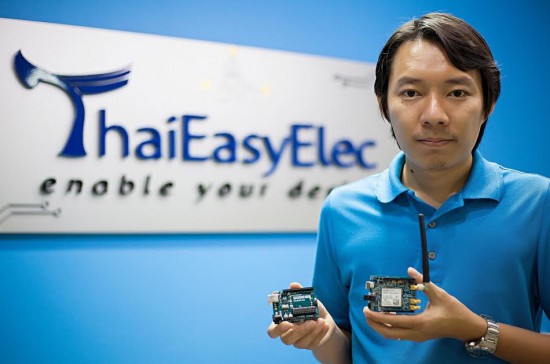
Great news! Thailand now has an official reseller of Arduino.cc’s sister brand Genuino boards! Say hello to ThaiEasyElec and its CEO Chutiman Yongprapat.

- Tell us a bit more about ThaiEasyElec..
We founded Venus Supply Co., Ltd. on 2004 to sourcing and reselling SMD electronics component, evaluation boards, robotics kit, sensor, etc. Mainly focus on rare products that are hard to find in the Thailand market. Also, we have a research and development team to support our customers hardware design and production needs.

In 2006, we launched an e-commerce website (ThaiEasyElec.com) to provide Thai hobbyists, students, teachers, researchers, and developers with a fast and easy way get hardware. We started with a small office in our founder’s apartment, and in 2011, opened our training center. Today, we have various embedded training courses, such as Embedded Linux, Windows CE, Eagle PCB design, and also customized courses for customers.

In total, we have three departments dedicated to e-commerce, R&D, and education.

- What’s your company’s super power?

We are experienced on various technologies related to embedded systems and we can design hardware, firmware, and software.

- Do you have a favorite Arduino/Genuino product?

– Sure! Our 3G Shield product is our favorite. We already provide an Arduino library for it, too.

Contacts

ThaiEasyElec Store Website  – Facebook – Twitter

Turning a toy piano into a standalone digital synthesizer

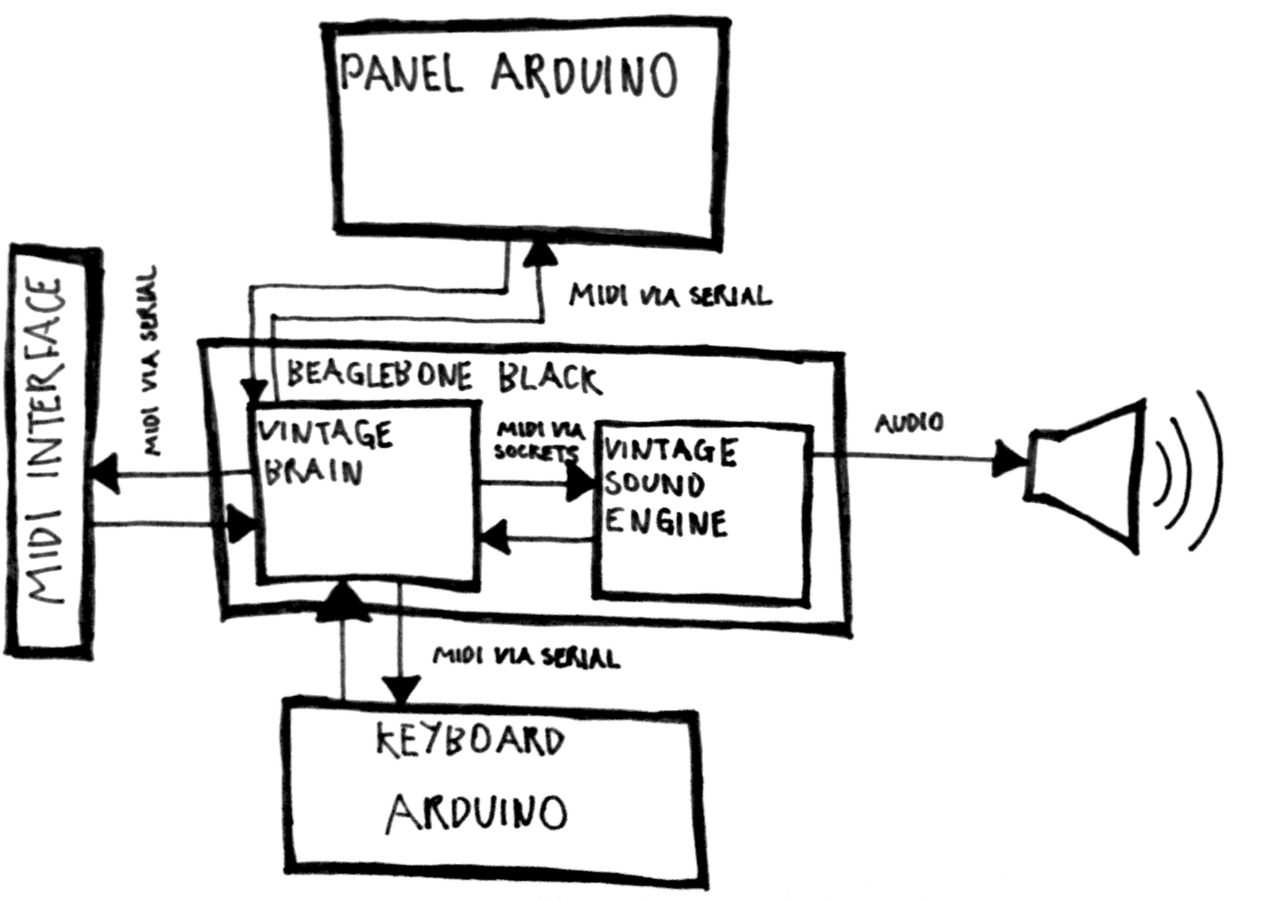
Electronic musical instruments are fun for Makers. With some cheap tools, know-how and passion, anyone can become a real synth geek. Just ask software developer Liam Lacey, who also happens to be a sound coder and freelance hacker. He recently won element14’s Open Source Music Tech design challenge for his Vintage Toy Synthesizer project — it’s an acoustic wooden toy piano converted into an open-source, standalone polyphonic digital synthesizer running on a BeagleBone Black and an Arduino Pro Mini.

Playing an instrument is about a lot more than just the sound you create – the way you play it; the physical feedback; and the overall feel and aesthetics of the instrument also play a big role in the overall experience, with these elements also helping to nurture inspiration, and can even affect your perception of the sound created.

Lacey developed the voice engine using the C++ audio DSP library Maximilian, and the keyboard mechanism uses homemade pressure sensors made out of Velostat. The instrument has 18 keys, with players able to also alter scales using the knobs on top of the mini piano’s lid.

Other dials are used to toggle dedicated waveform oscillators, various filters and onboard distortion effects, and there’s even vintage parameters for replicating old or broken analog synth voices. What’s neat is that the converted toy can also act as a MIDI controller to send velocity-sensitive note messages and polyphonic aftertouch to Logic Pro, Ableton Live and various music software programs.

Here’s a diagram of the software architecture of the synth:

You can read more about the hack here, as well as listen to some quick and rough sound/patch demos:

The project took three and a half months to bring to fruition, and let us just say, the final result is quite impressive! Check out the video below to learn more about  its specs and explore the complete documentation on GitHub.


An engineering student’s awesome graduation cap

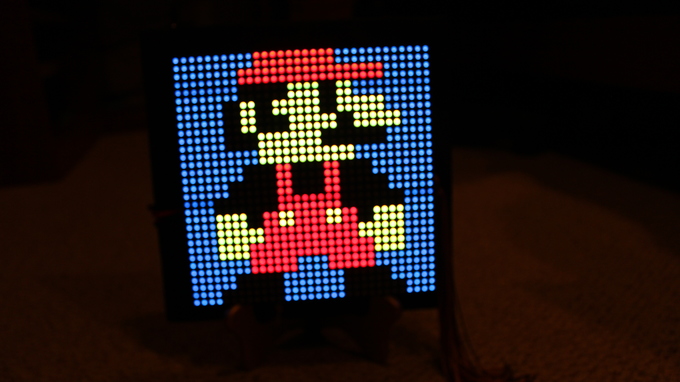
Graduation season is now underway across America, and Western Carolina University student Michael King wanted to be sure he’d stand out from the crowd during his commencement ceremony. So being a computer science and electrical engineering major and all, naturally he decided to do some tinkering. He equipped his mortarboard with a 32×32 LED array, an Arduino Mega, three SPDT switches, a 2000mAh li-ion battery, and lots of wire, along with plenty of code. This enabled him to display a running Super Mario, Pac-Man, his school’s logo, a “Hire Me Google” message, and several other animated images on top of his cap.

I used three SPDT switches — one for LED grid power, one for Arduino power, and another to break out of the loop and display a static “WCU” logo. LED grid is powered via a 3.7V li-ion battery. 9V battery to power the Arduino Mega.

Lots and lots of Arduino code. I could convert bitmaps to arrays to use in the code. For those that would understand, I had a script written in Processing that could read a 32×32 pixel image, parse and convert it into an array of hex values, and literally format/write it out to a header file that I could just copy and paste into Arduino IDE… And yes, I am working on programming pong. Yes the actual, playable game.