October 31st is almost here and we’re all super excited, because this is the perfect time for some DIY fun! Nothing to wear? Not a problem! Need a spook-tacular decoration? We’ve got just the thing.
To help get you into the spirit, we’ve selected a handful of Halloween-themed projects from the Arduino Project Hub that will surely catch the attention of trick-or-treaters (or send them screaming into the night.)
This Arduino Mega-based robot can be operated remotely from your smartphone or move about autonomously, complete with creepy lights and a terrifying soundtrack.
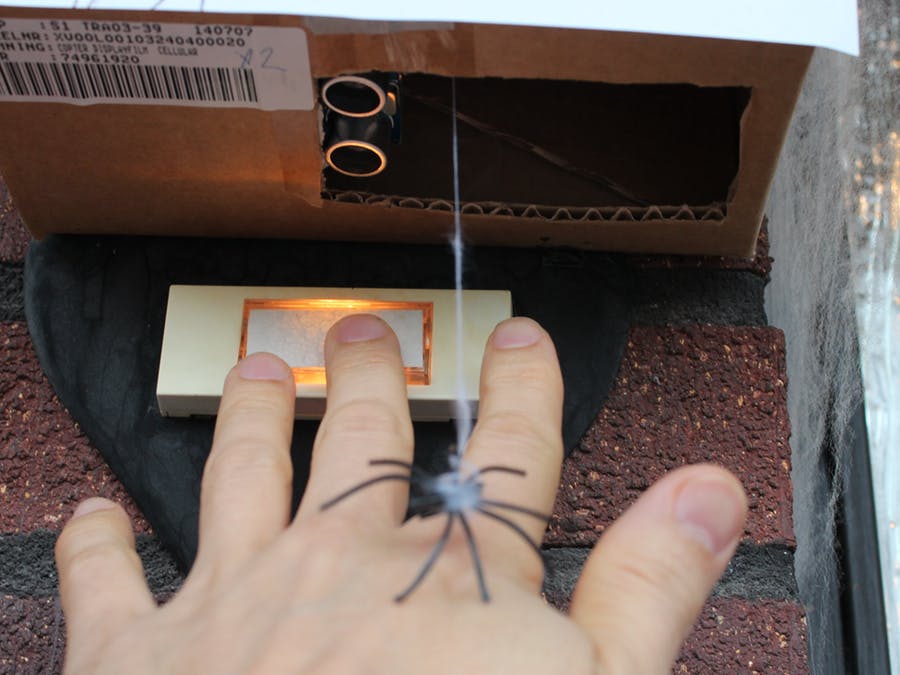
Here’s a quick, last-minute scare prank for your porch. Drop a fake spider on anyone that tries to ring your doorbell via an Arduino Uno, an HC-SR04 ultrasonic sensor, and a servo.
Last weekend we announced that we’re working on the new Arduino Pro IDE and we got a huge response! Let’s take a deeper look at what is in store.
Here are the choices you have to develop code from Arduino today — some you might know, others you might not — and how they paved the way for a brand new IDE.
Arduino Create
The quickest way to get started developing for Arduino today.
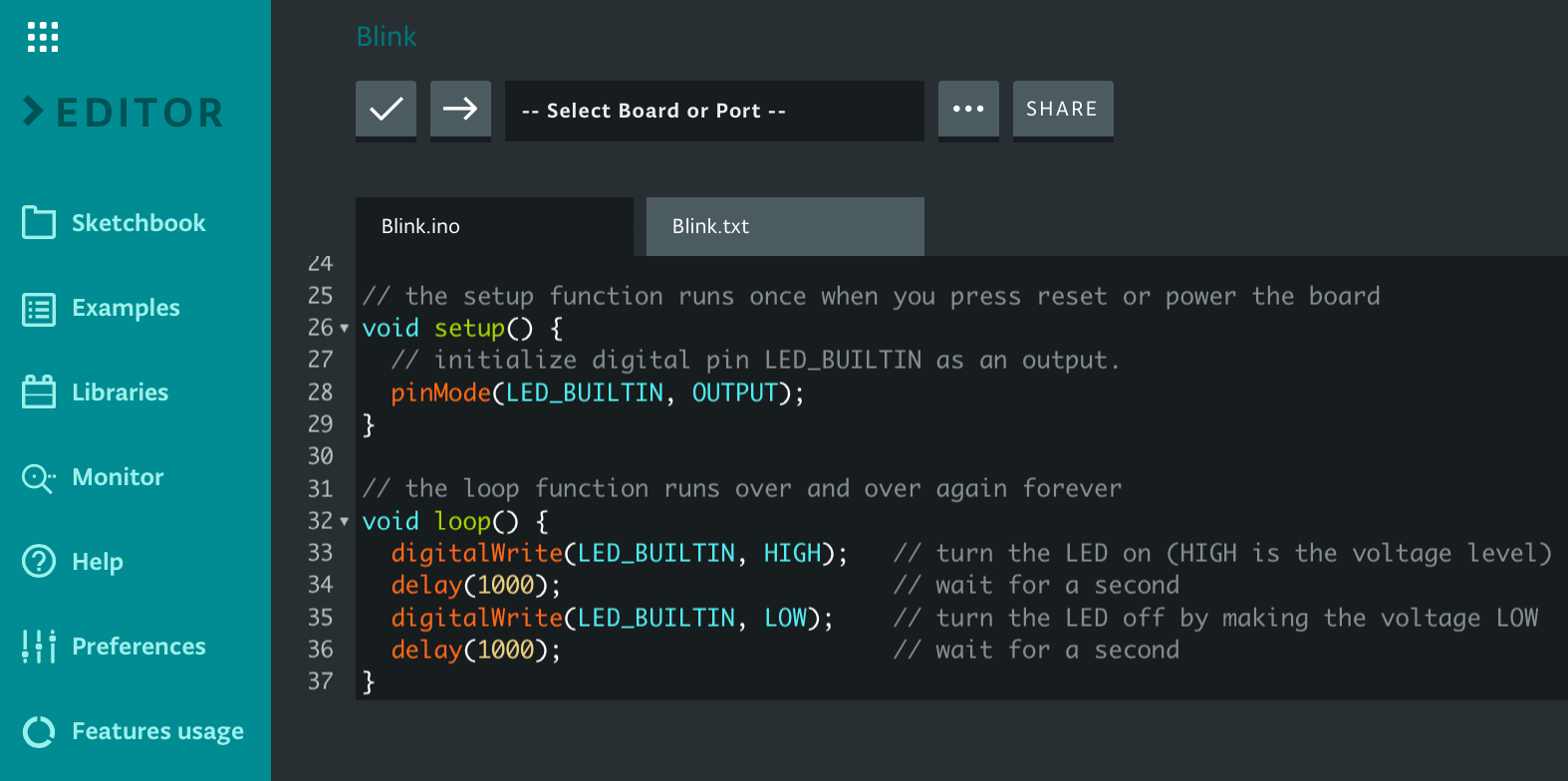
A simple, modern web app version of the Arduino IDE — with boards and libraries available without needing an install. Just open your web browser, head to create.arduino.cc/editor to get started.
In the creation of the new Arduino Pro IDE, we chose to build on the Theia framework. As Theia is based on Electron, using web technologies, it allows us to unify the front-end development work and user experience between the web-based Arduino Create and the Arduino Pro IDE desktop application. Magic!
Arduino CLI
Designed for power users; everything you need from the command line.
Arduino CLI is a single binary command line solution that provides builder, boards/library manager, uploader, discovery and many other tools needed to use any Arduino compatible board and platforms. You can include this in Makefiles or use it to add Arduino support to whatever development flow you prefer. Whether you use Atom, Eclipse, Emacs, Vim, VSCode, or are even building your own tools, Arduino CLI makes this possible. You can try it today at arduino-cli.
The Arduino CLI
Arduino CLI is already hard at work in the backend of Arduino Create enabling day-to-day development for over one million users. The daemon mode support and gRPC interface means the User Interface doesn’t even need to be running on the same machine as the Arduino CLI — this opens the potential for remote build and deploy to Linux machines such as Raspberry Pi. Third party boards are also supported today through a configuration file. The backend of Arduino Pro IDE is also based on Arduino CLI, naturally.
Arduino IDE
A simple classic.
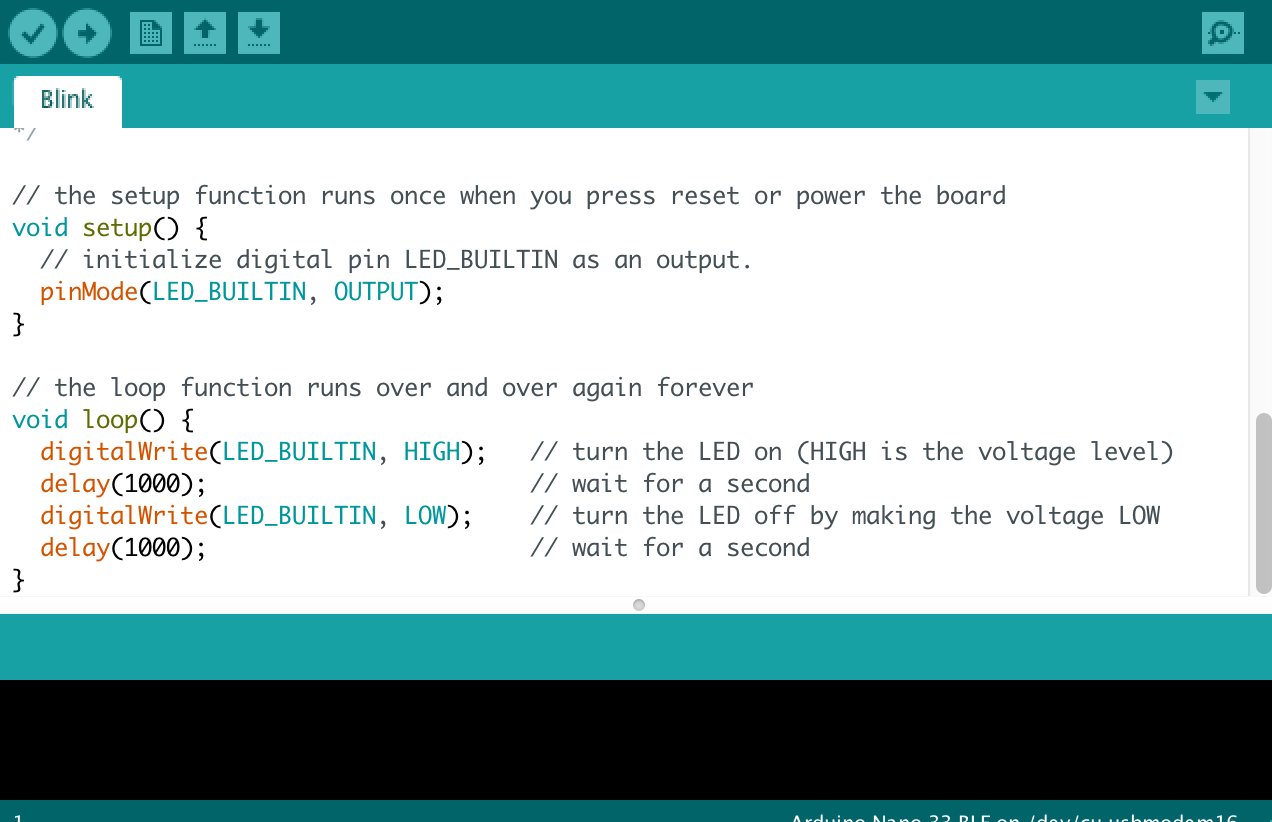
The simplicity of the classic Arduino IDE has made it one of the most popular in the world — with over 15 millions downloads per year. If you want to develop code for Arduino and prefer not to use the online tool Arduino Create you can get started today by downloading the classic Arduino IDE application.
The classic Arduino IDE
We felt it was very important to maintain continuity with this look and feel in the Arduino Pro IDE. For this reason it has a mode identical to the classic Arduino IDE that millions of you are familiar with — the difference being if you want advanced mode, you have that too!
Arduino Pro IDE
More features for advanced users (still in development).
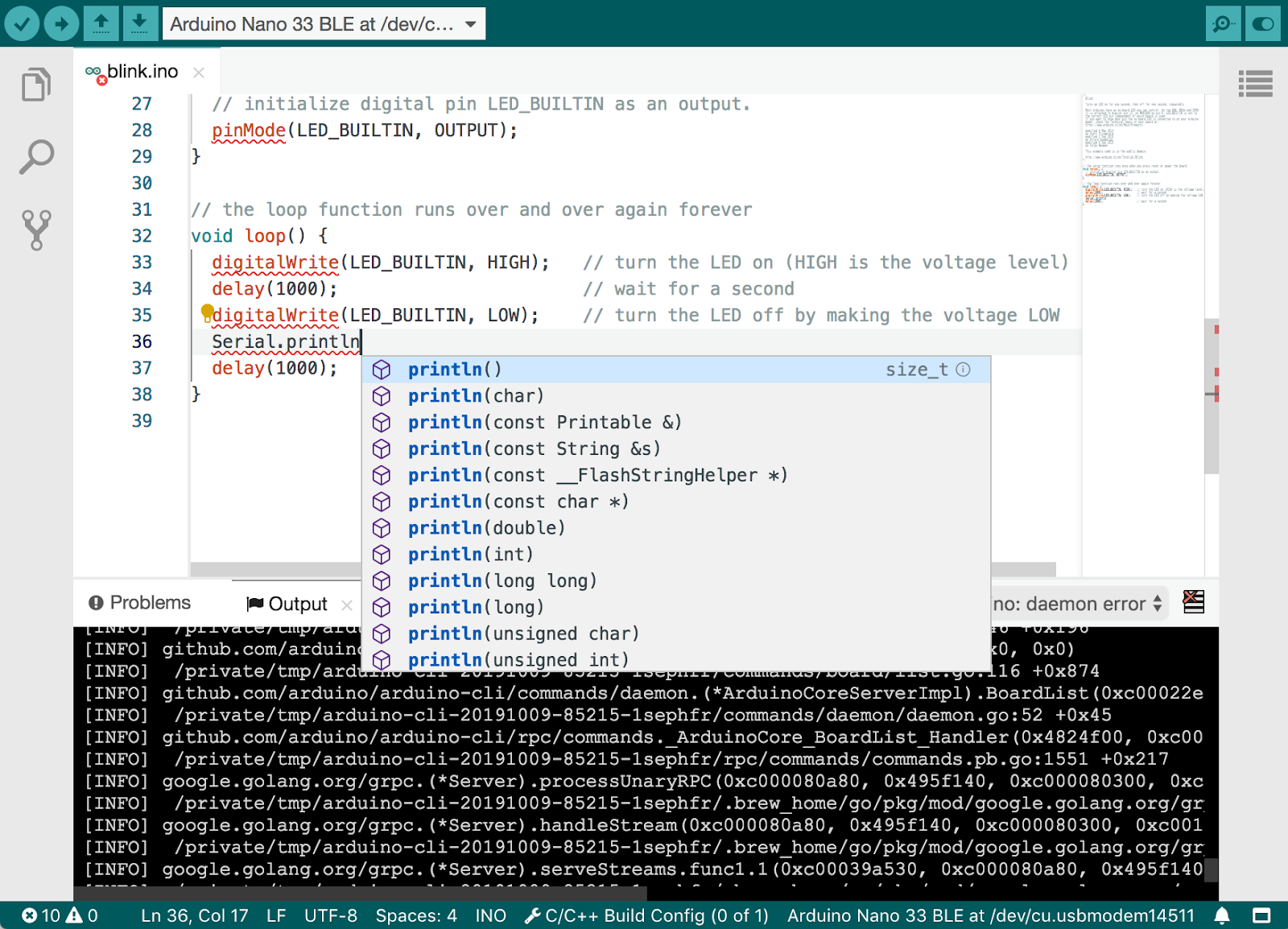
Which brings us the upcoming Arduino Pro IDE! This is a product still in development, but we’ve opened up the alpha binary so early users can try it out and give feedback – the source code will be released at a later date. Because it is not yet ready for production release you must expect bugs and unimplemented features. (If you just want to get your Arduino project running, we’d recommend Arduino Create or the classic Arduino IDE for now.)
The Pro Arduino IDE
However, if you want to be the first to try it and give us feedback to help shape the product as we develop it, please give it a try! The preview is already available for Windows, Linux and Mac OSX.
Initial feature list
Dual Mode; Classic Arduino look and Pro (File System view)
The tool only reveals advanced features when you need them
Modern fully featured development environment
Modern look, multi-panel IDE with integrated file system view
Designed for developing larger, multi-file, repository-based projects
Debuggercoming soon!
Set breakpoints, view trace, step through execution and much more
Debug your application without affecting timing with a Serial.print()
Open to third party plug-ins and boards coming soon!
Add third party boards, libraries and IDE function plug-ins
Support for additional languages other than C++coming soon!
Exactly what it says, and it’s going to be exciting!
New Board Manager, Library Manager and Serial Monitor
All the features you expect in a cleaner more modern environment
Basic Auto Completion (Arm targets only)
Git Integration
Dark Mode
Easier on the eyes
That’s all for now
We’ve been working to improve our tools and give the community choices that fit their way of working – be that web-based, desktop application or command-line. The Arduino Pro IDE builds on these to bring something new — we’re excited to share the alpha preview with you and look forward to your feedback!
Since very early on I developed an interest in education. During my studies I worked as afterschool teacher in math, physics, chemistry, and languages. Shortly after graduating from my MSc in Engineering I became a teacher at the School of Arts and Communication at Malmo University, Sweden. For over a decade I worked in the creation of education programmes for the university, looking at how to introduce technology transversely as part of several subjects within undergraduate, graduate, and postgraduate education.
Back in 2012, I realised at the time that almost no one was addressing the needs of educators when introducing curriculum. Therefore, I decided that we had to put educators at the center of our concept and help them find creative ways to use technology in the classroom.
As we now are approaching 2020 I am very proud of where this has taken us.
We have managed to bring Arduino Education programs into the classrooms in a large number of countries with great success, and not least with the help from all of you — our trade partners around the world.
We rely on you to be our faces in the market and also understand how we need to step up in our offering to make sure you are equipped to bring Arduino Education to market and give the best support to the teachers.
The Arduino Education team has been expanding the past year and we now have a strong, creative and dedicated team to make sure we deliver relevant education programs, content, training and support.
Every single day we build on our vision in wanting to make technology accessible to everyone and put it into the hands of every student and educator.
There is still a long way to go — we are on an amazing journey and this is just the beginning. The world of technology is constantly changing and new technologies keep showing their faces. Hence why it is so very important that we work hard to make students of today aware of technology and give them confidence in working with it.
Formal education is going through a strong transformation due to the digitalization of many aspects of contemporary society. If we look at the future classroom, we see technology not just as a tool to learn about, but as a system to enhance lots of processes that currently stop us from building a better interaction between teachers, students, and their families. Technology will help us accessing knowledge in better ways right at the time we need it. Assessing the student’s learning process will be easier and more personalized. We will be able of scaling pedagogical models that schools are currently only dreaming of. It will be possible to make cross-age study groups, where students will join based on their interests. Teachers will have access to tools that will help them see at once the student’s progress and needs. Student mobility will be a matter of transferring a file between schools.
While the future is there, a few steps ahead, we still have to walk the path. At Arduino we look forward to being your partner in reaching that future, one step at a time.
Let us change the world by making technology accessible to everyone and put it into the hands of every student and educator.
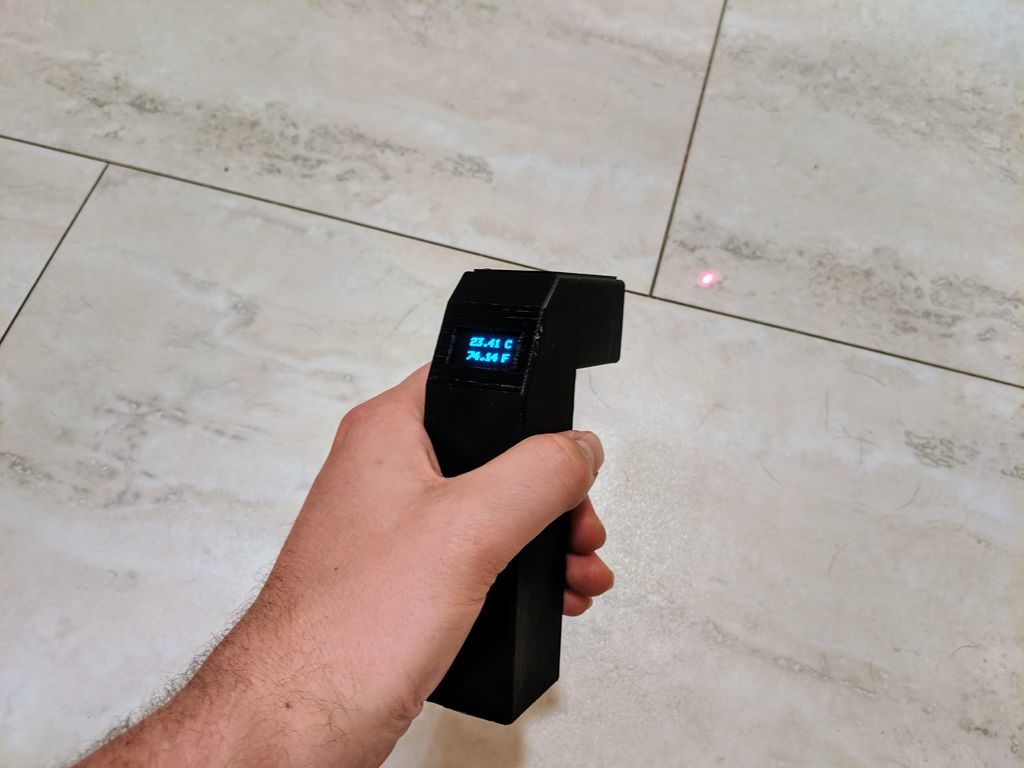
If you want to measure the temperature of an object, one very convenient way is to use an infrared thermometer. MN Maker didn’t have one, and after wondering just how hot a component was getting, he decided to simply build one.
His device utilizes an Arduino Nano for control, and resides inside a 3D-printed enclosure that he designed. Temperature sensing is handled by an MLX90614 IR thermometer on a GY-906 breakout board, and a small laser is used for aiming. Once the temperature is obtained, it’s displayed on an OLED screen in the back of the housing in both Celsius and Fahrenheit.
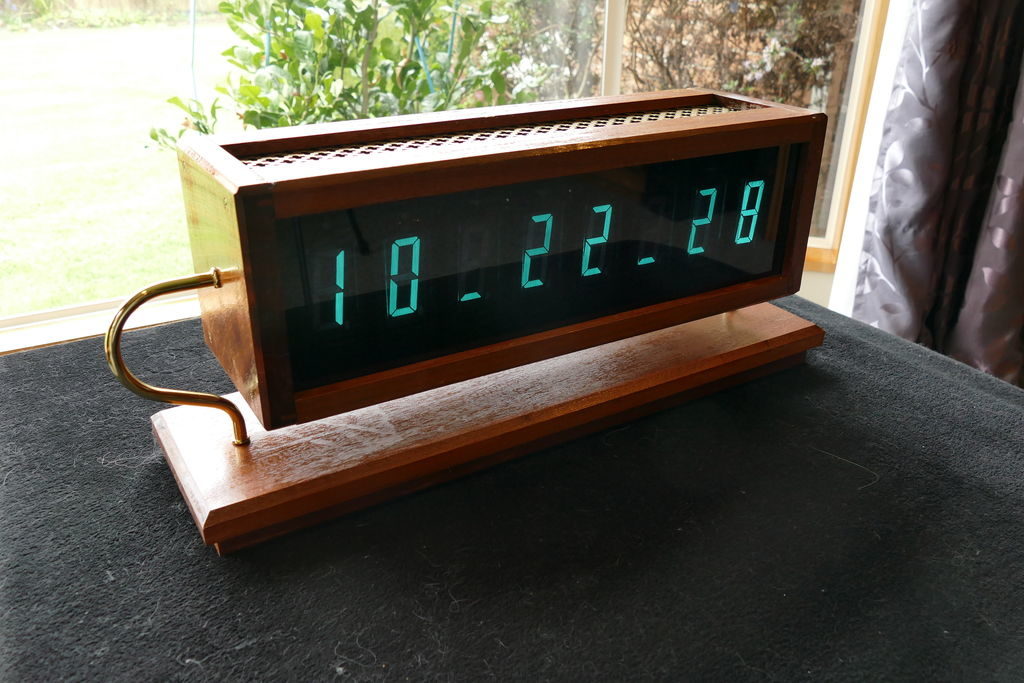
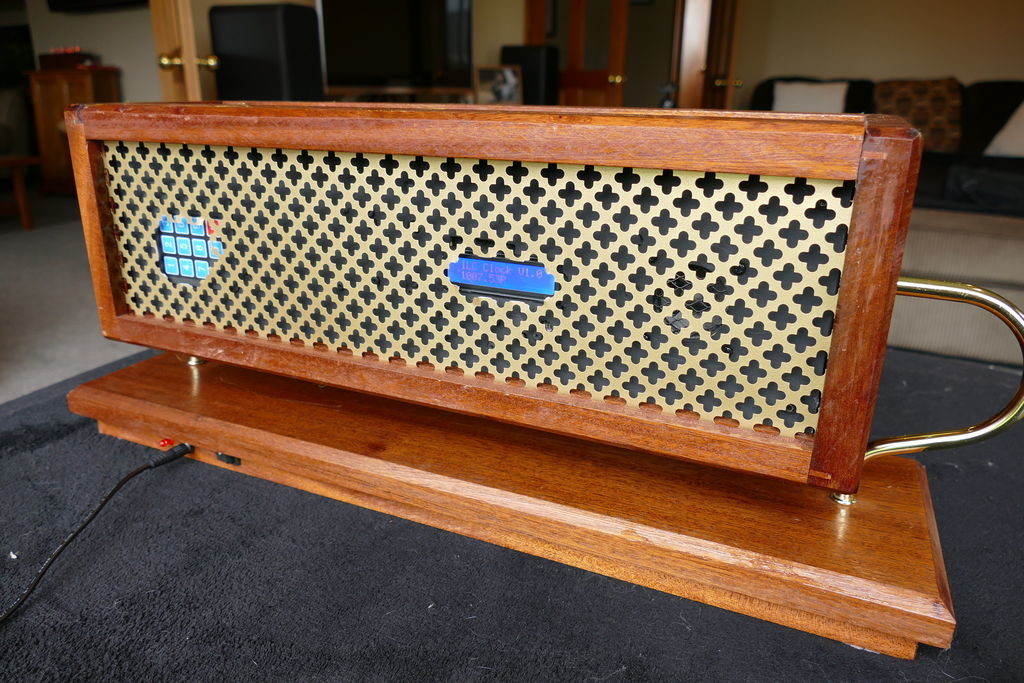
While OLED displays and the like are extremely versatile, there’s still something really charming about vintage VFD tubes. Christine Thompson (AKA ChristineNZ) in fact built her latest clock specifically to use eight ILC1-1/8L VFD tubes, which each stand nearly four inches tall.
The device is equipped with an Arduino Mega board, a MAX6921 VFD driver, a DS3231 RTC module, and a BME280 sensor that allows it to also show pressure, humidity and temperature in both Celsius and Fahrenheit.
The retro-themed timepiece packs a speaker and an MP3 module to play chimes every 15 minutes, and in addition to the digits on the front has a secondary display and control panel on the back for setup. The unit is housed in a mahogany frame with shaped copper supports, nicely complementing its glowing green numbers.
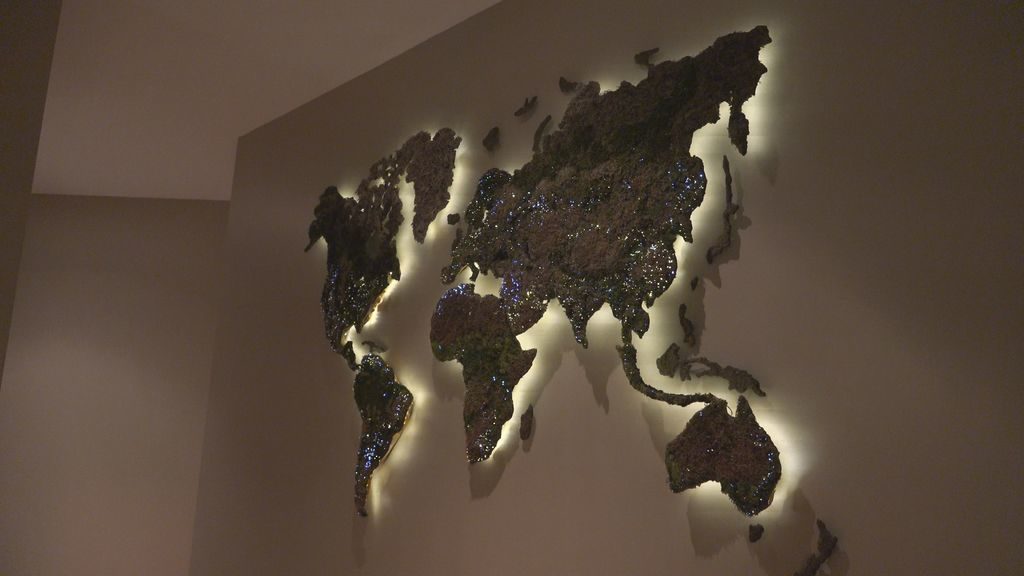
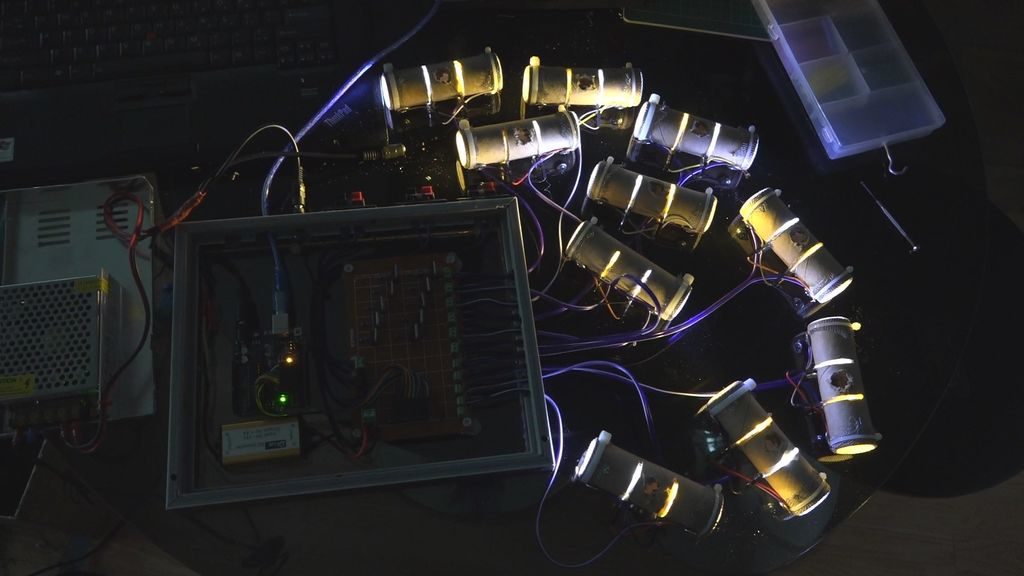
The build was completed in sections and pieced together to form the model, with moss-covered land masses and cities represented by fiber optic LEDs.
Illumination is provided by a series of LED units, which combine white and yellow light that is transmitted to small drilled-out holes via a large number of fiber optic strands. An Arduino controls the lighting via N-channel MOSFETs, allowing it to randomly vary the output for a pleasing and realistic effect.
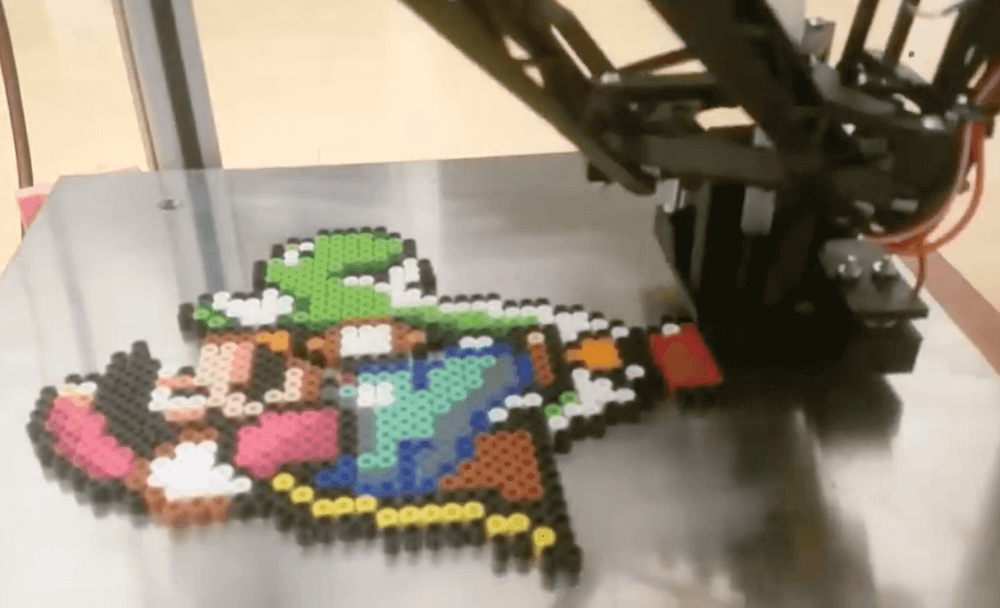
Perler beads allow you to make fun designs by melting these tiny colored objects together, but why arrange them by hand when you can have a machine do it for you? That’s the idea behind this hack by YouTuber knezult11, where a non-working 3D delta printer is heavily modified to dispense beads instead of filament.
The setup uses a Python program to analyze any image and select between the machine’s array of 64 bead colors for pixels, while control of the system itself is accomplished with the help of two Arduino boards.
Perlers are fed using tubes and mechanical actuators, creating beautiful sprites without the tedium of placing every single bead. Once done “printing,” the machine’s heated bed fuses the result together rather than the typical ironing method.
Live from Maker Faire Rome on Saturday, October 19th at 16.00 CET, Massimo Banzi and Luca Cipriani will push the button to release the new Arduino Pro IDE (alpha) — watch this space.
The hugely popular Arduino IDE software is easy-to-use for beginners, yet flexible enough for advanced users. Millions of you have used it as your everyday tool to program projects and applications. We’ve listened to your feedback though, and it’s time for a new enhanced version with features to appeal to the more advanced developers amongst you.
We are very excited to be releasing an “alpha” version of a completely new Development Environment for Arduino, the Arduino Pro IDE.
The main features in this initial alpha release of the new Pro IDE are:
Modern, fully featured development environment
Dual mode, classic mode (identical to the classic Arduino IDE) and pro mode (file system view)
New Board Manager
New Library Manager
Board List
Basic auto completion (Arm targets only)
Git integration
Serial Monitor
Black theme
But the new architecture opens the door to features that the Arduino community have been requesting like these that will be following on soon:
Sketch synchronisation with Arduino Create Editor
Debugger
Fully open to third party plug-ins
Support for additional languages than C++
The new Arduino Pro IDE is based on the latest technologies as follows:
Arduino CLI used in daemon mode is providing all the main Arduino features.
Electron the framework behind Eclipse Theia, allows the use of web technologies on desktop environments.
Available in Windows, Mac OSX and Linux64 versions; we need your help in improving the product. Before releasing the source code to move out of the alpha, we would greatly appreciate your feedback. Like all things in the Arduino community, we grow and develop together through your valued contributions. Please test the Arduino Pro IDE to it’s breaking point, we want to hear all the good and bad things you find. We’re open to recommendations for additional features, as well as hearing about any bugs you may find – there’s bound to be a few as it is an alpha version afterall!
Versions(released from 16.00 CET on Saturday, October 19th)
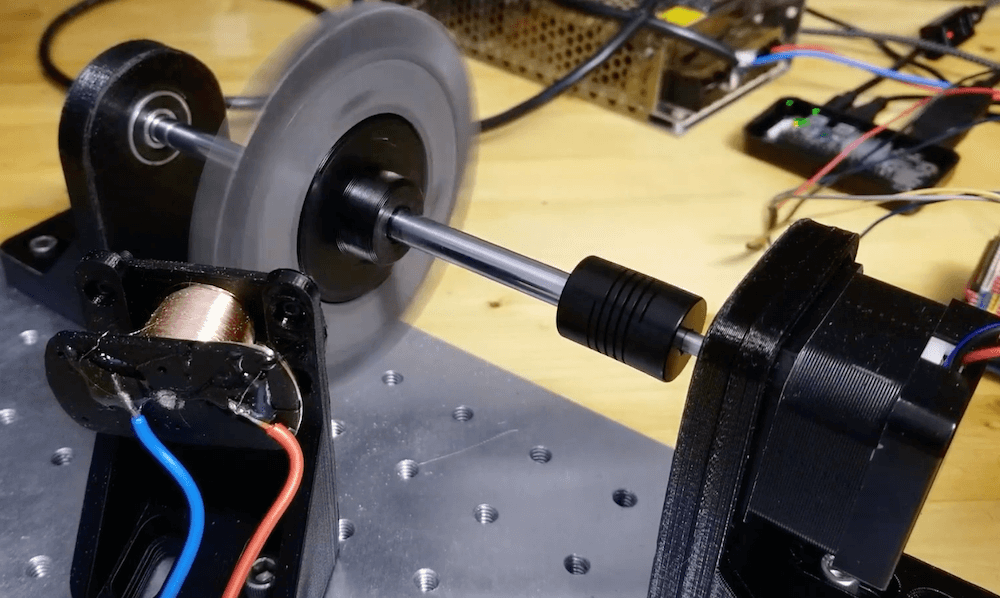
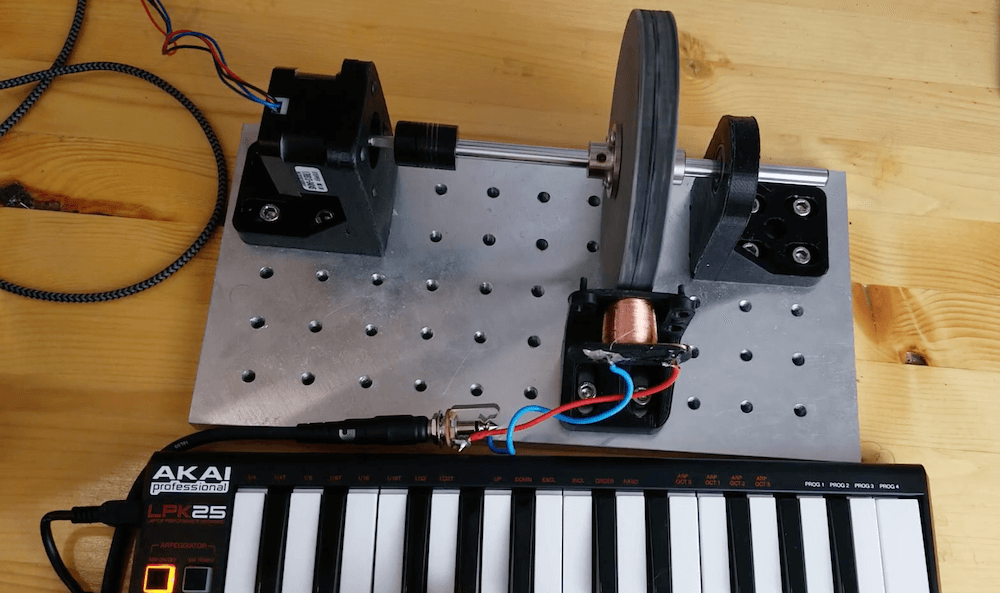
YouTuber “The Mixed Signal” has come up with a fun way to make music: spinning a gear-like ferromagnetic tonewheel next to a homemade coil pickup.
A stepper motor turns the wheel using a CNC shield under Arduino control. When set up, it’s simply a matter of programming in the proper speed via G-code to create the correct sound.
The concept isn’t entirely new, as this type of assembly was used in Hammond organs produced in the middle of the last century. The Mixed Signal’s project, however, is a very interesting take on this technology, with the use of 3D-printed parts including the iron-embedded tonewheel, as well as the integration of a MIDI keyboard.
Trigonometry is a struggle for some students. Perhaps one of the reasons for this is that instruction can be something of a one-way street, and concepts can be hard to grasp until more technical building blocks are learned.
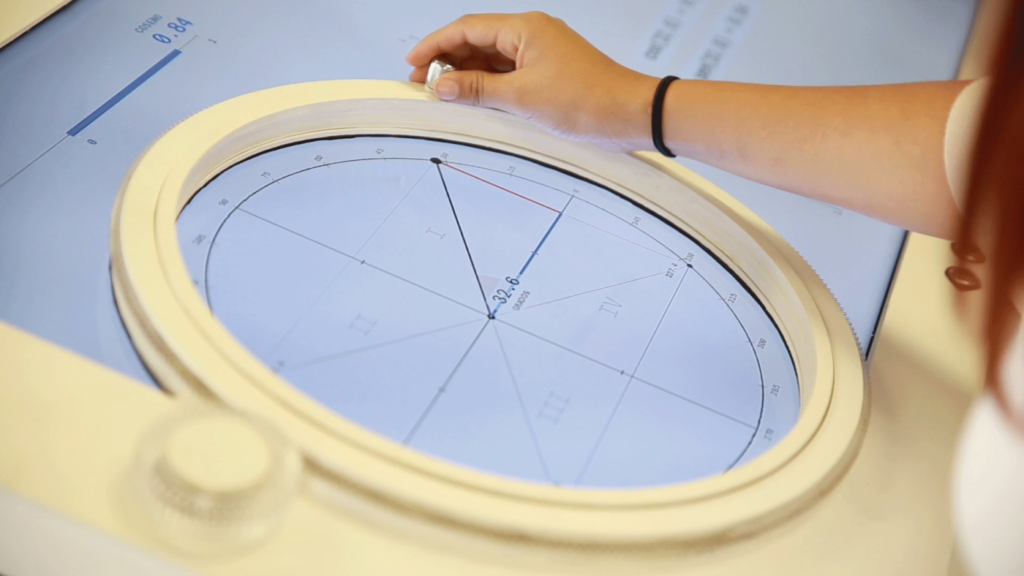
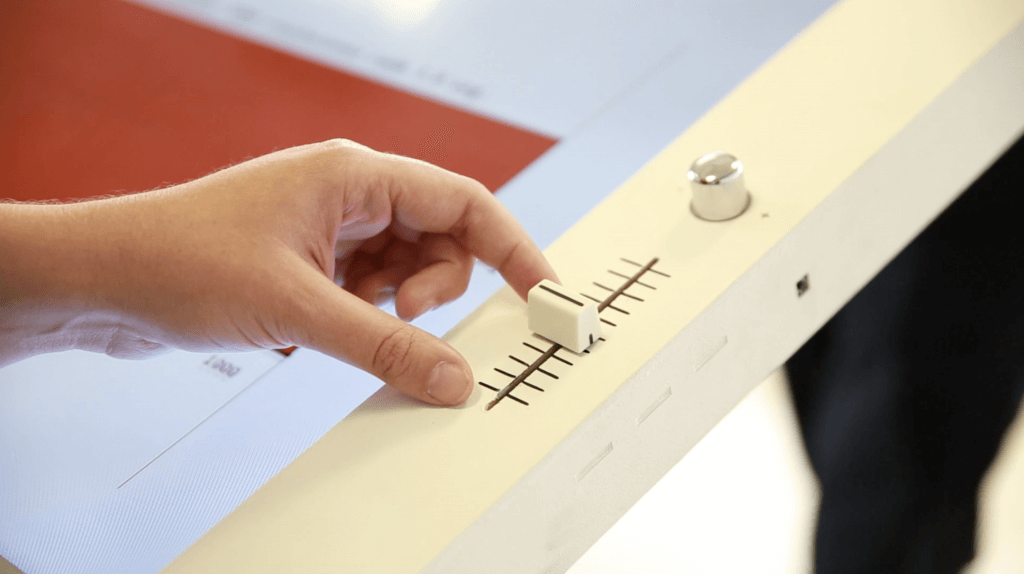
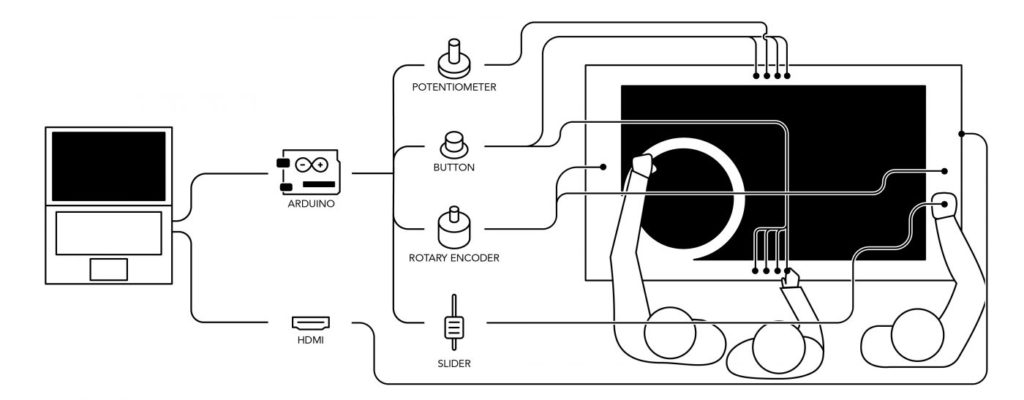
As seen here, researchers at the Universidad del Desarrollo in Chile aim to change that with a trigonometry tabletop display called TAMI, or Tangible Mathematics Interface. This nearly horizontal screen shows mathematical relationships, while allowing students to interact with them using physical controls.
The most prominent controller here is a large rotary wheel. Students rotate this to modify the angle shown in the middle, and observe how concepts like sine and cosine react to this manipulation. An Arduino Leonardo takes input from this and other controls, and passes it along to a computer. This then handles on-screen info and even plays sounds as needed!