Posts with «arduino» label

Art-O-Matic Is Spirograph’s Young Hip Offspring
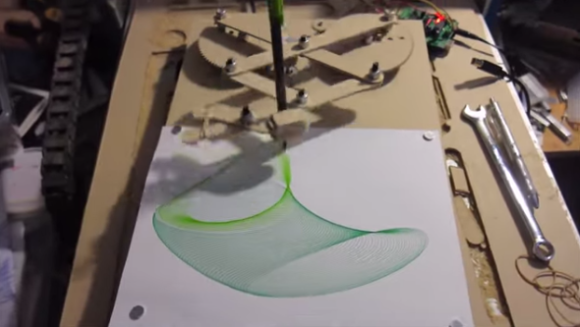
Some of our more senior experienced readers may remember a toy called the Spirograph. In case you don’t, it’s a geometric shape drawing toy. The way it works is a plastic disc with gear teeth around the perimeter and various holes on its face is spun around a plastic ring with gear teeth on the inside. A pencil is inserted in one of the holes in the disc and, when spun around the inside of the ring, draws different complex shapes called hypotrochoids.

This was fun enough to keep a kid entertained for a few minutes. It took a while to make a complete shape and sometimes it was easy to mess up (especially if the hole chosen for the pencil was near the outside of the disc). [Darcy] thought it would be neat to combine the Spirograph’s drawing style with modern technology. The result is called the Art-O-Matic and it draws some pretty wild art, you guessed it, automatically.

Click past the break for more!

[Darcy] started the project by drawing all the gears and linkages in Sketchup. A CNC Router was used to cut out the parts, after that just a few bolts and nuts got the mechanics together. In the video below there are 2 geared discs that move the linkage arms. Both arms move independently, one quickly and the other slowly. Each disc is controlled by its own stepper motor. The speed of each stepper motor is controlled by an Arduino. Different patterns are drawn depending on the speeds of the two motors. Switching pen colors along the way adds to the coolness.



Filed under: Arduino Hacks

The power of BLE goes Arduino At Heart with Blend Micro for your IOT projects


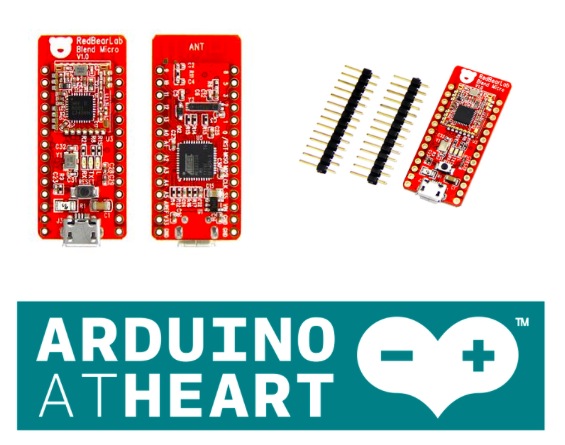
This week we are delighted to announce a new Arduino At Heart Partner targeted for makers to develop low power Internet-Of-Things (IoT) projects quickly and easily: Blend Micro.

Blend Micro, by ReadBearLab is an integrated developement board “blend”ing Arduino with Bluetooth 4.0 Low Energy (aka BLE or Bluetooth Smart) into a single board.

In the following videos, you can see how easy it is to use Blend Micro with the companion Apps for both iOS and Android. See how to control digital output, PWM and Servo, obtain readings from digital or analog inputs.

On their website you can find some sample codes on how to write your own Apps too. They soon will provide a boot loader update which allow the Blend Micro to be programmed over-the-air from Bluetooth Smart Ready portable devices and PCs, no USB wire is required for uploading the sketch.

If you want Blend Micro now, it’s available in the Arduino Store.


Papilio Duo: FPGA, Logic Analyzer, Debugger, and Arduino Compatible

It’s been a while since we’ve seen some new boards that combine an FPGA and an Arduino, so naturally the state of the art is a little bit behind. The latest from [Jack Gassett], the Papilio Duo, aims to change that by addressing all the complaints of the original Papilio and adding some neat, modern features that you would expect on a board designed in 2014.

On board the Duo is an ATMega32u4, the same chip used in the Arduino Leonardo, allowing for easy integration with your standard Arduino projects. The top of the board is where the real money is. There’s a Spartan 6 FPGA with 9k logic cells, enough to run emulate some of the classic computers of yore, including the famous SID chip, Yamaha YM2149, and the Atari POKEY (!).  With host and device USB, 512k or 2M of SRAM, and an ADC on the FPGA inputs, this board should be able to handle just about everything you would want to throw at it. There’s even a breakout for HDMI on the bottom.

There are a few interesting software features of the Duo, including a full debugger for the ATMega chip, thanks to an emulated Atmel JTAG ICE MKII. Yes, an Arduino-compatible board finally has a real debugger. The FPGA can also implement a 32 channel logic analyzer, making this not only an extremely powerful dev board, but also a useful tool to keep around the workbench.


Filed under: Crowd Funding, FPGA
Hack a Day 30 May 03:00

New Project: Model, Modify, and Make ModULO

When Evil Ninja Monster Ballerinas attack - ModULO can save the day! Build this 3D printed robot action figure for yourself.

Read more on MAKE

New Project: Build a Ball-Counting Robot Using Makeblock and Lego

Make your own Great Ball Contraption (GBC) using Lego and Makeblock.

Read more on MAKE

Hooked On ‘Ponics

AGponics is an Arduino-controlled modular aquaponics system.

Read more on MAKE

Physical Keys Not Just For Doors Anymore, Now Available For Windows

If you have ever forgotten your computer password after a long weekend or maybe you can remember it but just can’t seem to type it correctly, [Thomas] has a project for you. It’s a physical key that locks and unlocks your PC.

So how does it work? The heart of the project is an Arduino Leonardo. You may recall that this board is a bit different from the preceding Arduinos as it can enumerate on a host computer as a Human Interface Device (HID), such as a keyboard or mouse. The Arduino sketch continually reads an input pin using an internal pull-up resistor to make it logic high with the key switch connecting the signal to ground. When the Arduino sees the pin change from high to low, it sends out a keyboard command consisting of the Windows Key and “L”, which is the keyboard shortcut for locking the computer.

When the physical key is turned again, the Arduino sees the pin change back to a high state and it again emulates a keyboard but this time enters your password. You do have to include your password in the Arduino sketch for this to work. In addition, there are two LED’s wired up to show if the computer is locked or not, but you’ll be able to tell pretty quick when trying to get back to work.

The Arduino sketch and Frtitzing diagram are available at the above link in case you would like to make one yourself.


Filed under: computer hacks

The Lightgame Project: A Multiplayer Arduino Game

Summer is upon us. The Lightgame Project is a multiplayer reaction time based game built around the Arduino. It’s a perfect rainy day project for those restless kids (and adults!). Designed by two undergraduate students [Efstathios] and [Thodoris] for a semester long project, all the hard work has already been done for you.

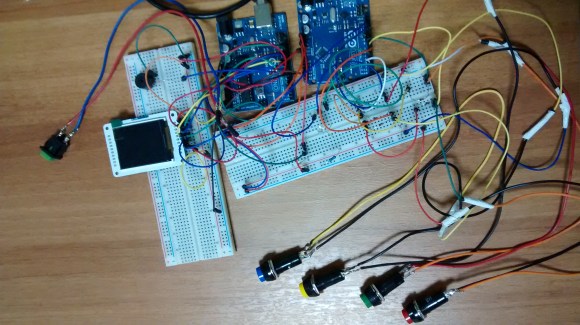
There are tons of reasons we love games that you can build yourself. For one, it’s an amazing way to get children interested in hobby electronics, making, and hacking. Especially when they can play the game with (and show off to) their friends. Another reason is that it is a perfect way to share your project with friends and family, showcasing what you have been learning. The game is based on your reaction time and whether or not you press your button when another players color is shown. The project is built around two Arduinos connected via I2C. The master handles the mechanics of the game, while the slave handles the TFT LCD and playing music through a buzzer.

I2C is a great communication protocol to be familiar with and this is a great project to give it a try. [Efstathios] and [Thodoris] did a great job writing up their post, plus they included all the code and schematics needed to build your own. It would be great to see more university professors foster open source hardware and software with their students. A special thanks goes out to [Dr. Dasygenis] for submitting his student’s work to us!


Filed under: Arduino Hacks
Hack a Day 29 May 03:00

Real-time tinkering on Intel Galileo using a mobile device

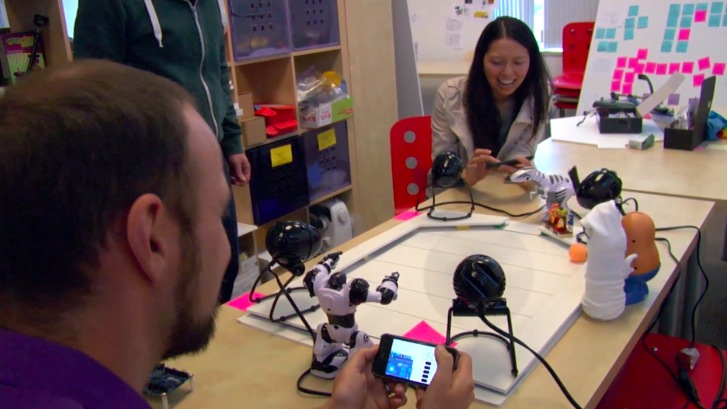
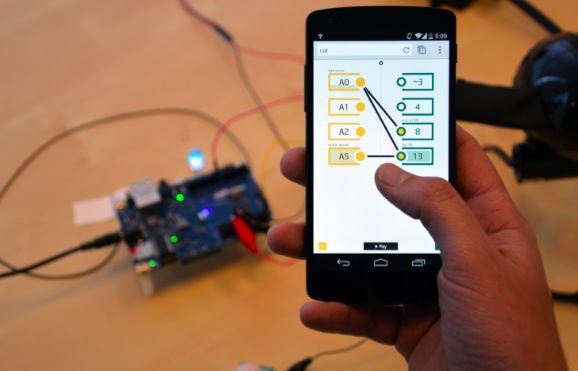
If you are a beginner and want to start prototyping easily with  Intel Galileo, it could be fun to use ConnectAnyThing. It  makes it easy for novices to start tinkering in hardware before jumping into example code and the IDE but it’s also useful for experienced builders that want to try something out really quickly.

To get started, you will need:

  • Galileo (with updated firmware)
  • Wi-Fi card and antenna.  (Tested with Centrino n-135, n-6205, n-6235)
  • Micro SD card, 2gb up to 32gb capacity, with ConnectAnyThing loaded (instructions on github)

Download the latest release of ConnectAnyThing, follow the instructions and enjoy tinkering: on a webpage you’ll be able to  read inputs and control outputs in real-time from your mobile device!

New Project: Print your Dream Robot: CIRKO

Come and make this mean, green, robotic machine ... make it laugh and make it sing!

Read more on MAKE