Posts with «arduino» label

DIY vending machine with Arduino

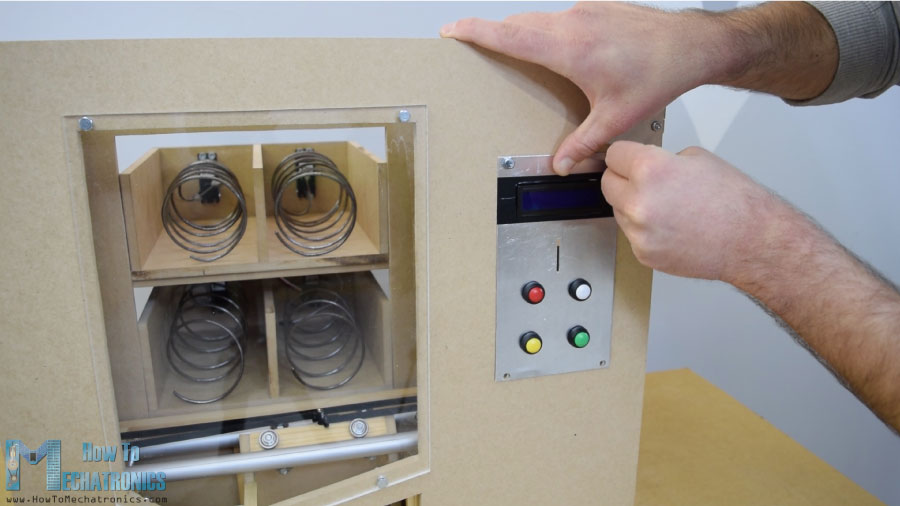
Have you ever wanted a vending machine for snacks but didn’t know where to start? With an Arduino Mega, some motors, and an infrared sensor to detect coins, Dejan Nedelkovski decided to build his own using only hand tools.

The DIY vending machine’s structure is made out of MDF, and uses wires bent into helical shapes to twist items out of four storage spaces with continuous rotation servos. While they could just drop to the bottom, Nedelkovski added a little extra flair and constructed an elevator system powered by stepper motors to gently lower the chosen treat to the exit opening.

You can see the project in action below, and find more details in Nedelkovski’s write-up here.

Sensing Soil Moisture: You’re Doing it Wrong!

If you compulsively search online for inexpensive microcontroller add-ons, you will see soil moisture measurement kits. [aka] built a greenhouse with a host of hacked hardware including lights and automatic watering. What caught our attention among all these was Step 5 in their instructions where [aka] explains why the cheap soil sensing probes aren’t worth their weight in potting soil. Even worse, they may leave vacationers with a mistaken sense of security over their unattended plants.

The sensing stakes, which come with a small amplifier, work splendidly out of the box, but if you recall, passing current through electrodes via moisture is the recipe for electrolysis and that has a pretty profound effect on metal. [Aka] shows us the effects of electrolysis on these probes and mentions that damaged probes will cease to give useful information which could lead to overworked pumps and flooded helpless plants.

There is an easy solution. Graphite probes are inexpensive to make yourself. Simply harvest them from pencils or buy woodless pencils from the art store. Add some wires and hold them with shrink tube, and you have probes which won’t fail you or your plants.

Here’s some garden automation if this only whet your whistle, and here’s a robotic friend who takes care of the weeds for you.


Filed under: green hacks

An excellent two-sided UV exposure box

If you want to make your own custom PCBs at home, one method is to paint a circuit board blank with photosensitive material, then expose the portion you don’t want to UV light using a printed transparency. After a process of etching and stripping, the correct traces are generated.

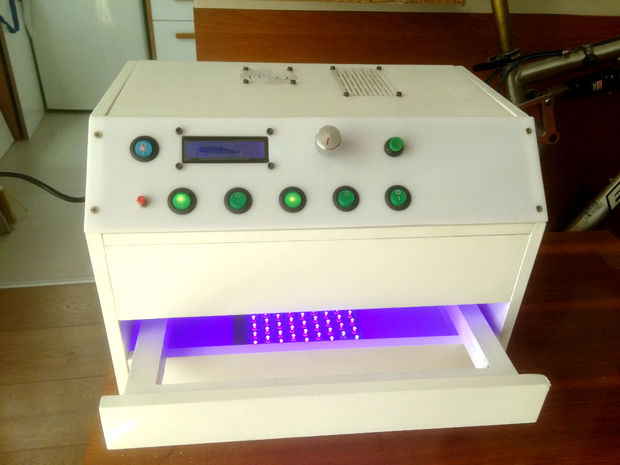
As seen here, in order to help with the UV process, GiorgiQ decided to create his own two-sided exposure box. It uses arrays of LEDs to produce the correct light, and an Arduino Nano for control.

The box itself is constructed out of MDF, white acrylic, and drawer slides to allow for easy insertion and extraction of the PCBs. It looks like an excellent tool, and his instructions would be a great place to start if you want to build your own!

Automated Chamber Passes Just the Right Gas

It sounds like an overly complicated method a supervillain would use to slowly and painfully eliminate enemies — a chamber with variable oxygen concentration. This automated environmental chamber isn’t for torturing suave MI6 agents, though; rather, it enables cancer research more-or-less on the cheap.

Tasked with building something to let his lab simulate the variable oxygen microenvironments found in some kinds of tumors, [RyanM415] first chose a standard lab incubator as a chamber to mix room air with bottled nitrogen. With a requirement to quickly vary the oxygen concentration from the normal 21% down to zero, he found that the large incubator took far too long to equilibrate, and so he switched to a small acrylic box. Equipped with a mixing fan, the smaller chamber quickly adjusts to setpoints, with an oxygen sensor providing feedback and controlling the gas valves via a pair of Arduinos. It’s quite a contraption, with floating ball flowmeters and stepper-actuated variable gas valves, but the results are impressive. If it weren’t for the $2000 oxygen sensor, [RyanM145] would have brought the whole project in for $500, but at least the lab can use the sensor elsewhere.

Modern biology and chemistry labs are target-rich environments for hacked instrumentation. From DIY incubators to cheap electrophoresis rigs, we’ve got you covered.


Filed under: chemistry hacks

Creating a classroom quiz machine with Arduino

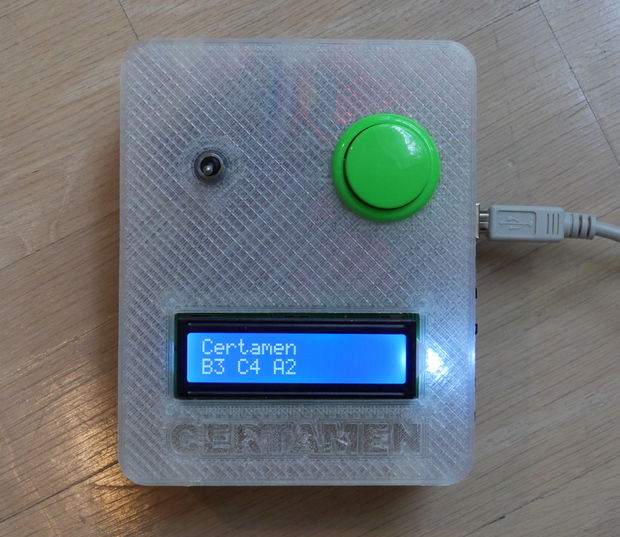
Quiz games, where contestants try to “buzz” in and answer questions make for fun televised game shows, but they can also be great for making learning fun. In order to avoid paying several hundred dollars for an official quiz machine, Instructables user “arpruss” decided to build one for his school using an Arduino Mega.

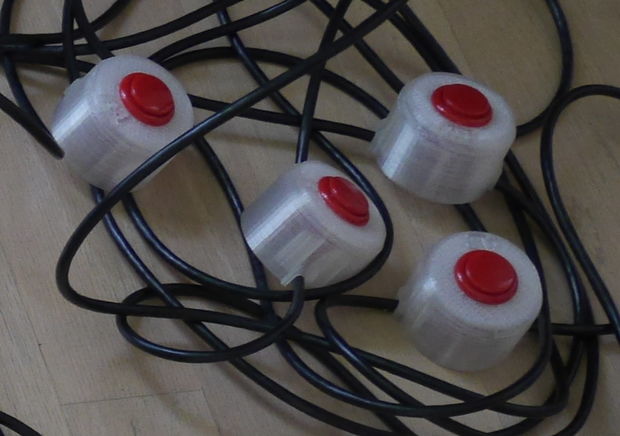
The device uses a series of CAT-6 cables to connect individual arcade-style buttons to a central control unit with RJ45 connectors, allowing each contestant to buzz in with an answer. While not approved for official competition, the system can pick out button presses down to a precision of 50 microseconds or less and displaying the order on an LCD screen, reliably determining the fastest individual nearly all of the time!

The Certamen quiz team competition from the Junior Classical League involves quiz questions on Greek/Roman subjects. Individual contestants press buzzer buttons when they have an answer. The machine keeps track of the order in which buttons were pressed, subject to the team-lockout rule that once a player on a team presses a button, the other presses from that team don’t count. The machine we built was for three teams of four players each. Additionally, so that other school groups could use the machine as a standard quiz machine, there is an option to disregard teams and just keep track of button order.

Want to create your own? Be sure to check out the project’s full tutorial here!

2 wheel self-balancing robot

2 wheel self-balancing robot

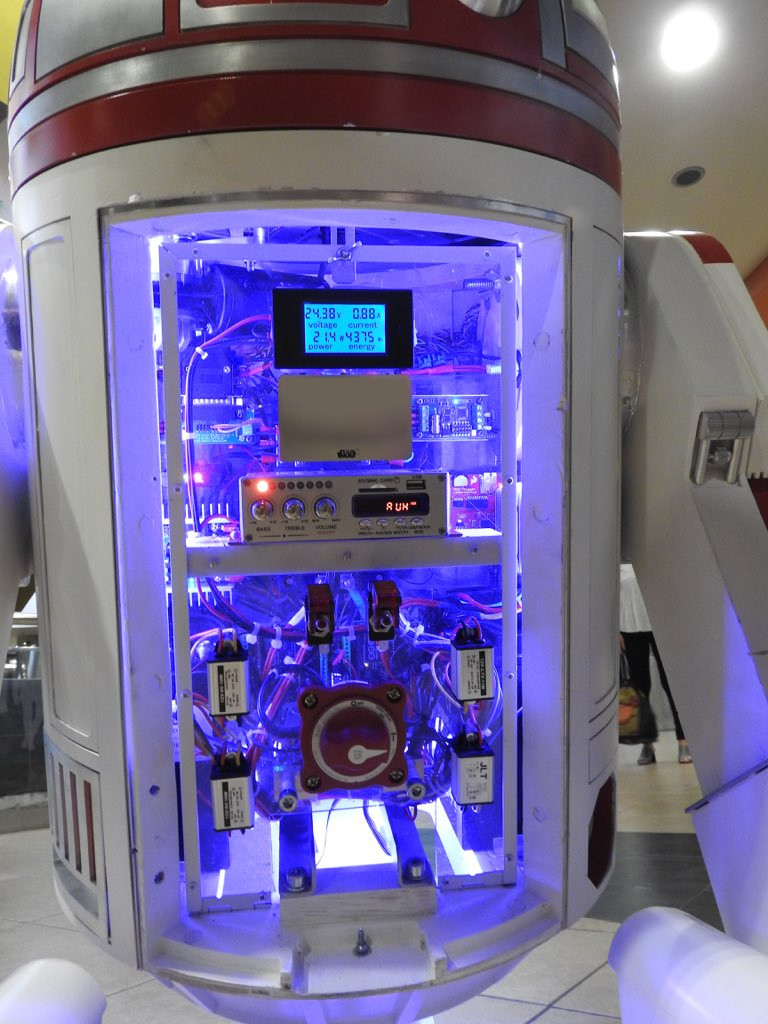
Star Wars fan builds an Arduino-powered R4-P17 replica

Alejandro Clavijo, together with his father Jerónimo, spent two years building the first official fan-made model of the R4-P17 Star Wars droid. For those not familiar with this family of droids, R4-P17 was the robot companion to the young Obi-Wan Kenobi.

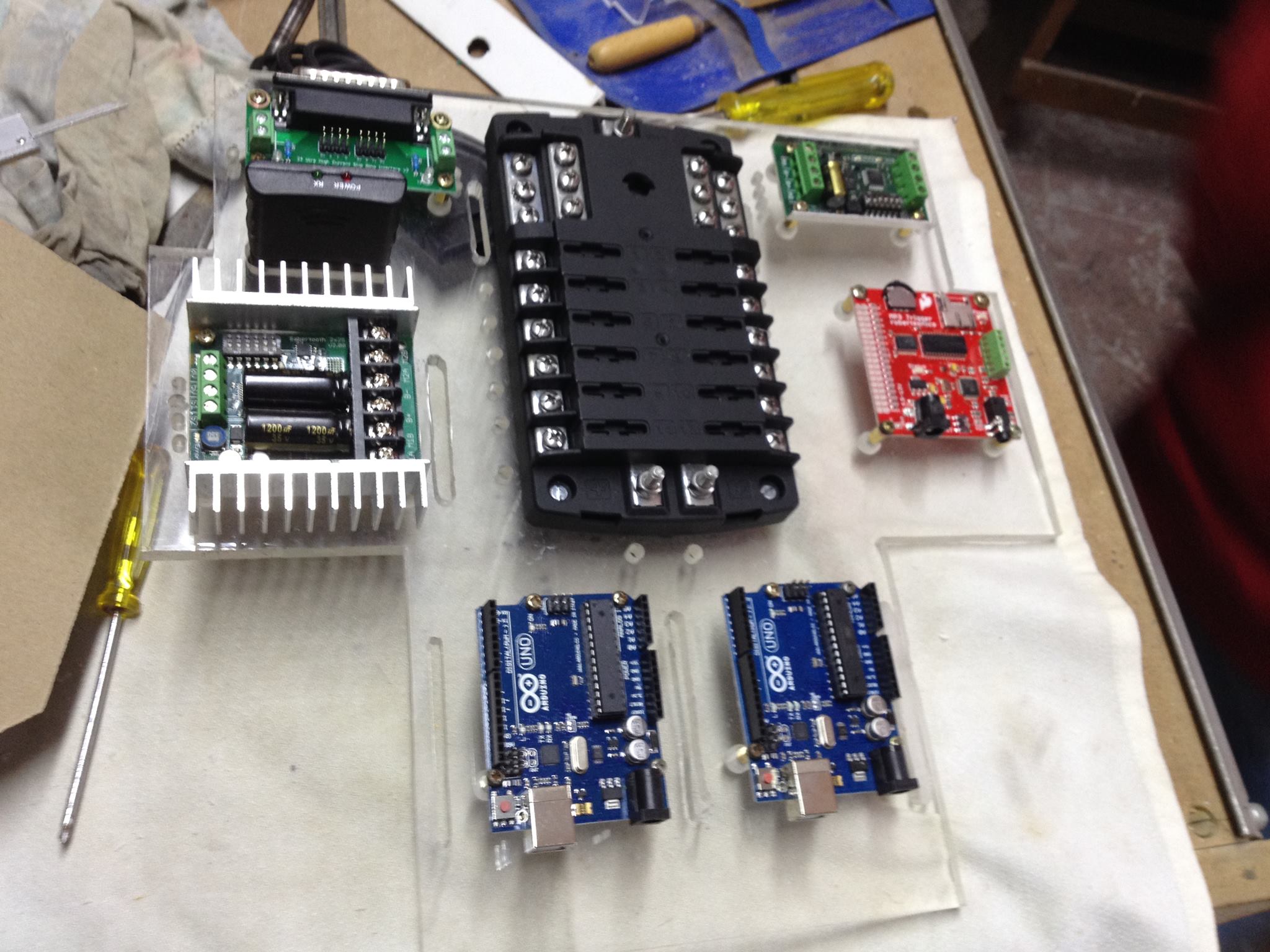
The replica is made of aluminum and wood, and runs on four Arduino boards. Impressively, the project has also been approved by Lucasfilm, the studio behind the saga, allowing Clavijo to bring it to official Star Wars events all over the world.

Clavijo sent us a bunch photos showing R4-P17’s construction, and more can be found over on its website. As you can imagine, the robot has been a big hit, already making several appearances on TV and in a number of blogs.

When not recreating Star Wars characters, Clavijo spends his days working as an engineer and has designed controls for “clean rooms” using Arduino Uno. You can see his design–made with CATIA–on Thingiverse.

Arduino Blog 13 Nov 19:40

This Week in Making: Hackaday 2017 Grand Prize Winner and DIY Pinball Machine

This week, check out the Grand Prize winner of Hackaday 2017: an open source underwater drone that's both cheap and easy to make.

Read more on MAKE

The post This Week in Making: Hackaday 2017 Grand Prize Winner and DIY Pinball Machine appeared first on Make: DIY Projects and Ideas for Makers.

Roll Your Own Arduino PWM

Most projects are built on abstractions. After all, few of us can create our own wire, our own transistors, or our own integrated circuits. A few months ago, [Julian Ilett] found a problem using the Arduino library for PWM. Recently, he revisited the issue and used his own PWM code to fix the problem. You can watch the video below.

Of course, neither the Arduino library nor [Julian’s] code is actually producing PWM. The Atmel CPU’s hardware is doing the work. The Arduino library gives you a wrapper called analogWrite — especially handy if you are not using an Atmel CPU where the same abstraction will do the same work. The issue arose when [Julian] broke the abstraction to invert the PWM output.

The video does a good job of framing the issue. Setting the PWM hardware to zero still causes a one tick output to occur. That is, the actual count is the count you supply plus one. That’s great on the high end where 255 is treated as 256 out of 256. But at the low end, a zero counterintuitively gives you 1/256. The Arduino library authors elected to detect that edge case and just force the output pin to go low in that case. When inverted, however, the pin still goes low when it ought to go high. You can see the source code responsible, below.

pinMode(pin, OUTPUT);
if (val == 0)
  {
  digitalWrite(pin, LOW);
  }
else if (val == 255)
  {
  digitalWrite(pin, HIGH);
  }
else
{ ...

Oddly, the 255 case appears to be superfluous in the normal case but is also backward if you invert the output. In all fairness, the Arduino library doesn’t provide you a way to invert the output, so you’ve already broken the abstraction and that’s why this isn’t technically a bug in the library.

[Julian’s] code is quite simple. There’s initial set up of the TCCR1A and TCCR1B registers along with ICR1. The DDRB register sets the pin as an output. After that, writing to OCR1A and OCR1B set the PWM value. The video explains it all in great detail.

We’ve looked at PWM on FPGAs at least once, and that post gives some background on PWM in any application. We also have our own video from way back in 2011 about PWM.


Filed under: Arduino Hacks
Hack a Day 12 Nov 12:00