Posts with «arduino» label

Reviving an Electron Microscope with Arduino

We don’t know about you, but when our friends ask us if we want to help them fix something, they’re usually talking about their computer, phone, or car. So far it’s never been about helping them rebuild an old electron microscope. But that’s exactly the request [Benjamin Blundell] got when a friend from a local hackerspace asked if he could take a look at a vintage Cambridge Stereoscan 200 they had found abandoned in a shed. Clearly we’re hanging out with the wrong group of people.

As you might imagine, the microscope was in desperate need of some love after spending time in considerably less than ideal conditions. While some of the hackerspace members started tackling the hardware side of the machine, [Benjamin] was tasked with finding a way to recover the contents of the scope’s ROM. While he’s still working on verification, the dumps he’s made so far of the various ROMs living inside the Stereoscan 200 have been promising and he believes he’s on the right track.

The microscope uses a mix of Texas Instruments 25L32 and 2516 chips, which [Benjamin] had to carefully pry out after making sure to document everything so he knew what went where. A few of the chips weren’t keen on being pulled from their home of 30-odd years, so there were a few broken pins, but on the whole the operation was a success.

Each chip was placed in a breadboard and wired up to an Arduino Mega, as it has enough digital pins to connect without needing a shift register. With the wiring fairly straightforward, [Benjamin] just needed to write up some code to read the contents of the chip, which he has graciously provided anyone else who might be working on a similar project. At this point he hasn’t found anything identifiable in his ROM dumps to prove that they’ve been made successfully, all he really knows right now is that he has something. At least it’s a start.

More and more of these older electron microscopes are getting a second lease on life thanks to dedicated hackers in their home labs. Makes you wonder if there’s ever going to be a piece of hardware the hacker community won’t bend to their will.

Designing a fake dynamic price tag

Wile we know on some level that prices adjust to market conditions, with Amazon now owning Whole Foods, one could perhaps see a day when this happens electronically and instantaneously.

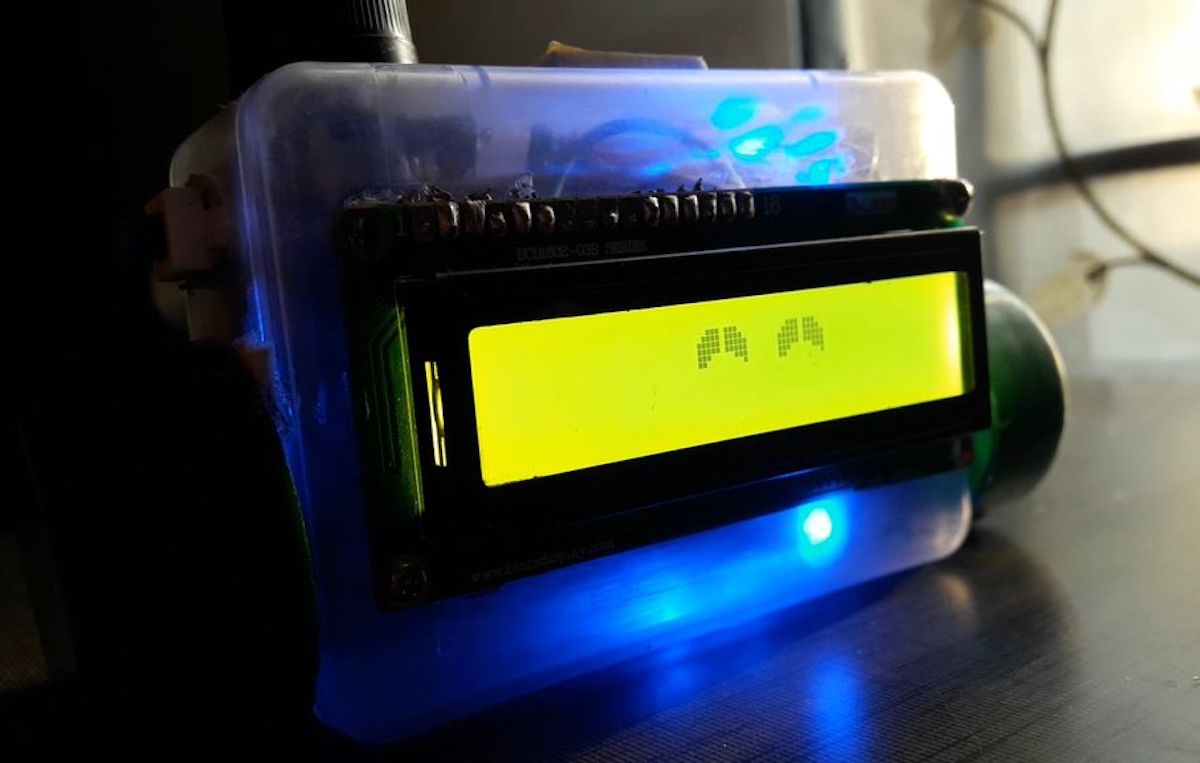
To get a preview of what this might look like, maker “msbirfday” decided to create a random price generator based on an Arduino Uno and a 16×2 LED display. This was then disguised as an official price tag, and set up in a store to observe how shoppers reacted.

The unit blends in nicely, and while employees might get annoyed at the device, it’s certainly an ingenious prank.

Amazon’s recent acquisition of Whole Foods Market made us wonder: what’s stopping dynamic pricing from stepping into the physical world of retail? What if the prices in a supermarket were just as flexible as those online?

Check out how it was made here, and see it in action in the video below!

Chat with Eve, the Arduino chatterbot

If you ever find yourself needing someone to talk to and can’t find a confidant—or perhaps even a pet—then the Eve chatbot by Debashish Buragohain will happily fill in.

This little robot uses Google Voice Recognition on an Android phone to listen to what you say and convert it to text, then pipes it over to the Arduino-based robot via Bluetooth. Eve processes the information and emits the proper audio response, stored on an MP3 sound module. Along with audio feedback, the robot’s LCD screen is able to form simple facial expressions to help convey emotions.

If you’d like to build your own, instructions and the needed files can be found here. You can also see Eve pleasantly chatting away in the video below!

Quadruped robot made entirely out of cardboard

Walking robots can be a lot of fun, but many people would logically think that they need CNC equipment or a 3D printer to make this sort of bot. Creator “Raz85,” however, shows that this isn’t actually required, and built a quadruped using a structure comprised entirely out of corrugated cardboard.

Each of the four legs are driven using 9g micro servos, controlled by an Arduino Nano. A human operates the spider-inspired robot with a remote consisting of an Arduino Uno and a small joystick module, while pair of NRF24L01 radio transceivers provide a link between the robot and controller.

Despite its simple construction, the quadruped moves around impressively well…

Traktorino is an open-source DIY MIDI controller for DJs

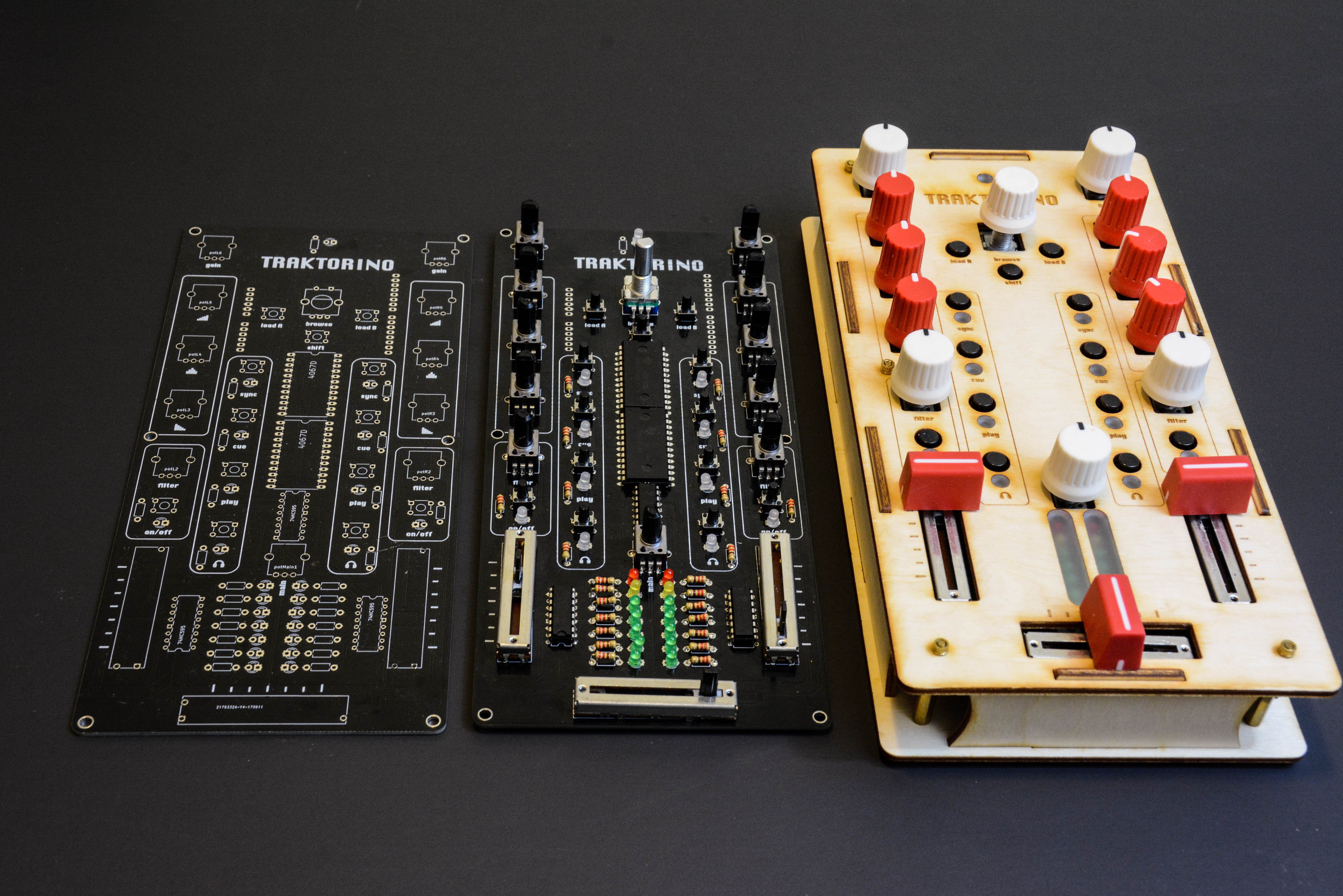
A keyboard and mouse is a great user interface system for general computing tasks, but in other situations custom knobs, sliders, and lights would certainly be more fun. If you enjoy making digital music, then you should check out this low-cost, Arduino-based MIDI controller by Nerd Musician.

The Traktorino gives you access to a plethora of knobs and sliders, as well as LEDs for custom feedback in a laser-cut package. Internally, the device acts as an Arduino Uno shield, and is designed to control Traktor DJ software by default. It also supports other MIDI programs, and perhaps could even be adapted to work with other applications as well.

The Traktorino is a MIDI class compliant device, designed for controlling Traktor. It has several features and custom made mappings, so you can take the most of the software. However, it can do much more than that. The Traktorino can control any software that accepts MIDI, like Ableton Live, Serato, FL Studio, Logic, etc.

More information and build files can be found here and on GitHub. You can see it in action in the video below!

This window blinds controller follows the sun

Blinds let you see out and let the light into your dwelling, then flip them down when you need privacy or darkness. They do, however, have their disadvantages in that the cords constantly get mixed up and tangled, and—most importantly—they’re not automated!

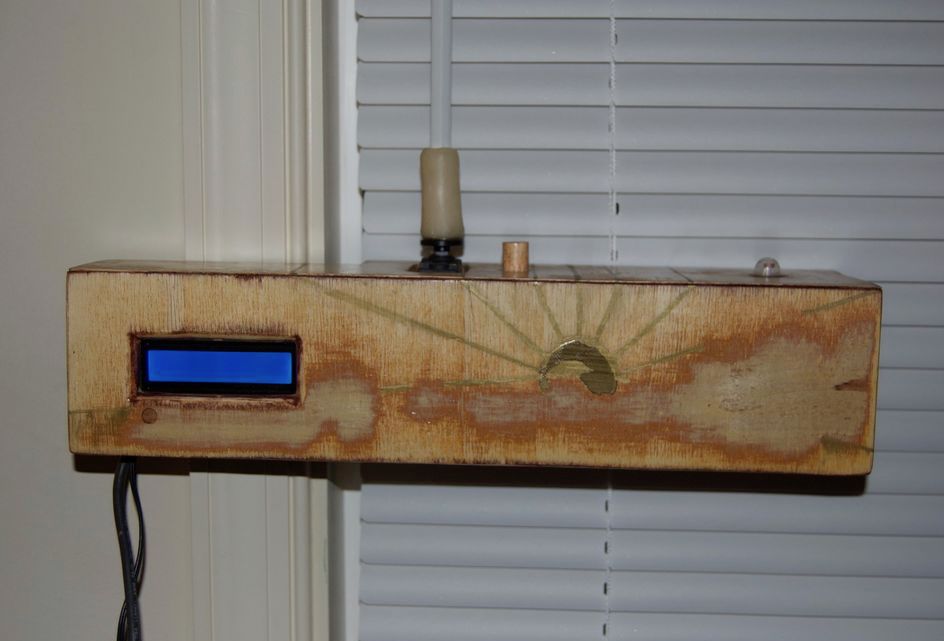
While we’ve seen several mods to the holder assembly for automation, cmp3mt’s device puts a different spin on things, holding the control rod with a sleeve made out of polymer clay, allowing it to turn with a continuous rotation servo.

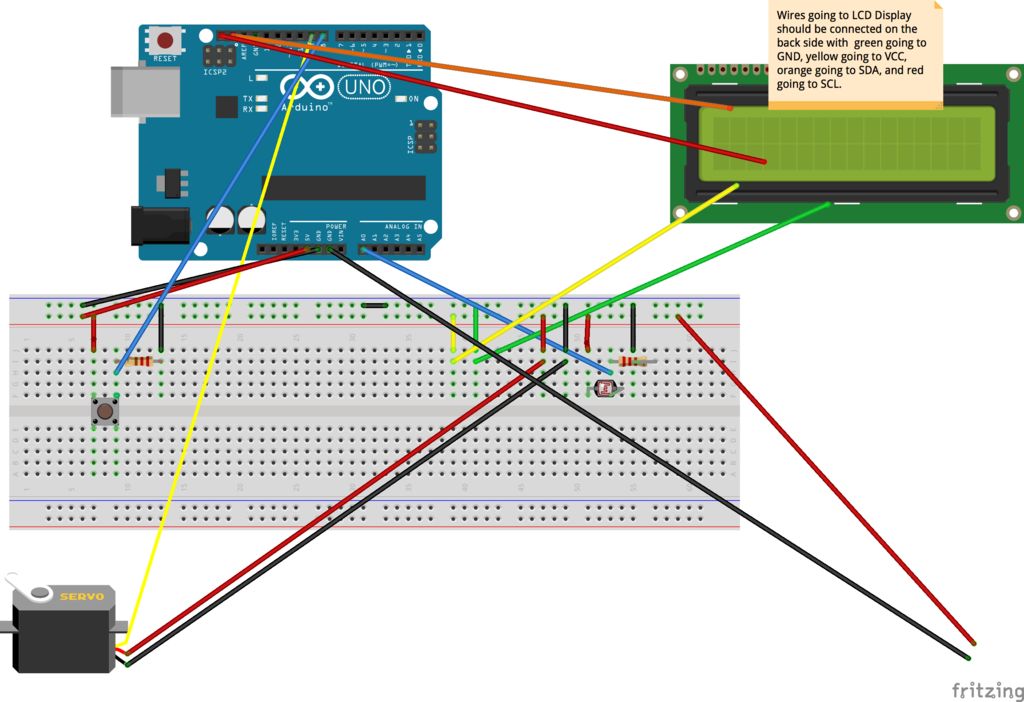
The setup is powered by an Arduino Uno and features an LCD display for user feedback. A button is used for manual control, or it can operate via a timer or even based on a light-dependent resistor that enables it to open and close with the sun.

A Well-Chronicled Adventure in Tiny Robotics

Some of us get into robotics dreaming of big heavy metal, some of us go in the opposite direction to build tiny robots scurrying around our tabletops. Our Hackaday.io community has no shortage of robots both big and small, each an expression of its maker’s ideals. For 2018 Hackaday Prize, [Bill Weiler] entered his vision in the form of Project Johnson Tiny Robot.

[Bill] is well aware of the challenges presented by working at a scale this small. (If he wasn’t before, he certainly is now…) Forging ahead with his ideas on how to build a tiny robot, and it’ll be interesting to see how they pan out. Though no matter the results, he has already earned our praise for setting aside the time to document his progress in detail and share his experience with the community. We can all follow along with his discoveries, disappointments, and triumphs. Learning about durometer scale in the context of rubber-band tires. Exploring features and limitations of Bluetooth hardware and writing code for said hardware. Debugging problems in the circuit board. And of course the best part – seeing prototypes assembled and running around!

As of this writing, [Bill] had just completed assembly of his V2 prototype which highlighted some issues for further development. Given his trend of documenting and sharing, soon we’ll be able to read about diagnosing the problems and how they’ll be addressed. It’s great to have a thoroughly documented project and we warmly welcome his robot to the ranks of cool tiny robots of Hackaday.io.

Pavement Projection Provides Better Bicycle Visibility at Night

Few would question the health benefits of ditching the car in favor of a bicycle ride to work — it’s good for the body, and it can be a refreshing relief from rat race commuting. But it’s not without its perils, especially when one works late and returns after dark. Most car versus bicycle accidents occur in the early evening, and most are attributed to drivers just not seeing cyclists in the waning light of day.

To decrease his odds of becoming a statistics and increase his time on two wheels, [Dave Schneider] decided to build a better bike light. Concerned mainly with getting clipped from the rear, and having discounted the commercially available rear-mounted blinkenlights and wheel-mounted persistence of vision displays as insufficiently visible, [Dave] looked for ways to give drivers as many cues as possible. Noticing that his POV light cast a nice ground effect, he came up with a pavement projecting display using four flashlights. The red LED lights are arranged to flash onto the roadway in sequence, using the bike’s motion to sweep out a sort of POV “bumper” to guide motorists around the bike. The flashlight batteries were replaced with wooden plugs wired to the Li-ion battery pack and DC-DC converter in the saddle bag, with an Arduino tasked with the flashing duty.

The picture above shows a long exposure of the lights in action, and it looks very effective. We can’t help but think of ways to improve this: perhaps one flashlight with a servo-controlled mirror? Or variable flashing frequency based on speed? Maybe moving the pavement projection up front for a head-down display would be a nice addition too.

There’s More To MIDI Than Music – How About A Light Show?

MIDI instruments and controllers are fun devices if you want to combine your interest in music and electronics in a single project. Breaking music down into standardized, digital signals can technically turn anything with a button or a sensor into a musical instrument or effect pedal. On the other hand, the receiving end of the MIDI signal is mostly overlooked.

[FuseBerry], a music connoisseur with a background in electronics and computer science, always wanted to build a custom MIDI device, but instead of an instrument, he ended up with a MIDI controlled light show in the shape of an exploded truncated icosahedron ([FuseBerry]’s effort to look up that name shouldn’t go unnoticed). He designed and 3D-printed all the individual geometric shapes, and painstakingly equipped them with LEDs from a WS2818B strip. An Arduino Uno controls those LEDS, and receives the MIDI signals through a regular 5-pin DIN MIDI connector that is attached to the Arduino’s UART interface.

The LEDs are mapped to pre-defined MIDI notes, so whenever one of them is played, and their NoteOn message is received, the LEDs light up accordingly. [FuseBerry] uses his go-to DAW to create the light patterns, but any software / device that can send MIDI messages should do the trick. In the project’s current state, the light pattern needs to be created manually, but with some adjustments to the Arduino code, that could be more automated, something along the lines of this MIDI controlled Christmas light show.

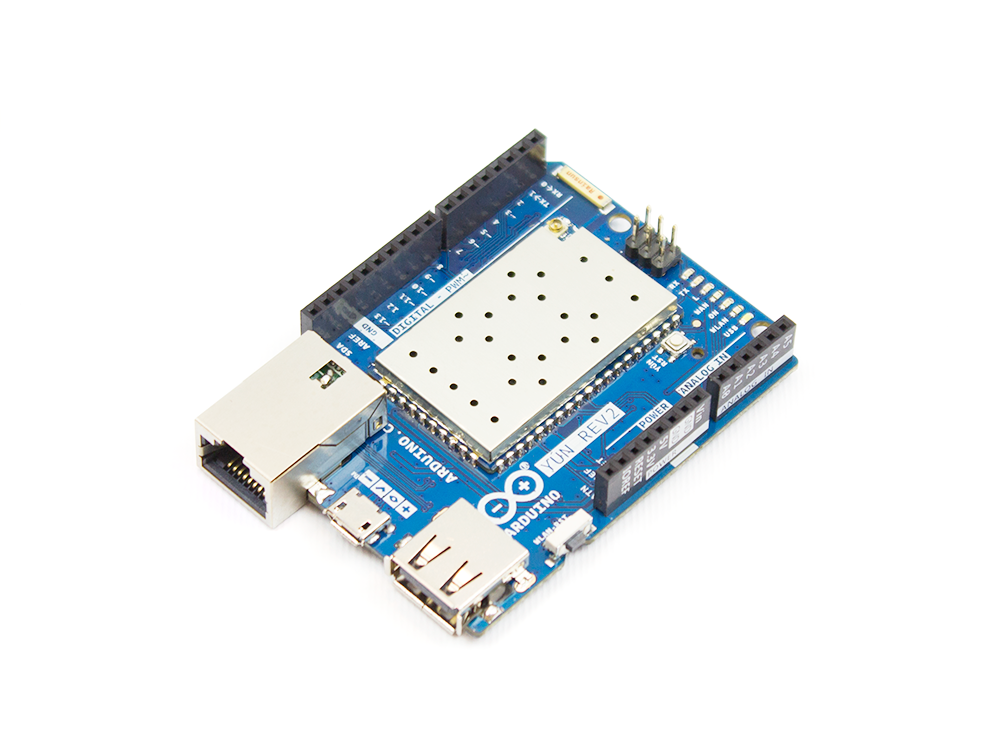
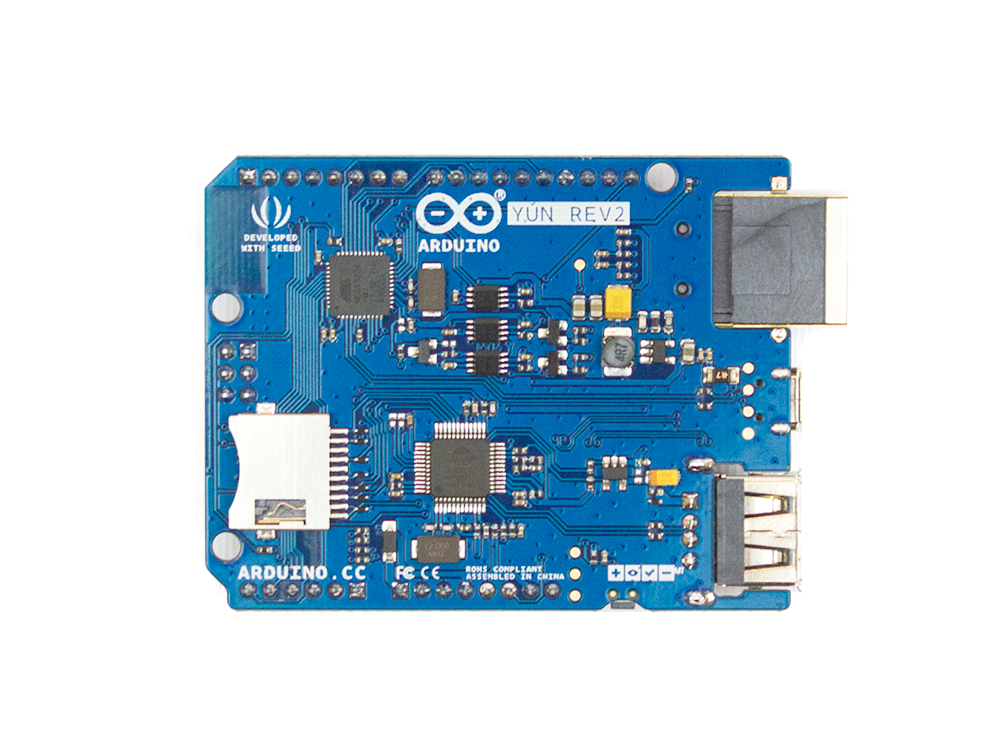
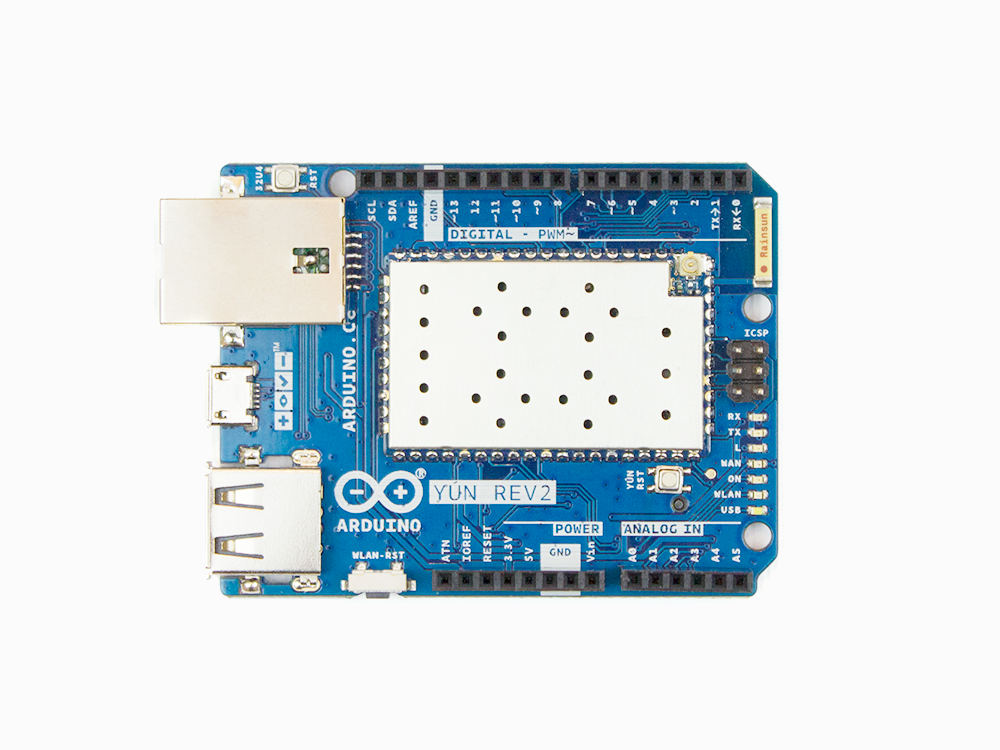
Arduino Yùn Rev.2 is here!

Since its launch in 2013, the Yùn–a small Linux machine and a microcontroller in a small Arduino form factor–found its way into hundreds of thousands of projects and professional applications. Last year, we decided that it was time for a refresh and began working hard to develop a true open-source design, with more compelling features and better overall software support.

The new board, which is expected to hit the market in the second half of April, will include enhanced functionality and compatibility with its predecessor.

Why a New Yùn

The Yùn enjoyed tremendous success; however, it ended up being affected by the internal issues we dealt with over the past couple of years and support has been quite intermittent.

For example, the board was never really an open-source product and the software had some challenges that we wanted to fix, especially from a security point of view.

What’s New in Rev.2

Hardware:  

  • Much better, more robust power supply
  • New Ethernet connector with a clever mounting solution that enables the use of all possible shields with no risk for accidental short circuits
  • Horizontal USB connector to save vertical space
  • Improved USB hub

Software: 

  • Software stack updated to OpenWRT latest version, including all patches
  • SSL support on the bridge Arduino / Linux bridge

Yùn Rev.2 is scheduled to begin shipping in April. Until then, you can stay up-to-date by clicking “NOTIFY ME” on our store.