Posts with «arduino» label

Thursday Night Live(cast) with your host David Cuartielles
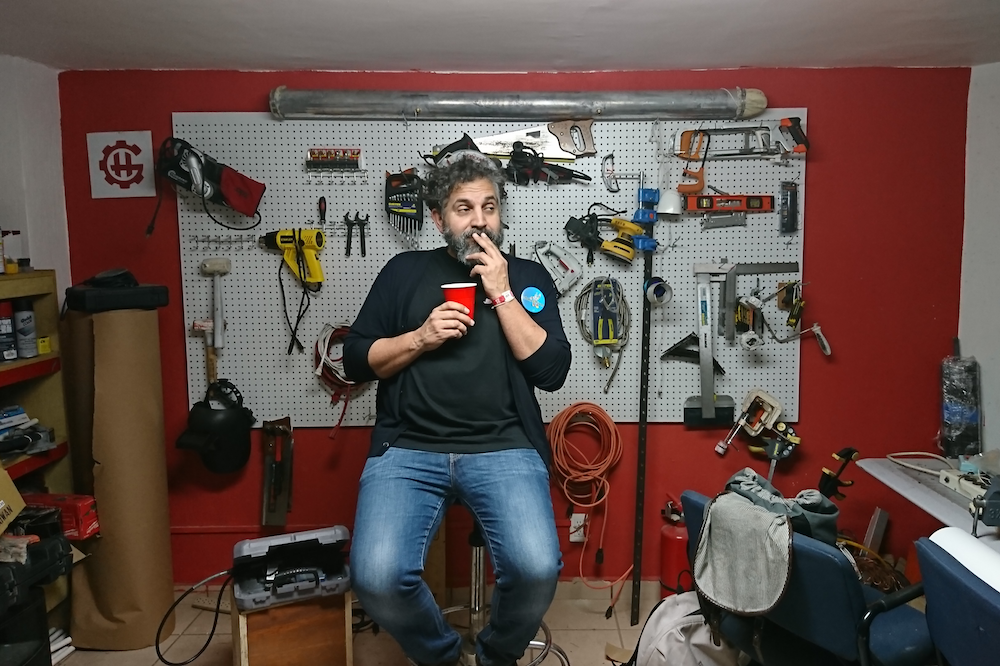
Why livecasting from Arduino Education

About a month ago we started livecasting from Arduino’s YouTube channel. This is something I had been willing to do for quite some time, but I never figured out the way to make room in my agenda to fit the planning required to make it happen. Technology has changed a lot over the last couple of years and it is relatively easy to start broadcasting from anywhere given there is an Internet connection. Not only has the tech for transmission evolved, there are also several options on where to send the video so that others can watch it whether live or in its recorded form later.

What we are excited about

We want to reach you when you’re commuting to/from school and have some time to chat about things that matter in the field of tech and education. We want to test LIVE experiments made by others and see whether we get the same results. We want to showcase projects from the Arduino community that are relevant for those involved in education. We want to give a voice to makers from all over the world that we meet when traveling (something I do often). We want to fail on air, and get help from the chat to fix things. We want to have a more inclusive audience. Livecasting is a quick and honest way to approach all of this, minimizing the impact in terms of the amount of resources needed to put it in place.

Our yearly livecasting plan

Even if the livecasts will be super LoFi in nature, it doesn’t mean we will not be thinking carefully about the content to be presented in them. We have prepared a (preliminary) agenda all the way to 2019. While the exact topics of the livecasts are open to change, we will keep a balance between technical casts, interviews, project presentations, and basic introductory sessions for those starting. We will air in English on Thursdays at 7pm CEST (CET) unless there’s a holiday, in which case we’ll try on an earlier day that same week. Some weeks we might transmit more than once, like e.g. if we find ourselves at a conference or event where there might be something meaningful to inform you about.

That said, follows an overview of the livecasts we have planned to make (along with those that have already taken place).

In the program you will see how some of the livecasts are actually sponsored by the eCraft2Learn EU research project. This is a project we have been working with for over a year, where our role is to provide teachers interested in Arduino related topics with introductory tutorials to the technology. We call those livecasts “teacher tutorials.”
List of Livecasts: past and (near) future

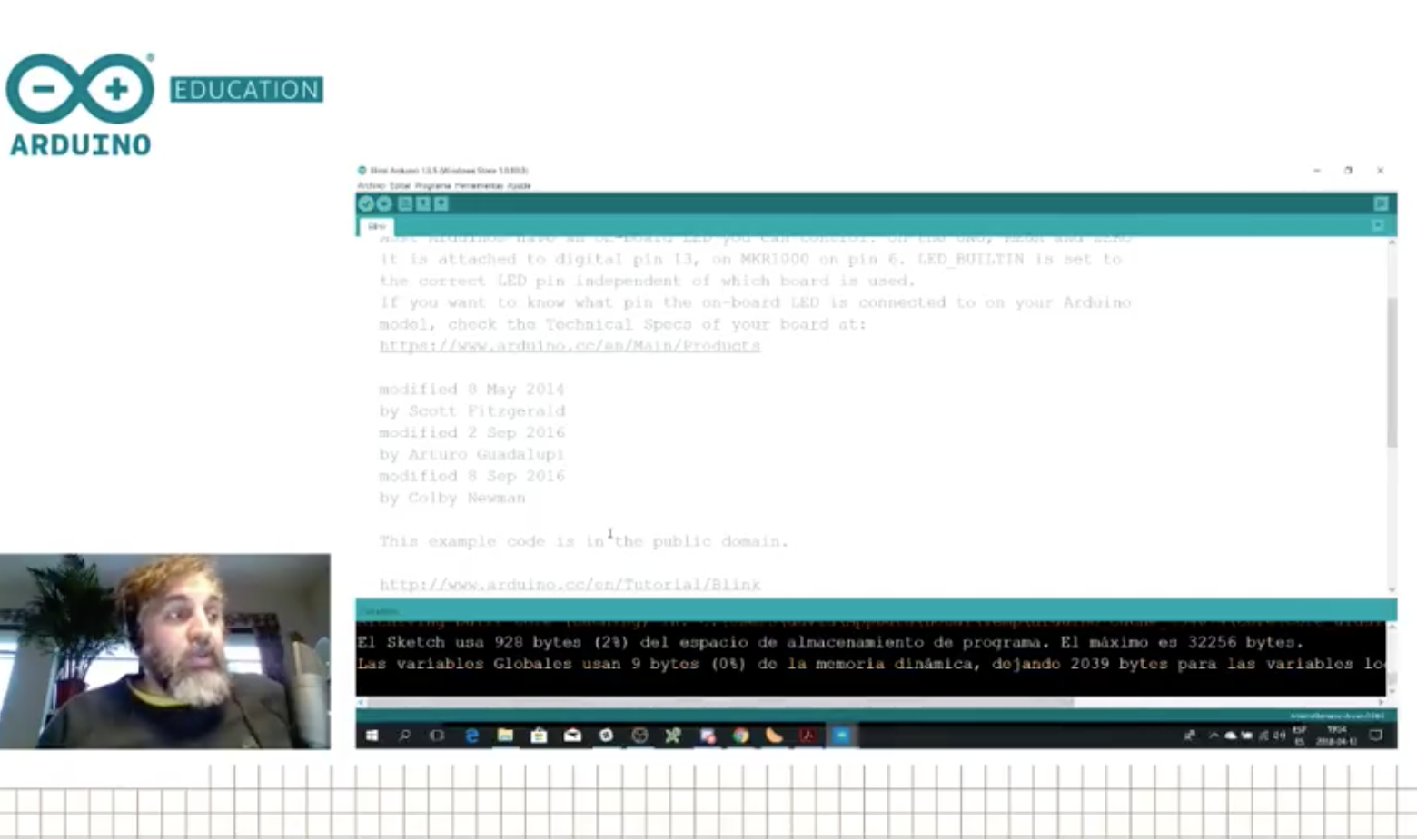
Teacher Tutorial 1: Introduction to Arduino and the popular Arduino Uno board. (Please note that the audio was not good in this transmission, we have learned a lot since then.) 

Hacking STEM 1:  A water quality sensor experiment, where we took one of the Microsoft Hacking STEM projects and replicated it. The building process went fine, but the sensor gave us some trouble because of some alligator clips.

Sensors Q&A 1: We are always receiving questions about how different sensors work. Here we devoted one session to test different temperature sensors… ah, and we threw an Arduino Uno into the frozen sea and proved it works (after drying up).

Live from Hackergarage GDL, Mexico: We interviewed a series of people from the Mexican maker scene. People from all over the country came to Guadalajara for an event and we managed to squeeze in a series of live interviews.

Live from Hacedores CDMX, Mexico: We went to Mexico City and interviewed the founder of the Hacedores MakerSpace, Antonio Quirarte, who could also be considered one of the founding parents of the Mexican make scene. We had a great talk and he showed some of the educational projects they have been working with for some time. Are you into weather stations? Then this is your podcast!

Teacher Tutorial 2: Learn about Arduino’s classic IDE and how it differs from the new online Create IDE. We also found out about the Microsoft OneDrive issue with the classic IDE (bug that will be solved in the next release).

April 18th (between 10AM and 12AM CEST) – Live from CTC Valencia Faire: We will be transmitting live from the museum Ciudad de las Artes y las Ciencias, showing projects made by students participating in the CTC initiative.

April 19th – CTC Projects 1: We will dissect a CTC project made by students and try to replicate it, to some extent, with whatever materials we have in our office.

April 26th – Microsoft Hacking STEM Project 2: Yet another project from the Microsoft Hacking STEM collection.

May 3rd -Teacher Tutorial 3: Learn how to extend Arduino’s classic IDE, add libraries, use other cores, etc.

May 10th – CTC Projects 2

May 17th – Real World Applications: Let’s look at a project where Arduino is being used in the wild to see how it could inspire our students to think more about this kind of design cases.

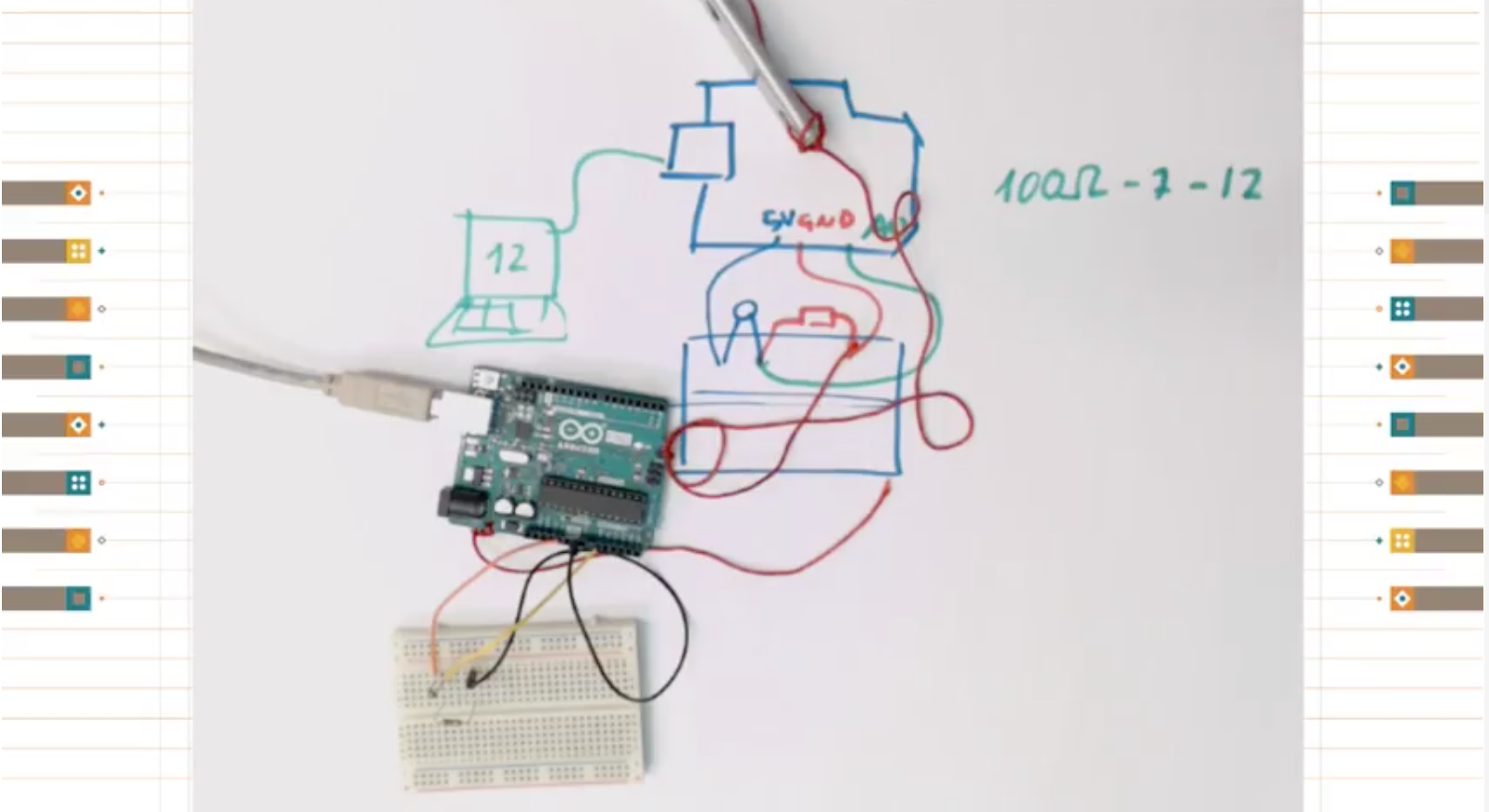
May 24th – Teacher Tutorial 4: Electronics and electricity basis

May 31st – CTC Projects 3

June 7th – Microsoft Hacking STEM Project 3

June 14th – Summer Projects: What can you do with Arduino this summer?

There is a full agenda, although it may be a bit too much to include in this blog post. We will update you with more details in the coming weeks, so stay tuned.

The equipment

As you could imagine, there are different techniques for livecasts. Since we are looking at a consistent experience over the programs, we have settled on using gamer computers (because of the graphics card), together with a couple of webcams, an external mixer board, and a good ambient mic. We have an extra HDD to record the programs should the bandwidth be so bad that we need to lower the quality beyond our own standards and a Zoom recorder because sound is sometimes troublesome. The software of choice is OBS that can push the stream directly into YouTube and uses the graphics card for real-time compression of the video, which is very helpful. This is the reason why we had to fall for MS Windows (those that know me know I’m a Linux guy), as OBS doesn’t support some of the extra features of the graphics card in the Linux operating system.

In the studio, we have a stationary gaming PC with two screens; when on the road, I have a gamer laptop of similar characteristics. The other difference is that the stationary has a control panel made with an Arduino Leonardo operating as MIDI device, which sends keystrokes to OBS via an interfacing program. These are used to change between scenes, switch cameras, add overlays, etc. For the portable station, I got a control panel from El Gato that takes a lot less space.
What has (and hasn’t) worked so far
At the time of writing I’ve made six livecasts with different degrees of success. I have no problem admitting that we (I) are still learning how to prepare the system, switch scenes, and even select the content and write scripts. During our first transmission, the audio ended up having a terrible echo that we couldn’t figure out how to filter. For the second one, the sensors didn’t work even after a full day of preparations. In the third, there were times when I was talking about something but the screen was showing something unrelated. That day I came in the studio and someone had taken one of the monitors to use it in a lab experiment so I had to improvise and had no monitor to check whether I was doing it right or wrong.

So far we have learned a lot, yet we still consider the livecasts to be in beta. We are having fun making them and will continue to do so. Also, we are nurturing a new chat community using Discord where people interact live during the programs making suggestions, adding links, and competenting the show. If you want to join the conversation, use the following link and join us on your computer or smartphone via the Discord app.

Finally, do not forget subscribing to the Arduino YouTube channel. If we see a good response from the community, we will start making a lot more video content. Don’t discard seeing some other relevant members from the crew coming online, I will do my best to convince them!

Other livecasts you can follow

We didn’t invent livecasting, obviously, and there are other streams you can subscribe to if you want to learn more about the maker culture. Personally, I have to recommend two Spanish channels. First, La Hora Maker, run by Cesar, with whom I collaborate on making live Q&A sessions. Cesar is probably the most knowledgeable person in the maker culture in Spanish language. The other relevant channel is Programar Facil from Luis, where you will find a lot of sessions about projects made with Arduino and various programming techniques.

PID Control with Arduino

Experience — or at least education — often makes a big difference to having a successful project. For example, if you didn’t think about it much, you might think it is simple to control the temperature of something that is heating. Just turn on the heater if it is cold and turn it off when you hit the right temperature, right? That is one approach — sometimes known as bang-bang — but you’ll find there a lot of issues with that approach. Best practice is to use a PID or Proportional/Integral/Derivative control. [Electronoob] has a good tutorial about how to pull this off with an Arduino. You can also see a video, below.

The demo uses a 3D printer hot end, a thermocouple, a MAX6675 that reads the thermocouple, and an Arduino. There’s also an LCD display and a FET to control the heater.

The idea behind a PID controller is that you measure the difference between the current temperature and the desired temperature known as the setpoint. The proportional gain tells you how much output occurs due to that difference. So if the setpoint is way off, the proportional term will generate a lot of output to the heater. If it is close, only a little bit of output will result. This helps prevent overshoot where the temperature goes too high and has to come back down.

The integral term adds a little bit to the output based on the cumulative error over time. The derivative term reacts to changes in the temperature difference. For example, if something external causes the temperature to drop suddenly, the derivative term can goose the output to compensate.

However, the operative word is “can.” Part of setting up a PID is finding the coefficients for each term which for some systems could be zero or even negative (indicating a reverse effect).  There are a lot of other subtleties, too, like what happens if the output stops affecting the temperature for a long period and the integral amount grows to unmanageable magnitude.

By the way, we’ve covered a PID library for Arduino before. While this post talks about temperature, PID control is used for everything from flight control to levitation.

Hack a Day 14 Apr 09:00

Development Boards Galore at Maker Faire Bay Area

If you come to Maker Faire Bay Area 2018, you'll get the chance to learn about and see plenty of different development boards in action.

Read more on MAKE

The post Development Boards Galore at Maker Faire Bay Area appeared first on Make: DIY Projects and Ideas for Makers.

A Hacker’s Epic Quest to Keep His Son Entertained

Little humans have a knack for throwing a wrench in the priorities of their parents. As anyone who’s ever had children will tell you, there’s nothing you wouldn’t do for them. If you ever needed evidence to this effect, just take a gander at the nearly year-long saga that chronicles the construction of an activity board [Michael Teeuw] built for his son, Enzo.

Whether you start at the beginning or skip to the end to see the final product, the documentation [Michael] has done for this project is really something to behold. From the early days of the project where he was still deciding on the overall look and feel, to the final programming of the Raspberry Pi powered user interface, every step of the process has been meticulously detailed and photographed.

The construction methods utilized in this project run the gamut from basic woodworking tools for the outside wooden frame, to a laser cutter to create the graphical overlay on the device’s clear acrylic face. [Michael] even went as far as having a custom PCB made to connect up all the LEDs, switches, and buttons to the Arduino Nano by way of an MCP23017 I2C I/O expander.

Even if you aren’t looking to build an elaborate child’s toy that would make some adults jealous, there’s a wealth of first-hand information about turning an idea into a final physical device. It isn’t always easy, and things don’t necessarily go as planned, but as [Michael] clearly demonstrates: the final product is absolutely worth putting the effort in.

Seeing how many hackers are building mock spacecraft control panels for their children, we can’t help but wonder if any of them will adopt us.

Need a Thousand Extra PWM Pins?

If your Arduino runs out of I/O lines, you can always add one of the several I/O expander chips that takes a serial interface to set its several pins. Or perhaps you could buy something like an Arduino Mega, with its extra sockets to fulfil your needs. But what would you do if you really needed more pins, say a thousand of them? Perhaps [Brian Lough] has the answer. OK, full disclosure: If you really need a thousand, the video isn’t exactly for you, as he shows you how to add up to 992 PWM outputs. The chip he uses works with any microcontroller (the video shows an ESP8266), and we suppose you could use two daisy chains of them and break the 1,000 barrier handily.

We like how short the video is (just two minutes; see below) as it gets right to the point. The PCA9685 chip gives you 16 12-bit PWM channels via an I2C interface. You can daisy chain up to 62 of the boards to get the 992 outputs promised.

[Brian] uses a cheap $2 breakout board that lets you set a 6-bit address, has a nice power connector and makes it easy to use the little surface mount device. Each of the 16 outputs on the board can have an independent duty cycle, but they do share a single output frequency. That means if you want to use some channels for low-frequency devices like motors and some for high-frequency devices like LEDs, you might have to spring $4 for two boards.

Over on Hackaday.io, we’ve seen these devices driving 128 vibration motors. The PCA9685 made us think of the time we rolled our own serial to PWM devices using an FPGA.

Hack a Day 12 Apr 00:00

MP3 player “reads” CDs like a vintage Victrola

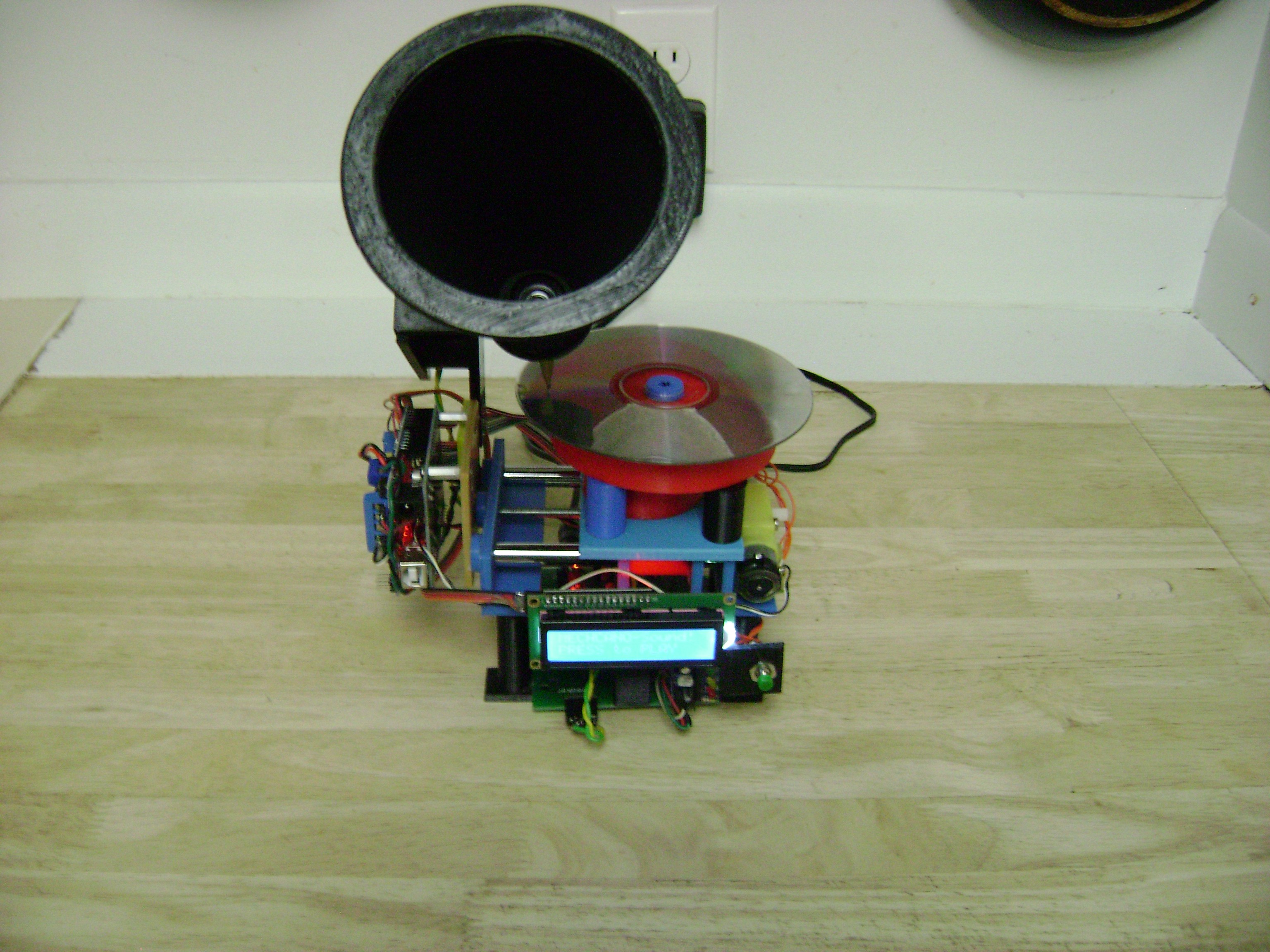
Digital music—which gives us access to a virtually unlimited amount of media at our fingertips—is an amazing innovation. On the other hand, if you get nostalgic for something a bit more tangible, this “Victrola for the 21st century” may just fill that gap.

The device, by maker “castvee8,” plays digital music with the help of an Arduino Uno. Instead of simply emitting the tunes, however, the speaker is augmented with 3D-printed parts to make a horn assembly, and pushed over a CD spinning on a turntable using a worm drive. This creates the illusion that it’s playing digital music in a strange mashup of ‘90s tech and vintage vinyl record players.

My goal was make a music player with a mechanism that simulated a phonograph design but actually was just for aesthetics, and use modern digital media for the actual music. The combination of nostalgia with the modern components like an LCD screen, microcontroller and SD song storage would round this out as a unique build.

The main features of the build are a large cone type speaker supported on a moving axis that scans it across the cd simulating a tonearm pickup, an LCD module that gives instructions such as “press to play” and “select song” with pushbuttons that match, an LED analog level indicator and volume control, a rotating table to turn the cd as if it were being played, and of course the electronics to make it all work. At the end of the song the axis returns home so everything is reset for the next song to be played.

Check it out in the short clip below!

A 3D-printed personal weather station

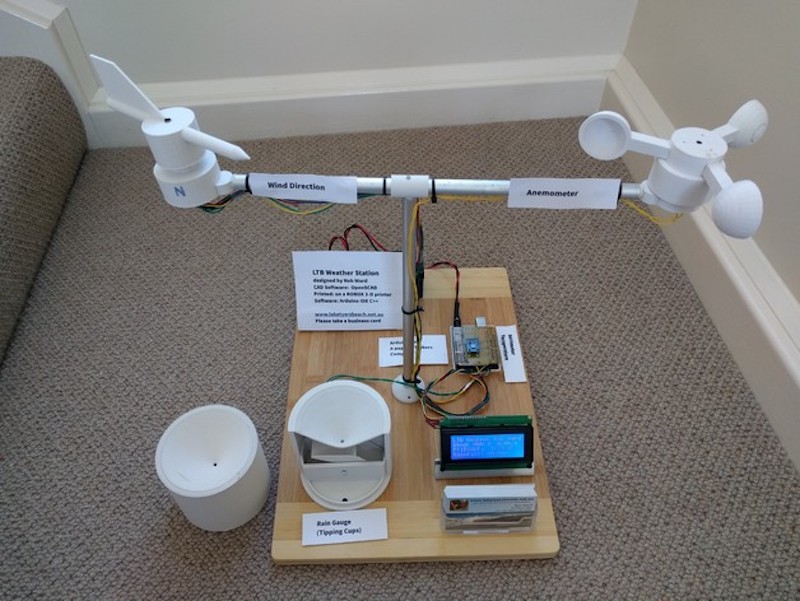
If you need to know the forecast, generally you can look outside, listen to a weather report, or take advantage of the wide range of online services available. For something local to your dwelling place, however, this 3D-printed weather measurement device gives a great way to see what’s going on.

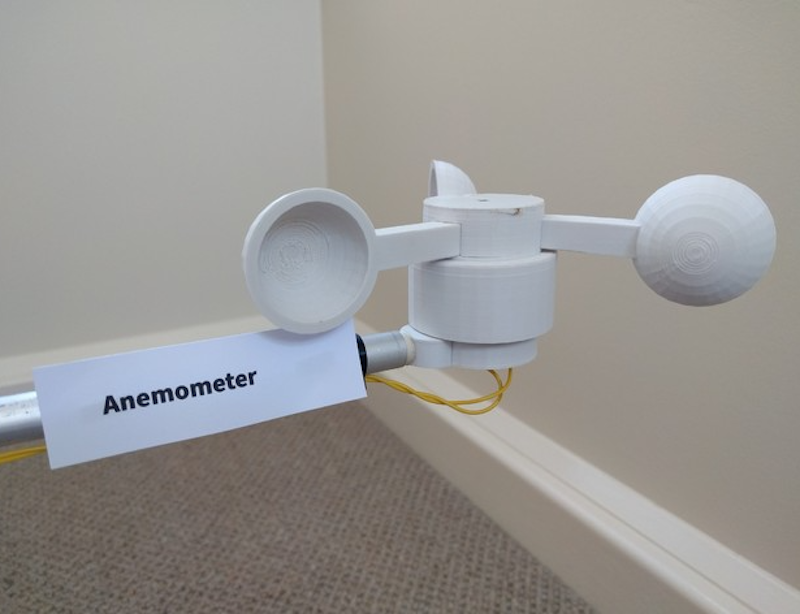
The system features a 3D-printed rain gauge, anemometer, and weather vane, along with a barometer and temperature sensor. Information from these sensors is piped to an Arduino Uno and displayed on a 4×20 character LCD.

While meant as a demonstration for an arts/science exhibition and would need to be calibrated for real world use, it is a perfect starting point if you’d like to build your own personal station!

The thrust bearings should be a tight fit and not require glue. The 5mm brass tube for the axles though will benefit from some cyanoacrylate on the ABS to hold them in place. Rough the tube up a bit with sandpaper or a file to help adhesion. The temperature and barometric pressure does not need calibrating. However rainfall (it is fairly close) and wind speed will need calibration. As long as the magnet in the wind direction sensor is close enough to trigger two adjacent reed switches when half way between the two reeds, it will allow 8 reed switches to reliably indicate 16 directions.

The reed switches in the direction indicator are vertical and are not trimmed, just the top end curled over to allow easy soldering to the common earth wire ring. Extra spacing maybe required, eg a small ring of heat shrink tubing to keep the moving parts of the anemometer and wind speed separated and seated on the bearings in the stationary base. This was too fine to print.

All the magnets N-S poles should be aligned along the line of the reed switch. The magnet lines of force between N-S have the best switching effect, not one of the poles, N or S, on its own. This also helps eliminate bounce, or multiple triggering.

More details on the project can be found on Thingiverse.

Give new life to an old electron microscope with Arduino

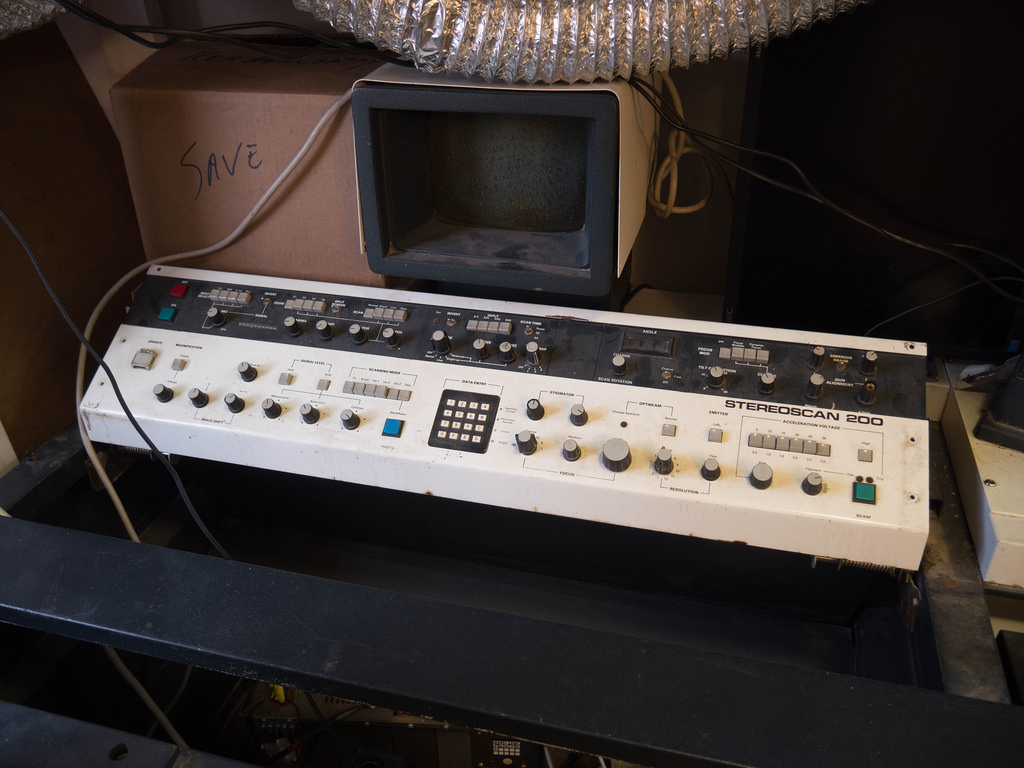
As seen here, although you might consider your oscilloscope and other test equipment to be pretty neat, you most likely don’t have anything nearly as cool as the scanning electron microscope that was dragged out of a shed at Benjamin Blundell’s local hackerspace.

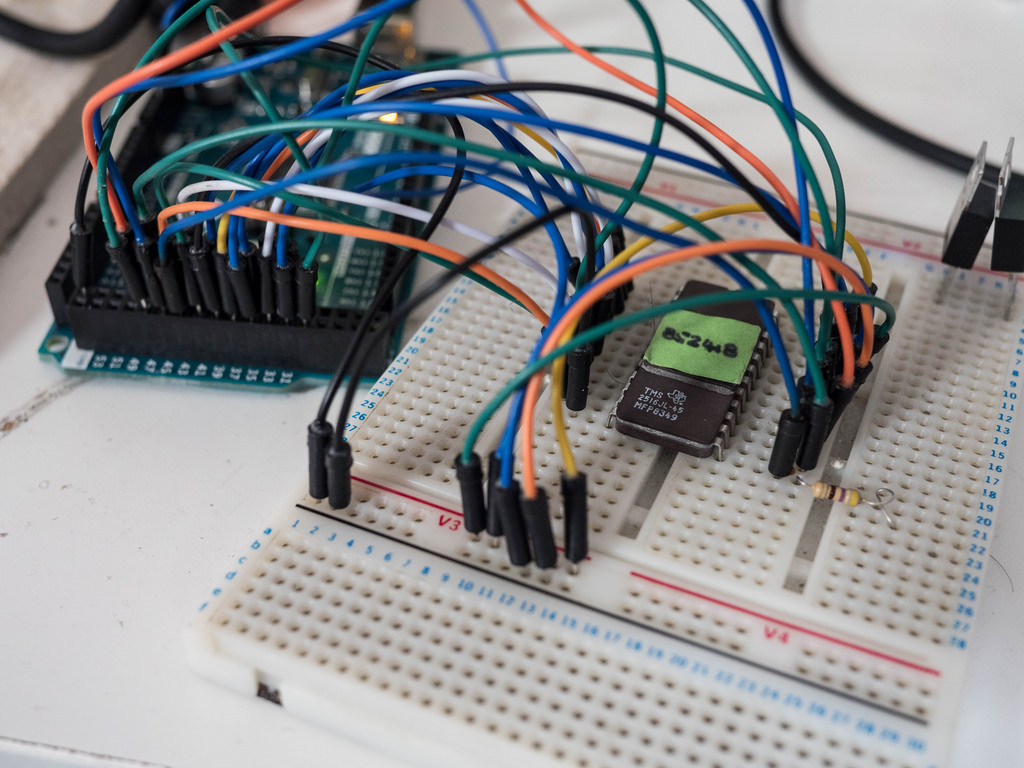
The small detail is that it doesn’t currently work. They’ve been able to track down the machine’s schematics, and Blundell was asked to get the contents off each of its ROM chips. Whereas this might have been difficult 20 years ago, he was able to hook chips up to an Arduino Mega and extract the contents of each one using code provided via his write-up.

Some of you might have watched the TV series, Halt and Catch Fire? If not, don’t worry, I won’t spoil it much. Basically, a couple of the lead characters decide to read the bios out of the latest IBM machine. It’s quite a dramatic moment, but the reality is perhaps somewhat more sober. Anyway, the process they had was quite involved, as it was the eighties after-all. Nowadays, we have things like the Arduino Mega that has enough digital input pins to read a ROM with ease.

While he still needs to figure out what’s going on with this information, they have a place to start and will hopefully have a very exotic tool running in the near(ish) future!

Build a light painting device with Arduino and LEDs

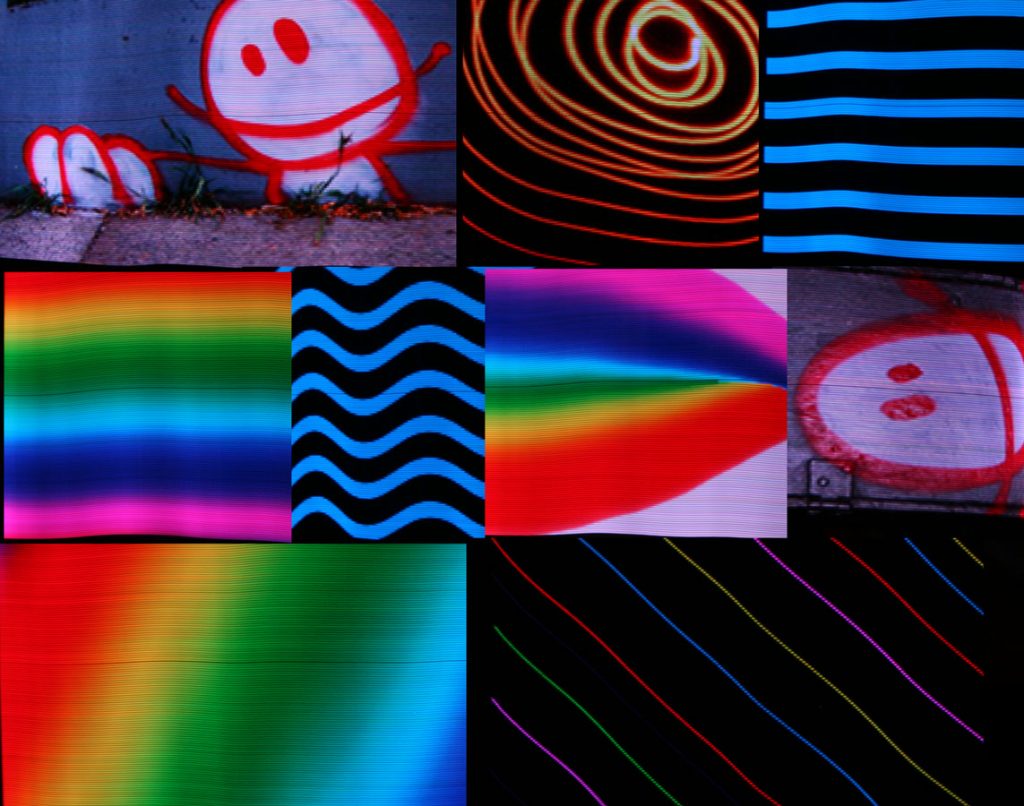
Graffiti with spray paint is generally impolite and illegal, but as hacker “Reven” shows in his write-up, you can get a very similar effect with long exposure photography and carefully-timed LEDs.

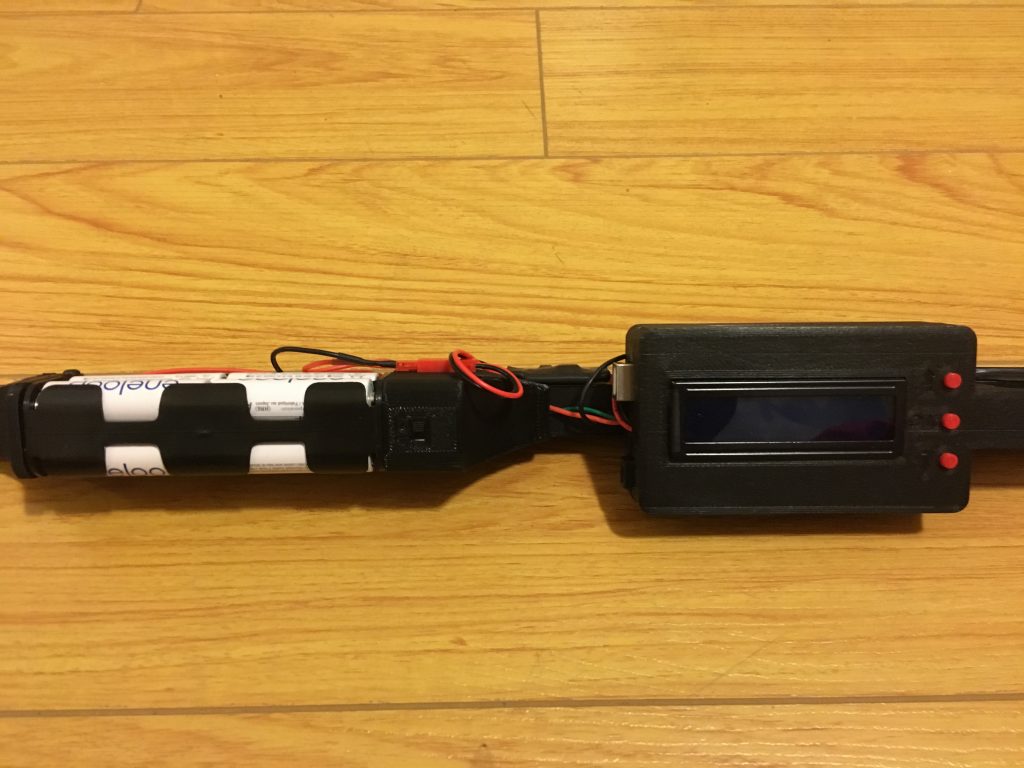
Instead of blindly moving a light point about to make this effect, he built his own handheld light painter using an Arduino Uno and a custom enclosure—shared on Thingiverse—to hold everything.

The project’s Arduino sketch can be found here, and adds a 16×2 LCD display to a light painting device conceived of by Phil Burgess for Adafruit, which enables to control the brightness of the LED strip as well as select and load various images from a micro SD card.

This has been done before, many, many times; and even commercially. But I wanted to build my own, both to learn in the process and because commercial options were out of my budget. I chose adafruit’s implementation as a starting point, because it worked on the hardware I already had and they have provided detailed instructions. I also wanted some additional features: I wanted to add a display and a menu system to be able to choose the image to display and adjust the settings (like brightness or speed). I also wanted to be able to turn off the brightness balancing that adafruit’s sketch did, because frame or animation painting wasn’t something I really needed. And most importantly, I adjusted the project to the materials I had at hand.

With this fantastic build in hand, Reven can now produce beautiful light graffiti wherever it’s needed!

Art Deco Radio Gets FM Reception

Taking a vintage radio and cramming it full of modern, Internet-connected, guts has long been a staple of the hacking and making scene. While some might see it as a crime to take what’s arguably a legitimate piece of history and turn it into nothing more than a slipshod case for the Raspberry Pi, we have to admit there’s a certain appeal to the idea. Taking the beauty of classic design and pairing it with more modern capabilities is getting the best of both worlds.

But this project by [Nick Koumaris] is a somewhat unique take on the concept. Rather than sacrificing a real vintage piece of hardware to house the electronics, he’s designed a 3D printable case that looks like a classic 1936 AWA Radiolette. But what’s really interesting to us is that he then puts a basic FM radio inside of it.

That’s right, no Internet radio streaming or smartphone Bluetooth compatibility here. It’s just a regular FM radio, not entirely unlike the kind of hardware you’d expect to be inside of a classic radio. Of course, it’s much more modern, and [Nick] actually built it himself from a TEA5767 FM radio module and an Arduino Pro Mini.

While functionally it might not be terribly exciting, we do appreciate that he went through the trouble to make a vintage-looking user interface for the radio. While physical buttons would arguably have been more appropriate given the era, the art deco inspired font and graphics that show on the device’s Nokia 5110 LCD do look really slick.

Purists will surely be happy to see another project where a piece of vintage piece of audio equipment wasn’t sacrificed at the Altar of Hack, but we’ve also played host to many projects which weren’t nearly as concerned with historical preservation.