With Christmas right around the corner, now's the time to make sure you have all your gifts in check and grab any last-minute holiday gifts you may need. Thankfully, there remain a good number of tech deals available, and a good portion of them are still slated to arrive before the holiday if you're quick to order. Apple's second-generation AirPods are still on sale for $90, while a couple of colors of the Apple Watch Series 7 are $50 off. NVIDIA's Shield TV Pro streamer remains on sale for $180 and you can get $230 off one of the latest Roomba robot vacuums at Wellbots. Here are the best tech deals from this week that you can still get today.
AirPods (3rd gen)
Billy Steele/Engadget
Apple's latest AirPods are down to $140, which is $40 off its normal price and a new low. We gave them a score of 88 for their more comfortable design, much improved audio quality and longer battery life.
The previous-generation AirPods are down to $90 right now, or $70 off their normal price. While not the latest models, these are still decent earbuds that we liked for their improved wireless performance and good battery life.
The latest Apple Watch Series 7 is on sale for $350, or $50 less than usual. It's the most comprehensive wearable Apple makes and it earned a score of 90 from us for its larger screen, faster charging and handy features in watchOS 8.
The Mac Mini M1 is down to a new low of $570, while you can get the model with extra storage for $750. Adorama even has the desktop with 16GB of RAM for $100 less than usual, too. This is the most affordable M1 machine you can get right now, and it's a good option if you prefer a desktop and want all of the performance improvements that come with one of Apple's latest chipsets.
Apple's 24-inch iMac M1 is $100 off, bringing the 8GB RAM/256GB storage model down to $1,399. We gave the colorful desktop a score of 89 for its speedy performance, stunning Retina display and thin design.
The high-end NVIDIA Shield TV Pro streamer is down to $180 right now, or $20 off its normal price. It's on the expensive side, but it's one of the best streaming devices you can get at the moment thanks to its Tegra X1+ processor, 16GB of expandable storage and support for 4K upscaling, Dolby Vision, Dolby Atmos, Chromecast technology and more.
Amazon's most powerful streaming device, the Fire TV Cube, has dropped to a new record low of $75. It supports 4K streaming, Dolby Vision and Atmos, plus hands-free Alexa controls.
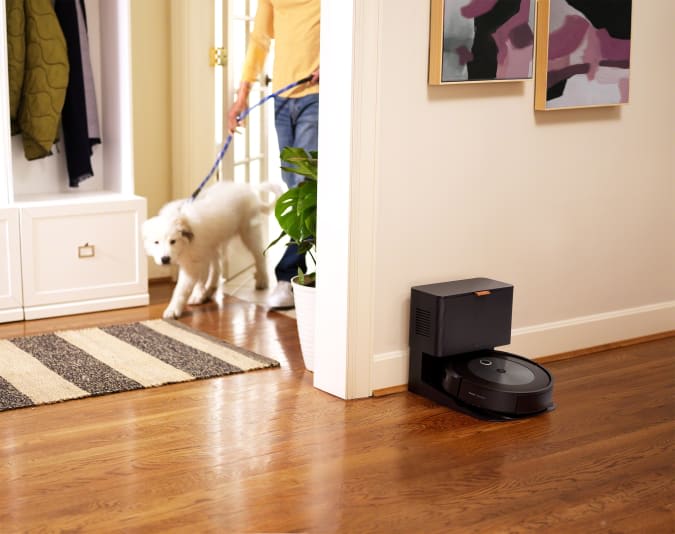
iRobot's latest vacuum, the Roomba j7+, has dropped to $619 at Wellbots when you use the code 30VAC at checkout. You can also still get the robot without the clean base for $449. This is one of the higher-end robo-vacs the company makes and it has new AI-driven computer vision technology that can detect objects and move around them as it cleans. That means it'll better avoid things like chairs and table legs, as well as unexpected obstacles like pet poop. The j7+ also comes with a clean base into which the robot will empty debris at the end of every cleaning job.
GoPro's Hero 10 Black action cam is $100 cheaper at Amazon right now, bringing it down to $399. This model has the updated GP2 processor, support for 5.3K max resolution at 60fps, 4K at 120 fps and 2.7K and 240 fps. We also liked its Hypersmooth 4.0 feature, which stabilizes bumps while you're recording. While that's a great deal on the camera alone, you can spend $50 less and get the camera with a 1-year GoPro subscription if you shop directly at GoPro's website.
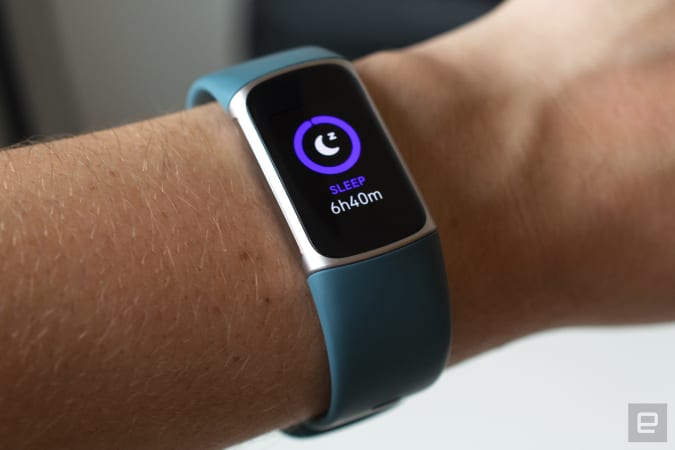
You can pick up the Fitbit Charge 5 for $130 right now, or $50 off and the same price as it was on Black Friday. This is Fitbit's most comprehensive fitness band and it earned a score of 82 from us for its full-color touchscreen, built-in GPS, onboard EDA sensors for stress tracking and multi-day battery life.
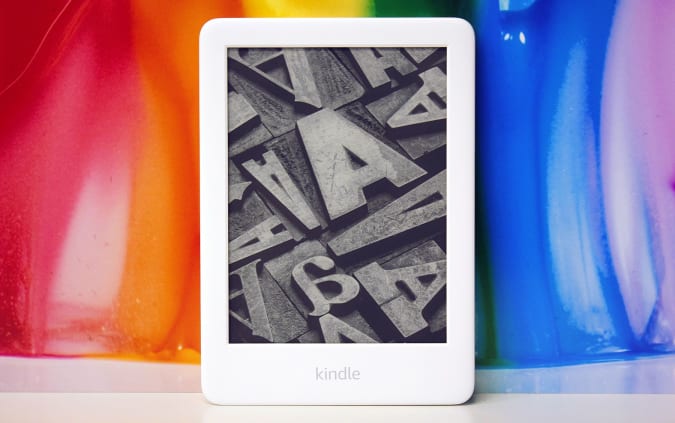
You can grab the standard Kindle for $55 and get three months of Kindle Unlimited for free with it. We gave this e-reader a score of 91 for its improved contrast display, extra front lights and sleeker design.
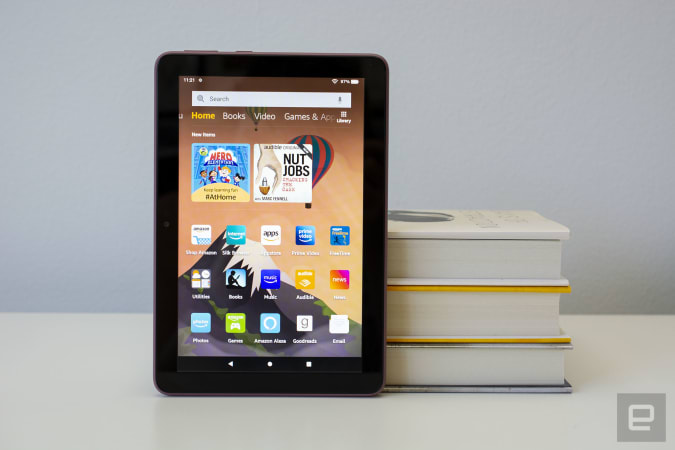
A bunch of Fire tablets are on sale again — you can get the Fire 7 for only $35, the Fire HD 8 for $55 and the Fire HD 10 for $100. These are all close to Black Friday prices, so you're still getting a good deal even if you missed the sales a few weeks ago. We gave the Fire HD 8 a score of 81 for its refined design, good performance and new USB-C charging.
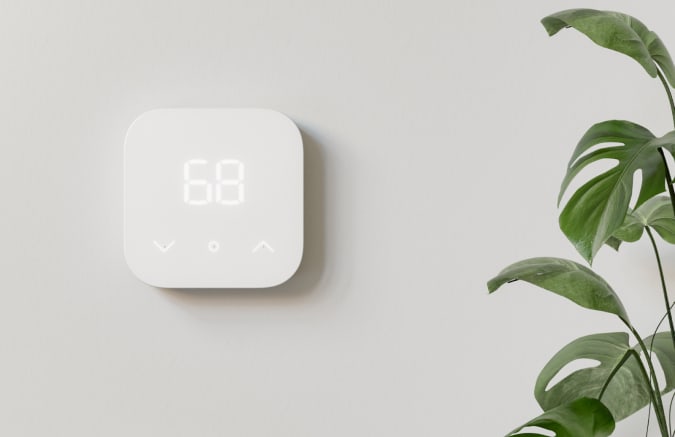
Amazon's new smart thermostat is down to $48 right now, or 20 percent off its normal price. Like similar gadgets, it's designed to save you money on your home heating and cooling by automating the process. it doesn't have all the bells and whistles that other, more expensive thermostats do, but it's Energy Star-certified and supports a feature called Hunches, which will automatically adjust the temperature based on your habits. You can also control it with Alexa if you have an Echo speaker or smart display in your home.
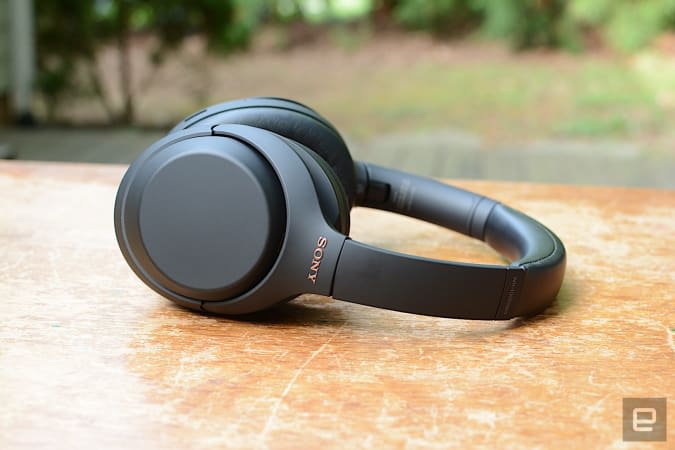
Our favorite pair of Sony headphones, the WH-1000XM4, are down to $248 right now, which is just about $100 off their regular price. We gave these cans a score of 94 for their powerful ANC, immersive sound quality and multi-device connectivity.
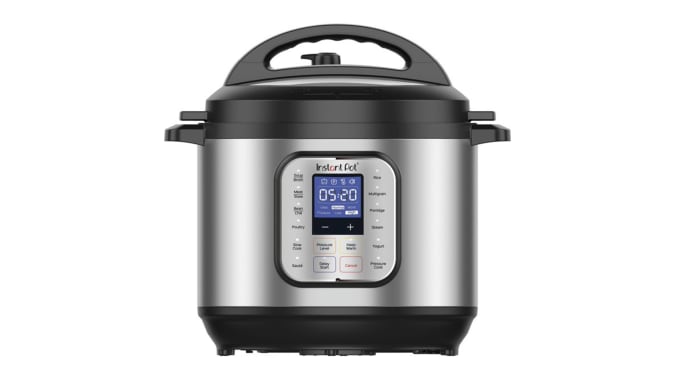
Walmart has an exclusive version of the 8-quart Instant Pot Duo Nova for $59. That's nearly half off the price that the normal model is going for on Amazon right now. You'll get seven cooking modes along with additional one-touch programs that make it easy to prepare things like soups, stews, porridge and more.
Samsung’s EVO Select microSDXC card in 128GB is down to $16, or 20 percent off its normal price. This is the latest model and while you can find microSD cards for less, EVO is a reliable brand and you're getting a full-sized adapter with this one.
The Chromecast with Google TV has dropped to $40, which is $10 cheaper than usual. We gave the device a score of 86 for its 4K HDR streaming capabilities, Dolby Vision and Atmos support plus its much needed and very handy new remote.
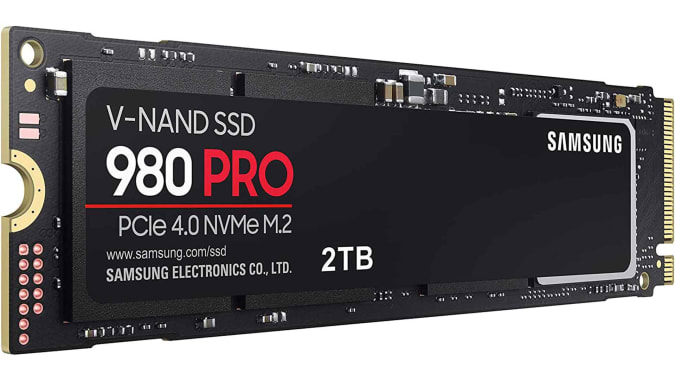
Samsung's 980 Pro is one of the best internal SSDs you can get right now and a 1TB model is on sale for $170 right now. It has sequential read speeds up to 7,000MB/s and it'll work with the PS5 as long as you have a heatsink attached.
Crucial’s P5 NAND NVMe SSD in 1TB is on sale for $145 right now, or 19 percent off its regular rate. This drive can reach sequential read speeds of up to 3,400MB/s and its M.2 format makes it a good option for both desktop and laptop users.
Razer's Wolverine Ultimate gaming controller is down to $81, or nearly half off its normal price. The controller that comes with your Xbox is pretty good, but sometimes you might need a little more features from your gamepad. The Wolverine Ultimate may be wired, but it also has interchangeable thumbtacks and d-pads, so you can actually tweak the controller’s layout according to the games you play and your own personal preferences.
Amazon's Echo smart speaker is on sale for $60 right now. We gave it a score of 89 for its solid audio quality, attractive design and inclusion of a 3.5mm audio jack.
The tiny Echo Dot has dropped to $30, and you can grab the Echo Dot with Clock for only $35. We gave it a score of 88 for its good audio quality for the price, compact design and tap-to-snooze feature.
The Nest Mini is down to $25. It's the affordable speaker to get if you want to put the Google Assistant in your home without dropping too much money, or taking up too much space.
A three-pack of Philips Hue White and Color bulbs is down to about $77 thanks to a sale price and an additional 15-percent-off coupon that you can clip on the product page. That's the best price we've seen on this bulbs-only pack, making it best for those that already have a Hue bridge. You'll just have to wait a bit to get them as they will not ship until early January.
For those curious about Tidal's HiFi service, you can take advantage of the company's holiday sale and get three months of the music service for just $1. Three months of the HiFi Plus Plan is also on sale for $2, and it gets you everything in the standard HiFi plan along with Master Quality audio with Dolby Atmos and Sony 360 Reality Audio support and other extra perks.
Earlier this week we gave a preview of the Analogue Pocket handheld retro gaming system. The modern take on ‘90s portable gaming ($220) offers so much more than just the ability to play most vintage portable games. It has built-in music making software, TV/video out via an accessory and, well many other things we wanted to do a proper dive on. We’ve had so much fun with this thing it’s very easy to recommend right up top. If you simply wanted to know if it’s a good gaming device, I can safely say that it is and thanks for stopping by. If you want to know more (and you should) then get comfortable as we’re going for a ride.
First, a little history. Analogue is often described as a “boutique” console manufacturer. It specializes in a very specific type of retro remake. Instead of building a small PC that can run emulators, Analogue’s FPGA “cores” allow it to mimic vintage consoles at the hardware level. The idea being, all games play as nature intended with none of the emulator quirks to contend with. The company’s early creations were more in the “how to spend it” category. This walnut Neo Geo, for example, or how about this slightly too-fancy NES (and the all-metal reboot).
More recently, Analogue’s Mega SG (Genesis) and Super NT (SNES) took a slightly more accessible approach, cementing the company’s place as the retro console maker de jour. The Pocket aims to build on this legacy with a focus on, somewhat obviously, gaming on the go. It’s also the first Analogue console to play carts from different retro brands.
At launch, it natively plays cartridges from any of the Game Boy variants. It’ll also play Game Gear cartridges with an adapter. Neo Geo Pocket Color, TurboExpress and Atari Lynx adapters are on the way.
Another key difference to most retro machines is that Analogue products are designed to play physical media, not ROMs (although you can sometimes find ways around that as the internet is ever industrious). This really is about doing the old school thing in a modern way with minimal adulteration. That said, the Pocket is compatible with flash carts (that can play ROMs from an SD card), but that’s a quirk of its fidelity – if it works on a Game Boy, it likely works here etc..
By extension, you can also use any of the original Game Boy accessories such as the GB Camera, printer and any titles that had extras such as rumble packs or gyro sensors. You can even connect the Pocket to an authentic Game Boy for multiplayer player fun. In short, all of Analogue’s consoles are functionally 1:1 reproductions of the hardware they honor, just with the Pocket it’s multiple systems in one.
There are, of course, some modern advances that are deemed useful enough to not distract from the authentic experience. For one, the Pocket has a backlit display. Something that didn’t make its way into a Game Boy until the Advance SP (although there was the Game Boy Light in Japan). The Pocket’s 3.5-inch screen is also bigger than the largest on any Nintendo GB handheld (2.9-inches on the Advance SP) and covered in modern Gorilla Glass. Then, of course, there are some modern tweaks such as “save states” and a variety of display presets to match the original hardware (including modes for different iterations of Game Boy).
James Trew / Engadget
What you won’t see here are endless submenus with the hyper specific settings that you tend to find in emulators (or their frontends) like RetroArch. It’s clear the goal with the Pocket is to remove as much user configuration as possible so you can plug in your game and go. Likewise, the Pocket’s connectivity is limited to the Game Boy link port, a headphone jack and an IR port for Game Boy Color (GBC) games that support it (such as Donkey Kong Country or Pokémon Crystal). That’s to say, there’s no touchscreen, no WiFi or any other such redundant jazzy features.
Alas, there’s also no video out, but this can be added with the Dock accessory ($99) which allows for Bluetooth/USB controller connectivity along with an HDMI port for connecting to a TV. Battery-wise, thankfully, it’s not a trip to Target for a big stash of AAAs. The 4,300 mAh cell is good for around six hours of play time and it charges over USB-C.
It’s pretty clear that the Pocket’s design was heavily inspired by the original dot-matrix Game Boy (aka DMG – that’s the iconic one pictured here) and GBC with its portrait configuration. Although one obvious difference is you’ll find four main buttons, which is curious as every system the Pocket imitates only had two – although some, like the Atari Lynx, do have additional system buttons. There are also (slightly spongy) shoulder buttons around the back which were introduced on the Game Boy Advance (GBA), along with “start” and “select” buttons at the bottom, with one more inbetween them that brings up the Analogue menu whatever you’re playing/doing.
Those extra thumb buttons make more sense when you take into account that Analogue has not only partnered with GB Studio — a popular drag-and-drop Game Boy game making tool — but has also added a dedicated spare FPGA for developers to tinker with and use for their own homebrews. How that gets used we’ll have to wait and see, but if you make games in GB Studio you can run them right off the Pocket’s SD card using a proprietary .pocket format. In short, the handheld is aiming to be a viable platform for indie titles made within the constraints of ‘90s era hardware.
Did I mention that it has music production chops, too? The Pocket comes with a version of Nanoloop — a lightweight but comprehensive music-making app for Game Boy — baked right in. Analogue even made cables specifically so you can connect it to desktop and MIDI sequencers. More on this later.
James Trew / Engadget
The above is a long way of saying that it’s obvious Analogue has put a lot of thought and care into making something that isn’t just another way to play Super Mario Land. The addition of tools for developers and an easy pathway to play indie creations give the Pocket one foot in the present. The addition of Nanoloop, likewise, gives it a broader appeal without breaking away from its retro authenticity.
So, you get it, it’s a clever little thing, but what does it play like? I won’t lie, when I inserted Tetris and powered the Pocket up I was, well, I was taken to the Analogue OS home screen. Right now it’s very simple with five menu options, of which, only three are currently available: Play Cartridge, Tools and Settings. The other two are Library and Memories which are currently grayed out until the first firmware update — which Analogue says is coming in a few weeks from publish time. There’s a lot to be excited about in Analogue OS, but for now it’s pretty straightforward, and I’ll flag the more interesting parts as they come.
Back on the home screen, tapping “Play Cartridge” suddenly teleported me to my secondary school in 1990. The Game Boy had just been released and a few people in my year had one. I still remember being fascinated by the weird green and black display and crunchy sound. The Pocket in its original DMG screen mode replicates this look with amazing accuracy. I have other retro handhelds, and the “authentic” green-and-black modes combined with a mishmash of resolutions and displays never look quite right. Even the fact that the Pocket has a backlight, which of course the first ever Game Boy never had, somehow doesn’t break the spell.
For example, the Pocket even replicates the tiny gaps between pixels on the DMG’s display. This means that the fist-pumping plumber in the top left of Super Mario Land’s home screen looks almost indistinguishable from how he did in 1989 (bar that light). My other handheld that runs a fork of RetroPie doesn’t have this level of fidelity. You can do all sorts of custom configurations to possibly come close, but that’s long and life is short. Pocket does it out of the box, no tweaking needed.
James Trew / Engadget
If you prefer your nostalgia hit to feel like other versions of the Game Boy, there are modes for those, too. Specifically the Game Boy Light and the Game Boy Pocket. There’s also Analogue’s own custom mode. What’s interesting is that if you place a GBA game into the Pocket, the choice of display modes changes to match. That’s to say, you’ll get the screen variants of that platform (Original LCD, SP 101) along with another custom Analogue mode specific to that system. As for the Game Gear, you’ll get Analogue mode, GG LCD mode and “GG LCD+” which is like the former, with just a shade more pop in its colors.
Analogue’s own display modes tend to be more modern in style with higher color saturation and no pixel grid. Beyond the presets there are some controls for customization within the menus. These are done by system, and include desaturation controls, sharpness and a frame blending toggle (to mimic the original hardware’s slow responsiveness). Though they are nowhere near as extensive as on most software emulators, and I feel it’s all the better for it. I am not against deep levels of control, but navigating RetroArch’s deep menus has never been my kind of fun.
One slight quirk here is that when you change the volume during play, you’ll see a corresponding plus or minus sign float over the left side for a second or so. But if the Pocket is in certain display modes, like Analogue’s own custom preset, or any game with a white background, you can’t see it because it’s showing white on white. It doesn’t change anything, but it did catch me out for a moment wondering if the volume control wasn’t working.
Thanks to the square display, original Game Boy games perfectly fill the space available and, not coincidentally, the Pocket’s display is exactly 10x the resolution of the original on each axis. This means upscaling is really just a case of adding a zero onto the end of the number of pixels being displayed. Specifically it’s an 1600x1440, 615 ppi LCD.
This sort of detail is almost as important (maybe as important) as running emulation at the hardware level rather than software. Retro gaming has a storied history of using computational and display limitations for creative effect. If you’ve ever played old games on a modern emulator and display, you may have noticed something was a bit off; that retro “feel” wasn’t there. That’s why many emulators offer things like scanlines — because they soften square edges and make things look a bit more authentic.
James Trew / Engadget
The problem is, scanlines are a bit of a blunt tool. Analogue claims it went out of its way to mimic original displays, “quirks” and all. And from what I can tell, that includes things like response time and refresh rates.
An example of this is found among the GBA screens. Despite being a big step up in the number of colors it could display at one time (512 up from the GBC’s 56) the screen still didn’t have a light until later iterations. This gave the games on the early GBAs a distinct look and you can activate a mode that replicates that, if that’s your preference. Or go more modern if it’s not. The benefit to this will largely depend on the game you are playing, as some lean into the limitations of the hardware more than others, but it feels much more authentic than regular old scanlines to me in terms of juicing that vintage vibe.
I, personally, love the original screen modes. They feel like scanlines done right. The start screen for Sonic on the Game Gear, for example, somehow seems more detailed when viewed in the original GG LCD mode. Our hedgehog’s wagging finger seems just that little more detailed and the font more “3D” – for lack of a better word.
In terms of game compatibility, theoretically, there should be very few titles that worked on original hardware that don’t work here, if any. I only had 10 or so games to test with, but the only things that were problematic were a US version of Mario Kart Super Circuit and Mickey Mouse - Castle of Illusion on the Game Gear which loads fine but crops off some of the bottom of the game.
The European version of Mario Kart I had worked just fine, but the US one seemed to stall after loading. Analogue suggested I give that cart a good clean, which I did, several times, but I never got it to work despite it working instantly on my GBA. It’s clear that there’s no reason it shouldn’t work, and a company rep confirmed their copy works their end, but such are the quirks of very old cartridges, perhaps there’s just something off with the pins on that one copy that doesn’t sit right on the Pocket. As for Mickey? Analogue says that’s to do with how that particular game was programmed and there’s already a fix coming in new firmware.
The only other thing that didn’t work was a very unofficial “108 games in one” multicart. That also seemed to at least open but then just hung. This also worked in original hardware, but again… it’s hard to know if it’s just a physical quirk (pins aligning etc) or something else.
James Trew / Engadget
What did work was the Game Boy Camera. It’s always surprising to me that cartridges that relied on watch batteries for saves would still work today, but both the camera and every other game I had with a cell in it seemed to still be going strong with saves intact. Either way, the Game Boy camera is a delight on the Pocket, that backlight really helps. It remains pretty awful on vintage hardware. Analogue also tells me that in the forthcoming erosion v1.1 firmware update, you’ll be able to save your Game Boy Camera photos directly to the Pocket’s SD card. This is actually very cool indeed given that, right now, extracting images from it is kinda a pain in the butt and involves either getting hacky or spending out on something like a ROM dumping cart.
For anything other than the Game Boys, you’ll need a separate $30 adapter to play. Right now the only one available is the aforementioned Game Gear one. I won’t lie, with a game inside it does look a little inelegant, with the cart popping right over the top of the Pocket. I was only able to test the two games on it, and one is the weirdly-cropped Mickey Mouse, but it was still playable and just as much fun (and infuriating) as I remembered the first time around. The fact you can’t jump on top of and ride those tree stumps still doesn’t sit right with me all these years later.
Of course, three generations of Game Boy plus the Game Gear already opens up a pretty substantial library but once the adapters for the Atari Lynx, the Neo Geo Pocket and the PC Engine/TurboGrafx-16 arrive there’s a whole lot of fun to be had with this one tiny console. Notably, the last system in that list is technically a home console and not a handheld. So there’s more than just portable gaming here. The TurboExpress just happened to take the same game cards as the home-based PC Engine. Such is the curious world of retro gaming.
Analogue OS
I already mentioned the basics of the Pocket’s native operating system. Right now, it’s mostly limited to playing cartridges and some high-level system tweaks. You’ll find some video and audio options and a few system-specific settings (like playing GBC games in GBA mode). Right now, even save states are barely supported. The version of the OS I tested has a quick-and-dirty save/load state option and that’s it. Analogue claims, however, that version 1.1 “will allow you to do everything imaginable with save states.”
James Trew / Engadget
The more intriguing feature that’s currently unavailable is “Library.” On its website, the company describes Analogue OS as “purpose-built for exploring and celebrating all of video game history.” It claims to offer the option to install the artwork for every single game it could play, full save states, game “playlists” and more.
That “more” includes the ability to develop custom FPGA “cores” so you can, within limits, turn the Pocket into other retro systems, although there are plenty of caveats and also, a high level of skill in this area is involved. A skill I definitely do not have. Fortunately, there’s a strong community around Analogue and its open source rival MiSTer. Both pull from the same family of FPGA chips so the likelihood of cool stuff coming further down the line is very high.
Though it’s not clear how playlists or the game library will work, given that you have to have the cartridge inserted into the Pocket to play a game, any software shortcut for that seems a little redundant, at least for now – I’m interested to see how it’s actually implemented. Where this will really come into its own, I suspect, is in making the Pocket experience more holistic and complete. Having access to information and data about the entire world of retro gaming in your hands along with the ability to share playlists and game progress will definitely add a robust layer to the platform. Either way, for now there really does seem to be a lot of exciting new features coming, yet sadly we can’t test them until that next firmware update gets released.
The Dock and other accessories
While the Pocket is all about reviving the handheld magic and all its portability, Analogue made a dock that adds a few important features. Most obviously, it allows you to play your favorite retro games on the biggest screen in the house over HDMI. I won’t lie, it wasn’t quite the seamless experience I was expecting. First, I needed to update the firmware. That’s normal given this was an early test unit, but I still had a few occasions where I had to do things in a certain order for it to take.
Once I had it working though, it’s pretty straightforward. The first thing you’ll notice is how pixelated things are. No fault of the Pocket’s obviously. This is just what happens when you upscale a game made for a 2.5-inch display and run in on a 55-inch modern TV. It’s still perfectly playable though and adds a nice alternative playing option.
James Trew / Engadget
There are some other important benefits to the dock. Not only can you add USB controllers as mentioned, you can also connect Bluetooth and 2.4g controllers. This opens up the possibility of four players where GB Studio titles developed for third-party FPGA cores support it. Given there are only two USB ports on the dock, you’ll need two wireless controllers as well to achieve this. Though it appears you could use four Bluetooth ones at the same time (but support for 2.4g controllers tops out at two).
Right now, you’ll either need a USB controller with a long cable or one of the officially supported 8Bitdo wireless controllers (Pro 2, M30 and the Arcade Stick). PS4 and Switch Pro controllers will also work. More options will be supported in that all important 1.1 update (SN30 Pro, PCE and so on).
That said, I was able to pair an SN30 controller today and it worked just fine. I also had success with a very old, very generic Xbox controller, so it seems support is there, perhaps they are just ironing out some kinks.
One final thing I should note is that when playing via the Dock, most of the display modes become inactive and you’re shuttled onto what appears to be the Analogue preset by default. Analogue’s home consoles to date have come with extensive options for filtering, resizing, adding faux scanlines and the like when playing on a modern TV, so it would be good to see a similar suite of options come to the Dock.
Multiplayer
There’s an unsung benefit to imitating a system at the resistor level via FPGA – you can connect the Pocket to original Game Boys for multiplayer fun. This is no small thing. Modern software emulators allow for online multiplayer on many systems (usually with Netplay), but often this falls apart for handhelds. The need for a cable back in the day made it quite a lot harder to trick a game into thinking it’s connected to another “machine.” There are some workarounds, but they aren’t always so elegant or authentic (half the magic with handhelds is your own private screen).
With the Pocket, you can literally just plug it right into another Game Boy, if you have the right cable. The port on the Pocket matches that of the Game Boy Pocket (GBP) and onward. That’s to say, if you had a GBC and two copies of Tetris you can use the original Nintendo link cable and it should work. If you don’t happen to have the original cable you can buy Pocket’s own do-it-all link cable ($16). The only two models that aren’t instantly compatible are the DMG and the Micro.
I tested out the following scenarios using Analogue’s own cable: Pocket GBC and Pocket to GBA. All worked perfectly. Even GBA games that support Single Pak two player (only one copy of the game needed) work. Mario Kart Super Circuit is one such title and the experience is just like the old days – just a little bit of waiting for the game to setup and you’re off to the proverbial races. Two player Tetris was as fun as it ever was and I might just have to buy another one of these things as you can, of course, also just connect two Analogue Pockets together, too.
James Trew / Engadget
Nanoloop
It’s beyond the scope of this review to give a full breakdown of what Nanoloop is, but if you’ve ever seen (or heard) music made/performed on a Game Boy, this humble app is likely running the show (or LSDJ, but they are both conceptually similar).
A version of Nanoloop is built right into the Pocket’s OS and it’s not just a nice add-on feature. This is evidenced by Analogue selling no less than four different cables (420 each) that allow you to connect Nanoloop on the Pocket to external MIDI hardware, Desktop music MIDI software, other Pockets and hardware with audio sync (such as Korg’s line of Volcas or Teenage Engineering’s Pocket Operators).
I won’t lie, if you’re not familiar with music sequencing, the learning curve here is steep. Add into that the limited sonic capabilities of the Game Boy and it’s hard to eke something musical out of the app. At least at first. Persevere, though, and you might just find that Nanoloop is something of a stealth addiction – certainly it’s a great value add that I really hope draws in more people to the platform. Given that you can pipe out the audio to headphones or a dedicated speaker via the headphone port it’s not just a time sink, you can be annoying your friends and neighbors in no time.
Wrap up
James Trew / Engadget
If you’ve got this far, then there’s a good chance that, like me, you’re pretty excited about the Pocket. For casuals, $220 to play games you might already own (or worse, have to navigate the second hand market to buy) might not quite be the value proposition you were looking for. And that’s fine, Pocket isn’t aimed at casuals. Pocket is for those that love, live and breathe retro gaming and who want the absolute best experience possible.
For handheld gaming, right now, Pocket is that best experience. Absolutely hands down, no doubt about it. Everything from start to finish is as authentic as it can be without being needlessly pedantic (like not having a backlight for DMG/GBC games etc.). The experience is further elevated by select modern concessions. The aforementioned light, the curated display presets and the smart features in the operating system to mention a few.
The fact that Analogue added in some complementary additions, such as that spare FPGA core and the tight support for GB Studio only serves to reassure me that the Pocket will just get better with time. There are, of course, a few areas for improvement. The shoulder buttons aren’t the best. Some of the display modes obscure on-screen messages at times. The adapters look a little goofy with a game in them. But these are details. And detail is, apparently, what Analogue does best. And perhaps the bigger detail to be concerned about is getting yourself a spot in line. Orders just reopened, but already demand has been so high that you likely won’t get one until 2023.
New iPhone 13 owners should think about the accessories they want for their new handset not long after unboxing it. Like with last year’s iPhone 12s, this year’s models don’t come with a charging adapter, so that’s one thing you’ll probably need to have on hand. If you plan on going all-in on wireless charging could you skip that, though, and thankfully there are many more MagSafe accessories to choose from now than there were last year. We’ve tested out some of the newest iPhone accessories available and gathered the best ones here.
Apple MagSafe wireless charger
Valentina Palladino / Engadget
There are often better and cheaper alternatives to Apple’s first-party accessories, but the company’s MagSafe wireless charger is worth considering if you have a new iPhone. Like all other MagSafe accessories, this charging pad uses magnets to attach to the back of the latest iPhones and it’s surprisingly strong. Not only can you safely pick up your handset and use it with the disk still attached, but the iPhone can dangle by the charger’s cord without falling off. (You still probably shouldn’t do this.)
The charging plate itself is about a quarter-inch thick so it barely adds any heft to the iPhone. The magnets only attach to the latest iPhones, but it will still charge older models wirelessly, going back to the iPhone 8. I only wish the cable were longer than three feet so that you had more leeway to use your iPhone on the couch or in bed while powering it up.
Apple’s accessory comes in at $39 (although we’ve seen it go on sale a few times), but if you want to spend a bit less, Spigen’s $25 ArcField magnetic wireless charger is a decent dupe. It’s magnets are nowhere near as strong as those on Apple’s charger — so you definitely shouldn’t pick up your iPhone by this cable — but it’ll power up your handset and stay put while doing so.
You may have accumulated a number of devices that support wireless charging at this point and Mophie’s 4-in-1 charging mat is an easy way to power them all. It’s an 11-by-8-inch rectangle with four spaces for different items to charge simultaneously. Two of those spots are large enough to accommodate smartphones while the other two in the center are smaller and fit things like AirPods perfectly. It also has an optional attachment for an Apple Watch, which means it could actually charge up to five devices at the same time.
I found the mat useful as a charging hub, turning to it each night to charge my iPhone, Apple Watch and AirPods Pro. It’s worth noting that both my iPhone and my AirPods Pro live in cases, and I didn’t have to remove either in order to charge them with Mophie’s mat. But while the mat’s size allows it to do a lot at once, it’s also tough to find a big enough spot for it. It’ll fit on most nightstands, but you may have to rearrange things first. Mophie has a 3-in-1 charging station that takes up less space and has dedicated spots for your iPhone, Apple Watch and AirPods.
It’s well known now that AirPods are the best wireless earbuds for those with iPhones. Apple made its standard AirPods even better this year with the introduction of the third-generation models, which have an improved design, noticeably better sound and longer battery life. We appreciate the new “contoured” design, which is way more comfortable than previous AirPods, and the H1 chipset makes features like hands-free Siri and speedy pairing and switching possible. They’re well worth their $179 price tag — but if that’s a bit steep for you, Beats’ new Studio Buds are a good alternative. At $150, they have the same H1 chip inside along with balanced sound that doesn’t sacrifice the punchy bass that Beats devices are known for.
While Apple’s 20W charger works just fine, you can opt for a more versatile adapter in Anker’s Nano II 45W charger. Not only can it fast-charge an iPhone, but it can also power up a 2020 MacBook Air at full speed, along with mid-sized devices like iPads. It’s 34 percent smaller than other 45W chargers, and it uses GaN technology to prevent overheating. We also appreciate that its prongs flip down to make the adapter even more compact when you need to travel with it. The 45W model will set you back $40, but Anker also makes a $34 30W version and a $66 65W two-port model for when you want to charge your phone and your laptop at the same time.
Apple’s AirTags make it easy for iPhone users to locate things they might misplace. Just attach one of the tiny Bluetooth trackers to your keys, backpack or wallet and then use the Find My app to keep track of them. If you know your stuff is within reach, you can force the AirTag to play a tune to lead you to it. And when you truly don’t know where something is, you can enable Lost Mode to be automatically notified when the Find My network locates the item. AirTags only work with iPhones, but iPhone users have other Bluetooth tracker options (namely Tile’s). But Apple’s gadgets have a convenience level that’s similar to AirPods — your iPhone will automatically identify a new AirTag nearby and immediately pair with it, and it’s quite simple to manage multiple AirTags in the Find My app.
Remember Amazon’s adorable Echo Spot, the orb-like smart display that was eventually replaced by the Echo Show 5? Well, Anker’s latest magnetic charging station looks much like it, just without the tiny touchscreen and with a lot more connectivity options. The 8-in-1 device has a magnetic charging pad on the front and a bunch of ports on its back: three AC outlets, two USB-C ports and two USB-A ports. The magnets in the charging pad are quite strong and able to hold up an iPhone 13 Pro Max so it looks like it’s floating in mid air. You can even use it when your iPhone has a MagSafe case on, too. Since the iPhone screen is angled upward and clearly visible while charging, Anker’s device would make a good addition to a desk, or even a nightstand for those who want to use their phone as their evening clock. And on top of that, it’ll keep all your other cables organized and (mostly) out of sight.
We’ve been fans of Anker’s Powerline charging cables for a long time and its Powerline II USB-C to Lightning cord is no exception. First, it’s more affordable than Apple’s — you’ll pay $19 for a three-foot cable from Apple, whereas Anker’s three-foot cord costs $13. It also has MFi-certification, which means it’s passed enough tests to get Apple’s seal of approval as a safe, reliable iOS accessory. While not all of them are made out of braided nylon, those that don’t still have a 12,000-bend lifespan so you can use it without fear of wire fraying after a few weeks. Anker also has a similar USB-C to C cable in the Powerline III series that should work well for charging the latest iPads and MacBooks.
Belkin’s MagSafe car mount is easier to use than one of those fussy clamps you pray will stay put on a vent while you’re driving. The strong magnets truly make this accessory — the iPhone 13 snaps into place on the mount’s credit-card sized plate and doesn’t budge even if you have to quickly swerve to avoid hitting a squirrel. The clip that attaches to your car’s vent is also quite snug and you can swivel your phone into landscape or portrait mode.
Even if you don’t drive to work on a daily basis anymore, this will come in handy on the days you’re in the office and when you need to consult Google Maps during your next roadtrip. Just remember that this mount won’t charge your iPhone; it’s just a magnetic holder. You can, however, weave a charging cable through an opening in the back of the mount so you can neatly power up your phone while driving.
There are plenty of ways to prop up your iPhone, but Peak Design’s new mobile tripod is one of the more elegant solutions I’ve tried. It’s a 0.3-inch thick plate made of anodized aluminum with strong magnets inside and three legs that fold down and out. It attaches to the back of the latest iPhone and delivers a generous lift off the surface it’s sitting on. Out of all of the stands I’ve used, it’s the one that looks and feels most like a tripod thanks to its micro ball-head, which lets you adjust the angle of your phone nearly 360 degrees, and its three legs, which provide much more support than your standard phone-case kickstand.
The Mobile Tripod is a solid option for those who use their phone cameras for everything from family photos to vacation landscape shots, and those who want to use their phone almost as a second screen while travelling. It’s a bit steep at $80, but you’re paying for a sturdy accessory with a thoughtful design — plus the Peak name. Of course, there are plenty of more affordable MagSafe phone stands such as Moft’s Snap-On Stand and Wallet, which props up your iPhone while holding a few credit cards, Anker’s MagGo phone grip, and the now-ubiquitous PopSockets. Just keep in mind that, while MagSafe accessories like these are convenient, they ultimately won’t be as sturdy as something securely snapped onto your smartphone. All of the MagSafe stands, wallets, chargers and other accessories I’ve tried eventually fell off if I applied enough force.
There are many more MagSafe cases available now than there were just a year ago, and they run the gamut from affordable to quite expensive. If you like silicone cases, it’s usually best to save some money and get a third party one rather than buying Apple’s. However, the first-party silicone MagSafe case is worth considering for its luxurious feel and slim design. It doesn’t add much heft to the iPhone at all and it gives you a bit more protection against scratches and drops. It also has a premium, smooth texture that makes it nicer to hold than cheaper silicone cases.
Apple also makes hard-shell MagSafe cases, but we typically prefer Otterbox for that level of protection. The company’s Symmetry+ line is only a hair thicker than Apple’s but they are slightly more flexible, making it easier to take your iPhone in and out. They also have Otterbox’s signature rubberized bumper around the edges and, although you can’t remove it like you can with some of its other heavy-duty cases, it provides an extra cushion if you accidentally drop your iPhone.
But Otterbox’s cases will set you back $60 or more — for something more budget-friendly, Spigen’s Mag Armor series is worthy of consideration. At around $20 each, these cases are made of shock-absorbing TPU and they have a raised lip around the camera array to protect it. They’re compatible with MagSafe accessories and they only add about 0.15-inches of thickness to the overall profile of your iPhone. These are good options if you want to add only what’s necessary to your phone to protect it against the occasional drop or bump.
The GoPro Hero 10 Black offers significant updates from the Hero 9 like improved image quality, a faster UI and more slow-motion options — but it also costs significantly more. Now, you can pick up the camera alone for $399 at Amazon, $100 off the regular price and less than launch price of the Hero 9.
With a faster GP2 processor, the Hero 10 black offers 5.3K maximum resolution (up from 5K) at up to 60 fps, 4K at 120 fps and 2.7K and 240 fps. It also comes with the latest Hypersmooth 4.0 feature that stabilizes rough bumps, along with new tone mapping and noise reduction. All of that results in noticeably better and smoother video, which helped it achieve an excellent 92 Engadget review score.
As with the Hero 9, it has a front screen that lets you frame yourself when looking at the camera, but that display now runs at a smoother 30 fps rather than 20 fps as before. Other features include a new horizon leveling option and faster navigation. The main downside is lower battery life compared to the GoPro 9.
The new deal is even better than Amazon's $450 price we saw during Amazon's Black Friday sales. However, keep in mind that you can still get one cheaper from GoPro directly if you're willing to sign up for its 1-year GoPro subscription. Right now, it's available from GoPro for $350 rather than the usual $400 price with the subscription included for one year (it costs $50 per year after that). Amazon's $399 deal, by contrast, is more for folks who really just want the camera with no strings (or forgotten subscriptions) attached.
Follow @EngadgetDeals on Twitter for the latest tech deals and buying advice.
Sony has unveiled a new type of stacked CMOS sensor that uses "two-layer transistor pixels" to double the light gathering capability. Typical image sensors have the light-sensitive photodiodes and pixel transistors that control and amplify the signal on the same layer. However, the new design puts the photodiodes on top and the pixel transistors below, "approximately doubling saturation signal levels," Sony said.
Sony pioneered stacked sensors that put fast memory and other electronics directly under the sensor, allowing for faster readout speeds and thus rapid burst shooting and reduced rolling shutter (jello effect) on cameras and smartphones. This latest sensor uses a similar idea, but packs the pixel transistors onto a separate substrate underneath the photodiode layer.
Sony
That means each layer could be optimized, allowing Sony to double the sensor's light saturation (well depth), or the amount of charge each pixel can hold. That in turn allows for around double the light-capturing capability.
Sony notes that because the transistor pixels sit on a separate layer, it was able to boost the amplifier transistors in size. That allows for a bigger signal boost, reducing noise when shooting nighttime or other images in dark locations. The increased dynamic range will allow for "high-quality, low-noise images even in low-light," according to Sony.
Sony specifically stated that the tech will allow for higher-quality smartphone photography. With double the light gathering capability, it will allow for much improved light sensitivity even in relatively small, high-megapixel sensors. Sony has yet to say when this tech will make it to smartphone or cameras, but it plans to further improve the design for both large and small sensors.
LG has unveiled its latest high-end UltraFine OLED 4K monitors aimed at pros and this time it has a smaller version that should be more affordable. On top of that, the new models come with more accessories to make calibration and working in bright rooms easier.
The 32-inch model appears to be much the same as before, with features like a 1,000,000:1 contrast ratio, true 10-bit color, 60Hz refresh rate and 99 percent coverage of the DCI-P3 color space. As before, it also conforms to the VESA DisplayHDR 400 True Black standard for OLED displays.
The relative lack of brightness and huge contrast ratio shows the compromises and benefits of an OLED display for content creators, in a nutshell. On the one hand, with 400 nits of brightness the UltraFine OLED is barely adequate for doing HDR color grading compared to much brighter (1,000 nit+) mini-LED displays like Apple's $5,000 Pro Display XDR or the $5,000 ASUS ProArt PA32UCG-K display.
LG/Yi Cheol
On the other, LG's OLED display has much better contrast, perfect blacks and zero blooming because each pixel illuminates individually. That feature can give color professionals a much better idea of the true contrast in an image. So in essence, buyers have to make a tough choice between brightness and contrast, both of which are important for color work these days — particularly with video.
The new 27-inch model will attract folks who want the benefits of OLED and the other pro features (10-bit color, 99 percent DCI-P3 and a 1,000,0000:1 contrast ratio) at a lower price. Both displays also offer features like a clean professional design, USB-C with 90W power delivery and four USB ports. It also comes a pair of DisplayPort inputs and one HDMI port. LG's doesn't say what kind for the latter, so it's likely not HDMI 2.1 — though that's not crucial for content creation pros.
The biggest upgrade over last year is that both monitors include a color calibration sensor (LG didn't say which one), along with its LG Calibration Studio software. They also come with a monitor hood so you can better control the image depending on room lighting. LG hasn't released the pricing yet, but its current 32-inch UltraFine Display OLED Pro Monitor costs a cool $4,000, so expect to see a similar price on the new model. The 27-inch version, meanwhile, will likely be north of $2K.
LG has given us a glimpse of the audio products it's showcasing at next year's CES, specifically the lineup's crown jewel: A premium soundbar, which the company claims has the "world's first center up-firing speaker." The LG S95QR soundbar has an 810W output and 9.1.5 channels of surround sound. That's five up-firing channels, three of which are on the soundbar itself and two in the separate rear speakers.
The company says the up-firing channels provide realistic sounds, made even more immersive by the center up-firing speaker that enables clearer dialogue delivery. LG's premium soundbar supports Dolby Atmos, DTS:X codec and IMAX Enhanced titles for three-dimensional audio. The wireless rear speakers it comes with also have six channels instead of four like previous models do, with their four front/side drivers and two up-firing ones.
In addition, the model has a more sensitive receiver that allows greater distance between the soundbar and its accompanying rear speakers and subwoofer. It was designed with a more stable wireless connection to eliminate drops and lags in audio output, as well. In its announcement, LG is presenting the model as an option for gamers, due to its variable refresh rate (VRR) and auto low latency mode (ALLM) features that can adjust its output and ensure that it's in sync with gaming consoles and PCs.
The S95QR soundbar uses LG's AI Room Calibration, the company's automatic sound tuning technology, to analyze the space it's in to tailor its output. It also works with Google Assistant, Amazon Alexa and other AI assistants for voice control. Aside from its audio lineup, LG is showcasing a couple of lifestyle TV models at CES. One of them is design-focused 65-inch OLED Evo TV with a motorized cover, while the other is a smaller battery-powered TV on wheels.
An update is rolling out for the Google Home app that should make it faster for users to hop between events captured by Nest devices. New “Transport Controls,” as Google calls them, include play/pause, back and forward buttons. The feature works with footage from the wired and wireless version of Nest Cam, the battery-powered Nest Doorbell and Nest Cam with Floodlight.
Until now, as 9to5 Google notes, users needed to scrub through the timeline or make their way to the Full History tab to get to all of the events. While it might now be faster to move from one event to the next compared with the Nest app, Home users won't have the granular control of the forward and backward buttons from the older app, which moved the playhead 15 seconds at a time in either direction.
Navigation of Nest recording history in the Google Home app has seemingly been a bugbear for many Nest users. As such, improving that experience is a welcome move. Users have been able to view Nest activity in the Google Home Feed tab since March 2020, so the change seems overdue.
It's a busy day for TikTok. Not only has the company announced upcoming changes for the recommendation algorithm, it's rolling out a bunch of editing features that should improve the look (and maybe the sound) of your videos.
Perhaps the most important update is support for 1080p uploads in select countries. You'll be able to share videos at that resolution by switching on the Upload HD setting from the "More options" section of the publishing page.
The app is offering an easy way to improve the overall look of a video. With the new Visual Enhancement button, TikTok says it will improve the exposure, low-light and color correction aspects with a single tap. After you record or upload a video, you can tap the Enhance button on the right panel. If you don't like the changes, tapping the button again will undo them.
Elsewhere, the Green Screen effect now has Giphy integration, so you can use a GIF from that platform's library as the background of a video. There are more musical and animal voice effects too. TikTok can turn your voice or other sounds into a cat's meow, a flute or a suona (a Chinese double-reed horn). You can try these out by tapping the Voice Effect button on the Editing page.
Spot and the rest of the Boston Dynamics family may get all the attention, but Hyundai has a robotics division separate from the firm it acquired earlier in the year. This week, the automaker unveiled the Mobile Eccentric Droid or MobED, a new mobility platform for taking on even the trickiest surfaces and uneven ground.
The company’s Robotics Lab says it developed MobED to overcome the limitations of existing indoor and service robots. Each of the robot’s wheels features independent power and steering control systems that allow it to rotate in place and move in any direction. It also has an eccentric drive system, hence the name, that allows it to independently adjust the height of each of its wheels. As you can see from the video, that means it can provide a stable platform for something as delicate as glass.
MobED can expand its wheelbase up to about 25 inches when it needs as much stability as possible. It can also contract to about 17 inches when it finds itself in more complex environments. All told, the platform is approximately 26 inches long, 23 inches wide and 13 inches tall. A 2 kWh battery allows the robot to drive for approximately four hours on a single charge.
Outside of working as a service robot, Hyundai envisions MobED helping out in places like the movie industry where film crews could mount their equipment to the platform. It could also be used for deliveries and other purposes where stability is essential. We’ll get a chance to see more of the robot when Hyundai demos it at CES 2022 next month. However, the company hasn't said if it plans to commercialize MobED.