Posts with «technology & electronics» label

The best budget robot vacuums you can buy

We all could use a little help keeping our homes clean, and now we live in an age where robots are actually capable of lending a (mechanical) hand. Robot vacuums are some of the most ubiquitous smart home gadgets available today with their circular shapes and propensity for bumping into walls. While they provide an undeniable convenience, they can also be expensive. It’s not unheard of to drop close to $1,000 on a high-end robo-vac.

But in a change from just a few years ago, today there are now plenty of budget robot vacuum options to choose from. At Engadget, we consider anything under $300 to be cheap in this space and you may be surprised to see how many there are at that price point. And if you’re new to the world of robot vacuums, you may find that one of these budget gadgets does everything you expected and more.

Are robot vacuums worth it?

Friends and family often ask me if new gadgets are “worth it,” and when it comes to robot vacuums the answer is yes. The most important thing they have going for them is autonomy: Just turn it on, walk away. If you’re someone who wants to spend as little time as possible cleaning your home — or just someone who detests vacuuming — a semi-autonomous robot is a great investment.

There are plenty of other good things about them, but before we dive in let’s consider the biggest trade-offs: less power, less capacity and less flexibility. Those first two go hand in hand; robot vacuums are much smaller than upright vacuums, which leads to less suction. They also hold less dirt because their built-in bins are a fraction of the size of a standard vacuum canister or bag. And while robo-vacs are cord-free, that means they are slaves to their batteries and will require regular recharging.

When it comes to flexibility, robot vacuums do things differently than standard ones. You can control some with your smartphone, set cleaning schedules and more, but robo-vacs are primarily tasked with cleaning floors. On the flip side, their upright counterparts can come with various attachments that let you clean couches, stairs, light fixtures and other hard-to-reach places.

What to look for in a budget robot vacuum

Valentina Palladino / Engadget

When looking for a cheap robo-vac, one of the first things you should consider is WiFi connectivity. While you may think that’s a given on all smart home devices, it’s not. Some of the most affordable modes don’t have the option to connect to your home WiFi network. If you choose one like this, you won’t be able to control it with a smartphone app or with voice commands. Another feature that’s typically reserved for WiFi-connected robots is scheduling because most of them use a mobile app to set cleaning schedules.

But WiFi-incapable vacuums usually come with remote controls that have all the basic functions that companion mobile apps do, including start, stop and return to dock. And if you’re concerned about the possibility of hacking, vacuums with no access to your WiFi network are the best option.

You should also think about the floors in your home. Do you have mostly carpet, tile, laminate, hardwood? Carpets demand vacuums with more suction power that can collect debris that gets pushed down into nooks and crannies. Unfortunately, there isn’t a universal metric by which suction is measured. Some companies provide Pascal (Pa) levels and generally the higher the Pa, the stronger. But other companies don’t rely on Pa levels and simply say their robots have X-times more suction than other robot vacuums.

So how can you ensure you’re getting a robot vacuum that will adequately clean your floors? Read the product description. Look for details about its ability to clean hardwood and carpets, and see if it has a “max” mode you can use to increase suction. If you are given a Pa measurement, look for around 2000Pa if you have mostly carpeted floors.

Size is also important for two reasons: clearance and dirt storage. Check the specs for the robot’s height to see if it can get underneath the furniture you have in your home. Most robo-vacs won’t be able to clean under a couch (unless it’s a very tall, very strange couch), but some can get under entryway tables, nightstands and the like. As for dirt storage, look out for the milliliter capacity of the robot’s dustbin — the bigger the capacity, the more dirt the vacuum can collect before you have to empty it.

Object detection and cliff sensors are other key features to look out for. The former helps the robot vacuum navigate around furniture while it cleans, rather than mindlessly pushing its way into it. Meanwhile, cliff sensors prevent robot vacuums from tumbling down the stairs, making them a must-have for multi-level homes.

The best budget robot vacuums

Best overall: $274 iRobot Roomba 694

Valentina Palladino / Engadget

Both iRobot and Shark impressed with their affordable robo-vacs. But we think iRobot’s Roomba 649 will be best for most people thanks to its good cleaning power and easy-to-use mobile app. The Roomba 694 replaced the Roomba 675 last year but, aside from an updated exterior, it’s fundamentally the same vacuum. It looks much sleeker now with its new all-black design, giving it an aesthetic similar to some of the more expensive Roomba models. It has three physical buttons on it — start, dock and spot — and it connects to WiFi so you can control it via the iRobot app. Unfortunately, your $274 gets you the vacuum and its necessary parts only so you’ll have to pay up immediately when you need a replacement filter or brushes.

Buy Roomba 694 at Amazon - $274

Setting up the Roomba 694 is straightforward: Open the companion app and follow the instructions. Once it’s connected to your home WiFi network, you’re able to use the app to control the vacuum whenever you don’t feel like using the physical buttons. However, the spot-clean function is only available as a button, which is a bit of a bummer.

iRobot’s app is one of the biggest selling points for any Roomba. It’s so easy to use that even someone with no prior experience will be able to quickly master the robot’s basic functions. iRobot’s app puts most pertinent controls on the homepage, so you rarely (if ever) need to navigate through its menu to do things like set a cleaning schedule.

We recommend setting cleaning schedules to really get the most out of the device. After all, these are semi-autonomous robots, so why not make it so you rarely have to interact with them? Doing so will ensure the Roomba runs through your home on a regular basis, so you’re always left with clean floors. The Roomba 694 in particular did a good job sucking up dirt and debris on my carpets as well as the tile flooring in my kitchen and bathrooms. The only thing I try to do before a cleaning job is get charging cables off of the floor – the Roomba will stop if it sucks something like that up and it’s relatively easy to extract a cable from the machine’s brushes, but I’d rather not have to do so if I can avoid it.

When it comes to battery life, the Roomba 694 ran for around 45 minutes before needing to dock and recharge. iRobot says run times will vary based on floor surfaces, but the 694 is estimated to have a 90-minute battery life when cleaning hard floors. While 45 minutes may be enough time for the robot to scuttle around most rooms in my apartment, those with larger homes may have to wait for it to recharge in order to clean everywhere.

iRobot has made a name for itself in the autonomous vacuum market for good reason. Its machines are polished, dead simple to use and the accompanying app is excellent. That ease of use (and the reputation of the iRobot name) comes with a slightly higher asking price, which many will be willing to pay. But there are plenty of solid options now that didn’t exist even just three years ago.

Runner up: $250 Shark Ion RV765

Shark

The Shark RV765 is the updated version of the RV761 that we previously recommended. Like the Roomba 694, the Shark RV765 has a slightly different design and a longer run time than the RV761, but otherwise they’re the same vacuum. You can still find the RV761, but it’s a little difficult to do so now that the latest model is available. Although we haven’t tested the RV765, we feel comfortable recommending it since we found the previous version to be a great robot vacuum.

Buy Shark RV765 at Target - $250

One thing that the RV765 fixes about the previous version is the latter’s ugly bowling-shirt design. The new model nixes that and opts for a sleeker, all-black look with three buttons for docking, cleaning and max mode. You could rely just on the buttons, but it also connects to WiFi so you can use the Shark Clean app. As for the longer run time, that’s just a bonus. The RV761 ran for about 90 minutes before needing to recharge, which was plenty of time for it to clean my two-bedroom apartment. The additional 30 minutes of battery life on the RV765 should allow it to clean larger spaces more efficiently.

Some other things we liked about the RV761 include its spot-clean feature; adjustable wheels, which raise and lower automatically depending on the “terrain” and the obstacles in its path; and its intuitive companion app that allows you to start and slop cleaning jobs, set schedules and more.

Best bang for your buck: $230 Anker Eufy RoboVac 11S

Valentina Palladino / Engadget

Anker’s $230 Eufy RoboVac 11S was one of the cheapest vacuums I tested but it also proved to be one of the most versatile. First thing to note: This robot vacuum doesn’t have WiFi, but it does come with a remote that gives you most of the functions you’d find in an app (including a schedule feature). Eufy also includes additional brushes and filters in the box.

Buy Eufy RoboVac 11S at Amazon - $230

The “S” in this robot’s name stands for slim, and it’s roughly half an inch thinner than all of the other vacuums I tested. Not only does this make the 11S lighter, but it was the only one that could clean under my entryway table. The 11S has a physical on-off toggle on its underside plus one button on its top that you can press to start a cleaning. It always begins in auto mode, which optimizes the cleaning process as it putters around your home, but you can use the remote to select specific modes like spot and edge clean.

The 11S has three power modes — Standard, BoostIQ and Max — and I kept mine on BoostIQ most of the time. It provided enough suction to adequately clean my carpeted floors, missing only a few crumbs or pieces of debris in corners or tight spaces around furniture. It ran for roughly one hour and 15 minutes when in BoostIQ mode and it has remarkable collision avoidance. Sure, it bumped into walls and some large pieces of furniture, but it was the only budget vac I tried that consistently avoided my cat’s play tunnel that lives in the middle of our living room floor.

As far as noise levels go, you can definitely hear the difference between BoostIQ and Max, but none of the three settings is offensively loud. In fact, I could barely hear the 11S when it was on the opposite end of my apartment running in BoostIQ mode. Thankfully, error alert beeps were loud enough to let me know when something went awry, like the 11S accidentally getting tripped up by a rogue charging cable (which only happened a couple of times and neither robot nor cable were harmed in the process).

Overall, the Eufy RoboVac 11S impressed me with its smarts, despite its lack of WiFi. The lack of wireless connectivity is arguably the worst thing about the robot and that’s saying a lot. It’s worth mentioning that this model is rated for up to 1300Pa suction, but you can grab the next model up, the RoboVac 11S Max, which gives you 2000Pa suction (just know that it’ll likely be louder as a result). But you can’t argue with the value of the $230 11S — especially when you can often find it on sale for $160 or less.
iPhone SE review (2022): A small throwback of a phone

Since the iPhone 5c, Apple’s approach to making a more affordable iPhone has been to stuff premium processors into cases belonging to older models. With the third generation of the iPhone SE, the company has stuck to that strategy. With its home button, top and bottom bezels and rounded corners, the new iPhone SE is nearly identical to the 2020 model, at least on the outside. Inside, this year’s version packs an A15 Bionic chip and a 5G radio, promising a serious speed boost. Apple is also touting longer battery life and improved durability on this year’s model, which will set you back a modest $429. That’s $30 more than the last iPhone SE, but still cheaper than the $450 Pixel 5a. If you want a simple iPhone that runs like new, and you don’t mind the dated design and single rear camera, the iPhone SE might fit the bill.

Design

At a time when basically all smartphones have done away with home buttons, this year’s iPhone SE feels anachronistic. Its home button sits in a bezel below the screen, while the top bezel hides the device’s front camera. If you’re familiar with the last iPhone SE, then you’ll know what to expect: This year’s model is so similar that I legit have trouble telling them apart. The only way I know which one I’m holding is if I scrutinize the phone’s rear casing under a fluorescent light. The review unit Apple sent this year is a dark blue, while the 2020 iPhone SE in my possession is black. Oh, and, according to the specs sheets, the new SE is a whole four grams lighter. Considering the earlier model already looked outdated, the latest iPhone feels very much stuck in the past.

Still, in spite of its stodgy design, I like the way the SE feels. It’s very similar to the Pixel 3: slim, slightly curved and solidly built. The iPhone 13 mini is a little smaller and thicker, with flatter edges and a notch at the top of its 5.4-inch screen that houses its front camera. If you hate notches but for some reason don’t mind bezels, the iPhone SE’s retro look is for you.

More importantly, Apple says the iPhone SE is covered in the same hardy glass used on the iPhone 13. While I have yet to drop my review unit, knowing that this will be more scratch resistant offers some peace of mind. I don’t use a case with the iPhone 13, and it’s still pristine, despite having been tossed into bags with keys and other sharp objects. It does pick up fingerprints and smudges very easily, though. It’s also nice that the iPhone SE is rated IP67 for dust and water resistance — something the Galaxy A52 5G and the Pixel 5a also offer.

Display and audio

Like many phones from 2017, this year’s iPhone SE sports a 4.7-inch LCD screen with 1,334 x 750 resolution. Honestly, those specs are downright tragic for 2022 standards, by which OLEDs have become commonplace. Don’t even get me started on the refresh rate. The Galaxy A52 has a 6.5-inch Super AMOLED running at 120Hz, while the Pixel 5a’s OLED panel at least refreshes at 90Hz.

I used four phones – the iPhone SE, its predecessor, the iPhone 13 mini and the Pixel 5a – to watch a recap of the Apple event on YouTube concurrently on each device at max brightness. The iPhone 13 mini was the brightest, followed by the Pixel. The iPhone SEs were indistinguishable from each other and had a reddish tint compared to the other two.

Cherlynn Low / Engadget

It’s not going to wow you, but the iPhone SE’s display is serviceable. I watched the beginning of The Problem with Jon Stewart on the TV+ app, and though everything looked somewhat muted compared to the OLEDs I’m used to, the show still looked fine. You’ll definitely want to push the screen to max brightness to watch videos outdoors in the sun, though.

Despite its small size, the iPhone SE’s speakers are surprisingly loud. I enjoyed listening to the tap-dancing sequence in a video of a performance of Anything Goes, as well as Sutton Foster’s ample vocals.

Cameras

The iPhone SE’s biggest disadvantage in the mid-range space is its cameras. It has just one rear 12-megapixel sensor with an f/1.8 aperture, while most of the competition come with at least two, making them more versatile shooting rigs.

Cherlynn Low / Engadget

But if you’re content with a solo camera, the iPhone SE 2022 will suffice. It takes surprisingly sharp and colorful photos that are on par with the iPhone 13 mini’s. Ornaments on the red brick facade of a local building looked equally crisp when shot on either phone, even when I zoomed all the way in. It’s clear that with the A15 Bionic and processing upgrades like Smart HDR 4, Apple’s been able to make the iPhone SE’s camera perform as well as the main sensor on its flagship.

The Pixel 5a generally produced darker images with cooler, more neutral tones in its images, and though I’m not a fan of Apple’s default treatment, which has a slightly yellowish tinge, you do have the ability to change that. The company introduced Photographic Styles with the iPhone 13 series, which lets you adjust preset profiles for contrast and tone. Every picture you capture will use those settings (until you pick a different style). Happily, the new iPhone SE also offers Photographic Styles, so you can exercise a bit more control over how your shots turn out.

I was surprised by how similar the iPhone SE’s pictures were to the iPhone 13 mini’s. From landscapes to portraits of my coworkers, there were barely any differences in the shots taken by the two phones. The Pixel 5a was better at isolating our video producer’s spiky hair from the background than either iPhone, but all three devices performed admirably.

Our main complaint about the last iPhone SE’s camera was that there was no Night mode. This year’s model still doesn’t offer one, and though some of the pictures I took of buildings surrounded by mist one night came out muddy, others came out bright and sharp. It’s likely that my shivering hands contributed to the blur, but in general, Google retains an advantage in low light.

Up front, the iPhone SE’s 7-MP camera also falls short of the competition on paper, but in reality it performed just as well as the Pixel 5a and iPhone 13 mini. It struggled to keep up in dim environments, though; I observed a more noticeable difference in the selfies I shot inside a stationary car one night. The iPhone SE’s photos weren’t as clean as the others, but they were still good enough to share.

Performance

Synthetic benchmarks don’t paint the most complete picture of a phone’s performance, but in a pinch they’re a good point of reference. The iPhone SE’s Geekbench 5 scores blew away the Galaxy S22 series, and even came close to matching the iPhone 13 Pro. That makes sense, given Apple equipped its budget phone with the same powerful A15 Bionic chip found in its flagship series.

In everyday use, the A15 Bionic was powerful enough for most of my tasks, including editing and exporting a minute-long video in iMovie and using the camera’s Live Text feature to scan product labels around me. I did notice some delays while setting up the phone, with a noticeable pause from when I tapped “Continue” to when the next page came up. I also couldn’t screen record while using SharePlay on a FaceTime video call to show my home page to my colleague which, according to an alert, was a buffering issue. Apple also doesn't allow you to record your screen while SharePlaying, which I wish was what the notification explained instead. But everything else ran smoothly.

Cherlynn Low / Engadget

The iPhone SE did get a little warm while I ran tests and used the camera’s Live Text feature to scan addresses on a bottle and look them up in Maps. Thankfully, it cooled back down quickly.

As someone who’s grown accustomed to gesture-based navigation, I needed to reacquaint myself with using a home key. It doesn’t physically depress; like on the previous iPhone SE this is a touch sensor that vibrates in response when you push it. That said, as strange as it felt to navigate iOS with a home button, I did welcome the convenience of Touch ID.

Unlocking the phone was a breeze, too, and if you’re familiar with the last iPhone SE’s sensor you’ll be used to this, especially since the hardware is exactly the same. In fact, if you’ve never known life without the button below the screen and don’t want to give it up, this is the only modern phone around with it.

Battery life and connectivity

One area where small devices like the iPhone SE and iPhone 13 mini tend to fall short is battery life. Apple promised that the A15 Bionic would bring better endurance to this year’s iPhone SE, which turned out to be true. While it did outlast its predecessor, the latest iPhone SE made it just about 12 hours on our video rundown battery test. The iPhone 13 mini clocked a few hours more, while the Pixel 5a notched an impressive 22 hours and 56 minutes.

In daily use, the new iPhone SE typically lasted about a day before needing a charge. I spent one morning and afternoon testing its camera and display, and by 6pm it had dropped to 46 percent. At about 9pm it had fallen to 37 percent, and I hadn’t done much besides taking nighttime photos. The iPhone SE definitely won’t survive your after-work nights out.

I do appreciate that, in addition to the Lightning port, the iPhone SE charges wirelessly. It also supports sub-6 5G, and can work with midband networks as well. Those hoping for ultrawideband for more precise AirTag locations will be disappointed; Apple didn’t include it here. mmWave 5G is also a missing feature, though with the lack of widely available reliable coverage, that’s more understandable.

The competition

If you’re considering the iPhone SE, you’ve probably already decided Android isn’t for you. But I feel it’s my duty to tell you that in this price range, non-Apple offerings tend to offer better specs. Sure, the A15 bionic is the most powerful chip you're going to get at this price, but nowadays most mid-range phones come with competent processors. You probably won’t notice a huge difference in daily performance between the iPhone SE and the Pixel 5a, which uses a Snapdragon 765G.

What you’re likely to miss out on by sticking to Apple is beautiful OLED panels with faster screen refresh rates. The Pixel 5a and Galaxy A52 also come with multi-camera systems that will make shooting landscapes or faraway objects easier. But if you’d rather stick to a familiar ecosystem, or if the person who you’re buying this for doesn’t need those things, the iPhone SE is a safe choice.

Apple currently still sells the iPhone 11 for $500, so if you have about $70 more to spend it’s worth considering while it’s available. You’ll lose 5G and the home button, and get an A13 chip instead of the A15. But the iPhone 11 also offers longer battery life and a second ultra-wide camera.

If you’re in the market for a small, cheaper iPhone, you’ve probably also got your eye on the iPhone 13 mini. For about $270 more, it brings a nicer, fullscreen display, additional rear camera, updated design and slightly longer battery life. You’ll have to finally let go of the home button and Touch ID, sure, and get used to a notch for the selfie camera. But those are fairly minor tradeoffs. I do want to point out that the base model’s 64GB of storage is measly. I’ve barely installed all my apps on my review unit and there’s already about 22GB gone. You’ll definitely want to spend the extra $50 for the 128GB version at least, which is what the entry-level iPhone 13 mini includes.

Cherlynn Low / Engadget

Wrap-up

For the price, the iPhone SE offers many advanced features, like a premium processor, 5G support and iOS 15. With these, Apple’s mid-range phone is likely to keep running respectably for at least two more years. But some of its other aspects are practically ancient, like its cramped screen and limited camera setup. If you’re hellbent on getting an iPhone for under $500, and don’t want a refurbished version of previous flagships, the iPhone SE is good enough. Plus, this is the only iPhone around that still has Touch ID, which many people prefer over Face ID.

Those who want superior cameras and displays, though, should at least consider the Galaxy A52 or the iPhone 13. If you can wait a little longer and don’t mind Android, there’s also a chance Google’s next mid-range Pixel will be a better deal. For now, it’s nice to see a new iPhone SE that brings modern performance and connectivity in a design that fans of smaller phones will enjoy. It’s basic, but it gets the job done.

Key specs

Spec

iPhone SE (3rd generation)

Display

4.7-inch 1,334 x 750 widescreen Retina HD (LCD), 326ppi,

Dimensions

5.45 x 2.65 x 0.29 inches / 138.4 x 67.3 x 7.3 mm; 5.09 oz / 144 grams

Processor and Storage

A15 Bionic; 64GB / 128GB / 256GB storage

Rear cameras

12MP main camera, f/1.8 aperture with up to 5x digital zoom, Smart HDR 4, Deep Fusion and Night Mode Time Lapse

Front camera

7MP, f/2.2, with Deep Fusion, Smart HDR 4 and Night Mode Time Lapse

Battery

Up to 15 hours video playback, Up to 50 percent charge in 30 minutes with separate 20W adapter or higher, Qi-certified wireless charging

Sensors and connectivity

Touch ID fingerprint sensor in home button, NFC, WiFi 6, Bluetooth 5.0

Water resistance

IP67

Rating for hearing aids

M3, T4

The Morning After: Intel’s latest NUC mini-desktop is pretty powerful

As Apple’s new powerful mini-desktop, the Mac Studio, arrives, Intel’s very own series of tiny desktop PCs, the humble NUC, has reappeared.

Engadget

The NUC 12 Extreme is basically a slightly upgraded version of last year's NUC 11 Extreme, which was notable for being the first of its kind that could fit a full-sized desktop graphics card. Now it has Intel’s hybrid 12th-gen desktop processors, which promise to be a huge upgrade over last year's CPUs. The NUC 12 Extreme may not be as tiny as previous models, but it can fit in a full-sized desktop GPU. There is some groundwork you’d have to do yourself, like adding your own RAM, SSD and GPU, but it can also be easily upgraded over time. Senior Editor Devindra Hardawar was impressed. Read his full review here.

— Mat Smith

The biggest stories you might have missed

'Chrono Trigger' just got an update for ultrawide PC screens

The game’s almost 30 years old.

Earlier this week, Square Enix updated the Steam version of Chrono Trigger for the first time in four years. It adds support for 21:9 resolutions, “improved” D-pad controls and a handful of other quality of life changes. The addition of ultrawide screen support is particularly notable since it’s pretty rare. For instance, 2022’s Elden Ring doesn’t come with native 21:9 support.

Continue reading.

Samsung's next Galaxy phone event is on March 17th

Think A series, not foldables.

Engadget

Samsung has started sending out invitations to the Galaxy A Event, where it’ll unveil its latest mid-range smartphones. The tech giant introduced the Galaxy A52 and Galaxy A72 on the same day last year. Samsung isn’t stopping: This comes just over a month after the company launched its flagship Galaxy S22 series.

Continue reading.

Apple stops selling LG's $1,299 UltraFine 5K Display

Because the company announced its own Studio Display.

Days after discontinuing the 27-inch iMac, Apple has also stopped selling one of LG’s UltraFine displays. If you visit the company’s website, it no longer lists the 27-inch 5K model that retailed for $1,299 before its removal. LG has seemingly stopped selling the monitor as well, with its website indicating it’s “out of stock.”

Unsurprisingly, the 27-inch model’s removal from the Apple Store comes in the same week Apple announced its new Studio Display. Starting at $1,599, the monitor features a 5K retina panel with P3 wide color gamut coverage and 600 nits of brightness. It’s also 27 inches.

Continue reading.

Engadget Podcast: Apple goes Super Ultra

We dive into the iPhone SE, M1 Ultra and Mac Studio.

Engadget

In Friday’s episode, Cherlynn and Devindra dive into all the news from Apple’s first 2022 event. They talk about the iPhone SE, the new iPad Air and discuss who exactly the Mac Studio is aimed at. Not to mention the latest on Android 12L, the Magic Leap 2 and fond memories of illicit filesharing services.

Listen here.

Samsung's next Galaxy A Event takes place on March 17th

Samsung has started sending out invitations to the Galaxy A Event, where it will unveil its latest mid-range smartphones under the product line. The tech giant introduced the Galaxy A52 and Galaxy A72 on the same day last year and then launched the A52s, an upgraded version of the A52 with a newer processor, in select regions a few months later. You'll be able to watch the event on Samsung's website or the company's YouTube channel on March 17th, starting at 10AM Eastern time. 

The event comes just over a month after Samsung launched its flagship Galaxy S22 series in the first Unpacked event of the year. Along with the S22 and the S22+, the company also unveiled the Galaxy S22 Ultra that represents the consolidation of the Galaxy S and the Note lines. The S22 Ultra has the Note's rectangular silhouette and onboard slot for its accompanying S Pen, whereas the other models have the traditional look of the previous S line devices. 

Samsung also recently released the Galaxy S21 Fan Edition with a 6.4-inch screen and a slightly more affordable price than its standard counterparts. If we're talking about phones in the same price range as the Galaxy A line, though, there's the new iPhone SE that Apple unveiled on March 8th. The new budget-friendly SE model supports 5G connectivity and has an updated chip, but it looks almost identical to its predecessor. It will be available starting on March 18th for $429.

Samsung

Samsung's next Galaxy A Event takes place on March 17th

Samsung has started sending out invitations to the Galaxy A Event, where it will unveil its latest mid-range smartphones under the product line. The tech giant introduced the Galaxy A52 and Galaxy A72 on the same day last year and then launched the A52s, an upgraded version of the A52 with a newer processor, in select regions a few months later. You'll be able to watch the event on Samsung's website or the company's YouTube channel on March 17th, starting at 10AM Eastern time. 

The event comes just over a month after Samsung launched its flagship Galaxy S22 series in the first Unpacked event of the year. Along with the S22 and the S22+, the company also unveiled the Galaxy S22 Ultra that represents the consolidation of the Galaxy S and the Note lines. The S22 Ultra has the Note's rectangular silhouette and onboard slot for its accompanying S Pen, whereas the other models have the traditional look of the previous S line devices. 

Samsung also recently released the Galaxy S21 Fan Edition with a 6.4-inch screen and a slightly more affordable price than its standard counterparts. If we're talking about phones in the same price range as the Galaxy A line, though, there's the new iPhone SE that Apple unveiled on March 8th. The new budget-friendly SE model supports 5G connectivity and has an updated chip, but it looks almost identical to its predecessor. It will be available starting on March 18th for $429.

Samsung

‘Star Trek: Picard’ features a time-traveling Samsung Galaxy Z Fold

For decades, Star Trek has defined the future of consumer technology. We have smartphones and voice assistants because in-universe devices like the Tricorder inspired engineers at Apple, Google and other companies to recreate those technologies in the real world. And things have now come full circle, showing just how much technology has come since The Original Series debuted in 1966.

9to5Google / ViacomCBS

If you’ve been watching the new season of Star Trek: Picard, you may have noticed one of the characters uses a curious prop in episode two. In a clip spotted by 9to5Google, you can see Alison Pill’s Dr. Jurati tap away on what looks like a Samsung Galaxy Z Fold 2 or Fold 3. The tablet is sheathed in a case to hide its distinctly 21st-century origins, but if you look closely, you can see the telltale display crease that develops on all of Samsung’s foldables.

Seeing a modern smartphone appear in Star Trek: Picard is amusing on its own, but what makes this cameo even more anachronistic is that by the technological standards of Star Trek’s 25th century, Dr. Jurati has access to technologies like holographic displays. With part of season two set in 2024, we could see more current-day gadgets make their way into the show.   

Apple stops selling LG's $1,299 UltraFine 5K Display

Days after discontinuing the 27-inch iMac, Apple has also stopped selling one of LG’s UltraFine displays. If you visit the company’s website, it no longer lists the 27-inch 5K model that retailed for $1,299 before its removal. LG has seemingly stopped selling the monitor as well, with its website indicating that it’s “out of stock.”

Unsurprisingly, the 27-inch model’s removal from the Apple Store comes in the same week Apple announced its new Studio Display. Starting at $1,599, the monitor features a 5K retina panel with P3 wide color gamut coverage and 600 nits of brightness. It also comes with a built-in A13 Bionic chip to augment the capabilities of its 12-megapixel web camera and six-speaker sound system. Those are features that made the UltraFine 5K redundant. For the time being, it would appear Apple will continue to offer the 23.7-inch UltraFine 4K display through its website for $699. 

Apple reportedly isn't planning to release a new 27-inch iMac

Apple discontinued the 27-inch iMac when it launched the Mac Studio and 5K Studio Display, but reports that came out earlier this year suggested that a replacement was in the works. According to 9to5Mac, though, Apple currently has no plans to release an all-in-one iMac bigger than 24 inches in the near future. 

If true, that means we won't be seeing a 27-inch model powered by an M1 processor — the recently discontinued iMac still uses Intel chips — anytime soon. Apple reportedly has no plans for a larger iMac equipped with an M1 Pro, Max or Ultra, as well. We also likely won't be seeing one with the M2-powered MacBooks that Apple is expected to launch later this year. 9to5Mac says it got the information from the same source that told the publication about the pro-level Mac Studio and the Studio Display before they were unveiled. 

At the moment, the only iMacs you can get straight from the Apple Store website is the 24-inch model with M1 processor released last year. The publication says the tech giant is developing a new 24-inch all-in-one computer slated to be introduced sometime in 2023. However, similar to the MacBook Air and the 13-inch MacBook Pro, it will likely remain one of the company's (relatively) affordable options and won't come with its high-end chips. 

Intel NUC 12 Extreme review: A powerful DIY mini-desktop for creators and gamers alike

Intel's quest to deliver the perfect mini-desktop continues with the NUC 12 Extreme, its latest "next unit of computing" DIY kit. Code-named "Dragon Canyon," it's basically a slightly upgraded version of last year's NUC 11 Extreme, which was notable for being the first of its kind that could fit a full-sized desktop graphics card. Now it has Intel’s hybrid 12th-gen desktop processors, which promise to be a huge upgrade over last year's CPUs. While this latest kit is still a bit cramped – and it can easily get expensive once you add your own RAM, SSD and GPU – the NUC 12 Extreme proves that Intel is clearly committed to the world of tiny desktops. And with Apple's Mac Studio coming soon, it may be more compelling than ever for PC creators.

Given how much effort Intel put into developing a large NUC case last year, it's not too surprising that the NUC 12 Extreme shares the same 8-liter housing. It's large enough to fit in a 12-inch graphics card, but the rest of its interior is tightly packed with its power supply and Compute Unit, a removable card that houses its CPU, three NVMe SSD connections and two RAM slots. It's clearly a case meant for gaming enthusiasts, with the telltale sign being the RGB LED skull up front and additional lighting underneath. The NUC 12 Extreme is basically the PC equivalent to a Honda Civic souped up for street racing: It can't exist without a bit of bling.

Despite its small stature, the NUC's case has just about all the connectivity you'd want from a desktop. Up front, there’s a USB-C Thunderbolt 4 port, a USB 3.1 Type-A socket, an SDXC card slot and a headphone jack. And on the back of the Compute Card, there are two more Thunderbolt 4 USB-C connections, six USB Type-A ports, an HDMI 2.0b socket and two Ethernet jacks (10GbE and 2.5Gb). We reviewed the NUC12EDBi9 kit, which included the Core i9-12900 processor, but there's also another kit with an i7-12700 available.

Typically, Intel sends out pre-built NUC kits for review so we can get straight to benchmarking. This year, however, the company issued the same DIY kit consumers would get, which only includes the case, PSU and Compute Card. That meant I had to roll up my sleeves and prepare for scraped knuckles – it was PC building time! I scrounged up 16GB of RAM and a one-terabyte Samsung SSD from the previous NUC Extreme, along with a spare NVIDIA RTX 3080 card and got down to business.

Devindra Hardawar/Engadget

Getting into the NUC Extreme is pretty simple: You just have to remove a few screws from the rear, open up the portion of the case blocking the PCI slot screws and remove a side panel to expose its innards. Thankfully, I was able to add in the RAM and SSD without removing the Compute Card. But if you'd like to take that out, perhaps to upgrade to a newer model down the line, you just have to hit a latch to unlock the three large top fans, pull those back, and yank the card out like any other PCI card. You'll have to be careful when removing its antenna cables and power connectors, but it's easy enough if you've already got PC building experience. Given the delicate nature of that process, it's not something I'd recommend doing unless you absolutely have to, though.

Devindra Hardawar/Engadget

The RTX 3080 easily fit into the NUC Extreme's PCIe slot, but I wish there was a bit more internal space to deal with all of its power cables. As with most powerful GPUs, the RTX 3080 requires two 8-pin PSU connections, which are attached to the card by a dongle. It was a challenge stuffing all of those cables into the NUC, and I was constantly worried they'd be clipped by the GPU's fan blades. I also had a hard time accessing the PCIe latch to remove the 3080 after I installed it. I was eventually able to unlock it with a flat-edge screwdriver, as I typically do in tight PC builds, but the latch flew off as soon as I removed the card. Clearly, there's room for better build quality.

Once I plugged everything in (and soothed my poor knuckles from being jammed into sharp edges and cables), I booted up the NUC and installed Windows 11 via a flash drive. Then, I rewarded myself the way every PC builder must: I started gaming. I averaged around 100fps while playing Halo Infinite in my monitor's ultrawide (3,440 by 1,440) resolution with all of the graphics settings cranked to maximum. That's impressive, but pretty much what I'd expect from any system powered by an RTX 3080. More notable, I'd say, is that the NUC was able to play games for hours without overheating. I typically see CPU temperatures between 80 and 85 Celsius under load, while the GPU never surpassed 82C. Not bad for a system with severely limited airflow and no room for any sort of liquid cooling.

None

PCMark 10

3DMark (TimeSpy Extreme)

Geekbench 5 CPU

Intel NUC 12 Extreme (Intel Core i9-12900, NVIDIA RTX 3080)

7,914

8,217

1,762/13,371

Intel NUC 11 Extreme (Intel Core i9-11900KB, NVIDIA RTX 3060)

7,167

4,143

1,684/9,345

Alienware x14 (Intel Core i7-12700H, NVIDIA RTX 3060)

7,073

3,362

1,529/13,315

Intel NUC 9 Extreme (Core i9-9980HK. NVIDIA RTX 2070)

6,469

4,057

1,312/7,464

Benchmarking the NUC 12 Extreme also made it clear that Intel's 12th-gen processors are a serious upgrade. Its GeekBench 5 CPU score was the highest we've seen on any system; the closest match was the Alienware x14, powered by the 12th-gen Core i7-12700H, followed by Apple's 16-inch MacBook Pro with an M1 Max. The NUC's multi-core score was also around 4,000 points higher than last year's model, which makes it an even better choice for creators doing serious rendering work. It also achieved the highest PCMark 10 score we've seen yet, though that's partially influenced by GPU power.

Devindra Hardawar/Engadget

While these benchmarks don't tell the entire story, they indicate that the NUC 12 Extreme could be a solid workhorse that'll serve you well for years. Of course, its overall performance depends on all of the other hardware you configure it with. But at least you're free to upgrade the RAM, SSD and GPU down the line, something you can't do with a competitor like Apple's Mac Studio.

When I started testing this NUC kit, I was concerned it was going to be another overly expensive curiosity like its predecessors. Why spend thousands more than a standard mid-tower or mini-ITX desktop system just to have a slightly smaller box on your desk? It's still pretty pricey: The Core i7 Kit starts at $1,150, while the Core i9 model we're reviewing sells for $1,450, and then you'll have to add around $1,000 for a GPU, memory, SSD and OS. But you know what? Apple's Mac Studio also starts at $2,000, and while it includes a hefty 32GB of RAM, you'll probably want to add a 1TB or 2TB SSD for an additional $200 or $400. Basically, if you want tiny desktop power, be prepared to pay.

Devindra Hardawar/Engadget

If anything, Intel was just ahead of the current mini-desktop moment. If you're in the market for one, and you enjoy getting down and dirty with PC hardware, then the NUC 12 Extreme will serve you well. While the Mac Studio is sleeker and doesn't require any scraped knuckles, macOS also doesn't have nearly the same level of gaming support as a Windows PC, so it's mainly meant for work. Apple Arcade titles are nice and all, but they're no replacement for having a tiny box that’ll play Elden Ring.

Sony's WH-1000XM4 headphones drop to $278, plus the rest of the week's best tech deals

You can pick up everything from headphones to video games to smartwatches on sale this week. Sony's WH-1000XM4 ANC headphones are $72 off and down to $278, while the Apple Watch Series 7 is up to $50 off at Amazon. Nintendo celebrated Mar10 Day this week by discounting a bunch of Switch games, including Mario Kart 8 Deluxe, Luigi's Mansion 3 and others. Plus, you can still get a handful of Fire TV devices for less right now, including the Fire TV Cube, which is down to a record low of $70. Here are the best tech deals from this week that you can still get today.

Sony WH-1000XM4

Engadget

Our current favorite pair of ANC headphones, Sony's WH-1000XM4, are down to $278 right now. That's $72 off their usual price and close to an all-time low. They earned a score of 94 from us for their powerful ANC, immersive sound quality and multi-device connectivity.

Buy WH-1000XM4 at Amazon - $278

'Mar10 Day' Nintendo Switch deals

Nintendo

Nintendo's annual 'Mar10 Day' celebration of the happy little plumber has knocked up to 83 percent off Switch games. Titles including Mario Kart 8 Deluxe, Luigi’s Mansion 3,Super Mario 3D World + Bowser’s Fury and Yoshi's Crafted World are all 33 percent off and down to $40, while you can snag Mario + Rabbits Kingdom Battle for only $10 at Nintendo's eShop.

Buy Mario Kart 8 Deluxe at Amazon - $40Buy New Super Mario Bros. U Deluxe at Amazon - $40Buy Luigi's Mansion 3 at Amazon - $40Buy Mario + Rabbids Kingdom Battle at Nintendo - $10

Apple Watch Series 7

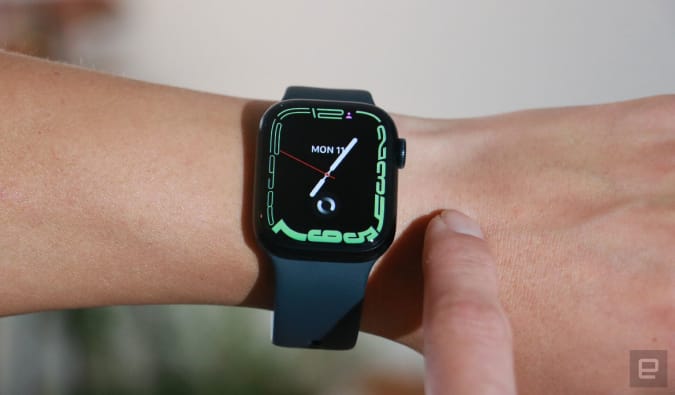
Certain colors of the Apple Watch Series 7 are down to $349, or $50 off their normal price. Apple's latest flagship smartwatch earned a score of 90 from us for its slightly larger display, faster charging and handy watchOS8 features.

Buy Apple Watch Series 7 at Amazon - $349

Mario Kart Live: Home Circuit

Nintendo

Both the Mario and Luigi sets of Mario Kart Live: Home Circuit are 40 percent off and down to $60 on Amazon. These toys work with the Nintendo Switch and let you build your own raceway in your home.

Buy Mario Kart Live: Home Circuit at Amazon - $60

Bose QuietComfort 45

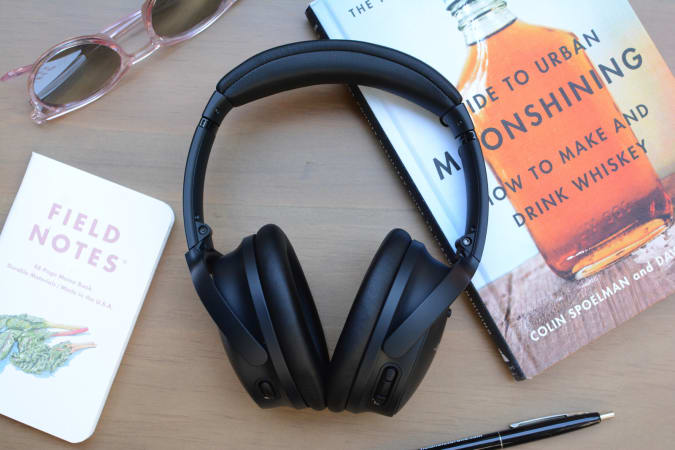
The Bose QC45 headphones are on sale for $279, which is their all-time-low price that we saw last Black Friday. We gave the cans a score of 86 for their excellent sound quality, strong ANC and comfortable fit.

Buy QuietComfort 45 at Amazon - $279

Amazon Fire TV 4K

Amazon

The Fire TV Stick 4K is down to only $30, which is 40 percent off its usual rate. It's a handy streaming device to get if you don't want to spend a ton of money but want a device that supports 4K content with Dolby Vision and HDR, and that comes with an Alexa Voice Remote.

Buy Fire TV Stick 4K at Amazon - $30

Amazon Fire TV Cube

Nicole Lee/Engadget

The Fire TV Cube is back down to a record low of $70, or 42 percent off its normal price. We gave it a score of 84 when it came out for its 4K streaming with Dolby Vision and HDR+, speedy performance and hands-free Alexa controls.

Buy Fire TV Cube at Amazon - $70

Samsung Galaxy Watch 4 LTE

Samsung

The 44mm LTE version of Samsung's Galaxy Watch 4 is down to a record low of $225, making it cheaper than its WiFi-only counterparts. We consider this smartwatch to be the best available right now for Android users and it earned a score of 85 from us for its bright, crisp display, comprehensive health tracking features and improved third-party app support.

Buy Galaxy Watch 4 (44mm, LTE) at Woot - $225

Google Nest WiFi

Daniel Cooper/Engadget

A two-pack of the Google Nest WiFi system is on sale for $189 across the web. That's only $10 more than the pack was during the holiday shopping season last year, so this is a solid sale. We gave the mesh WiFi system a score of 84 for its minimalist design, simple installation process and built-in Google Assistant smart speaker.

Buy Google Nest WiFi at Best Buy - $189Buy Google Nest WiFi at Adorama - $189Buy Google Nest WiFi at B&H - $189

Samsung T7 Touch (1TB)

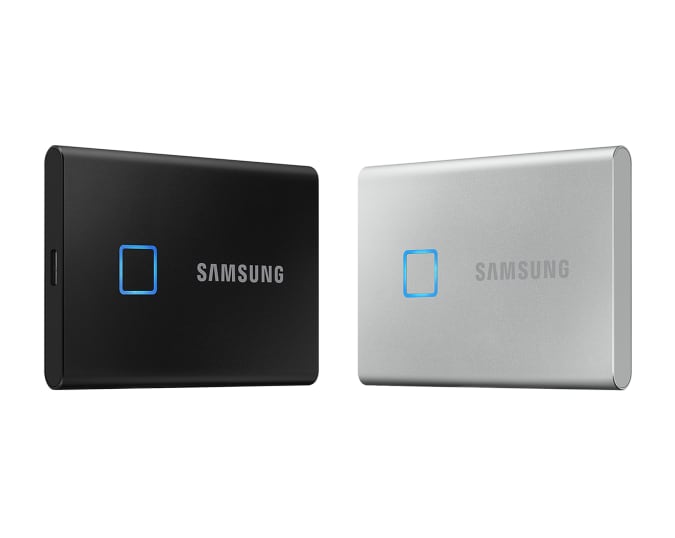
The T7 Touch portable SSD in 1TB is on sale for $140 right now. This palm-sized drive works with most devices thanks to the duo of cables it comes with, and it supports 1,050 MB/s read speeds, 1,000 MB/s write speeds, AES 256-bit encryption and Dynamic Thermal Guard.

Buy Samsung T7 Touch (1TB) at Amazon - $140

Samsung 980 Pro SSD (2TB)

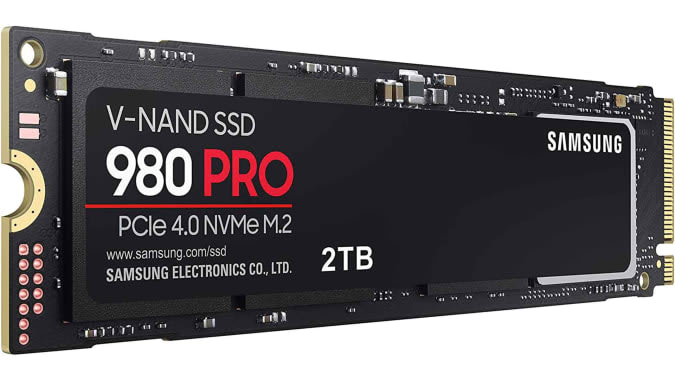
Samsung's 980 Pro internal drive in 2TB is 35 percent off and down to $280 — a great price for a powerful SSD that works with the PS5 (provided you have a heatsink). It has read speeds up to 7,000 MB/s, advanced thermal controls and works with Samsung's Magician Software, which lets you check its health and optimize settings as you'd like.

Buy Samsung 980 Pro (2TB) at Amazon - $280

OnePlus 9 Pro

The OnePlus 9 Pro smartphone is $270 off and down to $799 right now. We gave the handset a score of 88 for its fantastic display, great performance and much-improved main camera.

Buy OnePlus 9 Pro at Amazon - $799

New tech deals

Beats Studio Buds

The Beats Studio Buds are 20 percent off and down to $120. We gave these true wireless earbuds a score of 84 for their tiny, comfortable design, good sound quality and quick-pairing on both Android and iOS.

Buy Beats Studio Buds at Amazon - $120

Apple AirTags

Woot has Apple's AirTags for up to 7 percent off right now: you can get a single pack for $27 or a four-pack for $95. These accessories provide a handy way to keep track of your belongings using Apple's Find My network. Just make sure you pick up a case or holder if you plan on attaching the AirTag to your keys or bag.

Buy AirTags at Woot starting at $27

55-inch Sony A90J Bravia XR OLED 4K TV

Sony's 55-inch Bravia XR OLED set is $600 off right now, bringing it down to $2,200. In addition to deep blacks and the improved contrast that comes with OLED TVs, this set also supports XR Motion Clarity, HDMI 2.1, Acoustic Surface Audio+ and Alexa voice commands.

Buy 55-inch Sony A90J Bravia XR OLED at Amazon - $2,200

Jabra Elite 7 Pro

Jabra's Elite 7 Pro earbuds are on sale for $180, which is $20 off their normal price. These buds have 6mm custom speakers and MultiSensor Voice technology to improve call quality, plus an eight-hour battery life and a charging case that gives you up to 30 hours of usage.

Buy Jabra Elite 7 Pro at Amazon - $180

UK deals

Fitbit Sense

Fitbit's most advanced smartwatch, the Sense, is down to £189 right now. That's not a record low, but it's still 37 percent off its usual rate. We gave it a score of 82 for its comprehensive health tracking features and big, bold display.

Buy Fitbit Sense at Amazon - £189

Jabra Elite 75t earbuds

John Lewis has the Elite 75ts for £79, which is nearly half off their usual rate. We gave the buds a score of 87 when they first came out for their good audio quality, long battery life and small, comfortable design.

Buy Jabra Elite 75t at John Lewis - £79

Follow @EngadgetDeals on Twitter for the latest tech deals and buying advice.